Posted on — Leave a comment

Do Solar Lights Work in Winter? What Changes When the Days Get Short

They work. They just work less. A solar light stores energy during the day and spends it at night, so when December cuts the charging day from nine hours to four, the lamp that ran until dawn in July dies at midnight. Nothing has broken — there is simply less in the tank.

That distinction matters, because most winter complaints are fixed with position and mode rather than a replacement.

What actually changes

Summer Winter (temperate)
Usable charging hours 8 to 10 3 to 5
Sun angle High, near overhead Low on the horizon
Shade Leaves screen the panel Bare trees help; buildings shade more
Battery Normal capacity Capacity drops below freezing
Result Dusk to dawn A few hours, or all night on motion mode

The last row is the one people notice. Set to a dim always-on mode, a light will run out in winter. Set to motion mode — dark until something moves, then bright briefly — the same light usually lasts the night, because motion mode spends far less energy. Changing modes is the most effective winter fix and it costs nothing. Choosing a Smart Lock That Fits the Door You Already Have

Three adjustments worth making in autumn

Tilt the panel toward the winter sun. The sun sits much lower in December, so a panel laid flat catches far less. Angling it steeper, facing the equator (south in the northern hemisphere), recovers a surprising amount. Most units mount on a bracket that allows it. Zigbee Gateway OEM: Complete Guide for Smart Home Distributors

Move it out of the new shade. Shadows lengthen as the sun drops, and a position that was sunny in September can sit behind a fence or a wall by November. Watch the spot for a day before deciding Where to drill.

Wipe the panel. Winter grime — traffic film, salt, dust — cuts charging noticeably, and a panel under a tree collects it faster. A cloth twice a season is the cheapest maintenance there is.

Not all solar lights struggle equally

Decorative lights — a lantern on a table or a path marker — have low expectations and generally do fine, because nobody needs them at full brightness for six hours. The ambient patio lantern belongs here.

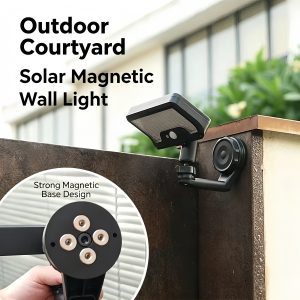
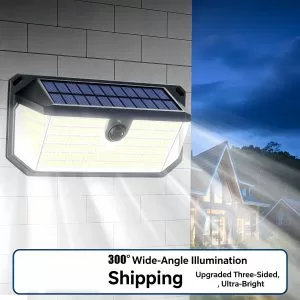
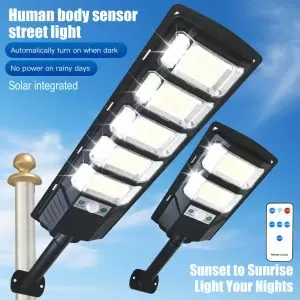
Security lights have the hardest job: bright, reliable, often all night. This is where motion mode and a larger panel matter, and it is why a dedicated 300-degree motion security light or the remote-controlled wall lamp is specified differently from a garden ornament. The magnetic-mount courtyard light is the useful middle case: it detaches for charging indoors when a run of dark weeks arrives.

Step and fence lights run for short periods and are usually fine, but their panels are small — the solar step light and fence wall light are worth checking on the shortest days of the year rather than assuming.

Where a light must be reliable regardless of weather, a mains-powered option such as the mains motion sensor wall light is the honest answer. Solar buys you freedom from wiring, not immunity from December.

Snow, frost and the battery

Snow on the panel stops charging entirely, so brush it off; a light under an eaves overhang avoids the problem. Cold itself is less damaging than people assume — the LEDs are unaffected — but lithium cells deliver less capacity below freezing and recover when they warm up, which is another reason winter nights are shorter than summer ones. Rechargeable cells also age: expect Two to three years before a light’s runtime noticeably shortens, at which point replacing the cell is usually cheaper than replacing the fitting.

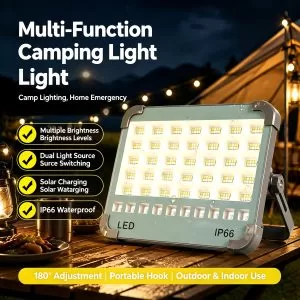
For outages rather than ambience, a rechargeable solar camping floodlight kept charged indoors does more good than a fitting that has spent the week under snow.

Buying for a cold or dark climate

If your winters are genuinely dark — northern Europe, Canada, the northern US states — buy on panel size and battery capacity rather than lumen count, because brightness is useless for three hours a night. Prefer a model with a selectable mode so you can Switch to motion sensing in October and back to a brighter setting in spring. Separate panels are worth having: a fitting whose panel can be aimed independently lets you put the light where you Need it and the panel where the sun reaches, which is often not the same place.

Frequently Asked Questions

Should I bring solar lights indoors for winter?

Usually no. Leaving them out is fine; the failure mode is a flat battery at midnight, not damage. Bring them in only for a long unoccupied period, and give them a charge before redeploying.

Do they charge on cloudy days?

Yes, at a reduced rate — typically a fraction of full sun. Several consecutive grey days are what drain them.

Why does my light come on but only stays lit an hour?

Almost always charging, not the lamp: shade, a dirty panel, or a flat-facing angle. Correct those before suspecting the battery.

Can I use one to light a driveway camera’s view?

Yes, and it helps — motion-activated light improves what a camera records at night. Just remember the camera has its own power question, which our CCTV versus IP camera guide covers separately.

Related Articles

You Might Also Like

Posted on — Leave a comment

Using a Smart Plug as a Heater Thermostat: What Works, and the Two Things to Check First

The cheapest way to make an electric heater Smart is not to replace it. It is to put something between it and the wall. A thermostat plug has its own temperature sensor and switches the outlet according to a target temperature and a schedule, which is exactly what the dial on the heater was supposed to do and usually does badly.

Two checks come first, and they decide whether the idea works at all in your house.

Check one: the load

Read the rating plate on the heater, then read the rating on the plug. A European 16 A thermostat socket handles roughly 3500 W; the US version is rated for a 15 A household circuit, so a 1500 W space heater is comfortable and a second One on the same circuit is not. If the heater’s plate says more than the plug’s rating, stop — this is the one specification where rounding up is not allowed.

Also check what the plug is plugged into. Never chain a heater through an extension lead or a multi-way strip; the combination of a continuous high load and a coiled cable is how these things go wrong. Wall outlet, directly.

Check two: what the heater does when power returns

This is the check people skip, and it is why some setups “do not work”. A thermostat plug controls the heater by cutting and restoring mains power. That only works if the heater comes back on by itself — a mechanical dial or a rocker Switch that stays in the on position will; a heater with an electronic soft-touch power button that wakes up in standby will not, and you will find a cold room and a standby light every morning.

Test it before you buy anything: switch the heater on, pull the plug, wait ten seconds, plug it back in. If it resumes heating, you are fine. If it sits in standby waiting for someone to press a button, you Need either a heater with a mechanical switch or a different approach.

What you actually gain

  • A real thermostat. The bimetal dials on portable heaters drift by several degrees. A plug reading the room temperature holds closer, and you set the target in the app instead of guessing where “3” is.
  • A schedule that matches your life. Warm the room for the hour before you get up and the hour before you get Home, off overnight. This is where the saving comes from — not from any magic inside the plug.
  • Hysteresis done properly. Good thermostat control switches off slightly above target and back on slightly below, instead of chattering around the set point. If your plug’s app has a temperature-difference or hysteresis setting, leave it at one to two degrees.
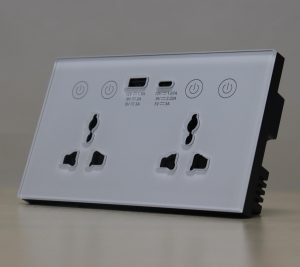
  • Energy figures you can look at. If you want to know what the heater costs per week, a socket with metering such as the 16 A socket with energy monitoring reports it directly. Our guide to energy monitoring on smart plugs covers how to read those numbers.

Place the sensor where it means something. A plug measuring temperature at floor level next to a heater will report a warm room while you sit cold two metres away; that is the most common reason people conclude the plug is inaccurate.

Thermostat plug versus a proper thermostat

A plug controls one heater at the socket. If you want to control a boiler or a whole heating circuit from the wall, that is a switch or a thermostat wired into the system, not a plug — the trade-offs are set out in our comparison of smart thermostats versus smart switches for heating. And if the room’s switch box is what you are replacing, check whether there is a neutral Wire before ordering, which our no-neutral guide covers.

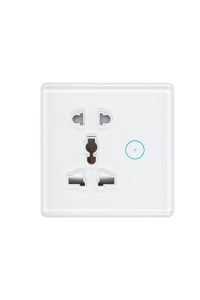
For a permanent installation rather than a plug-in one, the US standard smart socket or a matching 86 × 86 socket from the same series as your switches keeps the wall looking like one unit. If you are building automations around it, the MPH-S1 socket gateway acts as both an outlet and a hub for the sensors feeding it, and a separate temperature and humidity sensor lets you measure the far side of the room instead of the floor.

Where it should not be used

Three situations where a thermostat plug is the wrong answer. Any heater with a motorised or electronic control panel that loses its settings on power loss — a plug cycling it will wipe the setting every time. Anything safety-related that must never be switched off remotely, such as a heater in a room where pipes could freeze. And loads near or above the plug’s rating, where the correct fix is a properly rated contactor and a thermostat, not a smarter plug.

Frequently Asked Questions

Will a thermostat plug actually cut my heating bill?

It cuts the hours the heater runs while nobody is there, which is usually the largest avoidable part of the bill. It does not make a heater more efficient — a 2000 W heater still draws 2000 W when it is on.

Can I use it with an oil-filled radiator?

Yes, and they suit it well: they have mechanical switches that survive power cuts, and their slow thermal response pairs well with a hysteresis setting.

What about an extension lead?

No. High continuous loads should go straight into a wall outlet. If you must, use a properly rated single-outlet lead, uncoiled, and never daisy-chained.

Does it still work if the WiFi drops?

The schedule stored on the device keeps running; app control and remote changes do not. Set the schedule to survive a router reboot rather than depending on an automation in the cloud.

Related Articles

You Might Also Like
Posted on — Leave a comment

Apartment Intercom Retrofit: 2-Wire, 4-Wire and What Fits the Block You Already Live In

Replacing an apartment intercom is not like replacing a doorbell in a house. In a house you own the wire from the door to the chime. In a block, that wire runs through a riser shared with every other flat, it belongs to the building, and the handset on your wall is only One end of a system you did not choose. That is why the retrofit question always starts the same way: how Many wires are behind your handset.

2-wire, 4-wire, and what the count tells you

Take the indoor handset off its bracket (photograph the wiring first) and count the conductors in the wall cable:

Wires What it usually is What you can do
2 Analogue bus intercom — power and signal on the same pair Replace the handset with a 2-wire video set; do not connect anything designed for 4-wire
4 Common in older video systems — power pair plus video pair Widest choice of replacement handsets
5 or more Often 4-wire plus a lock release or a floor-call pair Identify each pair before buying anything
Cat5 / 8 cores IP or TCP-IP intercom Any IP set; the building may already have a network Switch in the riser

If the handset is in a rental and you are not allowed to touch it, skip to option three below — the whole point of that route is that nothing existing is disturbed.

Option 1: swap the indoor handset, keep the building wiring

This is the cleanest retrofit when the block already has a working bus. You keep the outdoor panel and the door release; you replace only your handset with a compatible video set. Our 2-wire video door phone with a 7-inch touchscreen is designed for exactly this: two conductors in, video and door release out. It is the option that looks like a renovation rather than a gadget. Zigbee Gateway OEM: Complete Guide for Smart Home Distributors

The one thing to confirm first is polarity and whether the bus carries power. Some buildings power the handset from the riser; others expect the handset to be powered locally. Both work, but they Need different sets.

Option 2: a wireless kit that bypasses the building system

If the block’s intercom Works but is ancient, you do not have to fight it — you can parallel it. A wireless kit with its own indoor monitor gives you video at your door without touching the building circuit at all: NT601A is the most-used version, and the UOBX kit covers the same job where a wider panel is wanted. The doorbell at your door becomes yours; the building system keeps doing whatever it was doing. Turn an Old AC or TV Into a Smart Device With an IR Remote Hub Tuya vs Sonoff Smart Switch: Which Ecosystem Should You Build On?

Where the flat is large or the monitor needs to move between rooms, the X7 and X8 kits are the portable end of the same idea, and the X6F puts the display outdoors where the entrance is shared.

Option 3: leave everything, add a camera doorbell

For renters, this is usually the only viable answer. A battery doorbell Camera mounts with adhesive or a single bracket screw, talks to your phone, and is removed without a trace when you move out. The trade-off is honest: you can see and speak to whoever is at your door, but the building’s electric lock still opens from the handset you cannot replace. If the block is cooperative, the full U9 kit with an indoor chime sits between the two options.

When the whole block should be replaced instead

Individual retrofits break down when the outdoor panel itself is failing, when more than a third of flats want video, or when the riser cable is degrading. Then the honest answer is a building-wide IP system, paid by the association — with an IP set, every flat gets video, the door station serves the whole block, and nobody’s handset is a special case. That is a committee decision, not a shopping decision, but it is worth naming because it is often cheaper per flat than thirty separate retrofits.

What to send the supplier before ordering

Retrofits go wrong on missing information, not on bad products. Before you buy anything for a block, send four photos and two facts. The photos: the indoor handset on its bracket, the handset off its bracket with the wiring visible, the outdoor panel, and the door itself showing the frame thickness. The facts: how many conductors are in the wall cable, and whether the handset currently controls the door release. With those, a supplier can tell you in one reply whether you need a 2-wire set, a 4-wire set, a wireless bypass kit or nothing at all — and you avoid the most expensive outcome, which is a kit that arrives, does not fit, and goes back.

Frequently Asked Questions

Can I add video without the building’s permission?

Generally yes for anything that does not touch shared wiring — a battery doorbell on your own door frame is usually fine. Cutting into the riser is not. Ask before option one.

Will replacing my handset affect my neighbours?

On a bus system, a faulty handset can load the whole line. Buy a set specified for your wire count and have it fitted properly; the failures people report are almost always mismatched sets.

Can I still open the door from my phone?

Only if your set controls the lock — most 2-wire and 4-wire video handsets do, including ours. A Standalone camera doorbell cannot release a lock it is not wired to.

What if I cannot tell how many wires I have?

Photograph the handset wiring and the outdoor panel and send both to whoever you are buying from. Guessing the wire count is the single most common reason a retrofit kit gets returned.

Related Articles

You Might Also Like
Posted on — Leave a comment

CCTV Camera or IP Camera for Home: What the Difference Actually Buys You

People search “CCTV camera” when they mean “a camera that records the front of my house”. That is not what the word used to mean. CCTV — closed-circuit television — described a system: cameras wired back to a recorder, on their own cables, watched on a monitor. An IP camera is a network Device that happens to have a lens. The Two overlap almost completely in what they deliver, and differ completely in what they cost to install.

So the real question is not which technology is better. It is whether you are willing to run cable. If you are, a wired system gets you continuous recording and no batteries. If you are not, a WiFi or battery camera gets you 90 per cent of the useful footage for an afternoon of work.

What each one is

Traditional CCTV IP / network camera
Cabling Coax or 4-in-1 plus power, or PoE WiFi, or One Ethernet cable with PoE
Recording DVR or NVR box, always on MicroSD in the camera, cloud, or an NVR
Resolution 1080p to 4K depending on generation 2 MP to 4 MP typical for Home models
Install Cable run, usually a professional job Screw or stick, done in an afternoon
Internet needed No, for local recording Yes, for remote viewing

The useful way to read that table: a wired system buys you continuous recording and independence from your router. A wireless camera buys you placement freedom and a much lower install cost. Most homes want the second and believe they want the first.

Where each one wins

Wired wins for a shop with a till, a driveway you Need to record at 3 a.m. without missing frames, or anywhere footage might be needed as evidence. Continuous recording is the reason: a battery camera only records when motion triggers it, and a two-second wake-up delay can miss the plate.

Wireless wins for a flat, a rental, a back garden with no power, or anyone who will not chase walls. Our P9 battery camera and P11 no-drill camera exist for exactly that case — mount anywhere, no cable, no hole in the wall the landlord will notice.

Resolution: what 2 MP and 4 MP actually mean

Resolution is the most oversold number on the box. For a camera watching a doorway four metres away, 2 MP (1080p) is enough to recognise a face; 4 MP helps when you need to read a number plate or zoom into a recorded frame afterwards. Beyond that, lens and sensor quality matter more than megapixels — and so does where the camera points. If you are deciding between battery and mains for the same spot, our comparison of battery versus plug-in cameras covers that specific trade. Tuya vs Sonoff Smart Switch: Which Ecosystem Should You Build On?

For an outdoor position with coverage in two directions, a dual-lens model does more than a higher-megapixel single lens: the KT-A36 and dual-lens PTZ keep a fixed wide view while the second lens tracks movement.

Power: the constraint that decides everything

Ask One question before shopping: is there a socket or a cable within reach of where the camera needs to be?

  • Yes — a plug-in indoor camera such as the P10 mini or the USB 3 MP camera never needs charging.
  • No, but there is sun — a solar PTZ camera runs through winter in most climates.
  • No, and no sun either — battery, and accept that you charge it every few months.
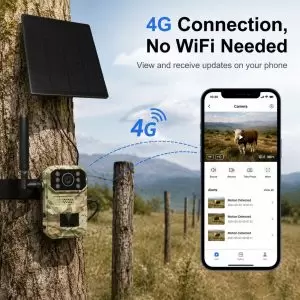
  • No power and no WiFi — a 4G LTE solar camera is the only answer, at the cost of a data plan.

Storage: local, cloud, or both

A microSD card in the camera is the cheapest and keeps footage even when the internet is out. Cloud storage survives somebody stealing the camera, which is the entire argument for it. Most people end up with both: card for continuous local recording, cloud for the clips that matter. Check the card size the model supports before ordering — this is the spec most often discovered after installation.

Night vision and false alarms: the two things people complain about

Every camera here sees in the dark; the difference is what the image looks like and how often it wakes you up. Infrared night vision gives a monochrome picture that is perfectly good for identifying a person at a doorway. Full-colour night vision keeps colour in low light, which matters when you need to describe clothing or a vehicle rather than just prove someone was there.

False alarms are the more common complaint, and they are a settings problem more than a hardware One. A camera pointing at a road will trigger on every passing car; one aimed at a hedge triggers on wind. Two adjustments solve most of it: drop the detection sensitivity a notch, and draw a detection zone that excludes the road or the hedge. Human-shape detection, available on the PTZ models, filters animals and moving branches out entirely. Aim the camera across the approach rather than straight down it and you will cut triggers again, because motion crossing the frame is detected far more reliably than motion coming at the lens.

Frequently Asked Questions

Is a wireless camera still “CCTV”?

Technically it is an IP camera on a closed network, not CCTV in the original sense. In practice the search term survives and everyone means home surveillance, so do not get hung up on the label.

Do I need a recorder (NVR/DVR)?

Only if you want continuous recording, more than a day or two of retention, or a single place to review several cameras. For one to three cameras, cards and cloud are simpler.

Will it work if the internet goes down?

Local recording continues. Remote viewing and notifications do not. A wired system with a recorder keeps working end to end.

How many cameras does a three-bedroom house need?

Usually two: the front door and the back or side access. Our guide to how many cameras a three-bedroom home needs goes through the Positions people Actually use.

Related Articles

You Might Also Like
Posted on — Leave a comment

Smart Switch With No Neutral Wire: What Actually Works in an Old House

The most common reason a Smart switch never gets installed is not the app, the protocol or the price. It is opening the box and finding two wires where the instructions show three. That third wire is the neutral, and a great deal of older housing does not have One at the switch.

This guide is about what to do at that moment: how to confirm what you are looking at, which options genuinely work, and which “no neutral” products are worth buying. For the wider choice of board, start from the smart switch board buying guide.

Why a switch wants a neutral at all

A mechanical switch is a piece of metal that joins two wires. It needs nothing else. A Smart switch is a small computer: it has to stay alive while the light is off, so that “Turn on the hallway light” from your phone still works at midnight. That standby current needs a complete circuit — live in, neutral back — regardless of whether the lamp is lit. With no neutral at the switch, the electronics have nowhere to return to.

How to check what is in your box

With the breaker off and the plate removed:

  • Two wires plus earth — live and switched live only. No neutral. This is the classic old-house switch.
  • Three wires plus earth — the third is very likely neutral, but colour codes pre-2004 are unreliable; confirm with a tester, not by eye.
  • A bundle of neutrals tucked at the back, capped — common in flats where the neutral loop lives in the ceiling rose instead of the switch box. An electrician can often extend this into the box.

If you are renting or cannot open the box, the safe assumption is no neutral, and the right product is one that does not Need it.

Option 1: a switch designed to run without one

Single-fire (no-neutral) switches pass a tiny current through the lamp to keep themselves alive. It works, with three caveats worth knowing before you buy: very low-wattage LED lamps may flicker or glow faintly when off, the minimum load matters, and some lamps simply do not cooperate. A bypass capacitor across the lamp usually fixes the glow. Where the lamp is the problem rather than the switch, automating at the appliance instead — a water heater switch or a Smart plug on the floor lamp — sidesteps the wiring entirely.

Option 2: have a neutral drawn to the box

This is the proper fix and it is often cheaper than people expect if the ceiling rose above already has a neutral loop. It is a job for an electrician, it means chasing the wall or fishing a cable through conduit, and it is the only option that leaves you able to fit any switch you like later. If you are already redecorating, do this — the marginal cost during a rewire is small.

Option 3: move the smart part somewhere else

The switch position is not the only place intelligence can live. A relay Module in the ceiling rose or behind the socket keeps the existing plate completely untouched, which is what you want with rented walls, listed finishes, or a landlord who notices things. The trade is that the physical switch still works mechanically, so a smart-off can be overridden by anyone in the room — fine for a hallway, annoying for a nursery.

What this means for the board you order

Neutral-free positions and neutral-required positions do not always mix on one plate, so check per board rather than per range. On the DS touch range, the DS-1011ZC and DS-1016 are the single-gang and two-gang plates usually chosen for retrofit work; larger boards such as DS-104 and DS-126 go in where the wiring is already modern. On a wide European cut-out the 147 × 86 series is the shape to specify. If the whole point is to avoid touching a switch at all, the wave gesture switch mounts in place of one and needs no contact.

The five-minute check before you buy

Run this before ordering anything, and the odds of a failed install drop sharply:

  1. Open the box, count the conductors. Two plus earth means no neutral.
  2. Note the lamp type and wattage. Low-wattage LEDs are what flicker on a single-fire switch.
  3. Check the box depth. Smart plates are deeper than mechanical ones.
  4. Decide whether the wall can be chased. If not, the answer is a module or a plug, not a new plate.
  5. Ask whether the switch has to work with the router off. If yes, that is an argument for Zigbee with a hub rather than WiFi.
Frequently Asked Questions

Will a no-neutral switch damage my LED lamps?

It will not damage them, but some lamps glow faintly or flicker because of the standby current passing through them. A bypass capacitor supplied with most switches fixes it; if it does not, the lamp is the problem.

Can I just use a smart bulb instead?

Yes, and it is often the cheapest answer for one room — but the wall switch then has to stay on permanently, which visitors will turn off. A smart switch keeps the wall behaviour normal.

Is it legal to add a neutral myself?

Depending on where you live, adding a circuit is licensed work. Replacing a like-for-like switch on existing wiring generally is not; drawing a new conductor usually is. Check locally.

Do Zigbee switches avoid the problem?

No. The neutral requirement comes from how the switch powers itself, not from how it talks. A Zigbee switch with no neutral is still a no-neutral switch.

Related Articles

You Might Also Like
Posted on — Leave a comment

CO2 and Air Quality Monitors: Where to Put One and What the Numbers Mean

A CO2 monitor is one of the few Smart sensors whose reading should change your behaviour rather than trigger a gadget. Carbon dioxide is not toxic at the levels found in homes, but it is an excellent proxy for how stale the air is — and stale air is what makes a bedroom feel stuffy in the morning and a meeting room foggy by mid-afternoon.

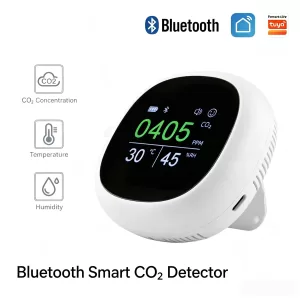
Our Bluetooth CO2 detector reads CO2, temperature and humidity on a built-in display, and pairs with a Zigbee temperature and humidity sensor if you want readings from more than one room. Rain Sensor: What It Is Actually Good For Beyond Telling You It Rains

What the numbers mean

CO2 Level (ppm) What it indicates Typical action
400-600 Fresh outdoor air None
600-800 Well ventilated indoors None
800-1000 Getting stale Consider opening a window
1000-1500 Poorly ventilated Ventilate; people often feel drowsy
1500+ Very stale Ventilate now

A sealed bedroom with two adults and the door closed routinely passes 1200 ppm overnight. That is not dangerous, and it is exactly why you wake up with a dry mouth and a slightly heavy head. P11 Wireless Low-Power Battery Security Camera: No-Wire No-Drill Indoor Home Surveillance

Where to put it

  • Breathing height, not on the floor. Around 1 to 1.5 metres — roughly where people’s heads are.
  • In the room you occupy longest. A bedroom or a home office tells you more than a hallway.
  • Away from windows and doors. Right next to an open window, it reads outdoor air and tells you nothing about the room.
  • Not in a draught or above a radiator. Both distort temperature readings and the airflow affects CO2 sampling.
  • Give it time. CO2 readings settle over a few minutes after moving the unit.

Using the reading rather than admiring it

The useful step is connecting the number to an action. The simplest version is a habit: if the bedroom reads above 1000 in the morning, leave the door open or crack a window while you make coffee. The automated version is a rule that turns on a fan or opens a motorised window above a threshold.

Humidity matters alongside CO2. Very dry air (below 30 percent) is uncomfortable in winter; persistently damp air (above 60 percent) is where mould becomes a risk in a poorly ventilated room. A unit that shows both numbers on one screen is genuinely more useful than two separate sensors you have to cross-reference. Q81 Wireless Button Microphone – Mini Invisible Lapel Mic for Vlogging, Interview & Live Streaming

CO2 is not carbon monoxide

This is the important safety note. A CO2 monitor does not detect carbon monoxide (CO) — the odourless gas produced by faulty boilers, stoves and blocked flues. CO is dangerous at far lower concentrations and requires a certified CO alarm. If you have any fuel-burning appliance, fit a proper CO alarm regardless of what your air quality monitor says.

FAQ

Does it need to be calibrated?
Most consumer units auto-calibrate against the lowest reading they see over several days, which is why they should occasionally experience fresh outdoor air. Leave a window open weekly.
Why does it read 400 in the garden and 900 indoors?
Outdoor air is around 420 ppm. Indoor levels rise with occupancy and fall with ventilation — that difference is the whole point of the measurement.
Can one monitor cover a whole house?
No. CO2 varies room by room. One in the bedroom and one in the main living or working space covers most needs.
Does it detect smoke or gas leaks?
No. CO2 sensors measure carbon dioxide only. Smoke needs a smoke alarm; combustible gas and CO need their own certified detectors.
Does the app log history?
Bluetooth units typically show live readings on the display with logging in the app when in range; Zigbee units report to the gateway and keep history in the app.
Is a higher reading always bad?
It means the air is stale, not toxic. The action is ventilation, not alarm.

Related Articles

You Might Also Like
Frequently Asked Questions

Is Co2 Air Quality worth buying?

Based on the breakdown in this article, Co2 Air Quality offers a solid mix of features and value. If your main goal matches the key benefits described above, it is a practical choice for everyday use.

How do I choose the right co2 air quality for my needs?

Start with your core use case, then compare battery life, compatibility, and build quality as covered above. Choosing the right co2 air quality comes down to matching specs with how you Actually use it.

Does co2 air quality require a companion app?

Most devices of this type pair with a free companion app for setup and firmware updates. A few advanced features may sit behind a paid plan, so check the official specs page before buying.

Posted on — Leave a comment

Wired vs Wireless Zigbee Gateway: What Changes in a Real Home

Every Zigbee device — sensors, switches, IR blasters — needs a gateway to translate between Zigbee and your network. You can buy that gateway with an Ethernet port or without One, and the choice quietly decides how reliable the whole system feels.

In our range that is the difference between a wired unit such as the TYGWZ-01 or ZHUB-C, and a Wireless one such as the ZHUB-W or MHUB-W.

The practical difference

Wired (Ethernet) Wireless (WiFi)
Connects via Ethernet cable to the router Joins WiFi
Placement Next to the router Anywhere with signal
Depends on WiFi quality No Yes
Best for Whole-home setups, reliability Flats, single-room setups, rentals
Typical failure Cable unplugged WiFi dropout takes Devices offline

Why wired is the better default

A wired gateway removes Two variables at once. It does not depend on WiFi signal quality where it sits, and it usually lives next to the router, which tends to be central to the home anyway. When a Zigbee device stops responding, the debugging path is short: is the gateway powered, is the cable in, is the device in range. Tuya Curtain Motor OEM: Complete Sourcing Guide 2026

With a wireless gateway, a WiFi hiccup looks identical to a Zigbee failure from the app’s point of view, and you spend longer working out which layer broke.

Why wireless is sometimes the right call

Placement freedom. If the router is in a corner of the house behind a television and a metal cabinet, a wired gateway has to live there too — and Zigbee range from that spot may not reach the far end of the house. A wireless gateway can sit centrally, on a shelf, where its Zigbee radio Actually covers the rooms that matter.

It is also the only practical option in a rental where you cannot leave an Ethernet cable running to the router, and the tidiest option for a single-room setup (one room’s sensors and switches).

Multi-mode gateways: Zigbee plus Bluetooth, plus Matter

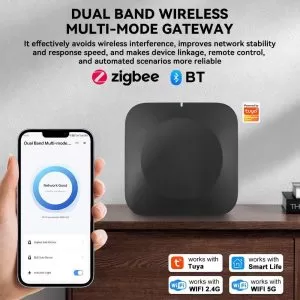
Some units handle more than one protocol. The MHUB-MS and MHUB-FL-U cover Zigbee and Bluetooth in one box, which is worth it if you have Bluetooth sensors as well — one hub instead of two, one app screen instead of two. The MZHUB adds Matter, relevant if you are mixing your Zigbee devices into a newer Matter-based app.

Placement rules that matter more than the model

  • Central and elevated. Zigbee is a mesh — mains-powered devices relay for battery ones — but the gateway should still sit roughly centrally.
  • Away from metal and microwaves. Both 2.4 GHz Zigbee and WiFi suffer near large metal objects and running microwaves.
  • Not inside a cabinet. Putting the hub in a media cabinet behind a metal mesh front costs real range.
  • Give it a stable Power source. A hub that gets unplugged takes every automation with it.
FAQ
Can I use both types in one home?
You can, but devices pair to one hub. Two hubs means two sets of devices in the app. Better to pick one unless you have a genuinely separate zone, such as a garage.
Do I need a gateway for WiFi devices?
No. WiFi switches and plugs join the router directly. The gateway is only for Zigbee (and Bluetooth, on multi-mode units).
Will a wired gateway work if the internet goes down?
Local automations on the same network usually keep running; remote control from outside the home will not. Behaviour varies by app, so test it if it matters.
How far does Zigbee reach?
Tens of metres indoors per hop, less through solid walls. Mains-powered devices extend the mesh, which is why a few wired switches improve coverage for battery sensors.
Is Matter worth paying for now?
Only if you actively use a Matter-based app. If everything runs in the Tuya / Smart Life app, a standard Zigbee gateway does the same job.
Can I move the gateway later?
Yes — devices rejoin the mesh automatically, though battery sensors may need a few minutes to find the new route.

Related Articles

You Might Also Like
Frequently Asked Questions

Is Wired Wireless Zigbee worth buying?

Based on the breakdown in this article, Wired Wireless Zigbee offers a solid mix of features and value. If your main goal matches the key benefits described above, it is a practical choice for everyday use.

How do I choose the right wired wireless zigbee for my needs?

Start with your core use case, then compare battery life, compatibility, and Build quality as covered above. Choosing the right wired wireless zigbee comes down to matching specs with how you Actually use it.

Does wired wireless zigbee require a companion app?

Most devices of this type pair with a free companion app for setup and firmware updates. A few advanced features may sit behind a paid plan, so check the official specs page before buying.

Posted on — Leave a comment

Rain Sensor: What It Is Actually Good For Beyond Telling You It Rains

A rain sensor sounds like a device that tells you something you can already see from the window. Its value is not the notification; it is the automation. Once the sensor is reporting “it is raining” to the same app that runs your other devices, it becomes a trigger for things you would otherwise have to remember.

Our solar rainwater and leak sensor runs on Zigbee with its own panel, and the ultrasonic level sensor covers the related job of measuring how much Water is in something.

Four automations worth setting up

  1. Close the roof window or skylight. The classic use: rain detected, motorised window closes. This is the one that justifies the sensor on its own in any house with a remote skylight.
  2. Skip the irrigation cycle. If garden watering is automated, a rain sensor stops it running on a day when the ground is already soaked.
  3. Retract the awning or bring in the cover. Rain plus wind is what damages awnings; the sensor gives you the trigger.
  4. Alert on water where it should not be. The same class of sensor is used as a leak detector in a loft, a garage or under a sink — see our water leak sensor placement guide for that use.

Where to mount it so it reads correctly

A rain sensor has to get wet to work, which sounds obvious but dictates the mounting position:

  • Open to the sky. Under a soffit, a porch or a tree, it will under-report — it only sees the rain that reaches it.
  • Level or very slightly tilted. Most sensor plates are designed to shed water; mount them as intended so the surface does not hold a puddle and report rain hours after it stopped.
  • Away from sprinklers and drips. An irrigation line that sprays the sensor in dry weather produces false positives all summer.
  • Reachable enough to clean. Dust, pollen and bird deposits change how water beads on the plate. A seasonal wipe keeps readings sane.

Zigbee, and what that means

The Zigbee models do not connect to your router directly — they join a ZigBee gateway, which is also what gives them long battery life. A solar model adds a small panel that keeps the cell topped up through the year, which matters for a sensor mounted on a roof or a fence where charging it is a chore. Q81 Wireless Button Microphone – Mini Invisible Lapel Mic for Vlogging, Interview & Live Streaming

If you are choosing between wired and Wireless gateways for the same setup, see wired vs wireless Zigbee gateways; and if you are planning a whole sensor network, how many devices one gateway can handle is the number that decides whether you need a second hub. Smart Wireless Video Doorbell – 24/7 HD Front Door Security With Night Vision & Voice Change

What it will not do

Be honest about the limits: a rain sensor reports wet or dry, not millimetres. It will not tell you how much rain fell, and it cannot measure a tank level — for that you want an ultrasonic sensor that reads distance to the water surface. It also reports rainfall at the sensor, which is not necessarily the rainfall in the garden if the sensor sits in a sheltered spot. Smart Visual Wireless Video Doorbell: Upgrade Your Home Security in 2026

FAQ
Does it need WiFi?
The sensor itself uses Zigbee and talks to a gateway; the gateway connects to your network. The sensor does not join WiFi directly.
Will it trigger from dew or fog?
Heavy dew can register. If that causes false automations, raise the trigger threshold in the app or delay the automation by a few minutes.
Does the solar panel work in winter?
It contributes less in low light, but a rain sensor draws very little. The panel is there to stretch the interval between charges, not to replace the battery.
Can one sensor drive several automations?
Yes — the sensor reports a state, and the app can use that state in as many scenes as you like.
Is it the same as a leak sensor?
Similar sensing principle, different mounting and purpose. A rain sensor lives outdoors in the open; a leak sensor sits where water would collect if something failed.
How do I stop it reporting rain after it stopped?
Mount it tilted as designed so water runs off the plate, and keep the surface clean.

Related Articles

You Might Also Like
Frequently Asked Questions

Is Rain Sensor Actually worth buying?

Based on the breakdown in this article, Rain Sensor Actually offers a solid mix of features and value. If your main goal matches the key benefits described above, it is a practical choice for everyday use.

How do I choose the right rain sensor actually for my needs?

Start with your core use case, then compare battery life, compatibility, and build Quality as covered above. Choosing the right rain sensor actually comes down to matching specs with how you actually use it.

Does rain sensor actually require a companion app?

Most devices of this type pair with a free companion app for setup and firmware updates. A few advanced features may sit behind a paid plan, so check the official specs page before buying.

Posted on — Leave a comment

Tuya Water Level Sensor: What to Check Before Buying

In the Tuya ecosystem, “water level sensor” covers Two genuinely different products. A leak detector tells you water is present somewhere it should not be — under a sink, under a water heater, in a drip pan. A level sensor tells you how much water sits inside a tank — a Rain barrel, a sump pit, a livestock trough. Most consumer devices sold under the “Tuya water sensor” name are leak detectors, and buying the wrong one is the single most common mistake with this category.

The short answer

If your goal is to catch a leak before it becomes damage, you want a Tuya Zigbee leak detector with two metal probes — inexpensive, two-year battery, instant alerts through Smart Life. If your goal is to read the depth of water in a tank on your phone, you need a level-sensing device, which consumer Tuya lines cover only partially. Decide which job you are hiring the sensor for before comparing prices.

How a Tuya leak detector actually works

The sensor is a conductivity meter with a threshold. Two metal probes sit at the bottom of the housing; when water bridges them, resistance drops and the device reports “water detected” to the hub. This is why probe geometry matters more than any spec line: two-pin probes detect water exactly where the pins are, while a rope-style probe chain detects water anywhere along a stretchable line. A two-pin sensor in the corner of a basement floor can Miss a leak that pools one meter away; a rope probe routed along the base of a wall cannot.

Because the event is rare and the reporting is event-driven, Battery life is long — typically two years on a coin cell or a single AAA. The device sleeps until water, a tamper event, or a periodic low-battery report wakes it.

What real level monitoring takes

Continuous depth measurement needs a different physical principle. A float switch tied to a ZigBee contact interface gives you two-level or multi-level readings — enough to know “tank above / below half” — and it is the approach that integrates most cleanly with a Tuya ZigBee gateway. Pressure-based transducers measure the water column above them and give true analog depth, but few consumer Tuya devices expose that channel. Ultrasonic and time-of-flight sensors measure from the top of the tank and are appearing at the hobbyist end, not yet as certified Tuya shelf products.

The honest position for a buyer: for tank telemetry with graphs and thresholds, expect to piece it together (float switch plus contact sensor, or a dedicated level product outside the Tuya catalog). For leak alarms, the Tuya ZigBee line is mature and cheap enough to install everywhere water runs.

Where leak detectors earn their price

  • Under the water heater. A tank that lets go releases everything at once. A probe in the drip pan catches the slow weep weeks before the failure.
  • Under sinks and behind washing machines. Hose clamps loosen over years, and the leak starts as a damp spot you never see.
  • Sump pit lid. A probe at the “pit nearly full” line tells you the pump stopped before the floor does.
  • Basement and floor-wall joints. Route a rope probe along the lowest joint instead of gambling on one spot.
  • Near boilers and AC condensate trays. A blocked condensate drain is one of the most common slow-water disasters in apartments.

The buying checklist

  • Probe style first. Two-pin for a defined spot; rope probe for a stretch of floor or wall joint.
  • Local sounder. Some models beep on the device itself; cheaper ones are app-silent. A local alarm still works when WiFi is down.
  • Hub requirement. ZigBee models need a Tuya ZigBee gateway. WiFi models exist but trade battery life for hub-free setup.
  • Battery reporting. Confirm the device reports battery level periodically, not only when it is already dying.
  • IP rating for outdoor use. Open rain sensing outdoors wants IPX4 or better; indoor probes do not care.

Sensors that cover the water jobs well

Frequently Asked Questions

Can a Tuya water sensor measure how full my tank is?

Not the standard leak detector — it only reports water present or absent at the probe. For tank depth, look for a float switch paired with a ZigBee contact interface, or a dedicated level product; true continuous depth needs a pressure or ultrasonic sensor.

Do these sensors work without WiFi?

ZigBee models keep detecting and still sound a local alarm during an internet outage, because the mesh is local. Phone notifications away from home are the part that needs the cloud.

Where exactly should the probe sit?

At the lowest point water will reach, and as close to the likely source as possible — the pan seam, the hose clamp, the pit rim. One sensor per risk point beats one sensor per room.

Will a leak detector false-trigger in a humid bathroom?

No. Conductivity probes need liquid bridging the contacts, not Air moisture. Steam and humidity do not trip them; actual pooling water does.

How long do the batteries last?

Typically around two years for event-driven ZigBee models, since the device sleeps between reports. Models that report temperature and humidity alongside water detection trade a little battery for that extra channel.

Do I need one gateway per sensor?

No. One Tuya ZigBee gateway hosts dozens of sensors. Buy the gateway once, then place sensors at every water risk point in the home.

Related Articles

You Might Also Like
Posted on — Leave a comment

ZigBee vs ZigBee 3.0: What Actually Changed

Zigbee 3.0 is not a new radio. It is the same 2.4 GHz mesh network that ZigBee has always used, with a unified application layer on top. Before 3.0, a device had to match the hub’s application profile (Home Automation 1.2, Light Link, Building Automation and others ran as separate dialects). ZigBee 3.0 merged those dialects into one language, so a certified 3.0 Sensor, Switch or bulb can join any certified 3.0 coordinator without profile matching. That single change is what buyers actually feel.

The short answer for buyers

If you are buying new ZigBee devices today, buy ZigBee 3.0 certified ones and pair them with a ZigBee 3.0 hub. The radio, mesh routing, channel layout and practical device limits are unchanged, so 3.0 hardware does not reach further or run faster than older ZigBee. What you gain is compatibility: fewer pairing failures, fewer devices that join but expose only a fraction of their features, and a safer path when you later replace your hub.

What stayed exactly the same

The physical and network layer is untouched. ZigBee still runs on the 2.4 GHz band in most regions, still forms a self-healing mesh Where mains-powered devices route for battery devices, and still caps a practical network at roughly 30 to 50 well-behaved devices before latency creeps up. Battery sensors still sleep between reports, which is why a ZigBee door sensor can run Two years on a coin cell while a WiFi sensor of the same size lasts weeks. None of that changed with 3.0, and marketing that implies better range or speed from “3.0” is describing the certification, not the physics. Why Cameras Miss Faces but Doorbells Don’t

What actually changed in ZigBee 3.0

Three things changed that matter to a Smart home buyer. First, profile unification: Home Automation 1.2, Light Link and the building profiles merged into one application layer, which removed the “works with HA hubs only” class of incompatibility. Second, a mandatory base device behavior was defined, so every certified device supports a common set of commands for joining, reporting and identification. Third, security was tightened — install codes and network keys are handled more strictly, which cuts down the replay attacks that older Light Link commissioning allowed.

A fourth change matters to installers: TouchLink commissioning (introduced with Light Link for bulbs) carried into 3.0, so a bulb can be reset and paired close-range without touching the hub app. It is a small convenience that older pure-HA networks never had.

Backward compatibility in real rooms

Old ZigBee Home Automation 1.2 devices mostly do join a ZigBee 3.0 coordinator, because 3.0 hubs keep translation for the legacy HA profile. The honest qualifier is “mostly”: some legacy devices pair cleanly but expose only basic on/off or open/closed, because the advanced features lived in manufacturer-specific clusters the new hub never mapped. Legacy routers (mains-powered plugs and switches) repeat traffic for your 3.0 battery devices without complaint, so keeping an older ZigBee plug in a hallway is fine.

Direction matters too. A 3.0 device joining a very old HA 1.2-only hub is the fragile combination — the hub may not understand the 3.0 commissioning flow. If your hub predates 2017 and has never received a firmware update, plan to replace the hub rather than fight it.

Why hubs from different brands still behave differently

ZigBee 3.0 guarantees that devices speak the same language on the radio. It does not force the hub maker to implement every optional feature. A Tuya ZigBee gateway pairs third-party 3.0 sensors and switches, and the common functions (on/off, open/closed, motion, temperature) generally come through. Niche features — a rare configuration attribute, a manufacturer-specific alarm pattern — depend on whether the hub’s software maps that cluster. This is why a “ZigBee 3.0 certified” badge on the device is necessary but not a complete promise; the practical test is pairing one sample before ordering in volume.

Within one ecosystem the problem mostly disappears. Devices designed for the Tuya ZigBee ecosystem and a Tuya ZigBee gateway are tested against each other, which is the safe default for whole-home rollouts.

What to check before buying

  • Certification wording. “ZigBee 3.0” on the box, not just “ZigBee”. Old HA 1.2 stock is still sold cheap.
  • Hub support. Confirm your coordinator is 3.0. A hub stuck on HA 1.2 turns your new devices into the fragile combination.
  • Green Power, if you want battery-free switches. ZigBee 3.0 carries Green Power devices that harvest energy from the button press itself. Hub support for Green Power is optional, so verify it if you plan to use them.
  • Mains-powered repeaters in the right places. The mesh needs routers between the hub and far battery sensors. Any mains-powered ZigBee device acts as one.
  • Channel planning. ZigBee and WiFi share 2.4 GHz. Set the router to channel 1 or 6 in busy homes and let ZigBee settle away from it.

Devices that make a solid 3.0 starter mesh

Frequently Asked Questions

Is ZigBee 3.0 faster or longer-range than older ZigBee?

No. The radio layer is the same 2.4 GHz mesh. Range and speed improvements you may read about come from better antennas or repeater placement, not from the 3.0 certification itself.

Will my old ZigBee 1.2 devices still work on a new hub?

Usually yes. ZigBee 3.0 coordinators keep legacy Home Automation translation, so basic functions pair and report. Advanced manufacturer-specific features are the part that may not carry over.

Do ZigBee 3.0 devices need the internet?

The mesh itself is local. Devices keep talking to the hub during an internet outage, and time-based automations stored on the hub still run. Remote control from your phone and cloud-dependent scenes are what stop working.

Can I mix brands on one ZigBee 3.0 hub?

Yes, that is the point of the unified application layer. Pair one sample first if the device exposes an uncommon feature, because the hub maker decides which optional clusters to map.

Does ZigBee 3.0 interfere with WiFi?

Both live on 2.4 GHz, so planning matters. Keep the WiFi router on a fixed channel away from the ZigBee channel, and expect a few retries while both networks settle after a router reboot.

How many ZigBee devices can one hub hold?

The specification allows far more than a home needs. In practice, 30 to 50 devices per hub keeps reporting latency low; add mains-powered devices between the hub and distant sensors so battery devices can route through them.

Related Articles

You Might Also Like