Posted on — Leave a comment

Using a Smart Plug as a Heater Thermostat: What Works, and the Two Things to Check First

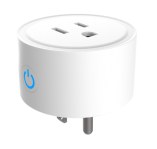
The cheapest way to make an electric heater Smart is not to replace it. It is to put something between it and the wall. A thermostat plug has its own temperature sensor and switches the outlet according to a target temperature and a schedule, which is exactly what the dial on the heater was supposed to do and usually does badly.

Two checks come first, and they decide whether the idea works at all in your house.

Check one: the load

Read the rating plate on the heater, then read the rating on the plug. A European 16 A thermostat socket handles roughly 3500 W; the US version is rated for a 15 A household circuit, so a 1500 W space heater is comfortable and a second One on the same circuit is not. If the heater’s plate says more than the plug’s rating, stop — this is the one specification where rounding up is not allowed.

Also check what the plug is plugged into. Never chain a heater through an extension lead or a multi-way strip; the combination of a continuous high load and a coiled cable is how these things go wrong. Wall outlet, directly.

Check two: what the heater does when power returns

This is the check people skip, and it is why some setups “do not work”. A thermostat plug controls the heater by cutting and restoring mains power. That only works if the heater comes back on by itself — a mechanical dial or a rocker Switch that stays in the on position will; a heater with an electronic soft-touch power button that wakes up in standby will not, and you will find a cold room and a standby light every morning.

Test it before you buy anything: switch the heater on, pull the plug, wait ten seconds, plug it back in. If it resumes heating, you are fine. If it sits in standby waiting for someone to press a button, you Need either a heater with a mechanical switch or a different approach.

What you actually gain

  • A real thermostat. The bimetal dials on portable heaters drift by several degrees. A plug reading the room temperature holds closer, and you set the target in the app instead of guessing where “3” is.
  • A schedule that matches your life. Warm the room for the hour before you get up and the hour before you get Home, off overnight. This is where the saving comes from — not from any magic inside the plug.
  • Hysteresis done properly. Good thermostat control switches off slightly above target and back on slightly below, instead of chattering around the set point. If your plug’s app has a temperature-difference or hysteresis setting, leave it at one to two degrees.
  • Energy figures you can look at. If you want to know what the heater costs per week, a socket with metering such as the 16 A socket with energy monitoring reports it directly. Our guide to energy monitoring on smart plugs covers how to read those numbers.

Place the sensor where it means something. A plug measuring temperature at floor level next to a heater will report a warm room while you sit cold two metres away; that is the most common reason people conclude the plug is inaccurate.

Thermostat plug versus a proper thermostat

A plug controls one heater at the socket. If you want to control a boiler or a whole heating circuit from the wall, that is a switch or a thermostat wired into the system, not a plug — the trade-offs are set out in our comparison of smart thermostats versus smart switches for heating. And if the room’s switch box is what you are replacing, check whether there is a neutral Wire before ordering, which our no-neutral guide covers.

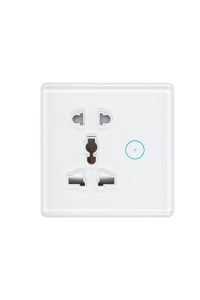
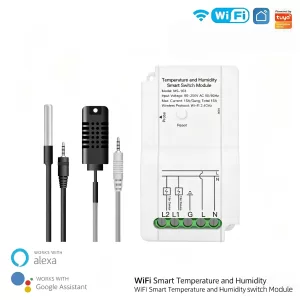
For a permanent installation rather than a plug-in one, the US standard smart socket or a matching 86 × 86 socket from the same series as your switches keeps the wall looking like one unit. If you are building automations around it, the MPH-S1 socket gateway acts as both an outlet and a hub for the sensors feeding it, and a separate temperature and humidity sensor lets you measure the far side of the room instead of the floor.

Where it should not be used

Three situations where a thermostat plug is the wrong answer. Any heater with a motorised or electronic control panel that loses its settings on power loss — a plug cycling it will wipe the setting every time. Anything safety-related that must never be switched off remotely, such as a heater in a room where pipes could freeze. And loads near or above the plug’s rating, where the correct fix is a properly rated contactor and a thermostat, not a smarter plug.

Frequently Asked Questions

Will a thermostat plug actually cut my heating bill?

It cuts the hours the heater runs while nobody is there, which is usually the largest avoidable part of the bill. It does not make a heater more efficient — a 2000 W heater still draws 2000 W when it is on.

Can I use it with an oil-filled radiator?

Yes, and they suit it well: they have mechanical switches that survive power cuts, and their slow thermal response pairs well with a hysteresis setting.

What about an extension lead?

No. High continuous loads should go straight into a wall outlet. If you must, use a properly rated single-outlet lead, uncoiled, and never daisy-chained.

Does it still work if the WiFi drops?

The schedule stored on the device keeps running; app control and remote changes do not. Set the schedule to survive a router reboot rather than depending on an automation in the cloud.

Related Articles

You Might Also Like

Posted on — Leave a comment

Smart Plug OEM Manufacturing: Complete Buying Guide for Brands

The Smart Plug Market: Why OEM Brands Win in 2026

Smart plugs are the entry point product for most Smart home buyers. They are affordable, easy to install, and immediately useful. For brands looking to enter the Smart home space, private label Smart plugs offer the fastest path to market with the lowest risk. This guide covers everything you need to know about smart plug OEM manufacturing.

Key Product Variants

1. Basic Wi-Fi Smart Plug

The Standard model. Plugs into any wall outlet, controls devices up to 16A (3680W). Works with Alexa, Google Home, and Tuya/Smart Life app. This is the volume seller — 70% of smart plug OEM orders are this type.

2. Smart Plug with Energy Monitoring

Adds power consumption tracking. Customers love seeing their electricity usage. Unit cost is $2-3 more than basic, but sells for $8-12 more. Strong margins for brands.

3. Smart Plug with USB Ports

Adds 2x USB-A charging ports (total 5V/2.4A). Popular in hotel rooms and offices. Differentiated product — less competition than basic plugs.

4. Outdoor Smart Plug

IP44 waterproof rating, 2 or 3 outlets separately controlled. Used for holiday lights, garden pumps, patio heaters. Higher price point ($15-25 retail).

5. Dimmer Plug

Controls brightness of dimmable bulbs. Niche but growing category. Requires more complex firmware and certification.

Technical Specifications to Specify

  • Rated load: 16A (3680W) is standard. 10A for European market.
  • Wi-Fi: 2.4GHz only (not 5GHz — saves cost and battery)
  • Protocol: Tuya Wi-Fi (most common) or Zigbee 3.0 (requires hub)
  • Energy metering chip: HLW8012 or BL0937 — both work well
  • Fire rating: PC+ABS V-0 flame retardant is mandatory
  • Operating temperature: -10°C to 40°C for indoor, -20°C to 60°C for outdoor

Safety Certifications by Market

Market Required Cert Approx Cost Timeline
USA FCC Part 15, UL 62368 $3,000-5,000 4-6 weeks
EU CE, RED, RoHS $2,000-3,500 3-5 weeks
UK UKCA $1,500-2,500 3-4 weeks
Australia RCM $2,000-3,000 4 weeks
Japan PSE $4,000-6,000 6-8 weeks

OEM Pricing and MOQ

Model Unit Price (FOB) MOQ Lead Time
Basic Wi-Fi Plug $3.50-4.50 500pcs 15-20 days
Energy Monitoring Plug $5.50-6.50 500pcs 15-20 days
Plug with USB $6.50-7.50 500pcs 20 days
Outdoor Plug $8.50-10.00 300pcs 20-25 days

Customization Options

  1. Logo printing: Laser engraving or silk-screen on the plug body
  2. Custom packaging: Retail box with your brand design
  3. App customization: White-label Tuya app with your logo
  4. Custom firmware: Add your own features (schedules, scenes, automation)
  5. Shell color: White, black, or custom Pantone color

Common OEM Mistakes

  • Under-ordering certification. If you sell on Amazon USA, FCC + UL is non-negotiable. Skipping UL gets your listing banned.
  • Ignoring plug type differences. US (Type A/B), EU (Type C/F), UK (Type G), AU (Type I) are all different molds. Specify which market you sell to.
  • Testing only 1 sample. Ask for 5-10 samples and stress test them for 2 weeks. Plug/unplug 500 times to check durability.
  • No 2-year warranty. Smart plugs have 2-5% failure rate. Budget for replacements from day one.

Why Source from Shenzhen XingLiao?

We manufacture smart plugs for B2B brands worldwide since 2019. Our factory in Shenzhen produces 500,000+ smart plugs monthly with full QC testing on every unit.

What we offer:

  • Tuya and custom firmware options
  • Full customization from logo to packaging
  • FCC, CE, UKCA, RoHS certified
  • MOQ from 5pcs with sample in 3 days
  • 2-year warranty and 24-hour technical support

Get your free quote today. Contact us with your target market, quantity, and required certifications — we reply within 24 hours with pricing and lead time.

Related Articles

You Might Also Like
Frequently Asked Questions

Is Smart Plug Oem worth buying?

Based on the breakdown in this article, Smart Plug Oem offers a solid mix of features and value. If your main goal matches the key benefits described above, it is a practical choice for everyday use.

How do I choose the right smart plug oem for my needs?

Start with your core use case, then compare battery life, compatibility, and build quality as covered above. Choosing the right smart plug oem comes down to matching specs with how you actually use it.

Does smart plug oem require a companion app?

Most devices of this type pair with a free companion app for setup and firmware updates. A few advanced features may sit behind a paid plan, so check the official specs page before buying.

Posted on — Leave a comment

Smart Socket vs Smart Plug: Which to Buy?

A Smart socket and a Smart plug do the same job from the app’s point of view: they switch power on and off, on a schedule or by voice. The difference is physical, and it decides which one belongs in your house. A Smart socket replaces the wall outlet itself; a smart plug goes into the outlet you already have. This guide explains where each one wins, what the power ratings mean, and how to set either type up in a few minutes.

The difference in one line

A smart wall socket is installed in place of a normal outlet, so nothing sticks out and you never lose a socket. A smart plug sits in an existing outlet and turns whatever is plugged into it into a connected device. If you own the wall, choose sockets. If you rent, move often, or want to move control from room to room, choose plugs.

Where smart wall sockets win

  • Nothing sticks out. Furniture sits flush, and a socket behind a sofa or a bed stays usable.
  • You do not lose an outlet. A plug occupies the socket it uses; a 2-gang wall socket gives you two switched channels instead of one.
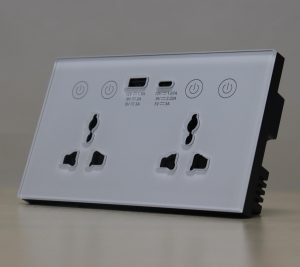
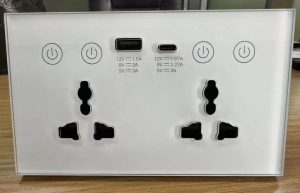
  • Charging built in. Many models add USB-A and USB-C ports — a 20 W Type-C port charges a phone at full speed Without an adapter.
  • Metering where it matters. A wall socket with energy monitoring measures exactly what that appliance draws, every day, without any extra hardware.
  • Cleaner look in a finished home. One glass panel on the wall instead of a plug with an LED floating in the outlet.

The trade-off is installation: a wall socket needs the circuit isolated and the wiring moved, exactly like fitting a smart switch. That is a 20-minute job per socket for someone comfortable with basic wiring, and a short electrician visit otherwise.

Where smart plugs win

  • Zero installation. Plug in, pair, done — no breaker, no screwdriver, no landlord conversation.
  • They move. Take the plug from the lamp in winter to the fan in summer, or to a hotel room on a trip.
  • Perfect for lamps and small appliances. A floor lamp, a coffee machine, a Christmas tree, a router that needs a scheduled reboot.
  • Test before committing. If you are unsure which appliances are worth automating, a plug tells you for a few dollars.
  • No lost sockets indoors, sometimes. Slim models fit two per double outlet; the chunky ones do not.

Which one goes where in a real house

  • Kitchen counter (kettle, coffee machine): plug, because appliances get swapped and moved.
  • Living room lamps: plug, hidden behind the sofa, controlled as a group.
  • Bedside USB charging: wall socket with USB-C, so the phone charges fast without an adapter.
  • Heater or heated floor: socket with a temperature probe, or a temperature-control socket, so it switches on by temperature rather than by clock.
  • Washing machine, dishwasher, tumble dryer: wall socket, ideally one per appliance, so each can be scheduled and monitored on its own.
  • Rented flat: plugs only. Take them with you when you leave.

Power ratings and safety, in plain numbers

  • EU sockets: 16 A at 230 V is about 3,680 W. Fine for kettles, washing machines, small heaters.
  • UK sockets: 13 A at 230 V is about 3,000 W per gang.
  • US sockets: 15 A at 120 V is about 1,800 W — a single US plug should not run a large space heater continuously.

Two rules that matter more than the number: never plug an extension lead into a smart plug and then load it, and never put a smart plug on a device that draws more than the plug is rated for. A smart socket installed on its own circuit is the safer way to automate heating or laundry.

Energy monitoring: what the numbers actually tell you

Energy monitoring is the feature people use longest, because it answers a question nobody can guess: which appliance is costing money. A metering socket reports live watts, and the app keeps daily and monthly totals. In practice you learn three things:

  • The standby load of a room — the TV, console and router that together draw 30 to 60 W all night.
  • Which appliance is the real consumer — usually an old fridge, a dryer or a space heater, rarely the one you suspected.
  • Whether a scheduled run actually finished: zero watts after 90 minutes means the cycle ended, which is a useful laundry reminder for free.

Sockets that do more than switch

Two special cases are worth knowing before you buy:

  • Temperature-control sockets pair with a probe and switch by temperature — for a heater, a heat mat for seedlings, or an aquarium. No hub needed, and no schedule to fight with weather.
  • Multi-mode socket gateways act as a socket and a hub at once, so Zigbee sensors elsewhere in the house can join the same system. Useful in a small flat where you want sensors but not another box behind the television.

Setting either type up (same steps)

  1. Install the Tuya Smart or Smart Life app and create one account for the household.
  2. For a socket, switch the breaker off, connect live, neutral and earth, then switch it back on. For a plug, just put it in the outlet.
  3. Put the device in pairing mode — usually hold the button until the indicator blinks fast.
  4. Join your 2.4 GHz WiFi. A socket will not connect to a 5 GHz-only network name.
  5. Name it by what it controls, not by where it lives: “Coffee machine” beats “Socket 3”.
  6. Set a schedule and add it to a scene — “Good night” turning off lamps, heater and router in one tap.
  7. If you use Alexa or Google Home, link the Tuya account once and the names carry over.

Buying checklist

  • Own the wall, or rent? Sockets or plugs.
  • Do you need to know consumption, or only switch power? Metering costs a little more, and pays back in curiosity alone.
  • Which standard: EU 86 mm, UK, US, or a socket module for a country-specific frame?
  • How many gangs on one panel — two is the sweet spot in a kitchen or office.
  • USB charging needed? Look for Type-C at 20 W or more, not 5 W legacy ports.
  • Do you already have Zigbee sensors? A multi-mode gateway socket saves a hub.

XingLiao smart sockets

Frequently Asked Questions

Is a smart socket better than a smart plug?

Neither is better — they solve different problems. A socket is permanent, flush and never cost you an outlet, which suits appliances you want automated for years. A plug is instant and portable, which suits rented homes, lamps and anything you might automate only for a season.

Can a smart plug catch fire?

The plug itself rarely causes the problem; overload does. Keep the load inside the rating printed on the device, avoid daisy-chaining extension leads behind a plug, and use a wall socket on its own circuit for heaters, dryers and other high-draw appliances.

Do smart sockets need a neutral wire?

A wall socket needs live, neutral and earth — the same wires as a normal outlet, so no extra conductor is required. A smart switch sometimes needs a neutral that older switch boxes lack; a socket does not have that problem.

Do I need a hub or gateway?

Not for WiFi models. Tuya WiFi sockets talk to your router directly and appear in the app. A gateway is only needed for Zigbee-only devices, and some sockets combine both roles so you can skip the extra box.

Will a smart socket work with Alexa and Google Home?

Yes, for Tuya-based devices: link the Tuya Smart or Smart Life account in the voice assistant once, and every named socket appears as a controllable device. Scenes created in the app also run from voice.

What happens to schedules if the internet goes down?

Schedules stored on the device keep running, and physical switches still work. Only remote control and app history pause until the connection returns, which is why local time-based schedules are worth setting even when you mainly use voice.

Can I monitor energy without a subscription?

Yes. Metering is built into the socket or plug itself and the consumption history is shown in the app with no monthly fee. Subscriptions only appear if you opt into third-party analytics services.

Related guides

Browse smart switches and sockets · Tell us which appliances you want to automate and we will match the right socket

Posted on — Leave a comment

Tuya Smart Plug: Setup, Energy Monitoring and Limits

A Tuya Smart plug is a Wi-Fi socket adapter that turns any mains appliance into a connected one: it plugs into an existing socket, you pair it with the Tuya Smart or Smart Life app, and from then on you can Switch it on and off remotely, put it on a schedule, and — on models with metering — read the appliance’s live power draw and accumulated energy use.

Tuya is the platform, not a manufacturer. That is why a Tuya plug from one brand works in the same app as a Tuya switch, Camera or sensor from another, and why the same plug is sold under dozens of brand names. For a buyer this is good news: one app, one account, and no lock-in to a single hardware vendor.

What a smart plug is actually good for

  • Removing standby waste. TVs, set-top boxes, consoles and chargers draw power all night. A schedule that cuts them at 01:00 pays for the plug within months.
  • Appliances you should not leave running. Irons, hair straighteners, slow cookers, space heaters — a timer is a genuine safety feature here.
  • Lighting Without rewiring. A floor lamp on a plug gets app control, voice control and a dusk-to-dawn schedule with no electrician.
  • Energy measurement. Metering models show watts, voltage, current and kWh, which is how you find the appliance that is actually costing you money.
  • Presence simulation. Random on/off while you are away is a cheap, effective deterrent.

What it is not good for: high-power fixed appliances. Never put a water heater, an air conditioner, an oven or an EV charger on a 10 A or 16 A plug — check the rating and use a proper contactor or a dedicated Smart switch for those.

Types and ratings

Type Rating Metering Best for
Compact plug (EU / UK / US) 10 A or 13 A Optional Lamps, chargers, small appliances
High-power plug 16 A Usually yes Heaters, kettles, washing machines
Energy-monitoring plug 16 A Yes — W, V, A, kWh Finding which appliance costs the most
In-wall socket module 10–16 A Optional Replace the socket itself, flush finish
Outdoor plug IP44–IP65 Optional Garden lighting, pond pumps
Power strip Per-socket + total Optional Desks, TV stands, workshops

Energy monitoring: how to read it

A metering plug reports four things, and only one of them is what you pay for:

  • Power (W) — what the appliance is drawing right now. Useful for spotting a fault: a fridge that never drops below 150 W has a problem.
  • Voltage (V) and current (A) — for checking that a circuit is not overloaded.
  • Energy (kWh) — the accumulated total. This is the number on your bill. Multiply by your tariff to get the running cost.

Practical method: put a metering plug on a suspect appliance for seven days, read the kWh total, divide by 7 for a daily figure, then multiply by 365 and your tariff for the annual cost. Most households find one appliance that justifies replacing.

Setup, and the one fault that stops everyone

  1. Plug it in; the indicator should blink. If it does not, hold the button for 5 seconds.
  2. Open Tuya Smart or Smart Life, add device, and select the socket category.
  3. Confirm your phone is on the 2.4 GHz network. Tuya plugs do not join 5 GHz. If your router merges both bands under one name, split them temporarily or move out of range of the 5 GHz band during pairing.
  4. Enter the Wi-Fi password, wait for the device to register, then name it by room and appliance.
  5. Link the account to Alexa or Google Home once; every device then appears in both.

If pairing fails after the device is found, the usual causes are: a Wi-Fi password with unusual characters, MAC filtering or AP isolation on the router, and a router that is already near its device limit.

Safety rules that are not optional

  • Respect the rating. A 10 A plug at 230 V is about 2,300 W; at 120 V it is about 1,200 W. Continuous loads should stay below 80 % of the rating.
  • No daisy chaining. Never plug an extension lead or another smart plug into a smart plug.
  • Heat is a warning. A plug that is warm to the touch under load is either overloaded or failing. Replace it.
  • Outdoor means IP-rated. A standard indoor plug in the garden is a shock hazard.
  • Certification. Look for CE / UKCA and RoHS in Europe and the UK, FCC in the US, and a flame-retardant enclosure rating.

Tuya vs a private app

Factor Tuya / Smart Life Private app (OEM)
Time to market Days Months
Ecosystem Works with thousands of other devices Only your own catalog
Cloud cost Included in the platform fee You run and pay for it
Branding Limited (app is Tuya’s) Full control
Data control Tuya’s cloud Yours

For most brands Tuya is the correct starting point. Private apps make sense once you have a catalogue wide enough that customers would otherwise need two apps.

Frequently Asked Questions

Does a Tuya smart plug work without internet?

Remote control from outside your home needs internet. Locally, schedules stored on the device continue to run, and LAN control is available in some apps. Voice assistants always need the cloud.

Do I need a hub?

No. Tuya Wi-Fi plugs connect directly to your router. Zigbee versions exist and do need a Tuya Zigbee gateway, but they are the minority.

Are Tuya and Smart Life the same app?

They are different brands on the same platform and the same account system. Devices pair in either app, and you can move between them — choose one and stay with it to keep automations simple.

How accurate is the energy reading?

Consumer metering plugs are typically within a few percent for resistive loads such as heaters and kettles, and less precise on switch-mode supplies such as phone chargers. They are accurate enough for finding the expensive appliances, not for billing disputes.

Can I use one outdoors?

Only a model with an IP rating designed for it. Check the rating against exposure — IP44 for a covered balcony, IP65 for an open garden — and never rely on an indoor plug outdoors.

What should a wholesale buyer check?

Plug standard for the destination country (EU, UK, US, universal), current rating and certification, whether metering is included, enclosure flame rating, app platform (Tuya vs private), packaging and manual language, and minimum order quantities — typically 500 pieces per model.

Related products

Related guides

Related Articles

You Might Also Like
Posted on — Leave a comment

WiFi Smart Plug: Current Ratings, Energy Monitoring and What to Check Before Buying

What a WiFi Smart Plug Does (and What It Cannot)

A WiFi Smart plug sits between your wall socket and whatever you plug into it, and gives that appliance three new abilities: on/off from your Phone, a schedule, and — on the better models — a live reading of how much electricity it is using.

It is the cheapest way to make something Smart, takes about thirty seconds to set up, and needs no tools. It is also the easiest way to waste money on the wrong appliance, so it is worth knowing where it works. F6 3-Axis Gimbal Stabilizer, Handheld Smartphone Gimbal for Smooth Video

Where it shines: lamps, fans, heaters, coffee machines, Christmas lights, aquarium equipment, phone chargers you want to stop at 100%, irons and hair tools you want to make sure are off, and anything on a timer. C08 Gimbal Stabilizer 69cm, Extendable Selfie Stick Tripod for iPhone & Android

Where it does not: ceiling lights (there is no socket), hardwired appliances, and — importantly — high-draw or inductive loads that exceed the plug’s rating. A smart plug is a switch, not a miracle. C07 Mini Gimbal Stabilizer 66cm, Foldable Extendable Selfie Stick Tripod for Smartphones

Current Rating: The Number That Matters Most

Before anything else, match the rating to the appliance: C06 Series Selfie Stick with Light & Tripod, Extendable Gimbal Stabilizer for Smartphones F10 3-Axis Gimbal Stabilizer, Handheld Smartphone Stabilizer for Smooth Video Recording

  • 10A — lamps, small fans, chargers, most consumer electronics. Fine for around 2,300W at 230V.
  • 16A — heaters, kettles, air conditioners, washing machines, water pumps. Around 3,600W at 230V. If you are in Europe or the UK and the appliance has a proper plug and draws real power, buy 16A.
  • Inductive loads — anything with a motor (pumps, compressors, some fans) draws a surge several times its running current at startup. Leave headroom or the relay welds shut.

Then match the plug standard to your country: EU (Schuko / French type E), UK (BS 1363, fused, 3-pin), US (Type A/B), or universal. This sounds obvious and is still the most common ordering mistake in export.

Two models in our range cover the common cases: the Tuya WiFi smart socket EU 16A with energy monitoring for European markets, and the UK 2-gang wall socket with 20W USB PD where you want a fixed wall outlet rather than a plug-in adapter.

Energy Monitoring: Worth It?

A monitoring plug measures voltage, current and power factor and turns them into watts and kilowatt-hours. It will not match your utility meter to the cent, but it is accurate enough to answer the questions people actually have:

  • How much does it cost to run the heater for an hour?
  • Is the old fridge actually the problem, or is it the tumble dryer?
  • Is this device still drawing power when it is “off”?

That third one is where the money is. Standby draw of 5–15W across a dozen devices runs year-round, and you will never find it without measuring. Our guide to smart plug energy monitoring walks through the setup and how to read the numbers.

If you only want scheduling and voice control, a non-monitoring plug is cheaper and does the job.

Scheduling and Automations That Actually Get Used

The novelty wears off in a week. What survives is the boring stuff:

  • Sunset-based lighting rather than a fixed clock time — the schedule follows the seasons without you touching it.
  • Heater on 30 minutes before waking, off at bedtime. Comfort without running it all night.
  • Charging cutoff for e-bikes and power tools, to stop overnight trickle charging.
  • Away mode — randomise lamp on/off times while you are travelling.
  • Interlocks — if the leak sensor trips, cut power to the washing machine.

Most of these need a sensor or a second device to be genuinely useful, which is why plugs work best as part of a small System rather than alone. See six practical automation scenes.

Safety and Certification

Cheap uncertified plugs are the one smart home product where cutting corners is genuinely risky: a plug carries full mains current, sits in your wall, and is often left unattended for years. Check for:

  • Flame-retardant enclosure (usually PC V-0 rated).
  • Real certification for your market — CE for Europe, UKCA/BS for the UK, FCC and UL or ETL for the US, PSE for Japan, CCC for China.
  • A relay rated above the load, with over-current and over-temperature protection.
  • Proper pin construction — thin plated pins overheat. This is invisible in photos and obvious in the hand.
  • Child shutter on wall sockets where local code requires it.

Setup Gotchas

  • 2.4GHz only. Almost all smart plugs cannot see a 5GHz network. If your router uses one name for both bands, split them temporarily during pairing.
  • WPA2 or WPA3. Open networks and enterprise portals generally will not work.
  • Too many devices. Consumer routers start struggling well before their advertised limits. If you are past roughly 30 WiFi devices, move to Zigbee plugs behind a smart home gateway.
  • Naming. Call it “Living room lamp”, not “Plug 04”. Voice control is unusable otherwise.

For Distributors and OEM Buyers

Smart plugs are a volume category: low unit value, high repeat rate, and very sensitive to packaging and certification paperwork. Our terms:

  • Stock, neutral packaging: from 100 pcs, mixed models and plug standards allowed.
  • OEM (logo, retail box, manual, app branding, preset firmware): from 5 pcs per model.
  • New tooling or a new plug standard: 2,000–3,000 pcs; tooling 25–40 days, samples 7–15 days.
  • Certifications supported: CE, FCC, RoHS, UKCA, CCC, PSE.

Send the target market, plug standard and quantity through the contact page and we will quote against an actual spec. More background in how to automate any appliance without rewiring and smart plug.

Browse the range

Frequently Asked Questions

Does a smart plug work without WiFi?

The button on the plug still switches it manually. App control, schedules and voice need the network — although schedules stored on the device usually keep running after a short outage.

How much power does the plug itself use?

Typically under 1W, often around 0.3–0.8W. On a 16A plug switching a 3kW heater that is negligible; on a phone charger left running all year, the plug’s own draw is a meaningful fraction of what you are measuring.

Can I use it for an air conditioner or water heater?

Only if the plug’s rating exceeds the appliance, with headroom for the startup surge. Use a 16A unit for these, and for anything with a compressor consider a dedicated controller instead.

Is energy monitoring accurate enough to bill from?

No. Treat it as a diagnostic tool accurate to roughly a few percent, not a revenue-grade meter. It is more than good enough to rank your appliances by cost.

Do I need a hub?

Not for WiFi plugs — they connect straight to the router. Zigbee plugs need a gateway, which is usually the better choice once you pass 20–30 devices.

What is the MOQ for our own brand?

5 pcs per model for OEM branding including retail packaging and manuals. Stock units in neutral packaging start at 100 pcs, and mixed models are accepted.

Related Articles

You Might Also Like
Posted on — Leave a comment

Smart Plug Energy Monitoring: Find the Appliance That Costs You Most

A Smart plug with energy monitoring answers one question a normal plug cannot: how much electricity is this appliance actually using, right now and over a month. Put one on your worst suspects — an old fridge, a tumble dryer, a games console, a TV and soundbar stack, a heater — and you will usually find a standby load of a few watts running 24 hours a day plus one appliance that dominates the bill.

This guide shows how to read the numbers, what a realistic saving looks like, and the safety limits that matter when you plug in a heater.

What the numbers mean

  • Power (W): what the appliance draws right now. A kettle at 3,000 W for three minutes costs less than a 200 W appliance left on all day.
  • Energy (kWh): what you are billed for. Your plug shows a daily, monthly or cumulative total — use that, not watts.
  • Standby: the reading when the device is “off”. Anything above 0.5 W is a real standby draw; 5–15 W is common for set-top boxes, consoles and older AV gear.
  • Cost: kWh × your tariff. A 10 W device left on all year is roughly 87 kWh — a noticeable line on a bill for something that does nothing.

How to audit a room in 20 minutes

  1. Plug the metering Smart plug in and pair it in the app; check that the power reading updates live.
  2. Plug in the suspect appliance and note the reading while it is in normal use.
  3. Switch the appliance off at its own switch and note the standby figure.
  4. Leave it a full day and read the daily kWh total — that single number is the honest answer.
  5. Multiply by your tariff and by 365 for a yearly figure.

Typical findings: an old chest freezer in a garage running 400–600 kWh/year, a games console in instant-on mode 100–200 kWh/year, a TV plus soundbar plus set-top box on standby 50–100 kWh/year.

What to automate once you know

  • Cut standby overnight: Schedule the plug off from 00:30 to 06:00 for AV stacks, consoles and chargers. Keep anything that needs a network wake-up or a clock on permanently.
  • Cap a heater: schedule an electric heater or towel rail to run only in the hours the room is used, and set a maximum daily runtime if the app supports it.
  • Alert on abnormal draw: a notification when a freezer’s daily kWh jumps can catch a failing seal or a Door left ajar before the food spoils.
  • Kill the “always on” charger: phone and tool chargers draw very little, but a scheduled off period costs nothing and removes the trickle.

Safety limits: read the rating, not the marketing

  • 10 A vs 16 A: a 10 A plug at 230 V is about 2,300 W; a 16 A plug about 3,680 W. Match the plug to the appliance, and never run a 3 kW heater through a 10 A plug.
  • Continuous load: for anything running for hours (heaters, dehumidifiers), stay well under the maximum — aim for 80% of rating or less.
  • Do not daisy-chain: never put a smart plug into an extension lead that already carries a high load.
  • Indoor use only: standard smart plugs are not weatherproof. For a garden or a garage, use an outdoor-rated socket or a proper enclosure.

Where a smart plug is the wrong tool

  • Anything with a mechanical switch you need at the wall: a plug that is switched off in the app leaves people confused (“it is plugged in and dead”).
  • Fridges and freezers on a schedule: do not switch these off to save energy — the food risk far exceeds the saving.
  • High-power appliances that should be hardwired: ovens, showers, EV chargers and Water heaters belong on a properly rated circuit, not a plug.
Frequently Asked Questions

Do smart plugs actually save money?

Directly, modestly — a few tens of pounds or dollars a year from removing standby and scheduling heaters. The bigger value is finding the one appliance that is quietly costing you several times more than everything else, which is hard to spot Without metering. Where to Place Smoke and Carbon Monoxide Alarms

How accurate is energy monitoring on a smart plug?

Good enough to rank appliances: typically within a few percent for resistive loads like heaters and kettles, and slightly less accurate for low-power switch-mode supplies. Use it for comparison, not for billing disputes.

Can I use a smart plug for an electric heater?

Only if the plug’s rating exceeds the heater’s draw with margin — a 2 kW heater needs a 10 A plug at minimum and a 16 A plug is safer. Never run heaters through a plug that is also feeding anything else.

Do smart plugs work without internet?

Schedules stored on the plug or hub run Without internet; cloud-based schedules and remote control do not. If a schedule matters, check whether your platform runs it locally.

Can I measure my whole house with one plug?

No. A plug measures one socket. Whole-house monitoring needs a meter at the consumer unit or a clamp meter; use smart plugs to break down individual appliances.

Will a smart plug work with voice assistants?

Most WiFi plugs do, directly and without a hub. Zigbee plugs need a hub, but add mesh coverage and local automations in return.

Related guides

Browse smart plugs and sockets · Ask us which rating you need

Related Articles

You Might Also Like
Posted on — Leave a comment

Smart Plug Guide: Automate Any Appliance Without Rewiring

smart plug home automation

smart plug home automationsmart plug home automation

However, A Smart plug is the simplest way to make any ordinary appliance smart. By plugging your devices into a smart plug, you can control them remotely, set schedules, and monitor energy usage, all without any rewiring. Whether you want to turn off a lamp from bed, schedule your coffee maker, or reduce standby Power waste, a smart plug offers an affordable entry point into home automation.

What Is a Smart Plug?

Therefore, A smart plug is a small adapter that sits between your wall outlet and your appliance. Therefore, It connects to your home Wi-Fi network and allows you to control Power to the device through a smartphone app or voice assistant. Most smart plugs also track energy consumption, helping you identify. This appliances use the most electricity. Setup takes less than five minutes and requires no tools or technical knowledge.

Top Uses for a Smart Plug

Moreover, Here are the most popular ways people use smart plugs at home: Video Doorbell Review 2026: What to Look For, Smart Features Compared, and Buyer’s Guide

  • Lamp automation: Schedule lights to turn on at sunset and off at bedtime.
  • Kitchen convenience: Start your coffee maker or slow cooker from bed using the app.
  • Energy savings: Cut standby power to entertainment systems when not in use.
  • Security simulation: Randomize lamp schedules when traveling to deter burglars, complementing your smart doorbell camera setup.

Choosing the Right Smart Plug

In addition, When shopping for a smart plug, check compatibility with your voice assistant. For example, Most plugs support Amazon Alexa and Google Assistant. Meanwhile, Apple HomeKit support is less common. Look for models with energy monitoring if you want to track usage. Consider the physical size, as some bulky plugs block adjacent outlets. In addition, According to Consumer Reports, the best smart plugs balance reliability, ease of setup, and affordability. Browse our smart home products for quality options. Best Smart Home Starter Kit for 2026: Switches, Doorbells, Cameras, Sensors and Pet Feeders Compared

How to Set Up a Smart Plug

For example, Setting up a smart plug is quick and simple. First, plug the smart plug into a wall outlet. Moreover, Download the manufacturer app and create an account if needed. Press and hold the pairing Button on the plug until it blinks. Follow the in-app instructions to connect it to your Wi-Fi network. Furthermore, Once connected, you can name the plug, assign it to a room, and start creating schedules or scenes. Most plugs also support grouping with other smart devices for synchronized control. Smart WiFi Pet Feeder: Automated Pet Care with APP Control Smart Home Market Trends 2026: What Distributors Must Know About Modular Security, Voice Control and Energy-Saving Devices

Smart Plug Energy Monitoring

However, Many smart plugs include real-time energy monitoring features. You can view daily, weekly, and monthly consumption reports in the app. As a result, This data helps you identify energy-hungry devices and make informed decisions about usage. Some plugs even let you set energy thresholds and receive alerts when consumption exceeds a set level. Over time, this feature can lead to significant savings on your electricity bill. Smart Home Wholesale FAQ: 15 Questions Every Buyer Asks Before Ordering in Bulk M8 Dopamine Color Wireless Lavalier Microphone: Get Clear Studio Audio For Vlogging & Live Streaming

Conclusion

A smart plug is the easiest way to start your home automation journey. Importantly, With no wiring required, affordable pricing, and instant smart control, it transforms any appliance into a smart device. Explore our collection of smart plugs and start automating your home today.

Related Articles

You Might Also Like
Related guides
Frequently Asked Questions

Is Plug Automate Appliance Without worth buying?

Based on the breakdown in this article, Plug Automate Appliance Without offers a solid mix of features and value. If your main goal matches the key benefits described above, it is a practical choice for everyday use.

How do I choose the right plug automate appliance without for my needs?

Start with your core use case, then compare battery life, compatibility, and build quality as covered above. Choosing the right plug automate appliance without comes down to matching specs with how you actually use it.

Does plug automate appliance without require a companion app?

Most devices of this type pair with a free companion app for setup and firmware updates. A few advanced features may sit behind a paid plan, so check the official specs page before buying.