Posted on — Leave a comment

Glass Switch Panel: What It Is and When It Pays Off

A glass Switch panel is a wall Switch whose face is a sheet of tempered glass — typically 3–4 mm thick, with the touch or soft-click zones, indicator light and icons printed or etched on the back of the glass. It replaces the plastic rocker plate of a conventional Switch with a single flat surface that can be wiped clean, and it is the standard finish for touch switches in hotels, serviced apartments and mid-to-high-end residential projects.

Glass is chosen for three reasons: it does not yellow or scratch the way white ABS plastic does, it gives a flat surface that suits touch control, and it can be printed with any colour, icon or logo. It is not chosen for impact resistance — that is the trade-off this guide is honest about. M1 Foldable 3-Axis Gimbal Stabilizer, Portable Handheld Gimbal for Smartphones

What the panel is actually made of

Layer Material What it does
Face Tempered (toughened) soda-lime glass, 3–4 mm The visible, wipeable surface. Tempering makes it 4–5× stronger than annealed glass and makes it crumble into blunt fragments instead of shards if it breaks.
Graphics Ceramic-fired or UV-cured ink on the rear face Icons, gang outlines, brand mark. Printed on the back so fingers never touch the ink.
Touch layer Capacitive sensor film or PCB pad Detects a finger through the glass. Sensitivity is tuned so a wet cloth or a passing sleeve does not trigger it.
Structure PC / ABS flame-retardant carrier (V-0) Holds the relay, the Wi-Fi or Zigbee module and the terminals; carries the safety rating.
Border Aluminium alloy or ABS frame Protects the glass edge — the most likely place to chip.

Ask your supplier two questions about the glass: is it chemically or thermally tempered, and does it comply with the fragmentation test? Untempered “glass-look” acrylic panels are common in the cheapest listings, and they scratch within a month. M2 Pro Foldable 3-Axis Gimbal Stabilizer, Advanced Handheld Gimbal for Smartphones

Glass vs plastic vs metal: honest comparison

Property Tempered glass PC / ABS plastic Metal (brushed aluminium)
Scratch resistance Excellent Poor — visible within months Fair — shows scuffs
Yellowing / UV None Yellows, especially in sunlight None
Impact resistance Fair — chips at the edge, can crack Excellent Excellent
Cleaning Flat, wipeable, no gaps Rocker gaps trap dust Depends on finish
Print / colour freedom Any colour, any icon Limited Limited
Cost Medium-high Low High
Fingerprint visibility Visible on dark glossy colours Low Medium

If the project is a rental, a school or a corridor with trolleys and impact risk, plastic is the right call. If it is a showroom, a hotel room or a private home where the plate is seen every day, glass wins. M2 Foldable 3-Axis Gimbal Stabilizer, Portable Handheld Gimbal for Smartphones

Where glass panels are used

  • Hotels and serviced apartments — a single glass plate per bedside and entry, printed with readable icons for international guests; the flat surface survives daily cleaning.
  • Premium residential — matched black, white or gold plates across the whole flat; glass is the only finish that keeps a consistent colour across 1-, 2-, 3- and 4-gang plates.
  • Kitchens — grease wipes off glass; plastic rockers discolour.
  • Offices and meeting rooms — scene buttons (presentation / meeting / off) printed directly on the plate.

Specification checklist before you buy

  1. Plate standard — 86 × 86 mm (EU/CN/UK), 147 × 86 mm (UK large format), 118 × 72 mm (US decorator). The glass is cut to the standard; there is no universal plate.
  2. Gang count — 1, 2, 3, 4, 6 or 8. Count the circuits on the wall, not what looks tidy.
  3. Control type — full touch, touch-plus-relay (soft click), or mechanical micro-switch under a glass rocker. Touch-only plates are quietest; the mechanical version gives tactile feedback that older users prefer.
  4. Backlight — always-on locator light (easy to find at night) or only-when-active (better for bedrooms). Check whether the standby glow can be switched off in the app.
  5. Colour — white, black, gold, grey; confirm whether the frame matches or contrasts, and whether the frame is included.
  6. Load rating — usually 3–10 A resistive per gang, lower for LED drivers and capacitive loads.
  7. Neutral requirement — most glass touch panels need a neutral wire. Confirm no-neutral variants if your housing stock lacks one.
  8. Certification — CE / UKCA for Europe and the UK, FCC for the US, RoHS for materials, plus CCC (China) or PSE (Japan) where the destination requires it.

Custom branding on glass panels

For OEM and project orders the glass face is the easiest part to customise, and the cheapest way to make a standard switch look bespoke: C16 AI Gimbal Stabilizer 1.3m, Smart Tracking Extendable Selfie Stick for Smartphones Reolink vs Tuya Security Camera

  • Icon set — lamp, fan, curtain, scene symbols, printed per gang.
  • Colour matching — any RAL or Pantone reference, with a physical sample for approval before mass printing.
  • Logo — a discreet brand mark at the bottom edge of the plate.
  • Packaging — retail box, manual and app splash screen under your own brand.

Typical OEM economics: standard models start at It depends on how deep the customisation goes. Samples start at 5 pcs and are charged, with the cost credited against your first bulk order. A sticker or silk-printed logo runs from 10 pcs per model, laser engraving from 300 pcs, an existing platform under your own brand and colour from 5 pcs per colour, custom packaging 500–1,000 pcs, your own product ID from 1,000 pcs, and full custom tooling from 2,000–3,000 pcs depending on how much of the design changes. Sampling takes 7–15 days; new tooling takes 25–40 days. Video Doorbell Without Subscription

Care and failure modes

  • Edge chips. Almost all breakage starts at the edge. Specifying an alloy frame and tightening the plate evenly against a flat wall prevents it.
  • Wall flatness. Glass will not flex. On a bowed wall, torque on the screws can crack the plate — use a spacer or a back box shim.
  • Cleaning. A dry or slightly damp microfibre cloth. Avoid solvent cleaners on the printed icons.
  • Touch drift. If a zone becomes insensitive, check for moisture behind the plate before assuming the panel is faulty.

Frequently Asked Questions

Is a glass switch panel safe in a bathroom or kitchen?

Yes, provided the switch carries the required IP rating for the zone and is installed outside the wet area. Glass is non-porous and does not absorb moisture; the risk is the same as with any switch — water reaching the terminals.

Do glass panels break easily?

Tempered glass resists everyday impact well and fails safely if it does break, but a sharp blow to the unprotected edge can crack it. Fitting the matching alloy frame reduces this to a rare event, and it is why hotels specify framed plates.

Can the touch zones be used with wet hands?

Capacitive panels are tuned to reject light moisture, but a soaking-wet finger or a film of water across the plate can cause missed or double triggers. For bathrooms, a mechanical-switch-under-glass version is the safer specification.

Do dark glass panels show fingerprints?

Black and mirror finishes show prints more than white or frosted finishes. If the plate is in a high-touch spot, choose a satin or frosted glass — it hides prints and still wipes clean.

Can I get a glass panel in a non-standard size?

Yes for project volumes. Custom plate shapes need new tooling (typically 25–40 days) and a minimum order in the low thousands. Colour, icons and logo on a standard plate need no tooling at all.

What is the difference between a glass panel and a “glass-look” panel?

A real panel is tempered glass with rear-printed graphics; a glass-look panel is acrylic or coated plastic. Look for tempering/fragmentation compliance and check the edge — glass has a greenish cut edge, acrylic does not.

Related products

Related guides

Related Articles

You Might Also Like

Posted on — Leave a comment

Zigbee vs WiFi for Smart Home Devices: What to Use Where

Use WiFi for anything that streams Video or needs the internet directly — cameras, Video doorbells, Smart speakers. Use Zigbee for anything that is battery-powered, numerous and low-data — Door/window sensors, motion sensors, water leak sensors, and switches that only report state. Zigbee devices do not each need your router; they form a mesh that reaches further and keeps working when the internet drops.

The mistake most people make is buying every device in WiFi and then discovering 30 clients on a Home router, batteries that die every few months, and automations that stop when the broadband does.

The practical difference

  • WiFi connects each device straight to your router. High bandwidth, high power draw, one more client per device, and it depends on router quality.
  • Zigbee connects devices to a small hub, and the mains-powered devices in the mesh relay messages for each other. Very low power, instant local response, no router load, but low bandwidth — fine for “door open”, useless for Video.

What to buy in Zigbee

Sensors

Door/window contacts, PIR motion sensors, water leak detectors, rain sensors, temperature and humidity sensors. A Zigbee sensor on a coin cell typically runs one to two years, versus a few months for the WiFi equivalent, and it reports state to the hub locally in well under a second. This is why a whole-house sensor set is normally Zigbee.

Switches and relays that only report state

Light switches, curtain switches and boiler relays are mains-powered, so battery life is not the issue — reliability is. Zigbee keeps them off your WiFi and, importantly, keeps local automations working if the internet goes down.

Large installs

Once you pass roughly 15–20 devices, Zigbee’s mesh matters more than any single device spec. Put a few mains-powered Zigbee devices (Smart plugs or in-wall modules) around the house and they will act as repeaters for the battery sensors. C08 Gimbal Stabilizer 69cm, Extendable Selfie Stick Tripod for iPhone & Android

What to keep on WiFi

Cameras and video doorbells

Video needs bandwidth Zigbee cannot deliver. Keep cameras on WiFi, give them their own 2.4 GHz SSID if your router supports it, and do not judge the rest of your Smart home by how flaky a camera at the front door feels.

Plugs and appliances you want to control from anywhere without a hub

A WiFi Smart plug is the simplest possible first device: no hub, works with voice assistants directly, and metering models report power. If you only want two or three, WiFi is fine.

Where a hub is unavoidable

Zigbee needs a coordinator — a hub, a speaker with a built-in radio, or a control panel. That single purchase is what makes the rest cheap and reliable. Choose a hub that supports Zigbee 3.0 so devices from different brands interoperate for basic on/off, open/close and battery reporting. Note that brand-specific extras (advanced metering, proprietary scenes) may still need that brand’s own app.

Matter and Thread, briefly

Matter is a device-level standard that sits above the transport: it lets a device work with any Matter-certified controller, whether it arrives over WiFi, Thread or a bridge. Thread is a low-power mesh in the same role as Zigbee. In practice: if you are buying sensors today, a Zigbee 3.0 or Matter-over-Thread device from a brand whose hub you already own is the safe choice.

Planning a house, room by room

  • Front door: WiFi video doorbell (bandwidth), Zigbee door contact (backup), Zigbee leak sensor if there is a utility cupboard nearby.
  • Living room: Zigbee motion sensor for lighting automations; WiFi plug for the lamp or TV standby load.
  • Kitchen and utility: Zigbee water leak sensors under the sink, behind the dishwasher and next to the boiler — these are the cheapest insurance in a smart home.
  • Bedrooms: Zigbee temperature/humidity sensors; keep cameras out of sleeping areas.
  • Heating: WiFi thermostat Where it needs remote scheduling, Zigbee boiler relay where it only follows a Schedule and a local temperature sensor.

Troubleshooting checklist

  • Sensor drops offline: add a mains-powered Zigbee repeater between it and the hub; check for a metal cabinet or a mirror in the path.
  • Pairing fails: bring the device within a metre of the hub, reset it properly (usually a 5-second hold), and pair before mounting.
  • Automations are slow: check whether the automation runs locally or in the cloud; cloud ones stop when the internet does.
  • WiFi device keeps disconnecting: you probably have too many clients or a 2.4/5 GHz band-steering problem. Give smart devices a dedicated 2.4 GHz SSID.

Browse the range

Frequently Asked Questions

Do I need a hub for Zigbee devices?

Yes. Zigbee devices talk to a coordinator — a smart speaker with a Zigbee radio, a dedicated hub, or a control panel. That hub is what connects them to your app and to your WiFi network.

Is Zigbee better than WiFi for smart home devices?

For battery sensors, yes: far longer battery life, a self-healing mesh, and local automations that survive an internet outage. For cameras and anything streaming video, WiFi is the only practical option.

How many Zigbee devices can one hub handle?

Commonly 30–60 direct children per coordinator, with mains-powered devices acting as repeaters to extend reach. Large homes usually add a second hub or place repeaters rather than replacing the hub.

Can I mix Zigbee and WiFi devices in one app?

Yes, if your hub or platform supports both — most do. The device radios are different; the app layer presents them together, and automations can cross between them.

Do Zigbee devices work when the internet is down?

Local automations run on the hub and keep working. Remote access and any cloud-dependent automation will not. This is one of the main reasons to prefer Zigbee for essential automations.

Should I wait for Matter instead?

No need. Buy Zigbee 3.0 or Matter-over-Thread devices from a brand whose hub you already run; both are supported by current platforms, and Matter devices can be added alongside existing Zigbee ones.

Related guides

Browse sensors and alarms · Ask which hub fits your setup

Related Articles

You Might Also Like
Posted on — Leave a comment

Dual-Lens vs Single-Lens Security Camera: What the Second Lens on the KT-A36 Actually Changes

Quick answer: a single-lens camera forces one compromise — wide enough to see the whole area, or tight enough to recognise a face, never both. A dual-lens design splits the job: one Lens holds the wide context permanently, the second covers detail and follows movement. That matters most at night and at distance, and it is the reason dual-lens units are replacing single-lens PTZ cameras at entrances, driveways and shop fronts.

The Compromise Every Single-Lens Camera Makes

A single fixed lens has one field of view. Zoom in digitally and you are enlarging pixels, not resolving detail — the plate or the face you wanted is still a blur. A single PTZ lens solves it by moving, but while it is turned towards what triggered it, it is no longer watching where it was pointed a second ago. That gap is exactly how things get missed. Smart Home Automation Scenes: 6 Practical Setups That Make Your Home Think

  • Wide and fixed — you see everything, you recognise nothing.
  • Narrow and fixed — great faces, blind corners.
  • Single PTZ — good tracking, but coverage moves with it and the wide view is lost while it tracks.

What the Second Lens Adds on the KT-A36

The KT-A36 keeps a fixed wide lens on the scene permanently and uses the second lens for detail and tracking. In practice that buys four things: Smart Sensors Buying Guide: How to Make Your Home Feel Its Environment

  1. Nothing is missed while tracking. The wide view never moves, so the recording always contains context — you see what happened before and after the event, not just the event.
  2. Usable detail at distance. The detail lens resolves a face or a plate that the wide lens only shows as a shape.
  3. Better night behaviour. Two optics with different fields mean the wide lens can run the infrared fill while the detail lens holds the subject — a common single-lens failure is infrared bouncing off a nearby wall and flattening the whole frame.
  4. Fewer nuisance recordings. With context and detail evaluated together, moving branches and headlight sweeps trigger less often than on a single wide-angle lens pointed at a street.

Where to Mount It (and the Two Mistakes to Avoid)

Mount height and angle matter more on a dual-lens Camera than on a single one, because both lenses have to be useful. Smart Lighting Complete Guide: From Color Temperature to Automation Scenes

  • 2.5–3m high, angled slightly down. High enough to be tamper-resistant, low enough that faces are not just the tops of heads.
  • Cover the approach, not the horizon. Point the wide lens at the path someone Must walk — a gate, a drive, a doorway — not at open sky or a distant road.
  • Mistake one: mounting under a soffit with the lens too close to the ceiling. The infrared reflects off the underside and the night picture turns milky. Leave clearance, or move the unit out from under the eave.
  • Mistake two: pointing through glass. A camera behind a window loses night vision entirely. Mount outside, or accept that the unit is a daytime-only camera indoors.

Storage: What to Decide Before You Install

Recording is only useful if the clip survives. Two decisions: Home Security Systems Explained: 5 Essential Devices to Protect Your Family

  • Local card vs cloud. A card is free after purchase and works with no subscription; it is also the First thing stolen with the camera. Cloud keeps footage off-site but costs monthly. Running both is the sensible answer for a business.
  • Continuous vs event recording. Continuous fills cards quickly and makes finding anything slow. Event-based recording with a short pre-roll is what most people actually want — the few seconds before motion starts are what explain the clip.

When a Single-Lens Camera Is Still the Right Buy

Be honest about the use case. A dual-lens unit is not automatically better value:

  • Indoor room monitoring — a single wide PTZ lens is cheaper and perfectly adequate for a living room or a nursery.
  • Tight budget across many points — four single-lens cameras usually cover more of a property than two dual-lens units.
  • Cameras you only glance at — if nobody reviews footage, the detail lens is being paid for and never used.

Buy the second lens where identification matters: entrances, driveways, stock rooms, tills. Buy single-lens everywhere you just need to know that something moved.

Related guides
Frequently Asked Questions

Is dual-lens just two cameras in one housing?

No — the value is that the wide lens stays fixed while the second one works the detail. Two independent cameras would not hold context during tracking.

Does it record from both lenses at once?

Yes. That is the point: the wide context and the detail are captured in the same event, so a clip is never missing the “before”.

Will it work at night without a light?

Yes, infrared handles it — but avoid mounting directly under an eave or behind glass, which are the two things that ruin night pictures on any camera.

Do I need a subscription?

No. Local card recording works out of the box; cloud is optional if you want footage stored off-site.

Related Reading

Product page: KT-A36 Dual-Lens Security Camera

Related Articles

You Might Also Like
Posted on — Leave a comment

Video Doorbell Review 2026: What to Look For, Smart Features Compared, and Buyer’s Guide

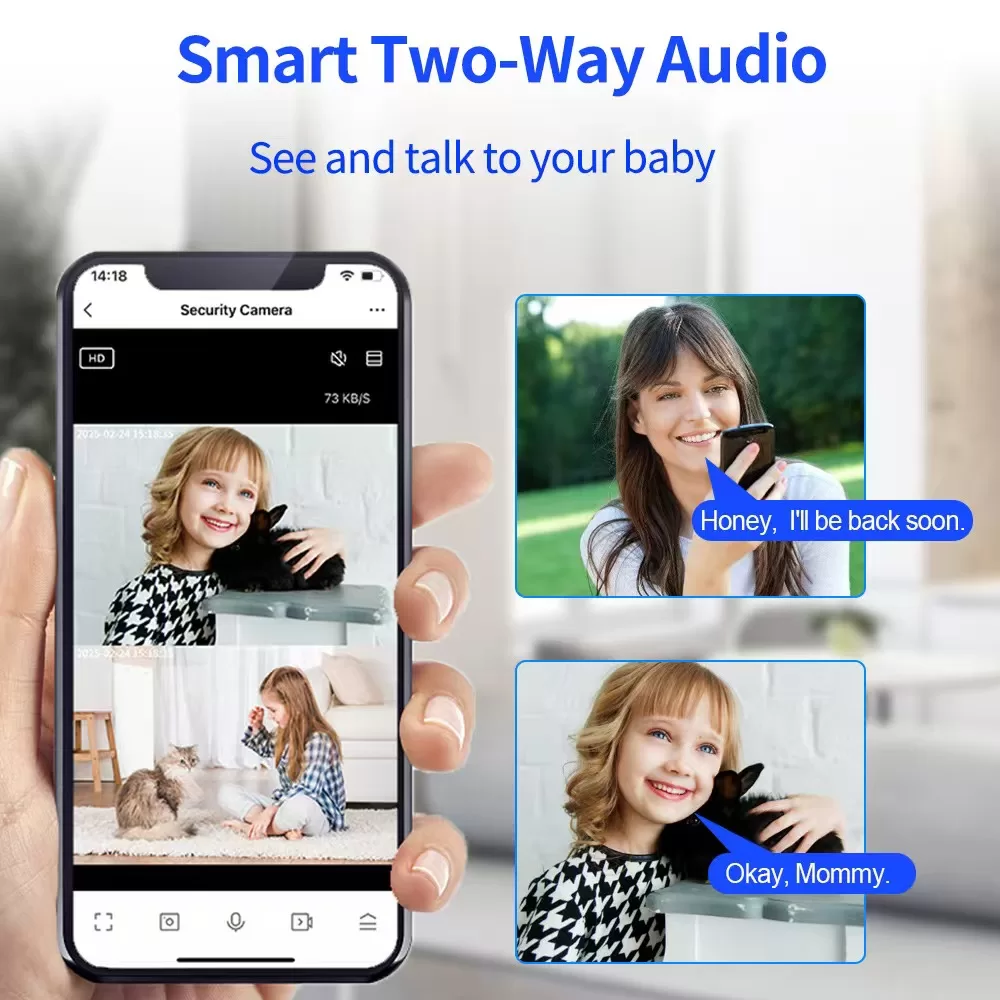
Tuya indoor WiFi smart camera smart two-way audio see and talk to your baby remote voice intercom mobile phone real-time communication baby monitoring
Video Doorbell Review 2026: What to Look For, Smart Features Compared, and Buyer’s Guide

Video doorbell review 2026

However, Video doorbells have become one of the most popular Smart home upgrades for good reason: they let you see who is at your door from anywhere, answer visitors remotely and deter package thieves before they strike. But with dozens of models on the market, how do you choose the right one? This 2026 review breaks down the features that actually matter, compares what to expect at each price tier, and ends with a practical buying checklist for both homeowners and wholesale buyers.

Why a video doorbell is worth it

Therefore, A video doorbell replaces your doorbell button with a WiFi camera. When someone rings or passes by, you get an instant motion alert on your phone with a live view and two-way talk. For families, it adds everyday convenience — answering delivery drivers, talking to a guest while you are upstairs, or checking that your kids arrived home safely.

Key features to compare in 2026

Video resolution and night vision

Moreover, Look for at least 1080p HD resolution. Higher-end models offer 2K clarity that makes it easier to read faces and licence plates. Night vision is non-negotiable: infrared (IR) or full-colour night vision ensures the camera still identifies visitors after dark.

Two-way audio

In addition, Clear two-way audio lets your visitor hear you and you hear them. Check for echo cancellation and a built-in speaker loud enough for porches and corridors.

Motion detection and zones

For example, Smart motion detection filters out moving cars and tree branches, sending alerts only for people. Adjustable detection zones and sensitivity let you tune the field of view so you are not flooded with notifications.

Storage: cloud vs local

Consequently, Some doorbells require a paid cloud subscription; others support local SD card recording or on-demand snapshot. Local storage keeps you subscription-free and puts your footage in your control — a major plus for privacy-conscious buyers. Tuya WiFi Smart Boiler Switch: Energy‑Saving Control for Electric Water Heaters & Home Heating

Smart assistant compatibility

Confirm the doorbell works with AlexaGoogle Assistant or your preferred smart app. Tuya-based models integrate easily into an existing smart home ecosystem and allow you to build automations such as porch lights turning on when motion is detected.

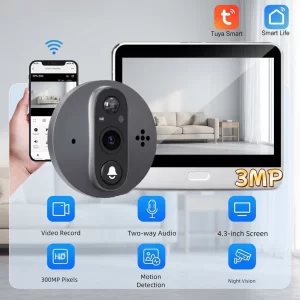
video doorbell two way audio night vision

Choosing the right video doorbell for your situation

  • Renters: choose a battery-powered, wireless model that needs no wiring.
  • Homeowners: wired models provide continuous power and more reliable streaming.
  • Distributors: prioritise models with local storage and universal app protocol (Tuya) that sell across markets, plus units with fast setup for less technical support.

Common mistakes to avoid

  • Buying a doorbell with no local playback option and a forced subscription.
  • Ignoring WiFi coverage at the front door — weak signal causes dropouts.
  • Choosing a camera without weather protection for exposed entrances.

Ready to add video doorbells to your range? Contact us for review units, wholesale pricing and compatibility advice.

Related Articles

You Might Also Like
Related guides
Frequently Asked Questions

Is Video Doorbell 2026 worth buying?

Based on the breakdown in this article, Video Doorbell 2026 offers a solid mix of features and value. If your main goal matches the key benefits described above, it is a practical choice for everyday use.

How do I choose the right video doorbell 2026 for my needs?

Start with your core use case, then compare battery life, compatibility, and build quality as covered above. Choosing the right video doorbell 2026 comes down to matching specs with how you actually use it.

Does video doorbell 2026 require a companion app?

Most devices of this type pair with a free companion app for setup and firmware updates. A few advanced features may sit behind a paid plan, so check the official specs page before buying.

Posted on — Leave a comment

Smart Home Market Trends 2026: What Distributors Must Know About Modular Security, Voice Control and Energy-Saving Devices

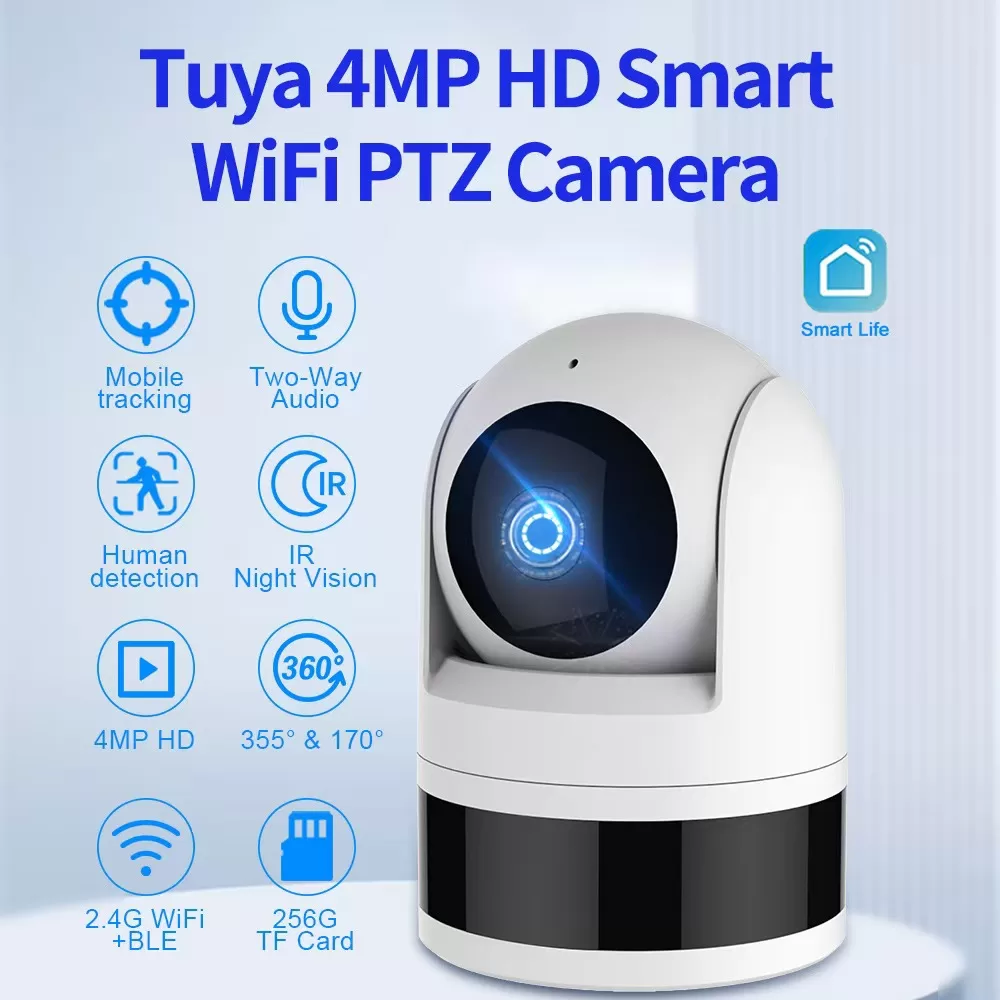
Tuya 4MP Indoor WiFi Smart Camera - HD Night Vision Pan-Tilt Remote Home Monitor with Two-Way Audio
Smart Home Market Trends 2026: What Distributors Must Know About Modular Security, Voice Control and Energy-Saving Devices

However, Smart home demand keeps growing, but the way people buy is changing fast. End customers now expect modular systems that start small and scale up, voice control that works out of the box, and products that visibly cut their energy bills. For distributors and wholesalers, stocking the right trends means higher attachment rates, fewer returns and stronger repeat orders. Here is what matters most in 2026. In short, Smart home

Smart Home Market Trends 2026: What Distributors Must Know About Modular Security, Voice Control and Energy-Saving DevicesSmart home security camera market trend 2026″/>
Trend 1: Modularity beats all-in-one luxury

Therefore, Consumers used to buy a single expensive hub. Today they prefer to start with one or two affordable devices and grow the system room by room. A smart switch here, a door sensor there, a camera next month. This behavior favors distributors who stock a complete, interoperable range under one app ecosystem rather than isolated premium gadgets.

Trend 2: Security is the strongest entry point

Moreover, Video doorbells and indoor/outdoor cameras remain the top first purchase in smart home categories. Buyers want to see who is at the door and check their home remotely. Subscription-free local storage (SD card) is now a decisive factor, as consumers are tired of monthly fees. Products that combine camera plus two-way audio and motion alerts sell fastest in bulk orders.

Trend 3: Voice control is table stakes

In addition, Compatibility with Alexa, Google Assistant and Siri shortcuts is no longer a premium feature; it is expected. Bulk buyers check voice compatibility before anything else. A product that fails this test gets returned; one that passes it gets recommended to friends and neighbors, driving organic demand for your retail channel.

Trend 4: Energy monitoring drives upgrades

For example, With energy prices high across Europe and North America, smart plugs and sockets with power monitoring are booming. Consumers can see exactly which appliance eats electricity and cut standby usage. Distributors who market “save on your bill” rather than “fancy gadget” report higher conversion and fewer price objections.

Trend 5: Pet care is a fast-growing niche

Consequently, Automatic pet feeders with built-in cameras are one of the fastest-growing smart home subcategories. Remote feeding, portion control and live pet checks appeal to working owners. It is a small-format product with strong margins and almost no support burden, making it an easy add-on order for any distributor.

Trend 6: Sensors make homes feel intelligent

Motion, door/window and environmental sensors are the quiet workhorses that turn separate gadgets into a real automation system. They are cheap, compact and pair with switchers and lights to trigger automatic scenes. Expect sensor demand to grow alongside every camera and switch order.

What this means for your purchasing plan

  • Prioritize one universal ecosystem (Tuya-based) so all SKUs work together and simplify your training and returns.
  • Bundle starter kits: switch + sensor + doorbell + camera in one box drives higher basket values.
  • Lead your catalog with security products, then cross-sell energy and pet categories.
  • Request universal-voltage 100–240V versions to serve multiple export markets from one warehouse line.

2026 is a modular, security-first, subscription-free market. Our factory range already covers every trend above. Contact our wholesale team for pricing, samples and market-specific bundle recommendations.

Related Articles

You Might Also Like
Frequently Asked Questions

Is Smart Home Market worth buying?

Based on the breakdown in this article, Smart Home Market offers a solid mix of features and value. If your main goal matches the key benefits described above, it is a practical choice for everyday use.

How do I choose the right smart home market for my needs?

Start with your core use case, then compare battery life, compatibility, and build quality as covered above. Choosing the right smart home market comes down to matching specs with how you actually use it.

Does smart home market require a companion app?

Most devices of this type pair with a free companion app for setup and firmware updates. A few advanced features may sit behind a paid plan, so check the official specs page before buying.