Posted on — Leave a comment

Wired vs Wireless Zigbee Gateway: What Changes in a Real Home

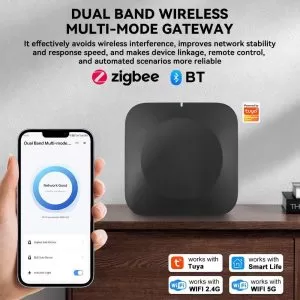
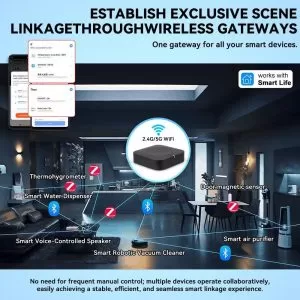
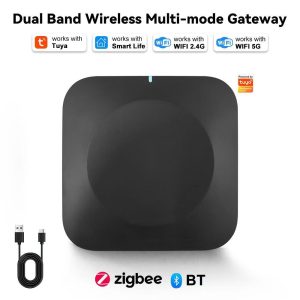
Every Zigbee device — sensors, switches, IR blasters — needs a gateway to translate between Zigbee and your network. You can buy that gateway with an Ethernet port or without One, and the choice quietly decides how reliable the whole system feels.

In our range that is the difference between a wired unit such as the TYGWZ-01 or ZHUB-C, and a Wireless one such as the ZHUB-W or MHUB-W.

The practical difference

Wired (Ethernet) Wireless (WiFi)
Connects via Ethernet cable to the router Joins WiFi
Placement Next to the router Anywhere with signal
Depends on WiFi quality No Yes
Best for Whole-home setups, reliability Flats, single-room setups, rentals
Typical failure Cable unplugged WiFi dropout takes Devices offline

Why wired is the better default

A wired gateway removes Two variables at once. It does not depend on WiFi signal quality where it sits, and it usually lives next to the router, which tends to be central to the home anyway. When a Zigbee device stops responding, the debugging path is short: is the gateway powered, is the cable in, is the device in range. Tuya Curtain Motor OEM: Complete Sourcing Guide 2026

With a wireless gateway, a WiFi hiccup looks identical to a Zigbee failure from the app’s point of view, and you spend longer working out which layer broke.

Why wireless is sometimes the right call

Placement freedom. If the router is in a corner of the house behind a television and a metal cabinet, a wired gateway has to live there too — and Zigbee range from that spot may not reach the far end of the house. A wireless gateway can sit centrally, on a shelf, where its Zigbee radio Actually covers the rooms that matter.

It is also the only practical option in a rental where you cannot leave an Ethernet cable running to the router, and the tidiest option for a single-room setup (one room’s sensors and switches).

Multi-mode gateways: Zigbee plus Bluetooth, plus Matter

Some units handle more than one protocol. The MHUB-MS and MHUB-FL-U cover Zigbee and Bluetooth in one box, which is worth it if you have Bluetooth sensors as well — one hub instead of two, one app screen instead of two. The MZHUB adds Matter, relevant if you are mixing your Zigbee devices into a newer Matter-based app.

Placement rules that matter more than the model

  • Central and elevated. Zigbee is a mesh — mains-powered devices relay for battery ones — but the gateway should still sit roughly centrally.
  • Away from metal and microwaves. Both 2.4 GHz Zigbee and WiFi suffer near large metal objects and running microwaves.
  • Not inside a cabinet. Putting the hub in a media cabinet behind a metal mesh front costs real range.
  • Give it a stable Power source. A hub that gets unplugged takes every automation with it.

FAQ

Can I use both types in one home?
You can, but devices pair to one hub. Two hubs means two sets of devices in the app. Better to pick one unless you have a genuinely separate zone, such as a garage.
Do I need a gateway for WiFi devices?
No. WiFi switches and plugs join the router directly. The gateway is only for Zigbee (and Bluetooth, on multi-mode units).
Will a wired gateway work if the internet goes down?
Local automations on the same network usually keep running; remote control from outside the home will not. Behaviour varies by app, so test it if it matters.
How far does Zigbee reach?
Tens of metres indoors per hop, less through solid walls. Mains-powered devices extend the mesh, which is why a few wired switches improve coverage for battery sensors.
Is Matter worth paying for now?
Only if you actively use a Matter-based app. If everything runs in the Tuya / Smart Life app, a standard Zigbee gateway does the same job.
Can I move the gateway later?
Yes — devices rejoin the mesh automatically, though battery sensors may need a few minutes to find the new route.

Related Articles

You Might Also Like

Frequently Asked Questions

Is Wired Wireless Zigbee worth buying?

Based on the breakdown in this article, Wired Wireless Zigbee offers a solid mix of features and value. If your main goal matches the key benefits described above, it is a practical choice for everyday use.

How do I choose the right wired wireless zigbee for my needs?

Start with your core use case, then compare battery life, compatibility, and Build quality as covered above. Choosing the right wired wireless zigbee comes down to matching specs with how you Actually use it.

Does wired wireless zigbee require a companion app?

Most devices of this type pair with a free companion app for setup and firmware updates. A few advanced features may sit behind a paid plan, so check the official specs page before buying.

Posted on — Leave a comment

Wireless Video Doorbell With Indoor Monitor: X3, X6, X7 and X8 Compared

An app-based Video Doorbell assumes three things: a router close enough to the front door, a phone that is always charged, and everybody in the house willing to install another app. Plenty of homes fail at least one of those tests — a thick concrete wall between the door and the router, grandparents who do not want an app, or a rental where the internet account belongs to somebody else.

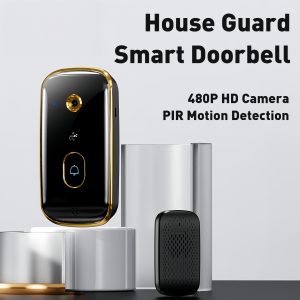
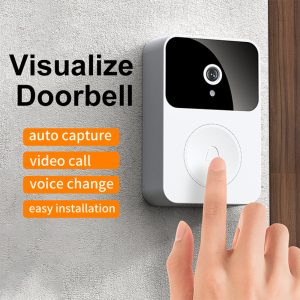
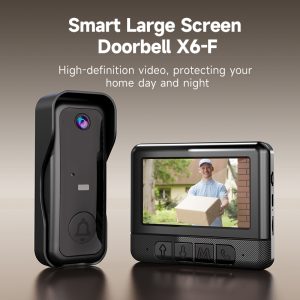
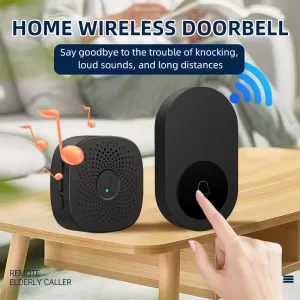
A Wireless doorbell kit with its own indoor monitor skips the router entirely. The camera talks straight to the screen over a private 2.4 GHz link, so pressing the button lights up the monitor in the hallway or kitchen. This guide compares the kits in our range — X3, X6, X6A, X7 and X8 — on the four things that change how they feel to live with.

What “no WiFi needed” actually means

It does not mean the Doorbell is offline. It means the Video link between the door unit and the indoor monitor uses its own digital radio hop instead of your home network. You press the button, the monitor rings, you see and talk to the visitor — all without an internet connection, a router, or a cloud account.

The trade-off is honest: you can answer the door from the monitor, but not from your office across town. If being able to answer from anywhere matters more than simplicity, look at a WiFi model instead, or run both — a kit at the door and an app-based unit elsewhere. If WiFi at the door is the problem rather than the feature, our guide to how a video doorbell works without WiFi covers the same question in more detail.

Screen size decides who can use it

Every kit here puts a display indoors, but the size changes who actually answers the door:

  • 4.3 inch (X6, X6A, X7, X8) — compact, easy to wall-mount or leave on a side table. Fine for recognising a face at the door.
  • 4.5 inch (X3) — slightly larger, more comfortable if the monitor sits across the room.
  • Large-screen outdoor units (X6F) — a display at the door itself, used where the visitor needs to see instructions or where the owner wants a bigger intercom panel outside.

The X7 and X8 use IPS panels, which matters if the monitor is not viewed head-on — a cheaper TN screen viewed from the side or above washes out badly.

Power: the question people forget to check

A Wireless kit still needs power at both ends. The indoor monitor is the easy part — it plugs into a socket or runs from its own rechargeable battery. The door unit is where surprises happen:

  • Rechargeable battery — mount anywhere, including a door with no wiring at all. You will charge it every few months depending on traffic.
  • AA batteries — the simplest option for a rental, and easy to swap in winter when cold cuts capacity.
  • Existing bell wires — if there is already a chime, some installs can reuse those two wires.

If there is genuinely no power and no wiring at the door, read how to install a video doorbell with no existing wiring before you buy — the answer shapes which kit fits.

Night vision and image quality

Doorbell cameras do most of their useful work after dark, so this is not a spec to skip. Infrared night vision is the standard: the door unit lights the scene with IR LEDs and the monitor shows a monochrome image that is clear enough to identify a person and a parcel. Full-colour night vision (X3) keeps colour in low light, which helps when you need to describe a delivery uniform or a vehicle.

Resolution figures on these kits look modest compared with a phone camera, and that is normal — a 300K-pixel door camera filling a 4-inch screen is perfectly readable. What matters more is the lens angle: a wide-angle lens captures the person and the parcel on the doorstep, whereas a narrow lens gives you a face but crops out the package at their feet.

Which kit fits which door

Kit Screen Best for
X3 4.5 inch Households that want a slightly larger monitor and full-colour night vision
X6 4.3 inch Flats and rentals with no router near the door; infrared night vision
X6A 4.3 inch Anyone who wants snapshot storage plus an indoor chime
X7 4.3 inch IPS Off-angle viewing — a monitor mounted above eye level
X8 4.3 inch IPS, IP66 Exposed entrances, gates and doors with no porch cover

Check these three things before you order

  1. Door and frame thickness. Peephole-style units have a barrel that has to pass through the door; measure the thickness before choosing one.
  2. Distance and walls between door and monitor. A private 2.4 GHz link handles a normal flat easily and struggles through several solid concrete walls. Put the monitor in the room nearest the entrance first.
  3. Weather exposure. If the door unit faces rain without a porch, choose a waterproof model such as the X8 rather than a basic indoor-rated unit.

Full specifications, mounting plates and quantity pricing are on each product page, and the whole range sits under smart video doorbells. OEM branding, manuals and packaging are available from the first order.

FAQ
Can a wireless doorbell kit work without any internet at all?
Yes. The door unit and the indoor monitor pair directly over their own radio link, so the bell, the Video and the two-way talk all work with no router and no broadband. You lose remote answering from outside the home, not local function.
How many monitors can one doorbell call?
Most kits support more than one indoor monitor, so a two-storey house can have one upstairs and one downstairs. Confirm the supported number on the individual product page before ordering extra screens.
Does it record if nobody answers?
Kits with snapshot storage (such as the X6A) capture an image when the button is pressed, and units with a TF card slot record continuously or on motion. Without a card, you get live viewing only.
Will it interfere with my home WiFi?
The private link shares the 2.4 GHz band but uses its own channel. If the monitor and the door unit are both working, interference is rare; if you notice dropouts, move the monitor away from the router.
Can I install it on a rental door without drilling?
Yes for the battery models — the usual approach is a mounting bracket fixed with strong adhesive tape or a screw into the frame, and the unit lifts off for charging. Check your tenancy terms before drilling anything.
What happens in winter?
Battery capacity drops in the cold, so expect to charge more often between November and February. If the door is exposed, an IP-rated unit matters as much as the battery.

Related Articles

You Might Also Like
Frequently Asked Questions

Is Wireless Video Doorbell worth buying?

Based on the breakdown in this article, Wireless Video Doorbell offers a solid mix of features and value. If your main goal matches the key benefits described above, it is a practical choice for everyday use.

How do I choose the right wireless video doorbell for my needs?

Start with your core use case, then compare battery life, compatibility, and build quality as covered above. Choosing the right wireless Video doorbell comes down to matching specs with how you actually use it.

Does wireless video doorbell require a companion app?

Most devices of this type pair with a free companion app for setup and firmware updates. A few advanced features may sit behind a paid plan, so check the official specs page before buying.

Posted on — Leave a comment

Wireless Doorbell Camera Bulk Buying Guide: Profitable B2B Sourcing Strategies

Tuya Smart WiFi Curtain Switch | 2.5D Arc Glass | Touch | App ... - view 4

Wireless Doorbell Camera Bulk Buying Guide: Profitable B2B Sourcing Strategies

However, The wireless doorbell Camera has revolutionized Home Security by making video doorbells accessible to everyone — renters, Homeowners, and businesses alike. With no wiring required and installation taking less than five minutes, these devices have become the fastest-growing segment of the Smart doorbell market. Therefore, For B2B wholesalers, distributors, and retailers, wireless doorbell cameras offer high volume, strong margins, and tremendous upsell potential across the Smart home security ecosystem.

The Rise of Wireless Video Doorbells

Therefore, Wireless doorbell cameras have overtaken wired models in consumer popularity. Therefore, Understanding why helps you position your wholesale inventory for maximum sales.

DIY Installation Revolution

Moreover, The biggest advantage of a wireless doorbell is the elimination of wiring. For example, Renters can install a wireless doorbell camera without drilling holes or modifying their apartment. Homeowners with no existing doorbell wiring can add Smart security without hiring an electrician. For example, This DIY accessibility expands the addressable market from homes with doorbell wiring to every household with a front door.

Battery Technology Advancements

In addition, Early wireless doorbells suffered from short battery life. In addition, And frequent charging — but modern models have solved this problem. With efficient power management, low-power WiFi chips, and PIR wake-up systems, today’s battery doorbells last 3-6 months on a single charge. Some models include removable batteries for quick swapping without taking the doorbell offline. Moreover, And solar panel accessories extend battery life indefinitely. Smart Lighting Complete Guide: From Color Temperature to Automation Scenes

Smart Home Ecosystem Integration

For example, Wireless doorbells from the Tuya ecosystem integrate seamlessly with thousands of smart devices, creating a complete home security solution. In addition, A tuya video doorbell works with smart locks (unlock remotely), security cameras (multi-camera viewing), alarm systems (trigger alarms), and smart lighting (turn on lights when motion detected). Furthermore, This ecosystem synergy increases customer value and creates cross-selling opportunities for wholesalers.

Technical Specifications to Evaluate

Consequently, When sourcing wireless doorbell cameras in bulk, these technical details separate quality products from cheap alternatives that will damage your reputation. Smart Home Starter Guide 2026: How to Build Your First Connected Home

Battery Capacity and Life

Battery capacity is measured in mAh, with typical ranges from 4,000 to 10,000 mAh. But capacity alone does not determine battery life — power management is equally important. Moreover, Look for specified standby time (60-180 days is standard). As a result, And number of activations per charge (500-2,000 events). Real-world battery life varies based on motion frequency, WiFi signal strength, and temperature, so conservative estimates are more reliable.

Video Quality and Field of View

1080p Full HD is the current standard for mid-range wireless doorbells, with 2K gaining ground in premium models. Importantly, Look for HDR (High Dynamic Range) for balanced exposure in bright and dark areas and WDR (Wide Dynamic Range) for backlit situations. Furthermore, Field of view is important too — 120-150 degrees horizontal is ideal for seeing packages. Notably, And visitors, while fisheye 180-degree views may distort images at the edges.

WiFi Reliability and Range

Wireless doorbells rely on WiFi, and the doorbell’s location (near the front door, often far from the router) can challenge WiFi connectivity. Quality products include WiFi signal strength indicators and support 2.4GHz WiFi (which has better range than 5GHz). However, Some premium models support dual-band WiFi. As a result, A doorbell with poor WiFi connectivity leads to frozen video, delayed notifications, and unhappy customers.

Bulk Pricing and Profit Margins

Understanding pricing dynamics. Therefore, And margin structures is essential for running a profitable wireless doorbell wholesale business.

Pricing Tier Structure

Wireless doorbell camera pricing breaks down into clear tiers: Budget 720p models ($10-18 at MOQ, $8-12 at volume), mainstream 1080p with PIR detection ($15-25 at MOQ, $12-18 at volume), premium 1080p with AI detection and app ecosystem ($20-35 at MOQ, $16-25 at volume), and high-end 2K with solar panel options ($30-50 at MOQ, $25-38 at volume). Most wholesale businesses find the best balance in the mainstream. For example, And premium tiers.

Margin Calculation Considerations

Calculating margin involves more than purchase price minus sale price. Factor in: shipping costs (air vs. sea), customs duties and taxes, packaging costs, expected return rate, warranty replacement costs, and payment processing fees. In addition, Importantly, A doorbell that costs $15 per unit might actually cost $18-20 landed. Successful wholesalers target 30-50% gross margins on smart doorbell camera products to cover these expenses and generate net profit.

Volume Discount Structures

Suppliers typically offer tiered pricing: 100-499 units (base price), 500-999 units (5-10% discount), 1,000-4,999 units (10-20% discount), 5,000+ units (20-30% discount). Moreover, The largest discounts come at container volume when sea freight becomes viable. Notably, For high-volume buyers, the savings from container shipping can add 10-15% to margins compared to air freight for smaller quantities.

Accessories and Upsell Opportunities

Wireless doorbell cameras have a rich accessory ecosystem that increases average order value and customer lifetime value.

Solar Panels and Chargers

Solar panel accessories are high-margin add-ons that solve the biggest wireless doorbell concern: battery life. Furthermore, A $5-8 wholesale solar panel can retail for $20-30, delivering excellent margins. Some doorbell models have integrated solar, while others use detachable panels. However, Offering solar panels as bundle options increases per-order value. As a result, And reduces customer churn from battery frustration.

Chimes and Ding-Dong Receivers

Many wireless doorbells include an indoor chime receiver, but some do not. Additional chimes for larger homes, plug-in chime extenders and WiFi chimes are popular add-ons. Importantly, Chime accessories typically have 40-60% margins and are lightweight, inexpensive to ship items that customers are happy to add to their order.

Mounts and Installation Accessories

Angle mounts (for adjusting doorbell viewing angle), anti-theft mounts, adhesive mounts (no-drill installation), and extension wire kits are all popular accessories. Therefore, These low-cost, high-margin items solve specific customer problems. Notably, And are easy impulse purchases. For wholesalers, pre-bundling popular accessories with doorbells increases perceived value and average order size.

OEM and Private Label Program

Building your own wireless doorbell camera brand is a powerful way to differentiate from competitors. However, And build long-term value.

Getting Started with OEM

The Tuya ecosystem makes OEM surprisingly accessible. Basic OEM — logo printing on the doorbell and custom retail packaging — typically requires only 500-unit MOQ and adds $1-3 per unit to the cost. Therefore, For example, This modest investment allows you to build your own brand identity, control pricing, and prevent direct price comparison with identical products sold by competitors.

Branded App Options

For more advanced OEM programs, Tuya offers white-label app solutions. You can launch your own branded smart home app with your logo, color scheme. For example, And feature selection — without developing everything from scratch. This creates a completely branded customer experience that builds loyalty and allows you to cross-sell other Tuya-based products under your own brand name.

Custom Packaging and Marketing

Invest in professional retail packaging that stands out on store shelves. In addition, And online marketplaces. In addition, Include lifestyle images, clear feature icons, QR code setup guides, and warranty information. Moreover, For B2B clients like security companies and property managers, create custom marketing materials and bulk packaging options. The right packaging dramatically increases perceived value and supports higher retail pricing.

Conclusion

The wireless doorbell camera market is one of the fastest-growing segments in smart home security. Furthermore, And the opportunity for B2B wholesale buyers is enormous. Moreover, Success requires selecting quality products from reliable suppliers, understanding technical specifications to avoid pitfalls, pricing strategically for healthy margins, and leveraging accessories and OEM branding to maximize profitability. As a result, With the right approach, wireless doorbell cameras can become the cornerstone of a thriving smart home security wholesale business.

Related Articles

You Might Also Like
Frequently Asked Questions

Is Wireless Doorbell Camera Bulk worth buying?

Based on the breakdown in this article, Wireless Doorbell Camera Bulk offers a solid mix of features and value. If your main goal matches the key benefits described above, it is a practical choice for everyday use.

How do I choose the right wireless doorbell camera bulk for my needs?

Start with your core use case, then compare battery life, compatibility, and build quality as covered above. Choosing the right wireless doorbell camera bulk comes down to matching specs with how you actually use it.

Does wireless doorbell camera bulk require a companion app?

Most devices of this type pair with a free companion app for setup and firmware updates. A few advanced features may sit behind a paid plan, so check the official specs page before buying.

Posted on — Leave a comment

Wireless Smart Home: No-Wiring Devices Every Renter Needs

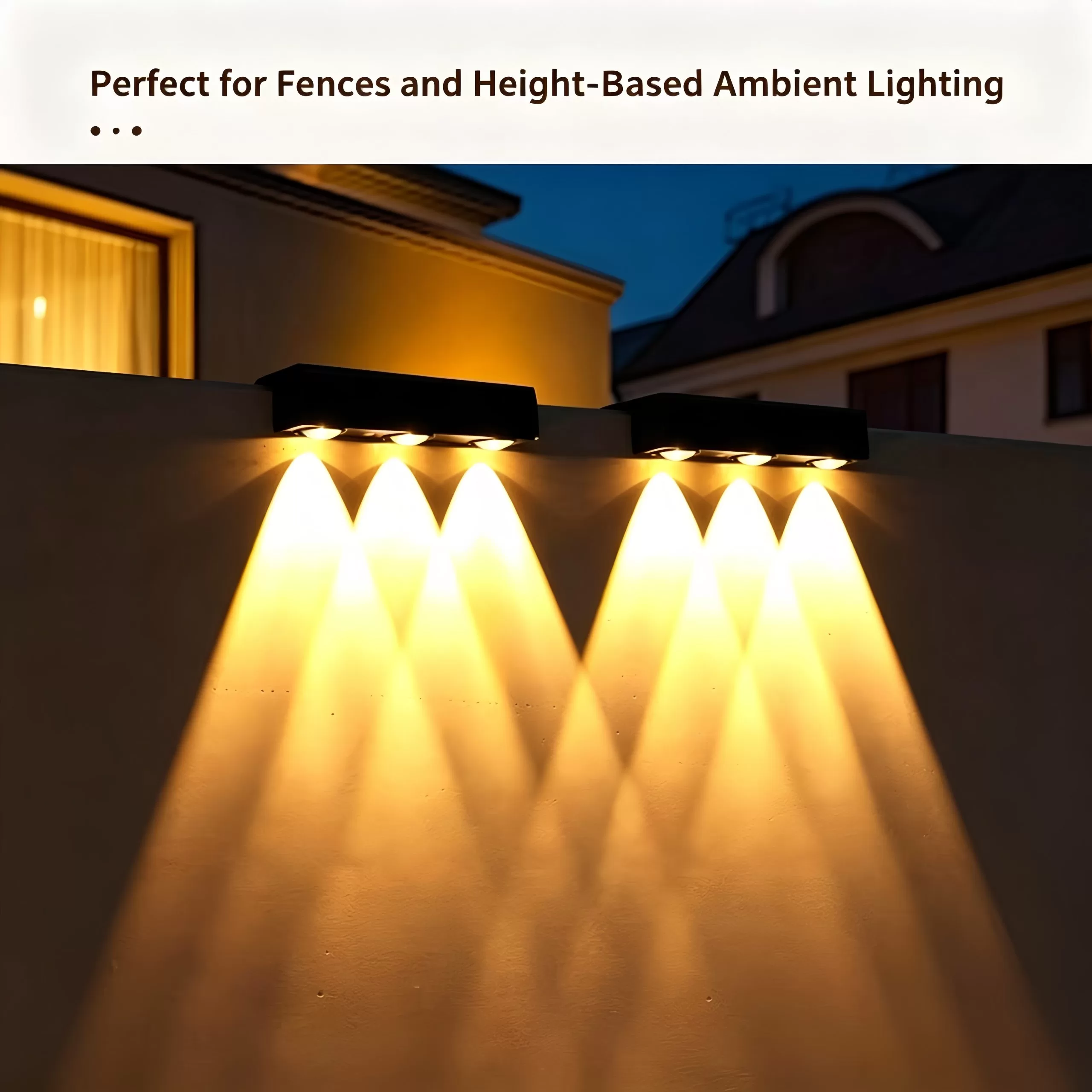
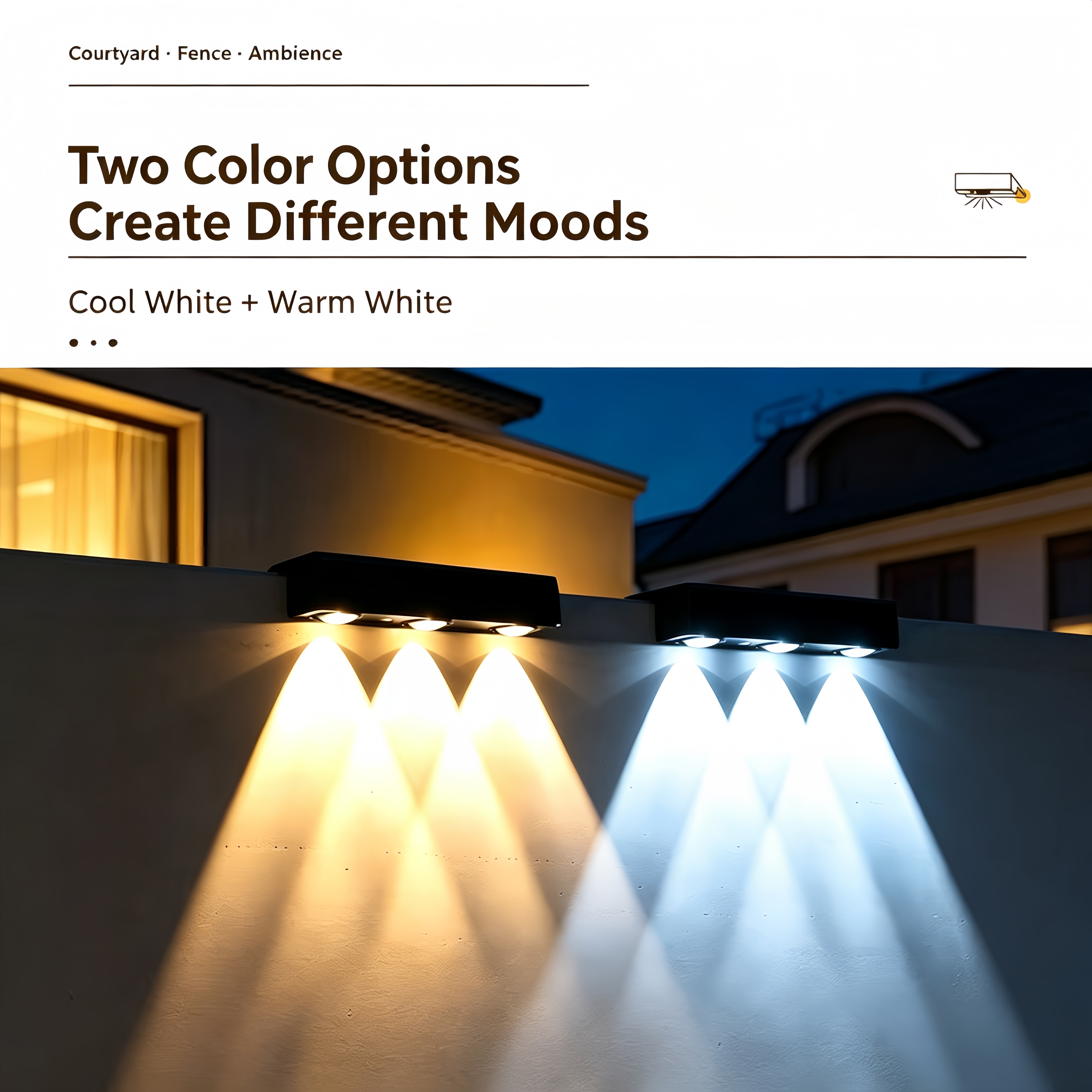
solar fence wall

Renting your Home but still want Smart technology? A wireless Smart home setup uses battery-powered and solar devices that require no permanent wiring, no electrician, and no modifications to your rental. You can take everything with you when you move.

Smart home devices for renters with no wiring required

Essential Wireless Smart Home Devices

The core devices for a renter-friendly setup include smart bulbs, battery-powered sensors, solar outdoor lights, and a wireless control panel. Each device connects via Wi-Fi or Bluetooth, so you only need your existing router. For lighting, a smart switch with adhesive mounting works without replacing your wall switch. Therefore, For security, the solar video doorbell is fully wire-free and charges itself.

wireless smart home security camera with battery power for apartments

How to Build a Wireless Smart Home

Start with a hub like the Tuya ecosystem. Add smart bulbs in lamps you already own. Install battery-powered door and motion sensors with adhesive strips. For example, For outdoor lighting, use solar step lights and solar fence wall lights that need no wiring.

Everything runs on batteries or solar power. When your lease ends, simply peel off the adhesive mounts and take the devices with you. No holes, no wires, no permanent changes.

wireless smart home automation with solar outdoor lights and sensors

Best Wireless Smart Home Picks for Apartments

For apartment dwellers, focus on devices that do not require drilling. In addition, Smart bulbs screw into existing fixtures. Battery sensors stick to doors and windows. Solar lights mount with adhesive or screws on balconies. Moreover, The apartment smart home guide covers this in detail. For more information on smart home protocols like Wi-Fi, Zigbee and Matter, see our smart home protocols comparison. Or visit the U.S. Department of Energy for efficiency tips.

Conclusion: Your Wireless Smart Home

A wireless smart home is perfect for renters who want modern convenience without permanent changes. Furthermore, Start with a few bulbs, add sensors, and use solar lights outdoors. When you move, everything comes with you. No wiring, no hassle, no deposit deductions.

Related Articles

You Might Also Like
Frequently Asked Questions

Is Wireless Wiring Devices Renter worth buying?

Based on the breakdown in this article, Wireless Wiring Devices Renter offers a solid mix of features and value. If your main goal matches the key benefits described above, it is a practical choice for everyday use.

How do I choose the right wireless wiring devices renter for my needs?

Start with your core use case, then compare battery life, compatibility, and build quality as covered above. Choosing the right wireless wiring devices renter comes down to matching specs with how you actually use it.

Does wireless wiring devices renter require a companion app?

Most devices of this type pair with a free companion app for setup and firmware updates. A few advanced features may sit behind a paid plan, so check the official specs page before buying.

Posted on — Leave a comment

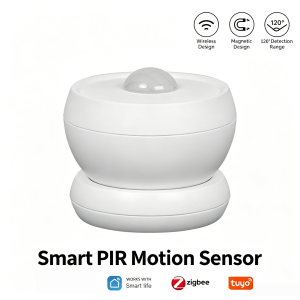
Smart PIR Motion Sensor: The Wireless, Battery-Powered Home Security Upgrade

pir motion sensor wireless

However, Whether it’s a stranger slipping into your front door at 3 AM, a toddler wandering out of the bedroom in the middle of the night, or a delivery person walking away with a package that should have been handed over — every one of these moments is invisible until it’s too late. Traditional wired security systems are expensive, complicated to install, and easy for intruders to disable.

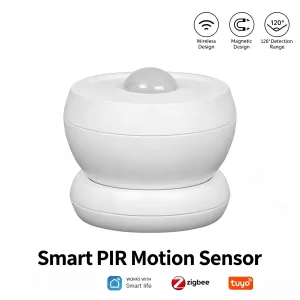
Therefore, This is exactly where a Smart PIR motion Sensor changes the game. Compact, wireless, and battery-powered, this Zigbee motion detection sensor acts as an always-on guardian for your home — instantly alerting you the moment movement is detected, no matter where you are.

Moreover, Below, we’ll break down why this small device is one of the smartest home security upgrades you can make in 2025, and what features to look for before you buy.

Why Every Home Needs a Smart PIR Motion Sensor

In addition, Most homeowners only think about motion detection after an incident happens. By then, the package is gone, the window is broken, or the damage is done.

For example, A smart PIR motion sensor catches the very first sign of movement. It detects the kind of activity humans simply miss when they’re asleep, at work, or on vacation. Whether it’s a burglar testing a door handle or a child waking in the night, you’ll know within seconds.

pir motion sensor wireless

Consequently, These are the everyday situations where a PIR sensor makes a difference, and they all share one trait: you don’t notice them until it’s already too late. A motion sensor with real-time push notifications turns silent intrusions into instant alerts on your phone.

Meet the Smart PIR Motion Sensor

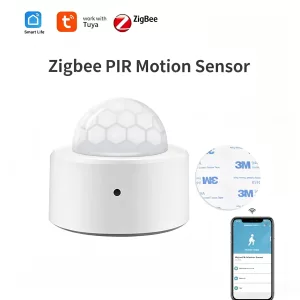
This wireless, battery-powered motion detection sensor is built on the Zigbee 3.0 protocol and works natively with the Smart Life and Tuya apps — two of the largest smart home ecosystems in the world. Setup takes under two minutes: pair, place, and you’re protected.

Key headline features at a glance:

  • ✅ Wireless design — no cables, no drilling
  • ✅ Magnetic mount — install in seconds, reposition anytime
  • ✅ 120° wide detection — covers a broad area from a single unit
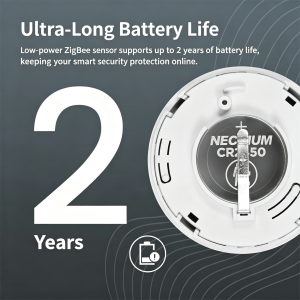
  • ✅ Up to 2 years battery life — set it and forget it
  • ✅ Real-time push notifications — know the instant motion is detected

Wireless, Magnetic Design — Install in Seconds

pir motion sensor wireless

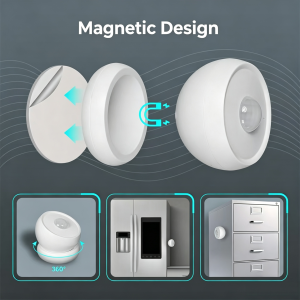
Forget the screwdriver, the drill, and the tangled mess of cables. This PIR motion sensor features a 3M adhesive magnetic mount that installs in literally seconds.

Here’s how it works:

  1. 🧲 Peel the protective film from the 3M adhesive pad
  2. 📍 Stick the metal base to any clean, flat surface — wall, ceiling, cabinet, or furniture
  3. 🧲 The magnetic sensor body snaps onto the base — instantly secured
  4. 🔄 The 360° rotating base lets you fine-tune the detection angle without moving the adhesive

Need to reposition the sensor? Just pull it off the magnetic base and snap it somewhere new. No tools. No holes in the wall. No residue. The same sensor can move from the front door to the hallway to the baby’s room in seconds — perfect for renters, frequent travelers, and anyone who likes to rearrange.

Because there are no cables to run, you can place this sensor in places wired sensors simply can’t go: above a door frame, on the back of a bookshelf, inside a closet, or on a refrigerator door.

120° Wide Detection Range — One Sensor, Broad Coverage

pir motion sensor wireless

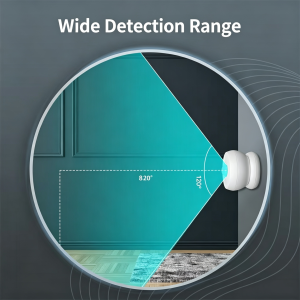
A motion sensor that misses half the room is useless. That’s why this PIR sensor is engineered with a 120° wide detection angle and an 8-meter detection distance — enough coverage to protect an entire entryway, hallway, or room from a single mounting point.

What can you protect with 120° coverage?

  • 🚪 Front doors and back doors — catch anyone approaching or leaving
  • 🛗 Hallways and staircases — log movement between rooms
  • 🛏️ Bedrooms and nurseries — get alerts when kids or elderly parents get up at night
  • 🏠 Living rooms and offices — detect unauthorized access during off hours
  • 🏪 Garages, basements, and storage rooms — monitor low-traffic areas

For larger spaces, pair multiple sensors in the same Zigbee mesh network. Each one reports independently to the Smart Life or Tuya app, so you always know exactly where motion was detected.

2-Year Battery Life — Set It and Forget It

pir motion sensor wireless

No one wants a security device that dies in the middle of the night. That’s why this PIR motion sensor is engineered for ultra-low power consumption — a single CR2450 coin cell battery keeps the sensor running for up to 2 full years under typical usage.

How is that possible? Three engineering choices make the difference:

  • 🔋 Zigbee 3.0 protocol — far more power-efficient than Wi-Fi or Bluetooth
  • 😴 Deep sleep mode — the sensor only wakes up when motion is detected
  • 📡 Short-burst transmissions — the sensor sends signals in milliseconds, not continuously

The Smart Life and Tuya apps also display a real-time battery level indicator for every paired sensor. When the battery finally does run low, you’ll get a push notification weeks in advance — no surprise failures, no unprotected windows.

Replacing the battery is just as easy as installation: pull the sensor off the magnetic mount, swap in a fresh CR2450 coin cell, snap it back on. The whole process takes about 30 seconds.

Real-Time APP Notification — Know the Instant Motion Is Detected

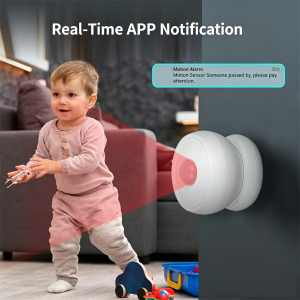
The single most important feature of any motion sensor is speed of notification. When movement crosses the detection zone, this PIR sensor sends a real-time push notification through the Smart Life or Tuya app within seconds.

Picture this: you’re at the office, and your phone buzzes with:

“Motion Sensor: Someone passed by, please pay attention.”

You open the live camera feed from a paired smart camera, see the delivery driver at your front door, and unlock the smart lock remotely so they can leave the package inside. Crisis averted in under a minute.
Beyond the basic alert, the app also shows a complete timestamped history of every motion event — so you can review who came and went, when, and how often. This is invaluable for secu

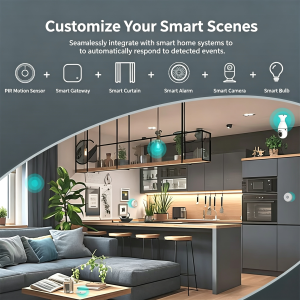
Motion / No-Motion Detection — Customize Your Smart Scenes

pir motion sensor wireless

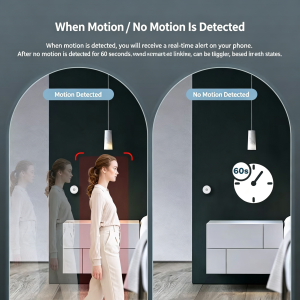
This isn’t a one-way sensor. The PIR detector monitors both motion AND no motion states, which unlocks a much wider range of smart home automations.

Motion Detected — Triggers Active Responses

  • 💡 Smart lights turn on automatically when you walk into a dark hallway at night
  • 🔔 Smart siren or chime plays when an unexpected visitor enters a restricted area
  • 📹 Security cameras start recording the moment a door or window is crossed
  • 📱 Push notification alerts are sent to every family member’s phone

No Motion Detected for 60 Seconds — Triggers Standby Responses

  • 💡 Smart lights turn off when nobody’s in the room for 60 seconds — perfect for energy savings
  • 🌡️ Smart thermostat adjusts to eco-mode when the house is empty
  • 🔒 Smart locks re-engage when no motion is detected at the entryway for several minutes
  • 🛏️ Sleep mode activates when no motion is detected in the bedroom for 10 minutes at bedtime

All of this is configured through simple if-then rules in the Smart Life or Tuya app. No programming. No coding. Just pick a trigger, pick an action, and you’re done.

View History Records — Every Event Logged

pir motion sensor wireless

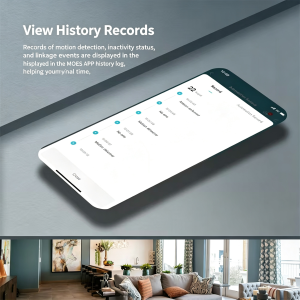
Curious whether you actually got an alert at 2 PM on Tuesday? Want to verify when your kids got home from school, or how long the cleaning service was in the house? The Smart Life / Tuya app keeps a complete, time-stamped activity log of every motion event:

  • 🟢 Motion detected — the moment someone entered the detection zone
  • 🔴 No motion — the moment the zone became empty
  • 🔵 Smart linkage — every time a paired device was triggered by the sensor

Each entry includes the exact time and date. So you can:

  • 📋 Review past incidents when troubleshooting false alarms or unusual activity
  • 📑 Document patterns for insurance claims or security audits
  • ✅ Verify the system is working properly with a clear event log
  • 🤝 Share data with family members, house sitters, or security services

Place It Anywhere — The Right Spot for Total Coverage

pir motion sensor wireless

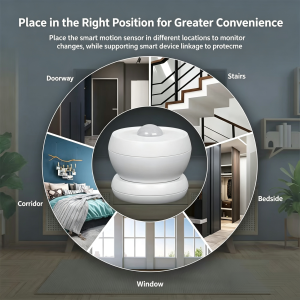
Worried about complicated installation or limited placement options? Don’t be. This wireless motion sensor is designed to fit seamlessly into every corner of your home. Here are the best locations to place it:

  • 🚪 Doorways — alert the moment anyone enters or exits a room
  • 🪜 Staircases — track movement between floors, especially helpful for elderly care
  • 🛏️ Bedside — monitor nighttime activity in the bedroom or nursery
  • 🪟 Windows — detect when someone approaches an open or vulnerable window
  • 🚶 Corridors — log movement through long hallways and entryways

Thanks to the magnetic mount, you can experiment with different placements until you find the perfect spot — without leaving marks on the wall. Built on a 360° rotating base, you can fine-tune the detection angle without re-sticking the adhesive.

Seamless Smart Home Integration — Build Your Custom Scene

pir motion sensor wireless

One of the most powerful features of this Zigbee-based motion sensor is its ability to link with other smart devices through your Zigbee gateway. The motion event becomes the trigger point for an entire ecosystem of automated responses:

  • 🔊 Zigbee Siren / Alarm — emits a loud sound to scare off intruders the moment motion is detected in a restricted zone
  • 💡 Smart Bulbs — flash red as a visual warning, or turn on automatically when you enter a dark room
  • 🪟 Smart Curtains — close automatically when the room is unoccupied to save energy
  • 📹 Security Cameras — start recording the instant motion is detected, capturing video evidence
  • 🔌 Smart Plugs — turn on lights, fans, or even coffee machines when you walk into the room
  • 🔒 Smart Locks — re-engage automatically when no motion is detected for several minutes

All of this is configured through the Smart Life or Tuya app using simple “if-this-then-that” rules. You don’t need to write a single line of code. You don’t need an expensive proprietary hub. You just need this sensor, a Zigbee gateway, and a few minutes to set up the scenes that matter to you.
Related Articles

You Might Also Like
Frequently Asked Questions

Is Pir Motion Sensor Wireless worth buying?

Based on the breakdown in this article, Pir Motion Sensor Wireless offers a solid mix of features and value. If your main goal matches the key benefits described above, it is a practical choice for everyday use.
How do I choose the right pir motion sensor wireless for my needs?

Start with your core use case, then compare battery life, compatibility, and build quality as covered above. Choosing the right pir motion sensor wireless comes down to matching specs with how you actually use it. Tuya WiFi IR Remote Review: Universal Control Meets Climate Intelligence

Does pir motion sensor wireless require a companion app?

Most devices of this type pair with a free companion app for setup and firmware updates. A few advanced features may sit behind a paid plan, so check the official specs page before buying.

Further reading: How to Choose Between Wired and Wireless Zigbee 3.0 Gateway for Your Smart Home

Posted on — Leave a comment

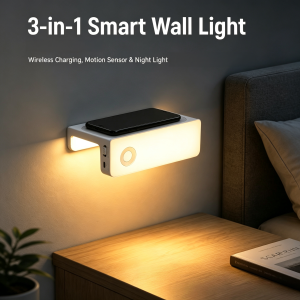
3-in-1 Smart Wall Light: Wireless Charging, Motion Sensor & Night Light for Every Room

The 3-in-1 Smart Wall Light: Your Perfect Nighttime Solution

However, Walking in the dark is frustrating. Moreover, it can be dangerous. Therefore, you need a better solution. This 3-in-1 Smart wall light is exactly what you need. In short, wall light wireless charging

Therefore, It combines Motion sensing, Wireless charging, and warm lighting. In addition, it requires no tools to install. As a result, you get instant convenience.

wall light wireless charging

Three Functions in One Compact Device

Moreover, First, the PIR motion Sensor detects your movement automatically. Second, the Qi wireless pad charges your phone overnight. Third, the warm LED provides soft ambient lighting. P10 Mini WiFi Security Camera: Compact 24/7 Indoor Surveillance for Home & Pets

Furthermore, all three functions fit into one sleek ABS shell. Consequently, your nightstand stays clean and organized.

wall light wireless charging

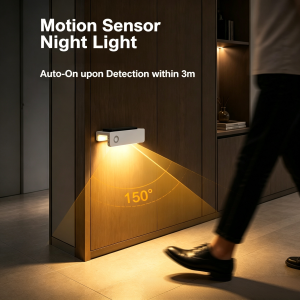
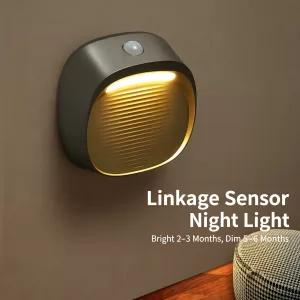
Motion Sensor That Actually Works

The PIR sensor detects movement within 3 meters. Additionally, it covers a wide 150° angle. When you walk into the room, the light turns on instantly. Subsequently, it shuts off automatically when you leave.

Because of this, you never fumble for switches again. Similarly, you won’t wake your partner at night.

wall light wireless charging

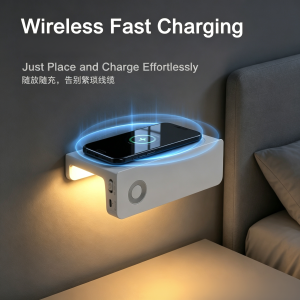
Wireless Charging Made Effortless

Simply place your phone on top. Then, the Qi pad begins charging automatically. Meanwhile, the flat surface holds your device securely.

Therefore, your nightstand stays tidy. In contrast to traditional chargers, there are no cables to manage.

wall light wireless charging

Two Light Modes for Any Situation

You can choose bright warm white for reading. Alternatively, select soft ambient glow for nighttime navigation. The 3000K temperature is gentle on your eyes.

Consequently, it’s perfect for any mood. Whether you need task lighting or ambient glow, this light delivers.

wall light wireless charging

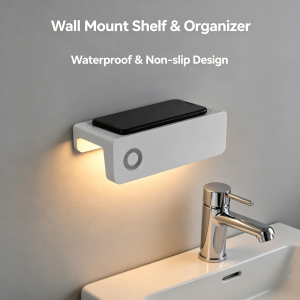
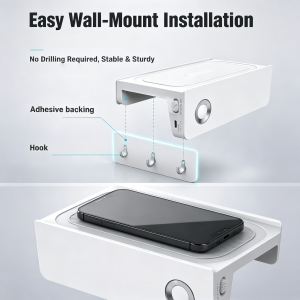
Tool-Free Installation in Seconds

The adhesive backing sticks to any smooth wall. Moreover, the hook design keeps it firmly in place. If you want to move it, simply peel and re-stick elsewhere.

As a result, installation takes under one minute. In fact, no drilling or tools are required.

wall light wireless charging

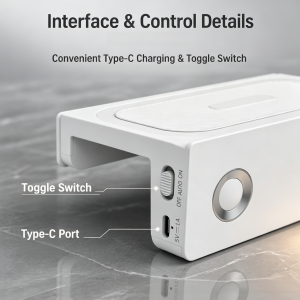
Simple, Intuitive Controls

The Type-C port recharges the battery quickly. Additionally, the side toggle offers three modes: OFF, AUTO, or ON. Ultimately, one button controls everything.

Therefore, anyone can use it easily. Even children and elderly users find it straightforward.

wall light wireless charging

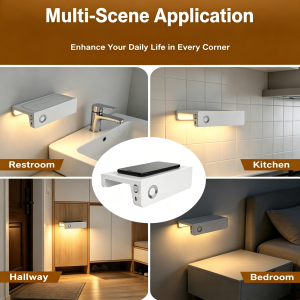
Perfect for Every Room in Your Home

Use this light in your bedroom, hallway, bathroom, kitchen, or staircase. Furthermore, the motion sensor works automatically in any space.

In summary, one light serves multiple rooms. Ultimately, you get endless convenience throughout your home.

wall light wireless charging

Technical Specifications

Light Source LED
Power Consumption 0.7W
Color Temperature 3000K Warm White
Motion Sensor PIR, 3 Meters / 150°
Battery Life 4+ Hours Continuous
Charging Port USB Type-C
Wireless Charging Qi-Compatible
Material ABS
Installation Adhesive, No Drilling

Final Verdict: Why This Light Stands Out

This 3-in-1 device solves real everyday problems. First, the motion sensor eliminates fumbling for switches. Second, the Wireless charger declutters your space. Third, the warm light provides safe nighttime navigation.

Best for: Anyone wanting smarter, hands-free lighting.

Key advantages: Truly wireless, tool-free installation, multi-room versatility, energy-efficient design, and modern aesthetics.

Ready to transform your nights? Add this Smart wall light to your cart today.

Related Articles

You Might Also Like
Frequently Asked Questions

Is Wall Light Wireless Charging worth buying?

Based on the breakdown in this article, Wall Light Wireless Charging offers a solid mix of features and value. If your main goal matches the key benefits described above, it is a practical choice for everyday use.

How do I choose the right wall light wireless charging for my needs?

Start with your core use case, then compare battery life, compatibility, and build quality as covered above. Choosing the right wall light wireless charging comes down to matching specs with how you actually use it. Tuya WiFi IR Remote Review: Universal Control Meets Climate Intelligence

Posted on — Leave a comment

How to Choose Between Wired and Wireless Zigbee 3.0 Gateway for Your Smart Home

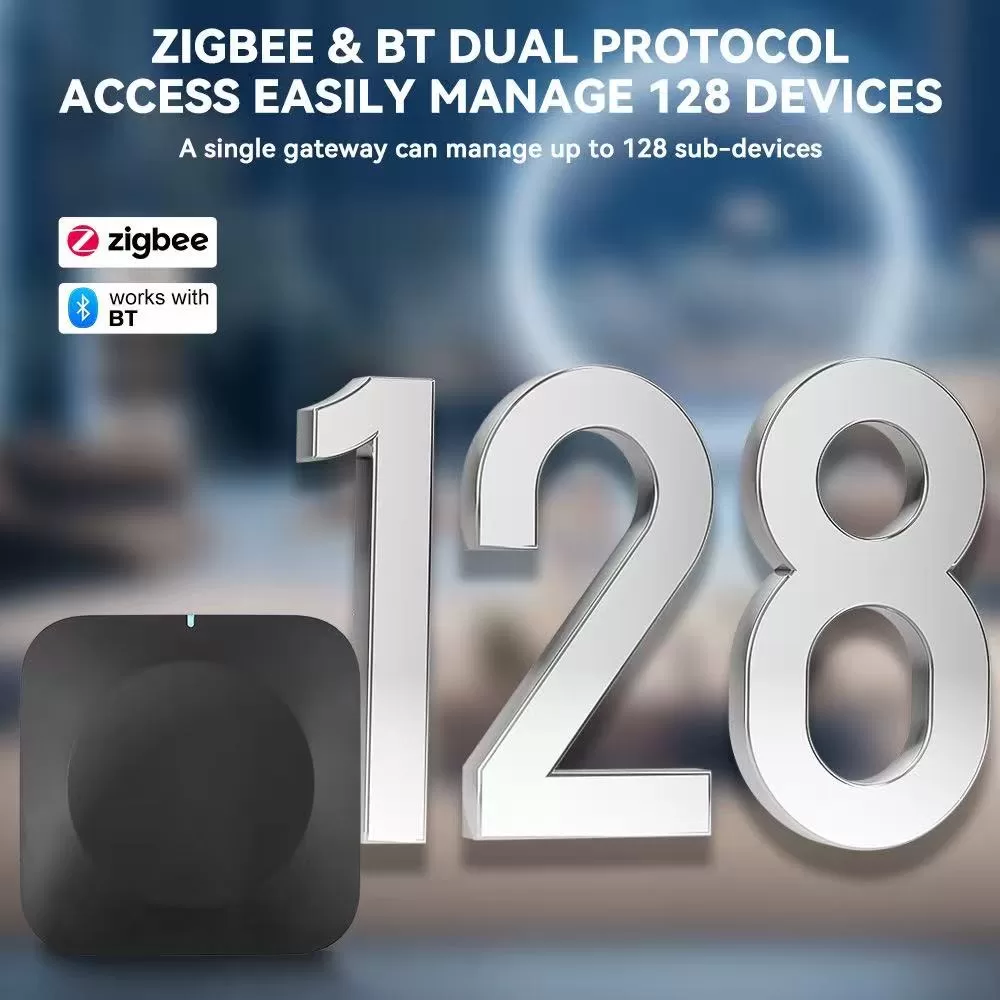
Zigbee 3.0 smart gateway hub supports 128 devices dual protocol access

Why Your Gateway Choice Matters

Wired vs Wireless Zigbee 3.0 Gateway
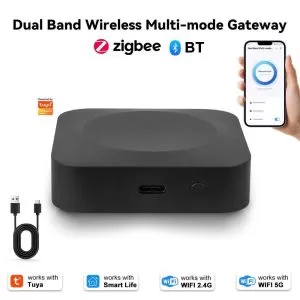
Zigbee 3.0 Smart Gateway Hub with mobile APP Control interface” width=”300″ height=”300″> Xingliao Zigbee 3.0 Smart gateway hub connected to mobile app for home automation control
Your smart home gateway is the brain of your entire system. Every light, sensor, lock, and switch connects through it. Pick the wrong one, and you’ll face dead zones, lag, or constant re-pairing headaches. Pick the right one, and your home runs like magic. Zigbee 3.0 is the gold standard for smart home connectivity. It’s fast, secure, and uses so little power that battery devices last for years. But here’s the decision most buyers miss: wired or wireless gateway?


Wired Gateway: The Powerhouse

A wired Zigbee 3.0 gateway connects via Ethernet cable. It’s the heavy-duty option built for serious smart homes.

Best for:

  • Large homes with 50+ devices
  • Users who want maximum stability
  • Smart home enthusiasts expanding their ecosystem

The numbers: Supports up to 130 connected devicesThat’s enough for every room, every sensor, every switch in a multi-story house.

Pros:

  • Rock-solid connection. No Wi-Fi interference, no dropouts.
  • Faster response times. Commands travel through cable, not air.
  • Handles massive device loads without slowing down.
  • Works even if your Wi-Fi router acts up.

Cons:

  • Needs an Ethernet port nearby.
  • Less flexible placement. You’re tied to the cable.

Wireless Gateway: The Flexible Starter

A wireless Zigbee 3.0 gateway connects through Wi-Fi. It’s the plug-and-play option for getting started fast.

Best for:

  • Apartments and small homes
  • Renters who can’t run cables
  • Beginners testing smart home waters

The numbers: Supports 30-40 connected devicesPerfect for a few rooms of automation.

Zigbee 3.0 gateway hub front view compact design
Compact palm-sized Zigbee 3.0 gateway hub with minimalist design

Pros:

  • Place it anywhere. No cable restrictions.
  • Setup in minutes. Plug in, connect to Wi-Fi, done.
  • Easy to relocate if you rearrange your space.

Cons:

  • Wi-Fi.

1-2,30
3,30,
()
Wi-Fi

Zigbee mesh network multiple smart devices connected
Zigbee 3.0,

Zigbee 3.0:

  • AES-128—
  • —,
  • —,
  • —
  • —,

odmhome.com?WhatsApp+86 176 6666 9273xingliaoshop@gmail.comxingliaotech.com


?

Zigbee gateway hub package contents unboxing
USB-C,

odmhome.com —,


odmhome.com?WhatsApp +86 176 6666 9273,xingliaoshop@gmail.com.xingliaotech.com.

Related Articles

You Might Also Like
Frequently Asked Questions

Is Choose Between Wired Wireless worth buying?

Based on the breakdown in this article, Choose Between Wired Wireless offers a solid mix of features and value. If your main goal matches the key benefits described above, it is a practical choice for everyday use.

How do I choose the right choose between wired wireless for my needs?

Start with your core use case, then compare battery life, compatibility, and build quality as covered above. Choosing the right choose between wired wireless comes down to matching specs with how you actually use it. Smart Fingerprint Door Lock: Keyless Security with Tuya Smart

Does choose between wired wireless require a companion app?

Most devices of this type pair with a free companion app for setup and firmware updates. A few advanced features may sit behind a paid plan, so check the official specs page before buying. Video Doorbell Review 2026: What to Look For, Smart Features Compared, and Buyer's Guide

Posted on — Leave a comment

U9 Solar Video Doorbell — Wireless Security | Xingliao

However, U9 Solar Smart Video Doorbell — Wire-Free Front Door SecurityPowered by the Sun In short, Solar video doorbell


Therefore, Tired of charging your Video doorbell every few weeks? Meet the U9 Solar Smart Video Doorbell — a wire-free, solar-powered Security solution that keeps your front door protected 24/7 without ever touching a power cable. Biometric Smart Locks Go Mainstream: The Next Big Home Tech Trend Overseas

🔋 Solar-Powered, Hassle-Free

Moreover, The built-in solar panel continuously charges the dual 18650 batteries (3600mAh total), so you never worry about dead batteries again. Rain or shine, it keeps running. Smart Home Energy Saving Trends: How Overseas Consumers Cut Bills with Automation Smart Home Automation Scenes: 6 Practical Setups That Make Your Home Think

📹 See Who’s There, Anytime, Anywhere

  • 720P HD video with 1-megapixel clarity
  • Solar Charging Smart Doorbell with 1080P Camera and Night Vision
    Solar Charging Smart Doorbell
  • 90° wide viewing angle — no blind spots
  • U9 Solar Video Doorbell retail box highlighting key features and package contents layout
    Front and side view of the U9 Solar Video Doorbell packaging box displaying product images and specifications
  • Real-time two-way talk with echo cancellation
  • U9 Smart Doorbell — PIR Motion Detection & Instant Mobile Alert

  • PIR motion detection — instant alerts when someone approaches
  • U9 Solar Video Doorbell Installation Guide Instructions
    Easy installation guide for U9 Solar Video Doorbell
  • Night vision with 850nm infrared, effective up to 2 meters
  • U9 Solar Video Doorbell camera unit and Dingtone P1 indoor chime receiver
    XINGLIAO Solar Doorbell Outdoor Camera with Indoor Chime

🔔 Smart Indoor Chime Included

In addition, The Dingtone P1 wireless chime plugs into any USB port and rings instantly when someone presses the doorbell. No Wiringno installation headaches. Why Smart Home Security Is Trending Overseas in 2026: Tech That Sells Smart Sensors Buying Guide: How to Make Your Home Feel Its Environment Smart Switch for Water Heater and AC

🌧️ All-Weather Protection

For example, Optional transparent or brown rainproof cover made from high-toughness PC flame-retardant material. Waterproof, impact-resistant, and UV-protected — your doorbell stays safe in any storm. 3D Face Recognition Smart Lock: The Complete Guide to Tuya-Enabled Home Security Tuya 4MP 2K HD Indoor Smart Camera: Color Night Vision for Family and Pet Monitoring Smart Lighting Complete Guide: From Color Temperature to Automation Scenes

📱 Full App Control

Consequently, Answer the door from your phone, check live video, review visitor records, and share device access with family — all through one intuitive app. Supports iOS 11.4+ and Android 5+. Tuya 2MP/4MP Indoor PTZ Smart Camera: 360 Panoramic Home Monitoring Made Simple Home Security Systems Explained: 5 Essential Devices to Protect Your Family

⚡ Quick Specs

  • Resolution: VGA 720×1280, 1MP
  • U9 Smart Doorbell — PIR Motion Detection & Instant Mobile Alert

  • Viewing Angle: 90°
  • Transparent Rainproof Cover for U9 Doorbell

  • Night Vision: Auto-switch IR, 2m range
  • Power: Solar + dual 18650 batteries (3600mAh)
  • Connectivity: 2.4G Wi-Fi
  • Doorbell Size: 136×72×35mm
  • solar video doorbell wireless

  • Chime Size: 55×42×25mm
  • solar video doorbell wireless

  • Working Temp: -20°C to 45°C

🛒 Available Now at Xingliao Shop

5 Bundle Options:

Bundle Price
U9 Doorbell Only $29.99
Transparent Rain Cover $34.99
Brown Rain Cover $34.99
U9 + Transparent Cover Combo $59.99
U9 + Brown Cover Combo $59.99

🔗 Shop now: https://odmhome.com/product/smart-video-doorbell-u9-solar/


#SolarDoorbell #SmartHome #VideoDoorbell #WirelessSecurity #Xingliao #HomeSecurity #SolarPowered #SmartLiving


Related Articles

You Might Also Like
Frequently Asked Questions

Is Solar Video Doorbell Wireless worth buying?

Based on the breakdown in this article, Solar Video Doorbell Wireless offers a solid mix of features and value. If your main goal matches the key benefits described above, it is a practical choice for everyday use.

How do I choose the right solar video doorbell wireless for my needs?

Start with your core use case, then compare battery life, compatibility, and build quality as covered above. Choosing the right solar video doorbell wireless comes down to matching specs with how you actually use it.

Does solar video doorbell wireless require a companion app?

Most devices of this type pair with a free companion app for setup and firmware updates. A few advanced features may sit behind a paid plan, so check the official specs page before buying.

Does solar video doorbell wireless work with both iPhone and Android?

Yes, in most cases this type of device ships with iOS and Android apps, and standard Bluetooth protocols keep cross-platform pairing simple.