Replacing an apartment intercom is not like replacing a doorbell in a house. In a house you own the wire from the door to the chime. In a block, that wire runs through a riser shared with every other flat, it belongs to the building, and the handset on your wall is only One end of a system you did not choose. That is why the retrofit question always starts the same way: how Many wires are behind your handset.
2-wire, 4-wire, and what the count tells you
Take the indoor handset off its bracket (photograph the wiring first) and count the conductors in the wall cable:
| Wires | What it usually is | What you can do |
|---|---|---|
| 2 | Analogue bus intercom — power and signal on the same pair | Replace the handset with a 2-wire video set; do not connect anything designed for 4-wire |
| 4 | Common in older video systems — power pair plus video pair | Widest choice of replacement handsets |
| 5 or more | Often 4-wire plus a lock release or a floor-call pair | Identify each pair before buying anything |
| Cat5 / 8 cores | IP or TCP-IP intercom | Any IP set; the building may already have a network Switch in the riser |
If the handset is in a rental and you are not allowed to touch it, skip to option three below — the whole point of that route is that nothing existing is disturbed.
Option 1: swap the indoor handset, keep the building wiring
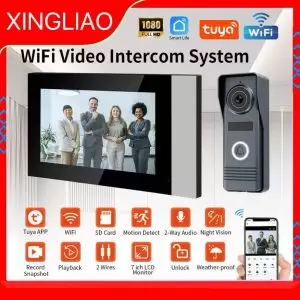
This is the cleanest retrofit when the block already has a working bus. You keep the outdoor panel and the door release; you replace only your handset with a compatible video set. Our 2-wire video door phone with a 7-inch touchscreen is designed for exactly this: two conductors in, video and door release out. It is the option that looks like a renovation rather than a gadget. Zigbee Gateway OEM: Complete Guide for Smart Home Distributors
The one thing to confirm first is polarity and whether the bus carries power. Some buildings power the handset from the riser; others expect the handset to be powered locally. Both work, but they Need different sets.
Option 2: a wireless kit that bypasses the building system
If the block’s intercom Works but is ancient, you do not have to fight it — you can parallel it. A wireless kit with its own indoor monitor gives you video at your door without touching the building circuit at all: NT601A is the most-used version, and the UOBX kit covers the same job where a wider panel is wanted. The doorbell at your door becomes yours; the building system keeps doing whatever it was doing. Turn an Old AC or TV Into a Smart Device With an IR Remote Hub Tuya vs Sonoff Smart Switch: Which Ecosystem Should You Build On?
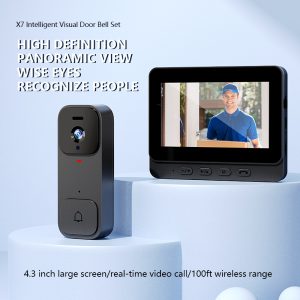
Where the flat is large or the monitor needs to move between rooms, the X7 and X8 kits are the portable end of the same idea, and the X6F puts the display outdoors where the entrance is shared.
Option 3: leave everything, add a camera doorbell
For renters, this is usually the only viable answer. A battery doorbell Camera mounts with adhesive or a single bracket screw, talks to your phone, and is removed without a trace when you move out. The trade-off is honest: you can see and speak to whoever is at your door, but the building’s electric lock still opens from the handset you cannot replace. If the block is cooperative, the full U9 kit with an indoor chime sits between the two options.
When the whole block should be replaced instead
Individual retrofits break down when the outdoor panel itself is failing, when more than a third of flats want video, or when the riser cable is degrading. Then the honest answer is a building-wide IP system, paid by the association — with an IP set, every flat gets video, the door station serves the whole block, and nobody’s handset is a special case. That is a committee decision, not a shopping decision, but it is worth naming because it is often cheaper per flat than thirty separate retrofits.
What to send the supplier before ordering
Retrofits go wrong on missing information, not on bad products. Before you buy anything for a block, send four photos and two facts. The photos: the indoor handset on its bracket, the handset off its bracket with the wiring visible, the outdoor panel, and the door itself showing the frame thickness. The facts: how many conductors are in the wall cable, and whether the handset currently controls the door release. With those, a supplier can tell you in one reply whether you need a 2-wire set, a 4-wire set, a wireless bypass kit or nothing at all — and you avoid the most expensive outcome, which is a kit that arrives, does not fit, and goes back.
Frequently Asked Questions
Can I add video without the building’s permission?
Generally yes for anything that does not touch shared wiring — a battery doorbell on your own door frame is usually fine. Cutting into the riser is not. Ask before option one.
Will replacing my handset affect my neighbours?
On a bus system, a faulty handset can load the whole line. Buy a set specified for your wire count and have it fitted properly; the failures people report are almost always mismatched sets.
Can I still open the door from my phone?
Only if your set controls the lock — most 2-wire and 4-wire video handsets do, including ours. A Standalone camera doorbell cannot release a lock it is not wired to.
What if I cannot tell how many wires I have?
Photograph the handset wiring and the outdoor panel and send both to whoever you are buying from. Guessing the wire count is the single most common reason a retrofit kit gets returned.
Related Articles
- Intercom for Home: Choosing a Video Intercom System
- Smart Home Devices for Apartments: What Works Without Drilling or Rewiring
- How to Choose a Video Intercom Doorbell in 2026: The Complete Buying Guide
- Smart Door Lock: How to Choose the Right One
- Smart Home FAQ: Must-Read Guide for Beginners
You Might Also Like
📌 This article is part of our Complete What Hub — more guides and buying tips inside.