Posted on — Leave a comment

Where to Put Water Leak Sensors: The Spots That Catch a Flood Before It Spreads

Water damage is expensive out of proportion to its cause. A washing machine hose that fails while nobody is home runs for hours; a slow drip under a sink rots a cabinet for months before anyone notices. A leak sensor costs a fraction of either, and the whole question is where it stands.

A sensor detects water where it sits. Put it in the wrong place and it will sit dry through exactly the flood you were worried about. Choosing a Smart Lock That Fits the Door You Already Have

The six positions worth covering

  1. Under the kitchen sink. The most common failure point in the house: supply hoses, a trap, a dishwasher connection. One sensor flat on the cabinet floor.
  2. Behind or beneath the washing machine and dishwasher. Appliance hoses are the classic burst. Put the sensor at the lowest point behind the machine, not beside it.
  3. Under the water heater or boiler. Slow leaks here run unnoticed for months. Include the pressure relief valve’s discharge area.
  4. At the toilet base. A failing wax ring or a loose supply line shows up as water on the floor behind the bowl.
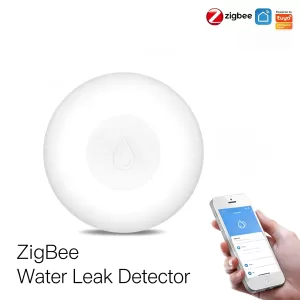
  5. In the basement, cellar or sump pit. The lowest point in the building is where water arrives first — a Zigbee level sensor in a pit or tank reports rising water before it becomes a flood.
  6. In the loft or under the roof. Rain ingress and condensate from heating pipework. Also the place nobody checks.

If you only buy two, make it the kitchen sink and the washing machine. Those two cover the majority of real claims. Do Solar Lights Work in Winter? What Changes When the Days Get Short

Which sensor for which job

Probe or contact sensors trigger when water bridges two contacts on the floor — the default choice for sinks, appliances and basements. Level sensors measure depth and suit a tank, a pit or a water butt, where “it is rising” matters more than “it is wet”. Rain sensors are the outdoor equivalent: the WiFi/Zigbee rain sensor and the IPX4 rain detection sensor close a skylight, retract an awning or simply tell you it started raining.

Two further types solve adjacent problems. The vibration and tilt sensor reports movement or a change of angle — a gate, a hatch, a washing machine that has started shaking itself across the floor. And for an outdoor position where a cable is impossible, the solar rainwater and leak sensor runs off its own panel.

Winter: the case for installing before December

Frozen pipes are the seasonal argument. A pipe in an unheated room, a loft, a garage or against an external wall can split, and it does not leak while frozen — it leaks when it thaws, which is often when nobody is there. Two precautions go with the sensors: keep the heating at a low setpoint rather than off when the house is empty, and put a sensor under any pipe run that passes through an unheated space. That combination is also why our guide to thermostat plugs for heaters is relevant here — a cheap scheduled heater in an unheated room is cheaper than the repair.

Making the alert useful

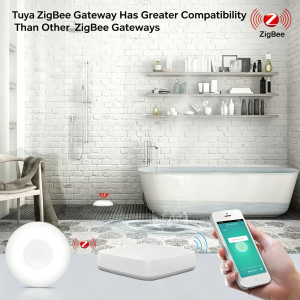
A sensor that beeps in an empty house does nothing. These are Zigbee devices, so they need a gateway to reach you and to run automations locally — see our guide to smart home hubs for why local execution matters when the internet is out. Then set the obvious automation: leak detected, send a push to every adult in the household, not just the one who installed it.

Be realistic about shut-off. A sensor cannot close a valve unless there is a motorised valve on the main; without one, the value of the sensor is speed of notification, which is still most of the value.

Installation details that decide whether it works

  • Place it at the lowest point of the area, flat on the floor — water does not travel uphill to meet a sensor.
  • Keep contacts off bare metal. A sensor resting on a metal tray or a foil-faced board can false-trigger.
  • Do not mount it where it will be soaked by normal use — outside the shower tray, inside the washing machine’s drip line, but not under the sink’s cleaning spray.
  • Test it with a wet cloth twice a year, and note that battery-powered sensors should be checked at the same time.

A plan that takes one afternoon

Install the gateway first and pair everything at a table, not in a cupboard — pairing is far quicker with the devices in front of you. Then walk the house once with a list of every place water enters or leaves: sink, appliances, toilet, boiler, tank, and the lowest floor. Place a sensor at each, name it in the app after its location rather than “sensor 3”, and set one automation that notifies everyone. Finish by wetting a cloth and testing each one; a sensor that has never been tested is an assumption, not a precaution.

Frequently Asked Questions

How many do I need?

Two for the essentials, six for full coverage. Start with the kitchen sink and the washing machine, then add the water heater and the lowest floor.

Do they work without WiFi?

The local alarm sounds. Remote notification needs the gateway and your network; automations stored on the gateway keep running without internet.

WiFi or Zigbee?

Zigbee for battery sensors — the battery lasts far longer and the mesh covers a basement better than a single WiFi radio.

Can one detect a leak inside a wall?

Not until it reaches the floor. For concealed pipes, place sensors at the lowest accessible point below the run, and Watch for a boiler losing pressure.

Related Articles

You Might Also Like

Posted on — Leave a comment

Tuya Water Level Sensor: What to Check Before Buying

In the Tuya ecosystem, “water level sensor” covers Two genuinely different products. A leak detector tells you water is present somewhere it should not be — under a sink, under a water heater, in a drip pan. A level sensor tells you how much water sits inside a tank — a Rain barrel, a sump pit, a livestock trough. Most consumer devices sold under the “Tuya water sensor” name are leak detectors, and buying the wrong one is the single most common mistake with this category.

The short answer

If your goal is to catch a leak before it becomes damage, you want a Tuya Zigbee leak detector with two metal probes — inexpensive, two-year battery, instant alerts through Smart Life. If your goal is to read the depth of water in a tank on your phone, you need a level-sensing device, which consumer Tuya lines cover only partially. Decide which job you are hiring the sensor for before comparing prices.

How a Tuya leak detector actually works

The sensor is a conductivity meter with a threshold. Two metal probes sit at the bottom of the housing; when water bridges them, resistance drops and the device reports “water detected” to the hub. This is why probe geometry matters more than any spec line: two-pin probes detect water exactly where the pins are, while a rope-style probe chain detects water anywhere along a stretchable line. A two-pin sensor in the corner of a basement floor can Miss a leak that pools one meter away; a rope probe routed along the base of a wall cannot.

Because the event is rare and the reporting is event-driven, Battery life is long — typically two years on a coin cell or a single AAA. The device sleeps until water, a tamper event, or a periodic low-battery report wakes it.

What real level monitoring takes

Continuous depth measurement needs a different physical principle. A float switch tied to a ZigBee contact interface gives you two-level or multi-level readings — enough to know “tank above / below half” — and it is the approach that integrates most cleanly with a Tuya ZigBee gateway. Pressure-based transducers measure the water column above them and give true analog depth, but few consumer Tuya devices expose that channel. Ultrasonic and time-of-flight sensors measure from the top of the tank and are appearing at the hobbyist end, not yet as certified Tuya shelf products.

The honest position for a buyer: for tank telemetry with graphs and thresholds, expect to piece it together (float switch plus contact sensor, or a dedicated level product outside the Tuya catalog). For leak alarms, the Tuya ZigBee line is mature and cheap enough to install everywhere water runs.

Where leak detectors earn their price

  • Under the water heater. A tank that lets go releases everything at once. A probe in the drip pan catches the slow weep weeks before the failure.
  • Under sinks and behind washing machines. Hose clamps loosen over years, and the leak starts as a damp spot you never see.
  • Sump pit lid. A probe at the “pit nearly full” line tells you the pump stopped before the floor does.
  • Basement and floor-wall joints. Route a rope probe along the lowest joint instead of gambling on one spot.
  • Near boilers and AC condensate trays. A blocked condensate drain is one of the most common slow-water disasters in apartments.

The buying checklist

  • Probe style first. Two-pin for a defined spot; rope probe for a stretch of floor or wall joint.
  • Local sounder. Some models beep on the device itself; cheaper ones are app-silent. A local alarm still works when WiFi is down.
  • Hub requirement. ZigBee models need a Tuya ZigBee gateway. WiFi models exist but trade battery life for hub-free setup.
  • Battery reporting. Confirm the device reports battery level periodically, not only when it is already dying.
  • IP rating for outdoor use. Open rain sensing outdoors wants IPX4 or better; indoor probes do not care.

Sensors that cover the water jobs well

Frequently Asked Questions

Can a Tuya water sensor measure how full my tank is?

Not the standard leak detector — it only reports water present or absent at the probe. For tank depth, look for a float switch paired with a ZigBee contact interface, or a dedicated level product; true continuous depth needs a pressure or ultrasonic sensor.

Do these sensors work without WiFi?

ZigBee models keep detecting and still sound a local alarm during an internet outage, because the mesh is local. Phone notifications away from home are the part that needs the cloud.

Where exactly should the probe sit?

At the lowest point water will reach, and as close to the likely source as possible — the pan seam, the hose clamp, the pit rim. One sensor per risk point beats one sensor per room.

Will a leak detector false-trigger in a humid bathroom?

No. Conductivity probes need liquid bridging the contacts, not Air moisture. Steam and humidity do not trip them; actual pooling water does.

How long do the batteries last?

Typically around two years for event-driven ZigBee models, since the device sleeps between reports. Models that report temperature and humidity alongside water detection trade a little battery for that extra channel.

Do I need one gateway per sensor?

No. One Tuya ZigBee gateway hosts dozens of sensors. Buy the gateway once, then place sensors at every water risk point in the home.

Related Articles

You Might Also Like
Posted on — Leave a comment

Water Heater Switches: Why a 20 A / 40 A Smart Switch Is Not the Same as a Light Switch

water heater switches - Water Heater Switches: Why a 20 A / 40 A Smart Switch Is Not the Same as a Light Switch
Water Heater Switches: Why a 20 A / 40 A Smart Switch Is Not the Same as a Light Switch

A water heater is the One load in a home that runs at full power for an hour at a time, day after day. That is a different job from switching a 60 W lamp, and it is why “just use a Smart Switch” is bad advice on a heater circuit. Here is what to look for, and how the EU and US plates differ.

The rating is the whole point

Lighting Switches are typically rated 600 W per gang. A storage heater wants 20 A / 4000 W and an instant heater wants 40 A / 8000 W, held continuously, not for a few seconds. A switch that is not built for that will run hot at the relay and eventually weld shut — which is the failure mode you really do not want on a water heater.

EU or US plate

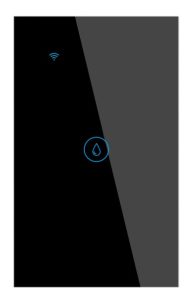
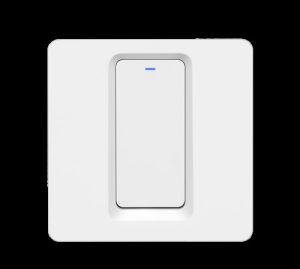
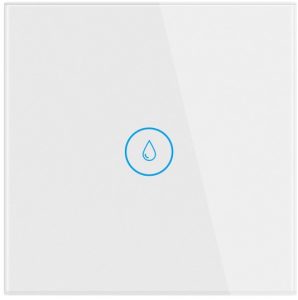
EU models are 86 × 86 mm for European, British and GB boxes and carry CE / ROHS. US models are 118 × 72 mm for US, Australian, Italian, Canadian, Brazilian, Vietnamese and Thai boxes and carry FCC. Match the box; everything else — app, schedules, voice — is identical on both. Wiring the DS-126 Series: Single-Fire, Zero-Fire and the Capacitor Question

Which protocol

  • WiFi — simplest commissioning, straight to the router via Tuya / Smart Life.
  • Zigbee — needs a gateway, but gives mesh coverage and low standby draw; good for whole-building projects.
  • HomeKit — pairs directly with Apple Home, no bridge app.
  • Pure Touch — no network at all, for sites Where the heater must stay off the network.

Touch or push button

Glass touch plates look right in living spaces; push-button plates are better Where hands are wet or Where a physical click is expected. Both are made on the same high-power boards.

What the app adds

The point of putting a heater on a Smart switch is the timer: heat for 30, 60, 90 or 120 minutes instead of leaving the element on all day, plus power statistics so you can see what it actually costs. Most models here also have a child lock.

FAQ

Do I need 20 A or 40 A?
20 A / 4000 W covers a Standard storage heater. Choose 40 A / 8000 W for instant heaters and other heavy resistive loads.
Is a neutral required?
Most heater switches here are zero-fire; check the model line before ordering.
Can it report energy use?
Several models in the range include power statistics in the app.

Ready to specify it? Full specifications, gang options, colors and quantity pricing are on the Smart Water Heater Switch — EU 86 × 86 mm & US 118 × 72 mm, WiFi / ZigBee / HomeKit / Pure Touch product page — OEM logo, manual and packaging are available from the first order.

Related Articles

You Might Also Like
Frequently Asked Questions

Is Water Heater Switches worth buying?

Based on the breakdown in this article, Water Heater Switches offers a solid mix of features and value. If your main goal matches the key benefits described above, it is a practical choice for everyday use.

How do I choose the right water heater switches for my needs?

Start with your core use case, then compare battery life, compatibility, and build quality as covered above. Choosing the right water heater switches comes down to matching specs with how you actually use it.

Does water heater switches require a companion app?

Most devices of this type pair with a free companion app for setup and firmware updates. A few advanced features may sit behind a paid plan, so check the official specs page before buying.

Posted on — Leave a comment

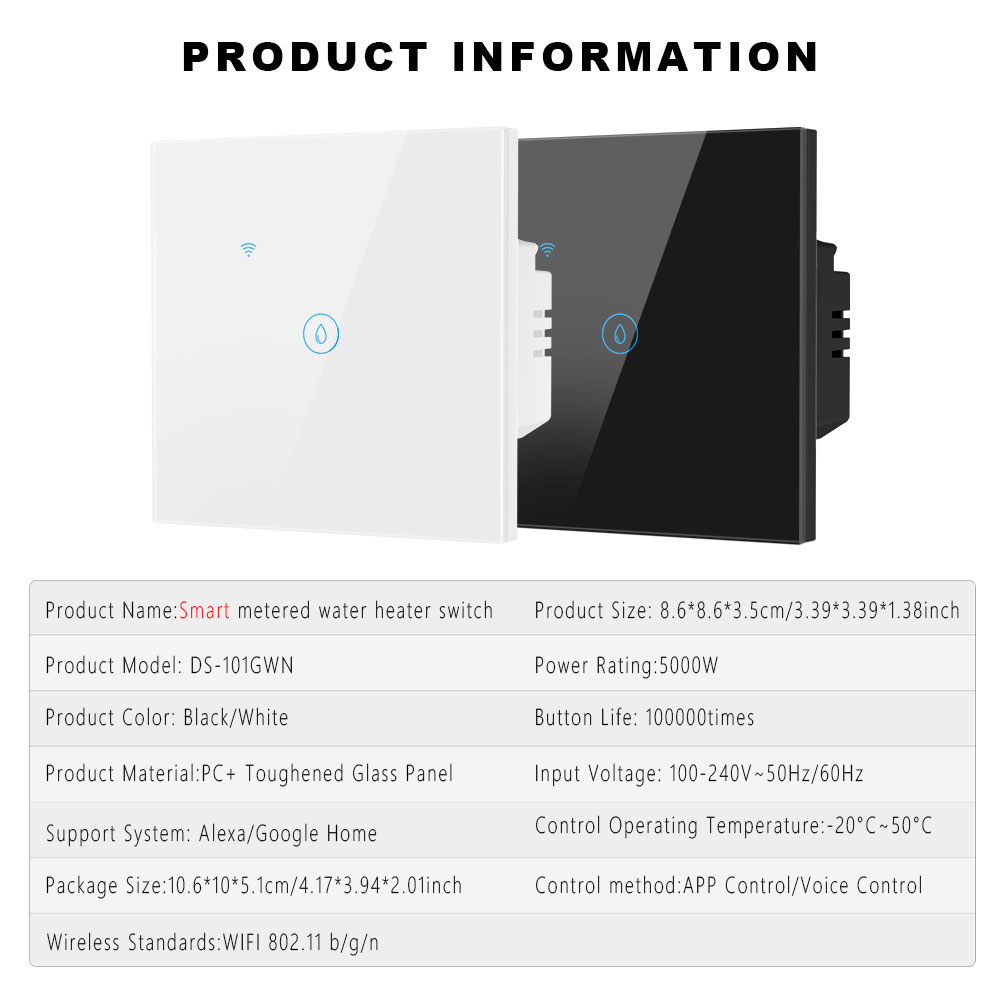
DS-101GWN Smart Water Heater Switch: WiFi Energy Monitoring, Overload Protection and Voice Control

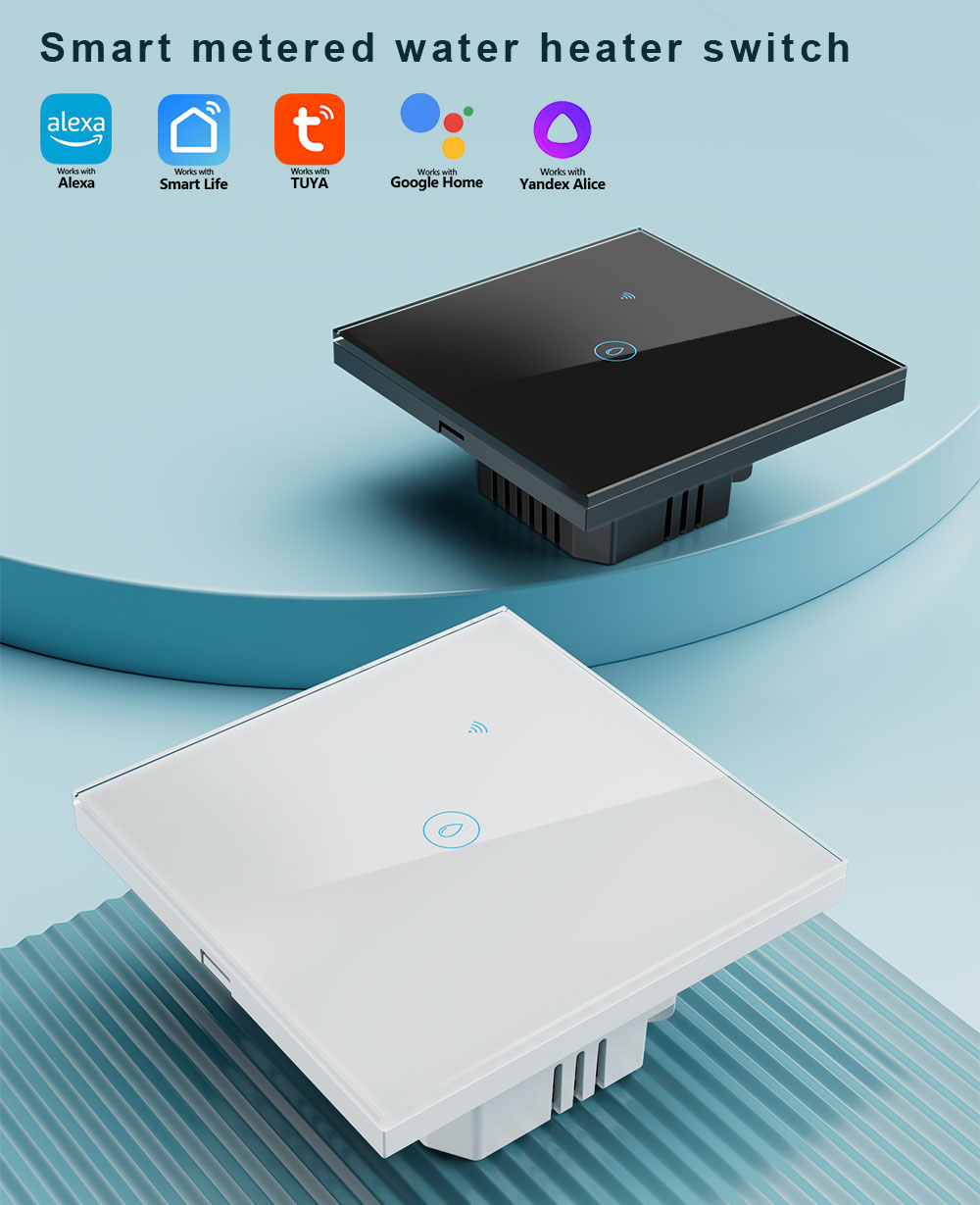
Electric water heaters are among the heaviest loads in any home, hotel room or rental apartment. Leaving them powered around the clock wastes energy, and switching them on and off by hand every day is not realistic. The DS-101GWN Smart metered water heater switch closes that gap: a 5000W high-power smart switch in a Standard 86 mm wall plate, with real-time electricity statistics, overload protection, timers, away mode and voice control.

This guide covers what the DS-101GWN does, the specifications your procurement team needs, how it is wired, and how it fits hotel, apartment and modern-home projects.

Why Water Heaters Need a Dedicated Smart Switch

A standard lighting switch is not built for a resistive load that can run for hours. Water heater retrofits usually fail for three reasons:

  • Current and power rating. A 3000-5000W heater needs switching hardware rated well above a typical lighting circuit.
  • Heat build-up. Long duty cycles demand larger contact area and proper heat dissipation.
  • No feedback. Without metering, neither the property owner nor the installer knows how much energy the heater really consumes.

The DS-101GWN is designed specifically for this load class, using the same 86 mm form factor as the rest of our smart switch range, so it retrofits into existing wall boxes without rework.

DS-101GWN smart metered water heater switch specifications

Key Features of the DS-101GWN

1. Real-Time Electricity Statistics

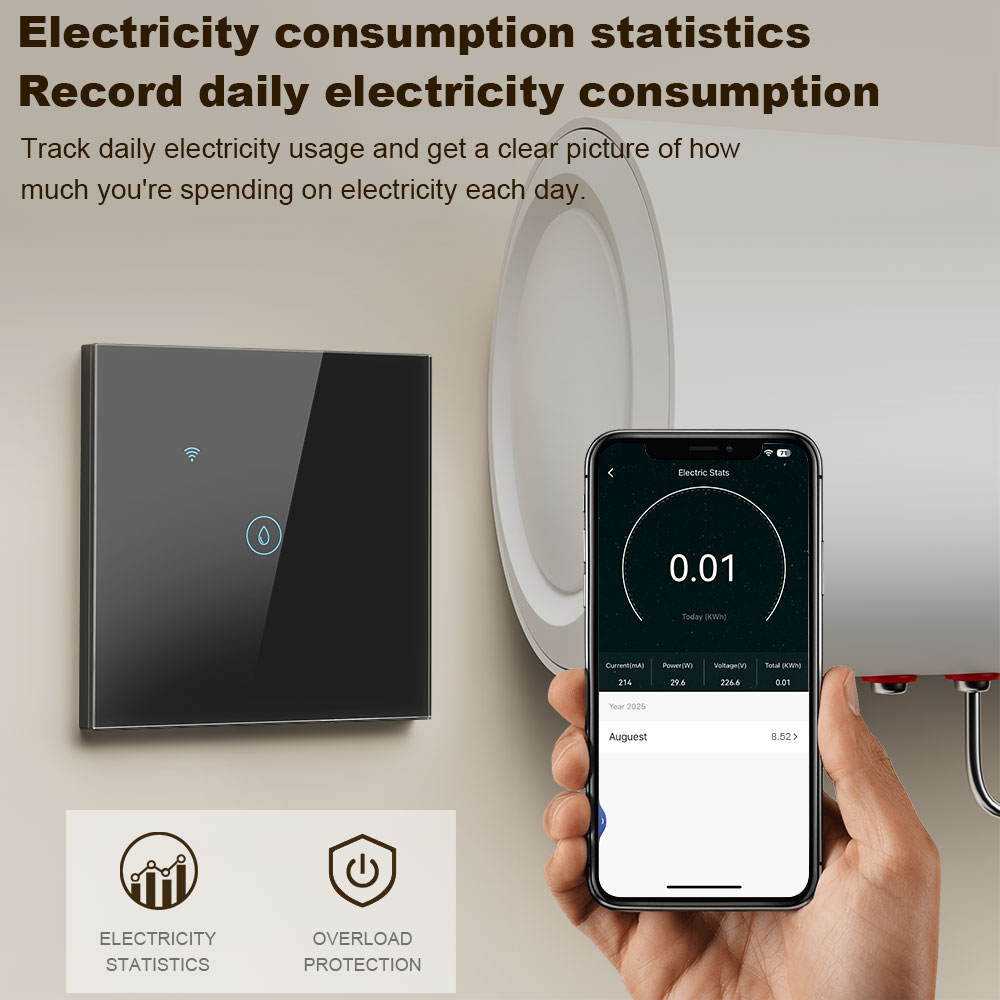
Voltage, current, power and accumulated energy consumption are measured inside the switch and displayed in the app. Property managers can see which rooms consume the most, and guests or tenants can be billed against actual usage instead of a flat fee.

DS-101GWN energy monitoring in the mobile app

2. Overload Protection

When the connected load exceeds the safe threshold, the switch cuts the circuit instead of letting the relay and Wiring overheat. This is the single most requested feature from hotel and apartment operators, because a failed water heater circuit can take a whole floor offline.

3. Voice Control with Alexa and Google Home

The DS-101GWN pairs with Amazon Alexa and Google Home, so the heater can be switched by voice in hands-free applications, while the physical Touch panel keeps working normally for users who prefer it.

DS-101GWN compatible with Alexa and Google Home

4. Countdown Timer and Weekly Schedules

Set a 30-minute boost before a shower, or schedule the heater to run only during off-peak hours. Schedules run on the device itself, so heating still follows the routine even if the Wi-Fi network drops.

5. Away Mode

Away mode cuts the circuit automatically when the property is vacant, which is useful for serviced apartments, holiday rentals and second homes Where heaters would otherwise stay on for weeks.

6. Family Sharing and Multi-User Control

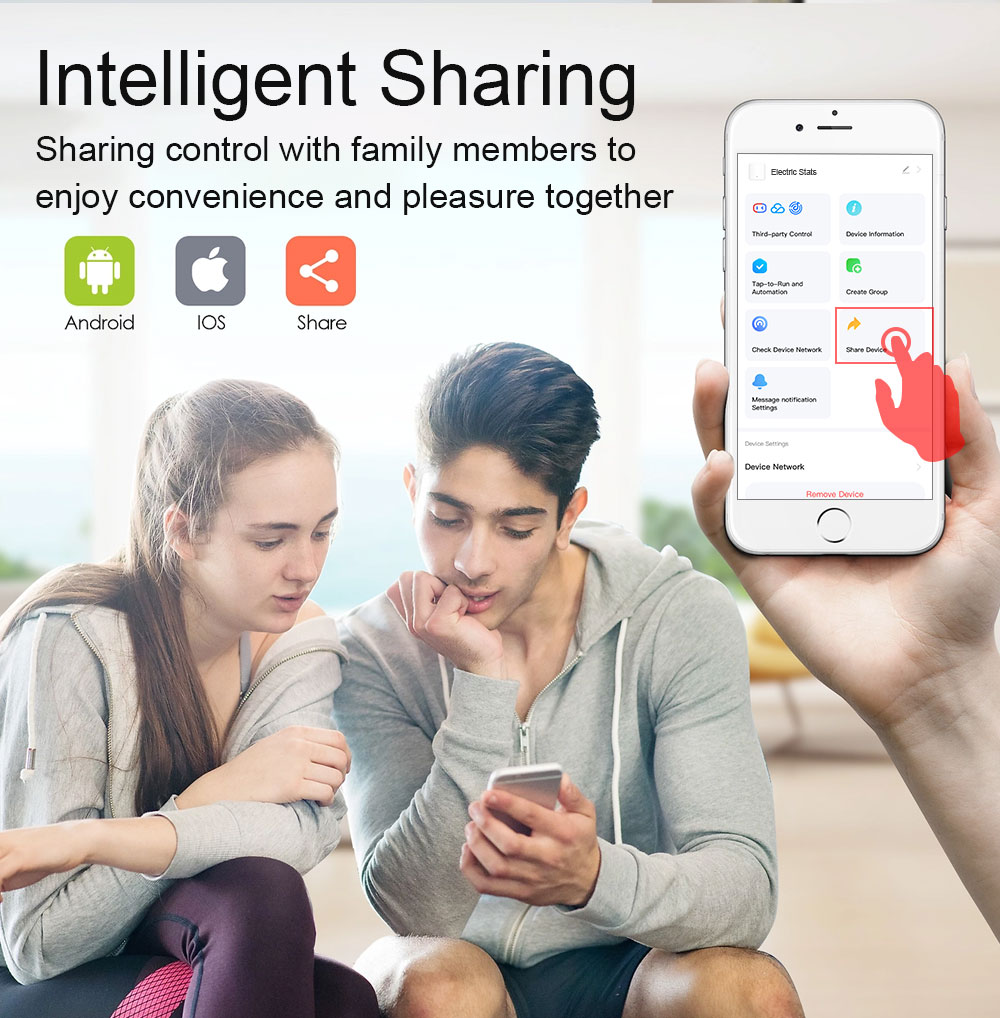
Several accounts can control the same switch, with permission levels for owners, managers and family members. That makes the unit suitable for households as well as small property teams.

DS-101GWN family sharing and multi-user control

7. Remote Control from Anywhere

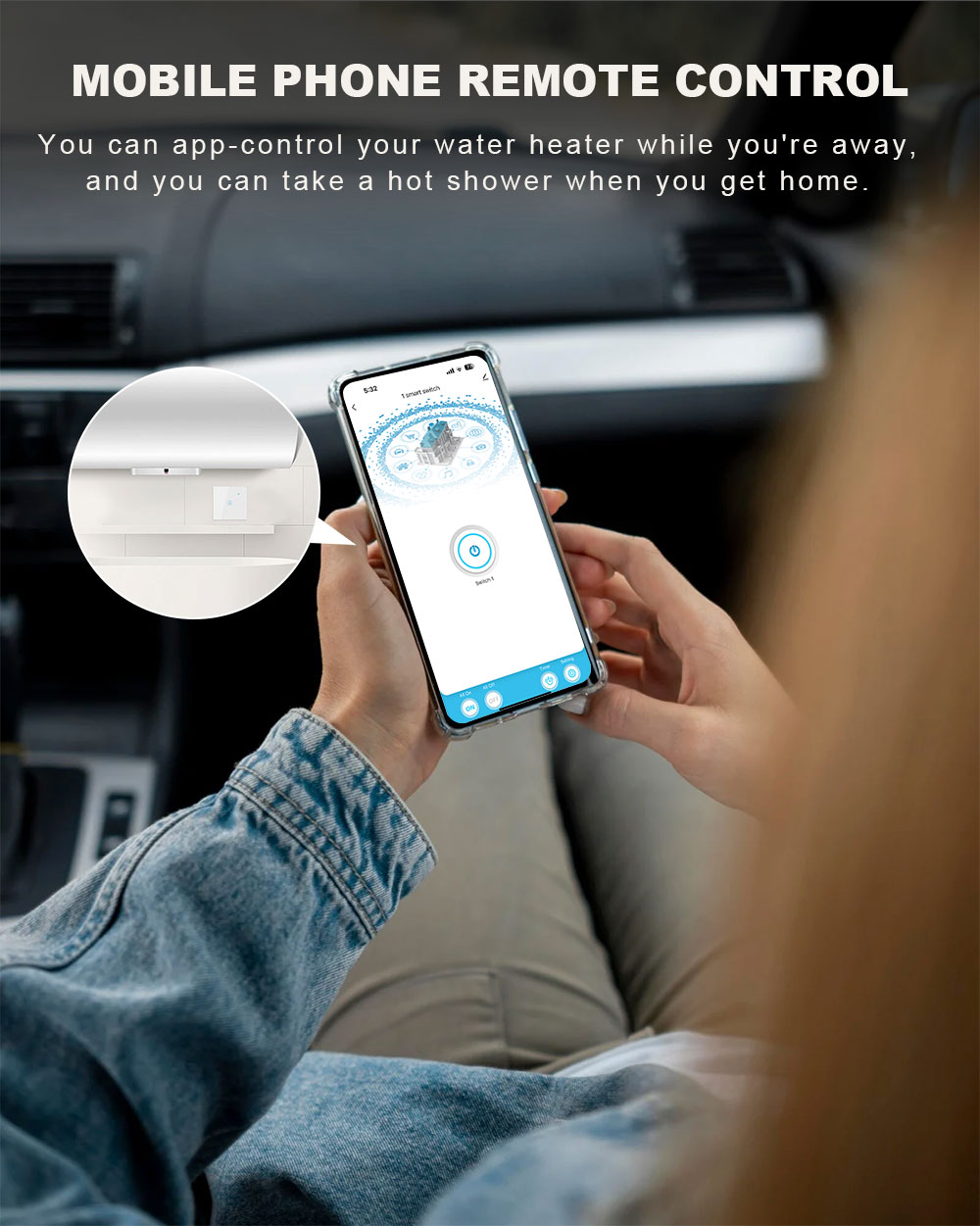
Once paired with the app, the heater can be switched on before arrival and turned off after leaving – a practical feature for landlords and short-stay operators who need to protect their energy budget.

DS-101GWN remote control of the water heater from the app

8. Black Glass Touch Panel with Backlight

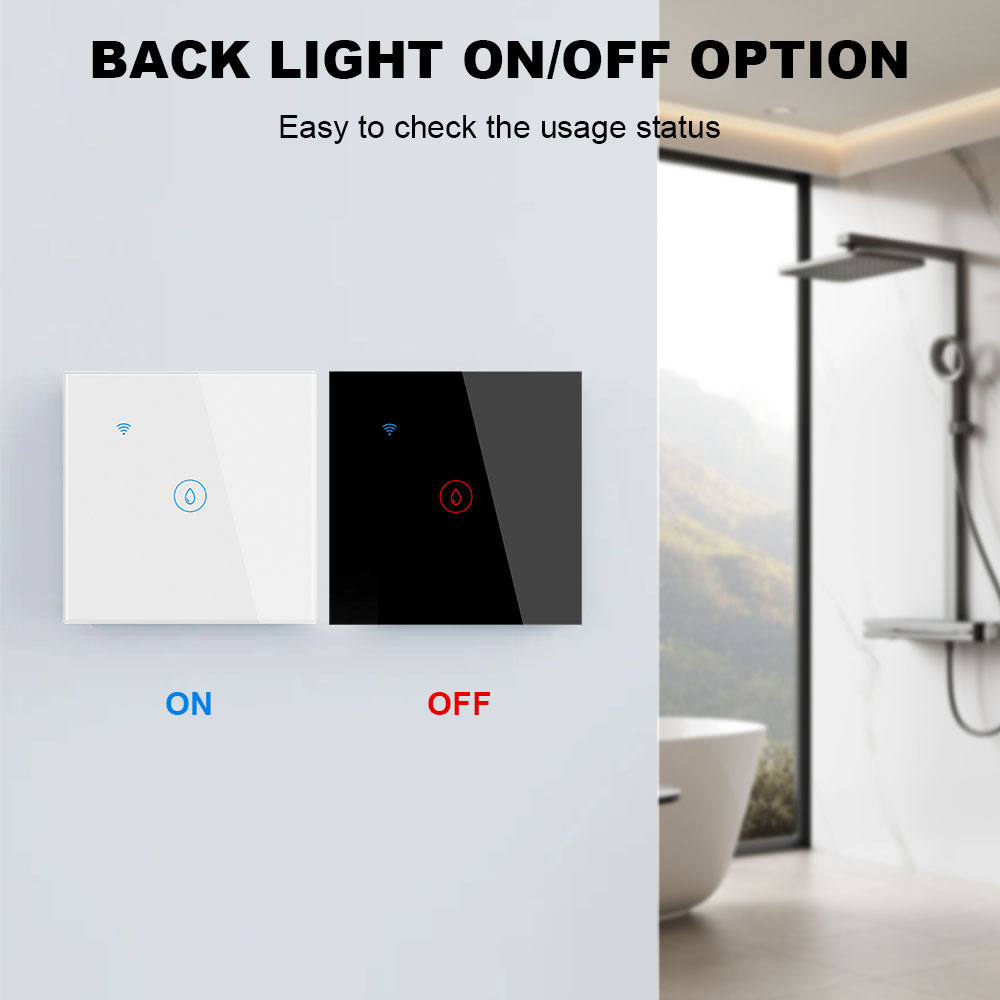
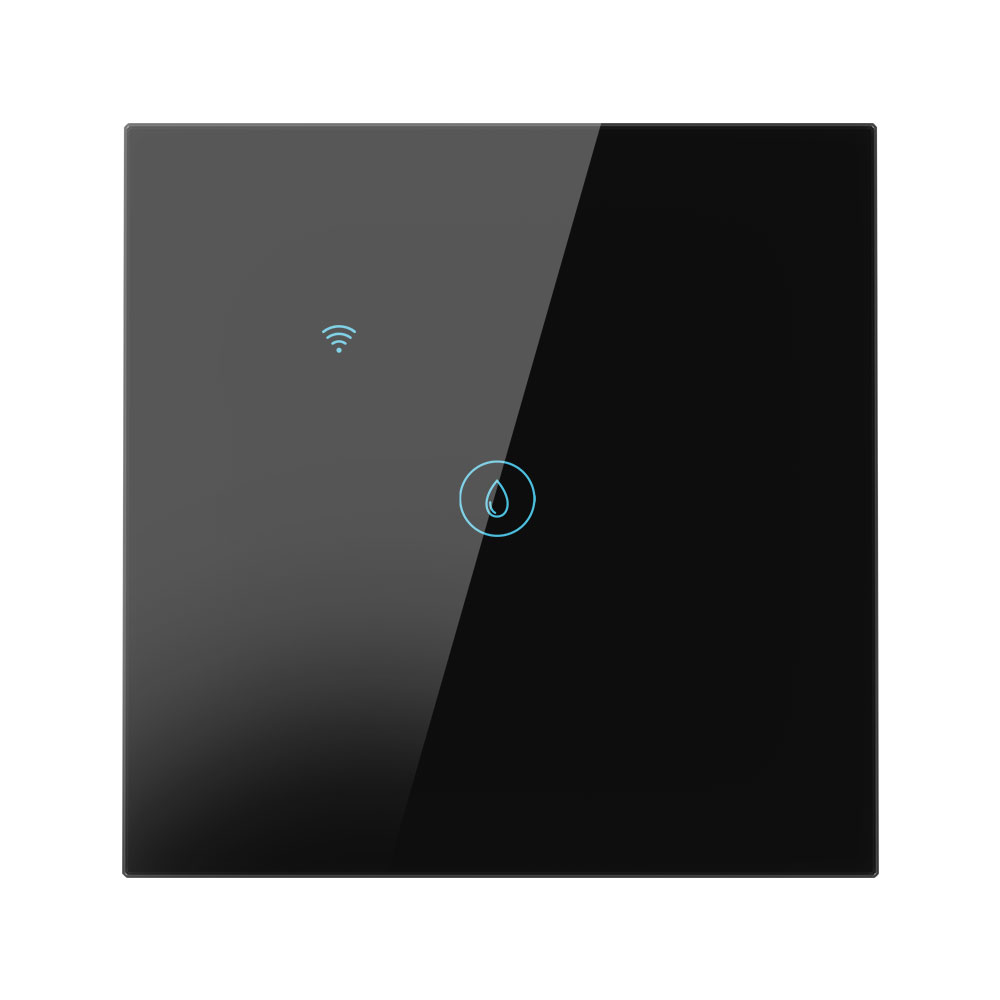
The tempered glass front is available in black or white, with a backlit touch panel that stays readable in dark corridors and hotel bathrooms. The panel carries a 100,000-press button life rating.

DS-101GWN backlit touch panelDS-101GWN black glass panel WiFi switch

DS-101GWN Specifications

Product name Smart metered water heater switch
Model DS-101GWN
Colour options Black / White
Material PC + toughened glass panel
Product size 86 x 86 x 35 mm (3.39 x 3.39 x 1.38 in)
Input voltage 100-240V~ 50Hz/60Hz
Power rating 5000W
Wireless standard WiFi 802.11 b/g/n (Wi-Fi + BLE)
Control method Touch panel / App / Voice
Compatible systems Amazon Alexa, Google Home
Button life 100,000 presses
Operating temperature -20C to 50C
Package size 106 x 100 x 51 mm (4.17 x 3.94 x 2.01 in)
Markings CE, UKCA

Dimensions, Wiring and Installation

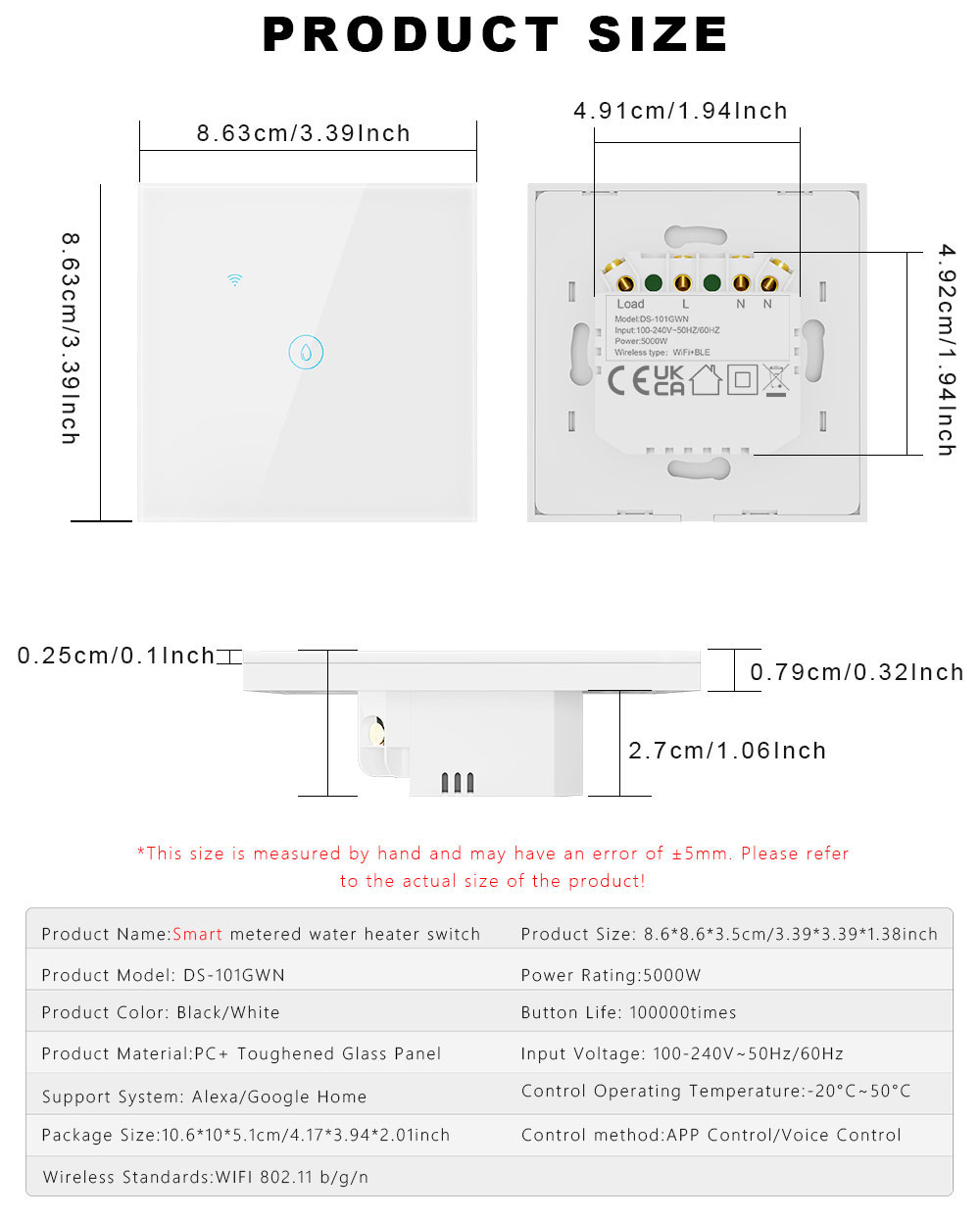
The switch uses the international 86 mm wall box standard. Terminals are marked L, N and N (load L / N / N), and the wall plate is 8.6 cm square with a 2.5 mm glass front and a mounting bracket projecting 0.79 cm from the wall. Hand-measured dimensions may vary by +/-5 mm.

DS-101GWN dimensions and wiring specifications

Installation follows the standard sequence used across the range: isolate the circuit, verify the wiring against the diagram, fix the unit into the wall box, fit the panel and restore power. For a step-by-step walkthrough of the same platform, see our guide on how to install a WiFi touch smart switch.

Typical Applications

Certification, Packaging and Quality Control

Units carry CE and UKCA markings and are produced with PC flame-retardant housings and tempered glass panels. Each batch is function-tested before packing, and OEM packaging with your own brand, manual and barcode is available.

OEM, ODM and Wholesale Support

We supply the DS-101GWN to distributors, importers and project contractors, with support for custom logos, colour selection, packaging design and private-label firmware. Because we are a factory-direct OEM and ODM smart switch and socket manufacturer, MOQ and lead time can be quoted against your project schedule. Request the datasheet and price list for your market before finalising a tender.

FAQ

Does the DS-101GWN require a neutral wire?
Yes – the device uses L and N supply terminals, so a neutral conductor must be present in the wall box.

What is the maximum load?
The switch is rated at 5000W with an input range of 100-240V~, which covers the large majority of domestic and hospitality water heaters. Confirm the actual heater rating before installation.

Can it work without the app?
Yes. The touch panel and the schedules stored on the device continue to work; the app is needed only for remote control, metering history and firmware updates.

Which app and voice assistants are supported?
The switch works with Amazon Alexa and Google Home, and with the standard Tuya-based smart life ecosystem.

Do you support custom branding?
Yes. Logo printing, custom packaging, manual localisation and firmware branding are available for volume orders.

Related Reading

Related Articles

You Might Also Like
Frequently Asked Questions

Is 101gwn Smart Water worth buying?

Based on the breakdown in this article, 101gwn Smart Water offers a solid mix of features and value. If your main goal matches the key benefits described above, it is a practical choice for everyday use.

How do I choose the right 101gwn smart water for my needs?

Start with your core use case, then compare battery life, compatibility, and build quality as covered above. Choosing the right 101gwn smart water comes down to matching specs with how you actually use it.

Does 101gwn smart water require a companion app?

Most devices of this type pair with a free companion app for setup and firmware updates. A few advanced features may sit behind a paid plan, so check the official specs page before buying.

Posted on — Leave a comment
DS-101GWN Smart Water Heater Switch: WiFi Energy Monitoring, Overload Protection and Voice Control
ds-101gwn-smart-switch-specifications

Electric water heaters are among the heaviest loads in any home, hotel room or rental apartment. Leaving them powered around the clock wastes energy, and switching them on and off by hand every day is not realistic. The DS-101GWN Smart metered water heater switch closes that gap: a 5000W high-power smart switch in a Standard 86 mm wall plate, with real-time electricity statistics, overload protection, timers, away mode and voice control.

This guide covers what the DS-101GWN does, the specifications your procurement team needs, how it is wired, and how it fits hotel, apartment and modern-home projects. Reolink vs Tuya Security Camera

Why Water Heaters Need a Dedicated Smart Switch

A standard lighting switch is not built for a resistive load that can run for hours. Water heater retrofits usually fail for three reasons:

  • Current and power rating. A 3000–5000W heater needs switching hardware rated well above a typical lighting circuit.
  • Heat build-up. Long duty cycles demand larger contact area and proper heat dissipation.
  • No feedback. Without metering, neither the property owner nor the installer knows how much energy the heater really consumes.

The DS-101GWN is designed specifically for this load class, using the same 86 mm form factor as the rest of our smart switch range, so it retrofits into existing wall boxes without rework.

DS-101GWN smart metered water heater switch specifications

Key Features of the DS-101GWN

1. Real-Time Electricity Statistics

Voltage, current, power and accumulated energy consumption are measured inside the switch and displayed in the app. Property managers can see which rooms consume the most, and guests or tenants can be billed against actual usage instead of a flat fee.

DS-101GWN energy monitoring in the mobile app

2. Overload Protection

When the connected load exceeds the safe threshold, the switch cuts the circuit instead of letting the relay and Wiring overheat. This is the single most requested feature from hotel and apartment operators, because a failed water heater circuit can take a whole floor offline.

3. Voice Control with Alexa and Google Home

The DS-101GWN pairs with Amazon Alexa and Google Home, so the heater can be switched by voice in hands-free applications, while the physical Touch panel keeps working normally for users who prefer it.

DS-101GWN compatible with Alexa and Google Home

4. Countdown Timer and Weekly Schedules

Set a 30-minute boost before a shower, or schedule the heater to run only during off-peak hours. Schedules run on the device itself, so heating still follows the routine even if the Wi-Fi network drops.

5. Away Mode

Away mode cuts the circuit automatically when the property is vacant, which is useful for serviced apartments, holiday rentals and second homes Where heaters would otherwise stay on for weeks.

6. Family Sharing and Multi-User Control

Several accounts can control the same switch, with permission levels for owners, managers and family members. That makes the unit suitable for households as well as small property teams.

DS-101GWN family sharing and multi-user control

7. Remote Control from Anywhere

Once paired with the app, the heater can be switched on before arrival and turned off after leaving — a practical feature for landlords and short-stay operators who need to protect their energy budget.

DS-101GWN remote control of the water heater from the app

8. Black Glass Touch Panel with Backlight

The tempered glass front is available in black or white, with a backlit touch panel that stays readable in dark corridors and hotel bathrooms. The panel carries a 100,000-press button life rating.

DS-101GWN backlit touch panel
DS-101GWN black glass panel WiFi switch

DS-101GWN Specifications
Product name Smart metered water heater switch
Model DS-101GWN
Colour options Black / White
Material PC + toughened glass panel
Product size 86 × 86 × 35 mm (3.39 × 3.39 × 1.38 in)
Input voltage 100–240V~ 50Hz/60Hz
Power rating 5000W
Wireless standard WiFi 802.11 b/g/n (Wi-Fi + BLE)
Control method Touch panel / App / Voice
Compatible systems Amazon Alexa, Google Home
Button life 100,000 presses
Operating temperature -20°C to 50°C
Package size 106 × 100 × 51 mm (4.17 × 3.94 × 2.01 in)
Markings CE, UKCA
Dimensions, Wiring and Installation

The switch uses the international 86 mm wall box standard. Terminals are marked L, N and N (load L / N / N), and the wall plate is 8.6 cm square with a 2.5 mm glass front and a mounting bracket projecting 0.79 cm from the wall. Hand-measured dimensions may vary by ±5 mm.

DS-101GWN dimensions and wiring specifications

Installation follows the standard sequence used across the range: isolate the circuit, verify the wiring against the diagram, fix the unit into the wall box, fit the panel and restore power. For a step-by-step walkthrough of the same platform, see our guide on how to install a WiFi touch smart switch.

Typical Applications
Certification, Packaging and Quality Control

Units carry CE and UKCA markings and are produced with PC flame-retardant housings and tempered glass panels. Each batch is function-tested before packing, and OEM packaging with your own brand, manual and barcode is available.

OEM, ODM and Wholesale Support

We supply the DS-101GWN to distributors, importers and project contractors, with support for custom logos, colour selection, packaging design and private-label firmware. Because we are a factory-direct OEM and ODM smart switch and socket manufacturer, MOQ and lead time can be quoted against your project schedule. Request the datasheet and price list for your market before finalising a tender.

FAQ

Does the DS-101GWN require a neutral wire?
Yes — the device uses L and N supply terminals, so a neutral conductor must be present in the wall box.

What is the maximum load?
The switch is rated at 5000W with an input range of 100–240V~, which covers the large majority of domestic and hospitality water heaters. Confirm the actual heater rating before installation.

Can it work without the app?
Yes. The touch panel and the schedules stored on the device continue to work; the app is needed only for remote control, metering history and firmware updates.

Which app and voice assistants are supported?
The switch works with Amazon Alexa and Google Home, and with the standard Tuya-based smart life ecosystem.

Do you support custom branding?
Yes. Logo printing, custom packaging, manual localisation and firmware branding are available for volume orders.

Related Reading

Related Articles

You Might Also Like
Frequently Asked Questions

Is 101gwn Smart Water worth buying?

Based on the breakdown in this article, 101gwn Smart Water offers a solid mix of features and value. If your main goal matches the key benefits described above, it is a practical choice for everyday use.

How do I choose the right 101gwn smart water for my needs?

Start with your core use case, then compare battery life, compatibility, and build quality as covered above. Choosing the right 101gwn smart water comes down to matching specs with how you actually use it.

Does 101gwn smart water require a companion app?

Most devices of this type pair with a free companion app for setup and firmware updates. A few advanced features may sit behind a paid plan, so check the official specs page before buying.

Posted on — Leave a comment

Smart Switch for Water Heater and AC

A water heater, an air conditioner and a bedside lamp do not ask the same thing from a switch, and the number that separates them is the current rating. Get that number wrong and the switch either trips, runs hot, or quietly dies in a few months — so this is the one specification worth reading before you buy.

Start from the appliance, not the switch

Every Smart switch, socket or controller carries a maximum current, usually printed as 10 A, 16 A or 20 A. Convert your appliance first: Reolink vs Tuya Security Camera

  • Amps ≈ watts ÷ volts. A 2,000 W heater on 230 V draws about 8.7 A. The same heater on 120 V draws about 16.7 A.
  • Motors are different. An air conditioner, a pump or a fan has a compressor or motor with a startup surge that can be several times the running current. The switch must be rated for that surge, not just the running figure.
  • Continuous loads need headroom. Anything that runs for hours — a water heater, a floor heating mat, a towel rail — should sit at roughly 80% of the switch rating or less.

So a 16 A switch at 230 V is comfortable to about 3,600 W of resistive load, and noticeably less than that for a motor load.

What each appliance actually needs

Water heaters and boilers

Heating elements are resistive and predictable: check the element rating on the nameplate and size the switch above it. What most people actually want here is not just on/off but temperature control — a controller with a probe that switches by measured temperature rather than by clock, so the tank reaches the Set point and stops. That is a different product from a plain switch and it usually saves more energy than any schedule.

Air conditioners

An AC unit is the hardest case in a house: inductive load, large startup surge, and it often runs for hours. Two safe approaches:

  • A switch rated well above the unit’s running current, specified for motor or inductive loads.
  • Infrared control instead of switching power — a universal IR controller sends the same commands as the remote Without touching the wiring at all. This is the low-risk answer and the one most installers prefer for split units.

Floor heating

Heating mats and cables are resistive but continuous, and they are usually paired with a thermostat rather than a switch: a 16 A floor-heating thermostat with a floor probe and a boiler relay covers both electric mats and gas boilers. A plain switch here is the wrong product — the comfort gain comes from temperature control and scheduling together.

Fans, pumps and curtains

Ceiling fans and curtain motors are smaller loads but still inductive, and fan speed control is not the same as dimming a lamp. Look for a panel with a dedicated fan or curtain channel rather than repurposing a light dimmer.

Wall switch, socket, or controller?

  • Wall switch (10-16 A): replaces the plate and controls a fixed circuit — best for heaters on their own circuit and for room lighting.
  • Smart socket (16 A): controls the appliance plugged into it and measures what it consumes. Best when the appliance is already on a plug, and the metering is genuinely useful for a heater.
  • Temperature controller: switches by measured temperature. Best for water heaters, floor heating, heat mats, incubators and aquariums.
  • IR controller: no power switching at all. Best for air conditioners and TVs.

Safety checklist before you order

  • Read the appliance nameplate for watts and current, and note whether it is a motor load.
  • Choose a rating with headroom — a 16 A device for a 10 A continuous load, not a 10 A device for a 9 A load.
  • Check the switch is specified for the load type: resistive, inductive or motor.
  • Never put a heater or an AC unit on a plug-in Smart plug rated below the appliance, and never daisy-chain extension leads through one.
  • Confirm the circuit itself is protected correctly; a smart device is not a substitute for a correctly-sized breaker and RCD.
  • When in doubt, or where local regulations require it, have an electrician fit it — high-current work is not the place to improvise.

XingLiao switches, sockets and controllers for high loads

Frequently Asked Questions

What does 16A mean on a smart switch?

It is the maximum current the relay can switch continuously — about 3,600 W at 230 V or roughly 1,900 W at 120 V for a resistive load. Motor loads need more headroom than the running figure suggests.

Can I put an air conditioner on a smart switch?

Sometimes, with a switch rated well above the unit’s running current and specified for motor loads. The safer alternative for split units is an infrared controller that sends the remote’s commands without switching the power at all.

Do I need a thermostat or just a switch for floor heating?

A thermostat. Floor heating needs temperature feedback from a floor probe, and the comfort and energy savings come from controlling to temperature, not from switching mains on a timer.

Why does my smart switch get warm?

Some warmth is normal under load, but a switch that is hot to the touch is undersized or poorly terminated. Check the load against the rating and have the connections inspected.

Can I use a smart plug for a heater?

Only if the plug’s rating exceeds the heater’s draw — a 2,000 W heater on 230 V needs a plug rated comfortably above 8.7 A. Many small smart plugs are 10 A and should not run heaters continuously.

Is energy monitoring useful on high-load devices?

Very. Heating and cooling are usually the largest loads in a home, and a metering socket turns “I think the heater is expensive” into a number you can act on.

Related guides

Browse all smart switches and sockets · Tell us the appliance and its rating and we will match the right switch

Related Articles

You Might Also Like
Posted on — Leave a comment

Where to Place Water Leak Sensors in a House

Put water leak sensors in four places first: under every sink, behind and under the washing machine or dishwasher, next to the boiler or water heater, and under the bath or shower tray if there is an Access panel. Those four locations catch the overwhelming majority of household water damage, and two sensors cost less than a single insurance excess.

Sensor placement matters more than sensor count. A sensor in the middle of the floor detects a leak long after the cabinet it came from has rotted.

The priority list, room by room

Kitchen

  • Under the sink, at the lowest point of the cabinet, pushed back against the wall so it sits where supply pipes and the waste trap are.
  • Behind the dishwasher, on the floor at the back of the plinth — the inlet hose and its connection are the usual failure point.
  • Behind the fridge if it has a water feed for ice or a dispenser.

Utility room

  • Under and behind the washing machine: place the sensor under the machine, not in front of it, so it catches a leaking pump or inlet valve.
  • Next to the boiler, and under any pressurised cylinder or expansion vessel.
  • By the stopcock, so you also learn where the shut-off is before you need it.

Bathroom

  • Under the basin, against the back wall.
  • Under the bath or shower tray if you can reach the void from a panel — otherwise at the lowest visible edge.
  • Behind the toilet, at floor level, where the flexible connector and the cistern supply meet.

Loft, garage and basement

  • Under a loft water tank and beside any pipework that runs through an unheated space (freeze then burst is a winter classic).
  • Next to a water softener, which is a surprisingly common leak source.
  • At the lowest point of a basement or cellar floor.

How to place the sensor itself

  1. Flat on the floor, probes or contacts touching the surface. A sensor propped on a pipe will not see a puddle until it spreads.
  2. At the lowest point of the cabinet or tray, and away from the drain hole where water can escape before detection.
  3. Tilted or in a corner so water runs toward the contacts, not past them.
  4. Protected from splashes and cleaning — a mop, a shower spray or a cleaning spray can false-trigger a bare probe sensor.
  5. Away from metalwork that pools condensation (cold pipes, cisterns), which causes repeat false alarms.

Rope and probe sensors: which goes where

  • Spot / probe sensors are cheap, small and ideal inside cabinets and under appliances. Buy them in packs of four or six.
  • Rope or cable sensors detect water along their whole length — use them along a run of pipes, around a cylinder base, or across a basement floor.
  • Motorised valve shut-off is the upgrade that turns detection into prevention: a valve on the main supply closes automatically when any sensor trips. If you travel often, this is worth more than another six sensors.

What to automate

  • Siren and push alert: do not rely on a phone notification alone. A 90 dB local alarm means someone reacts even if the phone is on silent.
  • Close the valve if you have one, then send the notification.
  • Flash the lights or send to a hub display for a household with hearing-impaired occupants.
  • Test quarterly: put a wet cloth across the contacts and confirm the alert arrives. Batteries fail quietly.
Frequently Asked Questions

How many water leak sensors does a house need?

Start with four: under the kitchen sink, behind the washing machine or dishwasher, next to the boiler, and under the bathroom basin. Add one per additional wet room or appliance with a water feed.

Where exactly should a leak sensor go under a sink?

Flat on the cabinet floor at the lowest point, pushed to the back wall where the supply pipes and waste trap are — not in front of the cabinet and not propped on a pipe. How to Install a Video Doorbell Without Existing Wiring

Do leak sensors work without WiFi?

Detection and the local alarm work Without internet. Remote notifications and automations that run in the cloud do not, so pair sensors with a hub that supports local automations and a mains-powered siren. White Label Smart Home Devices for Brand Owners

Will condensation set off a water leak sensor?

It can, if the contacts sit under a cold pipe or cistern that drips. Move the sensor a few centimetres away, or shield it so it only sees water that reaches the floor.

How long do the batteries last?

Typically one to two years for a coin-cell sensor in normal use. Set a low-battery automation and check the app once or twice a year; a dead sensor is worse than no sensor because it looks installed.

Should I get a sensor that shuts off the water?

If you are away often, yes. A motorised valve on the main supply turns any leak into a contained one, and it is the only measure that works when nobody is Home to hear the alarm.

Related guides

Browse leak, rain and smoke sensors · Ask us for a sensor layout for your home

Related Articles

You Might Also Like
Posted on — Leave a comment

Zigbee Water Leak Detector: The Smart Home Upgrade That Could Save You $11,000 in Water Damage

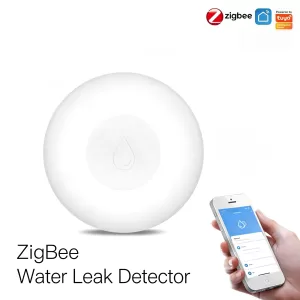
zigbee water leak detector

However, Water damage is one of the most expensive and most preventable disasters a homeowner can face. The average residential water damage incident costs over $11,000 in the U.S. alone — and most of these events happen silently, when nobody is watching. In short, Zigbee

Therefore, A single forgotten open window during a storm, a slow leak under the kitchen sink, or an overflowing bathtub can ruin floors, walls, furniture, and electronics in a matter of minutes. By the time you notice, the damage is already done.

Moreover, Here’s exactly where a Zigbee water leak detector changes the game. Compact, wireless, and battery-powered, this small device acts as an always-on guardian for your home. The moment water shows up where it shouldn’t, you receive a real-time push notification on your phone.

In addition, Below, we’ll break down what makes a Zigbee leak detector one of the Smartest smart home upgrades you can make in 2025. We’ll also show you how to choose the right one for your home.

Why Every Home Needs a Smart Water Leak Detector

For example, Most homeowners only think about water damage after it happens. By then, the cleanup bill is already in the thousands, insurance paperwork is piling up, and the mold remediation crew is on the way.

Consequently, Smart water leak detectors catch the very first sign of trouble. They detect the kind of slow leak or sudden downpour that humans simply miss when they’re asleep, at work, or on vacation.

You can rely on real-time mobile alerts to shut off the water main Remotely, call a neighbor, or rush home. A small drip never has to turn into a flooded basement.

The Average Cost of Water Damage (and Why Prevention Pays)

  • 💧 Average claim: $11,000+ per incident
  • 🏠 Most common cause: plumbing supply line failure
  • 📈 Frequency: 1 in 50 homes files a water damage claim each year

  • 🦠 Hidden risk: mold can start growing within 24–48 hours

zigbee water leak detector

Meet the ZigBee Water Leak Detector

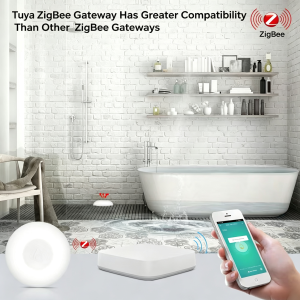
Working on Zigbee 3.0, this wireless water leak detector uses the same protocol trusted by leading smart home ecosystems worldwide. Pair it natively with the Tuya Smart and Smart Life apps — two of the largest platforms on the planet, supporting over 1 million compatible devices.

You can set it up in under two minutes. Pop in the battery, open the app, and pair. You’re protected.

Key features at a glance:

  • ✅ Zigbee 3.0 protocol — reliable, low-power mesh networking
  • ✅ Battery powered — runs 1+ year on a single CR2032 coin cell
  • ✅ Ultra-thin 17mm design — fits anywhere, 50mm diameter
  • ✅ IP66 waterproof — survives splashes, humidity, and outdoor use
  • ✅ High sensitivity detection — catches the smallest leaks
  • ✅ Low battery alert — never get caught off guard

zigbee water leak detector

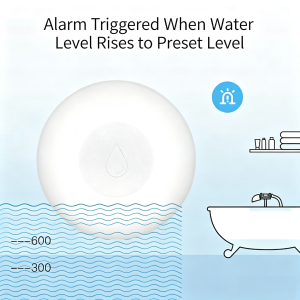
Alarm Triggered When Water Level Rises to Preset Level

Not every water event is the same. A Light splash shouldn’t trigger the same alarm as a fully submerged basement. That’s why this Sensor lets you set a preset water level threshold through the app. When water rises to that level, the alarm triggers immediately.

Use this sensor for:

  • 🛁 Bathtubs — get alerted before water overflows
  • 🪣 Sump pump areas — know the moment water levels rise
  • 🐠 Aquariums — catch overflow before it floods the floor
  • 🌊 Basement drains — early warning before flooding

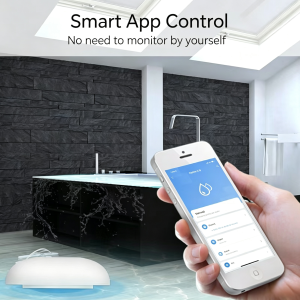
Smart App Control — No Need to Monitor by Yourself

What makes a smart leak detector so valuable is remote monitoring. You no longer have to physically check under every sink, behind every washing machine, or beside every water heater.

zigbee water leak detector

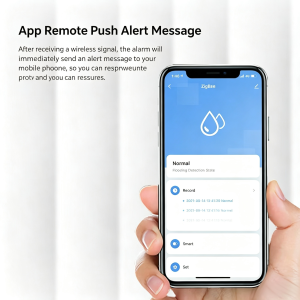
After pairing with the Tuya Smart or Smart Life app via a compatible Zigbee gateway, the sensor works 24/7 in the background. You can:

  • 📊 Monitor real-time status — see if every sensor is dry or wet
  • 📜 View event history — every water event logged with a timestamp
  • 👨‍👩‍👧 Share with family — multiple household members get alerts
  • 🤖 Create smart automations — trigger sirens, lights, or shutoff valves

It’s like having a plumber on call 24 hours a day and it costs less than a single service visit.

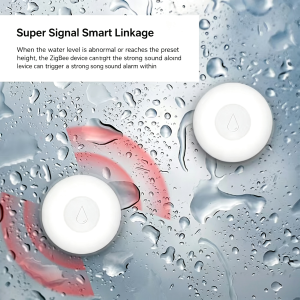
Super Signal Smart Linkage

One of the most powerful features of a Zigbee-based water leak detector is its ability to link with other Zigbee devices through the smart home gateway. When the water level is abnormal or reaches the preset height, the Zigbee device can trigger a strong sound alarm within your home — even if your phone is on silent.

zigbee water leak detector

Your leak detector isn’t just a passive sensor. It’s the trigger point for a complete emergency response system.

What Can You Link Together?

  • 🔊 Zigbee Siren / Alarm — emit a loud, attention-grabbing sound
  • 💡 Smart lights — flash red as a visual warning throughout the home
  • 🔌 Smart water valve — automatically shut off the main water line (see below)
  • 📱 Smartphone notifications — instant push to every family member
  • 📹 Security cameras — start recording visual evidence

Automatic Water Shutoff (When Paired with a Smart Water Valve)

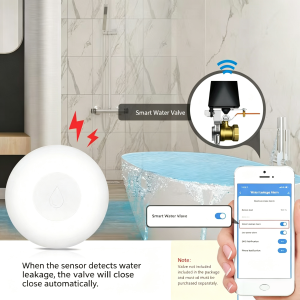
Here’s the truly hands-off feature. Pair this leak detector with a Tuya-compatible smart water valve (sold separately), and the moment water is detected, the valve closes automatically to stop the leak at its source.

zigbee water leak detector

Suddenly, a small leak becomes a non-event. You don’t have to be home. You don’t have to call a plumber. You don’t have to rush back from vacation. The system handles it for you.

Note: The smart water valve is not included in the package. You must purchase it separately.

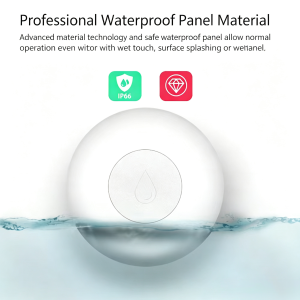
Professional Waterproof Panel — IP66 Rated

zigbee water leak detector

zigbee water leak detector

zigbee water leak detector

Related Articles

You Might Also Like
Frequently Asked Questions

Is Zigbee Water Leak Detector worth buying?

Based on the breakdown in this article, Zigbee Water Leak Detector offers a solid mix of features and value. If your main goal matches the key benefits described above, it is a practical choice for everyday use.

How do I choose the right zigbee water leak detector for my needs?

Start with your core use case, then compare battery life, compatibility, and build quality as covered above. Choosing the right zigbee water leak detector comes down to matching specs with how you actually use it.

Does zigbee water leak detector require a companion app?

Most devices of this type pair with a free companion app for setup and firmware updates. A few advanced features may sit behind a paid plan, so check the official specs page before buying.

Posted on — Leave a comment

Pet Water Dispenser: Regular vs Smart WiFi (2026 Guide)

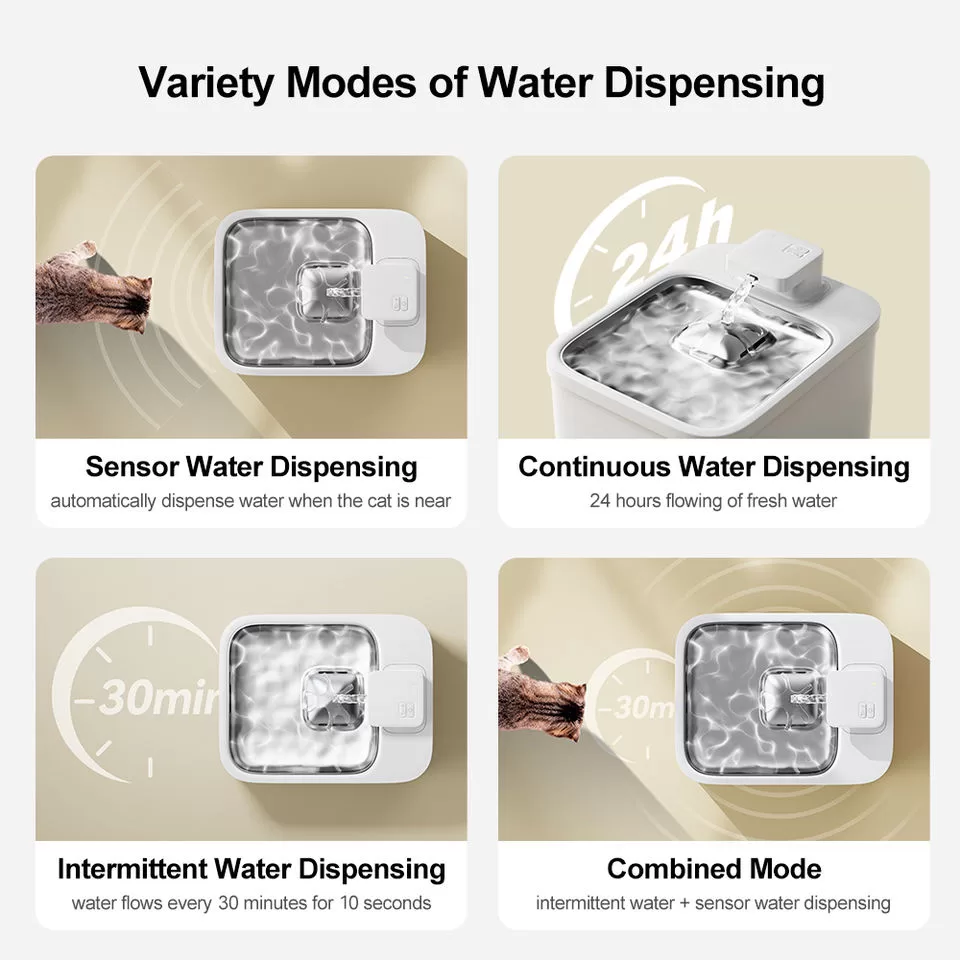
Pet water dispenser 4 dispensing modes: sensor, continuous flow, intermittent, and manual sensor output for 2.5L smart pet water fountain for cats and dogs

A regular pet water dispenser just holds water; a smart WiFi model adds a pump, a filter and app alerts, so you can tell whether your cat or dog drank today.

Understanding Your Pet Water Dispenser Options

ASPCA pet care guide

Smart WiFi pet water dispenser 2.5L with stainless steel tray for cats and dogs at odmhome.com
Smart WiFi Pet Water Dispenser 2.5L – Main Product Image
Smart WiFi pet water dispenser 2.5L with stainless steel tray for cats and dogs at odmhome.com
Smart WiFi Pet Water Dispenser 2.5L – Main Product Image
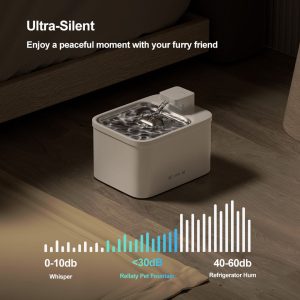
## Why Your Pet’s Water Bowl Isn’t Enough (And What to Do About It) Picture this: it’s 7 AM, you stumble into the kitchen, and your dog’s water bowl is bone-dry again.. This Or worse, it’s been sitting out for 12 hours — slimy, full of fur, and warmer than room temperature. Sound familiar? Most pet owners underestimate how much water their cats and dogs actually need.. This A 10-pound cat should drink roughly 8-10 ounces of water daily .. This A 30-pound dog? Up to 50 ounces.. This And most of them don’t drink nearly enough from a static bowl. That’s where a **pet water dispenser** changes everything. In this 2025 buyer’s guide, we’ll break down the two main types — **regular (gravity-fed) pet water dispensers** and **smart WiFi pet water fountains** — so you can pick the right one for your pet, your home, and your lifestyle.. This Browse our full [pet water dispenser collection at our smart home store](https://odmhome.com/shop/) to see all available models. — ## The Hidden Problem with Traditional Water Bowls Before we dive into products, let’s talk about why that cute little ceramic bowl on your floor is actually working against your pet. ### Bacteria Buildup Stagnant water is a breeding ground for bacteria.. This Studies show that within 24 hours, a standard water bowl can develop bacterial colonies exceeding what’s considered safe for drinking.. This Cats and dogs are particularly vulnerable to urinary tract infections and kidney issues from contaminated water.. This According to the [FDA pet food safety guidelines](https://www.fda.gov/animal-veterinary), water hygiene is one of the most overlooked aspects of pet care. ### Temperature Issues Room-temperature water quickly becomes warm and unappetizing.. This Most pets — especially cats — prefer cool, fresh water.. This A 2019 study found that cats are significantly more likely to drink from moving water sources than still ones. ### Contamination Every time your pet walks near the bowl, kicks up dust, or drops food particles in, the water gets contaminated.. This Hair, saliva, kibble bits — they all add up. ### Refill Frequency If you work a 9-to-5 job, your pet’s water bowl can sit untouched for 8+ hours.. This That’s a long time for water to go stale, especially in summer. The solution? A proper pet water dispenser that keeps water moving, filtered, and fresh around the clock.. This For more tips on creating a healthy environment for your pets, check out our guide to [best smart home devices for pet owners](/blog/best-smart-home-devices-for-pet-owners-2025/), and explore the [full pet water dispenser lineup](https://odmhome.com/shop/) for hands-free hydration. — ## Regular vs Smart WiFi Pet Water Dispenser: The Quick Comparison | Feature | Regular Pet Water Dispenser | Smart WiFi Pet Water Dispenser | |———|——————|———————| | **Power source** | None (gravity-fed) or plug-in | Plug-in (always on) | | **Water capacity** | 1.5–6L | 2–4L | | **Filtration** | Optional carbon filter | Multi-stage filter system | | **Pump type** | None | Ultra-quiet submersible pump | | **App control** | No | Yes (iOS + Android) | | **Water level alerts** | No | Real-time push notifications | | **Usage tracking** | No | Daily/weekly drinking stats | | **Auto shut-off** | No | Pump protection + Low water | | **Cleaning alerts** | No | Reminders every 7–14 days | | **Multi-pet homes** | Yes | Yes (with per-pet tracking*) | | **Price range** | $25–$60 | $55–$150 | | **Best for** | Budget-conscious owners, occasional use | Tech-savvy owners, daily convenience | ** Per-pet tracking requires compatible smart collar integration* —pet water dispenser ## What Is a Regular Pet Water Dispenser vs Smart WiFi? A **regular pet water dispenser** (also called a gravity water feeder or automatic water bowl) is the simplest, most affordable solution.. This You can browse our [gravity-fed pet water dispensers](https://odmhome.com/shop/) if you’re leaning toward this option. ### How It Works – A large bottle or reservoir sits upside-down on a bowl – As your pet drinks, gravity refills the bowl automatically – No electricity required – Capacity ranges from 1.5L to 6L (some go up to 8L for large dogs or multi-cat homes) ### Pros – **No power needed** — works during outages, great for outdoor use or barns – **Affordable** — most models under $40 – **Simple** — no setup, no app, no learning curve – **Large capacity** — some hold a week’s worth of water for a small cat – **Low maintenance** — just wash the bowl and bottle weekly ### Cons – **No filtration** — water sits still, bacteria can grow – **No alerts** — you won’t know if the water runs out – **Easy to tip over** — pets can knock it over, especially dogs – **Harder to clean** — narrow bottle openings make scrubbing difficult – **No data** — you have no idea how much your pet is actually drinking ### Best For – Cat owners with a single pet – Owners on a tight budget – Outdoor or secondary water source (e.g., garage, basement) – Travel/boarding situations — ## What Is a Smart WiFi Pet Water Dispenser? A **smart WiFi pet water dispenser** (sometimes called a smart pet fountain or app-controlled water dispenser) is the connected, high-tech version that has taken the pet product market by storm Since 2014.. This See all our [smart WiFi pet water fountains](https://odmhome.com/shop/) ready to ship worldwide. ### How It Works – Connects to your home WiFi (2.4GHz) via the **Tuya Smart** or **Smart Life** app – Circulates water continuously through a multi-stage filter – Sends real-time alerts to your phone – Tracks drinking patterns over time – Some models integrate with **Alexa** and **Google Home** for voice control ### Core Features Breakdown #### Continuous Circulation A submersible pump keeps water moving 24/7.. This This serves two purposes: – Prevents bacteria growth (oxygenated water stays fresh longer) – Encourages pets to drink (animals are instinctively attracted to moving water) #### Multi-Stage Filtration Most quality smart pet water dispensers use a 3-stage filter: 1. **Cotton layer** — catches hair, kibble, and large debris 2. **Activated carbon** — removes chlorine, odors, and bad tastes 3. **Ion exchange resin** — softens water and removes heavy metals Filters typically need replacing every 2–4 weeks (cost: $0.50–$1 per filter). [Replacement filter 6-packs are available here](https://odmhome.com/shop/). #### App Notifications The companion app (Tuya Smart / Smart Life) sends push notifications for: – **Low water level** — refills before your pet runs out – **Filter life** — reminds you when to change the filter – **Cleaning schedule** — typically every 7–14 days – **Abnormal drinking** — flags sudden increases or decreases in water consumption (early warning for kidney issues, diabetes, UTIs) #### Drinking Analytics Track your pet’s daily water intake with a smart pet water dispenser.. This This is genuinely useful — sudden changes in drinking behavior are often the **first sign of illness** in cats (especially kidney disease, hyperthyroidism, and diabetes).. This Owners have reported catching health issues weeks earlier thanks to these alerts. #### Ultra-Quiet Pump Modern smart pet water dispensers use pumps rated at **≤30 dB** — quieter than a whisper.. This Your pet won’t be startled, and it won’t disturb your sleep. ### Pros – **Fresh, filtered water 24/7** – **Remote monitoring** — check water levels from anywhere – **Health insights** — track drinking patterns over time – **Encourages drinking** — moving water attracts picky pets – **Smart home integration** — works with Alexa, Google Home, Apple HomeKit (varies by model) – **Auto-protect** — pump shuts off if water runs low (prevents burnout) ### Cons – **Higher upfront cost** — $55–$150 vs $25–$60 – **Needs WiFi + power** — won’t work during extended outages – **Filter replacements** — ongoing cost ($15–$25/year) – **Setup required** — need to connect to WiFi and pair with app – **Cleaning** — needs disassembly and pump cleaning every 2 weeks ### Best For – Multi-pet households – Tech-savvy pet parents – Owners who travel frequently – Cats with a history of urinary/kidney issues – Anyone who wants health-tracking data on their pet — ## 5 Real-World Scenarios: Which Pet Water Dispenser Wins? ### Scenario 1: Single Indoor Cat, Stay-at-Home Owner **Winner: Smart WiFi Pet Water Dispenser (2L model)** Cats are notorious for not drinking enough.. This The moving water + analytics will help you catch health issues early.. This The 2L tank lasts 3–4 days for a typical cat, perfect for weekend trips. ### Scenario 2: One Large Dog, Active Family **Winner: Regular Pet Water Dispenser (4–6L gravity model) + Smart Fountain Combo** Use the gravity dispenser as the main water source (dogs drink a LOT), and add a smart fountain as a secondary source to track drinking patterns.. This Dogs drink too much water for a 2L smart tank to handle alone. ### Scenario 3: Multi-Pet Home (2 cats + 1 dog) **Winner: Smart WiFi Pet Water Dispenser (3–4L model)** A 4L smart fountain with a high-capacity tank keeps everyone hydrated.. This The app lets you see total household water consumption, and the multi-stage filter handles the higher contamination from multiple animals. ### Scenario 4: Outdoor / Barn / Garage Use **Winner: Regular Gravity Pet Water Dispenser** No WiFi available, no power outlet nearby.. This A 6L gravity model is bulletproof.. This Add a splash of apple cider vinegar to the water to prevent algae growth. ### Scenario 5: Pet with Chronic Health Issues **Winner: Smart WiFi Pet Water Dispenser (mandatory)** The drinking analytics feature is a game-changer for pets with kidney disease, diabetes, or UTIs.. This Veterinarians increasingly recommend smart water dispensers as part of chronic disease management. — ## Technical Specifications: What to Look For ### Regular Gravity Pet Water Dispensers | Spec | Minimum | Recommended | |——|———|————-| | **Capacity** | 1.5L | 3–4L | | **Material** | BPA-free plastic | Food-grade stainless steel or ceramic | | **Bottle transparency** | Clear | Clear + measurement markings | | **Base stability** | Flat bottom | Non-slip rubber base | | **Dishwasher safe** | Top rack only | Fully dishwasher safe | ### Smart WiFi Pet Water Dispensers | Spec | Minimum | Recommended | |——|———|————-| | **Capacity** | 2L | 2.5–3.5L | | **Power input** | 5V/2A USB | 5V/2A USB-C | | **WiFi** | 2.4GHz | 2.4GHz + Bluetooth backup pairing | | **Pump noise** | ≤40 dB | ≤30 dB | | **Filter stages** | 2-stage | 3-stage (cotton + carbon + ion resin) | | **App compatibility** | Tuya or Smart Life | Both + native Alexa/Google skill | | **Certifications** | FCC, CE, RoHS | FCC, CE, RoHS, FDA food-grade | | **Warranty** | 6 months | 12+ months | — ## How to Set Up a Pet Water Dispenser in 5 Minutes **Total time: 5 minutes** 1. **Unbox and rinse** — Wash the tank, tray, and filter housing with mild soap.. This Rinse thoroughly. 2. **Install the filter** — Soak the new filter in clean water for 5 minutes to activate the carbon, then place it in the housing. 3. **Fill the tank** — Use filtered or tap water.. This Don’t fill above the max line. 4. **Power on** — Plug in the USB cable.. This The pump should start within 10 seconds. 5. **Download the app** — Install “Tuya Smart” or “Smart Life” from the App Store / Google Play. 6. **Add device** — Tap “+” in the app, select “Pet Water Dispenser” (or “Small Home Appliances → Water Dispenser”). 7. **Connect to WiFi** — Enter your 2.4GHz WiFi password. The app will pair the device in 30–60 seconds. 8. **Name your device** — “Whiskers’ Fountain” or “Living Room Water” — whatever helps you remember. 9. **Set notifications** — Turn on low water, filter change, and cleaning reminders. 10. **Show your pet** — Cats especially may need a few days to adjust.. This Place it next to their old bowl at first. — ## What’s in the Box (Standard Smart WiFi Pet Water Dispenser) – 1× Water tank (2.5–4L) – 1× Drinking tray with pump – 1× Multi-stage filter (pre-installed) – 1× USB power cable (5V/2A) – 1× Power adapter (US/EU/UK plug, depending on region) – 1× Quick start guide – 1× Cleaning brush (for the pump) *Note: Replacement filters sold separately.. This We recommend [buying a 6-pack at our store](https://odmhome.com/shop/) to save 30%.* — ## Customer Reviews: What Real Owners Are Saying > *”I bought this pet water dispenser for my two cats who were constantly getting UTIs.. This Within 2 weeks, I could see their water intake was 3x what it was with the old bowl.. This The app flagged one cat drinking significantly less — turned out she had early kidney issues.. This Vet said we caught it way earlier than we would have otherwise.”* > — **Sarah M., cat owner, verified buyer** > *”Setup took literally 4 minutes.. This The pump is so quiet my dog doesn’t even notice it.. This I love the low-water alerts — I used to constantly worry about leaving him alone on weekends.”* > — **James T., dog owner, verified buyer** > *”Was skeptical about the ‘smart’ features but the filter reminders alone are worth it.. This I’ve never been good at remembering to change filters, and the app pinged me right on time.. This This is the best pet water dispenser I’ve owned.”* > — **Priya K., verified buyer** — ## Frequently Asked Questions (FAQ) ### Q1: How often do I need to clean a pet water dispenser? **Regular:** Once a week is sufficient.. This Dump, wash with mild soap, rinse, refill. **Smart WiFi:** Every 7–14 days, depending on the app reminder.. This The pump area needs special attention — use the included brush to clean the impeller.. This Failure to clean the pump is the #1 cause of premature failure. ### Q2: Can I use a smart pet water dispenser without WiFi? Yes.. This The pet water dispenser will still work as a regular circulating fountain without WiFi — you just won’t Get app notifications or analytics.. This The pump and filter functions are independent of the WiFi connection. ### Q3: Is a pet water dispenser safe for kittens and puppies? Yes, with caveats: – Use a **low-flow setting** if available – Make sure the pump intake is covered (most models have a grate) – The water level should never be deep enough for a small animal to fall in and not get out – For very young animals under 8 weeks, supervised introduction is recommended ### Q4: How long do filters last in a smart pet water dispenser? **2–4 weeks** for typical household use.. This Factors that shorten filter life: – Hard water (mineral buildup) – Multiple pets – High water consumption – Outdoor humidity (affects carbon absorption) Pro tip: [Buy filters in bulk at our store](https://odmhome.com/shop/).. This A 6-pack typically costs 30% less per filter than single packs. ### Q5: Can I put ice or cold water in the dispenser? Yes! Many owners add ice cubes in summer to keep water cool.. This Just make sure: – The ice doesn’t block the pump intake – You don’t add so much that the pump runs dry – Clean any mineral deposits left by melting ice ### Q6: Will the pump wake me up at night? No.. This Quality smart pet water dispensers use **sub-30 dB pumps** — quieter than a library.. This You literally cannot hear them from more than 3 feet away.. This The only time they make noise is when the water level is critically low (warning beep). ### Q7: Is it worth the extra cost vs a regular pet water dispenser? For **single pets with no health issues**: Probably not.. This A $30 gravity dispenser does the job. For **multi-pet homes, pets with health issues, frequent travelers, or tech-loving owners**: Absolutely.. This The analytics, alerts, and filtration pay for themselves in convenience and peace of mind. ### Q8: Does this work with my existing smart home setup? Most Tuya-based smart pet water dispensers work with: – **Amazon Alexa** (enable Tuya Smart skill) – **Google Home** (link Tuya Smart in Google Home app) – **SmartThings** (via Tuya integration) – **Apple HomeKit** — only on premium models with Matter support – **Zigbee/Z-Wave** — WiFi-only models don’t support these protocols — ## Final Verdict: Which Pet Water Dispenser Should You Buy? | Your Situation | Recommended Model | |—————|——————-| | Single cat, basic needs, tight budget | Regular 2–3L gravity pet water dispenser | | Tech-savvy owner, wants data | Smart WiFi 2.5L pet water dispenser | | Multi-pet home (2+ pets) | Smart WiFi 3.5L pet water dispenser | | Pet with chronic health issues | Smart WiFi 3.5L model (mandatory) | | Outdoor / barn / garage | Regular 6L gravity pet water dispenser | | Travel frequently | Smart WiFi 2.5L model (remote alerts) | **The honest truth:** If you can afford the $50–$70 upgrade, the smart WiFi pet water dispenser is worth it for the **health-tracking data alone**.. This The ability to spot a sudden drop in water consumption — often the first sign of kidney disease, diabetes, or UTIs — has genuinely saved pets’ lives. — ## Shop Our Top-Rated Pet Water Dispensers Ready to upgrade your pet’s hydration? Both our **regular gravity pet water dispensers** and **smart WiFi pet water fountains** are on sale this week at [odmhome.com](https://odmhome.com/shop/). **Bundle deal:** Buy any smart WiFi dispenser + 6-pack filters and save an extra 10%. **Free shipping** on orders over $50. **Shop now:** – 👉 [Regular Gravity Pet Water Dispensers (From $25)](https://odmhome.com/shop/) – 👉 [Smart WiFi Pet Water Fountains (From $55)](https://odmhome.com/shop/) – 👉 [Replacement Filter 6-Pack (Save 30%)](https://odmhome.com/shop/) — ## About Xingliao Smart Home [🌐 odmhome.com](https://odmhome.com/) is your one-stop shop for smart home devices that make life easier — from pet care to home security, lighting, and beyond.. This Every product is hand-tested by our team, ships worldwide, and comes with a 12-month warranty.. This New customers save 15% on their first order with code **WELCOME15**. — ## Internal Linking Suggestions When you publish this post, link to it from these pages on your site: – **Product page: Smart WiFi Pet Water Dispenser** — anchor text: “read our complete buyer’s guide” – **Product page: Regular Pet Water Dispenser** — anchor text: “not sure which one? See our comparison” – **Homepage** — feature in “Pet Parent Essentials” section – **Related blog posts:** “How Much Water Should Your Cat Drink?”, “Signs of Kidney Disease in Cats”, “Best Smart Home Devices for Pet Owners 2025” – **Future cornerstone post:** “The Complete Guide to Smart Pet Products (2025)” — ## Image Alt-Text Suggestions (For All Product Images) | Image # | Alt Text | |———|———-| | 1 (front) | Smart WiFi pet water dispenser 2.5L with stainless steel tray for cats and dogs at odmhome.com | | 2 (4 modes) | Pet water dispenser 4 dispensing modes: sensor, continuous flow, intermittent, and manual sensor output for 2.5L smart pet water fountain for cats and dogs | | 3 (filter) | Multi-stage filter replacement for smart pet water fountain with activated carbon | | 4 (app) | Smart pet water dispenser app interface showing water level and drinking stats | | 5 (pump) | Ultra-quiet submersible pump for pet water fountain 30dB low noise operation | | 6 (multi-pet) | Pet water dispenser 3.5L for multi-cat and multi-dog households | | 7 (regular) | Gravity-fed pet water dispenser 4L BPA-free automatic dog water bowl | | 8 (lifestyle) | Cat drinking from smart pet water fountain in modern living room setting | | 9 (package) | Pet water dispenser box contents with USB cable filter and cleaning brush from xingliaoshop | — **Last updated:** July 2026 **Reviewed by:** QClaw Smart Home Editorial Team ….(truncated)…

Related Articles

You Might Also Like

Recommended Products