People search “CCTV camera” when they mean “a camera that records the front of my house”. That is not what the word used to mean. CCTV — closed-circuit television — described a system: cameras wired back to a recorder, on their own cables, watched on a monitor. An IP camera is a network Device that happens to have a lens. The Two overlap almost completely in what they deliver, and differ completely in what they cost to install.
So the real question is not which technology is better. It is whether you are willing to run cable. If you are, a wired system gets you continuous recording and no batteries. If you are not, a WiFi or battery camera gets you 90 per cent of the useful footage for an afternoon of work.
What each one is
| Traditional CCTV | IP / network camera | |
|---|---|---|
| Cabling | Coax or 4-in-1 plus power, or PoE | WiFi, or One Ethernet cable with PoE |
| Recording | DVR or NVR box, always on | MicroSD in the camera, cloud, or an NVR |
| Resolution | 1080p to 4K depending on generation | 2 MP to 4 MP typical for Home models |
| Install | Cable run, usually a professional job | Screw or stick, done in an afternoon |
| Internet needed | No, for local recording | Yes, for remote viewing |
The useful way to read that table: a wired system buys you continuous recording and independence from your router. A wireless camera buys you placement freedom and a much lower install cost. Most homes want the second and believe they want the first.
Where each one wins
Wired wins for a shop with a till, a driveway you Need to record at 3 a.m. without missing frames, or anywhere footage might be needed as evidence. Continuous recording is the reason: a battery camera only records when motion triggers it, and a two-second wake-up delay can miss the plate.
Wireless wins for a flat, a rental, a back garden with no power, or anyone who will not chase walls. Our P9 battery camera and P11 no-drill camera exist for exactly that case — mount anywhere, no cable, no hole in the wall the landlord will notice.
Resolution: what 2 MP and 4 MP actually mean
Resolution is the most oversold number on the box. For a camera watching a doorway four metres away, 2 MP (1080p) is enough to recognise a face; 4 MP helps when you need to read a number plate or zoom into a recorded frame afterwards. Beyond that, lens and sensor quality matter more than megapixels — and so does where the camera points. If you are deciding between battery and mains for the same spot, our comparison of battery versus plug-in cameras covers that specific trade. Tuya vs Sonoff Smart Switch: Which Ecosystem Should You Build On?
For an outdoor position with coverage in two directions, a dual-lens model does more than a higher-megapixel single lens: the KT-A36 and dual-lens PTZ keep a fixed wide view while the second lens tracks movement.
Power: the constraint that decides everything
Ask One question before shopping: is there a socket or a cable within reach of where the camera needs to be?
- Yes — a plug-in indoor camera such as the P10 mini or the USB 3 MP camera never needs charging.
- No, but there is sun — a solar PTZ camera runs through winter in most climates.
- No, and no sun either — battery, and accept that you charge it every few months.
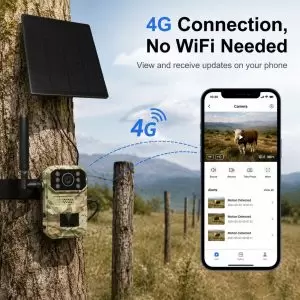
- No power and no WiFi — a 4G LTE solar camera is the only answer, at the cost of a data plan.
Storage: local, cloud, or both
A microSD card in the camera is the cheapest and keeps footage even when the internet is out. Cloud storage survives somebody stealing the camera, which is the entire argument for it. Most people end up with both: card for continuous local recording, cloud for the clips that matter. Check the card size the model supports before ordering — this is the spec most often discovered after installation.
Night vision and false alarms: the two things people complain about
Every camera here sees in the dark; the difference is what the image looks like and how often it wakes you up. Infrared night vision gives a monochrome picture that is perfectly good for identifying a person at a doorway. Full-colour night vision keeps colour in low light, which matters when you need to describe clothing or a vehicle rather than just prove someone was there.
False alarms are the more common complaint, and they are a settings problem more than a hardware One. A camera pointing at a road will trigger on every passing car; one aimed at a hedge triggers on wind. Two adjustments solve most of it: drop the detection sensitivity a notch, and draw a detection zone that excludes the road or the hedge. Human-shape detection, available on the PTZ models, filters animals and moving branches out entirely. Aim the camera across the approach rather than straight down it and you will cut triggers again, because motion crossing the frame is detected far more reliably than motion coming at the lens.
Frequently Asked Questions
Is a wireless camera still “CCTV”?
Technically it is an IP camera on a closed network, not CCTV in the original sense. In practice the search term survives and everyone means home surveillance, so do not get hung up on the label.
Do I need a recorder (NVR/DVR)?
Only if you want continuous recording, more than a day or two of retention, or a single place to review several cameras. For one to three cameras, cards and cloud are simpler.
Will it work if the internet goes down?
Local recording continues. Remote viewing and notifications do not. A wired system with a recorder keeps working end to end.
How many cameras does a three-bedroom house need?
Usually two: the front door and the back or side access. Our guide to how many cameras a three-bedroom home needs goes through the Positions people Actually use.
Related Articles
- How to Set Up a CCTV Camera System at Home
- CCTV Camera vs IP Camera: What a Home Really Needs
- Reolink vs Tuya Security Camera
- How to Choose a Security Camera for Your Home
- Intercom for Home: Choosing a Video Intercom System
You Might Also Like
 4G LTE Android Smart Watch, Slide Spin Rotating Camera, NFC GPS Smart Wearable Device Original price was: $40.00.$38.80Current price is: $38.80.
 Tuya 4MP HD Smart WiFi Indoor Security Camera Two-Way Audio Human Detection Home Surveillance Camera Price range: $29.99 through $32.99
 Tuya 4MP Indoor WiFi Smart Camera – HD Night Vision Pan-Tilt Remote Home Monitor with Two-Way Audio Original price was: $39.96.$29.98Current price is: $29.98.
 4G LTE Solar Trail & Hunting Camera – Outdoor Infrared Motion Detection Original price was: $110.96.$82.96Current price is: $82.96.
📌 This article is part of our Complete What Hub — more guides and buying tips inside.