Posted on — Leave a comment

Do You Actually Need a Smart Home Hub? Zigbee, Matter and Bluetooth Gateways Explained

Every Smart bulb advertises “no hub required”, which has left a lot of people believing hubs are obsolete. They are not — they just moved. A hub was never about connecting bulbs; it was about connecting the devices that cannot reach your router on their own, and there are more of those now, not fewer.

The practical rule: if everything you own is WiFi, you do not need a hub today. The moment you add battery sensors, you do.

Why a battery sensor cannot just use WiFi

A door contact or a motion detector runs for a year on a coin cell. WiFi’s handshake and transmit power would drain that cell in weeks, and a sensor that needs charging is a sensor nobody uses. Zigbee and Thread exist to be cheap to transmit and cheap to sleep, which is why every serious sensor uses them — including our PIR motion sensor and the temperature and humidity sensor. Those devices need something in the house that speaks Zigbee and can reach your router, and that thing is the hub.

Three different things get sold as a “hub”

Type What it really does Worth it when
Zigbee gateway Runs a Zigbee mesh, keeps devices reachable, executes automations locally You own sensors, or more than a handful of switches
Matter / Thread hub Same job, newer standard, works across brands You are starting fresh and want to avoid lock-in
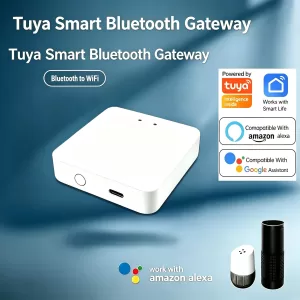
Bluetooth gateway Forwards Bluetooth devices to the cloud so you can control them remotely You have Bluetooth locks or sensors and want them visible when away

The Bluetooth one deserves a warning, because it is the most misunderstood. A Bluetooth gateway does not turn a Bluetooth lock into a Zigbee device and does not run automations on its own — it is a bridge so your phone’s absence does not mean losing the device. Useful, but not the same purchase as a Zigbee hub. If you want both in one box, a multi-mode gateway such as the MHUB-YR-W also carries an IR blaster, which replaces the pile of remote controls for an air conditioner or a TV at the same time.

Wired or wireless

A wired gateway — the TYGWZ-01, or the MHUB-MS — sits next to the router with an Ethernet cable. It is the most stable option and the one to choose if the hub lives in a cabinet with the network gear. A wireless one such as the TYGWZ-02 or the ZHUB-W only needs power, so you can place it centrally in the flat — which matters more, because Zigbee is a mesh and a hub in the middle of the home hears more devices directly. Pick wired for reliability in a fixed installation; pick wireless when you need to put it where the devices are.

If you are building for the next five years rather than the next five months, a Matter-capable model such as the MZHUB Matter gateway is the safer buy, because it can join either ecosystem later.

How many devices is too many

Zigbee meshes scale further than people expect — our Zigbee 3.0 gateway is specified for up to 130 wired or 30 to 40 wireless devices. The practical limits arrive before the numbers do: put a mains-powered Zigbee device every few rooms so the mesh has routes, and keep the hub away from the microwave and from large metal surfaces.

The reason to care about local execution is simple — automations that run on the hub rather than in the cloud keep working when your internet does not. “Motion in the hallway turns on the light at night” should not depend on a data centre.

When you genuinely do not need one

Three or four WiFi plugs, a couple of bulbs, and a Camera: skip it. You will add complexity for nothing, and every device still works. Add sensors, go past ten devices, or want lights that work during an outage, and the hub stops being optional. The same reasoning applies to the wider ecosystem choice — see our comparison of Zigbee and WiFi devices and, if you are choosing a platform, the Tuya versus Sonoff comparison. For a single panel that does control and hub duties at once, the 4-inch Tuya control panel replaces a wall of switches and a hub with one box.

Three situations, three answers

Two plugs and a bulb. No hub. Add nothing.

An Apartment with sensors on the doors, a motion sensor in the hall, and Smart switches. One Zigbee gateway, wireless if you need it central, wired if it lives by the router — the MHUB-W covers the case where you also have Bluetooth devices, and an IR remote paired with the gateway brings an older air conditioner into the same automations.

A house being wired from scratch. Matter-capable hub, wired, in the cabinet with the network gear — and choose devices that carry Matter or Zigbee rather than WiFi wherever there is a choice.

Frequently Asked Questions

Can two hubs coexist?

Yes — a Zigbee hub and a Bluetooth gateway on the same network are normal. What does not work is one device paired to two hubs; a Zigbee sensor belongs to whichever hub added it.

Do I need a hub for Matter devices?

You need a Thread border router, which most Matter hubs include and some speakers and routers now include too. Check whether you already own one before buying.

Will my devices work if the hub is unplugged?

Zigbee devices lose automations and remote control; anything running locally on a schedule stops. Battery sensors keep their own state but cannot report it.

Is a Bluetooth gateway enough for a smart lock?

For remote control and status, yes. For a lock to trigger other devices or run locally, it needs to be on a hub that executes automations.

Related Articles

You Might Also Like

Posted on — Leave a comment

CCTV Camera or IP Camera for Home: What the Difference Actually Buys You

People search “CCTV camera” when they mean “a camera that records the front of my house”. That is not what the word used to mean. CCTV — closed-circuit television — described a system: cameras wired back to a recorder, on their own cables, watched on a monitor. An IP camera is a network Device that happens to have a lens. The Two overlap almost completely in what they deliver, and differ completely in what they cost to install.

So the real question is not which technology is better. It is whether you are willing to run cable. If you are, a wired system gets you continuous recording and no batteries. If you are not, a WiFi or battery camera gets you 90 per cent of the useful footage for an afternoon of work.

What each one is

Traditional CCTV IP / network camera
Cabling Coax or 4-in-1 plus power, or PoE WiFi, or One Ethernet cable with PoE
Recording DVR or NVR box, always on MicroSD in the camera, cloud, or an NVR
Resolution 1080p to 4K depending on generation 2 MP to 4 MP typical for Home models
Install Cable run, usually a professional job Screw or stick, done in an afternoon
Internet needed No, for local recording Yes, for remote viewing

The useful way to read that table: a wired system buys you continuous recording and independence from your router. A wireless camera buys you placement freedom and a much lower install cost. Most homes want the second and believe they want the first.

Where each one wins

Wired wins for a shop with a till, a driveway you Need to record at 3 a.m. without missing frames, or anywhere footage might be needed as evidence. Continuous recording is the reason: a battery camera only records when motion triggers it, and a two-second wake-up delay can miss the plate.

Wireless wins for a flat, a rental, a back garden with no power, or anyone who will not chase walls. Our P9 battery camera and P11 no-drill camera exist for exactly that case — mount anywhere, no cable, no hole in the wall the landlord will notice.

Resolution: what 2 MP and 4 MP actually mean

Resolution is the most oversold number on the box. For a camera watching a doorway four metres away, 2 MP (1080p) is enough to recognise a face; 4 MP helps when you need to read a number plate or zoom into a recorded frame afterwards. Beyond that, lens and sensor quality matter more than megapixels — and so does where the camera points. If you are deciding between battery and mains for the same spot, our comparison of battery versus plug-in cameras covers that specific trade. Tuya vs Sonoff Smart Switch: Which Ecosystem Should You Build On?

For an outdoor position with coverage in two directions, a dual-lens model does more than a higher-megapixel single lens: the KT-A36 and dual-lens PTZ keep a fixed wide view while the second lens tracks movement.

Power: the constraint that decides everything

Ask One question before shopping: is there a socket or a cable within reach of where the camera needs to be?

  • Yes — a plug-in indoor camera such as the P10 mini or the USB 3 MP camera never needs charging.
  • No, but there is sun — a solar PTZ camera runs through winter in most climates.
  • No, and no sun either — battery, and accept that you charge it every few months.
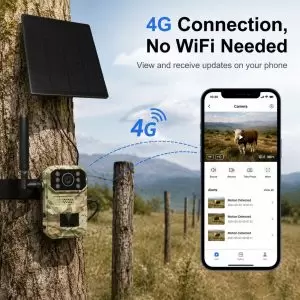
  • No power and no WiFi — a 4G LTE solar camera is the only answer, at the cost of a data plan.

Storage: local, cloud, or both

A microSD card in the camera is the cheapest and keeps footage even when the internet is out. Cloud storage survives somebody stealing the camera, which is the entire argument for it. Most people end up with both: card for continuous local recording, cloud for the clips that matter. Check the card size the model supports before ordering — this is the spec most often discovered after installation.

Night vision and false alarms: the two things people complain about

Every camera here sees in the dark; the difference is what the image looks like and how often it wakes you up. Infrared night vision gives a monochrome picture that is perfectly good for identifying a person at a doorway. Full-colour night vision keeps colour in low light, which matters when you need to describe clothing or a vehicle rather than just prove someone was there.

False alarms are the more common complaint, and they are a settings problem more than a hardware One. A camera pointing at a road will trigger on every passing car; one aimed at a hedge triggers on wind. Two adjustments solve most of it: drop the detection sensitivity a notch, and draw a detection zone that excludes the road or the hedge. Human-shape detection, available on the PTZ models, filters animals and moving branches out entirely. Aim the camera across the approach rather than straight down it and you will cut triggers again, because motion crossing the frame is detected far more reliably than motion coming at the lens.

Frequently Asked Questions

Is a wireless camera still “CCTV”?

Technically it is an IP camera on a closed network, not CCTV in the original sense. In practice the search term survives and everyone means home surveillance, so do not get hung up on the label.

Do I need a recorder (NVR/DVR)?

Only if you want continuous recording, more than a day or two of retention, or a single place to review several cameras. For one to three cameras, cards and cloud are simpler.

Will it work if the internet goes down?

Local recording continues. Remote viewing and notifications do not. A wired system with a recorder keeps working end to end.

How many cameras does a three-bedroom house need?

Usually two: the front door and the back or side access. Our guide to how many cameras a three-bedroom home needs goes through the Positions people Actually use.

Related Articles

You Might Also Like
Posted on — Leave a comment

Smart Switch With No Neutral Wire: What Actually Works in an Old House

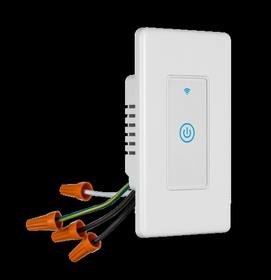
The most common reason a Smart switch never gets installed is not the app, the protocol or the price. It is opening the box and finding two wires where the instructions show three. That third wire is the neutral, and a great deal of older housing does not have One at the switch.

This guide is about what to do at that moment: how to confirm what you are looking at, which options genuinely work, and which “no neutral” products are worth buying. For the wider choice of board, start from the smart switch board buying guide.

Why a switch wants a neutral at all

A mechanical switch is a piece of metal that joins two wires. It needs nothing else. A Smart switch is a small computer: it has to stay alive while the light is off, so that “Turn on the hallway light” from your phone still works at midnight. That standby current needs a complete circuit — live in, neutral back — regardless of whether the lamp is lit. With no neutral at the switch, the electronics have nowhere to return to.

How to check what is in your box

With the breaker off and the plate removed:

  • Two wires plus earth — live and switched live only. No neutral. This is the classic old-house switch.
  • Three wires plus earth — the third is very likely neutral, but colour codes pre-2004 are unreliable; confirm with a tester, not by eye.
  • A bundle of neutrals tucked at the back, capped — common in flats where the neutral loop lives in the ceiling rose instead of the switch box. An electrician can often extend this into the box.

If you are renting or cannot open the box, the safe assumption is no neutral, and the right product is one that does not Need it.

Option 1: a switch designed to run without one

Single-fire (no-neutral) switches pass a tiny current through the lamp to keep themselves alive. It works, with three caveats worth knowing before you buy: very low-wattage LED lamps may flicker or glow faintly when off, the minimum load matters, and some lamps simply do not cooperate. A bypass capacitor across the lamp usually fixes the glow. Where the lamp is the problem rather than the switch, automating at the appliance instead — a water heater switch or a Smart plug on the floor lamp — sidesteps the wiring entirely.

Option 2: have a neutral drawn to the box

This is the proper fix and it is often cheaper than people expect if the ceiling rose above already has a neutral loop. It is a job for an electrician, it means chasing the wall or fishing a cable through conduit, and it is the only option that leaves you able to fit any switch you like later. If you are already redecorating, do this — the marginal cost during a rewire is small.

Option 3: move the smart part somewhere else

The switch position is not the only place intelligence can live. A relay Module in the ceiling rose or behind the socket keeps the existing plate completely untouched, which is what you want with rented walls, listed finishes, or a landlord who notices things. The trade is that the physical switch still works mechanically, so a smart-off can be overridden by anyone in the room — fine for a hallway, annoying for a nursery.

What this means for the board you order

Neutral-free positions and neutral-required positions do not always mix on one plate, so check per board rather than per range. On the DS touch range, the DS-1011ZC and DS-1016 are the single-gang and two-gang plates usually chosen for retrofit work; larger boards such as DS-104 and DS-126 go in where the wiring is already modern. On a wide European cut-out the 147 × 86 series is the shape to specify. If the whole point is to avoid touching a switch at all, the wave gesture switch mounts in place of one and needs no contact.

The five-minute check before you buy

Run this before ordering anything, and the odds of a failed install drop sharply:

  1. Open the box, count the conductors. Two plus earth means no neutral.
  2. Note the lamp type and wattage. Low-wattage LEDs are what flicker on a single-fire switch.
  3. Check the box depth. Smart plates are deeper than mechanical ones.
  4. Decide whether the wall can be chased. If not, the answer is a module or a plug, not a new plate.
  5. Ask whether the switch has to work with the router off. If yes, that is an argument for Zigbee with a hub rather than WiFi.
Frequently Asked Questions

Will a no-neutral switch damage my LED lamps?

It will not damage them, but some lamps glow faintly or flicker because of the standby current passing through them. A bypass capacitor supplied with most switches fixes it; if it does not, the lamp is the problem.

Can I just use a smart bulb instead?

Yes, and it is often the cheapest answer for one room — but the wall switch then has to stay on permanently, which visitors will turn off. A smart switch keeps the wall behaviour normal.

Is it legal to add a neutral myself?

Depending on where you live, adding a circuit is licensed work. Replacing a like-for-like switch on existing wiring generally is not; drawing a new conductor usually is. Check locally.

Do Zigbee switches avoid the problem?

No. The neutral requirement comes from how the switch powers itself, not from how it talks. A Zigbee switch with no neutral is still a no-neutral switch.

Related Articles

You Might Also Like
Posted on — Leave a comment

Rain Sensor: What It Is Actually Good For Beyond Telling You It Rains

A rain sensor sounds like a device that tells you something you can already see from the window. Its value is not the notification; it is the automation. Once the sensor is reporting “it is raining” to the same app that runs your other devices, it becomes a trigger for things you would otherwise have to remember.

Our solar rainwater and leak sensor runs on Zigbee with its own panel, and the ultrasonic level sensor covers the related job of measuring how much Water is in something.

Four automations worth setting up

  1. Close the roof window or skylight. The classic use: rain detected, motorised window closes. This is the one that justifies the sensor on its own in any house with a remote skylight.
  2. Skip the irrigation cycle. If garden watering is automated, a rain sensor stops it running on a day when the ground is already soaked.
  3. Retract the awning or bring in the cover. Rain plus wind is what damages awnings; the sensor gives you the trigger.
  4. Alert on water where it should not be. The same class of sensor is used as a leak detector in a loft, a garage or under a sink — see our water leak sensor placement guide for that use.

Where to mount it so it reads correctly

A rain sensor has to get wet to work, which sounds obvious but dictates the mounting position:

  • Open to the sky. Under a soffit, a porch or a tree, it will under-report — it only sees the rain that reaches it.
  • Level or very slightly tilted. Most sensor plates are designed to shed water; mount them as intended so the surface does not hold a puddle and report rain hours after it stopped.
  • Away from sprinklers and drips. An irrigation line that sprays the sensor in dry weather produces false positives all summer.
  • Reachable enough to clean. Dust, pollen and bird deposits change how water beads on the plate. A seasonal wipe keeps readings sane.

Zigbee, and what that means

The Zigbee models do not connect to your router directly — they join a ZigBee gateway, which is also what gives them long battery life. A solar model adds a small panel that keeps the cell topped up through the year, which matters for a sensor mounted on a roof or a fence where charging it is a chore. Q81 Wireless Button Microphone – Mini Invisible Lapel Mic for Vlogging, Interview & Live Streaming

If you are choosing between wired and Wireless gateways for the same setup, see wired vs wireless Zigbee gateways; and if you are planning a whole sensor network, how many devices one gateway can handle is the number that decides whether you need a second hub. Smart Wireless Video Doorbell – 24/7 HD Front Door Security With Night Vision & Voice Change

What it will not do

Be honest about the limits: a rain sensor reports wet or dry, not millimetres. It will not tell you how much rain fell, and it cannot measure a tank level — for that you want an ultrasonic sensor that reads distance to the water surface. It also reports rainfall at the sensor, which is not necessarily the rainfall in the garden if the sensor sits in a sheltered spot. Smart Visual Wireless Video Doorbell: Upgrade Your Home Security in 2026

FAQ

Does it need WiFi?
The sensor itself uses Zigbee and talks to a gateway; the gateway connects to your network. The sensor does not join WiFi directly.
Will it trigger from dew or fog?
Heavy dew can register. If that causes false automations, raise the trigger threshold in the app or delay the automation by a few minutes.
Does the solar panel work in winter?
It contributes less in low light, but a rain sensor draws very little. The panel is there to stretch the interval between charges, not to replace the battery.
Can one sensor drive several automations?
Yes — the sensor reports a state, and the app can use that state in as many scenes as you like.
Is it the same as a leak sensor?
Similar sensing principle, different mounting and purpose. A rain sensor lives outdoors in the open; a leak sensor sits where water would collect if something failed.
How do I stop it reporting rain after it stopped?
Mount it tilted as designed so water runs off the plate, and keep the surface clean.

Related Articles

You Might Also Like
Frequently Asked Questions

Is Rain Sensor Actually worth buying?

Based on the breakdown in this article, Rain Sensor Actually offers a solid mix of features and value. If your main goal matches the key benefits described above, it is a practical choice for everyday use.

How do I choose the right rain sensor actually for my needs?

Start with your core use case, then compare battery life, compatibility, and build Quality as covered above. Choosing the right rain sensor actually comes down to matching specs with how you actually use it.

Does rain sensor actually require a companion app?

Most devices of this type pair with a free companion app for setup and firmware updates. A few advanced features may sit behind a paid plan, so check the official specs page before buying.

Posted on — Leave a comment

ZigBee vs ZigBee 3.0: What Actually Changed

Zigbee 3.0 is not a new radio. It is the same 2.4 GHz mesh network that ZigBee has always used, with a unified application layer on top. Before 3.0, a device had to match the hub’s application profile (Home Automation 1.2, Light Link, Building Automation and others ran as separate dialects). ZigBee 3.0 merged those dialects into one language, so a certified 3.0 Sensor, Switch or bulb can join any certified 3.0 coordinator without profile matching. That single change is what buyers actually feel.

The short answer for buyers

If you are buying new ZigBee devices today, buy ZigBee 3.0 certified ones and pair them with a ZigBee 3.0 hub. The radio, mesh routing, channel layout and practical device limits are unchanged, so 3.0 hardware does not reach further or run faster than older ZigBee. What you gain is compatibility: fewer pairing failures, fewer devices that join but expose only a fraction of their features, and a safer path when you later replace your hub.

What stayed exactly the same

The physical and network layer is untouched. ZigBee still runs on the 2.4 GHz band in most regions, still forms a self-healing mesh Where mains-powered devices route for battery devices, and still caps a practical network at roughly 30 to 50 well-behaved devices before latency creeps up. Battery sensors still sleep between reports, which is why a ZigBee door sensor can run Two years on a coin cell while a WiFi sensor of the same size lasts weeks. None of that changed with 3.0, and marketing that implies better range or speed from “3.0” is describing the certification, not the physics. Why Cameras Miss Faces but Doorbells Don’t

What actually changed in ZigBee 3.0

Three things changed that matter to a Smart home buyer. First, profile unification: Home Automation 1.2, Light Link and the building profiles merged into one application layer, which removed the “works with HA hubs only” class of incompatibility. Second, a mandatory base device behavior was defined, so every certified device supports a common set of commands for joining, reporting and identification. Third, security was tightened — install codes and network keys are handled more strictly, which cuts down the replay attacks that older Light Link commissioning allowed.

A fourth change matters to installers: TouchLink commissioning (introduced with Light Link for bulbs) carried into 3.0, so a bulb can be reset and paired close-range without touching the hub app. It is a small convenience that older pure-HA networks never had.

Backward compatibility in real rooms

Old ZigBee Home Automation 1.2 devices mostly do join a ZigBee 3.0 coordinator, because 3.0 hubs keep translation for the legacy HA profile. The honest qualifier is “mostly”: some legacy devices pair cleanly but expose only basic on/off or open/closed, because the advanced features lived in manufacturer-specific clusters the new hub never mapped. Legacy routers (mains-powered plugs and switches) repeat traffic for your 3.0 battery devices without complaint, so keeping an older ZigBee plug in a hallway is fine.

Direction matters too. A 3.0 device joining a very old HA 1.2-only hub is the fragile combination — the hub may not understand the 3.0 commissioning flow. If your hub predates 2017 and has never received a firmware update, plan to replace the hub rather than fight it.

Why hubs from different brands still behave differently

ZigBee 3.0 guarantees that devices speak the same language on the radio. It does not force the hub maker to implement every optional feature. A Tuya ZigBee gateway pairs third-party 3.0 sensors and switches, and the common functions (on/off, open/closed, motion, temperature) generally come through. Niche features — a rare configuration attribute, a manufacturer-specific alarm pattern — depend on whether the hub’s software maps that cluster. This is why a “ZigBee 3.0 certified” badge on the device is necessary but not a complete promise; the practical test is pairing one sample before ordering in volume.

Within one ecosystem the problem mostly disappears. Devices designed for the Tuya ZigBee ecosystem and a Tuya ZigBee gateway are tested against each other, which is the safe default for whole-home rollouts.

What to check before buying

  • Certification wording. “ZigBee 3.0” on the box, not just “ZigBee”. Old HA 1.2 stock is still sold cheap.
  • Hub support. Confirm your coordinator is 3.0. A hub stuck on HA 1.2 turns your new devices into the fragile combination.
  • Green Power, if you want battery-free switches. ZigBee 3.0 carries Green Power devices that harvest energy from the button press itself. Hub support for Green Power is optional, so verify it if you plan to use them.
  • Mains-powered repeaters in the right places. The mesh needs routers between the hub and far battery sensors. Any mains-powered ZigBee device acts as one.
  • Channel planning. ZigBee and WiFi share 2.4 GHz. Set the router to channel 1 or 6 in busy homes and let ZigBee settle away from it.

Devices that make a solid 3.0 starter mesh

Frequently Asked Questions

Is ZigBee 3.0 faster or longer-range than older ZigBee?

No. The radio layer is the same 2.4 GHz mesh. Range and speed improvements you may read about come from better antennas or repeater placement, not from the 3.0 certification itself.

Will my old ZigBee 1.2 devices still work on a new hub?

Usually yes. ZigBee 3.0 coordinators keep legacy Home Automation translation, so basic functions pair and report. Advanced manufacturer-specific features are the part that may not carry over.

Do ZigBee 3.0 devices need the internet?

The mesh itself is local. Devices keep talking to the hub during an internet outage, and time-based automations stored on the hub still run. Remote control from your phone and cloud-dependent scenes are what stop working.

Can I mix brands on one ZigBee 3.0 hub?

Yes, that is the point of the unified application layer. Pair one sample first if the device exposes an uncommon feature, because the hub maker decides which optional clusters to map.

Does ZigBee 3.0 interfere with WiFi?

Both live on 2.4 GHz, so planning matters. Keep the WiFi router on a fixed channel away from the ZigBee channel, and expect a few retries while both networks settle after a router reboot.

How many ZigBee devices can one hub hold?

The specification allows far more than a home needs. In practice, 30 to 50 devices per hub keeps reporting latency low; add mains-powered devices between the hub and distant sensors so battery devices can route through them.

Related Articles

You Might Also Like
Posted on — Leave a comment

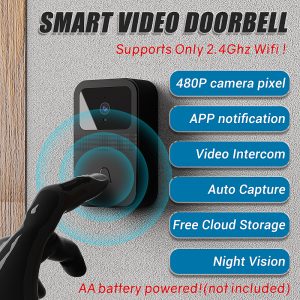
Solar Video Doorbell: Does the Panel Actually Keep It Charged?

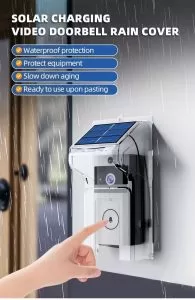
A solar panel on a Video Doorbell sounds like a permanent solution to the one chore every battery Doorbell owner dislikes: climbing a stool with a charging cable twice a year. The reality is more modest but still useful — the panel does not run the Doorbell, it tops up the battery, and how much it contributes depends almost entirely on where the sun hits your door.

This guide explains what to expect from a solar kit such as the U9 solar doorbell kit with indoor chime, how to place the panel so it earns its keep, and the situations where you should skip it and buy a wired or plug-in model instead.

What the panel actually does

The panel trickle-charges the internal battery whenever there is usable light. On a bright day it can add a meaningful percentage of capacity; on an overcast winter day it adds very little. The doorbell still draws from the battery at night and during dark afternoons.

The practical result: on a sunny or mildly shaded entrance, many households find they charge the unit once a year instead of three times. On a north-facing door under a porch, the panel may only stretch the interval slightly. The panel is an interval-extender, not a replacement for the battery.

Siting the panel: three rules

  1. Face it at the sun, not at the street. A panel mounted flat against a door that faces north collects reflected light at best. If the door is shaded, mount the panel on the wall beside the door, or above the door line, where it catches more direct light.
  2. Cable length decides the mount point. The panel connects with a short lead, so it has to live within that distance of the camera. Check the cable length on the product page before planning a mount around a corner.
  3. Avoid the porch roof. The most common mistake is mounting a panel under the very porch that keeps the door dry. An overhang that shades the door also shades the panel.

Winter and the honest expectation

Two things stack up against you in winter: fewer daylight hours at a lower angle, and lithium batteries that deliver less capacity when cold. Expect the solar contribution to drop sharply between November and February, even on a well-sited panel. Plan for one manual charge a year, ideally in late autumn, rather than assuming the panel covers you through winter.

When a solar kit is worth it

  • The door gets at least a few hours of direct or bright indirect light.
  • You cannot run a cable to the door without drilling through a frame or wall you would rather not touch.
  • The Doorbell is mounted high enough that charging it is genuinely annoying.

When to choose something else

  • Deeply shaded or north-facing entrance — buy a larger battery or a model with swappable cells instead.
  • You already have bell wires — a wired doorbell removes the charging question entirely.
  • You have a socket nearby — a plug-in camera or doorbell is cheaper than a solar panel and has no seasonal shortfall.

Solar doorbell vs solar camera: the same logic

The same reasoning applies to our solar PTZ security camera, only more so — a camera that pans, tilts and streams Video uses far more power than a doorbell that wakes on a button press. For cameras, treat the panel as a way to reduce charging trips rather than eliminate them. If the camera does not need mains power at all, see outdoor cameras that run without a power outlet.

FAQ
Can the panel power the doorbell with no battery?
No. The panel charges the battery; the battery runs the doorbell. Without a charged battery the unit will not operate, even in sunlight.
Does it charge on a cloudy day?
Yes, but at a small fraction of the clear-sky rate. Diffuse light still produces current — just not enough to keep up with a busy door on its own.
Do I still get the indoor chime?
The U9 kit ships with an indoor chime, so the bell rings in the house as well as on your phone.
Can I add a panel to a doorbell I already own?
Only if that model has a charging input designed for it. Panels are model-specific, so it is usually simpler to buy the kit.
How do I know it is working?
The app shows battery level over time. A panel doing its job shows a level that recovers during the day rather than a steady downward slope.
Is the panel waterproof?
Solar panels for outdoor doorbells are sealed for outdoor use, and the camera unit itself carries an IP rating — check the specific rating on the product page for the model you are buying.

Related Articles

You Might Also Like
Frequently Asked Questions

Is Solar Video Doorbell worth buying?

Based on the breakdown in this article, Solar Video Doorbell offers a solid mix of features and value. If your main goal matches the key benefits described above, it is a practical choice for everyday use.

How do I choose the right solar video doorbell for my needs?

Start with your core use case, then compare battery life, compatibility, and build quality as covered above. Choosing the right solar video doorbell comes down to matching specs with how you actually use it.

Does solar video doorbell require a companion app?

Most devices of this type pair with a free companion app for setup and firmware updates. A few advanced features may sit behind a paid plan, so check the official specs page before buying.

Posted on — Leave a comment

Do You Actually Need a Zigbee Gateway? (And What Breaks Without One)

actually need zigbee - Do You Actually Need a Zigbee Gateway? (And What Breaks Without One)
Do You Actually Need a Zigbee Gateway? (And What Breaks Without One)

Every Zigbee project reaches the same question: which gateway, and do we really Need One? The short answer is yes — Zigbee Devices do not talk to a router, they talk to a gateway, and the gateway is what makes the mesh, the scenes and the remote access work.

What the gateway does

It is the coordinator of the Zigbee mesh: it holds the device list, runs automations locally, and bridges the mesh to your router so the app can reach it from anywhere. Without it, a Zigbee Switch is a switch — local control only, no app, no scenes, no voice. Mini Smart Breakers: Putting a Whole Circuit on a Schedule

Wired or wireless

A wired gateway connects by Ethernet, which is what you want for a permanent installation: fixed location, no WiFi dependency, stable mesh. A Wireless one connects over WiFi, which is easier to place but puts the mesh behind the router’s Wireless performance.

How many gateways

One gateway handles a large mesh — dozens of devices across a house is normal. What limits you is range, not count: Zigbee is a mesh, so mains-powered devices relay for each other, but a Battery sensor at the far end of a garden still needs something nearby to talk to. 2.8 Inch Offline Video Baby Monitor: Private, Simple, No-WiFi Nursery Monitoring

Placement

Central, off the floor, away from the router and away from large metal objects. A gateway in a metal consumer unit Works but reduces range.

FAQ
Can Zigbee devices work without a gateway?
No. Local control works, but app control, scenes and voice need the gateway.
Can I mix brands of Zigbee devices?
Usually within the same ecosystem — keep the gateway and the devices on the same platform.
Does the internet need to be up for automation?
No — scenes stored on the gateway run locally, which is one of the reasons people choose Zigbee.

Ready to specify it? Full specifications, gang options, colors and quantity pricing are on the ZigBee Smart Gateway — Wired & Wireless product page — OEM logo, manual and packaging are available from the first order.

Related Articles

You Might Also Like
Frequently Asked Questions

Is Actually Need Zigbee worth buying?

Based on the breakdown in this article, Actually Need Zigbee offers a solid mix of features and value. If your main goal matches the key benefits described above, it is a practical choice for everyday use.

How do I choose the right actually need zigbee for my needs?

Start with your core use case, then compare battery life, compatibility, and build quality as covered above. Choosing the right actually need zigbee comes down to matching specs with how you actually use it.

Does actually need zigbee require a companion app?

Most devices of this type pair with a free companion app for setup and firmware updates. A few advanced features may sit behind a paid plan, so check the official specs page before buying.

Posted on — Leave a comment

DS-129 vs a Standard Wall Switch: What Actually Changes in a US standard Retrofit

DS-129 Series WiFi Touch Switch (1 Gang / 2 Gang / 3 Gang / 4 Gang)
DS-129 vs a Standard Wall Switch: What Actually Changes in a US standard Retrofit

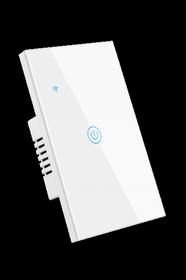
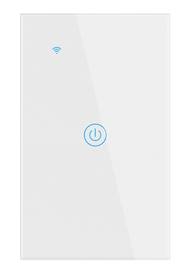
Swapping a mechanical Switch for a glass Touch Plate changes more than the look: the box has to accept it, the Wiring has to feed it, and the switch now needs somewhere to report to. Using the DS-129 Series as the example, here is what actually changes in a US Standard retrofit.

The plate and the box

The DS-129 uses the 118 × 72 mm US-style wall box. In most US standard installations the existing box already matches, so the retrofit is a like-for-like swap. What changes is depth: the electronics sit behind the glass, so a very shallow box may need a spacer or a deeper back box.

The wiring

This model needs a neutral wire in the box — it will not work in a two-wire single-fire box. Confirm it before you order in quantity — it is the One thing that cannot be fixed on site.

The radio

WiFi 2.4 GHz, no hub needed — it joins the router directly through the tuya / Smart life app. For a single room or a small flat, this is the quickest route with nothing extra to buy.

What you gain

  • Group control — one tap or one app scene can drive every gang on the plate.
  • Schedules and countdown — useful for exterior lights, towel rails and anything on a timer.
  • Status at a glance — the app shows whether a light was left on, which a mechanical switch cannot tell you.
  • Voice — Alexa and Google Home once the switch is in the app.

Specifications

Quantity pricing

FAQ
Can I keep my existing faceplate?
No — the Touch plate is part of the switch, but the standard box size means no chasing or plastering.
What happens if the WiFi drops?
The Touch panel keeps working locally, and schedules stored on the device still run.
Are the plates standard across the range?
Yes — gang sizes and finishes match across the Series, so mixed plates line up on the same wall.

Ready to specify it? Full specifications, gang options, colors and quantity pricing are on the DS-129 series product page — OEM logo, manual and packaging are available from the first order.

Related Articles

You Might Also Like
Frequently Asked Questions

Is 129 Standard Wall worth buying?

Based on the breakdown in this article, 129 Standard Wall offers a solid mix of features and value. If your main goal matches the key benefits described above, it is a practical choice for everyday use.

How do I choose the right 129 standard wall for my needs?

Start with your core use case, then compare battery life, compatibility, and build quality as covered above. Choosing the right 129 standard wall comes down to matching specs with how you actually use it.

Does 129 standard wall require a companion app?

Most devices of this type pair with a free companion app for setup and firmware updates. A few advanced features may sit behind a paid plan, so check the official specs page before buying.

Posted on — Leave a comment

DS-123HK vs a Standard Wall Switch: What Actually Changes in a US standard Retrofit

DS-123HK Series WiFi Touch Switch (1 Gang / 2 Gang / 3 Gang)
DS-123HK vs a Standard Wall Switch: What Actually Changes in a US standard Retrofit

Swapping a mechanical switch for a glass Touch plate changes more than the look: the box has to accept it, the Wiring has to feed it, and the switch now needs somewhere to report to. Using the DS-123HK Series as the example, here is what actually changes in a US Standard retrofit.

The plate and the box

The DS-123HK uses the standard wall box. In most US standard installations the existing box already matches, so the retrofit is a like-for-like swap. What changes is depth: the electronics sit behind the glass, so a very shallow box may need a spacer or a deeper back box.

The wiring

This model works in both single-fire (no neutral) and zero-fire (with neutral) boxes. That is the practical advantage of a universal relay: the same SKU covers the neutral boxes in a new build and the two-wire boxes in a refurbishment, so one order can serve both.

The radio

WiFi 2.4 GHz, no hub needed — it joins the router directly through the tuya / Smart life app. For a single room or a small flat, this is the quickest route with nothing extra to buy. Where the DS-123Y Series Fits: Apartments, Hotels and Office Retrofits

What you gain
  • Group control — one tap or one app scene can drive every gang on the plate.
  • Schedules and countdown — useful for exterior lights, towel rails and anything on a timer.
  • Status at a glance — the app shows whether a light was left on, which a mechanical switch cannot tell you.
  • Voice — Alexa and Google Home once the switch is in the app.
Specifications
Quantity pricing
FAQ
Can I keep my existing faceplate?
No — the Touch plate is part of the switch, but the standard box size means no chasing or plastering.
What happens if the WiFi drops?
The touch panel keeps working locally, and schedules stored on the device still run.
Are the plates standard across the range?
Yes — gang sizes and finishes match across the Series, so mixed plates line up on the same wall.

Ready to specify it? Full specifications, gang options, colors and quantity pricing are on the DS-123HK series product page — OEM logo, manual and packaging are available from the first order.

Related Articles

You Might Also Like
Frequently Asked Questions

Is 123hk Standard Wall worth buying?

Based on the breakdown in this article, 123hk Standard Wall offers a solid mix of features and value. If your main goal matches the key benefits described above, it is a practical choice for everyday use.

How do I choose the right 123hk standard wall for my needs?

Start with your core use case, then compare battery life, compatibility, and build quality as covered above. Choosing the right 123hk standard wall comes down to matching specs with how you actually use it.

Does 123hk standard wall require a companion app?

Most devices of this type pair with a free companion app for setup and firmware updates. A few advanced features may sit behind a paid plan, so check the official specs page before buying.

Posted on — Leave a comment

DS-121JL vs a Standard Wall Switch: What Actually Changes in a US standard Retrofit

DS-121JL Series WiFi Touch Switch (1 Gang / 2 Gang / 3 Gang / 4 Gang)
DS-121JL vs a Standard Wall Switch: What Actually Changes in a US standard Retrofit

Swapping a mechanical switch for a glass Touch plate changes more than the look: the box has to accept it, the Wiring has to feed it, and the switch now needs somewhere to report to. Using the DS-121JL Series as the example, here is what actually changes in a US Standard retrofit.

The plate and the box

The DS-121JL uses the 118 × 72 mm US-style wall box. In most US Standard installations the existing box already matches, so the retrofit is a like-for-like swap. What changes is depth: the electronics sit behind the glass, so a very shallow box may need a spacer or a deeper back box.

The wiring

This model works in both single-fire (no neutral) and zero-fire (with neutral) boxes. That is the practical advantage of a universal relay: the same SKU covers the neutral boxes in a new build and the two-wire boxes in a refurbishment, so one order can serve both.

The radio

WiFi 2.4 GHz, no hub needed — it joins the router directly through the tuya / Smart life app. For a Single room or a small flat, this is the quickest route with nothing extra to buy. Where the DS-123Y Series Fits: Apartments, Hotels and Office Retrofits

What you gain
  • Group control — one tap or one app scene can drive every gang on the plate.
  • Schedules and countdown — useful for exterior lights, towel rails and anything on a timer.
  • Status at a glance — the app shows whether a light was left on, which a mechanical switch cannot tell you.
  • Voice — Alexa and Google Home once the switch is in the app.
Specifications
Quantity pricing
FAQ
Can I keep my existing faceplate?
No — the Touch plate is part of the switch, but the Standard box size means no chasing or plastering.
What happens if the WiFi drops?
The touch panel keeps working locally, and schedules stored on the device still run.
Are the plates standard across the range?
Yes — gang sizes and finishes match across the Series, so mixed plates line up on the same wall.

Ready to specify it? Full specifications, gang options, colors and quantity pricing are on the DS-121JL series product page — OEM logo, manual and packaging are available from the first order.

Related Articles

You Might Also Like
Frequently Asked Questions

Is 121jl Standard Wall worth buying?

Based on the breakdown in this article, 121jl Standard Wall offers a solid mix of features and value. If your main goal matches the key benefits described above, it is a practical choice for everyday use.

How do I choose the right 121jl standard wall for my needs?

Start with your core use case, then compare battery life, compatibility, and build quality as covered above. Choosing the right 121jl standard wall comes down to matching specs with how you actually use it.

Does 121jl standard wall require a companion app?

Most devices of this type pair with a free companion app for setup and firmware updates. A few advanced features may sit behind a paid plan, so check the official specs page before buying.