Posted on — Leave a comment

Tuya vs eWeLink: Which App Fits Your Brand?

If you are sourcing smart switches, plugs or doorbells for your own brand, the first decision is not the mould or the price — it is which app ecosystem your devices will live in. Tuya vs eWeLink is the comparison most importers end up making, because both platforms let a small brand ship app-controlled hardware without building a cloud team. They are not interchangeable, though: the account model, the white-label route and the way each one behaves when the internet drops are different enough to change your support costs.

This page compares the Two from the factory side, in the terms that matter to a buyer placing an OEM or ODM order.

What Tuya and eWeLink actually are

Tuya is an IoT platform company. Hardware makers license its modules and firmware, and end users control the devices through the Tuya Smart or Smart Life app — the same app under two brand names. Because hundreds of factories build on the same modules, the catalogue is very wide: switches, plugs, sensors, cameras, locks, curtain motors, IR blasters.

eWeLink is the app and cloud platform that grew out of Sonoff (ITEAD). It supports the Sonoff range and a smaller set of third-party devices. Its reputation rests on two things: a strong DIY and maker community, and a local-area-network mode that keeps some device control working when the cloud is unreachable.

Side-by-side comparison

Question Tuya eWeLink
Consumer app Tuya Smart / Smart Life (same app, two names) eWeLink
Device catalogue Very broad, many factories on one platform Narrower, strongest around Sonoff hardware
White-label app Available through private PID and app branding programmes Available through eWeLink’s OEM/branding route
Voice assistants Alexa, Google Home, plus regional assistants Alexa, Google Home
Offline behaviour Cloud-first; ZigBee gateways can hold local scenes LAN mode on supported devices, otherwise cloud
Typical buyer Brands wanting one app across many categories Brands standardising on Sonoff-style hardware

Account model and app ownership

With Tuya, the default path is that your customers download Tuya Smart or Smart Life and the device appears under a Tuya account. If you want your own app name and icon, you move up to a private product ID (PID) and app branding. That step is what most OEM buyers underestimate: it changes the firmware identity, the cloud listing and the app store presence, so it is quoted and scheduled separately from the hardware.

eWeLink works the same way in principle — generic app first, branded route later — but the number of factories that can deliver a fully branded eWeLink build is smaller, so lead times and minimum quantities tend to be less flexible.

Cloud dependency and what happens offline

This is where the two platforms feel different to an end user, and where your support inbox is decided.

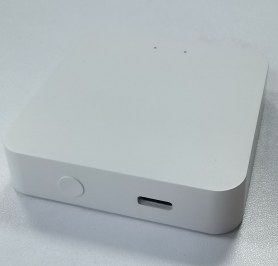
Tuya devices are cloud-first. A WiFi Switch with no internet still responds to its physical button, and Zigbee sub-devices keep working through a gateway that holds local scenes, but app control and voice control need the cloud. For most retail buyers that is acceptable; for installation projects — hotels, rental flats, remote sites — you should specify a gateway and local scene behaviour in the contract.

eWeLink’s LAN mode is the feature importers ask about most. On supported devices the app can talk to the device directly over the local network, so schedules and on/off keep working during an outage. If your customers are technical, or your market has unreliable broadband, that is a real differentiator. Confirm per model before you promise it: LAN support is device-specific, not platform-wide.

White-label and OEM routes compared

Four levels exist on both platforms, and it helps to name them the same way when you ask for quotes:

  • Logo and packaging only — the device stays on the generic app; you print your brand on the product and box. Fastest and cheapest.
  • Private PID / app identity — your own product ID and a branded app panel; the device is listed under your account rather than the generic catalogue.
  • Branded app — your own app in the stores, built on the platform’s SDK. Adds review cycles and an annual platform cost.
  • Custom firmware and tooling — your enclosure, your PCB layout, your firmware feature set. Months, not weeks.

Most first orders land on level one or two. Level three only pays back once you are shipping several categories and want one app for all of them.

Which one should an importer choose?

Choose Tuya when you need breadth — switches, sensors, cameras and locks from one supplier network, one app, one account model — and when your customers expect a mainstream retail experience. Choose eWeLink when your range is deliberately Sonoff-compatible, when local control is a selling point you intend to advertise, or when your technical customers already use the app.

Two checks decide it faster than any comparison table:

  • Ask each supplier which models can be re-platformed, and at what quantity. A factory that builds only one platform will quote the other badly.
  • Ask for a sample pair — one device on each platform — and test them on a network you can switch off. Twenty minutes of testing beats a spec sheet.

Our own smart switch and video doorbell ranges are built on Tuya, which is why our smart switch range, Tuya OEM programme and white-label ladder are documented in Tuya terms. If your programme is committed to eWeLink, say so at enquiry stage and we will confirm model by model which units can be supplied that way before any quote is issued. For the sourcing checklist that applies to either platform, see how to vet a smart switch manufacturer in China, or send us your requirements.

Frequently Asked Questions

Is eWeLink the same company as Tuya?

No. Tuya is an IoT platform company that licenses modules and cloud services to many hardware makers. eWeLink is the app and cloud platform built around Sonoff (ITEAD) hardware. They are separate ecosystems with separate accounts, so a device belongs to one or the other.

Can a Tuya device be moved to the eWeLink app?

Not by the end user. The platform identity is set in firmware and in the cloud listing at manufacture. Moving a model from Tuya to eWeLink is a re-platforming project done at the factory, and it is only possible on hardware the factory can reflash and re-certify.

Which platform is better for offline control?

eWeLink, on devices that support LAN mode, because the app can reach the device over the local network without the cloud. Tuya devices keep physical button control offline, and Zigbee gateways can hold local scenes, but app and voice control normally need the cloud.

Do both platforms support Alexa and Google Home?

Yes. Both publish voice assistant integrations, and both support the account-linking flow your customers will use. Regional assistants and Matter support vary by model, so confirm per SKU rather than per platform.

What does a private PID change for my brand?

It gives the device your own product identity instead of the generic catalogue entry: your app panel, your firmware identity and your cloud listing. It is the step between printing a logo and owning a branded app, and it is usually the right level for a first own-brand range.

Related Articles

You Might Also Like

Posted on — Leave a comment

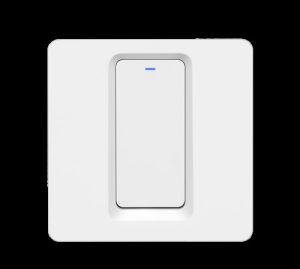
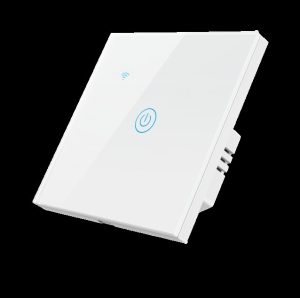
DS-101BW Tuya WiFi Touch Switch EU UK CN 86mm Zero-Fire

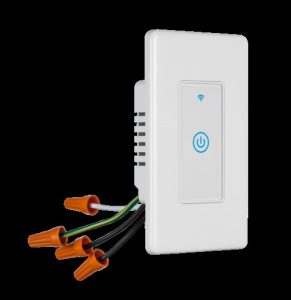
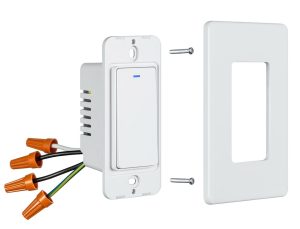
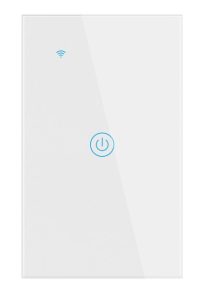
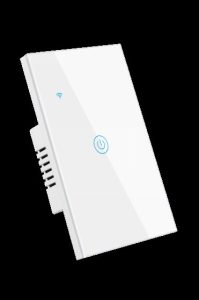
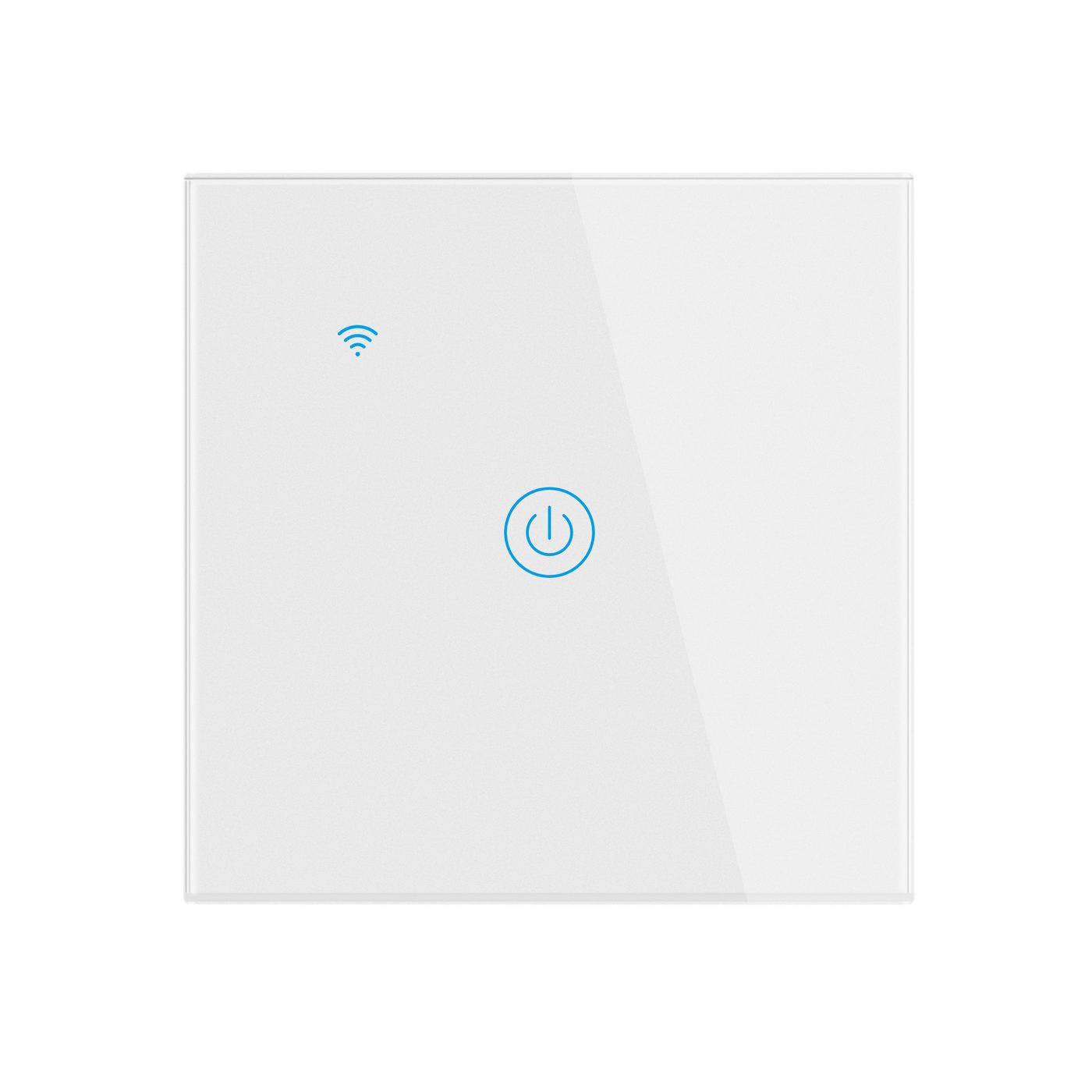
The DS-101BW is a WiFi+Bluetooth Smart wall switch from the XingLiao switch line: Tuya WiFi Touch Switch EU UK CN 86mm Zero-Fire. It is built for buyers who need a documented model number, a defined panel standard and a repeatable OEM file rather than a generic catalog photo. This page collects the factory specification, the Control functions and the product images in one place so you can shortlist the model before requesting a sample.

What the DS-101BW does

  • Network: WiFi+Bluetooth, with the Tuya / Smart Life app flow used across XingLiao switch programs.
  • Panel format: WiFi Touch Switch EU UK CN 86mm Zero-Fire.
  • Voice control: works with Amazon Alexa and Google Home through the app integration, subject to region and firmware.
  • Control modes: app remote control, timer and countdown, status feedback, power-off memory, sharing control and manual operation.
  • Multi-control association is available for two-way and three-way installations where the wiring supports it.

Specification snapshot

Input voltage: 100-240VAC 50/60Hz Network mode: WiFi Rated power: 600W Regular color: white/black/gold/grey Product size: 86*86*35mm (Europe) Package size: 106*100*51mm Product gross weight: 203g

Certification listed for this family: CE, ROHS. Ask for the current certificate file before artwork approval.

Indicative quotation tiers from the factory sheet: 51-199 pcs – USD 5.1; 200-999 pcs – USD 4.8; 1000-3000 pcs – USD 4.5. Prices exclude tax and freight; confirm the live tier with the sales team. Why Cameras Miss Faces but Doorbells Don’t

Product photos: DS-101BW

DS-101BW Tuya WiFi Touch Switch EU UK CN 86mm Zero-Fire - product photo 1 from XingLiao factory
DS-101BW: Tuya WiFi Touch Switch EU UK CN 86mm Zero-Fire. Photo 1 of the factory image set.
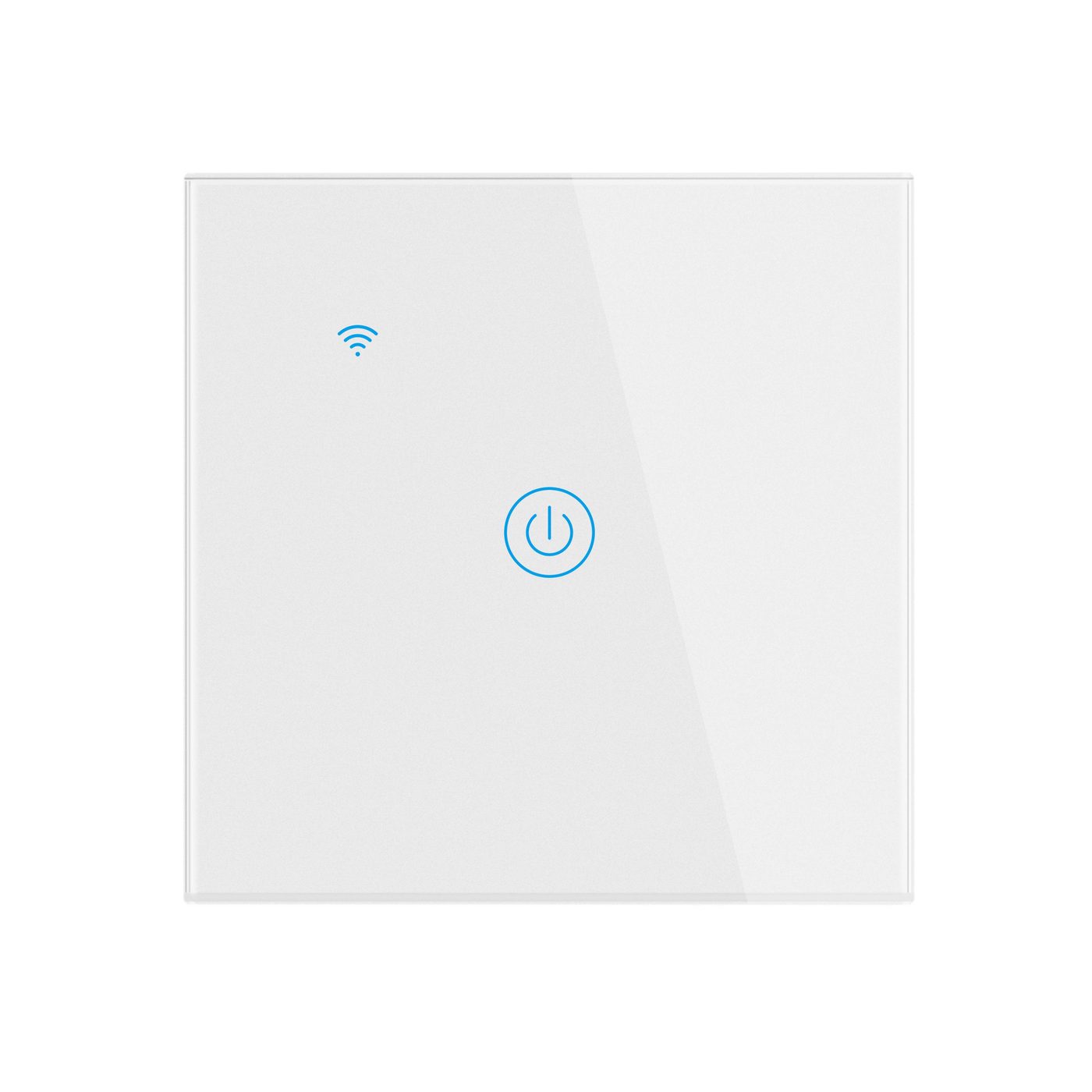
DS-101BW Tuya WiFi Touch Switch EU UK CN 86mm Zero-Fire - product photo 2 from XingLiao factory
DS-101BW: Tuya WiFi Touch Switch EU UK CN 86mm Zero-Fire. Photo 2 of the factory image set.
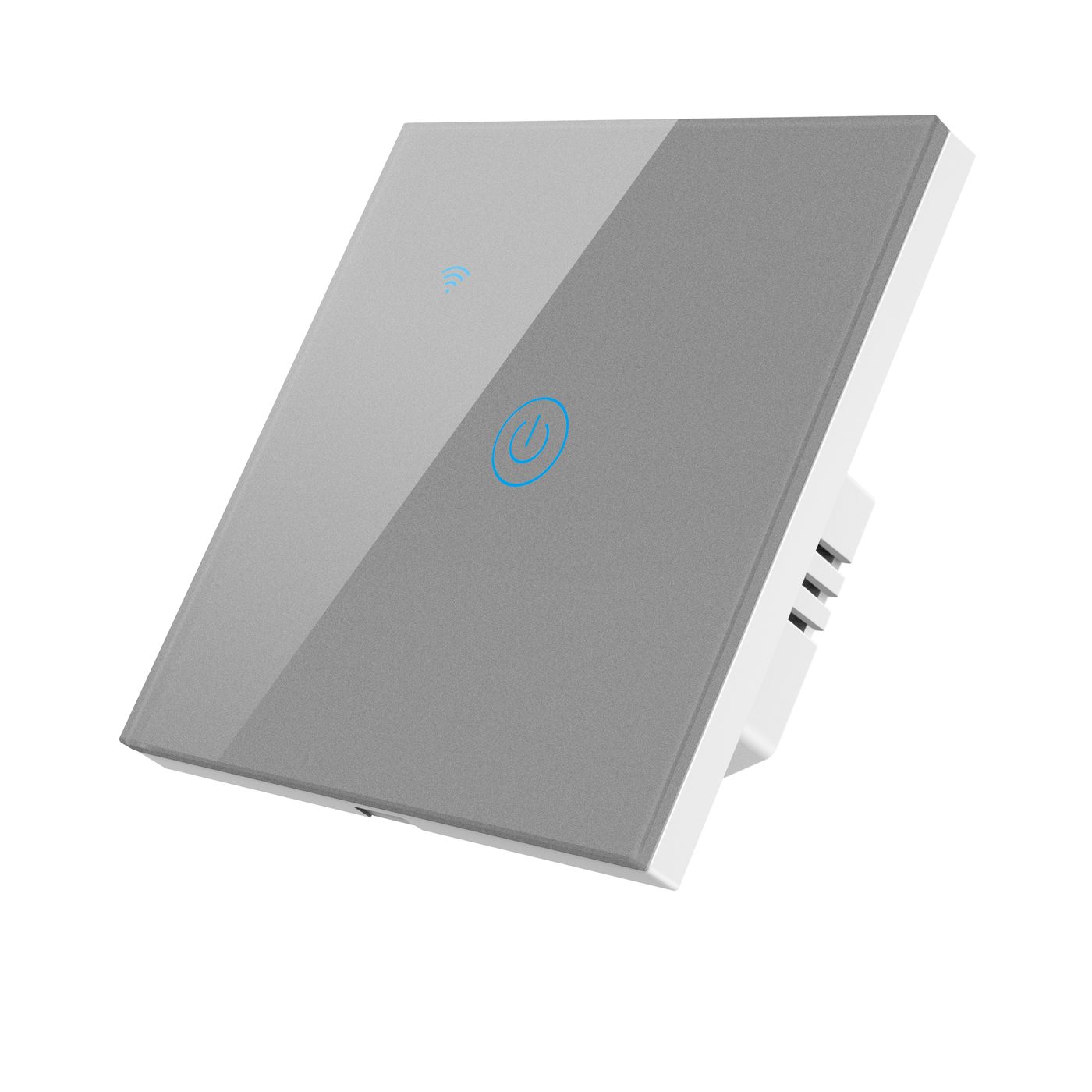
DS-101BW Tuya WiFi Touch Switch EU UK CN 86mm Zero-Fire - product photo 3 from XingLiao factory
DS-101BW: Tuya WiFi Touch Switch EU UK CN 86mm Zero-Fire. Photo 3 of the factory image set.

OEM / ODM notes

For DS-101BW, the usual customization points are faceplate color, frame finish, logo print or laser mark, packaging and app branding. State your market, panel standard, wiring type (single-wire or neutral) and annual quantity in the first inquiry so the factory can propose the correct base model. CE, FCC, RoHS, UKCA, CCC and PSE support is documented where applicable; do not assume a listing without asking for the file number.

Questions buyers ask about DS-101BW

Is DS-101BW a WiFi or ZigBee model?

The model designation in the title identifies the platform. DS-101BW-1 is the corresponding line in the factory quotation sheet; confirm the exact protocol and firmware before ordering.

Can the DS-101BW be used with Google Home or Alexa?

Yes through the Tuya app integration, provided the app region and firmware support the integration. Ask for a short app screen recording with your sample.

What must be checked before ordering?

Door or wall box dimensions, panel standard, load type, wiring (neutral present or not), and the certification file for your market. Sendphotos of the installation site with your inquiry.

Related XingLiao pages

Need a quotation for DS-101BW? Send the model, market and quantity to the XingLiao team. WhatsApp +86 176 6666 9273.

Related Articles

You Might Also Like
Frequently Asked Questions

Is 101bw Tuya Wifi worth buying?

Based on the breakdown in this article, 101bw Tuya Wifi offers a solid mix of features and value. If your main goal matches the key benefits described above, it is a practical choice for everyday use.

How do I choose the right 101bw tuya wifi for my needs?

Start with your core use case, then compare battery life, compatibility, and build quality as covered above. Choosing the right 101bw tuya wifi comes down to matching specs with how you actually use it.

Does 101bw tuya wifi require a companion app?

Most devices of this type pair with a free companion app for setup and firmware updates. A few advanced features may sit behind a paid plan, so check the official specs page before buying.

Posted on — Leave a comment

Tuya vs Sonoff Smart Switch: Which Ecosystem Should You Build On?

The comparison gets phrased as a brand fight, but the Two are not the same kind of thing. Tuya is a platform: it licenses the chip, the firmware and the cloud to hundreds of manufacturers, which is why a switch from one brand and a socket from another still pair in the same app. Sonoff (from ITEAD) is a manufacturer that builds its own hardware, mostly modules and relays, and runs its own eWeLink app. Both work. They suit different installs.

This is written from the switch side, since that is where the decision has the longest consequences — switches are wired into walls and are the least fun thing to replace later.

Where they differ in practice

Tuya-based switches Sonoff
What it is Platform behind many brands One maker’s product line
App Smart Life / Tuya Smart (and many white-label apps) eWeLink
Strength Wall plates — glass touch boards, multi-gang, regional standards Relay modules, DIN-rail, DIY-friendly plug-in devices
Voice Alexa, Google, and most regional assistants Alexa, Google
Local control Depends on the device and hub Strong DIY story, LAN mode on some devices
Buying in bulk Built for OEM and project supply Retail-focused

Form factor: the deciding factor for switches

If the job is a wall plate — a glass touch board replacing the plate in the hall — Tuya-based hardware has far more choice, because every regional standard exists somewhere in the ecosystem: square 86 × 86 plates with fan and scene keys, the wide 147 × 86 touch series used across Europe, and the 118 × 72 US standard series for North American boxes. Multi-gang boards are the same story: the DS-1011ZC single-gang through to the DS-126 six-gang are all platform devices. CCTV Camera or IP Camera for Home: What the Difference Actually Buys You

If the job is a Module hidden in a ceiling rose, a DIN-rail relay in a consumer unit, or a one-off experiment on a bench, Sonoff’s catalogue is the natural place to look, and its DIY community is a genuine advantage — there is a forum answer for almost everything.

App and ecosystem lock-in

You cannot put a Sonoff device into Smart Life, or a Tuya device into eWeLink. That is the real lock-in, and it is why the decision should be made once rather than per device. Two apps on one house means two sets of automations, and scene logic that cannot cross between them — a motion sensor in one app cannot trigger a light in the other.

Both ecosystems talk to Alexa and Google, and both have moved toward Matter, which is the long-term answer to this problem. If you are starting fresh and want the option to change your mind, prefer devices that carry Matter or run on Zigbee behind a hub; the reasoning is set out in our WiFi versus Zigbee comparison.

Can you mix them?

Technically yes, with voice control as the glue: both respond to Alexa, so “turn off the downstairs lights” can span both. What you lose is cross-vendor automation and a single timeline of what happened. For two or three devices it does not matter. For a whole-house install it becomes annoying quickly.

A practical middle path used on a lot of project installs: Tuya-platform wall plates for anything visible in the wall, plus a Zigbee hub for sensors, with one app for day-to-day control. Our smart switch board guide covers the plate decision; the no-neutral guide covers what to do when the box turns out to have no neutral Wire.

If you are buying for a project

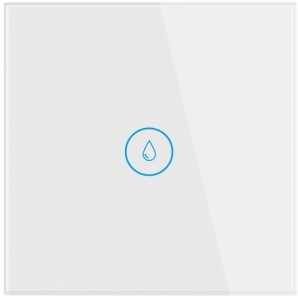
Here the platform model wins on logistics rather than features: wall plates in one series, matching sockets from the same series, spares that interchange, and OEM branding available. That is why our switch range is built on it — the matching 147 × 86 socket series exists so a board looks like one unit instead of a patchwork, and US push-button plates and the 30 A water heater switch all sit in the same app as the lighting boards.

Three questions that settle it

If you are still undecided, answer these and the choice usually makes itself. First: is this going in a wall or in a box? Wall plate means the platform ecosystem, in-wall module means either, DIN-rail means Sonoff’s catalogue is the natural place to look. Second: how many devices will there be in two years? Two or three, and it genuinely does not matter. Twenty, and you want one app, one series of plates and spares that interchange — which is the platform argument. Third: does someone else maintain it? If a landlord or a facilities company will service it later, pick whichever ecosystem is easiest to buy spares for in your country, because that is what they will be doing in five years.

Frequently Asked Questions

Can I add a Sonoff device to the Smart Life app?

No. The two clouds are separate. Voice assistants are the only practical bridge, and even then automations cannot cross between them.

Which is cheaper?

Sonoff is usually cheaper for modules and single plug-in devices. For wall plates in quantity, platform-based supply is typically lower per unit and available in more regional standards.

Do both work without internet?

Basic local control survives on many devices in both ecosystems, but app-based remote control and cloud automations do not. A Zigbee hub keeps local schedules running in either case.

I already have one ecosystem — should I switch?

Only if you are replacing most of the hardware anyway. For anything smaller, finish on what you have and prefer Matter-certified devices on the next purchase.

Related Articles

You Might Also Like
Posted on — Leave a comment

Tuya Bluetooth vs ZigBee vs WiFi: How to Choose

Tuya devices reach your phone over one of three radio paths: WiFi, Zigbee or Bluetooth. The protocol is not a preference — it is decided by the device you buy, and it determines whether you Need a hub, how often you change batteries, and how the system behaves when the internet drops. One rule covers most cases: high-bandwidth devices go on WiFi, battery sensors and wall switches go on Tuya ZigBee through a gateway, and a small set of close-range devices runs on Bluetooth alone.

Why the protocol is decided at purchase

A WiFi camera cannot join a Zigbee mesh, and a ZigBee sensor cannot talk to your router directly. The radio is soldered in. That is why choosing the mix matters before the first device ships: the hub decision, the router capacity and the battery replacement schedule all follow from it. The good news is the Smart Life app treats all three paths as one system, so a mixed home still controls everything from a single screen.

Tuya WiFi: bandwidth without a hub

WiFi suits devices that push video or need a direct internet path: Cameras, video doorbells, and simple plugs and switches in homes that will never buy a hub. The trade-offs are power and congestion. A WiFi device never truly sleeps, so battery-powered WiFi cameras measure their charge in weeks or months, not years, and every WiFi device added to a 2.4 GHz router competes for airtime with laptops, TVs and phones. After a power cut, dozens of WiFi devices reconnecting at once is why some homes see a ten-minute smart-home brownout. Mains power plus reasonable router placement makes WiFi dependable; batteries and distance make it disappointing.

Tuya ZigBee: the whole-home backbone

ZigBee devices form their own mesh around a gateway, which is why the Tuya ZigBee Gateway is the first purchase for a serious setup. Battery sensors sleep between events, so a door sensor or leak probe runs one to Two years on a coin cell. Mains-powered ZigBee switches and plugs route traffic for everything else, extending coverage room by room without new hardware. The mesh is local: during an internet outage, hub-stored automations still fire, sensors still report to the hub, and wall switches always work physically. For sensors, wall switches, locks and curtain motors, ZigBee is the protocol that behaves the same on day one thousand as on day one.

Tuya Bluetooth: close range, no hub at all

Bluetooth in the Tuya world plays two roles. First, every Tuya device uses BLE for first-time pairing — the app finds the new device over Bluetooth even before it is on any network. Second, a small class of devices runs entirely on Bluetooth: CO2 detectors, some knob locks, and small battery monitors live in the Smart Life app without a hub, because the phone talks to them directly. The limits are range and presence: reliable control needs the phone within a few meters, and remote control or voice assistants do not exist without a bridge. Bluetooth devices are the right choice for single-room tools you check while standing in the room — not for whole-home automation.

Putting all three together

  • Start with the hub. One Tuya ZigBee gateway covers sensors and switches for the whole home.
  • Sensors and wall switches on ZigBee. Battery devices last years, and mains switches strengthen the mesh for free.
  • Cameras and doorbells on WiFi. Nothing else moves video well; give them a clean 2.4 GHz channel.
  • Bluetooth for room-local tools. A CO2 detector on the desk or a knob lock on an interior door Works hub-free.
  • Keep the router lean. Every device you move to ZigBee is one less WiFi client fighting for airtime.

One device per protocol, chosen well

Frequently Asked Questions

Do I need a hub for Tuya devices?

WiFi and Bluetooth devices need no hub. ZigBee devices need a Tuya ZigBee gateway, and that hub is what unlocks the best battery life and local automations for sensors and switches.

Can a Bluetooth Tuya device be controlled away from home?

Not on its own — Bluetooth range is a few meters and the phone must be nearby. Add a Bluetooth-to-cloud bridge or choose the WiFi/ZigBee version of the device if remote control matters.

Why does my WiFi camera go offline when the router reboots?

Every WiFi device re-joins the router after a reboot, and dozens of devices re-joining at once slows them all down. Cameras feel it most because video needs sustained bandwidth, not a one-shot reconnect.

Is ZigBee better than WiFi for smart switches?

For wall switches, usually yes. A ZigBee switch adds mesh routing for nearby sensors and keeps local control during outages, while a WiFi switch is simpler to install hub-free but adds one more client to a busy router.

Can one Smart Life account mix all three protocols?

Yes. The app presents WiFi, ZigBee and Bluetooth devices in one home, and scenes can combine them — a ZigBee motion sensor can trigger a WiFi camera to start recording.

Which protocol is best for battery-powered sensors?

Tuya ZigBee. Event-driven reporting lets a sensor sleep for months, which is why door, water, motion and temperature sensors on ZigBee run a year or two on coin cells.

Related Articles

You Might Also Like
Posted on — Leave a comment

Tuya Water Level Sensor: What to Check Before Buying

In the Tuya ecosystem, “water level sensor” covers Two genuinely different products. A leak detector tells you water is present somewhere it should not be — under a sink, under a water heater, in a drip pan. A level sensor tells you how much water sits inside a tank — a Rain barrel, a sump pit, a livestock trough. Most consumer devices sold under the “Tuya water sensor” name are leak detectors, and buying the wrong one is the single most common mistake with this category.

The short answer

If your goal is to catch a leak before it becomes damage, you want a Tuya Zigbee leak detector with two metal probes — inexpensive, two-year battery, instant alerts through Smart Life. If your goal is to read the depth of water in a tank on your phone, you need a level-sensing device, which consumer Tuya lines cover only partially. Decide which job you are hiring the sensor for before comparing prices.

How a Tuya leak detector actually works

The sensor is a conductivity meter with a threshold. Two metal probes sit at the bottom of the housing; when water bridges them, resistance drops and the device reports “water detected” to the hub. This is why probe geometry matters more than any spec line: two-pin probes detect water exactly where the pins are, while a rope-style probe chain detects water anywhere along a stretchable line. A two-pin sensor in the corner of a basement floor can Miss a leak that pools one meter away; a rope probe routed along the base of a wall cannot.

Because the event is rare and the reporting is event-driven, Battery life is long — typically two years on a coin cell or a single AAA. The device sleeps until water, a tamper event, or a periodic low-battery report wakes it.

What real level monitoring takes

Continuous depth measurement needs a different physical principle. A float switch tied to a ZigBee contact interface gives you two-level or multi-level readings — enough to know “tank above / below half” — and it is the approach that integrates most cleanly with a Tuya ZigBee gateway. Pressure-based transducers measure the water column above them and give true analog depth, but few consumer Tuya devices expose that channel. Ultrasonic and time-of-flight sensors measure from the top of the tank and are appearing at the hobbyist end, not yet as certified Tuya shelf products.

The honest position for a buyer: for tank telemetry with graphs and thresholds, expect to piece it together (float switch plus contact sensor, or a dedicated level product outside the Tuya catalog). For leak alarms, the Tuya ZigBee line is mature and cheap enough to install everywhere water runs.

Where leak detectors earn their price

  • Under the water heater. A tank that lets go releases everything at once. A probe in the drip pan catches the slow weep weeks before the failure.
  • Under sinks and behind washing machines. Hose clamps loosen over years, and the leak starts as a damp spot you never see.
  • Sump pit lid. A probe at the “pit nearly full” line tells you the pump stopped before the floor does.
  • Basement and floor-wall joints. Route a rope probe along the lowest joint instead of gambling on one spot.
  • Near boilers and AC condensate trays. A blocked condensate drain is one of the most common slow-water disasters in apartments.

The buying checklist

  • Probe style first. Two-pin for a defined spot; rope probe for a stretch of floor or wall joint.
  • Local sounder. Some models beep on the device itself; cheaper ones are app-silent. A local alarm still works when WiFi is down.
  • Hub requirement. ZigBee models need a Tuya ZigBee gateway. WiFi models exist but trade battery life for hub-free setup.
  • Battery reporting. Confirm the device reports battery level periodically, not only when it is already dying.
  • IP rating for outdoor use. Open rain sensing outdoors wants IPX4 or better; indoor probes do not care.

Sensors that cover the water jobs well

Frequently Asked Questions

Can a Tuya water sensor measure how full my tank is?

Not the standard leak detector — it only reports water present or absent at the probe. For tank depth, look for a float switch paired with a ZigBee contact interface, or a dedicated level product; true continuous depth needs a pressure or ultrasonic sensor.

Do these sensors work without WiFi?

ZigBee models keep detecting and still sound a local alarm during an internet outage, because the mesh is local. Phone notifications away from home are the part that needs the cloud.

Where exactly should the probe sit?

At the lowest point water will reach, and as close to the likely source as possible — the pan seam, the hose clamp, the pit rim. One sensor per risk point beats one sensor per room.

Will a leak detector false-trigger in a humid bathroom?

No. Conductivity probes need liquid bridging the contacts, not Air moisture. Steam and humidity do not trip them; actual pooling water does.

How long do the batteries last?

Typically around two years for event-driven ZigBee models, since the device sleeps between reports. Models that report temperature and humidity alongside water detection trade a little battery for that extra channel.

Do I need one gateway per sensor?

No. One Tuya ZigBee gateway hosts dozens of sensors. Buy the gateway once, then place sensors at every water risk point in the home.

Related Articles

You Might Also Like
Posted on — Leave a comment

Tuya Curtain Motor OEM: Complete Sourcing Guide 2026

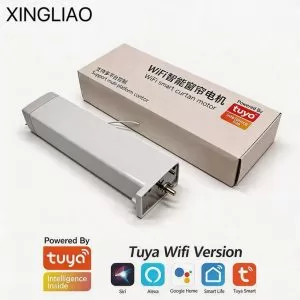
Smart curtain motors are a high-margin product in the Tuya ecosystem. Hotels, villas, and Smart home installers all Need them. This guide covers what to source and what to avoid.

## Types of Curtain Motors

### 1. WiFi Curtain Motor
– Direct WiFi connection (no hub needed)
– Control via Tuya app from anywhere
– Works with Alexa/Google Home
– Best for: individual homes, DIY

### 2. Zigbee Curtain Motor – Requires Zigbee gateway – More stable, lower power – Best for: whole-home smart installations ### 3. Tubular Motor (Roller Shade) – For roller blinds, roller shutters – Different from curtain track motors – Higher torque needed ## Key Specs to Compare ### Lifting Capacity – Standard: 4-5kg curtain weight – Heavy-duty: 8-10kg for thick blackout curtains – **Always ask: what’s the max weight?** ### Noise Level – Good motor: 50dB (annoying) – Ask supplier for noise test data ### Power – Plug-in (most common) – Built-in battery (rechargeable, wireless install) – Battery version = premium product ### Track Compatibility – Motor must match track type (U-rail, C-rail, square rail) – Some motors are universal, some proprietary – **Ask: does it work with existing curtain tracks?** ## OEM Opportunities | Customization | MOQ | Extra Cost | |—|—|—| | Logo on motor body | 50 pcs | $0.5/pc | | Custom remote control | 100 pcs | +$2-3/remote | | Custom track color (white/black) | 100 sets | +$1-2/meter | | Packaging with brand | 200 sets | +$1/set | ## Pricing | Product | MOQ | Unit Price | |—|—|—| | WiFi curtain motor | 50 pcs | $18-28 | | Zigbee curtain motor | 50 pcs | $15-25 | | Battery curtain motor | 50 pcs | $25-35 | | Track per meter | — | $3-5/meter | ## Common Mistakes 1. **Selling motor without track** — customers Need both!
2. **Wrong track type** — measure customer’s curtain rail first
3. **No remote control included** — some customers want RF remote
4. **Not mentioning noise level** — bedroom customers care a lot

## XingLiao Curtain Motor Range

We supply:
– Tuya WiFi curtain track motors
– Zigbee curtain motors
– Rechargeable battery versions
– Compatible tracks (white/black)
– RF remote controls optional
– CE/FCC/RoHS certified

Ask for curtain motor sample — we can send a complete demo set.

Related Articles

You Might Also Like
Frequently Asked Questions

Is Tuya Curtain Motor worth buying?

Based on the breakdown in this article, Tuya Curtain Motor offers a solid mix of features and value. If your main goal matches the key benefits described above, it is a practical choice for everyday use.

How do I choose the right tuya curtain motor for my needs?

Start with your core use case, then compare battery life, compatibility, and build quality as covered above. Choosing the right tuya curtain motor comes down to matching specs with how you actually use it.

Does tuya curtain motor require a companion app?

Most devices of this type pair with a free companion app for setup and firmware updates. A few advanced features may sit behind a paid plan, so check the official specs page before buying.

Posted on — Leave a comment

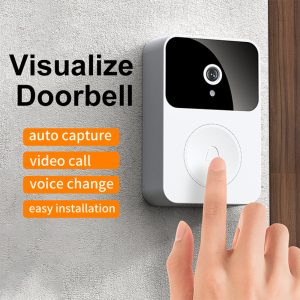
Tuya Video Doorbell OEM: Complete Buying Guide for Distributors

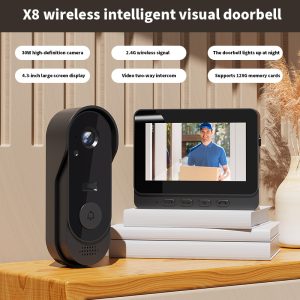
Video doorbells are one of the fastest-growing Smart home categories. If you’re a distributor or brand looking to source Tuya-compatible Video doorbells, this guide covers everything from specs to MOQ.

## Why Choose Tuya Video Doorbells?

Tuya-powered doorbells work with the Tuya Smart app, supporting: – Two-way audio with noise cancellation – HD live view (1080p or 2K) – Motion detection with humanoid filtering – Night vision (color or IR) – Chime box included – Alexa/Google Home voice announcements ## Wired vs Battery-Powered | Feature | Wired | Battery | |—|—|—| | Installation | Existing Doorbell wire | Wire-free, self-adhesive |
| Power | Continuous | 2-6 months per charge |
| Best for | Apartments, offices | Rental homes, DIY |
| Price tier | Mid-range | Budget to mid |
| OEM MOQ | 100 pcs | 50 pcs |

## Key Specs to Compare

### Resolution
– 1080p is the minimum
– 2K (3MP) is the 2026 standard
– 4K available on premium models

### Field of View
– 155-180 degrees is ideal
– Anything less than 150 misses side angles

### Night Vision
– IR night vision: cheaper, black and white
– Color night vision: better for identifying visitors
– Starlight sensor: best low-light performance

### Storage
– Local SD card (up to 128GB)
– Cloud storage (Tuya cloud subscription)
– Both options preferred by customers

## OEM Customization Options

When ordering private label:
1. **Logo printing** on the Doorbell unit 2. **Custom packaging** with your brand 3. **Chime box logo** matching your brand 4. **App splash screen** with your logo 5. **Default settings** (motion sensitivity, doorbell volume) ## MOQ and Pricing | Product | MOQ | Unit Price | |—|—|—| | Battery doorbell | 50 pcs | $12-20 | | Wired doorbell | 100 pcs | $10-18 | | Wireless video intercom (7-inch screen) | 50 sets | $25-45 |
| Solar-powered doorbell | 100 pcs | $18-28 |

## XingLiao Video Doorbell Range

We manufacture:
– Battery-powered Tuya video doorbells (1080p/2K)
– Wired smart doorbells with chime
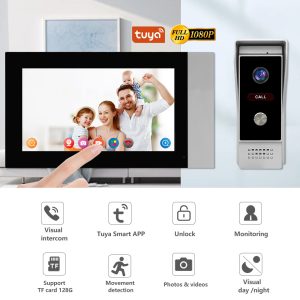
– 7-inch wireless video intercom kits (monitor + doorbell)
– Solar-powered doorbell cameras
– All models support OEM logo from 50 pcs

CE/FCC/RoHS certified. Samples ship in 3 days worldwide.

Request a quote — tell us your target price and quantity, we’ll reply within 24 hours.
tuya video doorbell

Related Articles

You Might Also Like
Frequently Asked Questions

Is Tuya Video Doorbell worth buying?

Based on the breakdown in this article, Tuya Video Doorbell offers a solid mix of features and value. If your main goal matches the key benefits described above, it is a practical choice for everyday use.

How do I choose the right tuya video doorbell for my needs?

Start with your core use case, then compare battery life, compatibility, and build quality as covered above. Choosing the right tuya video doorbell comes down to matching specs with how you actually use it.

Does tuya video doorbell require a companion app?

Most devices of this type pair with a free companion app for setup and firmware updates. A few advanced features may sit behind a paid plan, so check the official specs page before buying.

Posted on — Leave a comment

Tuya Security Camera Manufacturer Review: What to Look for in 2026When sourcing Tuya-compatible security cameras for your brand or business, choosing the right manufacturer is the most important decision you’ll make. A good OEM partner means reliable products, fast lead times, and smooth custom branding. A bad one means returns, complaints, and a damaged reputation.In this review, we break down everything you need to know when evaluating a Tuya security camera manufacturer in 2026.## Why Tuya Cameras?Tuya-powered cameras work out of the box with the Tuya Smart app, supporting: – Alexa and Google Home voice control – Remote viewing from anywhere – Motion detection alerts – Cloud storage and local SD card options – Custom branding on the app splash screenFor resellers, this means you don’t need to build your own app or cloud infrastructure. Customers already know and trust the Tuya ecosystem.

When sourcing Tuya-compatible Security cameras for your brand or business, choosing the right manufacturer is the most important decision you’ll make. A good OEM partner means reliable products, fast lead times, and smooth custom branding. A bad one means returns, complaints, and a damaged reputation.

In this review, we break down everything you need to know when evaluating a Tuya security Camera manufacturer in 2026.

Why Tuya Cameras?

Tuya-powered cameras work out of the box with the Tuya Smart app, supporting:

  • Alexa and Google Home voice control
  • Remote viewing from anywhere
  • Motion detection alerts
  • Cloud storage and local SD card options
  • Custom branding on the app splash screen

For resellers, this means you don’t need to build your own app or cloud infrastructure. Customers already know and trust the Tuya ecosystem.

What to Look for in a Manufacturer

1. Real Factory, Not a Trading Company

Many “manufacturers” on Alibaba are actually trading companies marking up prices. Look for:

  • Video factory tours on their website
  • In-house SMT and assembly lines
  • Their own QC team
  • CE/FCC/RoHS certificates

2. Camera Resolution and Night Vision

For 2026, 2K (3MP) has become the minimum. 4K (8MP) is available for premium models. Check:

  • Night vision range (20m+ is standard)
  • Color night vision vs IR
  • Wide angle (110-140 degrees)
  • Two-way audio

3. OEM/ODM Customization

Good manufacturers should offer:

  • Custom logo on camera housing
  • Custom packaging
  • Custom firmware (WiFi region, language)
  • App rebranding (white label)

4. MOQ and Lead Time

Typical OEM terms:

  • Standard models: MOQ 50-100 pcs
  • Custom housing: MOQ 500-1000 pcs
  • Sample lead time: 3-5 days
  • Bulk production: 15-25 days

Common Pitfalls

  • Hidden firmware costs: Some factories charge extra for custom firmware
  • No after-sales support: Ask about replacement policy for DOA units
  • WiFi module region locks: Make sure the camera uses a global WiFi module
  • Cloud subscription fees: Tuya cloud has per-device fees — who pays?

XingLiao as Your Tuya Camera Partner

At XingLiao (Shenzhen), we manufacture Tuya-compatible security cameras, video doorbells, and smart switches for brands in 60+ countries. We offer:

  • 3MP/4MP/8MP WiFi and PoE cameras
  • Custom logo and packaging from 50 pcs
  • CE/FCC/RoHS certified
  • 24-hour technical support
  • Sample shipping within 3 days

Looking for a Tuya camera manufacturer? Contact us for a free quote and sample.

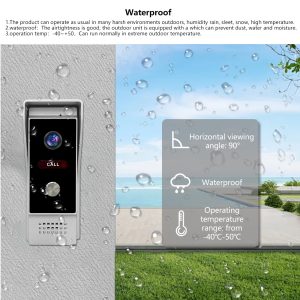
Waterproof outdoor unit of Tuya video door phone, rainproof doorbell camera, wide viewing angle, work temperature -40~50℃
Waterproof outdoor station for tuya wired video intercom, works under rain, snow and extreme temperature,90 degree horizontal viewing angle.

Related Articles

You Might Also Like
Frequently Asked Questions

Is Tuya Security Camera worth buying?

Based on the breakdown in this article, Tuya Security Camera offers a solid mix of features and value. If your main goal matches the key benefits described above, it is a practical choice for everyday use.

How do I choose the right tuya security camera for my needs?

Start with your core use case, then compare battery life, compatibility, and build quality as covered above. Choosing the right tuya security camera comes down to matching specs with how you actually use it.

Does tuya security camera require a companion app?

Most devices of this type pair with a free companion app for setup and firmware updates. A few advanced features may sit behind a paid plan, so check the official specs page before buying.

Posted on — Leave a comment

Reolink vs Tuya Security Camera

Reolink builds cameras for people who are happy to run cables to a recorder; the Tuya ecosystem builds cameras for people who want one app for the whole house. Both record locally Without a monthly fee, so the real decision is not price or storage — it is whether you are buying a camera system or a Smart Home.

The core difference: recorder-first or app-first

Reolink is built around the recorder. Its best-known models are PoE cameras that run one Ethernet cable to an NVR with a hard drive, plus battery and WiFi models for places a cable cannot reach. Power and data over one cable, weeks of retention on disk, and a single place to scrub through footage. It is a small CCTV system, and it behaves like one.

Tuya-based cameras are app-first. Each camera has its own WiFi radio and microSD slot, pair in minutes, and live in the same app as your switches, sockets, sensors and doorbell. There is no recorder in the cupboard and no cable run; you add cameras one at a time, wherever the WiFi reaches.

Installation

  • Reolink: planning, then drilling. PoE needs a cable from each camera to the recorder or a PoE Switch, which limits placement to where you can run cable. Once it is in, it is stable and never competes for WiFi bandwidth.
  • Tuya: decide the spot, check the 2.4 GHz signal with your phone, mount, pair. Ten minutes per camera, and solar models remove the power question entirely outdoors.

For a house where drilling is not allowed, or where you want to start with one camera and see, app-first wins on effort alone. For a property with four or more fixed positions and a cupboard to put a recorder in, recorder-first is the sturdier result.

Storage

  • Reolink: SD card in the camera, plus an NVR hard drive for long retention. Optional cloud. Footage survives a stolen camera if the recorder is hidden.
  • Tuya: SD card in the camera, optional cloud per camera. Adding an NVR is possible on some models but is not the default path.

Both avoid mandatory subscriptions — that is worth stating plainly, because the brands most people compare against charge monthly for the same recordings.

Ecosystem: cameras only, or the whole house

This is where the two stop being comparable. A Reolink setup is a camera system with an app. A Tuya setup can include:

  • Wall switches and sockets that turn lights and appliances on schedules
  • Door, water leak, smoke and temperature sensors that trigger cameras to record
  • A Video doorbell sharing the same notification feed
  • Curtain motors, thermostats and irrigation controllers in the same scenes

A door sensor opening and a camera panning to preset is a three-tap scene in one app. Across two brands it is either impossible or a weekend of integration work.

Image quality and detection

  • Resolution: Reolink’s higher-end PoE models reach 4K and 8MP with larger sensors, which matters for long-range identification. Tuya models in this class typically run 2MP to 4MP, which is ample for rooms, entries and driveways.
  • Night vision: both offer infrared; several Tuya models add full-colour night vision, which keeps usable detail after dark instead of grey shapes.
  • Detection: both do human or person detection. Reolink adds vehicle and pet detection on some lines; Tuya’s advantage is cross-device automation rather than more detection classes.
  • Coverage: pan/tilt and dual-lens models (one wide lens to detect, one tele lens to zoom) are common in the Tuya ecosystem and are the best value for driveways and gates.

Comparison at a glance

Reolink Tuya ecosystem
Design centre Camera + NVR system App for the whole house
Power/data PoE, battery or WiFi WiFi, battery or solar
Typical install Drilling and cable runs Mount and pair, minutes
Storage SD + NVR disk + optional cloud SD + optional cloud
Top resolution Up to 4K on PoE lines 2MP to 4MP typical
Works with Cameras Cameras, switches, sockets, sensors, doorbells
Subscription Not required Not required

Model ranges and specifications change often — check the current datasheet for the exact unit you are buying.

Which one should you buy

  • Want weeks of retention and don’t mind cables: a recorder-based PoE system.
  • Want one camera now, more later, no drilling: app-first WiFi cameras.
  • Already use Tuya or Smart Life for switches: stay in that app — one notification feed beats three.
  • Off-grid position with no power: solar or 4G camera, neither of which a PoE system solves.
  • Whole-home automation is the real goal: app-first, because sensors and switches are half the value.

XingLiao security cameras

Frequently Asked Questions

Do either of these require a monthly fee?

No. Both record to a memory card or a recorder with no subscription. Cloud plans are optional extras for off-site backup.

Which is better for a whole-house setup?

If cameras are the whole project, a recorder system is sturdier. If cameras are one part of a home that also has switches, sockets and sensors, an app-first ecosystem saves you from running three apps.

Can I mix them?

Yes, but expect separate apps and separate notification feeds. Most people regret mixing once they pass four devices.

Is 4K worth it for a home?

Only for long-range identification — a gate, a number plate, a far corner of a yard. For entries, rooms and driveways, 2MP to 4MP with good night vision gives you more usable footage per euro.

What about WiFi reliability outdoors?

Signal at the mounting point matters more than the camera. Test the 2.4 GHz signal with your phone at the exact spot before buying; if it is weak, a solar or 4G model, or a mesh node, solves it.

Do I need a recorder at all?

Not for one to three cameras. Memory cards in each camera cover most homes, and a recorder only starts to pay off when you want long retention across many cameras.

Will recordings survive if the camera is stolen?

Only if they are stored elsewhere — an NVR, a cloud plan, or an indoor monitor with its own storage. A camera with just an SD card loses everything with the camera.

Related guides

Browse all security cameras · Tell us how many positions you need and we will size the system

Related Articles

You Might Also Like
Posted on — Leave a comment

How to Build a Home Automation System with Tuya

A home automation system sounds like a project. In practice it is a habit: you start with one switch that obeys your phone, and six months later the hallway light turns itself on at sunset, the thermostat knows when you left, and a water leak under the sink messages you before it becomes a repair bill. This guide shows the shortest path to that end state — which ecosystem to pick, what order to buy in, and how to wire the automations together so the house genuinely runs itself.

Step 1: pick one ecosystem and stay in it

The single biggest beginner mistake is mixing three apps: one brand for bulbs, another for sockets, a third for the camera. Every added app doubles the friction of every future automation. The fix is choosing one ecosystem up front.

For most homes the practical answer is Tuya (or its consumer face, the Smart Life app). It is the platform behind an enormous range of devices — switches, sockets, sensors, cameras, curtain motors, thermostats — from many manufacturers, so you are never locked to one brand’s prices. It talks to Google Home and Alexa for voice control, supports Zigbee through a gateway, and a single account holds your entire home. XingLiao’s Smart devices are built on it, which is why everything below plays together out of the box.

Step 2: start with lighting

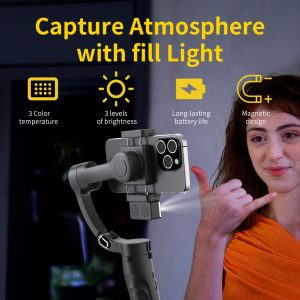
Lighting delivers automation’s most visible daily payoff, so it earns its budget first. A WiFi touch switch replaces the wall switch you already have — same box, same wires — and suddenly that room is on your phone, on schedules, and on voice commands. Because nothing is plugged in and nothing runs on batteries, it is also the most maintenance-free Smart device you will ever own. M3 Pro Foldable 3-Axis Gimbal Stabilizer, Professional Handheld Gimbal for Smartphones

  • Sunset schedules: porch and hallway lights follow the sun automatically.
  • Countdown timers: bathroom fans that switch themselves off.
  • Vacation mode: lights that mimic an occupied house.

Step 3: add the senses — sensors

Switches are the muscles; sensors are what make the system Smart. The four that earn their cost fastest:

  • Door/window sensor: the front door messages you when it opens at 3 p.m. — or at 3 a.m.
  • PIR motion sensor: movement triggers lights, cameras, or both. Stair lights that only exist when someone is on the stairs never get old.
  • Temperature/humidity sensor: the quiet hero — it can trigger the thermostat, a dehumidifier socket, or just tell you why the bedroom feels stuffy.
  • Water leak sensor: under the sink and behind the washing machine, it is the cheapest insurance in the house.

Step 4: add eyes — cameras and doorbell

Once lights and sensors are in the app, a camera stops being a gadget and becomes part of the system: the Doorbell detects a person, the hall light comes on, the camera clips the event. Indoor PTZ cameras watch rooms and pets; a solar outdoor camera covers the driveway without ever needing a ladder for charging.

Step 5: the gateway, and when you actually need it

WiFi devices talk straight to your router. But battery-powered sensors usually speak Zigbee, which needs a small smart home gateway plugged in somewhere central. The gateway has two jobs: it collects your Zigbee sensors, and it bridges them to WiFi and the app.

The rule of thumb: first few WiFi devices, no gateway needed. The moment you add battery sensors — door, PIR, temperature — add one gateway. It is a one-time purchase that unlocks the whole sensor aisle, and Zigbee’s mesh also means devices relay for each other, which is more stable than a dozen WiFi devices competing for one router.

Step 6: sockets fill the gaps

Some things will never be smart internally: the humidifier, the fish tank light, the old floor lamp. A WiFi smart socket retrofits intelligence at the wall — and models with energy monitoring tell you which appliance is quietly costing you money, which is often how the socket pays for itself.

Step 7: wire it together with scenes and automations

This is where a collection of devices becomes a home automation system. In the Tuya app, a tap-to-run scene sets many devices with one press, and an automation fires devices when conditions are met. Three proven starters:

  • “Goodnight”: one tap — every light off, doors armed, camera alerts on.
  • “Home in the evening”: door sensor opens after sunset → hall and kitchen lights on for ten minutes.
  • Leak response: water sensor triggers → socket cuts the washing machine and a notification goes out.

Add Google Home or Alexa, and the same scenes answer to voice. At this point you stop operating your home and start supervising it.

XingLiao devices for building your system

Frequently Asked Questions

How much does a home automation system cost to start?

A genuine start — one touch switch, one door sensor, one gateway — costs about as much as a decent pair of shoes. From there the system grows one device at a time, and each piece works standalone from day one.

Do I need to replace all my switches at once?

No. Start with the room you use most. Every device is independent, so the system grows at whatever pace your budget allows without ever being “half-finished”.

Do smart homes need a hub or gateway?

WiFi devices need none — they connect to your router. Battery sensors using Zigbee need one gateway. Many homes run happily for a year on WiFi alone, then add a gateway with their first door sensor.

Does everything stop working if the internet goes down?

Wall switches and sockets keep working locally by touch. Schedules and remote access pause until the router recovers. Zigbee devices linked through a gateway can keep running local automations even offline.

Is a home automation system hard to install?

The hardest step is replacing one wall switch, which is a screwdriver job with the breaker off. Everything else — plugs, sensors, cameras — is peel, stick, scan a QR code.

Can I control it all by voice?

Yes. Link the Tuya skill in Google Home or Alexa once, and every device answers voice commands through the ecosystem you already use.

What should I automate first?

The porch or hallway light on a sunset schedule. It saves real effort every single day, it is visible proof the system works, and it starts training everyone in the house to trust it.

Related guides

Browse switches and control panels · Tell us your rooms and we will plan the device list with you

You Might Also Like