Posted on — Leave a comment

Rain Sensor: What It Is Actually Good For Beyond Telling You It Rains

A rain sensor sounds like a device that tells you something you can already see from the window. Its value is not the notification; it is the automation. Once the sensor is reporting “it is raining” to the same app that runs your other devices, it becomes a trigger for things you would otherwise have to remember.

Our solar rainwater and leak sensor runs on Zigbee with its own panel, and the ultrasonic level sensor covers the related job of measuring how much Water is in something.

Four automations worth setting up

  1. Close the roof window or skylight. The classic use: rain detected, motorised window closes. This is the one that justifies the sensor on its own in any house with a remote skylight.
  2. Skip the irrigation cycle. If garden watering is automated, a rain sensor stops it running on a day when the ground is already soaked.
  3. Retract the awning or bring in the cover. Rain plus wind is what damages awnings; the sensor gives you the trigger.
  4. Alert on water where it should not be. The same class of sensor is used as a leak detector in a loft, a garage or under a sink — see our water leak sensor placement guide for that use.

Where to mount it so it reads correctly

A rain sensor has to get wet to work, which sounds obvious but dictates the mounting position:

  • Open to the sky. Under a soffit, a porch or a tree, it will under-report — it only sees the rain that reaches it.
  • Level or very slightly tilted. Most sensor plates are designed to shed water; mount them as intended so the surface does not hold a puddle and report rain hours after it stopped.
  • Away from sprinklers and drips. An irrigation line that sprays the sensor in dry weather produces false positives all summer.
  • Reachable enough to clean. Dust, pollen and bird deposits change how water beads on the plate. A seasonal wipe keeps readings sane.

Zigbee, and what that means

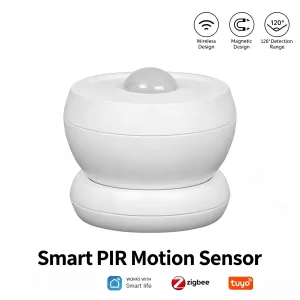
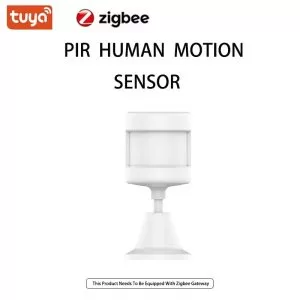
The Zigbee models do not connect to your router directly — they join a ZigBee gateway, which is also what gives them long battery life. A solar model adds a small panel that keeps the cell topped up through the year, which matters for a sensor mounted on a roof or a fence where charging it is a chore. Q81 Wireless Button Microphone – Mini Invisible Lapel Mic for Vlogging, Interview & Live Streaming

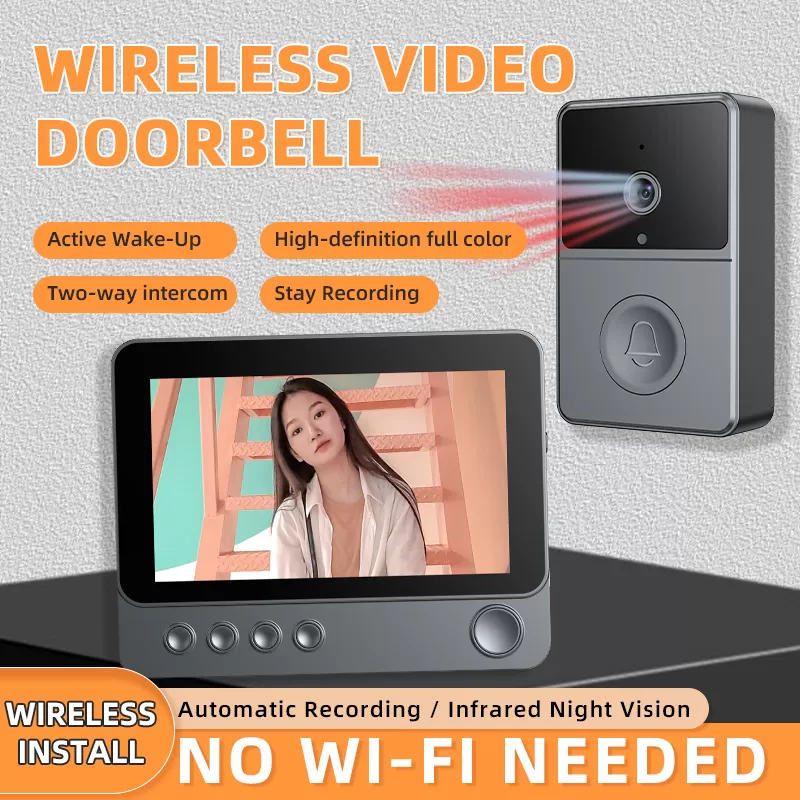
If you are choosing between wired and Wireless gateways for the same setup, see wired vs wireless Zigbee gateways; and if you are planning a whole sensor network, how many devices one gateway can handle is the number that decides whether you need a second hub. Smart Wireless Video Doorbell – 24/7 HD Front Door Security With Night Vision & Voice Change

What it will not do

Be honest about the limits: a rain sensor reports wet or dry, not millimetres. It will not tell you how much rain fell, and it cannot measure a tank level — for that you want an ultrasonic sensor that reads distance to the water surface. It also reports rainfall at the sensor, which is not necessarily the rainfall in the garden if the sensor sits in a sheltered spot. Smart Visual Wireless Video Doorbell: Upgrade Your Home Security in 2026

FAQ

Does it need WiFi?
The sensor itself uses Zigbee and talks to a gateway; the gateway connects to your network. The sensor does not join WiFi directly.
Will it trigger from dew or fog?
Heavy dew can register. If that causes false automations, raise the trigger threshold in the app or delay the automation by a few minutes.
Does the solar panel work in winter?
It contributes less in low light, but a rain sensor draws very little. The panel is there to stretch the interval between charges, not to replace the battery.
Can one sensor drive several automations?
Yes — the sensor reports a state, and the app can use that state in as many scenes as you like.
Is it the same as a leak sensor?
Similar sensing principle, different mounting and purpose. A rain sensor lives outdoors in the open; a leak sensor sits where water would collect if something failed.
How do I stop it reporting rain after it stopped?
Mount it tilted as designed so water runs off the plate, and keep the surface clean.

Related Articles

You Might Also Like

Frequently Asked Questions

Is Rain Sensor Actually worth buying?

Based on the breakdown in this article, Rain Sensor Actually offers a solid mix of features and value. If your main goal matches the key benefits described above, it is a practical choice for everyday use.

How do I choose the right rain sensor actually for my needs?

Start with your core use case, then compare battery life, compatibility, and build Quality as covered above. Choosing the right rain sensor actually comes down to matching specs with how you actually use it.

Does rain sensor actually require a companion app?

Most devices of this type pair with a free companion app for setup and firmware updates. A few advanced features may sit behind a paid plan, so check the official specs page before buying.

Posted on — Leave a comment

Tuya Water Level Sensor: What to Check Before Buying

In the Tuya ecosystem, “water level sensor” covers Two genuinely different products. A leak detector tells you water is present somewhere it should not be — under a sink, under a water heater, in a drip pan. A level sensor tells you how much water sits inside a tank — a Rain barrel, a sump pit, a livestock trough. Most consumer devices sold under the “Tuya water sensor” name are leak detectors, and buying the wrong one is the single most common mistake with this category.

The short answer

If your goal is to catch a leak before it becomes damage, you want a Tuya Zigbee leak detector with two metal probes — inexpensive, two-year battery, instant alerts through Smart Life. If your goal is to read the depth of water in a tank on your phone, you need a level-sensing device, which consumer Tuya lines cover only partially. Decide which job you are hiring the sensor for before comparing prices.

How a Tuya leak detector actually works

The sensor is a conductivity meter with a threshold. Two metal probes sit at the bottom of the housing; when water bridges them, resistance drops and the device reports “water detected” to the hub. This is why probe geometry matters more than any spec line: two-pin probes detect water exactly where the pins are, while a rope-style probe chain detects water anywhere along a stretchable line. A two-pin sensor in the corner of a basement floor can Miss a leak that pools one meter away; a rope probe routed along the base of a wall cannot.

Because the event is rare and the reporting is event-driven, Battery life is long — typically two years on a coin cell or a single AAA. The device sleeps until water, a tamper event, or a periodic low-battery report wakes it.

What real level monitoring takes

Continuous depth measurement needs a different physical principle. A float switch tied to a ZigBee contact interface gives you two-level or multi-level readings — enough to know “tank above / below half” — and it is the approach that integrates most cleanly with a Tuya ZigBee gateway. Pressure-based transducers measure the water column above them and give true analog depth, but few consumer Tuya devices expose that channel. Ultrasonic and time-of-flight sensors measure from the top of the tank and are appearing at the hobbyist end, not yet as certified Tuya shelf products.

The honest position for a buyer: for tank telemetry with graphs and thresholds, expect to piece it together (float switch plus contact sensor, or a dedicated level product outside the Tuya catalog). For leak alarms, the Tuya ZigBee line is mature and cheap enough to install everywhere water runs.

Where leak detectors earn their price

  • Under the water heater. A tank that lets go releases everything at once. A probe in the drip pan catches the slow weep weeks before the failure.
  • Under sinks and behind washing machines. Hose clamps loosen over years, and the leak starts as a damp spot you never see.
  • Sump pit lid. A probe at the “pit nearly full” line tells you the pump stopped before the floor does.
  • Basement and floor-wall joints. Route a rope probe along the lowest joint instead of gambling on one spot.
  • Near boilers and AC condensate trays. A blocked condensate drain is one of the most common slow-water disasters in apartments.

The buying checklist

  • Probe style first. Two-pin for a defined spot; rope probe for a stretch of floor or wall joint.
  • Local sounder. Some models beep on the device itself; cheaper ones are app-silent. A local alarm still works when WiFi is down.
  • Hub requirement. ZigBee models need a Tuya ZigBee gateway. WiFi models exist but trade battery life for hub-free setup.
  • Battery reporting. Confirm the device reports battery level periodically, not only when it is already dying.
  • IP rating for outdoor use. Open rain sensing outdoors wants IPX4 or better; indoor probes do not care.

Sensors that cover the water jobs well

Frequently Asked Questions

Can a Tuya water sensor measure how full my tank is?

Not the standard leak detector — it only reports water present or absent at the probe. For tank depth, look for a float switch paired with a ZigBee contact interface, or a dedicated level product; true continuous depth needs a pressure or ultrasonic sensor.

Do these sensors work without WiFi?

ZigBee models keep detecting and still sound a local alarm during an internet outage, because the mesh is local. Phone notifications away from home are the part that needs the cloud.

Where exactly should the probe sit?

At the lowest point water will reach, and as close to the likely source as possible — the pan seam, the hose clamp, the pit rim. One sensor per risk point beats one sensor per room.

Will a leak detector false-trigger in a humid bathroom?

No. Conductivity probes need liquid bridging the contacts, not Air moisture. Steam and humidity do not trip them; actual pooling water does.

How long do the batteries last?

Typically around two years for event-driven ZigBee models, since the device sleeps between reports. Models that report temperature and humidity alongside water detection trade a little battery for that extra channel.

Do I need one gateway per sensor?

No. One Tuya ZigBee gateway hosts dozens of sensors. Buy the gateway once, then place sensors at every water risk point in the home.

Related Articles

You Might Also Like
Posted on — Leave a comment

Door and Window Sensor Installation: Fitting, Gaps and Automations

A door and window sensor is a two-part reed Switch: a magnet on the moving part, a sensor body on the frame. When the magnet moves more than about 15–20 mm away, the circuit opens and the sensor reports “open”. Fit the body on the fixed frame, the magnet on the door or sash, keep the gap under 10 mm when closed, and align the two marks — almost every “it says open when it is shut” problem is alignment or gap, not a faulty unit.

This guide covers windows, doors, sliding doors, garage doors and the awkward cases, plus the automations that are actually worth setting up. Smart Switch Series: Models, Specs, MOQ

Fit it in five steps

  1. Clean both surfaces with alcohol and dry them. Adhesive on paint that is flaking, or on dusty uPVC, fails within weeks.
  2. Dry-fit first: hold the two parts together in the closed position and watch the app or the LED. Find the position Where “closed” is stable.
  3. Mount the larger body on the fixed frame so the battery and button stay accessible; put the small magnet on the moving door or sash.
  4. Mind the gap: keep the closed gap under 10 mm and the faces parallel. On uPVC windows with a deep rebate, use the slim spacer or the narrow magnet edge.
  5. Press for 30 seconds and leave the adhesive 12 hours before testing repeatedly.

Doors

  • Front and back doors: top corner on the latch side, body on the frame. Top mounting keeps it out of the way of bags, pets and small children.
  • Which side: the hinge side works too, but the sensor must sit very close to the hinge to avoid a large travel arc — latch side is easier.
  • Metal doors: a steel door or a steel frame can shield the magnet slightly and, more importantly, weaken the radio link. Test before sticking, and consider a Zigbee repeater nearby.
  • French and double doors: one sensor per leaf, or one on the active leaf plus a second on the other if you want to know which one is open.

Windows

  • Casement and tilt-and-turn: top corner opposite the handle, magnet on the sash. Remember a tilt-and-turn window has two open states — if you want to know which, add a second sensor or use a handle-position sensor.
  • Sliding sash and patio doors: mount at the meeting rail in the closed position, keeping the two parts parallel as they pass. The gap on sliders is often larger, so check the spec (some sensors tolerate 20 mm+).
  • Rooflights and skylights: fine, but keep the sensor body Where condensation will not drip on it.

Awkward cases

  • Garage and roller doors: use a sensor rated for outdoor or garage use (temperature range matters) or a tilt sensor on the door panel, which reports angle rather than contact.
  • Gates and sheds: choose IP-rated outdoor sensors and expect shorter battery life in cold weather.
  • Fridges and freezers: mount externally; the magnet works through the door seal, and it is a cheap way to catch a door left ajar.
  • Mailbox and letterbox: a small sensor plus a notification is a genuinely useful, low-cost automation.

Automations worth setting

  • Heating off when a window is open for more than two minutes, back on when it closes — the single most useful one.
  • Arm the alarm mode only when all external doors report closed, so you never arm with a door ajar.
  • Night alert if a ground-floor door opens between 00:00 and 05:00.
  • Child and Pet safety: a chime when a specific door opens, Without triggering a full alarm.
  • Left-open reminder after 10 minutes for an external door, and for the fridge after 2 minutes.
Frequently Asked Questions

How do I stop a door sensor reporting open when it is closed?

Check the gap and the alignment first: the two marks should face each other and the closed gap should be under 10 mm. Deep window rebates and warped doors are the usual culprits — use a spacer or move the magnet.

Which part goes on the door and which on the frame?

Sensor body on the fixed frame, magnet on the moving door or window. It works the other way round, but mounting the body on the frame keeps the battery change easy and avoids cable or Wiring strain. Smart Switch for Water Heater and AC

Do door sensors work on sliding doors?

Yes, mounted at the meeting rail so the two parts stay parallel as the panel slides. Watch the gap: some sliders sit further apart, so check the sensor’s maximum operating distance. Reolink vs Tuya Security Camera

How long does the battery last?

Usually one to two years for a coin-cell contact sensor. Cold garages and outbuildings shorten that considerably, and the app’s low-battery notification is the only warning you get.

Can one sensor cover two doors?

No. One sensor covers one opening. For double doors you need one per leaf if you want to know which leaf is open.

Do they work without internet?

Contact detection and local automations run on the hub and keep working. Cloud routines and remote notifications need a connection.

Related guides

Browse door, window and leak sensors · Ask us about your window types

Related Articles

You Might Also Like

Recommended Products

Posted on — Leave a comment

Matter PIR Motion Sensor: 8 Automations That Actually Work, and the 5 Things That Cause False Triggers

Matter PIR motion sensor mounted on a hallway wall at 2.1m height covering a corridor

Quick answer: a Matter PIR sensor gives you occupancy, not presence. It tells a hub that someone moved through a space in the last few seconds, which is enough for lighting, heating setbacks, fans and alerts — and not enough for “is someone still in the room”. Build automations that only need a trigger plus a timeout, mount the sensor 2–2.2m high facing across the room rather than at a window, and most reliability problems disappear before they start.

Matter PIR motion sensor mounted on a hallway wall at 2.1m height covering a corridor
A hallway is the highest-value position in any Home — everyone passes through it, several times a day.

Eight Automations Worth Running

  1. Hallway light on movement, off after two minutes. The classic, and still the one people notice most. Two minutes is long enough to walk through with your hands full.
  2. Night-only pathway lighting. Same trigger, but only between 23:00 and 06:00, at 10–20% brightness. Full brightness at 3am is a design failure.
  3. Bathroom extractor fan. Trigger the fan on entry, run it for ten minutes after the last trigger. Cheaper and more reliable than a humidity sensor in most bathrooms.
  4. Heating or air-conditioning setback. No movement in a room for 30 minutes → drop the setpoint by 2°C. Movement → restore. This is where a sensor pays for itself.
  5. Standby kill for a Home office or a media wall. No occupancy for 45 minutes → cut the socket strip. Screens, speakers and chargers draw more than people expect.
  6. Arrival lighting at the entrance. Movement in the porch during the evening → porch light plus the hallway light, so nobody unlocks a Door in the dark.
  7. Away-mode alerting. Movement in a room that should be empty while the house is in away mode → notification. It is not an alarm system, but it is a useful second opinion.
  8. Staircase handover. Sensor at the bottom triggers the stair lights, sensor at the top keeps them on until the top landing is reached. Two sensors, no switch.
Compact Matter Thread PIR motion sensor with USB-C and battery dual power options
USB-C plus battery means the sensor can be permanent in one spot and moved for testing without rewiring.

Why Automations Fail: Occupancy Is Not Presence

A PIR reports motion, then goes quiet after a timeout. The moment someone sits still — reading, working at a desk, watching a film — the sensor reports “no motion” and a naive automation switches the lights off on them. Three ways out:

  • Use a generous timeout (10–15 minutes) for rooms where people sit still.
  • Do not let motion switch lights off in those rooms — let motion switch them on and let a schedule or a manual switch handle off.
  • Combine with a door contact if you need real room state: door closed plus no motion is far more reliable than motion alone.

Five Things That Cause False Triggers

  1. Direct sunlight or a hot draught on the lens. PIR detects infrared change; a sunbeam moving across a floor or warm air from a heater vent looks like a person. Move the sensor, not the radiator.
  2. Curtains and plants above a heater or an open window. Air movement plus fabric is the most common daytime false trigger.
  3. Pets at sensor height. Mount at 2–2.2m and, if the sensor supports it, angle it slightly downward; a cat on the floor is then mostly outside the pattern.
  4. Sensors pointed at windows. Cars, pedestrians and reflections outside the glass are all infrared events. Point the sensor into the room, across the walkway.
  5. Mounting on a vibrating surface. A sensor on a loose door frame or next to a washing machine can self-trigger. Solid wall, solid fixings.
Matter motion sensor installed in a staircase detecting movement for automatic lighting
Staircases are where a well-placed sensor stops being a gadget: hands full, no switch, light already on.

Placement Rules That Hold Up in Real Homes

  • 2–2.2m highon a wall rather than a ceiling corner, for room sensors.
  • Face across the walking pathnot along it — crossing the detection pattern registers far more reliably than walking towards it.
  • Cover the entry point. The first two metres inside a door is where the trigger has to happen, otherwise the light comes on after you are already in the dark.
  • Keep it away from heat sources — radiators, boiler cupboards, the top of a fridge, direct sun.
  • Test before fixing. Walk the room for two minutes with the app open and watch the trigger log. Move it then, not after the adhesive is set.

Why Matter Matters Here

Matter is the reason a sensor like this is worth buying now rather than in two years. It pairs locally with any Matter controller instead of locking you to one app, it joins a Thread mesh that does not congest Wi-Fi, and it keeps working when the internet does not — automations that depend on a cloud round-trip are the ones that fail at 2am during an outage. For distributors it also removes the “which ecosystem does the customer use” question from the sales conversation.

PIR smart home sensor paired with a smart light bulb for hallway automation
Paired with Smart lighting, the sensor becomes the trigger for the scene rather than the device people think about.

Battery vs USB-C

Battery buys placement freedom and a clean install; USB-C buys zero maintenance and the ability to place the sensor somewhere awkward for a battery swap. In practice: battery for hallways, landings and anywhere you cannot run a cable discreetly; USB-C for offices, media walls and anywhere with a socket already behind furniture. A sensor that supports both, as this one does, means you can install on battery and move to USB-C later without replacing hardware.

Matter PIR occupancy sensor in a living room used for heating and lighting automations
In a living room the valuable automation is the heating setback, not the light switch — it is where the energy actually goes.
Frequently Asked Questions

Will it work without internet?

Yes. Matter automations run on the local controller and over Thread, so lighting and heating scenes keep working during an outage. U9 2-in-1 Smart Video Doorbell: No-Drill Home Security With Free Cloud Storage

Can it tell who is in the room?

No. It reports motion in its field of view, not identity. For per-person automations you need a phone presence or a wearable.

How long does the battery last?

Months rather than weeks in a normal hallway. High-traffic positions and very cold rooms shorten it; USB-C removes the question entirely.

Does it detect a seated person?

Not reliably — small movements are often missed. Use a long timeout, or add a door contact if you need to know whether a room is occupied.

Do I need a hub?

You need a Matter controller, which most current Smart speakers and Smart Home hubs already are. Pair it the same way you would pair any Matter accessory.

Related Reading

Product page: Matter Thread PIR Motion Sensor — USB-C and battery dual power

Related Articles

You Might Also Like
Posted on — Leave a comment

Solar Rainwater Sensor: Zigbee 3.0 Leak Detection with Tuya Smart Home Automation

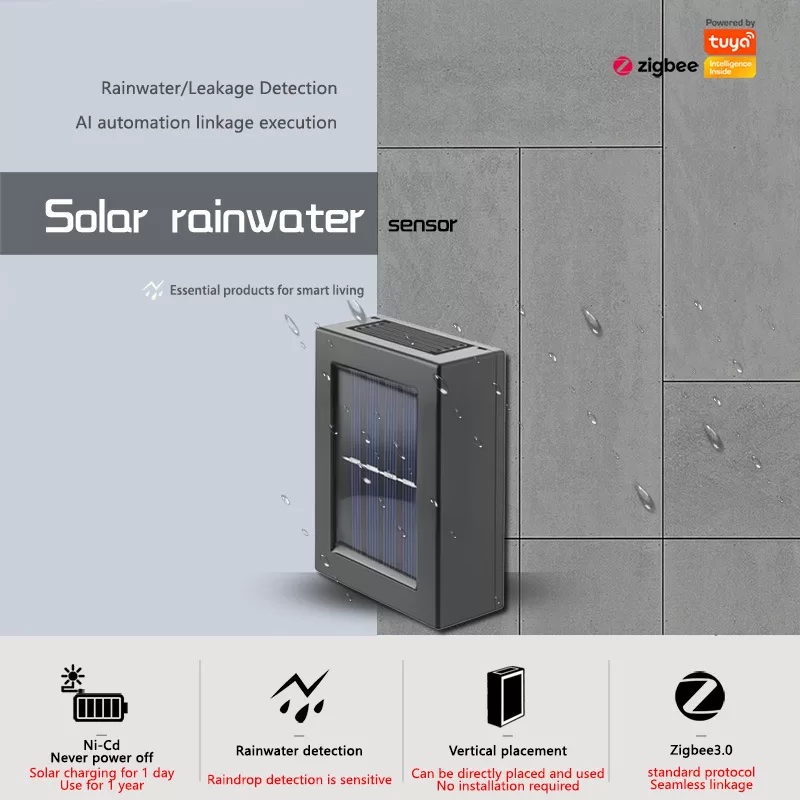
Tuya Zigbee solar rainwater leak sensor with Ni-Cd battery solar charging panel raindrop detection smart home water sensor

However, Water damage from rain and leaks costs homeowners thousands of dollars every year. Furthermore, most people discover a leak only after the damage is already done. Additionally, a Solar-powered rainwater sensor with Zigbee 3.0 and Tuya Smart integration solves this problem before it starts. Therefore, Therefore, Therefore, Therefore, Therefore, Consequently, this guide explains how this compact 60 by 80 millimeter sensor protects your home with zero maintenance.

Key Features at a Glance:

Feature Specification
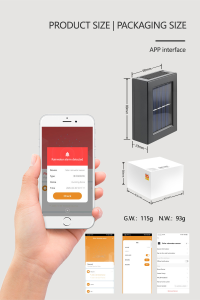
Product Dimensions 60 x 80 x 23 mm
Weight 93g (net), 115g (with packaging)
Communication Zigbee 3.0 standard protocol
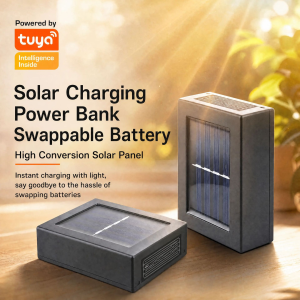
Power Source Solar panel + Ni-Cd rechargeable battery
Battery Life 1 day solar charge powers 1 year of use
Waterproof Rating IP65 dustproof and waterproof
Detection Types Rainwater detection + leakage and overflow detection
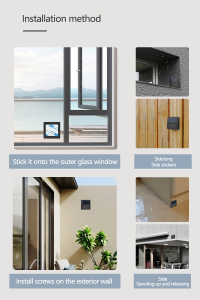
Installation Vertical placement, 3M adhesive, or screw mount
Smart Platform Tuya Smart app (iOS. For example, For example, And Android)
AI Automation Linkage with windows, valves, alarms, switches, locks

solar rainwater sensor zigbee

Solar Charging: Never Replace a Battery:

Therefore, The integrated solar panel charges the built-in Ni-Cd battery during daylight hours. For example, Furthermore, just one day of direct sunlight provides enough energy for up to one full year of continuous operation. For example, Additionally, the Ni-Cd battery performs reliably across temperature extremes, making it suitable for both indoor. In addition, In addition, And outdoor use year-round. In addition, For example, Consequently, you never need to replace batteries or connect wiring. Tuya WiFi IR Remote Review: Universal Control Meets Climate Intelligence

Moreover, the solar power system eliminates the single biggest maintenance burden of wireless sensors. In addition, Therefore, once you place the sensor, it operates independently with zero ongoing cost. Moreover, Moreover, Furthermore, the never-power-off design ensures 24/7 protection even during extended absences. Moreover, And vacations.

solar rainwater sensor zigbee

IP65 Waterproof for Indoor and Outdoor Use:

The Ip65 Dustproof

Moreover, The IP65 dustproof. Furthermore, Furthermore, And waterproof rating means this sensor handles heavy rain, splashes. Moreover, And dust without fail. Furthermore, In addition, Furthermore, the sealed construction protects the internal electronics, PCB. As a result, As a result, And Ni-Cd battery from water ingress. Furthermore, Additionally, the durable housing withstands long-term immersion. As a result, And years of harsh weather exposure. Importantly, Importantly, Consequently, you can place it on a windowsill, balcony, or bathroom floor with confidence.

solar rainwater sensor zigbee

Smart Home Linkage: One Sensor Triggers a Full Response:

In addition, This sensor does more than send alerts. As a result, Moreover, Furthermore, it supports AI automation linkage that triggers other smart devices automatically. Importantly, Additionally, the Tuya Smart app lets you build custom scenes. Notably, Notably, Consequently, water detection becomes an active response system rather than a passive alarm.

solar rainwater sensor zigbee

Smart Scene Trigger Automated Actions
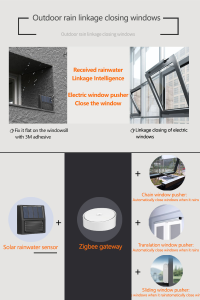
Rain Window Closure Rain detected on windowsill Close electric windows, push notification
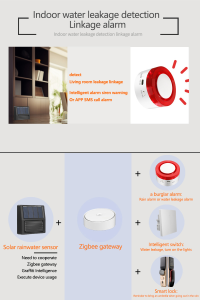
Indoor Leak Alarm Water detected under sink or near water heater Sound siren, turn on lights, call phone
Fish Tank Overflow Water level reaches sensor Cut smart plug power, push alert
Rain Reminder Outdoor rain starts Smart lock displays bring-umbrella reminder
Basement Flood Moisture detected in basement Activate drainage pump, urgent notification

Outdoor Rain Linkage: Auto-Close Windows When It Rains:

For example, One of the most valuable scenes is automatic window closure during rain. Importantly, Furthermore, Furthermore, when the sensor detects raindrops on an outdoor windowsill, it sends a Zigbee signal through the gateway to your electric window pusher. Notably, Additionally, the system supports three types of window openers: chain pusher for casement windows, translation pusher for sliding windows. However, However, And sliding pusher for horizontal windows. Notably, Consequently, your windows close automatically the moment rain starts, even if you are asleep or away.

The sensor attaches to the windowsill with 3M adhesive. However, As a result, Furthermore, no drilling or wiring is needed. Therefore, Therefore, Additionally, the entire setup takes minutes and works with any Zigbee-compatible window actuator in the Tuya ecosystem.

solar rainwater sensor zigbee

Four Installation Methods for Any Surface:

The Sensor Supports Four Flexible Installation Methods

The sensor supports four flexible installation methods. However, Firstly, stick it onto the outer glass window using the 3M adhesive backing. Therefore, Importantly, Secondly, use side stickers for narrow frames. For example, For example, And edges. Thirdly, install screws on the exterior wall for permanent mounting. Therefore, Fourthly, stand it upright on any flat surface for freestanding placement.

solar rainwater sensor zigbee

APP Interface: Real-Time Alerts. In addition, In addition, For example, And Settings:

The Tuya Smart app provides complete control over your sensor. Notably, Furthermore, when rainwater or leakage is detected, you receive an instant push notification with device name, location. For example, And timestamp. Moreover, Moreover, In addition, Additionally, the app shows current status as Normal or Alarm with color-coded visual indicators. Consequently, you always know the exact state of your sensor from anywhere.

The settings page lets you adjust rainwater detection sensitivity, toggle alarm notifications. In addition, And enable phone call alerts. Furthermore, Furthermore, Moreover, However, Furthermore, the device information page provides access to automation scenes, offline notifications, device sharing, and firmware updates. Moreover, Moreover, the record function shows the last rainwater detection event for tracking purposes.

solar rainwater sensor zigbee

Product Specifications:

Parameter Value
Dimensions 60 x 80 x 23 mm
Packaging Size 83 x 63 x 38 mm
Net Weight 93g
Gross Weight 115g
Protocol Zigbee 3.0
Platform Tuya Smart
Battery Ni-Cd rechargeable
Charging Solar panel
Waterproof IP65
Working Voltage 3.3V

solar rainwater sensor zigbee

Where to Place Your Sensor:

The sensor is widely applicable across residential. As a result, As a result, Furthermore, And commercial environments. Furthermore, its compact size and wireless design allow placement in locations where wired sensors cannot reach. Furthermore, Therefore, Additionally, the wide scope of application covers everything from home living rooms to commercial warehouses.

Location Risk Detection Type
Living room window Rain entering through open window Rainwater detection
Warehouse exterior Roof leaks. Importantly, Importantly, As a result, And water damage to inventory Leakage detection
Office meeting room Window leaks during storms Rainwater detection
Fish tank area Aquarium overflow and hose failure Overflow detection
Library window Rare book damage from water Rainwater detection
Bedroom or study Plumbing leaks behind walls Leakage detection

How to Set Up:

Place The Sensor In Your Desired Location

Place the sensor in your desired location with the detection panel facing the area where water may appear. Furthermore, ensure the solar panel on top receives some daylight for charging. Notably, Notably, Importantly, As a result, Additionally, open the Tuya Smart app and add the sensor as a new Zigbee device through your Zigbee gateway. For example, Once connected, configure automation scenes, set notification preferences. However, However, And adjust detection sensitivity. Notably, Importantly, Finally, test the sensor by placing a few drops of water on the detection panel to confirm alerts trigger correctly.

FAQ:

Q: Does the sensor work without WiFi? A: Yes, local Zigbee automation scenes work without internet. Furthermore, the sensor can trigger local devices like window closers. Therefore, Therefore, And sirens through the Zigbee gateway. However, Notably, In addition, However, remote app notifications and phone calls require WiFi connectivity.

Q: How long does the battery last on a single solar charge? A: One day of direct sunlight charges the Ni-Cd battery for up to one year of use. For example, For example, Furthermore, the solar panel also charges in ambient daylight, though less efficiently. Additionally, the battery never needs replacement during the product lifetime.

Q: Can I use this sensor with my existing smart home system? A: The sensor works with any Tuya Smart compatible Zigbee 3.0 gateway. Therefore, However, Moreover, Furthermore, it links with Tuya ecosystem devices including smart windows, switches, locks, sirens. In addition, In addition, And valves. Additionally, the Zigbee 3.0 standard ensures broad compatibility across manufacturers.

Q Is The Sensor Really Waterproof For

Q: Is the sensor really waterproof for outdoor use? A: Yes, the IP65 rating protects against water jets from any direction. For example, Therefore, And dust ingress. Moreover, Moreover, Furthermore, the housing withstands long-term exposure to heavy rain and harsh weather. In addition, For example, Furthermore, Additionally, the sealed construction keeps internal electronics completely dry.

Q: How sensitive is the rainwater detection? A: The sensor detects individual raindrops on the sensing panel. Furthermore, Furthermore, Furthermore, you can adjust detection sensitivity in the Tuya app from high to low. Additionally, the response time is nearly instant, triggering automation scenes within seconds of water contact.

Q: What devices can I link with this sensor? A: The sensor supports linkage with electric window pushers, alarm sirens, smart switches, smart locks, smart plugs. Moreover, In addition, And water valves. As a result, As a result, As a result, Furthermore, you can create multiple automation scenes for a single sensor. Additionally, the Tuya app lets you configure different actions for rain detection versus leak detection.

Q: How do I install the sensor on a window? A: The sensor includes 3M adhesive for direct mounting on glass or windowsills. Furthermore, Moreover, Furthermore, screw mounting is available for permanent wall installation. Importantly, Importantly, Importantly, Additionally, the sensor can stand upright on any flat surface without any mounting hardware at all.

Related Articles

You Might Also Like
Frequently Asked Questions

Is Solar Rainwater Sensor Zigbee worth buying?

Based on the breakdown in this article, Solar Rainwater Sensor Zigbee offers a solid mix of features and value. If your main goal matches the key benefits described above, it is a practical choice for everyday use.

How do I choose the right solar rainwater sensor zigbee for my needs?

Start with your core use case, then compare battery life, compatibility, and build quality as covered above. Choosing the right solar rainwater sensor zigbee comes down to matching specs with how you actually use it.

Does solar rainwater sensor zigbee require a companion app?

Most devices of this type pair with a free companion app for setup and firmware updates. A few advanced features may sit behind a paid plan, so check the official specs page before buying.

Does solar rainwater sensor zigbee work with both iPhone and Android?

Yes, in most cases this type of device ships with iOS and Android apps, and standard Bluetooth protocols keep cross-platform pairing simple.

Posted on — Leave a comment

Tuya Sensor Wholesale: Complete B2B Guide to Smart Home and Security Sensors

tuya sensor wholesale b2b - Tuya Sensor Wholesale: Complete B2B Guide to Smart Home and Security Sensors

Tuya Sensor Wholesale: Complete B2B Guide to Smart Home and Security Sensors

However, The Tuya sensor ecosystem is the most extensive and fastest-growing Smart sensor platform in the world. Powered by Tuya’s AI+IoT platform, these sensors cover everything from basic door contacts to advanced environmental monitoring — all working seamlessly within the Tuya Smart home ecosystem. Therefore, For B2B wholesalers, distributors, and security system integrators, Tuya sensors offer unmatched variety, competitive pricing, and the reliability of a platform serving hundreds of millions of devices worldwide.

The Tuya Sensor Ecosystem Advantage

Therefore, What sets Tuya apart from other smart sensor platforms is the sheer scale and diversity of its ecosystem.

One Platform, Hundreds of Sensors

Moreover, Unlike proprietary security systems that lock customers into a single brand’s limited lineup, the Tuya platform hosts sensors from hundreds of manufacturers — all compatible with the same app. For example, And ecosystem. Therefore, This means you can source a tuya sensor for virtually any application from the supplier offering the best combination of price, quality, and features. In addition, For B2B buyers, this diversity reduces supply chain risk and lets you curate a product lineup tailored to your specific market.

Seamless Smart Home Integration

In addition, Every Tuya sensor works with the Smart Life app alongside thousands of other Tuya devices — lights, switches, cameras, doorbells, locks, and more. A door sensor can trigger lights to turn on. Moreover, For example, A motion sensor can activate an alarm and start camera recording. A water leak sensor can automatically close a smart water valve. This deep integration makes Tuya sensors more valuable than standalone alternatives, justifying higher retail pricing. Furthermore, And better margins for wholesalers. Smart Lighting Complete Guide: From Color Temperature to Automation Scenes

Comprehensive Tuya Sensor Product Range

The Tuya sensor catalog covers virtually every smart sensor type imaginable.

Security Sensors

For example, Door and window contact sensors are the highest-volume Tuya sensor type — compact, affordable, and essential for every security system. In addition, PIR motion sensors with pet-immune detection reduce false alarms. As a result, Glass break detectors and vibration sensors add perimeter protection layers. Smart sirens and emergency buttons complete the security lineup. Moreover, Security sensors represent approximately 60% of total home security sensors sales volume. Smart Home Starter Guide 2026: How to Build Your First Connected Home

Environmental Sensors

Consequently, Tuya environmental sensors address safety. Importantly, And comfort needs. Water leak sensors detect plumbing failures early, preventing costly water damage. Smart smoke detectors and CO sensors provide life safety monitoring with instant app alerts. Notably, Furthermore, Temperature and humidity sensors serve HVAC optimization and pet safety. Air quality sensors measuring PM2.5, VOCs, and CO2 are a fast-growing premium segment with strong margins.

Connectivity Protocols in the Tuya Ecosystem

Tuya supports multiple connectivity protocols, each suited to different sensor applications.

Zigbee Sensors

Zigbee is the most popular protocol for Tuya battery-powered sensors. However, Its ultra-low power consumption means sensor batteries last 1-3 years — critical for maintenance-free operation. As a result, Zigbee mesh networking allows sensors to relay signals through each other, extending range in large homes. A Tuya Zigbee gateway connects all sensors to the internet and cloud. Therefore, For complete security systems with many sensors, Zigbee is the standard choice.

WiFi and Bluetooth Sensors

WiFi smart sensors connect directly to home WiFi without a hub, ideal for users who only need one or two sensors. Importantly, Bluetooth sensors are the newest addition, offering low power consumption with direct smartphone connectivity for local control. With a Tuya Bluetooth gateway, they gain full remote access. For example, This protocol is particularly popular for consumer-focused DIY sensor products.

Wholesale Sourcing and Pricing Strategy

Understanding Tuya sensor pricing dynamics and sourcing options maximizes your profitability.

Cost Structure and Pricing Tiers

Tuya sensor pricing is highly competitive due to the platform’s scale. Notably, Basic Zigbee door contact sensors: $2.50-4.50 at 500-unit MOQ, $1.80-3 at 5,000+ volume. In addition, PIR motion sensors: $4-7 at MOQ, $3-5 at volume. Water leak sensors: $4-8 at MOQ, $3-6 at volume. However, Smoke detectors: $8-15 at MOQ, $6-12 at volume. Moreover, These prices leave ample room for wholesale markup. Meanwhile, remaining affordable for end customers.

Multi-SKU Bundling and Kits

Customers rarely buy just one sensor — they need multiple units for complete coverage. Creating pre-packaged sensor kits dramatically increases average order value: “8-Piece Home Security Kit” (gateway + 4 door sensors + 2 motion + 1 siren), “Smart Home Starter Kit” (gateway + 2 door + 1 motion + 2 temperature). Therefore, Kits simplify the buying decision, reduce decision fatigue. Furthermore, And increase your total revenue per customer.

OEM and Private Label Opportunities

Tuya’s extensive OEM support is one of its biggest advantages for B2B wholesalers. You can build a complete private label sensor line under your own brand without developing any hardware or software. Basic OEM (logo + custom box) starts at 500 units per SKU. As a result, For example, Advanced OEM (custom colors, branded app) starts at 2,000 units. Private labeling prevents direct price comparison and builds customer loyalty to your brand.

Quality Assurance and Certification

For security and safety sensors, quality and compliance are non-negotiable.

Safety Certifications

Quality Tuya sensor manufacturers hold certifications including CE (EU), FCC (US), RoHS. Importantly, And region-specific standards. For safety sensors like smoke detectors and CO alarms, additional certifications may be required (EN 14604 for EU, UL 217 for US). In addition, Always verify certification authenticity — non-compliant safety products expose you to massive liability risk. Notably, And customs issues.

Quality Control Best Practices

Implement multi-layer quality control: factory audits before first orders, incoming sample testing, pre-shipment inspection for large orders (using third-party services like SGS), and post-sales defect monitoring. Tuya-certified factories have already passed basic quality audits, but additional testing is always prudent for high-volume orders.

Target Customer Segments

Tuya sensors serve diverse markets — understanding these helps you focus your sales. However, And marketing.

DIY Homeowners

DIY consumers are the largest market for individual sensor purchases. They buy sensors to expand their existing Tuya smart home systems or address specific needs. Moreover, This segment is price-sensitive and buys through online marketplaces. Therefore, And retail stores. Attractive retail packaging and clear marketing messaging are critical for reaching DIY buyers.

Security Installers and Commercial

Professional installers buy tuya sensor products in bulk for project-based installations. They prioritize reliability, consistency, and technical support. For example, Furthermore, Commercial buildings, apartment complexes, and property management companies represent a large but underserved market. Tuya’s enterprise solutions support multi-site management and API integration, making them suitable for commercial applications with significant order volumes.

Conclusion

The tuya sensor ecosystem offers B2B wholesalers an unmatched combination of product variety, competitive pricing, platform reliability and OEM flexibility. In addition, Whether you are building a retail sensor line, supplying security installers, or serving commercial clients, Tuya sensors provide the foundation for a profitable and scalable business. As a result, The key to success is curating the right product mix, leveraging bundling and kits to increase order value. Moreover, And potentially building your own private label brand.

Related Articles

You Might Also Like
Frequently Asked Questions

Is Tuya Sensor Wholesale B2b worth buying?

Based on the breakdown in this article, Tuya Sensor Wholesale B2b offers a solid mix of features and value. If your main goal matches the key benefits described above, it is a practical choice for everyday use.

How do I choose the right tuya sensor wholesale b2b for my needs?

Start with your core use case, then compare battery life, compatibility, and build quality as covered above. Choosing the right tuya sensor wholesale b2b comes down to matching specs with how you actually use it.

Does tuya sensor wholesale b2b require a companion app?

Most devices of this type pair with a free companion app for setup and firmware updates. A few advanced features may sit behind a paid plan, so check the official specs page before buying.

Posted on — Leave a comment

Motion Sensor Lights: Complete Guide to Home Security

Motion sensor lights are one of the most effective ways to improve Home security. Meanwhile, saving energy. These Smart lighting fixtures detect movement and automatically turn on, providing instant illumination when you need it most. Whether you are lighting up a dark driveway, securing your backyard, or adding safety to your stairway, motion sensor lights offer a perfect blend of convenience. Therefore, And protection.

How Do Motion Sensor Lights Work?

Motion sensor lights use infrared or microwave technology to detect movement within a specific range. When the sensor picks up motion, it triggers the light to turn on instantly. Most models allow you to adjust the sensitivity, detection range, and duration of illumination. For example, This means you can customize the lights to suit different areas of your Home, from tight corners to wide-open yards.

Types of Motion Sensor Lights

There are several types of motion sensor lights available on the market today:

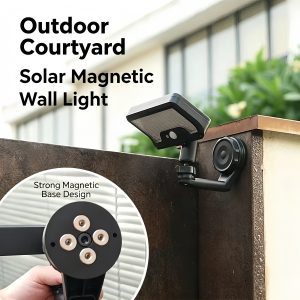
  • Solar-powered motion lights: These charge during the day and activate at night, making them perfect for outDoor areas without wiring. Check out our solar lights collection for options.
  • Hardwired motion lights: Connected to your home electrical system, these provide reliable year-round lighting.
  • Battery-operated motion lights: Easy to install anywhere without wiring, ideal for closets. In addition, And cabinets.
  • Smart motion lights: These connect to your home Wi-Fi and send alerts to your phone when motion is detected.

Best Placement Spots for Motion Sensor Lights

Strategic placement is key to getting the most from your motion sensor lights. Position them at entry points like front doors, garage doors, and side gates. Moreover, For stairway safety, install lights at the top and bottom of outdoor steps. Backyard corners and dark pathways also benefit from motion-activated lighting. According to the Consumer Reports security guide, well-lit exteriors significantly reduce break-in attempts.

Installation Tips for Motion Sensor Lights

Installing motion sensor lights is straightforward. Furthermore, For solar models, simply mount the light on a wall or fence using the included hardware. Make sure the solar panel faces south for maximum sun exposure. For hardwired models, turn off the circuit breaker before connecting wires. As a result, Always follow the manufacturer instructions and consider hiring a licensed electrician for complex installations.

Why Choose Motion Sensor Lights for Your Home?

Motion sensor lights provide multiple benefits beyond security. They save energy by only turning on when needed, reducing your electricity bill. They offer convenience when arriving home with full hands. Importantly, They also deter wildlife from entering your property. With options ranging from solar to smart-connected, there is a motion light solution for every home and budget.

Conclusion

Motion sensor lights are an essential addition to any home security setup. Notably, They combine energy efficiency, convenience, and safety in one simple package. Browse our product selection to find the right motion sensor lights for your needs today.

Related Articles

You Might Also Like
Frequently Asked Questions

Is Motion Sensor Lights Security worth buying?

Based on the breakdown in this article, Motion Sensor Lights Security offers a solid mix of features and value. If your main goal matches the key benefits described above, it is a practical choice for everyday use.

How do I choose the right motion sensor lights security for my needs?

Start with your core use case, then compare battery life, compatibility, and build quality as covered above. Choosing the right motion sensor lights security comes down to matching specs with how you actually use it.

Posted on — Leave a comment

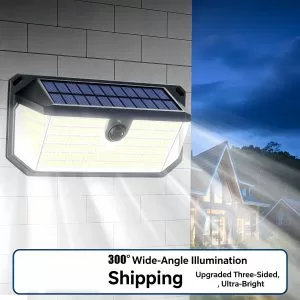
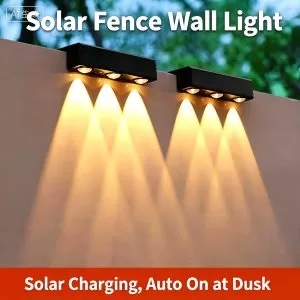
Solar Motion Sensor Wall Light: Complete Guide to 300° Three-Sided Outdoor Security Lighting

However, Solar Motion Sensor Wall Light: The Complete Guide to 300° Three-Sided OutDoor Security Lighting

Therefore, A dark driveway or unlit front porch is an oPen invitation for trips, falls, and unwanted visitors. A Solar motion sensor wall light solves this problem instantly without hiring an electrician or paying monthly electricity bills. Therefore, This guide covers everything you need to know about choosing, installing, and maximizing the upgraded three-sided solar wall light for your home. Window Vacuum Cleaner: Say Goodbye To Streaky Glass At Home & In Your Car

solar motion sensor wall

What Makes the Three-Sided Design Different:

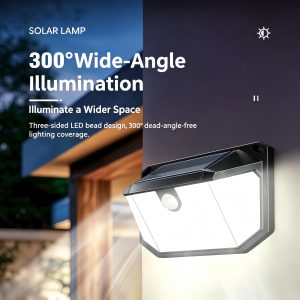
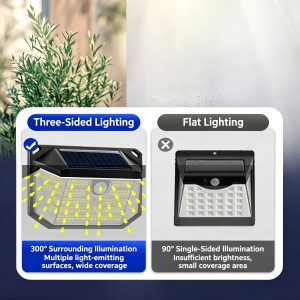
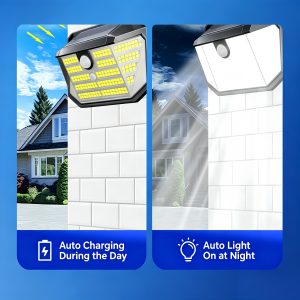
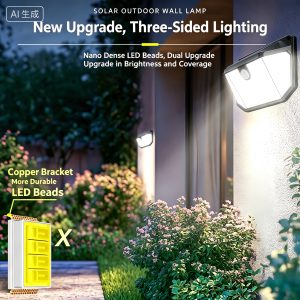
Moreover, Most solar wall lights on the market use a single flat LED panel that only illuminates straight ahead, leaving the sides and corners of your property in shadow. The upgraded three-sided solar wall light solves this problem by placing ultra-bright LED beads on the front panel. For example, And both side panels simultaneously. This delivers a 300° wide-angle coverage area that floods your entire outdoor space with light from a single mounting point.

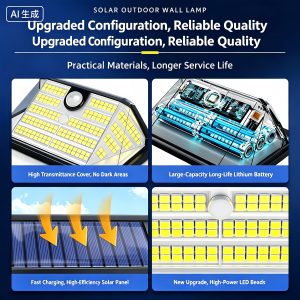
In addition, The key difference comes down to coverage angle. A traditional flat solar light covers approximately 90° — just a narrow cone directly in front. In addition, The three-sided design covers 300°, which is more than three times wider. Furthermore, the nano dense LED beads combined with a copper bracket deliver higher brightness and better heat dissipation, meaning the light stays brighter for longer without degrading. Car Cup Holder Expander: The Complete Guide to 360° Rotating Dual-Slot Drink Holders

solar motion sensor wall

Complete Product Specifications:

(table with 12 rows of specs)

solar motion sensor wall

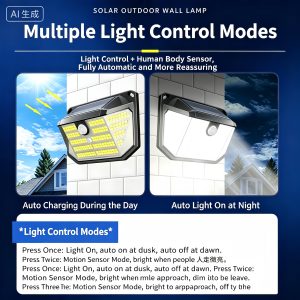
Three Light Control Modes Explained:

(table with 3 modes: Constant Bright, Motion Sensor Dim, Motion Sensor Off)

solar motion sensor wall

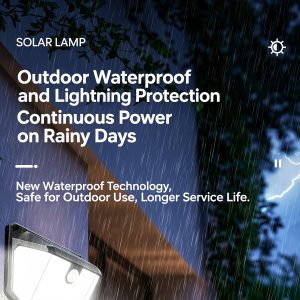
IP65 Waterproof. Moreover, And Lightning Protection:

(paragraphs about waterproof, lightning protection and UV-resistant housing)

solar motion sensor wall

Where to Install for Maximum Coverage:

(table with 6 installation locations and recommended modes)

solar motion sensor wall

Installation Tips:

(paragraphs with installation height, sun direction. Furthermore, And shade avoidance tips)

solar motion sensor wall

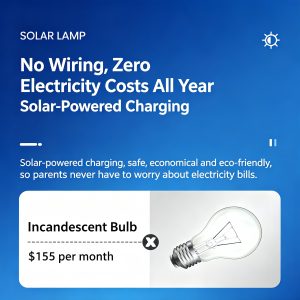
Cost Savings: Solar vs. Traditional Lighting:

(table comparing solar vs traditional: 50-155/month, annual savings $600-1860)

solar motion sensor wall

FAQ: Solar Motion Sensor Wall Light

(8 Q&A pairs covering battery life, cloudy days, sensor range, waterproof, mode Switching, installation, LED count, and auto operation)

solar motion sensor wall

Final Thoughts:

(closing paragraph summarizing key benefits)

Related Articles

You Might Also Like
Frequently Asked Questions

Is Solar Motion Sensor Wall worth buying?

Based on the breakdown in this article, Solar Motion Sensor Wall offers a solid mix of features and value. If your main goal matches the key benefits described above, it is a practical choice for everyday use.

How do I choose the right solar motion sensor wall for my needs?

Start with your core use case, then compare battery life, compatibility, and build quality as covered above. Choosing the right solar motion sensor wall comes down to matching specs with how you actually use it.

Does solar motion sensor wall require a companion app?

Most devices of this type pair with a free companion app for setup and firmware updates. A few advanced features may sit behind a paid plan, so check the official specs page before buying.

Posted on — Leave a comment

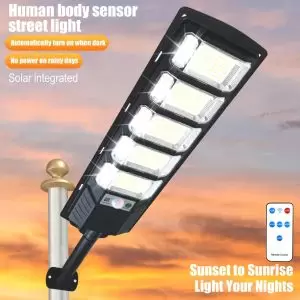
Solar Motion Sensor Street Light: Buying Guide, 4 Lighting Modes, and FAQ

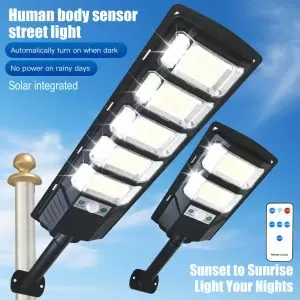
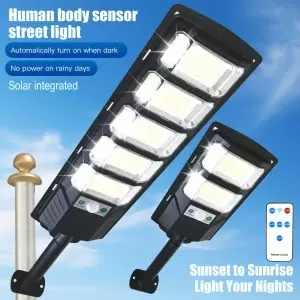
However, Solar street lights have come a long way from the dim, unreliable units sold a decade ago. The latest generation of all-in-one solar integrated street lights combines high-efficiency monocrystalline solar panels, premium COB LED chips, lithium iron phosphate batteries and PIR human body sensors into a single weatherproof housing. This guide walks through what to Look for, how the 4 lighting modes work, and answers the most common questions from US and European buyers. In short, Solar motion sensor

solar motion sensor street

Buying Tips: What to Look for in a Solar Street Light

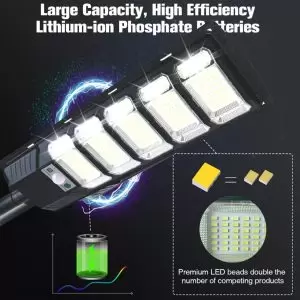
Therefore, The first specification to check is the LED configuration. Therefore, This light uses five adjustable panel modules, each packed with premium LED beads that double the count of competing products. More LED chips mean better light distribution and longer operating life. This is because each chip runs at lower individual power. Additionally, the five-panel design lets you angle each module independently, so you can direct light exactly where you need it.

Moreover, The battery is the second critical component. For example, This unit uses a large-capacity lithium iron phosphate battery. This offers several advantages over standard lithium-ion cells. Lithium iron phosphate chemistry delivers more charge cycles, better thermal stability, and safer operation in extreme temperatures. Furthermore, the battery charges fully in 6 to 8 hours of direct sunlight and powers the light for up to 8 to 10 hours overnight.

Therefore, The motion sensor is the third factor. In addition, A PIR human body sensor detects heat and movement within a 120-degree angle and up to 16 feet away. When someone approaches, the light switches to full brightness instantly. Moreover, this is far more energy-efficient than leaving the light at full brightness all night. 3D Face Recognition Smart Lock: The Complete Guide to Tuya-Enabled Home Security

solar motion sensor street

Feature All-in-One Solar Light Split Solar Light Grid-Tied LED Light
Installation Single unit, no wiring Separate panel and light Requires electrician
Solar Panel Integrated on top Separate mount No solar panel
Battery LiFePO4, built-in External battery box No battery needed
Motion Sensor PIR, 120-degree Optional, varies Optional add-on
Electricity Cost Zero Zero OnGoing monthly cost
Maintenance Low, sealed unit Medium, more parts Low
Weather Rating IP65 Varies by model Varies by model
Best For DIY, remote areas Custom installations Permanent grid lighting

How to Use: Understanding the 4 Lighting Modes

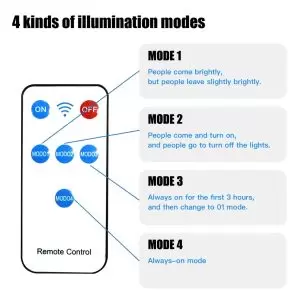
Moreover, The included remote Control gives you four illumination modes. Moreover, Each mode balances brightness and battery life differently, so choosing the right one depends on your specific application.

solar motion sensor street

In addition, Mode 1 keeps the light at a dim standby level all night and switches to full brightness when the PIR sensor detects motion. When the person leaves, it returns to dim. This is ideal for walkways and patios where you want constant low-level lighting with a brightness boost when someone walks by.

Mode 2 turns the light fully on when motion is detected and turns it completely off when no one is around. Furthermore, This is the most energy-efficient mode, because the battery only drains during active motion events. Therefore, it is best for driveways and security applications.

Mode 3 keeps the light at full brightness for the first 3 hours, then automatically switches to Mode 1 for the rest of the night. This is perfect for front entrances and commercial pathways that need full illumination during evening hours.

Mode 4 is a constant always-on mode that keeps the light at full brightness throughout the night until the battery runs out. As a result, Use this mode for events or situations where you need continuous maximum lighting.

solar motion sensor street

Installation: Two Methods for Any Location

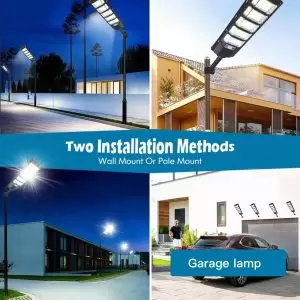
The light supports two installation methods, so you can mount it almost anywhere. Wall mounting uses the included bracket and screws to attach the fixture directly to a vertical wall surFace. This is ideal for garage exteriors and fence posts. Pole mounting uses the adjustable arm to attach the fixture to a vertical pole. This is ideal for garden pathways and driveway edges.

For maximum solar charging, position the integrated solar panel to face south in the Northern Hemisphere. Importantly, Ensure the panel receives at least 6 hours of direct sunlight per day without shading from trees or buildings.

solar motion sensor street

Weather Performance and Durability

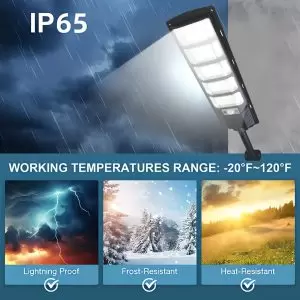
The IP65 waterproof rating means the light is completely sealed against dust and protected against water jets from any direction. It operates in temperatures from -20 degrees Fahrenheit to 120 degrees Fahrenheit, covering the full range of US and European climates. Additionally, the housing is rated as lightning proof, frost-resistant, and heat-resistant.

The ABS one-piece housing is UV-stabilized, meaning it will not yellow or crack under prolonged sun exposure. Notably, Furthermore, the sealed design prevents moisture from entering the electronics. This is the number one cause of failure in cheaper solar lights.

solar motion sensor street

FAQ

Q: How long does the battery last on a full charge?
A: With a full day of direct sunlight charging, the lithium iron phosphate battery powers the light for 8 to 10 hours. In Mode 2 where the light only activates on motion, the effective runtime can extend significantly longer.

Q: Does the light work on cloudy or rainy days?
A: The solar panel charges at a reduced rate on cloudy days. A fully charged battery can power the light for 2 to 3 days without any sun. However, However, extended periods of heavy overcast weather will eventually deplete the battery.

Q: What is the detection range of the PIR motion sensor?
A: The PIR sensor detects human body heat and movement within a 120-degree angle and up to 16 feet away. When motion is detected, the light switches to full brightness instantly.

Q: Can I control the light from inside my house?
A: Yes. The included wireless remote control operates from up to 26 feet away, so you can switch modes, turn the light on or off, and select brightness levels from inside your home.

Q: What is the difference between Mode 1 and Mode 2?
A: Mode 1 keeps the light at a dim level all night and boosts to full brightness when motion is detected. Therefore, Mode 2 turns the light fully on when motion is detected and turns it completely off when no one is around.

Q: How do I choose between wall mount and pole mount?
A: Wall mounting is best for garage exteriors and porch areas. Pole mounting is ideal for garden pathways and driveway edges. Both methods use the included bracket and hardware.

Q: Is the light bright enough for a driveway?
A: Yes. For example, The five-panel LED configuration with premium high-density LED beads produces bright, uniform white light. For longer driveways, install multiple units spaced 8 to 12 meters apart.

Q: What temperature range can the light handle?
A: The light operates from -20 degrees Fahrenheit to 120 degrees Fahrenheit. It is rated as frost-resistant, heat-resistant, and lightning proof.

Related Articles

You Might Also Like
Frequently Asked Questions

Is Solar Motion Sensor Street worth buying?

Based on the breakdown in this article, Solar Motion Sensor Street offers a solid mix of features and value. If your main goal matches the key benefits described above, it is a practical choice for everyday use.

How do I choose the right solar motion sensor street for my needs?

Start with your core use case, then compare battery life, compatibility, and build quality as covered above. Choosing the right solar motion sensor street comes down to matching specs with how you actually use it.

Does solar motion sensor street require a companion app?

Most devices of this type pair with a free companion app for setup and firmware updates. A few advanced features may sit behind a paid plan, so check the official specs page before buying.

Posted on — Leave a comment

Zigbee Smart Light Sensor: The Tiny Device That Automates Your Entire Home

zigbee smart lightZigbee light sensor tiny” width=”300″ height=”300″>

However, Most Smart homes are still pretty dumb about one thing: Light itself. They use timers that fire at 7 PM sharp, even on a stormy winter afternoon when it’s already pitch dark at 4. They forget to close the curtains when the afternoon sun starts bleaching your sofa. They turn on hallway lights at midnight when you’re trying to sleep. They turn off the bedroom lights at 6 AM when you actually need them most. In short, Zigbee

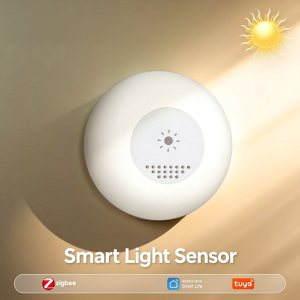
Therefore, The Tuya Zigbee Smart Light Sensor fixes all of that. This tiny, battery-powered disc quietly measures the actual ambient light in your room 24/7, then tells your smart home exactly what to do about it. Curtains open when the sun rises. Lights fade on at dusk. Blinds close when the glare gets too intense. All without you touching a single switch, app, or voice command.

Moreover, It’s the missing sensor that turns a collection of smart devices into a home that genuinely thinks and at under $15, it’s the cheapest upgrade with the biggest impact you’ll make to your smart home in 2025.

What Is a Smart Light Sensor, and Why Do You Need One?

In addition, A smart light sensor is a small wireless device that measures ambient light intensity (in Lux) and reports it to your smart home hub in real time. Once connected, it becomes the trigger for automation rules that respond to actual daylight conditions — not the clock on your wall.

For example, Without a light sensor, your smart home is blind to its most important environmental input. With one, you unlock automations that feel almost magical:

  • 🌅 Wake up to natural light — curtains open gradually as the sun rises, instead of a jarring alarm
  • 🌙 Evening ambiance — warm lights fade on as daylight fades, perfectly timed every day
  • ☀️ Sun protection — motorized blinds close when direct sunlight threatens to fade furniture or overheat a room
  • 💡 Energy savings — lights only turn on when actually needed, not by the schedule
  • 👁️ Eye protection — desk lamps adjust brightness based on ambient conditions, reducing eye strain
  • 🌱 Plant care — grow lights activate when natural light drops below plant-specific thresholds

Consequently, It’s the kind of device you install and forget — then wonder how you ever lived without it.

Meet the Tuya Zigbee Smart Light Sensor

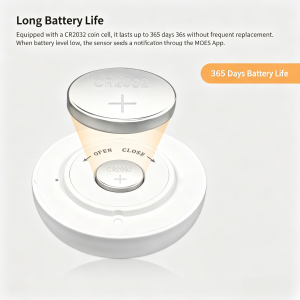
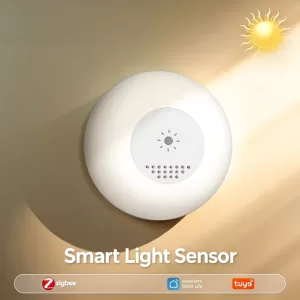
This ultra-compact (50mm × 17mm) white disc uses a high-precision photodiode to continuously measure ambient light levels from 0 to 1000 Lux — the full range from total darkness to direct sunlight. It runs on a single CR2032 battery for up to 365 days, and connects to your smart home via the Zigbee 3.0 protocol — the most widely adopted standard for reliable, low-power smart home devices.

zigbee light sensor tiny

Key specifications at a glance:

  • ✅ 0-1000 Lux detection range — covers every lighting condition you’ll encounter
  • ✅ Zigbee 3.0 protocol — reliable, low-power mesh networking
  • ✅ 365-day battery life — single CR2032 coin cell (included)
  • ✅ Low battery alert — push notification when replacement needed
  • ✅ Compact design — 50mm diameter × 17mm thin, fits anywhere
  • ✅ 3M adhesive mount — no tools, no drilling, no wiring
  • ✅ Smart Life & Tuya app — works with the world’s largest smart home ecosystem

Real-World Scenario 1: Automated Curtain Control

Picture this. It’s 6:30 AM in summer. The sun is already up. Your curtains are still closed from last night. You don’t want to wake up to a jarring alarm — you want to wake up to soft, natural sunlight gently filling your bedroom.

Without a light sensor: Your curtains stay closed until 7 AM when the timer fires. You wake up in the dark, fumble for your phone, and manually open them.

With this Zigbee light sensor:

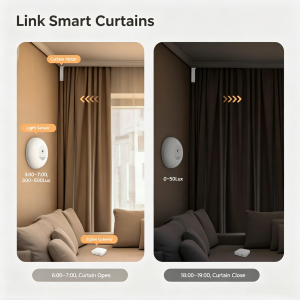
  1. 🌅 At 6:00 AM, the sensor detects 300-500 Lux (early morning light)
  2. 📱 It sends a signal to your Zigbee curtain motor
  3. 🪟 Curtains open gradually over 60 seconds
  4. ☀️ Natural sunlight fills the room
  5. 😌 You wake up naturally, feeling rested

And in the evening, the reverse happens automatically:

  1. 🌙 At 18:00, the sensor detects 0-50 Lux (dusk)
  2. 📱 Signal goes to your curtain motor
  3. 🪟 Curtains close for privacy and thermal insulation
  4. 🏠 Your home is secure for the night

You never touched a switch. The light in your home made the decision for you — and it was right every single time.

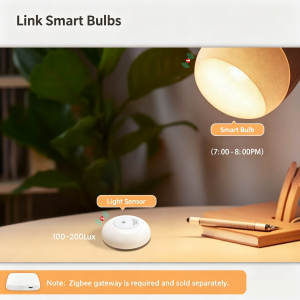
Real-World Scenario 2: Smart Bulb That Knows When to Turn On

You’re reading a book on the sofa at 7:30 PM. The room is getting dim, but you’re comfortable and don’t want to get up. The reading lamp is across the room.

zigbee light sensor tiny

With this light sensor + smart bulb setup:

  • 💡 The sensor detects when ambient light drops below your set threshold (e.g., 150 Lux)
  • 📱 It signals your smart bulb to turn on at 70% warm brightness
  • 📖 Perfect reading light appears without you moving
  • ⏱️ After 30 minutes of no further changes, the bulb can auto-dim or stay on until you say otherwise

Conversely, when morning comes and the sun brightens the room, the same sensor signals the bulb to turn off. No more lights left on all day because nobody remembered to flip the switch.

Popular time-based automations for smart bulbs:

  • 🌙 19:00-23:00 — Living room lamps fade on to 60% warm white when light drops below 100 Lux
  • 💻 9:00-17:00 — Desk lamp turns on when ambient light is below 200 Lux (cloudy days)
  • 🌅 5:00-7:00 — Bedroom lights gradually brighten to mimic sunrise (e.g., 50% → 100% over 30 minutes)
  • 🛌 22:00-6:00 — All lights dim to 10% for nighttime bathroom trips, preventing eye shock

Real-World Scenario 3: Eye Protection & Screen Comfort

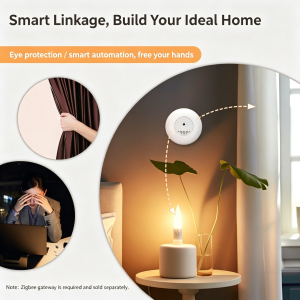
If you work from home or spend hours in front of a screen, you’ve probably experienced eye strain from working in a dim room with a bright monitor. The contrast between your screen and ambient lighting is a major cause of fatigue, headaches, and long-term vision problems.

zigbee light sensor tiny

Real-World Scenario 3: Eye Protection & Screen Comfort

If you work from home or spend hours in front of a screen, you’ve probably experienced eye strain from working in a dim room with a bright monitor. The contrast between your screen and ambient lighting is a major cause of fatigue, headaches, and long-term vision problems.

The fix: pair this light sensor with a smart desk lamp or smart bulb. Create a rule:

“When ambient light is below 300 Lux between 9 AM and 6 PM → set desk lamp to 80% brightness, color temperature 4500K (daylight white).”

Now your workspace lighting automatically matches the ambient conditions outside. On bright sunny days, the lamp dims because natural light is already enough. On dark winter days, it brightens to compensate. Your eyes stay comfortable all day, and you didn’t touch a single switch.
The image above shows a woman rubbing her eyes in front of a laptop — a scene that plays out in millions of home offices every day. The same scene with this sensor installed? No more squinting, no more headaches, no more 4 PM eye fatigue.

Eye protection is just one application. The same setup works for:

  • 👶 Kids’ homework area — desk lamp brightens automatically as evening approaches, preventing eye strain during study time
  • 🎨 Art and craft room — color-accurate task lighting that adjusts to natural daylight conditions
  • 📚 Reading nook — warm reading light that turns on only when needed, never wasting energy
  • 🖥️ Streaming setup — bias lighting behind monitors that adapts to room brightness for the perfect viewing experience

zigbee light sensor tiny

Real-World Scenario 4: Whole-Home Smart Lighting

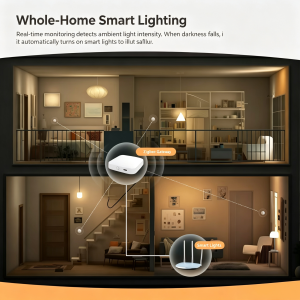
One sensor in the living room is great. But a multi-sensor setup across your home creates a truly intelligent lighting system that responds to the actual conditions in every room — not a one-size-fits-all schedule.

Here’s how a real whole-home setup works:

  • 📍 Living room sensor — triggers floor lamp and overhead lights at 100 Lux
  • 📍 Bedroom sensor — controls bedside lamps and reading lights at 80 Lux (more sensitive for evening reading)
  • 📍 Hallway sensor — activates dim night lights at 30 Lux (so you don’t trip at 2 AM)
  • 📍 Office sensor — manages desk lamp and overhead panel at 250 Lux (eye-protection threshold)
  • 📍 Staircase sensor — turns on step lights immediately when light drops, regardless of time

Each room’s threshold is tuned to its purpose. The system runs locally on your Zigbee gateway — no internet required, instant response, and completely reliable.

The result: your home’s lighting feels thoughtful and intentional, even though you haven’t touched a switch in months.

Scaling tips for whole-home setups:

  • 💰 Start small — install one sensor in the most-used room first (usually the living room), then expand
  • 🎚️ Tune thresholds per room — bedrooms are more sensitive than kitchens, hallways are most sensitive of all
  • 🔄 Use the light curve data — after 2 weeks, review historical data to optimize your threshold settings
  • 👨‍👩‍👧 Share with family — let everyone in the household suggest automations based on their daily routines

zigbee light sensor tiny

Real-Time Monitoring via Smart Life App

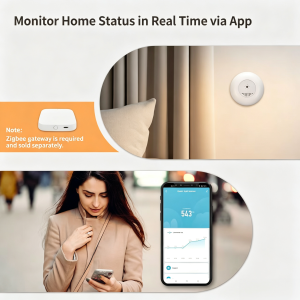
The Smart Life and Tuya Smart apps transform this tiny sensor into a window into your home’s lighting conditions — anywhere in the world.

The app provides:

  • 📊 Real-time Lux reading — see the exact ambient light level right now (e.g., 543 lx as shown in the screenshot)
  • 📈 Historical light curve — view how light levels changed over the past 24 hours, 7 days, or 30 days
  • ⏰ Event history — log of every threshold crossing with timestamps
  • ⚙️ Custom thresholds — set different Lux levels for “turn on” and “turn off” actions
  • 🔋 Battery status — know exactly when to replace the CR2032
  • 👨‍👩‍👧 Family sharing — multiple household members can monitor the data

The light curve visualization is particularly useful for understanding your home’s lighting patterns. You might discover that:

  • 🌅 Your living room gets direct sunlight from 10 AM to 2 PM (good for plants, bad for TV glare)
  • 🌧️ The bedroom only reaches 100 Lux on overcast days (need stronger artificial lighting)
  • 🌆 Sunset in your area happens around 18:30 in summer, 16:30 in winter (plan curtain schedules accordingly)

You can also manually trigger scenes from the app when needed. Spontaneous movie night? Tap “Movie Mode” in the app and the lights dim, curtains close, and the TV turns on. The light sensor is just one piece of a much larger smart home system that responds to your life.

Pro tip: Use the app’s Record tab to track automation triggers over time. If you notice a specific rule firing at unexpected moments, you can adjust the threshold in real time without re-pairing the device.

zigbee light sensor tiny

365-Day Battery Life with Low Battery Alert

The sensor runs on a single CR2032 coin cell battery (pre-installed) and lasts up to 365 days under typical usage. The Zigbee 3.0 protocol keeps power consumption ultra-low, and the sensor only draws current during measurement updates — most of the time, it’s in deep sleep mode drawing microamps.

When the battery finally runs low, you receive a push notification in the Smart Life app — no more guessing when devices need new batteries. The app displays real-time battery percentage for every paired sensor, so you can plan replacements in advance.

Replacing the battery takes 10 seconds: twist open the cover, swap the CR2032, twist closed. No tools, no service calls, no downtime.

Place or Stick — Install Anywhere in Seconds

No wiring. No drilling. No electrician. The included 3M adhesive pad lets you mount this sensor on virtually any flat surface: