The most common reason a Smart switch never gets installed is not the app, the protocol or the price. It is opening the box and finding two wires where the instructions show three. That third wire is the neutral, and a great deal of older housing does not have One at the switch.
This guide is about what to do at that moment: how to confirm what you are looking at, which options genuinely work, and which “no neutral” products are worth buying. For the wider choice of board, start from the smart switch board buying guide.
Why a switch wants a neutral at all
A mechanical switch is a piece of metal that joins two wires. It needs nothing else. A Smart switch is a small computer: it has to stay alive while the light is off, so that “Turn on the hallway light” from your phone still works at midnight. That standby current needs a complete circuit — live in, neutral back — regardless of whether the lamp is lit. With no neutral at the switch, the electronics have nowhere to return to.
How to check what is in your box
With the breaker off and the plate removed:
- Two wires plus earth — live and switched live only. No neutral. This is the classic old-house switch.
- Three wires plus earth — the third is very likely neutral, but colour codes pre-2004 are unreliable; confirm with a tester, not by eye.
- A bundle of neutrals tucked at the back, capped — common in flats where the neutral loop lives in the ceiling rose instead of the switch box. An electrician can often extend this into the box.
If you are renting or cannot open the box, the safe assumption is no neutral, and the right product is one that does not Need it.
Option 1: a switch designed to run without one
Single-fire (no-neutral) switches pass a tiny current through the lamp to keep themselves alive. It works, with three caveats worth knowing before you buy: very low-wattage LED lamps may flicker or glow faintly when off, the minimum load matters, and some lamps simply do not cooperate. A bypass capacitor across the lamp usually fixes the glow. Where the lamp is the problem rather than the switch, automating at the appliance instead — a water heater switch or a Smart plug on the floor lamp — sidesteps the wiring entirely.
Option 2: have a neutral drawn to the box
This is the proper fix and it is often cheaper than people expect if the ceiling rose above already has a neutral loop. It is a job for an electrician, it means chasing the wall or fishing a cable through conduit, and it is the only option that leaves you able to fit any switch you like later. If you are already redecorating, do this — the marginal cost during a rewire is small.
Option 3: move the smart part somewhere else
The switch position is not the only place intelligence can live. A relay Module in the ceiling rose or behind the socket keeps the existing plate completely untouched, which is what you want with rented walls, listed finishes, or a landlord who notices things. The trade is that the physical switch still works mechanically, so a smart-off can be overridden by anyone in the room — fine for a hallway, annoying for a nursery.
What this means for the board you order
Neutral-free positions and neutral-required positions do not always mix on one plate, so check per board rather than per range. On the DS touch range, the DS-1011ZC and DS-1016 are the single-gang and two-gang plates usually chosen for retrofit work; larger boards such as DS-104 and DS-126 go in where the wiring is already modern. On a wide European cut-out the 147 × 86 series is the shape to specify. If the whole point is to avoid touching a switch at all, the wave gesture switch mounts in place of one and needs no contact.
The five-minute check before you buy
Run this before ordering anything, and the odds of a failed install drop sharply:
- Open the box, count the conductors. Two plus earth means no neutral.
- Note the lamp type and wattage. Low-wattage LEDs are what flicker on a single-fire switch.
- Check the box depth. Smart plates are deeper than mechanical ones.
- Decide whether the wall can be chased. If not, the answer is a module or a plug, not a new plate.
- Ask whether the switch has to work with the router off. If yes, that is an argument for Zigbee with a hub rather than WiFi.
Frequently Asked Questions
Will a no-neutral switch damage my LED lamps?
It will not damage them, but some lamps glow faintly or flicker because of the standby current passing through them. A bypass capacitor supplied with most switches fixes it; if it does not, the lamp is the problem.
Can I just use a smart bulb instead?
Yes, and it is often the cheapest answer for one room — but the wall switch then has to stay on permanently, which visitors will turn off. A smart switch keeps the wall behaviour normal.
Is it legal to add a neutral myself?
Depending on where you live, adding a circuit is licensed work. Replacing a like-for-like switch on existing wiring generally is not; drawing a new conductor usually is. Check locally.
Do Zigbee switches avoid the problem?
No. The neutral requirement comes from how the switch powers itself, not from how it talks. A Zigbee switch with no neutral is still a no-neutral switch.
Related Articles
- Smart Switch Wiring: Neutral vs No Neutral Explained
- DS-121KWL Wave & WiFi Smart Touch Switch (No Neutral Required) – Advanced Hands-Free Control for Modern Homes
- Smart Switch Without Neutral Wire
- WiFi Smart Switch Board: Neutral Wire Check, Gang Sizes and How to Choose
- 12 Module Smart Switch Board: How Many Positions Do You Actually Need?
You Might Also Like
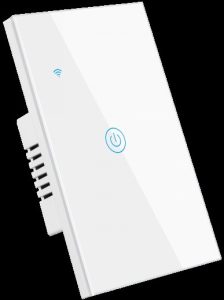 Smart ZigBee Touch Switch, US Standard — Neutral Wire Required, 600 W per Gang Price range: $8.00 through $9.50
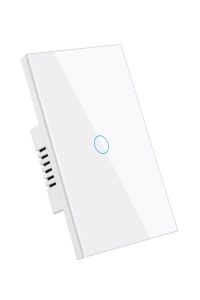 Smart ZigBee Touch Switch, US Standard — Neutral Optional, No Capacitor, FCC Price range: $9.00 through $10.50
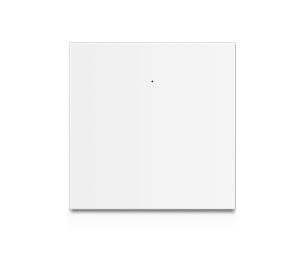 Smart ZigBee Large Key Switch — Neutral Wire Required, Wide Key Faces, 600 W per Gang Price range: $7.50 through $9.50
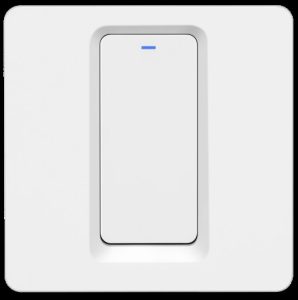 Smart ZigBee Key Switch — Neutral Wire Required, 600 W per Gang Price range: $8.00 through $9.50
📌 This article is part of our Complete Smart Hub — more guides and buying tips inside.
