Posted on — Leave a comment

DS-111 ZigBee Touch Switch EU UK CN Multi-Gang

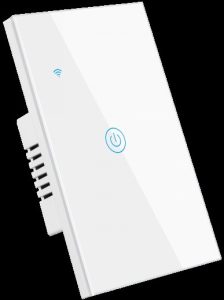
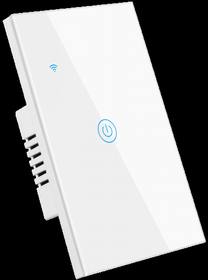
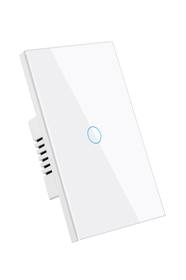
The DS-111 is a Zigbee Smart wall Switch from the XingLiao switch line: ZigBee Touch Switch EU UK CN Multi-Gang. It is built for buyers who need a documented model number, a defined panel standard and a repeatable OEM file rather than a generic catalog photo. This page collects the factory specification, the Control functions and the product images in one place so you can shortlist the model before requesting a sample.

What the DS-111 does

  • Network: ZigBee, with the Tuya / Smart Life app flow used across XingLiao switch programs.
  • Panel format: Touch Switch EU UK CN Multi-Gang.
  • Voice control: works with Amazon Alexa and Google Home through the app integration, subject to region and firmware.
  • Control modes: app remote control, timer and countdown, status feedback, power-off memory, sharing control and manual operation.
  • Multi-control association is available for two-way and three-way installations where the wiring supports it.

Specification snapshot

Input voltage: 100-240VAC 50/60Hz Network mode: ZigBee Rated power: 600W Regular color: white/black/gold/grey Product size: 86*86*35 (Europe) Package size: 106*100*51mm Product gross weight: 203g

Certification listed for this family: CE/ROHS. Ask for the current certificate file before artwork approval.

Indicative quotation tiers from the factory sheet: 51-199 pcs – USD 6.8; 200-999 pcs – USD 6.5; 1000-3000 pcs – USD 6. Prices exclude tax and freight; confirm the live tier with the sales team.

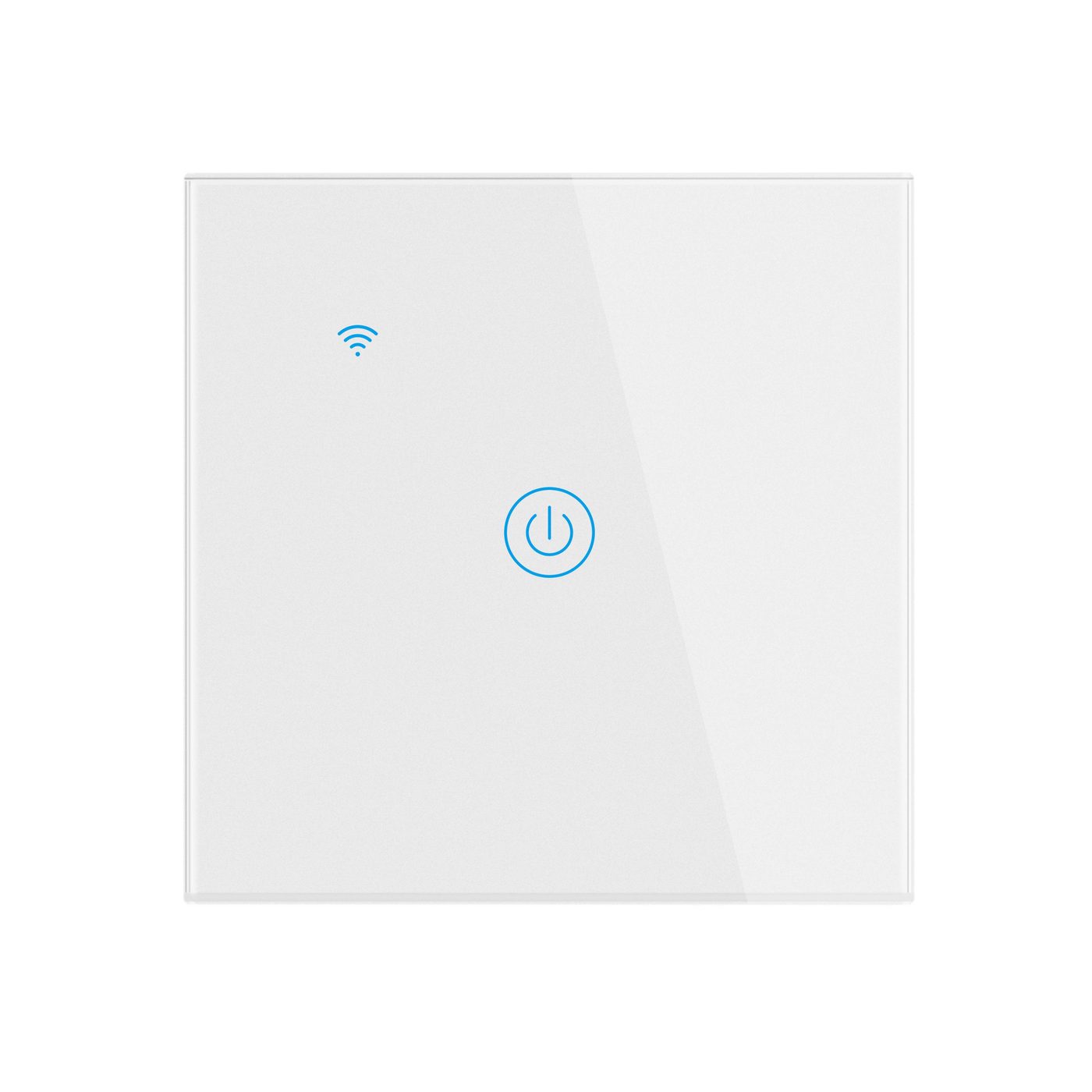
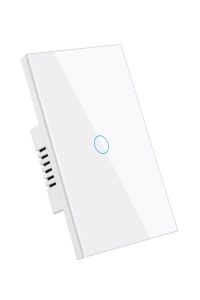
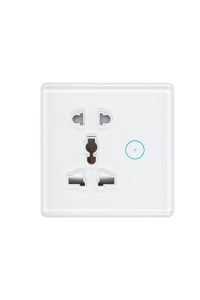
Product photos: DS-111
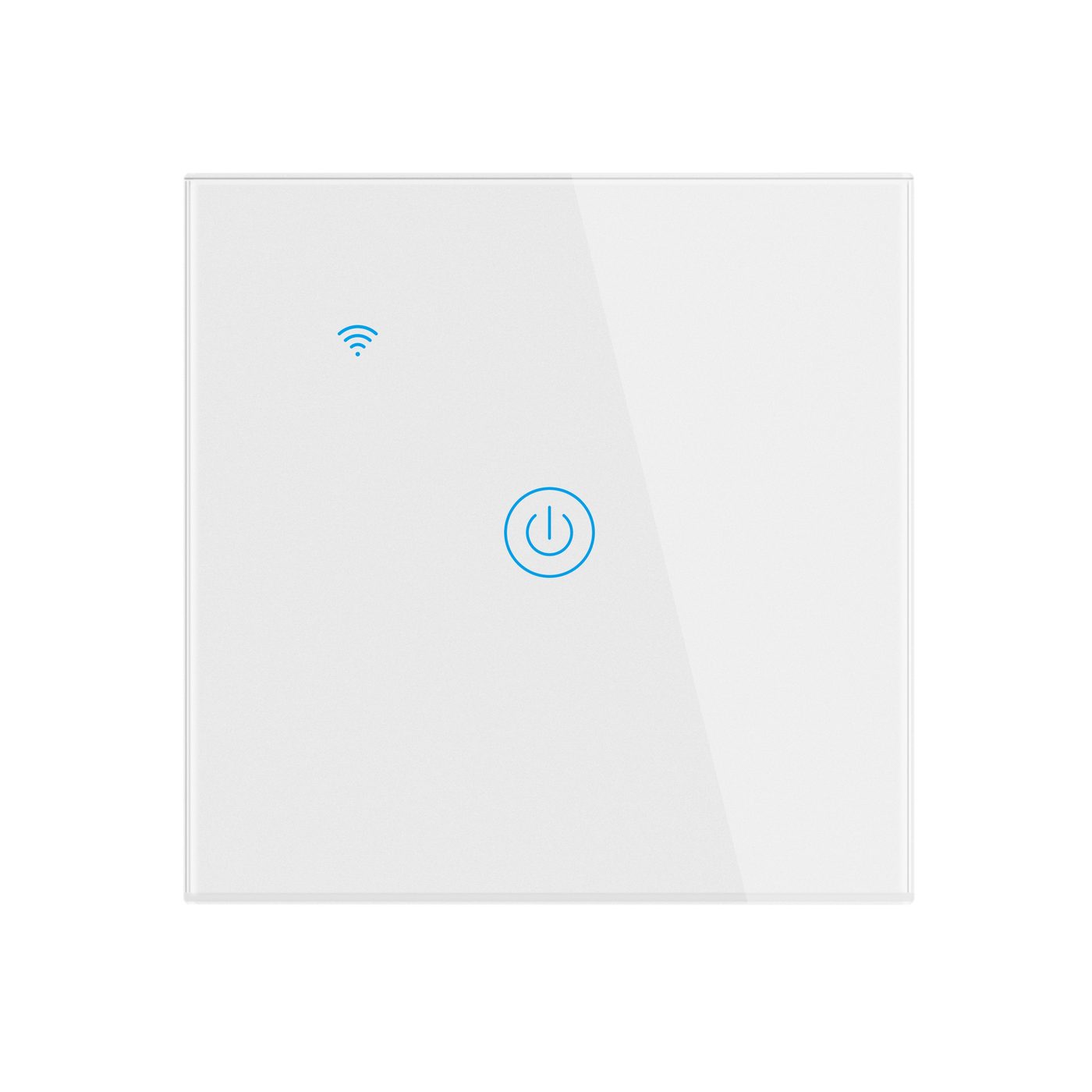
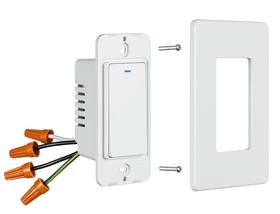
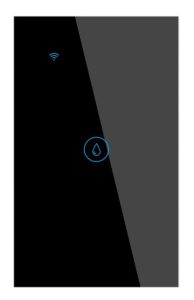
DS-111 ZigBee Touch Switch EU UK CN Multi-Gang - product photo 1 from XingLiao factory
DS-111: ZigBee Touch Switch EU UK CN Multi-Gang. Photo 1 of the factory image set.
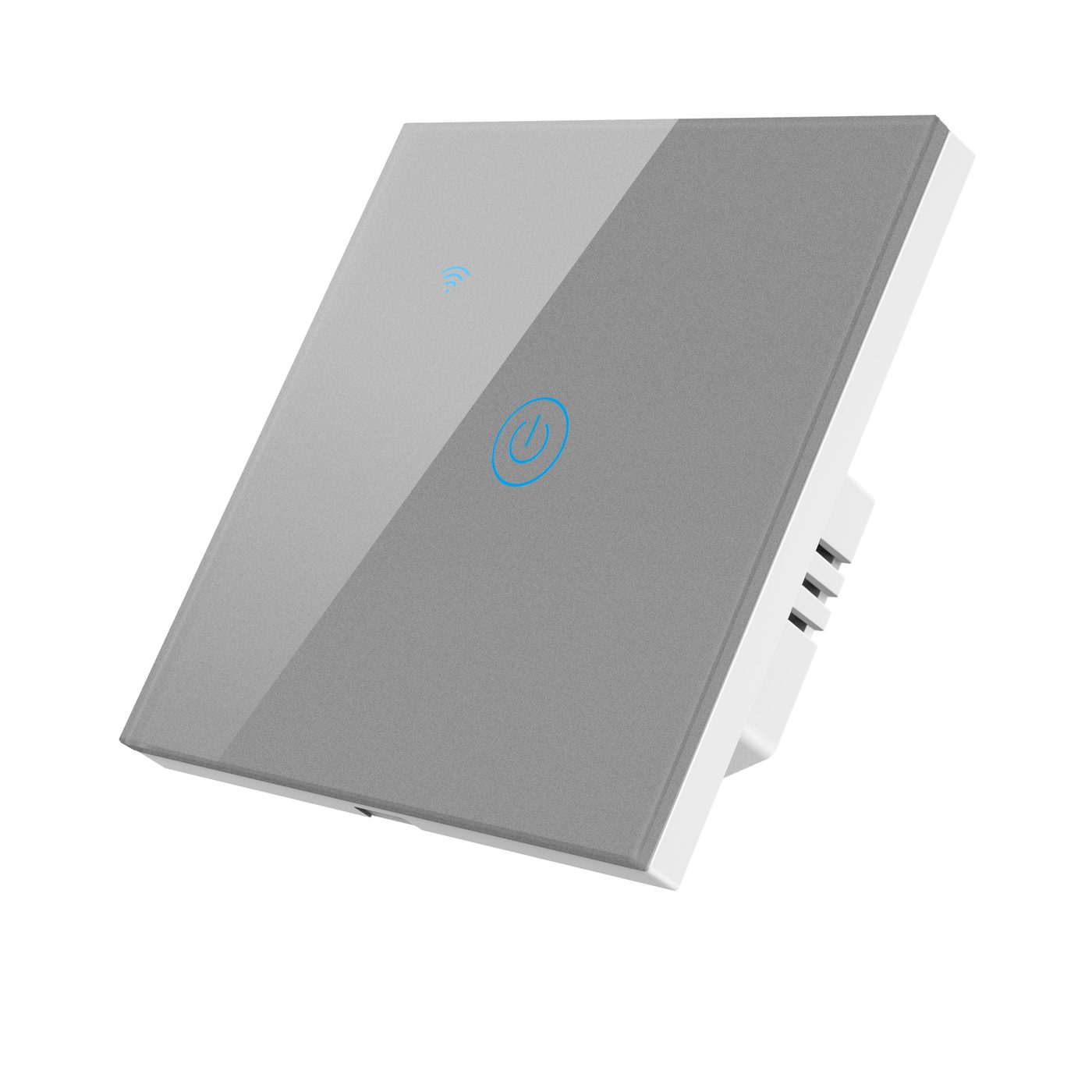
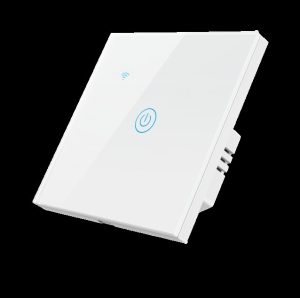
DS-111 ZigBee Touch Switch EU UK CN Multi-Gang - product photo 2 from XingLiao factory
DS-111: ZigBee Touch Switch EU UK CN Multi-Gang. Photo 2 of the factory image set.
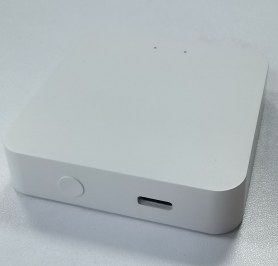
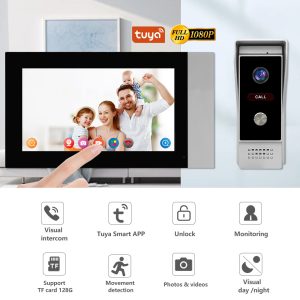
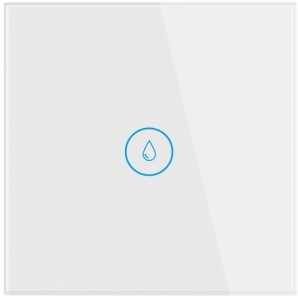
DS-111 ZigBee Touch Switch EU UK CN Multi-Gang - product photo 3 from XingLiao factory
DS-111: ZigBee Touch Switch EU UK CN Multi-Gang. Photo 3 of the factory image set.

OEM / ODM notes

For DS-111, the usual customization points are faceplate color, frame finish, logo print or laser mark, packaging and app branding. State your market, panel standard, wiring type (single-wire or neutral) and annual quantity in the first inquiry so the factory can propose the correct base model. CE, FCC, RoHS, UKCA, CCC and PSE support is documented where applicable; do not assume a listing without asking for the file number. Why Cameras Miss Faces but Doorbells Don’t

Questions buyers ask about DS-111

Is DS-111 a WiFi or ZigBee model?

The model designation in the title identifies the platform. DS-111-1 is the corresponding line in the factory quotation sheet; confirm the exact protocol and firmware before ordering.

Can the DS-111 be used with Google Home or Alexa?

Yes through the Tuya app integration, provided the app region and firmware support the integration. Ask for a short app screen recording with your sample.

What must be checked before ordering?

Door or wall box dimensions, panel standard, load type, wiring (neutral present or not), and the certification file for your market. Sendphotos of the installation site with your inquiry.

Related XingLiao pages

Need a quotation for DS-111? Send the model, market and quantity to the XingLiao team. WhatsApp +86 176 6666 9273.

Related Articles

You Might Also Like

Frequently Asked Questions

Is 111 Zigbee Touch worth buying?

Based on the breakdown in this article, 111 Zigbee Touch offers a solid mix of features and value. If your main goal matches the key benefits described above, it is a practical choice for everyday use.

How do I choose the right 111 zigbee touch for my needs?

Start with your core use case, then compare battery life, compatibility, and build quality as covered above. Choosing the right 111 zigbee touch comes down to matching specs with how you actually use it.

Does 111 zigbee touch require a companion app?

Most devices of this type pair with a free companion app for setup and firmware updates. A few advanced features may sit behind a paid plan, so check the official specs page before buying.

Posted on — Leave a comment

Do You Actually Need a Smart Home Hub? Zigbee, Matter and Bluetooth Gateways Explained

Every Smart bulb advertises “no hub required”, which has left a lot of people believing hubs are obsolete. They are not — they just moved. A hub was never about connecting bulbs; it was about connecting the devices that cannot reach your router on their own, and there are more of those now, not fewer.

The practical rule: if everything you own is WiFi, you do not need a hub today. The moment you add battery sensors, you do.

Why a battery sensor cannot just use WiFi

A door contact or a motion detector runs for a year on a coin cell. WiFi’s handshake and transmit power would drain that cell in weeks, and a sensor that needs charging is a sensor nobody uses. Zigbee and Thread exist to be cheap to transmit and cheap to sleep, which is why every serious sensor uses them — including our PIR motion sensor and the temperature and humidity sensor. Those devices need something in the house that speaks Zigbee and can reach your router, and that thing is the hub.

Three different things get sold as a “hub”

Type What it really does Worth it when
Zigbee gateway Runs a Zigbee mesh, keeps devices reachable, executes automations locally You own sensors, or more than a handful of switches
Matter / Thread hub Same job, newer standard, works across brands You are starting fresh and want to avoid lock-in
Bluetooth gateway Forwards Bluetooth devices to the cloud so you can control them remotely You have Bluetooth locks or sensors and want them visible when away

The Bluetooth one deserves a warning, because it is the most misunderstood. A Bluetooth gateway does not turn a Bluetooth lock into a Zigbee device and does not run automations on its own — it is a bridge so your phone’s absence does not mean losing the device. Useful, but not the same purchase as a Zigbee hub. If you want both in one box, a multi-mode gateway such as the MHUB-YR-W also carries an IR blaster, which replaces the pile of remote controls for an air conditioner or a TV at the same time.

Wired or wireless

A wired gateway — the TYGWZ-01, or the MHUB-MS — sits next to the router with an Ethernet cable. It is the most stable option and the one to choose if the hub lives in a cabinet with the network gear. A wireless one such as the TYGWZ-02 or the ZHUB-W only needs power, so you can place it centrally in the flat — which matters more, because Zigbee is a mesh and a hub in the middle of the home hears more devices directly. Pick wired for reliability in a fixed installation; pick wireless when you need to put it where the devices are.

If you are building for the next five years rather than the next five months, a Matter-capable model such as the MZHUB Matter gateway is the safer buy, because it can join either ecosystem later.

How many devices is too many

Zigbee meshes scale further than people expect — our Zigbee 3.0 gateway is specified for up to 130 wired or 30 to 40 wireless devices. The practical limits arrive before the numbers do: put a mains-powered Zigbee device every few rooms so the mesh has routes, and keep the hub away from the microwave and from large metal surfaces.

The reason to care about local execution is simple — automations that run on the hub rather than in the cloud keep working when your internet does not. “Motion in the hallway turns on the light at night” should not depend on a data centre.

When you genuinely do not need one

Three or four WiFi plugs, a couple of bulbs, and a Camera: skip it. You will add complexity for nothing, and every device still works. Add sensors, go past ten devices, or want lights that work during an outage, and the hub stops being optional. The same reasoning applies to the wider ecosystem choice — see our comparison of Zigbee and WiFi devices and, if you are choosing a platform, the Tuya versus Sonoff comparison. For a single panel that does control and hub duties at once, the 4-inch Tuya control panel replaces a wall of switches and a hub with one box.

Three situations, three answers

Two plugs and a bulb. No hub. Add nothing.

An Apartment with sensors on the doors, a motion sensor in the hall, and Smart switches. One Zigbee gateway, wireless if you need it central, wired if it lives by the router — the MHUB-W covers the case where you also have Bluetooth devices, and an IR remote paired with the gateway brings an older air conditioner into the same automations.

A house being wired from scratch. Matter-capable hub, wired, in the cabinet with the network gear — and choose devices that carry Matter or Zigbee rather than WiFi wherever there is a choice.

Frequently Asked Questions

Can two hubs coexist?

Yes — a Zigbee hub and a Bluetooth gateway on the same network are normal. What does not work is one device paired to two hubs; a Zigbee sensor belongs to whichever hub added it.

Do I need a hub for Matter devices?

You need a Thread border router, which most Matter hubs include and some speakers and routers now include too. Check whether you already own one before buying.

Will my devices work if the hub is unplugged?

Zigbee devices lose automations and remote control; anything running locally on a schedule stops. Battery sensors keep their own state but cannot report it.

Is a Bluetooth gateway enough for a smart lock?

For remote control and status, yes. For a lock to trigger other devices or run locally, it needs to be on a hub that executes automations.

Related Articles

You Might Also Like
Posted on — Leave a comment

Zigbee Gateway OEM: Complete Guide for Smart Home Distributors

A Zigbee gateway is the brain of any Smart Home ecosystem. If you’re building a Tuya Smart home product line, the gateway is the highest-value item to get right. This guide covers what to look for when sourcing. ## What Is a Zigbee Gateway? A Zigbee gateway connects your Tuya Zigbee devices (sensors, switches, bulbs, plugs) to the cloud and your phone. Without a gateway, Zigbee devices won’t work remotely. ### Why Zigbee over WiFi? – Lower power consumption (sensors last 1-2 years on battery) – Can connect 100+ devices on one gateway – More stable for mesh networks – No WiFi congestion ## Gateway Specs That Matter ### Device Capacity – Budget: 30-50 devices – Mid-range: 100-150 devices – Premium: 200+ devices – **For distributors, recommend the 100+ version** — customers always add more devices ### Protocol Support – Tuya Zigbee 3.0 (must have) – BLE gateway option (for beacons) – Zigbee + BLE combo gateways available ### Connection Type – WiFi gateway: easiest setup, no wiring – Ethernet gateway: more stable for professional installers – Poe gateway: for commercial projects ### App Integration – Tuya Smart / Smart Life app
– Alexa + Google Home voice control – Home Assistant integration (open gateway firmware available) ## Device Pairs That Sell Best | Gateway + Bundle | Target Customer | Price Point | |—|—|—| | Gateway + PIR sensor + door sensor | Home security DIY | $30-50 | | Gateway + 2x smart plugs | Energy saving | $25-40 | | Gateway + curtain motor + wall switch | Curtain automation | $50-80 | | Gateway + water leak sensor x2 | Flood prevention | $35-55 | ## OEM Opportunities 1. **Bundle packaging** — gateway + sensors as a starter kit 2. **Custom app branding** — Tuya white-label app from 500 units 3. **Logo on gateway unit** — from 100 pcs 4. **Multi-language quick start guide** — EN/ES/RU/AR ## Pricing | Product | MOQ | Unit Price | |—|—|—| | WiFi Zigbee gateway (100 devices) | 50 pcs | $8-15 | | Ethernet gateway | 50 pcs | $12-20 | | Zigbee + BLE combo | 100 pcs | $15-25 | | Custom logo | 100 pcs | +$0.5/pc | ## Common Mistakes 1. **Selling Zigbee devices without a gateway** — customers can’t use them! 2. **Not explaining the gateway requirement** — add it to product listings 3. **Wrong region frequency** — Zigbee is global 2.4GHz, no issue 4. **No reset button visible** — customers need a way to factory reset ## XingLiao Gateway Range We supply: – Tuya Zigbee 3.0 WiFi gateways – Ethernet gateways for professional use – Combo Zigbee + BLE gateways – Can bundle with sensors, plugs, switches – CE/FCC/RoHS certified Ask for gateway sample pricing — 3-day shipping worldwide.

Related Articles

You Might Also Like
Frequently Asked Questions

Is Zigbee Gateway Oem worth buying?

Based on the breakdown in this article, Zigbee Gateway Oem offers a solid mix of features and value. If your main goal matches the key benefits described above, it is a practical choice for everyday use.

How do I choose the right zigbee gateway oem for my needs?

Start with your core use case, then compare battery life, compatibility, and build quality as covered above. Choosing the right zigbee gateway oem comes down to matching specs with how you Actually use it.

Does zigbee gateway oem require a companion app?

Most devices of this type pair with a free companion app for setup and firmware updates. A few advanced features may sit behind a paid plan, so check the official specs page before buying.

Posted on — Leave a comment

How Many Devices Can One Zigbee Gateway Handle?

Gateway specifications quote device counts in the hundreds. Real homes hit practical limits well before the number on the box, and the limit is rarely the count itself — it is what those devices are doing and how they are spread around the house.

This is the planning question behind any whole-home setup using our Zigbee gateways, from a single-room flat to a three-bedroom house with switches, sensors and IR blasters.

The short answer

Setup Typical device count One gateway enough?
Flat, a few sensors 5-15 Yes, comfortably
House, sensors plus switches 20-40 Yes
Whole-home, every switch plus sensors 40-80 Yes, with mains devices to relay
Large or multi-storey, heavy sensor use 80+ Consider a second hub

What actually limits a gateway

  1. Battery devices are the expensive kind. Each battery sensor is a node that sleeps and reports; dozens of them mean constant message traffic. Mains-powered devices (switches, sockets) cost far less because they are always awake and act as routers.
  2. Reporting frequency matters more than count. Twenty temperature sensors reporting every minute generate more traffic than forty switches that only report when pressed.
  3. Physical spread. A gateway with thirty devices in one flat is fine; the same thirty spread over three floors with solid floors between them will struggle at the edges.
  4. WiFi congestion. Zigbee and WiFi share the 2.4 GHz band. A crowded Wireless neighbourhood makes everything worse.

Mesh: the thing that makes it work

Zigbee is a mesh network, not a star. Battery sensors do not talk to the gateway directly — they talk to the nearest mains-powered device, which relays the message. This is the single most useful fact for planning: adding mains-powered switches improves the coverage for all your battery sensors. Mini Smart Breakers: Putting a Whole Circuit on a Schedule Tuya Curtain Motor OEM: Complete Sourcing Guide 2026

A house with twenty battery sensors and no mains Zigbee devices will behave worse at the far corners than a house with the same sensors plus four wired switches spread through it.

When to add a second gateway

  • The far end of the house keeps dropping devices despite sensible placement.
  • You have a detached garage, workshop or garden room that needs its own coverage.
  • You have passed roughly 80 devices, or a high proportion of frequently-reporting battery sensors.
  • You want a hard separation — for example, one hub for the house and one for a rented annex.

Note that devices pair to one hub at a time, so a second hub means managing two groups in the app rather than one seamless network.

Planning tips

  • Pair the farthest devices first, while the gateway is near them, then move the hub to its final position. Devices remember the route.
  • Spread mains devices evenly rather than clustering them near the hub.
  • Avoid pairing everything at once — do it in small groups so you notice a device that fails to join.
  • Keep a list of which device is which; thirty unnamed sensors in an app is unmanageable.

If you are still choosing the hub itself, wired vs wireless gateways covers that decision.

FAQ

Does a second gateway double my device limit?
Effectively yes, but devices do not roam between hubs. You assign each device to one.
Do Zigbee switches count toward the limit?
Yes, but they are the cheapest kind — they are mains-powered and act as routers for other devices.
Why does one sensor keep dropping off?
Usually range or a weak mesh route. Add a mains-powered device nearer to it, or move the gateway more central.
Can a gateway handle switches and sensors together?
Yes — that mix is normal and usually more reliable than sensors alone, because the switches relay.
Do Bluetooth devices use the same capacity?
On multi-mode hubs such as the MHUB-FL-U, Bluetooth devices are handled separately from the Zigbee mesh.
Will adding devices slow the app down?
App responsiveness depends on your network and the cloud service, not the Zigbee mesh. Local automations stay fast.

Related Articles

You Might Also Like
Frequently Asked Questions

Is Many Devices One worth buying?

Based on the breakdown in this article, Many Devices One offers a solid mix of features and value. If your main goal matches the key benefits described above, it is a practical choice for everyday use.

How do I choose the right many devices one for my needs?

Start with your core use case, then compare battery life, compatibility, and build quality as covered above. Choosing the right many devices one comes down to matching specs with how you actually use it.

Does many devices one require a companion app?

Most devices of this type pair with a free companion app for setup and firmware updates. A few advanced features may sit behind a paid plan, so check the official specs page before buying.

Posted on — Leave a comment

Wired vs Wireless Zigbee Gateway: What Changes in a Real Home

Every Zigbee device — sensors, switches, IR blasters — needs a gateway to translate between Zigbee and your network. You can buy that gateway with an Ethernet port or without One, and the choice quietly decides how reliable the whole system feels.

In our range that is the difference between a wired unit such as the TYGWZ-01 or ZHUB-C, and a Wireless one such as the ZHUB-W or MHUB-W.

The practical difference

Wired (Ethernet) Wireless (WiFi)
Connects via Ethernet cable to the router Joins WiFi
Placement Next to the router Anywhere with signal
Depends on WiFi quality No Yes
Best for Whole-home setups, reliability Flats, single-room setups, rentals
Typical failure Cable unplugged WiFi dropout takes Devices offline

Why wired is the better default

A wired gateway removes Two variables at once. It does not depend on WiFi signal quality where it sits, and it usually lives next to the router, which tends to be central to the home anyway. When a Zigbee device stops responding, the debugging path is short: is the gateway powered, is the cable in, is the device in range. Tuya Curtain Motor OEM: Complete Sourcing Guide 2026

With a wireless gateway, a WiFi hiccup looks identical to a Zigbee failure from the app’s point of view, and you spend longer working out which layer broke.

Why wireless is sometimes the right call

Placement freedom. If the router is in a corner of the house behind a television and a metal cabinet, a wired gateway has to live there too — and Zigbee range from that spot may not reach the far end of the house. A wireless gateway can sit centrally, on a shelf, where its Zigbee radio Actually covers the rooms that matter.

It is also the only practical option in a rental where you cannot leave an Ethernet cable running to the router, and the tidiest option for a single-room setup (one room’s sensors and switches).

Multi-mode gateways: Zigbee plus Bluetooth, plus Matter

Some units handle more than one protocol. The MHUB-MS and MHUB-FL-U cover Zigbee and Bluetooth in one box, which is worth it if you have Bluetooth sensors as well — one hub instead of two, one app screen instead of two. The MZHUB adds Matter, relevant if you are mixing your Zigbee devices into a newer Matter-based app.

Placement rules that matter more than the model

  • Central and elevated. Zigbee is a mesh — mains-powered devices relay for battery ones — but the gateway should still sit roughly centrally.
  • Away from metal and microwaves. Both 2.4 GHz Zigbee and WiFi suffer near large metal objects and running microwaves.
  • Not inside a cabinet. Putting the hub in a media cabinet behind a metal mesh front costs real range.
  • Give it a stable Power source. A hub that gets unplugged takes every automation with it.
FAQ
Can I use both types in one home?
You can, but devices pair to one hub. Two hubs means two sets of devices in the app. Better to pick one unless you have a genuinely separate zone, such as a garage.
Do I need a gateway for WiFi devices?
No. WiFi switches and plugs join the router directly. The gateway is only for Zigbee (and Bluetooth, on multi-mode units).
Will a wired gateway work if the internet goes down?
Local automations on the same network usually keep running; remote control from outside the home will not. Behaviour varies by app, so test it if it matters.
How far does Zigbee reach?
Tens of metres indoors per hop, less through solid walls. Mains-powered devices extend the mesh, which is why a few wired switches improve coverage for battery sensors.
Is Matter worth paying for now?
Only if you actively use a Matter-based app. If everything runs in the Tuya / Smart Life app, a standard Zigbee gateway does the same job.
Can I move the gateway later?
Yes — devices rejoin the mesh automatically, though battery sensors may need a few minutes to find the new route.

Related Articles

You Might Also Like
Frequently Asked Questions

Is Wired Wireless Zigbee worth buying?

Based on the breakdown in this article, Wired Wireless Zigbee offers a solid mix of features and value. If your main goal matches the key benefits described above, it is a practical choice for everyday use.

How do I choose the right wired wireless zigbee for my needs?

Start with your core use case, then compare battery life, compatibility, and Build quality as covered above. Choosing the right wired wireless zigbee comes down to matching specs with how you Actually use it.

Does wired wireless zigbee require a companion app?

Most devices of this type pair with a free companion app for setup and firmware updates. A few advanced features may sit behind a paid plan, so check the official specs page before buying.

Posted on — Leave a comment

Tuya Bluetooth vs ZigBee vs WiFi: How to Choose

Tuya devices reach your phone over one of three radio paths: WiFi, Zigbee or Bluetooth. The protocol is not a preference — it is decided by the device you buy, and it determines whether you Need a hub, how often you change batteries, and how the system behaves when the internet drops. One rule covers most cases: high-bandwidth devices go on WiFi, battery sensors and wall switches go on Tuya ZigBee through a gateway, and a small set of close-range devices runs on Bluetooth alone.

Why the protocol is decided at purchase

A WiFi camera cannot join a Zigbee mesh, and a ZigBee sensor cannot talk to your router directly. The radio is soldered in. That is why choosing the mix matters before the first device ships: the hub decision, the router capacity and the battery replacement schedule all follow from it. The good news is the Smart Life app treats all three paths as one system, so a mixed home still controls everything from a single screen.

Tuya WiFi: bandwidth without a hub

WiFi suits devices that push video or need a direct internet path: Cameras, video doorbells, and simple plugs and switches in homes that will never buy a hub. The trade-offs are power and congestion. A WiFi device never truly sleeps, so battery-powered WiFi cameras measure their charge in weeks or months, not years, and every WiFi device added to a 2.4 GHz router competes for airtime with laptops, TVs and phones. After a power cut, dozens of WiFi devices reconnecting at once is why some homes see a ten-minute smart-home brownout. Mains power plus reasonable router placement makes WiFi dependable; batteries and distance make it disappointing.

Tuya ZigBee: the whole-home backbone

ZigBee devices form their own mesh around a gateway, which is why the Tuya ZigBee Gateway is the first purchase for a serious setup. Battery sensors sleep between events, so a door sensor or leak probe runs one to Two years on a coin cell. Mains-powered ZigBee switches and plugs route traffic for everything else, extending coverage room by room without new hardware. The mesh is local: during an internet outage, hub-stored automations still fire, sensors still report to the hub, and wall switches always work physically. For sensors, wall switches, locks and curtain motors, ZigBee is the protocol that behaves the same on day one thousand as on day one.

Tuya Bluetooth: close range, no hub at all

Bluetooth in the Tuya world plays two roles. First, every Tuya device uses BLE for first-time pairing — the app finds the new device over Bluetooth even before it is on any network. Second, a small class of devices runs entirely on Bluetooth: CO2 detectors, some knob locks, and small battery monitors live in the Smart Life app without a hub, because the phone talks to them directly. The limits are range and presence: reliable control needs the phone within a few meters, and remote control or voice assistants do not exist without a bridge. Bluetooth devices are the right choice for single-room tools you check while standing in the room — not for whole-home automation.

Putting all three together

  • Start with the hub. One Tuya ZigBee gateway covers sensors and switches for the whole home.
  • Sensors and wall switches on ZigBee. Battery devices last years, and mains switches strengthen the mesh for free.
  • Cameras and doorbells on WiFi. Nothing else moves video well; give them a clean 2.4 GHz channel.
  • Bluetooth for room-local tools. A CO2 detector on the desk or a knob lock on an interior door Works hub-free.
  • Keep the router lean. Every device you move to ZigBee is one less WiFi client fighting for airtime.

One device per protocol, chosen well

Frequently Asked Questions

Do I need a hub for Tuya devices?

WiFi and Bluetooth devices need no hub. ZigBee devices need a Tuya ZigBee gateway, and that hub is what unlocks the best battery life and local automations for sensors and switches.

Can a Bluetooth Tuya device be controlled away from home?

Not on its own — Bluetooth range is a few meters and the phone must be nearby. Add a Bluetooth-to-cloud bridge or choose the WiFi/ZigBee version of the device if remote control matters.

Why does my WiFi camera go offline when the router reboots?

Every WiFi device re-joins the router after a reboot, and dozens of devices re-joining at once slows them all down. Cameras feel it most because video needs sustained bandwidth, not a one-shot reconnect.

Is ZigBee better than WiFi for smart switches?

For wall switches, usually yes. A ZigBee switch adds mesh routing for nearby sensors and keeps local control during outages, while a WiFi switch is simpler to install hub-free but adds one more client to a busy router.

Can one Smart Life account mix all three protocols?

Yes. The app presents WiFi, ZigBee and Bluetooth devices in one home, and scenes can combine them — a ZigBee motion sensor can trigger a WiFi camera to start recording.

Which protocol is best for battery-powered sensors?

Tuya ZigBee. Event-driven reporting lets a sensor sleep for months, which is why door, water, motion and temperature sensors on ZigBee run a year or two on coin cells.

Related Articles

You Might Also Like
Posted on — Leave a comment

ZigBee vs ZigBee 3.0: What Actually Changed

Zigbee 3.0 is not a new radio. It is the same 2.4 GHz mesh network that ZigBee has always used, with a unified application layer on top. Before 3.0, a device had to match the hub’s application profile (Home Automation 1.2, Light Link, Building Automation and others ran as separate dialects). ZigBee 3.0 merged those dialects into one language, so a certified 3.0 Sensor, Switch or bulb can join any certified 3.0 coordinator without profile matching. That single change is what buyers actually feel.

The short answer for buyers

If you are buying new ZigBee devices today, buy ZigBee 3.0 certified ones and pair them with a ZigBee 3.0 hub. The radio, mesh routing, channel layout and practical device limits are unchanged, so 3.0 hardware does not reach further or run faster than older ZigBee. What you gain is compatibility: fewer pairing failures, fewer devices that join but expose only a fraction of their features, and a safer path when you later replace your hub.

What stayed exactly the same

The physical and network layer is untouched. ZigBee still runs on the 2.4 GHz band in most regions, still forms a self-healing mesh Where mains-powered devices route for battery devices, and still caps a practical network at roughly 30 to 50 well-behaved devices before latency creeps up. Battery sensors still sleep between reports, which is why a ZigBee door sensor can run Two years on a coin cell while a WiFi sensor of the same size lasts weeks. None of that changed with 3.0, and marketing that implies better range or speed from “3.0” is describing the certification, not the physics. Why Cameras Miss Faces but Doorbells Don’t

What actually changed in ZigBee 3.0

Three things changed that matter to a Smart home buyer. First, profile unification: Home Automation 1.2, Light Link and the building profiles merged into one application layer, which removed the “works with HA hubs only” class of incompatibility. Second, a mandatory base device behavior was defined, so every certified device supports a common set of commands for joining, reporting and identification. Third, security was tightened — install codes and network keys are handled more strictly, which cuts down the replay attacks that older Light Link commissioning allowed.

A fourth change matters to installers: TouchLink commissioning (introduced with Light Link for bulbs) carried into 3.0, so a bulb can be reset and paired close-range without touching the hub app. It is a small convenience that older pure-HA networks never had.

Backward compatibility in real rooms

Old ZigBee Home Automation 1.2 devices mostly do join a ZigBee 3.0 coordinator, because 3.0 hubs keep translation for the legacy HA profile. The honest qualifier is “mostly”: some legacy devices pair cleanly but expose only basic on/off or open/closed, because the advanced features lived in manufacturer-specific clusters the new hub never mapped. Legacy routers (mains-powered plugs and switches) repeat traffic for your 3.0 battery devices without complaint, so keeping an older ZigBee plug in a hallway is fine.

Direction matters too. A 3.0 device joining a very old HA 1.2-only hub is the fragile combination — the hub may not understand the 3.0 commissioning flow. If your hub predates 2017 and has never received a firmware update, plan to replace the hub rather than fight it.

Why hubs from different brands still behave differently

ZigBee 3.0 guarantees that devices speak the same language on the radio. It does not force the hub maker to implement every optional feature. A Tuya ZigBee gateway pairs third-party 3.0 sensors and switches, and the common functions (on/off, open/closed, motion, temperature) generally come through. Niche features — a rare configuration attribute, a manufacturer-specific alarm pattern — depend on whether the hub’s software maps that cluster. This is why a “ZigBee 3.0 certified” badge on the device is necessary but not a complete promise; the practical test is pairing one sample before ordering in volume.

Within one ecosystem the problem mostly disappears. Devices designed for the Tuya ZigBee ecosystem and a Tuya ZigBee gateway are tested against each other, which is the safe default for whole-home rollouts.

What to check before buying

  • Certification wording. “ZigBee 3.0” on the box, not just “ZigBee”. Old HA 1.2 stock is still sold cheap.
  • Hub support. Confirm your coordinator is 3.0. A hub stuck on HA 1.2 turns your new devices into the fragile combination.
  • Green Power, if you want battery-free switches. ZigBee 3.0 carries Green Power devices that harvest energy from the button press itself. Hub support for Green Power is optional, so verify it if you plan to use them.
  • Mains-powered repeaters in the right places. The mesh needs routers between the hub and far battery sensors. Any mains-powered ZigBee device acts as one.
  • Channel planning. ZigBee and WiFi share 2.4 GHz. Set the router to channel 1 or 6 in busy homes and let ZigBee settle away from it.

Devices that make a solid 3.0 starter mesh

Frequently Asked Questions

Is ZigBee 3.0 faster or longer-range than older ZigBee?

No. The radio layer is the same 2.4 GHz mesh. Range and speed improvements you may read about come from better antennas or repeater placement, not from the 3.0 certification itself.

Will my old ZigBee 1.2 devices still work on a new hub?

Usually yes. ZigBee 3.0 coordinators keep legacy Home Automation translation, so basic functions pair and report. Advanced manufacturer-specific features are the part that may not carry over.

Do ZigBee 3.0 devices need the internet?

The mesh itself is local. Devices keep talking to the hub during an internet outage, and time-based automations stored on the hub still run. Remote control from your phone and cloud-dependent scenes are what stop working.

Can I mix brands on one ZigBee 3.0 hub?

Yes, that is the point of the unified application layer. Pair one sample first if the device exposes an uncommon feature, because the hub maker decides which optional clusters to map.

Does ZigBee 3.0 interfere with WiFi?

Both live on 2.4 GHz, so planning matters. Keep the WiFi router on a fixed channel away from the ZigBee channel, and expect a few retries while both networks settle after a router reboot.

How many ZigBee devices can one hub hold?

The specification allows far more than a home needs. In practice, 30 to 50 devices per hub keeps reporting latency low; add mains-powered devices between the hub and distant sensors so battery devices can route through them.

Related Articles

You Might Also Like
Posted on — Leave a comment

Do You Actually Need a Zigbee Gateway? (And What Breaks Without One)

actually need zigbee - Do You Actually Need a Zigbee Gateway? (And What Breaks Without One)
Do You Actually Need a Zigbee Gateway? (And What Breaks Without One)

Every Zigbee project reaches the same question: which gateway, and do we really Need One? The short answer is yes — Zigbee Devices do not talk to a router, they talk to a gateway, and the gateway is what makes the mesh, the scenes and the remote access work.

What the gateway does

It is the coordinator of the Zigbee mesh: it holds the device list, runs automations locally, and bridges the mesh to your router so the app can reach it from anywhere. Without it, a Zigbee Switch is a switch — local control only, no app, no scenes, no voice. Mini Smart Breakers: Putting a Whole Circuit on a Schedule

Wired or wireless

A wired gateway connects by Ethernet, which is what you want for a permanent installation: fixed location, no WiFi dependency, stable mesh. A Wireless one connects over WiFi, which is easier to place but puts the mesh behind the router’s Wireless performance.

How many gateways

One gateway handles a large mesh — dozens of devices across a house is normal. What limits you is range, not count: Zigbee is a mesh, so mains-powered devices relay for each other, but a Battery sensor at the far end of a garden still needs something nearby to talk to. 2.8 Inch Offline Video Baby Monitor: Private, Simple, No-WiFi Nursery Monitoring

Placement

Central, off the floor, away from the router and away from large metal objects. A gateway in a metal consumer unit Works but reduces range.

FAQ
Can Zigbee devices work without a gateway?
No. Local control works, but app control, scenes and voice need the gateway.
Can I mix brands of Zigbee devices?
Usually within the same ecosystem — keep the gateway and the devices on the same platform.
Does the internet need to be up for automation?
No — scenes stored on the gateway run locally, which is one of the reasons people choose Zigbee.

Ready to specify it? Full specifications, gang options, colors and quantity pricing are on the ZigBee Smart Gateway — Wired & Wireless product page — OEM logo, manual and packaging are available from the first order.

Related Articles

You Might Also Like
Frequently Asked Questions

Is Actually Need Zigbee worth buying?

Based on the breakdown in this article, Actually Need Zigbee offers a solid mix of features and value. If your main goal matches the key benefits described above, it is a practical choice for everyday use.

How do I choose the right actually need zigbee for my needs?

Start with your core use case, then compare battery life, compatibility, and build quality as covered above. Choosing the right actually need zigbee comes down to matching specs with how you actually use it.

Does actually need zigbee require a companion app?

Most devices of this type pair with a free companion app for setup and firmware updates. A few advanced features may sit behind a paid plan, so check the official specs page before buying.

Posted on — Leave a comment

How to Choose a Zigbee Touch Switch for a 118 Wall Box — DS-124 Series

DS-124 Series WiFi Touch Switch (1 Gang / 2 Gang / 3 Gang / 4 Gang)
How to Choose a Zigbee Touch Switch for a 118 Wall Box — DS-124 Series

Replacing a wall Switch looks simple until you open the box. The plate size, whether a neutral is present, and which radio the switch uses decide whether the job takes ten minutes or a visit from an electrician. The DS-124 Series is built around single-fire and zero-fire Wiring and Zigbee 3.0, and it ships in 1 Gang / 2 Gang / 3 Gang / 4 Gang — so the same look can run through a whole flat or hotel floor.

This guide walks through the four things to settle before you order, with the numbers that matter for US Standard / Australian Standard / Italian standard / Canadian standard / Brazilian standard / Vietnamese standard / Thai standard installations.

1. Match the wall box first

The DS-124 plate is made for the 118 × 72 mm US-style wall box, which is the standard box in US standard / Australian standard / Italian standard / Canadian standard / Brazilian standard / Vietnamese standard / Thai standard installations. Measure the box, not the old plate: a cover frame can hide a smaller opening, and a plate that is a few millimetres out will not sit flush against the wall. Where the DS-121JLHK Series Fits: Apartments, Hotels and Office Retrofits

2. Check whether you have a neutral

This unit works in both single-fire (no neutral) and zero-fire (with neutral) boxes. If your box has no neutral, the switch still works — fit the supplied capacitor across the first lamp port of L1 to stop LED lamps glowing or flickering when off. With a neutral present, skip the capacitor.

3. Pick the radio for the project

A Zigbee gateway is required (our wired / wireless gateway covers it) — in return you get mesh coverage and much lower standby power. On a site with dozens of switches, Zigbee also keeps the router free of dozens of extra clients. Where the DS-112 Series Fits: Apartments, Hotels and Office Retrofits

4. Count the gangs per plate

DS-124 covers 1 Gang / 2 Gang / 3 Gang / 4 Gang. Fewer plates means fewer boxes to chase into the wall and one clean frame instead of three, which is usually the reason people move to multi-gang touch plates in the first place.

Specifications

Quantity pricing

Indicative unit prices ($11.15–$12.49 depending on gang and finish):

FAQ
Is a neutral wire required?
No, but if there is no neutral you fit the supplied capacitor on L1.
Does it work with Alexa and Google Home?
Yes — through the Tuya / Smart Life skill for Alexa and Google Home.
Can I order mixed gangs and colors in one shipment?
Yes. Gang sizes and finishes can be mixed within one order; tell us the split at checkout.

Ready to specify it? Full specifications, gang options, colors and quantity pricing are on the DS-124 series product page — OEM logo, manual and packaging are available from the first order.

Related Articles

You Might Also Like
Frequently Asked Questions

Is Choose Zigbee Touch worth buying?

Based on the breakdown in this article, Choose Zigbee Touch offers a solid mix of features and value. If your main goal matches the key benefits described above, it is a practical choice for everyday use.

How do I choose the right choose zigbee touch for my needs?

Start with your core use case, then compare battery life, compatibility, and build quality as covered above. Choosing the right choose zigbee touch comes down to matching specs with how you actually use it.

Posted on — Leave a comment

How to Choose a Zigbee Touch Switch for a 118 Wall Box — DS-1211ZC Series

DS-1211ZC Series WiFi Touch Switch (1 Gang / 2 Gang / 3 Gang)
How to Choose a Zigbee Touch Switch for a 118 Wall Box — DS-1211ZC Series

Replacing a wall Switch looks simple until you open the box. The plate size, whether a neutral is present, and which radio the switch uses decide whether the job takes ten minutes or a visit from an electrician. The DS-1211ZC Series is built around single-fire and zero-fire Wiring and Zigbee 3.0, and it ships in 1 Gang / 2 Gang / 3 Gang — so the same look can run through a whole flat or hotel floor.

This guide walks through the four things to settle before you order, with the numbers that matter for US Standard / Australian Standard / Italian Standard / Canadian standard / Brazilian standard / Vietnamese standard / Thai standard installations.

1. Match the wall box first

The DS-1211ZC plate is made for the 118 × 72 mm US-style wall box, which is the standard box in US standard / Australian standard / Italian standard / Canadian standard / Brazilian standard / Vietnamese standard / Thai standard installations. Measure the box, not the old plate: a cover frame can hide a smaller opening, and a plate that is a few millimetres out will not sit flush against the wall. Where the DS-1081WL Series Fits: Apartments, Hotels and Office Retrofits

2. Check whether you have a neutral

This unit works in both single-fire (no neutral) and zero-fire (with neutral) boxes. If your box has no neutral, the switch still works — fit the supplied Capacitor across the first lamp port of L1 to stop LED lamps glowing or flickering when off. With a neutral present, skip the capacitor. Where the DS-123Y Series Fits: Apartments, Hotels and Office Retrofits

3. Pick the radio for the project

A Zigbee gateway is required (our wired / wireless gateway covers it) — in return you get mesh coverage and much lower standby power. On a site with dozens of switches, Zigbee also keeps the router free of dozens of extra clients.

4. Count the gangs per plate

DS-1211ZC covers 1 Gang / 2 Gang / 3 Gang. Fewer plates means fewer boxes to chase into the wall and one clean frame instead of three, which is usually the reason people move to multi-gang touch plates in the first place.

Specifications
Quantity pricing

Indicative unit prices ($11.75–$13.24 depending on gang and finish):

FAQ
Is a neutral wire required?
No, but if there is no neutral you fit the supplied capacitor on L1.
Does it work with Alexa and Google Home?
Yes — through the Tuya / Smart Life skill for Alexa and Google Home.
Can I order mixed gangs and colors in one shipment?
Yes. Gang sizes and finishes can be mixed within one order; tell us the split at checkout.

Ready to specify it? Full specifications, gang options, colors and quantity pricing are on the DS-1211ZC series product page — OEM logo, manual and packaging are available from the first order.

Related Articles

You Might Also Like
Frequently Asked Questions

Is Choose Zigbee Touch worth buying?

Based on the breakdown in this article, Choose Zigbee Touch offers a solid mix of features and value. If your main goal matches the key benefits described above, it is a practical choice for everyday use.

How do I choose the right choose zigbee touch for my needs?

Start with your core use case, then compare battery life, compatibility, and build quality as covered above. Choosing the right choose zigbee touch comes down to matching specs with how you actually use it.