A Video doorbell can work without Home WiFi in two different ways. The first is local operation: the doorbell still joins your WiFi, but records to a microSD card in the indoor chime and rings locally, so a broadband outage does not stop it. The second is no home internet at all: a 4G model with a SIM card sends Video over mobile data. Only the second One works if you have no broadband, or if the Door is out of WiFi range.
Understanding which of the two you need saves most of the disappointment, because the two are often sold under the same “no WiFi required” Label. Automatic Pet Feeder Portions: How to Calibrate and Schedule Meals
Why doors are the hardest place for WiFi
A front door combines the three worst things for a radio link: an exterior wall (often brick or concrete), a door leaf that may be metal or foil-backed insulation, and — in flats — a corridor full of other people’s access points. A doorbell that measures fine indoors can drop 15–20 dB once it is mounted. Practical consequences:
- Live view takes several seconds to connect, or times out.
- Motion notifications arrive minutes late, or only when you open the app.
- Firmware updates fail halfway and the unit appears “dead” until it is brought indoors.
Fix the link before you blame the camera: add a mesh node on the inside wall nearest the door, or move the router. If neither is possible, go 4G.
Type 1: local recording, still on WiFi
These models pair to your 2.4 GHz network, but store clips on a microSD card inside the plug-in chime. If your broadband drops, the doorbell keeps recording and still rings the chime; you simply cannot watch remotely until the internet returns. This is the right choice for houses with a decent router and an occasional outage. Hotel Smart Security OEM Solutions
Check before buying: the card slot must be in the chime or the doorbell (state which), the maximum supported capacity (commonly 32–128 GB), and whether clips loop-record or stop when full.
Type 2: 4G doorbell with a SIM
The doorbell contains a mobile modem. You insert a data SIM, top up a plan, and the doorbell talks to the app over LTE. Use cases Where this is not a luxury but the only workable answer:
- Driveway gates and farm entrances 20–100 m from the house.
- Rental and holiday properties without broadband.
- Site offices, workshops and outbuildings.
- Houses with stone or foil-insulated walls where no mesh node helps.
Data budgeting: standby Costs very little; the cost is streaming. Expect a few hundred MB per month if you only watch motion clips, and several GB if you open live view often or keep high bitrate 2K/4MP streams. Buy a plan with a hard cap, and set the app to push a thumbnail first rather than auto-downloading every clip.
Power: 4G modems draw more than WiFi ones. Choose a large battery (or a solar panel) and expect a shorter interval between charges than an equivalent WiFi model.
Type 3: RF doorbells and local intercoms
Some wireless video doorbells link the outdoor unit to an indoor screen over a dedicated radio (often 433 MHz or similar) and never touch the internet. You get a live picture on the indoor monitor and two-way talk, but no remote viewing and no cloud clips. This is a good fit for elderly relatives, for households that do not want an app, and for buildings where WiFi is impossible and a data plan is unwanted.
Comparison at a glance
- WiFi + cloud: best convenience, needs reliable 2.4 GHz at the door and a subscription for cloud history.
- WiFi + microSD: no subscription, survives broadband outages, still needs WiFi at the door.
- 4G + SIM: works anywhere with mobile coverage, costs a data plan, higher battery drain.
- RF + indoor screen: no internet at all, no remote access, simplest to live with.
| Type | Uses home Wi-Fi | Where video is stored | Works during an outage | Typical use |
|---|---|---|---|---|
| Local recording over Wi-Fi | Yes | microSD in the indoor chime | Yes, rings locally | Homes that want video kept on site |
| 4G doorbell with SIM | No | microSD and/or cloud | Yes | Gates, farms, remote sites |
| RF doorbell / local intercom | No | None, or local screen | Yes | Apartments and buildings needing only voice and a live view |
Frequently Asked Questions
Do video doorbells work without internet?
Yes, in two ways. Models with a microSD slot keep recording to the card and still trigger the indoor chime. Models with an RF link to an indoor screen work with no internet whatsoever, but you cannot watch from your phone.
Does a video doorbell need WiFi to ring?
Not for the chime. On most battery kits the button, the chime and the doorbell talk over their own radio link. WiFi is only needed for app notifications, remote live view and cloud storage.
Can I use a 4G doorbell indoors or at a gate?
Yes — that is its main advantage. Just check mobile coverage at the exact mounting position before committing, and check the IP rating (IP65 or better for an exposed gate).
How much data does a 4G video doorbell use?
Push notifications and thumbnails use very little. Full live view is the expensive part: a few MB per minute. Plan a few hundred MB per month for normal motion-clip use, and several GB if you stream often.
Will my doorbell still record if the power or broadband fails?
Battery models keep running and keep recording to microSD. The chime needs mains power, so a power cut silences the ring unless the chime has battery backup.
Is 2.4 GHz necessary, or can I use 5 GHz?
Almost all video doorbells are 2.4 GHz only. Make sure your router broadcasts a 2.4 GHz SSID and that AP/client isolation is off.
Related guides
- How to install a video doorbell without existing wiring
- Motion sensors: PIR motion detectors for smart homes
- Wireless security cameras
- How to choose a security camera for your home
- How to set up a CCTV camera system at home
- Video doorbell without subscription: local recording options
See video doorbells, including no-WiFi and 4G models · Tell us your door and we will recommend one
Related Articles
- How to Install a Video Doorbell Without Existing Wiring
- How to Install a Video Doorbell Without Drilling: Complete DIY Guide
- Best Video Doorbell Without WiFi: What You Need to Know in 2026
- Smart Wireless Video Doorbell – 24/7 HD Front Door Security With Night Vision & Voice Change
- Smart Visual Wireless Video Doorbell: Upgrade Your Home Security in 2026
You Might Also Like
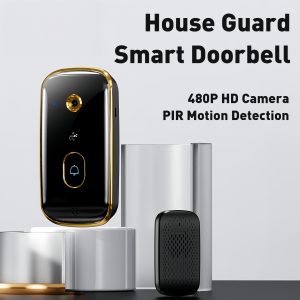 Smart Wireless Video Doorbell 480P HD PIR Motion Detection Infrared Night Vision Voice Change Original price was: $29.96.$26.99Current price is: $26.99.
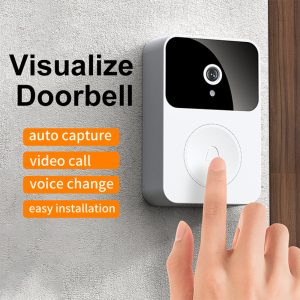 Smart Visual Wireless Video Doorbell with Indoor Chime, Voice Change & Cloud Storage Original price was: $19.96.$12.96Current price is: $12.96.
 X6A Visual Intelligent Doorbell Wireless Video Doorbell with Indoor Chime Remote Video Intercom & Cloud Snapshot Storage Original price was: $39.96.$29.99Current price is: $29.99.
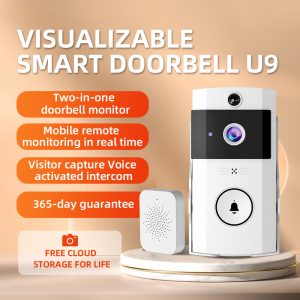 U9 Smart WiFi Video Doorbell with Indoor Chime Rechargeable Battery No-Drill 3M Installation 2-Way Audio Live Monitoring Original price was: $49.96.$30.96Current price is: $30.96.
📌 This article is part of our Complete Wifi Hub — more guides and buying tips inside.
