Posted on — Leave a comment

CCTV Camera or IP Camera for Home: What the Difference Actually Buys You

People search “CCTV camera” when they mean “a camera that records the front of my house”. That is not what the word used to mean. CCTV — closed-circuit television — described a system: cameras wired back to a recorder, on their own cables, watched on a monitor. An IP camera is a network Device that happens to have a lens. The Two overlap almost completely in what they deliver, and differ completely in what they cost to install.

So the real question is not which technology is better. It is whether you are willing to run cable. If you are, a wired system gets you continuous recording and no batteries. If you are not, a WiFi or battery camera gets you 90 per cent of the useful footage for an afternoon of work.

What each one is

Traditional CCTV IP / network camera
Cabling Coax or 4-in-1 plus power, or PoE WiFi, or One Ethernet cable with PoE
Recording DVR or NVR box, always on MicroSD in the camera, cloud, or an NVR
Resolution 1080p to 4K depending on generation 2 MP to 4 MP typical for Home models
Install Cable run, usually a professional job Screw or stick, done in an afternoon
Internet needed No, for local recording Yes, for remote viewing

The useful way to read that table: a wired system buys you continuous recording and independence from your router. A wireless camera buys you placement freedom and a much lower install cost. Most homes want the second and believe they want the first.

Where each one wins

Wired wins for a shop with a till, a driveway you Need to record at 3 a.m. without missing frames, or anywhere footage might be needed as evidence. Continuous recording is the reason: a battery camera only records when motion triggers it, and a two-second wake-up delay can miss the plate.

Wireless wins for a flat, a rental, a back garden with no power, or anyone who will not chase walls. Our P9 battery camera and P11 no-drill camera exist for exactly that case — mount anywhere, no cable, no hole in the wall the landlord will notice.

Resolution: what 2 MP and 4 MP actually mean

Resolution is the most oversold number on the box. For a camera watching a doorway four metres away, 2 MP (1080p) is enough to recognise a face; 4 MP helps when you need to read a number plate or zoom into a recorded frame afterwards. Beyond that, lens and sensor quality matter more than megapixels — and so does where the camera points. If you are deciding between battery and mains for the same spot, our comparison of battery versus plug-in cameras covers that specific trade. Tuya vs Sonoff Smart Switch: Which Ecosystem Should You Build On?

For an outdoor position with coverage in two directions, a dual-lens model does more than a higher-megapixel single lens: the KT-A36 and dual-lens PTZ keep a fixed wide view while the second lens tracks movement.

Power: the constraint that decides everything

Ask One question before shopping: is there a socket or a cable within reach of where the camera needs to be?

  • Yes — a plug-in indoor camera such as the P10 mini or the USB 3 MP camera never needs charging.
  • No, but there is sun — a solar PTZ camera runs through winter in most climates.
  • No, and no sun either — battery, and accept that you charge it every few months.
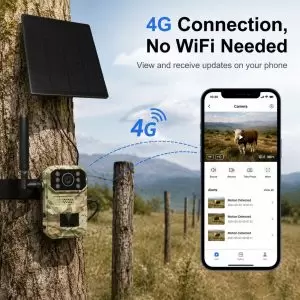
  • No power and no WiFi — a 4G LTE solar camera is the only answer, at the cost of a data plan.

Storage: local, cloud, or both

A microSD card in the camera is the cheapest and keeps footage even when the internet is out. Cloud storage survives somebody stealing the camera, which is the entire argument for it. Most people end up with both: card for continuous local recording, cloud for the clips that matter. Check the card size the model supports before ordering — this is the spec most often discovered after installation.

Night vision and false alarms: the two things people complain about

Every camera here sees in the dark; the difference is what the image looks like and how often it wakes you up. Infrared night vision gives a monochrome picture that is perfectly good for identifying a person at a doorway. Full-colour night vision keeps colour in low light, which matters when you need to describe clothing or a vehicle rather than just prove someone was there.

False alarms are the more common complaint, and they are a settings problem more than a hardware One. A camera pointing at a road will trigger on every passing car; one aimed at a hedge triggers on wind. Two adjustments solve most of it: drop the detection sensitivity a notch, and draw a detection zone that excludes the road or the hedge. Human-shape detection, available on the PTZ models, filters animals and moving branches out entirely. Aim the camera across the approach rather than straight down it and you will cut triggers again, because motion crossing the frame is detected far more reliably than motion coming at the lens.

Frequently Asked Questions

Is a wireless camera still “CCTV”?

Technically it is an IP camera on a closed network, not CCTV in the original sense. In practice the search term survives and everyone means home surveillance, so do not get hung up on the label.

Do I need a recorder (NVR/DVR)?

Only if you want continuous recording, more than a day or two of retention, or a single place to review several cameras. For one to three cameras, cards and cloud are simpler.

Will it work if the internet goes down?

Local recording continues. Remote viewing and notifications do not. A wired system with a recorder keeps working end to end.

How many cameras does a three-bedroom house need?

Usually two: the front door and the back or side access. Our guide to how many cameras a three-bedroom home needs goes through the Positions people Actually use.

Related Articles

You Might Also Like

Posted on — Leave a comment

How to Set Up a CCTV Camera System at Home

A CCTV camera system for a house no longer needs a contractor, a rack of recorders and a day of cable runs — three or four cameras and one app will do. What still decides whether the system works is planning: where each camera goes, how it gets power, how the WiFi behaves at that exact spot, and where the recordings live. Get those four right and the installation itself takes an afternoon.

What “CCTV” means for a home today

Two architectures cover almost every home:

  • App-based wireless cameras: each camera has its own WiFi radio and records to a microSD card, to cloud storage, or both. No recorder, no wiring to a central box, and you watch everything in one app. This is what most houses should install first.
  • Recorder-based (NVR/DVR) systems: cameras run on one cable to a recorder that stores weeks of footage on a hard drive. Better for continuous 24/7 recording across many cameras and for long retention, but it needs a central location with power and network, plus cable runs.

A practical compromise many owners land on: wireless cameras for coverage and quick setup, with one recorder or a larger memory card for the camera that must not miss anything.

Step 1: plan coverage before you buy anything

Walk the property in the evening and note what you want to see. Typical priority list, in order of value: Smart Switch for Water Heater and AC

  • Front entry and driveway: who arrives, which vehicle, was the gate left open.
  • Back door and garden path: the quiet side of a house is the one that needs a camera most.
  • Side alley or parking space: anything you cannot see from a window.
  • Indoor main area: hallway or living room, mainly for pets, children, or peace of mind while travelling.

One camera per priority area beats four cameras scattered at random. Start with the entry and one outdoor watcher, live with them for a month, then add more where a gap shows up.

Step 2: solve power for each position

Power is the constraint that decides the model, not resolution:

  • Mains socket nearby: a plug-in camera can stream continuously and never runs flat. Easiest and most reliable.
  • Outdoor with sun: a solar PTZ camera tops itself up daily and forgets about charging entirely.
  • No sun, no socket: a battery camera installs in minutes, but it wakes on motion rather than streaming all day — battery life depends on how busy the spot is.
  • Long cable run and no WiFi: a 4G camera with a SIM card covers outbuildings, farms and construction sites where neither power nor network reaches.

Step 3: get the network right

Almost every consumer camera works on 2.4 GHz WiFi, and signal strength at the mounting point is the number-one cause of “my camera keeps going offline”. Before mounting, stand where the camera will hang and check the signal on your phone. If it is weak:

  • Move the camera a metre or two — often the difference between a dead spot and a solid link.
  • Point the router antenna vertically and raise the router off the floor.
  • Add a mesh node or WiFi extender on the same side of the house as the camera.
  • Keep the camera off a crowded 2.4 GHz channel if your router lets you choose one.

Also give the camera a fixed IP or DHCP reservation. Most “camera disappeared” events are the router handing out a different address after a reboot.

Step 4: mount for footage you can actually use

  • Height: 2.2 to 2.5 m. High enough to be out of reach, low enough to identify a face rather than a hat.
  • Angle: tilt down 15 to 30 degrees so the lens sees the approach path, not the sky.
  • Light: avoid aiming straight into a street lamp or the setting sun — flare wipes out detail for hours a day.
  • Weather: keep the lens under an eave if possible, and confirm IP65 or better for anything outdoors.
  • Privacy: never point a camera into a neighbour’s window or a bathroom. It is both unpleasant and often illegal.

Step 5: decide where recordings live

  • microSD card in the camera: free, local, works with no internet, survives an internet outage. This is the baseline everyone should have.
  • Cloud subscription: survives a stolen camera and lets you review events from anywhere. Usually a few dollars per camera per month.
  • Recorder with a hard drive: best for many cameras and long retention; requires a central cupboard with power and network.

Card plus cloud is the comfortable setup: the card handles everyday clips, the cloud covers the events that matter if hardware disappears.

Step 6: put the system on your phone

  1. Install the app (Tuya Smart or Smart Life for Tuya-based cameras) and create one account for the whole house.
  2. Power the camera, hold the reset button until the indicator flashes, and let the app find it.
  3. Enter the 2.4 GHz WiFi password. Pair one camera at a time, within two metres of the router, then move it to its final position.
  4. Rename each camera by location — “Front door”, “Driveway” — not by model number.
  5. Turn on human detection and draw motion zones so passing cars and trees stop triggering alerts.
  6. Set a notification schedule: alerts when nobody is home, or overnight only. Alarm fatigue is what kills a useful system.
  7. Test playback from the card and from the cloud before you call the job done.

Common problems and the usual cause

  • Camera offline at night: infrared LEDs pull more current; a marginal power supply or a weak WiFi link fails first in the dark.
  • Constant false alerts: motion detection instead of human detection, or a zone that includes a road or a swaying branch.
  • No playback: card not formatted in the camera, or a cloud plan that expired.
  • Blurry night images: lens dirty, or a plastic lens cover still on — check before blaming the sensor.

XingLiao security cameras

Frequently Asked Questions

How many cameras do I need for a house?

Two to four for most homes: front entry, one more outdoor position, and one indoor common area. Add cameras only where the first set leaves a real gap — extra cameras mostly create extra alerts.

Do CCTV cameras need WiFi?

The app-based ones do, because that is how live view and alerts reach your phone. Cameras with local card recording and no app are the exception, and a 4G camera or a Doorbell with its own wireless monitor covers sites where no router reaches.

Can I install a CCTV system myself?

Yes, with wireless cameras it is a one-person job: mount the bracket, pair the camera, set the zones. Recorder-based systems with long cable runs are the only version where an installer genuinely saves time.

What is the difference between CCTV and a security camera?

In everyday use, almost nothing. “CCTV” traditionally describes a closed system of cameras recording to a central box; “security camera” describes the single WiFi unit in an app. Modern homes usually mix both ideas: app cameras for coverage, a recorder where retention matters.

How long does a battery camera last?

Weeks to months depending on the location. A quiet indoor spot can run three months per charge; a street with constant traffic can drain one in a week or two. Solar panels remove the problem outdoors.

Do I need a subscription?

No. A microSD card in the camera gives free local recording. Subscriptions buy off-site storage, which only matters if you want footage after the camera itself is stolen or broken.

Where should I not put a camera?

Anywhere that watches a neighbour’s property, a bathroom, or a bedroom shared with guests. Point cameras at your own entrances and pathways only — that is both the useful placement and the legal one.

Related guides

Browse all security cameras · Tell us the layout of your property and we will suggest a camera plan

Posted on — Leave a comment

CCTV Camera vs IP Camera: What a Home Really Needs

CCTV camera is the umbrella term for any camera used for Video surveillance; an IP camera is one specific type — a camera that sends video over a network using the Internet Protocol. Almost every camera sold for Home use today is an IP camera, so in practice “CCTV for home” means “a set of IP cameras plus somewhere to store the video”.

The real decision is not CCTV versus IP. It is four narrower choices: how the camera gets power, how it connects, where the video is stored, and how much resolution you actually need. This guide answers those in the order a buyer hits them.

CCTV vs IP camera: the terms, cleared up

Term What it means now Still relevant?
CCTV (closed-circuit TV) Historically analogue cameras wired to a recorder. Now used loosely to mean “surveillance camera”. As a buying category, yes. As a technology, mostly legacy.
IP camera Any camera that streams digital video over Wi-Fi or Ethernet. Yes — this is what you will actually buy.
Analogue HD (TVI / CVI / AHD) Coaxial cable to a DVR. Only for existing cable runs in older buildings.
Wi-Fi camera IP camera that connects over wireless instead of a cable. Yes — the default for homes.
PTZ Pan-tilt-zoom; the head moves. Yes, for large single areas; a fixed camera is better for doorways.

Choice 1 — Power: mains, battery or solar

Power Pros Cons Best for
Mains (plug-in or wired) Never needs charging, can record continuously Needs a socket or a cable run Entrances, driveways, shops
Battery Install anywhere in minutes, no drilling Charges every 1–6 months; recordings are event-based to save power Rentals, outbuildings, temporary cover
Solar + battery Same freedom as battery, no ladder trips Needs a few hours of real sun per day Gates, gardens, farms
PoE (power over Ethernet) One cable does power and data, most reliable Needs cable and a PoE Switch or NVR New builds, serious installs

If you want continuous recording rather than clips triggered by motion, Choose mains or PoE. Battery cameras sleep between events by design — that is how they last months on a charge.

Choice 2 — Connection: Wi-Fi, wired or 4G

  • Wi-Fi (2.4 GHz) — the default. Note that 2.4 GHz, not 5 GHz, is what cameras use; it has the range to reach a garden or a gate.
  • Ethernet / PoE — immune to Wi-Fi congestion; preferred where the camera matters most.
  • 4G LTE — for sites with no broadband: construction sites, barns, remote gates. Needs a data SIM.

Coverage check before you buy: stand at the mounting point with your phone, run a speed test on 2.4 GHz, and make sure you have at least two bars. A camera at the edge of Wi-Fi will drop offline in bad weather, which is exactly when you need it. Smart Switch for Water Heater and AC

Choice 3 — Storage: card, cloud or NVR

Option Cost Survives camera theft? Retention
microSD card in the camera One-off No Days to weeks, overwritten in a loop
Cloud subscription Monthly Yes 7–30 days depending on plan
NVR / local recorder Higher up front Yes Weeks to months, drive-size dependent

For evidence that survives a break-in, storage must be off-camera: cloud or a recorder kept inside. A card-only camera takes its own footage with it when it is stolen. M2 Foldable 3-Axis Gimbal Stabilizer, Portable Handheld Gimbal for Smartphones

Choice 4 — Resolution and optics

  • 1080p (2 MP) — fine for a doorway or a small room; identifiable faces only within a few metres.
  • 2K / 4 MP — the sensible default. Enough detail to read a face at a gate and a number plate in daylight.
  • 4K (8 MP) — worth it only with good lighting and enough storage/bandwidth; night performance still depends on the sensor, not the pixel count.
  • Lens — wide-angle (110°+) for rooms, narrower for long driveways.
  • Night mode — infrared gives black-and-white detail; “full-colour night vision” uses a larger sensor or a small white LED and produces usable colour after dark.

Placement that actually works

  1. Front door — 2.0–2.2 m high, slightly off-axis to the door so you get the face, not the top of a head. A doorbell camera covers this better than a bullet camera.
  2. Driveway — aim down the approach, not at the road; number plates need a narrow field of view.
  3. Back garden / side passage — the most common entry route after the front door.
  4. Inside — cover the entry hall, not bedrooms. Avoid pointing at a neighbour’s window and check local rules before recording shared areas.
  5. Avoid backlighting — a camera facing a bright window or a low sun will produce silhouettes. Move it or enable WDR.

Privacy and compliance basics

  • Do not aim cameras at neighbouring property or into shared hallways without agreement.
  • In the EU/UK, recording beyond your own boundary can put you under data-protection obligations; keep footage secure and delete what you no longer need.
  • Change default passwords, keep firmware updated, and enable two-factor authentication on the app account.
  • Put a visible notice at the entrance — in many jurisdictions it is expected, and it is a deterrent in itself.
Frequently Asked Questions

Is a CCTV camera the same as an IP camera?

Not exactly. CCTV describes the purpose (surveillance) and originally meant analogue systems; IP describes how the video travels (over a network). Modern home systems are IP cameras, and people still call the whole setup CCTV. M1 Foldable 3-Axis Gimbal Stabilizer, Portable Handheld Gimbal for Smartphones

Do I need a recorder?

No. A Wi-Fi camera with a microSD card and a cloud plan is a complete system for one to four cameras. A recorder becomes worthwhile past four cameras, or when you need weeks of continuous footage.

Will a wireless camera work without internet?

It will keep recording to its card. Remote viewing, notifications and cloud upload need internet. Some systems record to a local NVR over the home network with no internet at all.

What resolution is enough to identify a face?

4 MP (2K) with a lens matched to the distance is the practical answer. Distance matters more than megapixels: a 4 K camera pointed 15 metres down a garden will not identify a face, while a 4 MP camera 2 metres from a doorway will.

How many cameras does a typical home need?

Two to four: front door (doorbell camera), driveway or gate, back garden, and optionally an entry hall. Coverage of approach routes matters more than the number of devices.

What should a wholesale or project buyer check?

Resolution and sensor, power option per site, storage architecture, app platform (Tuya or private), onvif/RTSP support if integrating with a third-party NVR, certifications for the destination market (CE, UKCA, FCC, RoHS), and minimum order quantities.

Related products

Related guides

Related Articles

You Might Also Like