Posted on — Leave a comment

Wired vs Wireless Zigbee Gateway: What Changes in a Real Home

Every Zigbee device — sensors, switches, IR blasters — needs a gateway to translate between Zigbee and your network. You can buy that gateway with an Ethernet port or without One, and the choice quietly decides how reliable the whole system feels.

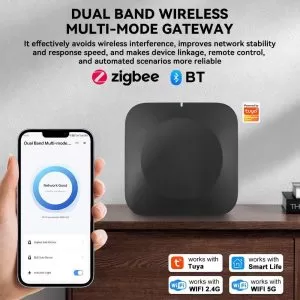
In our range that is the difference between a wired unit such as the TYGWZ-01 or ZHUB-C, and a Wireless one such as the ZHUB-W or MHUB-W.

The practical difference

Wired (Ethernet) Wireless (WiFi)
Connects via Ethernet cable to the router Joins WiFi
Placement Next to the router Anywhere with signal
Depends on WiFi quality No Yes
Best for Whole-home setups, reliability Flats, single-room setups, rentals
Typical failure Cable unplugged WiFi dropout takes Devices offline

Why wired is the better default

A wired gateway removes Two variables at once. It does not depend on WiFi signal quality where it sits, and it usually lives next to the router, which tends to be central to the home anyway. When a Zigbee device stops responding, the debugging path is short: is the gateway powered, is the cable in, is the device in range. Tuya Curtain Motor OEM: Complete Sourcing Guide 2026

With a wireless gateway, a WiFi hiccup looks identical to a Zigbee failure from the app’s point of view, and you spend longer working out which layer broke.

Why wireless is sometimes the right call

Placement freedom. If the router is in a corner of the house behind a television and a metal cabinet, a wired gateway has to live there too — and Zigbee range from that spot may not reach the far end of the house. A wireless gateway can sit centrally, on a shelf, where its Zigbee radio Actually covers the rooms that matter.

It is also the only practical option in a rental where you cannot leave an Ethernet cable running to the router, and the tidiest option for a single-room setup (one room’s sensors and switches).

Multi-mode gateways: Zigbee plus Bluetooth, plus Matter

Some units handle more than one protocol. The MHUB-MS and MHUB-FL-U cover Zigbee and Bluetooth in one box, which is worth it if you have Bluetooth sensors as well — one hub instead of two, one app screen instead of two. The MZHUB adds Matter, relevant if you are mixing your Zigbee devices into a newer Matter-based app.

Placement rules that matter more than the model

  • Central and elevated. Zigbee is a mesh — mains-powered devices relay for battery ones — but the gateway should still sit roughly centrally.
  • Away from metal and microwaves. Both 2.4 GHz Zigbee and WiFi suffer near large metal objects and running microwaves.
  • Not inside a cabinet. Putting the hub in a media cabinet behind a metal mesh front costs real range.
  • Give it a stable Power source. A hub that gets unplugged takes every automation with it.

FAQ

Can I use both types in one home?
You can, but devices pair to one hub. Two hubs means two sets of devices in the app. Better to pick one unless you have a genuinely separate zone, such as a garage.
Do I need a gateway for WiFi devices?
No. WiFi switches and plugs join the router directly. The gateway is only for Zigbee (and Bluetooth, on multi-mode units).
Will a wired gateway work if the internet goes down?
Local automations on the same network usually keep running; remote control from outside the home will not. Behaviour varies by app, so test it if it matters.
How far does Zigbee reach?
Tens of metres indoors per hop, less through solid walls. Mains-powered devices extend the mesh, which is why a few wired switches improve coverage for battery sensors.
Is Matter worth paying for now?
Only if you actively use a Matter-based app. If everything runs in the Tuya / Smart Life app, a standard Zigbee gateway does the same job.
Can I move the gateway later?
Yes — devices rejoin the mesh automatically, though battery sensors may need a few minutes to find the new route.

Related Articles

You Might Also Like

Frequently Asked Questions

Is Wired Wireless Zigbee worth buying?

Based on the breakdown in this article, Wired Wireless Zigbee offers a solid mix of features and value. If your main goal matches the key benefits described above, it is a practical choice for everyday use.

How do I choose the right wired wireless zigbee for my needs?

Start with your core use case, then compare battery life, compatibility, and Build quality as covered above. Choosing the right wired wireless zigbee comes down to matching specs with how you Actually use it.

Does wired wireless zigbee require a companion app?

Most devices of this type pair with a free companion app for setup and firmware updates. A few advanced features may sit behind a paid plan, so check the official specs page before buying.

Posted on — Leave a comment

Rain Sensor: What It Is Actually Good For Beyond Telling You It Rains

A rain sensor sounds like a device that tells you something you can already see from the window. Its value is not the notification; it is the automation. Once the sensor is reporting “it is raining” to the same app that runs your other devices, it becomes a trigger for things you would otherwise have to remember.

Our solar rainwater and leak sensor runs on Zigbee with its own panel, and the ultrasonic level sensor covers the related job of measuring how much Water is in something.

Four automations worth setting up

  1. Close the roof window or skylight. The classic use: rain detected, motorised window closes. This is the one that justifies the sensor on its own in any house with a remote skylight.
  2. Skip the irrigation cycle. If garden watering is automated, a rain sensor stops it running on a day when the ground is already soaked.
  3. Retract the awning or bring in the cover. Rain plus wind is what damages awnings; the sensor gives you the trigger.
  4. Alert on water where it should not be. The same class of sensor is used as a leak detector in a loft, a garage or under a sink — see our water leak sensor placement guide for that use.

Where to mount it so it reads correctly

A rain sensor has to get wet to work, which sounds obvious but dictates the mounting position:

  • Open to the sky. Under a soffit, a porch or a tree, it will under-report — it only sees the rain that reaches it.
  • Level or very slightly tilted. Most sensor plates are designed to shed water; mount them as intended so the surface does not hold a puddle and report rain hours after it stopped.
  • Away from sprinklers and drips. An irrigation line that sprays the sensor in dry weather produces false positives all summer.
  • Reachable enough to clean. Dust, pollen and bird deposits change how water beads on the plate. A seasonal wipe keeps readings sane.

Zigbee, and what that means

The Zigbee models do not connect to your router directly — they join a ZigBee gateway, which is also what gives them long battery life. A solar model adds a small panel that keeps the cell topped up through the year, which matters for a sensor mounted on a roof or a fence where charging it is a chore. Q81 Wireless Button Microphone – Mini Invisible Lapel Mic for Vlogging, Interview & Live Streaming

If you are choosing between wired and Wireless gateways for the same setup, see wired vs wireless Zigbee gateways; and if you are planning a whole sensor network, how many devices one gateway can handle is the number that decides whether you need a second hub. Smart Wireless Video Doorbell – 24/7 HD Front Door Security With Night Vision & Voice Change

What it will not do

Be honest about the limits: a rain sensor reports wet or dry, not millimetres. It will not tell you how much rain fell, and it cannot measure a tank level — for that you want an ultrasonic sensor that reads distance to the water surface. It also reports rainfall at the sensor, which is not necessarily the rainfall in the garden if the sensor sits in a sheltered spot. Smart Visual Wireless Video Doorbell: Upgrade Your Home Security in 2026

FAQ
Does it need WiFi?
The sensor itself uses Zigbee and talks to a gateway; the gateway connects to your network. The sensor does not join WiFi directly.
Will it trigger from dew or fog?
Heavy dew can register. If that causes false automations, raise the trigger threshold in the app or delay the automation by a few minutes.
Does the solar panel work in winter?
It contributes less in low light, but a rain sensor draws very little. The panel is there to stretch the interval between charges, not to replace the battery.
Can one sensor drive several automations?
Yes — the sensor reports a state, and the app can use that state in as many scenes as you like.
Is it the same as a leak sensor?
Similar sensing principle, different mounting and purpose. A rain sensor lives outdoors in the open; a leak sensor sits where water would collect if something failed.
How do I stop it reporting rain after it stopped?
Mount it tilted as designed so water runs off the plate, and keep the surface clean.

Related Articles

You Might Also Like
Frequently Asked Questions

Is Rain Sensor Actually worth buying?

Based on the breakdown in this article, Rain Sensor Actually offers a solid mix of features and value. If your main goal matches the key benefits described above, it is a practical choice for everyday use.

How do I choose the right rain sensor actually for my needs?

Start with your core use case, then compare battery life, compatibility, and build Quality as covered above. Choosing the right rain sensor actually comes down to matching specs with how you actually use it.

Does rain sensor actually require a companion app?

Most devices of this type pair with a free companion app for setup and firmware updates. A few advanced features may sit behind a paid plan, so check the official specs page before buying.

Posted on — Leave a comment

Smart Pet Feeder OEM: Complete Sourcing Guide for Brands

Smart Pet feeders are one of the hottest categories in pet tech. If you’re building a pet brand or sourcing for retail, this guide covers what specs matter, what MOQ to expect, and common pitfalls.

## Why Tuya Smart Pet Feeders?

Tuya-powered feeders work with the Tuya Smart app, supporting:
– Remote feeding via app (dispense 1-10 portions per meal)
– Scheduled feeding (up to 12 meals/day)
– HD Camera for video watching pets while away
– Two-way audio to talk to your pet
– Anti-jam feeder design
– Works with Alexa/Google Home for voice control ## Auto vs Camera Feeders | Feature | Basic Auto Feeder | Camera Feeder | |—|—|—| | Camera | No | 1080p HD | | Two-way audio | No | Yes | | Scheduling | Yes | Yes | | App control | Yes | Yes | | Portion size | Fixed 10-20g | Adjustable 5-20g | | Price range | $15-25 | $30-50 | | OEM MOQ | 100 pcs | 50 pcs | ## Key Specs to Compare ### Food Capacity – 3L is standard for cats and small dogs – 6L available for large dogs or multi-pet homes – Stainless steel bowl is preferred (easier to clean, safer) ### Power Options – Plug-in adapter (most common) – Battery backup (4 D-cell batteries, works during power outage) – Both options = premium product ### Camera Quality (for camera models) – 1080p is minimum – 2.4GHz WiFi only (5GHz doesn’t work with most pet devices) – Night vision essential for evening meals – Wide angle lens (110°+) to see the whole feeding area ### Anti-Jam Design – Look for a rotatable dispenser mechanism – Avoid cheap gravity feeders that jam on dry food – Test with kibble sizes 5-15mm before bulk order ## Common OEM Mistakes 1. **Skipping sample testing** — always order 2-3 samples and run for a week 2. **Ignoring app localization** — Tuya app supports multiple languages, but check your target market 3. **Wrong voltage** — 110V for US/Japan, 220V for EU/UK/Australia 4. **No FCC/CE certification** — get certification documents before shipping to your market ## MOQ and Pricing | Product | MOQ | Unit Price | |—|—|—| | Basic auto feeder (no camera) | 100 pcs | $12-18 | | Camera feeder (1080p) | 50 pcs | $28-42 | | Camera feeder with 6L tank | 50 pcs | $35-50 | | Custom logo & packaging | 100 pcs | +$1-2/pc | ## XingLiao Pet Feeder Range We manufacture: – Tuya WiFi auto feeders (3L/6L) – Camera feeders with two-way audio – Stainless steel food bowl included – Custom logo from 100 pcs – CE/FCC/RoHS certified Samples ship in 3 days. Contact us for a quote with your target quantity and market.
smart pet feeder

Related Articles

You Might Also Like
Frequently Asked Questions

Is Smart Pet Feeder worth buying?

Based on the breakdown in this article, Smart Pet Feeder offers a solid mix of features and value. If your main goal matches the key benefits described above, it is a practical choice for everyday use.

How do I choose the right smart pet feeder for my needs?

Start with your core use case, then compare battery life, compatibility, and build quality as covered above. Choosing the right smart pet feeder comes down to matching specs with how you actually use it. Why Cameras Miss Faces but Doorbells Don't

Does smart pet feeder require a companion app?

Most devices of this type pair with a free companion app for setup and firmware updates. A few advanced features may sit behind a paid plan, so check the official specs page before buying.

Posted on — Leave a comment

How Many Security Cameras Does a 3-Bedroom Home Need?

Most people either buy one camera and discover it covers nothing useful, or buy six and spend a weekend running cables. A three-bedroom house has a finite number of genuinely useful camera positions, and covering those well beats covering everything badly.

Here is the plan that fits most layouts, using models from our security camera range.

Start with entrances, not rooms

Burglary statistics aside, the practical reason for a camera is to answer “who came to the door” and “what happened at the boundary”. That means the priority order is:

  1. Front door — the single most useful position in any house.
  2. Back door or garden access — the second most common entry point and the one people forget.
  3. Driveway or parking — vehicles, deliveries and the approach to the house.
  4. Side passage or gate — if there is one, it is worth a camera more than any indoor room.

A realistic count: three to five cameras

Position Suggested type Notes
Front door Video doorbell or compact outdoor camera The only position almost every home should have
Back garden / patio door Outdoor PTZ or Solar model Covers the approach from the garden
Driveway Dual-lens camera Overview plus detail on vehicles and plates
Hallway (optional) Plug-in mini camera Indoor coverage of the main entry corridor
Nursery (optional) Baby monitor Dedicated unit with its own screen, not a Security camera

Three cameras (front, back, driveway) covers the essentials. Five adds hallway and nursery. Beyond five in a three-bedroom house, you are usually duplicating views.

Where cameras are a waste

  • Bedrooms — rarely justified unless there is a specific concern.
  • Kitchens and living rooms — large open spaces where one camera sees very little detail and pets trigger constant alerts.
  • Landings upstairs — no external access point, so nothing to catch.
  • Duplicate views of the same door — a doorbell camera plus an outdoor camera aimed at the same doorstep is usually redundant.

Practical limits that decide the real number

Three things will cut your plan short before the layout does:

  • WiFi coverage. Every camera needs a usable 2.4 GHz signal where it sits. Test at each position with a phone before buying.
  • Power at outdoor positions. If there is no socket, you are choosing between a solar model and a Battery model — see cameras that run without a power outlet.
  • Storage. More cameras means more card space or a cloud plan. Continuous recording multiplies the requirement; motion-only clips keep it small.

One decision that saves money: doorbell or camera at the front?

If you only want to know who is at the door, a video doorbell is cheaper and better at it than a camera. If you want to see the approach, the path and the street, a camera does more. Many homes end up with a doorbell at the front and a camera at the back — which is a perfectly good three-camera plan with the driveway as the third.

FAQ
Is two cameras enough?
For a small three-bedroom house with one external door and a back gate, two (front and back) covers the main risk. Add the driveway if there is parking.
Should indoor cameras face outside?
Only with a camera designed for it. A standard indoor camera behind glass gives reflections by day and infrared fog at night — see our window camera guide.
Do I need continuous recording everywhere?
No. Motion clips are enough for most positions. Reserve continuous recording for one or two places where the timeline matters.
Can all cameras go in one app?
Yes — the Tuya / Smart Life app handles multiple cameras in a single account, including a mix of indoor, outdoor and doorbell models.
What about privacy rules?
Avoid pointing cameras into neighbours’ windows or shared spaces beyond your own boundary, and tell anyone working in the house that cameras are present.
How high should outdoor cameras be?
Roughly 2.5 to 3.5 metres: out of easy reach, still Low enough for a usable face angle.

Related Articles

You Might Also Like
Frequently Asked Questions

Is Many Security Cameras worth buying?

Based on the breakdown in this article, Many Security Cameras offers a solid mix of features and value. If your main goal matches the key benefits described above, it is a practical choice for everyday use.

How do I choose the right many security cameras for my needs?

Start with your core use case, then compare battery life, compatibility, and build quality as covered above. Choosing the right many security cameras comes down to matching specs with how you actually use it.

Does many security cameras require a companion app?

Most devices of this type pair with a free companion app for setup and firmware updates. A few advanced features may sit behind a paid plan, so check the official specs page before buying.

Posted on — Leave a comment

Window Camera: Filming Through Glass Without Glare or Reflections

Pointing a normal indoor camera out of a window produces disappointing footage: a reflection of the room by day, and infrared LEDs bouncing off the glass at night so the image fogs into grey. It is one of the most common Camera mistakes, and it is not fixed by buying a better Camera — it is fixed by using a camera designed for glass.

The Tuya Smart Window Camera is built for this: it mounts flat against the pane so the Lens is coupled to the glass, which removes the air gap that causes reflections and lets infrared pass through instead of bouncing back.

Why glass breaks a normal camera

Three separate problems:

  1. Reflections. Any gap between lens and glass lets the lens see its own reflection and the room behind it, especially when it is darker outside than in.
  2. Infrared bounce. Night vision works by lighting the scene with IR LEDs. Glass reflects infrared almost perfectly, so the camera lights up the window itself and sees nothing beyond it.
  3. Exposure. A camera metering the bright outdoors will underexpose, and one metering the room will blow out the street. Auto exposure flickers between the two.

A window camera solves the first two physically — flush mounting removes the gap, and the LEDs are arranged to fire through the pane. The third is handled by exposure tuning for an outward view.

Where a window camera makes sense

  • Flats with no outdoor space — no drilling into an exterior wall you do not own.
  • Street-facing rooms — watching a parked car or the pavement without an outdoor install.
  • Ground-floor windows on a busy path — coverage where an outdoor camera would be tampered with.
  • Rentals — mounted inside, taken with you when you leave.

Getting a clean image: practical steps

  1. Clean both sides of the glass. Smears that are invisible to the eye show up as haze in footage.
  2. Mount flush and sealed. The unit adheres to the pane; any gap reintroduces reflections.
  3. Avoid direct sun on the pane. A window in full afternoon sun will glare regardless of the camera.
  4. Turn the room lights off at night if you are filming out after dark — interior light is the main source of remaining reflection.
  5. Consider the angle. Straight out through the glass gives the cleanest image; filming at a steep angle through the pane degrades it.

When to choose an outdoor camera instead

Glass always costs some image quality. If you can mount outside — an eave, a wall, a soffit — an outdoor camera such as the outdoor dual-lens PTZ will give you a sharper, wider view with better night performance. Choose the window camera when mounting outside is impossible, not merely inconvenient.

If you are weighing Battery against mains for the outdoor option, our battery vs plug-in comparison covers that decision, and this guide covers outdoor spots with no socket.

FAQ
Can I just put a normal indoor camera in the window?
You can, but expect reflections by day and a washed-out infrared picture at night. A window camera is designed around the glass rather than fighting it.
Does it work with double glazing?
Yes. Double glazing is fine — the mount couples to the inner pane. Tinted or heavily coated glass reduces image quality.
Will it fall off?
The mount uses a strong adhesive pad rated for the weight. Clean the glass with alcohol before fitting and press firmly; on a cold pane, warm the area first.
Can I see number plates?
At 3 MP / 2K, a plate directly in front of the window within a few metres is often readable. Plates at distance or at an angle are not reliable.
Does it record at night?
Yes, with the room lights off. Interior lighting is the main cause of night-time reflection.
Do I Need WiFi?
Yes, 2.4 GHz, same as the rest of the range. Test signal strength at the window before fitting.

Related Articles

You Might Also Like
Frequently Asked Questions

Is Window Camera Filming worth buying?

Based on the breakdown in this article, Window Camera Filming offers a solid mix of features and value. If your main goal matches the key benefits described above, it is a practical choice for everyday use.

How do I choose the right window camera filming for my needs?

Start with your core use case, then compare battery life, compatibility, and build quality as covered above. Choosing the right window camera filming comes down to matching specs with how you actually use it.

Does window camera filming require a companion app?

Most devices of this type pair with a free companion app for setup and firmware updates. A few advanced features may sit behind a paid plan, so check the official specs page before buying.

Posted on — Leave a comment

Outdoor Security Camera Without a Power Outlet: What Actually Works

The best place to put an outdoor Camera is almost never near a socket. Gates, driveways, side passages and sheds are exactly the spots with no mains, which is why “no Power outlet” is one of the most common reasons people give up on an outdoor camera.

There are three workable answers, and they are not interchangeable. In order of how often they are the right one: Solar panel cameras, Battery cameras, and 4G LTE cameras for places with no WiFi either.

Option 1: solar panel camera

A Camera with its own panel — such as the solar PTZ or the Xingliao solar PTZ — is the closest thing to a fit-and-forget outdoor camera. The panel trickle-charges the battery through the day; the battery runs the camera at night.

Two honest caveats. The panel needs light: a north-facing wall under an overhang collects very little, and winter output drops substantially. And the camera still needs WiFi — if the gate is 30 metres from the house, the signal is the real problem, not the power. Our solar doorbell guide covers panel siting in more detail and the same rules apply here.

Option 2: battery camera

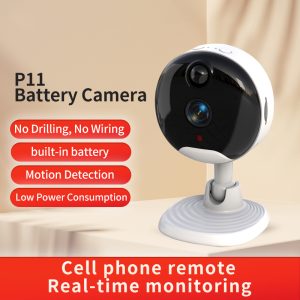
Simplest to install and the easiest to move. A battery camera such as the P11 mounts on any surface with an adhesive pad or two screws, records on motion, and comes down for charging.

Outdoors, expect shorter intervals than indoors: cold reduces capacity, and a camera watching a windy garden triggers far more often than one in a quiet hallway. If you are willing to charge it every couple of months, this is the cheapest route to a camera at the gate.

Option 3: 4G LTE camera

When there is no power and no WiFi, the answer is a camera with its own cellular link. The 4G LTE solar trail camera is built for exactly this: remote sites, allotments, farm gates, building plots — anywhere a router will never reach.

It needs a data SIM and a signal, and it costs more to run than a WiFi camera. But it is the only option that works completely independently of the building.

What still has to reach the camera

Option Needs mains Needs home WiFi Needs charging
Solar panel camera No Yes Rarely
Battery camera No Yes Every 1-3 months
4G LTE solar camera No No (SIM data) Rarely

Note that “no mains” never means “no WiFi” unless you go to 4G. Test your 2.4 GHz signal at the mounting point before buying — stand there with a phone and check. If it is weak, an outdoor extender or a mesh node in the nearest room usually fixes it.

Weather and mounting

Outdoor means IP-rated: look for IP65 or better for rain and dust. Mount under an eave if you can — not because the camera cannot take rain, but because lenses stay cleaner and infrared night vision is not fogged by water on the glass. Aim for 2.5 to 3.5 metres high: out of easy reach, still Low enough for a usable face angle.

FAQ
Will a solar camera run through a British or northern European winter?
It will run, but the panel contributes much less. Plan on one manual charge in late autumn rather than expecting the panel to carry you through to spring.
Do I need WiFi for a solar camera?
Yes, unless it is a 4G model. The panel replaces mains power, not the network connection.
How much data does a 4G camera use?
That depends entirely on how often you view live and how Many clips upload. Motion-triggered clips with occasional live viewing are modest; continuous streaming is not.
Can I use a power bank?
Some cameras will run from one, but outdoor-rated power banks are rare and it adds a failure point. A solar model is usually the better spend.
Does night vision work on battery?
Yes, infrared LEDs draw relatively little power. Cold is the bigger drain on the battery than the LEDs.
Can I mount to a fence?
Mechanically yes, but fences move. Movement triggers false motion alerts and shakes the image — use a wall or post for a PTZ camera.

Related Articles

You Might Also Like
Frequently Asked Questions

Is Outdoor Security Camera worth buying?

Based on the breakdown in this article, Outdoor Security Camera offers a solid mix of features and value. If your main goal matches the key benefits described above, it is a practical choice for everyday use.

How do I choose the right outdoor security camera for my needs?

Start with your core use case, then compare battery life, compatibility, and build quality as covered above. Choosing the right outdoor security camera comes down to matching specs with how you actually use it.

Does outdoor security camera require a companion app?

Most devices of this type pair with a free companion app for setup and firmware updates. A few advanced features may sit behind a paid plan, so check the official specs page before buying.

Posted on — Leave a comment

Dual-Lens Security Camera: What the Second Lens Is Actually For

A second lens on a Security camera is easy to dismiss as a spec-sheet trick. In practice it solves a specific problem that a single lens cannot: you cannot simultaneously watch a whole room and read a detail in it. Wide enough to see everything means too wide to identify anything.

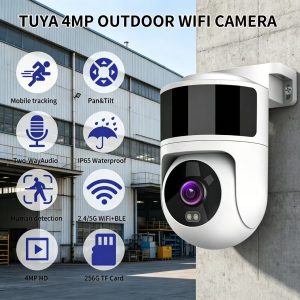
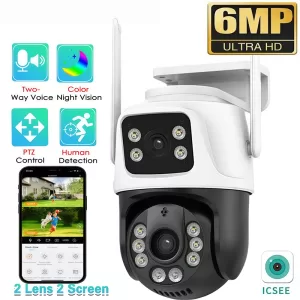
Our dual-lens models — the KT-A36, the KT-R13 6 MP and the outdoor dual-lens PTZ — use the second lens in one of two ways.

Two designs, two jobs

1. One fixed lens plus one moving lens

The fixed lens holds a constant view of the whole scene while the PTZ lens pans, tilts and zooms to follow movement. The value is that you never lose the overview: a single-lens PTZ Camera that swings away to follow somebody leaves you blind to whatever happens behind it. With two lenses, the overview keeps recording whatever the tracking lens is doing.

2. One wide lens plus one telephoto lens

Both lenses point at the same scene at different focal lengths. You get a wide context shot and a tight detail shot of the same moment — the difference between “a person approached the door” and “here is a readable face and the parcel they carried”.

Where a dual-lens camera earns its cost

  • Driveways and forecourts — the overview catches the vehicle, the detail lens catches the plate or the driver.
  • Shop floors and small warehouses — one camera covers the aisle and the till without a second install.
  • Large gardens — the fixed lens watches the gate, the PTZ follows whoever comes through it.

Where it does not: a small room, a corridor, or anywhere a single wide lens already covers everything you care about. If the space is smaller than about 25 square metres and has one entrance, one lens is enough and cheaper.

What to check on the spec sheet

  • Which lens does the tracking? On PTZ designs, confirm the moving lens is the one with optical zoom.
  • Night behaviour of both lenses. Two lenses need two sets of IR LEDs; a model that lights only one leaves the other blind after dark.
  • Storage load. Two streams use roughly twice the card space. Size the card accordingly.
  • Resolution honesty. A “6 MP” figure often describes the combined or the higher lens. Check per-lens resolution.

Installation notes

Dual-lens units are physically larger and heavier than a Mini camera, and the outdoor PTZ versions need a solid fixing — a soffit, a wall with proper plugs, not a fence panel that moves in the wind. Mount high enough to be out of reach but Low enough that the detail lens has a usable angle on faces; roughly 2.5 to 3.5 metres works outdoors.

Power is the other constraint: outdoors, an outdoor PTZ with two lenses wants mains or a Solar panel, not a small internal Battery. See options for outdoor cameras with no power outlet.

FAQ
Does a dual-lens camera record two videos at once?
Yes — both streams are recorded, and the app lets you view them together or separately.
Is auto-tracking useful or annoying?
Useful outdoors with pets and passing cars if sensitivity is tuned; annoying in a busy scene where it chases everything. Most models let you set tracking zones.
Can I turn one lens off?
Usually you can disable a view in the app, which is a way to halve storage use if you only need one angle.
Does it work at night?
Yes, provided both lenses have infrared or full-colour night support — check this per model rather than assuming.
Do I need a subscription for auto-tracking?
No, tracking runs on the camera itself. Cloud storage is a separate, optional service.
Is the outdoor model waterproof?
The outdoor dual-lens PTZ carries an IP65 rating for rain and dust. Indoor dual-lens models are not rated for outdoor use.

Related Articles

You Might Also Like
Frequently Asked Questions

Is Dual Lens Security worth buying?

Based on the breakdown in this article, Dual Lens Security offers a solid mix of features and value. If your main goal matches the key benefits described above, it is a practical choice for everyday use.

How do I choose the right dual lens security for my needs?

Start with your core use case, then compare battery life, compatibility, and build quality as covered above. Choosing the right dual lens Security comes down to matching specs with how you actually use it.

Does dual lens security require a companion app?

Most devices of this type pair with a free companion app for setup and firmware updates. A few advanced features may sit behind a paid plan, so check the official specs page before buying.

Posted on — Leave a comment

Battery Camera vs Plug-In Camera: Choosing Each Room’s Camera

Buying one Camera for the whole house usually means compromising somewhere. A Battery Camera can go anywhere but sleeps between events; a plug-in camera can record continuously but only where there is a socket. Most homes end up with a mix, and the trick is knowing which rooms justify which.

The models below are all in our security camera range: the battery-powered P9 and P11, and the plug-in P10 mini.

The core trade-off

Battery Camera Plug-in Camera
Placement Any surface, no wiring Within reach of a socket
Recording Clips on motion Continuous or on motion
Resolution headroom Limited by battery budget Higher bitrate and frame rate
Upkeep Recharge every few months None
Best for Hallways, shelves, rentals, garages Nurseries, living rooms, anywhere with 24/7 value

Room by room

  • Entrance hallway. Battery. You want it at head height near the door, and there is rarely a socket there. Motion clips catch whoever comes in.
  • Living room. Plug-in if you want continuous coverage of a large open space; battery if you only care about motion while you are out.
  • Nursery or pet area. Plug-in. Continuous recording and two-way audio matter more here, and a socket is usually available — see our baby monitor range for dedicated units with their own screens.
  • Garage or shed. Battery, unless there is mains. A solar panel model removes the charging trip entirely.
  • Flat or rental. Battery, mounted with an adhesive pad so nothing is drilled.

What “low power” actually costs you

A battery Camera stays asleep and wakes when its PIR sensor fires. Two consequences follow. First, there is a short delay between someone entering the frame and the clip starting — a second or two, sometimes more if the sensor is pointed away from the approach path. Second, the Camera cannot record what it never woke for.

Both are acceptable for “who came through the hallway” and unacceptable for “I need the whole afternoon”. If the second sentence describes you, plug it in.

WiFi matters more than power

Every one of these cameras needs a usable 2.4 GHz signal where it sits. The usual failure is a camera mounted in a garage or at the far end of a hallway where the phone shows one bar. Test at the exact spot before you commit — hold a phone there, force 2.4 GHz, and run a speed check. A camera on a marginal link produces constant disconnects, missed clips and a battery that drains faster because it keeps re-associating.

Night vision and where you point it

Indoor cameras use infrared LEDs for night viewing. Two practical notes: infrared reflects off glass, so do not point a camera through a window at night (you will film the room, not the street) — for that job use a dedicated window camera. And infrared does not travel far, so a camera at the far end of a long room will show a bright foreground and a dark background.

FAQ
How long does a battery camera last per charge?
Typically weeks to a few months, depending on how often motion fires and how much live viewing you do. Busy hallways drain faster than spare rooms.
Can a battery camera record continuously if I leave it plugged in?
Some models will run while connected, but they are designed around motion events. If you want continuous footage, buy a plug-in model.
Do I need a subscription?
No. Local card storage covers clips, and cloud storage is optional on most models.
Can one app show several cameras?
Yes — the Tuya / Smart Life app handles multiple cameras in one account, which is why mixing battery and plug-in models is practical.
Will it work without internet?
Local recording to a card continues, but remote viewing and notifications need the internet.
Is one camera enough for a flat?
Usually yes for a one-bedroom, covering the entrance. See how many cameras a 3-bedroom home needs for larger layouts.

Related Articles

You Might Also Like
Frequently Asked Questions

Is Battery Camera Plug worth buying?

Based on the breakdown in this article, Battery Camera Plug offers a solid mix of features and value. If your main goal matches the key benefits described above, it is a practical choice for everyday use.

How do I choose the right battery camera plug for my needs?

Start with your core use case, then compare battery life, compatibility, and build quality as covered above. Choosing the right battery camera plug comes down to matching specs with how you actually use it.

Does battery camera plug require a companion app?

Most devices of this type pair with a free companion app for setup and firmware updates. A few advanced features may sit behind a paid plan, so check the official specs page before buying.

Does battery camera plug work with both iPhone and Android?

Yes, in most cases this type of device ships with iOS and Android apps, and standard Bluetooth protocols keep cross-platform pairing simple.

Posted on — Leave a comment

Battery or Wired Video Doorbell: What Actually Changes

A battery video doorbell is the right choice when you cannot get a cable to the door. A wired one is the right choice when you can. Everything else — detection speed, recording length, whether you miss visitors — follows from that one constraint.

The real difference: how the device wakes up

A battery doorbell sleeps. It wakes when its PIR sensor or radar sees motion, boots the camera, joins Wi-Fi, and starts recording. That chain takes two to six seconds, which is why battery doorbells are famous for capturing someone’s back as they walk away.

A wired doorbell is always on. It can buffer the frames before the motion event — pre-roll — and stream continuously if you want it to. The visitor is in the first frame, not the third.

What you give up with battery

  • Pre-roll: the clip starts after detection, so fast walkers and deliveries get clipped.
  • Recording length: long clips drain the cell. Most battery models cap clips and add a cooldown between them.
  • Continuous recording: essentially unavailable; the power budget does not allow it.
  • Winter behaviour: lithium cells lose capacity in the cold, and charging below 0 °C permanently damages them. Cold-climate users often end up bringing the unit indoors to charge every few weeks.
  • Chime options: many battery models rely on a wireless chime or your phone, which adds delay.

What you give up with wired

  • Installation: you need a transformer and two wires at the door, with enough VA to drive the unit.
  • Chime compatibility: a mechanical chime usually needs a bypass module, or it buzzes and only rings once.
  • Placement: you are tied to where the existing wiring is.

Choosing, in order

1. Can you get wires to the door?

If there is an existing doorbell, almost always yes — reuse the wires and check the transformer. If there is nothing, a battery unit is the honest answer and no amount of spec-sheet reading changes that.

2. If wired, check the transformer before you buy

Voltage matters (most units want 8–24 V AC), but VA matters more. An old 10 VA transformer is the single most common cause of a doorbell that restarts when the chime fires or when it gets cold. Under-specced power looks exactly like a faulty device.

3. If battery, plan for the charging cycle

Ask where the unit will be in January. If it is shaded and above freezing, battery is fine. If it faces a cold north wall, expect to pull it down regularly — or run a low-voltage cable now and save yourself the cycle.

4. Decide what “not missing anyone” means to you

If parcels matter, pre-roll is worth more than resolution. A wired unit with pre-roll beats a higher-resolution battery unit that starts recording after the van has left.

Hybrid reality

Plenty of households end up with a wired doorbell at the front door and a battery camera covering the side gate or the driveway, where running cable is impractical. That is a normal, sensible split — the constraint is per-location, not per-house.

See the current video doorbells, and pair one with a smart door lock if you want remote unlocking for deliveries.

Frequently Asked Questions

Do battery doorbells record all the time?

No. They sleep and wake on motion, which is why clips often start late. Continuous recording needs mains power.

Can I use a battery doorbell with my existing chime?

Sometimes, but many battery models are designed to use their own wireless chime. Wired models are the ones that integrate with an existing mechanical chime, usually with a bypass module.

How often will I charge a battery doorbell?

Anywhere from one to six months depending on traffic, temperature and how long your clips are. Heavy footfall and cold weather are the two things that cut it short.

Is 2K worth paying for on a doorbell?

Only after you have solved pre-roll. Identifying a face at the door depends more on framing, lighting and whether the clip starts early enough than on pixel count.

Why does my wired doorbell restart when someone rings?

Almost always the transformer. When the chime circuit closes, the load spikes and an under-rated transformer sags, rebooting the unit. A higher-VA transformer fixes it.

Do I need an electrician?

For a straight swap on existing low-voltage wiring, usually not — but confirm the transformer rating first, and get a professional if you are touching mains wiring or running new cable.

Can a battery doorbell work in winter?

It works, but capacity drops in the cold and charging a lithium cell below freezing damages it permanently. Charge it indoors.

What is pre-roll?

A few seconds of video buffered before the motion trigger, so the clip includes what happened leading up to it. It needs mains power and is the single biggest practical advantage of a wired doorbell.

Posted on — Leave a comment

Where to Mount a Video Doorbell: Height, Angle and Sun Glare

A good doorbell camera mounted badly produces worse footage than a cheap one mounted well. Three variables decide it: how high the lens sits, which way it points, and what the light is doing behind the visitor. None of them need an electrician — just ten minutes with a tape measure before you drill.

This applies to wall-mounted models across our video doorbell range, including the X8 and the Battery U9.

Height: chest to eye level, not above the door

Most doorbells are fitted at roughly 1.2 to 1.5 metres from the ground — around chest height on an average adult. That puts the lens close enough to a visitor’s face to be useful while keeping the camera out of easy reach.

Higher than about 1.6 metres and you start photographing the tops of heads and hat brims. Lower, and the camera is easy to tamper with and the view fills with shoulders. If the only sensible mounting point is higher — a frame above the Door, for instance — look for a model with a wide vertical field of view, or use a wedge mount to tilt the lens down.

Angle: tilt down slightly, and decide what you want in frame

A lens pointed straight ahead catches faces well and parcels badly. A lens tilted down by 10 to 15 degrees catches both. The trade-off is a slightly distorted view of a tall visitor standing close.

Decide which matters more:

  • Faces first — keep the lens level, useful where you mostly want to know who called.
  • Parcels first — tilt down, useful where porch theft is the concern.

Wedge mounts solve this without moving the unit: a 15 or 30 degree shim under the bracket changes the angle and, usefully, can also turn the view along a side path.

Light: the backlit visitor problem

The classic failure is a doorbell facing east or west into low sun, or facing a bright street with the visitor silhouetted. The camera exposes for the bright background and the face goes dark.

Fixes, in order of effort:

  1. Move the unit to the shaded side of the door frame if the sun comes from one direction.
  2. Use the porch light after dark — a lit face in front of a dark street is far easier to read than the reverse.
  3. Choose a model with wide dynamic range or full-colour night vision for difficult entrances.
  4. Add a shade — even a small porch overhang above the camera reduces direct glare.

WiFi and power still constrain where it can go

The best camera position is useless if the WiFi signal there is dead. Before fixing the bracket, stand at the chosen spot with a phone on 2.4 GHz and check the signal. If it is weak, either move the router or extender, or pick a model that does not depend on your network — the monitor-based kits run their own radio link.

Special case: peephole cameras

A peephole doorbell has no mounting choice at all — it sits at viewer height, typically around 1.5 metres, and looks straight out. That is ideal for faces, poor for parcels, and the only realistic option when you cannot attach anything to the outside of the door or wall.

Check before you drill

  • WiFi signal at the exact spot, on 2.4 GHz.
  • Door thickness if you are fitting a peephole unit.
  • Whether the surface is brick, render, wood or metal — each needs different fixings.
  • Whether a wedge mount is needed for the angle you want.
  • Local rules if you are in a managed building or a listed property.
FAQ
What height should a Video doorbell be?
Around 1.2 to 1.5 metres from the ground. Above 1.6 metres you mostly capture the tops of heads unless you tilt the lens down.
Can I mount it on a metal door or frame?
Yes mechanically, but metal can affect both the Wireless link and the WiFi signal. Test signal strength before fixing it permanently.
Why is my footage washed out during the day?
Usually direct sun or a bright background behind the visitor. Move the unit to the shaded side, add a shade, or use the porch light to balance the scene after dark.
Do I need a wedge mount?
If the door is set back in a recess, or you want to see along a path rather than straight ahead, a wedge mount is the simplest fix.
Can it be stolen?
Anything surface-mounted can be. Use the security screw where supplied, mount with proper fixings, and rely on cloud or card storage so footage survives the unit going missing.
Does rain matter?
On an exposed door, yes — choose a unit with an IP rating (such as the IP66 X8) rather than an indoor-rated model.

Related Articles

You Might Also Like
Frequently Asked Questions

Is Where Mount Video worth buying?

Based on the breakdown in this article, Where Mount Video offers a solid mix of features and value. If your main goal matches the key benefits described above, it is a practical choice for everyday use.

How do I choose the right where mount video for my needs?

Start with your core use case, then compare Battery life, compatibility, and build quality as covered above. Choosing the right where mount video comes down to matching specs with how you actually use it.

Does where mount video require a companion app?

Most devices of this type pair with a free companion app for setup and firmware updates. A few advanced features may sit behind a paid plan, so check the official specs page before buying.