Posted on — Leave a comment

US-Standard Smart Wall Switches: A B2B Selection Guide to the DS-121 / DS-122 / DS-123 Range

Selling Smart switches into North America is not a specification problem, it is a catalogue problem. A US-standard wall box takes a 118 mm plate, the market expects a rocker or a Touch panel depending on the room, and a single-family home may need one-gang, three-gang and a 3-way stairwell circuit in the same order. Distributors who carry one model run out of answers at the second room; distributors who carry a structured range can quote the whole house.

This guide maps the US-standard 118 mm range model by model, explains which control surface belongs in which room, and sets out how to build the range into something a contractor or an Amazon listing can Actually sell.
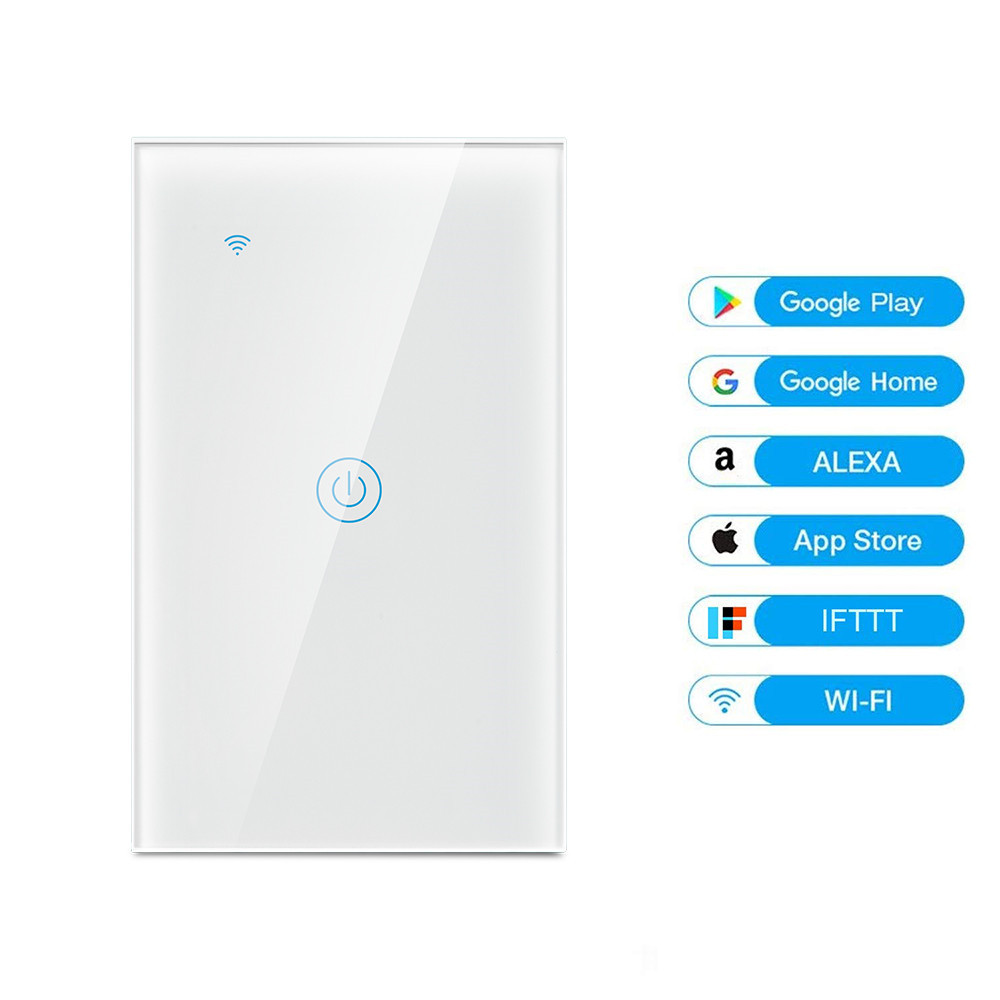
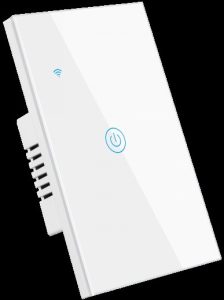
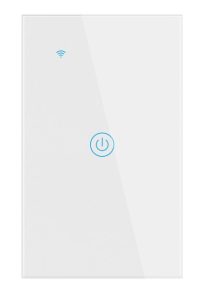
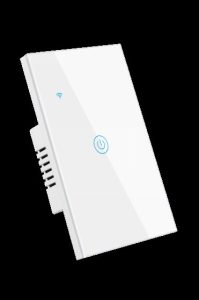
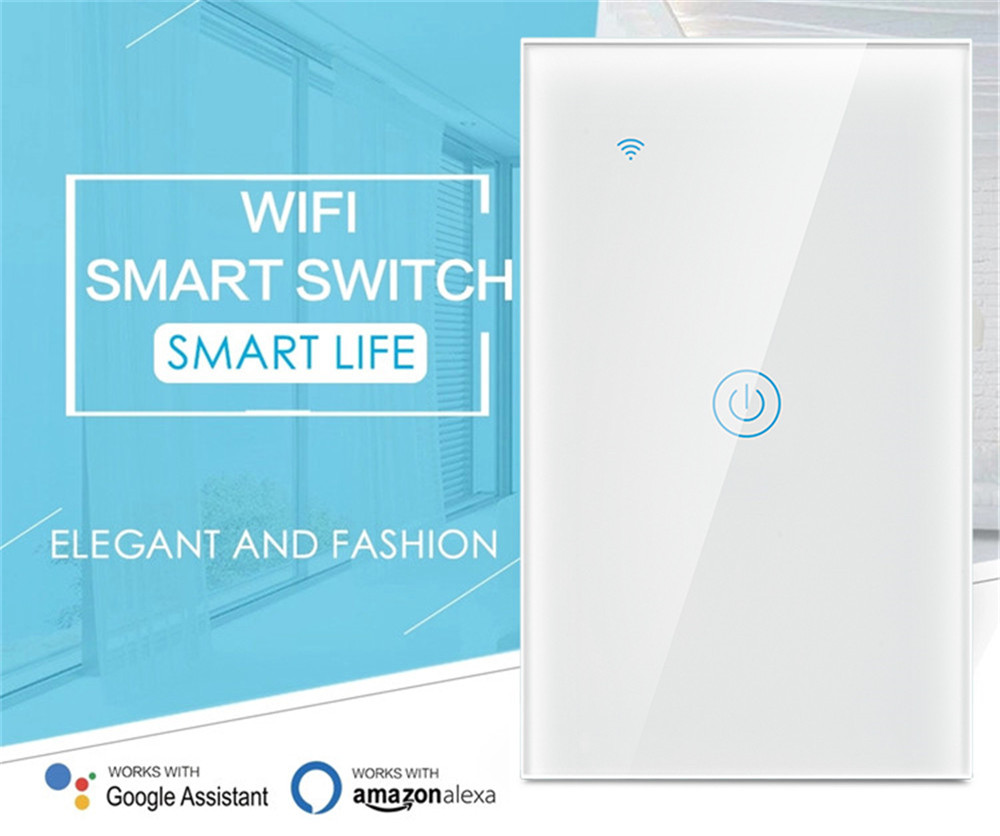
DS-121 US-standard touch wall switch, front view

The range in one table

Family Control surface Configuration Typical placement
DS-121 series Tempered Glass touch panel Single gang, with dedicated 4-gang variant artwork Living rooms, master bedrooms, hotel guest rooms
DS-122 series Mechanical push-button (rocker feel) Single gang Hallways, utility rooms, rental units, retrofit projects
DS-123-1 series Glass touch panel, variant 1 Single gang Bedside, study, bathrooms
DS-123-2 series Glass touch panel, variant 2 Single gang Kitchens, open-plan areas, feature walls
DS-122-S / DS-122-T Push-button, multi-gang 2-gang and 3-gang Wi-Fi panels Whole-house lighting banks, contractor packages
DS-123-1S / 1T, DS-123-2S / 2T Glass touch, multi-gang 2-gang and 3-gang Wi-Fi panels Premium residential, hospitality suites
DS-122-3WAY / DS-123-3WAY Push-button and glass touch 3-way (two-point) switching pairs Stairwells, corridors, rooms with two entrances
DS-128 (LS01) Glass touch panel Single gang, separate artwork set Projects requiring a distinct design line

Electrical ratings, gang counts and certification markings must be taken from the datasheet of the specific model you order. This guide covers the commercial structure of the range; it deliberately does not restate ratings that vary by variant — ask for the specification sheet of the exact SKU before publishing a listing.
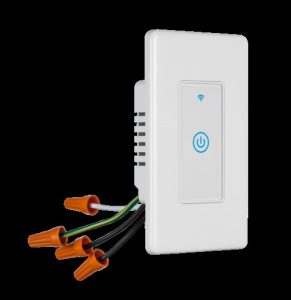
DS-121 touch control detail view

First decision: touch or push-button?

The case for glass touch (DS-121, DS-123-1, DS-123-2)

Touch panels win the visual argument. A flush glass front sits level with the wall, cleans with a single wipe, and photographs well — which matters more than most distributors admit, because the hero image is what converts on a marketplace listing. In hospitality and premium residential, the touch panel is also the expected format: it reads as an upgrade in a way that a tactile rocker does not.

The case for push-button (DS-122 series)

Push-button panels win the operational argument. There is tactile feedback, the state is readable in the dark by feel alone, and the mechanism survives being pressed by someone wearing gloves, carrying boxes, or operating a switch for the first time in a rental property. In utility rooms, garages and short-let units, that robustness is worth more than the aesthetics.

For a distributor building a first US-standard range, the honest recommendation is to lead with one touch family and one push-button family rather than stocking four near-identical touch variants. Let the buyer Choose the interface first, then the configuration.
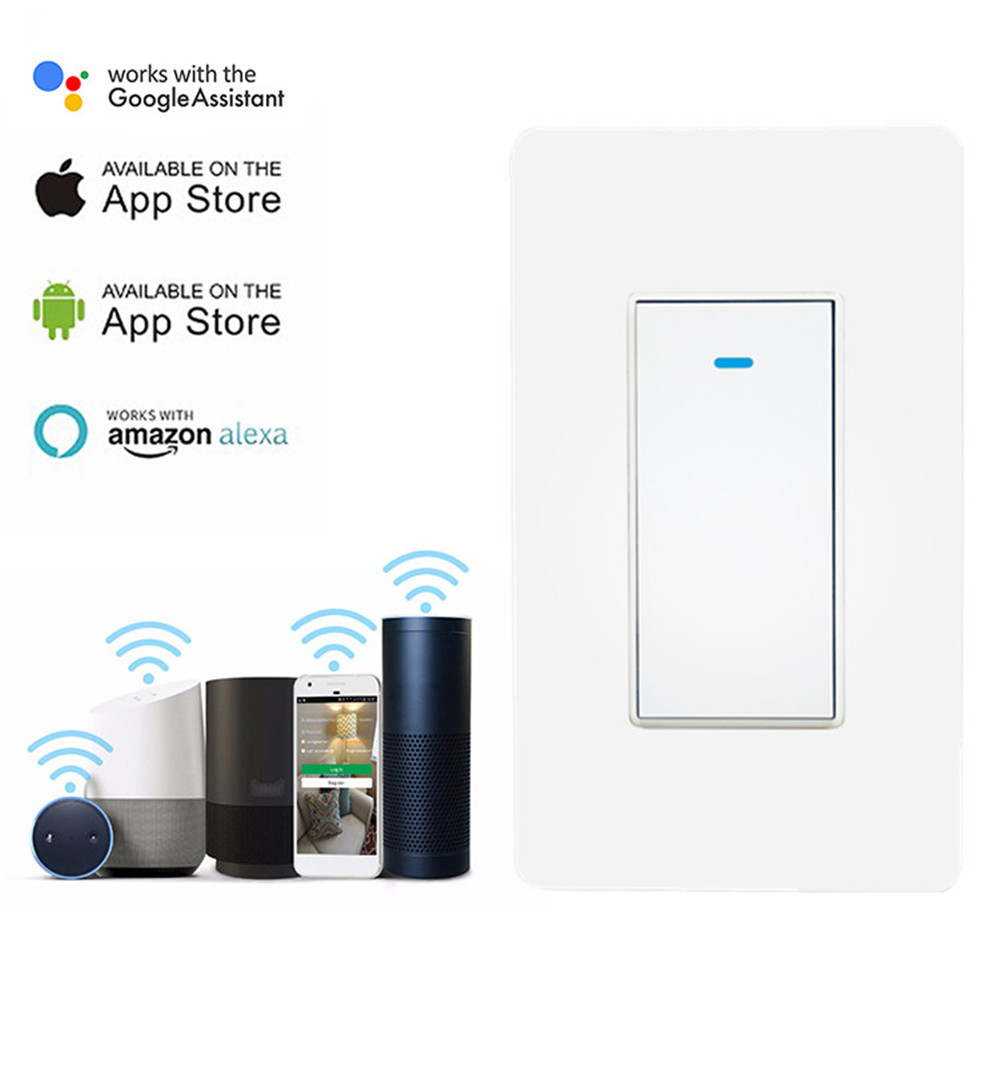
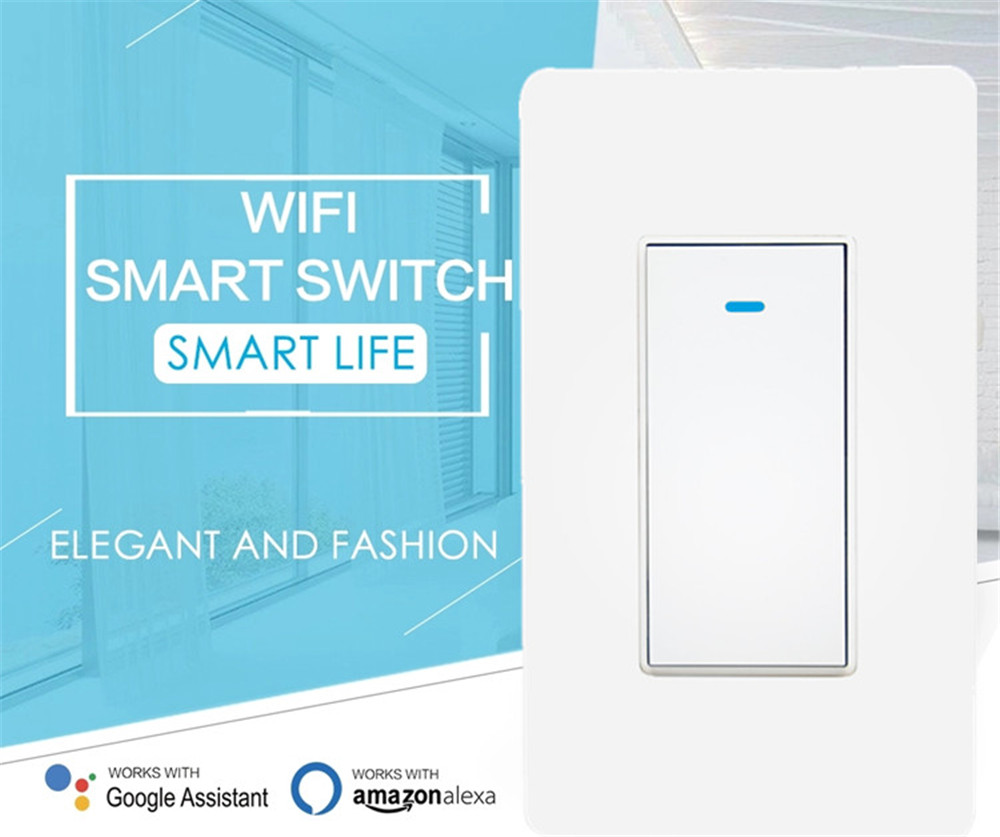
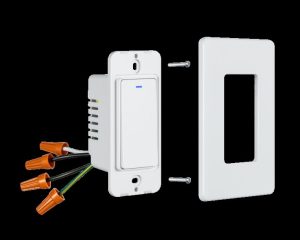
DS-122 US-standard push-button wall switch, front view
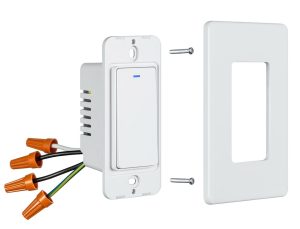
DS-122 push-button detail view

Second decision: how many gangs

US residential lighting is gang-heavy. A kitchen may want four circuits on one plate; a hallway wants two. The range covers this with dedicated multi-gang models rather than by asking the customer to buy several single panels:

  • 2-gang (-S) and 3-gang (-T) versions exist in both the push-button family (DS-122-S / DS-122-T) and the glass touch family (DS-123-1S / 1T and DS-123-2S / 2T).
  • Each multi-gang panel is a single Wi-Fi device controlling several circuits, which is what the customer actually wants: one tile in the app per plate, not three.
  • Generic multi-gang main-image artwork is also supplied, so you can build a single listing that covers the 2-gang and 3-gang options with a variant selector instead of maintaining separate listings.

There is a commercial point buried here. Multi-gang panels raise average order value without raising shipping volume per unit, because the carton is one box, not three. If you are optimising a container for value density, that is the lever.
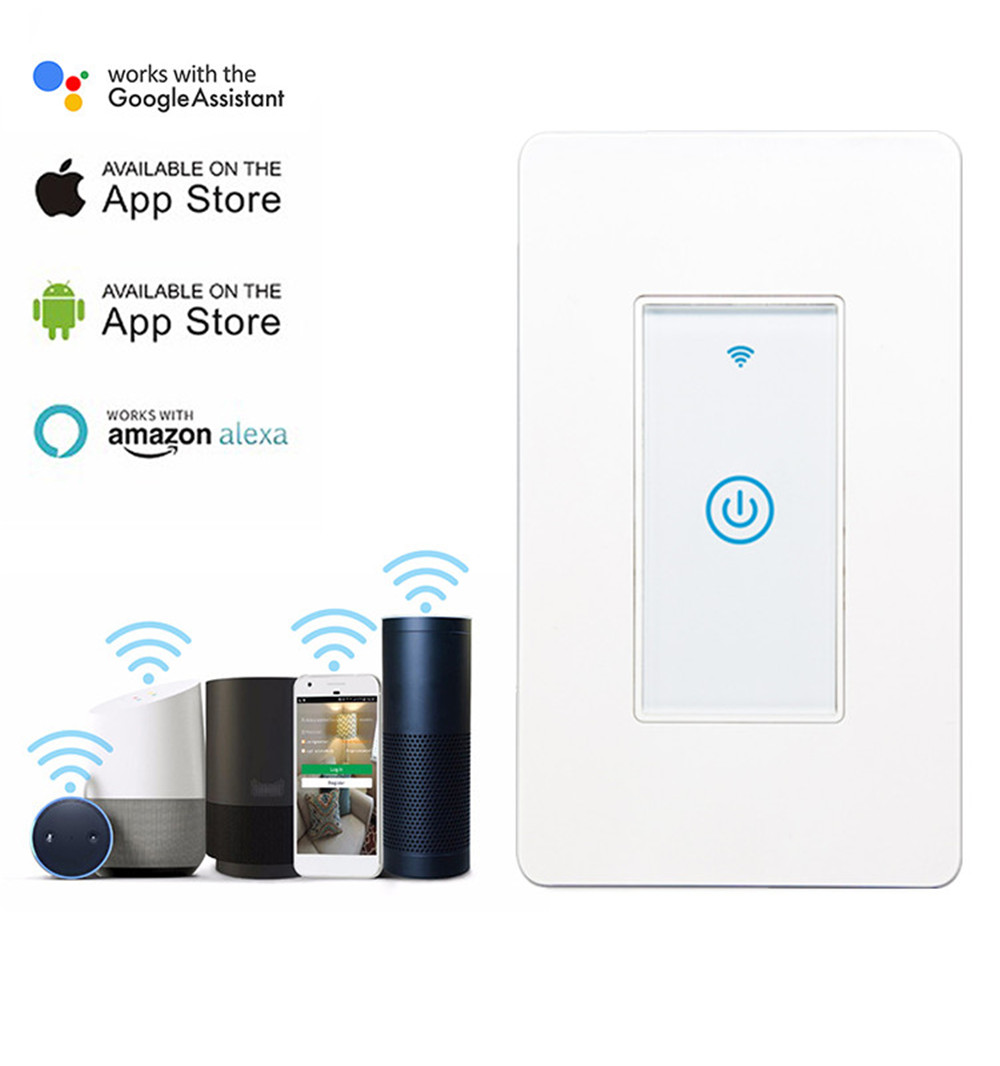
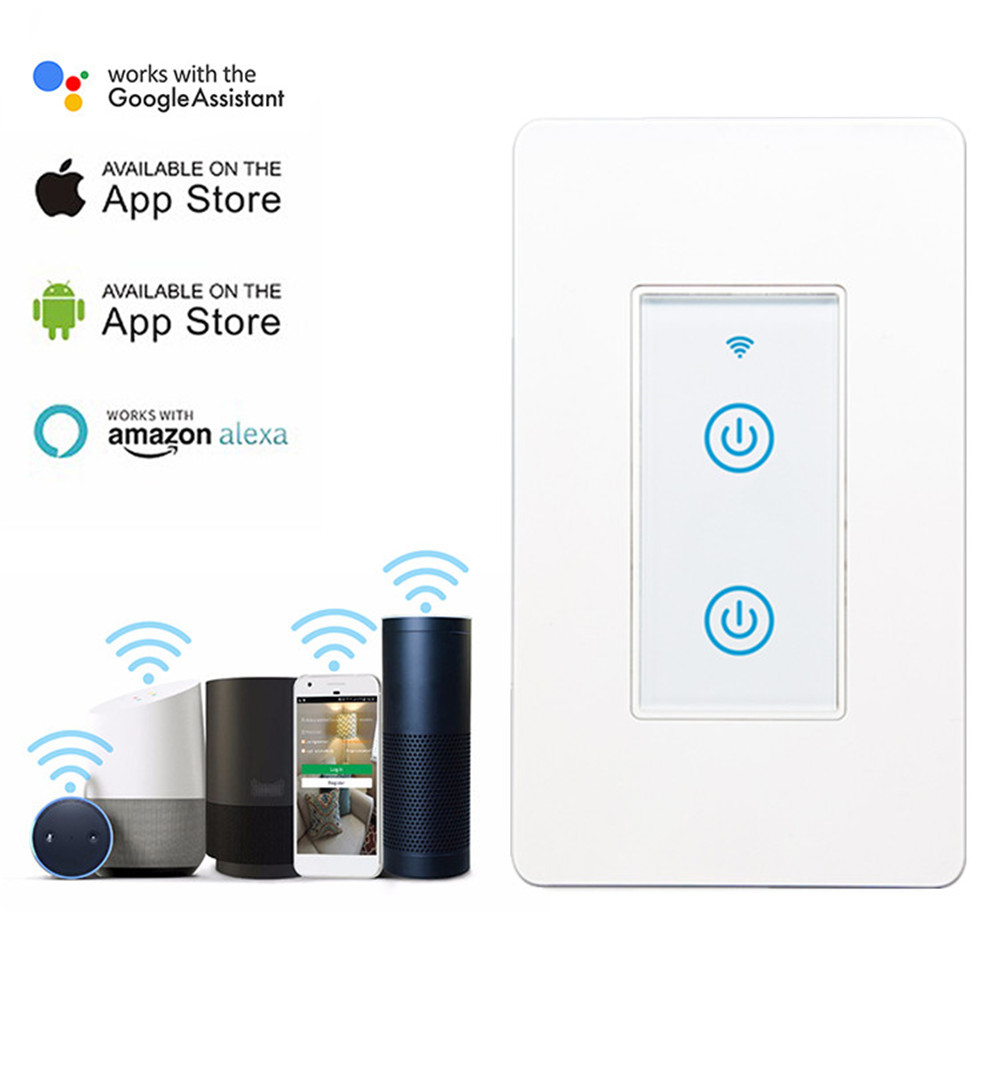
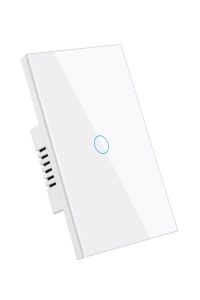
DS-123-1 US-standard touch wall switch
DS-123-2 US-standard touch wall switch

Third decision: 3-way circuits

A 3-way circuit — one light controlled from two positions, such as the bottom and top of a staircase — is where most Smart switch ranges quietly fail. The customer buys a single Smart switch, discovers that the second switch position no longer works, and returns the product.

The range includes dedicated 3-way models in both interfaces: DS-122-3WAY for the push-button line and DS-123-3WAY for the glass touch line. Each is supplied with its own English main-image and detail-image set, which means the pairing configuration can be explained visually in the listing instead of in a support email.

Practical advice for your listing copy: state clearly and early that 3-way installation requires the matching 3-way model and describe how the two units are paired. The returns you avoid are worth more than the words cost.

Ecosystem and app expectations

The English marketing assets for these models document compatibility with the major voice platforms, including Amazon Alexa, Google Assistant and IFTTT, along with app-based remote control. For a US buyer, that combination is table stakes: Alexa and Google for the mass market, IFTTT for the enthusiast segment that reviews products loudly.

Because these panels are Wi-Fi based, they do not need a proprietary hub. That is a genuine selling point in North America, where the buyer has usually already been burned by a hub that was discontinued. Put it in the bullet list.
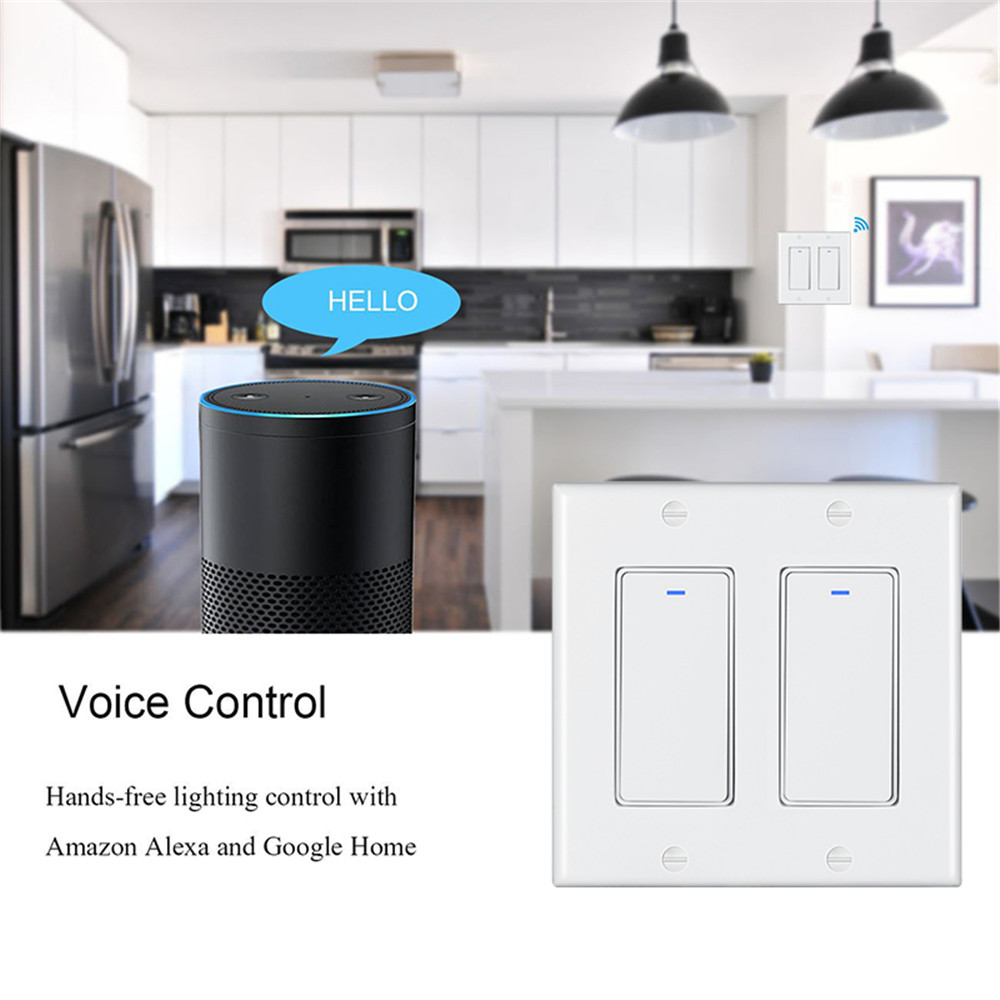
DS-122-S multi-gang US-standard wall switch

What ships with the product

Every model in the range is supported by a complete English asset set, prepared for marketplace and independent-store upload:

Asset type What it is used for
English main images Marketplace hero and gallery images, several per model
English detail images A+ style long-form description blocks, feature callouts, wiring diagrams
Front-view renders Category thumbnails and comparison charts
Multi-gang generic artwork One listing covering 2-gang and 3-gang variants
3-way dedicated artwork Explaining two-point pairing without support tickets

This matters more than it sounds. A distributor’s real cost is not the unit price, it is the six hours of design work needed to build a listing for each new SKU. Arriving with English copy already laid out on the image compresses that to an afternoon.
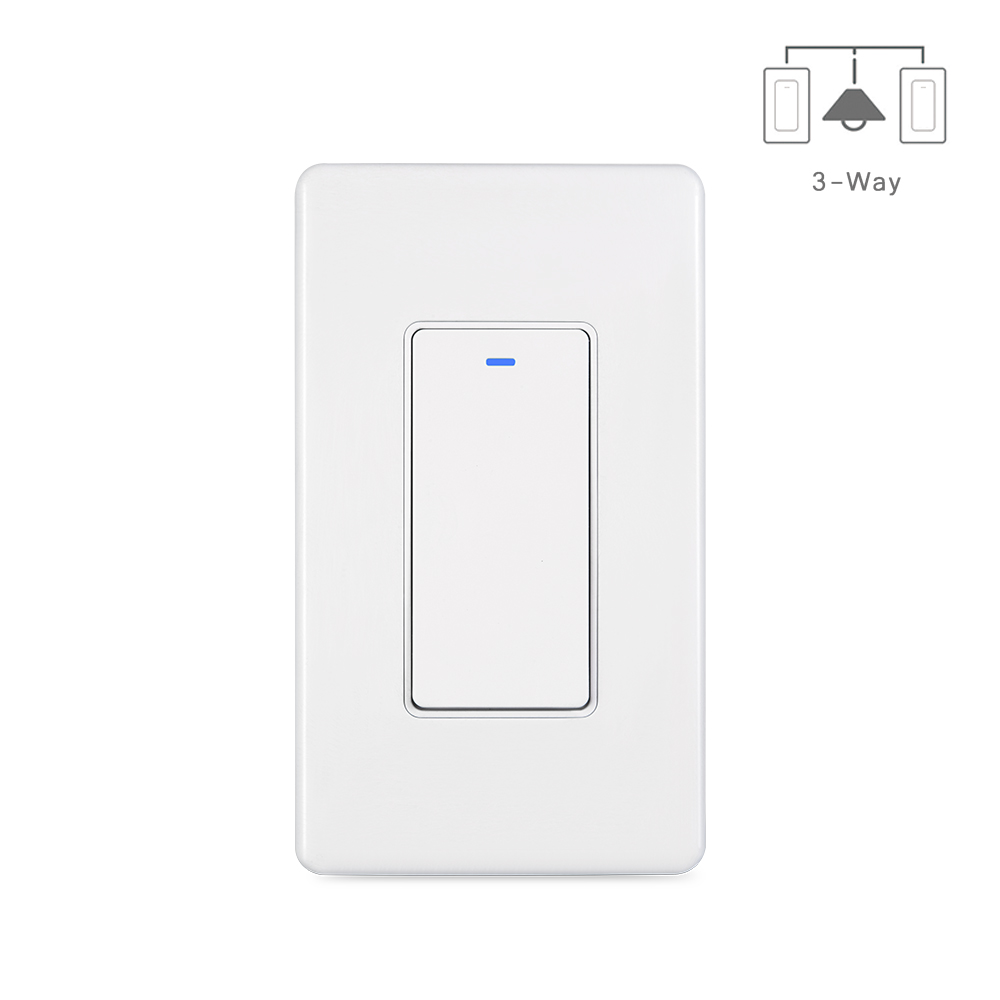
3-way pairing push-button wall switch

OEM and ODM options

  • Panel and finish — plate colour and glass finish can be aligned to your own design language across the whole family, so the one-gang, multi-gang and 3-way models look like one product line rather than three.
  • Branding — logo printing on the panel, custom legend text, and retail-ready packaging with your artwork and barcodes.
  • App identity — the Wi-Fi platform can be delivered under your own app with your onboarding screens, so the product is yours rather than a white-label of someone else’s.
  • Range assembly — order a curated mix (for example: touch single-gang, push-button single-gang, 2-gang, 3-gang, 3-way pair) as one container instead of five separate purchases.
  • Documentation pack — English specification sheets and image assets supplied in upload-ready format for Amazon, Alibaba and your own store.

Building the range for your market

Channel Recommended opening mix Why
Amazon US / retail marketplace Touch single-gang + push-button single-gang + 3-way pair Covers the three searches that actually convert: Smart switch, smart light switch 3-way, and the value alternative
Electrical distributors and contractors Push-button single-gang + 2-gang + 3-gang Contractors buy configurations, not hero images
Hospitality and multi-family projects Touch single-gang + touch 2-gang + 3-way touch Consistent visual language across hundreds of rooms
Own-brand independent store Full touch family under your own app identity Positioning and margin control

Frequently asked questions

Do these panels work in a standard US wall box?

The range is built on the 118 mm US plate standard, so the plate matches the box opening. Confirm plate depth against your specific box before ordering, since multi-gang panels sit deeper than a mechanical switch.

Can I mix touch and push-button panels in one installation?

Yes, and this is common: touch in guest-facing rooms, push-button in service areas. Both are managed from the same app, so the user experience stays consistent even though the interfaces differ.

Do multi-gang panels require multiple neutral wires?

Wiring depends on the specific model. Request the wiring diagram for the exact SKU before the electrician begins; do not generalise from a single-gang installation.

Are the image assets in English?

Yes. Each model in this guide is supported by English main images, English detail images and front-view renders, which is why we can describe the range at this level of detail without translating anything for you.

Request the range sheet

Send us the configurations you want to open with — interface, gang count, 3-way requirement, plate colour — and we will return a range quotation with the matching English asset set for each model, plus a sample plan.

Ask for the US-standard smart switch range quotation and the English listing asset pack.

This guide describes the commercial structure of the US-standard range. Ratings, gang configurations and certification details vary by model and must be confirmed on the datasheet of the exact SKU before publication or installation.

Related Articles

You Might Also Like

Posted on — Leave a comment

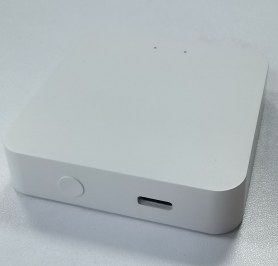
Zigbee Gateway OEM: Complete Guide for Smart Home Distributors

A Zigbee gateway is the brain of any Smart Home ecosystem. If you’re building a Tuya Smart home product line, the gateway is the highest-value item to get right. This guide covers what to look for when sourcing. ## What Is a Zigbee Gateway? A Zigbee gateway connects your Tuya Zigbee devices (sensors, switches, bulbs, plugs) to the cloud and your phone. Without a gateway, Zigbee devices won’t work remotely. ### Why Zigbee over WiFi? – Lower power consumption (sensors last 1-2 years on battery) – Can connect 100+ devices on one gateway – More stable for mesh networks – No WiFi congestion ## Gateway Specs That Matter ### Device Capacity – Budget: 30-50 devices – Mid-range: 100-150 devices – Premium: 200+ devices – **For distributors, recommend the 100+ version** — customers always add more devices ### Protocol Support – Tuya Zigbee 3.0 (must have) – BLE gateway option (for beacons) – Zigbee + BLE combo gateways available ### Connection Type – WiFi gateway: easiest setup, no wiring – Ethernet gateway: more stable for professional installers – Poe gateway: for commercial projects ### App Integration – Tuya Smart / Smart Life app
– Alexa + Google Home voice control – Home Assistant integration (open gateway firmware available) ## Device Pairs That Sell Best | Gateway + Bundle | Target Customer | Price Point | |—|—|—| | Gateway + PIR sensor + door sensor | Home security DIY | $30-50 | | Gateway + 2x smart plugs | Energy saving | $25-40 | | Gateway + curtain motor + wall switch | Curtain automation | $50-80 | | Gateway + water leak sensor x2 | Flood prevention | $35-55 | ## OEM Opportunities 1. **Bundle packaging** — gateway + sensors as a starter kit 2. **Custom app branding** — Tuya white-label app from 500 units 3. **Logo on gateway unit** — from 100 pcs 4. **Multi-language quick start guide** — EN/ES/RU/AR ## Pricing | Product | MOQ | Unit Price | |—|—|—| | WiFi Zigbee gateway (100 devices) | 50 pcs | $8-15 | | Ethernet gateway | 50 pcs | $12-20 | | Zigbee + BLE combo | 100 pcs | $15-25 | | Custom logo | 100 pcs | +$0.5/pc | ## Common Mistakes 1. **Selling Zigbee devices without a gateway** — customers can’t use them! 2. **Not explaining the gateway requirement** — add it to product listings 3. **Wrong region frequency** — Zigbee is global 2.4GHz, no issue 4. **No reset button visible** — customers need a way to factory reset ## XingLiao Gateway Range We supply: – Tuya Zigbee 3.0 WiFi gateways – Ethernet gateways for professional use – Combo Zigbee + BLE gateways – Can bundle with sensors, plugs, switches – CE/FCC/RoHS certified Ask for gateway sample pricing — 3-day shipping worldwide.

Related Articles

You Might Also Like
Frequently Asked Questions

Is Zigbee Gateway Oem worth buying?

Based on the breakdown in this article, Zigbee Gateway Oem offers a solid mix of features and value. If your main goal matches the key benefits described above, it is a practical choice for everyday use.

How do I choose the right zigbee gateway oem for my needs?

Start with your core use case, then compare battery life, compatibility, and build quality as covered above. Choosing the right zigbee gateway oem comes down to matching specs with how you Actually use it.

Does zigbee gateway oem require a companion app?

Most devices of this type pair with a free companion app for setup and firmware updates. A few advanced features may sit behind a paid plan, so check the official specs page before buying.

Posted on — Leave a comment

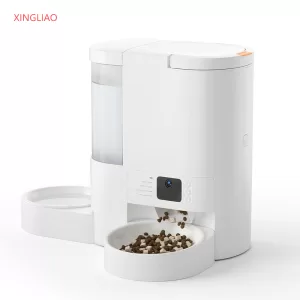
Smart Pet Feeder OEM: Complete Sourcing Guide for Brands

Smart Pet feeders are one of the hottest categories in pet tech. If you’re building a pet brand or sourcing for retail, this guide covers what specs matter, what MOQ to expect, and common pitfalls.

## Why Tuya Smart Pet Feeders?

Tuya-powered feeders work with the Tuya Smart app, supporting:
– Remote feeding via app (dispense 1-10 portions per meal)
– Scheduled feeding (up to 12 meals/day)
– HD Camera for video watching pets while away
– Two-way audio to talk to your pet
– Anti-jam feeder design
– Works with Alexa/Google Home for voice control ## Auto vs Camera Feeders | Feature | Basic Auto Feeder | Camera Feeder | |—|—|—| | Camera | No | 1080p HD | | Two-way audio | No | Yes | | Scheduling | Yes | Yes | | App control | Yes | Yes | | Portion size | Fixed 10-20g | Adjustable 5-20g | | Price range | $15-25 | $30-50 | | OEM MOQ | 100 pcs | 50 pcs | ## Key Specs to Compare ### Food Capacity – 3L is standard for cats and small dogs – 6L available for large dogs or multi-pet homes – Stainless steel bowl is preferred (easier to clean, safer) ### Power Options – Plug-in adapter (most common) – Battery backup (4 D-cell batteries, works during power outage) – Both options = premium product ### Camera Quality (for camera models) – 1080p is minimum – 2.4GHz WiFi only (5GHz doesn’t work with most pet devices) – Night vision essential for evening meals – Wide angle lens (110°+) to see the whole feeding area ### Anti-Jam Design – Look for a rotatable dispenser mechanism – Avoid cheap gravity feeders that jam on dry food – Test with kibble sizes 5-15mm before bulk order ## Common OEM Mistakes 1. **Skipping sample testing** — always order 2-3 samples and run for a week 2. **Ignoring app localization** — Tuya app supports multiple languages, but check your target market 3. **Wrong voltage** — 110V for US/Japan, 220V for EU/UK/Australia 4. **No FCC/CE certification** — get certification documents before shipping to your market ## MOQ and Pricing | Product | MOQ | Unit Price | |—|—|—| | Basic auto feeder (no camera) | 100 pcs | $12-18 | | Camera feeder (1080p) | 50 pcs | $28-42 | | Camera feeder with 6L tank | 50 pcs | $35-50 | | Custom logo & packaging | 100 pcs | +$1-2/pc | ## XingLiao Pet Feeder Range We manufacture: – Tuya WiFi auto feeders (3L/6L) – Camera feeders with two-way audio – Stainless steel food bowl included – Custom logo from 100 pcs – CE/FCC/RoHS certified Samples ship in 3 days. Contact us for a quote with your target quantity and market.
smart pet feeder

Related Articles

You Might Also Like
Frequently Asked Questions

Is Smart Pet Feeder worth buying?

Based on the breakdown in this article, Smart Pet Feeder offers a solid mix of features and value. If your main goal matches the key benefits described above, it is a practical choice for everyday use.

How do I choose the right smart pet feeder for my needs?

Start with your core use case, then compare battery life, compatibility, and build quality as covered above. Choosing the right smart pet feeder comes down to matching specs with how you actually use it. Why Cameras Miss Faces but Doorbells Don't

Does smart pet feeder require a companion app?

Most devices of this type pair with a free companion app for setup and firmware updates. A few advanced features may sit behind a paid plan, so check the official specs page before buying.

Posted on — Leave a comment

Smart Plug OEM Manufacturing: Complete Buying Guide for Brands

The Smart Plug Market: Why OEM Brands Win in 2026

Smart plugs are the entry point product for most Smart home buyers. They are affordable, easy to install, and immediately useful. For brands looking to enter the Smart home space, private label Smart plugs offer the fastest path to market with the lowest risk. This guide covers everything you need to know about smart plug OEM manufacturing.

Key Product Variants

1. Basic Wi-Fi Smart Plug

The Standard model. Plugs into any wall outlet, controls devices up to 16A (3680W). Works with Alexa, Google Home, and Tuya/Smart Life app. This is the volume seller — 70% of smart plug OEM orders are this type.

2. Smart Plug with Energy Monitoring

Adds power consumption tracking. Customers love seeing their electricity usage. Unit cost is $2-3 more than basic, but sells for $8-12 more. Strong margins for brands.

3. Smart Plug with USB Ports

Adds 2x USB-A charging ports (total 5V/2.4A). Popular in hotel rooms and offices. Differentiated product — less competition than basic plugs.

4. Outdoor Smart Plug

IP44 waterproof rating, 2 or 3 outlets separately controlled. Used for holiday lights, garden pumps, patio heaters. Higher price point ($15-25 retail).

5. Dimmer Plug

Controls brightness of dimmable bulbs. Niche but growing category. Requires more complex firmware and certification.

Technical Specifications to Specify

  • Rated load: 16A (3680W) is standard. 10A for European market.
  • Wi-Fi: 2.4GHz only (not 5GHz — saves cost and battery)
  • Protocol: Tuya Wi-Fi (most common) or Zigbee 3.0 (requires hub)
  • Energy metering chip: HLW8012 or BL0937 — both work well
  • Fire rating: PC+ABS V-0 flame retardant is mandatory
  • Operating temperature: -10°C to 40°C for indoor, -20°C to 60°C for outdoor

Safety Certifications by Market

Market Required Cert Approx Cost Timeline
USA FCC Part 15, UL 62368 $3,000-5,000 4-6 weeks
EU CE, RED, RoHS $2,000-3,500 3-5 weeks
UK UKCA $1,500-2,500 3-4 weeks
Australia RCM $2,000-3,000 4 weeks
Japan PSE $4,000-6,000 6-8 weeks

OEM Pricing and MOQ

Model Unit Price (FOB) MOQ Lead Time
Basic Wi-Fi Plug $3.50-4.50 500pcs 15-20 days
Energy Monitoring Plug $5.50-6.50 500pcs 15-20 days
Plug with USB $6.50-7.50 500pcs 20 days
Outdoor Plug $8.50-10.00 300pcs 20-25 days

Customization Options

  1. Logo printing: Laser engraving or silk-screen on the plug body
  2. Custom packaging: Retail box with your brand design
  3. App customization: White-label Tuya app with your logo
  4. Custom firmware: Add your own features (schedules, scenes, automation)
  5. Shell color: White, black, or custom Pantone color

Common OEM Mistakes

  • Under-ordering certification. If you sell on Amazon USA, FCC + UL is non-negotiable. Skipping UL gets your listing banned.
  • Ignoring plug type differences. US (Type A/B), EU (Type C/F), UK (Type G), AU (Type I) are all different molds. Specify which market you sell to.
  • Testing only 1 sample. Ask for 5-10 samples and stress test them for 2 weeks. Plug/unplug 500 times to check durability.
  • No 2-year warranty. Smart plugs have 2-5% failure rate. Budget for replacements from day one.

Why Source from Shenzhen XingLiao?

We manufacture smart plugs for B2B brands worldwide since 2019. Our factory in Shenzhen produces 500,000+ smart plugs monthly with full QC testing on every unit.

What we offer:

  • Tuya and custom firmware options
  • Full customization from logo to packaging
  • FCC, CE, UKCA, RoHS certified
  • MOQ from 5pcs with sample in 3 days
  • 2-year warranty and 24-hour technical support

Get your free quote today. Contact us with your target market, quantity, and required certifications — we reply within 24 hours with pricing and lead time.

Related Articles

You Might Also Like
Frequently Asked Questions

Is Smart Plug Oem worth buying?

Based on the breakdown in this article, Smart Plug Oem offers a solid mix of features and value. If your main goal matches the key benefits described above, it is a practical choice for everyday use.

How do I choose the right smart plug oem for my needs?

Start with your core use case, then compare battery life, compatibility, and build quality as covered above. Choosing the right smart plug oem comes down to matching specs with how you actually use it.

Does smart plug oem require a companion app?

Most devices of this type pair with a free companion app for setup and firmware updates. A few advanced features may sit behind a paid plan, so check the official specs page before buying.

Posted on — Leave a comment

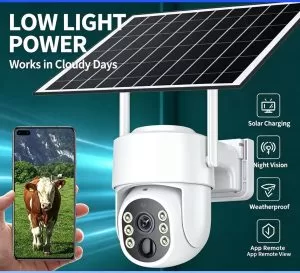
Solar Security Camera OEM: Complete Sourcing Guide for Brands in 2026

Why Solar Security Cameras Are Booming in 2026

Solar Security cameras have become one of the fastest-growing segments in the smart home industry. With rising demand for wire-free, installation-free Outdoor surveillance, brands are rushing to source reliable OEM partners. This guide covers everything you need to know about solar Security Camera OEM — from key specifications to certification requirements and minimum order quantities.

Key Specifications to Look For

1. Solar Panel Efficiency

Look for monocrystalline solar panels with at least 2W output. A 2W panel can fully charge a 5200mAh Battery in 3-4 days of sunlight. Avoid cheap polycrystalline panels — they degrade 30% faster.

2. Battery Capacity

5200mAh is the sweet spot for most brands. It allows 7-10 days of standby without sunlight. Premium models offer 9000mAh for 15+ days. Never go below 4400mAh — customers will complain about dead cameras in winter.

3. Video Resolution

2K (2304×1296) is the new standard for 2026. 1080p is acceptable for budget lines but should be positioned as entry-level. 4K solar cameras exist but drain the battery too fast — avoid them for OEM.

4. Night Vision

Color night vision with 4 infrared LEDs + 2 white LEDs is preferred. Black & white IR only looks outdated. Range should be at least 10 meters.

5. Waterproof Rating

IP65 minimum. IP66 is recommended for customers in rainy or coastal regions. Never accept IP64 — it fails in heavy rain.

Top OEM Platforms: Tuya vs Custom Firmware

Tuya-Based Solar Cameras

Pros: Fast time-to-market (2-4 weeks), existing Tuya Smart app, millions of existing users, lower MOQ (500pcs), regular firmware updates from Tuya.

Cons: You are locked into Tuya ecosystem, Tuya takes a cut per device, limited UI customization, data stored on Tuya cloud servers.

Custom Firmware Solutions

Pros: Your own branded app, full UI/UX control, no per-device fees, data on your own cloud, exclusive features you can patent.

Cons: 3-6 month development time, 2000+ MOQ, you maintain your own cloud infrastructure, higher upfront engineering cost ($20,000-50,000).

Certifications You Must Have

  • FCC — required for USA market
  • CE / RED — required for EU market
  • UKCA — required for UK after Brexit
  • RoHS — environmental compliance
  • IP65/IP66 — waterproof rating
  • UL 60950 — recommended for insurance and enterprise clients

Pricing Tiers and MOQ

Tier Spec Unit Price MOQ
Budget 1080p, 4400mAh, IP65 $18-22 500pcs
Mid-range 2K, 5200mAh, IP66, Color NV $28-35 500pcs
Premium 2K, 9000mAh, AI Detection, Spotlight $45-55 300pcs

Common Pitfalls to Avoid

  1. Under-sizing the Battery. Customers in northern regions need 30% more battery capacity because winter days are short.
  2. Skipping the waterproof test. Ask the factory for IP66 test reports from a certified lab, not just their own claim.
  3. Ignoring cloud server costs. Tuya charges per device per month. Calculate this over 3 years before pricing your product.
  4. No local after-sales support. Solar cameras fail — you need a replacement policy. Budget 3-5% of revenue for returns.

Why Choose Shenzhen XingLiao as Your OEM Partner?

At Shenzhen XingLiao Smart Technology, we have been manufacturing solar Security cameras for B2B brands since 2019. We offer:

  • Tuya-based and custom firmware options
  • Full customization: logo, packaging, app UI, firmware
  • FCC, CE, UKCA, RoHS certified products
  • MOQ as Low as 300pcs for premium models
  • 24-hour technical support and 2-year warranty

Ready to start your solar camera project? Contact us today for a free technical proposal and sample unit. We reply within 24 hours with pricing, lead time, and customization options.

Related Articles

You Might Also Like
Frequently Asked Questions

Is Solar Security Camera worth buying?

Based on the breakdown in this article, Solar Security Camera offers a solid mix of features and value. If your main goal matches the key benefits described above, it is a practical choice for everyday use.

How do I choose the right solar security camera for my needs?

Start with your core use case, then compare battery life, compatibility, and build quality as covered above. Choosing the right solar security camera comes down to matching specs with how you actually use it.

Does solar security camera require a companion app?

Most devices of this type pair with a free companion app for setup and firmware updates. A few advanced features may sit behind a paid plan, so check the official specs page before buying.

Posted on — Leave a comment

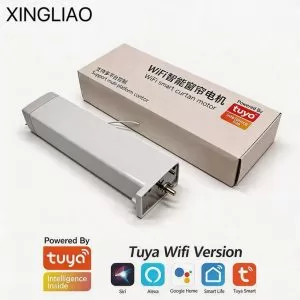
Tuya Curtain Motor OEM: Complete Sourcing Guide 2026

Smart curtain motors are a high-margin product in the Tuya ecosystem. Hotels, villas, and Smart home installers all Need them. This guide covers what to source and what to avoid.

## Types of Curtain Motors

### 1. WiFi Curtain Motor
– Direct WiFi connection (no hub needed)
– Control via Tuya app from anywhere
– Works with Alexa/Google Home
– Best for: individual homes, DIY

### 2. Zigbee Curtain Motor – Requires Zigbee gateway – More stable, lower power – Best for: whole-home smart installations ### 3. Tubular Motor (Roller Shade) – For roller blinds, roller shutters – Different from curtain track motors – Higher torque needed ## Key Specs to Compare ### Lifting Capacity – Standard: 4-5kg curtain weight – Heavy-duty: 8-10kg for thick blackout curtains – **Always ask: what’s the max weight?** ### Noise Level – Good motor: 50dB (annoying) – Ask supplier for noise test data ### Power – Plug-in (most common) – Built-in battery (rechargeable, wireless install) – Battery version = premium product ### Track Compatibility – Motor must match track type (U-rail, C-rail, square rail) – Some motors are universal, some proprietary – **Ask: does it work with existing curtain tracks?** ## OEM Opportunities | Customization | MOQ | Extra Cost | |—|—|—| | Logo on motor body | 50 pcs | $0.5/pc | | Custom remote control | 100 pcs | +$2-3/remote | | Custom track color (white/black) | 100 sets | +$1-2/meter | | Packaging with brand | 200 sets | +$1/set | ## Pricing | Product | MOQ | Unit Price | |—|—|—| | WiFi curtain motor | 50 pcs | $18-28 | | Zigbee curtain motor | 50 pcs | $15-25 | | Battery curtain motor | 50 pcs | $25-35 | | Track per meter | — | $3-5/meter | ## Common Mistakes 1. **Selling motor without track** — customers Need both!
2. **Wrong track type** — measure customer’s curtain rail first
3. **No remote control included** — some customers want RF remote
4. **Not mentioning noise level** — bedroom customers care a lot

## XingLiao Curtain Motor Range

We supply:
– Tuya WiFi curtain track motors
– Zigbee curtain motors
– Rechargeable battery versions
– Compatible tracks (white/black)
– RF remote controls optional
– CE/FCC/RoHS certified

Ask for curtain motor sample — we can send a complete demo set.

Related Articles

You Might Also Like
Frequently Asked Questions

Is Tuya Curtain Motor worth buying?

Based on the breakdown in this article, Tuya Curtain Motor offers a solid mix of features and value. If your main goal matches the key benefits described above, it is a practical choice for everyday use.

How do I choose the right tuya curtain motor for my needs?

Start with your core use case, then compare battery life, compatibility, and build quality as covered above. Choosing the right tuya curtain motor comes down to matching specs with how you actually use it.

Does tuya curtain motor require a companion app?

Most devices of this type pair with a free companion app for setup and firmware updates. A few advanced features may sit behind a paid plan, so check the official specs page before buying.

Posted on — Leave a comment

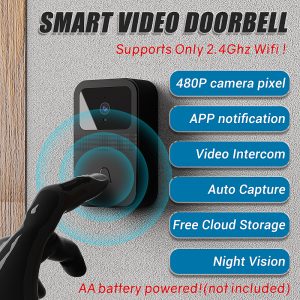
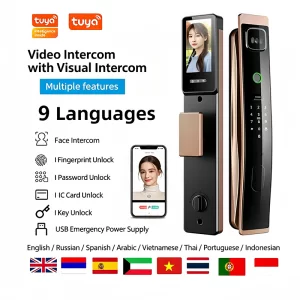
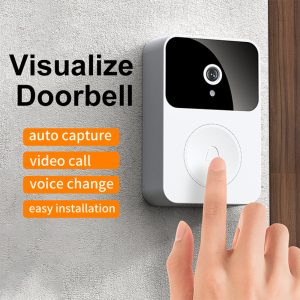
Tuya Video Doorbell OEM: Complete Buying Guide for Distributors

Video doorbells are one of the fastest-growing Smart home categories. If you’re a distributor or brand looking to source Tuya-compatible Video doorbells, this guide covers everything from specs to MOQ.

## Why Choose Tuya Video Doorbells?

Tuya-powered doorbells work with the Tuya Smart app, supporting: – Two-way audio with noise cancellation – HD live view (1080p or 2K) – Motion detection with humanoid filtering – Night vision (color or IR) – Chime box included – Alexa/Google Home voice announcements ## Wired vs Battery-Powered | Feature | Wired | Battery | |—|—|—| | Installation | Existing Doorbell wire | Wire-free, self-adhesive |
| Power | Continuous | 2-6 months per charge |
| Best for | Apartments, offices | Rental homes, DIY |
| Price tier | Mid-range | Budget to mid |
| OEM MOQ | 100 pcs | 50 pcs |

## Key Specs to Compare

### Resolution
– 1080p is the minimum
– 2K (3MP) is the 2026 standard
– 4K available on premium models

### Field of View
– 155-180 degrees is ideal
– Anything less than 150 misses side angles

### Night Vision
– IR night vision: cheaper, black and white
– Color night vision: better for identifying visitors
– Starlight sensor: best low-light performance

### Storage
– Local SD card (up to 128GB)
– Cloud storage (Tuya cloud subscription)
– Both options preferred by customers

## OEM Customization Options

When ordering private label:
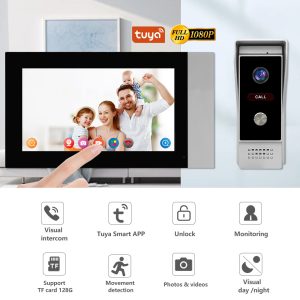
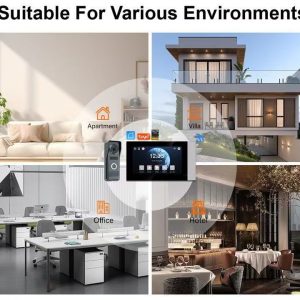
1. **Logo printing** on the Doorbell unit 2. **Custom packaging** with your brand 3. **Chime box logo** matching your brand 4. **App splash screen** with your logo 5. **Default settings** (motion sensitivity, doorbell volume) ## MOQ and Pricing | Product | MOQ | Unit Price | |—|—|—| | Battery doorbell | 50 pcs | $12-20 | | Wired doorbell | 100 pcs | $10-18 | | Wireless video intercom (7-inch screen) | 50 sets | $25-45 |
| Solar-powered doorbell | 100 pcs | $18-28 |

## XingLiao Video Doorbell Range

We manufacture:
– Battery-powered Tuya video doorbells (1080p/2K)
– Wired smart doorbells with chime
– 7-inch wireless video intercom kits (monitor + doorbell)
– Solar-powered doorbell cameras
– All models support OEM logo from 50 pcs

CE/FCC/RoHS certified. Samples ship in 3 days worldwide.

Request a quote — tell us your target price and quantity, we’ll reply within 24 hours.
tuya video doorbell

Related Articles

You Might Also Like
Frequently Asked Questions

Is Tuya Video Doorbell worth buying?

Based on the breakdown in this article, Tuya Video Doorbell offers a solid mix of features and value. If your main goal matches the key benefits described above, it is a practical choice for everyday use.

How do I choose the right tuya video doorbell for my needs?

Start with your core use case, then compare battery life, compatibility, and build quality as covered above. Choosing the right tuya video doorbell comes down to matching specs with how you actually use it.

Does tuya video doorbell require a companion app?

Most devices of this type pair with a free companion app for setup and firmware updates. A few advanced features may sit behind a paid plan, so check the official specs page before buying.

Posted on — Leave a comment

Smart Switch OEM Manufacturer: Complete Sourcing Guide 2026

Looking for a Smart Switch OEM manufacturer but not sure where to start? This guide walks you through everything you need to know — from minimum order quantities to certification requirements — so you can source with confidence.

## Why OEM Smart Switches? Private-label smart switches let you build your own brand without investing in R&D. You get: – Your logo on the switch faceplate – Custom packaging with your brand – Tuya/Matter firmware already tested – CE/FCC/RoHS certified products ready to sell ## Key Specifications to Compare When evaluating suppliers, always compare: ### Protocol Support – **WiFi (2.4GHz)**: No hub needed, easiest for customers – **Zigbee**: Requires gateway, more stable for multi-device setups
– **Matter**: New standard, future-proof but fewer models available

### Gang Sizes
Standard options: 1/2/3/4 gang. Check which plate sizes fit your target market (US vs EU vs AU).

### Relay Rating
– 10A for lighting circuits
– 16A for heater/Fan loads – Make sure the relay rating matches what your customers need ### Power Supply – Neutral wire required (US standard) – No neutral / battery option (EU standard) This matters a lot — wrong type means returns. ## What Does OEM Actually Include? A good OEM package should cover: 1. **Laser engraving** your logo on the glass panel 2. **Custom packaging** with your brand design 3. **Firmware customization** (default on/off state, LED color) 4. **App branding** (white label via Tuya) 5. **Product testing report** with your brand name ## MOQ and Pricing Guide | Model | MOQ | Unit Price Range | |—|—|—| | Standard WiFi switch | 50-100 pcs | $3-6 | | Custom logo + packaging | 100-500 pcs | $4-8 | | Custom housing design | 1000+ pcs | $5-10 | | Matter-certified switch | 200+ pcs | $8-15 | ## Red Flags to Avoid – Prices too low (Get a free quote — send us your requirements and we’ll reply within 24 hours. smart switch oem

Related Articles

You Might Also Like
Frequently Asked Questions

Is Smart Switch Oem worth buying?

Based on the breakdown in this article, Smart Switch Oem offers a solid mix of features and value. If your main goal matches the key benefits described above, it is a practical choice for everyday use.

How do I choose the right smart switch oem for my needs?

Start with your core use case, then compare battery life, compatibility, and build quality as covered above. Choosing the right smart switch oem comes down to matching specs with how you actually use it.

Does smart switch oem require a companion app?

Most devices of this type pair with a free companion app for setup and firmware updates. A few advanced features may sit behind a paid plan, so check the official specs page before buying.

Posted on — Leave a comment

Hotel Smart Security Solutions

Hotel Smart Security OEM Solutions: Video Doorbells, IPC & Smart Switches

For hotels and Apartment buildings, a unified smart-security bundle reduces staffing cost and lifts guest experience. We OEM the full stack under your brand.

What the bundle includes

  • Wi-Fi video doorbell with two-way audio and mobile alert
  • Indoor/outdoor IPC (2–5MP, PoE optional) with night vision
  • Touch Smart switches (Wi-Fi / Zigbee) for guest rooms

Why hotels choose us

  • White-label firmware & app with your logo
  • CE / FCC certified, RF compliant
  • Low-MOQ pilot batch, then volume ramp
  • Russian & English docs and support

FAQ

What is the MOQ? Pilot from a few hundred units; scale to volume.

Do you support OEM? Yes — logo, packaging, and app under your brand. Smart Sensors Buying Guide: How to Make Your Home Feel Its Environment

Which certifications? CE (EU), FCC (US), RF as required. Smart Lighting Complete Guide: From Color Temperature to Automation Scenes

Scope your hotel bundle: message us on WhatsApp or email sales@odmhome.com. Home Security Systems Explained: 5 Essential Devices to Protect Your Family

Related Articles

You Might Also Like
Frequently Asked Questions

Is Hotel Smart Security worth buying?

Based on the breakdown in this article, Hotel Smart Security offers a solid mix of features and value. If your main goal matches the key benefits described above, it is a practical choice for everyday use.

How do I choose the right hotel smart security for my needs?

Start with your core use case, then compare battery life, compatibility, and build quality as covered above. Choosing the Right hotel Smart security comes down to matching specs with how you actually use it.

Does hotel smart security require a companion app?

Most devices of this type pair with a free companion app for Setup and firmware updates. A few advanced features may sit behind a paid Plan, so check the official specs page before buying.

Posted on — Leave a comment

Smart Home Automation Guide 2026: 7 Practical Scenes That Save Time, Money and Energy

Tuya 4MP Indoor WiFi Smart Camera - HD Night Vision Pan-Tilt Remote Home Monitor with Two-Way Audio
Smart Home Automation Guide 2026: 7 Practical Scenes That Save Time, Money and Energy

However, Smart home automation is no longer a luxury for tech enthusiasts. In 2026 it is the fastest way to make a home safer, more comfortable and noticeably cheaper to run. The best part? You do not need a full renovation or a huge budget. With a few Smart switches, sensors, a doorbell camera and an affordable ecosystem hub, you can build genuinely useful automations in an afternoon.

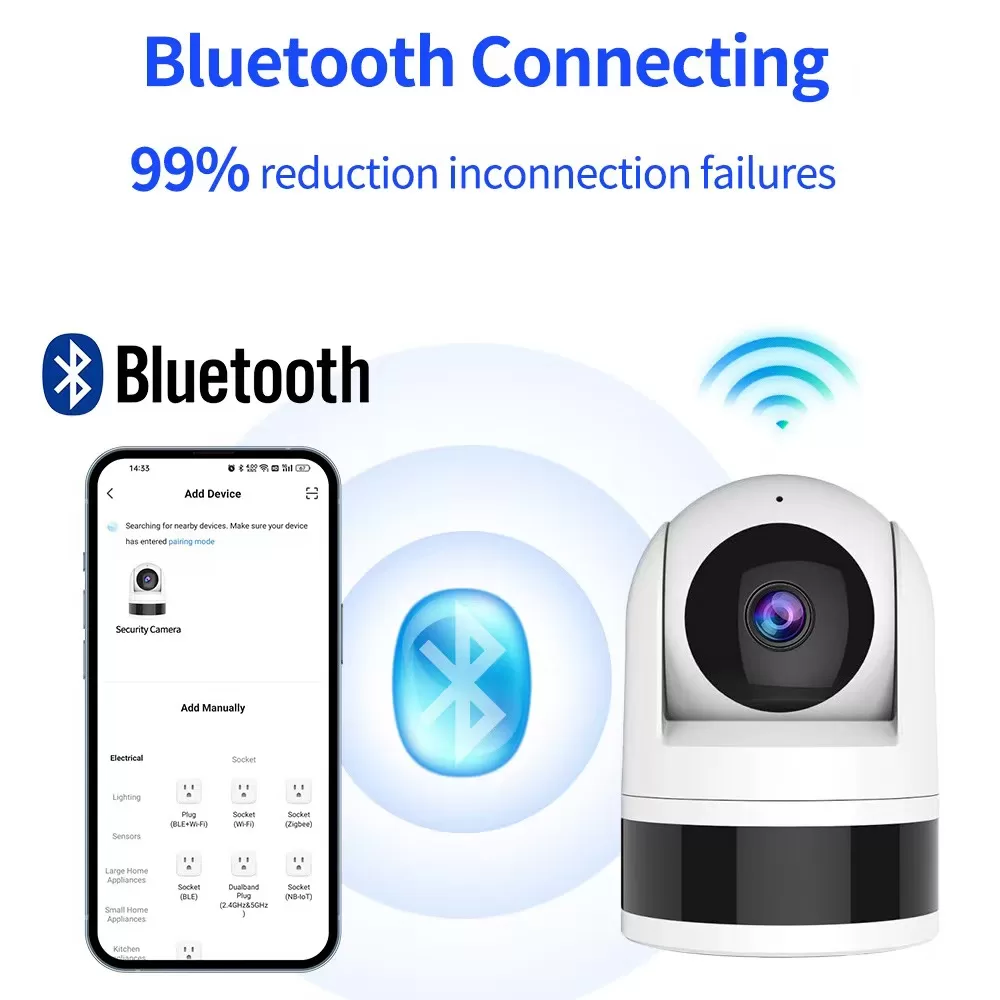
Tuya indoor WiFi smart camera for home security automation

Therefore, This guide explains what smart home automation actually means, the devices that matter, and seven practical scenes you can copy today. It also includes a short buying checklist for distributors who want to stock a complete, compatible automation range.

What smart home automation means

Moreover, Automation is the difference between controlling a device remotely and having it react by itself. When you automate, a rule triggers an action without you touching your phone. For example: motion detected at the front door and after sunset, the porch light turns on automatically. No app, no Button, no thinking required.

In addition, The rules live in the app of your ecosystem, most commonly Tuya-based platforms that unify hundreds of brands. The same app controls switches, cameras, sensors, doorbells and pet feeders — which is exactly why distributors prefer open-protocol products that speak the same language.

The building blocks of a smart home

Smart switches and sockets

For example, A smart wall switch replaces your existing switch and gives every light in the room a Wireless brain: on/off schedules, remote control and voice commands. Smart sockets do the same for appliances such as heaters, fans and coffee makers, with energy monitoring to reveal what is really consuming Power.

Smart sensors

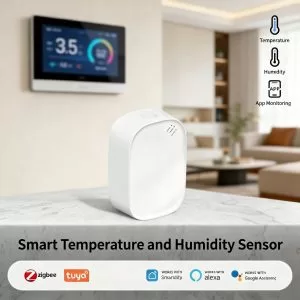
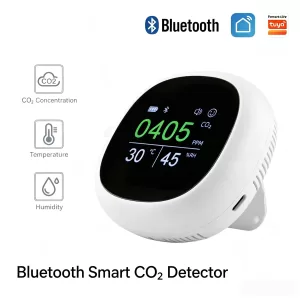
Consequently, Door/window sensors, motion sensors, temperature and humidity sensors turn ordinary rooms into aware rooms. They are the “eyes and ears” that trigger other devices. A motion sensor plus a smart bulb, for instance, creates automatic lighting in hallways and bathrooms. M8 Dopamine Color Wireless Lavalier Microphone: Get Clear Studio Audio For Vlogging & Live Streaming

Video doorbells and security cameras

A video doorbell gives you a live view of your entrance, two-way talk and motion alerts. Indoor and outdoor Security cameras extend that coverage to every room and corner. Combined with local SD card storage, they create a subscription-free security layer that works even when you are away.

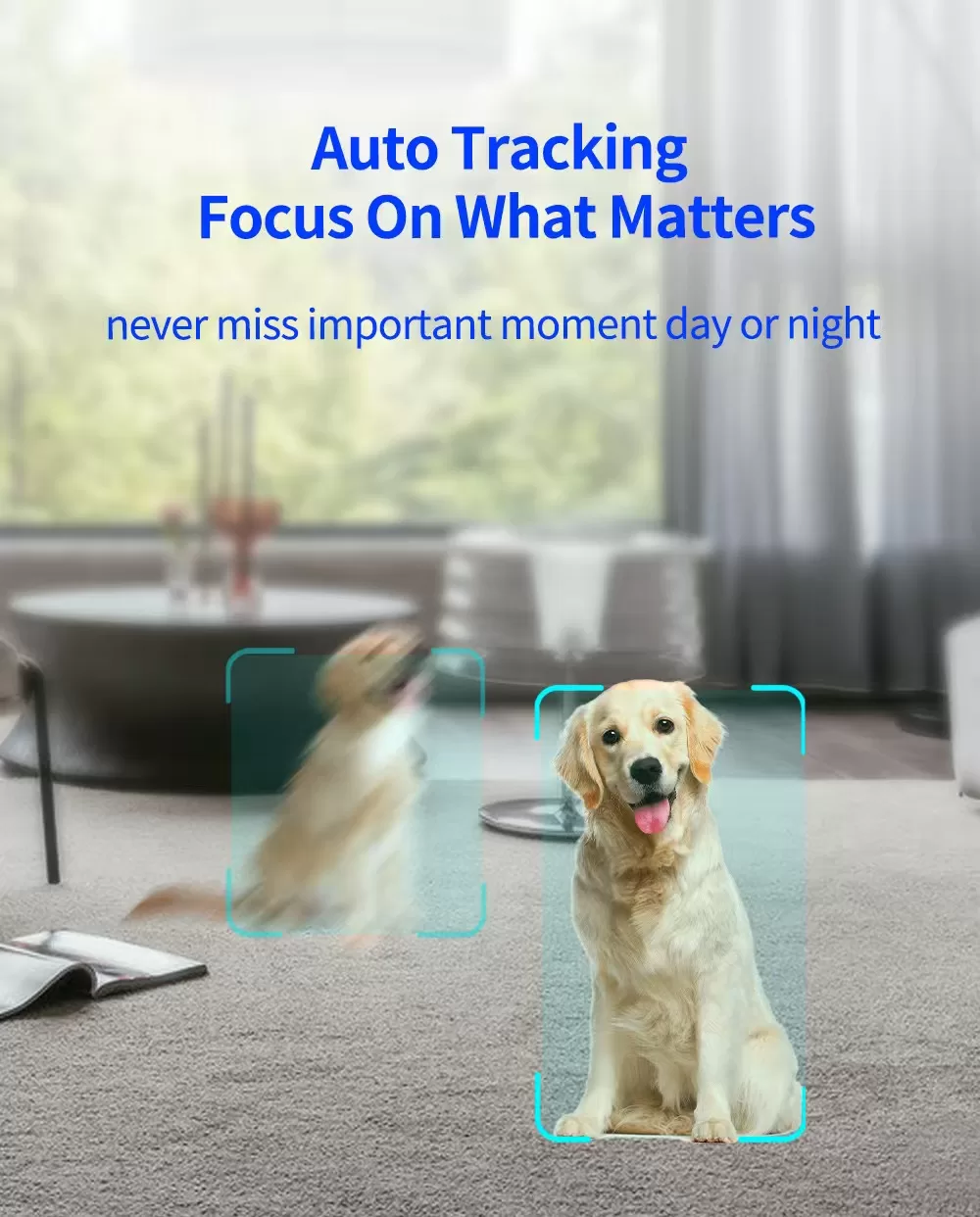
Tuya pan-tilt security camera home surveillance

Automatic pet feeders

WiFi pet feeders dispense scheduled meals and let you check on your pet with a built-in camera — perfect for long workdays and travel, and a growing category in every pet-owner household.

7 practical automation scenes for 2026

  • Morning wake-up: a bedroom smart switch fades the lights on at 7:00, and a wall socket starts the coffee maker right after.
  • Welcome home: a door/window sensor on the main door triggers the hallway lamp the moment you walk in.
  • Away mode: all lights follow a random schedule while you travel, and the security camera arms itself and records on motion.
  • Energy saving: temperature and power-monitoring sockets switch off standby devices at night, cutting standby power that can reach 10% of your bill.
  • Pet care: the pet feeder dispenses lunch at 12:00, and your indoor camera checks that your pet actually ate.
  • Security: motion at the back door after midnight triggers the siren-linked socket and pushes a live view notification to your phone.
  • Elderly care: a motion sensor in a parent room alerts family if no movement is detected for a set number of hours.

Installation: how hard is it really?

Smart bulbs and sockets install in under five minutes with zero wiring. Smart wall switches need standard wiring but most follow a simple two-wire design that an electrician can retrofit in one visit — or a confident homeowner can handle with the included manual. After hardware is in, pairing takes one QR scan per device and naming the room. Automation rules are drag-and-drop scenes, not programming.

Buying checklist for distributors

  • Choose one open protocol (Tuya is the most universal) so every product works together out of the box.
  • Prefer devices with local storage options — subscription-free features sell better globally.
  • Stock complete kits: switch + sensor + doorbell + camera + feeder — one shipment, one ecosystem.
  • Confirm multi-country power standards and universal voltage for export markets.
  • Request demo units and factory samples so your team can test scenes before you commit.

Building a smart home automation line? Contact our factory for wholesale pricing, OEM/ODM support and sample testing on switches, sensors, doorbells, cameras and pet feeders.

You Might Also Like
Frequently Asked Questions

Is Smart Home Automation worth buying?

Based on the breakdown in this article, Smart Home Automation offers a solid mix of features and value. If your main goal matches the key benefits described above, it is a practical choice for everyday use.

How do I choose the right smart home automation for my needs?

Start with your core use case, then compare battery life, compatibility, and build quality as covered above. Choosing the right smart home automation comes down to matching specs with how you actually use it.

Does smart home automation require a companion app?

Most devices of this type pair with a free companion app for setup and firmware updates. A few advanced features may sit behind a paid plan, so check the official specs page before buying.