Posted on — Leave a comment

Where to Mount a Video Doorbell: Height, Angle and Sun Glare

A good doorbell camera mounted badly produces worse footage than a cheap one mounted well. Three variables decide it: how high the lens sits, which way it points, and what the light is doing behind the visitor. None of them need an electrician — just ten minutes with a tape measure before you drill.

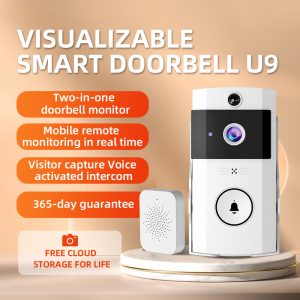
This applies to wall-mounted models across our video doorbell range, including the X8 and the Battery U9.

Height: chest to eye level, not above the door

Most doorbells are fitted at roughly 1.2 to 1.5 metres from the ground — around chest height on an average adult. That puts the lens close enough to a visitor’s face to be useful while keeping the camera out of easy reach.

Higher than about 1.6 metres and you start photographing the tops of heads and hat brims. Lower, and the camera is easy to tamper with and the view fills with shoulders. If the only sensible mounting point is higher — a frame above the Door, for instance — look for a model with a wide vertical field of view, or use a wedge mount to tilt the lens down.

Angle: tilt down slightly, and decide what you want in frame

A lens pointed straight ahead catches faces well and parcels badly. A lens tilted down by 10 to 15 degrees catches both. The trade-off is a slightly distorted view of a tall visitor standing close.

Decide which matters more:

  • Faces first — keep the lens level, useful where you mostly want to know who called.
  • Parcels first — tilt down, useful where porch theft is the concern.

Wedge mounts solve this without moving the unit: a 15 or 30 degree shim under the bracket changes the angle and, usefully, can also turn the view along a side path.

Light: the backlit visitor problem

The classic failure is a doorbell facing east or west into low sun, or facing a bright street with the visitor silhouetted. The camera exposes for the bright background and the face goes dark.

Fixes, in order of effort:

  1. Move the unit to the shaded side of the door frame if the sun comes from one direction.
  2. Use the porch light after dark — a lit face in front of a dark street is far easier to read than the reverse.
  3. Choose a model with wide dynamic range or full-colour night vision for difficult entrances.
  4. Add a shade — even a small porch overhang above the camera reduces direct glare.

WiFi and power still constrain where it can go

The best camera position is useless if the WiFi signal there is dead. Before fixing the bracket, stand at the chosen spot with a phone on 2.4 GHz and check the signal. If it is weak, either move the router or extender, or pick a model that does not depend on your network — the monitor-based kits run their own radio link.

Special case: peephole cameras

A peephole doorbell has no mounting choice at all — it sits at viewer height, typically around 1.5 metres, and looks straight out. That is ideal for faces, poor for parcels, and the only realistic option when you cannot attach anything to the outside of the door or wall.

Check before you drill

  • WiFi signal at the exact spot, on 2.4 GHz.
  • Door thickness if you are fitting a peephole unit.
  • Whether the surface is brick, render, wood or metal — each needs different fixings.
  • Whether a wedge mount is needed for the angle you want.
  • Local rules if you are in a managed building or a listed property.

FAQ

What height should a Video doorbell be?
Around 1.2 to 1.5 metres from the ground. Above 1.6 metres you mostly capture the tops of heads unless you tilt the lens down.
Can I mount it on a metal door or frame?
Yes mechanically, but metal can affect both the Wireless link and the WiFi signal. Test signal strength before fixing it permanently.
Why is my footage washed out during the day?
Usually direct sun or a bright background behind the visitor. Move the unit to the shaded side, add a shade, or use the porch light to balance the scene after dark.
Do I need a wedge mount?
If the door is set back in a recess, or you want to see along a path rather than straight ahead, a wedge mount is the simplest fix.
Can it be stolen?
Anything surface-mounted can be. Use the security screw where supplied, mount with proper fixings, and rely on cloud or card storage so footage survives the unit going missing.
Does rain matter?
On an exposed door, yes — choose a unit with an IP rating (such as the IP66 X8) rather than an indoor-rated model.

Related Articles

You Might Also Like

Frequently Asked Questions

Is Where Mount Video worth buying?

Based on the breakdown in this article, Where Mount Video offers a solid mix of features and value. If your main goal matches the key benefits described above, it is a practical choice for everyday use.

How do I choose the right where mount video for my needs?

Start with your core use case, then compare Battery life, compatibility, and build quality as covered above. Choosing the right where mount video comes down to matching specs with how you actually use it.

Does where mount video require a companion app?

Most devices of this type pair with a free companion app for setup and firmware updates. A few advanced features may sit behind a paid plan, so check the official specs page before buying.

Posted on — Leave a comment

Battery vs Wired Video Doorbell: Power, WiFi and Mounting Compared

The battery-versus-wired decision shapes everything else about a Video doorbell: Where you can mount it, whether it can record continuously, and how often you think about it afterwards. Almost every other spec — resolution, field of view, night vision — matters less than this one.

Here is the comparison in plain terms, with the models in our video doorbell range as reference points: the AA-battery and rechargeable models such as the AA-powered WiFi doorbell and U9 rechargeable kit, against wired systems like the 2-wire intercom with a 7-inch monitor.

What each one needs at the door

Battery Doorbell Wired doorbell
Power Internal battery, charged off the Door Bell wires or a low-voltage transformer
Mounting Anywhere — adhesive pad or two screws Where the wires reach
Rental friendly Yes, fully reversible Usually not
Recording On motion / button press Can record continuously
Upkeep Recharge every few months None
Best at Flats, rentals, doors with no wiring Owned homes, high-traffic doors

Recording behaviour is the hidden difference

A battery doorbell sleeps and wakes on a trigger — a button press or a PIR detection. That is what makes a battery last months, and it is also why battery models can miss the moments between triggers. A wired unit can afford to stream and record continuously, which matters on a street-facing door where the interesting event might be a car, not a visitor.

If catching everything matters more than easy installation, wired wins. If you want a doorbell that simply works when someone presses it, battery is fine and far easier to fit.

WiFi is the other constraint, and it applies to both

App-based battery and WiFi doorbells both need a usable 2.4 GHz signal at the door. That is where installations usually fail, not at the power stage. Test before you buy: stand at the door with your phone, switch to 2.4 GHz, and check the signal. A thick external wall or a metal door can turn a strong indoor network into nothing at the doorstep.

If the signal is poor, the options are a WiFi extender nearer the entrance, or a kit that does not use your network at all — the monitor-based kits in our wireless doorbell comparison run their own link between camera and screen.

Choosing for a rental

Battery, every time. You can mount it with an adhesive bracket, take it with you when you leave, and refit the original bell. Avoid drilling into a frame unless your tenancy allows it, and keep the original chime wiring untouched so the next tenant inherits what you found.

Choosing for an owned home with existing bell wires

If there is already a working chime, you have free power at the door and a wired doorbell is the low-effort, high-reliability choice. A 2-wire Video intercom system also gives you a large indoor monitor and a properly loud ring — worth considering if the household includes people who will not check a phone notification.

FAQ
Can a battery doorbell record 24/7?
No, not practically. Continuous streaming would flatten the battery in days. Battery models record clips on motion or button presses.
Does a wired doorbell keep working during a power cut?
The doorbell loses power with the house, same as a wired chime. A battery model keeps running, though its WiFi usually goes with the router.
How often will I charge a battery doorbell?
Typically every two to six months depending on traffic, temperature and how often you view live Video. Cold winters shorten it.
Can I use the existing chime?
Some wired models can drive the existing chime; battery kits usually ship with their own indoor chime or rely on phone notifications. Check the product page for the specific model.
Is 2.4 GHz WiFi enough for Video?
Yes — doorbell Video is low-bitrate. The issue is signal strength at the door, not bandwidth.
Which is better for a door that gets strong afternoon sun?
Either works, but avoid direct sun on the lens and consider a model with an IP rating for exposed doors. Heat also ages batteries faster.

Related Articles

You Might Also Like
Frequently Asked Questions

Is Battery Wired Video worth buying?

Based on the breakdown in this article, Battery Wired Video offers a solid mix of features and value. If your main goal matches the key benefits described above, it is a practical choice for everyday use.

How do I choose the right battery wired video for my needs?

Start with your core use case, then compare battery life, compatibility, and build quality as covered above. Choosing the right battery wired video comes down to matching specs with how you actually use it.

Does battery wired video require a companion app?

Most devices of this type pair with a free companion app for setup and firmware updates. A few advanced features may sit behind a paid plan, so check the official specs page before buying.

Posted on — Leave a comment

Solar Video Doorbell: Does the Panel Actually Keep It Charged?

A solar panel on a Video Doorbell sounds like a permanent solution to the one chore every battery Doorbell owner dislikes: climbing a stool with a charging cable twice a year. The reality is more modest but still useful — the panel does not run the Doorbell, it tops up the battery, and how much it contributes depends almost entirely on where the sun hits your door.

This guide explains what to expect from a solar kit such as the U9 solar doorbell kit with indoor chime, how to place the panel so it earns its keep, and the situations where you should skip it and buy a wired or plug-in model instead.

What the panel actually does

The panel trickle-charges the internal battery whenever there is usable light. On a bright day it can add a meaningful percentage of capacity; on an overcast winter day it adds very little. The doorbell still draws from the battery at night and during dark afternoons.

The practical result: on a sunny or mildly shaded entrance, many households find they charge the unit once a year instead of three times. On a north-facing door under a porch, the panel may only stretch the interval slightly. The panel is an interval-extender, not a replacement for the battery.

Siting the panel: three rules

  1. Face it at the sun, not at the street. A panel mounted flat against a door that faces north collects reflected light at best. If the door is shaded, mount the panel on the wall beside the door, or above the door line, where it catches more direct light.
  2. Cable length decides the mount point. The panel connects with a short lead, so it has to live within that distance of the camera. Check the cable length on the product page before planning a mount around a corner.
  3. Avoid the porch roof. The most common mistake is mounting a panel under the very porch that keeps the door dry. An overhang that shades the door also shades the panel.

Winter and the honest expectation

Two things stack up against you in winter: fewer daylight hours at a lower angle, and lithium batteries that deliver less capacity when cold. Expect the solar contribution to drop sharply between November and February, even on a well-sited panel. Plan for one manual charge a year, ideally in late autumn, rather than assuming the panel covers you through winter.

When a solar kit is worth it

  • The door gets at least a few hours of direct or bright indirect light.
  • You cannot run a cable to the door without drilling through a frame or wall you would rather not touch.
  • The Doorbell is mounted high enough that charging it is genuinely annoying.

When to choose something else

  • Deeply shaded or north-facing entrance — buy a larger battery or a model with swappable cells instead.
  • You already have bell wires — a wired doorbell removes the charging question entirely.
  • You have a socket nearby — a plug-in camera or doorbell is cheaper than a solar panel and has no seasonal shortfall.

Solar doorbell vs solar camera: the same logic

The same reasoning applies to our solar PTZ security camera, only more so — a camera that pans, tilts and streams Video uses far more power than a doorbell that wakes on a button press. For cameras, treat the panel as a way to reduce charging trips rather than eliminate them. If the camera does not need mains power at all, see outdoor cameras that run without a power outlet.

FAQ
Can the panel power the doorbell with no battery?
No. The panel charges the battery; the battery runs the doorbell. Without a charged battery the unit will not operate, even in sunlight.
Does it charge on a cloudy day?
Yes, but at a small fraction of the clear-sky rate. Diffuse light still produces current — just not enough to keep up with a busy door on its own.
Do I still get the indoor chime?
The U9 kit ships with an indoor chime, so the bell rings in the house as well as on your phone.
Can I add a panel to a doorbell I already own?
Only if that model has a charging input designed for it. Panels are model-specific, so it is usually simpler to buy the kit.
How do I know it is working?
The app shows battery level over time. A panel doing its job shows a level that recovers during the day rather than a steady downward slope.
Is the panel waterproof?
Solar panels for outdoor doorbells are sealed for outdoor use, and the camera unit itself carries an IP rating — check the specific rating on the product page for the model you are buying.

Related Articles

You Might Also Like
Frequently Asked Questions

Is Solar Video Doorbell worth buying?

Based on the breakdown in this article, Solar Video Doorbell offers a solid mix of features and value. If your main goal matches the key benefits described above, it is a practical choice for everyday use.

How do I choose the right solar video doorbell for my needs?

Start with your core use case, then compare battery life, compatibility, and build quality as covered above. Choosing the right solar video doorbell comes down to matching specs with how you actually use it.

Does solar video doorbell require a companion app?

Most devices of this type pair with a free companion app for setup and firmware updates. A few advanced features may sit behind a paid plan, so check the official specs page before buying.

Posted on — Leave a comment

Peephole Video Doorbell: Turning Your Door Viewer Into a Camera

A peephole Video Doorbell replaces the small glass viewer in your door with a camera unit. It is the least invasive way to add Video to a front door: no drilling into the frame, no bracket on the wall beside the door, and nothing that looks out of place in a block of flats where the management company has opinions about modifications.

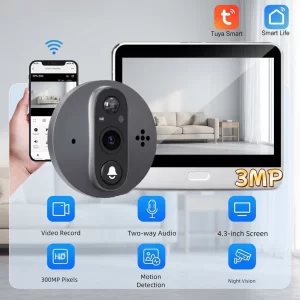
That makes it a strong fit for apartments, rented homes and any door that already has a viewer. This guide covers what you are actually swapping out, the measurement that decides whether one fits, and where a conventional doorbell is still the better answer. Our two peephole models are the Tuya WiFi peephole camera (3 MP, app-based) and the 3 MP peephole doorbell with a 5000 mAh battery.

What a peephole camera replaces — and what it does not

The mechanical viewer stays useful: you can still look through it. The camera unit screws into the same hole, with the lens outside and the body inside, so the door itself is barely changed. What you gain is a Video feed, motion detection and two-way talk.

What you do not gain is the wide side-to-side view of a wall-mounted Doorbell. A peephole camera looks straight ahead from door height. It sees the person at the door well and the parcel at their feet poorly. If watching packages is the main job, a wall unit angled downward does it better — see our video doorbell range for those.

The one measurement that decides everything: door thickness

The camera barrel has to pass through the door and be clamped from the inside, so every peephole model has a thickness range it fits — typically covering standard apartment and house doors. Measure the door itself, not the frame, and measure at the existing hole if there is one.

Also check the existing hole diameter. A viewer hole that is already there makes installation a five-minute job; drilling a new hole through a solid or composite door is a job for someone with the right bit and the willingness to use it.

Power: battery or the existing viewer space

The 5000 mAh model runs for months between charges on typical household traffic, and lifts off the mount to charge. That matters because a peephole camera cannot be wired to the bell — there are no wires at a viewer. If you already have bell wires at the door and want a permanently powered unit, a conventional doorbell is the more sensible choice.

Who is it right for

  • Apartment dwellers — no drilling into common areas, and nothing visible from the corridor except a lens where the viewer already was.
  • Renters — reversible; the original viewer can be refitted when you move out.
  • Anyone whose door opens straight onto a shared landing — a wall-mounted unit would stick out into a walkway.

It is the wrong choice if you need a wide view of a porch, if the door is unusually thick, or if you want to power the unit from the existing bell transformer.

What to expect from the app side

The Tuya-based models connect over 2.4 GHz WiFi to the Tuya / Smart Life app, which means remote answering, recorded clips and shared access for family members. 2.4 GHz only is a real constraint worth checking: if your router runs a single combined SSID for 2.4 and 5 GHz, the setup step usually needs you to be standing near the router, and some mesh systems need a temporary 2.4 GHz-only guest network during pairing.

Motion detection catches people approaching the door and pushes a notification. Sensitivity is adjustable, and turning it down is usually the right move on a busy corridor where every passer-by would otherwise trigger an alert.

Installation in five steps

  1. Remove the existing viewer (it unscrews from the inside) and measure the hole and door thickness.
  2. Confirm the camera barrel fits that thickness range.
  3. Feed the barrel through from outside, fit the backing plate inside and tighten by hand — do not use a tool, the thread is plastic.
  4. Pair with the app on 2.4 GHz WiFi, then set motion sensitivity and recording preferences.
  5. Test from outside: press the bell, check the notification arrives and two-way audio is clear.
FAQ
Will it fit my door?
Check the door thickness range on the product page against your measurement. Standard interior and apartment doors are covered by the usual range; very thick hardwood or security doors may not be.
Does it need WiFi?
The Tuya models use 2.4 GHz WiFi for remote viewing and notifications. Local recording to a card still works if the internet drops; you just cannot view it remotely while offline.
Can I still look through it?
Yes — a peephole camera replaces the optics with a camera, and you view the feed on the screen or phone instead of with your eye.
How long does the battery last?
The 5000 mAh model is designed for months of typical household use. Heavy traffic, cold weather and frequent live viewing all shorten that; the unit lifts off to recharge.
Is it visible from outside?
Only the lens barrel, roughly where the old viewer was. There is no wall bracket or protruding body on the outside of the door.
Can more than one phone receive alerts?
Yes, the Tuya / Smart Life app supports sharing a device with other household members.

Related Articles

You Might Also Like
Frequently Asked Questions

Is Peephole Video Doorbell worth buying?

Based on the breakdown in this article, Peephole Video Doorbell offers a solid mix of features and value. If your main goal matches the key benefits described above, it is a practical choice for everyday use.

How do I choose the right peephole video doorbell for my needs?

Start with your core use case, then compare battery life, compatibility, and build quality as covered above. Choosing the right peephole video doorbell comes down to matching specs with how you actually use it.

Does peephole video doorbell require a companion app?

Most devices of this type pair with a free companion app for setup and firmware updates. A few advanced features may sit behind a paid plan, so check the official specs page before buying.

Posted on — Leave a comment

Tuya Video Doorbell OEM: Complete Buying Guide for Distributors

Video doorbells are one of the fastest-growing Smart home categories. If you’re a distributor or brand looking to source Tuya-compatible Video doorbells, this guide covers everything from specs to MOQ.

## Why Choose Tuya Video Doorbells?

Tuya-powered doorbells work with the Tuya Smart app, supporting: – Two-way audio with noise cancellation – HD live view (1080p or 2K) – Motion detection with humanoid filtering – Night vision (color or IR) – Chime box included – Alexa/Google Home voice announcements ## Wired vs Battery-Powered | Feature | Wired | Battery | |—|—|—| | Installation | Existing Doorbell wire | Wire-free, self-adhesive |
| Power | Continuous | 2-6 months per charge |
| Best for | Apartments, offices | Rental homes, DIY |
| Price tier | Mid-range | Budget to mid |
| OEM MOQ | 100 pcs | 50 pcs |

## Key Specs to Compare

### Resolution
– 1080p is the minimum
– 2K (3MP) is the 2026 standard
– 4K available on premium models

### Field of View
– 155-180 degrees is ideal
– Anything less than 150 misses side angles

### Night Vision
– IR night vision: cheaper, black and white
– Color night vision: better for identifying visitors
– Starlight sensor: best low-light performance

### Storage
– Local SD card (up to 128GB)
– Cloud storage (Tuya cloud subscription)
– Both options preferred by customers

## OEM Customization Options

When ordering private label:
1. **Logo printing** on the Doorbell unit 2. **Custom packaging** with your brand 3. **Chime box logo** matching your brand 4. **App splash screen** with your logo 5. **Default settings** (motion sensitivity, doorbell volume) ## MOQ and Pricing | Product | MOQ | Unit Price | |—|—|—| | Battery doorbell | 50 pcs | $12-20 | | Wired doorbell | 100 pcs | $10-18 | | Wireless video intercom (7-inch screen) | 50 sets | $25-45 |
| Solar-powered doorbell | 100 pcs | $18-28 |

## XingLiao Video Doorbell Range

We manufacture:
– Battery-powered Tuya video doorbells (1080p/2K)
– Wired smart doorbells with chime
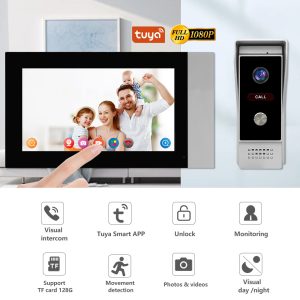
– 7-inch wireless video intercom kits (monitor + doorbell)
– Solar-powered doorbell cameras
– All models support OEM logo from 50 pcs

CE/FCC/RoHS certified. Samples ship in 3 days worldwide.

Request a quote — tell us your target price and quantity, we’ll reply within 24 hours.
tuya video doorbell

Related Articles

You Might Also Like
Frequently Asked Questions

Is Tuya Video Doorbell worth buying?

Based on the breakdown in this article, Tuya Video Doorbell offers a solid mix of features and value. If your main goal matches the key benefits described above, it is a practical choice for everyday use.

How do I choose the right tuya video doorbell for my needs?

Start with your core use case, then compare battery life, compatibility, and build quality as covered above. Choosing the right tuya video doorbell comes down to matching specs with how you actually use it.

Does tuya video doorbell require a companion app?

Most devices of this type pair with a free companion app for setup and firmware updates. A few advanced features may sit behind a paid plan, so check the official specs page before buying.

Posted on — Leave a comment

Wireless Video Doorbell With Indoor Monitor: X3, X6, X7 and X8 Compared

An app-based Video Doorbell assumes three things: a router close enough to the front door, a phone that is always charged, and everybody in the house willing to install another app. Plenty of homes fail at least one of those tests — a thick concrete wall between the door and the router, grandparents who do not want an app, or a rental where the internet account belongs to somebody else.

A Wireless doorbell kit with its own indoor monitor skips the router entirely. The camera talks straight to the screen over a private 2.4 GHz link, so pressing the button lights up the monitor in the hallway or kitchen. This guide compares the kits in our range — X3, X6, X6A, X7 and X8 — on the four things that change how they feel to live with.

What “no WiFi needed” actually means

It does not mean the Doorbell is offline. It means the Video link between the door unit and the indoor monitor uses its own digital radio hop instead of your home network. You press the button, the monitor rings, you see and talk to the visitor — all without an internet connection, a router, or a cloud account.

The trade-off is honest: you can answer the door from the monitor, but not from your office across town. If being able to answer from anywhere matters more than simplicity, look at a WiFi model instead, or run both — a kit at the door and an app-based unit elsewhere. If WiFi at the door is the problem rather than the feature, our guide to how a video doorbell works without WiFi covers the same question in more detail.

Screen size decides who can use it

Every kit here puts a display indoors, but the size changes who actually answers the door:

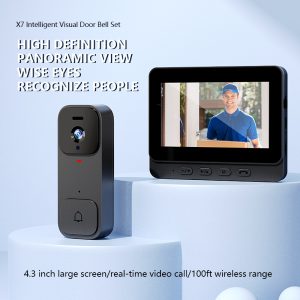
  • 4.3 inch (X6, X6A, X7, X8) — compact, easy to wall-mount or leave on a side table. Fine for recognising a face at the door.
  • 4.5 inch (X3) — slightly larger, more comfortable if the monitor sits across the room.
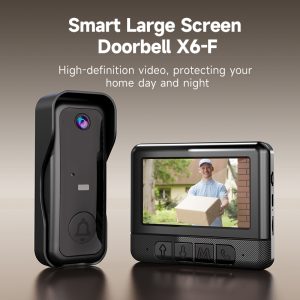
  • Large-screen outdoor units (X6F) — a display at the door itself, used where the visitor needs to see instructions or where the owner wants a bigger intercom panel outside.

The X7 and X8 use IPS panels, which matters if the monitor is not viewed head-on — a cheaper TN screen viewed from the side or above washes out badly.

Power: the question people forget to check

A Wireless kit still needs power at both ends. The indoor monitor is the easy part — it plugs into a socket or runs from its own rechargeable battery. The door unit is where surprises happen:

  • Rechargeable battery — mount anywhere, including a door with no wiring at all. You will charge it every few months depending on traffic.
  • AA batteries — the simplest option for a rental, and easy to swap in winter when cold cuts capacity.
  • Existing bell wires — if there is already a chime, some installs can reuse those two wires.

If there is genuinely no power and no wiring at the door, read how to install a video doorbell with no existing wiring before you buy — the answer shapes which kit fits.

Night vision and image quality

Doorbell cameras do most of their useful work after dark, so this is not a spec to skip. Infrared night vision is the standard: the door unit lights the scene with IR LEDs and the monitor shows a monochrome image that is clear enough to identify a person and a parcel. Full-colour night vision (X3) keeps colour in low light, which helps when you need to describe a delivery uniform or a vehicle.

Resolution figures on these kits look modest compared with a phone camera, and that is normal — a 300K-pixel door camera filling a 4-inch screen is perfectly readable. What matters more is the lens angle: a wide-angle lens captures the person and the parcel on the doorstep, whereas a narrow lens gives you a face but crops out the package at their feet.

Which kit fits which door

Kit Screen Best for
X3 4.5 inch Households that want a slightly larger monitor and full-colour night vision
X6 4.3 inch Flats and rentals with no router near the door; infrared night vision
X6A 4.3 inch Anyone who wants snapshot storage plus an indoor chime
X7 4.3 inch IPS Off-angle viewing — a monitor mounted above eye level
X8 4.3 inch IPS, IP66 Exposed entrances, gates and doors with no porch cover

Check these three things before you order

  1. Door and frame thickness. Peephole-style units have a barrel that has to pass through the door; measure the thickness before choosing one.
  2. Distance and walls between door and monitor. A private 2.4 GHz link handles a normal flat easily and struggles through several solid concrete walls. Put the monitor in the room nearest the entrance first.
  3. Weather exposure. If the door unit faces rain without a porch, choose a waterproof model such as the X8 rather than a basic indoor-rated unit.

Full specifications, mounting plates and quantity pricing are on each product page, and the whole range sits under smart video doorbells. OEM branding, manuals and packaging are available from the first order.

FAQ
Can a wireless doorbell kit work without any internet at all?
Yes. The door unit and the indoor monitor pair directly over their own radio link, so the bell, the Video and the two-way talk all work with no router and no broadband. You lose remote answering from outside the home, not local function.
How many monitors can one doorbell call?
Most kits support more than one indoor monitor, so a two-storey house can have one upstairs and one downstairs. Confirm the supported number on the individual product page before ordering extra screens.
Does it record if nobody answers?
Kits with snapshot storage (such as the X6A) capture an image when the button is pressed, and units with a TF card slot record continuously or on motion. Without a card, you get live viewing only.
Will it interfere with my home WiFi?
The private link shares the 2.4 GHz band but uses its own channel. If the monitor and the door unit are both working, interference is rare; if you notice dropouts, move the monitor away from the router.
Can I install it on a rental door without drilling?
Yes for the battery models — the usual approach is a mounting bracket fixed with strong adhesive tape or a screw into the frame, and the unit lifts off for charging. Check your tenancy terms before drilling anything.
What happens in winter?
Battery capacity drops in the cold, so expect to charge more often between November and February. If the door is exposed, an IP-rated unit matters as much as the battery.

Related Articles

You Might Also Like
Frequently Asked Questions

Is Wireless Video Doorbell worth buying?

Based on the breakdown in this article, Wireless Video Doorbell offers a solid mix of features and value. If your main goal matches the key benefits described above, it is a practical choice for everyday use.

How do I choose the right wireless video doorbell for my needs?

Start with your core use case, then compare battery life, compatibility, and build quality as covered above. Choosing the right wireless Video doorbell comes down to matching specs with how you actually use it.

Does wireless video doorbell require a companion app?

Most devices of this type pair with a free companion app for setup and firmware updates. A few advanced features may sit behind a paid plan, so check the official specs page before buying.

Posted on — Leave a comment

Video Doorbell Without Subscription

A video doorbell Without a subscription is entirely possible: the camera writes to its own memory card and the clips stay in your house instead of a data centre. What you give up is convenience, not Security — and once you know exactly what a plan actually buys, choosing is straightforward.

Why the subscription exists

Every time a doorbell uploads a clip, it costs the brand storage and bandwidth, so most brands charge monthly for cloud history. The marketing rarely separates the two things bundled in that fee:

  • Event history: recordings stored for 30 to 180 days so you can scroll back to Tuesday afternoon.
  • Smarter alerts: person, package and vehicle detection, plus thumbnails in the notification itself.

Detection usually runs whether you pay or not on modern Models; the history is the part you lose. If you only need “who is at the door right now” plus a record of what happened today, local storage covers it. Smart Socket vs Smart Plug: Which to Buy?

Three ways to record without paying monthly

1. A memory card in the doorbell

The simplest path. A microSD card in the doorbell records every event, costs nothing per month, and keeps working when the internet does not. The clip is retrievable from the app as long as the doorbell is online, and you can pull the card if you ever need the footage on a computer. The limitation is physical: if someone takes the doorbell, the card goes with it. Smart Switch for Water Heater and AC

2. An indoor monitor or chime with a screen

Doorbell kits with an indoor screen store recordings inside the house, which solves the theft problem neatly — the camera may go, the footage stays. Several kits also run their own 2.4 GHz wireless link between camera and monitor, so no router and no app are involved at all. That makes them the best option when the WiFi at the front door is unreliable, or when the person using it does not want a smartphone app.

3. A recorder on the network

If you already run cameras, an NVR or a Home hub with storage can pull the doorbell stream alongside everything else. This is the most work to Set up and the most robust once it is running, and it is what most people with four or more cameras end up doing.

Power: battery, wired, or solar

  • Battery doorbells install in minutes with no drilling and no transformer, and they are the right answer for rented homes. They wake on motion rather than streaming, so battery life depends on how busy your door is.
  • Wired doorbells replace the existing bell Wiring and never need charging, but they need a transformer with enough capacity — check the rating before you connect one.
  • Solar doorbells top themselves up through a small panel and effectively remove charging from your list, provided the door gets reasonable daylight.

Doorbells that need no WiFi at all

Worth knowing if your router does not reach the front door: some kits use their own 2.4 GHz link between the outdoor camera and an indoor monitor. There is no app, no cloud, no account — you press the button, the screen lights up inside, and the event is written to the card in the monitor. For a household that wants a video doorbell and nothing else connected, that is often the calmest option.

Renting: the peephole option

A peephole doorbell replaces the existing door viewer and clamps in place — no drilling, no holes, and it comes off when you move. It sees the landing and whoever is standing at the door, and it records to its own card. Battery capacity matters here, so look for a large cell if the door gets a lot of traffic.

What to check before buying

  • Storage: does it take a card, and what is the maximum size?
  • Chime: is one included, or will you reuse the existing mechanical chime?
  • Power: battery, existing bell wiring, or solar — and is the transformer rated for it?
  • WiFi: 2.4 GHz and a usable signal at the door; test on your phone before you buy.
  • Features without a plan: two-way audio, night vision, live view and motion alerts should all work with no subscription.
  • Placement rules: in flats and leased buildings, check what you are allowed to fit on the door.

XingLiao video doorbells

Frequently Asked Questions

Do video doorbells work without a subscription?

Yes. Live view, two-way audio, motion alerts and local recording all work with no plan. What a subscription adds is cloud history — the ability to scroll back weeks — and sometimes smarter notification thumbnails.

What do I actually lose by not paying?

Off-site history. If the doorbell is stolen or destroyed, local recordings go with it, so serious users pair a card with either an indoor monitor that stores footage or a cloud plan on the one camera that matters most.

How much storage do I need?

A 32 to 128 GB card covers weeks of motion clips for a typical front door, because only events are written, not continuous video. Continuous recording needs considerably more.

Can I watch it when I am away from home?

Yes, as long as the doorbell and your phone both have internet. Local storage affects where clips are kept, not whether you can connect.

Will a battery doorbell work in winter?

It will, but cold reduces battery capacity and a busy door shortens charge life further. A wired or solar model is the better choice for a door that sees constant traffic.

Do I need existing doorbell wiring?

Not for battery, solar or peephole models — they mount with adhesive or a bracket. Wired models replace an existing bell and need a transformer with adequate output.

Is a peephole doorbell good enough for a flat?

Yes, and it is usually the only option a lease allows, because nothing is drilled. It sees the landing and the person at the door, which is what a flat needs.

Related guides

Browse all video doorbells · Describe your doorway and we will recommend a doorbell that records locally

Related Articles

You Might Also Like
Posted on — Leave a comment

Intercom for Home: Choosing a Video Intercom System

An intercom for Home is a two-way communication system that lets you see and talk to whoever is at your door, from a screen inside the house or from your phone. Modern systems are Video intercoms: the outdoor unit has a camera, microphone, speaker and a call button, and the indoor unit is either a dedicated monitor, a chime box, or simply your smartphone.

There are three ways to build one, and the right choice depends almost entirely on whether you can run a cable to the door:

  • Wireless video intercom (battery or mains, Wi-Fi) — no cable to the door, phone-first. The fastest retrofit and the only realistic option for most apartments.
  • Wired 2-wire or 4-wire IP system — cable from the door station to an indoor monitor. Most reliable, standard for new builds and villas.
  • RF (no Wi-Fi) intercom kit — outdoor unit talks directly to an indoor monitor over radio, no router, no app, no internet. Works in buildings with no network and for users who do not want a phone app.

Which type fits your situation

Situation Recommended system Why
Apartment, cannot drill or run cable Wireless Wi-Fi doorbell with indoor chime Battery or existing low-voltage Wiring, no structural work
House with an existing doorbell cable Wired Wi-Fi doorbell using the existing wires Continuous power, no charging, no Wi-Fi dropout at the door
New build or full renovation Wired IP video intercom with monitor Cable is cheap while walls are open; best video quality and reliability
No internet at the property RF intercom kit with monitor Works standalone; two-way video without a router
Multi-tenant building IP system with multiple indoor monitors Each flat answers its own door; adds access control
Gate 20+ m from the house 4G or long-range RF / Wi-Fi extender Wi-Fi will not reach reliably at that distance
What to check before buying
  1. Power at the door. Is there a low-voltage cable (8–24 V AC/DC), mains, or nothing? This decides battery vs wired more than anything else.
  2. Wi-Fi strength at the door. Stand outside with your phone on 2.4 GHz. Under two bars and you will get missed calls — add an extender or choose RF.
  3. Who needs to answer. Phone only, an indoor monitor, or both? Elderly residents and children usually need the indoor screen.
  4. Chime. A wireless chime in the house means visitors are heard even when phones are on silent.
  5. Storage. microSD in the unit, cloud plan, or the monitor’s own storage. For evidence, keep it off-device or in the cloud.
  6. Night vision and field of view. IR for a black-and-white image after dark; a taller vertical field of view captures a face and a parcel on the step.
  7. Access control. If you want to release an electric lock or a gate, confirm the unit has a relay output and that the indoor monitor supports unlock.

Installation notes that save callbacks

  • Mount height 1.4–1.6 m to the Camera centre — high enough to resist tampering, low enough to see faces rather than hair.
  • Avoid backlight. A camera facing direct sun or a Glass porch roof produces silhouettes. Shift the unit or add a small shade.
  • Battery units need a plan. Event-based recording keeps consumption down; heavy traffic areas may need charging every 1–3 months.
  • Use the transformer supplied. Reusing an old mechanical chime transformer often causes buzzing or reboots.
  • Test the call before fixing the plate. Make one call, check the angle, then drill the final holes.
  • Weather rating. IP65 or better for an exposed door; a rain shield extends the life of any unit.

Intercom vs video doorbell: is there a difference?

In practice, little — the terms overlap. “Video doorbell” usually means a single outdoor unit that calls your phone. “Video intercom” usually implies an indoor monitor as well, and often two-way video between rooms or flats. The features to compare are identical: camera resolution, power, network, storage, night vision, and whether a second indoor station is supported.

Frequently Asked Questions

Do I need Wi-Fi for a home intercom?

Not necessarily. Wi-Fi doorbells need Wi-Fi for app calls. RF intercom kits work with no network and no internet, using a dedicated indoor monitor — the right choice for remote properties or users without Smartphones. Smart Switch for Water Heater and AC

Can I install one in an apartment without drilling?

Yes. Battery doorbells mount with adhesive or a no-drill bracket, and the indoor chime plugs into any socket. Check your lease before fixing anything to the door frame.

Will it work when I am not at home?

With an app-based system, yes: the call reaches your phone over mobile data, you can talk and, if the unit has a relay, unlock. With an RF kit or a monitor-only system, calls are answered at home only.

How many indoor monitors can one door station support?

Wi-Fi doorbells typically support one chime plus multiple phone accounts on the same app. IP intercom systems support two to six indoor monitors depending on the model, which is why they are used in multi-tenant buildings.

Can it open a gate or an electric lock?

Only Models with a relay output. Confirm the voltage and whether it is a dry contact, and have an installer wire the lock release — a shorted lock supply is the most common installation fault.

What should a project or wholesale buyer verify?

Power option per site, whether the kit includes the indoor monitor and chime, RF or Wi-Fi, resolution and field of view, storage architecture, app platform, certifications for the destination market (CE, UKCA, FCC, RoHS), and minimum order quantities — typically 500 pieces per model for standard configurations.

Related products

Related guides

Related Articles

You Might Also Like
Posted on — Leave a comment

Video Doorbell Without WiFi: How It Actually Works

A Video doorbell can work without Home WiFi in two different ways. The first is local operation: the doorbell still joins your WiFi, but records to a microSD card in the indoor chime and rings locally, so a broadband outage does not stop it. The second is no home internet at all: a 4G model with a SIM card sends Video over mobile data. Only the second One works if you have no broadband, or if the Door is out of WiFi range.

Understanding which of the two you need saves most of the disappointment, because the two are often sold under the same “no WiFi required” Label. Automatic Pet Feeder Portions: How to Calibrate and Schedule Meals

Why doors are the hardest place for WiFi

A front door combines the three worst things for a radio link: an exterior wall (often brick or concrete), a door leaf that may be metal or foil-backed insulation, and — in flats — a corridor full of other people’s access points. A doorbell that measures fine indoors can drop 15–20 dB once it is mounted. Practical consequences:

  • Live view takes several seconds to connect, or times out.
  • Motion notifications arrive minutes late, or only when you open the app.
  • Firmware updates fail halfway and the unit appears “dead” until it is brought indoors.

Fix the link before you blame the camera: add a mesh node on the inside wall nearest the door, or move the router. If neither is possible, go 4G.

Type 1: local recording, still on WiFi

These models pair to your 2.4 GHz network, but store clips on a microSD card inside the plug-in chime. If your broadband drops, the doorbell keeps recording and still rings the chime; you simply cannot watch remotely until the internet returns. This is the right choice for houses with a decent router and an occasional outage. Hotel Smart Security OEM Solutions

Check before buying: the card slot must be in the chime or the doorbell (state which), the maximum supported capacity (commonly 32–128 GB), and whether clips loop-record or stop when full.

Type 2: 4G doorbell with a SIM

The doorbell contains a mobile modem. You insert a data SIM, top up a plan, and the doorbell talks to the app over LTE. Use cases Where this is not a luxury but the only workable answer:

  • Driveway gates and farm entrances 20–100 m from the house.
  • Rental and holiday properties without broadband.
  • Site offices, workshops and outbuildings.
  • Houses with stone or foil-insulated walls where no mesh node helps.

Data budgeting: standby Costs very little; the cost is streaming. Expect a few hundred MB per month if you only watch motion clips, and several GB if you open live view often or keep high bitrate 2K/4MP streams. Buy a plan with a hard cap, and set the app to push a thumbnail first rather than auto-downloading every clip.

Power: 4G modems draw more than WiFi ones. Choose a large battery (or a solar panel) and expect a shorter interval between charges than an equivalent WiFi model.

Type 3: RF doorbells and local intercoms

Some wireless video doorbells link the outdoor unit to an indoor screen over a dedicated radio (often 433 MHz or similar) and never touch the internet. You get a live picture on the indoor monitor and two-way talk, but no remote viewing and no cloud clips. This is a good fit for elderly relatives, for households that do not want an app, and for buildings where WiFi is impossible and a data plan is unwanted.

Comparison at a glance

  • WiFi + cloud: best convenience, needs reliable 2.4 GHz at the door and a subscription for cloud history.
  • WiFi + microSD: no subscription, survives broadband outages, still needs WiFi at the door.
  • 4G + SIM: works anywhere with mobile coverage, costs a data plan, higher battery drain.
  • RF + indoor screen: no internet at all, no remote access, simplest to live with.
Comparison at a glance
Type Uses home Wi-Fi Where video is stored Works during an outage Typical use
Local recording over Wi-Fi Yes microSD in the indoor chime Yes, rings locally Homes that want video kept on site
4G doorbell with SIM No microSD and/or cloud Yes Gates, farms, remote sites
RF doorbell / local intercom No None, or local screen Yes Apartments and buildings needing only voice and a live view
Frequently Asked Questions

Do video doorbells work without internet?

Yes, in two ways. Models with a microSD slot keep recording to the card and still trigger the indoor chime. Models with an RF link to an indoor screen work with no internet whatsoever, but you cannot watch from your phone.

Does a video doorbell need WiFi to ring?

Not for the chime. On most battery kits the button, the chime and the doorbell talk over their own radio link. WiFi is only needed for app notifications, remote live view and cloud storage.

Can I use a 4G doorbell indoors or at a gate?

Yes — that is its main advantage. Just check mobile coverage at the exact mounting position before committing, and check the IP rating (IP65 or better for an exposed gate).

How much data does a 4G video doorbell use?

Push notifications and thumbnails use very little. Full live view is the expensive part: a few MB per minute. Plan a few hundred MB per month for normal motion-clip use, and several GB if you stream often.

Will my doorbell still record if the power or broadband fails?

Battery models keep running and keep recording to microSD. The chime needs mains power, so a power cut silences the ring unless the chime has battery backup.

Is 2.4 GHz necessary, or can I use 5 GHz?

Almost all video doorbells are 2.4 GHz only. Make sure your router broadcasts a 2.4 GHz SSID and that AP/client isolation is off.

Related guides

See video doorbells, including no-WiFi and 4G models · Tell us your door and we will recommend one

Related Articles

You Might Also Like
Posted on — Leave a comment

How to Install a Video Doorbell Without Existing Wiring

You can install a Video doorbell without existing wiring in three ways: use a battery model and mount it with screws or adhesive, use a model with a plug-in indoor chime, or use a 4G model that does not Need Home WiFi at all. No electrician is required for the first two. The trade-offs are battery charging intervals, slightly longer wake-up latency, and — for 4G models — a data plan.

This guide covers each route, what you need to check before drilling, and the mistakes that cause most “it stopped working” complaints.

Before you buy: four checks

1. What is at the door already

Look for an existing doorbell transformer and chime. If you have a working wired chime, a low-voltage (typically 8–24 V AC) model can replace it. If there is nothing at the Door, choose a battery or 4G model. Do not assume a battery model can drive your existing mechanical chime — most need their own wireless chime.

2. Door and frame material

Brick, concrete and rendered walls take screws with wall plugs. Metal doors and metal frames weaken WiFi and can block the signal from the chime; move the chime further into the house or pick a model with a long-range (433 MHz or sub-G) link. uPVC and composite doors usually drill cleanly, but keep holes above the seal line so water does not track inside. Hotel Smart Security OEM Solutions

3. WiFi reach at the door

Stand at the door with your phone on the home WiFi and run a speed or signal test. Video doorbells are the single worst-placed device in a Smart home: a solid brick wall plus a metal door can cost you 10–20 dB. If the signal is weak, add a mesh node on the inside wall nearest the door, or choose a 4G model instead. Note that most doorbells only join 2.4 GHz WiFi — 5 GHz-only networks will not pair.

4. Sun, rain and viewing angle

Avoid a position in direct afternoon sun: infrared night vision and PIR motion detection both suffer, and dark plastic housings fade. Aim for a slight downward tilt so the camera sees faces rather than the top of a head, and leave roughly 1.2–1.5 m mounting height.

Option 1: battery doorbell with adhesive mount (no drilling)

Steps:

  1. Charge the battery fully before the first install — pairing on low charge fails often.
  2. Pair indoors, next to the router. Confirm live view and two-way audio work before mounting.
  3. Clean the door frame with alcohol and let it dry. Adhesive on dusty or painted-but-flaking surfaces fails within weeks.
  4. Stick the plate, press for 30 seconds, and leave it 12–24 hours before hanging the doorbell.
  5. Set motion sensitivity to medium and define a detection zone that excludes the pavement if you get passing-traffic alerts.

Expect to charge it: a typical 2–4 month interval for a battery doorbell with 10–20 triggers a day; much shorter if it faces a busy street or if live view is used heavily.

Option 2: battery doorbell with a plug-in chime

Identical mounting, but the indoor chime plugs into a mains socket and extends the wireless link — useful in flats and thick-walled houses Where the doorbell cannot reach the router directly. Some models also use the chime as a local storage hub (microSD), which keeps recordings even if the internet drops.

Option 3: 4G doorbell, no home WiFi

A 4G doorbell uses a SIM card and mobile data. It is the right answer for gates, outbuildings, rental properties and any door where WiFi cannot be made reliable. Costs to plan for: a data-only SIM plan (video is data-hungry — budget hundreds of MB per month for normal use, several GB if you stream often), slightly higher latency to wake the stream, and a model with a large battery or a solar panel.

Getting detection right

  • PIR range and angle: most Sensors cover 120–160° and 5–8 m. Point it across the approach path, not straight at it, so a walking person crosses detection zones.
  • Pet immunity: mount a little higher and tilt down slightly to reduce cat and dog triggers.
  • False triggers from heat: direct sunlight, a boiler flue or a car exhaust in view will trigger PIR. Move the unit or mask the zone in the app.
  • Night: infrared gives monochrome video; LED “colour night vision” models need a little ambient light.

Common installation mistakes

  • Pairing outdoors at the door instead of next to the router.
  • Using a 5 GHz-only SSID or a router with AP isolation enabled.
  • Mounting on a metal door without checking chime range afterwards.
  • Leaving motion sensitivity at maximum, which drains the battery in weeks.
  • Installing without checking that the chime volume is audible from the rooms you actually use.

Which no-wiring option fits your door

Option Power source Needs home Wi-Fi Drilling Best for
Battery doorbell with adhesive mount Rechargeable battery Yes No Renters, apartments, tiled or glass frames
Battery doorbell with plug-in chime Rechargeable battery Yes Screws only Houses with no existing doorbell wiring
4G doorbell with SIM card Battery or solar No Screws Gates, farms, and sites without home Wi-Fi

Rule of thumb: if you can hear your indoor chime from the door, Wi-Fi signal is usually fine. If the door is more than about 10 m from the router or behind a metal door, choose the 4G model instead of adding a Wi-Fi extender.

Frequently Asked Questions

Can I install a video doorbell if I have no wiring at all?

Yes. A battery model mounted with screws or adhesive needs no wiring; add a plug-in indoor chime for the ring. Only a wired model requires a transformer, and those are the ones that usually need an electrician.

Do I need WiFi for a video doorbell to work?

Not necessarily. Standard models need 2.4 GHz WiFi to send notifications and stream video. Models with local recording will still record to microSD without internet, and 4G models use a SIM card instead of home WiFi entirely.

How long does a battery video doorbell last per charge?

Typically two to four months with 10–20 motion events a day. Heavy live viewing, a busy street, cold weather and maximum sensitivity all shorten that considerably.

Will a video doorbell work through a metal door?

The camera will work, but the radio link to your router and to the chime will be weaker. Test before you drill: pair indoors, then mount and check that notifications still arrive promptly.

What height should I mount a video doorbell?

Around 1.2–1.5 m from the ground, tilted slightly down. That puts faces in frame rather than the top of a head, and keeps the PIR sensor aimed at people rather than the sky.

Can I use it in an apartment with a shared entrance?

Yes, if you can mount it at your own door. Battery and 4G models are the practical choice there because you cannot alter shared wiring.

Related guides

Browse wireless video doorbells · Ask us about a model for your door

Related Articles

You Might Also Like