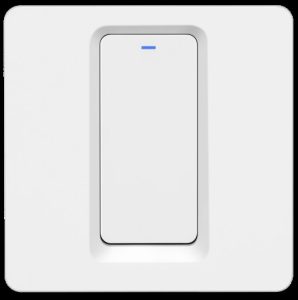
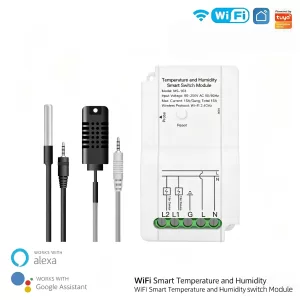
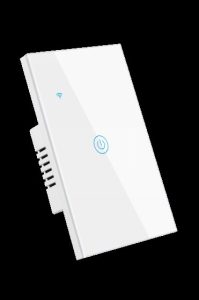
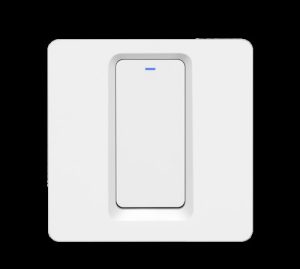
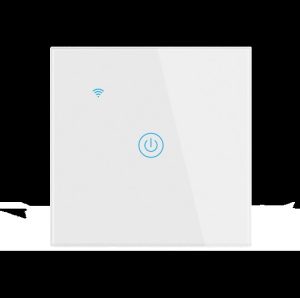
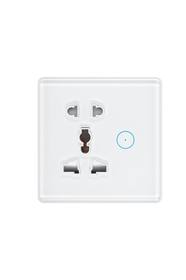
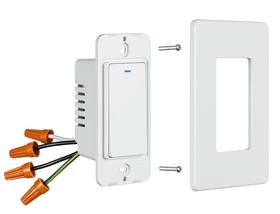
Shenzhen Xingliao Intelligent Technology Co., Ltd is a professional manufacturer of smart home hardware.
We supply smart wall switches, video doorbells, automatic pet feeders and various smart sensors.
We provide one-stop OEM & ODM services including appearance design, software & hardware development, mold opening and private packaging customization.
Our products support Tuya, eWeLink, Apple HomeKit, compatible with global multi-country power standards. Welcome global buyers for cooperation & sample testing.
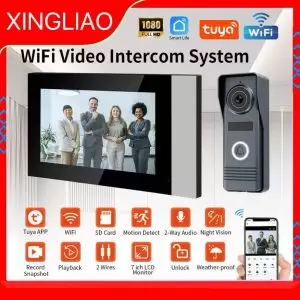
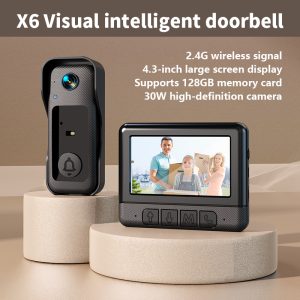
Replacing an apartment intercom is not like replacing a doorbell in a house. In a house you own the wire from the door to the chime. In a block, that wire runs through a riser shared with every other flat, it belongs to the building, and the handset on your wall is only One end of a system you did not choose. That is why the retrofit question always starts the same way: how Many wires are behind your handset.
2-wire, 4-wire, and what the count tells you
Take the indoor handset off its bracket (photograph the wiring first) and count the conductors in the wall cable:
Wires
What it usually is
What you can do
2
Analogue bus intercom — power and signal on the same pair
Replace the handset with a 2-wire video set; do not connect anything designed for 4-wire
4
Common in older video systems — power pair plus video pair
Widest choice of replacement handsets
5 or more
Often 4-wire plus a lock release or a floor-call pair
Identify each pair before buying anything
Cat5 / 8 cores
IP or TCP-IP intercom
Any IP set; the building may already have a network Switch in the riser
If the handset is in a rental and you are not allowed to touch it, skip to option three below — the whole point of that route is that nothing existing is disturbed.
Option 1: swap the indoor handset, keep the building wiring
The one thing to confirm first is polarity and whether the bus carries power. Some buildings power the handset from the riser; others expect the handset to be powered locally. Both work, but they Need different sets.
Option 2: a wireless kit that bypasses the building system
Where the flat is large or the monitor needs to move between rooms, the X7 and X8 kits are the portable end of the same idea, and the X6F puts the display outdoors where the entrance is shared.
Option 3: leave everything, add a camera doorbell
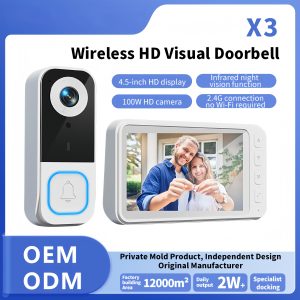
For renters, this is usually the only viable answer. A battery doorbell Camera mounts with adhesive or a single bracket screw, talks to your phone, and is removed without a trace when you move out. The trade-off is honest: you can see and speak to whoever is at your door, but the building’s electric lock still opens from the handset you cannot replace. If the block is cooperative, the full U9 kit with an indoor chime sits between the two options.
When the whole block should be replaced instead
Individual retrofits break down when the outdoor panel itself is failing, when more than a third of flats want video, or when the riser cable is degrading. Then the honest answer is a building-wide IP system, paid by the association — with an IP set, every flat gets video, the door station serves the whole block, and nobody’s handset is a special case. That is a committee decision, not a shopping decision, but it is worth naming because it is often cheaper per flat than thirty separate retrofits.
What to send the supplier before ordering
Retrofits go wrong on missing information, not on bad products. Before you buy anything for a block, send four photos and two facts. The photos: the indoor handset on its bracket, the handset off its bracket with the wiring visible, the outdoor panel, and the door itself showing the frame thickness. The facts: how many conductors are in the wall cable, and whether the handset currently controls the door release. With those, a supplier can tell you in one reply whether you need a 2-wire set, a 4-wire set, a wireless bypass kit or nothing at all — and you avoid the most expensive outcome, which is a kit that arrives, does not fit, and goes back.
Frequently Asked Questions
Can I add video without the building’s permission?
Generally yes for anything that does not touch shared wiring — a battery doorbell on your own door frame is usually fine. Cutting into the riser is not. Ask before option one.
Will replacing my handset affect my neighbours?
On a bus system, a faulty handset can load the whole line. Buy a set specified for your wire count and have it fitted properly; the failures people report are almost always mismatched sets.
Can I still open the door from my phone?
Only if your set controls the lock — most 2-wire and 4-wire video handsets do, including ours. A Standalonecamera doorbell cannot release a lock it is not wired to.
What if I cannot tell how many wires I have?
Photograph the handset wiring and the outdoor panel and send both to whoever you are buying from. Guessing the wire count is the single most common reason a retrofit kit gets returned.
People search “CCTV camera” when they mean “a camera that records the front of my house”. That is not what the word used to mean. CCTV — closed-circuit television — described a system: cameras wired back to a recorder, on their own cables, watched on a monitor. An IP camera is a network Device that happens to have a lens. The Two overlap almost completely in what they deliver, and differ completely in what they cost to install.
So the real question is not which technology is better. It is whether you are willing to run cable. If you are, a wired system gets you continuous recording and no batteries. If you are not, a WiFi or battery camera gets you 90 per cent of the useful footage for an afternoon of work.
The useful way to read that table: a wired system buys you continuous recording and independence from your router. A wireless camera buys you placement freedom and a much lower install cost. Most homes want the second and believe they want the first.
Where each one wins
Wired wins for a shop with a till, a driveway you Need to record at 3 a.m. without missing frames, or anywhere footage might be needed as evidence. Continuous recording is the reason: a battery camera only records when motion triggers it, and a two-second wake-up delay can miss the plate.
Wireless wins for a flat, a rental, a back garden with no power, or anyone who will not chase walls. Our P9 battery camera and P11 no-drill camera exist for exactly that case — mount anywhere, no cable, no hole in the wall the landlord will notice.
Resolution: what 2 MP and 4 MP actually mean
Resolution is the most oversold number on the box. For a camera watching a doorway four metres away, 2 MP (1080p) is enough to recognise a face; 4 MP helps when you need to read a number plate or zoom into a recorded frame afterwards. Beyond that, lens and sensor quality matter more than megapixels — and so does where the camera points. If you are deciding between battery and mains for the same spot, our comparison of battery versus plug-in cameras covers that specific trade. Tuya vs Sonoff Smart Switch: Which Ecosystem Should You Build On?
For an outdoor position with coverage in two directions, a dual-lens model does more than a higher-megapixel single lens: the KT-A36 and dual-lens PTZ keep a fixed wide view while the second lens tracks movement.
Power: the constraint that decides everything
Ask One question before shopping: is there a socket or a cable within reach of where the camera needs to be?
Yes — a plug-in indoor camera such as the P10 mini or the USB 3 MP camera never needs charging.
No, but there is sun — a solar PTZ camera runs through winter in most climates.
No, and no sun either — battery, and accept that you charge it every few months.
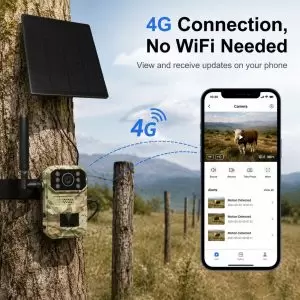
No power and no WiFi — a 4G LTE solar camera is the only answer, at the cost of a data plan.
Storage: local, cloud, or both
A microSD card in the camera is the cheapest and keeps footage even when the internet is out. Cloud storage survives somebody stealing the camera, which is the entire argument for it. Most people end up with both: card for continuous local recording, cloud for the clips that matter. Check the card size the model supports before ordering — this is the spec most often discovered after installation.
Night vision and false alarms: the two things people complain about
Every camera here sees in the dark; the difference is what the image looks like and how often it wakes you up. Infrared night vision gives a monochrome picture that is perfectly good for identifying a person at a doorway. Full-colour night vision keeps colour in low light, which matters when you need to describe clothing or a vehicle rather than just prove someone was there.
False alarms are the more common complaint, and they are a settings problem more than a hardware One. A camera pointing at a road will trigger on every passing car; one aimed at a hedge triggers on wind. Two adjustments solve most of it: drop the detection sensitivity a notch, and draw a detection zone that excludes the road or the hedge. Human-shape detection, available on the PTZ models, filters animals and moving branches out entirely. Aim the camera across the approach rather than straight down it and you will cut triggers again, because motion crossing the frame is detected far more reliably than motion coming at the lens.
Frequently Asked Questions
Is a wireless camera still “CCTV”?
Technically it is an IP camera on a closed network, not CCTV in the original sense. In practice the search term survives and everyone means home surveillance, so do not get hung up on the label.
Do I need a recorder (NVR/DVR)?
Only if you want continuous recording, more than a day or two of retention, or a single place to review several cameras. For one to three cameras, cards and cloud are simpler.
Will it work if the internet goes down?
Local recording continues. Remote viewing and notifications do not. A wired system with a recorder keeps working end to end.
Every new parent knows the feeling: you finally get the Baby down, you tiptoe out of the nursery, and within a minute you are wondering whether you should go back and check. A good Baby monitor exists to answer that question for you, so you can actually rest. But the more monitors we add to our homes, the more complicated they seem to become — apps to install, accounts to create, routers to depend on, and a quiet worry about where all that video is actually going.
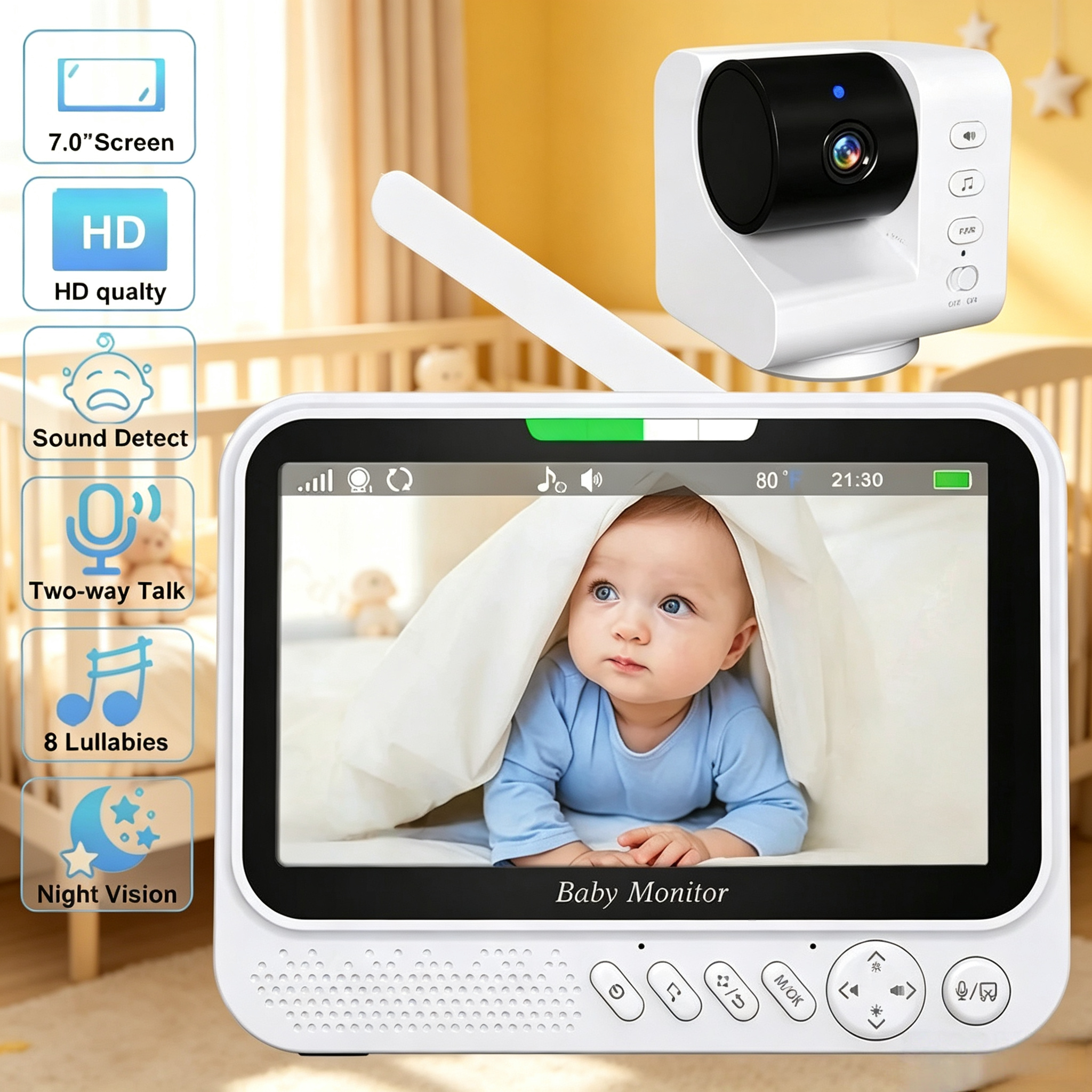
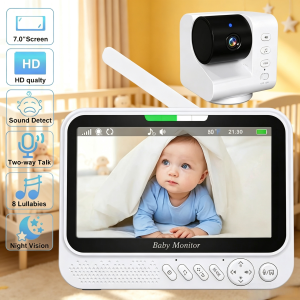
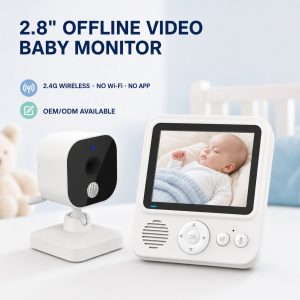
This 7-inch no-WiFi video Baby monitor takes a different approach. Instead of routing your nursery footage through the cloud, it uses a dedicated wireless connection between the camera and the parent unit, protected by FHSS technology and reaching up to 1000 feet. There is no app, no account and no internet required. What you get is a simple, private, dependable way to keep an eye on the people you love — and that is exactly the kind of peace of mind most families are really looking for.
In this post, we look at why a non-WiFi monitor might suit your home better than a Smart one, what this particular unit does well, and how to get the most out of it.
Portable video baby monitor with large HD display
Why Choose a No-WiFi Baby Monitor?
Smart monitors have their fans, and for good reason: remote viewing from anywhere is genuinely convenient. But that convenience comes with trade-offs that not every family wants to accept.
Privacy You Can Actually Verify
A cloud-connected camera sends your footage through a server you do not control. Even with strong encryption, many parents are uncomfortable with the idea of their nursery being viewable in principle from somewhere else. An Offline monitor keeps the video local. The camera talks directly to the parent unit over a dedicated radio link, so nothing leaves your home. For families who value privacy — or who simply do not want another device listening in their child’s room — this is a meaningful advantage.
No Dependency on Your Router
Wi-Fi monitors go down when the internet goes down, when the router reboots, or when the signal in the nursery is weak. Anyone who has been woken at 3 a.m. by a disconnected camera knows how frustrating that is. A dedicated wireless unit keeps working whether or not your home network is having a good day, which makes it far more reliable for the one job it has to do.
No App, No Account, No Subscription
There is a certain pleasure in a device that simply works when you turn it on. No setup wizard, no firmware updates, no monthly fee, and no phone battery drained by a video feed running all night. Grandparents and babysitters can use it without being taught anything.
What Makes This 7-Inch Monitor Stand Out
The core appeal of this unit is its large, clear display paired with a genuinely useful set of features. Here is what you will actually notice in daily use.
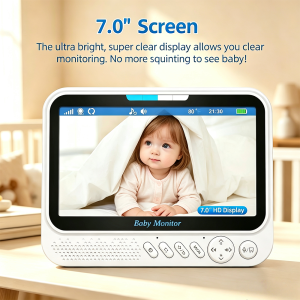
A 7-Inch High-Definition Screen
Seven inches is a significant step up from the small 2.8-inch monitors many parents start with. The ultra-bright, super-clear display means you can see whether the baby’s chest is rising, whether the blanket has moved, or whether that shape in the corner is a stuffed animal — all without squinting or leaning in. At night, the screen is easy to read from across the room, and during the day it stays legible in bright light.
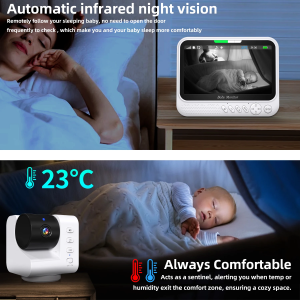
Automatic Infrared Night Vision
Clear infrared night vision for baby room
The camera switches to infrared automatically when the room gets dark, giving you a clear black-and-white view of the crib without turning on a light or opening the door. That means no more creeping in to check, and no more waking a sleeping baby just to reassure yourself. For most parents, this is the single most-used feature of any monitor.
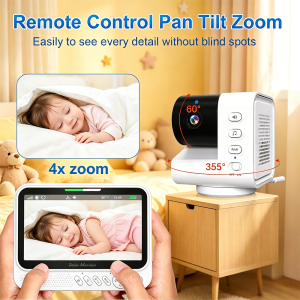
355° Pan, 60° Tilt and 4x Zoom
Secure local transmission between camera and parent unit
You can move the camera remotely from the parent unit — 355 degrees horizontally and 60 degrees vertically — and zoom in up to 4x. In practice, this means you can follow a baby who has rolled to the far corner of the crib, or take a closer look at a detail, without physically repositioning anything. It effectively removes blind spots from the room.
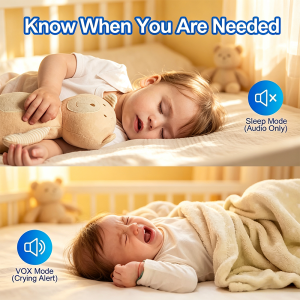
Cry Detection with VOX Mode
Monitor nursery temperature and humidity
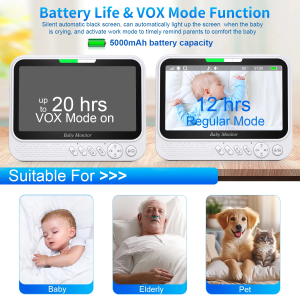
VOX mode keeps the screen dark and the audio silent until sound crosses a threshold, at which point the display lights up and alerts you. This is a genuinely smart piece of design: it saves battery, cuts down on unnecessary screen glow in your bedroom at night, and still ensures you are notified the moment your baby needs you. You can also switch to audio-only sleep mode if you prefer to keep the screen off entirely.
Room Temperature and Humidity Awareness
The monitor keeps an eye on the nursery environment and alerts you when temperature or humidity moves outside a comfortable range. Anyone who has worried about a baby being too warm, or about dry air in winter, will appreciate having that information on the same screen as the video feed.
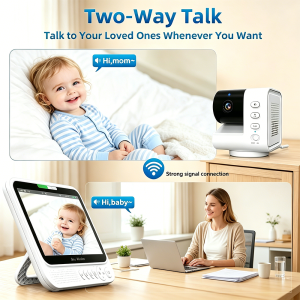
Two-Way Talk
Talk to baby from parent unit
A built-in microphone and speaker let you speak to your baby — or to an older child, or a pet — from the parent unit. Sometimes a familiar voice is enough to settle a restless sleeper without you going upstairs at all.
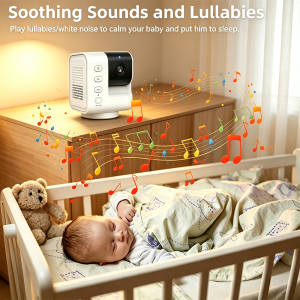
Lullabies and Soothing Sounds
Play lullabies to help baby sleep
The camera can play lullabies and white noise, which is a genuinely helpful extra for families who use sound to help a baby settle. Rather than running a separate sound machine, you can start the soothing audio from the same unit you are already holding.
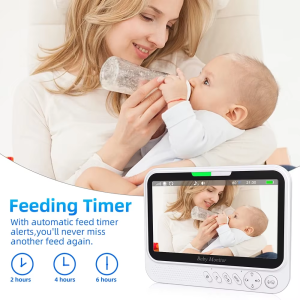
Feeding Timer
Automatic feeding timer for newborn care
A simple but quietly brilliant feature: the monitor includes a feeding timer with 2, 4 and 6-hour options, plus automatic feed alerts. Newborn feeding schedules are easy to lose track of in the fog of the first months, and a built-in reminder takes one more thing off your mental list.
Long Battery Life
5000mAh battery for all day and night use
With a 5000mAh battery, the parent unit runs up to 12 hours in regular mode and up to 20 hours with VOX mode enabled. That comfortably covers a full night, and often a full day of napping and errands around the house, without hunting for a charger.
Product Specifications
Attribute
Detail
Screen size
7.0-inch high-definition display
Connection
Dedicated wireless, no Wi-Fi or internet required
Transmission
FHSS encrypted link, up to 1000 ft range
Camera movement
355° pan, 60° tilt, 4x digital zoom
Night vision
Automatic infrared
Alerts
VOX cry detection, temperature and humidity out-of-range alerts
Audio features
Two-way talk, lullabies and white noise
Timers
Feeding timer with 2 / 4 / 6-hour options
Battery
5000mAh, up to 12 hrs regular mode, up to 20 hrs VOX mode
Best for
Babies, toddlers, elderly family members, pets
How to Set It Up
Setup is refreshingly quick. Place the camera on a stable surface with a clear view of the crib or bed, ideally at a slight angle so the pan range covers the whole room. Plug in the camera, then power on the parent unit and pair the two — the process is straightforward and requires no network configuration.
Once paired, adjust the volume and set VOX sensitivity to a level that suits your household. If you have a noisy home, a lower sensitivity avoids false alerts; if you want to hear every small sound, raise it. Set the feeding timer to your baby’s rhythm, and decide whether you prefer the screen always on or VOX-triggered.
For the first few nights, keep the parent unit nearby and get used to the picture quality and the alert behavior. Most parents find they settle into a routine within a couple of days.
Who This Monitor Is For
Although it is built with nurseries in mind, the usefulness of a simple video monitor extends well beyond infancy.
New parents who want reliable overnight monitoring without another app on their phone.
Families with toddlers who have graduated to a bed but still wander at night.
Caregivers of elderly relatives who want a discreet way to check on someone in another room.
Pet owners who want to see how an anxious dog or a new puppy is doing while they are out.
Anyone who dislikes cloud-connected cameras and prefers a local, private setup.
Practical Tips for Getting the Most From It
A few small habits make a monitor far more useful. Position the camera so the crib fills most of the frame at the default zoom — you can always zoom out digitally, but you cannot add detail that was never captured. Keep the parent unit out of direct sunlight so the screen stays readable, and charge it during the day so it is full for the night.
Is This the Right Monitor for Your Home?
If you want a large, clear screen, a genuinely long battery life, and a setup that does not depend on your internet connection, this 7-inch no-WiFi baby monitor covers all three without overcomplicating anything. Its pan, tilt and zoom camera removes blind spots, its automatic night vision handles the dark hours, and its cry detection, temperature alerts and feeding timer take some of the mental load off exhausted parents.
The trade-off is that you cannot check the feed from outside your home — but for many families, that limitation is the feature they were looking for in the first place. If you value privacy and reliability over remote access, this is a monitor that does the job quietly and well.
If that sounds like the right fit for your home, head to the product page to see the full details and get set up before your next bedtime.
Understanding the FHSS Advantage
FHSS stands for Frequency Hopping Spread Spectrum, and it is the technology behind the monitor reliable, private wireless link. Rather than broadcasting on a single fixed frequency, the camera and parent unit rapidly switch between many frequencies in a pattern known only to the two paired devices. Because the link keeps hopping, it is far harder for an outside device to intercept the signal, and it is far more resistant to interference from other household electronics.
In practical terms, that means two things for a family. First, the video stays private: an eavesdropper cannot simply tune in to a fixed channel, because there is no fixed channel to tune to. Second, the connection stays stable: when a microwave runs, a neighbour wireless network is busy, or something else is competing for airwaves, the link can move to a cleaner frequency instead of degrading.
Why the 7-Inch Screen Changes Daily Use
Screen size sounds like a specification detail, but it changes how the monitor actually feels to use. On a small 2.8-inch display, a sleeping baby occupies only a few centimetres, and you often have to look closely to judge whether a blanket has shifted or a pacifier has fallen. On a 7-inch display, that same view is large enough to read at a glance, from across the bedroom, in the dark.
The bigger display also makes the other features more usable: the temperature and humidity readout is legible, the pan and zoom controls are easier to navigate, and the whole interface feels less cramped. It is a simple upgrade that improves almost every interaction with the device.
Frequently Asked Questions
Here are the questions parents ask most often about this no-WiFi baby monitor.
Does it need Wi-Fi to work?
No. The camera and parent unit communicate over a dedicated FHSS wireless link. You do not need an internet connection, a router, an app or an account. Turn both units on and pair them, and the monitor is ready to use.
Can I view the camera from outside the house?
No. Because the monitor is deliberately offline, the video is only available on the included parent unit within wireless range. This is the trade-off that keeps the feed private and keeps the system working when the internet is down.
How far does the signal reach?
The transmission range is up to 1000 feet in open conditions. In a real home, walls and floors reduce that, but most families find the connection solid throughout a typical house and into the garden.
How long does the battery last?
The 5000mAh battery provides up to 12 hours in regular mode and up to 20 hours with VOX mode enabled. Charging overnight or during the day keeps the parent unit ready for the next night.
Can I use it for an elderly relative or a pet?
Yes. The same features that suit a nursery — night vision, two-way talk, motion-free pan and zoom, and temperature awareness — make it useful for checking on an older family member or a pet left at home.
If you have any other questions about setting up the monitor or choosing the right position for your nursery, feel free to reach out — we are happy to help.
The most common reason a Smart switch never gets installed is not the app, the protocol or the price. It is opening the box and finding two wires where the instructions show three. That third wire is the neutral, and a great deal of older housing does not have One at the switch.
This guide is about what to do at that moment: how to confirm what you are looking at, which options genuinely work, and which “no neutral” products are worth buying. For the wider choice of board, start from the smart switch board buying guide.
Why a switch wants a neutral at all
A mechanical switch is a piece of metal that joins two wires. It needs nothing else. A Smart switch is a small computer: it has to stay alive while the light is off, so that “Turn on the hallway light” from your phone still works at midnight. That standby current needs a complete circuit — live in, neutral back — regardless of whether the lamp is lit. With no neutral at the switch, the electronics have nowhere to return to.
How to check what is in your box
With the breaker off and the plate removed:
Two wires plus earth — live and switched live only. No neutral. This is the classic old-house switch.
Three wires plus earth — the third is very likely neutral, but colour codes pre-2004 are unreliable; confirm with a tester, not by eye.
A bundle of neutrals tucked at the back, capped — common in flats where the neutral loop lives in the ceiling rose instead of the switch box. An electrician can often extend this into the box.
If you are renting or cannot open the box, the safe assumption is no neutral, and the right product is one that does not Need it.
Option 1: a switch designed to run without one
Single-fire (no-neutral) switches pass a tiny current through the lamp to keep themselves alive. It works, with three caveats worth knowing before you buy: very low-wattage LED lamps may flicker or glow faintly when off, the minimum load matters, and some lamps simply do not cooperate. A bypass capacitor across the lamp usually fixes the glow. Where the lamp is the problem rather than the switch, automating at the appliance instead — a water heater switch or a Smart plug on the floor lamp — sidesteps the wiring entirely.
Option 2: have a neutral drawn to the box
This is the proper fix and it is often cheaper than people expect if the ceiling rose above already has a neutral loop. It is a job for an electrician, it means chasing the wall or fishing a cable through conduit, and it is the only option that leaves you able to fit any switch you like later. If you are already redecorating, do this — the marginal cost during a rewire is small.
Option 3: move the smart part somewhere else
The switch position is not the only place intelligence can live. A relay Module in the ceiling rose or behind the socket keeps the existing plate completely untouched, which is what you want with rented walls, listed finishes, or a landlord who notices things. The trade is that the physical switch still works mechanically, so a smart-off can be overridden by anyone in the room — fine for a hallway, annoying for a nursery.
What this means for the board you order
Neutral-free positions and neutral-required positions do not always mix on one plate, so check per board rather than per range. On the DS touch range, the DS-1011ZC and DS-1016 are the single-gang and two-gang plates usually chosen for retrofit work; larger boards such as DS-104 and DS-126 go in where the wiring is already modern. On a wide European cut-out the 147 × 86 series is the shape to specify. If the whole point is to avoid touching a switch at all, the wave gesture switch mounts in place of one and needs no contact.
The five-minute check before you buy
Run this before ordering anything, and the odds of a failed install drop sharply:
Open the box, count the conductors. Two plus earth means no neutral.
Note the lamp type and wattage. Low-wattage LEDs are what flicker on a single-fire switch.
Check the box depth.Smart plates are deeper than mechanical ones.
Decide whether the wall can be chased. If not, the answer is a module or a plug, not a new plate.
Ask whether the switch has to work with the router off. If yes, that is an argument for Zigbee with a hub rather than WiFi.
Frequently Asked Questions
Will a no-neutral switch damage my LED lamps?
It will not damage them, but some lamps glow faintly or flicker because of the standby current passing through them. A bypass capacitor supplied with most switches fixes it; if it does not, the lamp is the problem.
Can I just use a smart bulb instead?
Yes, and it is often the cheapest answer for one room — but the wall switch then has to stay on permanently, which visitors will turn off. A smart switch keeps the wall behaviour normal.
Is it legal to add a neutral myself?
Depending on where you live, adding a circuit is licensed work. Replacing a like-for-like switch on existing wiring generally is not; drawing a new conductor usually is. Check locally.
Do Zigbee switches avoid the problem?
No. The neutral requirement comes from how the switch powers itself, not from how it talks. A Zigbee switch with no neutral is still a no-neutral switch.
A “12 module” board is not twelve switches. It is a frame with twelve slots, and almost everything you put in it costs more than one slot: a two-way Switch takes one, a socket takes two, a fan regulator takes two, and a blank cover takes one for no reason other than that you have not decided yet. Boards arrive one slot short more often than they arrive too big, so plan it before you order.
If you have not settled the basics yet — plate standard, gang count, protocol — start with the smart switch board buying guide and come back to this one for the slot arithmetic.
What a module actually is
A module is one unit of width on the frame. The frame is sold by how Many units it holds — 4, 6, 8, 9, 12 — and each function you drop in occupies a fixed number of units. The same function can occupy different widths depending on the maker, which is why module counts do not translate one-to-one between brands. On our own boards:
One slot — “away” scene key that kills every light at once.
Two blanks — because the next tenant will want a socket there.
That is twelve, and two of them are empty. Which is the point: a twelve-module board is rarely “twelve things you own today” — it is “ten things plus room”. Tuya Bluetooth vs ZigBee vs WiFi: How to Choose
Which boards this maps to
Our boards are sold by plate rather than by module count, so translate before ordering. The DS-129 is the nine-way touch plate and the closest match to a large grouped board; the DS-126 covers six ways where the wall is smaller; DS-104 is the four-way for a single room. On the wide European cut-out, the 147 × 86 touch series and matching socket series share a frame, which is the nearest thing to true module planning we sell. For US boxes the 118 × 72 series is the shape to plan against.
Depth is the failure nobody budgets for
Width gets all the attention; depth is what stops the install. A dimmer or a fan regulator sits deeper than a plain switch, and a Smart board sits deeper again because the electronics live behind the glass. Before ordering a twelve-module fill, open the box and measure. If the box is shallow, either drop the regulator to a separate plate or move that function to a module elsewhere — the same reason people put the water heater switch next to the appliance rather than on the main board.
Leave the board partly dumb
There is no prize for making all twelve positions Smart. Sockets almost never Need to be. Neither does the extractor fan in a bathroom somebody uses twice a day. Put the Smart positions where they change behaviour — entrance, bedroom, the “away” key — and leave the rest mechanical. It costs less, and the board stays usable if the network does not.
Ordering for a project rather than a room
One board is a purchase; forty are a specification. When the order is for a flat block or a hotel floor, three extra things decide whether the installation goes smoothly. First, standardise the plate — pick one series for the whole project so spares interchange between units two years later. Second, order blanks at roughly ten per cent of the slot count, because on-site changes always happen and a blank looks intentional while an empty hole does not. Third, agree the gang count per unit type in writing before production: the entrance board and the bedroom board are different part numbers, and confusing them is the most expensive mistake on this list.
Frequently Asked Questions
Is a 12 module board standard across brands?
No. Module width is a frame convention, not an international standard. Two brands both selling “12 module” may not interchange inserts, so buy frame and inserts from the same series.
Can I add modules later?
Only if you left blank slots. Inserts clip into the frame, so a blank cover can be swapped for a socket later — but the wiring for that socket has to be in the box already, which is the reason to plan ahead.
Do I need a bigger back box for a smart board?
Almost always deeper than a mechanical plate, yes. Measure before ordering; a shallow box is the single most common reason a Smart board goes back in its packet.
How many smart positions before I should switch to Zigbee?
Around three to four boards. Beyond that, a hub keeps the load off the router — the reasoning is set out in our WiFi versus Zigbee comparison.
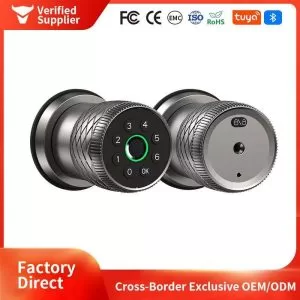
Smart door locks are a high-ticket, high-margin product in the smart home industry. If you’re sourcing for a security brand or distributor, this guide covers everything from fingerprint to Tuya WiFi locks.
### 2. Digital Keypad Lock
– Code + key only (no fingerprint)
– Cheapest entry point
– Best for: budget hotels, Airbnb
### 3. Smart Door Lock with Camera
– Built-in Doorbell camera
– See who’s at the door via Tuya app
– Motion detection alerts
– Best for: villas, premium homes
## Key Specs to Compare
### Fingerprint Sensor
– Optical vs semiconductor: **semiconductor is more secure and faster**
– Recognition speed should be < 0.5 seconds
– False rejection rate < 0.01%
### Battery Life
– 4 AA batteries = 6-12 months typical
– Low Battery warning via app
– USB-C emergency power port (when battery dies)
### Door Compatibility
– Adjustable latch (60mm or 70mm backset)
– Fits doors 35-55mm thick
– Left/right hand adjustable
– **Check these before bulk ordering!**
### Tuya App Features
– Remote unlock (for WiFi models)
– Temporary password for guests/maids
– Unlock history log
– Low battery alerts
– Works with Alexa/Google Home
| Lock Type | MOQ | Unit Price |
|—|—|—|
| Keypad lock (no fingerprint) | 50 pcs | $25-35 |
| Fingerprint WiFi lock | 50 pcs | $45-70 |
| Lock with camera Doorbell | 100 pcs | $70-110 |
| Includes 2 RFID cards + 2 keys | — | — |
## Common Mistakes to Avoid
1. **Not testing on your door sample** — send your door thickness/backset to supplier first
2. **Skipping FCC/CE certification** — smart locks need RF certification
3. **Wrong app region** — Tuya has different data centers (CN/EU/US), pick the right one
4. **No mechanical key backup** — customers expect a physical key
## XingLiao Smart Lock Range
We supply:
– Tuya WiFi fingerprint locks
– Keypad digital locks for hotels
– Smart locks with built-in Doorbell camera
– Custom OEM from 50 pcs
– CE/FCC/RoHS certified
– English/Spanish/Russian voice options
Search for a Smart switch and you get a single module. Walk into a real house and the thing you Actually replace is the plate: two, four, six or twelve positions on one board, some switching lights, some running a fan, some just a socket that happens to be on the same wall. That plate is a Smart switch board, and it is bought on three measurements before a single feature matters.
This guide walks through those measurements — plate size, how Many ways you need, and whether there is a neutral wire in the box — then finishes with the protocol choice. If you already know the plate and only want the wiring question answered, the dedicated guide to smart switches with no neutral wire goes deeper.
Plate size comes first
Boards are made to a physical standard, and the standard is regional. You cannot fit a square plate into a horizontal cut-out without chasing the wall, so this is the first filter:
Standard
Plate
Where it is used
86 type
86 × 86 mm square
China, much of Europe, Southeast Asia
147 type
147 × 86 mm horizontal
Europe — the wide plate that carries several gangs side by side
118 type
118 × 72 mm
United States and Canada
Our 86 × 86 function plates carry fan speed, dimmer and scene keys in one square. Where the wall already has a wide horizontal cut-out, the 147 × 86 touch series is the drop-in shape, and the matching 147 × 86 socket series keeps sockets on the same line so the board looks like one unit instead of a patchwork. For North American boxes, the 118 × 72 US standard series is the shape to measure against.
Count the ways, then add one
People under-count. A board that looks like “three switches” is often four: the fourth is the fan, or the bathroom extractor, or a future scene key. Counting in gangs:
One to two gangs — a bedroom or a study, one light plus a lamp circuit.
Three to four gangs — living rooms and the kitchen entry wall, where lights, fan and extractor sit together.
Six gangs and up — the main board by the entrance, or an apartment where everything is grouped in one place.
In the DS range the numbering maps to gang count: DS-104 for four ways, DS-126 for six, DS-129 for the nine-way board used where a whole flat is switched from one plate. If you are ordering for a project and the count above twelve, the 12 module board guide covers how module positions are planned rather than counted. Tuya Curtain Motor OEM: Complete Sourcing Guide 2026
The neutral wire decides the whole job
Inside the box there should be two wires per switch: a live and a switched live. Modern boards also want a neutral — the return conductor that lets the electronics inside the switch stay powered while the lamp is off. New builds almost always have it. Rewired flats usually have it. A 1990s house with the original conduit often does not.
Without a neutral you have three honest options: pick a board designed to run on the small leakage current through the lamp, have an electrician draw a neutral to the box, or leave that position mechanical and automate somewhere else — a dedicated water heater switch at the appliance end, or a Smart plug on the lamp.
Protocol: WiFi or Zigbee
WiFi boards talk straight to your router, which is exactly why a dozen of them is a bad idea — every switch becomes another device on the network, and a router swap means re-pairing all of them. ZigBee boards talk to one hub, and the hub talks to the router; the switches keep working locally even when the internet is down. If you are doing more than three boards, Zigbee plus a hub is the calmer setup — our comparison of WiFi and Zigbee devices lays out the trade in plain terms.
Glass, or something you can touch in the dark
Glass touch plates look right in a living room and wipe clean, but they are reflective in sunlight and give no tactile feedback. Mechanical rocker plates are the opposite: you can find them half-asleep. A third option is useful in kitchens and clinics — the wave gesture switch and the infrared touch-free wall switch, which trigger without contact at all.
Order it once: the four numbers to write down
Almost every wrong order traces back to a missing measurement. Before you check out, write down four things and send them with the order:
Plate standard — 86 × 86, 147 × 86 or 118 × 72, measured on the existing plate, not guessed from the country.
Number of gangs — counted on the wall including the fan and the extractor, plus one spare.
Neutral present — yes, no, or unknown. Unknown should be treated as no until an electrician says otherwise.
Protocol — WiFi for one or two boards, Zigbee with a hub for anything larger.
That list is also what an electrician needs to quote, and it is the difference between a board that goes straight in and a board that sits in its box for a month.
Frequently Asked Questions
Can one board mix switches, sockets and a fan controller?
Yes, as long as they share a plate standard. A 147 × 86 board can carry switch gangs and socket modules side by side; that is what the matching socket series exists for. What you cannot mix is plate sizes on the same cut-out.
Do I need to replace every switch in the house?
No. Most people start with the two boards they touch every day — the entrance and the bedroom — then extend. Lights on a Smart board can still be switched manually, so the rest of the house is unaffected.
Will the lights still work if the WiFi goes down?
On a WiFi board, manual touch control works regardless, but app and voice control go with the router. On a Zigbee board Wired to a hub, schedules and local control keep running.
Is a smart switch board the same as a smart relay module?
No. A relay module hides inside the box or the ceiling rose and keeps the existing plate; a smart switch board replaces the plate itself. Modules are the answer where the wall finish cannot be touched.
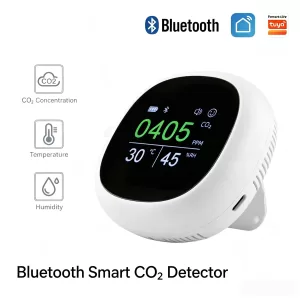
A CO2 monitor is one of the few Smart sensors whose reading should change your behaviour rather than trigger a gadget. Carbon dioxide is not toxic at the levels found in homes, but it is an excellent proxy for how stale the air is — and stale air is what makes a bedroom feel stuffy in the morning and a meeting room foggy by mid-afternoon.
Breathing height, not on the floor. Around 1 to 1.5 metres — roughly where people’s heads are.
In the room you occupy longest. A bedroom or a home office tells you more than a hallway.
Away from windows and doors. Right next to an open window, it reads outdoor air and tells you nothing about the room.
Not in a draught or above a radiator. Both distort temperature readings and the airflow affects CO2 sampling.
Give it time. CO2 readings settle over a few minutes after moving the unit.
Using the reading rather than admiring it
The useful step is connecting the number to an action. The simplest version is a habit: if the bedroom reads above 1000 in the morning, leave the door open or crack a window while you make coffee. The automated version is a rule that turns on a fan or opens a motorised window above a threshold.
Humidity matters alongside CO2. Very dry air (below 30 percent) is uncomfortable in winter; persistently damp air (above 60 percent) is where mould becomes a risk in a poorly ventilated room. A unit that shows both numbers on one screen is genuinely more useful than two separate sensors you have to cross-reference. Q81 Wireless Button Microphone – Mini Invisible Lapel Mic for Vlogging, Interview & Live Streaming
CO2 is not carbon monoxide
This is the important safety note. A CO2 monitor does not detect carbon monoxide (CO) — the odourless gas produced by faulty boilers, stoves and blocked flues. CO is dangerous at far lower concentrations and requires a certified CO alarm. If you have any fuel-burning appliance, fit a proper CO alarm regardless of what your air quality monitor says.
FAQ
Does it need to be calibrated?
Most consumer units auto-calibrate against the lowest reading they see over several days, which is why they should occasionally experience fresh outdoor air. Leave a window open weekly.
Why does it read 400 in the garden and 900 indoors?
Outdoor air is around 420 ppm. Indoor levels rise with occupancy and fall with ventilation — that difference is the whole point of the measurement.
Can one monitor cover a whole house?
No. CO2 varies room by room. One in the bedroom and one in the main living or working space covers most needs.
Does it detect smoke or gas leaks?
No. CO2 sensors measure carbon dioxide only. Smoke needs a smoke alarm; combustible gas and CO need their own certified detectors.
Does the app log history?
Bluetooth units typically show live readings on the display with logging in the app when in range; Zigbee units report to the gateway and keep history in the app.
Is a higher reading always bad?
It means the air is stale, not toxic. The action is ventilation, not alarm.
Based on the breakdown in this article, Co2 Air Quality offers a solid mix of features and value. If your main goal matches the key benefits described above, it is a practical choice for everyday use.
How do I choose the right co2 air quality for my needs?
Start with your core use case, then compare battery life, compatibility, and build quality as covered above. Choosing the right co2 air quality comes down to matching specs with how you Actually use it.
Does co2 air quality require a companion app?
Most devices of this type pair with a free companion app for setup and firmware updates. A few advanced features may sit behind a paid plan, so check the official specs page before buying.
📌 This article is part of our Complete What Hub — more guides and buying tips inside.
Most homes have at least one expensive appliance that will never be Smart: a split air conditioner from 2016, a television that predates apps, a set-top box with a remote and no network. An infrared hub is the cheap fix. It learns or looks up the remote codes and replays them on command, so the appliance becomes controllable from an app and from automations.
Cannot: read back the appliance’s actual state. Infrared is one-way. If someone changes the temperature with the physical remote, the app will not know, and its idea of the state drifts. This is the single biggest limitation and the reason “set to 22 degrees” is more reliable than “increase by one degree“.
Setting one up: the part people get wrong
Place it with line of sight to the appliance. Infrared is light. It does not pass through walls, cabinet doors or a sofa. It does bounce off some surfaces, so a unit on a shelf facing the wall behind an AC unit often works.
One hub per room, generally. A hub cannot cover two rooms separated by a wall. Multiple units in an app are normal.
Pick the code library entry carefully. If the brand and model match, it works first time. If not, try the generic code for that brand, then fall back to learning mode.
Use learning mode for stubborn appliances. Point the original remote at the hub and press each button; the hub records the raw signal. Slower, but it works for almost anything.
Set the state you expect. Because there is no feedback, set an absolute value in automations rather than a relative change.
WiFi or Zigbee version?
WiFi units are simpler — one fewer box, they join the router directly. ZigBee units such as the UFO-R 11 Need a gateway (see wired vs wireless gateways) but keep your WiFi clear and are easier to run alongside a larger sensor network. If you already have a Zigbee gateway for other Devices, take the Zigbee version; if this is your first Smart device, take the WiFi one.
Automations that are actually useful
Pre-cool the bedroom 20 minutes before bedtime in summer, off an hour later.
Turn the AC off when a window opens — pair with a door or window sensor.
Switch the TV and set-top box on together with one command instead of two remotes.
Turn everything off at a set time so standby loads do not run overnight.
Almost certainly, if the AC uses an infrared remote. Look up the brand in the app’s code library; if the exact model is missing, use learning mode with the original remote.
Can it control several appliances?
Yes, provided they are all in line of sight of the hub. Each appliance is set up as a separate virtual remote in the app.
Does it work without internet?
Remote control from outside the home needs internet. Locally scheduled commands usually continue, but voice control does not.
Why does the app show the wrong temperature?
Because infrared has no feedback. The app tracks what it last sent, not what the appliance is doing. Send absolute values.
Can I hide it?
It needs line of sight, but it is small — mounted on a shelf or the top of a cabinet, it disappears. Do not put it inside a closed cabinet.
Does it replace the original remote?
For daily use, usually yes. Keep the original somewhere for setup changes and for the rare function the hub does not map.
Based on the breakdown in this article, Turn Old Smart offers a solid mix of features and value. If your main goal matches the key benefits described above, it is a practical choice for everyday use.
How do I choose the right turn old smart for my needs?
Start with your core use case, then compare battery life, compatibility, and build quality as covered above. Choosing the right turn old smart comes down to matching specs with how you Actually use it.
Does turn old smart require a companion app?
Most devices of this type pair with a free companion app for setup and firmware updates. A few advanced features may sit behind a paid plan, so check the official specs page before buying.
📌 This article is part of our Complete Smart Hub — more guides and buying tips inside.
Gateway specifications quote device counts in the hundreds. Real homes hit practical limits well before the number on the box, and the limit is rarely the count itself — it is what those devices are doing and how they are spread around the house.
This is the planning question behind any whole-home setup using our Zigbee gateways, from a single-room flat to a three-bedroom house with switches, sensors and IR blasters.
The short answer
Setup
Typical device count
One gateway enough?
Flat, a few sensors
5-15
Yes, comfortably
House, sensors plus switches
20-40
Yes
Whole-home, every switch plus sensors
40-80
Yes, with mains devices to relay
Large or multi-storey, heavy sensor use
80+
Consider a second hub
What actually limits a gateway
Battery devices are the expensive kind. Each battery sensor is a node that sleeps and reports; dozens of them mean constant message traffic. Mains-powered devices (switches, sockets) cost far less because they are always awake and act as routers.
Reporting frequency matters more than count. Twenty temperature sensors reporting every minute generate more traffic than forty switches that only report when pressed.
Physical spread. A gateway with thirty devices in one flat is fine; the same thirty spread over three floors with solid floors between them will struggle at the edges.
WiFi congestion.Zigbee and WiFi share the 2.4 GHz band. A crowded Wireless neighbourhood makes everything worse.
A house with twenty battery sensors and no mains Zigbee devices will behave worse at the far corners than a house with the same sensors plus four wired switches spread through it.
When to add a second gateway
The far end of the house keeps dropping devices despite sensible placement.
You have a detached garage, workshop or garden room that needs its own coverage.
You have passed roughly 80 devices, or a high proportion of frequently-reporting battery sensors.
You want a hard separation — for example, one hub for the house and one for a rented annex.
Note that devices pair to one hub at a time, so a second hub means managing two groups in the app rather than one seamless network.
Planning tips
Pair the farthest devices first, while the gateway is near them, then move the hub to its final position. Devices remember the route.
Spread mains devices evenly rather than clustering them near the hub.
Avoid pairing everything at once — do it in small groups so you notice a device that fails to join.
Keep a list of which device is which; thirty unnamed sensors in an app is unmanageable.
Based on the breakdown in this article, Many Devices One offers a solid mix of features and value. If your main goal matches the key benefits described above, it is a practical choice for everyday use.
How do I choose the right many devices one for my needs?
Start with your core use case, then compare battery life, compatibility, and build quality as covered above. Choosing the right many devices one comes down to matching specs with how you actually use it.
Does many devices one require a companion app?
Most devices of this type pair with a free companion app for setup and firmware updates. A few advanced features may sit behind a paid plan, so check the official specs page before buying.