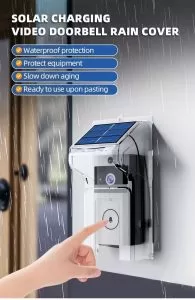
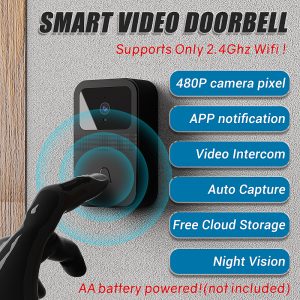
Most people either buy one camera and discover it covers nothing useful, or buy six and spend a weekend running cables. A three-bedroom house has a finite number of genuinely useful camera positions, and covering those well beats covering everything badly.
Here is the plan that fits most layouts, using models from our security camera range.
Start with entrances, not rooms
Burglary statistics aside, the practical reason for a camera is to answer “who came to the door” and “what happened at the boundary”. That means the priority order is:
- Front door — the single most useful position in any house.
- Back door or garden access — the second most common entry point and the one people forget.
- Driveway or parking — vehicles, deliveries and the approach to the house.
- Side passage or gate — if there is one, it is worth a camera more than any indoor room.
A realistic count: three to five cameras
| Position | Suggested type | Notes |
|---|---|---|
| Front door | Video doorbell or compact outdoor camera | The only position almost every home should have |
| Back garden / patio door | Outdoor PTZ or Solar model | Covers the approach from the garden |
| Driveway | Dual-lens camera | Overview plus detail on vehicles and plates |
| Hallway (optional) | Plug-in mini camera | Indoor coverage of the main entry corridor |
| Nursery (optional) | Baby monitor | Dedicated unit with its own screen, not a Security camera |
Three cameras (front, back, driveway) covers the essentials. Five adds hallway and nursery. Beyond five in a three-bedroom house, you are usually duplicating views.
Where cameras are a waste
- Bedrooms — rarely justified unless there is a specific concern.
- Kitchens and living rooms — large open spaces where one camera sees very little detail and pets trigger constant alerts.
- Landings upstairs — no external access point, so nothing to catch.
- Duplicate views of the same door — a doorbell camera plus an outdoor camera aimed at the same doorstep is usually redundant.
Practical limits that decide the real number
Three things will cut your plan short before the layout does:
- WiFi coverage. Every camera needs a usable 2.4 GHz signal where it sits. Test at each position with a phone before buying.
- Power at outdoor positions. If there is no socket, you are choosing between a solar model and a Battery model — see cameras that run without a power outlet.
- Storage. More cameras means more card space or a cloud plan. Continuous recording multiplies the requirement; motion-only clips keep it small.
One decision that saves money: doorbell or camera at the front?
If you only want to know who is at the door, a video doorbell is cheaper and better at it than a camera. If you want to see the approach, the path and the street, a camera does more. Many homes end up with a doorbell at the front and a camera at the back — which is a perfectly good three-camera plan with the driveway as the third.
FAQ
- Is two cameras enough?
- For a small three-bedroom house with one external door and a back gate, two (front and back) covers the main risk. Add the driveway if there is parking.
- Should indoor cameras face outside?
- Only with a camera designed for it. A standard indoor camera behind glass gives reflections by day and infrared fog at night — see our window camera guide.
- Do I need continuous recording everywhere?
- No. Motion clips are enough for most positions. Reserve continuous recording for one or two places where the timeline matters.
- Can all cameras go in one app?
- Yes — the Tuya / Smart Life app handles multiple cameras in a single account, including a mix of indoor, outdoor and doorbell models.
- What about privacy rules?
- Avoid pointing cameras into neighbours’ windows or shared spaces beyond your own boundary, and tell anyone working in the house that cameras are present.
- How high should outdoor cameras be?
- Roughly 2.5 to 3.5 metres: out of easy reach, still Low enough for a usable face angle.
Related Articles
- Outdoor Security Camera Without a Power Outlet: What Actually Works
- P10 Mini WiFi Security Camera: Compact 24/7 Indoor Surveillance for Home & Pets
- P9 Low Power Battery Camera: Best Wire-Free Home Security Solution for 2026
- Smart Wireless Video Doorbell – 24/7 HD Front Door Security With Night Vision & Voice Change
- Smart Visual Wireless Video Doorbell: Upgrade Your Home Security in 2026
You Might Also Like
 P9 Low Power Battery Camera Wireless WiFi Security Camera, Plug-Free Home Surveillance Camera with Motion Detection, Phone Remote Monitoring Original price was: $49.96.$33.99Current price is: $33.99.
 Tuya Solar WiFi PTZ Security Camera 4MP Outdoor Wireless Camera, Full Color Night Vision IP65 Waterproof Price range: $59.99 through $65.99
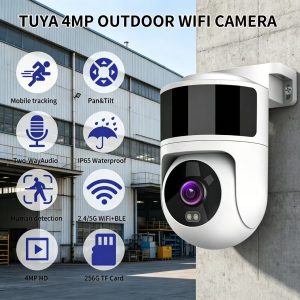 Tuya 4MP Outdoor WiFi Dual Lens PTZ Security Camera IP65 Waterproof Auto Tracking Full Color Night Vision Surveillance Camera Price range: $35.99 through $39.99
 Tuya 4MP HD Smart WiFi Indoor Security Camera Two-Way Audio Human Detection Home Surveillance Camera Price range: $29.99 through $32.99
Frequently Asked Questions
Is Many Security Cameras worth buying?
Based on the breakdown in this article, Many Security Cameras offers a solid mix of features and value. If your main goal matches the key benefits described above, it is a practical choice for everyday use.
How do I choose the right many security cameras for my needs?
Start with your core use case, then compare battery life, compatibility, and build quality as covered above. Choosing the right many security cameras comes down to matching specs with how you actually use it.
Does many security cameras require a companion app?
Most devices of this type pair with a free companion app for setup and firmware updates. A few advanced features may sit behind a paid plan, so check the official specs page before buying.