Posted on — Leave a comment

5,000 W Metered or 3,500 W Double-Pole? Choosing a Smart Wall Switch for Electric Water Heaters

An electric water heater is the heaviest load on a residential circuit, and it is the load most often left running by mistake. That combination — high current plus human forgetfulness — is why the water heater Switch has become one of the fastest-moving categories in Smart home hardware. It is also why distributors get it wrong: a switch rated for a light circuit will not survive a 3 kW heating element, and a switch with the right rating but the wrong protection logic is a warranty claim waiting to happen.

This article compares the two architectures available in our high-power range so that you can place the correct product on the correct circuit instead of over-specifying everywhere or, worse, under-specifying where it matters.
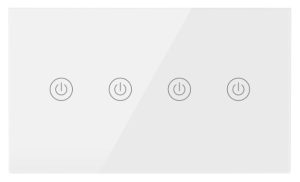
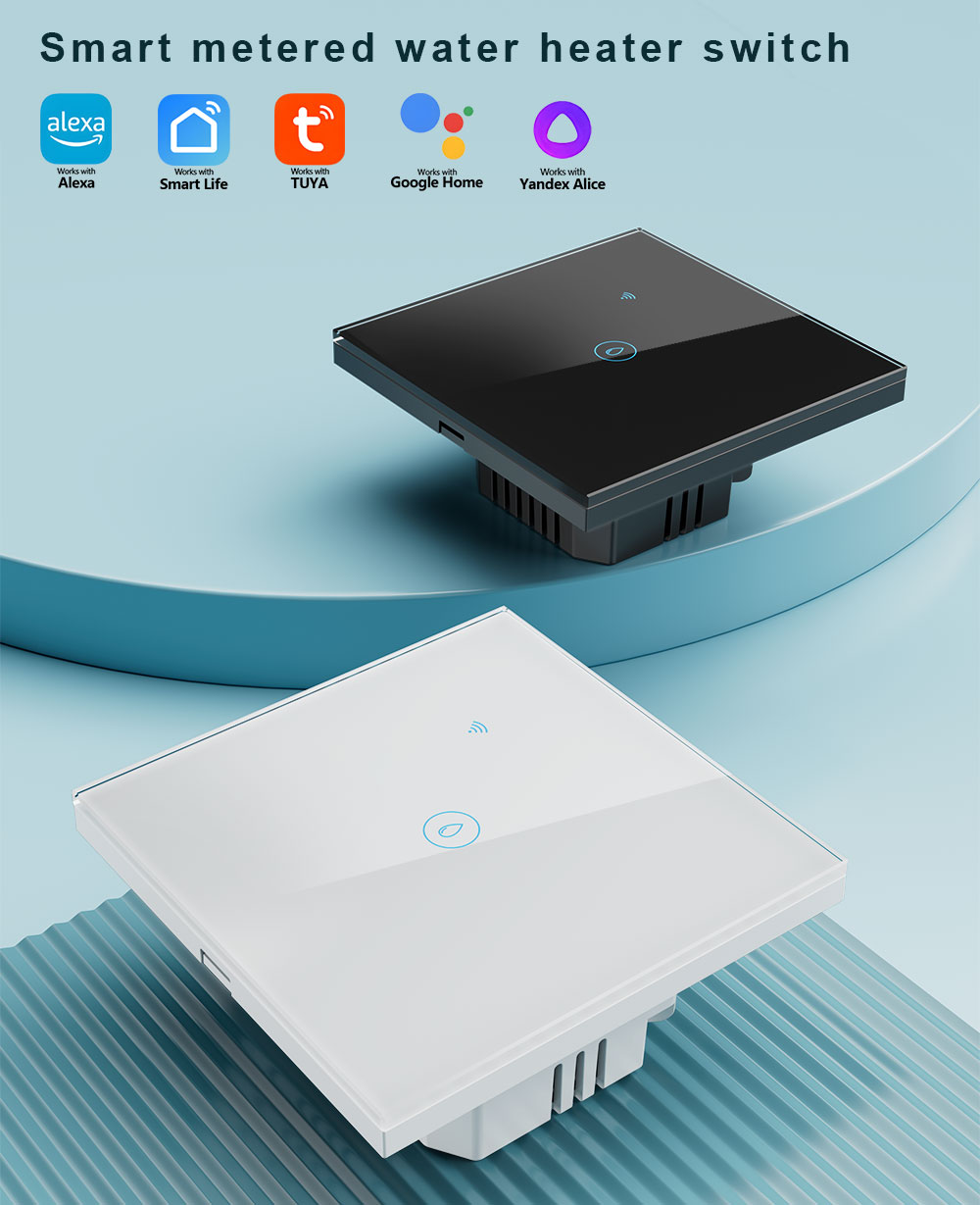
5,000 W metered smart water heater switch DS-101GWN front panel
DS-101GWN – the 5,000 W metered panel for electric water heaters

The two architectures at a glance

Attribute Metered series Double-pole cut-off series
Models DS-101GWN (EU 86 mm)
DS-121GWN (US 118 mm)
DS-107NWN (EU 86 mm)
DS-127NWN (US 118 mm)
Maximum load 5,000 W per gang 3,500 W per gang (16 A)
Panel dimensions EU 86 × 86 × 35 mm
US 118 × 72 × 39 mm
EU 86 × 86 × 35 mm
US 118 × 72 × 35 mm
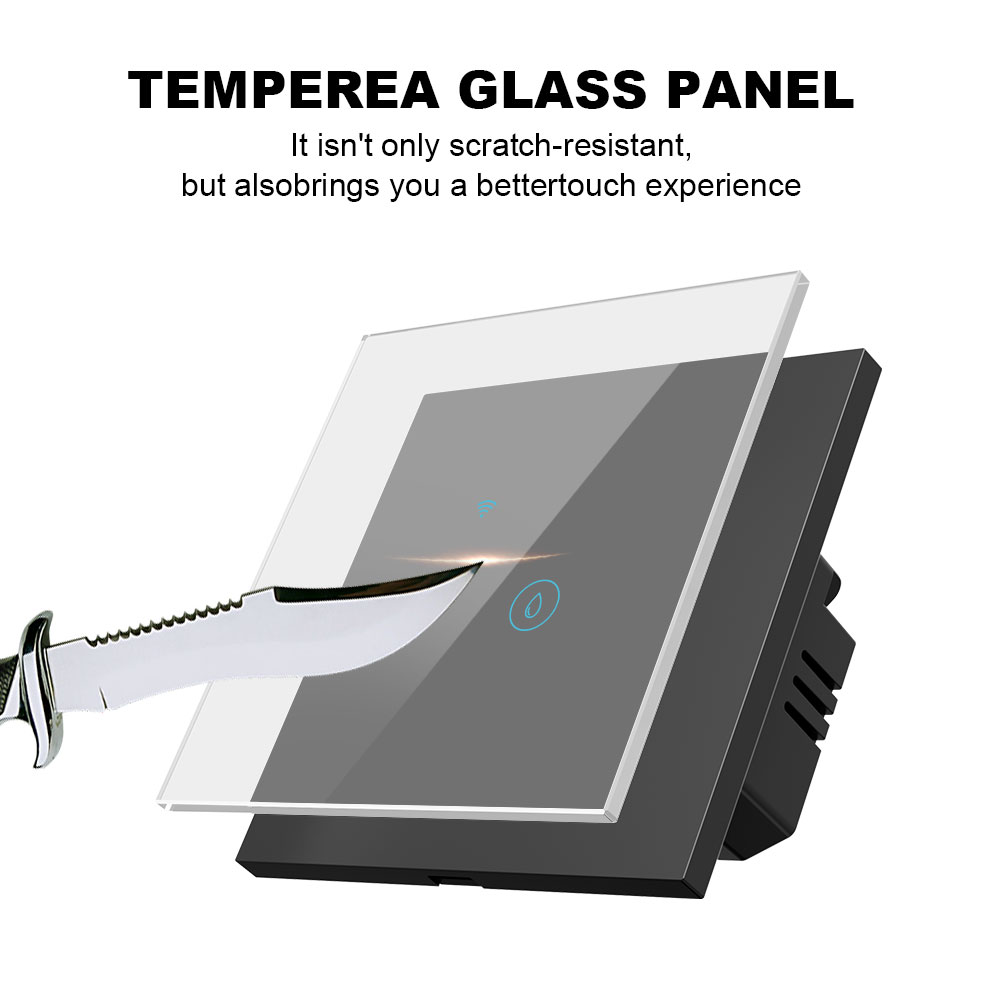
Front material PC + tempered Glass PC + 2.5D tempered glass (AG soft-touch finish)
Input voltage AC 100–240 V AC 100–240 V
Input frequency 50/60 Hz 50/60 Hz
Wireless 2.4 GHz Wi-Fi (Wi-Fi + BLE module) 2.4 GHz Wi-Fi (Wi-Fi + BLE module)
Colours White / Black / Gold / Grey White / Black
Operating temperature -20 °C to 45 °C -20 °C to 45 °C
Operating humidity < 80 % RH < 80 % RH
Wiring Live + neutral, no capacitor required Live + neutral, double-pole interruption
Signature feature Energy statistics with over-current / over-voltage protection Bipolar (live + neutral) cut-off with over-power protection
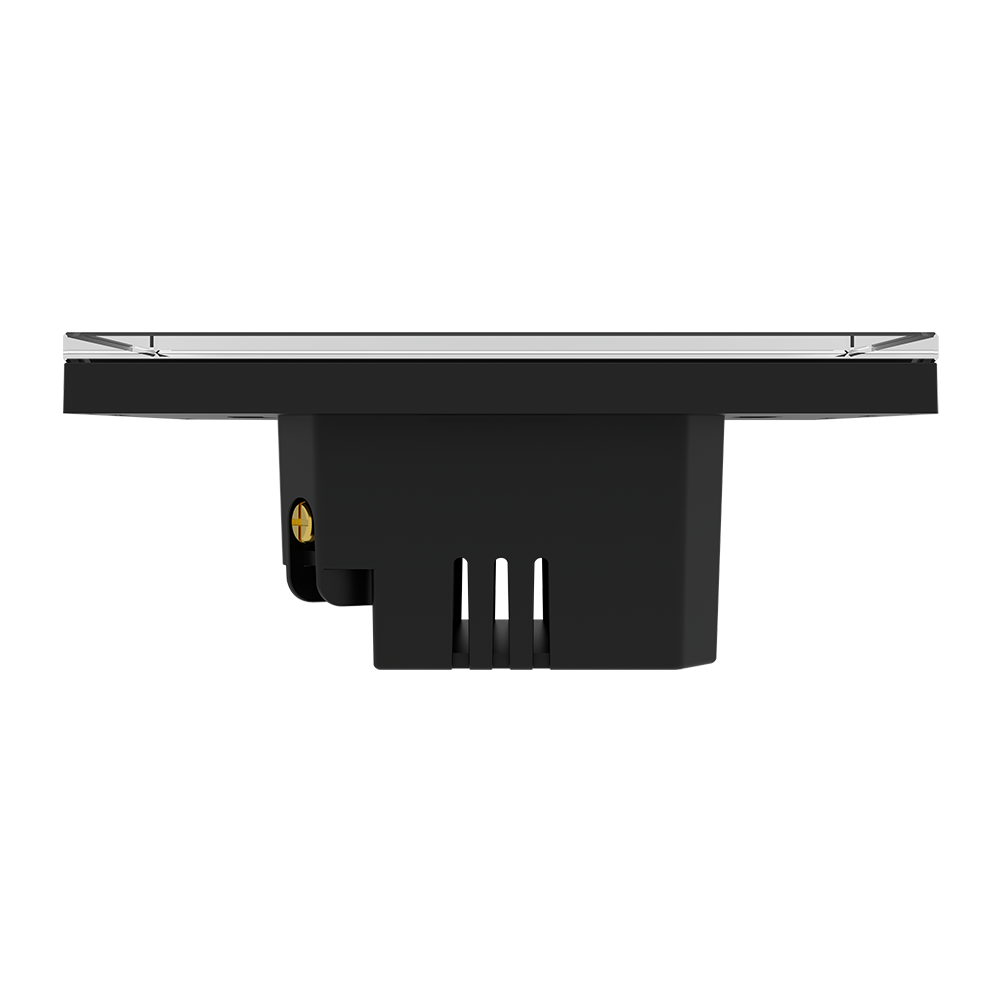
smart water heater switch DS-101GWN front and side view
Same electronics, two plate standards: EU 86 mm and US 118 mm

Series 1: 5,000 W with energy metering (DS-101GWN / DS-121GWN)

Who this is for

Any market where electricity cost is a visible line item for the end user: markets with time-of-use tariffs, markets where rental landlords pass electricity through, and markets where buyers simply want proof that the gadget they installed is saving money. The metered series turns the water heater switch into a billing and behaviour tool, not just a remote relay.
5,000 W smart water heater switch specification and dimensions
Panel geometry: 86 x 86 x 35 mm for EU, 118 x 72 x 39 mm for US

What it measures and what it protects

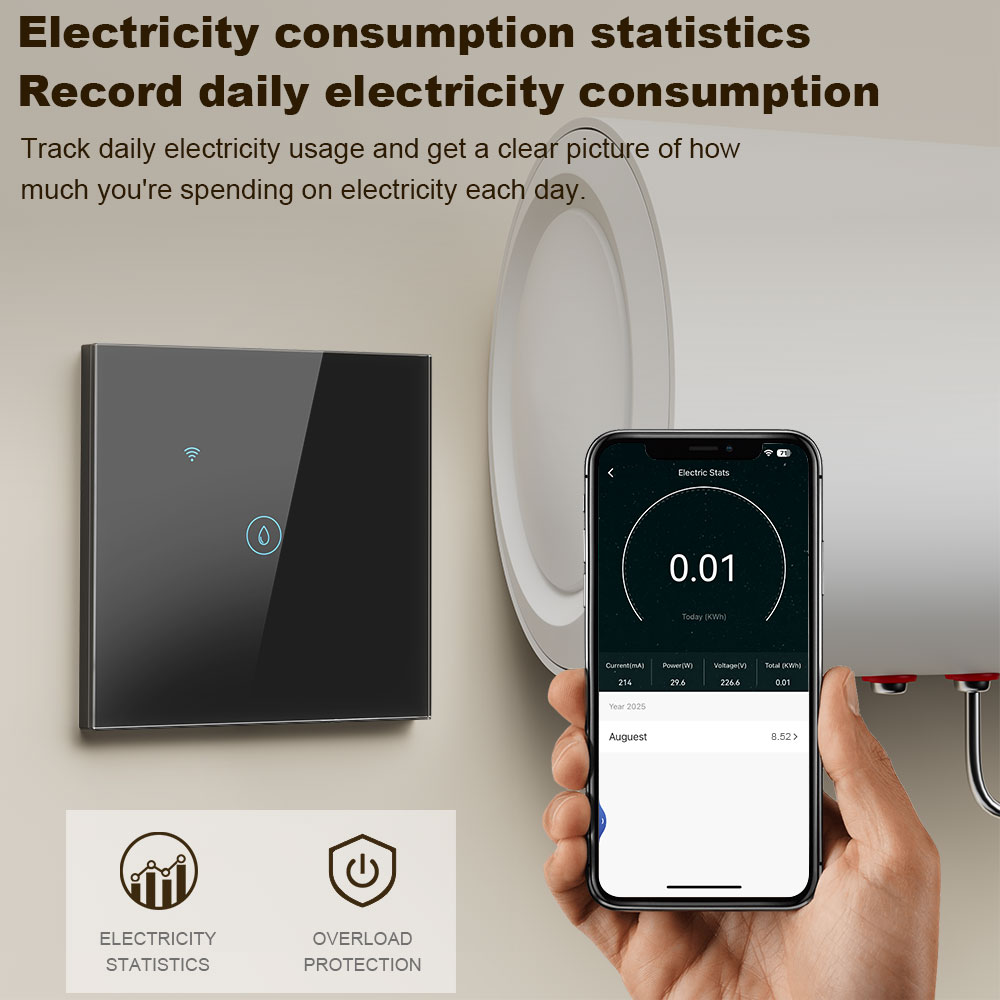
The metered board reports voltage, current, power and cumulative energy consumption through the app, so the end user can see what the heater Actually draws rather than what the nameplate claims. Protection is configurable: over-current and over-voltage thresholds can be set, and the panel cuts the load automatically once the measured value passes the threshold.
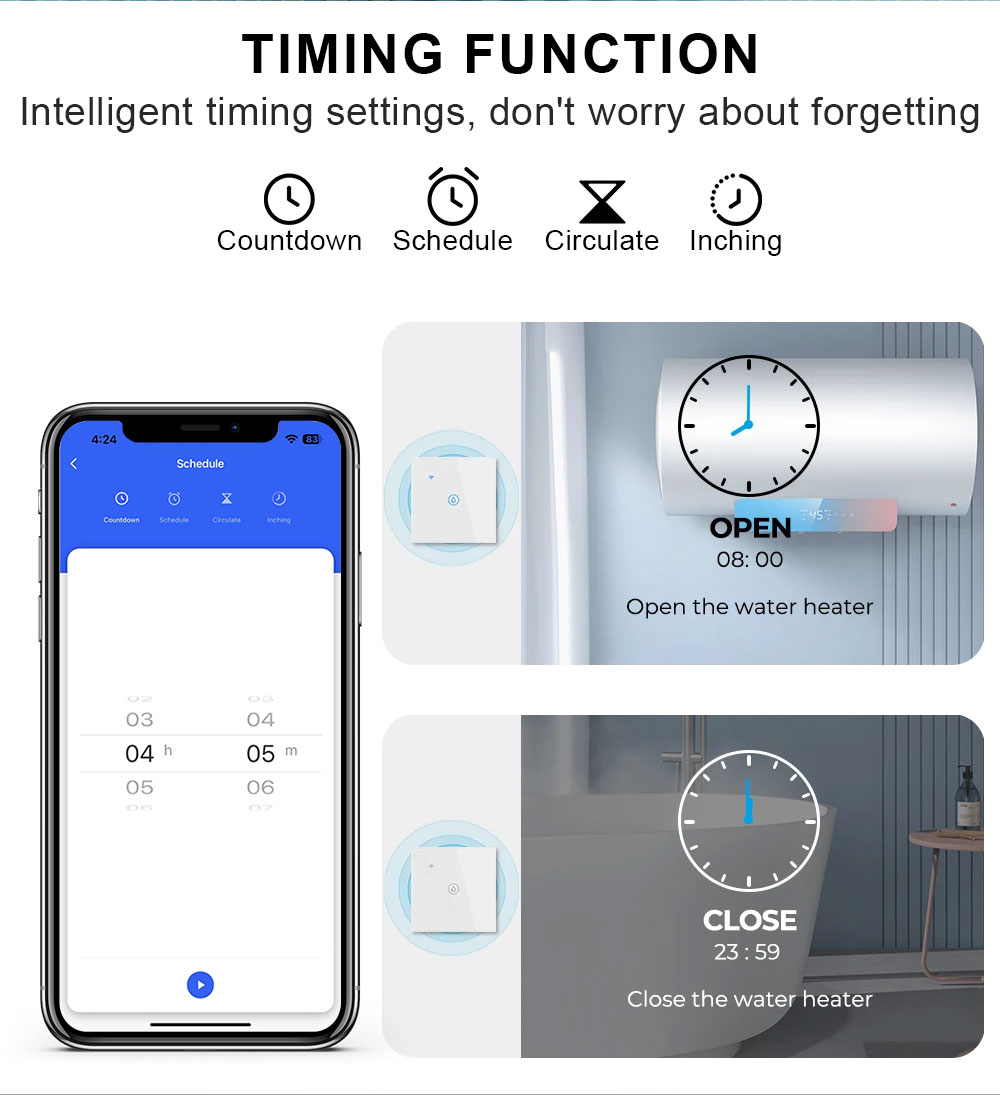
metered water heater switch app energy statistics and protection settings
Voltage, current, power and cumulative energy are reported in the app

Switching logic

Four scheduling modes cover real usage patterns rather than only the demos: a single timer, a countdown, a repeating cycle timer, and a momentary (jog) mode. The cycle timer is the practical one for water heaters — it lets the user define heating windows across the day instead of leaving the element on standby for twenty hours.

Installation notes that prevent callbacks

This is a live-and-neutral board. It does not require an external capacitor, which removes the single most common failure mode of no-neutral Smart switches installed on heating circuits. The bottom housing is laser-marked with the model, input range, power rating, wireless type and country of origin, so a compliance inspector can read the rating without dismantling the unit.

Because the metered version is available in both 86 mm and 118 mm plates, the same electronics can serve an EU specification and a US specification from one purchase order — a useful simplification for distributors who ship to both markets.
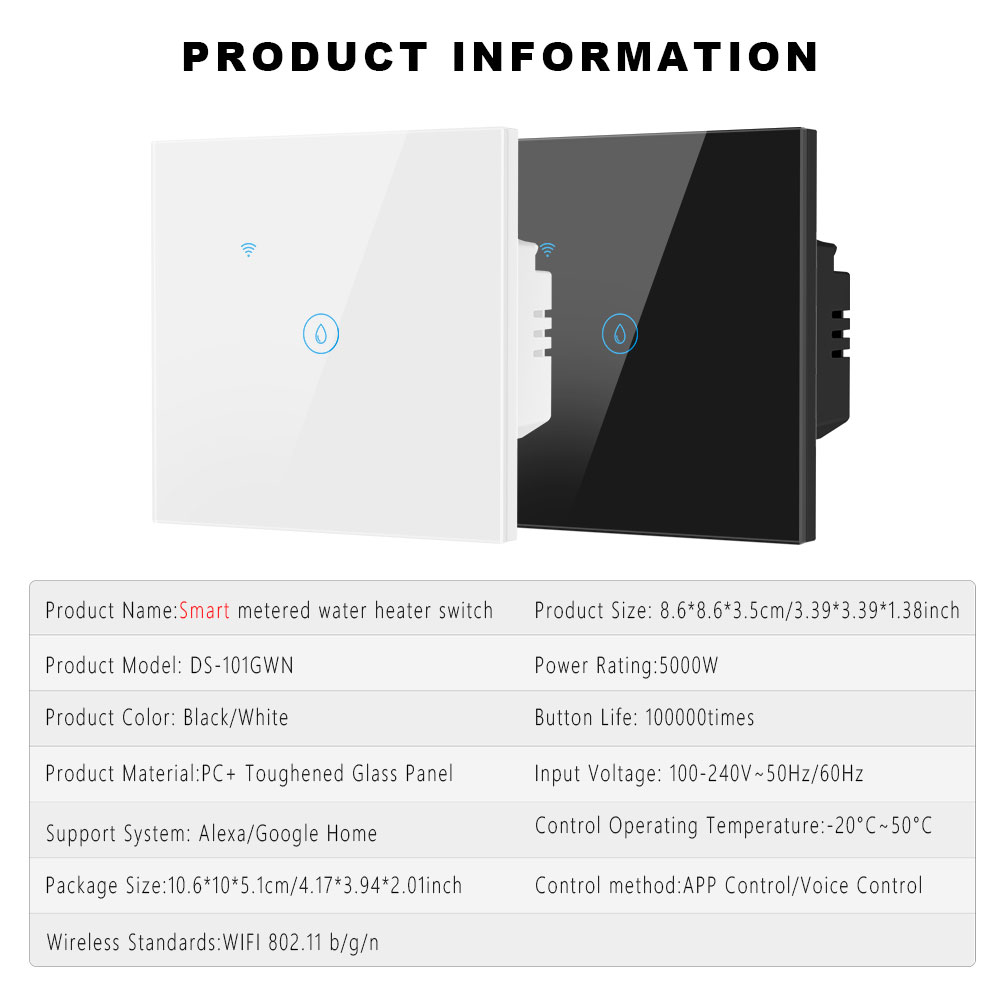
double-pole smart water heater switch DS-107NWN and DS-127NWN
The double-pole range: bipolar isolation plus AG soft-touch glass

Series 2: 3,500 W with true double-pole cut-off (DS-107NWN / DS-127NWN)

Why double-pole matters on a heating circuit

A conventional Smart switch breaks the live conductor. On a water heater, that leaves the neutral connected, and a fault inside the element can still present a hazard when a technician opens the housing. The double-pole board drives live and neutral simultaneously — both are made on start and both are broken on stop. For markets where the installation code or the insurer asks for bipolar isolation on fixed heating appliances, this is the product that passes the conversation.

Ten functions, including the ones installers ask for

# Function How it works
1 Remote control Switch the panel on or off from the phone whenever panel and phone are online
2 Backlight Toggled from the app or by long-pressing the 30m key; red when lit, blue when a timing step is active
3 Child lock Toggled from the app or by long-pressing the 60m key
4 Manual switching Single press on the panel cycles the load on and off
5 Local timer One-touch 30 / 60 / 90 / 120 minute countdowns from the panel itself
6 App timer Scheduled switching with weekday repeat
7 Energy statistics Voltage, current, power and cumulative energy shown in the app
8 OTA upgrade Panel firmware updated over the air
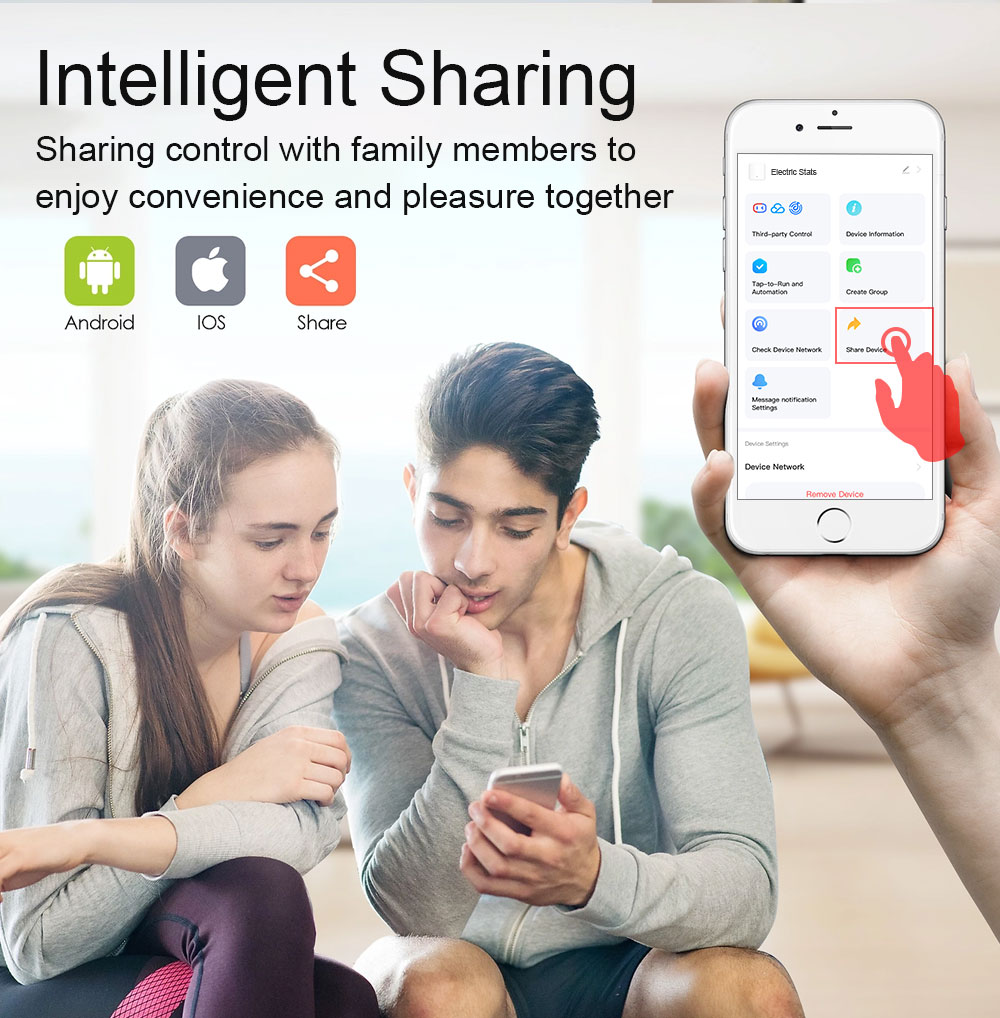
9 Device sharing Multiple household members or staff on one device
10 Voice configuration Works with eleven smart speaker ecosystems

The local timer row is the one worth highlighting in your listing copy. A guest or a family member can start a 60-minute heating cycle with one press, without a phone, without an account and without Wi-Fi. In rental properties this single feature removes most of the support calls that app-dependent products generate.
water heater switch wiring with live and neutral double-pole cut-off
Live and neutral are made and broken together on every start and stop

Four features that separate it from commodity switches

  • AG soft-touch glass. A 2.5D tempered glass front with a jade-like, non-glossy surface. It does not yellow, it wipes clean, and it still looks like a premium fitting after years in a humid bathroom.
  • True double-pole switching. Live and neutral are made and broken together on both start and stop, giving bipolar isolation rather than a single-pole break.
  • Over-power protection. A power ceiling can be set per scene; if the measured load exceeds it — 1,000 W, for example — the panel cuts the circuit automatically.
  • Always-on mode. Long-press the 120M key for five seconds to hold the switch permanently closed, which is what you want when the appliance has its own thermostat and the panel is only there for isolation and monitoring.

Voice ecosystem coverage

Amazon Alexa, Google Assistant, Tmall Genie, JD, Tencent Cloud Xiaowei, Baidu, Xiaomi, Tencent Cloud, Tuya, Yandex Alice and SmartThings. For a distributor, that list is a checklist: the same hardware can be sold into a North American Alexa household, a Korean or Japanese Google household, and a Russian Yandex household without a second SKU.
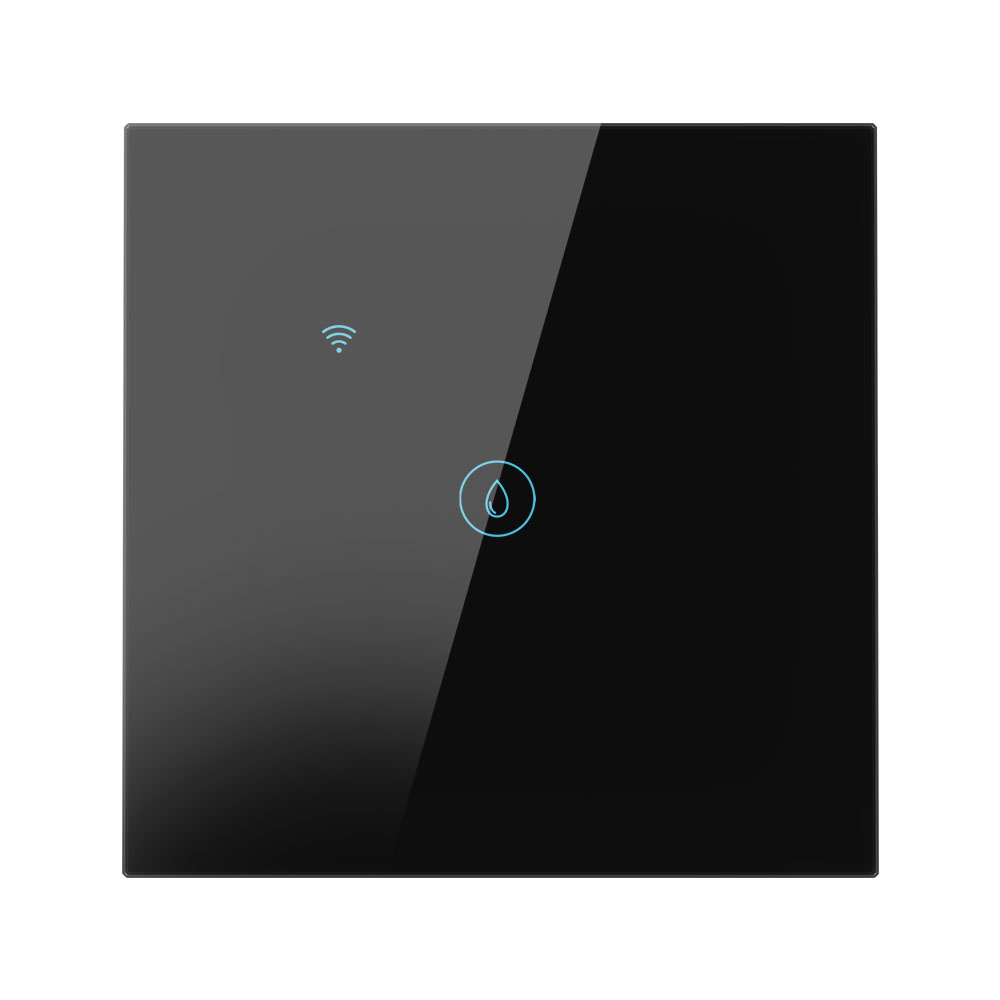
5,000 W metered water heater switch white background product photo
White-plate version – the Standard finish for project and retail cartons

How to choose: a decision table

Project requirement Recommended series Reason
Heater rated above 3,500 W Metered 5,000 W series Headroom on the relay and on the metering shunt
Code or insurer requires bipolar isolation Double-pole series Live and neutral broken together
Landlord or operator bills electricity separately Metered series Cumulative energy per device
Guest-facing short-let with no app tolerance Double-pole series One-touch 30/60/90/120 min local timers
Humid bathroom, premium finish required Double-pole series AG soft-touch glass front
Mixed EU and US container Either series Both ship in 86 mm and 118 mm plates
Appliance has its own thermostat and must stay energised Double-pole series Always-on mode via 5-second long press

OEM and ODM for water heater programmes

  • Housing marking — bottom-housing laser marking carries your model designation, input range and power rating, which is often the difference between clearing customs smoothly and explaining yourself.
  • App identity — the Wi-Fi + BLE module can be provisioned under your own app, with your onboarding flow and your brand in the pairing screens.
  • Colour and finish — four colours on the metered series, two on the double-pole series, with plate geometry matched to the destination market.
  • Documentation — specification sheets, wiring diagrams, marking artwork and listing images prepared for your marketplace upload.
  • Mixed-container ordering — metered and double-pole boards can be combined in one shipment so your catalogue covers both the monitoring-led and the safety-led selling story.

Frequently asked questions

Can the metered series be installed without a neutral wire?

No. The metered board is a live-and-neutral Design; a neutral conductor is required. The good news is that no external capacitor is needed, so there is no extra component to fail behind the wall.

Is the 5,000 W rating per gang or per panel?

Per gang, and these are single-gang panels. Do not parallel two heaters onto one switch to stay under the number.

Will the panel work if the Wi-Fi drops?

Yes. Manual switching, the local 30/60/90/120 minute timers and always-on mode all run on the panel itself. App control and energy reporting resume when connectivity returns.

Do both series support the same voice assistants?

The double-pole series is documented as supporting eleven ecosystems including Alexa, Google Assistant, Tuya, Yandex Alice and SmartThings. Confirm the list for your specific configuration on the datasheet before you publish it in a listing.
smart water heater switch cutout image for marketplace listings
Cut-out asset supplied for your own marketplace and catalogue listings

Next step

Tell us the heater rating, the market standard (86 mm or 118 mm), whether your channel needs energy metering or bipolar isolation, and your annual volume. We will map your requirement onto the correct series and send a quotation with samples.

Request the water heater switch specification pack and a sample plan for your market.

All technical values in this article are taken from the manufacturer’s specification sheets for DS-101GWN / DS-121GWN and DS-107NWN / DS-127NWN. Final wiring requirements must be confirmed against local electrical codes and the datasheet of the exact model ordered.

Related Articles

You Might Also Like

Posted on — Leave a comment

Choosing a Smart Lock That Fits the Door You Already Have

Smart locks are not interchangeable. Unlike a Smart plug, a lock has to physically fit the door, and “almost fits” means a hole in the wrong place. Measure first, and the choice narrows from dozens of models to two or three.

Measure four things before shopping

  • Door thickness — tape measure across the edge of the door. Most locks cover a range (commonly 35–55 mm or 40–120 mm); yours must fall inside it.
  • Lock body type — a European mortise, a Scandinavian oval cylinder, a US tubular latch, or a simple rim lock. Photograph the edge of the door: the metal plate visible there identifies it faster than any description.
  • Hole spacing — the distance between the cylinder hole and the handle spindle. This is the specification that decides whether an existing hole can be reused.
  • Handing and swing — which side the hinges are on and whether the door opens inward or outward, because some locks are handed.

Take photographs of the door edge, the face of the existing lock and the door from both sides. With those four numbers and three photos, a fit question is answered in one message instead of a return shipment.

Three lock types, and what each one replaces

Type Replaces Best for Intrusiveness
Full handle/lever lock with biometrics The whole lock Front doors, homes you own Permanent
Round knob lock An existing round knob Interior doors, rentals, offices Low, reversible
Video intercom lock The whole lock, adds a camera House entrances, gates Permanent

A biometric handle lock is the common answer for a front door. The 3D face recognition lock adds fingerprint, password and app entry, and the palm-vein version is the step up for a main entrance or an office Where you want fewer false rejections and a method that cannot be lifted from a photograph.

A round knob lock is the least disruptive option and the one to consider for an interior door, a home office, or a rental you must hand back unchanged: the Bluetooth knob lock keeps a keyed cylinder as backup and can be swapped back in minutes.

A video intercom lock combines both jobs at a house entrance — camera, intercom, face recognition and lock in one unit, as on the 3D face video intercom lock. If you are weighing this against a separate doorbell and camera, our apartment intercom retrofit guide covers the case where the building’s own system is the constraint.

Opening methods: what each is actually good for

Fingerprint is the everyday method, and the sensor type matters outdoors: capacitive sensors read a dry or cold finger poorly in Winter, so a lock intended for an exposed door should have a robust sensor or a second method. 3D face and palm vein are the hands-full answer, and the reason to spend more. Passwords are for guests, preferably with a disposable code. NFC cards or fobs suit a household with children or cleaners. App and remote unlocking is for letting someone in when you are not home.

Whatever you buy, keep a physical key. Battery failure, a dead module or a flat phone should not be able to lock you out of your own house, and every serious lock retains a keyed override for exactly that reason.

Connectivity, battery and cold

WiFi locks connect directly but consume more power; Bluetooth locks are frugal but need a Gateway for remote access and automations — the trade-off is the same one explained in our guide to smart home hubs. Expect six months to a year from a set of cells under normal use, less in cold weather, and make sure the lock has an emergency contacts or emergency USB terminal so a flat battery can be resolved from outside the door.

For an exposed door in a freezing climate, check the stated operating temperature. Electronics and batteries behave differently at minus ten, and this is the specification most often discovered in January.

What a smart lock does not solve

It does not make a weak door strong, and it does not replace a decent cylinder — a lock is one part of a door’s resistance, and the frame and hinges matter as much. It does not remove the need to manage access: codes should be rotated for guests, and old credentials deleted when a cleaner or a contractor stops coming. And it is not an alarm system; it tells you who opened the door, not that someone is inside. Treat it as convenience plus an access log, and keep physical security separate.

Frequently Asked Questions

Can I fit a smart lock in a rental?

Usually yes if you choose a reversible type such as a knob lock and keep the original hardware to refit. Anything requiring new holes in the door needs the landlord’s agreement.

What happens if the battery dies?

Use the emergency terminal with a power bank for a one-off entry, then replace the cells. Keep the physical key accessible outside the home — with a neighbour, not in the lock box on the door frame.

Is face recognition reliable outdoors?

Modern 3D systems handle backlight and low light far better than camera-based recognition. Sunglasses, heavy scarves and very young children are still the difficult cases, so keep a second method enrolled.

Do I need a hub?

Only for remote access and automations on Bluetooth models. If you unlock at the door and nothing else, you do not.

Related Articles

You Might Also Like
Posted on — Leave a comment

Battery Camera vs Plug-In Camera: Choosing Each Room’s Camera

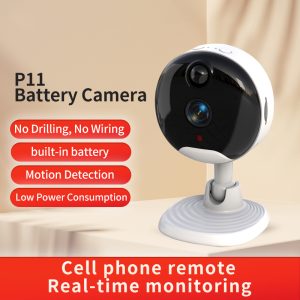
Buying one Camera for the whole house usually means compromising somewhere. A Battery Camera can go anywhere but sleeps between events; a plug-in camera can record continuously but only where there is a socket. Most homes end up with a mix, and the trick is knowing which rooms justify which.

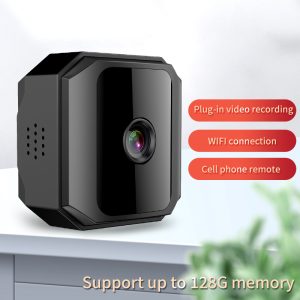
The models below are all in our security camera range: the battery-powered P9 and P11, and the plug-in P10 mini.

The core trade-off

Battery Camera Plug-in Camera
Placement Any surface, no wiring Within reach of a socket
Recording Clips on motion Continuous or on motion
Resolution headroom Limited by battery budget Higher bitrate and frame rate
Upkeep Recharge every few months None
Best for Hallways, shelves, rentals, garages Nurseries, living rooms, anywhere with 24/7 value

Room by room

  • Entrance hallway. Battery. You want it at head height near the door, and there is rarely a socket there. Motion clips catch whoever comes in.
  • Living room. Plug-in if you want continuous coverage of a large open space; battery if you only care about motion while you are out.
  • Nursery or pet area. Plug-in. Continuous recording and two-way audio matter more here, and a socket is usually available — see our baby monitor range for dedicated units with their own screens.
  • Garage or shed. Battery, unless there is mains. A solar panel model removes the charging trip entirely.
  • Flat or rental. Battery, mounted with an adhesive pad so nothing is drilled.

What “low power” actually costs you

A battery Camera stays asleep and wakes when its PIR sensor fires. Two consequences follow. First, there is a short delay between someone entering the frame and the clip starting — a second or two, sometimes more if the sensor is pointed away from the approach path. Second, the Camera cannot record what it never woke for.

Both are acceptable for “who came through the hallway” and unacceptable for “I need the whole afternoon”. If the second sentence describes you, plug it in.

WiFi matters more than power

Every one of these cameras needs a usable 2.4 GHz signal where it sits. The usual failure is a camera mounted in a garage or at the far end of a hallway where the phone shows one bar. Test at the exact spot before you commit — hold a phone there, force 2.4 GHz, and run a speed check. A camera on a marginal link produces constant disconnects, missed clips and a battery that drains faster because it keeps re-associating.

Night vision and where you point it

Indoor cameras use infrared LEDs for night viewing. Two practical notes: infrared reflects off glass, so do not point a camera through a window at night (you will film the room, not the street) — for that job use a dedicated window camera. And infrared does not travel far, so a camera at the far end of a long room will show a bright foreground and a dark background.

FAQ

How long does a battery camera last per charge?
Typically weeks to a few months, depending on how often motion fires and how much live viewing you do. Busy hallways drain faster than spare rooms.
Can a battery camera record continuously if I leave it plugged in?
Some models will run while connected, but they are designed around motion events. If you want continuous footage, buy a plug-in model.
Do I need a subscription?
No. Local card storage covers clips, and cloud storage is optional on most models.
Can one app show several cameras?
Yes — the Tuya / Smart Life app handles multiple cameras in one account, which is why mixing battery and plug-in models is practical.
Will it work without internet?
Local recording to a card continues, but remote viewing and notifications need the internet.
Is one camera enough for a flat?
Usually yes for a one-bedroom, covering the entrance. See how many cameras a 3-bedroom home needs for larger layouts.

Related Articles

You Might Also Like
Frequently Asked Questions

Is Battery Camera Plug worth buying?

Based on the breakdown in this article, Battery Camera Plug offers a solid mix of features and value. If your main goal matches the key benefits described above, it is a practical choice for everyday use.

How do I choose the right battery camera plug for my needs?

Start with your core use case, then compare battery life, compatibility, and build quality as covered above. Choosing the right battery camera plug comes down to matching specs with how you actually use it.

Does battery camera plug require a companion app?

Most devices of this type pair with a free companion app for setup and firmware updates. A few advanced features may sit behind a paid plan, so check the official specs page before buying.

Does battery camera plug work with both iPhone and Android?

Yes, in most cases this type of device ships with iOS and Android apps, and standard Bluetooth protocols keep cross-platform pairing simple.

Posted on — Leave a comment

Intercom for Home: Choosing a Video Intercom System

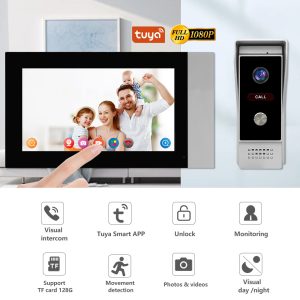
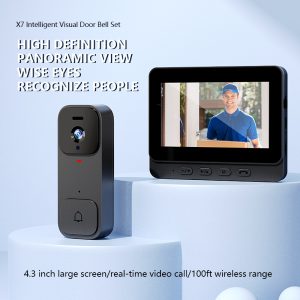
An intercom for Home is a two-way communication system that lets you see and talk to whoever is at your door, from a screen inside the house or from your phone. Modern systems are Video intercoms: the outdoor unit has a camera, microphone, speaker and a call button, and the indoor unit is either a dedicated monitor, a chime box, or simply your smartphone.

There are three ways to build one, and the right choice depends almost entirely on whether you can run a cable to the door:

  • Wireless video intercom (battery or mains, Wi-Fi) — no cable to the door, phone-first. The fastest retrofit and the only realistic option for most apartments.
  • Wired 2-wire or 4-wire IP system — cable from the door station to an indoor monitor. Most reliable, standard for new builds and villas.
  • RF (no Wi-Fi) intercom kit — outdoor unit talks directly to an indoor monitor over radio, no router, no app, no internet. Works in buildings with no network and for users who do not want a phone app.

Which type fits your situation

Situation Recommended system Why
Apartment, cannot drill or run cable Wireless Wi-Fi doorbell with indoor chime Battery or existing low-voltage Wiring, no structural work
House with an existing doorbell cable Wired Wi-Fi doorbell using the existing wires Continuous power, no charging, no Wi-Fi dropout at the door
New build or full renovation Wired IP video intercom with monitor Cable is cheap while walls are open; best video quality and reliability
No internet at the property RF intercom kit with monitor Works standalone; two-way video without a router
Multi-tenant building IP system with multiple indoor monitors Each flat answers its own door; adds access control
Gate 20+ m from the house 4G or long-range RF / Wi-Fi extender Wi-Fi will not reach reliably at that distance

What to check before buying

  1. Power at the door. Is there a low-voltage cable (8–24 V AC/DC), mains, or nothing? This decides battery vs wired more than anything else.
  2. Wi-Fi strength at the door. Stand outside with your phone on 2.4 GHz. Under two bars and you will get missed calls — add an extender or choose RF.
  3. Who needs to answer. Phone only, an indoor monitor, or both? Elderly residents and children usually need the indoor screen.
  4. Chime. A wireless chime in the house means visitors are heard even when phones are on silent.
  5. Storage. microSD in the unit, cloud plan, or the monitor’s own storage. For evidence, keep it off-device or in the cloud.
  6. Night vision and field of view. IR for a black-and-white image after dark; a taller vertical field of view captures a face and a parcel on the step.
  7. Access control. If you want to release an electric lock or a gate, confirm the unit has a relay output and that the indoor monitor supports unlock.

Installation notes that save callbacks

  • Mount height 1.4–1.6 m to the Camera centre — high enough to resist tampering, low enough to see faces rather than hair.
  • Avoid backlight. A camera facing direct sun or a Glass porch roof produces silhouettes. Shift the unit or add a small shade.
  • Battery units need a plan. Event-based recording keeps consumption down; heavy traffic areas may need charging every 1–3 months.
  • Use the transformer supplied. Reusing an old mechanical chime transformer often causes buzzing or reboots.
  • Test the call before fixing the plate. Make one call, check the angle, then drill the final holes.
  • Weather rating. IP65 or better for an exposed door; a rain shield extends the life of any unit.

Intercom vs video doorbell: is there a difference?

In practice, little — the terms overlap. “Video doorbell” usually means a single outdoor unit that calls your phone. “Video intercom” usually implies an indoor monitor as well, and often two-way video between rooms or flats. The features to compare are identical: camera resolution, power, network, storage, night vision, and whether a second indoor station is supported.

Frequently Asked Questions

Do I need Wi-Fi for a home intercom?

Not necessarily. Wi-Fi doorbells need Wi-Fi for app calls. RF intercom kits work with no network and no internet, using a dedicated indoor monitor — the right choice for remote properties or users without Smartphones. Smart Switch for Water Heater and AC

Can I install one in an apartment without drilling?

Yes. Battery doorbells mount with adhesive or a no-drill bracket, and the indoor chime plugs into any socket. Check your lease before fixing anything to the door frame.

Will it work when I am not at home?

With an app-based system, yes: the call reaches your phone over mobile data, you can talk and, if the unit has a relay, unlock. With an RF kit or a monitor-only system, calls are answered at home only.

How many indoor monitors can one door station support?

Wi-Fi doorbells typically support one chime plus multiple phone accounts on the same app. IP intercom systems support two to six indoor monitors depending on the model, which is why they are used in multi-tenant buildings.

Can it open a gate or an electric lock?

Only Models with a relay output. Confirm the voltage and whether it is a dry contact, and have an installer wire the lock release — a shorted lock supply is the most common installation fault.

What should a project or wholesale buyer verify?

Power option per site, whether the kit includes the indoor monitor and chime, RF or Wi-Fi, resolution and field of view, storage architecture, app platform, certifications for the destination market (CE, UKCA, FCC, RoHS), and minimum order quantities — typically 500 pieces per model for standard configurations.

Related products

Related guides

Related Articles

You Might Also Like
Posted on — Leave a comment

Smart Switches for Home: Choosing Plate, Gang and Protocol

Smart switches for home use replace a standard wall switch with a connected one, so the light, fan or curtain it controls can be turned on by app, voice, schedule or automation — while the physical button still works exactly as before. For most homes this is the cheapest and least disruptive way to automate lighting: you keep your existing bulbs, you do not need a hub for Wi-Fi models, and one switch can automate every bulb on that circuit at once.

The catch is that a Smart switch is not a universal part. It has to match the wiring in your wall (neutral wire or not), the size of your wall box and plate, the number of gangs you need, and the ecosystem your family already uses. This guide walks through those four decisions in the order that actually matters, with the sizes and protocols we ship every day. M1 Foldable 3-Axis Gimbal Stabilizer, Portable Handheld Gimbal for Smartphones

What a smart switch does that a smart bulb does not

A Smart bulb is controlled at the bulb; a smart switch is controlled at the wall. That single difference changes almost everything about how the room behaves. M2 Pro Foldable 3-Axis Gimbal Stabilizer, Advanced Handheld Gimbal for Smartphones

  • The wall button still works. Guests, children and anyone with a phone out of battery can still turn the light on. With smart bulbs, flipping the wall switch off kills the bulb’s connection — the classic “why is my smart bulb offline” problem.
  • One device covers many bulbs. A six-light ceiling track needs one smart switch, not six smart bulbs.
  • It works with the lights you already own. No need to replace every bulb with a Wi-Fi one, and no colour-temperature mismatch between fittings.
  • Automations are physical. Scene buttons, double-press actions and “turn everything off at the front door” work even if the internet is down, because the logic stays local on a Zigbee hub or runs on the switch itself.

Where bulbs win: colour. If you want RGB mood lighting or tuneable white, that has to happen in the bulb. A switch only controls power. M2 Foldable 3-Axis Gimbal Stabilizer, Portable Handheld Gimbal for Smartphones

Decision 1 — Wiring: do you have a neutral wire?

Open a switch plate (turn the breaker off first) and look at the wires behind it. This is the single most common reason a return happens.

What is in the box What you can install Notes
Live + switched live only (2 wires) No-neutral switch, or a capacitor-based model No-neutral switches sip power through the load; very low-wattage LED lamps can flicker. Add the supplied capacitor across the lamp if you see it.
Live + neutral + switched live (3 wires) Any Wi-Fi or Zigbee switch This is the standard in most homes built after 2000 in the EU/UK and in most North American homes.
Live + neutral + 2 travellers (staircase) 2-way / 3-way smart switch pair, or one smart switch + one mechanical Both ends of a staircase circuit must be replaced with a matched pair for full control from both positions.

Rule of thumb: if your home was wired before the 1990s, assume no neutral and either buy a no-neutral model or budget for an electrician to pull one. If you are unsure, a no-neutral switch is the lower-risk purchase — it works in both cases, with the flicker caveat above. F10 3-Axis Gimbal Stabilizer, Handheld Smartphone Stabilizer for Smooth Video Recording

Decision 2 — Plate size and gang count

Plate sizes are regional and they are not interchangeable. Ordering a 86 mm plate for a 118 mm box leaves a gap; ordering the wrong gang count means the plate cannot cover the hole.

Standard Plate size Typical market Gangs available
EU / CN round & square 86 × 86 mm Germany, France, Spain, most of Asia 1 / 2 / 3
UK / British Standard 86 × 86 mm and 147 × 86 mm UK, Ireland, UAE, Malaysia, Singapore 1 / 2 / 3 / 4 / 6 (147 × 86)
US / North America 118 × 72 mm (decorator style) USA, Canada, Mexico 1 / 2 / 3 / 4
Large-format touch panels 120 × 74 mm, 147 × 86 mm Hotels, premium residential 2 / 3 / 4 / 6 / 8

Gang count is the number of independent switches on one plate. Count what is on the wall today and buy the same — a 4-gang plate cannot be cut down to 2, and a 2-gang plate will not cover a 4-gang hole.

Decision 3 — Protocol: Wi-Fi, Zigbee or Matter

Protocol Needs a hub? Works when internet drops Best for
Wi-Fi (Tuya / Smart Life) No Local button only; app control needs cloud Retrofit jobs, 1–5 switches, rentals, DIY
Zigbee 3.0 Yes Yes — automations run on the hub Whole-home, 10+ devices, scenes and sensors
Matter over Wi-Fi / Thread No (needs a Matter controller) Yes Apple Home / Google / Alexa mixed households
RF 433 / 315 MHz No Yes No-Wi-Fi homes, garages, outbuildings

A practical choice: start with Wi-Fi if you are automating fewer than six points. Move to Zigbee once you want door sensors, motion sensors and “if the hallway sensor triggers at night, turn on the hallway light at 20 %” — those automations need a hub to run locally and to keep the mesh responsive.

Decision 4 — Load type and rating

Every switch has a maximum load and a minimum load. Exceeding the maximum burns the relay; going under the minimum causes the flicker already mentioned.

  • Resistive loads (incandescent, most LED drivers, heaters): typically 10 A per gang for lighting.
  • Curtain / motor loads: use a dedicated curtain switch with a reversible relay and a defined run time — a lighting switch will damage a tubular motor.
  • Fan speed control: needs a fan-specific module, not a dimmer.
  • Dimming: only if both the switch and the lamp are dimmable (trailing-edge for LED).

Which rooms get the most benefit

  1. Entry & hallway — “arrive home” scene, and a single off button by the door that kills every light.
  2. Bedroom — bedside scene, and a double-press on the switch that turns the whole flat off Without reaching for a phone.
  3. Living room — 3- or 4-gang plate replaces a bank of switches; scene buttons for film / reading / evening.
  4. Bathroom — combine the switch with a door/window or PIR sensor so the extractor and light run on occupancy, not on memory.
  5. Staircase — 2-way pair so both ends keep working.
  6. Outdoor & garage — schedules for dusk-to-dawn; use an IP-rated enclosure if the plate is exposed.

Installation: what a competent DIY job looks like

  1. Turn off the breaker and verify with a non-contact tester — do not trust the switch position.
  2. Photograph the existing wiring before you disconnect anything.
  3. Identify live (L), neutral (N) and the switched live going to the lamp.
  4. Connect L and N to the smart switch, and the switched live to the output terminal(s).
  5. For multi-gang plates, each gang has its own output but shares L and N.
  6. Mount the plate, restore power, then pair: hold the button until the indicator blinks, and add the device in the app.
  7. Test the physical button before you close the plate. If the button works and the app does not, it is a pairing or Wi-Fi band problem, not a wiring one.

One fault that catches everyone: 2.4 GHz. Wi-Fi smart switches do not join 5 GHz networks. If your router has band steering on, split the SSIDs during setup, or the switch will never appear in the app.

Frequently Asked Questions

Do smart switches work without internet?

The physical button always works. App and voice control need internet for Wi-Fi models. Zigbee models keep local automations running through the hub even when the broadband is down, which is why whole-home installs favour Zigbee.

Can I use a smart switch with Alexa and Google Home at the same time?

Yes. Tuya-based Wi-Fi switches link to both; you enable the skill/action once and the same device appears in both ecosystems. Matter devices can be shared across Apple Home, Google and Alexa simultaneously.

Why does my LED lamp flicker or glow when the switch is off?

With a no-neutral switch, a small current flows through the lamp to power the switch electronics. High-impedance LED drivers turn that into a visible glow. Fitting the supplied anti-flicker capacitor across the lamp, or moving to a neutral-wire model, fixes it.

How many smart switches can one home handle?

On Wi-Fi, the practical limit is your router — most consumer routers start struggling around 30–40 always-connected devices. On Zigbee, a single hub handles 50–100 devices because they mesh with each other instead of with the router.

Do I need an electrician?

If you have a neutral wire and you are replacing a like-for-like plate, it is a 15-minute DIY job in most of the EU and UK. In North America and anywhere without a neutral, and for any work inside a consumer unit, use a licensed electrician — in many jurisdictions DIY work on fixed wiring is not legal.

What should a buyer check before a bulk order?

Plate standard for the destination country, gang count mix, neutral availability in target housing stock, certification (CE / UKCA / FCC / RoHS, plus CCC or PSE where required), app platform (Tuya vs private), and whether the glass panel, frame and button colour can be matched to the local range.

Related products
Related guides

Related Articles

You Might Also Like