Posted on — Leave a comment

Smart Plug OEM Manufacturing: Complete Buying Guide for Brands

The Smart Plug Market: Why OEM Brands Win in 2026

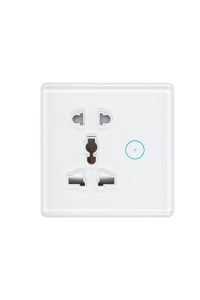
Smart plugs are the entry point product for most Smart home buyers. They are affordable, easy to install, and immediately useful. For brands looking to enter the Smart home space, private label Smart plugs offer the fastest path to market with the lowest risk. This guide covers everything you need to know about smart plug OEM manufacturing.

Key Product Variants

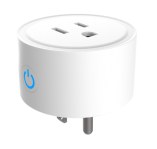
1. Basic Wi-Fi Smart Plug

The Standard model. Plugs into any wall outlet, controls devices up to 16A (3680W). Works with Alexa, Google Home, and Tuya/Smart Life app. This is the volume seller — 70% of smart plug OEM orders are this type.

2. Smart Plug with Energy Monitoring

Adds power consumption tracking. Customers love seeing their electricity usage. Unit cost is $2-3 more than basic, but sells for $8-12 more. Strong margins for brands.

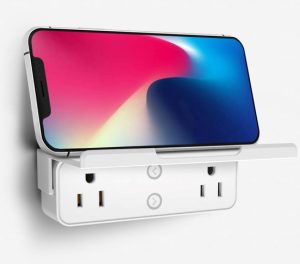
3. Smart Plug with USB Ports

Adds 2x USB-A charging ports (total 5V/2.4A). Popular in hotel rooms and offices. Differentiated product — less competition than basic plugs.

4. Outdoor Smart Plug

IP44 waterproof rating, 2 or 3 outlets separately controlled. Used for holiday lights, garden pumps, patio heaters. Higher price point ($15-25 retail).

5. Dimmer Plug

Controls brightness of dimmable bulbs. Niche but growing category. Requires more complex firmware and certification.

Technical Specifications to Specify

  • Rated load: 16A (3680W) is standard. 10A for European market.
  • Wi-Fi: 2.4GHz only (not 5GHz — saves cost and battery)
  • Protocol: Tuya Wi-Fi (most common) or Zigbee 3.0 (requires hub)
  • Energy metering chip: HLW8012 or BL0937 — both work well
  • Fire rating: PC+ABS V-0 flame retardant is mandatory
  • Operating temperature: -10°C to 40°C for indoor, -20°C to 60°C for outdoor

Safety Certifications by Market

Market Required Cert Approx Cost Timeline
USA FCC Part 15, UL 62368 $3,000-5,000 4-6 weeks
EU CE, RED, RoHS $2,000-3,500 3-5 weeks
UK UKCA $1,500-2,500 3-4 weeks
Australia RCM $2,000-3,000 4 weeks
Japan PSE $4,000-6,000 6-8 weeks

OEM Pricing and MOQ

Model Unit Price (FOB) MOQ Lead Time
Basic Wi-Fi Plug $3.50-4.50 500pcs 15-20 days
Energy Monitoring Plug $5.50-6.50 500pcs 15-20 days
Plug with USB $6.50-7.50 500pcs 20 days
Outdoor Plug $8.50-10.00 300pcs 20-25 days

Customization Options

  1. Logo printing: Laser engraving or silk-screen on the plug body
  2. Custom packaging: Retail box with your brand design
  3. App customization: White-label Tuya app with your logo
  4. Custom firmware: Add your own features (schedules, scenes, automation)
  5. Shell color: White, black, or custom Pantone color

Common OEM Mistakes

  • Under-ordering certification. If you sell on Amazon USA, FCC + UL is non-negotiable. Skipping UL gets your listing banned.
  • Ignoring plug type differences. US (Type A/B), EU (Type C/F), UK (Type G), AU (Type I) are all different molds. Specify which market you sell to.
  • Testing only 1 sample. Ask for 5-10 samples and stress test them for 2 weeks. Plug/unplug 500 times to check durability.
  • No 2-year warranty. Smart plugs have 2-5% failure rate. Budget for replacements from day one.

Why Source from Shenzhen XingLiao?

We manufacture smart plugs for B2B brands worldwide since 2019. Our factory in Shenzhen produces 500,000+ smart plugs monthly with full QC testing on every unit.

What we offer:

  • Tuya and custom firmware options
  • Full customization from logo to packaging
  • FCC, CE, UKCA, RoHS certified
  • MOQ from 5pcs with sample in 3 days
  • 2-year warranty and 24-hour technical support

Get your free quote today. Contact us with your target market, quantity, and required certifications — we reply within 24 hours with pricing and lead time.

Related Articles

You Might Also Like

Frequently Asked Questions

Is Smart Plug Oem worth buying?

Based on the breakdown in this article, Smart Plug Oem offers a solid mix of features and value. If your main goal matches the key benefits described above, it is a practical choice for everyday use.

How do I choose the right smart plug oem for my needs?

Start with your core use case, then compare battery life, compatibility, and build quality as covered above. Choosing the right smart plug oem comes down to matching specs with how you actually use it.

Does smart plug oem require a companion app?

Most devices of this type pair with a free companion app for setup and firmware updates. A few advanced features may sit behind a paid plan, so check the official specs page before buying.

Posted on — Leave a comment

Tuya Video Doorbell OEM: Complete Buying Guide for Distributors

Video doorbells are one of the fastest-growing Smart home categories. If you’re a distributor or brand looking to source Tuya-compatible Video doorbells, this guide covers everything from specs to MOQ.

## Why Choose Tuya Video Doorbells?

Tuya-powered doorbells work with the Tuya Smart app, supporting: – Two-way audio with noise cancellation – HD live view (1080p or 2K) – Motion detection with humanoid filtering – Night vision (color or IR) – Chime box included – Alexa/Google Home voice announcements ## Wired vs Battery-Powered | Feature | Wired | Battery | |—|—|—| | Installation | Existing Doorbell wire | Wire-free, self-adhesive |
| Power | Continuous | 2-6 months per charge |
| Best for | Apartments, offices | Rental homes, DIY |
| Price tier | Mid-range | Budget to mid |
| OEM MOQ | 100 pcs | 50 pcs |

## Key Specs to Compare

### Resolution
– 1080p is the minimum
– 2K (3MP) is the 2026 standard
– 4K available on premium models

### Field of View
– 155-180 degrees is ideal
– Anything less than 150 misses side angles

### Night Vision
– IR night vision: cheaper, black and white
– Color night vision: better for identifying visitors
– Starlight sensor: best low-light performance

### Storage
– Local SD card (up to 128GB)
– Cloud storage (Tuya cloud subscription)
– Both options preferred by customers

## OEM Customization Options

When ordering private label:
1. **Logo printing** on the Doorbell unit 2. **Custom packaging** with your brand 3. **Chime box logo** matching your brand 4. **App splash screen** with your logo 5. **Default settings** (motion sensitivity, doorbell volume) ## MOQ and Pricing | Product | MOQ | Unit Price | |—|—|—| | Battery doorbell | 50 pcs | $12-20 | | Wired doorbell | 100 pcs | $10-18 | | Wireless video intercom (7-inch screen) | 50 sets | $25-45 |
| Solar-powered doorbell | 100 pcs | $18-28 |

## XingLiao Video Doorbell Range

We manufacture:
– Battery-powered Tuya video doorbells (1080p/2K)
– Wired smart doorbells with chime
– 7-inch wireless video intercom kits (monitor + doorbell)
– Solar-powered doorbell cameras
– All models support OEM logo from 50 pcs

CE/FCC/RoHS certified. Samples ship in 3 days worldwide.

Request a quote — tell us your target price and quantity, we’ll reply within 24 hours.
tuya video doorbell

Related Articles

You Might Also Like
Frequently Asked Questions

Is Tuya Video Doorbell worth buying?

Based on the breakdown in this article, Tuya Video Doorbell offers a solid mix of features and value. If your main goal matches the key benefits described above, it is a practical choice for everyday use.

How do I choose the right tuya video doorbell for my needs?

Start with your core use case, then compare battery life, compatibility, and build quality as covered above. Choosing the right tuya video doorbell comes down to matching specs with how you actually use it.

Does tuya video doorbell require a companion app?

Most devices of this type pair with a free companion app for setup and firmware updates. A few advanced features may sit behind a paid plan, so check the official specs page before buying.

Posted on — Leave a comment

Smart Sensors Buying Guide: How to Make Your Home Feel Its Environment

What Are Smart Sensors?

However, Smart sensors are the unsung heroes of a Smart Home. While smart bulbs and speakers get the attention, sensors quietly gather data about your environment and trigger automations that make your home responsive. Think of sensors as the nervous system of your smart home ??they detect what is happening and tell your other devices how to respond.

Types of Smart Sensors

1. Motion Sensors (PIR)

Therefore, Passive infrared (PIR) sensors detect body heat and movement. They are the workhorse of any smart home. Smart Home Automation Scenes: 6 Practical Setups That Make Your Home Think

Best Uses

  • Turn lights on when someone enters a room
  • Trigger security alerts when armed
  • Turn off lights when a room is empty for 5 minutes
  • Activate cameras only when motion is detected

What to Look For

  • Adjustable sensitivity (to ignore pets)
  • Battery life of 1-2 years
  • Detection range of 5-7 meters
  • Field of view of 90-120 degrees

2. Door and Window Contact Sensors

Moreover, These two-piece sensors detect when something opens or closes. One part attaches to the frame, the other to the moving part.

Best Uses

  • Security alerts when doors/windows open while armed
  • Trigger lights when a door opens after sunset
  • Send notifications when the garage door is left open
  • Know if a window was left open before turning on the AC

What to Look For

  • Adhesive mounting (no screws needed)
  • Gap tolerance of 2-3cm (for varied alignments)
  • Low battery alerts in app
  • Quick response time (under 1 second)

3. Temperature and Humidity Sensors

In addition, These sensors monitor the climate in each room, enabling intelligent heating, cooling, and humidification control.

Best Uses

  • Turn on a smart humidifier when humidity drops below 40%
  • Adjust thermostat based on room-specific temperatures
  • Alert if a room gets too hot (fire risk) or too cold (pipe freezing)
  • Optimize plant care based on ambient conditions

What to Look For

  • Accuracy of ?0.5?C and ?2% humidity
  • Refresh rate every 30-60 seconds
  • Historical data charts in the app
  • Battery or USB powered

4. Water Leak Sensors

For example, Place these under sinks, near washing machines, water heaters, and toilets. They detect water on the floor and alert you before damage becomes catastrophic.

Best Uses

  • Instant phone alert when water is detected
  • Trigger a smart water shutoff valve automatically
  • Monitor sump pump areas for flooding
  • Detect slow leaks under appliances

What to Look For

  • Loud built-in alarm (85+ dB) in addition to phone alert
  • Probe cable for hard-to-reach areas
  • Battery life of 2+ years
  • Waterproof construction

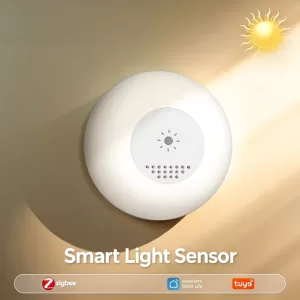
5. Light Sensors (Lux Sensors)

Consequently, These measure ambient light levels, enabling truly intelligent lighting automation that responds to natural light rather than fixed schedules. Smart Home Energy Saving Trends: How Overseas Consumers Cut Bills with Automation

Best Uses

  • Turn on lights only when a room is dark enough to need them
  • Adjust curtain motors based on sunlight
  • Dim lights proportionally to natural light
  • Trigger outdoor lights based on actual darkness, not sunset time

6. Air Quality Sensors

Monitor CO2, VOCs (volatile organic compounds), PM2.5, and other pollutants. Especially valuable for homes in urban areas or with allergy sufferers.

Best Uses

  • Trigger air purifier when PM2.5 exceeds 35 ?g/m?
  • Open windows (via smart actuator) when CO2 exceeds 1000 ppm
  • Alert when VOC levels spike (new furniture, paint, cleaning products)
  • Track air quality trends over time

How to Plan Your Sensor Network

Prioritize by Room

  • Entryways: Contact sensors on doors, motion sensors in foyers
  • Living room: Motion sensor, temperature sensor, light sensor
  • Kitchen: Water leak sensor under sink, smoke/heat sensor, motion sensor
  • Bathrooms: Motion sensor (for nighttime lights), water leak sensor
  • Bedrooms: Temperature sensor, door contact sensor
  • Basement/Laundry: Water leak sensor, temperature sensor (freeze protection)

Building Automation Rules

Sensors are only as smart as the rules you create. Here are powerful combinations:

  • Empty room: Motion sensor detects no movement for 10 min ??turn off lights, lower thermostat
  • Night security: After 11 PM, if any contact sensor opens ??flash lights, send alert, start camera recording
  • Leak protection: Water sensor triggers ??shut off main water valve, send urgent alert
  • Comfort: Temperature sensor reads above 26?C ??turn on AC, close curtains
  • Energy saving: Light sensor reads above 500 lux ??turn off indoor lights

Conclusion

Sensors transform your smart home from a remote control into a genuinely intelligent system. Start with motion sensors and contact sensors ??they provide the most immediate value. Add temperature, water, and light sensors as you expand. The more sensors you add, the more your home understands what is happening and the better it can respond automatically. That is the true promise of a smart home.

Related Articles

You Might Also Like
Frequently Asked Questions

Is Smart Sensors Make worth buying?

Based on the breakdown in this article, Smart Sensors Make offers a solid mix of features and value. If your main goal matches the key benefits described above, it is a practical choice for everyday use.

How do I choose the right smart sensors make for my needs?

Start with your core use case, then compare battery life, compatibility, and build quality as covered above. Choosing the right smart sensors make comes down to matching specs with how you actually use it.

Does smart sensors make require a companion app?

Most devices of this type pair with a free companion app for setup and firmware updates. A few advanced features may sit behind a paid plan, so check the official specs page before buying.

Posted on — Leave a comment

Smart Camera Buying and Usage Complete Guide

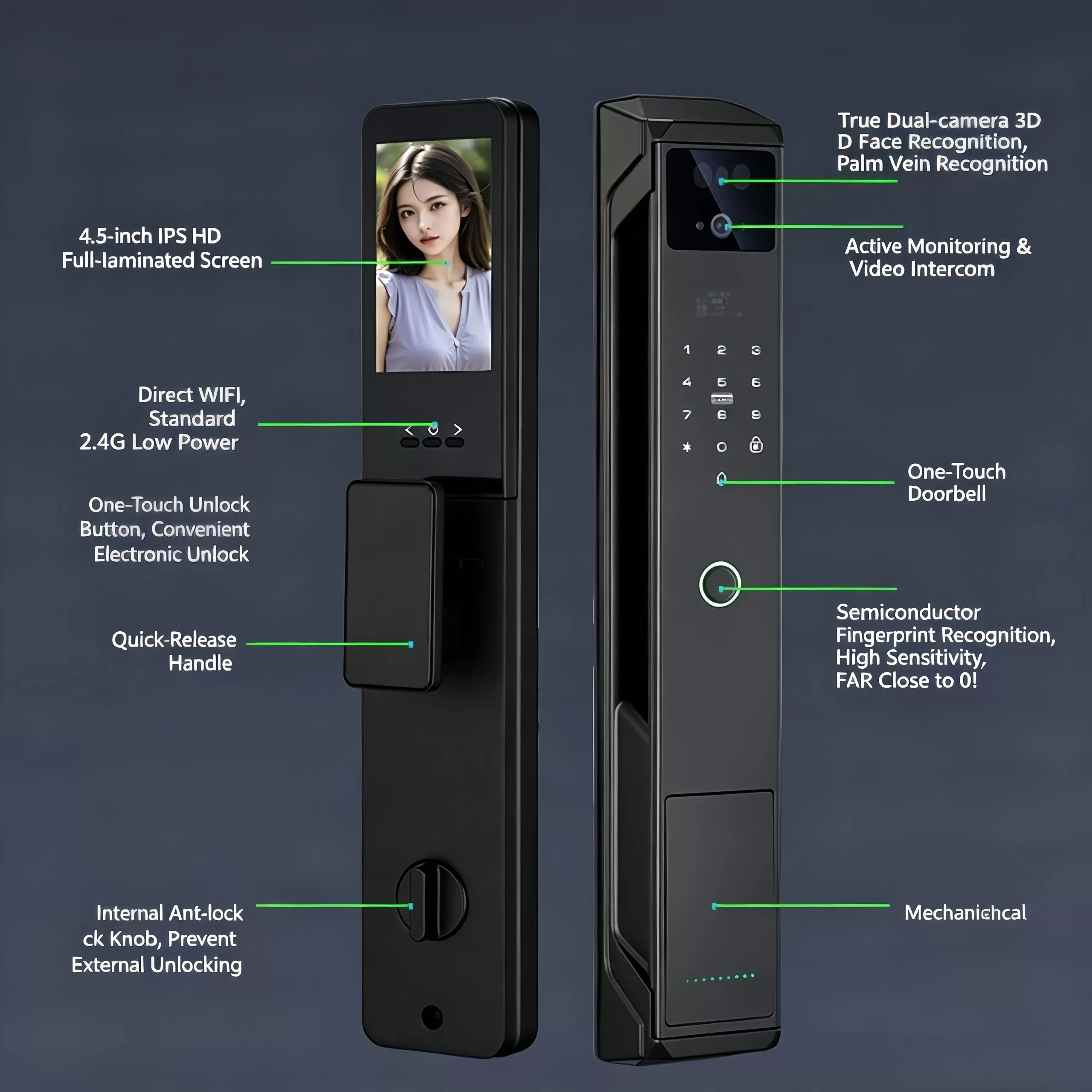
smart door lock parts diagram dual camera 3D face recognition HD display screen fingerprint sensor mechanical key indoor outdoor panel labeled components

1. Smart Camera Overview

However, Smart Cameras are the core devices of Smart home security systems. Connected via WiFi, they stream real-time video to users phones or computers, allowing them to check their home from anywhere. With motion detection, night vision, and two-way voice features, they are an important guarantee for home security.

2. Therefore, Main Types

Indoor Cameras

Therefore, Indoor cameras are compact and aesthetically designed, suitable for living rooms, bedrooms, and nurseries for home monitoring, elderly care, and pet monitoring. Tuya WiFi Smart Boiler Switch: Energy‑Saving Control for Electric Water Heaters & Home Heating

Outdoor Cameras

Moreover, Outdoor cameras feature waterproof and dustproof design, installed at entrances, yards, and garages for outdoor security monitoring, deterring intruders and protecting property. Smart Curtain Motor Track: Automated Window Control System Video Doorbell Review 2026: What to Look For, Smart Features Compared, and Buyer’s Guide

PTZ Cameras

In addition, PTZ cameras support horizontal and vertical rotation, allowing remote control of camera direction for 360-degree monitoring without blind spots. Smart Fingerprint Door Lock: Keyless Security with Tuya Smart

Battery/Solar Cameras

For example, No wiring needed, powered by batteries or solar panels, ideal for locations where wiring is inconvenient. Smart Plug Guide: Automate Any Appliance Without Rewiring Smart WiFi Pet Feeder: Automated Pet Care with APP Control Smart Home Market Trends 2026: What Distributors Must Know About Modular Security, Voice Control and Energy-Saving Devices

3. Core Features

1. HD Quality: From 720P to 4K Ultra HD, higher resolution means clearer details but more bandwidth and storage. Outdoor Solar Wall Lights: Best Weatherproof Options Reviewed Smart Home Control Panel: The Hub of Your Smart Home Smart Home Wholesale FAQ: 15 Questions Every Buyer Asks Before Ordering in Bulk

2. For example, Night Vision: Infrared night vision is standard, with premium models supporting full-color night vision.

3. Smart Detection: Auto-records and alerts when motion detected. AI cameras can recognize humans, vehicles, and pets to reduce false alarms.

4. In addition, Two-Way Voice: Built-in microphone and speaker for voice communication via phone.

5. Storage: Cloud storage is convenient but requires subscription; local SD card is free but self-managed.

4. Buying Guide

1. Moreover, Use Case: Indoor or outdoor? PTZ needed? Choose based on actual needs.

2. Resolution: Recommend at least 1080P, budget permitting choose 2K or 4K.

3. Smart Features: AI human recognition, face recognition, cry detection for advanced needs.

4. Furthermore, Privacy Protection: Choose well-known brands with data encryption and privacy measures.

5. Usage Tips

Therefore, Install cameras in open positions, avoid backlight and obstruction. Regularly check device status and storage space.

6. As a result, Conclusion

Smart cameras are among the most practical smart home devices, playing important roles in home security, elderly/child care, and pet monitoring. Choose the right product for your needs.

Related Articles

You Might Also Like
Frequently Asked Questions

Is Camera Buying Usage worth buying?

Based on the breakdown in this article, Camera Buying Usage offers a solid mix of features and value. If your main goal matches the key benefits described above, it is a practical choice for everyday use.

How do I choose the right camera buying usage for my needs?

Start with your core use case, then compare battery life, compatibility, and build quality as covered above. Choosing the right camera buying usage comes down to matching specs with how you actually use it.

Does camera buying usage require a companion app?

Most devices of this type pair with a free companion app for setup and firmware updates. A few advanced features may sit behind a paid plan, so check the official specs page before buying.

Posted on — Leave a comment

Smart Switch Buying Guide: Turn Traditional Appliances Smart Instantly

1. What Is a Smart Switch?

However, A smart switch is an intelligent upgrade of traditional wall switches. While retaining manual control, it adds Wireless connectivity (WiFi, Bluetooth, Zigbee) and supports remote control via phone, voice control, scheduled timers, scene automation. Therefore, And more. Therefore, It is the ideal entry-level device for smart home.

2. Main Types

Single-Wire Smart Switch

Therefore, Suitable for most existing home wiring, no rewiring needed. For example, Simply replace the original switch, easy installation, ideal for old house renovation. Window Vacuum Cleaner: Say Goodbye To Streaky Glass At Home & In Your Car Why a 1-Axis Smartphone Gimbal Stabilizer Is a Must-Have for Every Content Creator in 2026

Neutral-Wire Smart Switch

Moreover, Requires neutral wire support, operates more stably with more smart features. For example, Best for pre-wiring during new home renovation. C06H Mini Single Axis Gimbal Stabilizer Review – Best Portable Vlog Stabilizer for Smartphone

Wireless Smart Switch

However, No wiring needed, battery-powered, can be placed anywhere. Works with smart switch hubs to enable Dual-control. In addition, And Multi-control. Solar Ultrasonic Pest Repeller: The Complete Guide to Chemical-Free Mole and Snake Control C06 Single Axis Gimbal Stabilizer: Achieve Smooth Pro-Level Video with Your Phone

3. Core Features

1. Moreover, In addition, Remote Control: Control Lights and appliances from anywhere via mobile app.

2. Voice Control: Works with Tmall Genie, Xiaomi, Google Home. Furthermore, And other smart speakers. Fly Repeller Fan: The Chemical-Free Guide to Keeping Flies Off Your Dining Table

3. Scheduled Timer: Set timed tasks like lights on at 6 PM, off at 8 AM.

4. Moreover, Scene Automation: Link with other smart devices, like lights on when door opens, lights on when motion detected.

5. As a result, Energy Monitoring: Some models track power usage to help save electricity.

4. Buying Tips

1. Furthermore, Wiring Type: Check if your switch box has a neutral wire to decide between single-wire or neutral-wire version.

2. Importantly, Load Capacity: Note the rated power to avoid overload damage.

3. Protocol: WiFi needs no gateway but uses bandwidth; Zigbee needs a gateway but is more stable and power-efficient.

4. Notably, As a result, Brand Ecosystem: Choose the same ecosystem as your existing smart devices for better compatibility.

5. Installation

Therefore, Installation is relatively simple but involves mains electricity. Professional electrician installation is recommended for safety. However, Importantly, Always cut power before installation.

6. Conclusion

Moreover, Smart switches are one of the best entry points for smart home, low cost with visible results. Just replacing a few switches can make traditional appliances smart instantly, bringing tech convenience to your life.

Related Articles

You Might Also Like

Related guides

Frequently Asked Questions

Is Switch Buying Turn Traditional worth buying?

Based on the breakdown in this article, Switch Buying Turn Traditional offers a solid mix of features and value. If your main goal matches the key benefits described above, it is a practical choice for everyday use.

How do I choose the right switch buying turn traditional for my needs?

Start with your core use case, then compare battery life, compatibility, and build quality as covered above. Choosing the right switch buying turn traditional comes down to matching specs with how you actually use it.

Does switch buying turn traditional require a companion app?

Most devices of this type pair with a free companion app for setup and firmware updates. A few advanced features may sit behind a paid plan, so check the official specs page before buying.

Posted on — Leave a comment

Solar Lights for Garden: Complete Buying Guide for 2026

smart plug home automation

Looking for the best solar lights for garden paths, flower beds, and patio edges? Solar garden lights have improved dramatically in brightness, battery life. and weather resistance. This buying guide covers what to look for and and which types suit your space.

solar garden pathway lights with warm LED illumination at night

Types of Solar Garden Lights

The three main categories are path lights, wall lights. and step lights. Therefore, Path lights stake directly into soil and and line walkways. Wall lights mount on fences. For example, And and exterior walls. Step lights attach to stairs and and raised decks for safety.

For stair lighting. our solar step lights are ideal. In addition, For fence mounting. the solar fence wall light provides excellent wall-wash lighting. If you need motion detection. the solar motion sensor wall light covers wide areas.

garden solar lights with automatic dusk to dawn sensor for flower beds

What to Check Before Buying

Battery capacity determines how long lights stay on. Look for 600mAh or higher for all-night runtime. Moreover, IP65 waterproofing is the minimum for year-round outdoor use. Solar panel size matters: larger panels charge faster in cloudy weather. Color temperature affects ambiance. Warm white (2700K-3000K) creates a cozy garden atmosphere. Furthermore, Cool white (5000K-6000K) is brighter and and better for security. Most fixtures use warm white LEDs. outdoor solar lights with multiple mounting options for landscape decoration

How Many Fixtures Do You Need?

Space path lights 1-2 meters apart for continuous illumination. As a result, For fence lights. one fixture every 3 meters provides even coverage. Step lights should go on every other stair tread for safe navigation. A typical 10-meter garden path needs 5-7 path lights.

For solar lighting standards and efficiency data. visit the U.S. Importantly, Department of Energy guide.

Conclusion: Pick the Right Solar Lights for Garden

Choosing the right solar lights for garden comes down to placement, brightness. and waterproofing. Choose warm white for ambiance, IP65 or higher for durability. and match the fixture type to your space. With quality fixtures. your garden will glow every night for free.

Related Articles

You Might Also Like
Frequently Asked Questions

Is Solar Lights Garden Buying worth buying?

Based on the breakdown in this article, Solar Lights Garden Buying offers a solid mix of features and value. If your main goal matches the key benefits described above, it is a practical choice for everyday use.

How do I choose the right solar lights garden buying for my needs?

Start with your core use case, then compare battery life, compatibility, and build quality as covered above. Choosing the right solar lights garden buying comes down to matching specs with how you actually use it.

Posted on — Leave a comment

WiFi Smart Wall Switch Buying Guide for Wholesale Distributors

Xingliao smart home factory building, WiFi smart switch OEM manufacturer

titleSmart Wall Switch OEM | Tuya No‑Neutral Smart Switch The smart wall switch is one of the highest-volume, lowest-return products in the smart home category — provided the specification matches the wiring reality of the market you sell into. Get it wrong and you inherit a container of switches that electricians refuse to install.

Smart home device assembly production line, WiFi smart switch OEM manufacturing workshop
In‑house production line for OEM smart wall switches and smart home products

1. Neutral wire: the single most important questionVilla visual intercom doorbell with 7-inch touchscreen monitor and Tuya APP management

Many homes, particularly older properties in Europe and parts of Asia, do not have a neutral wire in the switch box. Therefore, A switch that requires one simply cannot be installed there, no matter how good it is.

  • With neutral: more stable, supports lower-wattage LED loads, generally preferred for new builds.
  • No neutral (single-fire): retrofits into older wiring, but must be matched carefully to the load to avoid flicker with LED lamps.

Ask your supplier which variants exist and stock the one that fits your region — or both, if your market is mixed.

2. Load type and minimum wattage

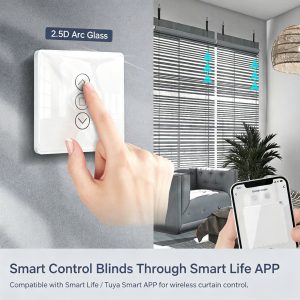
Tuya smart WiFi curtain switch controlling motorized blinds through Smart Life app - hand touching the 2.5D glass panel with Open, Pause, and Close buttons in modern interior
Tuya Smart WiFi curtain switch lets you control motorized blinds and curtains through the Smart Life app. Convenient, easy to use, and plug-and-play setup with no hub required.
Modern LED lighting draws very little current. For example, If the switch’s minimum load requirement is too high, lamps flicker or glow faintly when off. Confirm the supported range (for example 3 W to 600 W) and test with the actual LED fittings common in your market.

3. Panel material, size and standard compliance

Wall switches are furniture as much as electronics. In addition, Check:

  • Glass vs PC panel: tempered glass panels resist yellowing and fingerprints; PC is lighter and more impact-resistant.
  • Form factor: match the regional standard — 86-type, 120-type, EU or US dimensions. A mismatch here makes the product unsellable regardless of electronics.
  • Certification: CE, FCC and RoHS for most export markets, plus any national electrical safety approval required for fixed wiring.

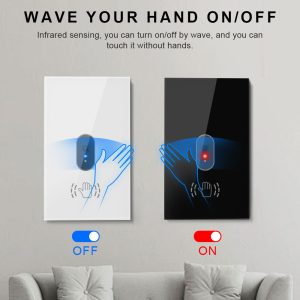
    Tuya WiFi Bluetooth Non‑Contact Hand Wave Sensor Wall Light Switch, Infrared Touch‑Free Smart Wall Switch
    Tuya touch‑free wave sensor wall switch, wave your hand to control lights, support WiFi and Bluetooth connection.

4. Connectivity and app ecosystem

Tuya / Smart Life compatibility is the safe default: it gives end users a mature app, voice control through Alexa and Google Assistant, and easy sharing between family members. Moreover, Confirm whether the module supports both 2.4 GHz WiFi and, where relevant, Zigbee or Matter roadmaps — buyers increasingly ask.

5. Touch reliability and safety details

  • Capacitive touch should respond with wet or slightly damp hands.
  • Physical relay, not triac, where possible for cleaner switching and longer life.
  • Over-temperature and overload protection, plus flame-retardant housing material.
  • State retention after Power failure: the switch should remember its last state or a defined default.
  • Optional backlight that can be switched off — a bright indicator in a bedroom is a common complaint.

6. Packaging, manuals and after-sales

For a product that ships in multiples (1-gang, 2-gang, 3-gang), clear labelling and a printed wiring diagram in the local language reduce installation errors and support tickets. Furthermore, Confirm spare-part availability and the firmware update path before you commit to volume.

Source smart switches from the factory

Xingliao develops and manufactures WiFi smart switches alongside video doorbells, pet feeders and smart sensors, with in-house R&D, CE / FCC / RoHS certification and full OEM / ODM support including mould opening, logo customisation and private packaging. Explore our smart home devices or contact our team for a factory-direct quotation and samples.

Xingliao smart home factory building exterior, WiFi smart switch OEM manufacturer
Xingliao headquarters and manufacturing facility — OEM smart wall switch factory

Related Articles

You Might Also Like
Frequently Asked Questions

Is Wifi Wall Switch Buying worth buying?

Based on the breakdown in this article, Wifi Wall Switch Buying offers a solid mix of features and value. If your main goal matches the key benefits described above, it is a practical choice for everyday use.

How do I choose the right wifi wall switch buying for my needs?

Start with your core use case, then compare Battery life, compatibility, and build quality as covered above. Choosing the right wifi wall switch buying comes down to matching specs with how you actually use it.

Does wifi wall switch buying require a companion app?

Most devices of this type pair with a free companion app for setup and firmware updates. A few advanced features may sit behind a paid plan, so check the official specs page before buying.

Posted on — Leave a comment

Smart Light Switch Buying Guide 2026: WiFi vs Zigbee vs Matter Protocol

US standard touchless wave sensor light switch with tempered glass panel and LED indicator

Smart home light switches comparison showing WiFi, Zigbee, and Matter protocol devices on dark background with golden accents

However, Compare WiFiZigbee and Matter Smart switches for your smart home setup

Why Upgrade to Smart Light Switches? In short, light switch buying wifiSmart Home FAQ: Must-Read Guide for Beginners

Therefore, Smart light switches are the foundation of any modern smart home. Unlike smart bulbs, they control your existing lights while adding automation, remote control, and energy monitoring capabilities.

Key Benefits

Moreover, Control lights from anywhere via smartphone Voice control with AlexaGoogle HomeSiri Schedule automation (sunrise/sunset, away mode) Energy usage monitoring No need to replace existing bulbs Works with physical wall switches Protocol Comparison: WiFi vs Zigbee vs Matter

WiFi Smart Switches Best for: Beginners, small apartments, budget-conscious users

Pros

In addition, No hub required – connects directly to router Easy setup with manufacturer apps Wide compatibility Lower cost

Cons

For example, Can congest home WiFi network Higher power consumption Dependent on internet connection Limited range from router Top Pick: Tuya WiFi Smart Switch – Reliable, affordable, works with Tuya Smart Life app

Consequently, Zigbee Smart Switches Best for: Larger homes, power users, existing Zigbee ecosystems

Pros

light switch buying wifi

light switch buying wifi

UK standard smart wall switch – 147x86mm glass panel with WiFi and app control

Mesh network extends range automatically Lower power consumption Faster response times Works offline (local control) Doesn’t congest WiFi

Cons

Requires Zigbee hub (SmartThingsHubitat, Home Assistant) Slightly higher initial cost More complex setup Top Pick: Aqara Smart Wall Switch – Compact design, excellent build quality, HomeKit compatible

Matter protocol (2026’s Game Changer) Best for: Future-proofing, multi-platform households

Pros

Universal compatibility (Works with all major platforms) Local control without internet Enhanced security Simplified setup process Growing ecosystem support

Cons

light switch buying wifi

EU standard 86x86mm smart water heater switch – WiFi enabled with timer and remote control

Still maturing ecosystem Requires Matter-compatible hub or border router Limited product selection (growing rapidly) Top Pick: Eve Energy Switch (Matter) – Thread-based, privacy-focused, no cloud required

Wiring Guide: Understanding Your Home

1-Way Switch (Single Pole) What it controls: One light from one location Wiring: Live wire in, switched live out, neutral required for smart switches Best for: Most rooms, simple setups

2-Way Switch (Two-Way) What it controls: One light from two locations (e.g. hallway top and bottom) Wiring: Two switches connected via traveler wires Smart solution: Install smart switch at main location, compatible companion switch at second location

Multi-Way Switch (3+ Locations) What it controls: One light from three or more locations Wiring: Multiple switches with complex traveler wiring Smart solution: One master smart switch, multiple wireless remote switches

Important: Neutral Wire Requirement

Most smart switches require a neutral wire. Check your electrical box

Have neutral wire (white): Most smart switches will work No neutral wire: Look for “no neutral” smart switches (limited options, often dimmer-only) Safety Note: Always turn off power at breaker before installation. Consult a licensed electrician if unsure.

Top 5 Smart Light Switches for 2026

Tuya WiFi Smart Touch Switch Price: $12-25 Protocol: WiFi Features: Touch panel, timer, scene control, voice control Best for: Budget-friendly smart home entry Rating: ⭐⭐⭐⭐⭐ (4.8/5)

Aqara Smart Wall Switch H1 Price: $35-50 Protocol: Zigbee 3.0 Features: No neutral option, HomeKit support, power monitoring Best for: Apple HomeKit users, no-neutral installations Rating: ⭐⭐⭐⭐⭐ (4.7/5)

Lutron Caséta Wireless Price: $50-60 Protocol: Proprietary (Lutron Clear Connect) Features: Premium build, excellent dimming, no neutral required Best for: Premium installations, no-neutral homes Rating: ⭐⭐⭐⭐⭐ (4.9/5)

Shelly 1L Price: $15-20 Protocol: WiFi Features: Small size fits in wall box, no neutral option, dry contact Best for: Retrofit installations, tight spaces Rating: ⭐⭐⭐⭐ (4.5/5)

Eve Light Switch (Matter) Price: $45-55 Protocol: Thread/Matter Features: Privacy-focused, no cloud, local control, Apple Home Best for: Privacy-conscious users, Matter early adopters Rating: ⭐⭐⭐⭐⭐ (4.6/5)

Installation Tips

Before You Buy

Check your wiring: Remove existing switch and check for neutral wire (usually white) Count the gangs: Single gang (1 switch), double gang (2 switches side by side) Measure the box: Ensure smart switch fits (some are deeper than standard switches) Check load rating: Ensure switch supports your light fixture’s wattage

Installation Steps

Turn off power at circuit breaker Remove old switch faceplate Disconnect wires (take photo first!) Connect smart switch wires (follow manufacturer diagram) Secure switch in box, attach faceplate Turn power back on Configure in app

Common Issues

Switch doesn’t fit: Look for slim models or use a deeper box Flickering lights: Check wattage compatibility, may need bypass capacitor No neutral wire: Use no-neutral compatible switches or install neutral wire 2-way setup not working: Ensure companion switch is compatible Smart Switch Features to Consider

Must-Have Features

Voice control: Alexa, Google AssistantSiri compatibility Scheduling: Set timers and routines Remote control: App control from anywhere Physical button: Maintain wall switch functionality

Nice-to-Have Features

Dimming: Adjust brightness (requires dimmable bulbs) Energy monitoring: Track power usage Scene control: Multiple switches work together LED indicator: Find switch in dark No neutral option: For older homes without neutral wires

Advanced Features

Matter support: Future-proof protocol Thread networking: Reliable, low-power mesh Local control: Works without internet Home Assistant integration: Open-source smart home platform Creating Smart Lighting Scenes

Morning Routine

7:00 AM: Gradually turn on bedroom lights (simulating sunrise) 7:30 AM: Turn on kitchen and hallway lights 8:00 AM: Turn off all lights when leaving for work

Evening Routine

6:00 PM: Turn on living room lights at 70% brightness 8:00 PM: Dim lights to 40% for movie time 10:00 PM: Turn off all lights except bedroom

Away Mode (Security)

Randomly turn lights on/off between 7 PM – 11 PM Simulate occupancy when traveling Frequently Asked Questions

Do smart switches work without internet?

WiFi switches need internet for remote control but work locally. Zigbee and Matter switches work completely offline.

Can I install a smart switch myself?

If you’re comfortable with basic electrical work and have a neutral wire, yes. Otherwise, hire an electrician.

Will smart switches work with LED bulbs?

Most do, but check compatibility. Some dimming switches need a minimum load (bypass capacitor may be needed).

Can I use smart switches in a 2-way setup?

Yes, but you need compatible companion switches or wireless remotes.

What’s the difference between smart switches and smart bulbs?

Smart switches control the power to any bulb. Smart bulbs replace existing bulbs and offer color control. Smart switches are better for permanent installations.

Conclusion

Smart light switches are the smartest entry point into home automation. They offer

Convenience: Control from anywhere Energy savings: Automated scheduling Security: Simulate occupancy Comfort: Perfect lighting for every moment

Our Recommendation

Budget choice: Tuya WiFi Switch ($12-25) Best overall: Aqara Smart Switch H1 ($35-50) Premium option: Lutron Caséta ($50-60) Future-proof: Eve Matter Switch ($45-55) Start with one room and expand gradually. Your smart home journey begins with a single switch!

Ready to upgrade? Browse our Smart Switch Collection and use code SMARTHOME10 for 10% off your first order!

Last Updated: July 2026 | Xingliao Smart Home – Premium Smart Home Solutions

Disclaimer: Always consult a licensed e …(truncated)…

{“@context”:”https://schema.org”,”@type”:”FAQPage”,”mainEntity”:[{“@type”:”Question”,”name”:”Do smart switches work without internet?”,”acceptedAnswer”:{“@type”:”Answer”,”text”:”WiFi switches need internet for remote control but work locally. Zigbee and Matter switches work completely offline.”}},{“@type”:”Question”,”name”:”Can I install a smart switch myself?”,”acceptedAnswer”:{“@type”:”Answer”,”text”:”If youu2019re comfortable with basic electrical work and have a neutral wire, yes. Otherwise, hire an electrician.”}},{“@type”:”Question”,”name”:”Will smart switches work with LED bulbs?”,”acceptedAnswer”:{“@type”:”Answer”,”text”:”Most do, but check compatibility. Some dimming switches need a minimum load (bypass capacitor may be needed).”}},{“@type”:”Question”,”name”:”Can I use smart switches in a 2-way setup?”,”acceptedAnswer”:{“@type”:”Answer”,”text”:”Yes, but you need compatible companion switches or wireless remotes.”}},{“@type”:”Question”,”name”:”Whatu2019s the difference between smart switches and smart bulbs?”,”acceptedAnswer”:{“@type”:”Answer”,”text”:”Smart switches control the power to any bulb. Smart bulbs replace existing bulbs and offer color control. Smart switches are better for permanent installations.”}}]}

Related Articles

You Might Also Like