Reolink builds cameras for people who are happy to run cables to a recorder; the Tuya ecosystem builds cameras for people who want one app for the whole house. Both record locally Without a monthly fee, so the real decision is not price or storage — it is whether you are buying a camera system or a Smart Home.
The core difference: recorder-first or app-first
Reolink is built around the recorder. Its best-known models are PoE cameras that run one Ethernet cable to an NVR with a hard drive, plus battery and WiFi models for places a cable cannot reach. Power and data over one cable, weeks of retention on disk, and a single place to scrub through footage. It is a small CCTV system, and it behaves like one.
Tuya-based cameras are app-first. Each camera has its own WiFi radio and microSD slot, pair in minutes, and live in the same app as your switches, sockets, sensors and doorbell. There is no recorder in the cupboard and no cable run; you add cameras one at a time, wherever the WiFi reaches.
Installation
- Reolink: planning, then drilling. PoE needs a cable from each camera to the recorder or a PoE Switch, which limits placement to where you can run cable. Once it is in, it is stable and never competes for WiFi bandwidth.
- Tuya: decide the spot, check the 2.4 GHz signal with your phone, mount, pair. Ten minutes per camera, and solar models remove the power question entirely outdoors.
For a house where drilling is not allowed, or where you want to start with one camera and see, app-first wins on effort alone. For a property with four or more fixed positions and a cupboard to put a recorder in, recorder-first is the sturdier result.
Storage
- Reolink: SD card in the camera, plus an NVR hard drive for long retention. Optional cloud. Footage survives a stolen camera if the recorder is hidden.
- Tuya: SD card in the camera, optional cloud per camera. Adding an NVR is possible on some models but is not the default path.
Both avoid mandatory subscriptions — that is worth stating plainly, because the brands most people compare against charge monthly for the same recordings.
Ecosystem: cameras only, or the whole house
This is where the two stop being comparable. A Reolink setup is a camera system with an app. A Tuya setup can include:
- Wall switches and sockets that turn lights and appliances on schedules
- Door, water leak, smoke and temperature sensors that trigger cameras to record
- A Video doorbell sharing the same notification feed
- Curtain motors, thermostats and irrigation controllers in the same scenes
A door sensor opening and a camera panning to preset is a three-tap scene in one app. Across two brands it is either impossible or a weekend of integration work.
Image quality and detection
- Resolution: Reolink’s higher-end PoE models reach 4K and 8MP with larger sensors, which matters for long-range identification. Tuya models in this class typically run 2MP to 4MP, which is ample for rooms, entries and driveways.
- Night vision: both offer infrared; several Tuya models add full-colour night vision, which keeps usable detail after dark instead of grey shapes.
- Detection: both do human or person detection. Reolink adds vehicle and pet detection on some lines; Tuya’s advantage is cross-device automation rather than more detection classes.
- Coverage: pan/tilt and dual-lens models (one wide lens to detect, one tele lens to zoom) are common in the Tuya ecosystem and are the best value for driveways and gates.
Comparison at a glance
| Reolink | Tuya ecosystem | |
|---|---|---|
| Design centre | Camera + NVR system | App for the whole house |
| Power/data | PoE, battery or WiFi | WiFi, battery or solar |
| Typical install | Drilling and cable runs | Mount and pair, minutes |
| Storage | SD + NVR disk + optional cloud | SD + optional cloud |
| Top resolution | Up to 4K on PoE lines | 2MP to 4MP typical |
| Works with | Cameras | Cameras, switches, sockets, sensors, doorbells |
| Subscription | Not required | Not required |
Model ranges and specifications change often — check the current datasheet for the exact unit you are buying.
Which one should you buy
- Want weeks of retention and don’t mind cables: a recorder-based PoE system.
- Want one camera now, more later, no drilling: app-first WiFi cameras.
- Already use Tuya or Smart Life for switches: stay in that app — one notification feed beats three.
- Off-grid position with no power: solar or 4G camera, neither of which a PoE system solves.
- Whole-home automation is the real goal: app-first, because sensors and switches are half the value.
XingLiao security cameras
- Tuya solar WiFi PTZ camera 4MP — outdoor, solar charged, full-colour night vision, IP65, pans on command.
- Tuya 4MP dual-lens PTZ camera — wide lens detects, tele lens zooms with auto tracking.
- Tuya 4MP 2K indoor camera — colour night vision, human detection, works as a pet monitor.
- KT-R13 dual-lens security camera — two lenses on one mount for context plus detail.
- Tuya USB camera 3MP — small indoor or sheltered outdoor unit powered by USB.
- 4G LTE solar camera — SIM-based, for outbuildings and sites with no WiFi.
Frequently Asked Questions
Do either of these require a monthly fee?
No. Both record to a memory card or a recorder with no subscription. Cloud plans are optional extras for off-site backup.
Which is better for a whole-house setup?
If cameras are the whole project, a recorder system is sturdier. If cameras are one part of a home that also has switches, sockets and sensors, an app-first ecosystem saves you from running three apps.
Can I mix them?
Yes, but expect separate apps and separate notification feeds. Most people regret mixing once they pass four devices.
Is 4K worth it for a home?
Only for long-range identification — a gate, a number plate, a far corner of a yard. For entries, rooms and driveways, 2MP to 4MP with good night vision gives you more usable footage per euro.
What about WiFi reliability outdoors?
Signal at the mounting point matters more than the camera. Test the 2.4 GHz signal with your phone at the exact spot before buying; if it is weak, a solar or 4G model, or a mesh node, solves it.
Do I need a recorder at all?
Not for one to three cameras. Memory cards in each camera cover most homes, and a recorder only starts to pay off when you want long retention across many cameras.
Will recordings survive if the camera is stolen?
Only if they are stored elsewhere — an NVR, a cloud plan, or an indoor monitor with its own storage. A camera with just an SD card loses everything with the camera.
Related guides
- How to choose a security camera for your home
- How to set up a CCTV camera system at home
- Wireless security cameras explained
- Video doorbell without subscription
- Zigbee vs WiFi smart home devices
Browse all security cameras · Tell us how many positions you need and we will size the system
Related Articles
- Video Doorbell Without Subscription
- How to Set Up a CCTV Camera System at Home
- How to Build a Home Automation System with Tuya
- How to Choose a Security Camera for Your Home
- Shelly vs Tapo vs Tuya: Smart Switch Comparison
You Might Also Like
 Q81 Button Shape Wireless Lavalier Microphone, 1 to 2 Magnetic Clip-on Mic with Digital Charging Case for Vlog Live Stream Interview Original price was: $19.96.$16.99Current price is: $16.99.
 M8 Dopamine Color Wireless Lavalier Microphone, 1 to 2 Clip-on Lapel Mic with Charging Case, Dual Noise Reduction for Vlog Interview Live Stream Original price was: $19.96.$14.99Current price is: $14.99.
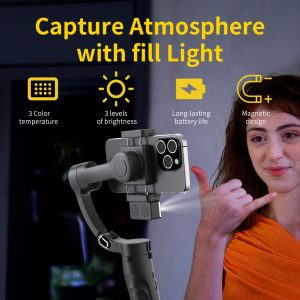 3-Axis Smartphone Gimbal Stabilizer, Handheld Phone Video Stabilizer with Magnetic Fill Light, 8.0 Anti-Shake, Gesture Control & Detachable Remote Controller Original price was: $89.99.$73.99Current price is: $73.99.
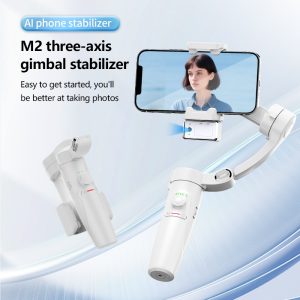 M2 AI 3-Axis Smartphone Gimbal Stabilizer, 280g Load Handheld Phone Stabilizer with Magnetic Tracking Fill Light & Mini Tripod Original price was: $74.96.$64.99Current price is: $64.99.
📌 This article is part of our Complete Tuya Hub — more guides and buying tips inside.