The comparison gets phrased as a brand fight, but the Two are not the same kind of thing. Tuya is a platform: it licenses the chip, the firmware and the cloud to hundreds of manufacturers, which is why a switch from one brand and a socket from another still pair in the same app. Sonoff (from ITEAD) is a manufacturer that builds its own hardware, mostly modules and relays, and runs its own eWeLink app. Both work. They suit different installs.
This is written from the switch side, since that is where the decision has the longest consequences — switches are wired into walls and are the least fun thing to replace later.
Where they differ in practice
| Tuya-based switches | Sonoff | |
|---|---|---|
| What it is | Platform behind many brands | One maker’s product line |
| App | Smart Life / Tuya Smart (and many white-label apps) | eWeLink |
| Strength | Wall plates — glass touch boards, multi-gang, regional standards | Relay modules, DIN-rail, DIY-friendly plug-in devices |
| Voice | Alexa, Google, and most regional assistants | Alexa, Google |
| Local control | Depends on the device and hub | Strong DIY story, LAN mode on some devices |
| Buying in bulk | Built for OEM and project supply | Retail-focused |
Form factor: the deciding factor for switches
If the job is a wall plate — a glass touch board replacing the plate in the hall — Tuya-based hardware has far more choice, because every regional standard exists somewhere in the ecosystem: square 86 × 86 plates with fan and scene keys, the wide 147 × 86 touch series used across Europe, and the 118 × 72 US standard series for North American boxes. Multi-gang boards are the same story: the DS-1011ZC single-gang through to the DS-126 six-gang are all platform devices. CCTV Camera or IP Camera for Home: What the Difference Actually Buys You
If the job is a Module hidden in a ceiling rose, a DIN-rail relay in a consumer unit, or a one-off experiment on a bench, Sonoff’s catalogue is the natural place to look, and its DIY community is a genuine advantage — there is a forum answer for almost everything.
App and ecosystem lock-in
You cannot put a Sonoff device into Smart Life, or a Tuya device into eWeLink. That is the real lock-in, and it is why the decision should be made once rather than per device. Two apps on one house means two sets of automations, and scene logic that cannot cross between them — a motion sensor in one app cannot trigger a light in the other.
Both ecosystems talk to Alexa and Google, and both have moved toward Matter, which is the long-term answer to this problem. If you are starting fresh and want the option to change your mind, prefer devices that carry Matter or run on Zigbee behind a hub; the reasoning is set out in our WiFi versus Zigbee comparison.
Can you mix them?
Technically yes, with voice control as the glue: both respond to Alexa, so “turn off the downstairs lights” can span both. What you lose is cross-vendor automation and a single timeline of what happened. For two or three devices it does not matter. For a whole-house install it becomes annoying quickly.
A practical middle path used on a lot of project installs: Tuya-platform wall plates for anything visible in the wall, plus a Zigbee hub for sensors, with one app for day-to-day control. Our smart switch board guide covers the plate decision; the no-neutral guide covers what to do when the box turns out to have no neutral Wire.
If you are buying for a project
Here the platform model wins on logistics rather than features: wall plates in one series, matching sockets from the same series, spares that interchange, and OEM branding available. That is why our switch range is built on it — the matching 147 × 86 socket series exists so a board looks like one unit instead of a patchwork, and US push-button plates and the 30 A water heater switch all sit in the same app as the lighting boards.
Three questions that settle it
If you are still undecided, answer these and the choice usually makes itself. First: is this going in a wall or in a box? Wall plate means the platform ecosystem, in-wall module means either, DIN-rail means Sonoff’s catalogue is the natural place to look. Second: how many devices will there be in two years? Two or three, and it genuinely does not matter. Twenty, and you want one app, one series of plates and spares that interchange — which is the platform argument. Third: does someone else maintain it? If a landlord or a facilities company will service it later, pick whichever ecosystem is easiest to buy spares for in your country, because that is what they will be doing in five years.
Frequently Asked Questions
Can I add a Sonoff device to the Smart Life app?
No. The two clouds are separate. Voice assistants are the only practical bridge, and even then automations cannot cross between them.
Which is cheaper?
Sonoff is usually cheaper for modules and single plug-in devices. For wall plates in quantity, platform-based supply is typically lower per unit and available in more regional standards.
Do both work without internet?
Basic local control survives on many devices in both ecosystems, but app-based remote control and cloud automations do not. A Zigbee hub keeps local schedules running in either case.
I already have one ecosystem — should I switch?
Only if you are replacing most of the hardware anyway. For anything smaller, finish on what you have and prefer Matter-certified devices on the next purchase.
Related Articles
- Smart Switch: Types, Wiring and How to Choose
- How to Install a WiFi Touch Smart Switch: Step-by-Step Guide
- Shelly vs Tapo vs Tuya: Smart Switch Comparison
- Smart Switches for Home: Choosing Plate, Gang and Protocol
You Might Also Like
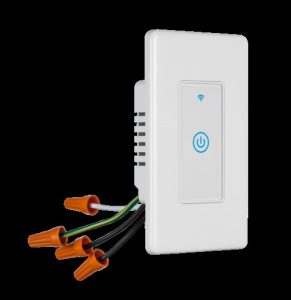 eWeLink US WiFi Touch Switch with Face Cover, 1–3 Way | XingLiao Price range: $11.82 through $13.61
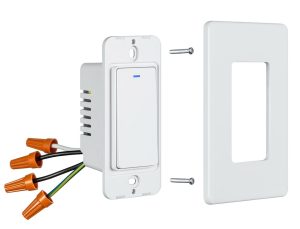 eWeLink US WiFi Button Switch 1200 W, FCC | XingLiao$11.07
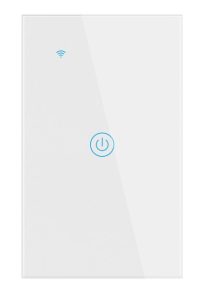 eWeLink US WiFi Touch Switch, Single Live Wire Universal, FCC | XingLiao Price range: $12.12 through $13.91
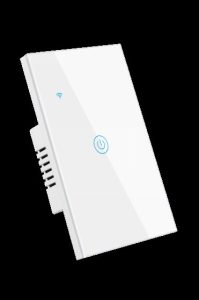 eWeLink US WiFi Touch Switch 1–4 Gang, Neutral Wire, FCC | XingLiao Price range: $10.78 through $12.12
📌 This article is part of our Complete Smart Hub — more guides and buying tips inside.