Posted on — Leave a comment

Where to Put Water Leak Sensors: The Spots That Catch a Flood Before It Spreads

Water damage is expensive out of proportion to its cause. A washing machine hose that fails while nobody is home runs for hours; a slow drip under a sink rots a cabinet for months before anyone notices. A leak sensor costs a fraction of either, and the whole question is where it stands.

A sensor detects water where it sits. Put it in the wrong place and it will sit dry through exactly the flood you were worried about. Choosing a Smart Lock That Fits the Door You Already Have

The six positions worth covering

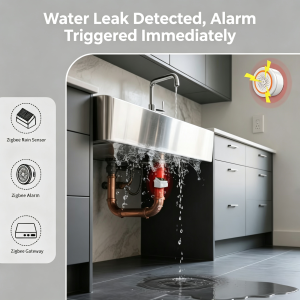
  1. Under the kitchen sink. The most common failure point in the house: supply hoses, a trap, a dishwasher connection. One sensor flat on the cabinet floor.
  2. Behind or beneath the washing machine and dishwasher. Appliance hoses are the classic burst. Put the sensor at the lowest point behind the machine, not beside it.
  3. Under the water heater or boiler. Slow leaks here run unnoticed for months. Include the pressure relief valve’s discharge area.
  4. At the toilet base. A failing wax ring or a loose supply line shows up as water on the floor behind the bowl.
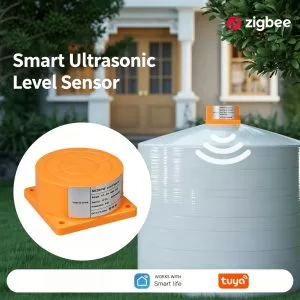
  5. In the basement, cellar or sump pit. The lowest point in the building is where water arrives first — a Zigbee level sensor in a pit or tank reports rising water before it becomes a flood.
  6. In the loft or under the roof. Rain ingress and condensate from heating pipework. Also the place nobody checks.

If you only buy two, make it the kitchen sink and the washing machine. Those two cover the majority of real claims. Do Solar Lights Work in Winter? What Changes When the Days Get Short

Which sensor for which job

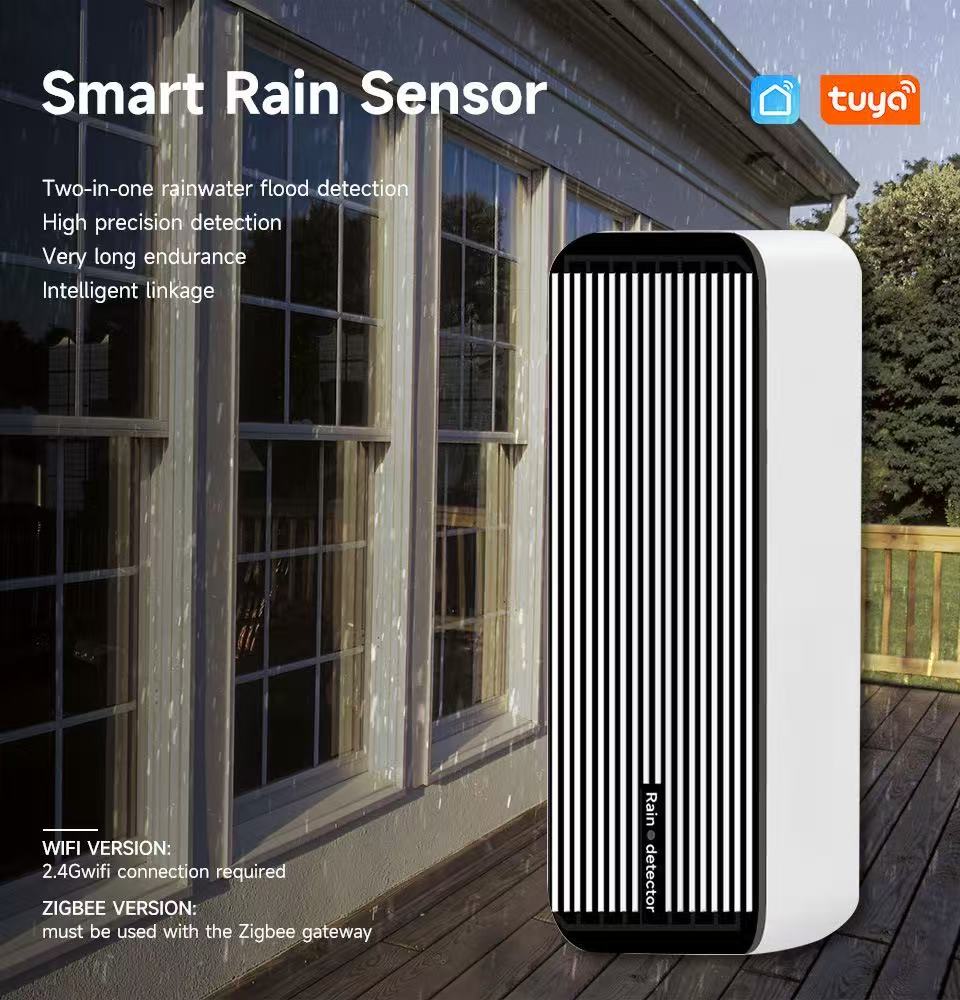
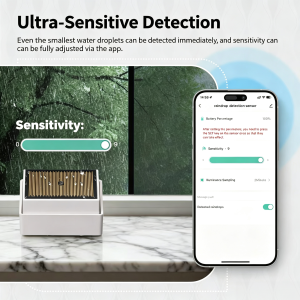
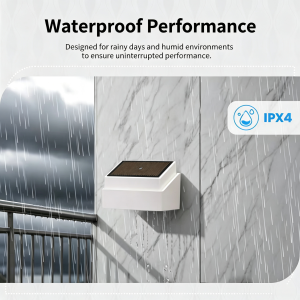
Probe or contact sensors trigger when water bridges two contacts on the floor — the default choice for sinks, appliances and basements. Level sensors measure depth and suit a tank, a pit or a water butt, where “it is rising” matters more than “it is wet”. Rain sensors are the outdoor equivalent: the WiFi/Zigbee rain sensor and the IPX4 rain detection sensor close a skylight, retract an awning or simply tell you it started raining.

Two further types solve adjacent problems. The vibration and tilt sensor reports movement or a change of angle — a gate, a hatch, a washing machine that has started shaking itself across the floor. And for an outdoor position where a cable is impossible, the solar rainwater and leak sensor runs off its own panel.

Winter: the case for installing before December

Frozen pipes are the seasonal argument. A pipe in an unheated room, a loft, a garage or against an external wall can split, and it does not leak while frozen — it leaks when it thaws, which is often when nobody is there. Two precautions go with the sensors: keep the heating at a low setpoint rather than off when the house is empty, and put a sensor under any pipe run that passes through an unheated space. That combination is also why our guide to thermostat plugs for heaters is relevant here — a cheap scheduled heater in an unheated room is cheaper than the repair.

Making the alert useful

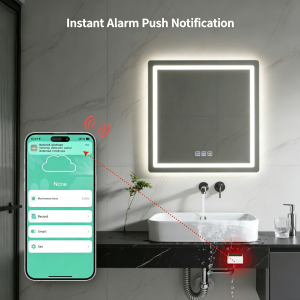
A sensor that beeps in an empty house does nothing. These are Zigbee devices, so they need a gateway to reach you and to run automations locally — see our guide to smart home hubs for why local execution matters when the internet is out. Then set the obvious automation: leak detected, send a push to every adult in the household, not just the one who installed it.

Be realistic about shut-off. A sensor cannot close a valve unless there is a motorised valve on the main; without one, the value of the sensor is speed of notification, which is still most of the value.

Installation details that decide whether it works

  • Place it at the lowest point of the area, flat on the floor — water does not travel uphill to meet a sensor.
  • Keep contacts off bare metal. A sensor resting on a metal tray or a foil-faced board can false-trigger.
  • Do not mount it where it will be soaked by normal use — outside the shower tray, inside the washing machine’s drip line, but not under the sink’s cleaning spray.
  • Test it with a wet cloth twice a year, and note that battery-powered sensors should be checked at the same time.

A plan that takes one afternoon

Install the gateway first and pair everything at a table, not in a cupboard — pairing is far quicker with the devices in front of you. Then walk the house once with a list of every place water enters or leaves: sink, appliances, toilet, boiler, tank, and the lowest floor. Place a sensor at each, name it in the app after its location rather than “sensor 3”, and set one automation that notifies everyone. Finish by wetting a cloth and testing each one; a sensor that has never been tested is an assumption, not a precaution.

Frequently Asked Questions

How many do I need?

Two for the essentials, six for full coverage. Start with the kitchen sink and the washing machine, then add the water heater and the lowest floor.

Do they work without WiFi?

The local alarm sounds. Remote notification needs the gateway and your network; automations stored on the gateway keep running without internet.

WiFi or Zigbee?

Zigbee for battery sensors — the battery lasts far longer and the mesh covers a basement better than a single WiFi radio.

Can one detect a leak inside a wall?

Not until it reaches the floor. For concealed pipes, place sensors at the lowest accessible point below the run, and Watch for a boiler losing pressure.

Related Articles

You Might Also Like

Posted on — Leave a comment

How Many Devices Can One Zigbee Gateway Handle?

Gateway specifications quote device counts in the hundreds. Real homes hit practical limits well before the number on the box, and the limit is rarely the count itself — it is what those devices are doing and how they are spread around the house.

This is the planning question behind any whole-home setup using our Zigbee gateways, from a single-room flat to a three-bedroom house with switches, sensors and IR blasters.

The short answer

Setup Typical device count One gateway enough?
Flat, a few sensors 5-15 Yes, comfortably
House, sensors plus switches 20-40 Yes
Whole-home, every switch plus sensors 40-80 Yes, with mains devices to relay
Large or multi-storey, heavy sensor use 80+ Consider a second hub

What actually limits a gateway

  1. Battery devices are the expensive kind. Each battery sensor is a node that sleeps and reports; dozens of them mean constant message traffic. Mains-powered devices (switches, sockets) cost far less because they are always awake and act as routers.
  2. Reporting frequency matters more than count. Twenty temperature sensors reporting every minute generate more traffic than forty switches that only report when pressed.
  3. Physical spread. A gateway with thirty devices in one flat is fine; the same thirty spread over three floors with solid floors between them will struggle at the edges.
  4. WiFi congestion. Zigbee and WiFi share the 2.4 GHz band. A crowded Wireless neighbourhood makes everything worse.

Mesh: the thing that makes it work

Zigbee is a mesh network, not a star. Battery sensors do not talk to the gateway directly — they talk to the nearest mains-powered device, which relays the message. This is the single most useful fact for planning: adding mains-powered switches improves the coverage for all your battery sensors. Mini Smart Breakers: Putting a Whole Circuit on a Schedule Tuya Curtain Motor OEM: Complete Sourcing Guide 2026

A house with twenty battery sensors and no mains Zigbee devices will behave worse at the far corners than a house with the same sensors plus four wired switches spread through it.

When to add a second gateway

  • The far end of the house keeps dropping devices despite sensible placement.
  • You have a detached garage, workshop or garden room that needs its own coverage.
  • You have passed roughly 80 devices, or a high proportion of frequently-reporting battery sensors.
  • You want a hard separation — for example, one hub for the house and one for a rented annex.

Note that devices pair to one hub at a time, so a second hub means managing two groups in the app rather than one seamless network.

Planning tips

  • Pair the farthest devices first, while the gateway is near them, then move the hub to its final position. Devices remember the route.
  • Spread mains devices evenly rather than clustering them near the hub.
  • Avoid pairing everything at once — do it in small groups so you notice a device that fails to join.
  • Keep a list of which device is which; thirty unnamed sensors in an app is unmanageable.

If you are still choosing the hub itself, wired vs wireless gateways covers that decision.

FAQ

Does a second gateway double my device limit?
Effectively yes, but devices do not roam between hubs. You assign each device to one.
Do Zigbee switches count toward the limit?
Yes, but they are the cheapest kind — they are mains-powered and act as routers for other devices.
Why does one sensor keep dropping off?
Usually range or a weak mesh route. Add a mains-powered device nearer to it, or move the gateway more central.
Can a gateway handle switches and sensors together?
Yes — that mix is normal and usually more reliable than sensors alone, because the switches relay.
Do Bluetooth devices use the same capacity?
On multi-mode hubs such as the MHUB-FL-U, Bluetooth devices are handled separately from the Zigbee mesh.
Will adding devices slow the app down?
App responsiveness depends on your network and the cloud service, not the Zigbee mesh. Local automations stay fast.

Related Articles

You Might Also Like
Frequently Asked Questions

Is Many Devices One worth buying?

Based on the breakdown in this article, Many Devices One offers a solid mix of features and value. If your main goal matches the key benefits described above, it is a practical choice for everyday use.

How do I choose the right many devices one for my needs?

Start with your core use case, then compare battery life, compatibility, and build quality as covered above. Choosing the right many devices one comes down to matching specs with how you actually use it.

Does many devices one require a companion app?

Most devices of this type pair with a free companion app for setup and firmware updates. A few advanced features may sit behind a paid plan, so check the official specs page before buying.

Posted on — Leave a comment

How to Build a Home Automation System with Tuya

A home automation system sounds like a project. In practice it is a habit: you start with one switch that obeys your phone, and six months later the hallway light turns itself on at sunset, the thermostat knows when you left, and a water leak under the sink messages you before it becomes a repair bill. This guide shows the shortest path to that end state — which ecosystem to pick, what order to buy in, and how to wire the automations together so the house genuinely runs itself.

Step 1: pick one ecosystem and stay in it

The single biggest beginner mistake is mixing three apps: one brand for bulbs, another for sockets, a third for the camera. Every added app doubles the friction of every future automation. The fix is choosing one ecosystem up front.

For most homes the practical answer is Tuya (or its consumer face, the Smart Life app). It is the platform behind an enormous range of devices — switches, sockets, sensors, cameras, curtain motors, thermostats — from many manufacturers, so you are never locked to one brand’s prices. It talks to Google Home and Alexa for voice control, supports Zigbee through a gateway, and a single account holds your entire home. XingLiao’s Smart devices are built on it, which is why everything below plays together out of the box.

Step 2: start with lighting

Lighting delivers automation’s most visible daily payoff, so it earns its budget first. A WiFi touch switch replaces the wall switch you already have — same box, same wires — and suddenly that room is on your phone, on schedules, and on voice commands. Because nothing is plugged in and nothing runs on batteries, it is also the most maintenance-free Smart device you will ever own. M3 Pro Foldable 3-Axis Gimbal Stabilizer, Professional Handheld Gimbal for Smartphones

  • Sunset schedules: porch and hallway lights follow the sun automatically.
  • Countdown timers: bathroom fans that switch themselves off.
  • Vacation mode: lights that mimic an occupied house.

Step 3: add the senses — sensors

Switches are the muscles; sensors are what make the system Smart. The four that earn their cost fastest:

  • Door/window sensor: the front door messages you when it opens at 3 p.m. — or at 3 a.m.
  • PIR motion sensor: movement triggers lights, cameras, or both. Stair lights that only exist when someone is on the stairs never get old.
  • Temperature/humidity sensor: the quiet hero — it can trigger the thermostat, a dehumidifier socket, or just tell you why the bedroom feels stuffy.
  • Water leak sensor: under the sink and behind the washing machine, it is the cheapest insurance in the house.

Step 4: add eyes — cameras and doorbell

Once lights and sensors are in the app, a camera stops being a gadget and becomes part of the system: the Doorbell detects a person, the hall light comes on, the camera clips the event. Indoor PTZ cameras watch rooms and pets; a solar outdoor camera covers the driveway without ever needing a ladder for charging.

Step 5: the gateway, and when you actually need it

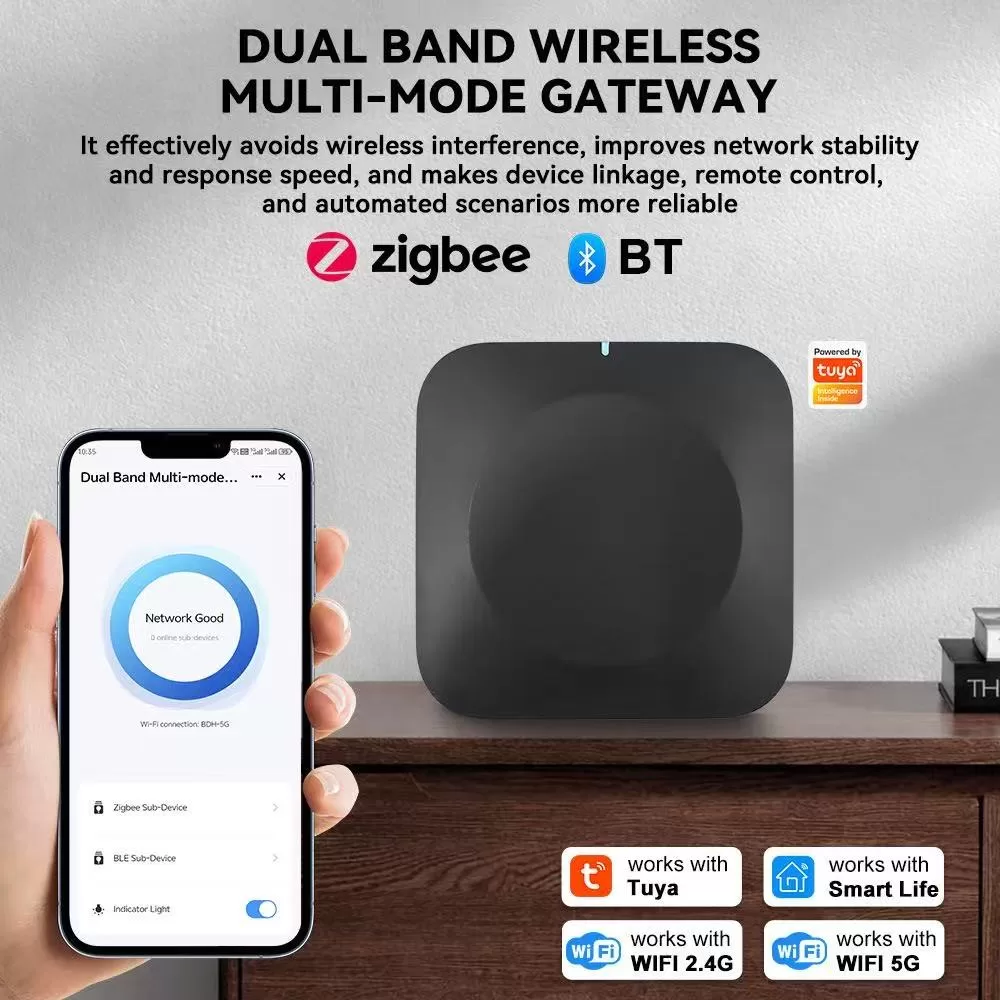
WiFi devices talk straight to your router. But battery-powered sensors usually speak Zigbee, which needs a small smart home gateway plugged in somewhere central. The gateway has two jobs: it collects your Zigbee sensors, and it bridges them to WiFi and the app.

The rule of thumb: first few WiFi devices, no gateway needed. The moment you add battery sensors — door, PIR, temperature — add one gateway. It is a one-time purchase that unlocks the whole sensor aisle, and Zigbee’s mesh also means devices relay for each other, which is more stable than a dozen WiFi devices competing for one router.

Step 6: sockets fill the gaps

Some things will never be smart internally: the humidifier, the fish tank light, the old floor lamp. A WiFi smart socket retrofits intelligence at the wall — and models with energy monitoring tell you which appliance is quietly costing you money, which is often how the socket pays for itself.

Step 7: wire it together with scenes and automations

This is where a collection of devices becomes a home automation system. In the Tuya app, a tap-to-run scene sets many devices with one press, and an automation fires devices when conditions are met. Three proven starters:

  • “Goodnight”: one tap — every light off, doors armed, camera alerts on.
  • “Home in the evening”: door sensor opens after sunset → hall and kitchen lights on for ten minutes.
  • Leak response: water sensor triggers → socket cuts the washing machine and a notification goes out.

Add Google Home or Alexa, and the same scenes answer to voice. At this point you stop operating your home and start supervising it.

XingLiao devices for building your system

Frequently Asked Questions

How much does a home automation system cost to start?

A genuine start — one touch switch, one door sensor, one gateway — costs about as much as a decent pair of shoes. From there the system grows one device at a time, and each piece works standalone from day one.

Do I need to replace all my switches at once?

No. Start with the room you use most. Every device is independent, so the system grows at whatever pace your budget allows without ever being “half-finished”.

Do smart homes need a hub or gateway?

WiFi devices need none — they connect to your router. Battery sensors using Zigbee need one gateway. Many homes run happily for a year on WiFi alone, then add a gateway with their first door sensor.

Does everything stop working if the internet goes down?

Wall switches and sockets keep working locally by touch. Schedules and remote access pause until the router recovers. Zigbee devices linked through a gateway can keep running local automations even offline.

Is a home automation system hard to install?

The hardest step is replacing one wall switch, which is a screwdriver job with the breaker off. Everything else — plugs, sensors, cameras — is peel, stick, scan a QR code.

Can I control it all by voice?

Yes. Link the Tuya skill in Google Home or Alexa once, and every device answers voice commands through the ecosystem you already use.

What should I automate first?

The porch or hallway light on a sunset schedule. It saves real effort every single day, it is visible proof the system works, and it starts training everyone in the house to trust it.

Related guides

Browse switches and control panels · Tell us your rooms and we will plan the device list with you

You Might Also Like
Posted on — Leave a comment

Where to Place Water Leak Sensors in a House

Put water leak sensors in four places first: under every sink, behind and under the washing machine or dishwasher, next to the boiler or water heater, and under the bath or shower tray if there is an Access panel. Those four locations catch the overwhelming majority of household water damage, and two sensors cost less than a single insurance excess.

Sensor placement matters more than sensor count. A sensor in the middle of the floor detects a leak long after the cabinet it came from has rotted.

The priority list, room by room

Kitchen

  • Under the sink, at the lowest point of the cabinet, pushed back against the wall so it sits where supply pipes and the waste trap are.
  • Behind the dishwasher, on the floor at the back of the plinth — the inlet hose and its connection are the usual failure point.
  • Behind the fridge if it has a water feed for ice or a dispenser.

Utility room

  • Under and behind the washing machine: place the sensor under the machine, not in front of it, so it catches a leaking pump or inlet valve.
  • Next to the boiler, and under any pressurised cylinder or expansion vessel.
  • By the stopcock, so you also learn where the shut-off is before you need it.

Bathroom

  • Under the basin, against the back wall.
  • Under the bath or shower tray if you can reach the void from a panel — otherwise at the lowest visible edge.
  • Behind the toilet, at floor level, where the flexible connector and the cistern supply meet.

Loft, garage and basement

  • Under a loft water tank and beside any pipework that runs through an unheated space (freeze then burst is a winter classic).
  • Next to a water softener, which is a surprisingly common leak source.
  • At the lowest point of a basement or cellar floor.

How to place the sensor itself

  1. Flat on the floor, probes or contacts touching the surface. A sensor propped on a pipe will not see a puddle until it spreads.
  2. At the lowest point of the cabinet or tray, and away from the drain hole where water can escape before detection.
  3. Tilted or in a corner so water runs toward the contacts, not past them.
  4. Protected from splashes and cleaning — a mop, a shower spray or a cleaning spray can false-trigger a bare probe sensor.
  5. Away from metalwork that pools condensation (cold pipes, cisterns), which causes repeat false alarms.

Rope and probe sensors: which goes where

  • Spot / probe sensors are cheap, small and ideal inside cabinets and under appliances. Buy them in packs of four or six.
  • Rope or cable sensors detect water along their whole length — use them along a run of pipes, around a cylinder base, or across a basement floor.
  • Motorised valve shut-off is the upgrade that turns detection into prevention: a valve on the main supply closes automatically when any sensor trips. If you travel often, this is worth more than another six sensors.

What to automate

  • Siren and push alert: do not rely on a phone notification alone. A 90 dB local alarm means someone reacts even if the phone is on silent.
  • Close the valve if you have one, then send the notification.
  • Flash the lights or send to a hub display for a household with hearing-impaired occupants.
  • Test quarterly: put a wet cloth across the contacts and confirm the alert arrives. Batteries fail quietly.
Frequently Asked Questions

How many water leak sensors does a house need?

Start with four: under the kitchen sink, behind the washing machine or dishwasher, next to the boiler, and under the bathroom basin. Add one per additional wet room or appliance with a water feed.

Where exactly should a leak sensor go under a sink?

Flat on the cabinet floor at the lowest point, pushed to the back wall where the supply pipes and waste trap are — not in front of the cabinet and not propped on a pipe. How to Install a Video Doorbell Without Existing Wiring

Do leak sensors work without WiFi?

Detection and the local alarm work Without internet. Remote notifications and automations that run in the cloud do not, so pair sensors with a hub that supports local automations and a mains-powered siren. White Label Smart Home Devices for Brand Owners

Will condensation set off a water leak sensor?

It can, if the contacts sit under a cold pipe or cistern that drips. Move the sensor a few centimetres away, or shield it so it only sees water that reaches the floor.

How long do the batteries last?

Typically one to two years for a coin-cell sensor in normal use. Set a low-battery automation and check the app once or twice a year; a dead sensor is worse than no sensor because it looks installed.

Should I get a sensor that shuts off the water?

If you are away often, yes. A motorised valve on the main supply turns any leak into a contained one, and it is the only measure that works when nobody is Home to hear the alarm.

Related guides

Browse leak, rain and smoke sensors · Ask us for a sensor layout for your home

Related Articles

You Might Also Like
Posted on — Leave a comment

Smart Sensors Buying Guide: How to Make Your Home Feel Its Environment

What Are Smart Sensors?

However, Smart sensors are the unsung heroes of a Smart Home. While smart bulbs and speakers get the attention, sensors quietly gather data about your environment and trigger automations that make your home responsive. Think of sensors as the nervous system of your smart home ??they detect what is happening and tell your other devices how to respond.

Types of Smart Sensors

1. Motion Sensors (PIR)

Therefore, Passive infrared (PIR) sensors detect body heat and movement. They are the workhorse of any smart home. Smart Home Automation Scenes: 6 Practical Setups That Make Your Home Think

Best Uses

  • Turn lights on when someone enters a room
  • Trigger security alerts when armed
  • Turn off lights when a room is empty for 5 minutes
  • Activate cameras only when motion is detected

What to Look For

  • Adjustable sensitivity (to ignore pets)
  • Battery life of 1-2 years
  • Detection range of 5-7 meters
  • Field of view of 90-120 degrees

2. Door and Window Contact Sensors

Moreover, These two-piece sensors detect when something opens or closes. One part attaches to the frame, the other to the moving part.

Best Uses

  • Security alerts when doors/windows open while armed
  • Trigger lights when a door opens after sunset
  • Send notifications when the garage door is left open
  • Know if a window was left open before turning on the AC

What to Look For

  • Adhesive mounting (no screws needed)
  • Gap tolerance of 2-3cm (for varied alignments)
  • Low battery alerts in app
  • Quick response time (under 1 second)

3. Temperature and Humidity Sensors

In addition, These sensors monitor the climate in each room, enabling intelligent heating, cooling, and humidification control.

Best Uses

  • Turn on a smart humidifier when humidity drops below 40%
  • Adjust thermostat based on room-specific temperatures
  • Alert if a room gets too hot (fire risk) or too cold (pipe freezing)
  • Optimize plant care based on ambient conditions

What to Look For

  • Accuracy of ?0.5?C and ?2% humidity
  • Refresh rate every 30-60 seconds
  • Historical data charts in the app
  • Battery or USB powered

4. Water Leak Sensors

For example, Place these under sinks, near washing machines, water heaters, and toilets. They detect water on the floor and alert you before damage becomes catastrophic.

Best Uses

  • Instant phone alert when water is detected
  • Trigger a smart water shutoff valve automatically
  • Monitor sump pump areas for flooding
  • Detect slow leaks under appliances

What to Look For

  • Loud built-in alarm (85+ dB) in addition to phone alert
  • Probe cable for hard-to-reach areas
  • Battery life of 2+ years
  • Waterproof construction

5. Light Sensors (Lux Sensors)

Consequently, These measure ambient light levels, enabling truly intelligent lighting automation that responds to natural light rather than fixed schedules. Smart Home Energy Saving Trends: How Overseas Consumers Cut Bills with Automation

Best Uses

  • Turn on lights only when a room is dark enough to need them
  • Adjust curtain motors based on sunlight
  • Dim lights proportionally to natural light
  • Trigger outdoor lights based on actual darkness, not sunset time

6. Air Quality Sensors

Monitor CO2, VOCs (volatile organic compounds), PM2.5, and other pollutants. Especially valuable for homes in urban areas or with allergy sufferers.

Best Uses

  • Trigger air purifier when PM2.5 exceeds 35 ?g/m?
  • Open windows (via smart actuator) when CO2 exceeds 1000 ppm
  • Alert when VOC levels spike (new furniture, paint, cleaning products)
  • Track air quality trends over time

How to Plan Your Sensor Network

Prioritize by Room

  • Entryways: Contact sensors on doors, motion sensors in foyers
  • Living room: Motion sensor, temperature sensor, light sensor
  • Kitchen: Water leak sensor under sink, smoke/heat sensor, motion sensor
  • Bathrooms: Motion sensor (for nighttime lights), water leak sensor
  • Bedrooms: Temperature sensor, door contact sensor
  • Basement/Laundry: Water leak sensor, temperature sensor (freeze protection)

Building Automation Rules

Sensors are only as smart as the rules you create. Here are powerful combinations:

  • Empty room: Motion sensor detects no movement for 10 min ??turn off lights, lower thermostat
  • Night security: After 11 PM, if any contact sensor opens ??flash lights, send alert, start camera recording
  • Leak protection: Water sensor triggers ??shut off main water valve, send urgent alert
  • Comfort: Temperature sensor reads above 26?C ??turn on AC, close curtains
  • Energy saving: Light sensor reads above 500 lux ??turn off indoor lights

Conclusion

Sensors transform your smart home from a remote control into a genuinely intelligent system. Start with motion sensors and contact sensors ??they provide the most immediate value. Add temperature, water, and light sensors as you expand. The more sensors you add, the more your home understands what is happening and the better it can respond automatically. That is the true promise of a smart home.

Related Articles

You Might Also Like
Frequently Asked Questions

Is Smart Sensors Make worth buying?

Based on the breakdown in this article, Smart Sensors Make offers a solid mix of features and value. If your main goal matches the key benefits described above, it is a practical choice for everyday use.

How do I choose the right smart sensors make for my needs?

Start with your core use case, then compare battery life, compatibility, and build quality as covered above. Choosing the right smart sensors make comes down to matching specs with how you actually use it.

Does smart sensors make require a companion app?

Most devices of this type pair with a free companion app for setup and firmware updates. A few advanced features may sit behind a paid plan, so check the official specs page before buying.

Posted on — Leave a comment

Home Security Sensors Wholesale: B2B Guide to Sourcing and Selling Security Sensor Systems

Wired vs Wireless Zigbee 3.0 Gateway

Home Security Sensors Wholesale: B2B Guide to Sourcing and Selling Security Sensor Systems

However, Home security sensors are the foundation of every modern security system. While Cameras and alarm panels get the attention, it is the sensors — door contacts, motion detectors, glass break sensors — that actually detect intrusions and trigger alarms. Therefore, The global home security sensor market is growing rapidly, driven by rising crime rates, increasing Smart home adoption, and the growth of DIY security systems. Therefore, For B2B wholesalers and distributors, this category offers high volume, strong margins. For example, And recurring revenue through system expansion.

Market Overview and Growth Trends

Therefore, The home security sensor market is evolving rapidly. Understanding these trends helps position your wholesale business for success.

DIY Security Boom

Moreover, The shift from professionally installed, monitored systems to DIY self-monitored systems has dramatically expanded the market. Companies like Ring and SimpliSafe have brought home security to the masses —. In addition, And Tuya-powered Smart sensors offer the same capabilities at significantly lower cost. For example, For wholesalers, the DIY market means more customers buying smaller quantities more frequently, creating a high-volume, dynamic market.

Smart Home Integration

In addition, Modern security sensors do more than trigger alarms — they integrate with the entire smart home. A door sensor can turn on lights, adjust thermostats, and start camera recording. Moreover, A motion sensor can activate scenes and send notifications. In addition, This integration adds value beyond pure security, making home security sensors appealing to a broader audience. Tuya-platform sensors excel here because they work with thousands of smart devices through a single app. Smart Lighting Complete Guide: From Color Temperature to Automation Scenes

Essential Home Security Sensor Types

For example, A complete security system requires multiple sensor types. Furthermore, Understanding each type helps you build the right product mix.

Door and Window Contact Sensors

Consequently, Contact sensors are the most basic and essential security sensor. Moreover, They consist of a sensor and magnet that trigger when separated. As a result, Every security system needs multiple contact sensors — typically one per exterior door and window. Contact sensors are the highest-volume sensor type and should form the foundation of your product lineup. Importantly, Furthermore, Tuya contact sensors are available in Zigbee, WiFi and Bluetooth versions. Smart Home Starter Guide 2026: How to Build Your First Connected Home

Motion Sensors

PIR (Passive Infrared) motion sensors detect body heat and movement, providing interior security coverage. Notably, Pet-immune motion sensors distinguish between humans and pets up to 25-40kg, reducing false alarms. Motion sensors are typically placed in hallways, living rooms, and high-traffic areas. However, As a result, Premium motion sensors with adjustable sensitivity and pet immunity command higher prices and margins.

Glass Break Detectors and More

Glass break sensors listen for the specific frequency of breaking glass, providing perimeter protection for windows without contact sensors on every pane. Additional sensor types include: vibration sensors (detect forced entry), smart sirens and strobes (audible deterrent), panic buttons (emergency alerts). Therefore, And garage door tilt sensors. Each additional type increases system value and average order size.

System Components Beyond Sensors

Security sensors are part of a larger system. Importantly, Offering the complete system increases revenue per customer.

Gateway / Hub

Zigbee and Bluetooth sensors require a gateway (hub) to connect to the internet. For example, And app. The Tuya Zigbee gateway is the central brain of the system, connecting all sensors, handling automation rules, and sending notifications. In addition, Gateways are essential for multi-sensor systems and represent an important add-on sale. Notably, Some gateways include built-in sirens, backup batteries, or cellular connectivity.

Smart Sirens and Keypads

A loud siren (100+ dB) is the primary deterrent of any security system. Smart sirens connect to the system and activate when sensors trigger. Moreover, Keypads provide physical arming/disarming at entry points, preferred by many users over app-only control. However, Including keypad and siren options makes it easier to serve both DIY and professional installer markets.

Bulk Sourcing and Supplier Selection

Choosing the right suppliers is critical — security sensors must be reliable. Furthermore, And quality issues can have serious consequences.

Evaluating Sensor Quality

Key quality indicators include: detection accuracy (not too sensitive, not too insensitive), false alarm rate, battery life (Zigbee sensors should last 1-2 years), build quality and durability, signal range, and tamper detection. Always test samples thoroughly in real-world conditions before placing bulk orders. As a result, Tuya-certified factories have passed platform quality requirements, reducing your due diligence burden.

Pricing and MOQ Considerations

Home security sensor pricing scales significantly with volume. Therefore, Basic contact sensors: $3-5 at 500 units, $2-3.50 at 2,000 units, $1.50-2.50 at 10,000+ units. Motion sensors: $5-8 at 500 units, $4-6 at 2,000 units. Importantly, Starter kits (gateway + 4 contacts + 2 motion + siren): $40-60 at MOQ, $30-45 at volume. For example, MOQs for standard Tuya sensors are typically 500 units, with OEM MOQs starting at 1,000 units.

Why Tuya Sensors Are the Smart Choice

Tuya-platform sensors offer: proven reliability with hundreds of millions of deployed devices, consistent app experience across all sensor types, regular firmware updates, voice assistant integration (Alexa, Google), ecosystem compatibility with thousands of devices, and extensive OEM/private label support. Notably, For wholesalers building a security sensor product line, Tuya reduces risk, simplifies sourcing, and provides a platform for future growth.

Packaging and Kit Strategy

How you package security sensors dramatically impacts sales volume and customer value.

Multi-Packs and Value Bundles

Selling sensors in multi-packs (4-pack, 8-pack door sensors; 2-pack motion sensors) increases average order value. However, And provides better per-unit pricing for customers. Multi-packs are particularly popular with DIY homeowners who know they need multiple sensors. In addition, The bundle discount you offer is more than offset by the increased order size. Therefore, And reduced per-unit shipping costs.

Complete System Kits

Starter kits with everything needed for a basic security system are the highest-value product offering. A typical kit includes: 1 gateway/hub, 4 door/window sensors, 2 motion sensors and 1 smart siren. For example, Kits simplify the buying decision for new customers and ensure they have all necessary components. Moreover, For B2B wholesalers, kits have higher total revenue per sale and better margins than individual components sold separately.

Target Markets and Sales Channels

Home security sensors sell through diverse channels, each with different requirements.

DIY Consumer Market

DIY homeowners buy sensors through online marketplaces, consumer electronics stores. In addition, And home improvement retailers. This segment prioritizes easy installation, app quality, and competitive pricing. Tuya’s consumer-friendly app and broad ecosystem compatibility make it ideal for this market. Moreover, Furthermore, Supplying DIY channels requires attractive retail packaging and clear marketing.

Professional Installers and Multi-Family

Security installers buy in bulk for project-based work and prioritize reliability, consistency, and technical support. Furthermore, Apartment complexes and property management companies represent a large but underserved market. These customers need multi-unit management capabilities, bulk pricing, and reliable support. As a result, As a result, Winning a single multi-family contract can mean thousands of sensor units.

Conclusion

Home security sensors are a high-volume, high-growth product category that should be core to any smart home or security wholesale business. By understanding the different sensor types, building a complete system offering, sourcing quality Tuya-based products from reliable suppliers, and packaging products for your target markets, you can build a profitable and scalable security sensor business. Importantly, The key is combining competitive pricing with consistent quality, comprehensive selection, and strong customer support.

Related Articles

You Might Also Like
Frequently Asked Questions

Is Security Sensors Wholesale B2b worth buying?

Based on the breakdown in this article, Security Sensors Wholesale B2b offers a solid mix of features and value. If your main goal matches the key benefits described above, it is a practical choice for everyday use.

How do I choose the right security sensors wholesale b2b for my needs?

Start with your core use case, then compare battery life, compatibility, and build quality as covered above. Choosing the right security sensors wholesale b2b comes down to matching specs with how you actually use it.

Does security sensors wholesale b2b require a companion app?

Most devices of this type pair with a free companion app for setup and firmware updates. A few advanced features may sit behind a paid plan, so check the official specs page before buying.

Posted on — Leave a comment

Smart Sensors Wholesale Guide: Building a Complete B2B Home Security Product Line

Solar Motion Sensor Wall Light Outdoor LED Street Lamp Waterpr... - view 2

Smart Sensors Wholesale Guide: Building a Complete B2B Home Security Product Line

However, Smart sensors are the unsung heroes of the Smart home and security industry. While cameras and doorbells get the spotlight, sensors form the invisible backbone of every connected home — detecting motion, monitoring doors and windows, measuring temperature, and alerting homeowners to leaks, fires. Therefore, And gas leaks. For B2B wholesalers, distributors, and security system integrators, smart sensors represent a high-volume, repeat-purchase product category that ties entire ecosystems together. Therefore, The global smart sensor market is projected to exceed $80 billion by 2027.

The Critical Role of Smart Sensors in Home Security

Therefore, Smart sensors are the foundation of any comprehensive home security. For example, And automation system.

Perimeter and Interior Protection

Moreover, Door and window contact sensors create a virtual perimeter around the home, alerting users whenever a door or window is opened. Motion sensors provide interior protection, detecting movement in empty rooms. Together with smart sirens and alarm hubs, these smart sensors create a complete security system. In addition, For example, Every home needs multiple sensors, creating high per-customer revenue and strong bulk sales potential.

Environmental Safety Monitoring

In addition, Beyond security, smart sensors protect homes from environmental hazards. Water leak sensors detect plumbing leaks before they cause costly damage. Moreover, Smoke and CO sensors provide 24/7 safety monitoring with instant app alerts. In addition, Temperature and humidity sensors help protect homes, pets, and valuable possessions. Furthermore, Environmental sensors appeal to a broader audience, expanding your addressable market beyond pure security buyers. Smart Lighting Complete Guide: From Color Temperature to Automation Scenes

Types of Smart Sensors to Stock

For example, The smart sensor category is remarkably diverse. Successful wholesalers curate a product mix that serves security, safety, and automation needs. Tuya 4MP 2K HD Indoor Smart Camera: Color Night Vision for Family and Pet Monitoring

Security Sensors

Consequently, Door/window contact sensors are the highest-volume type — small, affordable. As a result, And essential for every security system. Moreover, PIR motion sensors detect human movement with adjustable sensitivity to reduce pet false alarms. Glass break sensors and vibration sensors add layers of perimeter protection. Importantly, Each type serves a specific security purpose, and customers typically need multiple units, driving bulk home security sensors sales. Tuya 2MP/4MP Indoor PTZ Smart Camera: 360 Panoramic Home Monitoring Made Simple

Environmental Sensors

Water leak sensors are fast-growing, high-margin sensors that detect water at floor level — ideal for basements and under sinks. Furthermore, Smoke detectors and CO sensors are essential safety devices with regulatory requirements in many regions. Notably, Temperature and humidity sensors serve both comfort and safety applications. Air quality sensors (PM2.5, VOC) are an emerging premium segment with strong growth potential.

Specialized Sensors

Smart presence sensors using mmWave radar technology represent the next generation of occupancy detection with high accuracy. As a result, Smart button sensors (scene switches) let users trigger custom automations with a tap. However, These specialized sensors serve niche markets with higher margins and less competition than standard security sensors.

Connectivity Options: WiFi vs. Zigbee vs. Therefore, Importantly, Bluetooth

Smart sensors use different wireless protocols, each with advantages for different applications.

WiFi Sensors

WiFi sensors connect directly to home WiFi without requiring a hub, making them popular with DIY consumers. However, WiFi sensors consume more power and typically require wall power or frequent battery changes. WiFi tuya sensor products are best for applications where power is available. For example, And only a few sensors are needed.

Zigbee Sensors

Zigbee is the most popular protocol for battery-powered smart sensors due to extremely low power consumption — batteries last 1-3 years. Notably, Zigbee sensors require a hub/gateway to connect to the internet. Tuya Zigbee sensors work with the Tuya gateway and Smart Life ecosystem. In addition, For complete security systems with many sensors, Zigbee is the preferred choice for its mesh networking and battery efficiency.

Why Tuya Smart Sensors Lead the Market

Tuya-platform sensors offer unique advantages that make them the top choice for B2B wholesale buyers.

Ecosystem Compatibility

A tuya sensor works seamlessly with thousands of other Tuya smart devices through the Smart Life app. However, Customers can build complete security and automation systems using products from different manufacturers — all controlled through one app. Moreover, For wholesalers, this compatibility means you can source sensors from multiple suppliers. Meanwhile, ensuring they all work together.

Reliable Cloud and App Platform

Tuya’s global cloud infrastructure ensures reliable sensor connectivity, instant push notifications and 90-day event history storage. Furthermore, The Smart Life app provides a polished user experience with sensor grouping, scene automation, and detailed event logs. Therefore, Unlike budget brands with buggy apps and unreliable servers, Tuya’s platform is proven with hundreds of millions of users.

Bulk Sourcing and Wholesale Strategies

Smart sensors have unique wholesale dynamics that reward strategic sourcing.

Pricing and Volume Dynamics

Basic door contact sensors wholesale for $3-6 each at 500-unit MOQ, dropping to $2-4 at 5,000+ volume. As a result, Motion sensors range from $5-10 at MOQ to $3-7 at volume. While individual unit margins are modest, customers typically buy 5-20 sensors per system, making total per-customer revenue substantial. For example, Bundle pricing and multi-packs further increase order size. Importantly, And value.

Multi-Pack and Kit Strategy

Selling sensors in multi-packs (4-packs, 8-packs) and starter kits dramatically increases average order value. A “Home Security Starter Kit” with a hub + 4 door sensors + 2 motion sensors + 1 siren is an easy sell with higher margins than individual components. Notably, For B2B retail clients, pre-packaged kits with attractive packaging sell through faster and reduce shelf space requirements.

OEM and Private Label

Private label smart sensors are an excellent way to build brand loyalty and prevent direct price comparison. However, In addition, With Tuya-based manufacturers, OEM MOQs are surprisingly accessible — typically 500-1,000 units per SKU for basic branding. Building a complete private label sensor ecosystem positions you as a brand rather than just a distributor, increasing long-term value.

Target Markets and Distribution Channels

Smart sensors sell through diverse channels — understanding these helps you focus your sales strategy.

Security Installers and Integrators

Professional security installers are high-volume buyers of smart sensors. They purchase in bulk for project installations and prioritize reliability, consistency. Therefore, And bulk pricing. Moreover, Tuya’s professional-grade sensors and gateway products, combined with competitive bulk pricing, make it easy to serve this market with recurring, predictable orders.

Smart Home Retailers and E-commerce

Consumer electronics stores, home improvement retailers, and online marketplaces are major channels. For example, DIY homeowners buy sensors to expand their existing smart home systems. For retail, attractive packaging, clear setup instructions, and ecosystem compatibility are critical. In addition, Furthermore, Tuya’s consumer-friendly app and broad compatibility make retail sales straightforward.

Conclusion

Smart sensors are the foundation of the smart home and security industry, offering B2B wholesalers high volume, repeat purchases, and extensive cross-selling opportunities. The Tuya ecosystem, with its diverse sensor portfolio, reliable platform. Moreover, And OEM capabilities, provides everything you need to build a successful sensor product line. Whether you focus on security sensors, environmental sensors, or a complete ecosystem approach, the key is offering quality products at competitive prices, packaged for your target markets.

Related Articles

You Might Also Like
Frequently Asked Questions

Is Sensors Wholesale Building B2b worth buying?

Based on the breakdown in this article, Sensors Wholesale Building B2b offers a solid mix of features and value. If your main goal matches the key benefits described above, it is a practical choice for everyday use.

How do I choose the right sensors wholesale building b2b for my needs?

Start with your core use case, then compare battery life, compatibility, and build quality as covered above. Choosing the right sensors wholesale building b2b comes down to matching specs with how you actually use it.

Does sensors wholesale building b2b require a companion app?

Most devices of this type pair with a free companion app for setup and firmware updates. A few advanced features may sit behind a paid plan, so check the official specs page before buying.

Posted on — Leave a comment

Smart Home Sensors Explained: Window Camera and Rain Sensor for a Home That Reacts

Smart window camera mounted on a glass window facing outside

However, Cameras and Smart plugs get the attention, but the devices that make a house feel genuinely intelligent are usually the quiet ones. Two good examples: a window camera that watches the outside from behind the glass, and a rain Sensor that closes the skylight before anyone notices the weather changed. Neither needs a drill, and together they turn a connected house into one that reacts.

Smart window camera mounted on a glass window facing outside
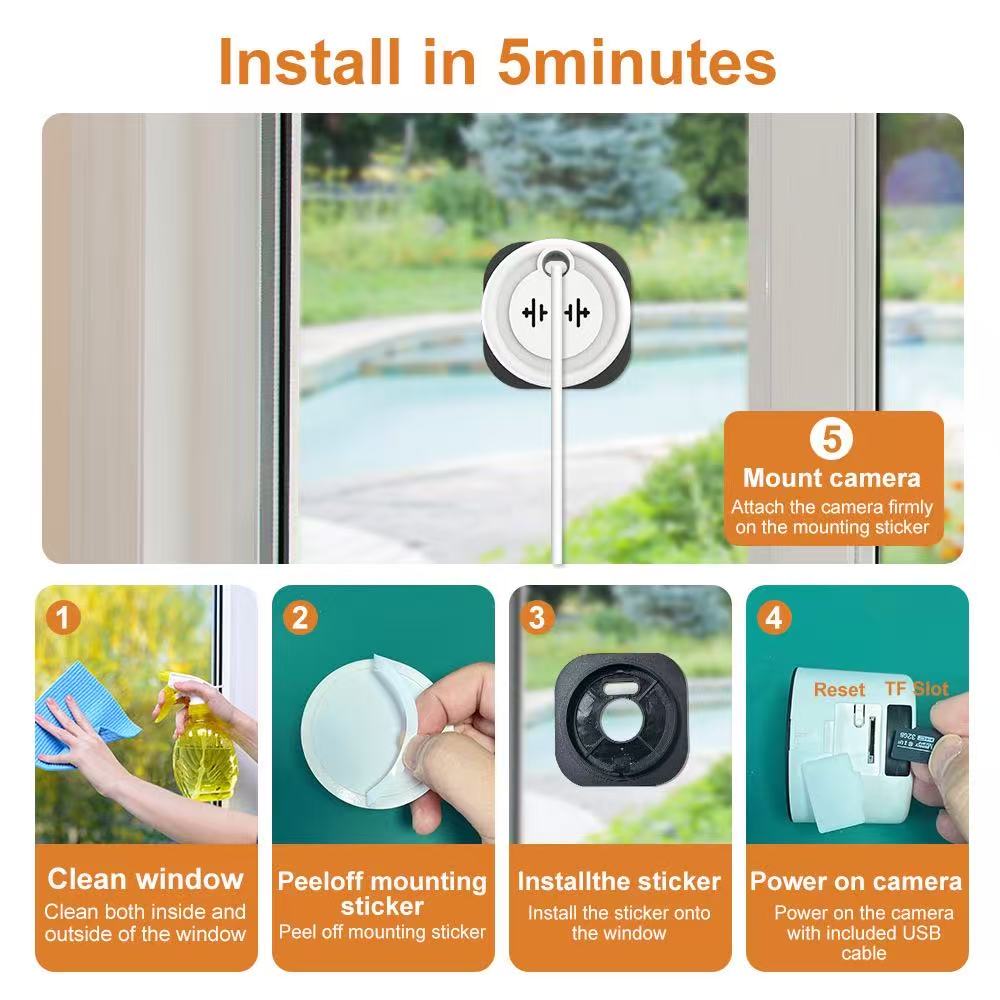
Mounted behind glass, a window camera keeps a clear view without any exterior wiring.

Window Camera: Eyes Where You Would Not Put a Drill Hole

Therefore, An outdoor camera normally means a ladder, a masonry bit and a weatherproofing job. Therefore, A window camera skips all of it. It mounts to the inside of a window with an adhesive or suction bracket and looks straight through the glass at the street, the driveway or the garden.

  • No exterior installation — renters can install it, and nobody needs scaffolding.
  • Indoor power and Wi-Fi — the outlet is already there, and signal strength is far better than outside a wall.
  • Two-way audio and siren — speak through the unit or trigger an alarm from the app.
  • Night vision tuned for glass — infrared illumination is managed to reduce the reflection that usually ruins through-glass footage.
  • Motion zones — limit alerts to the driveway instead of every car on the street.

Moreover, The one trade-off is glass: reflections from interior lighting can wash out the image at night, so the best results come from a window that Faces a dark exterior and has a blind or curtain behind the camera.

Window security camera with suction mount and wide view
Suction or adhesive mounting means no holes, no ladder and no landlord conversation.

Rain Sensor: The Automation Nobody Thinks About Until It Works

In addition, A rain sensor does one job: it detects water and reports it. That sounds trivial until you wire it into a routine. For example, The moment rain is detected, the house can close skylights and motorised windows, retract an awning, pause irrigation, and send a notification. It is the difference between a house that is merely connected and one that looks after itself while the owner is at work.

  • Window and skylight closing — the single most useful automation, and the reason people buy the sensor.
  • Awning and pergola retraction — protects fabric and motors from storm damage.
  • Irrigation pause — stops the garden system from watering during a downpour.
  • Laundry alerts — a notification to bring in washing before it soaks.
  • Low-power wireless design — battery powered and mounted outdoors on a sill, bracket or gutter edge.
Window camera live view on a smartphone app
App-based live view and alerts make a window camera useful from anywhere.

Combining Sensors Into Automations That People Actually Keep

For example, The value of sensors compounds when they are linked. A few combinations that stay switched on long after the novelty wears off: Tuya WiFi IR Remote Review: Universal Control Meets Climate Intelligence

  1. Rain detected → close all skylights and windows, retract awning. The classic, and the one customers talk about.
  2. Window camera detects motion after 11pm → turn on the porch light and push an alert. Lighting plus camera is far more effective than a camera alone.
  3. Door opened while rain sensor is wet → send an “umbrella” reminder. Cheap to build, genuinely delightful.
  4. Rain stops for 30 minutes → resume irrigation schedule. Saves water without anyone thinking about it.
  5. Vacation scene → camera recording on, rain sensor closing windows, notifications to the owner’s phone. The full picture for a house left empty.
Smart rain sensor installed on an outdoor windowsill
A compact rain sensor sits on the sill and reports the moment water is detected.

Choosing the Right Sensor Mix for a Project

However, For a distributor or installer, sensors are among the highest-margin, lowest-return-rate products in a smart home catalogue — but only if the mix matches the property type. In addition, Apartments and rentals lean heavily on window cameras. This is because nothing can be drilled. Houses with skylights, awnings or motorised windows are the natural home for rain sensors. Hospitality and senior-care projects tend to buy both, plus door and motion sensors, and run them through a single automation layer.

Xingliao Smart Home manufactures and supplies a full sensor family alongside doorbells, control panels and cameras, all from the same production facility, so firmware, packaging and app ecosystem stay consistent across the range.

Wireless rain sensor detecting rainfall for home automation
A consistent ecosystem means sensors, doorbells and panels all work from one app.

Plan Your Sensor Line-Up

Sensors are what turn a one-off device sale into a system the customer keeps expanding. Browse the sensor range or contact our team for wholesale pricing, bundle recommendations and OEM options.

You Might Also Like

Related Articles
Frequently Asked Questions

Is Sensors Explained Window Camera worth buying?

Based on the breakdown in this article, Sensors Explained Window Camera offers a solid mix of features and value. If your main goal matches the key benefits described above, it is a practical choice for everyday use.

How do I choose the right sensors explained window camera for my needs?

Start with your core use case, then compare battery life, compatibility, and build quality as covered above. Choosing the right sensors explained window camera comes down to matching specs with how you actually use it.

Does sensors explained window camera require a companion app?

Most devices of this type pair with a free companion app for setup and firmware updates. A few advanced features may sit behind a paid plan, so check the official specs page before buying.

Posted on — Leave a comment

Smart Rain Sensors: The Weather-Proof Home Upgrade Every Homeowner Needs

Whether it’s a sudden summer downpour, a leaking pipe under the sink, or an overflowing bathtub while you’re away at work — water damage is one of the most expensive and stressful problems a homeowner can Face. A single forgotten open window during a storm can ruin floors, furniture, electronics, and walls in a matter of minutes. This is exactly where a Smart rain sensor changes the game. Compact, wireless, and surprisingly affordable, a Zigbee rain detection Sensor acts as an always-on guardian for your home — instantly alerting you the moment water shows up where it shouldn’t. Below, we’ll break down why this small device is one of the smartest upgrades you can make to your smart home in 2025, and what features to look for before you buy.

Why Every Home Needs a Smart Rain Sensor

Most homeowners only think about water damage after it happens. The average residential water damage incident costs $11,000+ in the U.S. alone, and most of those events are completely preventable with an early-warning sensor.

A smart rain sensor catches the very first sign of trouble — the kind of slow leak or unexpected downpour that humans simply miss when they’re asleep, at work, or on vacation.

rain sensors weather proof

These are the four most common water-related household disasters, and they all share one trait: you don’t notice them until the damage is already done. A rain sensor with push notifications turns silent disasters into instant alerts on your phone.

Meet the Smart Rain Detection Sensor

rain sensors weather proof

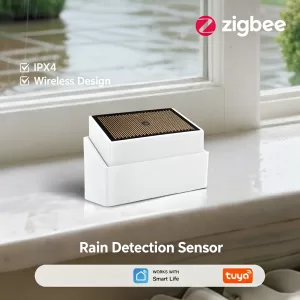
This wireless, battery-powered rain detection sensor is built on the Zigbee 3.0 protocol and works natively with the Smart Life and Tuya apps — two of the largest smart home ecosystems in the world. Setup takes under two minutes: pair, place, and you’re protected. Key headline features at a glance:

  • ✅ IPX4 waterproof — survives splashes, humidity, and outdoor use
  • ✅ Wireless design — no cables, no drilling
  • ✅ Battery powered — runs for months on a single set of batteries
  • ✅ Zigbee mesh — rock-solid connectivity throughout the home

Instant Phone Alerts — The Moment Water Is Detected


The single most important feature of any smart leak detector is speed of notification. When the sensor detects moisture, it sends a real-time push notification through the Smart Life or Tuya app within seconds.

Picture this: you’re at the office, and a sudden storm rolls in. You left a bedroom window cracked. Rain starts, water seeps onto the sill, and within a few seconds your phone buzzes with:

“Detected raindrops”rain sensors weather proof

You immediately close the smart blinds remotely, send a command to shut a connected exhaust fan, or call a neighbor to close the window. Disaster averted in under a minute.

When comparing sensors, look for these notification essentials:

  • ⚡ Low-latency push (no longer than 5-second delay)
  • 📶 Reliable Zigbee mesh connectivity that pushes through walls
  • 🔋 Battery-status monitoring so you know when to replace cells

Works as Part of a Complete Zigbee Alarm System

rain sensors weather proof

One of the most powerful features of a Zigbee-based rain sensor is its ability to integrate with a complete home alarm ecosystem. When water is detected, the sensor can trigger all three layers of response:

  1. Zigbee Gateway — sends push notifications and logs every event in the app
  2. Zigbee Siren / Alarm — emits a loud, attention-grabbing sound that alerts anyone in the home, even if their phone is on silent
  3. Other smart devices — like smart plugs that shut off a water pump, motorized blinds that close to prevent rain entry, or smart bulbs that flash red as a visual warning

This turns one tiny sensor into the trigger point for a fully automatic water-emergency response. You don’t just get a notification — your home actually responds for you.

Ultra-Sensitive Detection With Adjustable Levels

rain sensors weather proof

Not every water event is the same. A light mist shouldn’t trigger alarms the same way a fully open window in a thunderstorm should. That’s why the best smart rain sensors offer adjustable sensitivity levels (0–9) through the app:

  • Low (1–3): Best for indoor placement where you want to ignore tiny condensation but catch real leaks
  • Medium (4–6): Balanced setting for general-purpose monitoring
  • High (7–9): Maximum detection — picks up the smallest droplets, ideal for outdoor windowsills or sensitive equipment areas

You can fine-tune the same sensor for different environments and seasons. After adjusting in the app, simply press the SET button on the sensor once to apply the change — no re-pairing required.

Waterproof IPX4 — Built for Real-World Conditions

rain sensors weather proof

Many homeowners ask: “But what if the sensor itself gets wet?”

That’s exactly why a quality rain sensor is built with IPX4-rated waterproofing. This rating means the device is protected against:

  • 💧 Splashing water from any direction
  • 🌧️ Light rain and condensation
  • 💨 Humid bathroom environments
  • 🏡 Outdoor balcony installations

Whether you mount it on an exposed windowsill that occasionally gets splashed, place it near a steamy bathroom, or set it up on a covered patio — the sensor keeps working reliably, season after season.

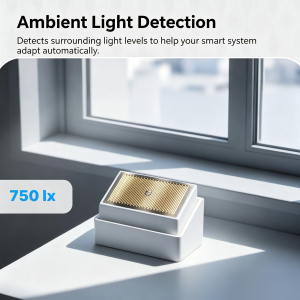
Bonus: Ambient Light Detection

rain sensors weather proof

Here’s a feature many buyers overlook but quickly fall in love with: the sensor also reports real-time ambient light levels to your app (e.g., 750 lx shown in the screenshot).

Why does this matter? Quite a lot, actually:

  • 🌅 Automate your lighting — set your Zigbee smart lights to turn on at dusk when the sensor detects falling light levels
  • 🔒 Security routines — trigger different behaviors at home vs. away based on lighting changes
  • 🌱 Plant care — monitor natural light for indoor gardens and greenhouses
  • 😴 Sleep optimization — detect evening light drops to wind down with circadian-aligned smart bulbs

It’s a small bonus feature that turns a leak sensor into a multi-purpose environmental monitor, adding even more value per dollar.

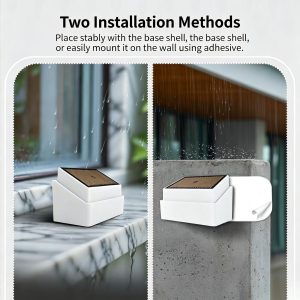
Two Installation Methods — Place It Anywhere

rain sensors weather proof

Worried about complicated installation? Don’t be. This wireless rain sensor comes with two easy mounting options:

Option 1: Place It on a Flat Surface

The included base shell keeps the sensor stable on windowsills, countertops, beside aquariums, under sinks — anywhere with a flat surface. No tools, no drilling. Just place and pair.

Option 2: Wall-Mount With Adhesive

For tight spaces or to monitor pipes directly, use the included adhesive pad to mount the sensor on a wall, under a cabinet, or behind a toilet. The wireless design means no cables to run, and the battery lasts for months of maintenance-free operation.

Either way, you’re protected in under 60 seconds.

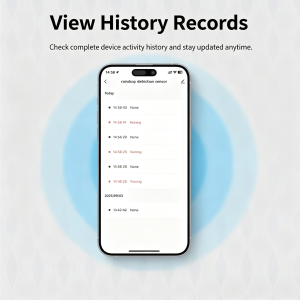
Full Activity History — See Everything That Happened

rain sensors weather proof

Curious whether you actually got an alert last Tuesday at 2 PM? Want to verify a leak started before or after you left the house? The Smart Life / Tuya app keeps a complete, time-stamped activity log of every event:

  • 🟢 None — no water detected at this moment
  • 🔴 Raining / Detected — water detected at this moment

Each entry includes the exact time and date, so you can:

  • 📋 Review past incidents when troubleshooting recurring leaks
  • 📑 Document damage for insurance claims with exact timestamps
  • ✅ Verify the system is working properly with a cl

You Might Also Like
Frequently Asked Questions

Is Rain Sensors Weather Proof worth buying?

Based on the breakdown in this article, Rain Sensors Weather Proof offers a solid mix of features and value. If your main goal matches the key benefits described above, it is a practical choice for everyday use.

How do I choose the right rain sensors weather proof for my needs?

Start with your core use case, then compare battery life, compatibility, and build quality as covered above. Choosing the right rain sensors weather proof comes down to matching specs with how you actually use it. Solar Motion Sensor Street Light: Buying Guide, 4 Lighting Modes, and FAQ

Does rain sensors weather proof require a companion app?

Most devices of this type pair with a free companion app for setup and firmware updates. A few advanced features may sit behind a paid plan, so check the official specs page before buying. Tuya WiFi IR Remote Review: Universal Control Meets Climate Intelligence

Related Articles