A home automation system sounds like a project. In practice it is a habit: you start with one switch that obeys your phone, and six months later the hallway light turns itself on at sunset, the thermostat knows when you left, and a water leak under the sink messages you before it becomes a repair bill. This guide shows the shortest path to that end state — which ecosystem to pick, what order to buy in, and how to wire the automations together so the house genuinely runs itself.
Step 1: pick one ecosystem and stay in it
The single biggest beginner mistake is mixing three apps: one brand for bulbs, another for sockets, a third for the camera. Every added app doubles the friction of every future automation. The fix is choosing one ecosystem up front.
For most homes the practical answer is Tuya (or its consumer face, the Smart Life app). It is the platform behind an enormous range of devices — switches, sockets, sensors, cameras, curtain motors, thermostats — from many manufacturers, so you are never locked to one brand’s prices. It talks to Google Home and Alexa for voice control, supports Zigbee through a gateway, and a single account holds your entire home. XingLiao’s Smart devices are built on it, which is why everything below plays together out of the box.
Step 2: start with lighting
Lighting delivers automation’s most visible daily payoff, so it earns its budget first. A WiFi touch switch replaces the wall switch you already have — same box, same wires — and suddenly that room is on your phone, on schedules, and on voice commands. Because nothing is plugged in and nothing runs on batteries, it is also the most maintenance-free Smart device you will ever own. M3 Pro Foldable 3-Axis Gimbal Stabilizer, Professional Handheld Gimbal for Smartphones
- Sunset schedules: porch and hallway lights follow the sun automatically.
- Countdown timers: bathroom fans that switch themselves off.
- Vacation mode: lights that mimic an occupied house.
Step 3: add the senses — sensors
Switches are the muscles; sensors are what make the system Smart. The four that earn their cost fastest:
- Door/window sensor: the front door messages you when it opens at 3 p.m. — or at 3 a.m.
- PIR motion sensor: movement triggers lights, cameras, or both. Stair lights that only exist when someone is on the stairs never get old.
- Temperature/humidity sensor: the quiet hero — it can trigger the thermostat, a dehumidifier socket, or just tell you why the bedroom feels stuffy.
- Water leak sensor: under the sink and behind the washing machine, it is the cheapest insurance in the house.
Step 4: add eyes — cameras and doorbell
Once lights and sensors are in the app, a camera stops being a gadget and becomes part of the system: the Doorbell detects a person, the hall light comes on, the camera clips the event. Indoor PTZ cameras watch rooms and pets; a solar outdoor camera covers the driveway without ever needing a ladder for charging.
Step 5: the gateway, and when you actually need it
WiFi devices talk straight to your router. But battery-powered sensors usually speak Zigbee, which needs a small smart home gateway plugged in somewhere central. The gateway has two jobs: it collects your Zigbee sensors, and it bridges them to WiFi and the app.
The rule of thumb: first few WiFi devices, no gateway needed. The moment you add battery sensors — door, PIR, temperature — add one gateway. It is a one-time purchase that unlocks the whole sensor aisle, and Zigbee’s mesh also means devices relay for each other, which is more stable than a dozen WiFi devices competing for one router.
Step 6: sockets fill the gaps
Some things will never be smart internally: the humidifier, the fish tank light, the old floor lamp. A WiFi smart socket retrofits intelligence at the wall — and models with energy monitoring tell you which appliance is quietly costing you money, which is often how the socket pays for itself.
Step 7: wire it together with scenes and automations
This is where a collection of devices becomes a home automation system. In the Tuya app, a tap-to-run scene sets many devices with one press, and an automation fires devices when conditions are met. Three proven starters:
- “Goodnight”: one tap — every light off, doors armed, camera alerts on.
- “Home in the evening”: door sensor opens after sunset → hall and kitchen lights on for ten minutes.
- Leak response: water sensor triggers → socket cuts the washing machine and a notification goes out.
Add Google Home or Alexa, and the same scenes answer to voice. At this point you stop operating your home and start supervising it.
XingLiao devices for building your system
- Zigbee smart gateway — connects door, motion and climate sensors into the Tuya app.
- DS-121 series WiFi touch switch — multi-gang wall switch with schedules, timers and voice control.
- Tuya Zigbee temperature & humidity sensor — climate triggers for thermostats and dehumidifiers.
- Zigbee PIR motion sensor — movement-triggered lighting and Security automations.
- Tuya WiFi smart socket with energy monitoring — retrofits any appliance, tracks its power use.
Frequently Asked Questions
How much does a home automation system cost to start?
A genuine start — one touch switch, one door sensor, one gateway — costs about as much as a decent pair of shoes. From there the system grows one device at a time, and each piece works standalone from day one.
Do I need to replace all my switches at once?
No. Start with the room you use most. Every device is independent, so the system grows at whatever pace your budget allows without ever being “half-finished”.
Do smart homes need a hub or gateway?
WiFi devices need none — they connect to your router. Battery sensors using Zigbee need one gateway. Many homes run happily for a year on WiFi alone, then add a gateway with their first door sensor.
Does everything stop working if the internet goes down?
Wall switches and sockets keep working locally by touch. Schedules and remote access pause until the router recovers. Zigbee devices linked through a gateway can keep running local automations even offline.
Is a home automation system hard to install?
The hardest step is replacing one wall switch, which is a screwdriver job with the breaker off. Everything else — plugs, sensors, cameras — is peel, stick, scan a QR code.
Can I control it all by voice?
Yes. Link the Tuya skill in Google Home or Alexa once, and every device answers voice commands through the ecosystem you already use.
What should I automate first?
The porch or hallway light on a sunset schedule. It saves real effort every single day, it is visible proof the system works, and it starts training everyone in the house to trust it.
Related guides
- Smart switch boards explained
- How to install a WiFi touch smart switch
- Zigbee vs WiFi: which to use for each device
- Smart thermostat vs smart switch for heating
- How to choose a security camera for your home
- Smart socket vs smart plug: which to buy
- Smart switch guide: types, wiring and how to choose
Browse switches and control panels · Tell us your rooms and we will plan the device list with you
You Might Also Like
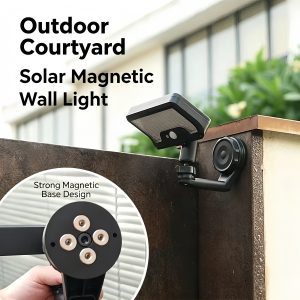 Solar Outdoor Courtyard Wall Light, Magnetic Mount Motion Sensor Solar Security Light for Home Patio Garden Price range: $19.96 through $22.96
 Tuya 2MP 4MP Indoor PTZ Smart Camera – 360° Panoramic WiFi Pan-Tilt Home Monitor with Two-Way Audio Price range: $21.69 through $25.96
 Tuya Zigbee Solar Rainwater Leak Sensor – Smart Home Water Detection Alarm with AI Automation Original price was: $35.96.$26.99Current price is: $26.99.
📌 This article is part of our Complete Tuya Hub — more guides and buying tips inside.