Posted on — Leave a comment

Solar Video Doorbell: Does the Panel Actually Keep It Charged?

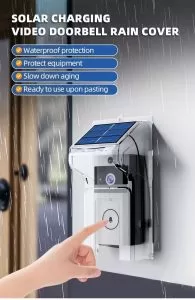
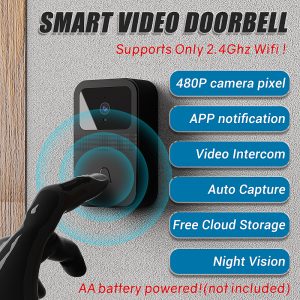
A solar panel on a Video Doorbell sounds like a permanent solution to the one chore every battery Doorbell owner dislikes: climbing a stool with a charging cable twice a year. The reality is more modest but still useful — the panel does not run the Doorbell, it tops up the battery, and how much it contributes depends almost entirely on where the sun hits your door.

This guide explains what to expect from a solar kit such as the U9 solar doorbell kit with indoor chime, how to place the panel so it earns its keep, and the situations where you should skip it and buy a wired or plug-in model instead.

What the panel actually does

The panel trickle-charges the internal battery whenever there is usable light. On a bright day it can add a meaningful percentage of capacity; on an overcast winter day it adds very little. The doorbell still draws from the battery at night and during dark afternoons.

The practical result: on a sunny or mildly shaded entrance, many households find they charge the unit once a year instead of three times. On a north-facing door under a porch, the panel may only stretch the interval slightly. The panel is an interval-extender, not a replacement for the battery.

Siting the panel: three rules

  1. Face it at the sun, not at the street. A panel mounted flat against a door that faces north collects reflected light at best. If the door is shaded, mount the panel on the wall beside the door, or above the door line, where it catches more direct light.
  2. Cable length decides the mount point. The panel connects with a short lead, so it has to live within that distance of the camera. Check the cable length on the product page before planning a mount around a corner.
  3. Avoid the porch roof. The most common mistake is mounting a panel under the very porch that keeps the door dry. An overhang that shades the door also shades the panel.

Winter and the honest expectation

Two things stack up against you in winter: fewer daylight hours at a lower angle, and lithium batteries that deliver less capacity when cold. Expect the solar contribution to drop sharply between November and February, even on a well-sited panel. Plan for one manual charge a year, ideally in late autumn, rather than assuming the panel covers you through winter.

When a solar kit is worth it

  • The door gets at least a few hours of direct or bright indirect light.
  • You cannot run a cable to the door without drilling through a frame or wall you would rather not touch.
  • The Doorbell is mounted high enough that charging it is genuinely annoying.

When to choose something else

  • Deeply shaded or north-facing entrance — buy a larger battery or a model with swappable cells instead.
  • You already have bell wires — a wired doorbell removes the charging question entirely.
  • You have a socket nearby — a plug-in camera or doorbell is cheaper than a solar panel and has no seasonal shortfall.

Solar doorbell vs solar camera: the same logic

The same reasoning applies to our solar PTZ security camera, only more so — a camera that pans, tilts and streams Video uses far more power than a doorbell that wakes on a button press. For cameras, treat the panel as a way to reduce charging trips rather than eliminate them. If the camera does not need mains power at all, see outdoor cameras that run without a power outlet.

FAQ

Can the panel power the doorbell with no battery?
No. The panel charges the battery; the battery runs the doorbell. Without a charged battery the unit will not operate, even in sunlight.
Does it charge on a cloudy day?
Yes, but at a small fraction of the clear-sky rate. Diffuse light still produces current — just not enough to keep up with a busy door on its own.
Do I still get the indoor chime?
The U9 kit ships with an indoor chime, so the bell rings in the house as well as on your phone.
Can I add a panel to a doorbell I already own?
Only if that model has a charging input designed for it. Panels are model-specific, so it is usually simpler to buy the kit.
How do I know it is working?
The app shows battery level over time. A panel doing its job shows a level that recovers during the day rather than a steady downward slope.
Is the panel waterproof?
Solar panels for outdoor doorbells are sealed for outdoor use, and the camera unit itself carries an IP rating — check the specific rating on the product page for the model you are buying.

Related Articles

You Might Also Like

Frequently Asked Questions

Is Solar Video Doorbell worth buying?

Based on the breakdown in this article, Solar Video Doorbell offers a solid mix of features and value. If your main goal matches the key benefits described above, it is a practical choice for everyday use.

How do I choose the right solar video doorbell for my needs?

Start with your core use case, then compare battery life, compatibility, and build quality as covered above. Choosing the right solar video doorbell comes down to matching specs with how you actually use it.

Does solar video doorbell require a companion app?

Most devices of this type pair with a free companion app for setup and firmware updates. A few advanced features may sit behind a paid plan, so check the official specs page before buying.

Posted on — Leave a comment

Glass Switch Panel: What It Is and When It Pays Off

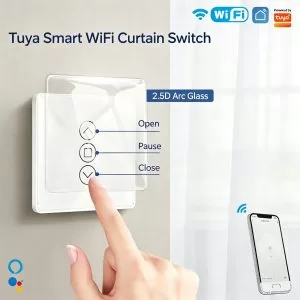
A glass Switch panel is a wall Switch whose face is a sheet of tempered glass — typically 3–4 mm thick, with the touch or soft-click zones, indicator light and icons printed or etched on the back of the glass. It replaces the plastic rocker plate of a conventional Switch with a single flat surface that can be wiped clean, and it is the standard finish for touch switches in hotels, serviced apartments and mid-to-high-end residential projects.

Glass is chosen for three reasons: it does not yellow or scratch the way white ABS plastic does, it gives a flat surface that suits touch control, and it can be printed with any colour, icon or logo. It is not chosen for impact resistance — that is the trade-off this guide is honest about. M1 Foldable 3-Axis Gimbal Stabilizer, Portable Handheld Gimbal for Smartphones

What the panel is actually made of

Layer Material What it does
Face Tempered (toughened) soda-lime glass, 3–4 mm The visible, wipeable surface. Tempering makes it 4–5× stronger than annealed glass and makes it crumble into blunt fragments instead of shards if it breaks.
Graphics Ceramic-fired or UV-cured ink on the rear face Icons, gang outlines, brand mark. Printed on the back so fingers never touch the ink.
Touch layer Capacitive sensor film or PCB pad Detects a finger through the glass. Sensitivity is tuned so a wet cloth or a passing sleeve does not trigger it.
Structure PC / ABS flame-retardant carrier (V-0) Holds the relay, the Wi-Fi or Zigbee module and the terminals; carries the safety rating.
Border Aluminium alloy or ABS frame Protects the glass edge — the most likely place to chip.

Ask your supplier two questions about the glass: is it chemically or thermally tempered, and does it comply with the fragmentation test? Untempered “glass-look” acrylic panels are common in the cheapest listings, and they scratch within a month. M2 Pro Foldable 3-Axis Gimbal Stabilizer, Advanced Handheld Gimbal for Smartphones

Glass vs plastic vs metal: honest comparison

Property Tempered glass PC / ABS plastic Metal (brushed aluminium)
Scratch resistance Excellent Poor — visible within months Fair — shows scuffs
Yellowing / UV None Yellows, especially in sunlight None
Impact resistance Fair — chips at the edge, can crack Excellent Excellent
Cleaning Flat, wipeable, no gaps Rocker gaps trap dust Depends on finish
Print / colour freedom Any colour, any icon Limited Limited
Cost Medium-high Low High
Fingerprint visibility Visible on dark glossy colours Low Medium

If the project is a rental, a school or a corridor with trolleys and impact risk, plastic is the right call. If it is a showroom, a hotel room or a private home where the plate is seen every day, glass wins. M2 Foldable 3-Axis Gimbal Stabilizer, Portable Handheld Gimbal for Smartphones

Where glass panels are used

  • Hotels and serviced apartments — a single glass plate per bedside and entry, printed with readable icons for international guests; the flat surface survives daily cleaning.
  • Premium residential — matched black, white or gold plates across the whole flat; glass is the only finish that keeps a consistent colour across 1-, 2-, 3- and 4-gang plates.
  • Kitchens — grease wipes off glass; plastic rockers discolour.
  • Offices and meeting rooms — scene buttons (presentation / meeting / off) printed directly on the plate.

Specification checklist before you buy

  1. Plate standard — 86 × 86 mm (EU/CN/UK), 147 × 86 mm (UK large format), 118 × 72 mm (US decorator). The glass is cut to the standard; there is no universal plate.
  2. Gang count — 1, 2, 3, 4, 6 or 8. Count the circuits on the wall, not what looks tidy.
  3. Control type — full touch, touch-plus-relay (soft click), or mechanical micro-switch under a glass rocker. Touch-only plates are quietest; the mechanical version gives tactile feedback that older users prefer.
  4. Backlight — always-on locator light (easy to find at night) or only-when-active (better for bedrooms). Check whether the standby glow can be switched off in the app.
  5. Colour — white, black, gold, grey; confirm whether the frame matches or contrasts, and whether the frame is included.
  6. Load rating — usually 3–10 A resistive per gang, lower for LED drivers and capacitive loads.
  7. Neutral requirement — most glass touch panels need a neutral wire. Confirm no-neutral variants if your housing stock lacks one.
  8. Certification — CE / UKCA for Europe and the UK, FCC for the US, RoHS for materials, plus CCC (China) or PSE (Japan) where the destination requires it.

Custom branding on glass panels

For OEM and project orders the glass face is the easiest part to customise, and the cheapest way to make a standard switch look bespoke: C16 AI Gimbal Stabilizer 1.3m, Smart Tracking Extendable Selfie Stick for Smartphones Reolink vs Tuya Security Camera

  • Icon set — lamp, fan, curtain, scene symbols, printed per gang.
  • Colour matching — any RAL or Pantone reference, with a physical sample for approval before mass printing.
  • Logo — a discreet brand mark at the bottom edge of the plate.
  • Packaging — retail box, manual and app splash screen under your own brand.

Typical OEM economics: standard models start at It depends on how deep the customisation goes. Samples start at 5 pcs and are charged, with the cost credited against your first bulk order. A sticker or silk-printed logo runs from 10 pcs per model, laser engraving from 300 pcs, an existing platform under your own brand and colour from 5 pcs per colour, custom packaging 500–1,000 pcs, your own product ID from 1,000 pcs, and full custom tooling from 2,000–3,000 pcs depending on how much of the design changes. Sampling takes 7–15 days; new tooling takes 25–40 days. Video Doorbell Without Subscription

Care and failure modes

  • Edge chips. Almost all breakage starts at the edge. Specifying an alloy frame and tightening the plate evenly against a flat wall prevents it.
  • Wall flatness. Glass will not flex. On a bowed wall, torque on the screws can crack the plate — use a spacer or a back box shim.
  • Cleaning. A dry or slightly damp microfibre cloth. Avoid solvent cleaners on the printed icons.
  • Touch drift. If a zone becomes insensitive, check for moisture behind the plate before assuming the panel is faulty.
Frequently Asked Questions

Is a glass switch panel safe in a bathroom or kitchen?

Yes, provided the switch carries the required IP rating for the zone and is installed outside the wet area. Glass is non-porous and does not absorb moisture; the risk is the same as with any switch — water reaching the terminals.

Do glass panels break easily?

Tempered glass resists everyday impact well and fails safely if it does break, but a sharp blow to the unprotected edge can crack it. Fitting the matching alloy frame reduces this to a rare event, and it is why hotels specify framed plates.

Can the touch zones be used with wet hands?

Capacitive panels are tuned to reject light moisture, but a soaking-wet finger or a film of water across the plate can cause missed or double triggers. For bathrooms, a mechanical-switch-under-glass version is the safer specification.

Do dark glass panels show fingerprints?

Black and mirror finishes show prints more than white or frosted finishes. If the plate is in a high-touch spot, choose a satin or frosted glass — it hides prints and still wipes clean.

Can I get a glass panel in a non-standard size?

Yes for project volumes. Custom plate shapes need new tooling (typically 25–40 days) and a minimum order in the low thousands. Colour, icons and logo on a standard plate need no tooling at all.

What is the difference between a glass panel and a “glass-look” panel?

A real panel is tempered glass with rear-printed graphics; a glass-look panel is acrylic or coated plastic. Look for tempering/fragmentation compliance and check the edge — glass has a greenish cut edge, acrylic does not.

Related products

Related guides

Related Articles

You Might Also Like
Posted on — Leave a comment

Smart Home Control Panel: The Hub of Your Smart Home

1. What Is a Smart Control Panel?

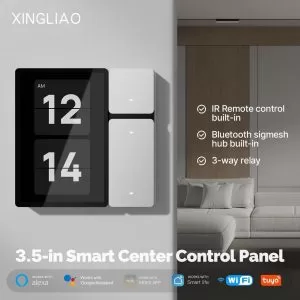
However, A Smart control panel is the core control terminal of a Smart home system. It integrates a touch display and smart gateway functions, unifying management. Therefore, And control of all smart devices in the home. Therefore, It is the brain and control center of the entire smart home system.

2. Core Functions

Unified Control Center

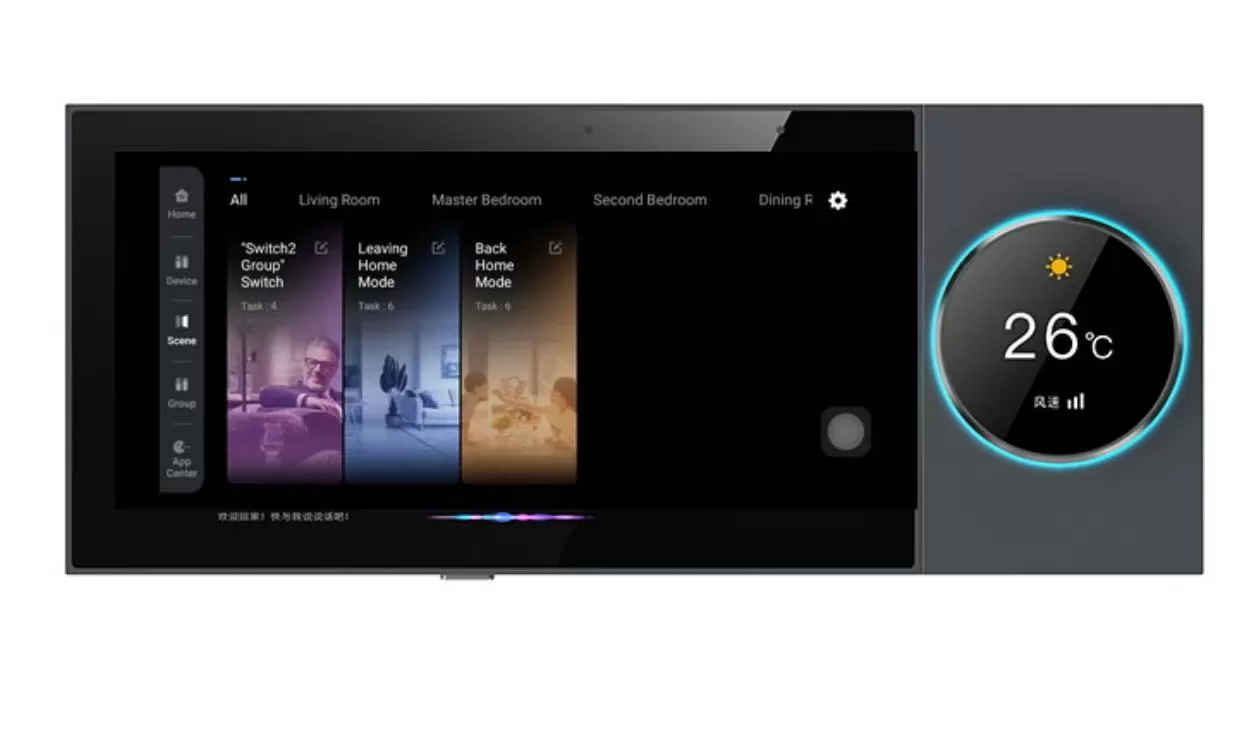
Therefore, Manage all smart devices on one screen without switching between apps. For example, Control lights, AC, curtains, Security, and all other devices from a single interface.

Smart Scene Control

Moreover, One-tap switching between scene modes: Home, Away, Movie, Sleep modes. For example, Multiple devices respond simultaneously for instant ideal states. Smart Curtain Motor Track: Automated Window Control System Video Doorbell Review 2026: What to Look For, Smart Features Compared, and Buyer’s Guide

Video Intercom

In addition, Many control panels integrate indoor video intercom functionality, allowing you to see visitors and open the door directly from the screen. Smart Fingerprint Door Lock: Keyless Security with Tuya Smart Best Smart Home Starter Kit for 2026: Switches, Doorbells, Cameras, Sensors and Pet Feeders Compared

Voice Control Hub

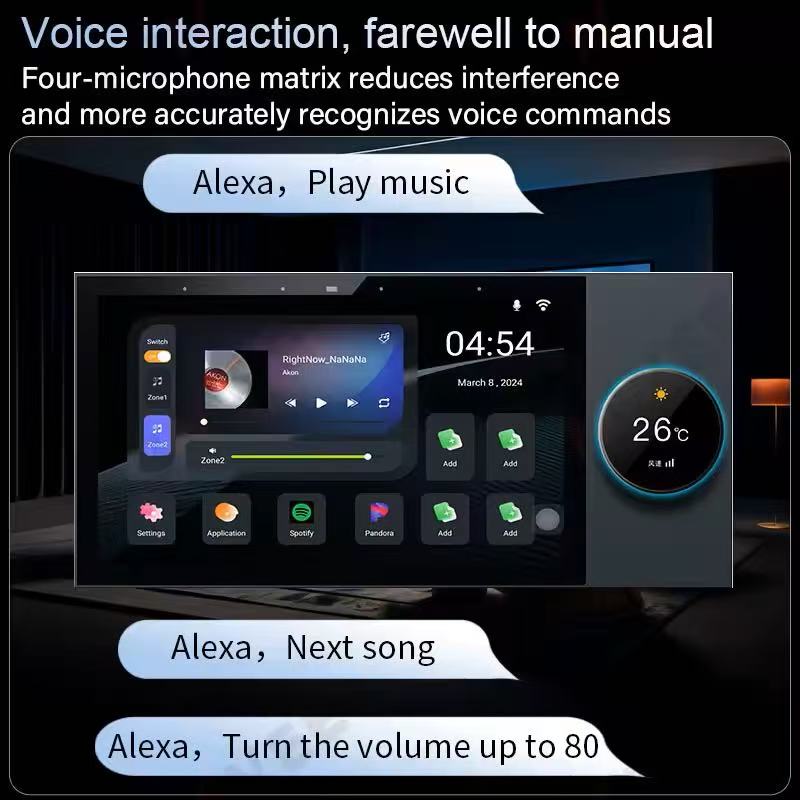
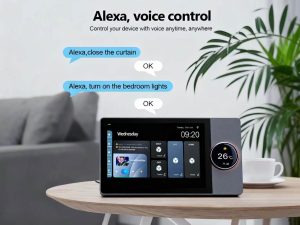
For example, Built-in voice assistant – control devices by speaking, especially convenient when hands are busy. In addition, Easy for elderly and children. Wireless Smart Home: No-Wiring Devices Every Renter Needs Smart WiFi Pet Feeder: Automated Pet Care with APP Control Smart Home Market Trends 2026: What Distributors Must Know About Modular Security, Voice Control and Energy-Saving Devices Q81 Wireless Button Microphone – Mini Invisible Lapel Mic for Vlogging, Interview & Live Streaming

Information Display

Consequently, Show weather, time, calendar, and news. Placed in entryway or living room, it serves as both control center. Moreover, And information hub. Smart Plug Guide: Automate Any Appliance Without Rewiring Smart Home Wholesale FAQ: 15 Questions Every Buyer Asks Before Ordering in Bulk M8 Dopamine Color Wireless Lavalier Microphone: Get Clear Studio Audio For Vlogging & Live Streaming

3. In addition, Buying Guide

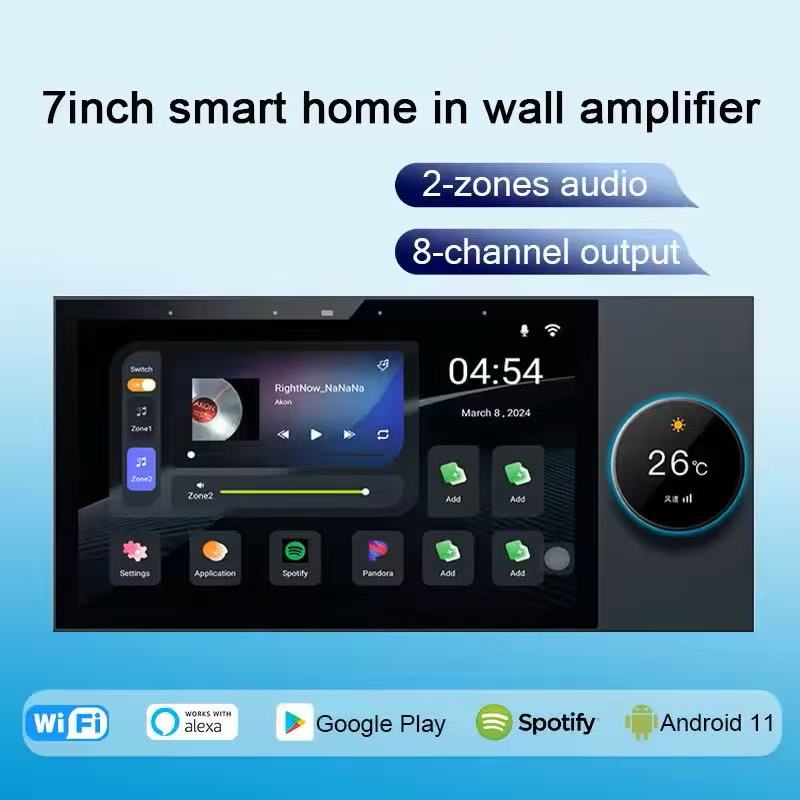
1. Screen Size: Common sizes 4, 7, 10 inches. Furthermore, Larger screens for living rooms.

2. Moreover, System Compatibility: Most important – ensure it supports your existing smart device brands and protocols.

3. As a result, Gateway Function: Built-in Zigbee, Bluetooth Mesh gateway is cleaner than external gateway.

4. Audio Quality: For music playback or background music host, consider sound quality.

5. Furthermore, Design: The panel is always visible, choose one matching your home decor.

4. Importantly, Installation Location

Entryway is the most common location for convenient control when leaving or arriving. Living room is also excellent as a family control center.

5. As a result, Conclusion

Smart control panels are the soul of smart home. Notably, They transform individual devices into a coordinated system, delivering true whole-house smart experiences. A worthwhile investment for any smart home setup.

Related Articles

You Might Also Like
Related guides
Frequently Asked Questions

Is Control Panel Hub worth buying?

Based on the breakdown in this article, Control Panel Hub offers a solid mix of features and value. If your main goal matches the key benefits described above, it is a practical choice for everyday use.

How do I choose the right control panel hub for my needs?

Start with your core use case, then compare Battery life, compatibility, and build quality as covered above. Choosing the right control panel hub comes down to matching specs with how you actually use it.

Does control panel hub require a companion app?

Most devices of this type pair with a Free companion app for setup and firmware updates. A few advanced features may sit behind a paid plan, so check the official specs page before buying.

Posted on — Leave a comment

Tuya Smart Home Control Panel: One Screen to Run Lights, Locks, Cameras and Climate

Tuya smart home control panel mounted on a wall

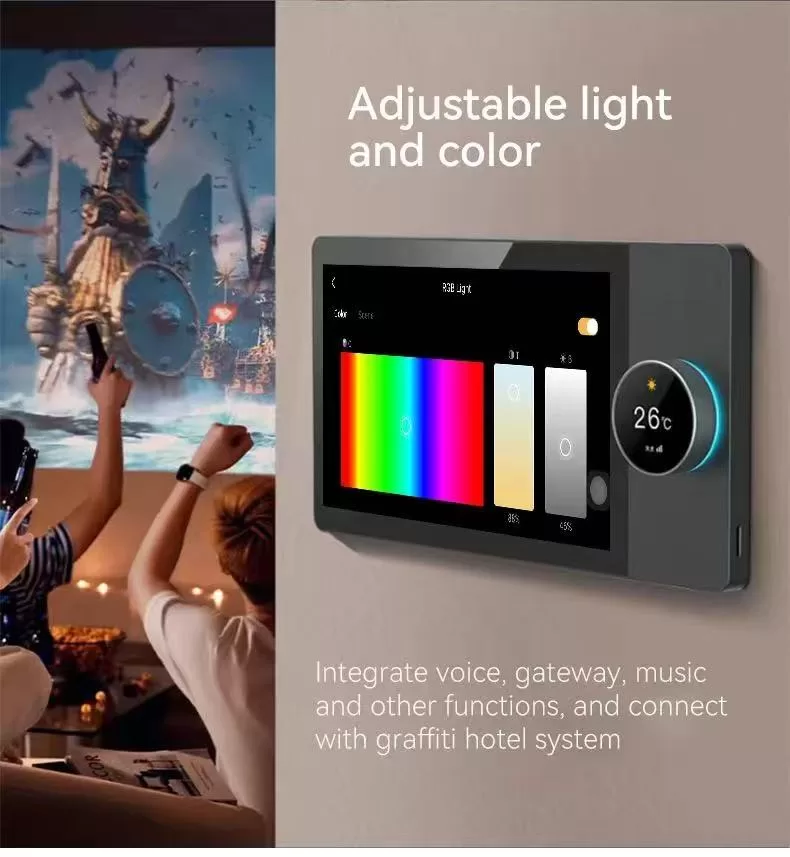
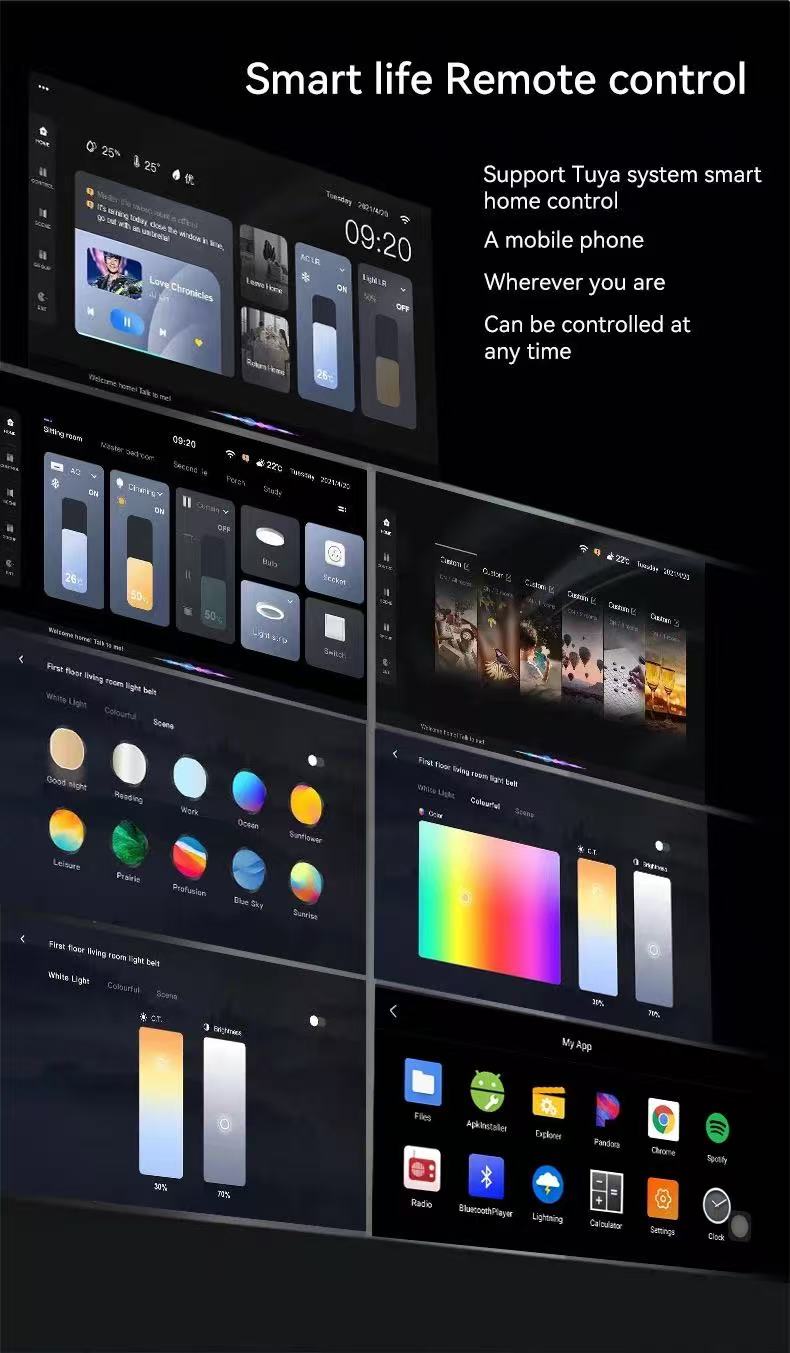
Therefore, Most Smart Homes fail in a boring way. Not with a dramatic crash, but with six APPs, four hubs and a wall of switches that nobody remembers the order of. A Tuya Smart home control panel pulls all of it onto a single screen — lights, locks, cameras, curtains, heating. Therefore, And scenes — so the house can be run from one place on the wall by anyone who walks past it.

Tuya smart home control panel mounted on a wall
One wall-mounted screen replaces a row of switches and a folder of apps.

What the Panel Actually Controls

  • Lighting — individual bulbs, groups, dimming and colour, from a single tile.
  • Door locks and video doorbells — see who is at the door. For example, And release the lock from the same screen.
  • Cameras — pull up a live feed from the entryway, the garage or the nursery without unlocking a phone.
  • Curtains, blinds and garage doors — open and close motors and check their state at a glance.
  • Climate — thermostat setpoints, fan speed and schedules for heating and cooling.
  • Scenes and automations — one tap runs a whole routine, such as “Good night”: lights off, curtains closed, doors locked, Camera armed.
Tuya smart control panel touch screen showing home automation interface
Lighting, climate, cameras. In addition, And scenes sit side by side on one interface.

Why Tuya Compatibility Matters

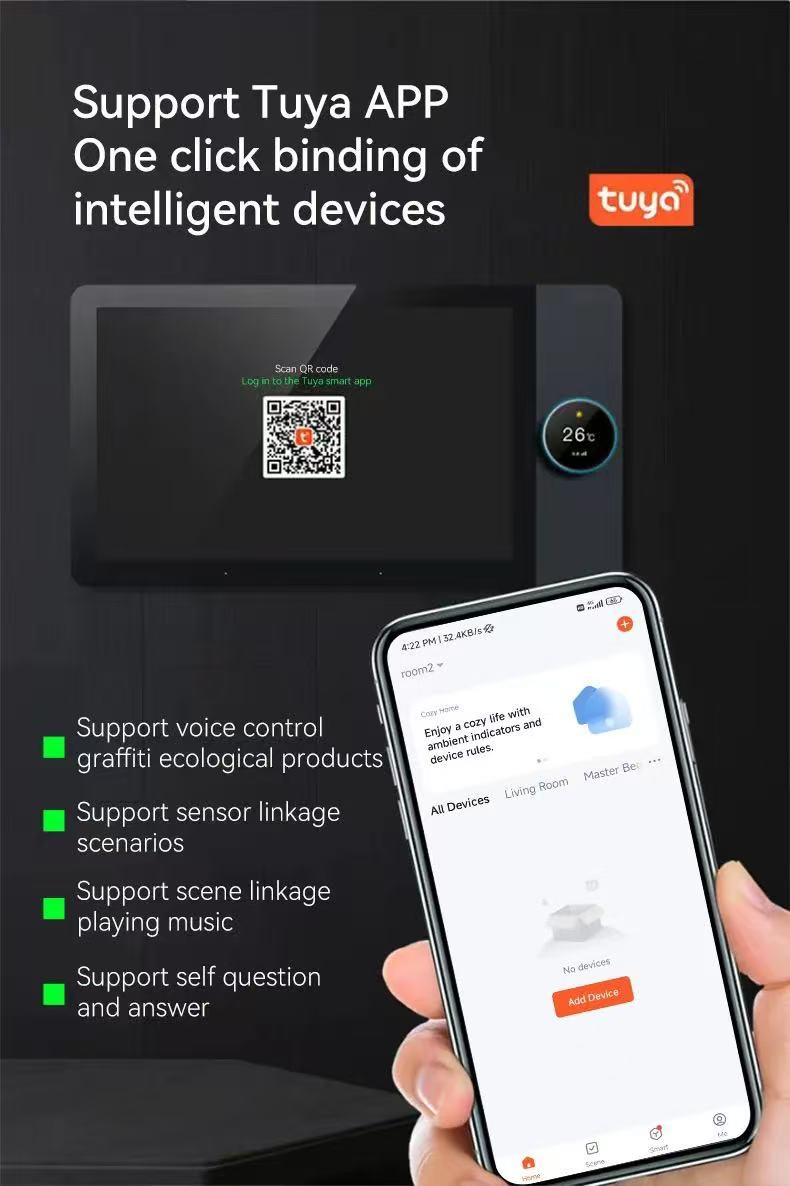
For example, Tuya is one of the largest connected-device ecosystems in the world. This changes the maths for both installers and end users. A panel built on the Tuya platform talks to thousands of existing devices without a custom integration, so a customer who already owns Tuya-based bulbs or sensors can keep them. Moreover, For a distributor, that means the panel sells into an existing installed base rather than requiring a full rip-and-replace. Smart Home Automation Guide 2026: 7 Practical Scenes That Save Time, Money and Energy

In addition, It also means the app side is settled. End users manage devices through the familiar Tuya or Smart Life app, and the wall panel simply becomes the fastest way to reach the same devices. Video Doorbell Review 2026: What to Look For, Smart Features Compared, and Buyer’s Guide

Smart home control screen controlling lights locks and cameras
Tuya compatibility lets customers keep the devices they already own.

Where to Install It

Beside the main light switch

Moreover, The most common spot. Replacing or sitting alongside the existing switch plate means the panel is exactly where people already reach. Best Smart Home Starter Kit for 2026: Switches, Doorbells, Cameras, Sensors and Pet Feeders Compared

Entryway or hallway

However, Furthermore, Guests and family members pass it several times a day. This makes the scene buttons genuinely useful rather than decorative. Smart Home Market Trends 2026: What Distributors Must Know About Modular Security, Voice Control and Energy-Saving Devices Q81 Wireless Button Microphone – Mini Invisible Lapel Mic for Vlogging, Interview & Live Streaming

Bedroom or bedside

Therefore, As a result, A “Good night” scene within arm’s reach gets used every single evening — the highest-value screen in the house. Smart Home Wholesale FAQ: 15 Questions Every Buyer Asks Before Ordering in Bulk M8 Dopamine Color Wireless Lavalier Microphone: Get Clear Studio Audio For Vlogging & Live Streaming

Reception and office areas

Moreover, In contrast, In small commercial installs the same panel controls lighting zones, air conditioning. Furthermore, And the door Camera from the front desk.

Tuya control panel installed beside a light switch
Beside the main switch is the highest-traffic and most useful position.

For Distributors and Project Buyers

However, Control panels are the anchor product of a smart home range: once a panel is on the wall, every additional switch, sensor and camera sold into that home becomes an easy upsell. As a result, Xingliao Smart Home supplies Tuya-compatible panels in several screen sizes with OEM branding, custom UI elements and packaging for volume buyers. Our factory page shows the assembly and testing process behind each unit.

Smart home central control panel scene and automation screen
Once a panel is on the wall, every additional device becomes an easier sale.

Build Your Smart Home Range

Therefore, If you are assembling a complete smart home catalogue, start with the panel and build outward. Explore the full range or talk to our team about wholesale pricing, screen size options and OEM support.

Related Articles

You Might Also Like
Related guides
Frequently Asked Questions

Is Tuya Control Panel One worth buying?

Based on the breakdown in this article, Tuya Control Panel One offers a solid mix of features and value. If your main goal matches the key benefits described above, it is a practical choice for everyday use.

How do I choose the right tuya control panel one for my needs?

Start with your core use case, then compare Battery life, compatibility, and build quality as covered above. Choosing the right tuya control panel one comes down to matching specs with how you actually use it.

Does tuya control panel one require a companion app?

Most devices of this type pair with a free companion app for setup and firmware updates. A few advanced features may sit behind a paid plan, so check the official specs page before buying.

Posted on — Leave a comment

Smart Home Panel Guide 2026

Xingliao smart home panel music player and scene control interface with room management
Xingliao smart home control panel with Alexa voice control - 10 inch touchscreen hub
Xingliao Smart Panel Alexa Voice Control

How to Choose a Smart Home Control Panel in 2026: A Buyer’s Guide

However, One screen. One system. One decision that changes everything.


Wait — Do You Actually Need a Smart Home Control Panel?

Let’s start with the uncomfortable question.

Therefore, You’ve got a smartphone. You’ve got a tablet. You’ve got voice assistants in every room. So why on earth would you spend money on a dedicated smart home control panel? Video Doorbell Review 2026: What to Look For, Smart Features Compared, and Buyer’s Guide

Moreover, Here’s the thing: in 2026, the average Smart home has 47 connected devicesForty-seven apps, forty-seven interfaces, forty-seven ways to forget which switch controls what. Your phone? It’s great for Instagram, terrible for quickly dimming the living room lights while your hands are covered in pizza dough. Best Smart Home Starter Kit for 2026: Switches, Doorbells, Cameras, Sensors and Pet Feeders Compared

In addition, A wall-mounted control panel isn’t a luxury anymore — it’s the command center your smart home desperately needs. But not all panels are created equal. Choose wrong, and you’ve just installed an expensive paperweight. Smart Home Market Trends 2026: What Distributors Must Know About Modular Security, Voice Control and Energy-Saving Devices

So let’s break down what actually matters in 2026. Smart Home Wholesale FAQ: 15 Questions Every Buyer Asks Before Ordering in Bulk


What to Look For: The 2026 Smart Panel Checklist

1. Screen Size & Resolution: Bigger Isn’t Always Better

In 2026, smart panels come in three main sizes:

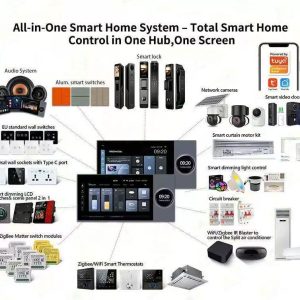
Xingliao One Screen One System smart home ecosystem - control panel, switches, cameras, sensors and IoT devices
Xingliao Complete Smart Home System

Size Best For Typical Resolution
6-inch Compact spaces, bedside, bathroom 720×1200 or 800×1280
7-inch Hallway, kitchen, secondary control 800×1280 or 1200×1920
8-inch Medium rooms, home office 800×1280 or 1200×1920
10-inch Main living areas, primary control hub 1280×800 or 1920×1200
12-inch Large living rooms, luxury installations 1920×1200 or higher

Therefore, The sweet spot for most homes in 2026? A 10-inch IPS display with at least 1280×800 resolution. But Xingliao () offers the full range — from a compact 6-inch for tight spaces to a commanding 12-inch for open-plan living areas. The 7-inch and 8-inch models hit the perfect balance for kitchens and hallways where you want control without dominance.

Moreover, Pro tip: Look for IPS panelsnot TN. Viewing angles matter when you’re approaching from the side, and IPS delivers consistent color and clarity from any angle.

2. Touch Response: The 2026 Standard

Capacitive multi-touch is baseline now. But here’s what separates good from great:

  • 2.5D curved glass — feels premium, easier to swipe
  • Anti-fingerprint coating — because nobody wants a smudged screen
  • Glove-friendly mode — surprisingly useful in garages and workshops
  • Wet hand operation — essential for bathroom-adjacent installations

If a panel doesn’t support at least 5-point multi-touch in 2026, keep shopping.

3. Protocol Support: The Compatibility Game

This is where most buyers mess up. You buy a gorgeous panel, mount it, and discover it only speaks Zigbee while your lights are all Z-WaveOops.

The 2026 connectivity checklist:

  • ✅ Wi-Fi 6/6E — baseline for everything
  • ✅ Zigbee 3.0 — still the king of low-power device mesh
  • ✅ Bluetooth 5.2+ — for direct device pairing and BLE sensors
  • ✅ Matter/Thread — the protocol of 2026; if your panel doesn’t support Matter, it’s already outdated
  • ⚠️ Z-Wave — nice to have, but declining in 2026
  • ⚠️ RF 433MHz — legacy support for older devices

The golden rule: The more protocols, the better. A panel that only supports one or two protocols will limit your device choices forever.

4. Operating System: Android vs. Proprietary

In 2026, most quality panels run on Android 11 or higher (some are on Android 13). Here’s why that matters:

Android-based panels:

  • Access to Google Play Store for compatible apps
  • Regular security updates
  • Easier integration with third-party services
  • Familiar interface for most users

Proprietary OS panels:

  • Often more stable for basic functions
  • Limited app ecosystem
  • Vendor lock-in risk
  • May become unsupported

Our recommendation? Go Android, but make sure the manufacturer commits to at least 3 years of security updatesA smart panel with unpatched vulnerabilities is a hacker’s dream.

5. Processor & Memory: Don’t Skimp Here

A laggy control panel is worse than no panel at all. Minimum specs for 2026:

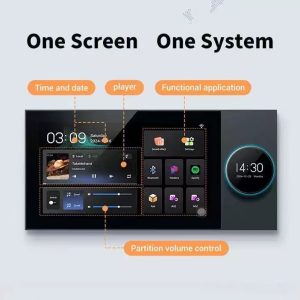
panel
One Screen One System – Xingliao Smart Hub

Component Minimum Recommended
CPU Quad-core 1.5GHz Octa-core 2.0GHz+
RAM 2GB 4GB+
Storage 8GB 16GB+
GPU Mali-G31 Mali-G52 or better

Why does GPU matter? Because in 2026, panels animate everything — room transitions, device status changes, weather widgets. A weak GPU means stuttery animations and frustrated family members.

6. Physical Design: It’s Furniture, Not Just Tech

This is the part most tech reviews ignore. Your control panel will be on your wall, visible to everyone, every day.

2026 design trends:

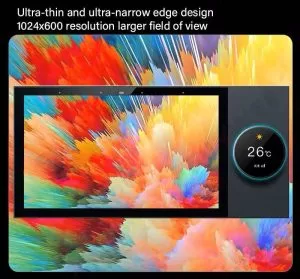
  • Ultra-thin bezels — the 2020s thick-border look is dead
  • Flush wall mounting — no protruding boxes
  • Multiple color options — white, black, silver, gold accents
  • Customizable UI themes — match your interior design
  • Physical buttons — yes, really. A few tactile buttons for common actions (lights on/off, scene activation) are making a comeback

7. Power & Installation: PoE is King

Power over Ethernet (PoE) has become the standard for fixed control panels in 2026. Here’s why:

  • Single cable for power AND data
  • No Wi-Fi congestion for the panel itself
  • More reliable than Wireless
  • Easier installation (especially in retrofit scenarios)

Alternative: Some panels support 24V DC or standard USB-C PD (Power Delivery). Avoid panels that only work with proprietary power adapters — replacement adapters become impossible to find.

8. Voice Control: Built-in vs. Integration

In 2026, voice control is non-negotiable. But there’s a difference:

  • Built-in microphones/speakers — the panel itself responds to voice
  • Integration with external assistants — works with Alexa, Google AssistantSiri

Best case? Both. The panel should have its own wake word for local commands, plus full integration with your existing voice ecosystem.

9. Privacy: The Feature Everyone Forgets

A control panel with cameras and microphones is a potential surveillance device. 2026’s best panels include:

  • Physical camera shutter — slide to cover
  • Hardware microphone mute switch — not software, physical
  • Local processing — voice commands processed on-device, not in the cloud
  • End-to-end encryption for remote access

If a panel doesn’t have these, ask yourself: do you trust the manufacturer with a live feed of your living room?


The Hidden Costs Nobody Talks About

Before you buy, factor in:

  1. Installation — DIY vs. professional ($50-300)
  2. Wall bracket — often sold separately ($15-50)
  3. PoE injector/switch — if you don’t have one ($30-100)
  4. Cloud subscription — some advanced features require monthly fees ($5-15/month)
  5. Future-proofing — will this panel still be relevant in 2028?

So, What’s the Answer? One Screen, One System.

After testing dozens of panels and living with them in real homes, the pattern is clear: the best smart home experience comes from a single, unified control point.

Not a phone app. Not scattered voice assistants. Not a dozen different apps for a dozen different brands.

One screen that controls everything.

This is where Xingliao’s One Screen One System approach stands out in 2026. Instead of forcing you to choose between protocols, between ecosystems, between convenience and compatibility — it brings everything together.

Here’s what that actually means:

  • Multi-protocol by design — Zigbee, Wi-Fi, Bluetooth, Matter/Thread, all in one panel. No more “will this work with that?”
  • Android-based with real update commitment — not a forked, frozen version, but genuine Android with ongoing security patches
  • PoE + Wi-Fi backup — reliable wired connection with wireless fallback
  • Local-first processing — your commands stay in your home, not someone’s cloud
  • Flush-mount, ultra-thin design — looks like it belongs in a modern home, not a server room

The 10-inch flagship panel checks every box on our 2026 checklist: IPS display, octa-core processor, 4GB RAM, Matter support, physical privacy controls, and a UI that actually makes sense to non-technical family members.

But here’s the real differentiator: the ecosystem. Xingliao doesn’t just make panels — they make the sensors, the switches, the cameras, the locks that connect to them. Everything is designed to work together, out of the box, without third-party bridges or workarounds.


Final Verdict: What Should You Buy in 2026?

If you’re just starting your smart home journey:
Start with a 10-inch main panel in your living area, plus a 6-inch or 7-inch panel by the front door. This covers 80% of daily interactions.

If you already have a mix of devices:
Prioritize protocol support above all else. A panel that only speaks Zigbee when half your devices are Z-Wave or Matter is a recipe for frustration.

If you care about privacy:
Demand physical privacy controls and local processing. Anything less is a compromise you shouldn’t make in 2026.

If you want it to just work:
Look for a complete ecosystem — panel, devices, app, cloud (optional) — from a single manufacturer. The integration quality is almost always better than cobbling together devices from five different brands.


The Bottom Line

Choosing a smart home control panel in 2026 isn’t about finding the most features or the lowest price. It’s about finding the right balance of compatibility, performance, design, and trust.

Ask the hard questions:

    Xingliao Smart Home team at international trade show with business partners
    Xingliao Smart Home team meeting with international partners at global trade exhibition

  • Will this still work with my devices in 3 years?
  • Can my parents use it without calling me?
  • Does the manufacturer respect my privacy?
  • Does it look like it belongs in my home?

Get those answers right, and that “expensive paperweight” becomes the nerve center of a home that actually feels smart

One screen. One system. One decision that changes everything.


What’s your smart home setup like? Are you team “one panel to rule them all” or do you prefer scattered control points? Drop a comment below — I’d love to hear what’s working (and what’s not) in your home.


Xingliao Smart Home factory building in Shenzhen China
Xingliao Smart Home manufacturing facility in Shenzhen, China

Ready to upgrade your home? Explore the full range of Xingliao () smart home control panels and find your perfect fit at xingliao.com — from 6-inch compact controllers to 12-inch flagship hubs, all built on the One Screen One System philosophy.


About the author: Smart home enthusiast and former systems integrator. I’ve installed, broken, and fixed more smart home devices than I care to count. Currently running a 60+ device setup with — you guessed it — one main control panel.

Related Articles

You Might Also Like
Frequently Asked Questions

Is Panel worth buying?

Based on the breakdown in this article, Panel offers a solid mix of features and value. If your main goal matches the key benefits described above, it is a practical choice for everyday use.

How do I choose the right panel for my needs?

Start with your core use case, then compare battery life, compatibility, and build quality as covered above. Choosing the right panel comes down to matching specs with how you actually use it.

Does panel require a companion app?

Most devices of this type pair with a free companion app for setup and firmware updates. A few advanced features may sit behind a paid plan, so check the official specs page before buying.

Does panel work with both iPhone and Android?

Yes, in most cases this type of device ships with iOS and Android apps, and standard Bluetooth protocols keep cross-platform pairing simple.