Posted on — Leave a comment

Do You Actually Need a Smart Home Hub? Zigbee, Matter and Bluetooth Gateways Explained

Every Smart bulb advertises “no hub required”, which has left a lot of people believing hubs are obsolete. They are not — they just moved. A hub was never about connecting bulbs; it was about connecting the devices that cannot reach your router on their own, and there are more of those now, not fewer.

The practical rule: if everything you own is WiFi, you do not need a hub today. The moment you add battery sensors, you do.

Why a battery sensor cannot just use WiFi

A door contact or a motion detector runs for a year on a coin cell. WiFi’s handshake and transmit power would drain that cell in weeks, and a sensor that needs charging is a sensor nobody uses. Zigbee and Thread exist to be cheap to transmit and cheap to sleep, which is why every serious sensor uses them — including our PIR motion sensor and the temperature and humidity sensor. Those devices need something in the house that speaks Zigbee and can reach your router, and that thing is the hub.

Three different things get sold as a “hub”

Type What it really does Worth it when
Zigbee gateway Runs a Zigbee mesh, keeps devices reachable, executes automations locally You own sensors, or more than a handful of switches
Matter / Thread hub Same job, newer standard, works across brands You are starting fresh and want to avoid lock-in
Bluetooth gateway Forwards Bluetooth devices to the cloud so you can control them remotely You have Bluetooth locks or sensors and want them visible when away

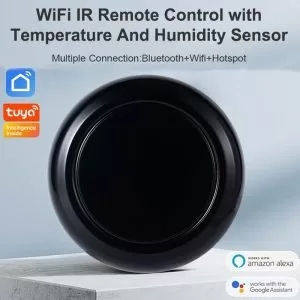
The Bluetooth one deserves a warning, because it is the most misunderstood. A Bluetooth gateway does not turn a Bluetooth lock into a Zigbee device and does not run automations on its own — it is a bridge so your phone’s absence does not mean losing the device. Useful, but not the same purchase as a Zigbee hub. If you want both in one box, a multi-mode gateway such as the MHUB-YR-W also carries an IR blaster, which replaces the pile of remote controls for an air conditioner or a TV at the same time.

Wired or wireless

A wired gateway — the TYGWZ-01, or the MHUB-MS — sits next to the router with an Ethernet cable. It is the most stable option and the one to choose if the hub lives in a cabinet with the network gear. A wireless one such as the TYGWZ-02 or the ZHUB-W only needs power, so you can place it centrally in the flat — which matters more, because Zigbee is a mesh and a hub in the middle of the home hears more devices directly. Pick wired for reliability in a fixed installation; pick wireless when you need to put it where the devices are.

If you are building for the next five years rather than the next five months, a Matter-capable model such as the MZHUB Matter gateway is the safer buy, because it can join either ecosystem later.

How many devices is too many

Zigbee meshes scale further than people expect — our Zigbee 3.0 gateway is specified for up to 130 wired or 30 to 40 wireless devices. The practical limits arrive before the numbers do: put a mains-powered Zigbee device every few rooms so the mesh has routes, and keep the hub away from the microwave and from large metal surfaces.

The reason to care about local execution is simple — automations that run on the hub rather than in the cloud keep working when your internet does not. “Motion in the hallway turns on the light at night” should not depend on a data centre.

When you genuinely do not need one

Three or four WiFi plugs, a couple of bulbs, and a Camera: skip it. You will add complexity for nothing, and every device still works. Add sensors, go past ten devices, or want lights that work during an outage, and the hub stops being optional. The same reasoning applies to the wider ecosystem choice — see our comparison of Zigbee and WiFi devices and, if you are choosing a platform, the Tuya versus Sonoff comparison. For a single panel that does control and hub duties at once, the 4-inch Tuya control panel replaces a wall of switches and a hub with one box.

Three situations, three answers

Two plugs and a bulb. No hub. Add nothing.

An Apartment with sensors on the doors, a motion sensor in the hall, and Smart switches. One Zigbee gateway, wireless if you need it central, wired if it lives by the router — the MHUB-W covers the case where you also have Bluetooth devices, and an IR remote paired with the gateway brings an older air conditioner into the same automations.

A house being wired from scratch. Matter-capable hub, wired, in the cabinet with the network gear — and choose devices that carry Matter or Zigbee rather than WiFi wherever there is a choice.

Frequently Asked Questions

Can two hubs coexist?

Yes — a Zigbee hub and a Bluetooth gateway on the same network are normal. What does not work is one device paired to two hubs; a Zigbee sensor belongs to whichever hub added it.

Do I need a hub for Matter devices?

You need a Thread border router, which most Matter hubs include and some speakers and routers now include too. Check whether you already own one before buying.

Will my devices work if the hub is unplugged?

Zigbee devices lose automations and remote control; anything running locally on a schedule stops. Battery sensors keep their own state but cannot report it.

Is a Bluetooth gateway enough for a smart lock?

For remote control and status, yes. For a lock to trigger other devices or run locally, it needs to be on a hub that executes automations.

Related Articles

You Might Also Like

Posted on — Leave a comment

Do You Actually Need a Zigbee Gateway? (And What Breaks Without One)

actually need zigbee - Do You Actually Need a Zigbee Gateway? (And What Breaks Without One)
Do You Actually Need a Zigbee Gateway? (And What Breaks Without One)

Every Zigbee project reaches the same question: which gateway, and do we really Need One? The short answer is yes — Zigbee Devices do not talk to a router, they talk to a gateway, and the gateway is what makes the mesh, the scenes and the remote access work.

What the gateway does

It is the coordinator of the Zigbee mesh: it holds the device list, runs automations locally, and bridges the mesh to your router so the app can reach it from anywhere. Without it, a Zigbee Switch is a switch — local control only, no app, no scenes, no voice. Mini Smart Breakers: Putting a Whole Circuit on a Schedule

Wired or wireless

A wired gateway connects by Ethernet, which is what you want for a permanent installation: fixed location, no WiFi dependency, stable mesh. A Wireless one connects over WiFi, which is easier to place but puts the mesh behind the router’s Wireless performance.

How many gateways

One gateway handles a large mesh — dozens of devices across a house is normal. What limits you is range, not count: Zigbee is a mesh, so mains-powered devices relay for each other, but a Battery sensor at the far end of a garden still needs something nearby to talk to. 2.8 Inch Offline Video Baby Monitor: Private, Simple, No-WiFi Nursery Monitoring

Placement

Central, off the floor, away from the router and away from large metal objects. A gateway in a metal consumer unit Works but reduces range.

FAQ

Can Zigbee devices work without a gateway?
No. Local control works, but app control, scenes and voice need the gateway.
Can I mix brands of Zigbee devices?
Usually within the same ecosystem — keep the gateway and the devices on the same platform.
Does the internet need to be up for automation?
No — scenes stored on the gateway run locally, which is one of the reasons people choose Zigbee.

Ready to specify it? Full specifications, gang options, colors and quantity pricing are on the ZigBee Smart Gateway — Wired & Wireless product page — OEM logo, manual and packaging are available from the first order.

Related Articles

You Might Also Like
Frequently Asked Questions

Is Actually Need Zigbee worth buying?

Based on the breakdown in this article, Actually Need Zigbee offers a solid mix of features and value. If your main goal matches the key benefits described above, it is a practical choice for everyday use.

How do I choose the right actually need zigbee for my needs?

Start with your core use case, then compare battery life, compatibility, and build quality as covered above. Choosing the right actually need zigbee comes down to matching specs with how you actually use it.

Does actually need zigbee require a companion app?

Most devices of this type pair with a free companion app for setup and firmware updates. A few advanced features may sit behind a paid plan, so check the official specs page before buying.

Posted on — Leave a comment

Smart Socket vs Smart Plug: Which to Buy?

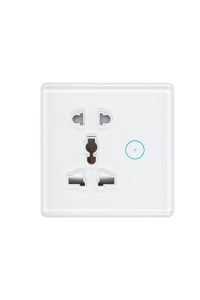
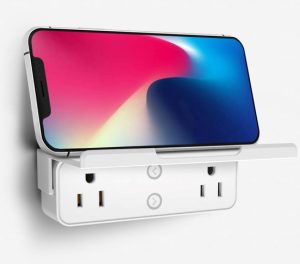
A Smart socket and a Smart plug do the same job from the app’s point of view: they switch power on and off, on a schedule or by voice. The difference is physical, and it decides which one belongs in your house. A Smart socket replaces the wall outlet itself; a smart plug goes into the outlet you already have. This guide explains where each one wins, what the power ratings mean, and how to set either type up in a few minutes.

The difference in one line

A smart wall socket is installed in place of a normal outlet, so nothing sticks out and you never lose a socket. A smart plug sits in an existing outlet and turns whatever is plugged into it into a connected device. If you own the wall, choose sockets. If you rent, move often, or want to move control from room to room, choose plugs.

Where smart wall sockets win

  • Nothing sticks out. Furniture sits flush, and a socket behind a sofa or a bed stays usable.
  • You do not lose an outlet. A plug occupies the socket it uses; a 2-gang wall socket gives you two switched channels instead of one.
  • Charging built in. Many models add USB-A and USB-C ports — a 20 W Type-C port charges a phone at full speed Without an adapter.
  • Metering where it matters. A wall socket with energy monitoring measures exactly what that appliance draws, every day, without any extra hardware.
  • Cleaner look in a finished home. One glass panel on the wall instead of a plug with an LED floating in the outlet.

The trade-off is installation: a wall socket needs the circuit isolated and the wiring moved, exactly like fitting a smart switch. That is a 20-minute job per socket for someone comfortable with basic wiring, and a short electrician visit otherwise.

Where smart plugs win

  • Zero installation. Plug in, pair, done — no breaker, no screwdriver, no landlord conversation.
  • They move. Take the plug from the lamp in winter to the fan in summer, or to a hotel room on a trip.
  • Perfect for lamps and small appliances. A floor lamp, a coffee machine, a Christmas tree, a router that needs a scheduled reboot.
  • Test before committing. If you are unsure which appliances are worth automating, a plug tells you for a few dollars.
  • No lost sockets indoors, sometimes. Slim models fit two per double outlet; the chunky ones do not.

Which one goes where in a real house

  • Kitchen counter (kettle, coffee machine): plug, because appliances get swapped and moved.
  • Living room lamps: plug, hidden behind the sofa, controlled as a group.
  • Bedside USB charging: wall socket with USB-C, so the phone charges fast without an adapter.
  • Heater or heated floor: socket with a temperature probe, or a temperature-control socket, so it switches on by temperature rather than by clock.
  • Washing machine, dishwasher, tumble dryer: wall socket, ideally one per appliance, so each can be scheduled and monitored on its own.
  • Rented flat: plugs only. Take them with you when you leave.

Power ratings and safety, in plain numbers

  • EU sockets: 16 A at 230 V is about 3,680 W. Fine for kettles, washing machines, small heaters.
  • UK sockets: 13 A at 230 V is about 3,000 W per gang.
  • US sockets: 15 A at 120 V is about 1,800 W — a single US plug should not run a large space heater continuously.

Two rules that matter more than the number: never plug an extension lead into a smart plug and then load it, and never put a smart plug on a device that draws more than the plug is rated for. A smart socket installed on its own circuit is the safer way to automate heating or laundry.

Energy monitoring: what the numbers actually tell you

Energy monitoring is the feature people use longest, because it answers a question nobody can guess: which appliance is costing money. A metering socket reports live watts, and the app keeps daily and monthly totals. In practice you learn three things:

  • The standby load of a room — the TV, console and router that together draw 30 to 60 W all night.
  • Which appliance is the real consumer — usually an old fridge, a dryer or a space heater, rarely the one you suspected.
  • Whether a scheduled run actually finished: zero watts after 90 minutes means the cycle ended, which is a useful laundry reminder for free.

Sockets that do more than switch

Two special cases are worth knowing before you buy:

  • Temperature-control sockets pair with a probe and switch by temperature — for a heater, a heat mat for seedlings, or an aquarium. No hub needed, and no schedule to fight with weather.
  • Multi-mode socket gateways act as a socket and a hub at once, so Zigbee sensors elsewhere in the house can join the same system. Useful in a small flat where you want sensors but not another box behind the television.

Setting either type up (same steps)

  1. Install the Tuya Smart or Smart Life app and create one account for the household.
  2. For a socket, switch the breaker off, connect live, neutral and earth, then switch it back on. For a plug, just put it in the outlet.
  3. Put the device in pairing mode — usually hold the button until the indicator blinks fast.
  4. Join your 2.4 GHz WiFi. A socket will not connect to a 5 GHz-only network name.
  5. Name it by what it controls, not by where it lives: “Coffee machine” beats “Socket 3”.
  6. Set a schedule and add it to a scene — “Good night” turning off lamps, heater and router in one tap.
  7. If you use Alexa or Google Home, link the Tuya account once and the names carry over.

Buying checklist

  • Own the wall, or rent? Sockets or plugs.
  • Do you need to know consumption, or only switch power? Metering costs a little more, and pays back in curiosity alone.
  • Which standard: EU 86 mm, UK, US, or a socket module for a country-specific frame?
  • How many gangs on one panel — two is the sweet spot in a kitchen or office.
  • USB charging needed? Look for Type-C at 20 W or more, not 5 W legacy ports.
  • Do you already have Zigbee sensors? A multi-mode gateway socket saves a hub.

XingLiao smart sockets

Frequently Asked Questions

Is a smart socket better than a smart plug?

Neither is better — they solve different problems. A socket is permanent, flush and never cost you an outlet, which suits appliances you want automated for years. A plug is instant and portable, which suits rented homes, lamps and anything you might automate only for a season.

Can a smart plug catch fire?

The plug itself rarely causes the problem; overload does. Keep the load inside the rating printed on the device, avoid daisy-chaining extension leads behind a plug, and use a wall socket on its own circuit for heaters, dryers and other high-draw appliances.

Do smart sockets need a neutral wire?

A wall socket needs live, neutral and earth — the same wires as a normal outlet, so no extra conductor is required. A smart switch sometimes needs a neutral that older switch boxes lack; a socket does not have that problem.

Do I need a hub or gateway?

Not for WiFi models. Tuya WiFi sockets talk to your router directly and appear in the app. A gateway is only needed for Zigbee-only devices, and some sockets combine both roles so you can skip the extra box.

Will a smart socket work with Alexa and Google Home?

Yes, for Tuya-based devices: link the Tuya Smart or Smart Life account in the voice assistant once, and every named socket appears as a controllable device. Scenes created in the app also run from voice.

What happens to schedules if the internet goes down?

Schedules stored on the device keep running, and physical switches still work. Only remote control and app history pause until the connection returns, which is why local time-based schedules are worth setting even when you mainly use voice.

Can I monitor energy without a subscription?

Yes. Metering is built into the socket or plug itself and the consumption history is shown in the app with no monthly fee. Subscriptions only appear if you opt into third-party analytics services.

Related guides

Browse smart switches and sockets · Tell us which appliances you want to automate and we will match the right socket

Posted on — Leave a comment

Smart Thermostat vs Smart Switch for Heating: Which One You Need

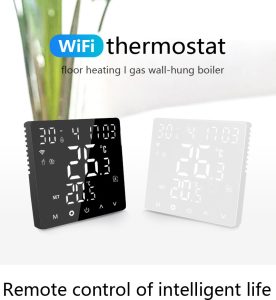
Choose a Smart thermostat when you want to control temperature — schedules, setpoints, and a boiler or heat pump that runs only when the room needs it. Choose a smart switch or relay when you want to control a circuit — a towel rail, a panel heater, a water heater, a floor heating mat — on a timer or remotely, Without measuring the room. If you want both heating comfort and energy savings on a wet system, the thermostat is usually the right first purchase.

This is the decision that most people get wrong, and it comes down to one question: does the device need to know the room temperature?

What a smart thermostat does

A thermostat measures room temperature and switches the heat source to hold a setpoint. Smart versions add scheduling, remote control, geofencing, and — on the better ones — weather compensation and open-window detection. Typical Wiring: a boiler switched live (often 3 A rated for the boiler contact) plus a mains supply, sometimes with a separate receiver near the boiler.

  • Best for: gas boilers, combi boilers, heat pumps, underfloor heating zones, and anyone whose goal is lower gas or electricity use.
  • Needs: a wiring point at the thermostat location or a wireless receiver at the boiler; check whether you have a neutral at the switch box.
  • Watch for: proprietary wiring (some heat pump controls), and boilers with their own bus protocol that a generic thermostat cannot drive.

What a smart switch or relay does

A smart switch or relay simply makes or breaks a circuit to a fixed load. It does not measure temperature. A 16 A smart switch on a towel rail turns it on for 30 minutes each morning; a 30 A relay on a water heater runs it on an off-peak tariff Window. That is control, not regulation.

  • Best for: electric towel rails, panel heaters, convectors, water heaters, floor heating mats with their own thermostat, and anything you want on a timer.
  • Needs: the right current rating (16 A ≈ 3.6 kW, 30 A ≈ 7 kW at 230 V) and, for in-wall modules, usually a neutral at the box.
  • Watch for: inrush current on some heaters, and the temptation to control a boiler’s mains supply directly — that is what the thermostat’s switched output is for.

Which one fits your heating

  • Gas or combi boiler with radiators: smart thermostat. It modulates and schedules the boiler; a switch would only turn the whole thing on and off.
  • Electric underfloor heating: a thermostat with a floor probe is the safe answer. If the mat already has its own thermostat, put a smart relay in front of it for scheduling and keep the probe in control of temperature.
  • Electric towel rail: smart switch, 16 A, on a Schedule. Temperature control adds nothing here.
  • Water heater or immersion: smart relay rated for the element (often 30 A), ideally on an off-peak schedule, with a hard over-temperature cut-out left in Place.
  • Heat pump: usually the manufacturer’s own controller. Adding a generic thermostat can defeat the weather compensation that makes a heat pump efficient.
  • Air conditioner or split unit: an IR or WiFi controller made for that unit, not a wall thermostat.

Savings: what is realistic

Scheduling is Where the money is, and both devices can do it. Turning heating down by 1 °C typically trims a few percent off a heating bill; not heating an empty house for eight hours a day saves far more. The thermostat wins on top of that because it stops short-cycling and overshoot — a switch left “on” simply runs the heater until you remember to turn it off.

Practical setup: heat the rooms you use, to the temperature you actually want, only when they are occupied. Then add a lower setback temperature rather than switching off completely, so you are not reheating cold walls and furniture.

Frequently Asked Questions

Can I control my boiler with a smart switch?

Not directly. A boiler is switched by the thermostat’s low-voltage or volt-free contact. Use a smart thermostat for the boiler and reserve smart switches for fixed resistive loads such as towel rails, panel heaters and water heaters.

Do I need a neutral wire?

Most in-wall smart switches and relays need a neutral at the box; many older switch boxes do not have one. No-neutral models and battery/hub-based switches exist, but check before buying.

What rating do I need for an electric heater?

Work from the load: 2 kW needs about 9 A, so a 10 A switch is marginal and a 16 A switch is safer; 3 kW needs 13 A, so use 16 A. Water heaters and large storage units often need a 30 A relay or contactor.

Is a smart thermostat worth it for underfloor heating?

Yes, if it supports a floor probe or a floor limit. The probe protects the floor finish and stops the screed overshooting, which is why a plain relay is not enough on its own.

Can I use both together?

Often yes, and it is a good combination: a smart thermostat on the boiler or heat source, and a smart relay on a specific circuit such as a towel rail or an immersion that should only run at certain times.

Will heating still work if the internet goes down?

A thermostat should keep its schedule and keep the heating running, because that logic is local. Choose models that keep a schedule on the device rather than relying on cloud routines.

Related guides

Browse thermostats and control panels · Tell us your heating type and we will advise

Related Articles

You Might Also Like