Posted on — Leave a comment

DS-111AW vs a Standard Wall Switch: What Actually Changes in a European standard Retrofit

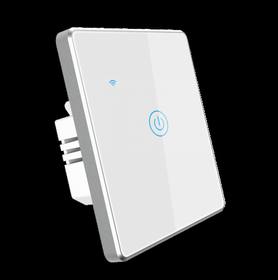
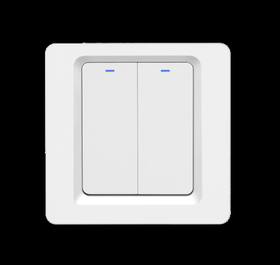
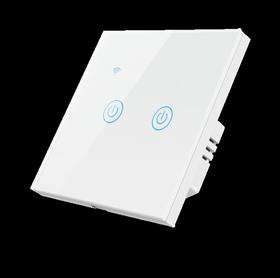
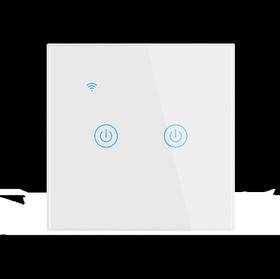
DS-111AW Series — New WiFi Touch Switch (1 Gang / 2 Gang / 3 Gang / 4 Gang)
DS-111AW vs a Standard Wall Switch: What Actually Changes in a European standard Retrofit

Swapping a mechanical Switch for a glass Touch plate changes more than the look: the box has to accept it, the Wiring has to feed it, and the Switch now needs somewhere to report to. Using the DS-111AW Series as the example, here is what actually changes in a European Standard retrofit.

The plate and the box

The DS-111AW uses the 86 × 86 mm square wall box (EU / UK / China). In most European Standard installations the existing box already matches, so the retrofit is a like-for-like swap. What changes is depth: the electronics sit behind the glass, so a very shallow box may need a spacer or a deeper back box.

The wiring

This model needs a neutral wire in the box — it will not work in a two-wire single-fire box. Confirm it before you order in quantity — it is the one thing that cannot be fixed on site.

The radio

Zigbee 3.0, a zigbee gateway is required (our wired / wireless gateway covers it) — in return you get mesh coverage and much lower standby power. For a whole-house project, a mesh also means switches in the far rooms stay reachable without adding WiFi repeaters. Where the DS-123Y Series Fits: Apartments, Hotels and Office Retrofits

What you gain

  • Group control — one tap or one app scene can drive every gang on the plate.
  • Schedules and countdown — useful for exterior lights, towel rails and anything on a timer.
  • Status at a glance — the app shows whether a light was left on, which a mechanical switch cannot tell you.
  • Voice — Alexa and Google Home once the switch is in the app.

Specifications

Quantity pricing

FAQ

Can I keep my existing faceplate?
No — the Touch plate is part of the switch, but the standard box size means no chasing or plastering.
What happens if the WiFi drops?
The touch panel keeps working locally, and schedules stored on the device still run.
Are the plates standard across the range?
Yes — gang sizes and finishes match across the Series, so mixed plates line up on the same wall.

Ready to specify it? Full specifications, gang options, colors and quantity pricing are on the DS-111AW series product page — OEM logo, manual and packaging are available from the first order.

Related Articles

You Might Also Like

Frequently Asked Questions

Is 111aw Standard Wall worth buying?

Based on the breakdown in this article, 111aw Standard Wall offers a solid mix of features and value. If your main goal matches the key benefits described above, it is a practical choice for everyday use. Wiring the DS-123 Series: Single-Fire, Zero-Fire and the Capacitor Question

How do I choose the right 111aw standard wall for my needs?

Start with your core use case, then compare battery life, compatibility, and build quality as covered above. Choosing the right 111aw standard wall comes down to matching specs with how you actually use it.

Does 111aw standard wall require a companion app?

Most devices of this type pair with a free companion app for setup and firmware updates. A few advanced features may sit behind a paid plan, so check the official specs page before buying.

Posted on — Leave a comment

DS-1071ZC vs a Standard Wall Switch: What Actually Changes in a European standard Retrofit

DS-1071ZC Series WiFi Touch Switch (1 Gang / 2 Gang / 3 Gang)
DS-1071ZC vs a Standard Wall Switch: What Actually Changes in a European standard Retrofit

Swapping a mechanical Switch for a glass Touch plate changes more than the look: the box has to accept it, the Wiring has to feed it, and the switch now needs somewhere to report to. Using the DS-1071ZC Series as the example, here is what actually changes in a European Standard retrofit.

The plate and the box

The DS-1071ZC uses the 86 × 86 mm square wall box (EU / UK / China). In most European Standard installations the existing box already matches, so the retrofit is a like-for-like swap. What changes is depth: the electronics sit behind the glass, so a very shallow box may need a spacer or a deeper back box. Where the DS-1042ZC Series Fits: Apartments, Hotels and Office Retrofits

The wiring

This model works in both single-fire (no neutral) and zero-fire (with neutral) boxes. That is the practical advantage of a universal relay: the same SKU covers the neutral boxes in a new build and the two-wire boxes in a refurbishment, so one order can serve both.

The radio

Zigbee 3.0, a zigbee gateway is required (our wired / wireless gateway covers it) — in return you get mesh coverage and much lower standby power. For a whole-house project, a mesh also means switches in the far rooms stay reachable without adding WiFi repeaters. Where the DS-123Y Series Fits: Apartments, Hotels and Office Retrofits

What you gain
  • Group control — one tap or one app scene can drive every gang on the plate.
  • Schedules and countdown — useful for exterior lights, towel rails and anything on a timer.
  • Status at a glance — the app shows whether a light was left on, which a mechanical switch cannot tell you.
  • Voice — Alexa and Google Home once the switch is in the app.
Specifications
Quantity pricing
FAQ
Can I keep my existing faceplate?
No — the Touch plate is part of the switch, but the standard box size means no chasing or plastering.
What happens if the WiFi drops?
The touch panel keeps working locally, and schedules stored on the device still run.
Are the plates standard across the range?
Yes — gang sizes and finishes match across the Series, so mixed plates line up on the same wall.

Ready to specify it? Full specifications, gang options, colors and quantity pricing are on the DS-1071ZC series product page — OEM logo, manual and packaging are available from the first order.

Related Articles

You Might Also Like
Frequently Asked Questions

Is 1071zc Standard Wall worth buying?

Based on the breakdown in this article, 1071zc Standard Wall offers a solid mix of features and value. If your main goal matches the key benefits described above, it is a practical choice for everyday use. Wiring the DS-123 Series: Single-Fire, Zero-Fire and the Capacitor Question

How do I choose the right 1071zc standard wall for my needs?

Start with your core use case, then compare battery life, compatibility, and build quality as covered above. Choosing the right 1071zc standard wall comes down to matching specs with how you actually use it.

Does 1071zc standard wall require a companion app?

Most devices of this type pair with a free companion app for setup and firmware updates. A few advanced features may sit behind a paid plan, so check the official specs page before buying.

Posted on — Leave a comment

DS-1041ZC vs a Standard Wall Switch: What Actually Changes in a European standard Retrofit

DS-1041ZC Series WiFi Touch Switch (1 Gang / 2 Gang / 3 Gang)
DS-1041ZC vs a Standard Wall Switch: What Actually Changes in a European standard Retrofit

Swapping a mechanical Switch for a glass Touch plate changes more than the look: the box has to accept it, the Wiring has to feed it, and the switch now needs somewhere to report to. Using the DS-1041ZC Series as the example, here is what actually changes in a European Standard retrofit.

The plate and the box

The DS-1041ZC uses the 86 × 86 mm square wall box (EU / UK / China). In most European standard installations the existing box already matches, so the retrofit is a like-for-like swap. What changes is depth: the electronics sit behind the glass, so a very shallow box may need a spacer or a deeper back box.

The wiring

This model works in both single-fire (no neutral) and zero-fire (with neutral) boxes. That is the practical advantage of a universal relay: the same SKU covers the neutral boxes in a new build and the two-wire boxes in a refurbishment, so one order can serve both. Where the DS-1042ZC Series Fits: Apartments, Hotels and Office Retrofits

The radio

Zigbee 3.0, a zigbee gateway is required (our wired / wireless gateway covers it) — in return you get mesh coverage and much lower standby power. For a whole-house project, a mesh also means switches in the far rooms stay reachable without adding WiFi repeaters.

What you gain
  • Group control — one tap or one app scene can drive every gang on the plate.
  • Schedules and countdown — useful for exterior lights, towel rails and anything on a timer.
  • Status at a glance — the app shows whether a Light was left on, which a mechanical switch cannot tell you.
  • Voice — Alexa and Google Home once the switch is in the app.
Specifications
Quantity pricing
FAQ
Can I keep my existing faceplate?
No — the Touch plate is part of the switch, but the standard box size means no chasing or plastering.
What happens if the WiFi drops?
The touch panel keeps working locally, and schedules stored on the device still run.
Are the plates standard across the range?
Yes — gang sizes and finishes match across the Series, so mixed plates line up on the same wall.

Ready to specify it? Full specifications, gang options, colors and quantity pricing are on the DS-1041ZC series product page — OEM logo, manual and packaging are available from the first order.

Related Articles

You Might Also Like
Frequently Asked Questions

Is 1041zc Standard Wall worth buying?

Based on the breakdown in this article, 1041zc Standard Wall offers a solid mix of features and value. If your main goal matches the key benefits described above, it is a practical choice for everyday use.

How do I choose the right 1041zc standard wall for my needs?

Start with your core use case, then compare battery life, compatibility, and build quality as covered above. Choosing the right 1041zc standard wall comes down to matching specs with how you actually use it.

Does 1041zc standard wall require a companion app?

Most devices of this type pair with a free companion app for setup and firmware updates. A few advanced features may sit behind a paid plan, so check the official specs page before buying.

Posted on — Leave a comment

DS-102JL vs a Standard Wall Switch: What Actually Changes in a European standard Retrofit

DS-102JL Series WiFi Touch Switch (1 Gang / 2 Gang / 3 Gang)
DS-102JL vs a Standard Wall Switch: What Actually Changes in a European standard Retrofit

Swapping a mechanical switch for a glass Touch plate changes more than the look: the box has to accept it, the Wiring has to feed it, and the switch now needs somewhere to report to. Using the DS-102JL Series as the example, here is what actually changes in a European Standard retrofit.

The plate and the box

The DS-102JL uses the 86 × 86 mm square wall box (EU / UK / China). In most European standard installations the existing box already matches, so the retrofit is a like-for-like swap. What changes is depth: the electronics sit behind the glass, so a very shallow box may need a spacer or a deeper back box.

The wiring

This model works in both single-fire (no neutral) and zero-fire (with neutral) boxes. That is the practical advantage of a universal relay: the same SKU covers the neutral boxes in a new build and the two-wire boxes in a refurbishment, so one order can serve both.

The radio

WiFi 2.4 GHz, no hub needed — it joins the router directly through the tuya / smart life app. For a single room or a small flat, this is the quickest route with nothing extra to buy.

What you gain
  • Group control — one tap or one app scene can drive every gang on the plate.
  • Schedules and countdown — useful for exterior lights, towel rails and anything on a timer.
  • Status at a glance — the app shows whether a light was left on, which a mechanical switch cannot tell you.
  • Voice — Alexa and Google Home once the switch is in the app.
Specifications
Quantity pricing
FAQ
Can I keep my existing faceplate?
No — the touch plate is part of the switch, but the standard box size means no chasing or plastering.
What happens if the WiFi drops?
The touch panel keeps working locally, and schedules stored on the device still run.
Are the plates standard across the range?
Yes — gang sizes and finishes match across the Series, so mixed plates line up on the same wall.

Ready to specify it? Full specifications, gang options, colors and quantity pricing are on the DS-102JL series product page — OEM logo, manual and packaging are available from the first order.

Related Articles

You Might Also Like
DS-102JLHK Series WiFi Touch Switch (1 Gang / 2 Gang / 3 Gang)DS-102JLHK Series WiFi Touch Switch (1 Gang / 2 Gang / 3 Gang) Price range: $10.33 through $11.52DS-102JL Series WiFi Touch Switch (1 Gang / 2 Gang / 3 Gang)DS-102JL Series WiFi Touch Switch (1 Gang / 2 Gang / 3 Gang) Price range: $8.00 through $9.00
Frequently Asked Questions

Is 102jl Standard Wall worth buying?

Based on the breakdown in this article, 102jl Standard Wall offers a solid mix of features and value. If your main goal matches the key benefits described above, it is a practical choice for everyday use.

How do I choose the right 102jl standard wall for my needs?

Start with your core use case, then compare battery life, compatibility, and build quality as covered above. Choosing the right 102jl standard wall comes down to matching specs with how you actually use it.

Does 102jl standard wall require a companion app?

Most devices of this type pair with a free companion app for setup and firmware updates. A few advanced features may sit behind a paid plan, so check the official specs page before buying.

Posted on — Leave a comment

DS-101Y vs a Standard Wall Switch: What Actually Changes in a European standard Retrofit

DS-101Y Series WiFi Touch Switch (2 Gang / 3 Gang / 4 Gang)
DS-101Y vs a Standard Wall Switch: What Actually Changes in a European standard Retrofit

Swapping a mechanical switch for a glass touch plate changes more than the look: the box has to accept it, the Wiring has to feed it, and the switch now needs somewhere to report to. Using the DS-101Y Series as the example, here is what actually changes in a European Standard retrofit.

The plate and the box

The DS-101Y uses the 86 × 86 mm square Wall box (EU / UK / China). In most European standard installations the existing box already matches, so the retrofit is a like-for-like swap. What changes is depth: the electronics sit behind the glass, so a very shallow box may need a spacer or a deeper back box.

The wiring

This model needs a neutral wire in the box — it will not work in a two-wire single-fire box. Confirm it before you order in quantity — it is the one thing that cannot be fixed on site.

The radio

Bluetooth, no hub and no router needed — pair it straight from the phone for local control and schedules. For a single room or a small flat, this is the quickest route with nothing extra to buy.

What you gain
  • Group control — one tap or one app scene can drive every gang on the plate.
  • Schedules and countdown — useful for exterior lights, towel rails and anything on a timer.
  • Status at a glance — the app shows whether a light was left on, which a mechanical switch cannot tell you.
  • Voice — Alexa and Google Home once the switch is in the app (Bluetooth models depend on the app ecosystem you pair with).
Specifications
Quantity pricing
FAQ
Can I keep my existing faceplate?
No — the touch plate is part of the switch, but the standard box size means no chasing or plastering.
What happens if the WiFi drops?
The touch panel keeps working locally, and schedules stored on the device still run.
Are the plates standard across the range?
Yes — gang sizes and finishes match across the Series, so mixed plates line up on the same wall.

Ready to specify it? Full specifications, gang options, colors and quantity pricing are on the DS-101Y series product page — OEM logo, manual and packaging are available from the first order.

Related Articles

You Might Also Like
DS-101YJL Series WiFi Touch Switch (1 Gang / 2 Gang / 3 Gang / 4 Gang)DS-101YJL Series WiFi Touch Switch (1 Gang / 2 Gang / 3 Gang / 4 Gang) Price range: $11.07 through $12.87DS-101Y Series WiFi Touch Switch (2 Gang / 3 Gang / 4 Gang)DS-101Y Series WiFi Touch Switch (2 Gang / 3 Gang / 4 Gang) Price range: $10.48 through $11.37
Frequently Asked Questions

Is 101y Standard Wall worth buying?

Based on the breakdown in this article, 101y Standard Wall offers a solid mix of features and value. If your main goal matches the key benefits described above, it is a practical choice for everyday use.

How do I choose the right 101y standard wall for my needs?

Start with your core use case, then compare battery life, compatibility, and build quality as covered above. Choosing the right 101y standard wall comes down to matching specs with how you actually use it.

Does 101y standard wall require a companion app?

Most devices of this type pair with a free companion app for setup and firmware updates. A few advanced features may sit behind a paid plan, so check the official specs page before buying.

Posted on — Leave a comment

DS-101BW vs a Standard Wall Switch: What Actually Changes in a European standard Retrofit

DS-101BW Series WiFi Touch Switch (1 Gang / 2 Gang / 3 Gang / 4 Gang)
DS-101BW vs a Standard Wall Switch: What Actually Changes in a European standard Retrofit

Swapping a mechanical switch for a glass Touch plate changes more than the look: the box has to accept it, the Wiring has to feed it, and the switch now needs somewhere to report to. Using the DS-101BW Series as the example, here is what actually changes in a European Standard retrofit.

The plate and the box

The DS-101BW uses the 86 × 86 mm square wall box (EU / UK / China). In most European standard installations the existing box already matches, so the retrofit is a like-for-like swap. What changes is depth: the electronics sit behind the glass, so a very shallow box may need a spacer or a deeper back box.

The wiring

This model needs a neutral wire in the box — it will not work in a two-wire single-fire box. Confirm it before you order in quantity — it is the one thing that cannot be fixed on site.

The radio

Bluetooth, no hub and no router needed — pair it straight from the phone for local control and schedules. For a single room or a small flat, this is the quickest route with nothing extra to buy.

What you gain
  • Group control — one tap or one app scene can drive every Gang on the plate.
  • Schedules and countdown — useful for exterior lights, towel rails and anything on a timer.
  • Status at a glance — the app shows whether a light was left on, which a mechanical switch cannot tell you.
  • Voice — Alexa and Google Home once the switch is in the app (Bluetooth models depend on the app ecosystem you pair with).
Specifications
Quantity pricing
FAQ
Can I keep my existing faceplate?
No — the touch plate is part of the switch, but the standard box size means no chasing or plastering.
What happens if the WiFi drops?
The touch panel keeps working locally, and schedules stored on the device still run.
Are the plates standard across the range?
Yes — gang sizes and finishes match across the Series, so mixed plates line up on the same wall.

Ready to specify it? Full specifications, gang options, colors and quantity pricing are on the DS-101BW series product page — OEM logo, manual and packaging are available from the first order.

Posted on — Leave a comment

Home Automation System: How to Build One That Actually Gets Used

What Counts as a Home Automation System?

A home automation system is not a single product. It is four layers working together: devices that sense and act, a network that carries the signals, a platform that holds the logic, and interfaces — app, voice, wall panel — that let a human override everything.

Understanding the layers is what stops people from buying a pile of gadgets that do not talk to each other:

  • Devices — switches, sockets, sensors, locks, cameras, curtain motors, thermostats. Each one either switches something, measures something, or both.
  • Network — WiFi for high-bandwidth devices (cameras), Zigbee for battery sensors and mesh reliability, Bluetooth for locks and small sensors, Thread/Matter as the newer cross-brand option.
  • Gateway — the translator. See our smart home gateway guide.
  • Platform — the app that stores your scenes. Standardising on one platform (Tuya/Smart Life, or Alexa, or Google Home) is more important than any individual device choice.

Most failed Smart homes fail at layer four: three apps, two ecosystems, and no shared logic.

Start With Three Scenes, Not Thirty Devices

The biggest mistake is buying fifteen devices before knowing what you want them to do. Pick three scenes that solve something real, then buy only what those scenes need: C08 Gimbal Stabilizer 69cm, Extendable Selfie Stick Tripod for iPhone & Android

  • Leaving home — one command turns off lights and plugs you would otherwise forget, arms the sensors, and closes curtains. Needs: Smart switches or plugs, door sensor, optional door/window sensors.
  • Good morning — curtain opens, bathroom light to a dim level, heater off, kettle on. Needs: curtain switch or motor, a switch board, a plug.
  • Leak or smoke response — sensor trips, alarm sounds locally, relevant plug cuts power, phone notification. Needs: water leak sensor or smoke detector, and a smart plug or valve.

Once those three work reliably, expansion is obvious because you now know which rooms and which loads matter. More scene ideas in six practical automation scenes and seven scenes that save time and energy. C07 Mini Gimbal Stabilizer 66cm, Foldable Extendable Selfie Stick Tripod for Smartphones

Choosing the Protocol: WiFi, Zigbee or Matter

  • WiFi — simplest, no hub, but every device occupies router capacity and depends on your router’s quality. Fine for 10–20 devices, and for cameras which need the bandwidth.
  • Zigbee 3.0 — mesh, low power, offloads the router, sensors run a year or more on a coin cell. Needs a gateway. This is the right backbone for a whole-home system in 2026.
  • Matter / Thread — designed for cross-brand compatibility and local control, with Thread giving Zigbee-like mesh. Adoption is growing; if your project is 12+ months out, ask for Matter-capable hardware so you are not locked in.

A common, sane mix: WiFi for cameras and a few plugs, Zigbee for sensors and switches, one gateway holding it together. The detailed trade-off is in Zigbee vs WiFi smart home devices.

Room-by-Room: What Actually Gets Automated

  • Entry — video doorbell, smart lock, door sensor. Arriving home triggers lights and disarms the alarm.
  • Living room — switch board for zones, plugs for lamps, curtain motor, IR hub for the air conditioner.
  • Kitchen — leak sensor under the sink, smoke detector, plug on the kettle or coffee machine.
  • Bedroom — two-way switching at the door and bedside, scene button for “sleep”, thermostat or switch for heating. See thermostat vs smart switch for heating.
  • Bathroom — occupancy-based exhaust fan, leak sensor, heated towel rail on a schedule.
  • Outside — camera, motion-triggered floodlight, and a rain or leak sensor if you have a pump.

Reliability: Make It Survive Real Life

  • Keep physical control. Every automated light should still have a wall switch that works. Guests, kids and internet outages are all unavoidable.
  • Prefer local scenes for safety logic. Leak, smoke and door-forced automations should run on the gateway, not in the cloud.
  • Name devices by room and function. Voice control is unusable with “Switch 3”.
  • Document the panel. A printed list of breakers, device names and gateway location saves an hour of troubleshooting for whoever comes after you.
  • Leave headroom on the router. Past roughly 30 WiFi devices, move sensors and switches to Zigbee.

What It Costs to Build

For a typical three-bedroom apartment, a meaningful starter system is: one gateway, two or three switch boards, two plugs, three or four sensors, one camera and one Doorbell. That covers the three scenes above with change to spare. Whole-house projects with a control panel per floor and full sensor coverage run several times that, but the cost is dominated by switch boards and panels, not by the gateway.

The honest advice: spend on the switch layer and the gateway, and economise on gadgets you will stop using in a month.

Building This as a Product Line

If you are a distributor, developer or hotel group rather than a homeowner, the same architecture applies at a different scale — and the decisions that matter are standardisation, certification and supply consistency. What we do:

  • Stock across switches, sockets, sensors, cameras, doorbells and gateways: from 100 pcs, mixed models and colours.
  • OEM branding across the whole kit (logo, packaging, manuals, app name, firmware config): from 5 pcs per model.
  • New tooling: 2,000–3,000 pcs, tooling 25–40 days, samples 7–15 days.
  • Certification support: CE, FCC, RoHS, UKCA, CCC, PSE, with one platform so the kit works together out of the box.

Send the property type, room count and target market via the contact page and we will put together a kit-level quote. Or start browsing: best smart home starter kit for 2026.

Frequently Asked Questions

Do I need a hub for home automation?

If every device is WiFi, no. As soon as you add battery sensors or want automations that survive an internet outage, yes — a Zigbee gateway becomes the backbone of the system.

Can I mix brands?

Yes if they share a platform. Devices built on Tuya/Smart Life interoperate in one app regardless of the name on the box. Mixing separate ecosystems usually means separate apps and no shared scenes.

What happens when the internet goes down?

Physical switches always work. Local scenes stored on the gateway keep running. Cloud-dependent scenes and remote access stop — which is why safety scenes should be local.

How much can I automate without rewiring?

More than most people expect: plugs, switch modules behind existing faceplates, battery sensors, curtain motors and IR hubs all need no new cabling. Only replacing wall switch boards or adding a neutral wire touches the wiring.

Is Matter worth waiting for?

If your purchase is imminent, buy what works today — Tuya and Zigbee hardware is mature and cheap. If you are specifying a project that ships in a year, ask for Matter-capable models so you are not locked into one platform.

What is the MOQ to launch our own branded system?

5 pcs per model for OEM branding, 100 pcs for stock in neutral packaging, and 2,000–3,000 pcs if you need new tooling. Sampling takes 7–15 days.

Related Articles

You Might Also Like
Posted on — Leave a comment

Video Doorbell Without WiFi: How It Actually Works

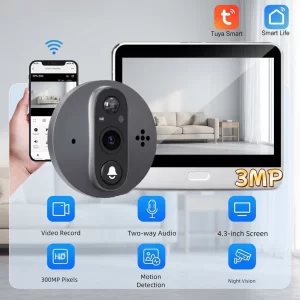
A Video doorbell can work without Home WiFi in two different ways. The first is local operation: the doorbell still joins your WiFi, but records to a microSD card in the indoor chime and rings locally, so a broadband outage does not stop it. The second is no home internet at all: a 4G model with a SIM card sends Video over mobile data. Only the second One works if you have no broadband, or if the Door is out of WiFi range.

Understanding which of the two you need saves most of the disappointment, because the two are often sold under the same “no WiFi required” Label. Automatic Pet Feeder Portions: How to Calibrate and Schedule Meals

Why doors are the hardest place for WiFi

A front door combines the three worst things for a radio link: an exterior wall (often brick or concrete), a door leaf that may be metal or foil-backed insulation, and — in flats — a corridor full of other people’s access points. A doorbell that measures fine indoors can drop 15–20 dB once it is mounted. Practical consequences:

  • Live view takes several seconds to connect, or times out.
  • Motion notifications arrive minutes late, or only when you open the app.
  • Firmware updates fail halfway and the unit appears “dead” until it is brought indoors.

Fix the link before you blame the camera: add a mesh node on the inside wall nearest the door, or move the router. If neither is possible, go 4G.

Type 1: local recording, still on WiFi

These models pair to your 2.4 GHz network, but store clips on a microSD card inside the plug-in chime. If your broadband drops, the doorbell keeps recording and still rings the chime; you simply cannot watch remotely until the internet returns. This is the right choice for houses with a decent router and an occasional outage. Hotel Smart Security OEM Solutions

Check before buying: the card slot must be in the chime or the doorbell (state which), the maximum supported capacity (commonly 32–128 GB), and whether clips loop-record or stop when full.

Type 2: 4G doorbell with a SIM

The doorbell contains a mobile modem. You insert a data SIM, top up a plan, and the doorbell talks to the app over LTE. Use cases Where this is not a luxury but the only workable answer:

  • Driveway gates and farm entrances 20–100 m from the house.
  • Rental and holiday properties without broadband.
  • Site offices, workshops and outbuildings.
  • Houses with stone or foil-insulated walls where no mesh node helps.

Data budgeting: standby Costs very little; the cost is streaming. Expect a few hundred MB per month if you only watch motion clips, and several GB if you open live view often or keep high bitrate 2K/4MP streams. Buy a plan with a hard cap, and set the app to push a thumbnail first rather than auto-downloading every clip.

Power: 4G modems draw more than WiFi ones. Choose a large battery (or a solar panel) and expect a shorter interval between charges than an equivalent WiFi model.

Type 3: RF doorbells and local intercoms

Some wireless video doorbells link the outdoor unit to an indoor screen over a dedicated radio (often 433 MHz or similar) and never touch the internet. You get a live picture on the indoor monitor and two-way talk, but no remote viewing and no cloud clips. This is a good fit for elderly relatives, for households that do not want an app, and for buildings where WiFi is impossible and a data plan is unwanted.

Comparison at a glance

  • WiFi + cloud: best convenience, needs reliable 2.4 GHz at the door and a subscription for cloud history.
  • WiFi + microSD: no subscription, survives broadband outages, still needs WiFi at the door.
  • 4G + SIM: works anywhere with mobile coverage, costs a data plan, higher battery drain.
  • RF + indoor screen: no internet at all, no remote access, simplest to live with.
Comparison at a glance
Type Uses home Wi-Fi Where video is stored Works during an outage Typical use
Local recording over Wi-Fi Yes microSD in the indoor chime Yes, rings locally Homes that want video kept on site
4G doorbell with SIM No microSD and/or cloud Yes Gates, farms, remote sites
RF doorbell / local intercom No None, or local screen Yes Apartments and buildings needing only voice and a live view
Frequently Asked Questions

Do video doorbells work without internet?

Yes, in two ways. Models with a microSD slot keep recording to the card and still trigger the indoor chime. Models with an RF link to an indoor screen work with no internet whatsoever, but you cannot watch from your phone.

Does a video doorbell need WiFi to ring?

Not for the chime. On most battery kits the button, the chime and the doorbell talk over their own radio link. WiFi is only needed for app notifications, remote live view and cloud storage.

Can I use a 4G doorbell indoors or at a gate?

Yes — that is its main advantage. Just check mobile coverage at the exact mounting position before committing, and check the IP rating (IP65 or better for an exposed gate).

How much data does a 4G video doorbell use?

Push notifications and thumbnails use very little. Full live view is the expensive part: a few MB per minute. Plan a few hundred MB per month for normal motion-clip use, and several GB if you stream often.

Will my doorbell still record if the power or broadband fails?

Battery models keep running and keep recording to microSD. The chime needs mains power, so a power cut silences the ring unless the chime has battery backup.

Is 2.4 GHz necessary, or can I use 5 GHz?

Almost all video doorbells are 2.4 GHz only. Make sure your router broadcasts a 2.4 GHz SSID and that AP/client isolation is off.

Related guides

See video doorbells, including no-WiFi and 4G models · Tell us your door and we will recommend one

Related Articles

You Might Also Like
Posted on — Leave a comment

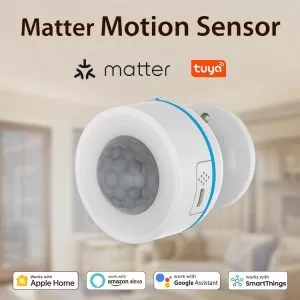
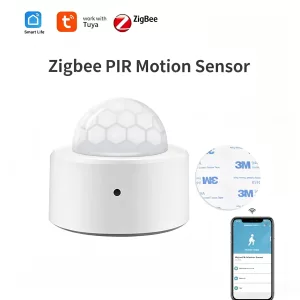
Matter PIR Motion Sensor: 8 Automations That Actually Work, and the 5 Things That Cause False Triggers

Matter PIR motion sensor mounted on a hallway wall at 2.1m height covering a corridor

Quick answer: a Matter PIR sensor gives you occupancy, not presence. It tells a hub that someone moved through a space in the last few seconds, which is enough for lighting, heating setbacks, fans and alerts — and not enough for “is someone still in the room”. Build automations that only need a trigger plus a timeout, mount the sensor 2–2.2m high facing across the room rather than at a window, and most reliability problems disappear before they start.

Matter PIR motion sensor mounted on a hallway wall at 2.1m height covering a corridor
A hallway is the highest-value position in any Home — everyone passes through it, several times a day.

Eight Automations Worth Running

  1. Hallway light on movement, off after two minutes. The classic, and still the one people notice most. Two minutes is long enough to walk through with your hands full.
  2. Night-only pathway lighting. Same trigger, but only between 23:00 and 06:00, at 10–20% brightness. Full brightness at 3am is a design failure.
  3. Bathroom extractor fan. Trigger the fan on entry, run it for ten minutes after the last trigger. Cheaper and more reliable than a humidity sensor in most bathrooms.
  4. Heating or air-conditioning setback. No movement in a room for 30 minutes → drop the setpoint by 2°C. Movement → restore. This is where a sensor pays for itself.
  5. Standby kill for a Home office or a media wall. No occupancy for 45 minutes → cut the socket strip. Screens, speakers and chargers draw more than people expect.
  6. Arrival lighting at the entrance. Movement in the porch during the evening → porch light plus the hallway light, so nobody unlocks a Door in the dark.
  7. Away-mode alerting. Movement in a room that should be empty while the house is in away mode → notification. It is not an alarm system, but it is a useful second opinion.
  8. Staircase handover. Sensor at the bottom triggers the stair lights, sensor at the top keeps them on until the top landing is reached. Two sensors, no switch.
Compact Matter Thread PIR motion sensor with USB-C and battery dual power options
USB-C plus battery means the sensor can be permanent in one spot and moved for testing without rewiring.

Why Automations Fail: Occupancy Is Not Presence

A PIR reports motion, then goes quiet after a timeout. The moment someone sits still — reading, working at a desk, watching a film — the sensor reports “no motion” and a naive automation switches the lights off on them. Three ways out:

  • Use a generous timeout (10–15 minutes) for rooms where people sit still.
  • Do not let motion switch lights off in those rooms — let motion switch them on and let a schedule or a manual switch handle off.
  • Combine with a door contact if you need real room state: door closed plus no motion is far more reliable than motion alone.

Five Things That Cause False Triggers

  1. Direct sunlight or a hot draught on the lens. PIR detects infrared change; a sunbeam moving across a floor or warm air from a heater vent looks like a person. Move the sensor, not the radiator.
  2. Curtains and plants above a heater or an open window. Air movement plus fabric is the most common daytime false trigger.
  3. Pets at sensor height. Mount at 2–2.2m and, if the sensor supports it, angle it slightly downward; a cat on the floor is then mostly outside the pattern.
  4. Sensors pointed at windows. Cars, pedestrians and reflections outside the glass are all infrared events. Point the sensor into the room, across the walkway.
  5. Mounting on a vibrating surface. A sensor on a loose door frame or next to a washing machine can self-trigger. Solid wall, solid fixings.
Matter motion sensor installed in a staircase detecting movement for automatic lighting
Staircases are where a well-placed sensor stops being a gadget: hands full, no switch, light already on.

Placement Rules That Hold Up in Real Homes

  • 2–2.2m highon a wall rather than a ceiling corner, for room sensors.
  • Face across the walking pathnot along it — crossing the detection pattern registers far more reliably than walking towards it.
  • Cover the entry point. The first two metres inside a door is where the trigger has to happen, otherwise the light comes on after you are already in the dark.
  • Keep it away from heat sources — radiators, boiler cupboards, the top of a fridge, direct sun.
  • Test before fixing. Walk the room for two minutes with the app open and watch the trigger log. Move it then, not after the adhesive is set.

Why Matter Matters Here

Matter is the reason a sensor like this is worth buying now rather than in two years. It pairs locally with any Matter controller instead of locking you to one app, it joins a Thread mesh that does not congest Wi-Fi, and it keeps working when the internet does not — automations that depend on a cloud round-trip are the ones that fail at 2am during an outage. For distributors it also removes the “which ecosystem does the customer use” question from the sales conversation.

PIR smart home sensor paired with a smart light bulb for hallway automation
Paired with Smart lighting, the sensor becomes the trigger for the scene rather than the device people think about.

Battery vs USB-C

Battery buys placement freedom and a clean install; USB-C buys zero maintenance and the ability to place the sensor somewhere awkward for a battery swap. In practice: battery for hallways, landings and anywhere you cannot run a cable discreetly; USB-C for offices, media walls and anywhere with a socket already behind furniture. A sensor that supports both, as this one does, means you can install on battery and move to USB-C later without replacing hardware.

Matter PIR occupancy sensor in a living room used for heating and lighting automations
In a living room the valuable automation is the heating setback, not the light switch — it is where the energy actually goes.
Frequently Asked Questions

Will it work without internet?

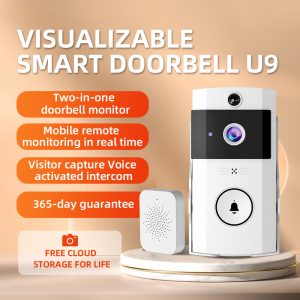
Yes. Matter automations run on the local controller and over Thread, so lighting and heating scenes keep working during an outage. U9 2-in-1 Smart Video Doorbell: No-Drill Home Security With Free Cloud Storage

Can it tell who is in the room?

No. It reports motion in its field of view, not identity. For per-person automations you need a phone presence or a wearable.

How long does the battery last?

Months rather than weeks in a normal hallway. High-traffic positions and very cold rooms shorten it; USB-C removes the question entirely.

Does it detect a seated person?

Not reliably — small movements are often missed. Use a long timeout, or add a door contact if you need to know whether a room is occupied.

Do I need a hub?

You need a Matter controller, which most current Smart speakers and Smart Home hubs already are. Pair it the same way you would pair any Matter accessory.

Related Reading

Product page: Matter Thread PIR Motion Sensor — USB-C and battery dual power

Related Articles

You Might Also Like