Essential Smart Home Devices: What You Actually Need in 2026
Published: July 12, 2026
Updated: July 12, 2026
Reading Time: 15 minutes

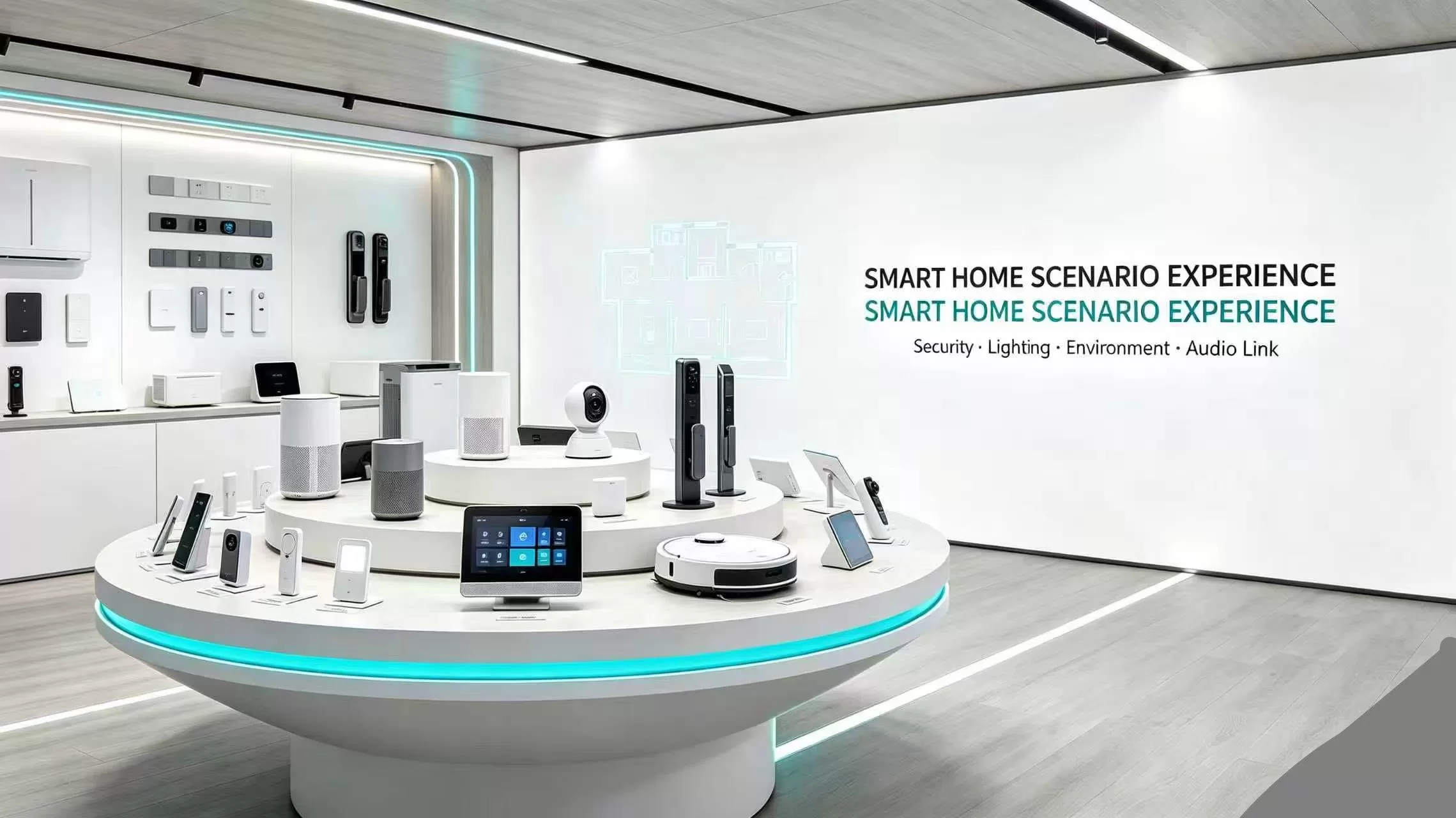
However, Xingliao smart home premium product collection featuring smart control panels, switches, and security devices
Smart Curtain Motor Track: Automated Window Control System
What Smart Home Devices Do I Actually Need?
Smart WiFi Pet Feeder: Automated Pet Care with APP Control
However, Setting up a smart home can feel overwhelming. With hundreds of devices on the market, how do you know which ones are actually worth buying? Smart Home Wholesale FAQ: 15 Questions Every Buyer Asks Before Ordering in Bulk
The truth: You don’t need everything. You need the right devices for your specific needs.
This guide breaks down essential smart home devices by category, budget, and use case. Whether you’re a beginner or upgrading your setup, you’ll find exactly what you need.
Smart Home Starter Kit: The Basics (Under $300)
For beginners, start with these 5 devices:
1. Smart Speaker/Hub
Why you need it: The brain of your smart home Top picks:
- Amazon Echo Dot (5th Gen) – $50
- Google Nest Mini – $49
- Apple HomePod Mini – $99
What it does:
- Voice control for all devices
- Music streaming
- Weather, timers, alarms
- Smart home automation hub
2. Smart Bulbs
Why you need it: Instant ambiance and energy savings Top picks:
- Philips Hue White & Color – $45/bulb
- LIFX Mini – $35/bulb
- Wyze Bulb Color – $20/bulb
What it does:
- Remote on/off control
- Dimming and color changing
- Scheduling and routines
- Energy savings (up to 80%)
3. Smart Plugs
Why you need it: Make any device smart Top picks:
- TP-Link Kasa Smart Plug – $15
- Amazon Smart Plug – $25
- Wyze Plug – $12
What it does:
- Turn devices on/off remotely
- Monitor energy usage
- Set schedules
- Voice control non-smart devices
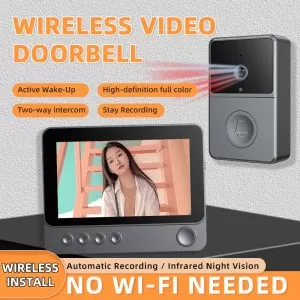
4. Smart Doorbell

Therefore, Smart video doorbell with HD camera and two-way audio communication
Why you need it: Security and convenience Top picks:
- Ring Video doorbell 4 – $200
- Nest Doorbell (Battery) – $180
- Xingliao UOBX WiFi Doorbell – $89
What it does:
- See who’s at the door
- Two-way talk
- Motion detection
- Package alerts
5. Smart Thermostat
Why you need it: Comfort and energy savings Top picks:
- Nest Learning Thermostat – $250
- Ecobee SmartThermostat – $230
- Honeywell Home T9 – $200
What it does:
- Auto-adjust temperature
- Learn your schedule
- Remote control
- Energy reports (save 10-15% on bills)
Starter Kit Total: $285-$480
Room-by-Room Smart Home Setup
Living Room
Pstrongessential Devicesstrongp Ul Lismart Tv Or Streaming
Essential devices:
- Smart TV or streaming stick ($30-$500)
- Smart speaker ($50-$100)
- Smart bulbs ($20-$45)
- Smart blinds ($100-$300)
- Universal remote ($50-$250)
Nice to have:
- Smart air purifier ($100-$300)
- Robot vacuum ($200-$800)
Kitchen
Essential devices:
- Smart display ($90-$230)
- Smart plugs for appliances ($15-$25)
- Smart refrigerator ($1,500-$3,000)
- Smart coffee maker ($100-$300)
Nice to have:
- Smart oven ($800-$2,000)
- Smart dishwasher ($700-$1,500)
Bedroom
Essential devices:
- Smart bulbs ($20-$45)
- Smart speaker ($50-$100)
- Smart alarm clock ($50-$150)
- Sleep tracker ($50-$300)
Nice to have:
- Smart mattress ($1,000-$3,000)
- Smart air purifier ($100-$300)
Bathroom
Essential devices:
- Smart scale ($30-$150)
- Smart mirror ($100-$400)
- Smart toothbrush ($50-$200)
Nice to have:
- Smart toilet ($500-$2,000)
- Smart shower ($300-$1,000)
Home Security
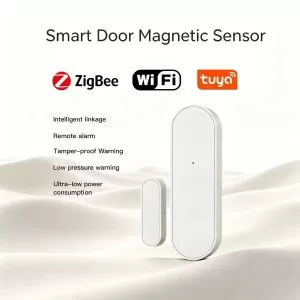
Moreover, Tuya Zigbee smart door magnetic sensor – wireless home security device
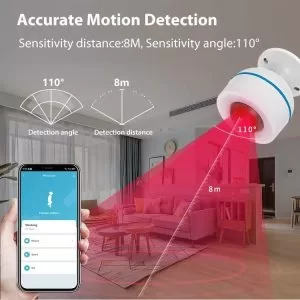
Matter PIR motion sensor with accurate human detection and smartphone app control
Essential devices:
- Smart doorbell ($89-$250)
- Smart locks ($150-$300)
- Security cameras ($50-$200)
- PIR motion sensors with accurate human detection ($20-$50)
- Door/window magnetic sensors ($15-$30)
- Smart smoke detector ($50-$120)
Nice to have:
- Smart garage door opener ($100-$300)
- Glass break sensors ($30-$60)
- Water leak detectors ($20-$50)
Smart Home Devices by Budget
Budget Setup ($500-$1,000)
- Smart speaker: $50
- Smart bulbs (4): $80
- Smart plugs (4): $60
- Smart doorbell: $89
- Smart thermostat: $200
- Security camera: $50
- Smart lock: $150
Total: $679
Mid-Range Setup ($1,000-$2,500)
- Everything in budget setup
- Smart display: $150
- Robot vacuum: $300
- Smart blinds (2): $400
- Additional cameras (2): $100
- Smart garage door: $200
- Smart sprinkler: $150
Total: $1,979
Premium Setup ($2,500-$5,000)
- Everything in mid-range setup
- Smart refrigerator: $2,000
- Smart oven: $1,500
- Smart washer/dryer: $1,500
- Smart mattress: $1,500
- Whole-home audio: $1,000
- Smart irrigation: $500
Total: $9,979
Smart Home Protocols: Which One to Choose?
WiFi
Pstrongprosstrongp Ul Lino Hub Neededli Liwide Compatibilityli
Pros:
- No hub needed
- Wide compatibility
- Easy setup
Cons:
- Can slow down network
- Higher power consumption
- Security risks
Best for: Beginners, small setups
Zigbee
Pros:
- Low power consumption
- Mesh network (better range)
- Reliable
Cons:
- Needs hub
- Less common
Best for: Medium setups, battery-powered devices
Z-Wave
Pros:
- Dedicated frequency (less interference)
- Mesh network
- Reliable
Cons:
- Needs hub
- Fewer devices available
Best for: Large setups, security systems
Matter (New Standard)
Pros:
- Universal compatibility
- Works with all major platforms
- Future-proof
Cons:
- Still rolling out
- Limited devices
Best for: New setups, future-proofing
Recommendation: Start with WiFi, add Zigbee/Z-Wave for larger setups, choose Matter for new devices.
Smart Home Automation Ideas
Morning Routine
- 6:30 AM: Lights gradually turn on
- 6:35 AM: Thermostat adjusts to 72°F
- 6:45 AM: Coffee maker starts
- 7:00 AM: News briefing plays on smart speaker
- 7:15 AM: Security system disarms
Leaving Home Routine
- Lock smart door
- Turn off all lights
- Adjust thermostat to eco mode
- Arm security system
- Close smart blinds
Evening Routine
- 6:00 PM: Lights turn on at 70%
- 6:30 PM: Thermostat adjusts to 70°F
- 7:00 PM: Entertainment mode (dim lights, TV on)
- 10:00 PM: Night mode (lights off, security armed)
Vacation Mode
- Random light schedule
- Security cameras record all motion
- Thermostat in eco mode
- Smart sprinklers maintain lawn
- Notifications for any door/window activity
Common Smart Home Mistakes to Avoid
1. Buying Incompatible Devices
Solution: Check protocol compatibility before buying. Choose Matter-certified devices when possible.
2. Ignoring Security
Pstrongsolutionstrongp Ul Lichange Default Passwordsli Lienable Two-factor
Solution:
- Change default passwords
- Enable two-factor authentication
- Update firmware regularly
- Use guest network for IoT devices
3. Overcomplicating Setup
Solution: Start with 3-5 devices. Add more gradually.
4. Not Planning for Power Outages
Solution:
- Choose devices with battery backup
- Have manual overrides
- Consider UPS for critical devices
5. Forgetting About Guests
Solution:
- Create guest WiFi network
- Have manual controls available
- Set up visitor modes
Smart Home Privacy & Security
Essential Security Measures
- Strong passwords on all devices
- Two-factor authentication enabled
- Regular firmware updates
- Guest network for IoT devices
- Disable unused features (microphone, camera)
- Review privacy settings monthly
Privacy Tips
- Read privacy policies before buying
- Choose local processing over cloud when possible
- Regularly delete voice recordings
- Use privacy-focused alternatives (Apple HomeKit)
FAQ: Smart Home Devices
Q: How much does a basic smart home cost?
$500-$1,000 for essential devices (speaker, bulbs, plugs, doorbell, thermostat).
Q: Do I need a hub?
For example, Not for WiFi devices. Yes for Zigbee/Z-Wave. Matter devices work without hub.
Q: Can I install smart home devices myself?
Consequently, Most devices are plug-and-play. Smart locks and thermostats may need basic DIY skills.
Q: Will smart devices work without internet?
Some basic functions work locally, but most features require internet.
Q: Are smart home devices secure?
Generally yes, if you follow security best practices (strong passwords, updates, guest network).
Q: Which smart home ecosystem is best?
Amazon Alexa (most compatible), Google Home (best AI), Apple HomeKit (most private).
Q: Can I mix different brands?
Yes, especially with Matter protocol. Otherwise, check compatibility.
Q: How long do smart devices last?
5-10 years for most devices. Bulbs last 15,000-25,000 hours.
Q: Do smart home devices save money?
Yes! Smart thermostats save 10-15% on heating/cooling. Smart bulbs use 80% less energy.
Q: What’s the first smart home device I should buy?
Start with a smart speaker/hub. It controls everything else and provides immediate value.
2026 Smart Home Trends
Emerging Technologies
- Matter Protocol – Universal compatibility
- AI Integration – Smarter automation
- Energy Management – Solar integration, load balancing
- Health Monitoring – Air quality, sleep tracking
- Elderly Care – Fall detection, medication reminders
Future Devices
- Smart windows (self-tinting)
- Robot chefs
- AI personal assistants
- Predictive maintenance systems
- Whole-home health monitoring
Recommended Smart Home Brands

Xingliao Smart Home team meeting with international partners at global trade exhibition
Best Overall: Xingliao Smart Home

Xingliao Smart Home manufacturing facility in Shenzhen, China
Best for Beginners: Amazon
Ul Lieasy Setupli Liwide Compatibilityli Liaffordableli Ligood
- Easy setup
- Wide compatibility
- Affordable
- Good support
Best for Privacy: Apple
- Local processing
- Strong encryption
- No data selling
- Premium quality
Best for Customization: Samsung SmartThings
- Advanced automation
- Wide protocol support
- Developer-friendly
Smart Pet Care Devices
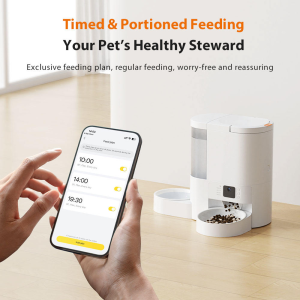
Smart pet feeder with smartphone app control for scheduled and remote feeding

Colorful smart bird house with built-in camera and environmental sensors for bird watching
Essential pet care devices:
- Automatic pet feeders with scheduled feeding and portion control ($50-$150)
- Video bird feeders with HD camera and motion detection for bird watching ($80-$200)
- Smart water fountains with circulating filtration ($30-$80)
- Pet monitoring cameras with two-way audio ($40-$100)
- GPS pet trackers for location monitoring ($30-$80)
Smart Pet Care Features:
- Remote feeding control via smartphone app
- HD video monitoring with night vision
- Motion detection alerts for pet activity
- Environmental sensors (temperature, humidity)
- Automatic feeding schedules and portion control
Smart Control Devices

UK standard smart water heater switch with 40A capacity and Tuya Smart Life app control
Essential control devices:
- Smart light switches (WiFi/Zigbee/Matter) with dimming and scheduling ($15-$50)
- Smart water heater switches with high power capacity ($25-$60)
- Smart control panels (4″/6″/10″) with touch display ($80-$300)
- Smart plugs and outlets with energy monitoring ($12-$30)
- IR universal remotes for legacy devices ($20-$50)
Smart Control Features:
- Voice control via Alexa, Google, Siri
- Smartphone app control from anywhere
- Scheduling and automation routines
- Energy usage monitoring and reports
- Matter protocol compatibility
Where to Buy Smart Home Devices
Online:
- Amazon (widest selection)
- Xingliao Shop (odmhome.com) – OEM/ODM, bulk orders
- Best Buy (expert advice)
- Home Depot (installation services)
Direct from Manufacturers:
- Often better prices
- Latest products
- Direct support
Tips:
- Compare prices across retailers
- Check for bundle deals
- Read recent reviews
- Verify return policy
Conclusion: Start Your Smart Home Journey
Building a smart home doesn’t have to be complicated or expensive. Start with the essentials:
- Smart speaker/hub ($50)
- Smart bulbs ($20-$45)
- Smart plugs ($15-$25)
- Smart doorbell ($89-$250)
- Smart thermostat ($200)
Total starter investment: $374-$570
Add devices gradually based on your needs and budget. Remember:
- Start small, expand gradually
- Choose compatible devices
- Prioritize security
- Focus on devices that solve real problems
Ready to start? Shop our curated smart home collection at Xingliao Smart Home and get free shipping on orders over $100!
Last Updated: July 12, 2026
You Might Also Like
Frequently Asked Questions
Is Blog Devices worth buying?
Based on the breakdown in this article, Blog Devices offers a solid mix of features and value. If your main goal matches the key benefits described above, it is a practical choice for everyday use.
How do I choose the right blog devices for my needs?
Start with your core use case, then compare battery life, compatibility, and build quality as covered above. Choosing the right blog devices comes down to matching specs with how you actually use it.
Does blog devices require a companion app?
Most devices of this type pair with a free companion app for setup and firmware updates. A few advanced features may sit behind a paid plan, so check the official specs page before buying.
Related Articles
- Smart Home Beginner’s Guide 2026: 8 Practical Devices Worth Starting With
- Why a Tuya 2 Gang UK Smart Socket Is the Best Smart Home Upgrade in 2026
- How to Choose a Smart Home Manufacturer in China: A Buyer’s Checklist
- The Ultimate Guide to Smart Baby Monitors (2026)
- 3-in-1 CO Detector: The Smart Home Device That Could Save Your Family’s Life
