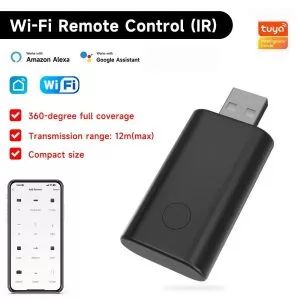
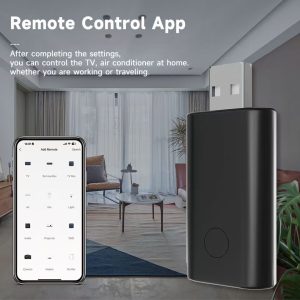
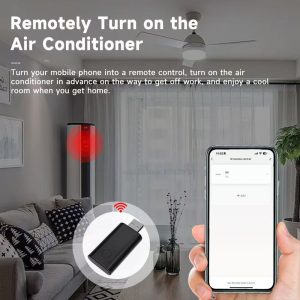
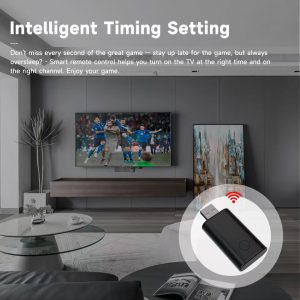
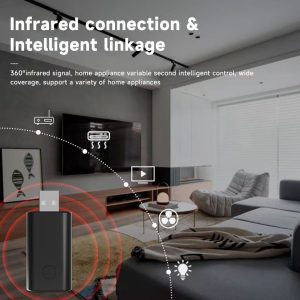
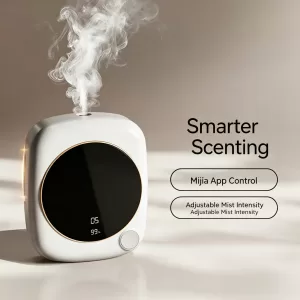
Most homes have at least one expensive appliance that will never be Smart: a split air conditioner from 2016, a television that predates apps, a set-top box with a remote and no network. An infrared hub is the cheap fix. It learns or looks up the remote codes and replays them on command, so the appliance becomes controllable from an app and from automations.
Our IR range includes the Tuya WiFi IR remote, the universal WiFi IR controller, a unit with a built-in temperature and humidity display, and Zigbee versions such as the UFO-R 11 that run through a gateway.
What an IR hub can and cannot do
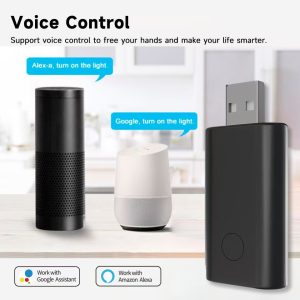
Can: send any command the original remote could — Power, temperature, mode, fan speed, input selection. Schedule it. Trigger it from a sensor. Control it by voice through the app’s assistant integrations. Tuya Curtain Motor OEM: Complete Sourcing Guide 2026
Cannot: read back the appliance’s actual state. Infrared is one-way. If someone changes the temperature with the physical remote, the app will not know, and its idea of the state drifts. This is the single biggest limitation and the reason “set to 22 degrees” is more reliable than “increase by one degree“.
Setting one up: the part people get wrong
- Place it with line of sight to the appliance. Infrared is light. It does not pass through walls, cabinet doors or a sofa. It does bounce off some surfaces, so a unit on a shelf facing the wall behind an AC unit often works.
- One hub per room, generally. A hub cannot cover two rooms separated by a wall. Multiple units in an app are normal.
- Pick the code library entry carefully. If the brand and model match, it works first time. If not, try the generic code for that brand, then fall back to learning mode.
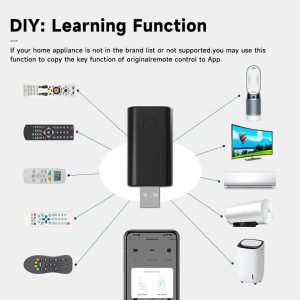
- Use learning mode for stubborn appliances. Point the original remote at the hub and press each button; the hub records the raw signal. Slower, but it works for almost anything.
- Set the state you expect. Because there is no feedback, set an absolute value in automations rather than a relative change.
WiFi or Zigbee version?
WiFi units are simpler — one fewer box, they join the router directly. ZigBee units such as the UFO-R 11 Need a gateway (see wired vs wireless gateways) but keep your WiFi clear and are easier to run alongside a larger sensor network. If you already have a Zigbee gateway for other Devices, take the Zigbee version; if this is your first Smart device, take the WiFi one.
Automations that are actually useful
- Pre-cool the bedroom 20 minutes before bedtime in summer, off an hour later.
- Turn the AC off when a window opens — pair with a door or window sensor.
- Switch the TV and set-top box on together with one command instead of two remotes.
- Turn everything off at a set time so standby loads do not run overnight.
- Trigger from temperature Using a temperature and humidity sensor, or the hub’s own built-in sensor on models that have one.
FAQ
- Will it work with my air conditioner?
- Almost certainly, if the AC uses an infrared remote. Look up the brand in the app’s code library; if the exact model is missing, use learning mode with the original remote.
- Can it control several appliances?
- Yes, provided they are all in line of sight of the hub. Each appliance is set up as a separate virtual remote in the app.
- Does it work without internet?
- Remote control from outside the home needs internet. Locally scheduled commands usually continue, but voice control does not.
- Why does the app show the wrong temperature?
- Because infrared has no feedback. The app tracks what it last sent, not what the appliance is doing. Send absolute values.
- Can I hide it?
- It needs line of sight, but it is small — mounted on a shelf or the top of a cabinet, it disappears. Do not put it inside a closed cabinet.
- Does it replace the original remote?
- For daily use, usually yes. Keep the original somewhere for setup changes and for the rare function the hub does not map.
Related Articles
- Peephole Video Doorbell: Turning Your Door Viewer Into a Camera
- DS-124AW Series Smart Switch: 1 Gang / 2 Gang / 3 Gang / 4 Gang, Wiring and What to Check Before You Order
- DS-111 Series Smart Switch: 1 Gang / 2 Gang / 3 Gang / 4 Gang, Wiring and What to Check Before You Order
- DS-1021ZC Series Smart Switch: 1 Gang / 2 Gang / 3 Gang, Wiring and What to Check Before You Order
- C09 AI Face Tracking Gimbal Stabilizer – Ultimate All-in-One Smartphone Vlog Tool for 2026
You Might Also Like
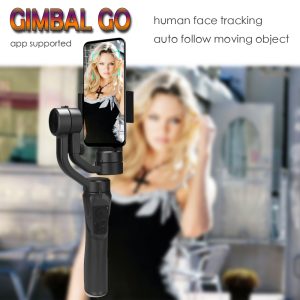 F6 3-Axis Handheld Smartphone Gimbal Stabilizer, APP Supported Face & Moving Object Tracking, Brushless Motor Phone Video Stabilizer for Vlog Travel Shooting Original price was: $69.96.$59.96Current price is: $59.96.
 Smart Water Heater Switch — EU 86 × 86 mm & US 118 × 72 mm, WiFi / ZigBee / HomeKit / Pure Touch Price range: $8.50 through $16.45
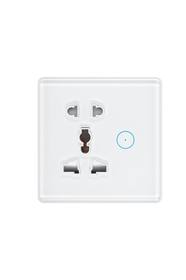 British / GB Standard 5-Hole Universal Smart Socket (WiFi / ZigBee / HomeKit) Price range: $10.50 through $17.27
 AI Face Tracking Smartphone Gimbal Stabilizer, Selfie Stick Tripod with Magnetic Fill Light & Bluetooth Remote, Auto Face Tracking Gesture Control for Vlog Live Streaming Travel Shooting Price range: $25.96 through $29.96
Frequently Asked Questions
Is Turn Old Smart worth buying?
Based on the breakdown in this article, Turn Old Smart offers a solid mix of features and value. If your main goal matches the key benefits described above, it is a practical choice for everyday use.
How do I choose the right turn old smart for my needs?
Start with your core use case, then compare battery life, compatibility, and build quality as covered above. Choosing the right turn old smart comes down to matching specs with how you Actually use it.
Does turn old smart require a companion app?
Most devices of this type pair with a free companion app for setup and firmware updates. A few advanced features may sit behind a paid plan, so check the official specs page before buying.
📌 This article is part of our Complete Smart Hub — more guides and buying tips inside.