Posted on — Leave a comment

12 Module Smart Switch Board: How Many Positions Do You Actually Need?

A “12 module” board is not twelve switches. It is a frame with twelve slots, and almost everything you put in it costs more than one slot: a two-way Switch takes one, a socket takes two, a fan regulator takes two, and a blank cover takes one for no reason other than that you have not decided yet. Boards arrive one slot short more often than they arrive too big, so plan it before you order.

If you have not settled the basics yet — plate standard, gang count, protocol — start with the smart switch board buying guide and come back to this one for the slot arithmetic.

What a module actually is

A module is one unit of width on the frame. The frame is sold by how Many units it holds — 4, 6, 8, 9, 12 — and each function you drop in occupies a fixed number of units. The same function can occupy different widths depending on the maker, which is why module counts do not translate one-to-one between brands. On our own boards:

Function Slots Note
Onegang switch 1 The base unit everything else is measured against
Two-way / six-way switch plate 2–3 Wider on glass plates
Socket (EU / UK / US) 2–3 A socket is always wider than a switch
Fan regulator or dimmer 2 Needs depth in the box as well as width
Scene or curtain key 1 Cheap slot, high daily value
Blank cover 1 Buy two — you will change your mind

A worked 12 module plan

Take a flat entrance wall, which is where twelve-slot boards usually go. A realistic fill:

  1. Two slots — entrance socket (always two, and always the first thing forgotten).
  2. One slot — hallway light.
  3. One slot — living room light.
  4. Two slots — fan regulator.
  5. Two slots — dimmer for the dining light.
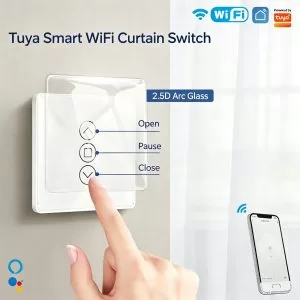
  6. One slot — curtain key, Wired to the curtain switch at the window.
  7. One slot — “away” scene key that kills every light at once.
  8. Two blanks — because the next tenant will want a socket there.

That is twelve, and two of them are empty. Which is the point: a twelve-module board is rarely “twelve things you own today” — it is “ten things plus room”. Tuya Bluetooth vs ZigBee vs WiFi: How to Choose

Which boards this maps to

Our boards are sold by plate rather than by module count, so translate before ordering. The DS-129 is the nine-way touch plate and the closest match to a large grouped board; the DS-126 covers six ways where the wall is smaller; DS-104 is the four-way for a single room. On the wide European cut-out, the 147 × 86 touch series and matching socket series share a frame, which is the nearest thing to true module planning we sell. For US boxes the 118 × 72 series is the shape to plan against.

Depth is the failure nobody budgets for

Width gets all the attention; depth is what stops the install. A dimmer or a fan regulator sits deeper than a plain switch, and a Smart board sits deeper again because the electronics live behind the glass. Before ordering a twelve-module fill, open the box and measure. If the box is shallow, either drop the regulator to a separate plate or move that function to a module elsewhere — the same reason people put the water heater switch next to the appliance rather than on the main board.

Leave the board partly dumb

There is no prize for making all twelve positions Smart. Sockets almost never Need to be. Neither does the extractor fan in a bathroom somebody uses twice a day. Put the Smart positions where they change behaviour — entrance, bedroom, the “away” key — and leave the rest mechanical. It costs less, and the board stays usable if the network does not.

Ordering for a project rather than a room

One board is a purchase; forty are a specification. When the order is for a flat block or a hotel floor, three extra things decide whether the installation goes smoothly. First, standardise the plate — pick one series for the whole project so spares interchange between units two years later. Second, order blanks at roughly ten per cent of the slot count, because on-site changes always happen and a blank looks intentional while an empty hole does not. Third, agree the gang count per unit type in writing before production: the entrance board and the bedroom board are different part numbers, and confusing them is the most expensive mistake on this list.

Frequently Asked Questions

Is a 12 module board standard across brands?

No. Module width is a frame convention, not an international standard. Two brands both selling “12 module” may not interchange inserts, so buy frame and inserts from the same series.

Can I add modules later?

Only if you left blank slots. Inserts clip into the frame, so a blank cover can be swapped for a socket later — but the wiring for that socket has to be in the box already, which is the reason to plan ahead.

Do I need a bigger back box for a smart board?

Almost always deeper than a mechanical plate, yes. Measure before ordering; a shallow box is the single most common reason a Smart board goes back in its packet.

How many smart positions before I should switch to Zigbee?

Around three to four boards. Beyond that, a hub keeps the load off the router — the reasoning is set out in our WiFi versus Zigbee comparison.

Related Articles

You Might Also Like

Posted on — Leave a comment

Smart Switch Board: How to Pick One That Fits Your Wall, Your Wiring and Your Router

Search for a Smart switch and you get a single module. Walk into a real house and the thing you Actually replace is the plate: two, four, six or twelve positions on one board, some switching lights, some running a fan, some just a socket that happens to be on the same wall. That plate is a Smart switch board, and it is bought on three measurements before a single feature matters.

This guide walks through those measurements — plate size, how Many ways you need, and whether there is a neutral wire in the box — then finishes with the protocol choice. If you already know the plate and only want the wiring question answered, the dedicated guide to smart switches with no neutral wire goes deeper.

Plate size comes first

Boards are made to a physical standard, and the standard is regional. You cannot fit a square plate into a horizontal cut-out without chasing the wall, so this is the first filter:

Standard Plate Where it is used
86 type 86 × 86 mm square China, much of Europe, Southeast Asia
147 type 147 × 86 mm horizontal Europe — the wide plate that carries several gangs side by side
118 type 118 × 72 mm United States and Canada

Our 86 × 86 function plates carry fan speed, dimmer and scene keys in one square. Where the wall already has a wide horizontal cut-out, the 147 × 86 touch series is the drop-in shape, and the matching 147 × 86 socket series keeps sockets on the same line so the board looks like one unit instead of a patchwork. For North American boxes, the 118 × 72 US standard series is the shape to measure against.

Count the ways, then add one

People under-count. A board that looks like “three switches” is often four: the fourth is the fan, or the bathroom extractor, or a future scene key. Counting in gangs:

  • One to two gangs — a bedroom or a study, one light plus a lamp circuit.
  • Three to four gangs — living rooms and the kitchen entry wall, where lights, fan and extractor sit together.
  • Six gangs and up — the main board by the entrance, or an apartment where everything is grouped in one place.

In the DS range the numbering maps to gang count: DS-104 for four ways, DS-126 for six, DS-129 for the nine-way board used where a whole flat is switched from one plate. If you are ordering for a project and the count above twelve, the 12 module board guide covers how module positions are planned rather than counted. Tuya Curtain Motor OEM: Complete Sourcing Guide 2026

The neutral wire decides the whole job

Inside the box there should be two wires per switch: a live and a switched live. Modern boards also want a neutral — the return conductor that lets the electronics inside the switch stay powered while the lamp is off. New builds almost always have it. Rewired flats usually have it. A 1990s house with the original conduit often does not.

Without a neutral you have three honest options: pick a board designed to run on the small leakage current through the lamp, have an electrician draw a neutral to the box, or leave that position mechanical and automate somewhere else — a dedicated water heater switch at the appliance end, or a Smart plug on the lamp.

Protocol: WiFi or Zigbee

WiFi boards talk straight to your router, which is exactly why a dozen of them is a bad idea — every switch becomes another device on the network, and a router swap means re-pairing all of them. ZigBee boards talk to one hub, and the hub talks to the router; the switches keep working locally even when the internet is down. If you are doing more than three boards, Zigbee plus a hub is the calmer setup — our comparison of WiFi and Zigbee devices lays out the trade in plain terms.

Glass, or something you can touch in the dark

Glass touch plates look right in a living room and wipe clean, but they are reflective in sunlight and give no tactile feedback. Mechanical rocker plates are the opposite: you can find them half-asleep. A third option is useful in kitchens and clinics — the wave gesture switch and the infrared touch-free wall switch, which trigger without contact at all.

Order it once: the four numbers to write down

Almost every wrong order traces back to a missing measurement. Before you check out, write down four things and send them with the order:

  1. Plate standard — 86 × 86, 147 × 86 or 118 × 72, measured on the existing plate, not guessed from the country.
  2. Number of gangs — counted on the wall including the fan and the extractor, plus one spare.
  3. Neutral present — yes, no, or unknown. Unknown should be treated as no until an electrician says otherwise.
  4. Protocol — WiFi for one or two boards, Zigbee with a hub for anything larger.

That list is also what an electrician needs to quote, and it is the difference between a board that goes straight in and a board that sits in its box for a month.

Frequently Asked Questions

Can one board mix switches, sockets and a fan controller?

Yes, as long as they share a plate standard. A 147 × 86 board can carry switch gangs and socket modules side by side; that is what the matching socket series exists for. What you cannot mix is plate sizes on the same cut-out.

Do I need to replace every switch in the house?

No. Most people start with the two boards they touch every day — the entrance and the bedroom — then extend. Lights on a Smart board can still be switched manually, so the rest of the house is unaffected.

Will the lights still work if the WiFi goes down?

On a WiFi board, manual touch control works regardless, but app and voice control go with the router. On a Zigbee board Wired to a hub, schedules and local control keep running.

Is a smart switch board the same as a smart relay module?

No. A relay module hides inside the box or the ceiling rose and keeps the existing plate; a smart switch board replaces the plate itself. Modules are the answer where the wall finish cannot be touched.

Related Articles

You Might Also Like
Posted on — Leave a comment

WiFi Smart Switch Board: Neutral Wire Check, Gang Sizes and How to Choose

What Is a WiFi Smart Switch Board?

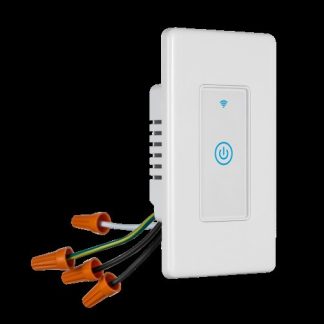
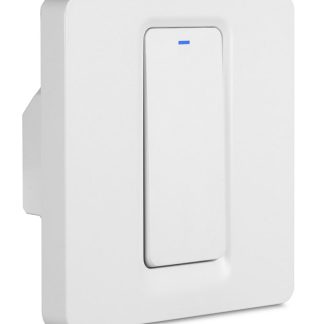
A WiFi Smart switch board is a wall switch panel with a wireless module built in. It replaces the ordinary switch on your wall and lets you turn lights and appliances on or off from your Phone, from a voice assistant, or on a Schedule — while the physical buttons on the wall keep working exactly as before.

That last point matters more than people expect. Smart bulbs fail the “guest test”: someone flips the wall switch off, the bulb loses power, and every app and voice command stops working. A smart switch board keeps the circuit live, so the room stays smart no matter who walked in and pressed what. C08 Gimbal Stabilizer 69cm, Extendable Selfie Stick Tripod for iPhone & Android F6 3-Axis Gimbal Stabilizer, Handheld Smartphone Gimbal for Smooth Video

WiFi Switch Board vs Smart Switch vs Smart Plug

These three get confused constantly. Here is the practical difference: C07 Mini Gimbal Stabilizer 66cm, Foldable Extendable Selfie Stick Tripod for Smartphones

  • Smart switch board — replaces the wall switch itself. Best for fixed lighting, ceiling lights, and anything wired into the wall. Permanent, needs Installation.
  • Smart switch module — a small relay that hides behind your existing switch, keeping the original faceplate. Good when you rent, or when the building rules say you cannot change the visible hardware.
  • Smart plug — plugs into a socket, controls whatever is plugged in. Zero installation, but useless for ceiling lights and easy for anyone to unplug.

If you are wiring a new build or renovating, switch boards are the right layer to install — you do it once and the whole room becomes controllable. If you are renting or testing the idea, start with plugs and modules.

The One Question That Decides Everything: Do You Have a Neutral Wire?

Open the switch box and count the wires. Most smart switch boards need a neutral wire (usually blue or black) in the box to power their electronics. Many older homes — especially in Europe, the UK, and older buildings in Asia and the Middle East — only run live and switched-live to the switch, with the neutral tucked away in the ceiling rose. F10 3-Axis Gimbal Stabilizer, Handheld Smartphone Stabilizer for Smooth Video Recording

Outcomes:

  • Neutral present — almost any WiFi switch board works, including Zigbee and Matter models. This is the simple case.
  • No neutral — you need a single-fire (no-neutral) model, or a capacitor bundled across the load. Single-fire boards are fussier: with very small LED loads they can flicker or buzz, and some need a minimum load to behave.

Check before you buy. It is the single most common reason a smart switch gets returned, and it has nothing to do with the brand.

How Many Gangs Do You Need?

“Gang” simply means how many switches sit on one plate. Count the switches currently on the wall in that position — 1-gang, 2-gang, 3-gang and 4-gang are standard, and larger 6 to 12-module boards exist for whole-room or hotel-style layouts where lighting, curtains, scenes and air conditioning share one panel.

Two things to verify:

  • Physical size and box depth. A smart board is deeper than a mechanical switch because of the electronics behind the glass. If you are retrofitting into an old shallow box, measure the depth first.
  • Independent loads. On a multi-gang board, each gang is an independent channel. That is what lets you control the ceiling Light, the strip light and the exhaust fan separately from one panel.

If you are planning a larger panel, our guide to 12-module smart switch boards covers layout and load planning in detail, and touch switch boards explains the differences between capacitive touch, mechanical rocker and hybrid panels.

Glass, PC, and Touch: What Actually Changes

The panel material is mostly about looks and cleaning:

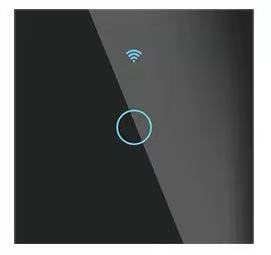
  • Tempered glass — the premium look, flat, wipe-clean, resists yellowing. Fingerprints show more. Common in hotels and modern apartments.
  • PC / flame-retardant plastic — cheaper, lighter, more impact-tolerant, and easier to produce in custom colours and prints.
  • Touch vs physical — capacitive touch panels have no moving parts and look seamless; some people still prefer a mechanical rocker for muscle memory in the dark. Hybrid boards offer both.

Whichever you pick, look for a board rated for your mains voltage (110–240V, 50/60Hz), with a relay rated above the load you plan to switch, and a fire-retardant enclosure.

App, Voice, and Automation

Most WiFi switch boards sold internationally run on the Tuya / Smart Life platform, which is why the same hardware appears under many brand names. What you get:

  • Control from anywhere, with a live on/off state so you can see whether you left the lights on.
  • Schedules and timers — porch light on at sunset, off at 23:00.
  • Scenes: one tap or one voice command that triggers several devices at once.
  • Voice control through Alexa and Google Assistant, and usually Siri Shortcuts.
  • Works with Google Home or Alexa speakers, and for Home kit users, check whether the model carries Matter support.

A practical note: a WiFi board connects directly to your router, so each board takes an address on your network. In a whole-house project with 20+ boards, that is worth thinking about — a Zigbee board plus one smart home gateway keeps the load off your router and usually responds faster in local scenes.

Installation and Safety

Switch off the breaker, confirm with a tester, photograph the existing wiring before you remove anything, and match live / neutral / load to the diagram that came with the board. If your local code requires a licensed electrician for fixed wiring, use one — in many countries a DIY mains install voids insurance.

After mounting, the usual pairing flow is: hold the button until the indicator blinks, open the app, add device, select your 2.4GHz WiFi network, and name the gang something you will recognise later (“Kitchen ceiling”, not “Switch 3”).

Remember that smart boards need 2.4GHz WiFi during setup. If your router merges 2.4 and 5GHz under one name, temporarily split them or the board may not be found.

Buying for a Project: MOQ, Customisation and Lead Time

For homeowners, one or two boards is enough. For distributors, hotel projects and OEM brands, the numbers look different. This is what we run at Xingliao:

  • Stock models (neutral packaging): from 100 pcs — mixed models and colours allowed, ships in days.
  • Samples: from 5 pcs — charged, and credited against your first bulk order.
  • Logo as sticker or silk print: from 10 pcs per model.
  • Laser-engraved logo: from 300 pcs.
  • Custom packaging and manual: 500–1,000 pcs.
  • Your own product ID (private PID — app panel, firmware identity, cloud listing): from 1,000 pcs.
  • New tooling and ODM design: 2,000–3,000 pcs.
  • Sampling 7–15 days; tooling 25–40 days.
  • Certification support: CE, FCC, RoHS, UKCA, CCC, PSE.

Switch panels are one of the easiest categories to brand because the faceplate is the first thing a customer sees. If you want your own logo on the glass and your own brand inside the app, that is the 500-pcs tier. Tell us the quantity and market and we will quote against a real spec.

Browse the current range in our smart switch category, or read the full comparison in smart switch board and how to choose a smart switch.

Related guides

Frequently Asked Questions

Does a WiFi smart switch board work without internet?

Local control still works on most models — pressing the panel and, for Zigbee boards, running local scenes through the gateway. Remote control from outside your home and voice assistants require internet. If you want automations that survive an outage, choose a gateway with local scene execution.

Can I install one if my switch box has no neutral wire?

Yes, but you must buy a no-neutral (single-fire) model. Standard boards will not power up. Check the spec sheet for “no neutral required” before ordering, and expect some LED loads to need a bypass capacitor.

Will it still work if my WiFi goes down?

The physical buttons always work — that is the point of a switch board. Only app and voice control go offline. Zigbee-based boards paired to a local gateway usually keep their automations running too.

Can one board control a fan and a light separately?

On multi-gang boards, yes — each gang is an independent channel with its own relay. Just make sure the total load stays within the board’s rating and that each gang is wired to its own load.

What is the minimum order for a custom-branded switch board?

Samples start at 5 pcs and are charged, with the sample cost credited against your first bulk order. A sticker or silk-printed logo runs from 10 pcs per model, laser engraving from 300 pcs, custom packaging 500–1,000 pcs, and your own product ID from 1,000 pcs. Standard models under your own brand start at 5 pcs per model, and new tooling starts around 2,000–3,000 pcs with 25–40 days for tooling.

Do you support Matter or Zigbee versions?

Both exist depending on the model. If your project targets Apple Home or wants a mesh that does not load the router, ask for the Zigbee or Matter variant rather than pure WiFi.

Related Articles

You Might Also Like