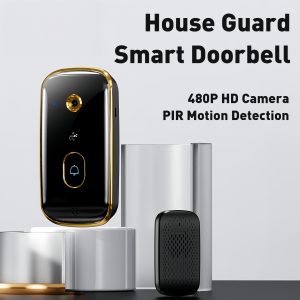
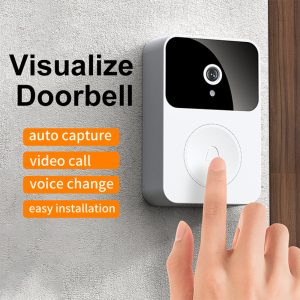
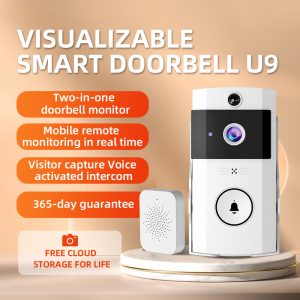
A video doorbell Without a subscription is entirely possible: the camera writes to its own memory card and the clips stay in your house instead of a data centre. What you give up is convenience, not Security — and once you know exactly what a plan actually buys, choosing is straightforward.
Why the subscription exists
Every time a doorbell uploads a clip, it costs the brand storage and bandwidth, so most brands charge monthly for cloud history. The marketing rarely separates the two things bundled in that fee:
- Event history: recordings stored for 30 to 180 days so you can scroll back to Tuesday afternoon.
- Smarter alerts: person, package and vehicle detection, plus thumbnails in the notification itself.
Detection usually runs whether you pay or not on modern Models; the history is the part you lose. If you only need “who is at the door right now” plus a record of what happened today, local storage covers it. Smart Socket vs Smart Plug: Which to Buy?
Three ways to record without paying monthly
1. A memory card in the doorbell
The simplest path. A microSD card in the doorbell records every event, costs nothing per month, and keeps working when the internet does not. The clip is retrievable from the app as long as the doorbell is online, and you can pull the card if you ever need the footage on a computer. The limitation is physical: if someone takes the doorbell, the card goes with it. Smart Switch for Water Heater and AC
2. An indoor monitor or chime with a screen
Doorbell kits with an indoor screen store recordings inside the house, which solves the theft problem neatly — the camera may go, the footage stays. Several kits also run their own 2.4 GHz wireless link between camera and monitor, so no router and no app are involved at all. That makes them the best option when the WiFi at the front door is unreliable, or when the person using it does not want a smartphone app.
3. A recorder on the network
If you already run cameras, an NVR or a Home hub with storage can pull the doorbell stream alongside everything else. This is the most work to Set up and the most robust once it is running, and it is what most people with four or more cameras end up doing.
Power: battery, wired, or solar
- Battery doorbells install in minutes with no drilling and no transformer, and they are the right answer for rented homes. They wake on motion rather than streaming, so battery life depends on how busy your door is.
- Wired doorbells replace the existing bell Wiring and never need charging, but they need a transformer with enough capacity — check the rating before you connect one.
- Solar doorbells top themselves up through a small panel and effectively remove charging from your list, provided the door gets reasonable daylight.
Doorbells that need no WiFi at all
Worth knowing if your router does not reach the front door: some kits use their own 2.4 GHz link between the outdoor camera and an indoor monitor. There is no app, no cloud, no account — you press the button, the screen lights up inside, and the event is written to the card in the monitor. For a household that wants a video doorbell and nothing else connected, that is often the calmest option.
Renting: the peephole option
A peephole doorbell replaces the existing door viewer and clamps in place — no drilling, no holes, and it comes off when you move. It sees the landing and whoever is standing at the door, and it records to its own card. Battery capacity matters here, so look for a large cell if the door gets a lot of traffic.
What to check before buying
- Storage: does it take a card, and what is the maximum size?
- Chime: is one included, or will you reuse the existing mechanical chime?
- Power: battery, existing bell wiring, or solar — and is the transformer rated for it?
- WiFi: 2.4 GHz and a usable signal at the door; test on your phone before you buy.
- Features without a plan: two-way audio, night vision, live view and motion alerts should all work with no subscription.
- Placement rules: in flats and leased buildings, check what you are allowed to fit on the door.
XingLiao video doorbells
- 3MP WiFi smart peephole doorbell, 5000 mAh — clamps into the existing peephole, no drilling, large battery for busy doors.
- U9 solar video doorbell with panel and chime — solar top-up so charging stops being a chore.
- U9 WiFi video doorbell with indoor chime — battery powered, no-drill install, two-way audio and live view.
- X7 visual doorbell set with 4.3″ IPS screen — indoor screen with intercom, footage stored inside the house.
- NT601A doorbell with indoor monitor — wireless link between door unit and monitor, no router required.
- X8 wireless visual doorbell, IP66 — weatherproof outdoor unit with a 4.3″ indoor screen.
Frequently Asked Questions
Do video doorbells work without a subscription?
Yes. Live view, two-way audio, motion alerts and local recording all work with no plan. What a subscription adds is cloud history — the ability to scroll back weeks — and sometimes smarter notification thumbnails.
What do I actually lose by not paying?
Off-site history. If the doorbell is stolen or destroyed, local recordings go with it, so serious users pair a card with either an indoor monitor that stores footage or a cloud plan on the one camera that matters most.
How much storage do I need?
A 32 to 128 GB card covers weeks of motion clips for a typical front door, because only events are written, not continuous video. Continuous recording needs considerably more.
Can I watch it when I am away from home?
Yes, as long as the doorbell and your phone both have internet. Local storage affects where clips are kept, not whether you can connect.
Will a battery doorbell work in winter?
It will, but cold reduces battery capacity and a busy door shortens charge life further. A wired or solar model is the better choice for a door that sees constant traffic.
Do I need existing doorbell wiring?
Not for battery, solar or peephole models — they mount with adhesive or a bracket. Wired models replace an existing bell and need a transformer with adequate output.
Is a peephole doorbell good enough for a flat?
Yes, and it is usually the only option a lease allows, because nothing is drilled. It sees the landing and the person at the door, which is what a flat needs.
Related guides
- How to choose a security camera for your home
- How to install a video doorbell without existing wiring
- Video doorbell without WiFi: how it works
- How to set up a CCTV camera system at home
- Wireless security cameras explained
Browse all video doorbells · Describe your doorway and we will recommend a doorbell that records locally
Related Articles
- Video Doorbell Without WiFi: How It Actually Works
- How to Install a Video Doorbell Without Existing Wiring
- How to Install a Video Doorbell Without Drilling: Complete DIY Guide
- Best Video Doorbell Without WiFi: What You Need to Know in 2026
- Intercom for Home: Choosing a Video Intercom System
You Might Also Like
 3-Axis Smartphone Gimbal Stabilizer, Handheld Phone Video Stabilizer with Magnetic Fill Light, 8.0 Anti-Shake, Gesture Control & Detachable Remote Controller Original price was: $89.99.$73.99Current price is: $73.99.
 3-Axis Foldable Mini Gimbal Stabilizer, Handheld Smartphone Video Stabilizer with AI Tracking, Gesture Control & Tripod Original price was: $70.96.$50.99Current price is: $50.99.
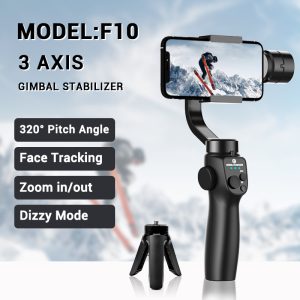 F10 3-Axis Handheld Smartphone Gimbal Stabilizer, Face Tracking, Zoom Control, Dizzy Mode, Portable Phone Video Stabilizer with Mini Tripod for Vlog Travel Shooting Original price was: $76.99.$62.99Current price is: $62.99.
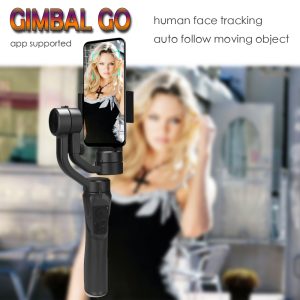 F6 3-Axis Handheld Smartphone Gimbal Stabilizer, APP Supported Face & Moving Object Tracking, Brushless Motor Phone Video Stabilizer for Vlog Travel Shooting Original price was: $69.96.$59.96Current price is: $59.96.
📌 This article is part of our Complete Camera Hub — more guides and buying tips inside.