Posted on — Leave a comment

Choosing a Smart Lock That Fits the Door You Already Have

Smart locks are not interchangeable. Unlike a Smart plug, a lock has to physically fit the door, and “almost fits” means a hole in the wrong place. Measure first, and the choice narrows from dozens of models to two or three.

Measure four things before shopping

  • Door thickness — tape measure across the edge of the door. Most locks cover a range (commonly 35–55 mm or 40–120 mm); yours must fall inside it.
  • Lock body type — a European mortise, a Scandinavian oval cylinder, a US tubular latch, or a simple rim lock. Photograph the edge of the door: the metal plate visible there identifies it faster than any description.
  • Hole spacing — the distance between the cylinder hole and the handle spindle. This is the specification that decides whether an existing hole can be reused.
  • Handing and swing — which side the hinges are on and whether the door opens inward or outward, because some locks are handed.

Take photographs of the door edge, the face of the existing lock and the door from both sides. With those four numbers and three photos, a fit question is answered in one message instead of a return shipment.

Three lock types, and what each one replaces

Type Replaces Best for Intrusiveness
Full handle/lever lock with biometrics The whole lock Front doors, homes you own Permanent
Round knob lock An existing round knob Interior doors, rentals, offices Low, reversible
Video intercom lock The whole lock, adds a camera House entrances, gates Permanent

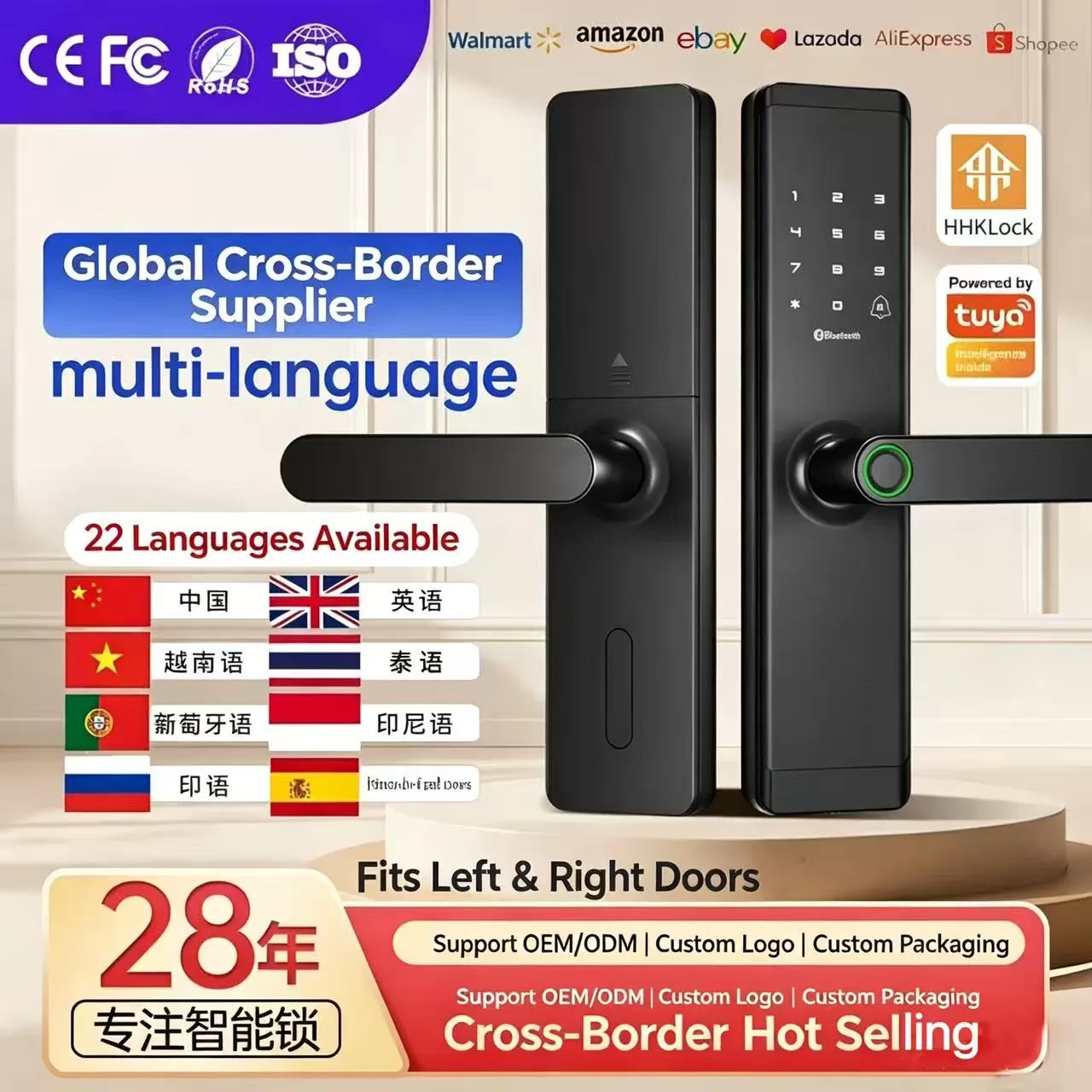
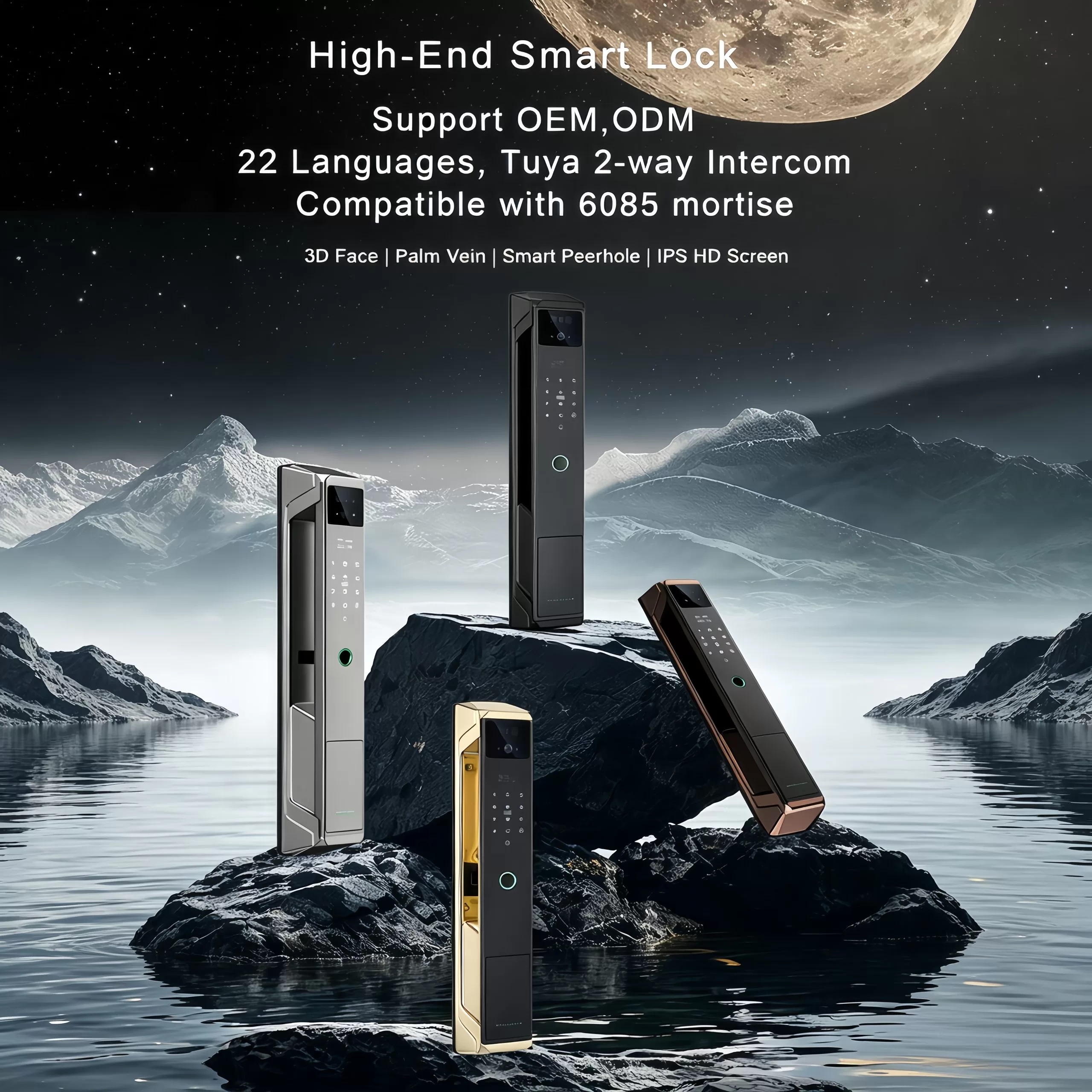
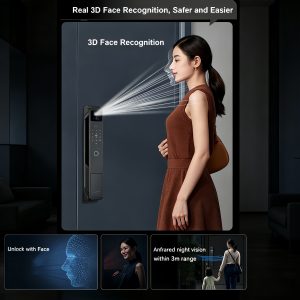
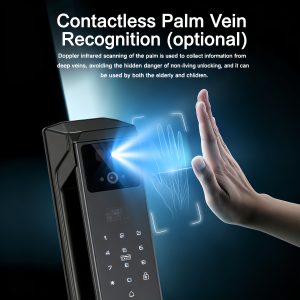
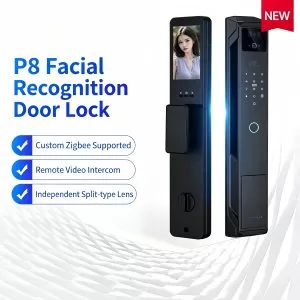
A biometric handle lock is the common answer for a front door. The 3D face recognition lock adds fingerprint, password and app entry, and the palm-vein version is the step up for a main entrance or an office Where you want fewer false rejections and a method that cannot be lifted from a photograph.

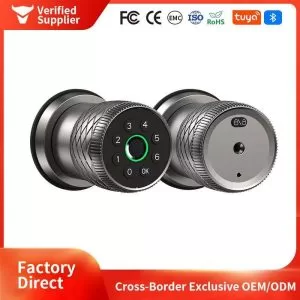
A round knob lock is the least disruptive option and the one to consider for an interior door, a home office, or a rental you must hand back unchanged: the Bluetooth knob lock keeps a keyed cylinder as backup and can be swapped back in minutes.

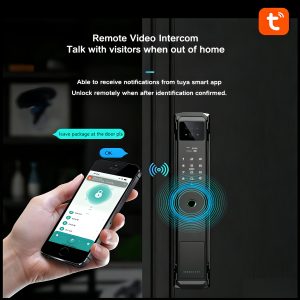
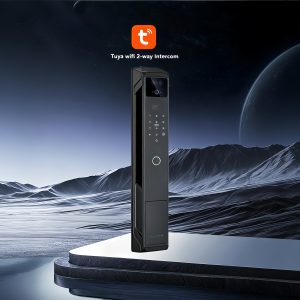
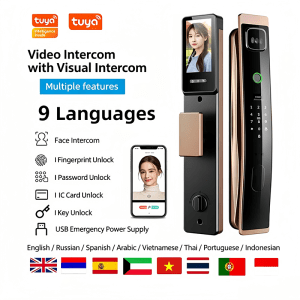
A video intercom lock combines both jobs at a house entrance — camera, intercom, face recognition and lock in one unit, as on the 3D face video intercom lock. If you are weighing this against a separate doorbell and camera, our apartment intercom retrofit guide covers the case where the building’s own system is the constraint.

Opening methods: what each is actually good for

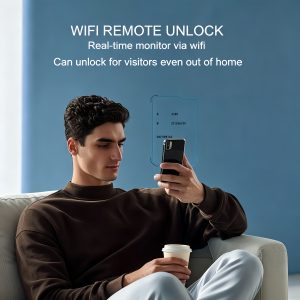
Fingerprint is the everyday method, and the sensor type matters outdoors: capacitive sensors read a dry or cold finger poorly in Winter, so a lock intended for an exposed door should have a robust sensor or a second method. 3D face and palm vein are the hands-full answer, and the reason to spend more. Passwords are for guests, preferably with a disposable code. NFC cards or fobs suit a household with children or cleaners. App and remote unlocking is for letting someone in when you are not home.

Whatever you buy, keep a physical key. Battery failure, a dead module or a flat phone should not be able to lock you out of your own house, and every serious lock retains a keyed override for exactly that reason.

Connectivity, battery and cold

WiFi locks connect directly but consume more power; Bluetooth locks are frugal but need a Gateway for remote access and automations — the trade-off is the same one explained in our guide to smart home hubs. Expect six months to a year from a set of cells under normal use, less in cold weather, and make sure the lock has an emergency contacts or emergency USB terminal so a flat battery can be resolved from outside the door.

For an exposed door in a freezing climate, check the stated operating temperature. Electronics and batteries behave differently at minus ten, and this is the specification most often discovered in January.

What a smart lock does not solve

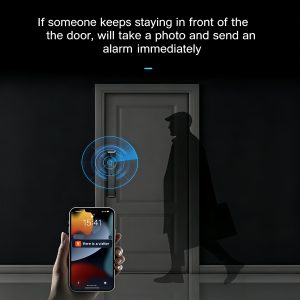
It does not make a weak door strong, and it does not replace a decent cylinder — a lock is one part of a door’s resistance, and the frame and hinges matter as much. It does not remove the need to manage access: codes should be rotated for guests, and old credentials deleted when a cleaner or a contractor stops coming. And it is not an alarm system; it tells you who opened the door, not that someone is inside. Treat it as convenience plus an access log, and keep physical security separate.
Frequently Asked Questions

Can I fit a smart lock in a rental?

Usually yes if you choose a reversible type such as a knob lock and keep the original hardware to refit. Anything requiring new holes in the door needs the landlord’s agreement.

What happens if the battery dies?

Use the emergency terminal with a power bank for a one-off entry, then replace the cells. Keep the physical key accessible outside the home — with a neighbour, not in the lock box on the door frame.

Is face recognition reliable outdoors?

Modern 3D systems handle backlight and low light far better than camera-based recognition. Sunglasses, heavy scarves and very young children are still the difficult cases, so keep a second method enrolled.

Do I need a hub?

Only for remote access and automations on Bluetooth models. If you unlock at the door and nothing else, you do not.

Related Articles

You Might Also Like

Posted on — Leave a comment

Peephole Video Doorbell: Turning Your Door Viewer Into a Camera

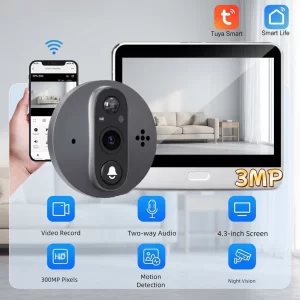
A peephole Video Doorbell replaces the small glass viewer in your door with a camera unit. It is the least invasive way to add Video to a front door: no drilling into the frame, no bracket on the wall beside the door, and nothing that looks out of place in a block of flats where the management company has opinions about modifications.

That makes it a strong fit for apartments, rented homes and any door that already has a viewer. This guide covers what you are actually swapping out, the measurement that decides whether one fits, and where a conventional doorbell is still the better answer. Our two peephole models are the Tuya WiFi peephole camera (3 MP, app-based) and the 3 MP peephole doorbell with a 5000 mAh battery.

What a peephole camera replaces — and what it does not

The mechanical viewer stays useful: you can still look through it. The camera unit screws into the same hole, with the lens outside and the body inside, so the door itself is barely changed. What you gain is a Video feed, motion detection and two-way talk.

What you do not gain is the wide side-to-side view of a wall-mounted Doorbell. A peephole camera looks straight ahead from door height. It sees the person at the door well and the parcel at their feet poorly. If watching packages is the main job, a wall unit angled downward does it better — see our video doorbell range for those.

The one measurement that decides everything: door thickness

The camera barrel has to pass through the door and be clamped from the inside, so every peephole model has a thickness range it fits — typically covering standard apartment and house doors. Measure the door itself, not the frame, and measure at the existing hole if there is one.

Also check the existing hole diameter. A viewer hole that is already there makes installation a five-minute job; drilling a new hole through a solid or composite door is a job for someone with the right bit and the willingness to use it.

Power: battery or the existing viewer space

The 5000 mAh model runs for months between charges on typical household traffic, and lifts off the mount to charge. That matters because a peephole camera cannot be wired to the bell — there are no wires at a viewer. If you already have bell wires at the door and want a permanently powered unit, a conventional doorbell is the more sensible choice.

Who is it right for

  • Apartment dwellers — no drilling into common areas, and nothing visible from the corridor except a lens where the viewer already was.
  • Renters — reversible; the original viewer can be refitted when you move out.
  • Anyone whose door opens straight onto a shared landing — a wall-mounted unit would stick out into a walkway.

It is the wrong choice if you need a wide view of a porch, if the door is unusually thick, or if you want to power the unit from the existing bell transformer.

What to expect from the app side

The Tuya-based models connect over 2.4 GHz WiFi to the Tuya / Smart Life app, which means remote answering, recorded clips and shared access for family members. 2.4 GHz only is a real constraint worth checking: if your router runs a single combined SSID for 2.4 and 5 GHz, the setup step usually needs you to be standing near the router, and some mesh systems need a temporary 2.4 GHz-only guest network during pairing.

Motion detection catches people approaching the door and pushes a notification. Sensitivity is adjustable, and turning it down is usually the right move on a busy corridor where every passer-by would otherwise trigger an alert.

Installation in five steps

  1. Remove the existing viewer (it unscrews from the inside) and measure the hole and door thickness.
  2. Confirm the camera barrel fits that thickness range.
  3. Feed the barrel through from outside, fit the backing plate inside and tighten by hand — do not use a tool, the thread is plastic.
  4. Pair with the app on 2.4 GHz WiFi, then set motion sensitivity and recording preferences.
  5. Test from outside: press the bell, check the notification arrives and two-way audio is clear.

FAQ

Will it fit my door?
Check the door thickness range on the product page against your measurement. Standard interior and apartment doors are covered by the usual range; very thick hardwood or security doors may not be.
Does it need WiFi?
The Tuya models use 2.4 GHz WiFi for remote viewing and notifications. Local recording to a card still works if the internet drops; you just cannot view it remotely while offline.
Can I still look through it?
Yes — a peephole camera replaces the optics with a camera, and you view the feed on the screen or phone instead of with your eye.
How long does the battery last?
The 5000 mAh model is designed for months of typical household use. Heavy traffic, cold weather and frequent live viewing all shorten that; the unit lifts off to recharge.
Is it visible from outside?
Only the lens barrel, roughly where the old viewer was. There is no wall bracket or protruding body on the outside of the door.
Can more than one phone receive alerts?
Yes, the Tuya / Smart Life app supports sharing a device with other household members.

Related Articles

You Might Also Like
Frequently Asked Questions

Is Peephole Video Doorbell worth buying?

Based on the breakdown in this article, Peephole Video Doorbell offers a solid mix of features and value. If your main goal matches the key benefits described above, it is a practical choice for everyday use.

How do I choose the right peephole video doorbell for my needs?

Start with your core use case, then compare battery life, compatibility, and build quality as covered above. Choosing the right peephole video doorbell comes down to matching specs with how you actually use it.

Does peephole video doorbell require a companion app?

Most devices of this type pair with a free companion app for setup and firmware updates. A few advanced features may sit behind a paid plan, so check the official specs page before buying.

Posted on — Leave a comment

Smart Door Lock: How to Choose the Right One

A Smart door lock replaces the key with a credential — a fingerprint, a face, a PIN, a phone or a card — while keeping a physical key or a mechanical thumb-turn as the backup. Electrically it is a lock body, a reader, a motor that throws the bolt, and a battery pack; mechanically it must still meet the same strength standard as the lock you are replacing.

That second half is where most buying mistakes happen. A lock with an excellent fingerprint sensor and a weak latch is still a weak lock. Read the mechanical grade first, then the credential list, then the electronics.

The four credentials, and who each is for

Credential How it works Strengths Watch out for
Fingerprint Capacitive or optical sensor reads the ridge pattern Fast, nothing to carry, cheap to add Dry, wet or worn fingerprints fail; enrol from several angles
3D face recognition Structured-light or ToF depth mapping Truly hands-free — groceries in both hands; depth data resists photo spoofing Height range matters for children and wheelchair users; needs some ambient light
Palm vein Near-infrared reads the subcutaneous vein pattern Highest anti-spoofing; contactless; works with gloves off Fewest models; users must learn the gesture distance
PIN / password Touch keypad Works for guests and cleaners; easy to revoke Wear marks reveal the code — use models with a scrambled/random prefix
App / Bluetooth / card Phone, fob or NFC card Remote unlocking, temporary codes, audit trail Phone flat or Bluetooth off = lockout; always keep the backup

Buying rule: any lock you install on a main entrance should have at least two independent ways in — one biometric and one non-biometric (PIN or mechanical key). Fingerprint sensors fail on cold, dry hands, and that is exactly when you are standing outside at 11 pm.

Grade the mechanics before the electronics

Standard Grade Typical use
ANSI/BHMA A156.13 (US, deadbolts) Grade 1 / 2 / 3 Grade 1 commercial, Grade 2 residential (the sensible Home choice), Grade 3 light duty
EN 12209 / EN 15685 (Europe) Classification codes for durability, fire, corrosion, security Ask the supplier for the full 8-digit code, not just “CE”
BS 3621 (UK) Insurance-approved for mortice locks Many insurers require it; check your policy before replacing

Cycle testing is the number that separates a real lock from a gadget: Grade 1 is tested to hundreds of thousands of operations, Grade 3 to a fraction of that. If a listing does not state a grade or a cycle count, assume it is untested.

Fit: the measurements that decide whether it will fit your door

  1. Door thickness — most residential locks fit 35–55 mm. Measure the door, not the frame.
  2. Backset — the distance from the door edge to the centre of the bore hole. 60 mm and 70 mm are the common sizes.
  3. Bore hole diameter — usually 54 mm for the main hole, 25 mm for the latch.
  4. Latch / mortise type — a tubular latch is a retrofit; a mortise lock body needs a pocket cut into the door. Check which one your door already has, because converting between them is carpentry.
  5. Handing — whether the lock is for a left- or right-handed door. Many modern locks are reversible, but confirm.
  6. Door material — solid wood, composite and metal doors behave differently with RF; a metal door can block the Wi-Fi or Bluetooth signal to the outside unit.

Power, and the failure mode that locks people out

  • Battery life — typically 6–12 months on 4–8 AA cells for a fingerprint lock, shorter for locks with Video intercom or always-on Wi-Fi.
  • Low-battery warning — the lock should warn you in the app and audibly, at least two weeks before it dies. If it does not, set a calendar reminder.
  • Emergency power — a USB-C or Micro-USB contact on the outside lets you jump-start the lock from a power bank. This single feature resolves most “locked out” cases.
  • Mechanical key override — keep one key outside the house (with a neighbour, not under the mat).
  • Cold weather — alkalines lose capacity below freezing; lithium cells are worth it for exposed doors.

Connectivity: Bluetooth, Wi-Fi or Zigbee

Link Range Remote unlock from anywhere? Battery impact
Bluetooth A few metres No, unless paired with a gateway Lowest
Wi-Fi (Tuya / Smart Life) Router coverage Yes Highest — shortens battery life noticeably
Zigbee Mesh via hub Yes, through the hub Low, and the mesh is reliable

For a front door, Bluetooth plus a nearby Zigbee or Wi-Fi gateway is the balanced choice: the lock itself sips power, and the gateway handles remote access and automations (“unlock → turn on the hallway light”).

Security practices that matter more than features

  • Never rely on the app alone. Keep the mechanical key accessible outside the property.
  • Use temporary codes for guests and delete them afterwards — do not share your master code.
  • Turn off auto-unlock if the lock supports proximity unlocking; it is the most commonly abused convenience feature.
  • Check the audit log — a lock that records entries is genuinely useful for rentals and small offices.
  • Update firmware, and change the default admin PIN before the first night.
  • Do not install a Smart lock on a fire escape route without checking local rules; some jurisdictions restrict electronic locks on exit doors.
Frequently Asked Questions

What happens if the battery dies?

You can normally power the lock temporarily from a power bank through the emergency USB contact on the outside, then use your fingerprint or PIN and replace the cells. Every lock should also have a mechanical key override — if the one you are considering does not, do not buy it.

Can a smart lock be hacked?

The realistic risks are weak PINs, unpatched firmware and Bluetooth relay attacks, not Hollywood remote hacking. Mitigations are boring but effective: a long non-obvious admin code, firmware updates, no proximity auto-unlock, and a lock from a vendor that publishes its security updates.

Do I need Wi-Fi for a smart lock?

Not for everyday use — Bluetooth locks work fully offline for fingerprints and PINs. You need Wi-Fi or a hub only for remote unlocking, notifications and integration with the rest of the home.

Will it work on my existing door?

Usually yes if your door already has a standard tubular latch or mortise pocket. Check door thickness, backset (60/70 mm) and bore-hole diameter against the lock’s specification; glass doors and very thin metal doors generally need a different fitting.

Can I keep my existing keys?

Almost never — the cylinder changes with the lock. Some models can be keyed to match an existing cylinder; ask before ordering if you want one key for the whole house.

What should a wholesale or project buyer check?

Mechanical grade and cycle-test certificate for the destination market (ANSI in the US, EN in Europe, BS 3621 where insurers require it), credential mix per region, door-thickness and backset range, battery type and emergency power, app platform (Tuya or private), certifications (CE / FCC / RoHS, plus local requirements), and minimum order quantities — typically 500 pieces for standard models.

Related products

Related guides

Related Articles

You Might Also Like
Posted on — Leave a comment

Door and Window Sensor Installation: Fitting, Gaps and Automations

A door and window sensor is a two-part reed Switch: a magnet on the moving part, a sensor body on the frame. When the magnet moves more than about 15–20 mm away, the circuit opens and the sensor reports “open”. Fit the body on the fixed frame, the magnet on the door or sash, keep the gap under 10 mm when closed, and align the two marks — almost every “it says open when it is shut” problem is alignment or gap, not a faulty unit.

This guide covers windows, doors, sliding doors, garage doors and the awkward cases, plus the automations that are actually worth setting up. Smart Switch Series: Models, Specs, MOQ

Fit it in five steps

  1. Clean both surfaces with alcohol and dry them. Adhesive on paint that is flaking, or on dusty uPVC, fails within weeks.
  2. Dry-fit first: hold the two parts together in the closed position and watch the app or the LED. Find the position Where “closed” is stable.
  3. Mount the larger body on the fixed frame so the battery and button stay accessible; put the small magnet on the moving door or sash.
  4. Mind the gap: keep the closed gap under 10 mm and the faces parallel. On uPVC windows with a deep rebate, use the slim spacer or the narrow magnet edge.
  5. Press for 30 seconds and leave the adhesive 12 hours before testing repeatedly.

Doors

  • Front and back doors: top corner on the latch side, body on the frame. Top mounting keeps it out of the way of bags, pets and small children.
  • Which side: the hinge side works too, but the sensor must sit very close to the hinge to avoid a large travel arc — latch side is easier.
  • Metal doors: a steel door or a steel frame can shield the magnet slightly and, more importantly, weaken the radio link. Test before sticking, and consider a Zigbee repeater nearby.
  • French and double doors: one sensor per leaf, or one on the active leaf plus a second on the other if you want to know which one is open.

Windows

  • Casement and tilt-and-turn: top corner opposite the handle, magnet on the sash. Remember a tilt-and-turn window has two open states — if you want to know which, add a second sensor or use a handle-position sensor.
  • Sliding sash and patio doors: mount at the meeting rail in the closed position, keeping the two parts parallel as they pass. The gap on sliders is often larger, so check the spec (some sensors tolerate 20 mm+).
  • Rooflights and skylights: fine, but keep the sensor body Where condensation will not drip on it.

Awkward cases

  • Garage and roller doors: use a sensor rated for outdoor or garage use (temperature range matters) or a tilt sensor on the door panel, which reports angle rather than contact.
  • Gates and sheds: choose IP-rated outdoor sensors and expect shorter battery life in cold weather.
  • Fridges and freezers: mount externally; the magnet works through the door seal, and it is a cheap way to catch a door left ajar.
  • Mailbox and letterbox: a small sensor plus a notification is a genuinely useful, low-cost automation.

Automations worth setting

  • Heating off when a window is open for more than two minutes, back on when it closes — the single most useful one.
  • Arm the alarm mode only when all external doors report closed, so you never arm with a door ajar.
  • Night alert if a ground-floor door opens between 00:00 and 05:00.
  • Child and Pet safety: a chime when a specific door opens, Without triggering a full alarm.
  • Left-open reminder after 10 minutes for an external door, and for the fridge after 2 minutes.
Frequently Asked Questions

How do I stop a door sensor reporting open when it is closed?

Check the gap and the alignment first: the two marks should face each other and the closed gap should be under 10 mm. Deep window rebates and warped doors are the usual culprits — use a spacer or move the magnet.

Which part goes on the door and which on the frame?

Sensor body on the fixed frame, magnet on the moving door or window. It works the other way round, but mounting the body on the frame keeps the battery change easy and avoids cable or Wiring strain. Smart Switch for Water Heater and AC

Do door sensors work on sliding doors?

Yes, mounted at the meeting rail so the two parts stay parallel as the panel slides. Watch the gap: some sliders sit further apart, so check the sensor’s maximum operating distance. Reolink vs Tuya Security Camera

How long does the battery last?

Usually one to two years for a coin-cell contact sensor. Cold garages and outbuildings shorten that considerably, and the app’s low-battery notification is the only warning you get.

Can one sensor cover two doors?

No. One sensor covers one opening. For double doors you need one per leaf if you want to know which leaf is open.

Do they work without internet?

Contact detection and local automations run on the hub and keep working. Cloud routines and remote notifications need a connection.

Related guides

Browse door, window and leak sensors · Ask us about your window types

Related Articles

You Might Also Like

Recommended Products

Posted on — Leave a comment

Smart Fingerprint Door Lock: Keyless Security with Tuya Smart

fingerprint door lock keyless - Smart Fingerprint Door Lock: Keyless Security with Tuya Smart

Advanced Keyless Entry for Modern Security

However, The Smart Fingerprint Door Lock brings biometric Security and Smart connectivity to residential and commercial properties. Therefore, With multiple unlocking methods, durable construction, and integration with the Tuya Smart home ecosystem, this door lock provides both convenience and peace of mind. Designed for the modern connected home, it supports fingerprint recognition, password entry, Bluetooth app control. For example, And traditional mechanical key access.

Multiple Unlocking Methods

1. Therefore, Fingerprint Recognition

Therefore, The built-in biometric fingerprint sensor provides instant, secure access with just a touch. The high-precision sensor recognizes fingerprints in under one second, eliminating the need to fumble with keys or remember passwords. In addition, Each lock can store multiple fingerprint profiles, making it easy to grant access to family members, employees, or trusted guests. For example, The green LED indicator confirms successful recognition. Tuya WiFi Smart Boiler Switch: Energy‑Saving Control for Electric Water Heaters & Home Heating Smart Home Automation Guide 2026: 7 Practical Scenes That Save Time, Money and Energy

2. Password Keypad Entry

However, The numeric keypad offers a reliable alternative unlocking method. Moreover, Enter your PIN code on the backlit keypad for quick access. In addition, The keypad supports temporary codes that can be shared with visitors or service personnel, providing controlled access without compromising your primary security credentials. Random digit prefix entry prevents others from identifying your code by watching your finger movements. Smart Curtain Motor Track: Automated Window Control System Video Doorbell Review 2026: What to Look For, Smart Features Compared, and Buyer’s Guide

3. Furthermore, Bluetooth App Control

Therefore, Connect to the lock via Bluetooth using the Tuya Smart or Smart Life app. Moreover, Unlock the door remotely when within Bluetooth range, view access logs, manage user permissions, and receive real-time notifications when someone enters or exits. As a result, The app also supports temporary digital keys that can be shared with guests for limited time periods. Best Smart Home Starter Kit for 2026: Switches, Doorbells, Cameras, Sensors and Pet Feeders Compared

4. Mechanical Key Backup

Moreover, For maximum reliability, the lock includes a traditional mechanical key cylinder as a backup unlocking method. Furthermore, This ensures you can always access your property even if the batteries are depleted or electronic systems experience issues. Importantly, The keyway is designed with anti-pick and anti-drill protection for enhanced security. Smart Home Market Trends 2026: What Distributors Must Know About Modular Security, Voice Control and Energy-Saving Devices

Smart Home Integration

In addition, Powered by Tuya smart technology, this door lock integrates seamlessly with the broader smart home ecosystem. Through the Tuya app, you can: Smart Home Wholesale FAQ: 15 Questions Every Buyer Asks Before Ordering in Bulk

  • Create automated scenes that trigger when the door is unlocked (e.g., turn on lights, adjust thermostat)
  • Receive instant push notifications for all lock and unlock events
  • View a complete access history log with timestamps and user identification
  • Manage user permissions remotely, including adding or revoking access
  • Integrate with Alexa and Google Assistant for voice-activated scenes

Design and Build Quality

The lock features a sleek, modern design with a durable metal construction. Notably, As a result, The diamond-patterned texture on the knob provides excellent grip. Meanwhile, adding a premium aesthetic. The lock is available in a sophisticated gun-metal gray finish that complements both contemporary. However, And traditional door designs. The robust internal mechanism is engineered for years of reliable daily use.

Universal Door Compatibility

The smart door lock is designed to fit both left-handed and right-handed door installations, making it suitable for virtually any residential or commercial door. Therefore, Importantly, The installation process uses standard door preparation dimensions, allowing it to replace most existing locks without requiring additional drilling or modifications.

Global Certifications and Standards

CE European Conformity – meets EU safety standards
FCC Federal Communications Commission – US compliance
RoHS Restriction of Hazardous Substances – environmental safety
ISO 9001 Quality Management System certification

Multi-Language Support

With support for 22 languages including English, Chinese, Vietnamese, Thai, Indonesian, Portuguese, Spanish and Hindi, this smart lock is designed for global markets. The voice prompts and app interface can be configured in the user’s preferred language, making it accessible to users worldwide.

Battery Powered Operation

The lock operates on standard batteries, providing months of reliable service before replacement is needed. For example, Low battery alerts are sent through the app well in advance, ensuring you are never locked out due to power depletion. Notably, The mechanical key backup provides an additional layer of security against battery failure.

Ideal Applications

  • Residential Homes: Front doors, back doors, garage entry doors
  • Apartment Buildings: Unit doors with individual access management
  • Small Business: Office doors with employee access tracking
  • Vacation Rentals: Keyless entry for guests with temporary access codes
  • Senior Living: Easy fingerprint access for elderly residents

Conclusion

The Smart Fingerprint Door Lock represents the perfect balance of security, convenience, and smart home integration. In addition, With multiple unlocking methods, robust construction, and global certification compliance, it meets the needs of diverse users from individual homeowners to commercial property managers. The Tuya smart platform integration enables advanced automation and monitoring capabilities that traditional locks simply cannot match. Moreover, However, Upgrade your door security with biometric precision and smart connectivity today.

Related Articles

You Might Also Like
Frequently Asked Questions

Is Fingerprint Door Lock Keyless worth buying?

Based on the breakdown in this article, Fingerprint Door Lock Keyless offers a solid mix of features and value. If your main goal matches the key benefits described above, it is a practical choice for everyday use.

How do I choose the right fingerprint door lock keyless for my needs?

Start with your core use case, then compare battery life, compatibility, and build quality as covered above. Choosing the right fingerprint door lock keyless comes down to matching specs with how you actually use it.

Does fingerprint door lock keyless require a companion app?

Most devices of this type pair with a free companion app for setup and firmware updates. A few advanced features may sit behind a paid plan, so check the official specs page before buying.

Posted on — Leave a comment

P8 Facial Recognition Door Lock: 3D Face + Palm Vein Smart Lock with Tuya Video Intercom

facial recognition door lock - P8 Facial Recognition Door Lock: 3D Face + Palm Vein Smart Lock with Tuya Video Intercom

Choosing the right Smart door lock means balancing security, convenience, and durability. Furthermore, the P8 facial recognition door lock stands out by combining two advanced biometric technologies in one weatherproof outdoor unit. Therefore, Additionally, it includes remote Video intercom, nine unlocking methods, and full Tuya Smart app integration. Therefore, Consequently, this guide breaks down every feature so you can decide if this is the smart lock upgrade your home or office needs.

Key Features at a Glance: Video Doorbell Review 2026: What to Look For, Smart Features Compared, and Buyer’s Guide

Feature Specification
Model P8 Facial Recognition Door Lock
Face Recognition Dual 3D camera with structural light, infrared night vision
Palm Vein Recognition Doppler infrared palm scanning, contact-free
Fingerprint Sensor Semiconductor FPC sensor, works with wet/dry hands
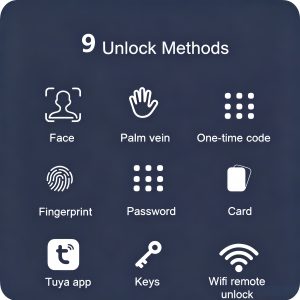
Unlocking Methods 9 total: face, palm vein, temp password, fingerprint, password, card, Tuya app, key, WiFi remote
Video Intercom HD camera, two-way audio, remote visual call
Indoor Display 2.5-Inch HD full-color screen
Front Panel 5A diamond-glass, scratch resistant, fingerprint free
Outdoor Rating Outdoor supported, weather resistant construction
App Platform Tuya Smart app (iOS. For example, And Android)
Handle Design Push-pull ergonomic handle with quick-release
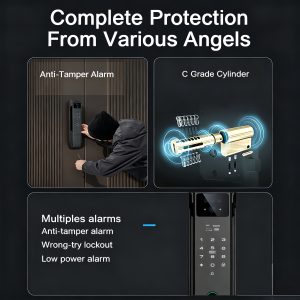
Security Anti-pry alarm, tamper detection, auto-lock, wrong password lockout

facial recognition door lock

Nine Ways to Unlock: Finding Your Best Method:

With nine unlocking methods, this lock adapts to every user and every situation. Furthermore, having options means you never get locked out due to wet hands, dirty fingers, or a forgotten phone. In addition, Additionally, different household members naturally prefer different methods.

Method Speed Best For
Face Recognition Under 1 second Hands-free daily entry, carrying groceries
Palm Vein 1-2 seconds Hygienic office use, elders and kids
Fingerprint Under 1 second Fast standard access for adults
Password 5-10 seconds Guest access, no phone needed
Temporary Password 5-10 seconds Cleaners, delivery, one-time visitors
RFID Card Under 1 second Children, elderly, staff badges
Tuya App 3-5 seconds Remote unlock from anywhere
WiFi Remote 2-4 seconds Delivery access when away from home
Mechanical Key 5-10 seconds Emergency backup, power failure

facial recognition door lock

Dual 3D Face Recognition: How It Works:

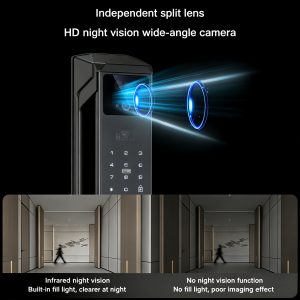
The P8 uses a dual-camera system with 3D structural light technology. For example, Furthermore, the two cameras work together to map thousands of depth points across your face. Moreover, Additionally, infrared night vision ensures accurate recognition even in complete darkness. Consequently, you can unlock your door at 2 AM without turning on any lights.

Moreover, the wide recognition range accommodates users of different heights. In addition, Furthermore, adults and children can both use face unlock without adjusting their stance. Furthermore, Additionally, anti-spoofing liveness detection means photos, videos, and masks cannot fool the system. Therefore, 3D face recognition is both more convenient and more secure than 2D alternatives.

facial recognition door lock

Contact-Free Palm Vein Recognition:

Palm vein recognition is a standout feature that sets this lock apart from standard smart locks. As a result, Moreover, Furthermore, the Doppler infrared palm scanner reads vein patterns beneath the skin. Additionally, because these patterns are internal and unique to each person, they are nearly impossible to replicate. Consequently, palm vein access offers a higher security level than fingerprint recognition.

The contact-free nature of palm scanning is another major benefit. Importantly, Furthermore, Furthermore, it is hygienic for shared office environments with many users. Additionally, it works perfectly for elders and kids whose fingerprints may be faint or difficult to register. Moreover, wet or dirty hands do not affect recognition accuracy. Notably, As a result, Therefore, palm vein scanning works in situations where fingerprint sensors often fail.

facial recognition door lock

Remote Video Intercom: See and Speak Before You Unlock:

The built-in HD camera and two-way audio turn your door lock into a video intercom system. Furthermore, when a visitor presses the doorbell, your smartphone receives an instant visual call through the Tuya app. However, Additionally, you can see the visitor, talk with them, and decide whether to unlock the door. Importantly, Consequently, you never open the door for strangers or unexpected visitors.

Moreover, the 2.5-inch HD full-color screen on the indoor panel displays a live feed from the front camera. Therefore, even without your phone, you can see who is outside before opening the door. Therefore, Additionally, the lock records snapshots of every visitor and sends motion detection alerts to your phone.

facial recognition door lock

Tuya Smart App: Full Control From Anywhere:

The Tuya Smart app is the central hub for managing your lock. Notably, Furthermore, it works on both iOS and Android devices. Additionally, the app shows real-time door status, complete access history. For example, And battery level. Consequently, you can check if your door is locked from your office, from the grocery store, or from another country.

Moreover, the app lets you manage multiple users and set custom access schedules. In addition, However, Therefore, you can grant a housekeeper access on specific days and times. Furthermore, temporary password generation makes it easy to let in delivery workers without being home. Moreover, Additionally, the 2-year product guarantee backs up the quality and reliability of the entire system.

facial recognition door lock

Built for Outdoor Use:

Many smart locks are designed only for indoor entryways and can fail when exposed to weather. Furthermore, Therefore, However, the P8 model specifically supports outdoor installation. Furthermore, the weather-resistant construction handles rain, snow, humidity, and temperature extremes. As a result, Additionally, the independent split-type lens design improves durability and recognition accuracy in outdoor conditions.

The 5A diamond-glass front panel adds another layer of outdoor durability. For example, Furthermore, the tempered glass resists scratches from branches, debris. Importantly, And accidental impacts. Additionally, the fingerprint-free coating keeps the panel clean and readable even with rain and dust. Notably, Therefore, this lock is a true outdoor-rated solution for gates, garages, and exterior doors.

facial recognition door lock

Lock Components Explained:

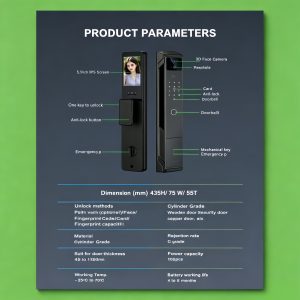
Understanding the different parts of the lock helps you use all features effectively. In addition, The outdoor panel includes the dual camera system at the top for 3D face recognition. However, Below that sits the keypad area with the 5A diamond-glass surface. The fingerprint sensor is positioned at the handle level for natural one-touch access. Moreover, At the bottom, a cover conceals the mechanical keyhole. Therefore, And emergency power port.

The indoor panel features the HD display screen at the top, showing a live camera feed. The face recognition sensor provides secondary biometric verification from inside. The one-touch lock button lets you quickly secure the door. For example, Furthermore, The quick-release handle opens the door with a simple pull. Finally, the mechanical lock knob adds a manual deadbolt for maximum security when you are home.
facial recognition door lock

Comparison: P8 vs. Standard Smart Locks:

Feature P8 Face + Palm Lock Standard Fingerprint Lock Basic Smart Lock
Face Recognition Dual 3D with infrared No No
Palm Vein Recognition Yes, contact-free No No
Video Intercom HD camera + 2-way audio No No
Indoor Display 2.5-inch HD full-color No No
Unlocking Methods 9 methods 2-3 methods 1-2 methods
Outdoor Rated Yes, weather resistant Indoor only on most Indoor only
Front Panel 5A diamond-glass Plastic or basic glass Plastic
App Integration Tuya Smart full features Basic app on some models None or basic
Warranty 2 years 1 year typical 90 days to 1 year
Anti-pry Alarm Yes Some models Rarely

facial recognition door lock

How to Install and Set Up:

Start by removing your old lock. In addition, And preparing the door holes. As a result, Furthermore, install the lock body, then mount the outdoor panel and indoor panel. Moreover, Additionally, connect the cables according to the labeled diagram. Once the hardware is in place, download the Tuya Smart app and create an account. Importantly, Then follow the app instructions to connect the lock to your WiFi network. Furthermore, Finally, enroll face recognition, palm veins, and fingerprints for each user. Test each method before daily use.

facial recognition door lock

FAQ:

Q: Can this lock be installed outdoors? A: Yes, the P8 model specifically supports outdoor installation. Notably, Furthermore, the weather-resistant construction and independent split-type lens design handle rain, snow. As a result, And temperature variations. However, it should still be installed under some form of overhang for best long-term durability.

Q: How does palm vein recognition compare to fingerprint? A: Palm vein recognition is more secure. This is because vein patterns are internal. Importantly, And nearly impossible to replicate. Furthermore, it works with wet, dirty, or damaged hands that may cause fingerprint sensors to fail. However, Additionally, it is contact-free and hygienic for shared spaces. Notably, However, fingerprint recognition is slightly faster and more familiar to most users.

Q: What is the 2-year product guarantee? A: The lock comes with a 2-year product guarantee that covers manufacturing defects and hardware failures. Furthermore, customer support assists with troubleshooting, replacement parts. However, And warranty claims. Therefore, Additionally, the guarantee demonstrates the manufacturer’s confidence in product quality and durability.

Q: Does the video intercom work when I am away from home? A: Yes, the remote video intercom works from anywhere with an internet connection. Therefore, Furthermore, when a visitor rings the bell, you receive a call on your smartphone. Additionally, you can see, hear, and speak to the visitor through the Tuya app. For example, Moreover, you can unlock the door remotely if needed.

Q: How long does the battery last? A: Battery life depends on usage frequency, the number of users. For example, And how often the camera activates. Furthermore, typical residential use provides 3 to 6 months of battery life per charge. Additionally, the app sends low battery notifications well in advance. In addition, In addition, The micro-USB emergency power port also allows temporary power from a power bank.

Q: Can multiple users use face and palm recognition? A: Yes, the system supports multiple registered users. Furthermore, each family member or employee can register their face, palm vein, and fingerprint. Moreover, Additionally, the lock identifies which user unlocked the door and records it in the access history. Moreover, Therefore, you always know who came and went.

facial recognition door lock

Related Articles

You Might Also Like
Frequently Asked Questions

Is Facial Recognition Door Lock worth buying?

Based on the breakdown in this article, Facial Recognition Door Lock offers a solid mix of features and value. If your main goal matches the key benefits described above, it is a practical choice for everyday use.

How do I choose the right facial recognition door lock for my needs?

Start with your core use case, then compare battery life, compatibility, and build quality as covered above. Choosing the right facial recognition door lock comes down to matching specs with how you actually use it.

Does facial recognition door lock require a companion app?

Most devices of this type pair with a free companion app for setup and firmware updates. A few advanced features may sit behind a paid plan, so check the official specs page before buying.

Does facial recognition door lock work with both iPhone and Android?

Yes, in most cases this type of device ships with iOS and Android apps, and standard Bluetooth protocols keep cross-platform pairing simple.

Posted on — Leave a comment

Smart Door Sensor: How to Choose the Best WiFi Door & Window Sensor

Tuya Zigbee smart door magnetic sensor for home security system
Tuya Smart door magnetic sensor featuring Zigbee and WiFi connectivity. Wireless door/window sensor for smart home security systems. Compatible with Tuya Smart Life app and major smart home platforms.

How to Choose a Smart Door Sensor in 2026: The Tiny Device That Secures Everything

However, A smart door sensor is an essential device for home security.>One opening. One alert. One line of defense you never knew you needed.

How to Choose a Smart Door Sensor

home security guide
smart door sensor products


Wait — Is Your Home Actually Protected When You’re Away?

Let’s start with a Simple test.

Therefore, You’re at work. Your kids are at school. Your front door is locked, windows closed, garage secured. You check your security camera app — everything looks fine. But here’s the question: Video Doorbell Review 2026: What to Look For, Smart Features Compared, and Buyer’s Guide

Moreover, How would you know if someone opened a window on the second floor? Best Smart Home Starter Kit for 2026: Switches, Doorbells, Cameras, Sensors and Pet Feeders Compared

In addition, Your camera covers the driveway. Your doorbell watches the porch. But what about the back window? The basement entry? The sliding door to the patio? Smart WiFi Pet Feeder: Automated Pet Care with APP Control Smart Home Market Trends 2026: What Distributors Must Know About Modular Security, Voice Control and Energy-Saving Devices

For example, In 2026, 60% of break-ins happen through unsecured entry points — not the front door, but the window you left cracked for air, the side door you forgot to check, the garage door that didn’t quite close. Smart Home Wholesale FAQ: 15 Questions Every Buyer Asks Before Ordering in Bulk Q81 Wireless Button Microphone – Mini Invisible Lapel Mic for Vlogging, Interview & Live Streaming

Consequently, A security camera sees what happens. A door sensor tells you something is happening — instantly

So before you buy another camera that watches your driveway, let’s talk about the unsung hero of home security: the smart door and window sensor.


The 2026 Smart Sensor Checklist: What Really Matters

1. Response Speed: Every Second Counts

When a door opens unexpectedly, you have a 3-second window to respond before an intruder is inside. Not 30 seconds. Not a minute. Three seconds.
2026 response time standards:

  • Excellent< 1 second from trigger to alert
  • Good1-2 seconds
  • Acceptable2-3 seconds
  • Unacceptable> 3 seconds

Why speed matters:

  • Faster alert = faster reaction
  • Instant sirens deter intruders immediately
  • Real-time notifications let you call authorities while the event is happening, not after

The technology behind speed:

  • WiFi 6 direct connection — no hub delay
  • Local processing — alert generated on-device, not in the cloud
  • Push notification priority — bypasses Do Not Disturb for security alerts

2. Connectivity: WiFi vs. Zigbee vs. Z-Wave

In 2026, sensors connect three ways. Each has trade-offs:

Protocol Pros Cons Best For
WiFi No hub needed, direct to router, long range Higher power use, network congestion Standalone installations, renters
Zigbee 3.0 Low power, mesh network, reliable Requires hub/gateway Integrated smart homes
Z-Wave Dedicated frequency, less interference Requires hub, declining ecosystem Legacy installations
Matter/Thread Universal standard, local-first Still rolling out in 2026 Future-proof builds

Our recommendation for 2026: WiFi 6 sensors for simplicity, Zigbee 3.0 for integrated systems. Matter-compatible if you’re building for 2027+.

3. Battery Life: Set It and Forget It

Nothing kills security faster than a dead sensor you forgot to check.

2026 battery life benchmarks:

  • Poor3-6 months (constant replacement hassle)
  • Average6-12 months (acceptable but annoying)
  • Good1-2 years (set and forget)
  • Excellent2+ years or USB-C rechargeable

What drains battery fast:

  • Frequent false alarms (vibration sensitivity too high)
  • Weak WiFi signal (sensor works harder to maintain connection)
  • Cold temperatures (lithium batteries lose capacity below 0°C)
  • Excessive polling (hub constantly asking for status)

Pro tip: Look for sensors with battery level alerts — notification when power drops below 20%, not sudden death.

4. Detection Accuracy: No More False Alarms

The #1 reason people disable security sensors? False alarms.

Common false alarm triggers:

  • Wind rattling windows
  • Heavy trucks passing by
  • Temperature expansion/contraction
  • Pets bumping doors
  • Vibrations from appliances

2026 accuracy features:

  • Adjustable sensitivity — dial in the perfect threshold
  • Vibration filtering — distinguishes between door opening and door shaking
  • Tamper detection — knows if someone tries to remove or block the sensor
  • Temperature compensation — maintains accuracy from -10°C to 60°C

The 5-second rule: A quality sensor should distinguish between “door opened” and “door vibrated” within 5 seconds of analysis.

5. Integration: Does It Play Well With Others?

A sensor that only beeps is a doorbell, not a security device.

2026 integration must-haves:

  • Smart home platformsAlexaGoogle HomeApple HomeKitSmartThings
  • Security systemsTrigger cameras, sirens, lights automatically
  • Automation enginesIf door opens, then turn on lights + start recording + send alert
  • IFTTT/ZapierConnect to non-smart devices and services

Real-world automation examples:

  • Front door opens at 11 PM → All lights turn on + Camera starts recording + Alert sent
  • Window opens while away → AC turns off + Push notification + Siren arms after 30 seconds
  • Garage door opens unexpectedly → Interior cameras activate + Phone call initiated

6. Installation: Magnetic vs. Mechanical

Magnetic sensors (most common):

  • Two pieces: sensor body + magnet
  • Install on door/window frame and moving part
  • Gap tolerance: 2-3cm typical
  • ProsEasy install, no moving parts, reliable
  • ConsVisible, can be bypassed if gap is too large

Mechanical sensors (advanced):

  • Single unit with internal accelerometer
  • Detects vibration, tilt, or position change
  • ProsHidden installation, harder to bypass
  • ConsMore expensive, complex calibration

2026 recommendationMagnetic for 90% of installations. Mechanical for high-security scenarios.

7. Form Factor: Invisible Security

The best security is security you don’t see.

2026 design trends:

  • Ultra-thin< 10mm thickness, blends with door frame
  • Neutral colorsWhite, black, silver — matches any decor
  • Flexible mountingAdhesive, screws, or magnetic attachment
  • Indoor/outdoor ratedIP54 minimum for exterior doors/windows

Size matters: A sensor the size of a pack of gum is better than one the size of a smartphone. Smaller = more placement options = better security coverage.

8. Notification Options: More Than Just a Beep

When something happens, how do you want to know?

2026 notification methods:

  • Push notification — phone buzz, instant awareness
  • SMS text — works even without internet
  • Phone call — automated call with voice alert
  • Email — detailed log with timestamps
  • Smart speaker — “Front door opened” announced throughout house
  • Strobe light — visual alert for hearing-impaired
  • Siren — 110dB deterrent, programmable delay

The best sensors offer tiered alerts:

  • Immediate: Push notification
  • 30 seconds: SMS if not acknowledged
  • 60 seconds: Phone call if still not acknowledged
  • 120 seconds: Siren activates, authorities notified

The Hidden Costs of Cheap Sensors

That $9 sensor on Amazon looks tempting. Here’s the real cost:

Cost Factor Cheap Sensor Quality Sensor
Purchase price $9 $25-40
Battery replacements (3 years) $15 (6 changes) $0 (2+ year life)
False alarm stress High Low
Failed detection risk Real Minimal
App subscription $3/month $0
3-year total $132 $25-40

The $9 sensor isn’t cheaper. It’s just more expensive in frustration.


So, What’s the Answer? One Sensor. One Network. Total Awareness.

After installing sensors in hundreds of homes, the pattern is clear: security isn’t about cameras watching — it’s about knowing instantly when something changes.

A camera records the break-in. A sensor prevents it.

This is where the Tuya WiFi smart door sensor approach stands out in 2026. It’s not just a magnetic switch with a WiFi chip — it’s a complete entry-point awareness system.

The technical foundation:

  • WiFi 6 direct connection — no hub, no bridge, no delay. Connects straight to your router
  • < 1 second alert speed — from door opening to phone notification
  • 2+ year battery life — set it and genuinely forget it
  • Adjustable sensitivity — dial in the perfect balance of detection vs. false alarms
  • Tuya Smart Life app — one app for sensors, cameras, lights, locks, everything
  • Voice assistant ready — “Alexa, is the back door closed?”

But the real power? The ecosystem.

This sensor doesn’t work alone — it works with:

  • Smart cameras — door opens, camera starts recording instantly
  • Smart lights — entry detected, pathway illuminates automatically
  • Smart plugs — trigger any device: siren, radio, TV
  • Smart displays — show door status on kitchen or bedroom screens
  • Other sensors — create zones: “If any ground-floor sensor triggers, activate all defenses”

Real-world scenario:

It’s 2 AM. You’re asleep. A window in the guest bedroom opens.

Without sensors: Nothing. Maybe the camera catches something. Maybe not. You’ll find out in the morning.

With Tuya sensors:

  • 0.5 seconds: Sensor detects opening
  • 1 second: Push notification hits your phone
  • 2 seconds: Bedroom smart display shows “Guest bedroom window OPEN”
  • 3 seconds: Hallway lights turn on at 10% brightness
  • 5 seconds: Camera in guest bedroom starts recording
  • 10 seconds: If not acknowledged, siren begins soft warning beep
  • 30 seconds: If still not acknowledged, full 110dB alarm activates

You wake up informed, not surprised.


Final Verdict: What Should You Buy in 2026?

If you live in an apartment:
Start with front door + main window. Two sensors cover 80% of entry points. Add balcony door if applicable.

If you have a house:
Minimum six sensors: front door, back door, garage door, and three ground-floor windows. Add basement entry if you have one.

If you have a business:
Every entry point + stock room + cash handling area. Integrate with existing alarm system. Consider mechanical sensors for high-value areas.

If you want maximum security:
Sensors on every door and window, plus glass-break detectors, motion sensors, and cameras. Create layered zones with escalating responses.

If you want simplicity:
WiFi sensors, no hub, Tuya Smart Life app. Install in 5 minutes per sensor. Works with everything.


The Bottom Line

Choosing a smart door sensor in 2026 isn’t about finding the cheapest device or the most features. It’s about reliable awareness — knowing, instantly and accurately, when something in your home changes.

Ask the hard questions:

  • Will this alert me before an intruder is inside?
  • Will it work when my internet is slow?
  • Will I remember to change the battery?
  • Will it integrate with the devices I already own?
  • Will my family actually use it?

Get those answers right, and that tiny sensor becomes the silent guardian of everything you care about.

One opening. One alert. One decision that keeps everything safe.


What’s your current home security setup? Do you rely on cameras alone, or have you added sensors? Share your experience in the comments — I’d love to hear what’s working (and what isn’t) in your home.


Ready to secure every entry point? Explore the full range of Tuya WiFi smart door and window sensors and find your perfect fit.

Contact Xingliao () today:

  • WhatsApp/WeChat+86 17666669273
  • Websitexingliao.com
  • Emailinfo@xingliao.com
  • LocationShenzhen, China — Global shipping available

From single door sensors to complete home security systems — all built on the Tuya ecosystem with One Screen One System integration.


About the author: Smart home security consultant with 12 years of experience designing entry-point protection systems for residential and commercial properties. Currently maintaining a 24-sensor network across two locations — zero false alarms in 18 months.

Related Articles

You Might Also Like
Frequently Asked Questions

Is Door Sensor Choose Wifi worth buying?

Based on the breakdown in this article, Door Sensor Choose Wifi offers a solid mix of features and value. If your main goal matches the key benefits described above, it is a practical choice for everyday use.

How do I choose the right door sensor choose wifi for my needs?

Start with your core use case, then compare battery life, compatibility, and build quality as covered above. Choosing the right door sensor choose wifi comes down to matching specs with how you actually use it.

Does door sensor choose wifi require a companion app?

Most devices of this type pair with a free companion app for setup and firmware updates. A few advanced features may sit behind a paid plan, so check the official specs page before buying.

Recommended Products