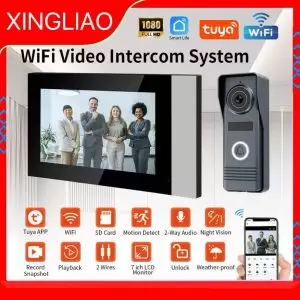
Posted on — Leave a comment

Wireless Video Doorbell With Indoor Monitor: X3, X6, X7 and X8 Compared

An app-based Video Doorbell assumes three things: a router close enough to the front door, a phone that is always charged, and everybody in the house willing to install another app. Plenty of homes fail at least one of those tests — a thick concrete wall between the door and the router, grandparents who do not want an app, or a rental where the internet account belongs to somebody else.

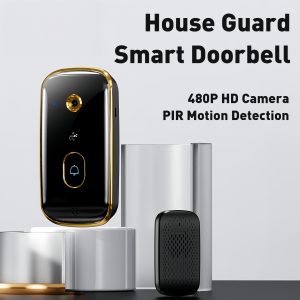
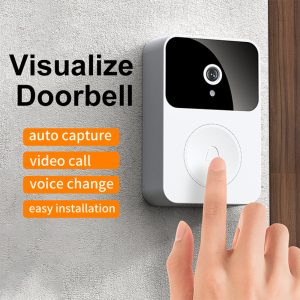
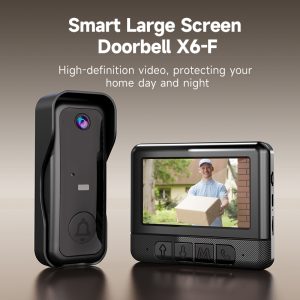
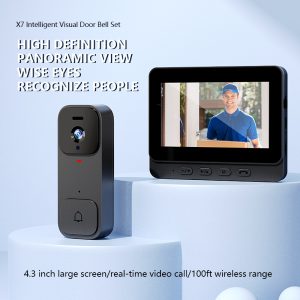
A Wireless doorbell kit with its own indoor monitor skips the router entirely. The camera talks straight to the screen over a private 2.4 GHz link, so pressing the button lights up the monitor in the hallway or kitchen. This guide compares the kits in our range — X3, X6, X6A, X7 and X8 — on the four things that change how they feel to live with.

What “no WiFi needed” actually means

It does not mean the Doorbell is offline. It means the Video link between the door unit and the indoor monitor uses its own digital radio hop instead of your home network. You press the button, the monitor rings, you see and talk to the visitor — all without an internet connection, a router, or a cloud account.

The trade-off is honest: you can answer the door from the monitor, but not from your office across town. If being able to answer from anywhere matters more than simplicity, look at a WiFi model instead, or run both — a kit at the door and an app-based unit elsewhere. If WiFi at the door is the problem rather than the feature, our guide to how a video doorbell works without WiFi covers the same question in more detail.

Screen size decides who can use it

Every kit here puts a display indoors, but the size changes who actually answers the door:

  • 4.3 inch (X6, X6A, X7, X8) — compact, easy to wall-mount or leave on a side table. Fine for recognising a face at the door.
  • 4.5 inch (X3) — slightly larger, more comfortable if the monitor sits across the room.
  • Large-screen outdoor units (X6F) — a display at the door itself, used where the visitor needs to see instructions or where the owner wants a bigger intercom panel outside.
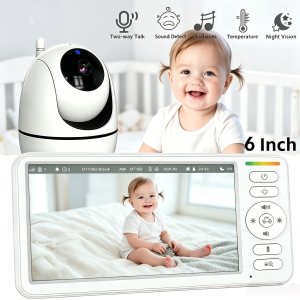
The X7 and X8 use IPS panels, which matters if the monitor is not viewed head-on — a cheaper TN screen viewed from the side or above washes out badly.

Power: the question people forget to check

A Wireless kit still needs power at both ends. The indoor monitor is the easy part — it plugs into a socket or runs from its own rechargeable battery. The door unit is where surprises happen:

  • Rechargeable battery — mount anywhere, including a door with no wiring at all. You will charge it every few months depending on traffic.
  • AA batteries — the simplest option for a rental, and easy to swap in winter when cold cuts capacity.
  • Existing bell wires — if there is already a chime, some installs can reuse those two wires.

If there is genuinely no power and no wiring at the door, read how to install a video doorbell with no existing wiring before you buy — the answer shapes which kit fits.

Night vision and image quality

Doorbell cameras do most of their useful work after dark, so this is not a spec to skip. Infrared night vision is the standard: the door unit lights the scene with IR LEDs and the monitor shows a monochrome image that is clear enough to identify a person and a parcel. Full-colour night vision (X3) keeps colour in low light, which helps when you need to describe a delivery uniform or a vehicle.

Resolution figures on these kits look modest compared with a phone camera, and that is normal — a 300K-pixel door camera filling a 4-inch screen is perfectly readable. What matters more is the lens angle: a wide-angle lens captures the person and the parcel on the doorstep, whereas a narrow lens gives you a face but crops out the package at their feet.

Which kit fits which door

Kit Screen Best for
X3 4.5 inch Households that want a slightly larger monitor and full-colour night vision
X6 4.3 inch Flats and rentals with no router near the door; infrared night vision
X6A 4.3 inch Anyone who wants snapshot storage plus an indoor chime
X7 4.3 inch IPS Off-angle viewing — a monitor mounted above eye level
X8 4.3 inch IPS, IP66 Exposed entrances, gates and doors with no porch cover

Check these three things before you order

  1. Door and frame thickness. Peephole-style units have a barrel that has to pass through the door; measure the thickness before choosing one.
  2. Distance and walls between door and monitor. A private 2.4 GHz link handles a normal flat easily and struggles through several solid concrete walls. Put the monitor in the room nearest the entrance first.
  3. Weather exposure. If the door unit faces rain without a porch, choose a waterproof model such as the X8 rather than a basic indoor-rated unit.

Full specifications, mounting plates and quantity pricing are on each product page, and the whole range sits under smart video doorbells. OEM branding, manuals and packaging are available from the first order.

FAQ

Can a wireless doorbell kit work without any internet at all?
Yes. The door unit and the indoor monitor pair directly over their own radio link, so the bell, the Video and the two-way talk all work with no router and no broadband. You lose remote answering from outside the home, not local function.
How many monitors can one doorbell call?
Most kits support more than one indoor monitor, so a two-storey house can have one upstairs and one downstairs. Confirm the supported number on the individual product page before ordering extra screens.
Does it record if nobody answers?
Kits with snapshot storage (such as the X6A) capture an image when the button is pressed, and units with a TF card slot record continuously or on motion. Without a card, you get live viewing only.
Will it interfere with my home WiFi?
The private link shares the 2.4 GHz band but uses its own channel. If the monitor and the door unit are both working, interference is rare; if you notice dropouts, move the monitor away from the router.
Can I install it on a rental door without drilling?
Yes for the battery models — the usual approach is a mounting bracket fixed with strong adhesive tape or a screw into the frame, and the unit lifts off for charging. Check your tenancy terms before drilling anything.
What happens in winter?
Battery capacity drops in the cold, so expect to charge more often between November and February. If the door is exposed, an IP-rated unit matters as much as the battery.

Related Articles

You Might Also Like

Frequently Asked Questions

Is Wireless Video Doorbell worth buying?

Based on the breakdown in this article, Wireless Video Doorbell offers a solid mix of features and value. If your main goal matches the key benefits described above, it is a practical choice for everyday use.

How do I choose the right wireless video doorbell for my needs?

Start with your core use case, then compare battery life, compatibility, and build quality as covered above. Choosing the right wireless Video doorbell comes down to matching specs with how you actually use it.

Does wireless video doorbell require a companion app?

Most devices of this type pair with a free companion app for setup and firmware updates. A few advanced features may sit behind a paid plan, so check the official specs page before buying.

Posted on — Leave a comment

How to Choose a Security Camera for Your Home

A home security camera is the One Smart home device people buy first and keep the longest, because it answers a simple question: what is happening at home right now? But the shopping guides rarely explain the trade-offs. Should you get a plug-in indoor camera or a battery one? Is 2MP enough or do you need 4MP? Does an outdoor camera need solar? This guide walks through every decision in plain terms, so the camera you order is the camera you actually keep using.

Start with the location, not the camera

Every camera is designed around a placement, so decide where it will watch before deciding what to buy:

  • Indoor monitor: a room, a pet, a baby, the front hallway. Any camera works; comfort features matter most.
  • Entry watch: the front door or driveway. Weatherproofing and motion detection matter most.
  • Whole-property watch: yard, parking, outbuildings. Battery life or solar charging becomes the deciding factor.

Buying an indoor camera and mounting it under the eaves “temporarily” is how people end up with a dead camera in month two. Match the camera to the spot and the rest of the choices follow. M3 Pro Foldable 3-Axis Gimbal Stabilizer, Professional Handheld Gimbal for Smartphones

Power: plug-in, battery, or solar

Plug-in cameras (USB or adapter) never run flat and can stream continuously. Put them wherever a socket is within reach — a shelf, a countertop, near the crib. Their one limit is placement freedom: you are tied to the socket.

Battery cameras Install anywhere in minutes with no drilling and no wiring, which is exactly why landlords and renters love them. The trade-off is that they wake on motion rather than streaming all day, so a busy street can drain a battery in a week and a quiet room can run three months. Check whether the battery is rechargeable and how it charges.

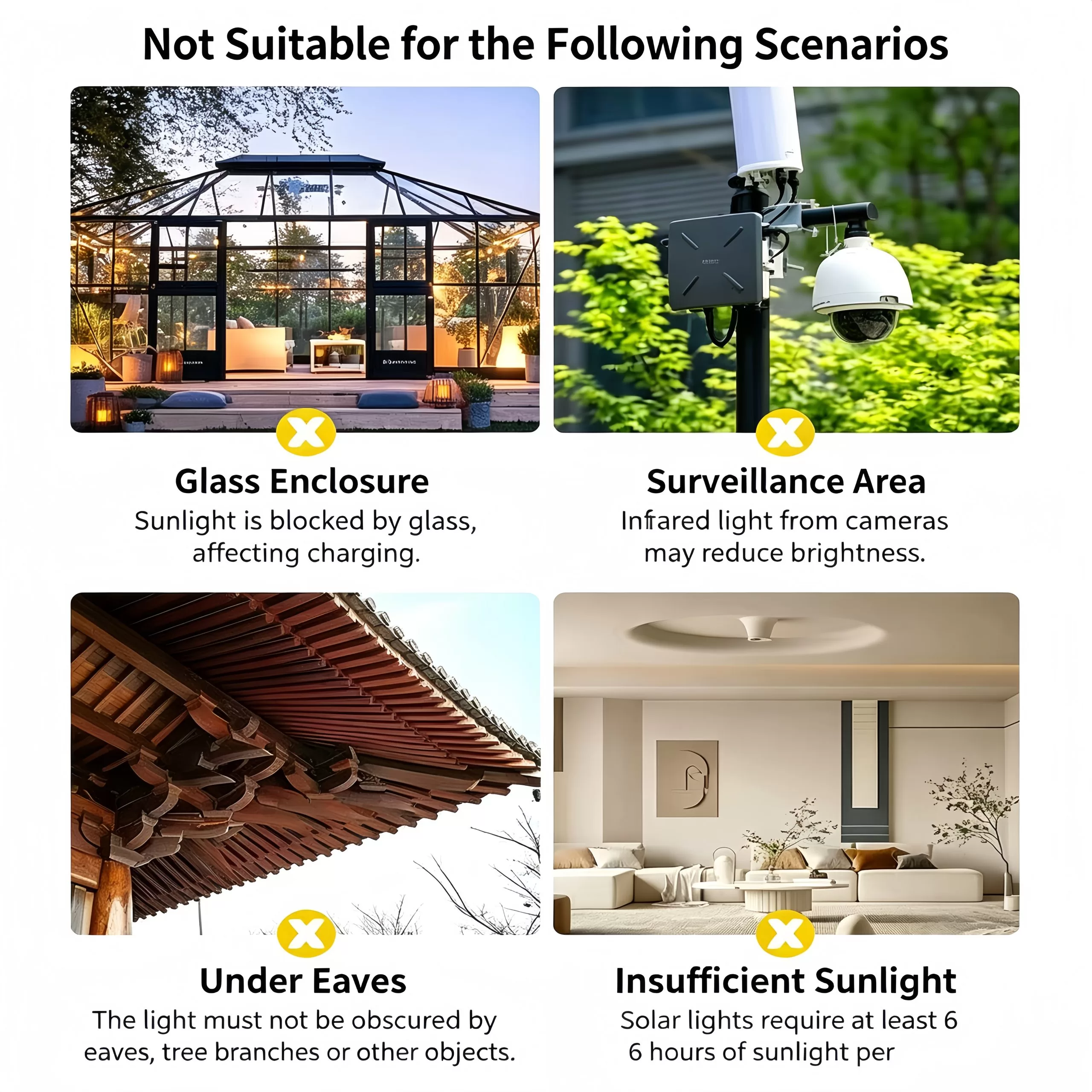
Solar cameras are battery cameras with a panel that tops them up daily. For outdoor spots with reasonable sun, they effectively remove charging from your chore list forever. A few cloudy weeks are fine; a permanently shaded north wall is not — put a plug-in or wired model there instead.

Resolution: what 2MP, 3MP and 4MP actually mean

Resolution is the most oversold number in the market. The honest version:

  • 2MP (1080p): plenty for seeing a person, a pet, or whether the door was left open. Fine for small rooms.
  • 3MP: a comfortable middle ground — wider view, sharper detail, still light on bandwidth.
  • 4MP and above: worth it when you need to read a license plate at the gate, recognize a face across a yard, or crop into recordings and still see detail.

Two features matter more than megapixels in practice: night vision quality and motion detection accuracy. Basic infrared night vision shows grey shapes; full-color night vision keeps usable detail after dark. And a camera that alerts on every passing cat will get its notifications muted within a week — human detection or PIR-based detection is what keeps alerts useful long-term.

Framing: fixed, pan/tilt, or dual-lens

A fixed camera watches one angle. Simple, cheap, and nothing to mechanically wear out.

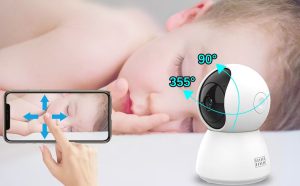
A pan/tilt (PTZ) camera turns and tilts on command from your phone, covering a whole room from one corner. Ideal as a single indoor watcher — one camera, every angle.

A dual-lens camera combines a wide fixed lens with a zooming lens: the wide one detects, the tele one zooms in automatically. For driveways and gates this is the current best value, because you get context and detail from one device.

Storage and what happens when you need the footage

  • TF card (microSD): records locally in the camera, works without any subscription, footage stays in your house. Most home users should insist on this option.
  • Cloud storage: convenient and survives a stolen or smashed camera, but usually a recurring fee.
  • Both: the comfortable answer — card for everyday, cloud as backup for the events that matter.

WiFi and app reality checks

Nearly every consumer camera in this class uses 2.4 GHz WiFi. If your router merges 2.4 and 5 GHz into one network name, pairing usually still works, but a weak signal at the far end of the garden is the number-one cause of “my camera keeps going offline.” Check the signal where the camera will hang before you blame the camera. The app side matters too: a camera running the Tuya or Smart Life ecosystem can sit in the same app as your switches, sockets and sensors, which is worth a lot once your Smart home grows past three devices.

A quick buying checklist

  • Where exactly will it hang, and is there power or sun there?
  • Indoor comfort or outdoor weatherproofing (IP65 or better)?
  • Do I need to identify faces and plates (4MP, dual-lens) or just see what’s happening (2-3MP)?
  • Full-color night vision if the area matters after dark.
  • Human or PIR detection, so alerts stay useful.
  • TF card slot, cloud, or both.
  • Does it join the same app as my other devices?

XingLiao security cameras

Frequently Asked Questions

How many cameras do I need for a house?

One well-placed camera per priority area beats four covering random corners. Typical starters: one indoor main-area watcher, one at the main entry. Add a solar outdoor unit for the driveway when the first two prove their value.

Do security cameras need WiFi?

WiFi cameras do — that is how you get live view and alerts on your phone. If the camera spot has no usable WiFi, options include cameras with local TF recording and screen-based Doorbell systems that run their own wireless link, no router required.

What resolution should I choose?

For rooms and general awareness, 2MP is fine. For entries, driveways or anything you might need as evidence, choose 3MP or 4MP. Beyond that, lens quality and night vision matter more than extra pixels.

Are battery cameras reliable?

Yes, with realistic expectations. They wake on motion rather than streaming continuously, so battery life depends on how busy the spot is. In a quiet indoor spot a charge lasts months; on a street with constant traffic it can be weeks. Solar panels solve this outdoors.

Can I use a security camera as a baby or pet monitor?

Indoor cameras with two-way audio and pan/tilt do this well — you can talk, listen and follow movement. Look for color night vision so the room stays visible without lights.

What is the difference between a security camera and a video doorbell?

A doorbell is a camera with a button and a chime, designed for the door and two-way conversation with visitors. A security camera is a general watcher. Many homes end up with one of each — the doorbell handles people, the camera handles everything else.

Do I need to pay a monthly fee?

Not with TF-card cameras — recording is local and free. Cloud plans are optional extras for off-site backup, typically a few dollars a month per camera.

Related guides

Browse all security cameras · Tell us where you want coverage and we will recommend the right model

Related Articles

You Might Also Like
Posted on — Leave a comment

Intercom for Home: Choosing a Video Intercom System

An intercom for Home is a two-way communication system that lets you see and talk to whoever is at your door, from a screen inside the house or from your phone. Modern systems are Video intercoms: the outdoor unit has a camera, microphone, speaker and a call button, and the indoor unit is either a dedicated monitor, a chime box, or simply your smartphone.

There are three ways to build one, and the right choice depends almost entirely on whether you can run a cable to the door:

  • Wireless video intercom (battery or mains, Wi-Fi) — no cable to the door, phone-first. The fastest retrofit and the only realistic option for most apartments.
  • Wired 2-wire or 4-wire IP system — cable from the door station to an indoor monitor. Most reliable, standard for new builds and villas.
  • RF (no Wi-Fi) intercom kit — outdoor unit talks directly to an indoor monitor over radio, no router, no app, no internet. Works in buildings with no network and for users who do not want a phone app.

Which type fits your situation

Situation Recommended system Why
Apartment, cannot drill or run cable Wireless Wi-Fi doorbell with indoor chime Battery or existing low-voltage Wiring, no structural work
House with an existing doorbell cable Wired Wi-Fi doorbell using the existing wires Continuous power, no charging, no Wi-Fi dropout at the door
New build or full renovation Wired IP video intercom with monitor Cable is cheap while walls are open; best video quality and reliability
No internet at the property RF intercom kit with monitor Works standalone; two-way video without a router
Multi-tenant building IP system with multiple indoor monitors Each flat answers its own door; adds access control
Gate 20+ m from the house 4G or long-range RF / Wi-Fi extender Wi-Fi will not reach reliably at that distance

What to check before buying

  1. Power at the door. Is there a low-voltage cable (8–24 V AC/DC), mains, or nothing? This decides battery vs wired more than anything else.
  2. Wi-Fi strength at the door. Stand outside with your phone on 2.4 GHz. Under two bars and you will get missed calls — add an extender or choose RF.
  3. Who needs to answer. Phone only, an indoor monitor, or both? Elderly residents and children usually need the indoor screen.
  4. Chime. A wireless chime in the house means visitors are heard even when phones are on silent.
  5. Storage. microSD in the unit, cloud plan, or the monitor’s own storage. For evidence, keep it off-device or in the cloud.
  6. Night vision and field of view. IR for a black-and-white image after dark; a taller vertical field of view captures a face and a parcel on the step.
  7. Access control. If you want to release an electric lock or a gate, confirm the unit has a relay output and that the indoor monitor supports unlock.

Installation notes that save callbacks

  • Mount height 1.4–1.6 m to the Camera centre — high enough to resist tampering, low enough to see faces rather than hair.
  • Avoid backlight. A camera facing direct sun or a Glass porch roof produces silhouettes. Shift the unit or add a small shade.
  • Battery units need a plan. Event-based recording keeps consumption down; heavy traffic areas may need charging every 1–3 months.
  • Use the transformer supplied. Reusing an old mechanical chime transformer often causes buzzing or reboots.
  • Test the call before fixing the plate. Make one call, check the angle, then drill the final holes.
  • Weather rating. IP65 or better for an exposed door; a rain shield extends the life of any unit.

Intercom vs video doorbell: is there a difference?

In practice, little — the terms overlap. “Video doorbell” usually means a single outdoor unit that calls your phone. “Video intercom” usually implies an indoor monitor as well, and often two-way video between rooms or flats. The features to compare are identical: camera resolution, power, network, storage, night vision, and whether a second indoor station is supported.

Frequently Asked Questions

Do I need Wi-Fi for a home intercom?

Not necessarily. Wi-Fi doorbells need Wi-Fi for app calls. RF intercom kits work with no network and no internet, using a dedicated indoor monitor — the right choice for remote properties or users without Smartphones. Smart Switch for Water Heater and AC

Can I install one in an apartment without drilling?

Yes. Battery doorbells mount with adhesive or a no-drill bracket, and the indoor chime plugs into any socket. Check your lease before fixing anything to the door frame.

Will it work when I am not at home?

With an app-based system, yes: the call reaches your phone over mobile data, you can talk and, if the unit has a relay, unlock. With an RF kit or a monitor-only system, calls are answered at home only.

How many indoor monitors can one door station support?

Wi-Fi doorbells typically support one chime plus multiple phone accounts on the same app. IP intercom systems support two to six indoor monitors depending on the model, which is why they are used in multi-tenant buildings.

Can it open a gate or an electric lock?

Only Models with a relay output. Confirm the voltage and whether it is a dry contact, and have an installer wire the lock release — a shorted lock supply is the most common installation fault.

What should a project or wholesale buyer verify?

Power option per site, whether the kit includes the indoor monitor and chime, RF or Wi-Fi, resolution and field of view, storage architecture, app platform, certifications for the destination market (CE, UKCA, FCC, RoHS), and minimum order quantities — typically 500 pieces per model for standard configurations.

Related products

Related guides

Related Articles

You Might Also Like
Posted on — Leave a comment

Why Smart Home Security Is Trending Overseas in 2026: Tech That Sells

Smart Home Security has become one of the hottest product categories in overseas markets. According to industry trackers, demand for DIY Home monitoring is growing fast as consumers seek affordable, privacy-friendly alternatives to expensive monitoring services. Here is why Smart security products are gaining so much attention in 2026.

Tuya 2MP 4MP indoor WiFi smart camera HD night vision pan-tilt remote home monitor with two-way audio auto tracking dual band WiFi and mobile phone remote Smart Home Automation Scenes: 6 Practical Setups That Make Your Home Think

1. DIY and Subscription-Free Monitoring

Buyers increasingly want to install and manage their own cameras, sensors and locks without monthly fees. Plug-and-play WiFi devices with local SD storage are flying off the shelves. Smart Sensors Buying Guide: How to Make Your Home Feel Its Environment

2. Voice Assistant Integration

Products that work with Alexa and Google Assistant integrate naturally into existing smart homes, which dramatically lowers the barrier to purchase. Smart Lighting Complete Guide: From Color Temperature to Automation Scenes

3. AI-Powered Detection

Human detection, pet detection and smart alerts cut false alarms — a major selling point that pushes conversion on overseas marketplaces.

For example, If you are looking for reliable and affordable smart security gear, check out our selection — including the Tuya 4MP Indoor Smart Camera with pan-tilt control and two-way audio, or the 4MP 2K HD pet and family monitor with color night vision. Tuya Smart Watch 1.28 Inch Review: Best Budget Health & Alexa Smartwatch in 2026 Smart Home Starter Guide 2026: How to Build Your First Connected Home

Build a smarter, safer home today with easy-to-install smart devices that suit every budget.

Related Articles

You Might Also Like
Frequently Asked Questions

Is a smart home security camera worth buying?

Based on the breakdown in this article, a smart home security camera offers a solid mix of features and value. If your main goal matches the key benefits described above, it is a practical choice for everyday use.

How do I choose the right smart home security camera for my needs?

Start with your core use case, then compare battery life, compatibility, and build quality as covered above. Choosing the right comes down to matching specs with how you actually use it.

Posted on — Leave a comment

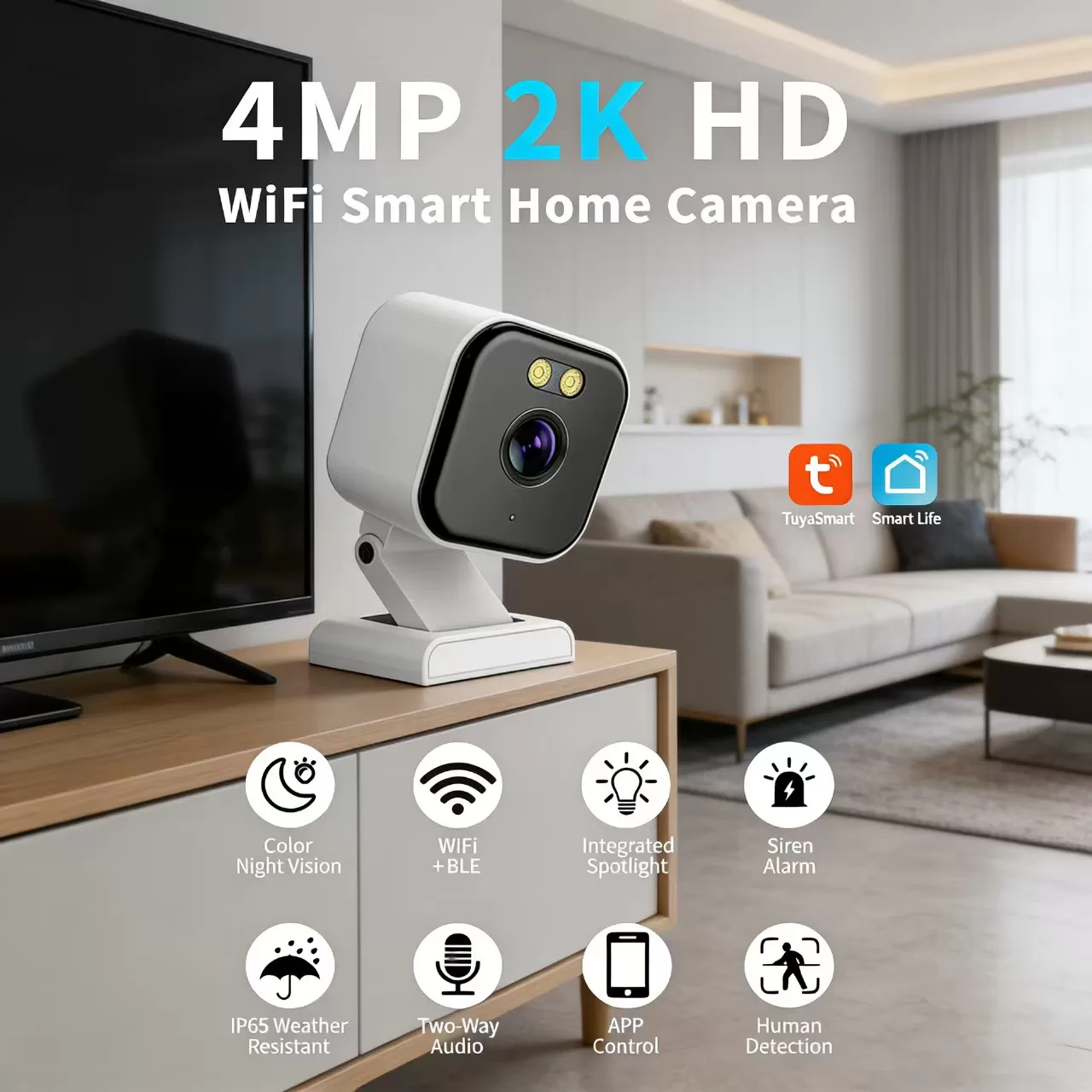
Tuya 4MP 2K HD Indoor Smart Camera: Color Night Vision for Family and Pet Monitoring

However, See your Home in vivid Color — even at night. The Tuya 4MP 2K HD Smart Camera delivers sharp 2K resolution with color night vision, human detection and Smart alerts, making it an ideal choice for keeping an eye on babies, pets and elderly family members. Tuya 4mp indoor

4MP 2K HD WiFi smart home camera indoor color night vision human detection two-way audio pet monitoring camera with spotlight and siren alarm Smart Home Automation Scenes: 6 Practical Setups That Make Your Home Think

Key Features

  • 2K ultra-clear video with full-color night vision
  • Human detection filters out false alarms
  • Two-way talk and built-in siren
  • SD card and cloud storage options
  • Smart Life app with Alexa / Google Assistant support

Peace of Mind Around the Clock

Therefore, Whether you are checking your baby, your pets, or your front door area, this camera gives you reliable monitoring with instant push notifications when it detects people. Smart Home Energy Saving Trends: How Overseas Consumers Cut Bills with Automation Smart Sensors Buying Guide: How to Make Your Home Feel Its Environment

However, Buy the Tuya 4MP 2K HD Camera at Xingliao Shop Why Smart Home Security Is Trending Overseas in 2026: Tech That Sells

Moreover, Set an activity zone, adjust sensitivity, and let smart automation handle the rest. Home Security Systems Explained: 5 Essential Devices to Protect Your Family

You Might Also Like
Frequently Asked Questions

Is Tuya 4mp Indoor worth buying?

Based on the breakdown in this article, Tuya 4mp Indoor offers a solid mix of features and value. If your main goal matches the key benefits described above, it is a practical choice for everyday use. Smart Home Starter Guide 2026: How to Build Your First Connected Home

How do I choose the right tuya 4mp indoor for my needs?

Start with your core use case, then compare battery life, compatibility, and build quality as covered above. Choosing the right tuya 4mp indoor comes down to matching specs with how you actually use it.

Does tuya 4mp indoor require a companion app?

Most devices of this type pair with a free companion app for setup and firmware updates. A few advanced features may sit behind a paid plan, so check the official specs page before buying.

Related Articles
Posted on — Leave a comment

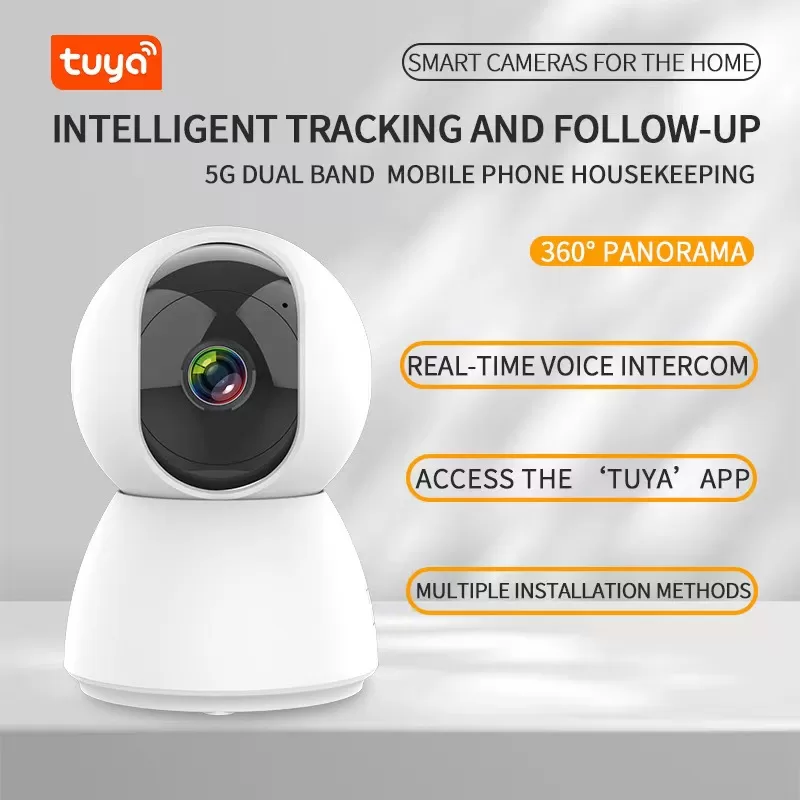
Tuya 2MP/4MP Indoor PTZ Smart Camera: 360 Panoramic Home Monitoring Made Simple

However, Keep every corner of your Home in view with the Tuya 2MP/4MP Indoor PTZ Smart Camera. Its 360-degree panoramic motor lets you pan and tilt remotely, so a single camera covers a whole room — perfect for living rooms, nurseries, offices and retail spaces.

Tuya 2MP 4MP indoor PTZ smart camera 360 degree panoramic WiFi pan-tilt home monitor with intelligent tracking real-time voice intercom and dual band WiFi Smart Home Automation Scenes: 6 Practical Setups That Make Your Home Think

Key Features

  • 360° panorama pan and tilt with app control
  • Sharp 2MP or 4MP video, crisp day and night
  • Two-way audio for talking to family or staff
  • Smart motion tracking follows movement
  • Works with Tuya / Smart Life, Alexa and Google Assistant

One Camera, Full Coverage

Therefore, Instead of buying several fixed cameras, one PTZ unit rotates to watch the whole space. You can sweep the room from your phone, set privacy mode, and review events anytime. Smart Home Energy Saving Trends: How Overseas Consumers Cut Bills with Automation Smart Sensors Buying Guide: How to Make Your Home Feel Its Environment

However, Get the Tuya 2MP/4MP PTZ Camera at Xingliao Shop Why Smart Home Security Is Trending Overseas in 2026: Tech That Sells Smart Lighting Complete Guide: From Color Temperature to Automation Scenes

Moreover, Instant setup via QR code makes it ready to use in minutes. WiFi Smart Wall Socket: Tuya 16A with PD20W Fast Charging Home Security Systems Explained: 5 Essential Devices to Protect Your Family

You Might Also Like
Frequently Asked Questions

Is Tuya 2mp 4mp worth buying?

Based on the breakdown in this article, Tuya 2mp 4mp offers a solid mix of features and value. If your main goal matches the key benefits described above, it is a practical choice for everyday use. Smart Home Starter Guide 2026: How to Build Your First Connected Home

How do I choose the right tuya 2mp 4mp for my needs?

Start with your core use case, then compare battery life, compatibility, and build quality as covered above. Choosing the right tuya 2mp 4mp comes down to matching specs with how you actually use it.

Does tuya 2mp 4mp require a companion app?

Most devices of this type pair with a free companion app for setup and firmware updates. A few advanced features may sit behind a paid plan, so check the official specs page before buying.

Related Articles
Posted on — Leave a comment

Tuya 4MP Indoor WiFi Smart Camera Review: Pan-Tilt Night Vision Home Monitor

However, Worried about what happens at Home while you are away? The Tuya 4MP Indoor WiFi Smart Camera gives you crystal-clear 4MP HD video, smooth pan-tilt control, and two-way audio so you can check in on your family, pets or property from anywhere via the Smart Life app.

Tuya 2MP 4MP indoor WiFi smart camera HD night vision pan-tilt remote home monitor with two-way audio auto tracking dual band WiFi and mobile phone remote Smart Home Automation Scenes: 6 Practical Setups That Make Your Home Think

Key Features

  • 4MP ultra HD resolution with enhanced night vision
  • Pan-tilt motor for full-room remote monitoring
  • Two-way audio to talk and listen in real time
  • Motion detection with push alerts
  • Tuya / Smart Life app control, works with Alexa and Google Assistant

Why It Is a Must-Have

Therefore, Home Security no longer needs a costly subscription. With local storage and free cloud trials, this smart camera lets you keep an eye on your home day and night without ongoing fees. Smart Sensors Buying Guide: How to Make Your Home Feel Its Environment

However, Get the Tuya 4MP Indoor Smart Camera at Xingliao Shop Why Smart Home Security Is Trending Overseas in 2026: Tech That Sells Smart Lighting Complete Guide: From Color Temperature to Automation Scenes

Moreover, Set it up in minutes, point it where you need it most, and enjoy total peace of mind. Home Security Systems Explained: 5 Essential Devices to Protect Your Family

Related Articles

You Might Also Like
Frequently Asked Questions

Is Tuya 4mp Indoor worth buying?

Based on the breakdown in this article, Tuya 4mp Indoor offers a solid mix of features and value. If your main goal matches the key benefits described above, it is a practical choice for everyday use. Tuya 2MP/4MP Indoor PTZ Smart Camera: 360 Panoramic Home Monitoring Made Simple Smart Home Starter Guide 2026: How to Build Your First Connected Home

How do I choose the right tuya 4mp indoor for my needs?

Start with your core use case, then compare battery life, compatibility, and build quality as covered above. Choosing the right tuya 4mp indoor comes down to matching specs with how you actually use it.

Does tuya 4mp indoor require a companion app?

Most devices of this type pair with a free companion app for setup and firmware updates. A few advanced features may sit behind a paid plan, so check the official specs page before buying.

Posted on — Leave a comment

Tuya 2MP 4MP Indoor PTZ Smart Camera: 360° Panoramic Home Monitoring with Intelligent Tracking

Tuya 2MP 4MP Indoor PTZ Smart Camera: 360° Panoramic Home Monitoring with Intelligent Tracking

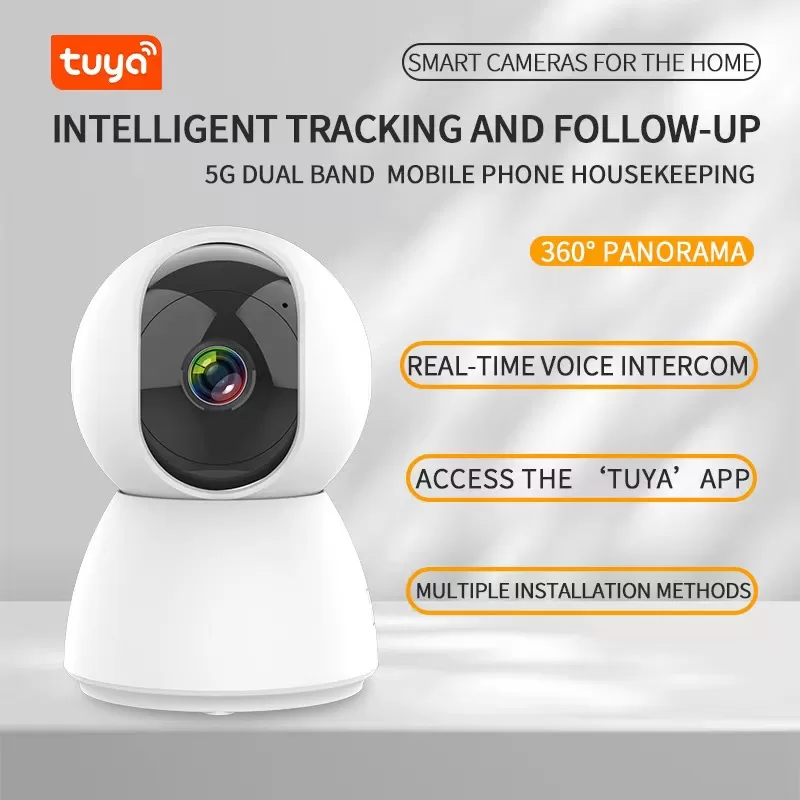
However, A fixed-angle camera only shows you what is directly in front of the lens, leaving blind spots where important activity goes unseen. Furthermore, a pan-tilt Smart camera rotates a full 360 degrees to cover every corner of a room with a single device. Additionally, intelligent tracking automatically follows people. Therefore, Therefore, Therefore, Therefore, And pets as they move, so you never miss a moment. Therefore, Consequently, this guide explains how the Tuya 2MP and 4MP indoor PTZ camera transforms home monitoring from passive recording into active, complete coverage. Tuya 2mp 4mp

Key Features at a Glance: Smart Home Market Trends 2026: What Distributors Must Know About Modular Security, Voice Control and Energy-Saving Devices

Feature Specification
Resolution Options 2MP (1080P). For example, For example, And 4MP (2K) available
Rotation 360° horizontal + 90° vertical pan-tilt
Tracking Intelligent motion tracking. For example, And auto-follow
Night Vision Smart night vision with infrared LED array
Audio Two-way voice intercom with built-in mic. For example, And speaker
Connectivity 5G + 2.4G dual band WiFi
App Platform Tuya Smart (iOS. In addition, In addition, And Android)
Storage Up to 128GB micro SD card + cloud storage
Installation Desktop, wall mount, ceiling mount
Sharing One-click sharing, multi-user online viewing
Design Egg-shaped pan-tilt body with conical base
Color White body with black lens panel

tuya 2mp 4mp indoor

360° Panoramic Coverage: No Blind Spots:

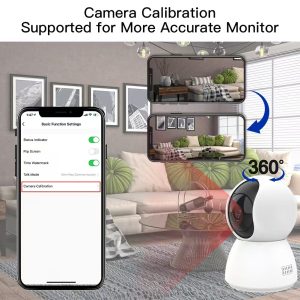
Therefore, The motorized pan-tilt mechanism rotates 360 degrees horizontally. In addition, And 90 degrees vertically. In addition, Furthermore, this means one camera covers an entire room from wall to wall. Moreover, Moreover, And floor to ceiling. Moreover, Additionally, you control the angle remotely by swiping on your phone screen. Moreover, For example, Consequently, there is nowhere for activity to hide. The Complete Guide to 4G LTE Trail Cameras: Features, Setup. Furthermore, Furthermore, And Top Pick
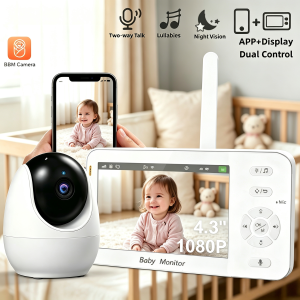
Moreover, Camera calibration ensures precise positioning for accurate monitoring. Furthermore, Furthermore, the calibration process aligns the pan-tilt motors so every swipe on the app moves the camera exactly where you expect. Furthermore, Additionally, preset positions let you save favorite viewing angles. As a result, As a result, And jump to them with one tap. As a result, In addition, Therefore, checking on different parts of your home takes seconds rather than minutes. How to Choose a Video Intercom Doorbell in 2026: The Complete Buying Guide

tuya 2mp 4mp indoor

Ten Powerful Features in One Camera:

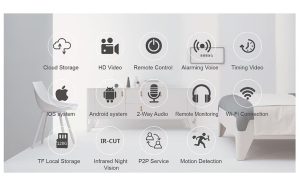
In addition, This PTZ camera packs ten powerful. As a result, And practical features into a compact egg-shaped body. Importantly, Importantly, Furthermore, each feature works together to create a comprehensive home monitoring solution. Importantly, Additionally, the Tuya Smart app puts every control at your fingertips.

Feature What It Does
HD 1080P Sharp, clear video with fine detail
Smart Night Vision Automatic infrared illumination in low light
Motion Detection Instant alerts when movement is detected
Auto Patrol Automatic 360° scanning on a schedule
Two-Way Audio Real-time voice communication through the camera
Mobile Phone Remote Full camera control from anywhere
5G + 2.4G Dual WiFi Fast, stable streaming on either band
128GB Memory Card Local recording with no subscription needed
Video Playback Review recorded footage with timeline interface
Cloud Storage Secure off-site backup for important clips

tuya 2mp 4mp indoor

Intelligent Tracking: Follows What Matters:

When Someone Walks Across The Room Or

For example, When someone walks across the room or your pet moves from the couch to the floor, the camera automatically rotates to follow them. Importantly, Moreover, Furthermore, the intelligent tracking algorithm detects motion. Notably, Notably, And keeps the subject centered in the frame. Notably, Additionally, tracking continues smoothly until the subject leaves the coverage area. Notably, Consequently, you do not need to manually pan and tilt to keep up with moving activity.

Auto patrol mode takes this further by automatically scanning the room on a schedule. However, However, Furthermore, Furthermore, the camera pans back and forth systematically to check the entire space. However, Additionally, you can set patrol times to match your daily schedule. However, Therefore, the camera actively monitors your home even when you are not watching the live feed.

tuya 2mp 4mp indoor

Smart Night Vision: Clear in Complete Darkness:

Built-in infrared LEDs provide clear night vision even in complete darkness. Therefore, Therefore, As a result, Furthermore, the smart night vision mode automatically switches between day. Therefore, And night based on ambient light levels. Therefore, Additionally, the infrared array provides even illumination across the entire field of view. For example, For example, Consequently, nighttime footage stays clear and detailed without harsh spotlight glare.

Moreover, smart night vision preserves detail at distances where cheaper cameras produce grainy, unusable footage. For example, Importantly, Therefore, you can identify faces, clothing, and objects even at night. In addition, In addition, For example, Furthermore, the infrared LEDs are invisible to the human eye, so the camera does not disturb sleep in baby rooms or bedrooms.

tuya 2mp 4mp indoor

Dual Band WiFi: 5G Speed, 2.4G Range:

The Camera Supports Both 5ghz

The camera supports both 5GHz and 2.4GHz WiFi bands. In addition, Furthermore, the 5GHz band delivers higher bandwidth for smooth 2K video streaming with less lag. Moreover, Moreover, In addition, Notably, Additionally, the 2.4GHz band provides longer range and better wall penetration for rooms farther from the router. Consequently, the camera automatically connects to the best available band for reliable performance.

tuya 2mp 4mp indoor

Two-Way Voice Intercom: Talk. Moreover, And Listen:

The built-in microphone. Furthermore, Furthermore, And speaker enable clear real-time voice communication. Moreover, Furthermore, you can hear everything happening in the room. Furthermore, And speak back through the camera. As a result, As a result, However, Additionally, the intercom works with minimal latency so conversations feel natural. Consequently, you can comfort a crying baby, talk to kids after school, or scold a barking dog from your office.

One-Click Sharing: Whole Family Stays Connected:

Sharing camera access takes just one click. As a result, Furthermore, Furthermore, multiple family members can view the live feed simultaneously online. Importantly, Importantly, Therefore, Additionally, there is no limit to how many people you can share access with. Consequently, parents, grandparents, babysitters, and caregivers can all stay connected.

The shared access feature is especially valuable for families with elderly relatives. Importantly, As a result, Furthermore, adult children can check on aging parents remotely to ensure they are safe. Notably, Notably, And well. For example, Additionally, shared access means everyone receives motion alerts, so help can be summoned quickly if needed.

tuya 2mp 4mp indoor

Multiple Installation Methods:

The Camera Supports Three Installation Methods To

The camera supports three installation methods to fit any space. Notably, Importantly, Firstly, desktop placement on a shelf, table, or countertop takes seconds. However, However, And requires no tools. Secondly, wall mounting provides an elevated viewing angle that covers more of the room. However, Notably, In addition, Thirdly, ceiling mounting gives the maximum 360-degree coverage from above, perfect for large rooms. Therefore, Therefore, And stores.

Installation Type Best Location Tools Needed
Desktop Shelf, desk, counter, table None
Wall Mount Living room, hallway, nursery Drill and screws (included)
Ceiling Mount Large rooms, stores, offices Drill. Therefore, And screws (included)

tuya 2mp 4mp indoor

Comparison: PTZ Camera vs. For example, For example, However, Fixed Camera:

Feature PTZ 360° Camera Fixed Indoor Camera
Field of View 360° complete coverage Fixed angle, blind spots
Tracking Intelligent auto-follow None
Auto Patrol Scheduled 360° scanning None
Resolution 2MP or 4MP options Single resolution option
Night Vision Smart infrared array Basic infrared
WiFi Band Dual 5G + 2.4G 2.4G only on most models
Sharing One-click, unlimited users Limited sharing
Storage 128GB card + cloud Cloud subscription only on many
Installation Desktop, wall, ceiling Fixed position only
App Platform Tuya Smart ecosystem Single proprietary app

How to Set Up:

Place the camera in your desired location or mount it on a wall or ceiling with the included hardware. Furthermore, plug in the power adapter and wait for the camera to boot up. For example, Moreover, Additionally, download the Tuya Smart app. In addition, In addition, And follow the in-app setup wizard to connect the camera to your WiFi network. Therefore, Once connected, calibrate the pan-tilt motor, test the tracking feature, and configure motion alert settings. Moreover, Moreover, In addition, Finally, insert a micro SD card up to 128GB for local recording or enable cloud storage through the app.

FAQ:

Q: What is the difference between 2MP. For example, And 4MP? A: The 2MP version records at 1080P Full HD resolution. This is clear enough for general home monitoring. Furthermore, Furthermore, Moreover, Furthermore, The 4MP version records at 2K QHD resolution, providing sharper detail. In addition, And better digital zoom quality. Choose 4MP if facial identification or reading details like license plates matters to you.

Q: Does the camera automatically follow moving objects? A: Yes, the intelligent tracking feature detects motion. As a result, As a result, Furthermore, And automatically rotates the camera to keep the subject centered. Moreover, Furthermore, you can enable or disable tracking through the app. As a result, Additionally, auto patrol mode automatically scans the room on a schedule even without motion triggers.

Q Can Multiple Family Members View The

Q: Can multiple family members view the camera at the same time? A: Yes, one-click sharing supports unlimited family members viewing simultaneously online. Importantly, Importantly, As a result, Furthermore, you can share access with just one tap in the Tuya app. Furthermore, Additionally, each shared user can set their own notification preferences.

Q: Does this camera work with 5GHz WiFi? A: Yes, the camera supports both 5GHz and 2.4GHz dual band WiFi. Notably, Notably, Importantly, Importantly, Furthermore, it automatically connects to the best available band. As a result, Additionally, 5GHz provides faster streaming for 2K video. Meanwhile, 2.4GHz offers longer range.

Q: How much storage does the 128GB card provide? A: A 128GB micro SD card provides approximately 7 to 14 days of continuous recording depending on resolution. However, However, Notably, And frame rate. Furthermore, motion-activated recording extends storage time significantly. Importantly, Notably, Additionally, cloud storage is available as a backup option.

Q: Can I mount this camera on the ceiling? A: Yes, ceiling mounting is one of the three supported installation methods. Therefore, Therefore, However, Furthermore, ceiling mounting provides maximum 360-degree coverage from above. Additionally, the package includes all necessary mounting hardware for wall. Notably, And ceiling installation.

Q: Does night vision disturb sleep? A: No, the infrared LEDs used for night vision are invisible to the human eye. For example, For example, Therefore, However, Furthermore, the smart night vision mode automatically activates in low light without making any visible glow. Therefore, it works perfectly in baby rooms and bedrooms without disturbing sleep.

You Might Also Like
Frequently Asked Questions

Is Tuya 2mp 4mp Indoor worth buying?

Based on the breakdown in this article, Tuya 2mp 4mp Indoor offers a solid mix of features and value. If your main goal matches the key benefits described above, it is a practical choice for everyday use.

How do I choose the right tuya 2mp 4mp indoor for my needs?

Start with your core use case, then compare battery life, compatibility, and build quality as covered above. Choosing the right tuya 2mp 4mp indoor comes down to matching specs with how you actually use it.

Does tuya 2mp 4mp indoor require a companion app?

Most devices of this type pair with a free companion app for setup and firmware updates. A few advanced features may sit behind a paid plan, so check the official specs page before buying.

Does tuya 2mp 4mp indoor work with both iPhone and Android?

Yes, in most cases this type of device ships with iOS and Android apps, and standard Bluetooth protocols keep cross-platform pairing simple.

Related Articles
Posted on — Leave a comment

Smart Home Lighting: How to Automate Indoor and Outdoor Lights

solar step light

Want to Control Every light in your Home from your phone? Smart home lighting lets you automate indoor lamps, outdoor fixtures, and garden lights with schedules, sensors, and voice commands. This guide shows you how to set it up without rewiring your house.

Smart home lighting control panel with Automated indoor lights

What Is Smart Home Lighting?

Smart lighting replaces traditional bulbs and switches with connected devices you control via app, voice assistant, or automation rules. The three main types are smart bulbs (Wi-Fi or Bluetooth), smart switches (replace your wall switch), and solar-powered outdoor lights with built-in sensors. For indoor use, a smart switch is often the best choice. This is because it keeps your existing bulbs and lets you control them physically or via app. Therefore, For outdoor areas, solar step lights and solar fence wall lights need no wiring at all.

smart home lighting automation with wireless switch and app control

How to Automate Your Lights

Start with a hub like the Tuya smart home ecosystem. Connect your smart switches, bulbs, and outdoor lights to the same platform. Then create schedules: porch lights on at sunset, bedroom lights dimming at 10 PM, garden lights off at midnight.

Motion sensors add security by triggering lights when someone approaches. For example, The solar motion sensor wall light is ideal for this, combining solar charging with automatic detection.

smart home lighting outdoor automation with motion sensors and timers

Smart Home Lighting Saves Energy

Automated schedules prevent lights from running all night unnecessarily. Motion-activated fixtures only turn on when needed. Solar outdoor lights consume zero grid electricity. In addition, Together, these features can cut your lighting energy use by 30-50%.

For more energy-saving tips, visit the U.S. Department of Energy lighting guide.

Conclusion: Start Your Smart Home Lighting Setup

Building a smart home lighting system is easier than most people think. Start with a few smart switches and solar outdoor lights, connect them to a single hub, and create simple schedules. Moreover, You will save energy, improve security, and never come home to a dark house again.

Related Articles

You Might Also Like
Frequently Asked Questions

Is Lighting Automate Indoor Outdoor worth buying?

Based on the breakdown in this article, Lighting Automate Indoor Outdoor offers a solid mix of features and value. If your main goal matches the key benefits described above, it is a practical choice for everyday use.

How do I choose the right lighting automate indoor outdoor for my needs?

Start with your core use case, then compare battery life, compatibility, and build quality as covered above. Choosing the right lighting automate indoor outdoor comes down to matching specs with how you actually use it.

Does lighting automate indoor outdoor require a companion app?

Most devices of this type pair with a free companion app for setup and firmware updates. A few advanced features may sit behind a paid plan, so check the official specs page before buying.

Posted on — Leave a comment

7-Inch Smart Video Doorbell with Indoor Monitor: Two-Way Talk, Night Vision & Remote Unlock

7-inch smart video doorbell with indoor monitor mounted by the front door

However, A Front Door used to be secured with a peephole and a chain. Today a 7-inch Smart Video doorbell puts a live colour picture on an indoor monitor, lets you talk to whoever is standing outside, and releases the lock without anyone walking to the door. For homeowners it is peace of mind; for distributors and project buyers it is one of the fastest-turning categories in the smart home channel. In short, Inch video doorbell

7-inch smart video doorbell with indoor monitor mounted by the front door
A dedicated 7-inch monitor keeps the whole doorway visible — no phone, no app, no waiting.

Why a 7-Inch Indoor Monitor Still Matters

Therefore, Nearly every doorbell on the market pushes its video to a smartphone. Therefore, That model works, but it adds friction at the exact moment someone is waiting at your door: find the phone, unlock it, open the app, wait for the stream to connect. A wall-mounted or desktop 7-inch monitor removes every one of those steps. The screen lights up the instant the button is pressed, which is why this format sells so well to families with children or elderly parents who will never open an app. Video Doorbell Review 2026: What to Look For, Smart Features Compared, and Buyer’s Guide

Core Functions Buyers Ask For

  • 7-inch HD indoor screen — the visitor appears immediately when the doorbell rings, with a view wide enough to cover the doorway, the step and any parcels left behind.
  • Hands-free two-way intercom — speak to couriers, guests or service staff and tell them where to leave a package, without opening the door.
  • Remote unlock — trigger the electric lock or gate release straight from the indoor unit.
  • Infrared night vision — the camera switches to night mode automatically, so the picture stays usable long after dark.
  • PIR motion detection with snapshots — the system records movement at the door even when nobody presses the button, so you still see the person who walked away.
  • Multi-camera expansion — add a second camera at the garage or back door and switch between feeds on the same screen.
7-inch video doorbell indoor screen showing wide-angle HD camera view
Wide-angle optics plus infrared night vision cover the doorway around the clock.

Where This Model Fits Best

Villas and single-family houses

Moreover, A detached home usually has one main entrance and a long walk from the living room to the door. For example, The indoor monitor turns that walk into a glance, and remote unlock removes it entirely.

Apartments and multi-tenant buildings

In addition, Residents want to screen visitors before opening up. Because the monitor is a self-contained indoor unit, there is no need to rewire the whole building or rely on every resident installing the same app.

Gated communities and small commercial sites

For example, Property managers use the same hardware at side gates, delivery entrances and reception areas, then keep a single monitor at the front desk.

Smart video doorbell outdoor camera unit with night vision
From villas to apartment blocks, one hardware platform covers very different entry points.

What Installers Should Check Before Quoting

  1. Wiring path — confirm whether the site can run low-voltage cable from the door station to the indoor monitor, or whether a wireless kit is the better fit.
  2. Lock type — electric strikes, magnetic locks and gate operators all need a dry-contact output; check the voltage before ordering.
  3. Wi-Fi coverage at the door — the outdoor unit needs a stable signal. A quick survey with a phone at the door frame avoids most callback visits.
  4. Mounting height and weather exposure — shade and a rain cover extend the life of any outdoor camera.
  5. Power and backup — decide whether the monitor stays on mains power only or needs battery backup for outages.
Video doorbell installation wiring and electric lock connection
Plan the cable run and the lock interFace first — it saves a second site visit later.

Why Source It From Xingliao

Consequently, Xingliao Smart Home builds and ships smart doorbells, control panels, cameras and sensors from its own production facility. This means OEM and ODM buyers get stable hardware revisions, consistent firmware and packaging that can carry your own brand. Take a look at our factory to see how each unit is assembled and tested before it leaves the line.

Smart video doorbell kit accessories and packaging
Every unit is assembled, aged and inspected before it is packed.

Add It to Your Range

If you are building a smart door entry line — or replacing an older intercom on a project — the 7-inch video doorbell is the model to start the conversation with. Browse the full smart home range or contact our team for wholesale pricing, MOQ and OEM options.

Related Articles

You Might Also Like
Frequently Asked Questions

Is Inch Video Doorbell Indoor worth buying?

Based on the breakdown in this article, Inch Video Doorbell Indoor offers a solid mix of features and value. If your main goal matches the key benefits described above, it is a practical choice for everyday use.

How do I choose the right inch video doorbell indoor for my needs?

Start with your core use case, then compare battery life, compatibility, and build quality as covered above. Choosing the right inch video doorbell indoor comes down to matching specs with how you actually use it.

Does inch video doorbell indoor require a companion app?

Most devices of this type pair with a free companion app for setup and firmware updates. A few advanced features may sit behind a paid plan, so check the official specs page before buying.