Posted on — Leave a comment

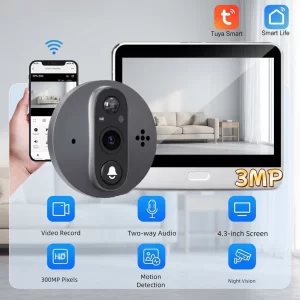
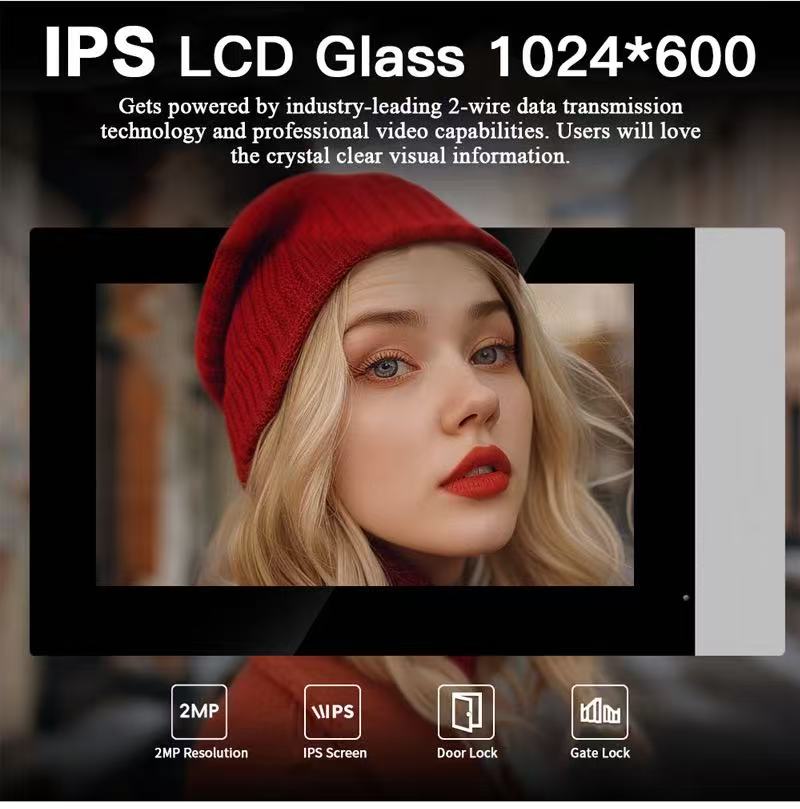
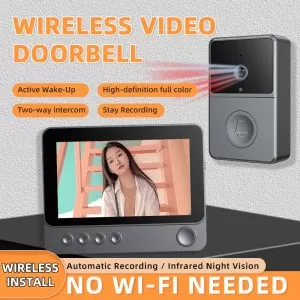
Apartment Building Video Doorbell & Access Control

Apartment Building Video Doorbell & Access Control OEM

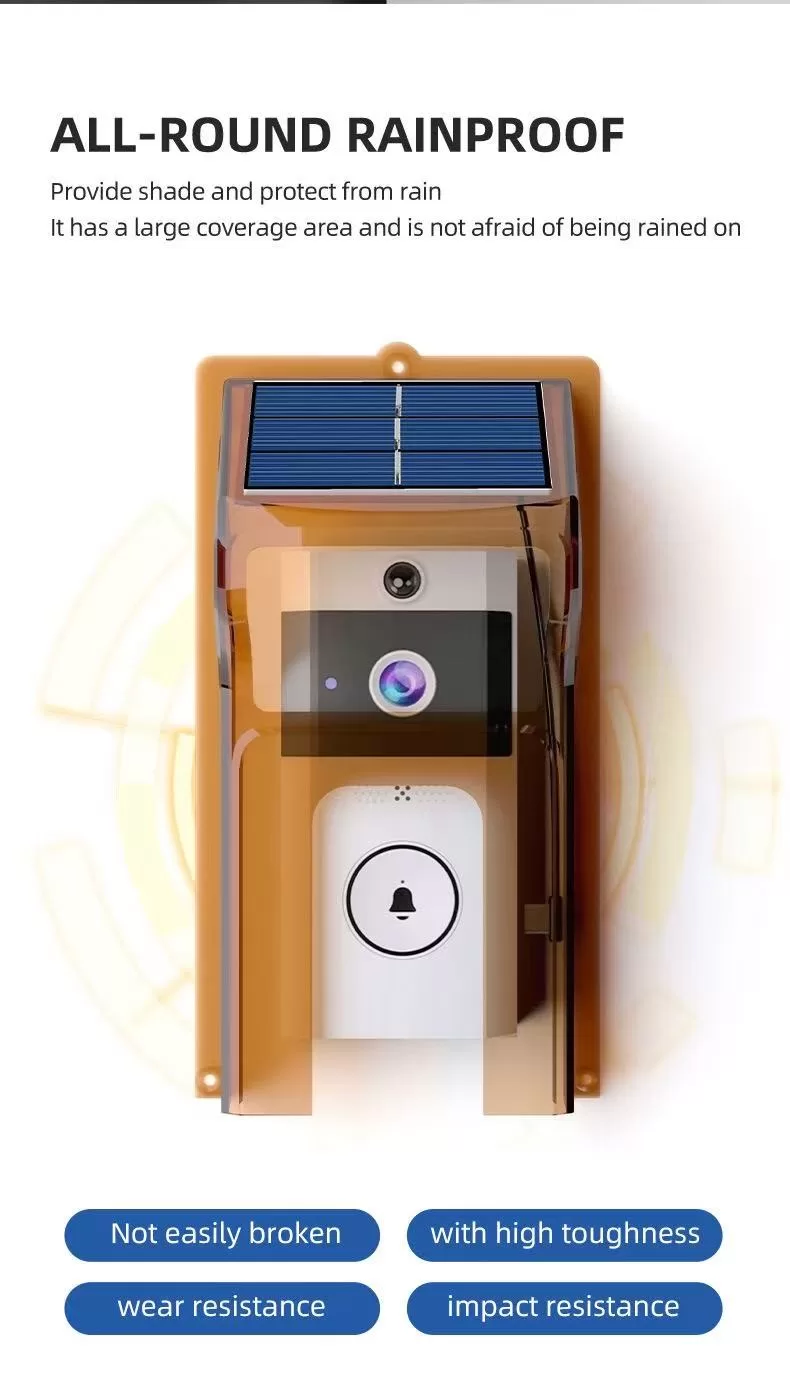
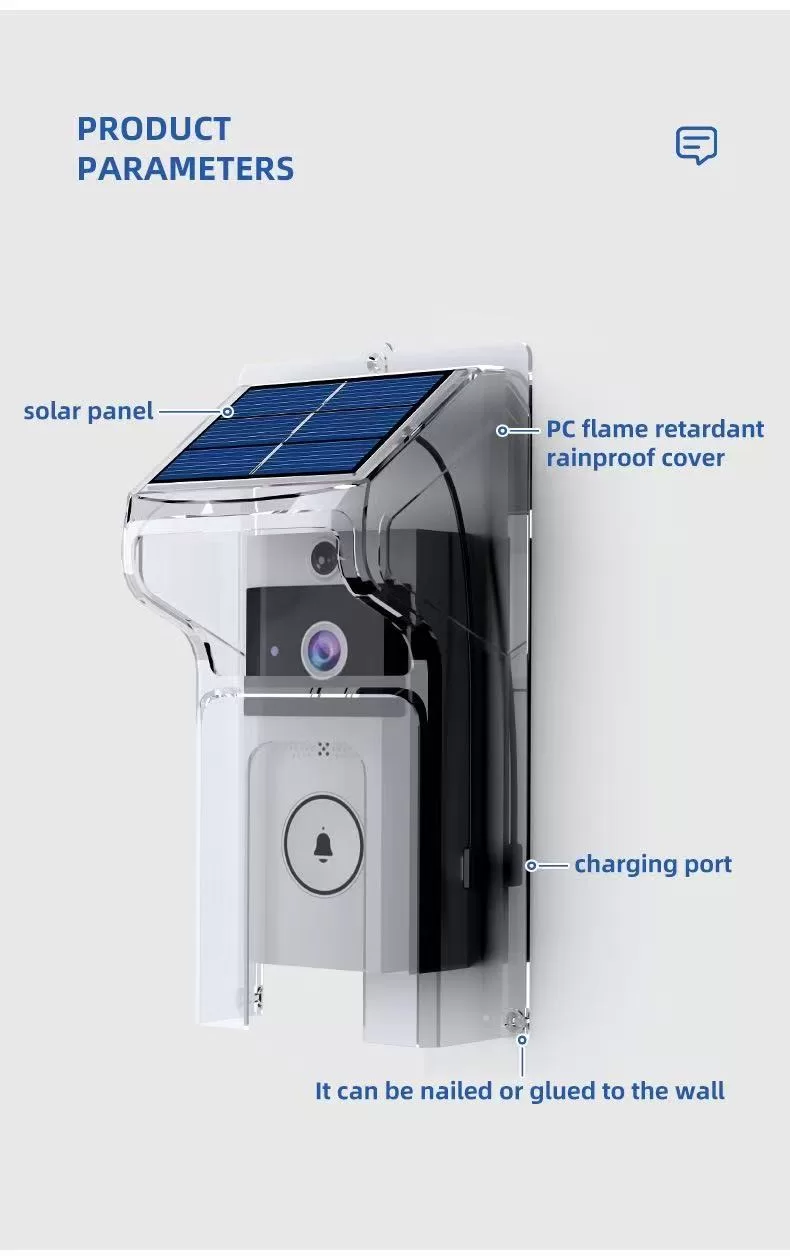
Property managers and doorbell brand owners source complete video-doorbell Systems from us — camera unit, chime, mobile app, and cloud service, all under your brand.

System components

  • 1080p / 2K video doorbell with IR night vision
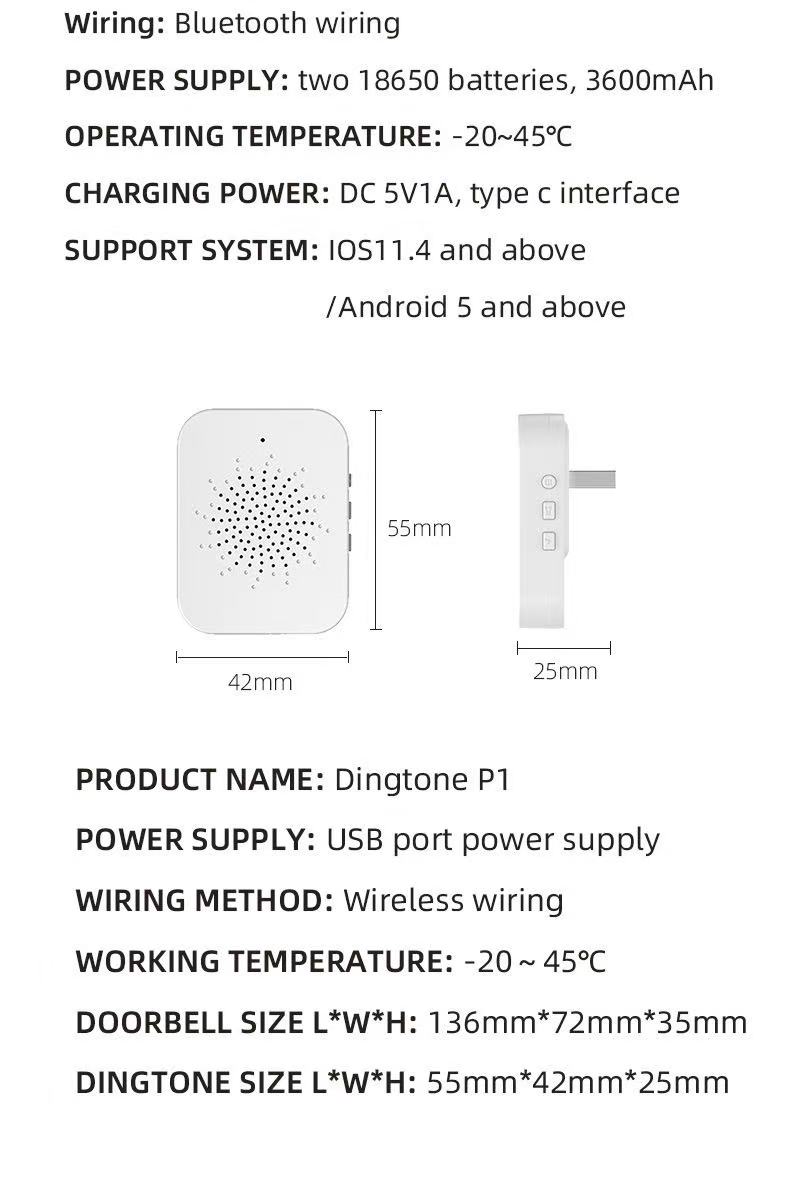
  • Indoor chime with adjustable volume
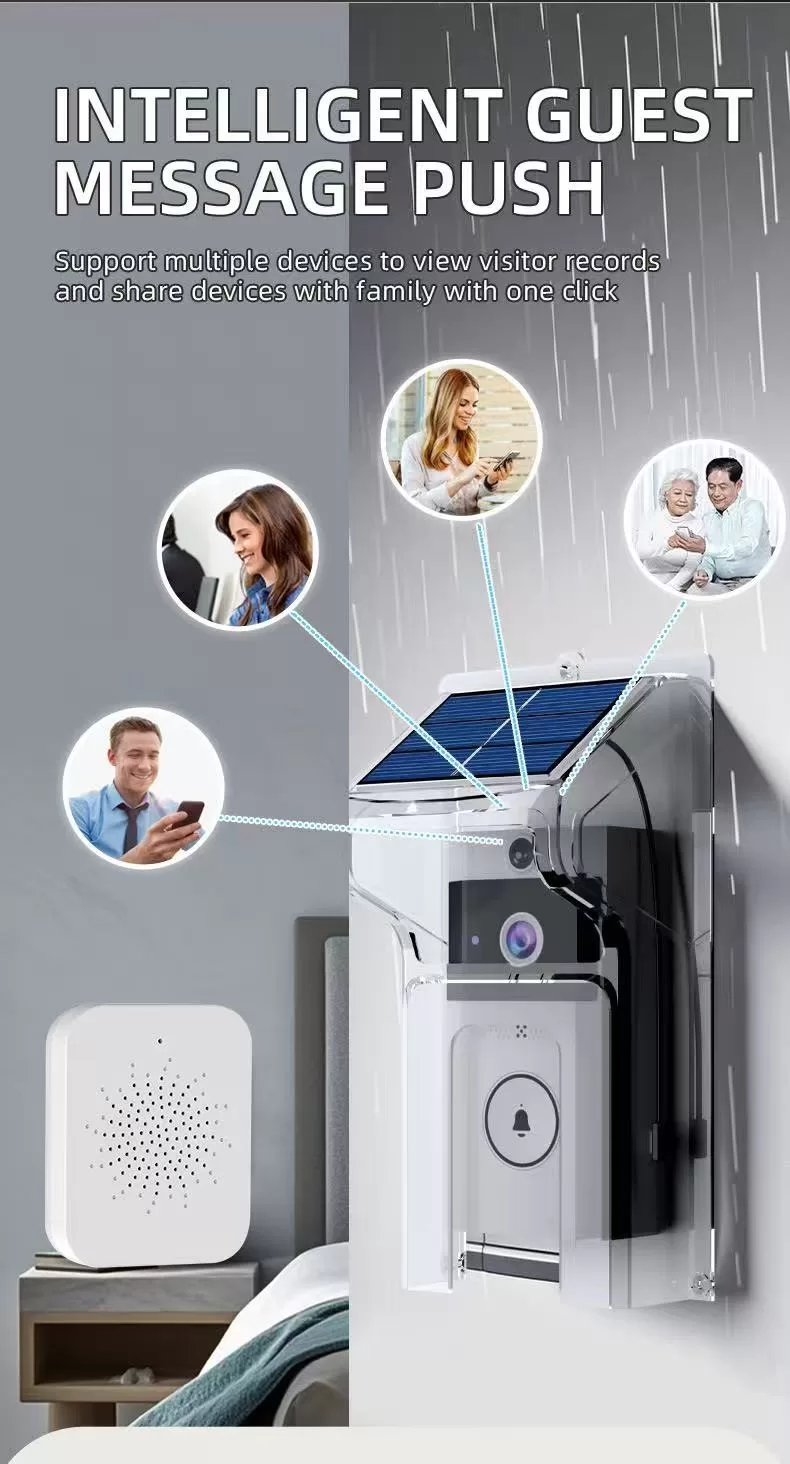
  • White-label iOS/Android app
  • Optional cloud storage (AWS / self-hosted)

OEM options

  • Logo on device, packaging, and app UI
  • Custom firmware defaults (region, language, ringtone)
  • CE / FCC / RoHS certification per market

FAQ

MOQ? 300 units for first order; mixed-SKU pilot available. Hotel Smart Security OEM Solutions

App customization? Full white-label app included at 1000+ units. Smart Home Automation Scenes: 6 Practical Setups That Make Your Home Think

Russian market? Russian app language and docs supported. Smart Sensors Buying Guide: How to Make Your Home Feel Its Environment

Get a system quote: WhatsApp us or sales@odmhome.com. Smart Lighting Complete Guide: From Color Temperature to Automation Scenes

Related Articles

You Might Also Like

Apartment friendly doorbells we build

Apartment and multi-unit projects have a different set of constraints: no rewiring, no drilling into rented doors, and often no shared WiFi. These are the models specified for that use case.

Frequently Asked Questions

Is Apartment Building Video worth buying?

Based on the breakdown in this article, Apartment Building Video offers a solid mix of features and value. If your main goal matches the key benefits described above, it is a practical choice for everyday use.

How do I choose the right apartment building video for my needs?

Start with your core use case, then compare battery life, compatibility, and build quality as covered above. Choosing the right apartment building video comes down to matching specs with how you actually use it.

Does apartment building video require a companion app?

Most Devices of this type pair with a free companion app for Setup and firmware updates. A few advanced features may sit behind a paid Plan, so check the official specs page before buying.

Does apartment building video work with both iPhone and Android?

Yes, in most cases this type of device ships with iOS and Android apps, and standard Bluetooth protocols keep cross-platform pairing simple.

Posted on — Leave a comment

Hotel Smart Security Solutions

Hotel Smart Security OEM Solutions: Video Doorbells, IPC & Smart Switches

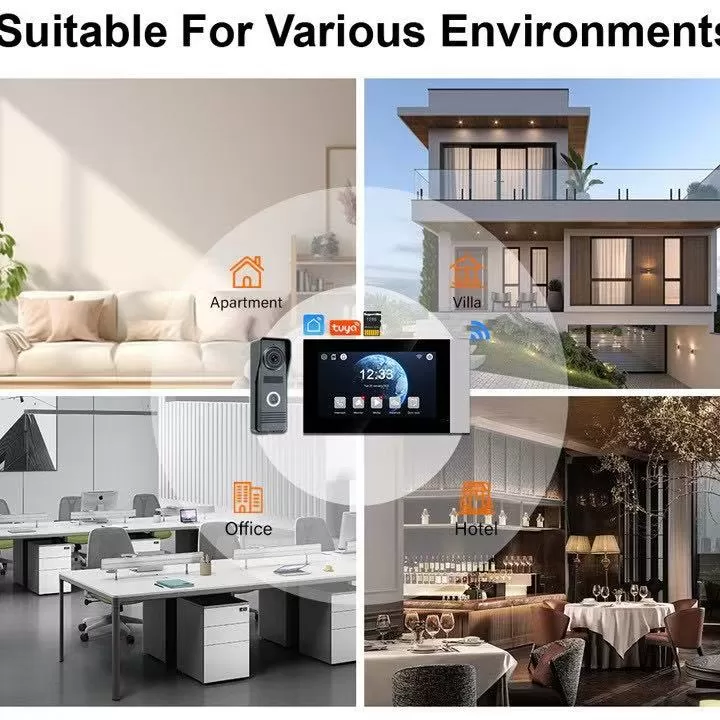
For hotels and Apartment buildings, a unified smart-security bundle reduces staffing cost and lifts guest experience. We OEM the full stack under your brand.

What the bundle includes

  • Wi-Fi video doorbell with two-way audio and mobile alert
  • Indoor/outdoor IPC (2–5MP, PoE optional) with night vision
  • Touch Smart switches (Wi-Fi / Zigbee) for guest rooms

Why hotels choose us

  • White-label firmware & app with your logo
  • CE / FCC certified, RF compliant
  • Low-MOQ pilot batch, then volume ramp
  • Russian & English docs and support
FAQ

What is the MOQ? Pilot from a few hundred units; scale to volume.

Do you support OEM? Yes — logo, packaging, and app under your brand. Smart Sensors Buying Guide: How to Make Your Home Feel Its Environment

Which certifications? CE (EU), FCC (US), RF as required. Smart Lighting Complete Guide: From Color Temperature to Automation Scenes

Scope your hotel bundle: message us on WhatsApp or email sales@odmhome.com. Home Security Systems Explained: 5 Essential Devices to Protect Your Family

Related Articles

You Might Also Like
Frequently Asked Questions

Is Hotel Smart Security worth buying?

Based on the breakdown in this article, Hotel Smart Security offers a solid mix of features and value. If your main goal matches the key benefits described above, it is a practical choice for everyday use.

How do I choose the right hotel smart security for my needs?

Start with your core use case, then compare battery life, compatibility, and build quality as covered above. Choosing the Right hotel Smart security comes down to matching specs with how you actually use it.

Does hotel smart security require a companion app?

Most devices of this type pair with a free companion app for Setup and firmware updates. A few advanced features may sit behind a paid Plan, so check the official specs page before buying.

Posted on — Leave a comment

Video Doorbell Review 2026: What to Look For, Smart Features Compared, and Buyer’s Guide

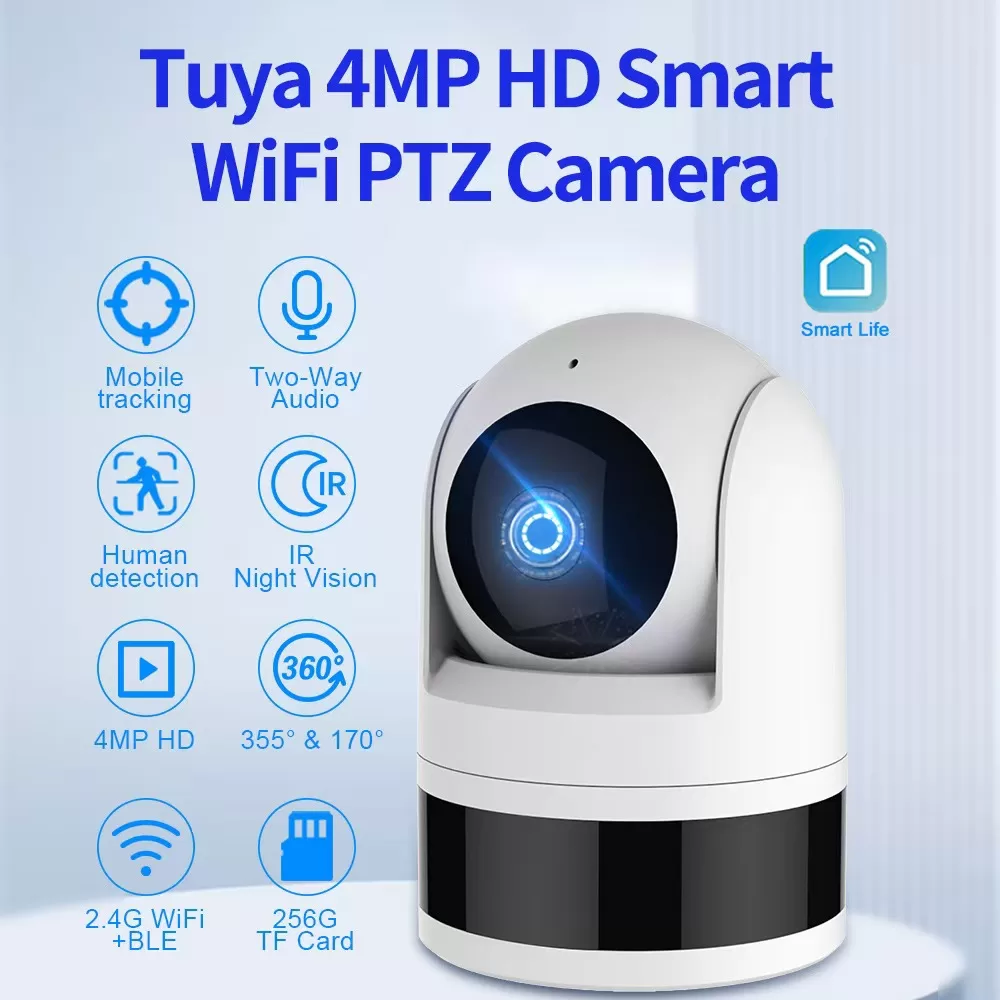
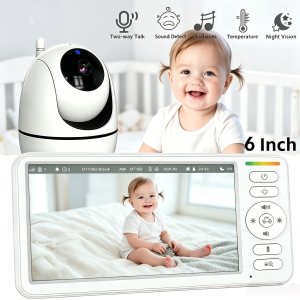
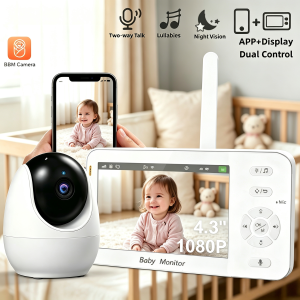
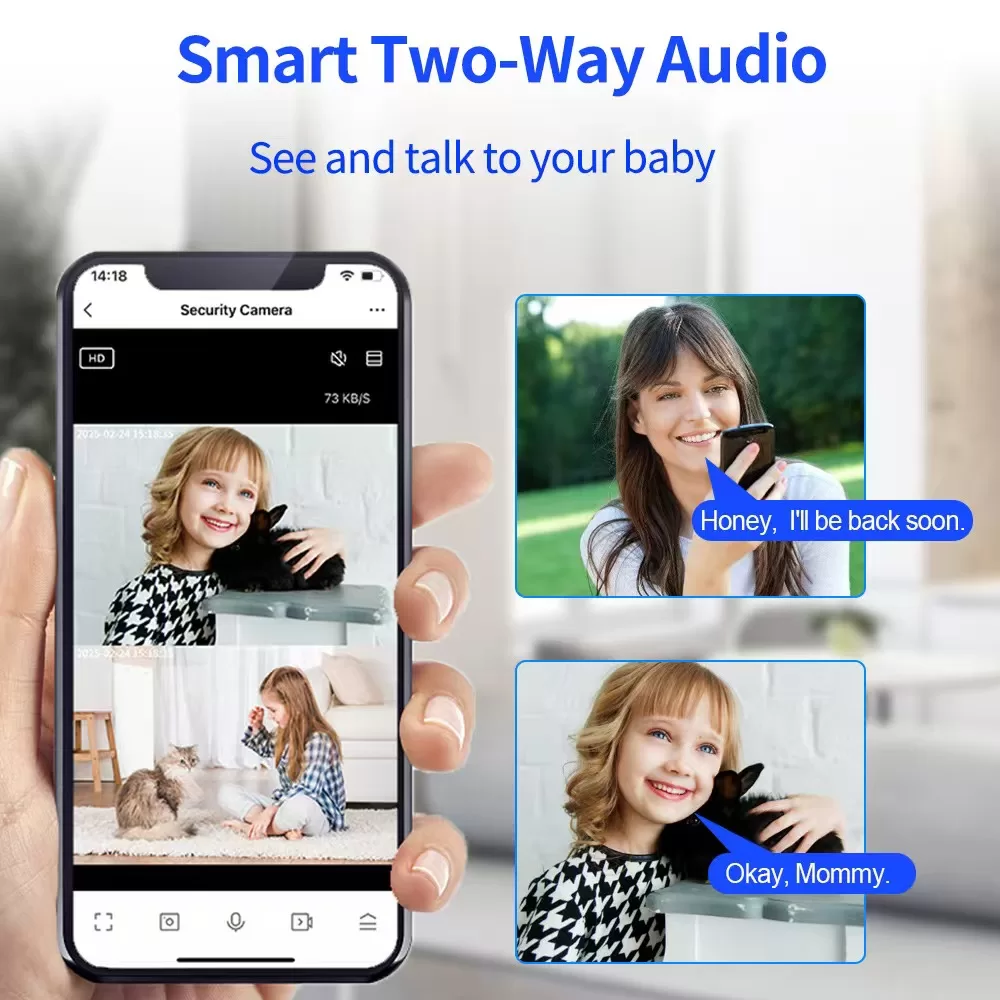
Tuya indoor WiFi smart camera smart two-way audio see and talk to your baby remote voice intercom mobile phone real-time communication baby monitoring
Video Doorbell Review 2026: What to Look For, Smart Features Compared, and Buyer’s Guide

Video doorbell review 2026

However, Video doorbells have become one of the most popular Smart home upgrades for good reason: they let you see who is at your door from anywhere, answer visitors remotely and deter package thieves before they strike. But with dozens of models on the market, how do you choose the right one? This 2026 review breaks down the features that actually matter, compares what to expect at each price tier, and ends with a practical buying checklist for both homeowners and wholesale buyers.

Why a video doorbell is worth it

Therefore, A video doorbell replaces your doorbell button with a WiFi camera. When someone rings or passes by, you get an instant motion alert on your phone with a live view and two-way talk. For families, it adds everyday convenience — answering delivery drivers, talking to a guest while you are upstairs, or checking that your kids arrived home safely.

Key features to compare in 2026

Video resolution and night vision

Moreover, Look for at least 1080p HD resolution. Higher-end models offer 2K clarity that makes it easier to read faces and licence plates. Night vision is non-negotiable: infrared (IR) or full-colour night vision ensures the camera still identifies visitors after dark.

Two-way audio

In addition, Clear two-way audio lets your visitor hear you and you hear them. Check for echo cancellation and a built-in speaker loud enough for porches and corridors.

Motion detection and zones

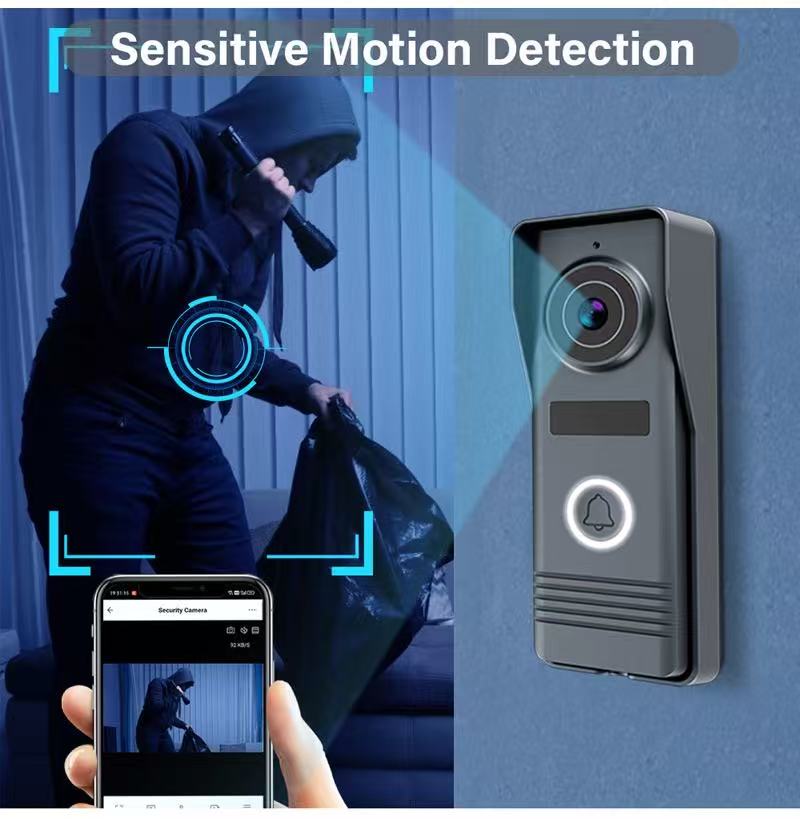
For example, Smart motion detection filters out moving cars and tree branches, sending alerts only for people. Adjustable detection zones and sensitivity let you tune the field of view so you are not flooded with notifications.

Storage: cloud vs local

Consequently, Some doorbells require a paid cloud subscription; others support local SD card recording or on-demand snapshot. Local storage keeps you subscription-free and puts your footage in your control — a major plus for privacy-conscious buyers. Tuya WiFi Smart Boiler Switch: Energy‑Saving Control for Electric Water Heaters & Home Heating

Smart assistant compatibility

Confirm the doorbell works with AlexaGoogle Assistant or your preferred smart app. Tuya-based models integrate easily into an existing smart home ecosystem and allow you to build automations such as porch lights turning on when motion is detected.

video doorbell two way audio night vision

Choosing the right video doorbell for your situation

  • Renters: choose a battery-powered, wireless model that needs no wiring.
  • Homeowners: wired models provide continuous power and more reliable streaming.
  • Distributors: prioritise models with local storage and universal app protocol (Tuya) that sell across markets, plus units with fast setup for less technical support.

Common mistakes to avoid

  • Buying a doorbell with no local playback option and a forced subscription.
  • Ignoring WiFi coverage at the front door — weak signal causes dropouts.
  • Choosing a camera without weather protection for exposed entrances.

Ready to add video doorbells to your range? Contact us for review units, wholesale pricing and compatibility advice.

Related Articles

You Might Also Like

Related guides

Frequently Asked Questions

Is Video Doorbell 2026 worth buying?

Based on the breakdown in this article, Video Doorbell 2026 offers a solid mix of features and value. If your main goal matches the key benefits described above, it is a practical choice for everyday use.

How do I choose the right video doorbell 2026 for my needs?

Start with your core use case, then compare battery life, compatibility, and build quality as covered above. Choosing the right video doorbell 2026 comes down to matching specs with how you actually use it.

Does video doorbell 2026 require a companion app?

Most devices of this type pair with a free companion app for setup and firmware updates. A few advanced features may sit behind a paid plan, so check the official specs page before buying.
Posted on — Leave a comment

Why Smart Home Security Is Trending Overseas in 2026: Tech That Sells

Smart Home Security has become one of the hottest product categories in overseas markets. According to industry trackers, demand for DIY Home monitoring is growing fast as consumers seek affordable, privacy-friendly alternatives to expensive monitoring services. Here is why Smart security products are gaining so much attention in 2026.

Tuya 2MP 4MP indoor WiFi smart camera HD night vision pan-tilt remote home monitor with two-way audio auto tracking dual band WiFi and mobile phone remote Smart Home Automation Scenes: 6 Practical Setups That Make Your Home Think

1. DIY and Subscription-Free Monitoring

Buyers increasingly want to install and manage their own cameras, sensors and locks without monthly fees. Plug-and-play WiFi devices with local SD storage are flying off the shelves. Smart Sensors Buying Guide: How to Make Your Home Feel Its Environment

2. Voice Assistant Integration

Products that work with Alexa and Google Assistant integrate naturally into existing smart homes, which dramatically lowers the barrier to purchase. Smart Lighting Complete Guide: From Color Temperature to Automation Scenes

3. AI-Powered Detection

Human detection, pet detection and smart alerts cut false alarms — a major selling point that pushes conversion on overseas marketplaces.

For example, If you are looking for reliable and affordable smart security gear, check out our selection — including the Tuya 4MP Indoor Smart Camera with pan-tilt control and two-way audio, or the 4MP 2K HD pet and family monitor with color night vision. Tuya Smart Watch 1.28 Inch Review: Best Budget Health & Alexa Smartwatch in 2026 Smart Home Starter Guide 2026: How to Build Your First Connected Home

Build a smarter, safer home today with easy-to-install smart devices that suit every budget.

Related Articles

You Might Also Like
Frequently Asked Questions

Is a smart home security camera worth buying?

Based on the breakdown in this article, a smart home security camera offers a solid mix of features and value. If your main goal matches the key benefits described above, it is a practical choice for everyday use.

How do I choose the right smart home security camera for my needs?

Start with your core use case, then compare battery life, compatibility, and build quality as covered above. Choosing the right comes down to matching specs with how you actually use it.

Posted on — Leave a comment

Smart Video Doorbell Complete Guide: Your Home Security Guardian

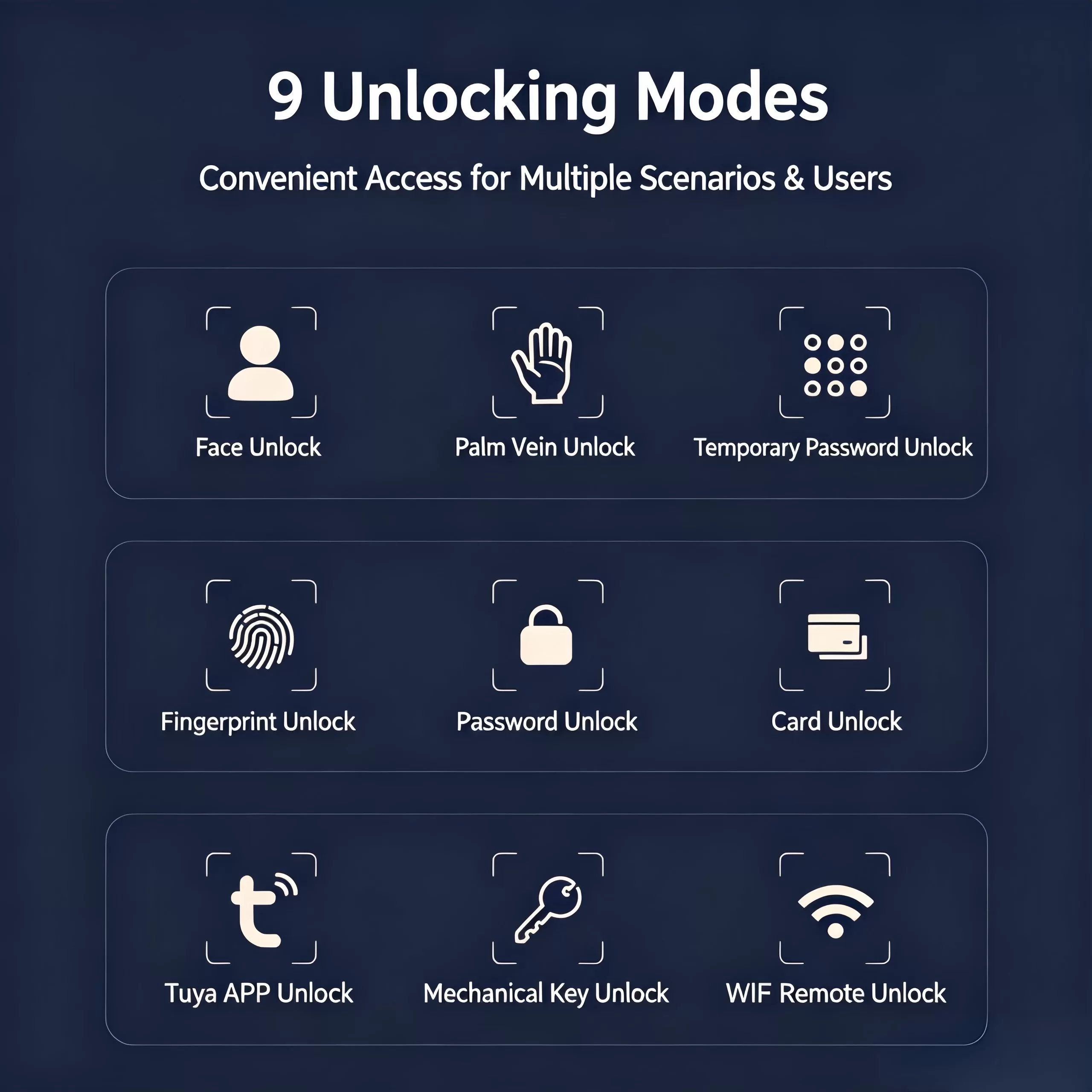
9 unlocking modes smart door lock convenient access for multiple scenarios and users face unlock palm vein unlock temporary password fingerprint password card Tuya APP key WiFi remote unlock

1. What Is a Smart Video Doorbell?

However, A Smart video doorbell is an intelligent upgrade of traditional doorbells, integrating HD camera, microphone, speaker, and motion detection sensors. Therefore, When someone rings the bell or moves near the door, users can see visitors in real-time and have two-way voice conversations via their phone, even when not at home.

2. Therefore, Core Features

Real-Time Video Call

However, When a visitor rings, the user phone immediately receives a call notification. For example, After answering, they can see and talk to the visitor in real-time, just like answering a phone call. Tuya WiFi Smart Boiler Switch: Energy‑Saving Control for Electric Water Heaters & Home Heating

Motion Detection Alert

Therefore, Built-in PIR infrared sensor automatically records video and pushes alarm messages when someone lingers at the door, effectively deterring suspicious activity. Smart Curtain Motor Track: Automated Window Control System

Night Vision

Moreover, Equipped with infrared night vision lights, users can clearly see the front door even at night, with 24/7 continuous protection. Smart Fingerprint Door Lock: Keyless Security with Tuya Smart Best Smart Home Starter Kit for 2026: Switches, Doorbells, Cameras, Sensors and Pet Feeders Compared

Video Storage

In addition, Supports both cloud storage and local SD card storage, allowing users to review recordings anytime. Smart WiFi Pet Feeder: Automated Pet Care with APP Control Smart Home Market Trends 2026: What Distributors Must Know About Modular Security, Voice Control and Energy-Saving Devices

Visitor Message

For example, When users cannot answer, visitors can leave voice messages that users can check later. Smart Home Control Panel: The Hub of Your Smart Home Smart Home Wholesale FAQ: 15 Questions Every Buyer Asks Before Ordering in Bulk

3. Buying Guide

1. In addition, For example, Power Supply: Battery-powered is easy to install but needs regular charging; wired power is stable but requires more complex installation.

2. Resolution: Choose 1080P or above for clearer image quality.

3. Field of View: Wider angle covers more area, recommend 120+ degrees wide angle.

4. Moreover, In addition, Waterproof Rating: Outdoor installation requires waterproof performance, recommend IP65 or above.

5. Smart Ecosystem: Choose products compatible with your existing smart devices for more automation features.

4. Installation Tips

Installation height recommended at 1.2-1.5 meters for optimal camera angle. Avoid direct sunlight and rain exposure to extend device lifespan.

5. Furthermore, Moreover, Conclusion

Smart video doorbell is the first line of home security. It not only enhances convenience but also strengthens home safety. Whether you live alone or have elderly and children at home, everyone can benefit from it.

Related Articles

You Might Also Like
Frequently Asked Questions

Is Video Doorbell Security Guardian worth buying?

Based on the breakdown in this article, Video Doorbell Security Guardian offers a solid mix of features and value. If your main goal matches the key benefits described above, it is a practical choice for everyday use.

How do I choose the right video doorbell security guardian for my needs?

Start with your core use case, then compare battery life, compatibility, and build quality as covered above. Choosing the right video doorbell security guardian comes down to matching specs with how you actually use it.

Does video doorbell security guardian require a companion app?

Most devices of this type pair with a free companion app for setup and firmware updates. A few advanced features may sit behind a paid plan, so check the official specs page before buying.
Posted on — Leave a comment

Tuya Video Doorbell Wholesale Guide: Top B2B Smart Doorbell Solutions

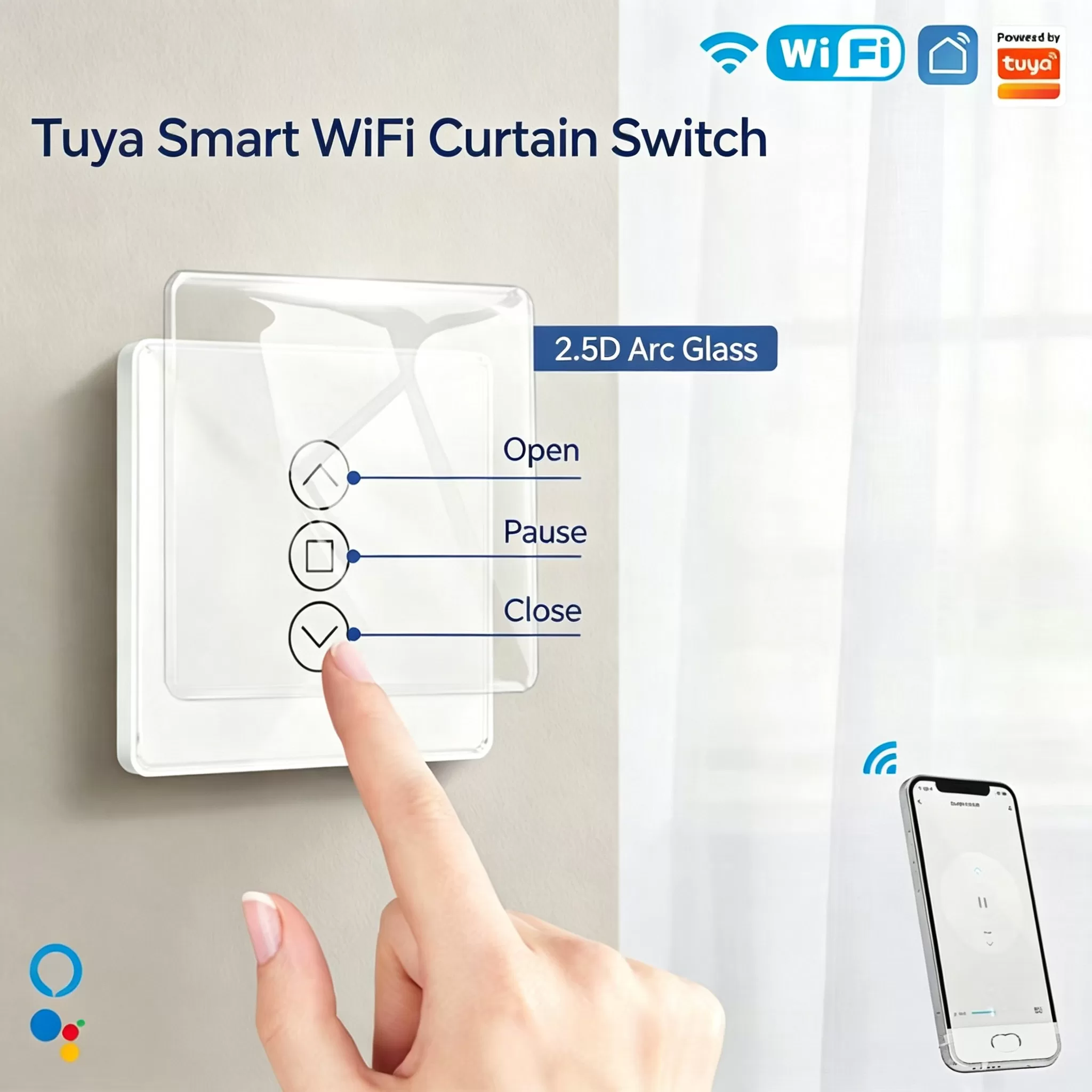
Tuya Smart WiFi Curtain Switch | 2.5D Arc Glass | Touch | App ...

Tuya Video Doorbell Wholesale Guide: Top B2B Smart Doorbell Solutions

However, The Smart doorbell market is booming, and the tuya video doorbell has emerged as a dominant force in the wholesale and OEM space. Powered by Tuya’s global IoT platform, these doorbells offer advanced features, reliable cloud infrastructure. Therefore, And seamless Smart home integration — all at price points that deliver strong margins for B2B buyers. For distributors, retailers, and security installers, Tuya-enabled video doorbells represent one of the fastest-growing product categories in smart home security.

Why Tuya Video Doorbells Are Winning the Market

Therefore, Tuya is not a doorbell manufacturer — it is a platform that powers hundreds of smart doorbell brands. Therefore, This platform approach creates unique advantages for wholesale buyers.

Proven Cloud Infrastructure

Moreover, Tuya operates data centers across the Americas, Europe and Asia-Pacific, ensuring low-latency video streaming. For example, And reliable push notifications worldwide. Unlike small brands that struggle with server outages and slow connections, a tuya video doorbell benefits from infrastructure serving hundreds of millions of devices. For B2B buyers, this means fewer customer complaints and lower support costs. Smart Sensors Buying Guide: How to Make Your Home Feel Its Environment

Massive Ecosystem Compatibility

In addition, Every Tuya doorbell works with the Smart Life app ecosystem. In addition, This includes over 500 million users and thousands of compatible devices. For example, Customers can view their doorbell alongside security cameras, smart locks, alarm systems. Moreover, And lighting — all in one app. This ecosystem stickiness translates to higher customer lifetime value for your business. Smart Lighting Complete Guide: From Color Temperature to Automation Scenes

Voice Assistant Integration

For example, Tuya video doorbells support Amazon Alexa, Google Assistant and Apple HomeKit, allowing users to view doorbell feeds on Echo Show, Nest Hub and Apple TV. Furthermore, Voice integration has become a must-have feature for modern smart doorbells and Tuya delivers it out of the box with regular updates as voice platforms evolve. Home Security Systems Explained: 5 Essential Devices to Protect Your Family

Key Features of Tuya Smart Doorbell Cameras

Consequently, Tuya-enabled doorbells come packed with features that rival premium brands at a fraction of the wholesale cost. Tuya 2MP/4MP Indoor PTZ Smart Camera: 360 Panoramic Home Monitoring Made Simple Smart Home Starter Guide 2026: How to Build Your First Connected Home

HD Video and Night Vision

Current-generation Tuya doorbells offer 1080p and 2K resolution with wide-angle lenses ranging from 120 to 180 degrees. As a result, In addition, Advanced IR night vision with multiple infrared LEDs provides clear footage up to 10-15 meters even in complete darkness. Some models feature HDR and WDR technology for balanced exposure in challenging lighting conditions — a significant selling point for security-focused customers.

Two-Way Audio

Clear two-way audio with noise cancellation lets users speak to visitors through the doorbell. This feature is essential for package delivery instructions, greeting guests. Importantly, And deterring potential intruders. Moreover, Look for models with full-duplex audio (simultaneous talk and listen) rather than half-duplex (push-to-talk) for a more natural conversation experience.

AI Human Detection

Basic motion detection triggers too many false alarms from trees, animals. Notably, And passing cars. Modern smart doorbell camera models powered by Tuya include AI human detection that significantly reduces false alerts. Some advanced models even offer package detection, face recognition, and zone-specific motion detection — features that justify premium pricing. However, And higher margins.

Wired vs. Furthermore, Battery-Powered Options

Understanding the differences between wired and battery doorbells helps you build the right product mix for your customers.

Battery-Powered Wireless Doorbells

Wireless, battery-operated doorbells are the fastest-growing segment. Therefore, This is because of their easy DIY installation. Tuya battery doorbells typically use rechargeable lithium batteries lasting 2-6 months between charges. Some models include solar panel options for virtually unlimited battery life. For example, As a result, The wireless doorbell camera segment appeals to renters, DIY homeowners, and locations without existing doorbell wiring.

Wired Doorbells

Wired doorbells connect to existing doorbell wiring (8-24V AC) for continuous power. They never need battery changes and can support more power-hungry features like continuous video recording. In addition, And higher-resolution sensors. Wired models are preferred for new construction, permanent installations, and professional security installations where reliability is paramount.

Hybrid and PoE Options

Some Tuya doorbell models offer hybrid operation (wired primary power with battery backup) or Power over Ethernet (PoE) for commercial installations. Moreover, Importantly, PoE doorbells are particularly popular for commercial and multi-unit buildings where reliable power and network connectivity are essential. These higher-end models command significantly higher pricing. Furthermore, And margins.

Wholesale and Bulk Sourcing Advantages

Tuya’s platform model creates compelling economics for B2B wholesale buyers.

Competitive Bulk Pricing

Because Tuya standardizes the smart module, app, and cloud infrastructure, manufacturers can focus on hardware quality and cost optimization. Tuya video doorbell wholesale pricing typically ranges from $15-30 for basic 1080p battery models to $40-70 for premium 2K wired models with AI detection. As a result, Notably, These prices represent 50-70% savings compared to branded alternatives like Ring and Nest.

OEM and Private Label Capabilities

One of the biggest advantages of the Tuya ecosystem is the extensive OEM support. You can launch your own branded tuya video doorbell line with custom packaging, logo printing. Importantly, And even a branded app — without developing any of the underlying technology. MOQs for basic OEM start at 500 units, with full white-label programs starting at 5,000 units.

Diverse Product Portfolio

Because hundreds of manufacturers use the Tuya platform, you can source a wide variety of doorbell designs and features from multiple suppliers while maintaining app compatibility. Notably, However, This means you can offer entry-level, mid-range, and premium doorbell models all under one ecosystem, giving your customers a complete product ladder to climb.

Target Markets and Sales Channels

Smart doorbells serve diverse markets — understanding them helps you target your wholesale strategy effectively.

Residential DIY Market

Homeowners and renters represent the largest market segment. Battery-powered wireless doorbells with simple DIY installation are top sellers in this segment. Packaging should emphasize easy setup, app screenshots, and key features. However, Therefore, This market is price-sensitive but also the highest volume, making it ideal for bulk smart doorbell camera distribution.

Security Installers and System Integrators

Professional installers prefer wired or PoE doorbells with reliable performance and centralized management capabilities. They buy in bulk for multiple projects and prioritize quality. Therefore, And consistency over the lowest price. Building relationships with installation companies can generate recurring bulk orders and higher overall margins.

Multi-Family and Hospitality

Apartments, condos, hotels. For example, And office buildings represent a massive but underserved market for smart doorbells. For example, These customers need multi-unit management dashboards, API integration, and custom branding. In addition, Tuya’s enterprise solutions support these requirements, making wireless doorbell camera products viable for large-scale B2B projects with significant order volumes.

Conclusion

The tuya video doorbell category offers exceptional growth potential for B2B wholesale buyers. With Tuya’s proven cloud infrastructure, extensive feature set, and robust OEM capabilities, you can build a profitable smart doorbell product line that serves consumers, installers, and enterprise clients alike. Moreover, In addition, The combination of competitive bulk pricing, diverse product options, and ecosystem compatibility makes Tuya video doorbells a must-have in any smart home security product lineup.

Related Articles

You Might Also Like
Frequently Asked Questions

Is Tuya Video Doorbell Wholesale worth buying?

Based on the breakdown in this article, Tuya Video Doorbell Wholesale offers a solid mix of features and value. If your main goal matches the key benefits described above, it is a practical choice for everyday use.

How do I choose the right tuya video doorbell wholesale for my needs?

Start with your core use case, then compare battery life, compatibility, and build quality as covered above. Choosing the right tuya video doorbell wholesale comes down to matching specs with how you actually use it.

Does tuya video doorbell wholesale require a companion app?

Most devices of this type pair with a free companion app for setup and firmware updates. A few advanced features may sit behind a paid plan, so check the official specs page before buying.
Posted on — Leave a comment

Video Doorbell vs Traditional Doorbell: 5 Reasons to Upgrade

Foldable Solar Power Bank 20000mAh Waterproof Outdoor Charger ... - view 5

The Traditional Doorbell Is Obsolete

However, The traditional doorbell has served us well for decades, but in 2026, it is simply not enough. Here are 5 compelling reasons to upgrade to a Video doorbell intercom System and take your Home security to the next level. In short, Video doorbell

Consumer Reports doorbell reviews

Smart video doorbell with motion detection

For a detailed guide, read our smart doorbell camera guide.

5 Reasons to Upgrade to a Video Doorbell

1. See Who Is at Your Door

Therefore, A traditional doorbell only tells you someone is at the door. Therefore, A video doorbell shows you exactly who it is, day or night, with 1080P HD video and night vision. You can identify visitors before opening the door — no more guessing games. Best Smart Home Starter Kit for 2026: Switches, Doorbells, Cameras, Sensors and Pet Feeders Compared

2. Talk to Visitors Remotely

Moreover, Two-way audio lets you speak with visitors even when you are not home. For example, Tell the delivery person to leave the package at the door, or warn a stranger that you are watching. This peace of mind is priceless. Smart WiFi Pet Feeder: Automated Pet Care with APP Control Smart Home Market Trends 2026: What Distributors Must Know About Modular Security, Voice Control and Energy-Saving Devices

3. Remote Door Unlock

In addition, With a video intercom system, you can unlock the door for trusted visitors with a single tap on your phone or monitor. In addition, No more rushing to the door when you are in the middle of something. Just a tap away from welcoming guests. Smart Home Wholesale FAQ: 15 Questions Every Buyer Asks Before Ordering in Bulk

4. Motion Detection Alerts

For example, Smart doorbells detect motion before someone even presses the button. Moreover, Receive instant push notifications when someone approaches your entrance. This is proactive security, not reactive — giving you control over who enters your property.

5. Integration with Smart Home

However, Video doorbells that support Tuya Smart can trigger automations. Furthermore, When someone rings the doorbell, your smart lights can turn on, your security camera can start recording, and your smart lock can unlock for recognized faces. Complete home automation at your fingertips.

2-Wire Installation Made Simple

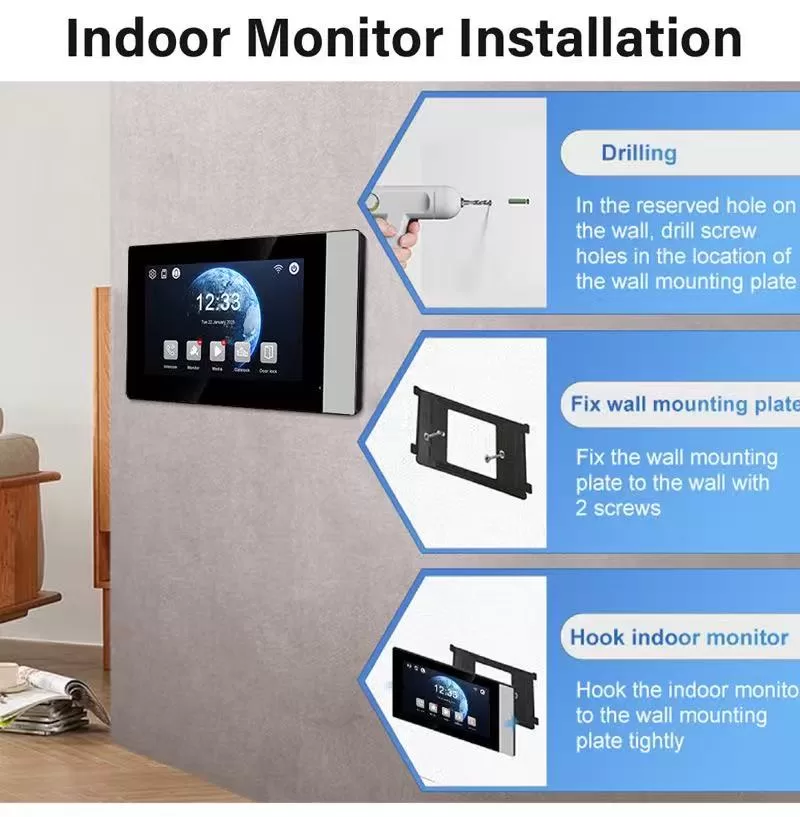
Modern video intercom systems use 2-wire bus technology, meaning only 2 non-polarized wires are needed for power, audio, and video. No electrician required. As a result, No wall demolition. DIY-friendly installation that anyone can do.

Ready to Make the Switch?

Upgrading to a video doorbell is one of the easiest home security improvements you can make. Visit odmhome.com for the best video doorbell intercom systems, or contact us via WhatsApp: +86 176 6666 9273.

Video doorbell intercom system installation

Related Articles

You Might Also Like
Related guides
Frequently Asked Questions

Is Video Doorbell Traditional Doorbell worth buying?

Based on the breakdown in this article, Video Doorbell Traditional Doorbell offers a solid mix of features and value. If your main goal matches the key benefits described above, it is a practical choice for everyday use.

How do I choose the right video doorbell traditional doorbell for my needs?

Start with your core use case, then compare battery life, compatibility, and build quality as covered above. Choosing the right video doorbell traditional doorbell comes down to matching specs with how you actually use it.

Does video doorbell traditional doorbell require a companion app?

Most devices of this type pair with a free companion app for setup and firmware updates. A few advanced features may sit behind a paid plan, so check the official specs page before buying.
Posted on — Leave a comment

Why Your Video Doorbell Keeps Going Offline (And How to Fix It for Good)

Video doorbell showing offline status in app

However, Quick answer: A Video Doorbell that drops offline is rarely faulty. In roughly this order of likelihood, the cause is weak Wi-Fi at the door, the Doorbell sitting on a 5 GHz network it cannot hold, insufficient power from the transformer or a low battery, router features such as band steering, AP isolation or MAC filtering, a congested 2.4 GHz channel, firmware that needs updating, or — least often — genuine hardware failure. Work through them in that order and you will find it in under half an hour.

Video doorbell showing offline status in app
“Offline” almost always means the link, not the hardware.

Start Here: The Two-Minute Triage

Therefore, Before opening any settings, run these three checks. Therefore, They identify the majority of cases immediately.

  1. Power-cycle the doorbell. Pull the battery or switch off the breaker for 30 seconds. If it reconnects and stays up for days, you were looking at a transient router issue, not a fault.
  2. Check whether anything else on the network dropped at the same time. If the whole Wi-Fi went down, the doorbell is a symptom.
  3. Note the pattern. Drops at the same time every day point to scheduled router restarts or channel changes. Drops only in cold weather point to the battery. For example, Drops only when someone is at the door point to power delivery.

Cause 1: Weak Wi-Fi at the Door (Most Common)

Moreover, The front door is usually the worst-covered spot in the house. The router is typically at the back of the property, and the signal has to pass through exterior walls, insulation, sometimes a metal door, and foil-backed insulation in the frame.

Therefore, How to test it properly: stand exactly where the doorbell is mounted, phone in hand, and run a speed test. Do not trust the bar icon.

  • Below −70 dBm — the connection will drop. In addition, This is the single most common cause.
  • −60 to −70 dBm — marginal; works until the microwave runs.
  • Above −60 dBm — signal is fine, look elsewhere.

Moreover, Fixes, cheapest first: move the router a metre or two away from thick walls and metal appliances; if the doorbell supports it, add a Wi-Fi extender or mesh node on the inside wall nearest the door; as a last resort, consider a model with a wired Ethernet or PoE option.

Checking Wi-Fi signal strength at the front door
Test from the mounting position, not from the living room.

Cause 2: It Joined the 5 GHz Network

In addition, Nearly all video doorbells only support 2.4 GHz Wi-Fi, but many routers broadcast one network name for both bands. If the doorbell was set up while the phone was on 5 GHz, it can appear to pair and then fail to hold the connection.

Fix: in the router settings, temporarily split the SSIDs into separate names for 2.4 GHz and 5 GHz, then re-run setup and pick the 2.4 GHz network explicitly. Once it is stable you can re-enable a single name if you prefer, though leaving them split is the more reliable arrangement for Smart home devices generally.

Cause 3: Not Enough Power

This is the cause most people miss. This is because the symptom looks like a network problem. Moreover, A doorbell draws a surge when it wakes, streams video and sounds the chime. If the transformer or battery cannot supply that surge, the unit browns out and reboots — which shows up in the app as going offline.

  • Battery units — a pack that reads 40% can still collapse under load in cold weather. Cold reduces usable capacity substantially, which is why drop-offs often appear in winter.
  • Wired units — check the transformer rating against the doorbell’s requirement. Furthermore, An old 8 V transformer fitted for a basic bell is a very common reason a modern video doorbell restarts when someone presses the button.
  • Sign that confirms it — the doorbell goes offline exactly when rung or during a live view, then comes back on its own.
Video doorbell wiring and transformer power supply check
Insufficient transformer output looks exactly like a network fault.

Cause 4: Router Features That Quietly Break IoT Devices

Several default and optional router settings are hostile to Smart home hardware. Check each of these:

  • AP or client isolation — prevents devices from talking to each other. Some doorbells need local discovery to stay registered. As a result, Turn it off.
  • Band steering — pushes devices to 5 GHz. This many doorbells cannot use.
  • MAC address filtering or access control — blocks the doorbell after a router reboot or firmware update if the MAC was never whitelisted.
  • Aggressive DHCP lease times — a very short lease can drop devices that sleep for long periods.
  • Guest network — if the doorbell is on a guest SSID with isolation, local control will fail.

Assigning the doorbell a reserved (static) IP address in the router is a five-minute change that eliminates a surprising number of recurring dropouts.

Cause 5: Congested 2.4 GHz Channel

2.4 GHz has only three non-overlapping channels. In a block of flats, dozens of access points compete for them, and the result is intermittent latency that a doorbell interprets as a lost connection.

Fix: use a Wi-Fi analyser app to find. This of channels 1, 6 and 11 is least used in the installation, and set the router to that channel manually rather than leaving it on “Auto”.

Router settings for 2.4 GHz smart home devices
Channel 1, 6 or 11 — pick the quietest and lock it.

Cause 6: Outdated Firmware

Firmware updates fix connection stability more often than any other single change. Both the doorbell and the router matter here, and router firmware is the one people forget — it is frequently years out of date.

Fix: update the doorbell through its app first, then check the router’s administration page for a firmware update. Importantly, Reboot the router afterwards and observe for 48 hours before concluding anything.

Cause 7: Genuine Hardware Fault

The least likely cause, but it does happen. Suspect the hardware only after the six items above have been ruled out, and look for these signs:

  • The unit drops offline even when placed next to the router.
  • Physical damage, corrosion or water ingress at the connectors.
  • The doorbell gets abnormally hot, or will not complete a full charge.
  • A full factory reset does not change the behaviour.

Preventing It From Coming Back

Once it is stable, these four habits keep it that way:

  1. Reserve a static IP for the doorbell in the router’s DHCP settings.
  2. Keep the 2.4 GHz SSID separate from the 5 GHz one.
  3. Split the smart home devices onto their own SSID if the router supports it, so a guest’s phone cannot congest the doorbell’s network.
  4. Re-check signal strength seasonally — foliage on trees and new furniture both change 2.4 GHz propagation more than expected.
Video doorbell back online with stable connection
A stable connection, confirmed. A few router settings prevent most repeat faults.
Frequently Asked Questions

Why does my video doorbell go offline only at night?

Three likely reasons: scheduled router reboots, temperature-related battery capacity loss, or infrared night mode drawing more current than the power supply can deliver. Notably, Test by triggering a live view at the same time each evening.

Does a Wi-Fi extender actually help a doorbell?

Yes, provided the extender itself gets a good signal and is placed on the inside wall closest to the door rather than next to the router. A mesh node is the better long-term option.

How do I know if my transformer is underpowered?

Check its output rating against the doorbell’s requirement. If the doorbell reboots precisely when the button is pressed or a live view starts, the power supply is the strong suspect.

Is it worth resetting the doorbell to factory settings?

Only after working through signal, power and router settings. However, A reset erases the Wi-Fi credentials and motion zones, so it should be the last step, not the first.

Still Not Resolved?

If you have worked through the list and the unit still drops, send us the model, your router make and the signal reading at the door. We will help you determine whether it is configuration or hardware. Contact our support teamor look at models with stronger wireless performance

Related Articles

You Might Also Like
Posted on — Leave a comment

U9 Solar Video Doorbell: Wire-Free Front Door Security That Charges Itself

U9 solar video doorbell mounted beside a front door

However, Running cable to a front Door is the single biggest reason Video Doorbell projects stall. The U9 solar Video doorbell removes that problem: a rechargeable battery powers the unit, and a compact solar panel keeps it topped up through ordinary daylight. No electrician, no drilling through the door frame, no monthly battery swap. In short, Solar video doorbell

U9 solar video doorbell mounted beside a front door
A wire-free doorbell installs in minutes and stays charged on daylight alone.

How the Solar Charging Works in Practice

Therefore, The panel does not need direct sun all day. Therefore, It converts ambient daylight into a trickle charge that offsets the standby drain of the doorbell. This is what a battery doorbell spends most of its time doing. In a typical suburban doorway with a few hours of indirect light, the unit holds its charge through the week; a short mains charge via USB handles the rare stretch of dark winter weather.

  • Rechargeable battery pack — sized for weeks of normal standby between top-ups.
  • Detachable solar panel — mount it above the door, on a window frame or on any surFace that catches light.
  • Low-power standby — the camera sleeps until the PIR sensor or the doorbell button wakes it, so idle drain stays small.
  • USB charging fallback — bring the unit indoors for a full charge if the site is heavily shaded.
U9 solar video doorbell with solar panel and rechargeable battery
Solar panel, battery pack and low-power standby work together to keep the unit alive.

Features That Matter at the Door

  • HD video with a wide field of view — see the visitor and the parcel on the step in the same frame.
  • Two-way audio — answer the door from anywhere, or leave instructions for a courier.
  • Infrared night vision — automatic switching keeps the image usable after sunset.
  • PIR motion alerts — push notifications with a snapshot whenever someone approaches.
  • Local and cloud storage options — record clips to a memory card or to the cloud, depending on the market you sell into.
  • App control and shared access — several family members can watch the same doorway from their own phones.
Wireless solar doorbell camera with wide-angle lens
Wide-angle optics, night vision and motion alerts cover the door without any cabling.

Where a Wire-Free Doorbell Makes the Most Sense

Rental properties and older buildings

Moreover, Landlords and tenants rarely agree on drilling through a door frame or chasing cable into a wall. A battery doorbell mounted with adhesive or two screws leaves the property untouched and travels with the tenant.

Houses without existing doorbell wiring

In addition, Plenty of homes simply never had a doorbell circuit. For example, Rather than quoting an electrician, a solar unit solves the whole job in one visit.

Holiday homes and remote sites

For example, For a property that sits empty for weeks, seeing who walks up to the door is worth more than any amount of indoor monitoring — and there is no mains supply to worry about at the gate.

Solar video doorbell mounting bracket and installation kit
Adhesive or screw mounting means the door frame stays intact.

Getting the Longest Battery Life

  1. Face the panel toward the brightest available light — a south-facing wall is ideal in the northern hemisphere, but bright reflected light works too.
  2. Trim the motion zone — pointing the PIR away from a busy pavement avoids hundreds of needless wake-ups a day.
  3. Keep clips short — 10 to 15 second recordings capture the event without draining the pack.
  4. Check the panel surface occasionally — dust and bird droppings cut charging output more than people expect.
  5. Verify Wi-Fi strength at the door — a weak signal forces constant reconnection. This is the hidden battery killer.

Wholesale and OEM Supply

Consequently, Xingliao Smart Home supplies the U9 solar doorbell to distributors, online sellers and project contractors, with OEM branding, custom packaging and firmware configuration available on volume orders. See how we build and test each unit before it ships.

U9 solar doorbell retail box and accessories
OEM branding and custom packaging are available on volume orders.

Request Pricing

Whether you need a single pallet for an online storefront or a consistent supply for a housing project, we can quote to your volume. View the smart doorbell range or send us your requirements for pricing, lead time and samples.

Related Articles

You Might Also Like
Frequently Asked Questions

Is Solar Video Doorbell Wire worth buying?

Based on the breakdown in this article, Solar Video Doorbell Wire offers a solid mix of features and value. If your main goal matches the key benefits described above, it is a practical choice for everyday use.

How do I choose the right solar video doorbell wire for my needs?

Start with your core use case, then compare battery life, compatibility, and build quality as covered above. Choosing the right solar video doorbell wire comes down to matching specs with how you actually use it.

Does solar video doorbell wire require a companion app?

Most devices of this type pair with a free companion app for setup and firmware updates. A few advanced features may sit behind a paid plan, so check the official specs page before buying.
Posted on — Leave a comment

7-Inch Smart Video Doorbell with Indoor Monitor: Two-Way Talk, Night Vision & Remote Unlock

7-inch smart video doorbell with indoor monitor mounted by the front door

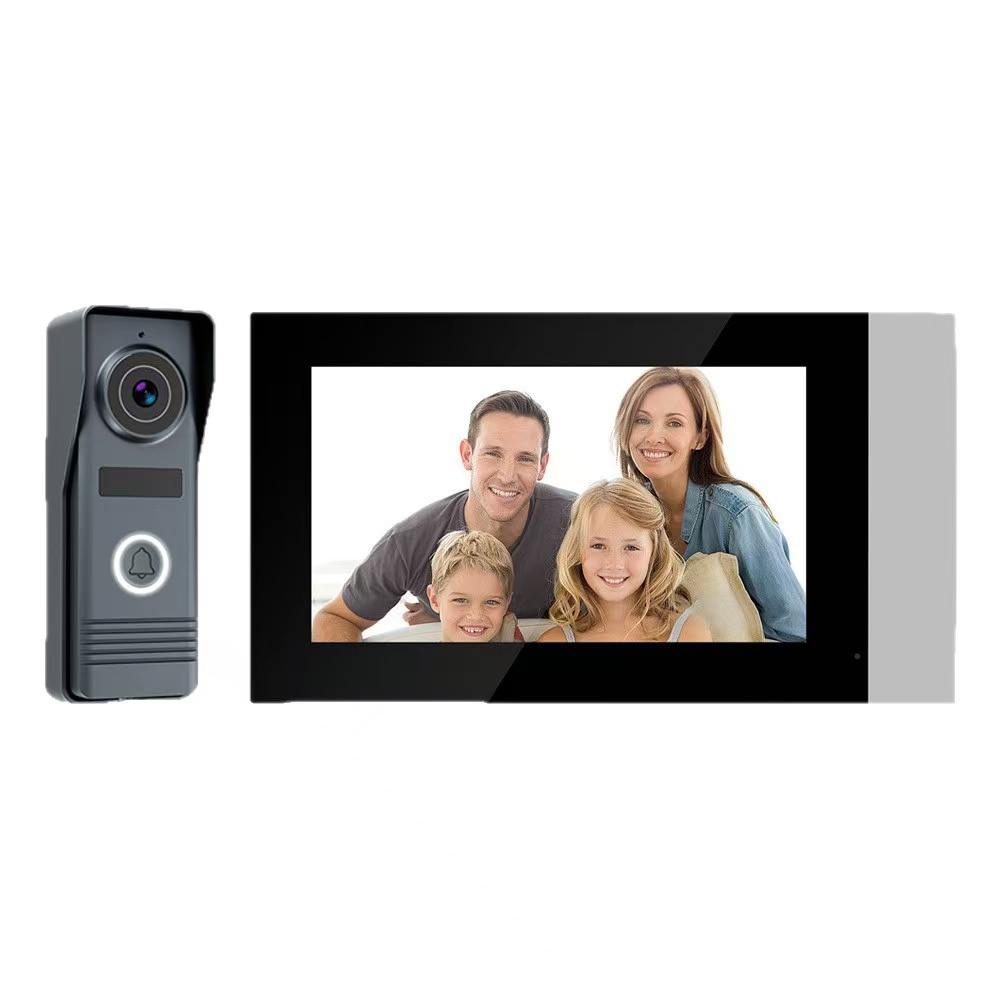
However, A Front Door used to be secured with a peephole and a chain. Today a 7-inch Smart Video doorbell puts a live colour picture on an indoor monitor, lets you talk to whoever is standing outside, and releases the lock without anyone walking to the door. For homeowners it is peace of mind; for distributors and project buyers it is one of the fastest-turning categories in the smart home channel. In short, Inch video doorbell

7-inch smart video doorbell with indoor monitor mounted by the front door
A dedicated 7-inch monitor keeps the whole doorway visible — no phone, no app, no waiting.
Why a 7-Inch Indoor Monitor Still Matters

Therefore, Nearly every doorbell on the market pushes its video to a smartphone. Therefore, That model works, but it adds friction at the exact moment someone is waiting at your door: find the phone, unlock it, open the app, wait for the stream to connect. A wall-mounted or desktop 7-inch monitor removes every one of those steps. The screen lights up the instant the button is pressed, which is why this format sells so well to families with children or elderly parents who will never open an app. Video Doorbell Review 2026: What to Look For, Smart Features Compared, and Buyer’s Guide

Core Functions Buyers Ask For

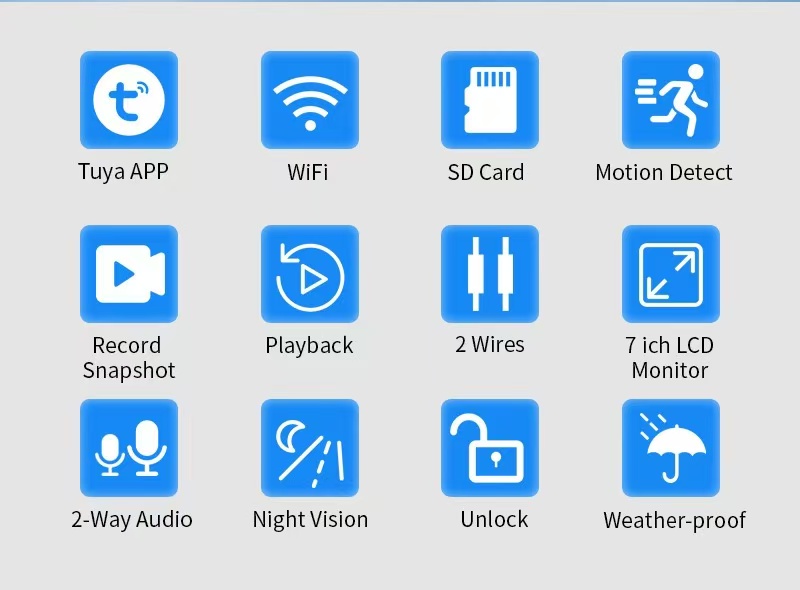
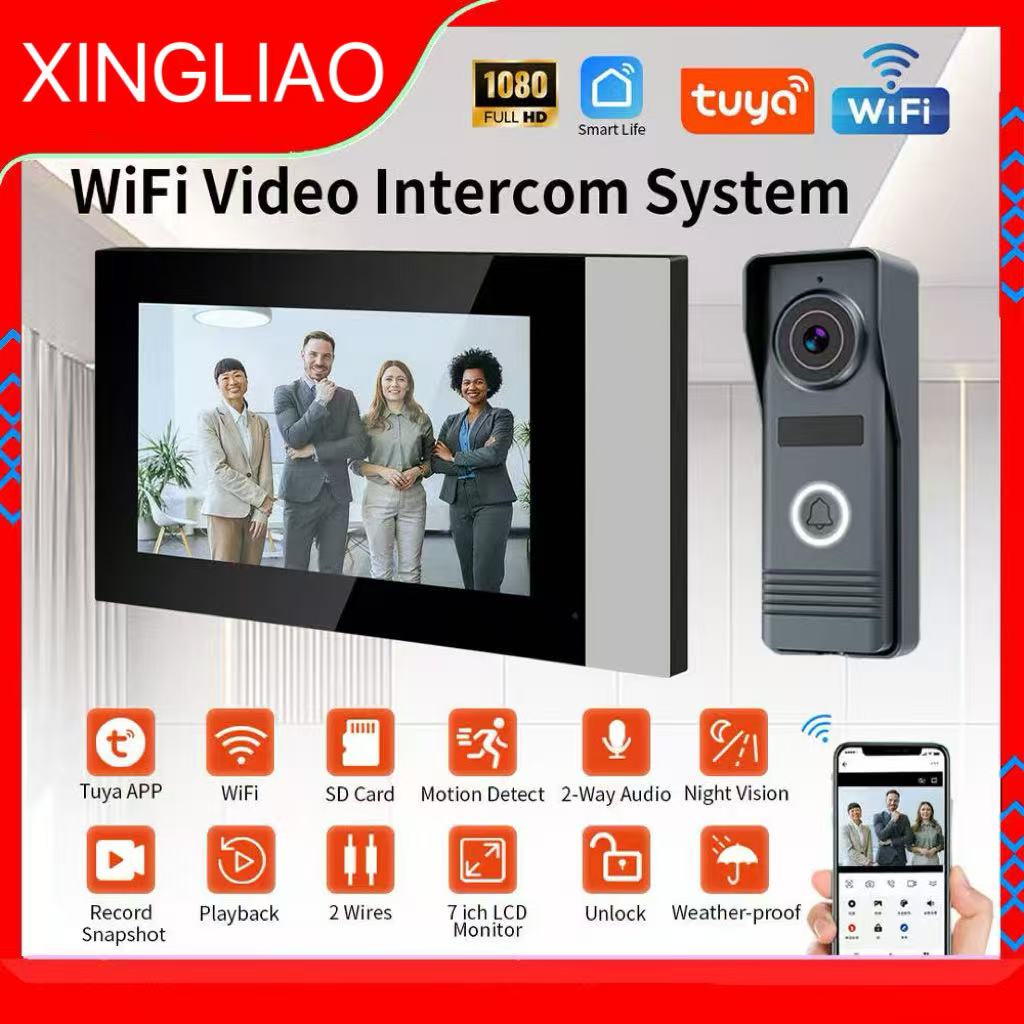
  • 7-inch HD indoor screen — the visitor appears immediately when the doorbell rings, with a view wide enough to cover the doorway, the step and any parcels left behind.
  • Hands-free two-way intercom — speak to couriers, guests or service staff and tell them where to leave a package, without opening the door.
  • Remote unlock — trigger the electric lock or gate release straight from the indoor unit.
  • Infrared night vision — the camera switches to night mode automatically, so the picture stays usable long after dark.
  • PIR motion detection with snapshots — the system records movement at the door even when nobody presses the button, so you still see the person who walked away.
  • Multi-camera expansion — add a second camera at the garage or back door and switch between feeds on the same screen.
7-inch video doorbell indoor screen showing wide-angle HD camera view
Wide-angle optics plus infrared night vision cover the doorway around the clock.

Where This Model Fits Best

Villas and single-family houses

Moreover, A detached home usually has one main entrance and a long walk from the living room to the door. For example, The indoor monitor turns that walk into a glance, and remote unlock removes it entirely.

Apartments and multi-tenant buildings

In addition, Residents want to screen visitors before opening up. Because the monitor is a self-contained indoor unit, there is no need to rewire the whole building or rely on every resident installing the same app.

Gated communities and small commercial sites

For example, Property managers use the same hardware at side gates, delivery entrances and reception areas, then keep a single monitor at the front desk.

Smart video doorbell outdoor camera unit with night vision
From villas to apartment blocks, one hardware platform covers very different entry points.

What Installers Should Check Before Quoting

  1. Wiring path — confirm whether the site can run low-voltage cable from the door station to the indoor monitor, or whether a wireless kit is the better fit.
  2. Lock type — electric strikes, magnetic locks and gate operators all need a dry-contact output; check the voltage before ordering.
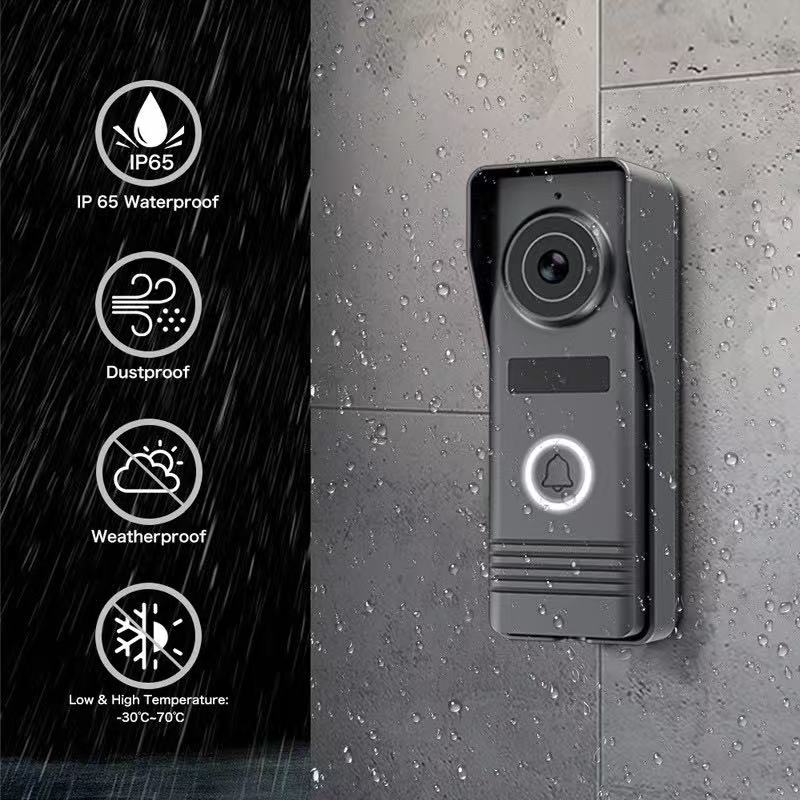
  3. Wi-Fi coverage at the door — the outdoor unit needs a stable signal. A quick survey with a phone at the door frame avoids most callback visits.
  4. Mounting height and weather exposure — shade and a rain cover extend the life of any outdoor camera.
  5. Power and backup — decide whether the monitor stays on mains power only or needs battery backup for outages.
Video doorbell installation wiring and electric lock connection
Plan the cable run and the lock interFace first — it saves a second site visit later.

Why Source It From Xingliao

Consequently, Xingliao Smart Home builds and ships smart doorbells, control panels, cameras and sensors from its own production facility. This means OEM and ODM buyers get stable hardware revisions, consistent firmware and packaging that can carry your own brand. Take a look at our factory to see how each unit is assembled and tested before it leaves the line.

Smart video doorbell kit accessories and packaging
Every unit is assembled, aged and inspected before it is packed.

Add It to Your Range

If you are building a smart door entry line — or replacing an older intercom on a project — the 7-inch video doorbell is the model to start the conversation with. Browse the full smart home range or contact our team for wholesale pricing, MOQ and OEM options.

Related Articles

You Might Also Like
Frequently Asked Questions

Is Inch Video Doorbell Indoor worth buying?

Based on the breakdown in this article, Inch Video Doorbell Indoor offers a solid mix of features and value. If your main goal matches the key benefits described above, it is a practical choice for everyday use.

How do I choose the right inch video doorbell indoor for my needs?

Start with your core use case, then compare battery life, compatibility, and build quality as covered above. Choosing the right inch video doorbell indoor comes down to matching specs with how you actually use it.

Does inch video doorbell indoor require a companion app?

Most devices of this type pair with a free companion app for setup and firmware updates. A few advanced features may sit behind a paid plan, so check the official specs page before buying.