Posted on — Leave a comment

Smart Switch for Water Heater and AC

A water heater, an air conditioner and a bedside lamp do not ask the same thing from a switch, and the number that separates them is the current rating. Get that number wrong and the switch either trips, runs hot, or quietly dies in a few months — so this is the one specification worth reading before you buy.

Start from the appliance, not the switch

Every Smart switch, socket or controller carries a maximum current, usually printed as 10 A, 16 A or 20 A. Convert your appliance first: Reolink vs Tuya Security Camera

  • Amps ≈ watts ÷ volts. A 2,000 W heater on 230 V draws about 8.7 A. The same heater on 120 V draws about 16.7 A.
  • Motors are different. An air conditioner, a pump or a fan has a compressor or motor with a startup surge that can be several times the running current. The switch must be rated for that surge, not just the running figure.
  • Continuous loads need headroom. Anything that runs for hours — a water heater, a floor heating mat, a towel rail — should sit at roughly 80% of the switch rating or less.

So a 16 A switch at 230 V is comfortable to about 3,600 W of resistive load, and noticeably less than that for a motor load.

What each appliance actually needs

Water heaters and boilers

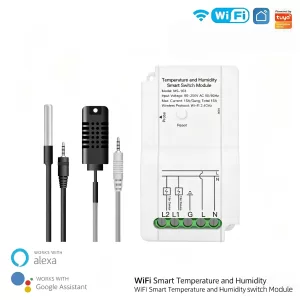
Heating elements are resistive and predictable: check the element rating on the nameplate and size the switch above it. What most people actually want here is not just on/off but temperature control — a controller with a probe that switches by measured temperature rather than by clock, so the tank reaches the Set point and stops. That is a different product from a plain switch and it usually saves more energy than any schedule.

Air conditioners

An AC unit is the hardest case in a house: inductive load, large startup surge, and it often runs for hours. Two safe approaches:

  • A switch rated well above the unit’s running current, specified for motor or inductive loads.
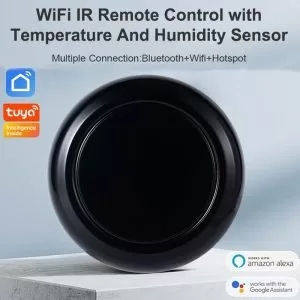
  • Infrared control instead of switching power — a universal IR controller sends the same commands as the remote Without touching the wiring at all. This is the low-risk answer and the one most installers prefer for split units.

Floor heating

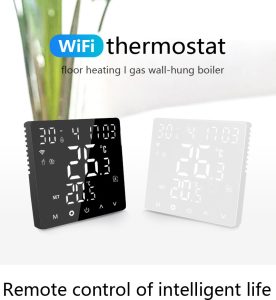
Heating mats and cables are resistive but continuous, and they are usually paired with a thermostat rather than a switch: a 16 A floor-heating thermostat with a floor probe and a boiler relay covers both electric mats and gas boilers. A plain switch here is the wrong product — the comfort gain comes from temperature control and scheduling together.

Fans, pumps and curtains

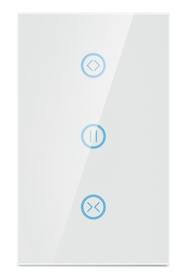
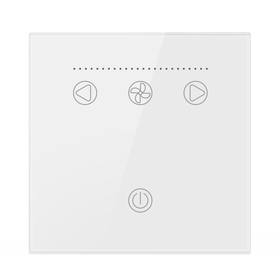
Ceiling fans and curtain motors are smaller loads but still inductive, and fan speed control is not the same as dimming a lamp. Look for a panel with a dedicated fan or curtain channel rather than repurposing a light dimmer.

Wall switch, socket, or controller?

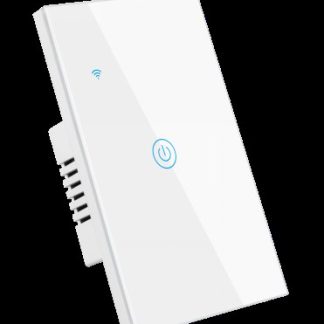
  • Wall switch (10-16 A): replaces the plate and controls a fixed circuit — best for heaters on their own circuit and for room lighting.
  • Smart socket (16 A): controls the appliance plugged into it and measures what it consumes. Best when the appliance is already on a plug, and the metering is genuinely useful for a heater.
  • Temperature controller: switches by measured temperature. Best for water heaters, floor heating, heat mats, incubators and aquariums.
  • IR controller: no power switching at all. Best for air conditioners and TVs.

Safety checklist before you order

  • Read the appliance nameplate for watts and current, and note whether it is a motor load.
  • Choose a rating with headroom — a 16 A device for a 10 A continuous load, not a 10 A device for a 9 A load.
  • Check the switch is specified for the load type: resistive, inductive or motor.
  • Never put a heater or an AC unit on a plug-in Smart plug rated below the appliance, and never daisy-chain extension leads through one.
  • Confirm the circuit itself is protected correctly; a smart device is not a substitute for a correctly-sized breaker and RCD.
  • When in doubt, or where local regulations require it, have an electrician fit it — high-current work is not the place to improvise.

XingLiao switches, sockets and controllers for high loads

Frequently Asked Questions

What does 16A mean on a smart switch?

It is the maximum current the relay can switch continuously — about 3,600 W at 230 V or roughly 1,900 W at 120 V for a resistive load. Motor loads need more headroom than the running figure suggests.

Can I put an air conditioner on a smart switch?

Sometimes, with a switch rated well above the unit’s running current and specified for motor loads. The safer alternative for split units is an infrared controller that sends the remote’s commands without switching the power at all.

Do I need a thermostat or just a switch for floor heating?

A thermostat. Floor heating needs temperature feedback from a floor probe, and the comfort and energy savings come from controlling to temperature, not from switching mains on a timer.

Why does my smart switch get warm?

Some warmth is normal under load, but a switch that is hot to the touch is undersized or poorly terminated. Check the load against the rating and have the connections inspected.

Can I use a smart plug for a heater?

Only if the plug’s rating exceeds the heater’s draw — a 2,000 W heater on 230 V needs a plug rated comfortably above 8.7 A. Many small smart plugs are 10 A and should not run heaters continuously.

Is energy monitoring useful on high-load devices?

Very. Heating and cooling are usually the largest loads in a home, and a metering socket turns “I think the heater is expensive” into a number you can act on.

Related guides

Browse all smart switches and sockets · Tell us the appliance and its rating and we will match the right switch

Related Articles

You Might Also Like

Posted on — Leave a comment

Smart Switch Without Neutral Wire

Most Smart switches expect a neutral wire in the wall box, and a lot of houses built before the 1990s simply do not have one at the switch. That single wire is the reason a switch that works perfectly in one room refuses to behave in the next, and it is worth understanding before you buy anything.

Why the switch wants a neutral at all

A normal mechanical switch does not need power. It just joins and breaks the live wire, so two wires are enough. A Smart switch contains a WiFi radio and a microcontroller that must stay alive even when the light is off, which means it needs a permanent supply: live in, and a return path through neutral. Without that return path the radio has nowhere to draw current, so it cannot stay online.

In newer wiring the neutral is usually there, bundled and capped at the back of the box. In older wiring — and in a great many UK and European homes — the box contains only a switch loop: live in and switched live out, no neutral. How to Set Up a CCTV Camera System at Home

How to tell what you have

With the breaker off and the plate pulled away from the wall: How to Build a Home Automation System with Tuya

  • Two wires plus earth: almost certainly a switch loop. No neutral available.
  • A bundle of same-coloured conductors joined with a connector: very likely neutral — but confirm with a tester, because in some boxes those are switched lives.
  • US boxes: white conductors are normally neutral, though older switch loops used white as a live, so never trust colour alone.

Take a photograph before disconnecting anything. The photo is what you will want when you are holding three wires and a new switch. Reolink vs Tuya Security Camera

Your three real options

1. A switch designed to work without neutral

Some panels draw a small leakage current through the lamp itself when the light is off. The current is tiny — below the threshold where a filament lamp glows — but it is enough to keep the radio alive. These are sold as no-neutral or single-fire models, and availability depends on the series and the number of gangs, so ask for the specific version rather than assuming.

2. A bypass capacitor across the load

A small capacitor supplied with some switches is fitted in parallel with the lamp, usually at the fitting in the ceiling rose rather than at the plate. It gives the leakage current a path that does not run through the LED driver, which is what stops the flicker. It works, but it means a second trip to the ceiling and it needs to be accessible.

3. Move the smart part somewhere else

If the box is genuinely unusable, control the load at a different point instead:

  • A relay module at the fixture or in the ceiling rose, where neutral is usually present.
  • A Smart socket or smart plug on the lamp or appliance — no wall work at all, and it is the right answer for floor lamps, fans and space heaters.
  • A lamp-side smart bulb, which keeps the wall switch as a physical on/off.

LED lamps: why they flicker and how to stop it

The classic no-neutral symptom is an LED lamp that glows faintly or blinks when switched off. The leakage current that keeps the switch alive also trickles into the LED driver, which stores it until it dumps a pulse of light. Three fixes, in order of preference:

  • Fit the supplied bypass capacitor at the fitting.
  • Use a lamp with a known-compatible driver; cheap drivers are the worst offenders.
  • Choose a switch whose no-neutral design is specified for LED loads, and check the minimum load figure.

What to check before you order

  • Neutral present or not — decide this first; everything else follows from it.
  • Load type and wattage: LED, fluorescent, inductive (fan, pump) and resistive (heater) behave differently, and most panels publish a minimum load.
  • Number of gangs: a two-gang panel in a no-neutral box is a harder problem than a single gang.
  • Plate format: 86 mm, 120 mm, 147×86, UK or US standard — measure the existing plate.
  • WiFi: a 2.4 GHz network with usable signal at the switch.

When to call an electrician

If you find shared neutrals, aluminium wiring, no earth at the plate, or a consumer unit without RCD protection, stop and get a professional in. Adding a neutral by pulling a new cable is a job for someone who can certify it — and in many countries that work legally requires one.

XingLiao switches, sockets and modules

Frequently Asked Questions

Can a smart switch work with only two wires?

Some can. No-neutral models draw a small current through the lamp to stay powered. Availability depends on the series and gang count, so ask for the no-neutral version explicitly before ordering.

Why does my LED lamp glow after switching off?

Leakage current from the switch trickles into the LED driver. Fit the bypass capacitor at the fitting, or move to a lamp with a better driver. It is not dangerous, just annoying.

Is it safe to install a smart switch without a neutral?

With a model designed for it, yes. The unsafe part is improvising — putting a neutral-required panel in a switch loop, or bridging terminals to fake a return path. Both can leave the panel live when you expect it to be dead.

Do I need to rewire the house?

Usually not. Most people either use a no-neutral model, fit a bypass capacitor, or control the load from a socket or the fixture instead. Rewiring is the last resort.

Will the switch still work manually?

Yes. Touch panels keep a touch zone that works without WiFi, and schedules stored on the device keep running. Only app control and notifications need the internet.

Which rooms usually have this problem?

Hallways and staircases wired as two-way switch loops, and any house where lighting circuits were added later. Kitchens and extensions built after the 1990s usually have neutral at the plate.

Related guides

Browse all smart switches and sockets · Tell us what is in your wall box and we will confirm the right series

Related Articles

You Might Also Like
Posted on — Leave a comment

How to Install a WiFi Touch Smart Switch: Step-by-Step Guide

A WiFi touch Smart switch replaces the plain wall switch you already have, and from that moment the light or fan behind it can be turned on from your phone, from a schedule, or by voice. Because everything stays in the wall — no plug, no hub, no batteries — it is one of the cleanest upgrades you can make to a room. This guide walks through the whole job: safety, wiring with and Without a neutral wire, pairing with the Tuya or Smart Life app, and the settings that make a Smart switch board genuinely useful.

The good news: if you can replace a normal wall switch, you can install a Smart one. The wiring is the same family of connections, plus one extra wire on most models. M3 Pro Foldable 3-Axis Gimbal Stabilizer, Professional Handheld Gimbal for Smartphones

What you are installing

A touch switch board is a glass or acrylic panel with capacitive touch zones, mounted in the same wall box as your old switch. Behind the panel sits a relay and a WiFi module. The module talks to your router, the relay switches the live wire, and the touch zone replaces the rocker. Most models in the XingLiao DS series follow this pattern, with one, two, three or four gangs on a single 86 mm or 120 mm plate.

  • Live in: the wire that was on your old switch’s common terminal.
  • Load out: one per gang, the wires that run to each light.
  • Neutral: needed by most smart switches to power the WiFi module. Some models work without it.

Before you start

  • A voltage tester (non-contact one is fine) — never trust the breaker label alone.
  • A small flat and Phillips screwdriver, and painter’s tape to label wires.
  • Your phone with the Tuya Smart or Smart Life app installed, and your 2.4 GHz WiFi password ready.
  • Ten minutes per gang. First one takes longer; the second switch in the same room takes half the time.

Safety first: isolate the circuit

Turn off the breaker for the circuit you are working on, then test the switch terminals with the voltage tester before touching anything. Check twice: once at the breaker, once at the switch. If the tester still indicates voltage, you have the wrong breaker — find the right one. In older homes with shared or mislabeled breakers, this step is the one that keeps the job boring, which is what you want.

Step 1: remove the old switch

Unscrew the plate and pull it gently away from the wall box. Photograph the existing wiring with your phone before disconnecting anything — the photo is worth more than memory when you are holding three wires and a new switch. Disconnect the old switch and set it aside.

Step 2: identify your wiring

Look into the box and count the wires. If you see a bundle of blue or black wires joined with a connector in the back of the box, you very likely have a neutral available — unscrew the connector and confirm the wires are not switched lives. If there are only two wires at the switch (live in, load out), you have a switch loop without neutral, and you need a no-neutral model or one with a bypass capacitor.

Label each wire with painter’s tape as you identify it: L for live, N for neutral, and L1/L2/L3 for each gang’s load.

Step 3: connect the smart switch

With the breaker still off, connect in this order:

  1. Neutral to the N terminal — this powers the module. No-neutral models: skip, and fit the bypass capacitor between live and the first load if the manual calls for it.
  2. Live to the L terminal.
  3. Each load to its gang terminal L1, L2, L3, L4.
  4. Tuck the wires back into the box, keeping the WiFi module clear of metal box sides where possible, and screw the frame in place. The glass panel usually clips or slides on last.

For a touch switch board with multiple gangs, double-check that each load wire went to the gang you think it did — the numbering on the back of the panel is your reference, and the photo from Step 1 tells you which old wire was which.

Step 4: restore power and test the touch

Turn the breaker back on. The panel should light up or show a standby indicator. Touch each zone once: every gang should click its relay and switch its light. If one gang controls the wrong light, that is just a load wire in the wrong terminal — power down and swap it.

Step 5: pair with the Tuya or Smart Life app

Open the app, tap add device, and choose Wall Switch. Put the switch into pairing mode — usually by holding one touch zone for about five seconds until the indicator flashes. The app will ask for your WiFi credentials; use the 2.4 GHz network, because most Tuya-based modules do not see 5 GHz. Pairing takes under a minute, and each gang appears as its own controllable switch in the app.

Models that support the same ecosystem can then be grouped: a hallway panel, a bedroom panel and a smart plug can all sit in one “Downstairs” group and switch together.

Step 6: set up the useful parts

  • Schedules: bathroom fan on for 20 minutes every morning; porch light on at sunset, off at midnight. Sunset tracking is built into Tuya’s scheduling.
  • Countdown timers: one tap starts a 30-minute run — ideal for fans, heated towel rails and garage lights.
  • Scenes: one tap in the app, or one voice command, sets several switches at once. “Movie time” can dim the living room and kill the kitchen lights.
  • Voice assistants: link the Tuya skill in Google Home or Alexa, then “Hey Google, turn off the hallway” just works.
  • Random vacation mode: toggles lights at varied evening times so the house looks lived-in.

Troubleshooting

  • No power after install: the live is in the wrong terminal, or the breaker is still off. Recheck with the tester.
  • Panel works but won’t pair: 90% of the time this is the 5 GHz network. Join the 2.4 GHz SSID, move the router closer, and retry pairing mode.
  • Switch clicks but light stays off: load wire is loose or in the wrong gang terminal.
  • WiFi drops occasionally: metal wall boxes and long runs weaken the signal; a WiFi extender in the same room usually fixes it.
  • LED lamps flicker or glow when off: very low loads can leak through some relays. A bypass capacitor across the load, or specifying no-neutral models rated for LED loads, resolves it.

XingLiao WiFi touch switches

Frequently Asked Questions

Do I need a neutral wire for a WiFi touch switch?

Most models do, because the WiFi module needs a small continuous supply. If your switch box has only two wires, choose a no-neutral model or add the bypass capacitor the manufacturer supplies. Check before buying — it is the single most common compatibility issue.

Can I install a smart switch myself?

If you can safely replace a standard wall switch — breaker off, wires tested, terminals tightened — the job is within DIY scope. If your wiring is old, aluminium, or you are unsure which breaker is which, use a qualified electrician.

Will the switch still work if WiFi is down?

Yes. The touch panel and relay are local: you can always press the zone to turn the light on or off. Only the app, schedules and voice control pause until the router recovers.

Does a touch switch board need a hub?

WiFi models like the DS series do not. They connect straight to your 2.4 GHz router. Zigbee versions exist and do need a gateway, which suits larger installs with many devices.

Can one panel control lights in different rooms?

A multi-gang board switches the circuits wired to its own box, so gangs usually control lights in the same room. To control other rooms together, use app scenes or voice groups instead of rewiring.

What load can one gang switch?

Typically 10 A per gang, enough for any normal lighting circuit and small fans. For heaters, towel rails or motors, check the rating on the specific model and stay inside it.

Related guides

Browse smart switches and control panels · Tell us your wiring setup and we will recommend the right model

Related Articles

You Might Also Like
Posted on — Leave a comment

DS-1016 Series Smart Switch: 1 Gang / 2 Gang, Wiring and What to Check Before You Order

DS-1016 Series WiFi Touch Switch (1 Gang / 2 Gang)
DS-1016 Series Smart Switch: 1 Gang / 2 Gang, Wiring and What to Check Before You Order

Smart switches are specified on four numbers: the box they drop into, the Wiring they accept, the radio they speak and the load they switch. Get those right and everything else — the app, the schedules, the voice control — is the same across the range. Here is the full sheet for the DS-1016 Series, 1 Gang / 2 Gang.

What is in the series

The DS-1016 family is a WiFi 2.4 GHz Touch switch for the 86 × 86 mm square Wall box (EU / UK / China). It works in both single-fire (no neutral) and zero-fire (with neutral) boxes, so the same SKU covers new builds with a neutral and older flats without one. Finishes and gang counts can be mixed inside one order, which matters when a single project needs one-gang plates in the bedrooms and three-gang plates in the living room.

Specifications

Wiring notes

  • Zero-fire box — live to L, neutral to N, load to L1 (L2, L3 for the remaining gangs).
  • Single-fire box — fit the supplied capacitor across the first lamp port of L1.
  • Load — stay inside the per-gang rating in the table above; LED drivers with a high inrush current are the usual reason a switch trips on day one.

Connectivity and control

No hub needed — it joins the router directly through the Tuya / Smart Life app. Once paired you get on/off, schedules, countdown timers, group control across gangs and sharing with other household members. Scenes in the app can chain several switches together.

Quantity pricing

FAQ

What is the minimum order?
Single units are available for sampling; the price breaks in the table above start at the first tier.
Can the switch be used without the app?
Yes — the touch panel always works locally. The app adds remote control, schedules and voice.
Do you do OEM?
Yes — logo, packaging, manual and boot screen can be customised from the first order.

Ready to specify it? Full specifications, gang options, colors and quantity pricing are on the DS-1016 series product page — OEM logo, manual and packaging are available from the first order.

Posted on — Leave a comment

How to Choose a Zigbee Touch Switch for a 86 Wall Box — DS-1011ZC Series

DS-1011ZC Series WiFi Touch Switch (1 Gang / 2 Gang / 3 Gang)
How to Choose a Zigbee Touch Switch for a 86 Wall Box — DS-1011ZC Series

Replacing a Wall Switch looks simple until you open the box. The plate size, whether a neutral is present, and which radio the switch uses decide whether the job takes ten minutes or a visit from an electrician. The DS-1011ZC Series is built around single-fire and zero-fire Wiring and Zigbee 3.0, and it ships in 1 Gang / 2 Gang / 3 Gang — so the same look can run through a whole flat or hotel floor.

This guide walks through the four things to settle before you order, with the numbers that matter for European Standard / British standard / China national standard installations.

1. Match the wall box first

The DS-1011ZC plate is made for the 86 × 86 mm square wall box (EU / UK / China), which is the standard box in European standard / British standard / China national standard installations. Measure the box, not the old plate: a cover frame can hide a smaller opening, and a plate that is a few millimetres out will not sit flush against the wall.

2. Check whether you have a neutral

This unit works in both single-fire (no neutral) and zero-fire (with neutral) boxes. If your box has no neutral, the switch still works — fit the supplied capacitor across the first lamp port of L1 to stop LED lamps glowing or flickering when off. With a neutral present, skip the capacitor.

3. Pick the radio for the project

A Zigbee gateway is required (our wired / wireless gateway covers it) — in return you get mesh coverage and much lower standby power. On a site with dozens of switches, Zigbee also keeps the router free of dozens of extra clients. Smart Home Beginner's Guide 2026: 8 Practical Devices Worth Starting With

4. Count the gangs per plate

DS-1011ZC covers 1 Gang / 2 Gang / 3 Gang. Fewer plates means fewer boxes to chase into the wall and one clean frame instead of three, which is usually the reason people move to multi-gang Touch plates in the first place.

Specifications
Quantity pricing

Indicative unit prices ($11.00–$12.49 depending on gang and finish):

FAQ
Is a neutral wire required?
No, but if there is no neutral you fit the supplied capacitor on L1.
Does it work with Alexa and Google Home?
Yes — through the Tuya / Smart Life skill for Alexa and Google Home.
Can I order mixed gangs and colors in one shipment?
Yes. Gang sizes and finishes can be mixed within one order; tell us the split at checkout.

Ready to specify it? Full specifications, gang options, colors and quantity pricing are on the DS-1011ZC series product page — OEM logo, manual and packaging are available from the first order.

Posted on — Leave a comment

Shelly vs Tapo vs Tuya: Smart Switch Comparison

Shelly, Tapo and Tuya are three different answers to the same problem, and they are not really competitors: Shelly sells relay modules that hide behind your existing switch, Tapo is a consumer retail brand of ready-made plug-and-play devices, and Tuya is the platform (not a brand) that thousands of manufacturers — including us — build on. Choosing between them comes down to whether you are retrofitting one switch, buying a few devices for a flat, or specifying a product line for a market.

This page is written for the last two cases, with the trade-offs stated plainly, including where a Tuya-based wall switch is the wrong answer.

The one-line difference

Option What it is Installs where Best for
Shelly A relay module (Wi-Fi) wired into the back box Behind an existing switch or in the consumer unit Keeping the original switches; DIN-rail and panel installs; EU market
Tapo Finished retail devices (plugs, bulbs, cameras) under TP-Link’s brand Plug-in or direct replacement Consumers who want one app and retail warranty support
Tuya The platform and cloud behind many brands’ devices Inside the product — switches, sockets, cameras, sensors Buyers who need a wide catalogue, OEM branding, or a wall switch in a specific plate standard

Shelly: the retrofit specialist

What it does well. A Shelly module sits behind your existing switch, so the wall plate, the decor and the switch feel stay exactly as they are. It has a dry-contact relay, it can be powered from the line or from a low-voltage supply, many models measure power, and it runs local scripts and MQTT Without any cloud account. For a landlord who cannot change the switches, an electrician doing a panel, or anyone who wants Home Assistant control, this is the cleanest solution on the market.

Where it is not the answer. It is a component, not a finish. You still need to buy a wall plate if the existing one is tired, it does not give you a touch panel, a glass face or a multi-gang plate, and the price per point is higher than a finished Wi-Fi switch once you add an electrician’s time. It also does not help if you want the switch itself to look like part of a matched range.

Tapo: the retail brand

What it does well. Tapo is TP-Link’s smart-home brand: plugs, bulbs, cameras and a few switches that work out of the box with one polished app, availability in high-street and online retail, and a warranty you can claim locally. For a consumer who wants two plugs and a Camera this weekend, it is a sensible, low-friction choice.

Where it is not the answer. The catalogue is centred on the US and EU consumer market, wall switches are a small part of it, and there is no OEM route — you cannot put your own brand on it, choose a plate standard for a specific country, or specify gang layouts and printing for a project. Prices are retail, not factory.

Tuya: the platform behind the product

What it does well. Tuya is the ecosystem, not a competitor product. A Tuya-based switch from any manufacturer works in the same app as a Tuya camera, sensor, plug or lock, which means one account covers the whole home. Because thousands of factories build on it, you get the widest possible choice of physical formats: 86 × 86 mm, 118 × 72 mm and 147 × 86 mm plates, 1 to 8 gangs, glass or plastic, neutral or no-neutral, Wi-Fi or Zigbee. For a distributor or a project buyer, this is the only one of the three that can be branded, certified for a specific market and produced at a defined MOQ.

Where it is not the answer. Quality varies by manufacturer — the platform does not guarantee the relay, the glass or the certification, the brand does. Cloud-dependent automations stop working without internet unless you choose Zigbee models with a hub. And because the app is Tuya’s, a brand that wants its own application has to move to a private app, which is a separate project.

Decision table

Situation Choose Why
Keep the existing switches, add app control Shelly module No change to the wall; dry contact; local control
Two plugs and a camera, bought retail Tapo One app, local warranty, no installation
Replace switches in an EU / UK / US home Tuya wall switch in the local plate standard Correct plate size, gang count, glass finish
Hotel or apartment project, 100+ rooms Tuya (OEM) with Zigbee hub Custom icons, colour, packaging; local automations
Whole-home with sensors and scenes Tuya Zigbee + gateway Automations run locally, mesh coverage
DIY / Home Assistant / MQTT Shelly Local API, no cloud dependency
You need your own brand on the product Tuya white-label or private app OEM/ODM at defined MOQ

What buyers get wrong

  • Comparing prices across categories. A Shelly module, a Tapo plug and a Tuya wall switch are three different products. Compare like with like: per controlled point, installed.
  • Forgetting the plate standard. A switch bought for one market will not fit another. 86 × 86 mm, 118 × 72 mm and 147 × 86 mm are not interchangeable.
  • Assuming “Tuya” means one quality level. It means one app. Ask for the relay rating, tempering certificate on the glass, and the actual certification documents.
  • Ignoring the neutral wire. Most wall switches need one; check the housing stock before specifying.
  • Buying Wi-Fi for a whole building. Above roughly six controlled points per router, Zigbee with a hub is more stable and cheaper per point.
Frequently Asked Questions

Is Tuya a brand?

No. Tuya is a platform and cloud service. Devices from many different manufacturers run on it and all appear in the Tuya Smart or Smart Life app. Tapo is a brand (TP-Link); Shelly is a brand (Allterco).

Can Shelly and Tuya devices work together?

Not natively in one app — Shelly runs its own app and local API, Tuya devices run in Tuya/Smart Life. They can be bridged through Home Assistant or through voice assistants, but for a single-app home, pick one ecosystem.

Which is cheapest per switch point?

For a finished wall switch in volume, a Tuya-based switch from a factory is usually the lowest cost per point, because you are buying direct rather than paying retail margin. For a single retrofit where the existing switch stays, a module can be cheaper than replacing the plate — but only if you are doing the work yourself.

Which is most reliable without internet?

Shelly, because it is designed for local control. Among Tuya-based devices, Zigbee models with a hub keep automations running locally; Wi-Fi models keep the physical button working but lose app control.

Can I put my own brand on any of them?

Only on Tuya-based hardware bought through an OEM/ODM manufacturer. Shelly and Tapo are finished branded retail products with no OEM route.

What should a distributor ask a Tuya manufacturer?

Plate standard and gang mix for your market, neutral/no-neutral variants, relay rating and cycle life, tempering certificate for glass panels, certification documents for the destination country, whether the switch acts as a Zigbee repeater, app branding options, and MOQ — typically 500 pieces per colour for standard models.

Related products

Related guides

Related Articles

You Might Also Like
Posted on — Leave a comment

Zigbee Smart Switch: How It Works and When to Choose It

A Zigbee Smart Switch is a wall switch that talks to your home over a Zigbee mesh network instead of over Wi-Fi. Every mains-powered Zigbee switch also acts as a signal repeater, so the more switches you install, the stronger and more reliable the network becomes — and automations keep running locally on the hub even when your broadband is down.

That last point is the reason professionals choose Zigbee for whole-home projects. A Wi-Fi switch stops responding to the app the moment the internet drops; a Zigbee switch keeps its scenes, its sensor triggers and its schedules, because the logic lives on the hub in the house, not in a data centre.

How a Zigbee switch installation is put together

  1. A Zigbee hub (gateway). This is mandatory. It is the translator between the Zigbee mesh and your Wi-Fi router, and it is where automations are stored.
  2. The switches themselves. Each one joins the hub at install time, usually by holding a button until the indicator blinks.
  3. Sensors and other devices. Door/window contacts, PIR motion sensors, temperature and leak sensors all join the same mesh, which is what makes “if the bathroom door opens after sunset, turn on the light at 30 %” possible.
  4. The app and voice assistants. The hub’s app (Tuya / Smart Life, or a Matter controller) is the user interface; Alexa and Google Home connect to the hub, not to each switch.

Zigbee vs Wi-Fi: the decision that matters

Factor Zigbee Wi-Fi
Hub required Yes No
Works during internet outage Yes (local automations) Button only
Load on your router None — one hub on Wi-Fi One IP address per switch
Practical device count 50–100+ per hub Limited by router DHCP and airtime
Response to button press Fast, local Fast local, cloud round-trip for app echo
Sensor automations Native and local Usually cloud-dependent
Setup complexity One extra step (pair hub) Simplest
Cost for 1–3 switches Higher (hub cost) Lower
Cost for 20+ switches Lower per point, far more stable Router strain, more dropouts

Break-even rule: Wi-Fi is cheaper and simpler up to roughly six controlled points. Above that, or the moment you want sensors to trigger lights, Zigbee is the better engineering choice. M2 Foldable 3-Axis Gimbal Stabilizer, Portable Handheld Gimbal for Smartphones

The mesh advantage, explained without jargon

Wi-Fi devices all shout at one router, and the router answers each one. Add forty devices and the airtime is gone — this is why large Wi-Fi installs develop “device not responding” errors. M1 Foldable 3-Axis Gimbal Stabilizer, Portable Handheld Gimbal for Smartphones

Zigbee devices whisper to their neighbours. A switch at the far end of the house does not need to reach the hub directly; it passes the message to the nearest powered device, which passes it on. Because every mains-powered Zigbee switch is a repeater, coverage improves as you install more. Battery sensors sleep and do not repeat, which is why a hub plus a handful of wired switches is the backbone of a healthy mesh. M2 Pro Foldable 3-Axis Gimbal Stabilizer, Advanced Handheld Gimbal for Smartphones

Practical consequences: Video Doorbell Without Subscription

  • Put the hub centrally, and off the floor.
  • Do not put the hub inside a metal cabinet.
  • Keep at least two powered Zigbee devices within range of each other across long distances.
  • Zigbee shares the 2.4 GHz band with Wi-Fi — set Wi-Fi to channels 1, 6 or 11 and Zigbee to a non-overlapping channel to avoid interference.

Binding: the feature Wi-Fi switches do not have

Zigbee supports direct binding — you can bind a switch, a button or a sensor directly to a light or a group, with no hub logic and no cloud in the path. A wireless scene button stuck to the wall beside the bed can be bound to “everything off” and will work even if the hub is unplugged. This is the single most requested feature in hotel and elderly-care installations, and it is native to Zigbee.

Matter and Zigbee

Matter does not replace Zigbee; it sits above it. Most current Zigbee hubs are also Matter controllers or Matter bridges, which means:

  • Zigbee devices can be exposed to Apple Home, Google Home and Alexa through the hub.
  • A Matter-over-Zigbee bridge lets one physical network serve multiple ecosystems at once.
  • Thread is Matter’s own mesh radio and is the natural successor for new sensor deployments, but Zigbee 3.0 hardware installed today will remain serviceable for years.

Specification checklist for a Zigbee switch project

  1. Hub capacity — devices per hub, and whether multiple hubs can be combined in one app.
  2. Zigbee version — insist on Zigbee 3.0; older Zigbee HA 1.2 profiles do not interop reliably.
  3. Repeater behaviour — confirm the switch repeats, not just joins.
  4. Neutral requirement — most Zigbee switches want a neutral; check no-neutral variants for older housing stock.
  5. Plate standard — 86 × 86 mm, 147 × 86 mm or 118 × 72 mm to match the destination country.
  6. Load type — lighting, curtain motor, or fan; each needs a different output module.
  7. Local automation support — confirm scenes run on the hub, not only in the cloud.
  8. Certification — CE / UKCA, FCC, RoHS; CCC or PSE where required.
Frequently Asked Questions

Do I need a hub for every brand?

You need a hub that speaks Zigbee 3.0. A Tuya-compatible Zigbee hub covers Tuya-ecosystem switches, sensors and remotes in one app; mixing vendors is possible in principle but in practice you should keep one ecosystem per project.

Will a Zigbee switch work if my internet is down?

Yes for everything local: button presses, bound remotes and hub-stored automations keep working. Only remote access from outside the home and voice control stop.

How many Zigbee devices can one hub handle?

Typically 50 to 100 devices, of which battery sensors should be a minority. The binding factor is not the count but the number of powered repeaters — plan at least one mains device per room for a stable mesh.

Can I mix Zigbee switches with Wi-Fi switches?

Yes, through an app that covers both (Tuya / Smart Life does). Automations that cross the two groups run through the hub or the cloud rather than locally, so keep time-critical automations inside one protocol.

Is Zigbee being replaced by Matter?

Matter is a standard that runs over Wi-Fi and Thread; Zigbee remains the widest-deployed low-power mesh in installed homes. Buying Zigbee 3.0 today is safe — hubs bridge Zigbee into Matter ecosystems.

What should a bulk buyer confirm before ordering?

Hub and switch firmware compatibility, whether the switch repeats, the plate standard and gang mix for the destination market, local-automation support, certifications for the target country, and minimum order quantities (typically 500 pieces per colour for standard models).

Related products
Related guides

Related Articles

You Might Also Like
Posted on — Leave a comment

Glass Switch Panel: What It Is and When It Pays Off

A glass Switch panel is a wall Switch whose face is a sheet of tempered glass — typically 3–4 mm thick, with the touch or soft-click zones, indicator light and icons printed or etched on the back of the glass. It replaces the plastic rocker plate of a conventional Switch with a single flat surface that can be wiped clean, and it is the standard finish for touch switches in hotels, serviced apartments and mid-to-high-end residential projects.

Glass is chosen for three reasons: it does not yellow or scratch the way white ABS plastic does, it gives a flat surface that suits touch control, and it can be printed with any colour, icon or logo. It is not chosen for impact resistance — that is the trade-off this guide is honest about. M1 Foldable 3-Axis Gimbal Stabilizer, Portable Handheld Gimbal for Smartphones

What the panel is actually made of

Layer Material What it does
Face Tempered (toughened) soda-lime glass, 3–4 mm The visible, wipeable surface. Tempering makes it 4–5× stronger than annealed glass and makes it crumble into blunt fragments instead of shards if it breaks.
Graphics Ceramic-fired or UV-cured ink on the rear face Icons, gang outlines, brand mark. Printed on the back so fingers never touch the ink.
Touch layer Capacitive sensor film or PCB pad Detects a finger through the glass. Sensitivity is tuned so a wet cloth or a passing sleeve does not trigger it.
Structure PC / ABS flame-retardant carrier (V-0) Holds the relay, the Wi-Fi or Zigbee module and the terminals; carries the safety rating.
Border Aluminium alloy or ABS frame Protects the glass edge — the most likely place to chip.

Ask your supplier two questions about the glass: is it chemically or thermally tempered, and does it comply with the fragmentation test? Untempered “glass-look” acrylic panels are common in the cheapest listings, and they scratch within a month. M2 Pro Foldable 3-Axis Gimbal Stabilizer, Advanced Handheld Gimbal for Smartphones

Glass vs plastic vs metal: honest comparison

Property Tempered glass PC / ABS plastic Metal (brushed aluminium)
Scratch resistance Excellent Poor — visible within months Fair — shows scuffs
Yellowing / UV None Yellows, especially in sunlight None
Impact resistance Fair — chips at the edge, can crack Excellent Excellent
Cleaning Flat, wipeable, no gaps Rocker gaps trap dust Depends on finish
Print / colour freedom Any colour, any icon Limited Limited
Cost Medium-high Low High
Fingerprint visibility Visible on dark glossy colours Low Medium

If the project is a rental, a school or a corridor with trolleys and impact risk, plastic is the right call. If it is a showroom, a hotel room or a private home where the plate is seen every day, glass wins. M2 Foldable 3-Axis Gimbal Stabilizer, Portable Handheld Gimbal for Smartphones

Where glass panels are used

  • Hotels and serviced apartments — a single glass plate per bedside and entry, printed with readable icons for international guests; the flat surface survives daily cleaning.
  • Premium residential — matched black, white or gold plates across the whole flat; glass is the only finish that keeps a consistent colour across 1-, 2-, 3- and 4-gang plates.
  • Kitchens — grease wipes off glass; plastic rockers discolour.
  • Offices and meeting rooms — scene buttons (presentation / meeting / off) printed directly on the plate.

Specification checklist before you buy

  1. Plate standard — 86 × 86 mm (EU/CN/UK), 147 × 86 mm (UK large format), 118 × 72 mm (US decorator). The glass is cut to the standard; there is no universal plate.
  2. Gang count — 1, 2, 3, 4, 6 or 8. Count the circuits on the wall, not what looks tidy.
  3. Control type — full touch, touch-plus-relay (soft click), or mechanical micro-switch under a glass rocker. Touch-only plates are quietest; the mechanical version gives tactile feedback that older users prefer.
  4. Backlight — always-on locator light (easy to find at night) or only-when-active (better for bedrooms). Check whether the standby glow can be switched off in the app.
  5. Colour — white, black, gold, grey; confirm whether the frame matches or contrasts, and whether the frame is included.
  6. Load rating — usually 3–10 A resistive per gang, lower for LED drivers and capacitive loads.
  7. Neutral requirement — most glass touch panels need a neutral wire. Confirm no-neutral variants if your housing stock lacks one.
  8. Certification — CE / UKCA for Europe and the UK, FCC for the US, RoHS for materials, plus CCC (China) or PSE (Japan) where the destination requires it.

Custom branding on glass panels

For OEM and project orders the glass face is the easiest part to customise, and the cheapest way to make a standard switch look bespoke: C16 AI Gimbal Stabilizer 1.3m, Smart Tracking Extendable Selfie Stick for Smartphones Reolink vs Tuya Security Camera

  • Icon set — lamp, fan, curtain, scene symbols, printed per gang.
  • Colour matching — any RAL or Pantone reference, with a physical sample for approval before mass printing.
  • Logo — a discreet brand mark at the bottom edge of the plate.
  • Packaging — retail box, manual and app splash screen under your own brand.

Typical OEM economics: standard models start at It depends on how deep the customisation goes. Samples start at 5 pcs and are charged, with the cost credited against your first bulk order. A sticker or silk-printed logo runs from 10 pcs per model, laser engraving from 300 pcs, an existing platform under your own brand and colour from 5 pcs per colour, custom packaging 500–1,000 pcs, your own product ID from 1,000 pcs, and full custom tooling from 2,000–3,000 pcs depending on how much of the design changes. Sampling takes 7–15 days; new tooling takes 25–40 days. Video Doorbell Without Subscription

Care and failure modes

  • Edge chips. Almost all breakage starts at the edge. Specifying an alloy frame and tightening the plate evenly against a flat wall prevents it.
  • Wall flatness. Glass will not flex. On a bowed wall, torque on the screws can crack the plate — use a spacer or a back box shim.
  • Cleaning. A dry or slightly damp microfibre cloth. Avoid solvent cleaners on the printed icons.
  • Touch drift. If a zone becomes insensitive, check for moisture behind the plate before assuming the panel is faulty.
Frequently Asked Questions

Is a glass switch panel safe in a bathroom or kitchen?

Yes, provided the switch carries the required IP rating for the zone and is installed outside the wet area. Glass is non-porous and does not absorb moisture; the risk is the same as with any switch — water reaching the terminals.

Do glass panels break easily?

Tempered glass resists everyday impact well and fails safely if it does break, but a sharp blow to the unprotected edge can crack it. Fitting the matching alloy frame reduces this to a rare event, and it is why hotels specify framed plates.

Can the touch zones be used with wet hands?

Capacitive panels are tuned to reject light moisture, but a soaking-wet finger or a film of water across the plate can cause missed or double triggers. For bathrooms, a mechanical-switch-under-glass version is the safer specification.

Do dark glass panels show fingerprints?

Black and mirror finishes show prints more than white or frosted finishes. If the plate is in a high-touch spot, choose a satin or frosted glass — it hides prints and still wipes clean.

Can I get a glass panel in a non-standard size?

Yes for project volumes. Custom plate shapes need new tooling (typically 25–40 days) and a minimum order in the low thousands. Colour, icons and logo on a standard plate need no tooling at all.

What is the difference between a glass panel and a “glass-look” panel?

A real panel is tempered glass with rear-printed graphics; a glass-look panel is acrylic or coated plastic. Look for tempering/fragmentation compliance and check the edge — glass has a greenish cut edge, acrylic does not.

Related products
Related guides

Related Articles

You Might Also Like
Posted on — Leave a comment

WiFi Smart Switch Board: Neutral Wire Check, Gang Sizes and How to Choose

What Is a WiFi Smart Switch Board?

A WiFi Smart switch board is a wall switch panel with a wireless module built in. It replaces the ordinary switch on your wall and lets you turn lights and appliances on or off from your Phone, from a voice assistant, or on a Schedule — while the physical buttons on the wall keep working exactly as before.

That last point matters more than people expect. Smart bulbs fail the “guest test”: someone flips the wall switch off, the bulb loses power, and every app and voice command stops working. A smart switch board keeps the circuit live, so the room stays smart no matter who walked in and pressed what. C08 Gimbal Stabilizer 69cm, Extendable Selfie Stick Tripod for iPhone & Android F6 3-Axis Gimbal Stabilizer, Handheld Smartphone Gimbal for Smooth Video

WiFi Switch Board vs Smart Switch vs Smart Plug

These three get confused constantly. Here is the practical difference: C07 Mini Gimbal Stabilizer 66cm, Foldable Extendable Selfie Stick Tripod for Smartphones

  • Smart switch board — replaces the wall switch itself. Best for fixed lighting, ceiling lights, and anything wired into the wall. Permanent, needs Installation.
  • Smart switch module — a small relay that hides behind your existing switch, keeping the original faceplate. Good when you rent, or when the building rules say you cannot change the visible hardware.
  • Smart plug — plugs into a socket, controls whatever is plugged in. Zero installation, but useless for ceiling lights and easy for anyone to unplug.

If you are wiring a new build or renovating, switch boards are the right layer to install — you do it once and the whole room becomes controllable. If you are renting or testing the idea, start with plugs and modules.

The One Question That Decides Everything: Do You Have a Neutral Wire?

Open the switch box and count the wires. Most smart switch boards need a neutral wire (usually blue or black) in the box to power their electronics. Many older homes — especially in Europe, the UK, and older buildings in Asia and the Middle East — only run live and switched-live to the switch, with the neutral tucked away in the ceiling rose. F10 3-Axis Gimbal Stabilizer, Handheld Smartphone Stabilizer for Smooth Video Recording

Outcomes:

  • Neutral present — almost any WiFi switch board works, including Zigbee and Matter models. This is the simple case.
  • No neutral — you need a single-fire (no-neutral) model, or a capacitor bundled across the load. Single-fire boards are fussier: with very small LED loads they can flicker or buzz, and some need a minimum load to behave.

Check before you buy. It is the single most common reason a smart switch gets returned, and it has nothing to do with the brand.

How Many Gangs Do You Need?

“Gang” simply means how many switches sit on one plate. Count the switches currently on the wall in that position — 1-gang, 2-gang, 3-gang and 4-gang are standard, and larger 6 to 12-module boards exist for whole-room or hotel-style layouts where lighting, curtains, scenes and air conditioning share one panel.

Two things to verify:

  • Physical size and box depth. A smart board is deeper than a mechanical switch because of the electronics behind the glass. If you are retrofitting into an old shallow box, measure the depth first.
  • Independent loads. On a multi-gang board, each gang is an independent channel. That is what lets you control the ceiling Light, the strip light and the exhaust fan separately from one panel.

If you are planning a larger panel, our guide to 12-module smart switch boards covers layout and load planning in detail, and touch switch boards explains the differences between capacitive touch, mechanical rocker and hybrid panels.

Glass, PC, and Touch: What Actually Changes

The panel material is mostly about looks and cleaning:

  • Tempered glass — the premium look, flat, wipe-clean, resists yellowing. Fingerprints show more. Common in hotels and modern apartments.
  • PC / flame-retardant plastic — cheaper, lighter, more impact-tolerant, and easier to produce in custom colours and prints.
  • Touch vs physical — capacitive touch panels have no moving parts and look seamless; some people still prefer a mechanical rocker for muscle memory in the dark. Hybrid boards offer both.

Whichever you pick, look for a board rated for your mains voltage (110–240V, 50/60Hz), with a relay rated above the load you plan to switch, and a fire-retardant enclosure.

App, Voice, and Automation

Most WiFi switch boards sold internationally run on the Tuya / Smart Life platform, which is why the same hardware appears under many brand names. What you get:

  • Control from anywhere, with a live on/off state so you can see whether you left the lights on.
  • Schedules and timers — porch light on at sunset, off at 23:00.
  • Scenes: one tap or one voice command that triggers several devices at once.
  • Voice control through Alexa and Google Assistant, and usually Siri Shortcuts.
  • Works with Google Home or Alexa speakers, and for Home kit users, check whether the model carries Matter support.

A practical note: a WiFi board connects directly to your router, so each board takes an address on your network. In a whole-house project with 20+ boards, that is worth thinking about — a Zigbee board plus one smart home gateway keeps the load off your router and usually responds faster in local scenes.

Installation and Safety

Switch off the breaker, confirm with a tester, photograph the existing wiring before you remove anything, and match live / neutral / load to the diagram that came with the board. If your local code requires a licensed electrician for fixed wiring, use one — in many countries a DIY mains install voids insurance.

After mounting, the usual pairing flow is: hold the button until the indicator blinks, open the app, add device, select your 2.4GHz WiFi network, and name the gang something you will recognise later (“Kitchen ceiling”, not “Switch 3”).

Remember that smart boards need 2.4GHz WiFi during setup. If your router merges 2.4 and 5GHz under one name, temporarily split them or the board may not be found.

Buying for a Project: MOQ, Customisation and Lead Time

For homeowners, one or two boards is enough. For distributors, hotel projects and OEM brands, the numbers look different. This is what we run at Xingliao:

  • Stock models (neutral packaging): from 100 pcs — mixed models and colours allowed, ships in days.
  • Samples: from 5 pcs — charged, and credited against your first bulk order.
  • Logo as sticker or silk print: from 10 pcs per model.
  • Laser-engraved logo: from 300 pcs.
  • Custom packaging and manual: 500–1,000 pcs.
  • Your own product ID (private PID — app panel, firmware identity, cloud listing): from 1,000 pcs.
  • New tooling and ODM design: 2,000–3,000 pcs.
  • Sampling 7–15 days; tooling 25–40 days.
  • Certification support: CE, FCC, RoHS, UKCA, CCC, PSE.

Switch panels are one of the easiest categories to brand because the faceplate is the first thing a customer sees. If you want your own logo on the glass and your own brand inside the app, that is the 500-pcs tier. Tell us the quantity and market and we will quote against a real spec.

Browse the current range in our smart switch category, or read the full comparison in smart switch board and how to choose a smart switch.

Related guides
Frequently Asked Questions

Does a WiFi smart switch board work without internet?

Local control still works on most models — pressing the panel and, for Zigbee boards, running local scenes through the gateway. Remote control from outside your home and voice assistants require internet. If you want automations that survive an outage, choose a gateway with local scene execution.

Can I install one if my switch box has no neutral wire?

Yes, but you must buy a no-neutral (single-fire) model. Standard boards will not power up. Check the spec sheet for “no neutral required” before ordering, and expect some LED loads to need a bypass capacitor.

Will it still work if my WiFi goes down?

The physical buttons always work — that is the point of a switch board. Only app and voice control go offline. Zigbee-based boards paired to a local gateway usually keep their automations running too.

Can one board control a fan and a light separately?

On multi-gang boards, yes — each gang is an independent channel with its own relay. Just make sure the total load stays within the board’s rating and that each gang is wired to its own load.

What is the minimum order for a custom-branded switch board?

Samples start at 5 pcs and are charged, with the sample cost credited against your first bulk order. A sticker or silk-printed logo runs from 10 pcs per model, laser engraving from 300 pcs, custom packaging 500–1,000 pcs, and your own product ID from 1,000 pcs. Standard models under your own brand start at 5 pcs per model, and new tooling starts around 2,000–3,000 pcs with 25–40 days for tooling.

Do you support Matter or Zigbee versions?

Both exist depending on the model. If your project targets Apple Home or wants a mesh that does not load the router, ask for the Zigbee or Matter variant rather than pure WiFi.

Related Articles

You Might Also Like
Posted on — Leave a comment

Smart Thermostat vs Smart Switch for Heating: Which One You Need

Choose a Smart thermostat when you want to control temperature — schedules, setpoints, and a boiler or heat pump that runs only when the room needs it. Choose a smart switch or relay when you want to control a circuit — a towel rail, a panel heater, a water heater, a floor heating mat — on a timer or remotely, Without measuring the room. If you want both heating comfort and energy savings on a wet system, the thermostat is usually the right first purchase.

This is the decision that most people get wrong, and it comes down to one question: does the device need to know the room temperature?

What a smart thermostat does

A thermostat measures room temperature and switches the heat source to hold a setpoint. Smart versions add scheduling, remote control, geofencing, and — on the better ones — weather compensation and open-window detection. Typical Wiring: a boiler switched live (often 3 A rated for the boiler contact) plus a mains supply, sometimes with a separate receiver near the boiler.

  • Best for: gas boilers, combi boilers, heat pumps, underfloor heating zones, and anyone whose goal is lower gas or electricity use.
  • Needs: a wiring point at the thermostat location or a wireless receiver at the boiler; check whether you have a neutral at the switch box.
  • Watch for: proprietary wiring (some heat pump controls), and boilers with their own bus protocol that a generic thermostat cannot drive.

What a smart switch or relay does

A smart switch or relay simply makes or breaks a circuit to a fixed load. It does not measure temperature. A 16 A smart switch on a towel rail turns it on for 30 minutes each morning; a 30 A relay on a water heater runs it on an off-peak tariff Window. That is control, not regulation.

  • Best for: electric towel rails, panel heaters, convectors, water heaters, floor heating mats with their own thermostat, and anything you want on a timer.
  • Needs: the right current rating (16 A ≈ 3.6 kW, 30 A ≈ 7 kW at 230 V) and, for in-wall modules, usually a neutral at the box.
  • Watch for: inrush current on some heaters, and the temptation to control a boiler’s mains supply directly — that is what the thermostat’s switched output is for.

Which one fits your heating

  • Gas or combi boiler with radiators: smart thermostat. It modulates and schedules the boiler; a switch would only turn the whole thing on and off.
  • Electric underfloor heating: a thermostat with a floor probe is the safe answer. If the mat already has its own thermostat, put a smart relay in front of it for scheduling and keep the probe in control of temperature.
  • Electric towel rail: smart switch, 16 A, on a Schedule. Temperature control adds nothing here.
  • Water heater or immersion: smart relay rated for the element (often 30 A), ideally on an off-peak schedule, with a hard over-temperature cut-out left in Place.
  • Heat pump: usually the manufacturer’s own controller. Adding a generic thermostat can defeat the weather compensation that makes a heat pump efficient.
  • Air conditioner or split unit: an IR or WiFi controller made for that unit, not a wall thermostat.

Savings: what is realistic

Scheduling is Where the money is, and both devices can do it. Turning heating down by 1 °C typically trims a few percent off a heating bill; not heating an empty house for eight hours a day saves far more. The thermostat wins on top of that because it stops short-cycling and overshoot — a switch left “on” simply runs the heater until you remember to turn it off.

Practical setup: heat the rooms you use, to the temperature you actually want, only when they are occupied. Then add a lower setback temperature rather than switching off completely, so you are not reheating cold walls and furniture.

Frequently Asked Questions

Can I control my boiler with a smart switch?

Not directly. A boiler is switched by the thermostat’s low-voltage or volt-free contact. Use a smart thermostat for the boiler and reserve smart switches for fixed resistive loads such as towel rails, panel heaters and water heaters.

Do I need a neutral wire?

Most in-wall smart switches and relays need a neutral at the box; many older switch boxes do not have one. No-neutral models and battery/hub-based switches exist, but check before buying.

What rating do I need for an electric heater?

Work from the load: 2 kW needs about 9 A, so a 10 A switch is marginal and a 16 A switch is safer; 3 kW needs 13 A, so use 16 A. Water heaters and large storage units often need a 30 A relay or contactor.

Is a smart thermostat worth it for underfloor heating?

Yes, if it supports a floor probe or a floor limit. The probe protects the floor finish and stops the screed overshooting, which is why a plain relay is not enough on its own.

Can I use both together?

Often yes, and it is a good combination: a smart thermostat on the boiler or heat source, and a smart relay on a specific circuit such as a towel rail or an immersion that should only run at certain times.

Will heating still work if the internet goes down?

A thermostat should keep its schedule and keep the heating running, because that logic is local. Choose models that keep a schedule on the device rather than relying on cloud routines.

Related guides

Browse thermostats and control panels · Tell us your heating type and we will advise

Related Articles

You Might Also Like