Posted on — Leave a comment

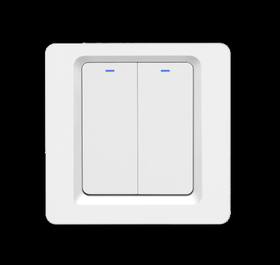
How to Choose a Bluetooth Touch Switch for a 86 Wall Box — DS-102Y Series

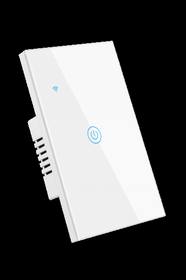
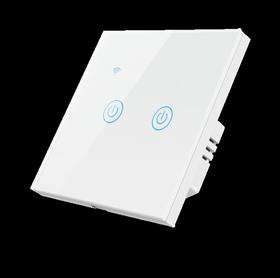
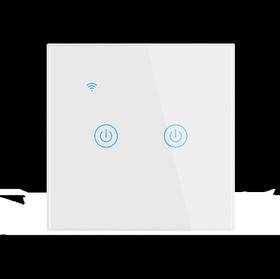
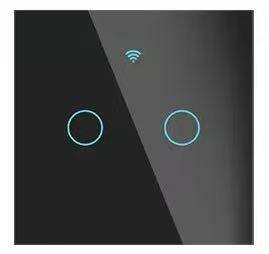
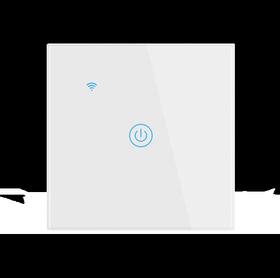
DS-102Y Series WiFi Touch Switch (1 Gang / 2 Gang / 3 Gang)
How to Choose a Bluetooth Touch Switch for a 86 Wall Box — DS-102Y Series

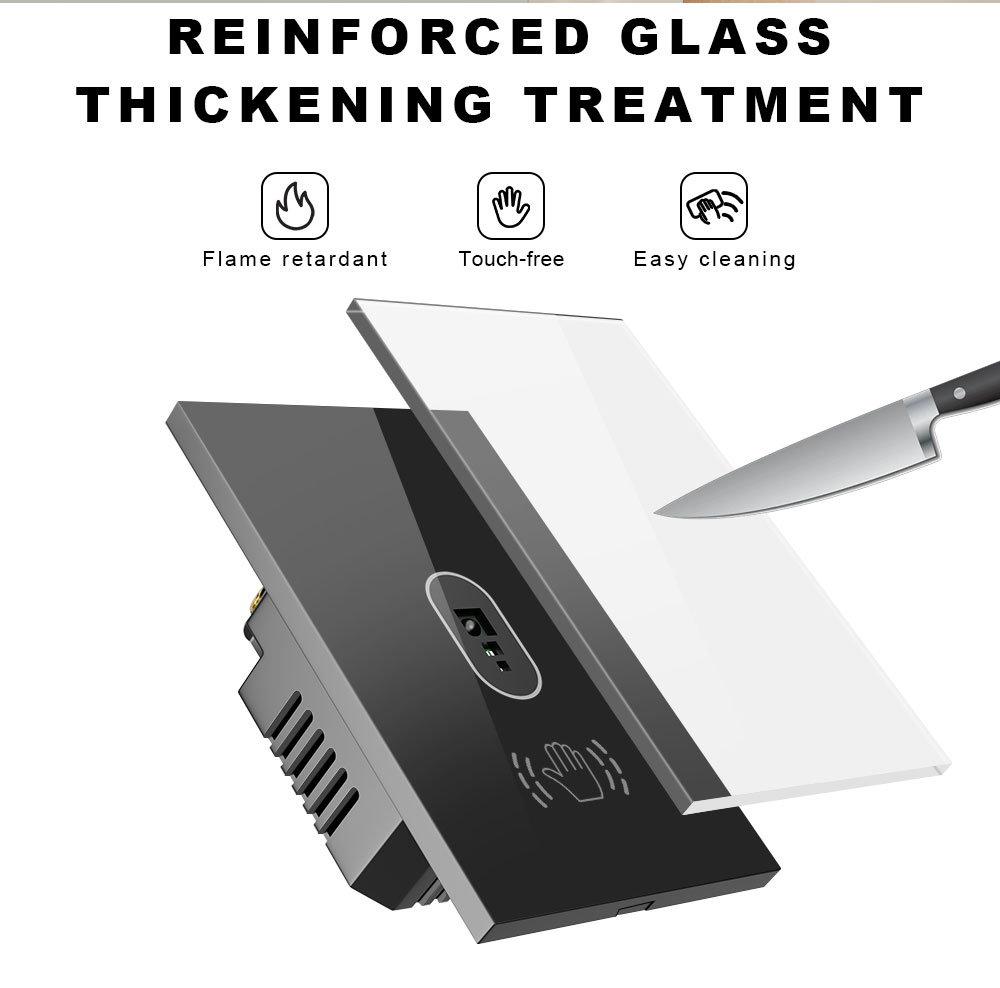
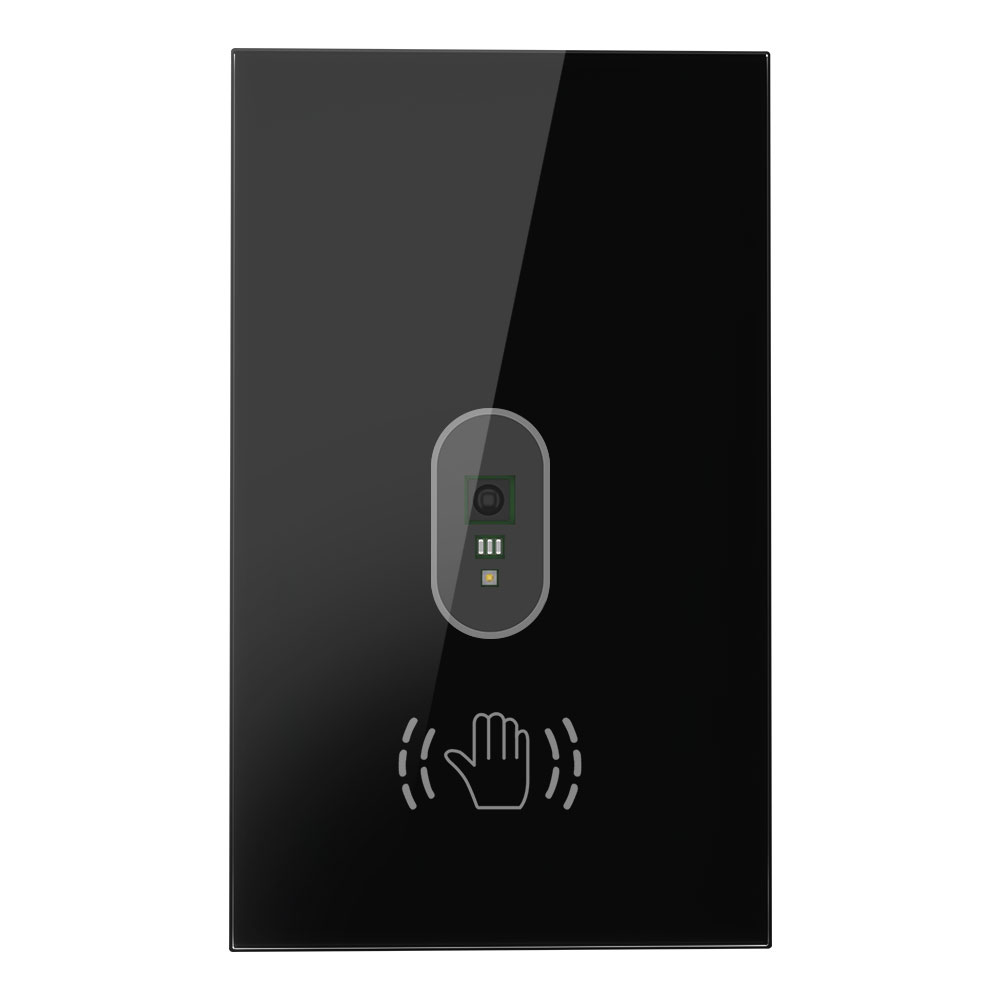
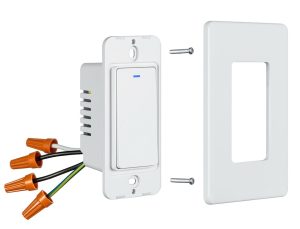
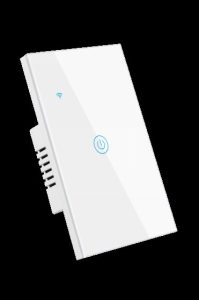
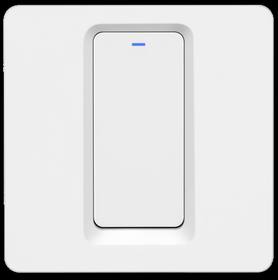
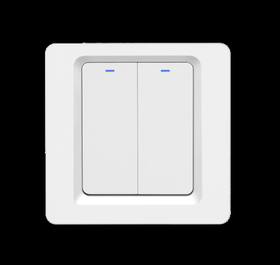
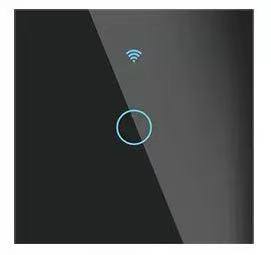
Replacing a Wall Switch looks simple until you open the box. The plate size, whether a neutral is present, and which radio the switch uses decide whether the job takes ten minutes or a visit from an electrician. The DS-102Y Series is built around zero-fire (neutral required) Wiring and Bluetooth, and it ships in 1 Gang / 2 Gang / 3 Gang — so the same look can run through a whole flat or hotel floor.

This guide walks through the four things to settle before you order, with the numbers that matter for European Standard / British Standard / China national standard installations.

1. Match the wall box first

The DS-102Y plate is made for the 86 × 86 mm square wall box (EU / UK / China), which is the standard box in European standard / British standard / China national standard installations. Measure the box, not the old plate: a cover frame can hide a smaller opening, and a plate that is a few millimetres out will not sit flush against the wall. Where the DS-102JLHK Series Fits: Apartments, Hotels and Office Retrofits

2. Check whether you have a neutral

This unit needs a neutral wire in the box — it will not work in a two-wire single-fire box. Open the box and look for a neutral bundle before ordering; if it is not there, you need a single-fire model instead.

3. Pick the radio for the project

No hub and no router needed — pair it straight from the phone for local control and schedules. Bluetooth suits rooms Where you do not want the switch on the network at all, and it keeps working when the router is down.

4. Count the gangs per plate

DS-102Y covers 1 Gang / 2 Gang / 3 Gang. Fewer plates means fewer boxes to chase into the wall and one clean frame instead of three, which is usually the reason people move to multi-gang Touch plates in the first place.

Specifications

Quantity pricing

Indicative unit prices ($10.63–$11.52 depending on gang and finish):

FAQ

Is a neutral wire required?
Yes. This model is zero-fire only.
Does it work with Alexa and Google Home?
Voice control depends on the app ecosystem you pair with; local control and schedules work straight from the phone.
Can I order mixed gangs and colors in one shipment?
Yes. Gang sizes and finishes can be mixed within one order; tell us the split at checkout.

Ready to specify it? Full specifications, gang options, colors and quantity pricing are on the DS-102Y series product page — OEM logo, manual and packaging are available from the first order.

Related Articles

You Might Also Like

ds161Smart Water Heater Switch — EU 86 × 86 mm & US 118 × 72 mm, WiFi / Zigbee / HomeKit / Pure Touch Price range: $8.50 through $16.45C16 Fourth generation Cloud Eye Follow Selfie Stick, 360 AI face tracking gimbal stabilizer with four leg metal keel tripod and bluetooth remoteC16 Fourth Generation Cloud Eye Follow Selfie Stick, 360° AI Face Tracking Gimbal Stabilizer, 4-Leg Metal Keel Tripod with Bluetooth Remote for Vlog Live Streaming Travel Shooting Original price was: $39.96.Current price is: $28.99.DS-121Y Series WiFi Touch Switch (1 Gang / 2 Gang / 3 Gang / 4 Gang)DS-121Y Series WiFi Touch Switch (1 Gang / 2 Gang / 3 Gang / 4 Gang) Price range: $10.78 through $12.12DS-121BWHK Series WiFi Touch Switch (1 Gang / 2 Gang / 3 Gang / 4 Gang)DS-121BWHK Series WiFi Touch Switch (1 Gang / 2 Gang / 3 Gang / 4 Gang) Price range: $10.33 through $11.67
Frequently Asked Questions

Is Choose Bluetooth Touch worth buying?

Based on the breakdown in this article, Choose Bluetooth Touch offers a solid mix of features and value. If your main goal matches the key benefits described above, it is a practical choice for everyday use.

How do I choose the right choose bluetooth touch for my needs?

Start with your core use case, then compare battery life, compatibility, and build quality as covered above. Choosing the right choose bluetooth touch comes down to matching specs with how you actually use it.

Does choose bluetooth touch require a companion app?

Most devices of this type pair with a free companion app for setup and firmware updates. A few advanced features may sit behind a paid plan, so check the official specs page before buying.

Posted on — Leave a comment

DS-102JL vs a Standard Wall Switch: What Actually Changes in a European standard Retrofit

DS-102JL Series WiFi Touch Switch (1 Gang / 2 Gang / 3 Gang)
DS-102JL vs a Standard Wall Switch: What Actually Changes in a European standard Retrofit

Swapping a mechanical switch for a glass Touch plate changes more than the look: the box has to accept it, the Wiring has to feed it, and the switch now needs somewhere to report to. Using the DS-102JL Series as the example, here is what actually changes in a European Standard retrofit.

The plate and the box

The DS-102JL uses the 86 × 86 mm square wall box (EU / UK / China). In most European standard installations the existing box already matches, so the retrofit is a like-for-like swap. What changes is depth: the electronics sit behind the glass, so a very shallow box may need a spacer or a deeper back box.

The wiring

This model works in both single-fire (no neutral) and zero-fire (with neutral) boxes. That is the practical advantage of a universal relay: the same SKU covers the neutral boxes in a new build and the two-wire boxes in a refurbishment, so one order can serve both.

The radio

WiFi 2.4 GHz, no hub needed — it joins the router directly through the tuya / smart life app. For a single room or a small flat, this is the quickest route with nothing extra to buy.

What you gain

  • Group control — one tap or one app scene can drive every gang on the plate.
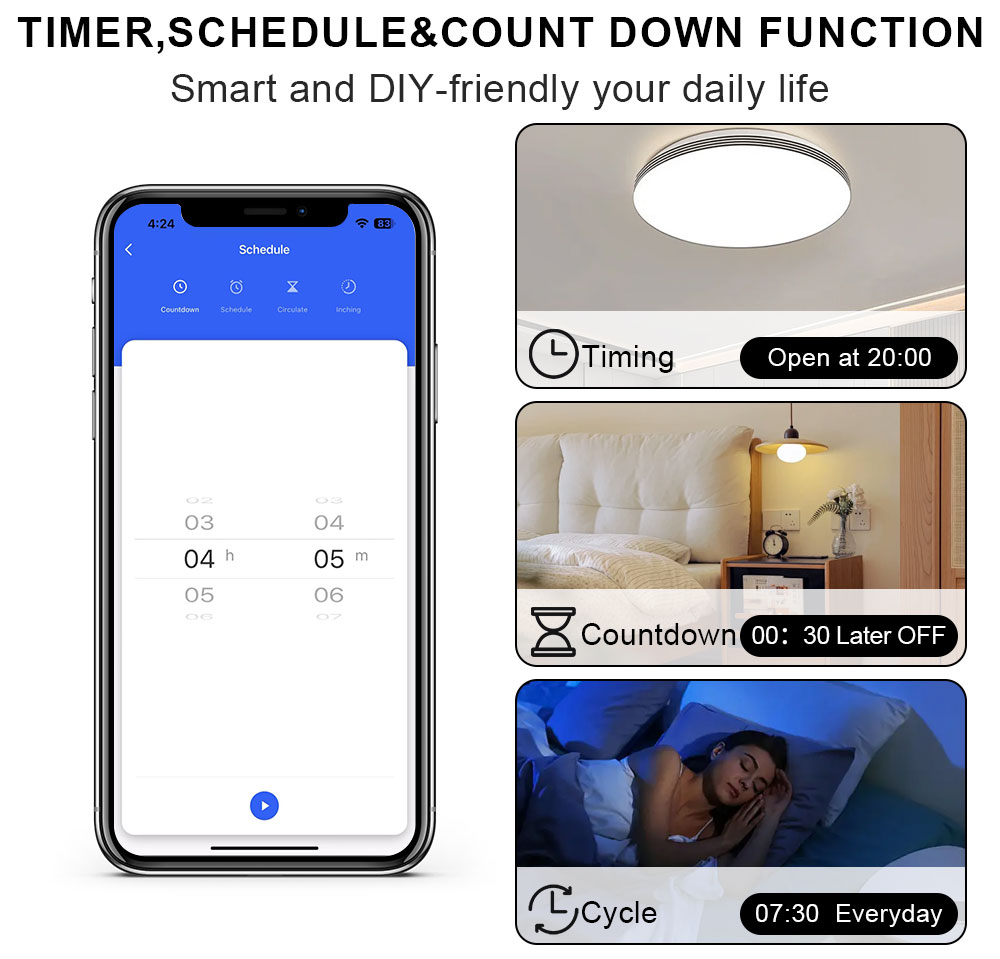
  • Schedules and countdown — useful for exterior lights, towel rails and anything on a timer.
  • Status at a glance — the app shows whether a light was left on, which a mechanical switch cannot tell you.
  • Voice — Alexa and Google Home once the switch is in the app.
Specifications
Quantity pricing
FAQ
Can I keep my existing faceplate?
No — the touch plate is part of the switch, but the standard box size means no chasing or plastering.
What happens if the WiFi drops?
The touch panel keeps working locally, and schedules stored on the device still run.
Are the plates standard across the range?
Yes — gang sizes and finishes match across the Series, so mixed plates line up on the same wall.

Ready to specify it? Full specifications, gang options, colors and quantity pricing are on the DS-102JL series product page — OEM logo, manual and packaging are available from the first order.

Related Articles

You Might Also Like
DS-102JLHK Series WiFi Touch Switch (1 Gang / 2 Gang / 3 Gang)DS-102JLHK Series WiFi Touch Switch (1 Gang / 2 Gang / 3 Gang) Price range: $10.33 through $11.52DS-102JL Series WiFi Touch Switch (1 Gang / 2 Gang / 3 Gang)DS-102JL Series WiFi Touch Switch (1 Gang / 2 Gang / 3 Gang) Price range: $8.00 through $9.00
Frequently Asked Questions

Is 102jl Standard Wall worth buying?

Based on the breakdown in this article, 102jl Standard Wall offers a solid mix of features and value. If your main goal matches the key benefits described above, it is a practical choice for everyday use.

How do I choose the right 102jl standard wall for my needs?

Start with your core use case, then compare battery life, compatibility, and build quality as covered above. Choosing the right 102jl standard wall comes down to matching specs with how you actually use it.

Does 102jl standard wall require a companion app?

Most devices of this type pair with a free companion app for setup and firmware updates. A few advanced features may sit behind a paid plan, so check the official specs page before buying.

Posted on — Leave a comment

DS-121KWL Wave & WiFi Smart Touch Switch (No Neutral Required) – Advanced Hands-Free Control for Modern Homes

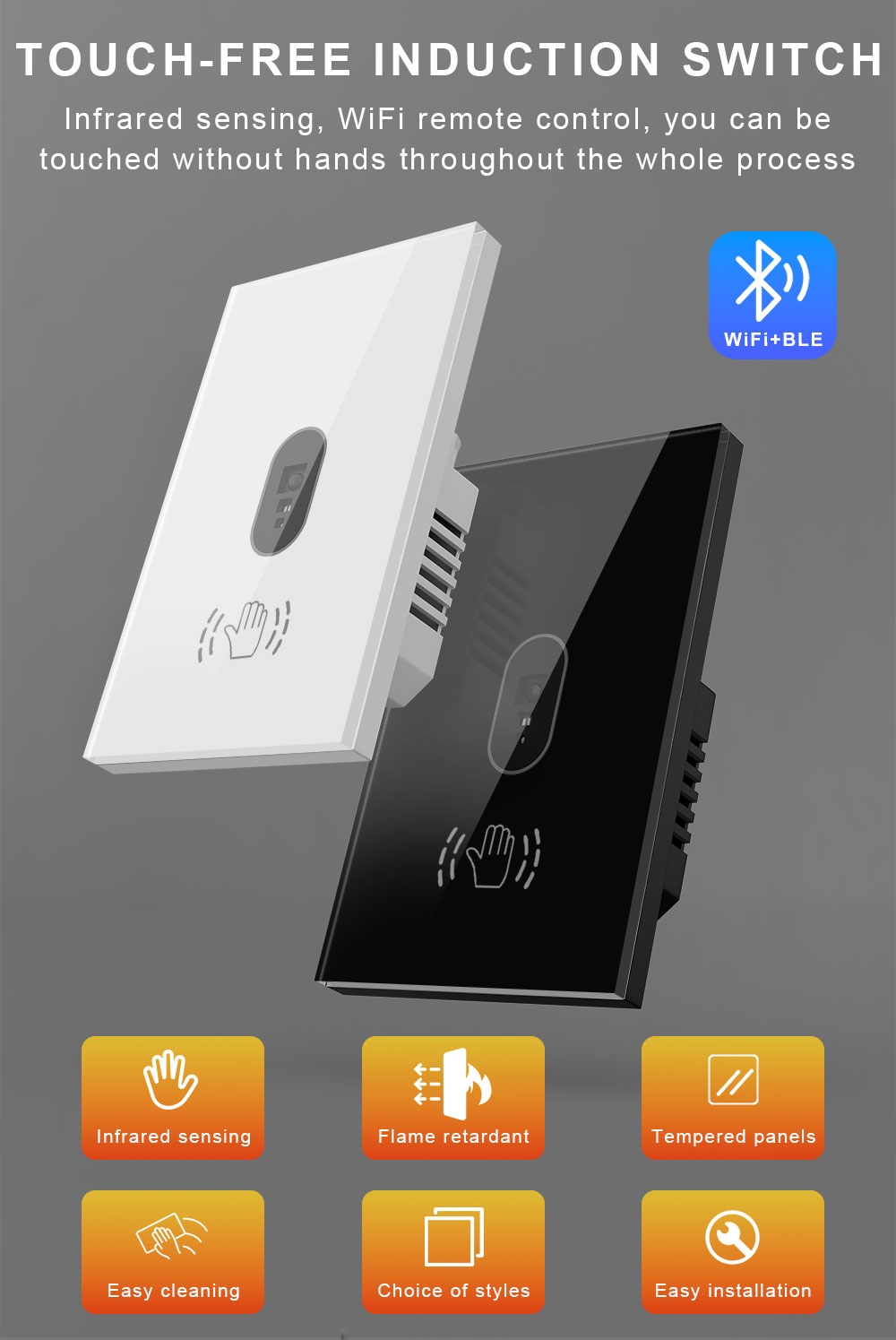
The DS-121KWL Wave & WiFi Smart Touch Switch is a premium single-gang switch designed for modern residential and commercial projects. Combining wave (gesture) sensing with WiFi + Bluetooth control, it delivers true hands-free lighting management without the need for a neutral wire — making retrofitting quick and cost-effective.

DS-121KWL Wave WiFi Smart Touch Switch main

Key Selling Points for Buyers

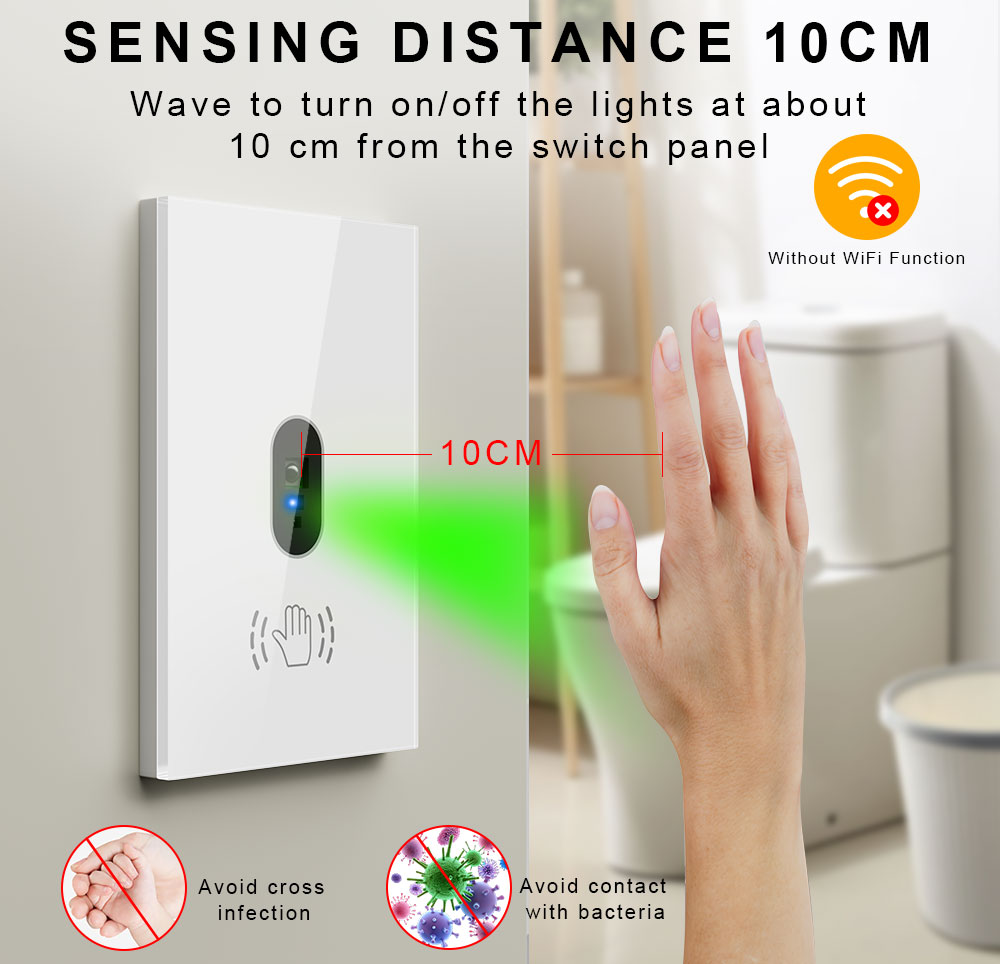
  • Wave Hands-Free Control: Simply wave your hand within 10 cm of the panel to turn lights on or off — ideal for kitchens, hallways, bedrooms and elderly-friendly spaces.
  • WiFi + BLE Dual Connectivity: Works with Tuya / Smart Life, Amazon Alexa, Google Home and Yandex for voice and app control from anywhere.
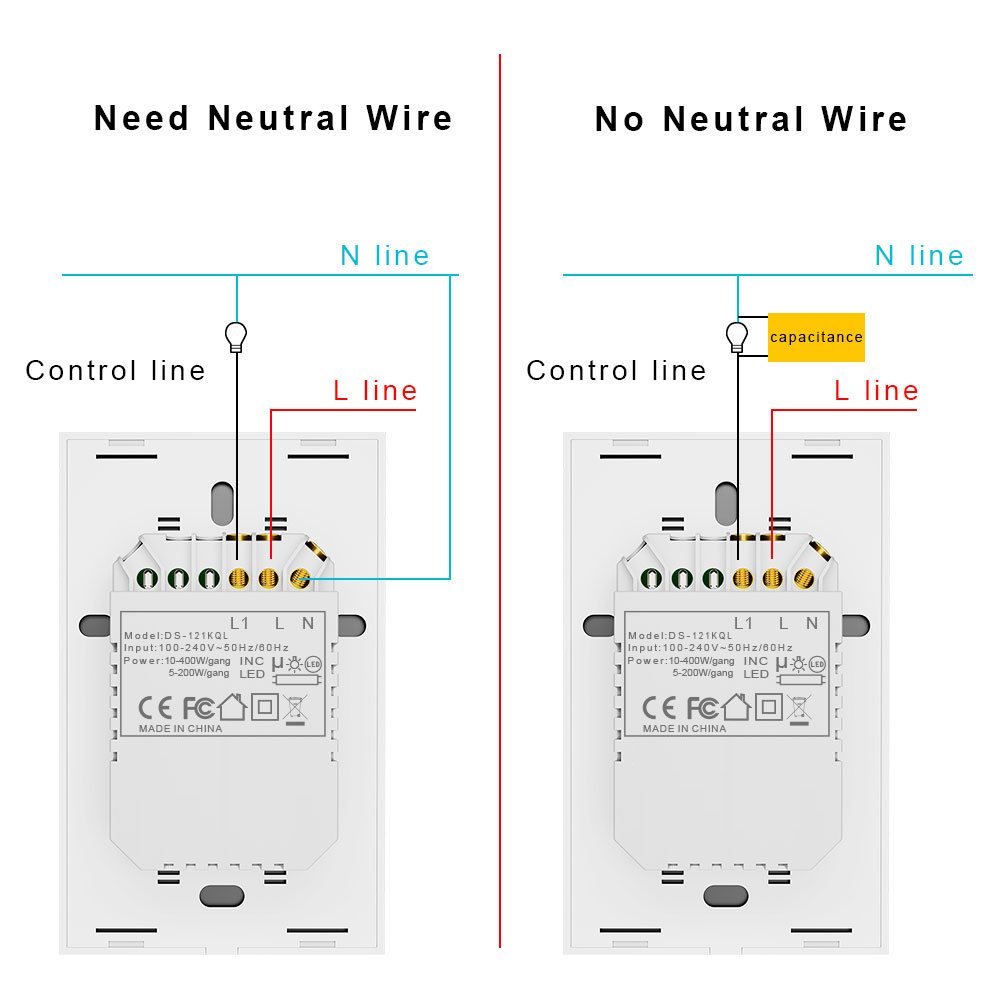
  • No Neutral Wire Required: Compatible with both single-live and neutral-live Wiring; when no neutral is available, simply connect a capacitor (per diagram) for a fast retrofit.
  • Glass Panel & Flame-Retardant Build: Toughened glass surface with a flame-retardant housing delivers a sleek look and reliable safety.
  • Smart Scheduling: Built-in timer, schedule and countdown functions let end users automate daily lighting routines.

DS-121KWL features overview

Technical Specifications

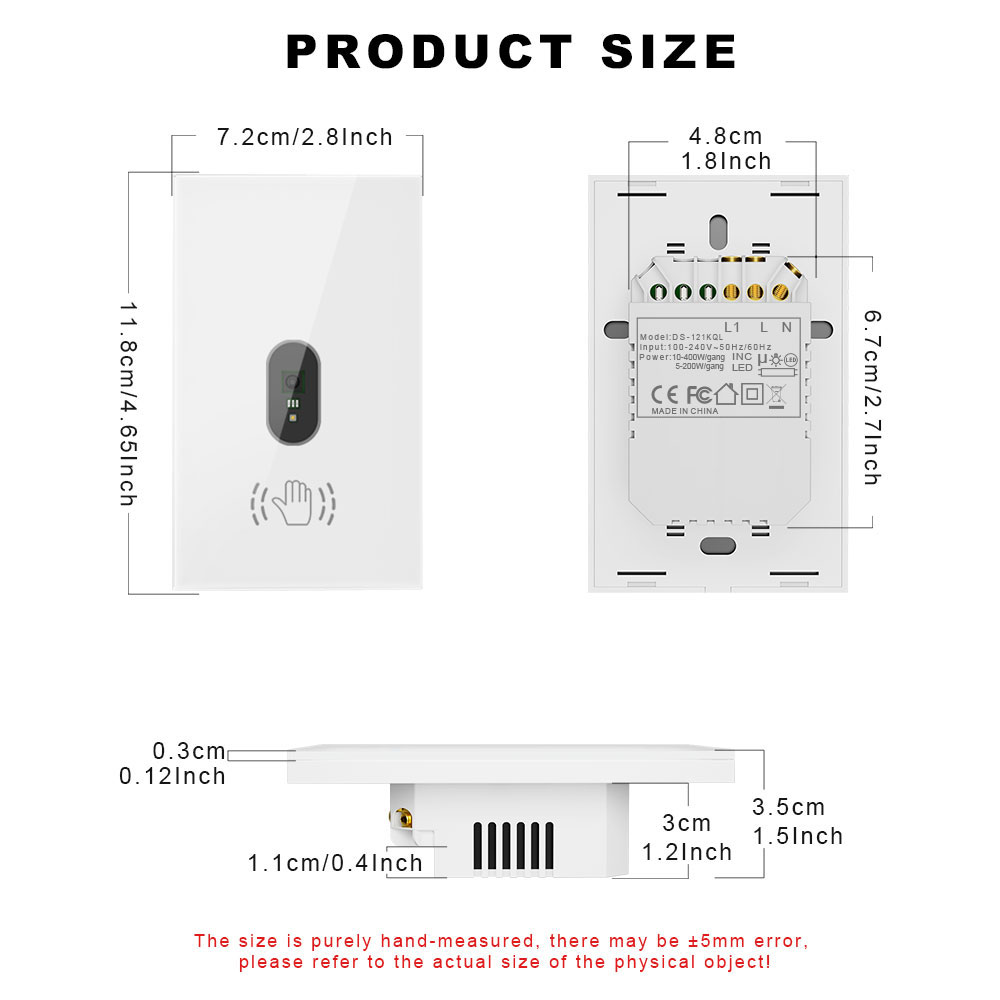
  • Model: DS-121KQL
  • Input: 100-240V ~ 50/60Hz
  • Load: 10-400W (LED) / 5-200W (Incandescent), single channel
  • Certifications: CE / FC
  • Gesture sensing range: approx. 10 cm
  • Colors: Black / White

DS-121KWL size dimensions

Wiring & Installation

The switch supports both single-live and neutral-live installations. When no neutral line is present, connect the supplied capacitor as shown in the Wiring diagram below. Standard wall box installation applies — no hub required.

DS-121KWL wiring diagram

Sensing & Daily Automation

The wave sensor responds reliably at close range, and combined with the app timer you can set scenes, countdowns and schedules for energy-saving routines. The toughened glass panel is easy to clean and resists fingerprints. Where the DS-1042ZC Series Fits: Apartments, Hotels and Office Retrofits

DS-121KWL gesture sensing

DS-121KWL timer and schedule

Elegant Glass Design

Available in black and white, the glass panel complements modern interior styles and is built with flame-retardant materials for added safety. Where the DS-101YJL Series Fits: Apartments, Hotels and Office Retrofits

DS-121KWL glass panel design

DS-121KWL white variant

Ordering & OEM Support

As a factory-direct supplier, we offer competitive wholesale pricing, OEM/ODM customization, fast lead times and full after-sales support. Contact our sales team for a quote, samples and bulk order terms.

Related Articles

You Might Also Like
Frequently Asked Questions

Is 121kwl Wave Wifi worth buying?

Based on the breakdown in this article, 121kwl Wave Wifi offers a solid mix of features and value. If your main goal matches the key benefits described above, it is a practical choice for everyday use.

How do I choose the right 121kwl wave wifi for my needs?

Start with your core use case, then compare battery life, compatibility, and build quality as covered above. Choosing the right 121kwl wave wifi comes down to matching specs with how you actually use it.

Does 121kwl wave wifi require a companion app?

Most devices of this type pair with a free companion app for setup and firmware updates. A few advanced features may sit behind a paid plan, so check the official specs page before buying.

Posted on — Leave a comment

DS-1021ZC Series Smart Switch: 1 Gang / 2 Gang / 3 Gang, Wiring and What to Check Before You Order

DS-1021ZC Series WiFi Touch Switch (1 Gang / 2 Gang / 3 Gang)
DS-1021ZC Series Smart Switch: 1 Gang / 2 Gang / 3 Gang, Wiring and What to Check Before You Order

Smart switches are specified on four numbers: the box they drop into, the Wiring they accept, the radio they speak and the load they switch. Get those right and everything else — the app, the schedules, the voice control — is the same across the range. Here is the full sheet for the DS-1021ZC Series, 1 Gang / 2 Gang / 3 Gang.

What is in the series

The DS-1021ZC family is a Zigbee 3.0 Touch switch for the 86 × 86 mm square Wall box (EU / UK / China). It works in both single-fire (no neutral) and zero-fire (with neutral) boxes, so the same SKU covers new builds with a neutral and older flats without one. Finishes and gang counts can be mixed inside one order, which matters when a single project needs one-gang plates in the bedrooms and three-gang plates in the living room.

Specifications

Wiring notes

  • Zero-fire box — live to L, neutral to N, load to L1 (L2, L3 for the remaining gangs).
  • Single-fire box — fit the supplied capacitor across the first lamp port of L1.
  • Load — stay inside the per-gang rating in the table above; LED drivers with a high inrush current are the usual reason a switch trips on day one.

Connectivity and control

A Zigbee gateway is required (our wired / wireless gateway covers it) — in return you get mesh coverage and much lower standby power. Once paired you get on/off, schedules, countdown timers, group control across gangs and sharing with other household members. Scene buttons can trigger other Zigbee devices in the same mesh.

Quantity pricing
FAQ
What is the minimum order?
Single units are available for sampling; the price breaks in the table above start at the first tier.
Can the switch be used without the app?
Yes — the Touch panel always works locally. The app adds remote control, schedules and voice.
Do you do OEM?
Yes — logo, packaging, manual and boot screen can be customised from the first order.

Ready to specify it? Full specifications, gang options, colors and quantity pricing are on the DS-1021ZC Series product page — OEM logo, manual and packaging are available from the first order.

Related Articles

You Might Also Like
DS-1021ZC Series WiFi Touch Switch (1 Gang / 2 Gang / 3 Gang)DS-1021ZC Series WiFi Touch Switch (1 Gang / 2 Gang / 3 Gang) Price range: $11.00 through $12.49
Frequently Asked Questions

Is 1021zc Series Smart worth buying?

Based on the breakdown in this article, 1021zc Series Smart offers a solid mix of features and value. If your main goal matches the key benefits described above, it is a practical choice for everyday use.

How do I choose the right 1021zc series smart for my needs?

Start with your core use case, then compare battery life, compatibility, and build quality as covered above. Choosing the right 1021zc series smart comes down to matching specs with how you actually use it.

Does 1021zc series smart require a companion app?

Most devices of this type pair with a free companion app for setup and firmware updates. A few advanced features may sit behind a paid plan, so check the official specs page before buying.

Posted on — Leave a comment

DS-101Y vs a Standard Wall Switch: What Actually Changes in a European standard Retrofit

DS-101Y Series WiFi Touch Switch (2 Gang / 3 Gang / 4 Gang)
DS-101Y vs a Standard Wall Switch: What Actually Changes in a European standard Retrofit

Swapping a mechanical switch for a glass touch plate changes more than the look: the box has to accept it, the Wiring has to feed it, and the switch now needs somewhere to report to. Using the DS-101Y Series as the example, here is what actually changes in a European Standard retrofit.

The plate and the box

The DS-101Y uses the 86 × 86 mm square Wall box (EU / UK / China). In most European standard installations the existing box already matches, so the retrofit is a like-for-like swap. What changes is depth: the electronics sit behind the glass, so a very shallow box may need a spacer or a deeper back box.

The wiring

This model needs a neutral wire in the box — it will not work in a two-wire single-fire box. Confirm it before you order in quantity — it is the one thing that cannot be fixed on site.

The radio

Bluetooth, no hub and no router needed — pair it straight from the phone for local control and schedules. For a single room or a small flat, this is the quickest route with nothing extra to buy.

What you gain
  • Group control — one tap or one app scene can drive every gang on the plate.
  • Schedules and countdown — useful for exterior lights, towel rails and anything on a timer.
  • Status at a glance — the app shows whether a light was left on, which a mechanical switch cannot tell you.
  • Voice — Alexa and Google Home once the switch is in the app (Bluetooth models depend on the app ecosystem you pair with).
Specifications
Quantity pricing
FAQ
Can I keep my existing faceplate?
No — the touch plate is part of the switch, but the standard box size means no chasing or plastering.
What happens if the WiFi drops?
The touch panel keeps working locally, and schedules stored on the device still run.
Are the plates standard across the range?
Yes — gang sizes and finishes match across the Series, so mixed plates line up on the same wall.

Ready to specify it? Full specifications, gang options, colors and quantity pricing are on the DS-101Y series product page — OEM logo, manual and packaging are available from the first order.

Related Articles

You Might Also Like
DS-101YJL Series WiFi Touch Switch (1 Gang / 2 Gang / 3 Gang / 4 Gang)DS-101YJL Series WiFi Touch Switch (1 Gang / 2 Gang / 3 Gang / 4 Gang) Price range: $11.07 through $12.87DS-101Y Series WiFi Touch Switch (2 Gang / 3 Gang / 4 Gang)DS-101Y Series WiFi Touch Switch (2 Gang / 3 Gang / 4 Gang) Price range: $10.48 through $11.37
Frequently Asked Questions

Is 101y Standard Wall worth buying?

Based on the breakdown in this article, 101y Standard Wall offers a solid mix of features and value. If your main goal matches the key benefits described above, it is a practical choice for everyday use.

How do I choose the right 101y standard wall for my needs?

Start with your core use case, then compare battery life, compatibility, and build quality as covered above. Choosing the right 101y standard wall comes down to matching specs with how you actually use it.

Does 101y standard wall require a companion app?

Most devices of this type pair with a free companion app for setup and firmware updates. A few advanced features may sit behind a paid plan, so check the official specs page before buying.

Posted on — Leave a comment

DS-101JL Series Smart Switch: 1 Gang / 2 Gang / 3 Gang / 4 Gang, Wiring and What to Check Before You Order

DS-101JL Series WiFi Touch Switch (1 Gang / 2 Gang / 3 Gang / 4 Gang)
DS-101JL Series Smart Switch: 1 Gang / 2 Gang / 3 Gang / 4 Gang, Wiring and What to Check Before You Order

Smart switches are specified on four numbers: the box they drop into, the Wiring they accept, the radio they speak and the load they switch. Get those right and everything else — the app, the schedules, the voice control — is the same across the range. Here is the full sheet for the DS-101JL Series, 1 Gang / 2 Gang / 3 Gang / 4 Gang.

What is in the series

The DS-101JL family is a WiFi 2.4 GHz Touch switch for the 86 × 86 mm square Wall box (EU / UK / China). It works in both single-fire (no neutral) and zero-fire (with neutral) boxes, so the same SKU covers new builds with a neutral and older flats without one. Finishes and gang counts can be mixed inside one order, which matters when a single project needs one-gang plates in the bedrooms and three-gang plates in the living room.

Specifications
Wiring notes
  • Zero-fire box — live to L, neutral to N, load to L1 (L2, L3 for the remaining gangs).
  • Single-fire box — fit the supplied capacitor across the first lamp port of L1.
  • Load — stay inside the per-gang rating in the table above; LED drivers with a high inrush current are the usual reason a switch trips on day one.
Connectivity and control

No hub needed — it joins the router directly through the Tuya / Smart Life app. Once paired you get on/off, schedules, countdown timers, group control across gangs and sharing with other household members. Scenes in the app can chain several switches together.

Quantity pricing
FAQ
What is the minimum order?
Single units are available for sampling; the price breaks in the table above start at the first tier.
Can the switch be used without the app?
Yes — the Touch panel always works locally. The app adds remote control, schedules and voice.
Do you do OEM?
Yes — logo, packaging, manual and boot screen can be customised from the first order.

Ready to specify it? Full specifications, gang options, colors and quantity pricing are on the DS-101JL series product page — OEM logo, manual and packaging are available from the first order.

Related Articles

You Might Also Like
Frequently Asked Questions

Is 101jl Series Smart worth buying?

Based on the breakdown in this article, 101jl Series Smart offers a solid mix of features and value. If your main goal matches the key benefits described above, it is a practical choice for everyday use.

How do I choose the right 101jl series smart for my needs?

Start with your core use case, then compare battery life, compatibility, and build quality as covered above. Choosing the right 101jl series smart comes down to matching specs with how you actually use it.

Does 101jl series smart require a companion app?

Most devices of this type pair with a free companion app for setup and firmware updates. A few advanced features may sit behind a paid plan, so check the official specs page before buying.

Posted on — Leave a comment

How to Choose a Bluetooth Touch Switch for a 86 Wall Box — DS-102 Series

DS-102 Series WiFi Touch Switch (1 Gang / 2 Gang / 3 Gang)
How to Choose a Bluetooth Touch Switch for a 86 Wall Box — DS-102 Series

Replacing a Wall Switch looks simple until you open the box. The plate size, whether a neutral is present, and which radio the switch uses decide whether the job takes ten minutes or a visit from an electrician. The DS-102 Series is built around zero-fire (neutral required) Wiring and Bluetooth, and it ships in 1 Gang / 2 Gang / 3 Gang — so the same look can run through a whole flat or hotel floor.

This guide walks through the four things to settle before you order, with the numbers that matter for European Standard / British Standard / China national standard installations. Where the DS-101BWHK Series Fits: Apartments, Hotels and Office Retrofits

1. Match the wall box first

The DS-102 plate is made for the 86 × 86 mm square wall box (EU / UK / China), which is the standard box in European standard / British standard / China national standard installations. Measure the box, not the old plate: a cover frame can hide a smaller opening, and a plate that is a few millimetres out will not sit flush against the wall.

2. Check whether you have a neutral

This unit needs a neutral wire in the box — it will not work in a two-wire single-fire box. Open the box and look for a neutral bundle before ordering; if it is not there, you need a single-fire model instead.

3. Pick the radio for the project

No hub and no router needed — pair it straight from the phone for local control and schedules. Bluetooth suits rooms Where you do not want the switch on the network at all, and it keeps working when the router is down.

4. Count the gangs per plate

DS-102 covers 1 Gang / 2 Gang / 3 Gang. Fewer plates means fewer boxes to chase into the wall and one clean frame instead of three, which is usually the reason people move to multi-gang touch plates in the first place.

Specifications
Quantity pricing

Indicative unit prices ($7.50–$8.50 depending on gang and finish):

FAQ
Is a neutral wire required?
Yes. This model is zero-fire only.
Does it work with Alexa and Google Home?
Voice control depends on the app ecosystem you pair with; local control and schedules work straight from the phone.
Can I order mixed gangs and colors in one shipment?
Yes. Gang sizes and finishes can be mixed within one order; tell us the split at checkout.

Ready to specify it? Full specifications, gang options, colors and quantity pricing are on the DS-102 series product page — OEM logo, manual and packaging are available from the first order.

Related Articles

You Might Also Like
ds161Smart Water Heater Switch — EU 86 × 86 mm & US 118 × 72 mm, WiFi / Zigbee / HomeKit / Pure Touch Price range: $8.50 through $16.45C16 Fourth generation Cloud Eye Follow Selfie Stick, 360 AI face tracking gimbal stabilizer with four leg metal keel tripod and bluetooth remoteC16 Fourth Generation Cloud Eye Follow Selfie Stick, 360° AI Face Tracking Gimbal Stabilizer, 4-Leg Metal Keel Tripod with Bluetooth Remote for Vlog Live Streaming Travel Shooting Original price was: $39.96.Current price is: $28.99.DS-121Y Series WiFi Touch Switch (1 Gang / 2 Gang / 3 Gang / 4 Gang)DS-121Y Series WiFi Touch Switch (1 Gang / 2 Gang / 3 Gang / 4 Gang) Price range: $10.78 through $12.12DS-121BWHK Series WiFi Touch Switch (1 Gang / 2 Gang / 3 Gang / 4 Gang)DS-121BWHK Series WiFi Touch Switch (1 Gang / 2 Gang / 3 Gang / 4 Gang) Price range: $10.33 through $11.67
Frequently Asked Questions

Is Choose Bluetooth Touch worth buying?

Based on the breakdown in this article, Choose Bluetooth Touch offers a solid mix of features and value. If your main goal matches the key benefits described above, it is a practical choice for everyday use.

How do I choose the right choose bluetooth touch for my needs?

Start with your core use case, then compare battery life, compatibility, and build quality as covered above. Choosing the right choose bluetooth touch comes down to matching specs with how you actually use it.

Does choose bluetooth touch require a companion app?

Most devices of this type pair with a free companion app for setup and firmware updates. A few advanced features may sit behind a paid plan, so check the official specs page before buying.

Posted on — Leave a comment

Smart Switch Series: Models, Specs, MOQ

Every Smart Switch range is built around one wall standard, one protocol and one power rating, and the series number is what tells you which. This page lists the XingLiao Switch families side by side — market standard, protocol, rated load, plate size and the price band you can expect — so you can shortlist a series before asking for a quotation.

How to read a series

A series code like DS-101 or DS-121 covers a family of panels that share a plate format and an electronics platform. Within one series you choose the number of gangs, the finish and sometimes the protocol. Across series, three variables decide everything:

  • Market standard — 86 mm square for most of Europe and Asia, 118×72 mm or 120×70 mm for the US, Australia and Brazil, 147×86 mm for wide plates, BS-format for the UK.
  • Protocol — WiFi connects straight to the router; Zigbee needs a gateway but scales better across a whole house or a hotel floor.
  • Rated load — lighting circuits are light work; sockets, heaters and motor loads need a much higher figure.

The series at a glance

Prices are EXW reference bands across the models in each series, excluding tax and freight, and they move with quantity: the four standard tiers are 1-50, 51-199, 200-999 and 1000-3000 piecesTreat the band as a shortlisting tool — the exact figure depends on gangs, finish and protocol.

Series Market standard Protocol Rated load Plate size Reference band (USD)
DS-101 (34 models) EU / UK / CN WiFi / Zigbee 400 W 86 × 86 × 35 mm 4.5 – 14.1
DS-121 (29 models) US / AU / BR / IT / CA WiFi / Zigbee 400 W 118 × 72 × 35 mm 4.2 – 14.5
DS-102 (21 models) EU / UK / CN WiFi / Zigbee 4000 W 86 × 86 × 35 mm 6.5 – 14.1
DS-1071 (11 models) EU / UK / CN WiFi / Zigbee 600 W 86 × 86 × 35 mm 7.5 – 12.2
DS-1081 (8 models) EU / UK / CN WiFi 600 W 86 × 86 × 39 mm 5.5 – 9.0
DS-122 (6 models) US / AU WiFi 1200 W 120 × 70 × 37 mm 5.3 – 18.2
DS-123 (6 models) US / AU WiFi 1200 W 120 × 70 × 37 mm 10.1 – 13.6
DS-104 (5 models) EU / UK / CN WiFi 4000 W 86 × 86 × 35 mm 7.3 – 9.5
DS-129 (5 models) US / AU WiFi 2000 W 118 × 72 × 35 mm 8.0 – 10.3
DS-14 (5 models) EU WiFi / Zigbee 600 W 147 × 86 × 40 mm 14.5 – 16.5
DS-161 (5 models) EU / UK / CN WiFi / Zigbee 4000 W 86 × 86 × 35 mm 7.5 – 15.3
DS-162 (5 models) US / AU / BR / IT / CA WiFi / Zigbee 4000 W 118 × 72 × 35 mm 7.5 – 15.7
DS-1021 (4 models) EU / UK / CN WiFi / Zigbee 600 W 86 × 86 × 35 mm 6.5 – 12.5
DS-1041 (4 models) EU / UK / CN Zigbee 600 W 86 × 86 × 35 mm 5.6 – 14.0
DS-1042 (4 models) EU / UK / CN Zigbee 600 W 86 × 86 × 35 mm 6.1 – 14.0
DS-111 (4 models) EU / UK / CN Zigbee 600 W 86 × 86 × 35 mm 11.2 – 13.2
DS-1110 (4 models) EU / UK / CN Zigbee 600 W 86 × 86 × 35 mm 11.2 – 13.2
DS-124 (4 models) US / AU Zigbee — 118 × 72 × 35 mm 12.0 – 14.0
DS-1011 (3 models) EU / UK / CN Zigbee — 86 × 86 × 35 mm 10.6 – 12.5
DS-107 (3 models) EU / UK / CN WiFi 3500 W 86 × 86 × 35 mm 10.3 – 12.4
DS-1211 (3 models) AU Zigbee — 118 × 72 × 35 mm 11.3 – 13.2
DS-1311 (3 models) EU WiFi / Zigbee — 41 × 41 × 20 mm 4.0 – 8.0
DS-151 (3 models) EU / UK / CN WiFi / Zigbee 1800 W 86 × 86 × 35 mm 6.9 – 13.8
DS-1530 (3 models) UK / CN WiFi / Zigbee — 106 × 100 × 55 mm 12.6 – 17.3
DS-1539 (3 models) UK / CN WiFi / Zigbee — 106 × 100 × 55 mm 8.9 – 15.8
DS-1431 (2 models) EU WiFi / Zigbee 600 W 147 × 86 × 40 mm 11.5 – 14.0
DS-1437 (2 models) EU WiFi / Zigbee — 147 × 86 × 40 mm 14.5 – 16.5
DS-1460 (2 models) EU WiFi / Zigbee — 147 × 86 × 40 mm 17.9 – 20.5
DS-1611 (2 models) BR WiFi — 120 × 120 × 35 mm 10.5 – 11.5
DS-2211 (2 models) US WiFi 1000 W 120 × 30 × 40 mm 8.9 – 12.7
DS-106 (1 model) EU / UK / CN Zigbee 8000 W 86 × 86 × 35 mm 15.3 – 16.0

Certification across these families is CE and RoHS as standard, with FCC available for the-bound models — confirm the exact certificates you need for your market when you request a quote. Reolink vs Tuya Security Camera

Choosing by market

  • Europe, UK, China (86 mm boxes): DS-101 for general lighting, DS-102 or DS-161 when the circuit carries sockets or heating loads, DS-14 and DS-1431 upward for wide 147 mm plates.
  • United States, Australia, Canada, Italy, Brazil: DS-121 and DS-162 for 118×72 mm plates, DS-122 and DS-123 for the 120×70 mm format, DS-1611 for the Brazilian 120×120 mm standard.
  • United Kingdom sockets: DS-1530 and DS-1539, the five-hole and multi-gang socket families.
  • Tight boxes and retrofits: DS-1311, a 41×41×20 mm module that fits where a full plate will not.

Choosing by protocol

  • WiFi series (DS-101, DS-102, DS-1081, DS-121, DS-122, DS-123, DS-129, DS-161, DS-162) — no gateway, simplest for households and small projects.
  • Zigbee series (DS-1041, DS-1042, DS-111, DS-1110, DS-124, DS-1011, DS-1211) — pair with a gateway, better for hotels, offices and whole-home installs where dozens of devices share one mesh.
  • Higher-load platforms (DS-102 and DS-161 at 4000 W, DS-106 at 8000 W, DS-107 at 3500 W) — for sockets, water heaters, air-conditioning circuits and motor loads.

OEM and ODM

XingLiao runs its own mould and assembly operations, so a series is a starting point rather than a fixed catalogue: Video Doorbell Without Subscription

  • Plate finish, glass colour, frame material and logo can be specified per project.
  • Packaging, manuals and app branding are customised for OEM orders.
  • MOQ follows the standard four-tier structure, with pricing stepping down at 51, 200 and 1000 pieces.
  • Samples are normally available before a project commitment.

XingLiao switch series available online

Frequently Asked Questions

What is the MOQ for smart switches?

Orders start from the first tier of 1-50 pieces, with stepped pricing at 51-199, 200-999 and 1000-3000. Project and OEM work is quoted on the same structure, and samples are available before committing.

Which series fits a European 86 mm wall box?

DS-101, DS-102, DS-104, DS-161 and the DS-1071/DS-1081 families. Choose DS-102 or DS-161 when the circuit carries heavy loads; DS-101 is the general lighting platform.

Which series fits US or Australian boxes?

DS-121 and DS-162 at 118×72 mm, or DS-122 and DS-123 at 120×70 mm. DS-1611 covers the Brazilian 120×120 mm standard.

Do you supply Zigbee switches?

Yes — DS-1041, DS-1042, DS-111, DS-1110, DS-124, DS-1011 and DS-1211 are Zigbee families and need a gateway. They suit hotels and whole-home projects better than WiFi.

What certifications do the switches carry?

CE and RoHS across the range, with FCC for models destined for North America. Ask for the test reports for the specific series you are buying.

Can the load rating handle a water heater or air conditioner?

Only the higher-load platforms: DS-102 and DS-161 at 4000 W, DS-107 at 3500 W, DS-106 at 8000 W. Lighting series such as DS-101 are rated for 400 W and must not be used on heating circuits.

Can I get custom colours, logos and packaging?

Yes. XingLiao operates its own mould and assembly facilities, so finish, glass colour, frame material, logo, packaging and manuals can all be specified for OEM orders.

How do I get an exact price?

Send the series, gang count, finish, protocol and quantity tier. Prices on this page are reference bands for shortlisting; the firm figure depends on those five variables.

Related guides

Browse all smart switches and sockets · Send us the series, gangs and quantity and we will quote within 24 hours

Related Articles

You Might Also Like
Posted on — Leave a comment

DS-101BW vs a Standard Wall Switch: What Actually Changes in a European standard Retrofit

DS-101BW Series WiFi Touch Switch (1 Gang / 2 Gang / 3 Gang / 4 Gang)
DS-101BW vs a Standard Wall Switch: What Actually Changes in a European standard Retrofit

Swapping a mechanical switch for a glass Touch plate changes more than the look: the box has to accept it, the Wiring has to feed it, and the switch now needs somewhere to report to. Using the DS-101BW Series as the example, here is what actually changes in a European Standard retrofit.

The plate and the box

The DS-101BW uses the 86 × 86 mm square wall box (EU / UK / China). In most European standard installations the existing box already matches, so the retrofit is a like-for-like swap. What changes is depth: the electronics sit behind the glass, so a very shallow box may need a spacer or a deeper back box.

The wiring

This model needs a neutral wire in the box — it will not work in a two-wire single-fire box. Confirm it before you order in quantity — it is the one thing that cannot be fixed on site.

The radio

Bluetooth, no hub and no router needed — pair it straight from the phone for local control and schedules. For a single room or a small flat, this is the quickest route with nothing extra to buy.

What you gain
  • Group control — one tap or one app scene can drive every Gang on the plate.
  • Schedules and countdown — useful for exterior lights, towel rails and anything on a timer.
  • Status at a glance — the app shows whether a light was left on, which a mechanical switch cannot tell you.
  • Voice — Alexa and Google Home once the switch is in the app (Bluetooth models depend on the app ecosystem you pair with).
Specifications
Quantity pricing
FAQ
Can I keep my existing faceplate?
No — the touch plate is part of the switch, but the standard box size means no chasing or plastering.
What happens if the WiFi drops?
The touch panel keeps working locally, and schedules stored on the device still run.
Are the plates standard across the range?
Yes — gang sizes and finishes match across the Series, so mixed plates line up on the same wall.

Ready to specify it? Full specifications, gang options, colors and quantity pricing are on the DS-101BW series product page — OEM logo, manual and packaging are available from the first order.

Posted on — Leave a comment

Smart Switch: Types, Wiring and How to Choose

A Smart switch replaces the ordinary switch on your wall and puts the light, the fan or the heater behind it on your phone, on a schedule, and on voice command. It is the least glamorous device in a Smart home and the one people end up using every single day, because it needs no new habits: you still walk up and touch the wall.

What a smart switch actually is

Behind the plate there are two parts. A relay does the switching, exactly like the mechanism in a normal switch. A radio module — WiFi, Zigbee, Bluetooth or Thread — keeps the device on your network so it can receive commands. Add a touch or push-button surface on the front and, on many models, a small LED indicator, and that is the whole device.

What that buys you over a normal switch:

  • Remote control: turn things off from bed, from the office, or after you have left the house.
  • Schedules: hallway lights on at dusk, towel rail on at 6 am, everything off at midnight.
  • Scenes: one button or one tap that sets a whole room — lights, curtains, sockets together.
  • Voice control: once the account is linked, Alexa and Google Home can switch anything by name.
  • Measurement on some models or on the matching socket: what that appliance costs to run.

Four ways to make a switch smart

Not every “Smart switch” is the same product, and picking the wrong category is the most common disappointment:

  • Smart switch panel: replaces the plate entirely. Cleanest result, works with any fitting, needs wiring work. This is what most people mean by a smart switch.
  • Relay module: hides behind your existing switch or in the ceiling rose. Keeps the decorator look, adds app control. Best when you like the switches you have.
  • Smart socket or plug: controls what is plugged into it rather than what is wired to it. No wiring at all, ideal for lamps, heaters and appliances, and the easiest way to start.
  • Smart bulb: keeps the wall switch as a physical isolator and controls the lamp itself. Cheapest entry point, but the wall switch must stay on, which visitors will switch off.

Protocol: WiFi, Zigbee, Matter or Bluetooth

  • WiFi: connects straight to your router, no hub, and is the simplest to understand. Each device is on your network, so a crowded 2.4 GHz band is the main risk in a house with many devices.
  • Zigbee: needs a gateway, but builds a mesh where each powered device relays for the next — more robust at scale and far less load on the router. Good for whole-house installs.
  • Matter: the newer cross-brand standard. A Matter device can join Apple, Google, Amazon and SmartThings ecosystems without a per-brand app, which is the direction the market is moving.
  • Bluetooth: fine for setup and for a handful of devices near the phone, not for a whole house.

For most homes the practical answer is: WiFi panels for a few rooms, Zigbee panels plus a gateway if you are doing the whole house, and Matter if you want to stay ecosystem-independent.

What to check before you buy

  1. Neutral wire. Most panels need one to power the radio. Older houses often have only a switch loop. Deciding this first avoids the most common return.
  2. Gangs. One, two, three or four switches on one plate — count what the plate controls today.
  3. Plate size and standard. 86 mm square in most of Europe and Asia, 120 mm or 147×86 for more gangs, 118×72 in the US, BS 1363 in the UK.
  4. Load rating. 10 A covers lighting; 16 A is the figure to look for on sockets, heaters and anything that runs for hours.
  5. Load type. LED, fluorescent, inductive (fans, pumps) and resistive (heaters) behave differently — check the switch is specified for yours.
  6. Panel finish. Glass, acrylic or metal frame, and whether it matches the other plates in the room.
  7. App ecosystem. If you already run switches, sockets, sensors or a Doorbell, staying in one app is worth more than any single feature.
  8. Certification. CE, FCC, RoHS, UKCA or CCC as your market requires — and for project work, ask for the test reports.

Room by room: what to install where

  • Living room and bedroom: a 1-2 gang touch panel, optionally with a dimmer channel for the main light.
  • Kitchen: a wider plate (147×86 or 3-gang) so task lighting, extractor and worktop sockets are controlled in one place.
  • Bathroom: a panel with a fan or curtain channel; a heater or towel rail belongs on a 16 A circuit, not on a lighting switch.
  • Hallway and stairs: two-way switching with a scene button by the door — “everything off” is the scene people use most.
  • Home office: a socket with energy monitoring, so you can see what the desk actually costs to run.
  • Air conditioning and water heating: a load-rated switch, or better, a temperature controller — the thermostat saves more than the schedule does.

Installation essentials

  • Isolate at the breaker and test twice — once at the consumer unit, once at the plate. Never trust the label alone.
  • Photograph the existing wiring before disconnecting anything.
  • Label live, neutral and each load as you identify them.
  • Pair the device near the router first, then move it to its final position.
  • Use 2.4 GHz for pairing; a merged SSID usually works, but a 5 GHz-only network will not.
  • Test the physical button before you screw the plate back on.
  • No neutral, shared neutrals, no earth, or a consumer unit without RCD protection: stop and call an electrician.

Six mistakes that cost people money

  • Buying before checking for neutral. Everything else follows from this.
  • Putting a heater on a 10 A lighting switch. Size the switch to the load, with headroom for motors.
  • WiFi-only in a house with 40 devices. Use Zigbee for scale, or at least check the router’s device limit.
  • Expecting a dimmer to control a fan. Fan speed control is a different channel.
  • Mixing three brands. Three apps, three notification feeds, no shared scenes.
  • Skipping the scene setup. A smart switch that is only a phone-controlled switch gets used for a week.

Smart switch or something else?

  • Fixed ceiling lights, renovation planned: a smart switch panel.
  • Renting, or the existing switches must stay: a relay module behind the plate.
  • Lamp, heater, coffee machine, anything with a plug: a smart socket or plug, no wiring at all.
  • Colour or brightness effects: smart bulbs, and leave the wall switch alone.
  • Heating and hot water: a temperature controller rather than any switch.

Go deeper on each part

XingLiao smart switches and sockets

Frequently Asked Questions

What is a smart switch?

A wall switch with a radio inside. It replaces your existing plate, controls the circuit the old switch controlled, and adds app control, schedules, scenes and voice commands without changing how anyone physically uses the room.

Do smart switches need WiFi?

WiFi models do. Zigbee and Matter models talk to a gateway instead, which then connects to your network — that is the option for large houses, because it keeps dozens of devices off the WiFi band.

Do I need a neutral wire?

Most panels do, because the radio needs a permanent supply. Older homes often have only a switch loop at the plate. No-neutral versions exist, and a smart socket or a relay module at the fitting are the usual workarounds.

Can I install one myself?

If you can replace a normal switch and you are comfortable testing for dead before touching wires, yes — budget 30 to 60 minutes for the first one. If the box has shared neutrals, no earth, or aluminium wiring, use an electrician.

Are smart switches worth it?

For fixed lighting and appliances you already switch by hand, yes — it is the one smart device that needs no behaviour change. For a single bedside lamp, a smart plug does the same job for less money and no wiring.

What is the difference between a smart switch and a smart plug?

A switch is wired into the wall and controls a fixed circuit; a plug goes into an outlet and controls whatever is plugged in. Switches are permanent and invisible, plugs are portable and reversible — see the full comparison.

Can a smart switch dim lights?

Only models with a dimming channel, and only with dimmable lamps. A standard on/off switch will not dim, and a dimmer channel will not control a fan speed.

How many can I have in one house?

As many as circuits you have. On WiFi, watch the router’s device limit and the 2.4 GHz band; past roughly 20 devices a Zigbee or Matter setup with a gateway is the steadier choice.

Will the lights still work if the internet is down?

Yes. The physical switch always works, and schedules stored on the device keep running. App control and voice control are the only things that pause.

What should a project or hotel specify?

Plate standard and size per market, gang count per room type, load rating per circuit, panel finish, protocol and gateway capacity, plus certification documents for the destination market — then order one series so every room matches.

Related guides

Browse all smart switches and sockets · Send us your room list and we will quote the matching series

Related Articles

You Might Also Like