Posted on — Leave a comment

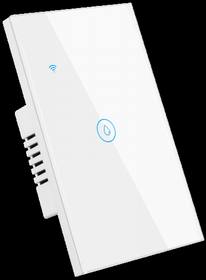
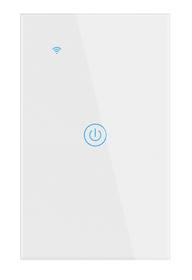
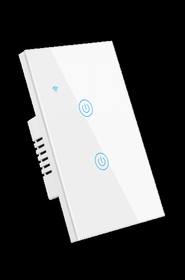
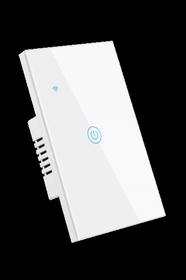
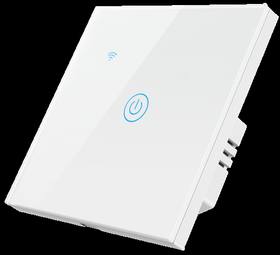
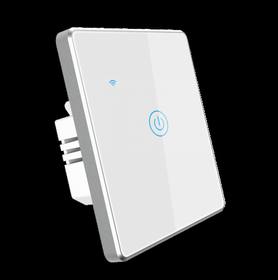
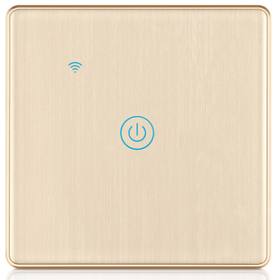
DS-124AW Series Smart Switch: 1 Gang / 2 Gang / 3 Gang / 4 Gang, Wiring and What to Check Before You Order

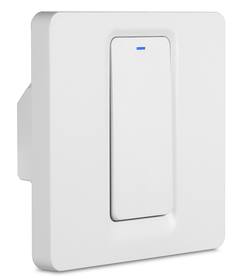
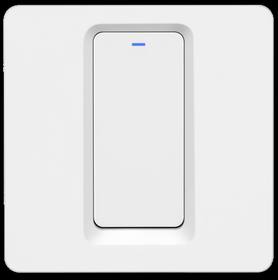
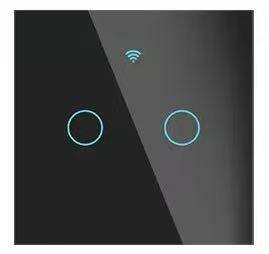
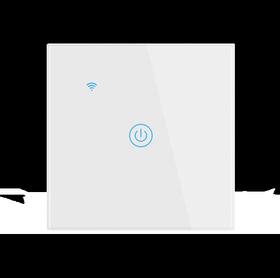
DS-124AW Series — New WiFi Touch Switch (1 Gang / 2 Gang / 3 Gang / 4 Gang)
DS-124AW Series Smart Switch: 1 Gang / 2 Gang / 3 Gang / 4 Gang, Wiring and What to Check Before You Order

Smart switches are specified on four numbers: the box they drop into, the Wiring they accept, the radio they speak and the load they Switch. Get those right and everything else — the app, the schedules, the voice control — is the same across the range. Here is the full sheet for the DS-124AW Series, 1 Gang / 2 Gang / 3 Gang / 4 Gang.

What is in the series

The DS-124AW family is a Zigbee 3.0 touch switch for the 118 × 72 mm US-style Wall box. It needs a neutral wire in the box — it will not work in a two-wire single-fire box, so check your box before committing to a quantity. Finishes and gang counts can be mixed inside one order, which matters when a single project needs one-gang plates in the bedrooms and three-gang plates in the living room.

Specifications

Wiring notes

  • Zero-fire box — live to L, neutral to N, load to L1 (L2, L3 for the remaining gangs).
  • Single-fire box — not supported on this model.
  • Load — stay inside the per-gang rating in the table above; LED drivers with a high inrush current are the usual reason a switch trips on day one.

Connectivity and control

A Zigbee gateway is required (our wired / wireless gateway covers it) — in return you get mesh coverage and much lower standby power. Once paired you get on/off, schedules, countdown timers, group control across gangs and sharing with other household members. Scene buttons can trigger other Zigbee devices in the same mesh. Where the DS-121JLHK Series Fits: Apartments, Hotels and Office Retrofits

Quantity pricing

FAQ

What is the minimum order?
Single units are available for sampling; the price breaks in the table above start at the first tier.
Can the switch be used without the app?
Yes — the touch panel always works locally. The app adds remote control, schedules and voice.
Do you do OEM?
Yes — logo, packaging, manual and boot screen can be customised from the first order.

Ready to specify it? Full specifications, gang options, colors and quantity pricing are on the DS-124AW series product page — OEM logo, manual and packaging are available from the first order.

Related Articles

You Might Also Like

Frequently Asked Questions

Is 124aw Series Smart worth buying?

Based on the breakdown in this article, 124aw Series Smart offers a solid mix of features and value. If your main goal matches the key benefits described above, it is a practical choice for everyday use.

How do I choose the right 124aw series smart for my needs?

Start with your core use case, then compare battery life, compatibility, and build quality as covered above. Choosing the right 124aw series smart comes down to matching specs with how you actually use it.

Does 124aw series smart require a companion app?

Most devices of this type pair with a free companion app for setup and firmware updates. A few advanced features may sit behind a paid plan, so check the official specs page before buying.

Posted on — Leave a comment

DS-121YJL Series Smart Switch: 1 Gang / 2 Gang / 3 Gang / 4 Gang, Wiring and What to Check Before You Order

DS-121YJL Series — New WiFi Touch Switch (1 Gang / 2 Gang / 3 Gang / 4 Gang)
DS-121YJL Series Smart Switch: 1 Gang / 2 Gang / 3 Gang / 4 Gang, Wiring and What to Check Before You Order

Smart switches are specified on four numbers: the box they drop into, the Wiring they accept, the radio they speak and the load they Switch. Get those right and everything else — the app, the schedules, the voice control — is the same across the range. Here is the full sheet for the DS-121YJL Series, 1 Gang / 2 Gang / 3 Gang / 4 Gang.

What is in the series

The DS-121YJL family is a WiFi 2.4 GHz Touch Switch for the 118 × 72 mm US-style Wall box. It works in both single-fire (no neutral) and zero-fire (with neutral) boxes, so the same SKU covers new builds with a neutral and older flats without one. Finishes and gang counts can be mixed inside one order, which matters when a Single project needs one-gang plates in the bedrooms and three-gang plates in the living room.

Specifications
Wiring notes
  • Zero-fire box — live to L, neutral to N, load to L1 (L2, L3 for the remaining gangs).
  • Single-fire box — fit the supplied capacitor across the first lamp port of L1.
  • Load — stay inside the per-gang rating in the table above; LED drivers with a high inrush current are the usual reason a switch trips on day one.
Connectivity and control

No hub needed — it joins the router directly through the Tuya / Smart Life app. Once paired you get on/off, schedules, countdown timers, group control across gangs and sharing with other household members. Scenes in the app can chain several switches together. Where the DS-112 Series Fits: Apartments, Hotels and Office Retrofits

Quantity pricing
FAQ
What is the minimum order?
Single units are available for sampling; the price breaks in the table above start at the first tier.
Can the switch be used without the app?
Yes — the Touch panel always works locally. The app adds remote control, schedules and voice.
Do you do OEM?
Yes — logo, packaging, manual and boot screen can be customised from the first order.

Ready to specify it? Full specifications, gang options, colors and quantity pricing are on the DS-121YJL series product page — OEM logo, manual and packaging are available from the first order. Where the DS-123Y Series Fits: Apartments, Hotels and Office Retrofits

Related Articles

You Might Also Like
Frequently Asked Questions

Is 121yjl Series Smart worth buying?

Based on the breakdown in this article, 121yjl Series Smart offers a solid mix of features and value. If your main goal matches the key benefits described above, it is a practical choice for everyday use.

How do I choose the right 121yjl series smart for my needs?

Start with your core use case, then compare battery life, compatibility, and build quality as covered above. Choosing the right 121yjl Series smart comes down to matching specs with how you actually use it.

Does 121yjl series smart require a companion app?

Most devices of this type pair with a free companion app for setup and firmware updates. A few advanced features may sit behind a paid plan, so check the official specs page before buying.

Posted on — Leave a comment

DS-121BW Series Smart Switch: 1 Gang / 2 Gang / 3 Gang / 4 Gang, Wiring and What to Check Before You Order

DS-121BW Series WiFi Touch Switch (1 Gang / 2 Gang / 3 Gang / 4 Gang)
DS-121BW Series Smart Switch: 1 Gang / 2 Gang / 3 Gang / 4 Gang, Wiring and What to Check Before You Order

Smart switches are specified on four numbers: the box they drop into, the Wiring they accept, the radio they speak and the load they Switch. Get those right and everything else — the app, the schedules, the voice control — is the same across the range. Here is the full sheet for the DS-121BW Series, 1 Gang / 2 Gang / 3 Gang / 4 Gang.

What is in the series

The DS-121BW family is a Bluetooth Touch Switch for the 118 × 72 mm US-style Wall box. It needs a neutral wire in the box — it will not work in a two-wire single-fire box, so check your box before committing to a quantity. Finishes and gang counts can be mixed inside one order, which matters when a Single project needs one-gang plates in the bedrooms and three-gang plates in the living room.

Specifications
Wiring notes
  • Zero-fire box — live to L, neutral to N, load to L1 (L2, L3 for the remaining gangs).
  • Single-fire box — not supported on this model.
  • Load — stay inside the per-gang rating in the table above; LED drivers with a high inrush current are the usual reason a switch trips on day one.
Connectivity and control

No hub and no router needed — pair it straight from the phone for local control and schedules. Once paired you get on/off, schedules, countdown timers, group control across gangs and sharing with other household members. Scenes in the app can chain several switches together. Where the DS-1081WL Series Fits: Apartments, Hotels and Office Retrofits

Quantity pricing
FAQ
What is the minimum order?
Single units are available for sampling; the price breaks in the table above start at the first tier.
Can the switch be used without the app?
Yes — the Touch panel always works locally. The app adds remote control, schedules and voice.
Do you do OEM?
Yes — logo, packaging, manual and boot screen can be customised from the first order.

Ready to specify it? Full specifications, gang options, colors and quantity pricing are on the DS-121BW series product page — OEM logo, manual and packaging are available from the first order. Where the DS-123Y Series Fits: Apartments, Hotels and Office Retrofits

Related Articles

You Might Also Like
Frequently Asked Questions

Is 121bw Series Smart worth buying?

Based on the breakdown in this article, 121bw Series Smart offers a solid mix of features and value. If your main goal matches the key benefits described above, it is a practical choice for everyday use.

How do I choose the right 121bw series smart for my needs?

Start with your core use case, then compare battery life, compatibility, and build quality as covered above. Choosing the right 121bw Series smart comes down to matching specs with how you actually use it.

Does 121bw series smart require a companion app?

Most devices of this type pair with a free companion app for setup and firmware updates. A few advanced features may sit behind a paid plan, so check the official specs page before buying.

Posted on — Leave a comment

DS-111 Series Smart Switch: 1 Gang / 2 Gang / 3 Gang / 4 Gang, Wiring and What to Check Before You Order

DS-111 Series WiFi Touch Switch (1 Gang / 2 Gang / 3 Gang / 4 Gang)
DS-111 Series Smart Switch: 1 Gang / 2 Gang / 3 Gang / 4 Gang, Wiring and What to Check Before You Order

Smart switches are specified on four numbers: the box they drop into, the Wiring they accept, the radio they speak and the load they Switch. Get those right and everything else — the app, the schedules, the voice control — is the same across the range. Here is the full sheet for the DS-111 Series, 1 Gang / 2 Gang / 3 Gang / 4 Gang.

What is in the series

The DS-111 family is a Zigbee 3.0 Touch switch for the 86 × 86 mm square Wall box (EU / UK / China). It works in both single-fire (no neutral) and zero-fire (with neutral) boxes, so the same SKU covers new builds with a neutral and older flats without one. Finishes and gang counts can be mixed inside one order, which matters when a Single project needs one-gang plates in the bedrooms and three-gang plates in the living room.

Specifications
Wiring notes
  • Zero-fire box — live to L, neutral to N, load to L1 (L2, L3 for the remaining gangs).
  • Single-fire box — fit the supplied capacitor across the first lamp port of L1.
  • Load — stay inside the per-gang rating in the table above; LED drivers with a high inrush current are the usual reason a switch trips on day one.
Connectivity and control

A Zigbee gateway is required (our wired / wireless gateway covers it) — in return you get mesh coverage and much lower standby power. Once paired you get on/off, schedules, countdown timers, group control across gangs and sharing with other household members. Scene buttons can trigger other Zigbee devices in the same mesh.

Quantity pricing
FAQ
What is the minimum order?
Single units are available for sampling; the price breaks in the table above start at the first tier.
Can the switch be used without the app?
Yes — the Touch panel always works locally. The app adds remote control, schedules and voice.
Do you do OEM?
Yes — logo, packaging, manual and boot screen can be customised from the first order.

Ready to specify it? Full specifications, gang options, colors and quantity pricing are on the DS-111 series product page — OEM logo, manual and packaging are available from the first order.

Related Articles

You Might Also Like
Frequently Asked Questions

Is 111 Series Smart worth buying?

Based on the breakdown in this article, 111 Series Smart offers a solid mix of features and value. If your main goal matches the key benefits described above, it is a practical choice for everyday use.

How do I choose the right 111 series smart for my needs?

Start with your core use case, then compare battery life, compatibility, and build quality as covered above. Choosing the right 111 Series smart comes down to matching specs with how you actually use it.

Does 111 series smart require a companion app?

Most devices of this type pair with a free companion app for setup and firmware updates. A few advanced features may sit behind a paid plan, so check the official specs page before buying.

Posted on — Leave a comment

DS-1071WL Series Smart Switch: 1 Gang / 2 Gang / 3 Gang / 4 Gang, Wiring and What to Check Before You Order

DS-1071WL Series WiFi Touch Switch (1 Gang / 2 Gang / 3 Gang / 4 Gang)
DS-1071WL Series Smart Switch: 1 Gang / 2 Gang / 3 Gang / 4 Gang, Wiring and What to Check Before You Order

Smart switches are specified on four numbers: the box they drop into, the Wiring they accept, the radio they speak and the load they Switch. Get those right and everything else — the app, the schedules, the voice control — is the same across the range. Here is the full sheet for the DS-1071WL Series, 1 Gang / 2 Gang / 3 Gang / 4 Gang.

What is in the series

The DS-1071WL family is a WiFi 2.4 GHz Touch Switch for the 86 × 86 mm square Wall box (EU / UK / China). It works in both single-fire (no neutral) and zero-fire (with neutral) boxes, so the same SKU covers new builds with a neutral and older flats without one. Finishes and gang counts can be mixed inside one order, which matters when a Single project needs one-gang plates in the bedrooms and three-gang plates in the living room.

Specifications
Wiring notes
  • Zero-fire box — live to L, neutral to N, load to L1 (L2, L3 for the remaining gangs).
  • Single-fire box — fit the supplied capacitor across the first lamp port of L1.
  • Load — stay inside the per-gang rating in the table above; LED drivers with a high inrush current are the usual reason a switch trips on day one.
Connectivity and control

No hub needed — it joins the router directly through the Tuya / Smart Life app. Once paired you get on/off, schedules, countdown timers, group control across gangs and sharing with other household members. Scenes in the app can chain several switches together.

Quantity pricing
FAQ
What is the minimum order?
Single units are available for sampling; the price breaks in the table above start at the first tier.
Can the switch be used without the app?
Yes — the Touch panel always works locally. The app adds remote control, schedules and voice.
Do you do OEM?
Yes — logo, packaging, manual and boot screen can be customised from the first order.

Ready to specify it? Full specifications, gang options, colors and quantity pricing are on the DS-1071WL series product page — OEM logo, manual and packaging are available from the first order. Where the DS-123Y Series Fits: Apartments, Hotels and Office Retrofits

Related Articles

You Might Also Like
Frequently Asked Questions

Is 1071wl Series Smart worth buying?

Based on the breakdown in this article, 1071wl Series Smart offers a solid mix of features and value. If your main goal matches the key benefits described above, it is a practical choice for everyday use.

How do I choose the right 1071wl series smart for my needs?

Start with your core use case, then compare battery life, compatibility, and build quality as covered above. Choosing the right 1071wl Series smart comes down to matching specs with how you actually use it.

Does 1071wl series smart require a companion app?

Most devices of this type pair with a free companion app for setup and firmware updates. A few advanced features may sit behind a paid plan, so check the official specs page before buying.

Posted on — Leave a comment

DS-102YJL Series Smart Switch: 1 Gang / 2 Gang / 3 Gang, Wiring and What to Check Before You Order

DS-102YJL Series WiFi Touch Switch (1 Gang / 2 Gang / 3 Gang)
DS-102YJL Series Smart Switch: 1 Gang / 2 Gang / 3 Gang, Wiring and What to Check Before You Order

Smart switches are specified on four numbers: the box they drop into, the Wiring they accept, the radio they speak and the load they Switch. Get those right and everything else — the app, the schedules, the voice control — is the same across the range. Here is the full sheet for the DS-102YJL Series, 1 Gang / 2 Gang / 3 Gang.

What is in the series

The DS-102YJL family is a WiFi 2.4 GHz Touch Switch for the 86 × 86 mm square Wall box (EU / UK / China). It works in both single-fire (no neutral) and zero-fire (with neutral) boxes, so the same SKU covers new builds with a neutral and older flats without one. Finishes and gang counts can be mixed inside one order, which matters when a single project needs one-gang plates in the bedrooms and three-gang plates in the living room.

Specifications
Wiring notes
  • Zero-fire box — live to L, neutral to N, load to L1 (L2, L3 for the remaining gangs).
  • Single-fire box — fit the supplied capacitor across the first lamp port of L1.
  • Load — stay inside the per-gang rating in the table above; LED drivers with a high inrush current are the usual reason a Switch trips on day one.
Connectivity and control

No hub needed — it joins the router directly through the Tuya / Smart Life app. Once paired you get on/off, schedules, countdown timers, group control across gangs and sharing with other household members. Scenes in the app can chain several switches together.

Quantity pricing
FAQ
What is the minimum order?
Single units are available for sampling; the price breaks in the table above start at the first tier.
Can the switch be used without the app?
Yes — the Touch panel always works locally. The app adds remote control, schedules and voice.
Do you do OEM?
Yes — logo, packaging, manual and boot screen can be customised from the first order.

Ready to specify it? Full specifications, gang options, colors and quantity pricing are on the DS-102YJL series product page — OEM logo, manual and packaging are available from the first order.

Related Articles

You Might Also Like
Frequently Asked Questions

Is 102yjl Series Smart worth buying?

Based on the breakdown in this article, 102yjl Series Smart offers a solid mix of features and value. If your main goal matches the key benefits described above, it is a practical choice for everyday use.

How do I choose the right 102yjl series smart for my needs?

Start with your core use case, then compare battery life, compatibility, and build quality as covered above. Choosing the right 102yjl Series Smart comes down to matching specs with how you actually use it.

Does 102yjl series smart require a companion app?

Most devices of this type pair with a free companion app for setup and firmware updates. A few advanced features may sit behind a paid plan, so check the official specs page before buying.

Posted on — Leave a comment

DS-1021ZC Series Smart Switch: 1 Gang / 2 Gang / 3 Gang, Wiring and What to Check Before You Order

DS-1021ZC Series WiFi Touch Switch (1 Gang / 2 Gang / 3 Gang)
DS-1021ZC Series Smart Switch: 1 Gang / 2 Gang / 3 Gang, Wiring and What to Check Before You Order

Smart switches are specified on four numbers: the box they drop into, the Wiring they accept, the radio they speak and the load they switch. Get those right and everything else — the app, the schedules, the voice control — is the same across the range. Here is the full sheet for the DS-1021ZC Series, 1 Gang / 2 Gang / 3 Gang.

What is in the series

The DS-1021ZC family is a Zigbee 3.0 Touch switch for the 86 × 86 mm square Wall box (EU / UK / China). It works in both single-fire (no neutral) and zero-fire (with neutral) boxes, so the same SKU covers new builds with a neutral and older flats without one. Finishes and gang counts can be mixed inside one order, which matters when a single project needs one-gang plates in the bedrooms and three-gang plates in the living room.

Specifications
Wiring notes
  • Zero-fire box — live to L, neutral to N, load to L1 (L2, L3 for the remaining gangs).
  • Single-fire box — fit the supplied capacitor across the first lamp port of L1.
  • Load — stay inside the per-gang rating in the table above; LED drivers with a high inrush current are the usual reason a switch trips on day one.
Connectivity and control

A Zigbee gateway is required (our wired / wireless gateway covers it) — in return you get mesh coverage and much lower standby power. Once paired you get on/off, schedules, countdown timers, group control across gangs and sharing with other household members. Scene buttons can trigger other Zigbee devices in the same mesh.

Quantity pricing
FAQ
What is the minimum order?
Single units are available for sampling; the price breaks in the table above start at the first tier.
Can the switch be used without the app?
Yes — the Touch panel always works locally. The app adds remote control, schedules and voice.
Do you do OEM?
Yes — logo, packaging, manual and boot screen can be customised from the first order.

Ready to specify it? Full specifications, gang options, colors and quantity pricing are on the DS-1021ZC Series product page — OEM logo, manual and packaging are available from the first order.

Related Articles

You Might Also Like
DS-1021ZC Series WiFi Touch Switch (1 Gang / 2 Gang / 3 Gang)DS-1021ZC Series WiFi Touch Switch (1 Gang / 2 Gang / 3 Gang) Price range: $11.00 through $12.49
Frequently Asked Questions

Is 1021zc Series Smart worth buying?

Based on the breakdown in this article, 1021zc Series Smart offers a solid mix of features and value. If your main goal matches the key benefits described above, it is a practical choice for everyday use.

How do I choose the right 1021zc series smart for my needs?

Start with your core use case, then compare battery life, compatibility, and build quality as covered above. Choosing the right 1021zc series smart comes down to matching specs with how you actually use it.

Does 1021zc series smart require a companion app?

Most devices of this type pair with a free companion app for setup and firmware updates. A few advanced features may sit behind a paid plan, so check the official specs page before buying.

Posted on — Leave a comment

DS-101JL Series Smart Switch: 1 Gang / 2 Gang / 3 Gang / 4 Gang, Wiring and What to Check Before You Order

DS-101JL Series WiFi Touch Switch (1 Gang / 2 Gang / 3 Gang / 4 Gang)
DS-101JL Series Smart Switch: 1 Gang / 2 Gang / 3 Gang / 4 Gang, Wiring and What to Check Before You Order

Smart switches are specified on four numbers: the box they drop into, the Wiring they accept, the radio they speak and the load they switch. Get those right and everything else — the app, the schedules, the voice control — is the same across the range. Here is the full sheet for the DS-101JL Series, 1 Gang / 2 Gang / 3 Gang / 4 Gang.

What is in the series

The DS-101JL family is a WiFi 2.4 GHz Touch switch for the 86 × 86 mm square Wall box (EU / UK / China). It works in both single-fire (no neutral) and zero-fire (with neutral) boxes, so the same SKU covers new builds with a neutral and older flats without one. Finishes and gang counts can be mixed inside one order, which matters when a single project needs one-gang plates in the bedrooms and three-gang plates in the living room.

Specifications
Wiring notes
  • Zero-fire box — live to L, neutral to N, load to L1 (L2, L3 for the remaining gangs).
  • Single-fire box — fit the supplied capacitor across the first lamp port of L1.
  • Load — stay inside the per-gang rating in the table above; LED drivers with a high inrush current are the usual reason a switch trips on day one.
Connectivity and control

No hub needed — it joins the router directly through the Tuya / Smart Life app. Once paired you get on/off, schedules, countdown timers, group control across gangs and sharing with other household members. Scenes in the app can chain several switches together.

Quantity pricing
FAQ
What is the minimum order?
Single units are available for sampling; the price breaks in the table above start at the first tier.
Can the switch be used without the app?
Yes — the Touch panel always works locally. The app adds remote control, schedules and voice.
Do you do OEM?
Yes — logo, packaging, manual and boot screen can be customised from the first order.

Ready to specify it? Full specifications, gang options, colors and quantity pricing are on the DS-101JL series product page — OEM logo, manual and packaging are available from the first order.

Related Articles

You Might Also Like
Frequently Asked Questions

Is 101jl Series Smart worth buying?

Based on the breakdown in this article, 101jl Series Smart offers a solid mix of features and value. If your main goal matches the key benefits described above, it is a practical choice for everyday use.

How do I choose the right 101jl series smart for my needs?

Start with your core use case, then compare battery life, compatibility, and build quality as covered above. Choosing the right 101jl series smart comes down to matching specs with how you actually use it.

Does 101jl series smart require a companion app?

Most devices of this type pair with a free companion app for setup and firmware updates. A few advanced features may sit behind a paid plan, so check the official specs page before buying.

Posted on — Leave a comment

DS-1016 Series Smart Switch: 1 Gang / 2 Gang, Wiring and What to Check Before You Order

DS-1016 Series WiFi Touch Switch (1 Gang / 2 Gang)
DS-1016 Series Smart Switch: 1 Gang / 2 Gang, Wiring and What to Check Before You Order

Smart switches are specified on four numbers: the box they drop into, the Wiring they accept, the radio they speak and the load they switch. Get those right and everything else — the app, the schedules, the voice control — is the same across the range. Here is the full sheet for the DS-1016 Series, 1 Gang / 2 Gang.

What is in the series

The DS-1016 family is a WiFi 2.4 GHz Touch switch for the 86 × 86 mm square Wall box (EU / UK / China). It works in both single-fire (no neutral) and zero-fire (with neutral) boxes, so the same SKU covers new builds with a neutral and older flats without one. Finishes and gang counts can be mixed inside one order, which matters when a single project needs one-gang plates in the bedrooms and three-gang plates in the living room.

Specifications
Wiring notes
  • Zero-fire box — live to L, neutral to N, load to L1 (L2, L3 for the remaining gangs).
  • Single-fire box — fit the supplied capacitor across the first lamp port of L1.
  • Load — stay inside the per-gang rating in the table above; LED drivers with a high inrush current are the usual reason a switch trips on day one.
Connectivity and control

No hub needed — it joins the router directly through the Tuya / Smart Life app. Once paired you get on/off, schedules, countdown timers, group control across gangs and sharing with other household members. Scenes in the app can chain several switches together.

Quantity pricing
FAQ
What is the minimum order?
Single units are available for sampling; the price breaks in the table above start at the first tier.
Can the switch be used without the app?
Yes — the touch panel always works locally. The app adds remote control, schedules and voice.
Do you do OEM?
Yes — logo, packaging, manual and boot screen can be customised from the first order.

Ready to specify it? Full specifications, gang options, colors and quantity pricing are on the DS-1016 series product page — OEM logo, manual and packaging are available from the first order.

Posted on — Leave a comment

Smart Switches for Home: Choosing Plate, Gang and Protocol

Smart switches for home use replace a standard wall switch with a connected one, so the light, fan or curtain it controls can be turned on by app, voice, schedule or automation — while the physical button still works exactly as before. For most homes this is the cheapest and least disruptive way to automate lighting: you keep your existing bulbs, you do not need a hub for Wi-Fi models, and one switch can automate every bulb on that circuit at once.

The catch is that a Smart switch is not a universal part. It has to match the wiring in your wall (neutral wire or not), the size of your wall box and plate, the number of gangs you need, and the ecosystem your family already uses. This guide walks through those four decisions in the order that actually matters, with the sizes and protocols we ship every day. M1 Foldable 3-Axis Gimbal Stabilizer, Portable Handheld Gimbal for Smartphones

What a smart switch does that a smart bulb does not

A Smart bulb is controlled at the bulb; a smart switch is controlled at the wall. That single difference changes almost everything about how the room behaves. M2 Pro Foldable 3-Axis Gimbal Stabilizer, Advanced Handheld Gimbal for Smartphones

  • The wall button still works. Guests, children and anyone with a phone out of battery can still turn the light on. With smart bulbs, flipping the wall switch off kills the bulb’s connection — the classic “why is my smart bulb offline” problem.
  • One device covers many bulbs. A six-light ceiling track needs one smart switch, not six smart bulbs.
  • It works with the lights you already own. No need to replace every bulb with a Wi-Fi one, and no colour-temperature mismatch between fittings.
  • Automations are physical. Scene buttons, double-press actions and “turn everything off at the front door” work even if the internet is down, because the logic stays local on a Zigbee hub or runs on the switch itself.

Where bulbs win: colour. If you want RGB mood lighting or tuneable white, that has to happen in the bulb. A switch only controls power. M2 Foldable 3-Axis Gimbal Stabilizer, Portable Handheld Gimbal for Smartphones

Decision 1 — Wiring: do you have a neutral wire?

Open a switch plate (turn the breaker off first) and look at the wires behind it. This is the single most common reason a return happens.

What is in the box What you can install Notes
Live + switched live only (2 wires) No-neutral switch, or a capacitor-based model No-neutral switches sip power through the load; very low-wattage LED lamps can flicker. Add the supplied capacitor across the lamp if you see it.
Live + neutral + switched live (3 wires) Any Wi-Fi or Zigbee switch This is the standard in most homes built after 2000 in the EU/UK and in most North American homes.
Live + neutral + 2 travellers (staircase) 2-way / 3-way smart switch pair, or one smart switch + one mechanical Both ends of a staircase circuit must be replaced with a matched pair for full control from both positions.

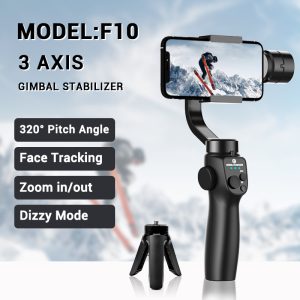
Rule of thumb: if your home was wired before the 1990s, assume no neutral and either buy a no-neutral model or budget for an electrician to pull one. If you are unsure, a no-neutral switch is the lower-risk purchase — it works in both cases, with the flicker caveat above. F10 3-Axis Gimbal Stabilizer, Handheld Smartphone Stabilizer for Smooth Video Recording

Decision 2 — Plate size and gang count

Plate sizes are regional and they are not interchangeable. Ordering a 86 mm plate for a 118 mm box leaves a gap; ordering the wrong gang count means the plate cannot cover the hole.

Standard Plate size Typical market Gangs available
EU / CN round & square 86 × 86 mm Germany, France, Spain, most of Asia 1 / 2 / 3
UK / British Standard 86 × 86 mm and 147 × 86 mm UK, Ireland, UAE, Malaysia, Singapore 1 / 2 / 3 / 4 / 6 (147 × 86)
US / North America 118 × 72 mm (decorator style) USA, Canada, Mexico 1 / 2 / 3 / 4
Large-format touch panels 120 × 74 mm, 147 × 86 mm Hotels, premium residential 2 / 3 / 4 / 6 / 8

Gang count is the number of independent switches on one plate. Count what is on the wall today and buy the same — a 4-gang plate cannot be cut down to 2, and a 2-gang plate will not cover a 4-gang hole.

Decision 3 — Protocol: Wi-Fi, Zigbee or Matter

Protocol Needs a hub? Works when internet drops Best for
Wi-Fi (Tuya / Smart Life) No Local button only; app control needs cloud Retrofit jobs, 1–5 switches, rentals, DIY
Zigbee 3.0 Yes Yes — automations run on the hub Whole-home, 10+ devices, scenes and sensors
Matter over Wi-Fi / Thread No (needs a Matter controller) Yes Apple Home / Google / Alexa mixed households
RF 433 / 315 MHz No Yes No-Wi-Fi homes, garages, outbuildings

A practical choice: start with Wi-Fi if you are automating fewer than six points. Move to Zigbee once you want door sensors, motion sensors and “if the hallway sensor triggers at night, turn on the hallway light at 20 %” — those automations need a hub to run locally and to keep the mesh responsive.

Decision 4 — Load type and rating

Every switch has a maximum load and a minimum load. Exceeding the maximum burns the relay; going under the minimum causes the flicker already mentioned.

  • Resistive loads (incandescent, most LED drivers, heaters): typically 10 A per gang for lighting.
  • Curtain / motor loads: use a dedicated curtain switch with a reversible relay and a defined run time — a lighting switch will damage a tubular motor.
  • Fan speed control: needs a fan-specific module, not a dimmer.
  • Dimming: only if both the switch and the lamp are dimmable (trailing-edge for LED).

Which rooms get the most benefit

  1. Entry & hallway — “arrive home” scene, and a single off button by the door that kills every light.
  2. Bedroom — bedside scene, and a double-press on the switch that turns the whole flat off Without reaching for a phone.
  3. Living room — 3- or 4-gang plate replaces a bank of switches; scene buttons for film / reading / evening.
  4. Bathroom — combine the switch with a door/window or PIR sensor so the extractor and light run on occupancy, not on memory.
  5. Staircase — 2-way pair so both ends keep working.
  6. Outdoor & garage — schedules for dusk-to-dawn; use an IP-rated enclosure if the plate is exposed.

Installation: what a competent DIY job looks like

  1. Turn off the breaker and verify with a non-contact tester — do not trust the switch position.
  2. Photograph the existing wiring before you disconnect anything.
  3. Identify live (L), neutral (N) and the switched live going to the lamp.
  4. Connect L and N to the smart switch, and the switched live to the output terminal(s).
  5. For multi-gang plates, each gang has its own output but shares L and N.
  6. Mount the plate, restore power, then pair: hold the button until the indicator blinks, and add the device in the app.
  7. Test the physical button before you close the plate. If the button works and the app does not, it is a pairing or Wi-Fi band problem, not a wiring one.

One fault that catches everyone: 2.4 GHz. Wi-Fi smart switches do not join 5 GHz networks. If your router has band steering on, split the SSIDs during setup, or the switch will never appear in the app.

Frequently Asked Questions

Do smart switches work without internet?

The physical button always works. App and voice control need internet for Wi-Fi models. Zigbee models keep local automations running through the hub even when the broadband is down, which is why whole-home installs favour Zigbee.

Can I use a smart switch with Alexa and Google Home at the same time?

Yes. Tuya-based Wi-Fi switches link to both; you enable the skill/action once and the same device appears in both ecosystems. Matter devices can be shared across Apple Home, Google and Alexa simultaneously.

Why does my LED lamp flicker or glow when the switch is off?

With a no-neutral switch, a small current flows through the lamp to power the switch electronics. High-impedance LED drivers turn that into a visible glow. Fitting the supplied anti-flicker capacitor across the lamp, or moving to a neutral-wire model, fixes it.

How many smart switches can one home handle?

On Wi-Fi, the practical limit is your router — most consumer routers start struggling around 30–40 always-connected devices. On Zigbee, a single hub handles 50–100 devices because they mesh with each other instead of with the router.

Do I need an electrician?

If you have a neutral wire and you are replacing a like-for-like plate, it is a 15-minute DIY job in most of the EU and UK. In North America and anywhere without a neutral, and for any work inside a consumer unit, use a licensed electrician — in many jurisdictions DIY work on fixed wiring is not legal.

What should a buyer check before a bulk order?

Plate standard for the destination country, gang count mix, neutral availability in target housing stock, certification (CE / UKCA / FCC / RoHS, plus CCC or PSE where required), app platform (Tuya vs private), and whether the glass panel, frame and button colour can be matched to the local range.

Related products

Related guides

Related Articles

You Might Also Like