Introduction: Why Smart Home?
However, The concept of a smart home has evolved from a luxury to an accessible reality for homeowners worldwide. Whether you live in a studio apartment or a multi-story house, building a connected home is easier and more affordable than ever in 2026. Smart home
Therefore, This guide walks you through everything you need to know to start your Smart home journey, from choosing the right ecosystem to selecting your first devices. Moreover, Before buying any devices, decide which ecosystem you want to build around. This is the foundation of your smart home. Smart Sensors Buying Guide: How to Make Your Home Feel Its Environment Tip: If you are just starting, pick the ecosystem that matches your phone. iPhone users tend to prefer HomeKit, while Android users often go with Google Home or Alexa. Smart Lighting Complete Guide: From Color Temperature to Automation Scenes For example, Every smart home needs a central hub. A smart speaker serves as your voice command center and automation brain. Tuya 4MP 2K HD Indoor Smart Camera: Color Night Vision for Family and Pet Monitoring Home Security Systems Explained: 5 Essential Devices to Protect Your Family Consequently, Place your hub in a central location for the best voice control coverage and Bluetooth/Wi-Fi range. Tuya 2MP/4MP Indoor PTZ Smart Camera: 360 Panoramic Home Monitoring Made Simple Smart lighting is the most popular first purchase for smart home beginners. It is easy to install and delivers immediate, visible results. Home security is one of the most valuable investments in a smart home. Start with these essentials: For apartments, a video doorbell and a couple of indoor cameras are sufficient. For houses, consider adding outdoor cameras and motion sensors. Sensors are the nervous system of a smart home. They detect conditions and trigger automations automatically. For example, a motion sensor in the hallway can turn on lights at 30% brightness at 2 AM, so you never stub your toe in the dark. The true power of a smart home is automation. Instead of controlling each device manually, you create rules that let your home operate itself. Do not try to build everything at once. Start with a hub, a few smart bulbs, and one security device. Once you are comfortable with the basics, expand to sensors, smart plugs, and automation scenes. The beauty of a smart home is that it grows with you. Each new device adds a new capability, and each automation you create saves you a few seconds every day ??which adds up to hours saved over a year. Building a smart home in 2026 is about starting small and expanding thoughtfully. Choose your ecosystem, get a hub, add smart lighting, secure your home, and gradually add sensors and automations. Before you know it, your home will be working for you ??not the other way around. That is why Smart home starter
Based on the breakdown in this article, Smart Home Starter offers a solid mix of features and value. If your main goal matches the key benefits described above, it is a practical choice for everyday use. Start with your core use case, then compare battery life, compatibility, and build quality as covered above. Choosing the right smart home starter comes down to matching specs with how you actually use it. Most devices of this type pair with a free companion app for setup and firmware updates. A few advanced features may sit behind a paid plan, so check the official specs page before buying. Yes, in most cases this type of device ships with iOS and Android apps, and standard Bluetooth protocols keep cross-platform pairing simple. 📌 This article is part of our Complete Smart Hub — more guides and buying tips inside.Step 1: Choose Your Smart Home Ecosystem
Major Options
Step 2: Start With a Smart Speaker or Hub
Step 3: Smart Lighting ??The Easiest Entry Point
What to Buy
Key Features to Use
Step 4: Smart Security ??Peace of Mind
Step 5: Smart Sensors ??Make Your Home Aware
Essential Sensors
Step 6: Home Automation ??Where It All Comes Together
Practical Automation Ideas
Step 7: Expand Gradually
Conclusion
Related Articles
You Might Also Like
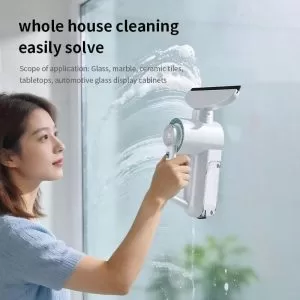 Electric Window Vacuum Cleaner, 1200Pa Rechargeable Glass Scraper Squeegee with Type-C Charging Original price was: $22.90.$17.90Current price is: $17.90.
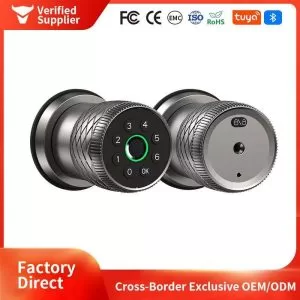 Tuya Bluetooth Smart Knob Lock|Fingerprint Password Keyless Entry Round Door Lock Original price was: $45.00.$37.00Current price is: $37.00.
 Tuya Smart Watch 1.28 Inch Full Round HD – Alexa Voice Control Blood Oxygen Heart Rate Pressure Monitor Original price was: $69.96.$52.99Current price is: $52.99.
Frequently Asked Questions
Is Smart Home Starter worth buying?
How do I choose the right smart home starter for my needs?
Does smart home starter require a companion app?
Does smart home starter work with both iPhone and Android?
