Posted on — Leave a comment

Tuya vs Sonoff Smart Switch: Which Ecosystem Should You Build On?

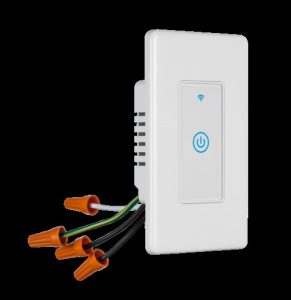
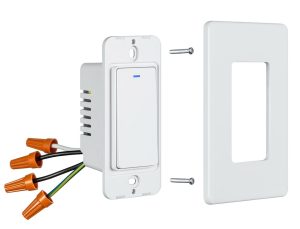
The comparison gets phrased as a brand fight, but the Two are not the same kind of thing. Tuya is a platform: it licenses the chip, the firmware and the cloud to hundreds of manufacturers, which is why a switch from one brand and a socket from another still pair in the same app. Sonoff (from ITEAD) is a manufacturer that builds its own hardware, mostly modules and relays, and runs its own eWeLink app. Both work. They suit different installs.

This is written from the switch side, since that is where the decision has the longest consequences — switches are wired into walls and are the least fun thing to replace later.

Where they differ in practice

Tuya-based switches Sonoff
What it is Platform behind many brands One maker’s product line
App Smart Life / Tuya Smart (and many white-label apps) eWeLink
Strength Wall plates — glass touch boards, multi-gang, regional standards Relay modules, DIN-rail, DIY-friendly plug-in devices
Voice Alexa, Google, and most regional assistants Alexa, Google
Local control Depends on the device and hub Strong DIY story, LAN mode on some devices
Buying in bulk Built for OEM and project supply Retail-focused

Form factor: the deciding factor for switches

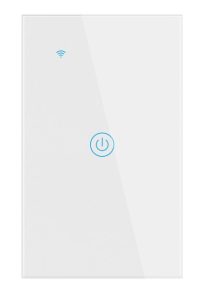
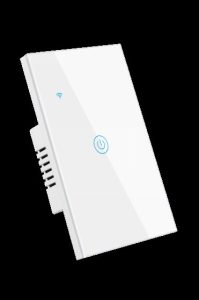
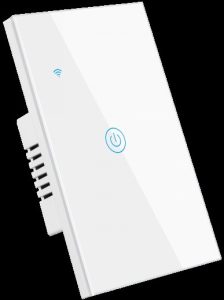
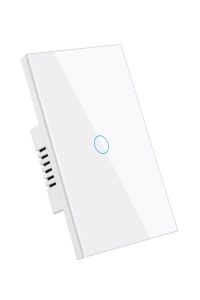
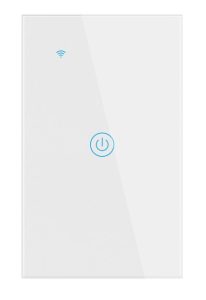
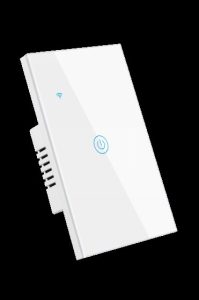
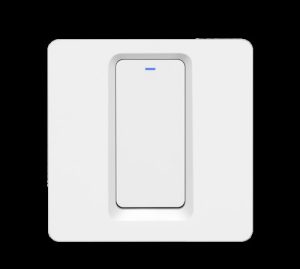
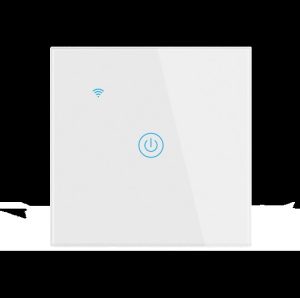
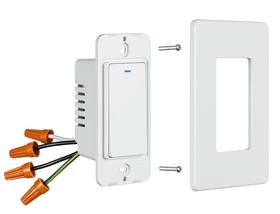
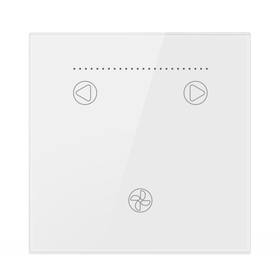
If the job is a wall plate — a glass touch board replacing the plate in the hall — Tuya-based hardware has far more choice, because every regional standard exists somewhere in the ecosystem: square 86 × 86 plates with fan and scene keys, the wide 147 × 86 touch series used across Europe, and the 118 × 72 US standard series for North American boxes. Multi-gang boards are the same story: the DS-1011ZC single-gang through to the DS-126 six-gang are all platform devices. CCTV Camera or IP Camera for Home: What the Difference Actually Buys You

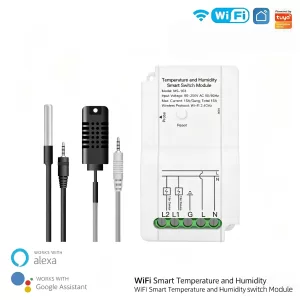
If the job is a Module hidden in a ceiling rose, a DIN-rail relay in a consumer unit, or a one-off experiment on a bench, Sonoff’s catalogue is the natural place to look, and its DIY community is a genuine advantage — there is a forum answer for almost everything.

App and ecosystem lock-in

You cannot put a Sonoff device into Smart Life, or a Tuya device into eWeLink. That is the real lock-in, and it is why the decision should be made once rather than per device. Two apps on one house means two sets of automations, and scene logic that cannot cross between them — a motion sensor in one app cannot trigger a light in the other.

Both ecosystems talk to Alexa and Google, and both have moved toward Matter, which is the long-term answer to this problem. If you are starting fresh and want the option to change your mind, prefer devices that carry Matter or run on Zigbee behind a hub; the reasoning is set out in our WiFi versus Zigbee comparison.

Can you mix them?

Technically yes, with voice control as the glue: both respond to Alexa, so “turn off the downstairs lights” can span both. What you lose is cross-vendor automation and a single timeline of what happened. For two or three devices it does not matter. For a whole-house install it becomes annoying quickly.

A practical middle path used on a lot of project installs: Tuya-platform wall plates for anything visible in the wall, plus a Zigbee hub for sensors, with one app for day-to-day control. Our smart switch board guide covers the plate decision; the no-neutral guide covers what to do when the box turns out to have no neutral Wire.

If you are buying for a project

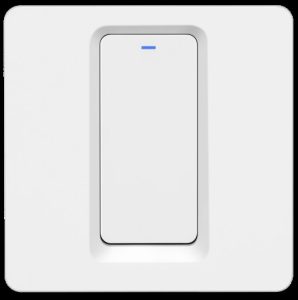
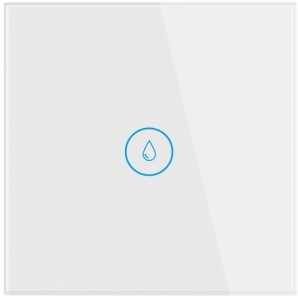
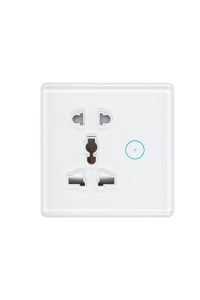
Here the platform model wins on logistics rather than features: wall plates in one series, matching sockets from the same series, spares that interchange, and OEM branding available. That is why our switch range is built on it — the matching 147 × 86 socket series exists so a board looks like one unit instead of a patchwork, and US push-button plates and the 30 A water heater switch all sit in the same app as the lighting boards.

Three questions that settle it

If you are still undecided, answer these and the choice usually makes itself. First: is this going in a wall or in a box? Wall plate means the platform ecosystem, in-wall module means either, DIN-rail means Sonoff’s catalogue is the natural place to look. Second: how many devices will there be in two years? Two or three, and it genuinely does not matter. Twenty, and you want one app, one series of plates and spares that interchange — which is the platform argument. Third: does someone else maintain it? If a landlord or a facilities company will service it later, pick whichever ecosystem is easiest to buy spares for in your country, because that is what they will be doing in five years.

Frequently Asked Questions

Can I add a Sonoff device to the Smart Life app?

No. The two clouds are separate. Voice assistants are the only practical bridge, and even then automations cannot cross between them.

Which is cheaper?

Sonoff is usually cheaper for modules and single plug-in devices. For wall plates in quantity, platform-based supply is typically lower per unit and available in more regional standards.

Do both work without internet?

Basic local control survives on many devices in both ecosystems, but app-based remote control and cloud automations do not. A Zigbee hub keeps local schedules running in either case.

I already have one ecosystem — should I switch?

Only if you are replacing most of the hardware anyway. For anything smaller, finish on what you have and prefer Matter-certified devices on the next purchase.

Related Articles

You Might Also Like

Posted on — Leave a comment

Smart Switch With No Neutral Wire: What Actually Works in an Old House

The most common reason a Smart switch never gets installed is not the app, the protocol or the price. It is opening the box and finding two wires where the instructions show three. That third wire is the neutral, and a great deal of older housing does not have One at the switch.

This guide is about what to do at that moment: how to confirm what you are looking at, which options genuinely work, and which “no neutral” products are worth buying. For the wider choice of board, start from the smart switch board buying guide.

Why a switch wants a neutral at all

A mechanical switch is a piece of metal that joins two wires. It needs nothing else. A Smart switch is a small computer: it has to stay alive while the light is off, so that “Turn on the hallway light” from your phone still works at midnight. That standby current needs a complete circuit — live in, neutral back — regardless of whether the lamp is lit. With no neutral at the switch, the electronics have nowhere to return to.

How to check what is in your box

With the breaker off and the plate removed:

  • Two wires plus earth — live and switched live only. No neutral. This is the classic old-house switch.
  • Three wires plus earth — the third is very likely neutral, but colour codes pre-2004 are unreliable; confirm with a tester, not by eye.
  • A bundle of neutrals tucked at the back, capped — common in flats where the neutral loop lives in the ceiling rose instead of the switch box. An electrician can often extend this into the box.

If you are renting or cannot open the box, the safe assumption is no neutral, and the right product is one that does not Need it.

Option 1: a switch designed to run without one

Single-fire (no-neutral) switches pass a tiny current through the lamp to keep themselves alive. It works, with three caveats worth knowing before you buy: very low-wattage LED lamps may flicker or glow faintly when off, the minimum load matters, and some lamps simply do not cooperate. A bypass capacitor across the lamp usually fixes the glow. Where the lamp is the problem rather than the switch, automating at the appliance instead — a water heater switch or a Smart plug on the floor lamp — sidesteps the wiring entirely.

Option 2: have a neutral drawn to the box

This is the proper fix and it is often cheaper than people expect if the ceiling rose above already has a neutral loop. It is a job for an electrician, it means chasing the wall or fishing a cable through conduit, and it is the only option that leaves you able to fit any switch you like later. If you are already redecorating, do this — the marginal cost during a rewire is small.

Option 3: move the smart part somewhere else

The switch position is not the only place intelligence can live. A relay Module in the ceiling rose or behind the socket keeps the existing plate completely untouched, which is what you want with rented walls, listed finishes, or a landlord who notices things. The trade is that the physical switch still works mechanically, so a smart-off can be overridden by anyone in the room — fine for a hallway, annoying for a nursery.

What this means for the board you order

Neutral-free positions and neutral-required positions do not always mix on one plate, so check per board rather than per range. On the DS touch range, the DS-1011ZC and DS-1016 are the single-gang and two-gang plates usually chosen for retrofit work; larger boards such as DS-104 and DS-126 go in where the wiring is already modern. On a wide European cut-out the 147 × 86 series is the shape to specify. If the whole point is to avoid touching a switch at all, the wave gesture switch mounts in place of one and needs no contact.

The five-minute check before you buy

Run this before ordering anything, and the odds of a failed install drop sharply:

  1. Open the box, count the conductors. Two plus earth means no neutral.
  2. Note the lamp type and wattage. Low-wattage LEDs are what flicker on a single-fire switch.
  3. Check the box depth. Smart plates are deeper than mechanical ones.
  4. Decide whether the wall can be chased. If not, the answer is a module or a plug, not a new plate.
  5. Ask whether the switch has to work with the router off. If yes, that is an argument for Zigbee with a hub rather than WiFi.
Frequently Asked Questions

Will a no-neutral switch damage my LED lamps?

It will not damage them, but some lamps glow faintly or flicker because of the standby current passing through them. A bypass capacitor supplied with most switches fixes it; if it does not, the lamp is the problem.

Can I just use a smart bulb instead?

Yes, and it is often the cheapest answer for one room — but the wall switch then has to stay on permanently, which visitors will turn off. A smart switch keeps the wall behaviour normal.

Is it legal to add a neutral myself?

Depending on where you live, adding a circuit is licensed work. Replacing a like-for-like switch on existing wiring generally is not; drawing a new conductor usually is. Check locally.

Do Zigbee switches avoid the problem?

No. The neutral requirement comes from how the switch powers itself, not from how it talks. A Zigbee switch with no neutral is still a no-neutral switch.

Related Articles

You Might Also Like
Posted on — Leave a comment

12 Module Smart Switch Board: How Many Positions Do You Actually Need?

A “12 module” board is not twelve switches. It is a frame with twelve slots, and almost everything you put in it costs more than one slot: a two-way Switch takes one, a socket takes two, a fan regulator takes two, and a blank cover takes one for no reason other than that you have not decided yet. Boards arrive one slot short more often than they arrive too big, so plan it before you order.

If you have not settled the basics yet — plate standard, gang count, protocol — start with the smart switch board buying guide and come back to this one for the slot arithmetic.

What a module actually is

A module is one unit of width on the frame. The frame is sold by how Many units it holds — 4, 6, 8, 9, 12 — and each function you drop in occupies a fixed number of units. The same function can occupy different widths depending on the maker, which is why module counts do not translate one-to-one between brands. On our own boards:

Function Slots Note
Onegang switch 1 The base unit everything else is measured against
Two-way / six-way switch plate 2–3 Wider on glass plates
Socket (EU / UK / US) 2–3 A socket is always wider than a switch
Fan regulator or dimmer 2 Needs depth in the box as well as width
Scene or curtain key 1 Cheap slot, high daily value
Blank cover 1 Buy two — you will change your mind

A worked 12 module plan

Take a flat entrance wall, which is where twelve-slot boards usually go. A realistic fill:

  1. Two slots — entrance socket (always two, and always the first thing forgotten).
  2. One slot — hallway light.
  3. One slot — living room light.
  4. Two slots — fan regulator.
  5. Two slots — dimmer for the dining light.
  6. One slot — curtain key, Wired to the curtain switch at the window.
  7. One slot — “away” scene key that kills every light at once.
  8. Two blanks — because the next tenant will want a socket there.

That is twelve, and two of them are empty. Which is the point: a twelve-module board is rarely “twelve things you own today” — it is “ten things plus room”. Tuya Bluetooth vs ZigBee vs WiFi: How to Choose

Which boards this maps to

Our boards are sold by plate rather than by module count, so translate before ordering. The DS-129 is the nine-way touch plate and the closest match to a large grouped board; the DS-126 covers six ways where the wall is smaller; DS-104 is the four-way for a single room. On the wide European cut-out, the 147 × 86 touch series and matching socket series share a frame, which is the nearest thing to true module planning we sell. For US boxes the 118 × 72 series is the shape to plan against.

Depth is the failure nobody budgets for

Width gets all the attention; depth is what stops the install. A dimmer or a fan regulator sits deeper than a plain switch, and a Smart board sits deeper again because the electronics live behind the glass. Before ordering a twelve-module fill, open the box and measure. If the box is shallow, either drop the regulator to a separate plate or move that function to a module elsewhere — the same reason people put the water heater switch next to the appliance rather than on the main board.

Leave the board partly dumb

There is no prize for making all twelve positions Smart. Sockets almost never Need to be. Neither does the extractor fan in a bathroom somebody uses twice a day. Put the Smart positions where they change behaviour — entrance, bedroom, the “away” key — and leave the rest mechanical. It costs less, and the board stays usable if the network does not.

Ordering for a project rather than a room

One board is a purchase; forty are a specification. When the order is for a flat block or a hotel floor, three extra things decide whether the installation goes smoothly. First, standardise the plate — pick one series for the whole project so spares interchange between units two years later. Second, order blanks at roughly ten per cent of the slot count, because on-site changes always happen and a blank looks intentional while an empty hole does not. Third, agree the gang count per unit type in writing before production: the entrance board and the bedroom board are different part numbers, and confusing them is the most expensive mistake on this list.

Frequently Asked Questions

Is a 12 module board standard across brands?

No. Module width is a frame convention, not an international standard. Two brands both selling “12 module” may not interchange inserts, so buy frame and inserts from the same series.

Can I add modules later?

Only if you left blank slots. Inserts clip into the frame, so a blank cover can be swapped for a socket later — but the wiring for that socket has to be in the box already, which is the reason to plan ahead.

Do I need a bigger back box for a smart board?

Almost always deeper than a mechanical plate, yes. Measure before ordering; a shallow box is the single most common reason a Smart board goes back in its packet.

How many smart positions before I should switch to Zigbee?

Around three to four boards. Beyond that, a hub keeps the load off the router — the reasoning is set out in our WiFi versus Zigbee comparison.

Related Articles

You Might Also Like
Posted on — Leave a comment

Smart Switch Board: How to Pick One That Fits Your Wall, Your Wiring and Your Router

Search for a Smart switch and you get a single module. Walk into a real house and the thing you Actually replace is the plate: two, four, six or twelve positions on one board, some switching lights, some running a fan, some just a socket that happens to be on the same wall. That plate is a Smart switch board, and it is bought on three measurements before a single feature matters.

This guide walks through those measurements — plate size, how Many ways you need, and whether there is a neutral wire in the box — then finishes with the protocol choice. If you already know the plate and only want the wiring question answered, the dedicated guide to smart switches with no neutral wire goes deeper.

Plate size comes first

Boards are made to a physical standard, and the standard is regional. You cannot fit a square plate into a horizontal cut-out without chasing the wall, so this is the first filter:

Standard Plate Where it is used
86 type 86 × 86 mm square China, much of Europe, Southeast Asia
147 type 147 × 86 mm horizontal Europe — the wide plate that carries several gangs side by side
118 type 118 × 72 mm United States and Canada

Our 86 × 86 function plates carry fan speed, dimmer and scene keys in one square. Where the wall already has a wide horizontal cut-out, the 147 × 86 touch series is the drop-in shape, and the matching 147 × 86 socket series keeps sockets on the same line so the board looks like one unit instead of a patchwork. For North American boxes, the 118 × 72 US standard series is the shape to measure against.

Count the ways, then add one

People under-count. A board that looks like “three switches” is often four: the fourth is the fan, or the bathroom extractor, or a future scene key. Counting in gangs:

  • One to two gangs — a bedroom or a study, one light plus a lamp circuit.
  • Three to four gangs — living rooms and the kitchen entry wall, where lights, fan and extractor sit together.
  • Six gangs and up — the main board by the entrance, or an apartment where everything is grouped in one place.

In the DS range the numbering maps to gang count: DS-104 for four ways, DS-126 for six, DS-129 for the nine-way board used where a whole flat is switched from one plate. If you are ordering for a project and the count above twelve, the 12 module board guide covers how module positions are planned rather than counted. Tuya Curtain Motor OEM: Complete Sourcing Guide 2026

The neutral wire decides the whole job

Inside the box there should be two wires per switch: a live and a switched live. Modern boards also want a neutral — the return conductor that lets the electronics inside the switch stay powered while the lamp is off. New builds almost always have it. Rewired flats usually have it. A 1990s house with the original conduit often does not.

Without a neutral you have three honest options: pick a board designed to run on the small leakage current through the lamp, have an electrician draw a neutral to the box, or leave that position mechanical and automate somewhere else — a dedicated water heater switch at the appliance end, or a Smart plug on the lamp.

Protocol: WiFi or Zigbee

WiFi boards talk straight to your router, which is exactly why a dozen of them is a bad idea — every switch becomes another device on the network, and a router swap means re-pairing all of them. ZigBee boards talk to one hub, and the hub talks to the router; the switches keep working locally even when the internet is down. If you are doing more than three boards, Zigbee plus a hub is the calmer setup — our comparison of WiFi and Zigbee devices lays out the trade in plain terms.

Glass, or something you can touch in the dark

Glass touch plates look right in a living room and wipe clean, but they are reflective in sunlight and give no tactile feedback. Mechanical rocker plates are the opposite: you can find them half-asleep. A third option is useful in kitchens and clinics — the wave gesture switch and the infrared touch-free wall switch, which trigger without contact at all.

Order it once: the four numbers to write down

Almost every wrong order traces back to a missing measurement. Before you check out, write down four things and send them with the order:

  1. Plate standard — 86 × 86, 147 × 86 or 118 × 72, measured on the existing plate, not guessed from the country.
  2. Number of gangs — counted on the wall including the fan and the extractor, plus one spare.
  3. Neutral present — yes, no, or unknown. Unknown should be treated as no until an electrician says otherwise.
  4. Protocol — WiFi for one or two boards, Zigbee with a hub for anything larger.

That list is also what an electrician needs to quote, and it is the difference between a board that goes straight in and a board that sits in its box for a month.

Frequently Asked Questions

Can one board mix switches, sockets and a fan controller?

Yes, as long as they share a plate standard. A 147 × 86 board can carry switch gangs and socket modules side by side; that is what the matching socket series exists for. What you cannot mix is plate sizes on the same cut-out.

Do I need to replace every switch in the house?

No. Most people start with the two boards they touch every day — the entrance and the bedroom — then extend. Lights on a Smart board can still be switched manually, so the rest of the house is unaffected.

Will the lights still work if the WiFi goes down?

On a WiFi board, manual touch control works regardless, but app and voice control go with the router. On a Zigbee board Wired to a hub, schedules and local control keep running.

Is a smart switch board the same as a smart relay module?

No. A relay module hides inside the box or the ceiling rose and keeps the existing plate; a smart switch board replaces the plate itself. Modules are the answer where the wall finish cannot be touched.

Related Articles

You Might Also Like
Posted on — Leave a comment

Turn an Old AC or TV Into a Smart Device With an IR Remote Hub

Most homes have at least one expensive appliance that will never be Smart: a split air conditioner from 2016, a television that predates apps, a set-top box with a remote and no network. An infrared hub is the cheap fix. It learns or looks up the remote codes and replays them on command, so the appliance becomes controllable from an app and from automations.

Our IR range includes the Tuya WiFi IR remote, the universal WiFi IR controller, a unit with a built-in temperature and humidity display, and Zigbee versions such as the UFO-R 11 that run through a gateway.

What an IR hub can and cannot do

Can: send any command the original remote could — Power, temperature, mode, fan speed, input selection. Schedule it. Trigger it from a sensor. Control it by voice through the app’s assistant integrations. Tuya Curtain Motor OEM: Complete Sourcing Guide 2026

Cannot: read back the appliance’s actual state. Infrared is one-way. If someone changes the temperature with the physical remote, the app will not know, and its idea of the state drifts. This is the single biggest limitation and the reason “set to 22 degrees” is more reliable than “increase by one degree“.

Setting one up: the part people get wrong

  1. Place it with line of sight to the appliance. Infrared is light. It does not pass through walls, cabinet doors or a sofa. It does bounce off some surfaces, so a unit on a shelf facing the wall behind an AC unit often works.
  2. One hub per room, generally. A hub cannot cover two rooms separated by a wall. Multiple units in an app are normal.
  3. Pick the code library entry carefully. If the brand and model match, it works first time. If not, try the generic code for that brand, then fall back to learning mode.
  4. Use learning mode for stubborn appliances. Point the original remote at the hub and press each button; the hub records the raw signal. Slower, but it works for almost anything.
  5. Set the state you expect. Because there is no feedback, set an absolute value in automations rather than a relative change.

WiFi or Zigbee version?

WiFi units are simpler — one fewer box, they join the router directly. ZigBee units such as the UFO-R 11 Need a gateway (see wired vs wireless gateways) but keep your WiFi clear and are easier to run alongside a larger sensor network. If you already have a Zigbee gateway for other Devices, take the Zigbee version; if this is your first Smart device, take the WiFi one.

Automations that are actually useful

  • Pre-cool the bedroom 20 minutes before bedtime in summer, off an hour later.
  • Turn the AC off when a window opens — pair with a door or window sensor.
  • Switch the TV and set-top box on together with one command instead of two remotes.
  • Turn everything off at a set time so standby loads do not run overnight.
  • Trigger from temperature Using a temperature and humidity sensor, or the hub’s own built-in sensor on models that have one.

FAQ

Will it work with my air conditioner?
Almost certainly, if the AC uses an infrared remote. Look up the brand in the app’s code library; if the exact model is missing, use learning mode with the original remote.
Can it control several appliances?
Yes, provided they are all in line of sight of the hub. Each appliance is set up as a separate virtual remote in the app.
Does it work without internet?
Remote control from outside the home needs internet. Locally scheduled commands usually continue, but voice control does not.
Why does the app show the wrong temperature?
Because infrared has no feedback. The app tracks what it last sent, not what the appliance is doing. Send absolute values.
Can I hide it?
It needs line of sight, but it is small — mounted on a shelf or the top of a cabinet, it disappears. Do not put it inside a closed cabinet.
Does it replace the original remote?
For daily use, usually yes. Keep the original somewhere for setup changes and for the rare function the hub does not map.

Related Articles

You Might Also Like
Frequently Asked Questions

Is Turn Old Smart worth buying?

Based on the breakdown in this article, Turn Old Smart offers a solid mix of features and value. If your main goal matches the key benefits described above, it is a practical choice for everyday use.

How do I choose the right turn old smart for my needs?

Start with your core use case, then compare battery life, compatibility, and build quality as covered above. Choosing the right turn old smart comes down to matching specs with how you Actually use it.

Does turn old smart require a companion app?

Most devices of this type pair with a free companion app for setup and firmware updates. A few advanced features may sit behind a paid plan, so check the official specs page before buying.

Posted on — Leave a comment

Smart Pet Feeder OEM: Complete Sourcing Guide for Brands

Smart Pet feeders are one of the hottest categories in pet tech. If you’re building a pet brand or sourcing for retail, this guide covers what specs matter, what MOQ to expect, and common pitfalls.

## Why Tuya Smart Pet Feeders?

Tuya-powered feeders work with the Tuya Smart app, supporting:
– Remote feeding via app (dispense 1-10 portions per meal)
– Scheduled feeding (up to 12 meals/day)
– HD Camera for video watching pets while away
– Two-way audio to talk to your pet
– Anti-jam feeder design
– Works with Alexa/Google Home for voice control ## Auto vs Camera Feeders | Feature | Basic Auto Feeder | Camera Feeder | |—|—|—| | Camera | No | 1080p HD | | Two-way audio | No | Yes | | Scheduling | Yes | Yes | | App control | Yes | Yes | | Portion size | Fixed 10-20g | Adjustable 5-20g | | Price range | $15-25 | $30-50 | | OEM MOQ | 100 pcs | 50 pcs | ## Key Specs to Compare ### Food Capacity – 3L is standard for cats and small dogs – 6L available for large dogs or multi-pet homes – Stainless steel bowl is preferred (easier to clean, safer) ### Power Options – Plug-in adapter (most common) – Battery backup (4 D-cell batteries, works during power outage) – Both options = premium product ### Camera Quality (for camera models) – 1080p is minimum – 2.4GHz WiFi only (5GHz doesn’t work with most pet devices) – Night vision essential for evening meals – Wide angle lens (110°+) to see the whole feeding area ### Anti-Jam Design – Look for a rotatable dispenser mechanism – Avoid cheap gravity feeders that jam on dry food – Test with kibble sizes 5-15mm before bulk order ## Common OEM Mistakes 1. **Skipping sample testing** — always order 2-3 samples and run for a week 2. **Ignoring app localization** — Tuya app supports multiple languages, but check your target market 3. **Wrong voltage** — 110V for US/Japan, 220V for EU/UK/Australia 4. **No FCC/CE certification** — get certification documents before shipping to your market ## MOQ and Pricing | Product | MOQ | Unit Price | |—|—|—| | Basic auto feeder (no camera) | 100 pcs | $12-18 | | Camera feeder (1080p) | 50 pcs | $28-42 | | Camera feeder with 6L tank | 50 pcs | $35-50 | | Custom logo & packaging | 100 pcs | +$1-2/pc | ## XingLiao Pet Feeder Range We manufacture: – Tuya WiFi auto feeders (3L/6L) – Camera feeders with two-way audio – Stainless steel food bowl included – Custom logo from 100 pcs – CE/FCC/RoHS certified Samples ship in 3 days. Contact us for a quote with your target quantity and market.
smart pet feeder

Related Articles

You Might Also Like
Frequently Asked Questions

Is Smart Pet Feeder worth buying?

Based on the breakdown in this article, Smart Pet Feeder offers a solid mix of features and value. If your main goal matches the key benefits described above, it is a practical choice for everyday use.

How do I choose the right smart pet feeder for my needs?

Start with your core use case, then compare battery life, compatibility, and build quality as covered above. Choosing the right smart pet feeder comes down to matching specs with how you actually use it. Why Cameras Miss Faces but Doorbells Don't

Does smart pet feeder require a companion app?

Most devices of this type pair with a free companion app for setup and firmware updates. A few advanced features may sit behind a paid plan, so check the official specs page before buying.

Posted on — Leave a comment

Smart Plug OEM Manufacturing: Complete Buying Guide for Brands

The Smart Plug Market: Why OEM Brands Win in 2026

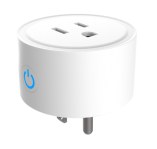
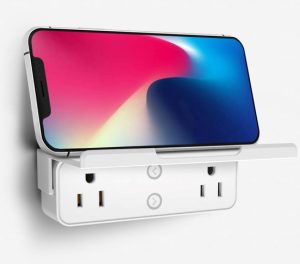
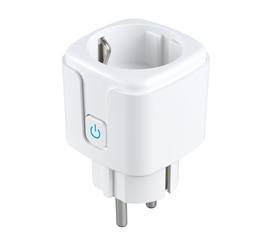
Smart plugs are the entry point product for most Smart home buyers. They are affordable, easy to install, and immediately useful. For brands looking to enter the Smart home space, private label Smart plugs offer the fastest path to market with the lowest risk. This guide covers everything you need to know about smart plug OEM manufacturing.

Key Product Variants

1. Basic Wi-Fi Smart Plug

The Standard model. Plugs into any wall outlet, controls devices up to 16A (3680W). Works with Alexa, Google Home, and Tuya/Smart Life app. This is the volume seller — 70% of smart plug OEM orders are this type.

2. Smart Plug with Energy Monitoring

Adds power consumption tracking. Customers love seeing their electricity usage. Unit cost is $2-3 more than basic, but sells for $8-12 more. Strong margins for brands.

3. Smart Plug with USB Ports

Adds 2x USB-A charging ports (total 5V/2.4A). Popular in hotel rooms and offices. Differentiated product — less competition than basic plugs.

4. Outdoor Smart Plug

IP44 waterproof rating, 2 or 3 outlets separately controlled. Used for holiday lights, garden pumps, patio heaters. Higher price point ($15-25 retail).

5. Dimmer Plug

Controls brightness of dimmable bulbs. Niche but growing category. Requires more complex firmware and certification.

Technical Specifications to Specify

  • Rated load: 16A (3680W) is standard. 10A for European market.
  • Wi-Fi: 2.4GHz only (not 5GHz — saves cost and battery)
  • Protocol: Tuya Wi-Fi (most common) or Zigbee 3.0 (requires hub)
  • Energy metering chip: HLW8012 or BL0937 — both work well
  • Fire rating: PC+ABS V-0 flame retardant is mandatory
  • Operating temperature: -10°C to 40°C for indoor, -20°C to 60°C for outdoor

Safety Certifications by Market

Market Required Cert Approx Cost Timeline
USA FCC Part 15, UL 62368 $3,000-5,000 4-6 weeks
EU CE, RED, RoHS $2,000-3,500 3-5 weeks
UK UKCA $1,500-2,500 3-4 weeks
Australia RCM $2,000-3,000 4 weeks
Japan PSE $4,000-6,000 6-8 weeks

OEM Pricing and MOQ

Model Unit Price (FOB) MOQ Lead Time
Basic Wi-Fi Plug $3.50-4.50 500pcs 15-20 days
Energy Monitoring Plug $5.50-6.50 500pcs 15-20 days
Plug with USB $6.50-7.50 500pcs 20 days
Outdoor Plug $8.50-10.00 300pcs 20-25 days

Customization Options

  1. Logo printing: Laser engraving or silk-screen on the plug body
  2. Custom packaging: Retail box with your brand design
  3. App customization: White-label Tuya app with your logo
  4. Custom firmware: Add your own features (schedules, scenes, automation)
  5. Shell color: White, black, or custom Pantone color

Common OEM Mistakes

  • Under-ordering certification. If you sell on Amazon USA, FCC + UL is non-negotiable. Skipping UL gets your listing banned.
  • Ignoring plug type differences. US (Type A/B), EU (Type C/F), UK (Type G), AU (Type I) are all different molds. Specify which market you sell to.
  • Testing only 1 sample. Ask for 5-10 samples and stress test them for 2 weeks. Plug/unplug 500 times to check durability.
  • No 2-year warranty. Smart plugs have 2-5% failure rate. Budget for replacements from day one.

Why Source from Shenzhen XingLiao?

We manufacture smart plugs for B2B brands worldwide since 2019. Our factory in Shenzhen produces 500,000+ smart plugs monthly with full QC testing on every unit.

What we offer:

  • Tuya and custom firmware options
  • Full customization from logo to packaging
  • FCC, CE, UKCA, RoHS certified
  • MOQ from 5pcs with sample in 3 days
  • 2-year warranty and 24-hour technical support

Get your free quote today. Contact us with your target market, quantity, and required certifications — we reply within 24 hours with pricing and lead time.

Related Articles

You Might Also Like
Frequently Asked Questions

Is Smart Plug Oem worth buying?

Based on the breakdown in this article, Smart Plug Oem offers a solid mix of features and value. If your main goal matches the key benefits described above, it is a practical choice for everyday use.

How do I choose the right smart plug oem for my needs?

Start with your core use case, then compare battery life, compatibility, and build quality as covered above. Choosing the right smart plug oem comes down to matching specs with how you actually use it.

Does smart plug oem require a companion app?

Most devices of this type pair with a free companion app for setup and firmware updates. A few advanced features may sit behind a paid plan, so check the official specs page before buying.

Posted on — Leave a comment

Smart Switch OEM Manufacturer: Complete Sourcing Guide 2026

Looking for a Smart Switch OEM manufacturer but not sure where to start? This guide walks you through everything you need to know — from minimum order quantities to certification requirements — so you can source with confidence.

## Why OEM Smart Switches? Private-label smart switches let you build your own brand without investing in R&D. You get: – Your logo on the switch faceplate – Custom packaging with your brand – Tuya/Matter firmware already tested – CE/FCC/RoHS certified products ready to sell ## Key Specifications to Compare When evaluating suppliers, always compare: ### Protocol Support – **WiFi (2.4GHz)**: No hub needed, easiest for customers – **Zigbee**: Requires gateway, more stable for multi-device setups
– **Matter**: New standard, future-proof but fewer models available

### Gang Sizes
Standard options: 1/2/3/4 gang. Check which plate sizes fit your target market (US vs EU vs AU).

### Relay Rating
– 10A for lighting circuits
– 16A for heater/Fan loads – Make sure the relay rating matches what your customers need ### Power Supply – Neutral wire required (US standard) – No neutral / battery option (EU standard) This matters a lot — wrong type means returns. ## What Does OEM Actually Include? A good OEM package should cover: 1. **Laser engraving** your logo on the glass panel 2. **Custom packaging** with your brand design 3. **Firmware customization** (default on/off state, LED color) 4. **App branding** (white label via Tuya) 5. **Product testing report** with your brand name ## MOQ and Pricing Guide | Model | MOQ | Unit Price Range | |—|—|—| | Standard WiFi switch | 50-100 pcs | $3-6 | | Custom logo + packaging | 100-500 pcs | $4-8 | | Custom housing design | 1000+ pcs | $5-10 | | Matter-certified switch | 200+ pcs | $8-15 | ## Red Flags to Avoid – Prices too low (Get a free quote — send us your requirements and we’ll reply within 24 hours. smart switch oem

Related Articles

You Might Also Like
Frequently Asked Questions

Is Smart Switch Oem worth buying?

Based on the breakdown in this article, Smart Switch Oem offers a solid mix of features and value. If your main goal matches the key benefits described above, it is a practical choice for everyday use.

How do I choose the right smart switch oem for my needs?

Start with your core use case, then compare battery life, compatibility, and build quality as covered above. Choosing the right smart switch oem comes down to matching specs with how you actually use it.

Does smart switch oem require a companion app?

Most devices of this type pair with a free companion app for setup and firmware updates. A few advanced features may sit behind a paid plan, so check the official specs page before buying.

Posted on — Leave a comment

Mini Smart Breakers: Putting a Whole Circuit on a Schedule

mini smart breakers - Mini Smart Breakers: Putting a Whole Circuit on a Schedule
Mini Smart Breakers: Putting a Whole Circuit on a Schedule

A switch controls a fitting. A breaker module controls the circuit feeding it — and reports what that circuit is drawing. For anyone trying to find where the electricity Actually goes, that is a different level of useful.

What a smart breaker does

It sits on the DIN rail in the consumer unit, switches the circuit, and reports voltage, current, Power and energy to the app. You Get per-circuit data instead of one number on a monthly bill, and you can trip or restore a circuit remotely.

Why it is worth it

  • Find the load — see which circuit is actually expensive before you change anything.
  • Protect the load — set limits and get told when a circuit approaches them.
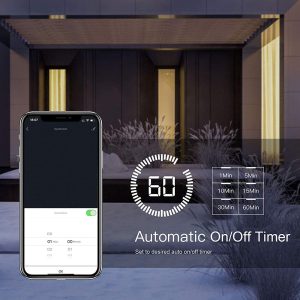
  • Schedule — water heaters, pool pumps and exterior lighting on time, not on memory.

Sizing

Pick the module to match the breaker rating and the circuit load, and be honest about the duty cycle — a breaker that runs at 90 % all day is not the same job as one that sees a few amps. P10 Mini WiFi Security Camera: Compact 24/7 Indoor Surveillance for Home & Pets

Installation

DIN rail in the consumer unit, in series with the circuit. This is not a DIY item in most jurisdictions — use a licensed electrician and follow local rules. P9 Low Power Battery Camera: Best Wire-Free Home Security Solution for 2026

FAQ
Does it replace the existing breaker?
No — it works alongside the protective device. Keep the protection.
Does it keep working Offline?
Local protection and manual operation always work; the app adds remote control and history.
Can I see historical consumption?
Yes — energy data is logged in the app.

Ready to specify it? Full specifications, gang options, colors and quantity pricing are on the Mini Smart Breaker Module — WiFi / ZigBee / HomeKit product page — OEM logo, manual and packaging are available from the first order. Q81 Wireless Button Microphone – Mini Invisible Lapel Mic for Vlogging, Interview & Live Streaming

Related Articles

You Might Also Like
Frequently Asked Questions

Is Mini Smart Breakers worth buying?

Based on the breakdown in this article, Mini Smart Breakers offers a solid mix of features and value. If your main goal matches the key benefits described above, it is a practical choice for everyday use.

How do I choose the right mini smart breakers for my needs?

Start with your core use case, then compare battery life, compatibility, and build quality as covered above. Choosing the right mini smart breakers comes down to matching specs with how you actually use it.

Does mini smart breakers require a companion app?

Most Devices of this type pair with a free companion app for setup and firmware updates. A few advanced features may sit behind a paid plan, so check the official specs page before buying.

Posted on — Leave a comment

The Invisible Smart Socket: Modules That Hide Behind the Plate

invisible smart socket - The Invisible Smart Socket: Modules That Hide Behind the Plate
The Invisible Smart Socket: Modules That Hide Behind the Plate

Not every project wants a visible Smart Socket. A module is the version nobody sees: it goes behind the existing plate or inside the appliance space, and the socket looks exactly as it did before — except it is now on a schedule.

Why a module instead of a plate

Three reasons come up repeatedly: the client does not want the design changed, the existing plate is part of a matching set that cannot be replaced, or the socket is behind furniture where a visible device would look wrong.

EU, UK and US versions

The range covers the three plate standards, so the same installation method follows you between markets. Match the module to the box and the wire colours you actually have. 86 × 86 mm Smart Sockets: The Smallest Way to Add Control to a Room

What it does

On/off, schedules, countdown and voice. Because it is inside the wall, there is nothing for a guest to unplug and nothing to knock off a table. 147 × 86 mm Smart Sockets: Power, USB and Metering on One Plate

Installation notes

Allow space behind the plate — modules are deeper than the wiring they replace, and a shallow box is the usual reason a module will not seat. Test before closing up.

FAQ
Will it fit my existing box?
Usually yes, but check depth. Shallow boxes are the common problem.
Is the socket still usable by hand?
Yes — the mechanical socket remains, the module just controls the supply.
Does it need a hub?
The WiFi versions do not; Zigbee versions need a gateway.

Ready to specify it? Full specifications, gang options, colors and quantity pricing are on the WiFi Smart Socket Module — EU / UK / US Standard product page — OEM logo, manual and packaging are available from the first order. Upgrade Home Security – X8 Wireless Visual Doorbell 4.3 Inch IPS Screen IP66 Waterproof

Related Articles

You Might Also Like
Frequently Asked Questions

Is Invisible Smart Socket worth buying?

Based on the breakdown in this article, Invisible Smart Socket offers a solid mix of features and value. If your main goal matches the key benefits described above, it is a practical choice for everyday use.

How do I choose the right invisible smart socket for my needs?

Start with your core use case, then compare battery life, compatibility, and build quality as covered above. Choosing the right invisible smart socket comes down to matching specs with how you actually use it.

Does invisible smart socket require a companion app?

Most devices of this type pair with a free companion app for setup and firmware updates. A few advanced features may sit behind a paid plan, so check the official specs page before buying.