Posted on — Leave a comment

Smart Home Starter Guide 2026: How to Build Your First Connected Home

Introduction: Why Smart Home?

However, The concept of a Smart home has evolved from a luxury to an accessible reality for homeowners worldwide. Whether you live in a studio apartment or a multi-story house, building a connected home is easier and more affordable than ever in 2026. Smart home

Therefore, This guide walks you through everything you need to know to start your Smart home journey, from choosing the right ecosystem to selecting your first devices.

Step 1: Choose Your Smart Home Ecosystem

Moreover, Before buying any devices, decide which ecosystem you want to build around. This is the foundation of your smart home. Smart Sensors Buying Guide: How to Make Your Home Feel Its Environment

Major Options

  • Apple HomeKit ??Best for privacy and iOS users. Offers seamless Siri integration and HomeKit Secure Video.
  • Google Home ??Excellent voice control and AI automation. Works great with Nest devices.
  • Amazon Alexa ??The widest device compatibility. Ideal if you want maximum flexibility.
  • Matter/Thread ??The new universal standard that works across all platforms. Future-proof your home by choosing Matter-certified devices.

Tip: If you are just starting, pick the ecosystem that matches your phone. iPhone users tend to prefer HomeKit, while Android users often go with Google Home or Alexa. Smart Lighting Complete Guide: From Color Temperature to Automation Scenes

Step 2: Start With a Smart Speaker or Hub

For example, Every smart home needs a central hub. A smart speaker serves as your voice command center and automation brain. Tuya 4MP 2K HD Indoor Smart Camera: Color Night Vision for Family and Pet Monitoring Home Security Systems Explained: 5 Essential Devices to Protect Your Family

  • Apple HomePod mini ??Compact, powerful, and privacy-focused
  • Google Nest Audio ??Great sound quality with Google Assistant
  • Amazon Echo (4th Gen) ??Zigbee hub built in, widest compatibility

Consequently, Place your hub in a central location for the best voice control coverage and Bluetooth/Wi-Fi range. Tuya 2MP/4MP Indoor PTZ Smart Camera: 360 Panoramic Home Monitoring Made Simple

Step 3: Smart Lighting ??The Easiest Entry Point

Smart lighting is the most popular first purchase for smart home beginners. It is easy to install and delivers immediate, visible results.

What to Buy

  • Smart bulbs (Wi-Fi or Zigbee)
  • Smart light switches (if you want permanent control)
  • LED light strips for accent lighting

Key Features to Use

  • Scheduling ??Lights turn on at sunset, off at bedtime
  • Color temperature ??Warm white in the evening, cool white during the day
  • Scenes ??Create “Movie Night,” “Reading,” or “Party” modes
  • Voice control ??”Turn off all lights” when going to bed

Step 4: Smart Security ??Peace of Mind

Home security is one of the most valuable investments in a smart home. Start with these essentials:

  • Smart doorbell camera ??See who is at the door from your phone
  • Indoor security camera ??Monitor pets, kids, or entry points
  • Door/window sensors ??Get alerts when something opens unexpectedly
  • Smart lock ??Keyless entry and remote locking

For apartments, a video doorbell and a couple of indoor cameras are sufficient. For houses, consider adding outdoor cameras and motion sensors.

Step 5: Smart Sensors ??Make Your Home Aware

Sensors are the nervous system of a smart home. They detect conditions and trigger automations automatically.

Essential Sensors

  • Motion sensors ??Trigger lights when someone enters a room
  • Temperature/humidity sensors ??Monitor comfort levels and control climate
  • Door/window contact sensors ??Security and automation triggers
  • Water leak sensors ??Prevent costly flooding damage

For example, a motion sensor in the hallway can turn on lights at 30% brightness at 2 AM, so you never stub your toe in the dark.

Step 6: Home Automation ??Where It All Comes Together

The true power of a smart home is automation. Instead of controlling each device manually, you create rules that let your home operate itself.

Practical Automation Ideas

  • Morning routine: Lights gradually brighten, thermostat adjusts, news plays on speaker
  • Away mode: All lights off, cameras armed, doors locked
  • Sunset routine: Outdoor lights on, curtains close, ambient music starts
  • Bedtime: All lights off except nightlight, doors locked, thermostat to sleeping temperature

Step 7: Expand Gradually

Do not try to build everything at once. Start with a hub, a few smart bulbs, and one security device. Once you are comfortable with the basics, expand to sensors, smart plugs, and automation scenes.

The beauty of a smart home is that it grows with you. Each new device adds a new capability, and each automation you create saves you a few seconds every day ??which adds up to hours saved over a year.

Conclusion

Building a smart home in 2026 is about starting small and expanding thoughtfully. Choose your ecosystem, get a hub, add smart lighting, secure your home, and gradually add sensors and automations. Before you know it, your home will be working for you ??not the other way around. That is why Smart home starter

Related Articles

You Might Also Like

Frequently Asked Questions

Is Smart Home Starter worth buying?

Based on the breakdown in this article, Smart Home Starter offers a solid mix of features and value. If your main goal matches the key benefits described above, it is a practical choice for everyday use.

How do I choose the right smart home starter for my needs?

Start with your core use case, then compare battery life, compatibility, and build quality as covered above. Choosing the right smart home starter comes down to matching specs with how you actually use it.

Does smart home starter require a companion app?

Most devices of this type pair with a free companion app for setup and firmware updates. A few advanced features may sit behind a paid plan, so check the official specs page before buying.

Does smart home starter work with both iPhone and Android?
Yes, in most cases this type of device ships with iOS and Android apps, and standard Bluetooth protocols keep cross-platform pairing simple.

Posted on — Leave a comment

Biometric Smart Locks Go Mainstream: The Next Big Home Tech Trend Overseas

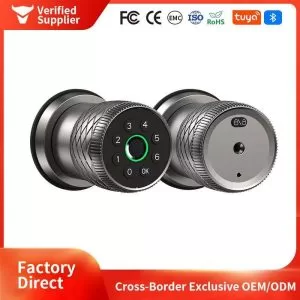
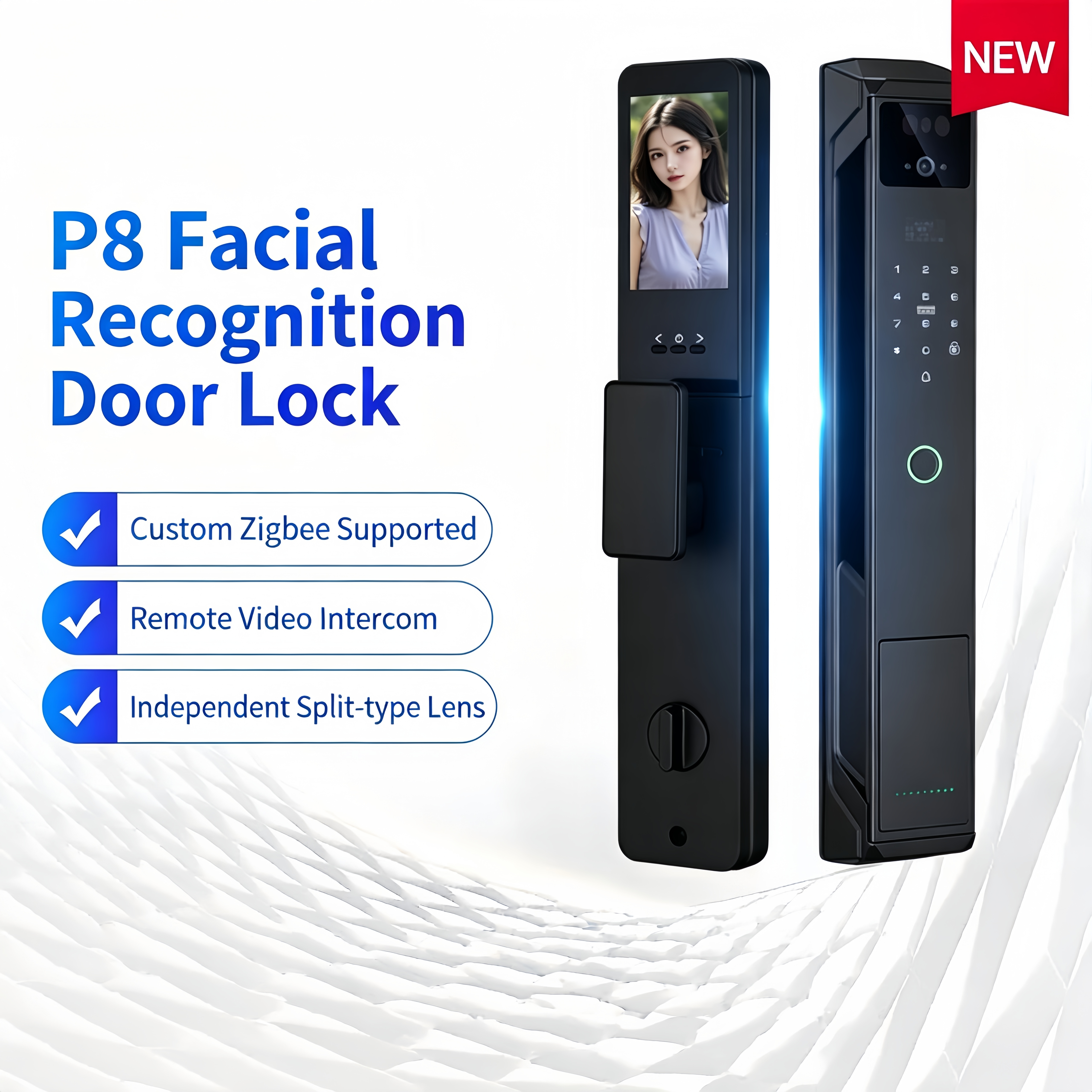
However, Keyless entry is no longer a luxury — it is one of the fastest-growing categories in overseas Home tech. Biometric Smart locks, which open with your face, palm vein or fingerprint, are leading the charge thanks to their blend of Security and everyday convenience.

portable toothbrush sterilizerSmart lock” width=”800″ />

1. Face and Palm Recognition

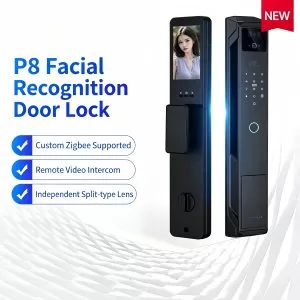
3D face recognition and palm-vein scanning offer higher security than keys or PIN codes, and overseas buyers are increasingly choosing them for homes, offices and Airbnb-style rentals.

2. App-Based Access Control

However, Smart locks pair with Tuya and Smart Life apps, letting owners issue temporary codes to guests, contractors or cleaners without ever handing over a physical key. Smart Lighting Complete Guide: From Color Temperature to Automation Scenes

3. Video Intercom Integration

Moreover, Locks with built-in cameras and video intercom combine door security and visitor communication into a single device, saving both money and wall space.

In addition, Want to join the trend? Explore the 3D Face + Palm Vein Smart Lock from Xingliao Shop — next-generation biometric security for home and office — and see the difference a truly keyless door makes. 30A WiFi Smart Boiler Switch: Simple, Safe Remote Water Heater Control Smart Home Starter Guide 2026: How to Build Your First Connected Home

For example, Your keys are the weakest link. Go biometric and never worry about losing them again.

You Might Also Like
Frequently Asked Questions

Is Biometric Smart Locks worth buying?

Based on the breakdown in this article, Biometric Smart Locks offers a solid mix of features and value. If your main goal matches the key benefits described above, it is a practical choice for everyday use.

How do I choose the right biometric smart locks for my needs?

Start with your core use case, then compare battery life, compatibility, and build quality as covered above. Choosing the right biometric smart locks comes down to matching specs with how you actually use it.

Does biometric smart locks require a companion app?

Most devices of this type pair with a free companion app for setup and firmware updates. A few advanced features may sit behind a paid plan, so check the official specs page before buying.

Related Articles
Posted on — Leave a comment

Smart Home Energy Saving Trends: How Overseas Consumers Cut Bills with Automation

However, Rising energy prices have turned Smart Home energy management into one of the most popular topics in overseas markets. From Smart plugs and Switches to automated schedules, consumers are using connected devices to cut electricity bills without giving up comfort.

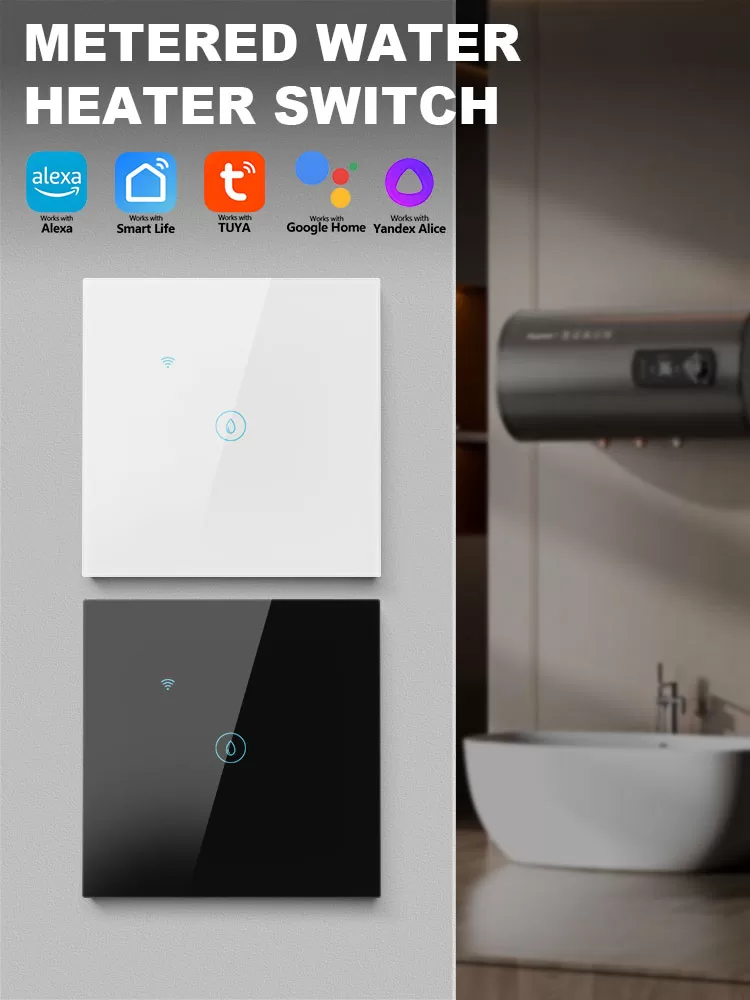
5000W high power WiFi smart touch switch for electric boiler and water heater, white tempered glass panel, Tuya Smart Life app remote control, power meteringSmart energy saving switch” width=”800″ />
1. Schedule Everything

Therefore, The simplest win is scheduling. A smart switch can turn off water heaters, boilers and appliances during peak hours automatically — no discipline required. Smart Sensors Buying Guide: How to Make Your Home Feel Its Environment

2. Remote Power-Off

Moreover, Overseas users love being able to switch off forgotten devices from their phone while at work or on holiday, eliminating standby waste. Smart Lighting Complete Guide: From Color Temperature to Automation Scenes

3. Voice-Controlled Convenience

In addition, Pairing smart switches with Alexa or Google Assistant makes saving energy as easy as saying a command, which is a big driver of adoption. Home Security Systems Explained: 5 Essential Devices to Protect Your Family

For example, Looking for practical tools to start saving? The from Xingliao Shop lets you control your water heater remotely and on a schedule — a small upgrade with a real impact on your monthly bill. Tuya 4MP Indoor WiFi Smart Camera Review: Pan-Tilt Night Vision Home Monitor Smart Home Starter Guide 2026: How to Build Your First Connected Home

Start small, automate the rest, and watch your energy costs drop.

Related Articles

You Might Also Like
Frequently Asked Questions

Is Smart Home Energy worth buying?

Based on the breakdown in this article, Smart Home Energy offers a solid mix of features and value. If your main goal matches the key benefits described above, it is a practical choice for everyday use.

How do I choose the right smart home energy for my needs?

Start with your core use case, then compare battery life, compatibility, and build quality as covered above. Choosing the right smart home energy comes down to matching specs with how you actually use it.

Does smart home energy require a companion app?

Most devices of this type pair with a free companion app for setup and firmware updates. A few advanced features may sit behind a paid plan, so check the official specs page before buying.

Posted on — Leave a comment

Why Smart Home Security Is Trending Overseas in 2026: Tech That Sells

Smart Home Security has become one of the hottest product categories in overseas markets. According to industry trackers, demand for DIY Home monitoring is growing fast as consumers seek affordable, privacy-friendly alternatives to expensive monitoring services. Here is why Smart security products are gaining so much attention in 2026.

Tuya 2MP 4MP indoor WiFi smart camera HD night vision pan-tilt remote home monitor with two-way audio auto tracking dual band WiFi and mobile phone remote Smart Home Automation Scenes: 6 Practical Setups That Make Your Home Think

1. DIY and Subscription-Free Monitoring

Buyers increasingly want to install and manage their own cameras, sensors and locks without monthly fees. Plug-and-play WiFi devices with local SD storage are flying off the shelves. Smart Sensors Buying Guide: How to Make Your Home Feel Its Environment

2. Voice Assistant Integration

Products that work with Alexa and Google Assistant integrate naturally into existing smart homes, which dramatically lowers the barrier to purchase. Smart Lighting Complete Guide: From Color Temperature to Automation Scenes

3. AI-Powered Detection

Human detection, pet detection and smart alerts cut false alarms — a major selling point that pushes conversion on overseas marketplaces.

For example, If you are looking for reliable and affordable smart security gear, check out our selection — including the Tuya 4MP Indoor Smart Camera with pan-tilt control and two-way audio, or the 4MP 2K HD pet and family monitor with color night vision. Tuya Smart Watch 1.28 Inch Review: Best Budget Health & Alexa Smartwatch in 2026 Smart Home Starter Guide 2026: How to Build Your First Connected Home

Build a smarter, safer home today with easy-to-install smart devices that suit every budget.

Related Articles

You Might Also Like
Frequently Asked Questions

Is a smart home security camera worth buying?

Based on the breakdown in this article, a smart home security camera offers a solid mix of features and value. If your main goal matches the key benefits described above, it is a practical choice for everyday use.

How do I choose the right smart home security camera for my needs?

Start with your core use case, then compare battery life, compatibility, and build quality as covered above. Choosing the right comes down to matching specs with how you actually use it.

Posted on — Leave a comment

Tuya 4MP 2K HD Indoor Smart Camera: Color Night Vision for Family and Pet Monitoring

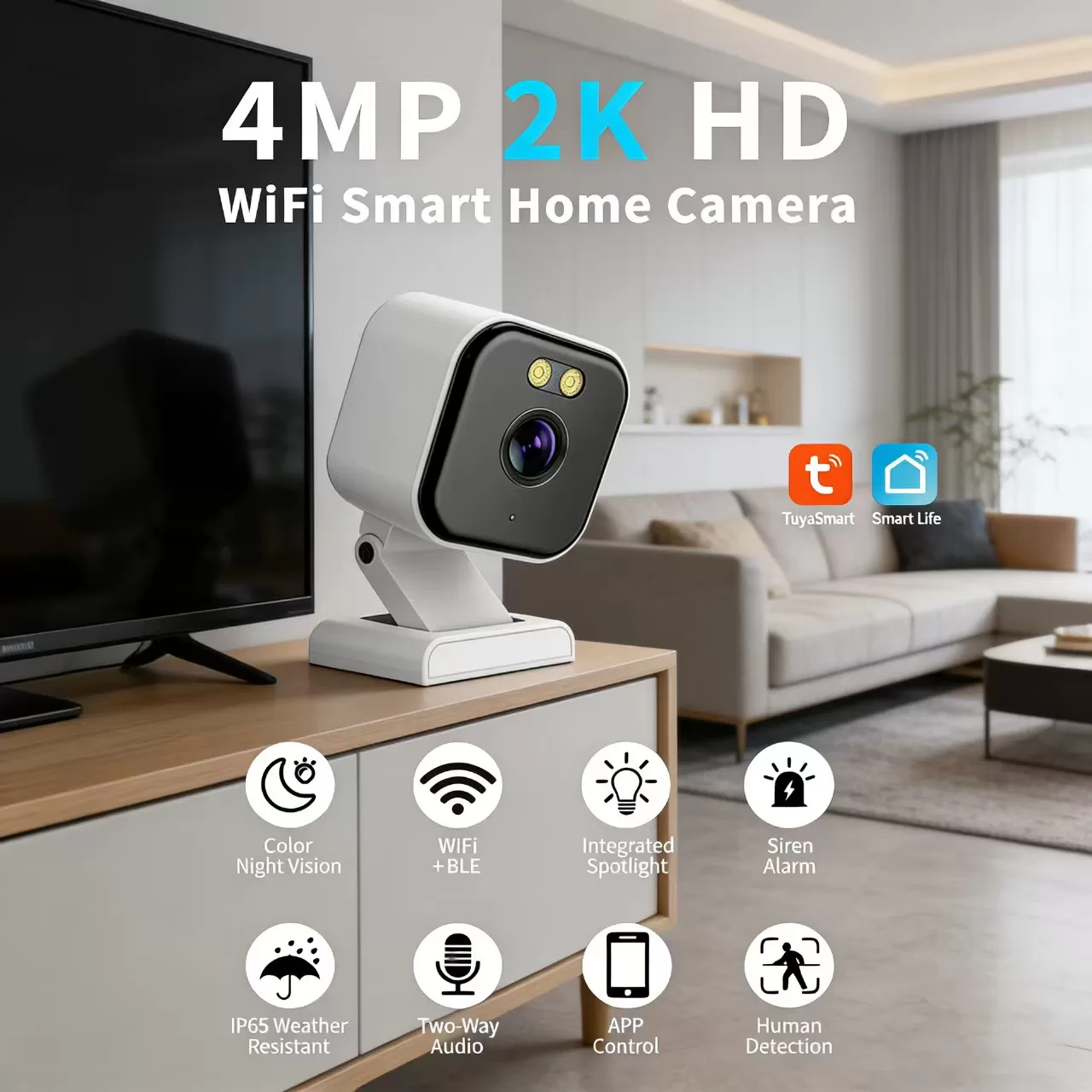
However, See your Home in vivid Color — even at night. The Tuya 4MP 2K HD Smart Camera delivers sharp 2K resolution with color night vision, human detection and Smart alerts, making it an ideal choice for keeping an eye on babies, pets and elderly family members. Tuya 4mp indoor

4MP 2K HD WiFi smart home camera indoor color night vision human detection two-way audio pet monitoring camera with spotlight and siren alarm Smart Home Automation Scenes: 6 Practical Setups That Make Your Home Think

Key Features

  • 2K ultra-clear video with full-color night vision
  • Human detection filters out false alarms
  • Two-way talk and built-in siren
  • SD card and cloud storage options
  • Smart Life app with Alexa / Google Assistant support

Peace of Mind Around the Clock

Therefore, Whether you are checking your baby, your pets, or your front door area, this camera gives you reliable monitoring with instant push notifications when it detects people. Smart Home Energy Saving Trends: How Overseas Consumers Cut Bills with Automation Smart Sensors Buying Guide: How to Make Your Home Feel Its Environment

However, Buy the Tuya 4MP 2K HD Camera at Xingliao Shop Why Smart Home Security Is Trending Overseas in 2026: Tech That Sells

Moreover, Set an activity zone, adjust sensitivity, and let smart automation handle the rest. Home Security Systems Explained: 5 Essential Devices to Protect Your Family

You Might Also Like
Frequently Asked Questions

Is Tuya 4mp Indoor worth buying?

Based on the breakdown in this article, Tuya 4mp Indoor offers a solid mix of features and value. If your main goal matches the key benefits described above, it is a practical choice for everyday use. Smart Home Starter Guide 2026: How to Build Your First Connected Home

How do I choose the right tuya 4mp indoor for my needs?

Start with your core use case, then compare battery life, compatibility, and build quality as covered above. Choosing the right tuya 4mp indoor comes down to matching specs with how you actually use it.

Does tuya 4mp indoor require a companion app?

Most devices of this type pair with a free companion app for setup and firmware updates. A few advanced features may sit behind a paid plan, so check the official specs page before buying.

Related Articles
Posted on — Leave a comment

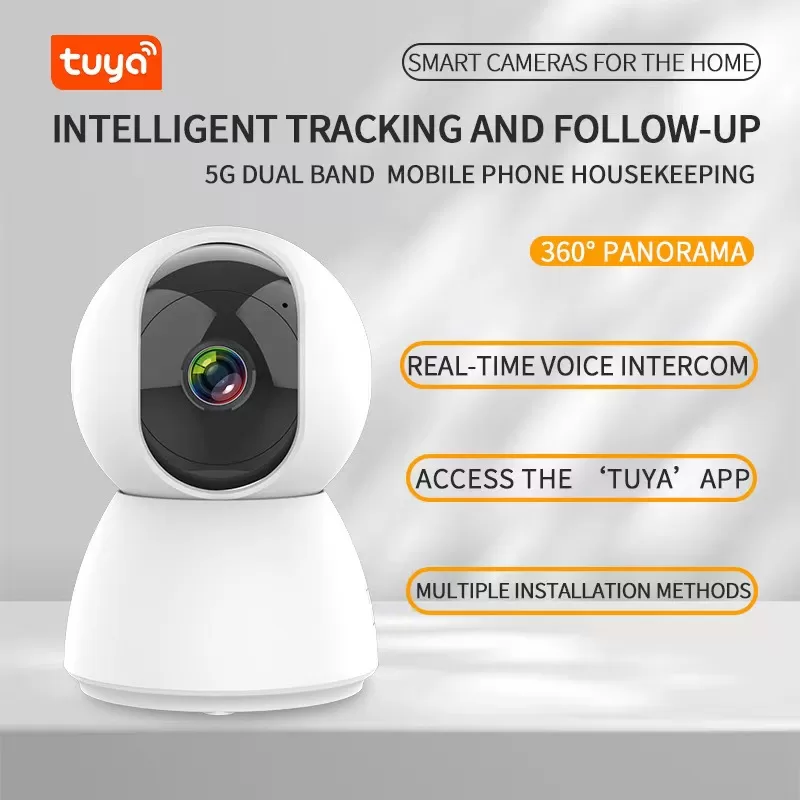
Tuya 2MP/4MP Indoor PTZ Smart Camera: 360 Panoramic Home Monitoring Made Simple

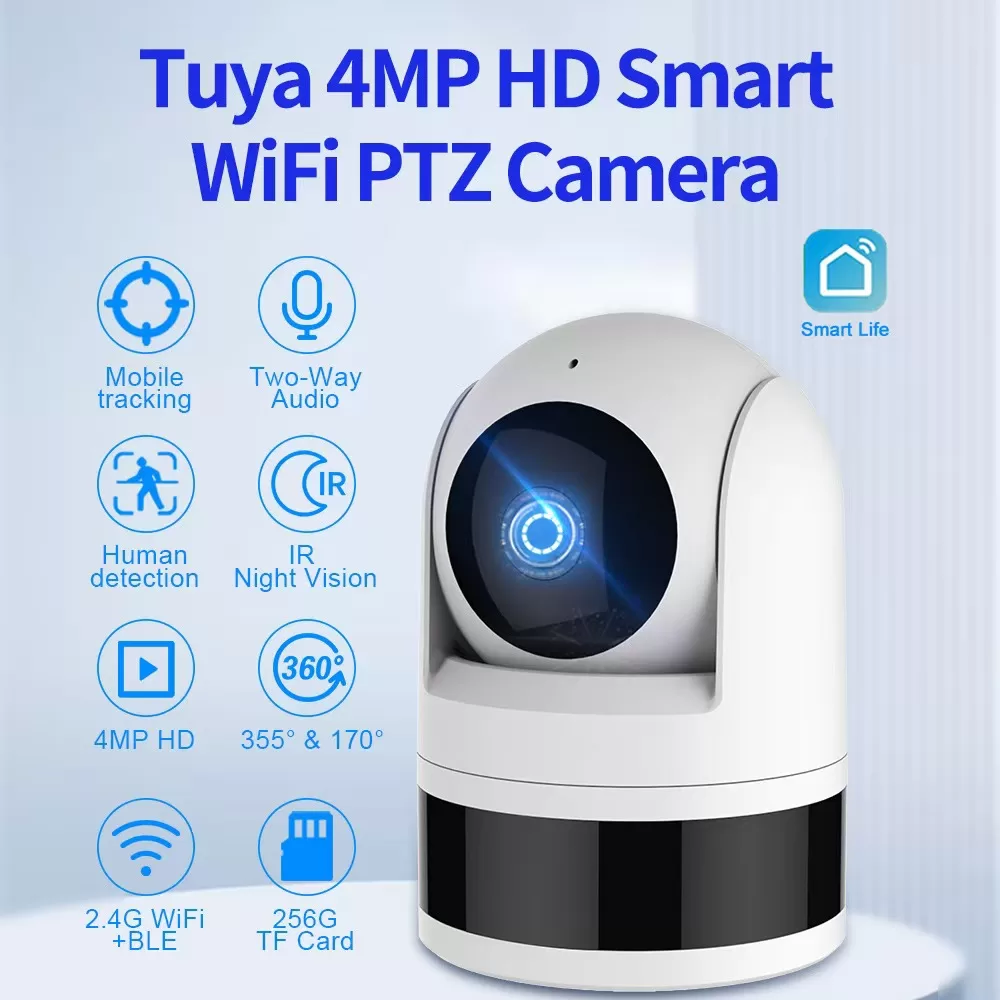
However, Keep every corner of your Home in view with the Tuya 2MP/4MP Indoor PTZ Smart Camera. Its 360-degree panoramic motor lets you pan and tilt remotely, so a single camera covers a whole room — perfect for living rooms, nurseries, offices and retail spaces.

Tuya 2MP 4MP indoor PTZ smart camera 360 degree panoramic WiFi pan-tilt home monitor with intelligent tracking real-time voice intercom and dual band WiFi Smart Home Automation Scenes: 6 Practical Setups That Make Your Home Think

Key Features

  • 360° panorama pan and tilt with app control
  • Sharp 2MP or 4MP video, crisp day and night
  • Two-way audio for talking to family or staff
  • Smart motion tracking follows movement
  • Works with Tuya / Smart Life, Alexa and Google Assistant

One Camera, Full Coverage

Therefore, Instead of buying several fixed cameras, one PTZ unit rotates to watch the whole space. You can sweep the room from your phone, set privacy mode, and review events anytime. Smart Home Energy Saving Trends: How Overseas Consumers Cut Bills with Automation Smart Sensors Buying Guide: How to Make Your Home Feel Its Environment

However, Get the Tuya 2MP/4MP PTZ Camera at Xingliao Shop Why Smart Home Security Is Trending Overseas in 2026: Tech That Sells Smart Lighting Complete Guide: From Color Temperature to Automation Scenes

Moreover, Instant setup via QR code makes it ready to use in minutes. WiFi Smart Wall Socket: Tuya 16A with PD20W Fast Charging Home Security Systems Explained: 5 Essential Devices to Protect Your Family

You Might Also Like
Frequently Asked Questions

Is Tuya 2mp 4mp worth buying?

Based on the breakdown in this article, Tuya 2mp 4mp offers a solid mix of features and value. If your main goal matches the key benefits described above, it is a practical choice for everyday use. Smart Home Starter Guide 2026: How to Build Your First Connected Home

How do I choose the right tuya 2mp 4mp for my needs?

Start with your core use case, then compare battery life, compatibility, and build quality as covered above. Choosing the right tuya 2mp 4mp comes down to matching specs with how you actually use it.

Does tuya 2mp 4mp require a companion app?

Most devices of this type pair with a free companion app for setup and firmware updates. A few advanced features may sit behind a paid plan, so check the official specs page before buying.

Related Articles
Posted on — Leave a comment

30A WiFi Smart Boiler Switch: Simple, Safe Remote Water Heater Control

However, Heating your water or Home should be easy — and safe. The 30A WiFi Smart Boiler Switch brings your water heater or boiler into the Smart Life app, so you can turn it on or off from anywhere, set schedules, and even control it by voice with Tuya, Alexa or Google Assistant.

5000W high power WiFi smart touch switch for electric boiler and water heater, white tempered glass panel, Tuya Smart Life app remote control, power metering Smart Home Automation Scenes: 6 Practical Setups That Make Your Home Think

Key Features

  • 30A high-current rating for powerful water heaters and boilers
  • Touch panel plus remote app control
  • Programmable timing and countdown schedules
  • Voice control with Tuya / Alexa / Google Assistant
  • Overheat and overload protection for peace of mind

Save Energy, Save Money

Therefore, Never leave your water heater running all day again. With app scheduling and remote power-off, you only heat when you need it — cutting wasted electricity every single month. Smart Sensors Buying Guide: How to Make Your Home Feel Its Environment

Smart Lighting Complete Guide: From Color Temperature to Automation Scenes

Moreover, Installation takes minutes, and the setup wizard walks you through adding it to your Tuya account. Outdoor Security Camera Bulk Sourcing: Complete B2B Wholesale Guide Tuya 4MP 2K HD Indoor Smart Camera: Color Night Vision for Family and Pet Monitoring Home Security Systems Explained: 5 Essential Devices to Protect Your Family

Related Articles

You Might Also Like
Frequently Asked Questions

Is 30a Wifi Smart worth buying?

Based on the breakdown in this article, 30a Wifi Smart offers a solid mix of features and value. If your main goal matches the key benefits described above, it is a practical choice for everyday use. Tuya 2MP/4MP Indoor PTZ Smart Camera: 360 Panoramic Home Monitoring Made Simple Smart Home Starter Guide 2026: How to Build Your First Connected Home

How do I choose the right 30a wifi smart for my needs?

Start with your core use case, then compare battery life, compatibility, and build quality as covered above. Choosing the right 30a wifi smart comes down to matching specs with how you actually use it.

Does 30a wifi smart require a companion app?

Most devices of this type pair with a free companion app for setup and firmware updates. A few advanced features may sit behind a paid plan, so check the official specs page before buying.

However, Further reading: Portable White Noise Baby Sleep Soother – Smart Cry Detection, Bluetooth & 15 Soothing Sounds

Therefore, Further reading: Handheld Garment Steamer Review: 5-Level Smart Ironing, One-Tap Limescale Removal, and 16-Minute Runtime

Moreover, Further reading: 3rd-Generation Bluetooth Smart Finger Robot: Make Every Switch Smart in Seconds

Further reading: Visiter le site — guide complet

Posted on — Leave a comment

Tuya 4MP Indoor WiFi Smart Camera Review: Pan-Tilt Night Vision Home Monitor

However, Worried about what happens at Home while you are away? The Tuya 4MP Indoor WiFi Smart Camera gives you crystal-clear 4MP HD video, smooth pan-tilt control, and two-way audio so you can check in on your family, pets or property from anywhere via the Smart Life app.

Tuya 2MP 4MP indoor WiFi smart camera HD night vision pan-tilt remote home monitor with two-way audio auto tracking dual band WiFi and mobile phone remote Smart Home Automation Scenes: 6 Practical Setups That Make Your Home Think

Key Features

  • 4MP ultra HD resolution with enhanced night vision
  • Pan-tilt motor for full-room remote monitoring
  • Two-way audio to talk and listen in real time
  • Motion detection with push alerts
  • Tuya / Smart Life app control, works with Alexa and Google Assistant

Why It Is a Must-Have

Therefore, Home Security no longer needs a costly subscription. With local storage and free cloud trials, this smart camera lets you keep an eye on your home day and night without ongoing fees. Smart Sensors Buying Guide: How to Make Your Home Feel Its Environment

However, Get the Tuya 4MP Indoor Smart Camera at Xingliao Shop Why Smart Home Security Is Trending Overseas in 2026: Tech That Sells Smart Lighting Complete Guide: From Color Temperature to Automation Scenes

Moreover, Set it up in minutes, point it where you need it most, and enjoy total peace of mind. Home Security Systems Explained: 5 Essential Devices to Protect Your Family

Related Articles

You Might Also Like
Frequently Asked Questions

Is Tuya 4mp Indoor worth buying?

Based on the breakdown in this article, Tuya 4mp Indoor offers a solid mix of features and value. If your main goal matches the key benefits described above, it is a practical choice for everyday use. Tuya 2MP/4MP Indoor PTZ Smart Camera: 360 Panoramic Home Monitoring Made Simple Smart Home Starter Guide 2026: How to Build Your First Connected Home

How do I choose the right tuya 4mp indoor for my needs?

Start with your core use case, then compare battery life, compatibility, and build quality as covered above. Choosing the right tuya 4mp indoor comes down to matching specs with how you actually use it.

Does tuya 4mp indoor require a companion app?

Most devices of this type pair with a free companion app for setup and firmware updates. A few advanced features may sit behind a paid plan, so check the official specs page before buying.

Posted on — Leave a comment

Tuya Smart Watch 1.28 Inch Review: Best Budget Health & Alexa Smartwatch in 2026

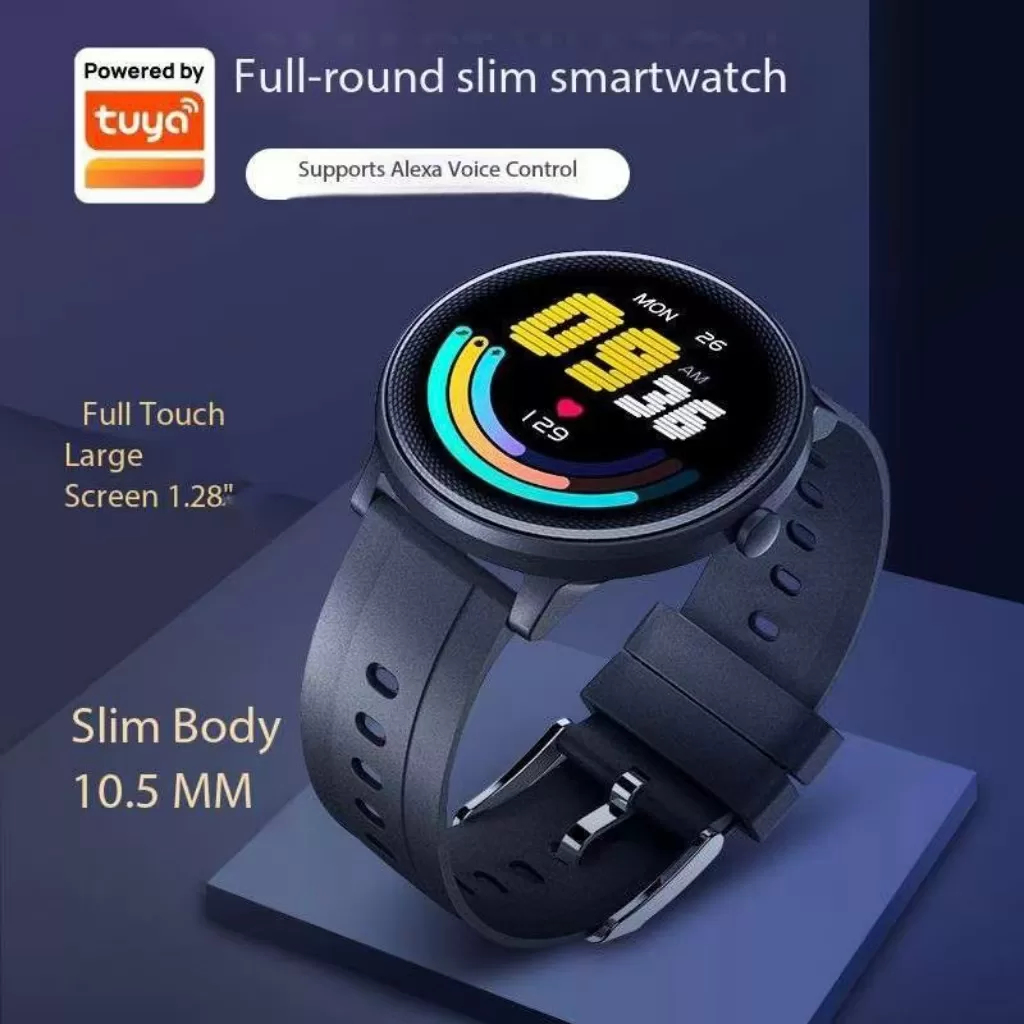
However, The Tuya Smart Watch 1.28 Inch Full Round HD is one of the most affordable Smartwatches that still packs serious health tracking and Smart voice control into a compact round dial. Whether you are new to smart wearables or simply want a budget-friendly everyday watch, this Tuya-powered device deserves a closer look.

Tuya Smart Watch 1.28 Inch Full Round HD Smart Home Automation Scenes: 6 Practical Setups That Make Your Home Think

Key Features

  • 1.28-inch full round HD display
  • Alexa voice control built in
  • Blood oxygen (SpO2), heart rate and blood pressure monitoring
  • Sports modes, sleep tracking and smart notifications
  • IP-friendly daily wear design

Why We Recommend It

Therefore, Health monitoring that used to require a premium smartwatch is now available at a price everyone can afford. The heart rate, blood pressure and blood oxygen Sensors give you a clearer picture of your body at a fraction of the cost. Outdoor Security Camera Bulk Sourcing: Complete B2B Wholesale Guide Smart Home Energy Saving Trends: How Overseas Consumers Cut Bills with Automation Smart Sensors Buying Guide: How to Make Your Home Feel Its Environment

However, Check the Tuya Smart Watch price & availability on Xingliao Shop Why Smart Home Security Is Trending Overseas in 2026: Tech That Sells Smart Lighting Complete Guide: From Color Temperature to Automation Scenes

Moreover, Pair it with your Tuya Smart Life app for seamless integration, and enjoy hands-free Alexa control from your wrist every single day. Surveillance Camera Wholesale Guide: Complete B2B Solutions for Security Distributors Home Security Systems Explained: 5 Essential Devices to Protect Your Family

Related Articles

You Might Also Like
Frequently Asked Questions

Is Tuya Smart Watch worth buying?

Based on the breakdown in this article, Tuya Smart Watch offers a solid mix of features and value. If your main goal matches the key benefits described above, it is a practical choice for everyday use. Tuya 2MP/4MP Indoor PTZ Smart Camera: 360 Panoramic Home Monitoring Made Simple Smart Home Starter Guide 2026: How to Build Your First Connected Home

How do I choose the right tuya smart watch for my needs?

Start with your core use case, then compare battery life, compatibility, and build quality as covered above. Choosing the right tuya smart watch comes down to matching specs with how you actually use it.

Does tuya smart watch require a companion app?

Most devices of this type pair with a free companion app for setup and firmware updates. A few advanced features may sit behind a paid plan, so check the official specs page before buying.