Posted on — Leave a comment

Foldable Solar Power Bank 20000mAh: How Many Phone Charges You Actually Get, and Who Should Buy One

Foldable Solar Power Bank 20000mAh Waterproof Outdoor Charger ...

Quick answer: a 20000mAh power bank delivers roughly four to five full charges for an average 4000–5000mAh phone — but almost all of that comes from the wall outlet you charged it from before you left. The fold-out Solar panel is a trickle charger: in good sun it typically adds enough for a partial top-up over a long day, not a full refill. Buy this form factor for the rugged shell, the big battery and the built-in emergency light; treat the panel as the thing that keeps you alive on day three, not the thing that charges you on day one.

A rugged shell, a high-capacity cell and a fold-out panel — the three things that decide whether this class of product is worth Carrying.

What 20000mAh Actually Means

Capacity printed on the box is measured at the cell’s internal voltage (3.7V), but your phone charges at 5V or 9V. Therefore, The conversion loses energy, and so does heat. The rule of thumb used across the industry is that you get about 60–70% of the printed number out of the USB port.

  • 20000mAh cell → roughly 12000–14000mAh usable at the port.
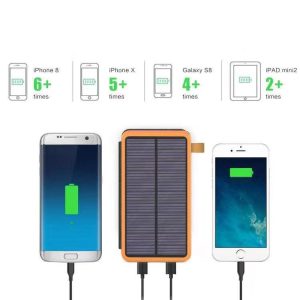
  • Average phone (4000–5000mAh) → about 4 to 5 full charges.
  • A tablet or a camera battery → one to two charges.
  • A phone plus a headlamp plus a watch for a long weekend → comfortable, with margin.

That is the honest number to put on a product page. Anyone promising eight phone charges from a 20000mAh unit is quoting the cell rating, not what comes out of the cable.
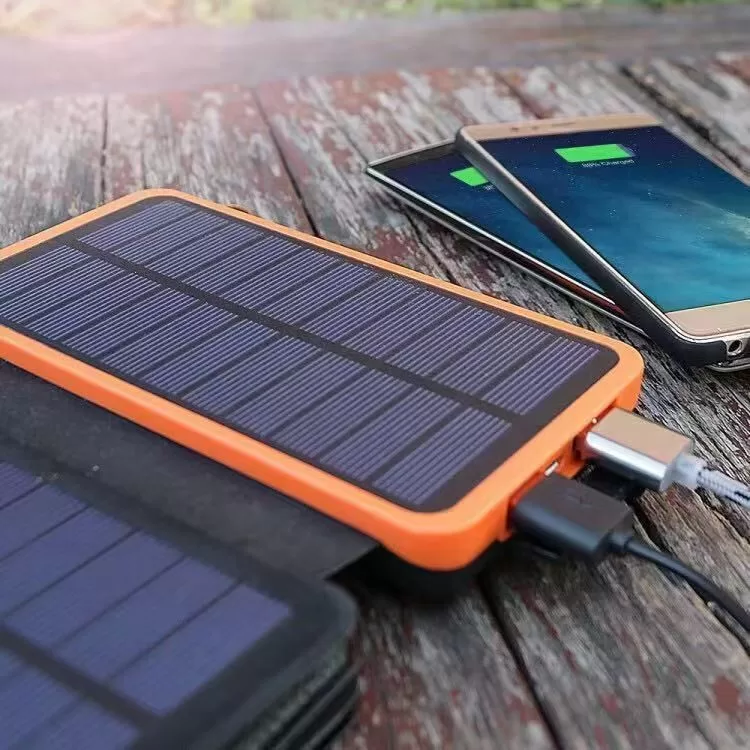
Foldable Solar Power Bank 20000mAh Waterproof Outdoor Charger ... - view 3
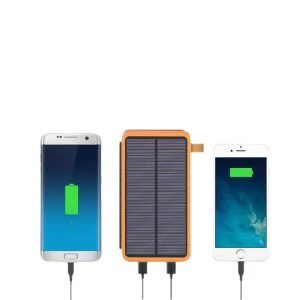
Charging a handset from the USB port is where the rated capacity meets reality — expect four to five full charges.

The Solar Panel: Set the Expectation Correctly

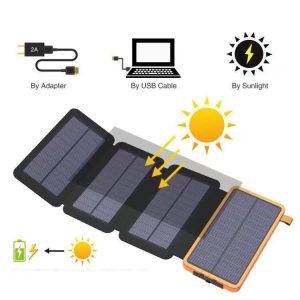
This is where most returns happen. For example, A panel the size of a folded paperback simply cannot produce the current a fast charger does. In direct midday sun a small fold-out panel might deliver a few hundred milliamps — enough to add perhaps 10–20% to the internal battery over an afternoon of good exposure, more if the unit is left angled and undisturbed.

  1. It is a maintenance charger. Leave it on a pack lid while you walk and it slowly offsets standby drain and small top-ups.
  2. Angle matters more than cloud cover. A flat panel at noon beats a tilted one at dusk by a wide margin.
  3. Heat is the enemy. A panel baking on a dashboard loses efficiency and heats the cells it is charging.
  4. Always leave home full. Solar is the backup plan, not the plan.

Framed this way, the panel is genuinely useful: on a three-day trip it is the difference between a dead phone and a working one. Framed as a primary charger, it disappoints.
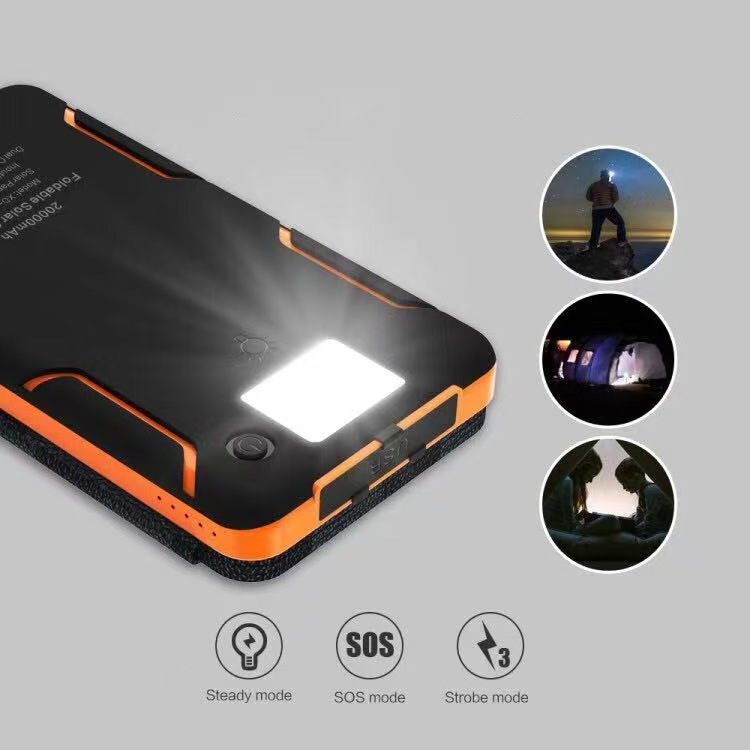
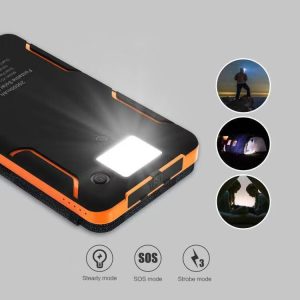
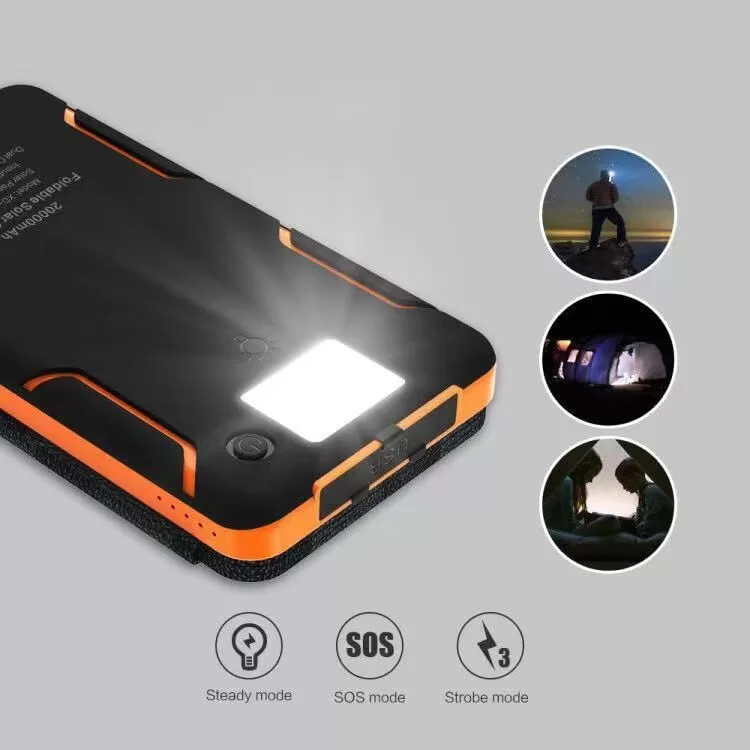
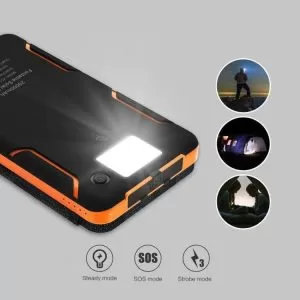
Foldable solar power bank 20000mAh with orange rugged border and built-in LED flashlight showing three lighting modes
Three lighting modes turn the same battery into a lantern, a strobe and an emergency beacon.

The Built-In LED Is Half the Reason to Buy It

The torch on this class of power bank is not an afterthought. In addition, A steady beam lights a tent or a work area; a slow strobe works as a marker; a fast strobe or SOS pattern is a distress signal that carries much further than a voice. For anyone building an emergency kit — or a retail kit aimed at campers, drivers and job sites — the light is often the feature customers remember.

  • Steady mode — camp lighting, power cuts, working under a bonnet at night.
  • Slow strobe — makes a bag or a campsite easy to find in the dark.
  • SOS / fast strobe — signalling when a phone has no signal and no battery.

Where This Product Sells

Camping, hiking and overland travel

Multi-day trips are the core use case. Weight is the trade-off: a rugged 20000mAh unit is heavier than a slim travel bank, but it is the one you can drop, get rained on and still rely on.

Foldable Solar Power Bank 20000mAh Waterproof Outdoor Charger ... - view 4
Hikers and campers are the natural audience — long days away from a socket, and gear that gets treated roughly.

Emergency and disaster kits

Households that keep a kit for outages want three things: a big cell that holds charge for months, a torch, and no dependence on the grid. Moreover, This covers all three in one object, which is exactly why it belongs in a kit rather than in a drawer.

Outdoor work and job sites

Tradespeople, survey crews and delivery drivers use the same unit for phones, radios and headlamps, and the rugged housing survives being thrown into a toolbox.
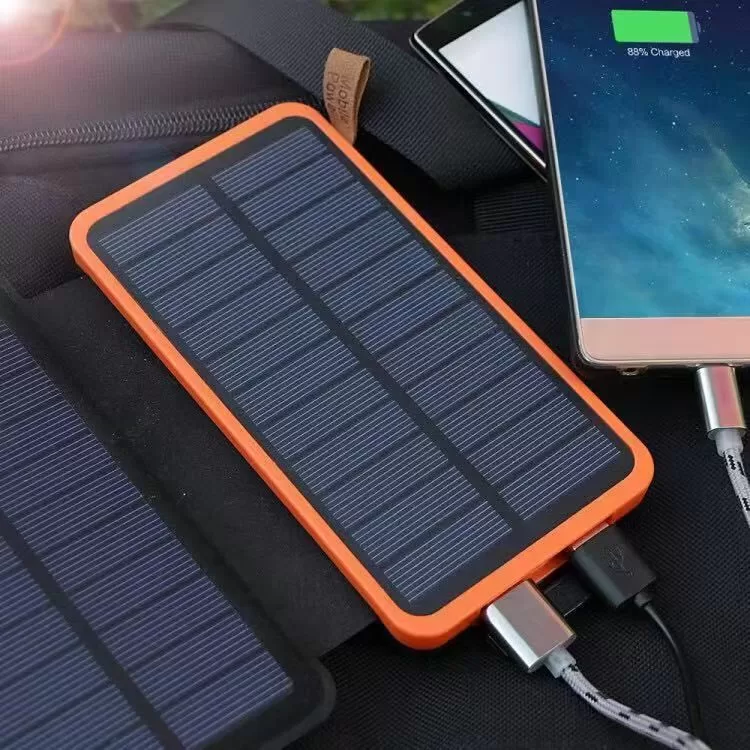
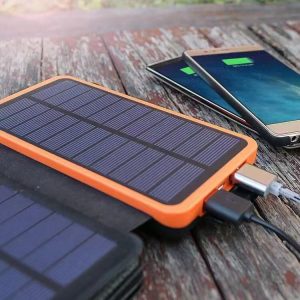
Foldable solar power bank 20000mAh outdoor rugged charger with solar panel fold-out design
A fold-out panel plus a sealed housing is what separates an outdoor unit from an indoor power bank.

What to Check Before You Buy or Stock One

  1. Real rated output — ask for the usable capacity at the port, not just the cell figure.
  2. Ingress rating — IP65 or better means it survives rain and dust rather than just splashes.
  3. Port count and protocols — two outputs and a modern fast-charge protocol cover phones and tablets without adapters.
  4. Torch modes — confirm whether it has steady, strobe and SOS, and how they are cycled.
  5. Panel durability — a fold-out panel should be laminated, not a thin film that creases and dies.
  6. Certification for transport — UN38.3 and MSDS matter the moment you ship these by air.

Get those six right and the product sells itself. Get the capacity story wrong on the listing and it comes back as a return.

Frequently Asked Questions

Can the solar panel fully recharge the power bank?

Not in a single day in most conditions. Treat it as a slow top-up that extends a trip, and charge from the mains before you leave.

How many times will it charge my phone?

Plan on four to five full charges for a typical 4000–5000mAh handset, less if you fast-charge or use the torch heavily.

Can I take it on a plane?

Yes, in cabin baggage — 20000mAh sits under the usual airline limit for spare batteries, but the unit should ship with UN38.3 documentation.

Does it work in cloudy weather?

It works, but output drops sharply. Furthermore, Bright overcast gives a fraction of direct sun; heavy cloud gives almost nothing.

Is it worth it if I only need it for day trips?

Probably not — a slim 10000mAh bank is lighter and cheaper. The rugged, solar, torch-equipped format earns its weight on trips of two days or more.

Related Reading

Product page: Foldable Solar Power Bank 20000mAh Waterproof Outdoor Charger with LED Light & SOS Strobe Modes

You Might Also Like
Related Articles

Posted on — Leave a comment

Foldable Solar Power Bank: The Ultimate Off-Grid Charging Guide for Outdoor Enthusiasts

However, Foldable Solar Power Bank: The Ultimate Off-Grid Charging Guide for OutDoor Enthusiasts

Therefore, Imagine being three days into a backcountry hike when your phone hits zero percent. No GPS, no camera, no emergency contact. A foldable Solar power bank eliminates this problem by turning sunlight into electricity, keeping your devices charged anywhere on the planet. Window Vacuum Cleaner: Say Goodbye To Streaky Glass At Home & In Your Car

Foldable solar power bank 20000mAh with orange rugged border and built-in LED flashlight displaying three lighting modes for outdoor camping and emergency use
The 20000mAh foldable solar power bank features a built-in LED flashlight with Steady, SOS, and Strobe modes, IP65 waterproof rating and Dual USB charging for outdoor adventures.

What Is a Foldable Solar Power Bank?

However, A foldable solar power bank is a portable charger that combines a high-capacity battery with foldable solar panels. Therefore, The panels collect sunlight and convert it into electricity. This is stored in the built-in battery. You can then use that stored energy to charge your phone, tablet, GPS, or any USB-powered device. Furthermore, the foldable design means the panels stay compact when stored but expand to a large collection surface when deployed.

Therefore, Unlike a standard power bank that dies after a few charges, a solar model keeps generating electricity as long as the sun is shining. For example, Additionally, most models include USB charging as a backup, so you can top up the battery at home before heading out.

Key Features to Look For

Not all solar power banks are created equal. Here are the specifications that actually matter when choosing one for outdoor use:

Feature What to Look For Why It Matters
Battery Capacity 10000-20000mAh Higher capacity means more charges per device
Solar Panel Type Monocrystalline Higher efficiency than polycrystalline in compact size
Waterproof Rating IP65 or higher Survives rain, splashes, and dust storms
USB Output Ports At least 2 ports Charge Multiple devices simultaneously
LED Flashlight Built-in with multiple modes Replaces a separate camping light
Charging Input USB-C or Micro USB Solar is backup, USB is primary charging method

foldable solar power bank

How Solar Charging Actually Works

The solar panels on a foldable power bank use photovoltaic cells to convert sunlight into direct current electricity. This electricity flows into the built-in battery for storage. In addition, When you plug in your phone, the battery delivers power through the USB ports at a controlled voltage.

However, solar charging is slower than wall charging. A typical foldable solar panel on a power bank produces about 100-200mAh per hour in direct sunlight. Therefore, a full solar recharge of a 20000mAh battery takes approximately 40-60 hours of direct sun exposure. Moreover, For this reason, solar should be treated as a supplementary charging method rather than the primary one.

The best approach is to charge the power bank fully via USB before your trip, then use solar to top up the battery during the day. Meanwhile, hiking or camping.

Real-World Charging Capacity

A 20000mAh foldable solar power bank delivers substantial power. Here is how many full charges you can expect for common devices:

Device Battery Size Approx. Full Charges
iPhone 8 1821mAh 6+ times
iPhone X and newer 2716-4352mAh 4-5 times
Samsung Galaxy S series 3000-5000mAh 4 times
iPad mini 5124mAh 2+ times
GPS handheld 2000mAh 5-6 times

foldable solar power bank

Note that these are approximate figures. Furthermore, Actual charging capacity depends on conversion efficiency, cable quality, and battery health. Moreover, charging two devices at once will drain the power bank faster than charging one at a time.

Dual USB Charging: Power Two Devices at Once

One of the most practical features of a quality foldable solar power bank is dual USB output. Two USB-A ports allow you to charge two Smartphones simultaneously at up to 5V/2.1A per port. As a result, This is particularly useful when traveling with a partner or when you need to charge your phone and GPS at the same time.

Additionally, smart IC technology inside the power bank detects the connected device and delivers the optimal charging current. This protects your devices from overcharging, overheating, and short circuits.

foldable solar power bank

Built-in LED Flashlight: Three Modes for Every Situation

A foldable solar power bank with a built-in LED flashlight eliminates the need to carry a separate camping light. The best models offer three lighting modes:

Mode Function Best Used For
Steady Continuous bright light Campsite illumination, reading, cooking, tent setup
SOS International Morse code distress signal Emergency rescue situations when lost or injured
Strobe Rapid flashing light Roadside warning, signaling, wildlife deterrence

foldable solar power bank

How to Use a Foldable Solar Power Bank on the Trail

The foldable solar panel can be attached to the outside of your backpack using a carabiner clip or MOLLE straps. Importantly, As you hike during the day, the panel faces outward and collects sunlight, continuously trickle-charging the internal battery. By the time you reach camp in the evening, you have extra power stored and ready to use.

Here are some tips for maximizing solar collection. Meanwhile, hiking:

  • Face the panel toward the sun and adjust as direction changes
  • Avoid shadows from trees, buildings, or your own body
  • Clean the panel surface regularly with a cloth to remove dust and dirt
  • On cloudy days, expect 20-30% of normal charging efficiency
  • Keep the panel unfolded during rest stops for maximum exposure

foldable solar power bank

IP65 Waterproof Rating: Built for the Outdoors

An IP65 rating means the power bank is fully protected against dust ingress and water jets from any direction. Rain, splashes from a river crossing, and dusty trail conditions will not damage the device. Notably, The rugged outer shell with reinforced corners absorbs impact from drops and bumps.

However, IP65 does not mean the device can be submerged underwater. For boating or kayaking, store the power bank in a dry bag as an extra precaution.

Solar Power Bank vs. Standard Power Bank

Is a solar power bank worth it over a regular power bank? Here is a quick comparison:

Feature Foldable Solar Power Bank Standard Power Bank
Charging Method Solar + USB dual recharge USB only
Off-Grid Duration Days to weeks with sunlight Limited to stored capacity
Built-in Flashlight Yes, with 3 modes Usually no
Weight Heavier due to solar panel Lighter
Weather Resistance IP65 waterproof standard Varies by model
Best For Multi-day outdoor trips Daily city use

FAQ: Foldable Solar Power Bank

Q: How long does it take to fully charge the power bank via USB? A: Approximately 4-5 hours using a standard 5V/2A USB charger.

Q: How long does solar charging take to fully charge the battery? A: In direct sunlight, expect 40-60 hours for a full 20000mAh charge. However, Solar is best used as a top-up method during the day. Meanwhile, hiking.

Q: Can I charge two devices at the same time? A: Yes. Dual USB-A ports support simultaneous charging at up to 5V/2.1A per port.

Q: Will the solar panel charge on cloudy days? A: Yes, but efficiency drops to approximately 20-30% of full sunlight output. Overcast days will produce minimal charging.

Q: Is the power bank truly waterproof? A: The IP65 rating protects against dust and water jets from any direction. Therefore, It survives rain and splashes but should not be submerged in water.

Q: What devices are compatible? A: Any device that charges via USB, including iPhones, Android phones, iPads, tablets, GPS units, Bluetooth headphones, cameras, and small LED lights.

Q: Can I take this on an airplane? A: Yes. Power banks under 100Wh (approximately 27000mAh) are allowed in carry-on baggage. A 20000mAh power bank is well within this limit. For example, However, always check your airline’s specific regulations before flying.

Q: How heavy is a foldable solar power bank? A: A typical 20000mAh model weighs approximately 500 grams, making it manageable for backpacking trips where power is essential.

Final Thoughts

A foldable solar power bank is not a gimmick. It is a practical tool for anyone who spends time off the grid. The combination of massive 20000mAh battery storage, renewable solar charging, dual USB output, and a built-in LED flashlight with emergency modes makes it one of the most versatile pieces of outdoor gear you can carry.

Whether you are a weekend camper, a long-distance hiker, or simply someone preparing for emergency situations, this device ensures you stay connected and illuminated no matter how far you are from the nearest wall outlet.

You Might Also Like
Frequently Asked Questions

Is Foldable Solar Power Bank worth buying?

Based on the breakdown in this article, Foldable Solar Power Bank offers a solid mix of features and value. If your main goal matches the key benefits described above, it is a practical choice for everyday use.

How do I choose the right foldable solar power bank for my needs?

Start with your core use case, then compare battery life, compatibility, and build quality as covered above. Choosing the right foldable solar power bank comes down to matching specs with how you actually use it.

Does foldable solar power bank require a companion app?

Most devices of this type pair with a free companion app for setup and firmware updates. A few advanced features may sit behind a paid plan, so check the official specs page before buying.

Does foldable solar power bank work with both iPhone and Android?

Yes, in most cases this type of device ships with iOS and Android apps, and standard Bluetooth protocols keep cross-platform pairing simple.

Related Articles
Posted on — Leave a comment

Wearable Ionic Air Purifier: Buying Guide, Safety Tips, and FAQ

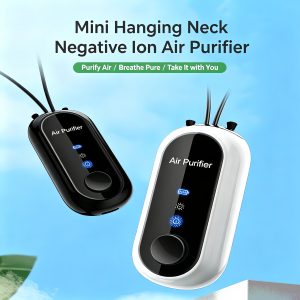
However, Most air purifiers sit in one room and clean the air around themselves. A wearable ionic air purifier does something different. It creates a personal clean air zone that moves with you, whether you are driving, working at your desk, or walking through a polluted city street. Therefore, This guide covers what to Look for, how negative ion technology works, and answers the most common Questions from buyers in the US and Europe.

However,

wearable ionic air purifier

Tuya WiFi Smart Boiler Switch: Energy‑Saving Control for Electric Water Heaters & Home Heating Smart Home Automation Guide 2026: 7 Practical Scenes That Save Time, Money and Energy

Buying Tips: What to Look for in a Wearable Air Purifier

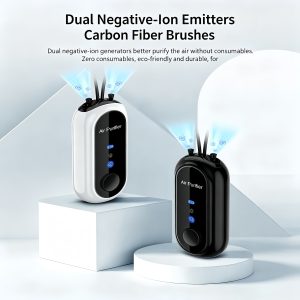
Therefore, The first specification to check is negative ion output. This device generates 12 billion negative ions per second, which is significantly higher than standard portable purifiers that typically produce 1 to 5 million. More ions mean faster and more effective removal of airborne pollutants including formaldehyde, second-hand smoke, PM2.5, dust, and bacteria. For example, Additionally, higher ion output creates a denser protective zone around your breathing area.

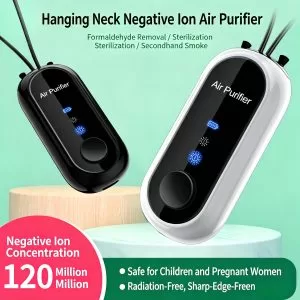
Therefore, The second factor is safety certification. Many ionizers produce ozone as a byproduct, which is harmful to the respiratory system, especially for pregnant women, babies, and people with asthma. This device is certified with zero ozone output and zero radiation, making it completely safe for sensitive populations. In addition, Furthermore, always check the ozone specification before buying any ionic air purifier. Best Smart Home Starter Kit for 2026: Switches, Doorbells, Cameras, Sensors and Pet Feeders Compared

Moreover, The third factor is battery life. A 800mAh lithium battery provides up to 30 hours of continuous operation on a single charge. Cheaper models with smaller batteries may only last 6 to 8 hours, requiring daily charging. Moreover, Moreover, USB charging compatibility means you can power up from a phone charger, power bank, or car USB port. Smart Home Market Trends 2026: What Distributors Must Know About Modular Security, Voice Control and Energy-Saving Devices

wearable ionic air

wearable ionic air purifier

Feature Wearable Ion Purifier Desktop Air Purifier Disposable Mask
Portability Wearable, 60 grams Stationary, 2-5 kg Disposable
Negative Ion Output 12 billion per second 1-5 million None
Battery Life 30 hours per charge Plugged in always N/A
Filter Replacement None needed Every 3-6 months Single use
Ozone Output Zero Varies by model None
Coverage Area Personal zone, 1 cubic meter Room, 15-30 square meters Mouth and nose only
Ongoing Cost Zero, filter-free $20-60 per year for filters $30-50 per month
Best For Personal on-the-go air Single room purification Short-term protection

How to Use: Getting the Most Out of Your Wearable Purifier

In addition, The device has two speed modes that adapt to different air quality situations. Low speed mode runs quietly and is ideal for sleeping, working in an office, or spending time in mildly polluted inDoor air. High speed mode delivers concentrated negative ion output for rapid purification in heavily polluted environments such as smoky rooms, newly renovated spaces with formaldehyde, or high-traffic outdoor areas.

wearable ionic air purifier

Wear the purifier around your neck with the ion emission ports facing upward, positioned about 15 to 20 centimeters from your nose and mouth. Furthermore, The 60-gram weight is light enough to wear for extended periods without neck strain. Furthermore, the silicone neck band is flexible and adjusts to different neck sizes comfortably.

For maximum effectiveness, charge the device fully before first use. This takes approximately 2 hours via USB. The LED indicator shows battery status so you always know when it is time to recharge. As a result, A full charge covers an entire workday or a long road trip without interruption.

wearable ionic air purifier

Multi-Scene Application: Where to Use It

The portable design makes this purifier suitable for multiple environments. In the car, it removes exhaust fumes and formaldehyde released from new car interior materials. At Home, it captures kitchen odors, Pet dander, and second-hand smoke. Importantly, In the office, it reduces airborne bacteria and dust around your workspace. Additionally, during travel on planes, trains, and buses, it creates a personal clean air zone in crowded spaces where air quality is often poor.

wearable ionic air purifier

Safety for Pregnant Women and Babies

One of the most important certifications on this device is its safety for pregnant women and babies. The zero radiation and zero ozone output means the device produces no harmful byproducts during operation. Notably, Negative ions are naturally occurring particles found in abundance near waterfalls, forests, and ocean surf. Therefore, the device recreates this natural air quality without any chemical emissions or electromagnetic radiation.

wearable ionic air purifier

FAQ

Q: What does 12 billion negative ions mean?
A: The device generates 12 billion negative ions per second from its emission ports. These ions attach to airborne pollutants like PM2.5, formaldehyde, and smoke particles, making them heavy enough to fall out of the air you breathe. However, Higher ion output means faster and more thorough air purification in your personal breathing zone.

Q: Is this safe for pregnant women and babies?
A: Yes. The device produces zero ozone and zero radiation, making it completely safe for pregnant women, newborns, and young children. Negative ions are naturally occurring particles found in nature, so there are no chemical emissions or harmful byproducts.

Q: How long does the battery last?
A: The 800mAh lithium battery provides up to 30 hours of continuous operation on a single charge. Therefore, Low speed mode extends battery life further, while high speed mode uses more power for concentrated purification. Charging takes approximately 2 hours via USB.

Q: Does this purifier need filter replacements?
A: No. The ionic technology uses no filters and requires no replacement cartridges. For example, This means zero ongoing maintenance costs compared to filter-based purifiers that need replacement cartridges every 3 to 6 months at $20 to $60 per set.

Q: What is the difference between low speed and high speed mode?
A: Low speed mode runs quietly with moderate ion output, suitable for sleeping, working, and daily indoor use. High speed mode delivers maximum ion output for rapid purification in heavily polluted environments like smoky rooms or newly renovated spaces with formaldehyde.

Q: Can I wear it while sleeping?
A: Yes. The device operates silently with no fan or Motor noise, making it suitable for overnight use. In addition, The 60-gram weight is light enough to wear comfortably. Meanwhile, lying down. Use low speed mode for quiet, gentle purification throughout the night.

Q: How effective is it against second-hand smoke?
A: Negative ions attach to smoke particles and cause them to fall out of the air. The 12 billion ion output is highly effective against second-hand smoke in your personal breathing zone. Moreover, However, it will not clean an entire room the way a large desktop purifier would.

Q: Can children wear it?
A: The neck-hung design is suitable for adults and older children. For younger children, place the device on a nearby surface within 1 meter of their breathing area. The zero radiation and zero ozone certification ensures safety for all age groups.

You Might Also Like
Frequently Asked Questions

Is Wearable Ionic Air Purifier worth buying?

Based on the breakdown in this article, Wearable Ionic Air Purifier offers a solid mix of features and value. If your main goal matches the key benefits described above, it is a practical choice for everyday use.

How do I choose the right wearable ionic air purifier for my needs?

Start with your core use case, then compare battery life, compatibility, and build quality as covered above. Choosing the right wearable ionic air purifier comes down to matching specs with how you actually use it.

Does wearable ionic air purifier require a companion app?

Most devices of this type pair with a free companion app for setup and firmware updates. A few advanced features may sit behind a paid plan, so check the official specs page before buying.

Related Articles
Posted on — Leave a comment

How to Choose a Smart Home in China: A Buyer’s Checklist

Smart home device factory production line in China

However, Quick answer: Verify that the supplier actually manufactures (ask for the business licence scope and a live Video walkthrough of the SMT line), confirm the certifications your Market requires before you discuss price, check who owns the firmware and whether protocol support such as Zigbee or Matter is in-house, insist on a pre-production sample plus a retained golden sample, and only then negotiate cost. Buyers who reverse that order consistently pay more in the long run.

<figure class="wp-block-image size-large">Smart home device factory production line in China

A real production line is the single thing a catalogue cannot fake.

Step 1: Establish Whether You Are Talking to a Factory

Therefore, A large share of the “manufacturers” listed on B2B platforms are trading companies, which is not automatically bad — traders can consolidate small orders across categories — but you should know. This one you are dealing with. This is because it determines your cost floor and how quickly a technical change can be made. Smart Home Automation Guide 2026: 7 Practical Scenes That Save Time, Money and Energy

  • Check the business licence. The registered business scope on a Chinese business licence states whether manufacturing is permitted. Ask for a copy and read the scope, not just the name.
  • Ask for a live video walkthrough. Not a promotional film. Therefore, Ask to see the SMT line, the assembly floor and the ageing test rack, live, with a specific request such as “show me the board being tested”.
  • Ask a technical question only engineering could answer. Something like “which Zigbee module is on this board, and can it be swAPPed for a different chipset?” A trader has to go and ask; a factory answers on the call.
  • Count the assembly lines and ask about monthly capacity. Vague answers about capacity usually mean the work is subcontracted.

Step 2: Settle Certifications Before You Discuss Price

Moreover, This is where most first orders go wrong. Prices Get agreed, samples get approved, and only then does someone discover the unit is not certified for the destination market — at. This point certification becomes a several-month delay.

Market Commonly required Notes
European Union CE (RED for radio devices), RoHS, REACH Radio equipment needs RED, not just the CE mark
United Kingdom UKCA, RoHS Separate from CE; check the current transition rules
United States FCC (Part 15 for radio), UL/ETL where mains powered Retailers often require UL even where law does not
Canada ISED, CSA or cUL Often bundled with US approvals
Australia / NZ RCM Requires a local responsible supplier
Battery shipments UN38.3, MSDS Needed for air and sea freight of lithium cells

In addition, Ask specifically: do you already hold these certificates, and do they cover the exact model I am buying? A test report for a similar product is not the same as a certificate for your SKU. Best Smart Home Starter Kit for 2026: Switches, Doorbells, Cameras, Sensors and Pet Feeders Compared

Smart home products assembly and testing facility
Ask which certificate covers. This exact model number — approximations cause delays.

Step 3: Ask Who Owns the Firmware

For example, Smart home hardware is a software product wearing a plastic case. The questions that predict whether a supplier will be useful in year two are all about firmware: Q81 Wireless Button Microphone – Mini Invisible Lapel Mic for Vlogging, Interview & Live Streaming

  • Is firmware developed in-house? If it is outsourced, a bug fix depends on a third party’s schedule.
  • Which protocols are supported, and can they be changed? Wi-Fi, Zigbee, Z-Wave and Matter each have different implications for your market. For example, Our protocol comparison covers the trade-offs in detail.
  • Who hosts the cloud, and what happens if you change supplier? Being locked to a supplier’s cloud is a real commercial risk.
  • Can the app be branded? White-label app availability is often the difference between a product line and a commodity.
  • How are OTA updates delivered? Devices in the field need Security patches.
Smart control panel production and quality inspection
Firmware ownership determines how fast you can respond to a problem in the field.

Step 4: Understand the Real Cost Structure

Therefore, Unit price is one line in a much longer calculation. Before comparing quotes, make sure every supplier is quoting on the same basis: Smart Home Wholesale FAQ: 15 Questions Every Buyer Asks Before Ordering in Bulk

  • Incoterms — EXW, FOB and CIF are not comparable numbers. Standardise on one before comparing.
  • Tooling and mould charges — who owns the tool, and does it transfer if you move production?
  • MOQ per variant — a Low headline MOQ that applies per colour or per SKU is not a Low MOQ.
  • Packaging and printing plates — custom retail packaging carries its own setup cost and lead time.
  • Certification modifications — changing an antenna or a power supply can invalidate an existing certificate.
  • Spare parts policy — agree a defect rate and a spares allocation up front.

Step 5: Sample Properly — The Three-Sample Rule

One sample is not enough. In addition, Order three, from separate production runs where possible:

  1. Engineering sample — to confirm the specification and test the app.
  2. Pre-production sample — built with production tooling, to confirm fit, finish and packaging.
  3. Retained golden sample — signed off and kept by both sides as the reference for inspecting bulk shipments.

Then test the samples in conditions that resemble real use, not a bench: weak Wi-Fi, cold mornings, a fully charged and a nearly flat battery, and several days of continuous operation. Most field failures are environmental, and a bench test will not surface them.

Zigbee gateway devices prepared for shipment
Test samples the way customers will use them — not on a bench next to the router.

Step 6: Inspect Before Shipment

Whatever the relationship, pay for a third-party pre-shipment inspection on the first three orders at minimum. It is a small cost relative to a container of returns. Moreover, Specify:

  • AQL level — the acceptable quality limit, agreed in writing.
  • Function testing — a defined percentage powered on and paired.
  • Packaging and labelling check — barcodes, country of origin, warning text, manual language.
  • Drop-test and carton check — export packaging failures cause damage nobody insures.

Red Flags Worth Walking Away From

  • Refusal to do a live factory walkthrough, or a walkthrough that never shows the production floor.
  • Certificates that do not match the model number being quoted.
  • Pressure to skip the pre-production sample.
  • Firmware questions answered only by sales staff, repeatedly.
  • Quotes that change after the deposit is discussed.
  • No written warranty or defect-rate commitment.
Smart video doorbell units packed for bulk export
Consistent packing and documentation is what makes repeat orders uneventful.

How Xingliao Works With Buyers

Xingliao Smart Home manufactures video doorbells, control panels, cameras, sensors and gateways on its own production lines, which means the conversation can start at the engineering level rather than the catalogue level. OEM branding, custom packaging, protocol configuration and firmware adjustments are handled in-house. Take a look at the factory to see the assembly and testing process, or review the current product range.

Frequently Asked Questions

What is a realistic MOQ for OEM smart home devices?

It depends on whether you change the tooling. Using an existing mould with your own branding usually starts in the hundreds; a new enclosure design moves to the thousands. Furthermore, Ask which applies rather than accepting a single headline number.

How long does certification take?

If the supplier already holds certification for the exact model, it is immediate. A new radio certification typically runs several weeks to a few months depending on the market and the test house backlog — which is why it should be settled before pricing.

Can I use my own app?

Often yes, if the supplier documents the device API or supports a standard platform. Ask whether the cloud is supplier-hosted or whether a local API is available.

What warranty terms are normal?

Twelve months is typical for smart home hardware, with an agreed defect-rate allowance and spare parts supplied against confirmed failures. As a result, Get both the period and the remedy in writing.

Start the Conversation

Send us your target market, the categories you want and your volume range, and we will tell you honestly whether we are the right fit. Contact the team with your requirements.

Related Articles

You Might Also Like
Posted on — Leave a comment

Smart Home Devices for Apartments: What Works Without Drilling or Rewiring

Compact 4-inch smart home control panel for apartments

However, Quick answer: In a rental you can install Smart plugs, bulbs, sensors on adhesive pads, Window Cameras, battery Video doorbells, a compact Control Panel and motorised curtain retrofits — all without a drill. The three things that will cause problems with a landlord are replacing wired switches, drilling into tile or exterior walls, and anything that alters the door lock. Everything else is reversible.

Compact 4-inch smart home control panel for apartments
A small control panel gives an apartment a single point of control without touching the wiring.

Why Apartments Need a Different Approach

Therefore, Most smart home advice assumes you own the place. Therefore, It suggests replacing switch plates, running cable to the door and mounting cameras under the eaves — none of which is available to a renter. What a renter needs is different in three specific ways: Smart Home Automation Guide 2026: 7 Practical Scenes That Save Time, Money and Energy

  • Everything must be reversible. The deposit depends on it.
  • Everything must travel. The next flat should take the same kit.
  • Installation should take minutes, not an afternoon. Nobody wants to patch and repaint on a twelve-month tenancy.

Moreover, Fortunately, the products that meet all three criteria now cover almost every category worth having.

What You Can Install With No Tools At All

Smart plugs

In addition, The simplest entry point. Plug one in, plug a lamp or a fan into it, and you have scheduling and remote control. For example, They also double as energy monitors on many models. Nothing is permanently changed, and they move house in a box.

Smart bulbs

For example, Screw into existing fittings. Dimmable and colour-changing options need no electrician. In addition, The one caveat is the wall switch: if somebody turns the switch off, the bulb loses power and becomes dumb — worth explaining to everyone in the flat. Smart Home Market Trends 2026: What Distributors Must Know About Modular Security, Voice Control and Energy-Saving Devices

Adhesive-mounted sensors

Therefore, Door, window, motion and water-leak sensors all ship with double-sided pads. A door sensor on the front door tells you when someone comes in; a leak sensor under the kitchen sink is genuinely worth its price the first time it fires. Smart Home Wholesale FAQ: 15 Questions Every Buyer Asks Before Ordering in Bulk

Smart control panel mounted without drilling in a rental flat
Adhesive pads hold sensors securely and peel off without marking.

What Needs Adhesive, Suction or a Screw — But Nothing More

Window cameras

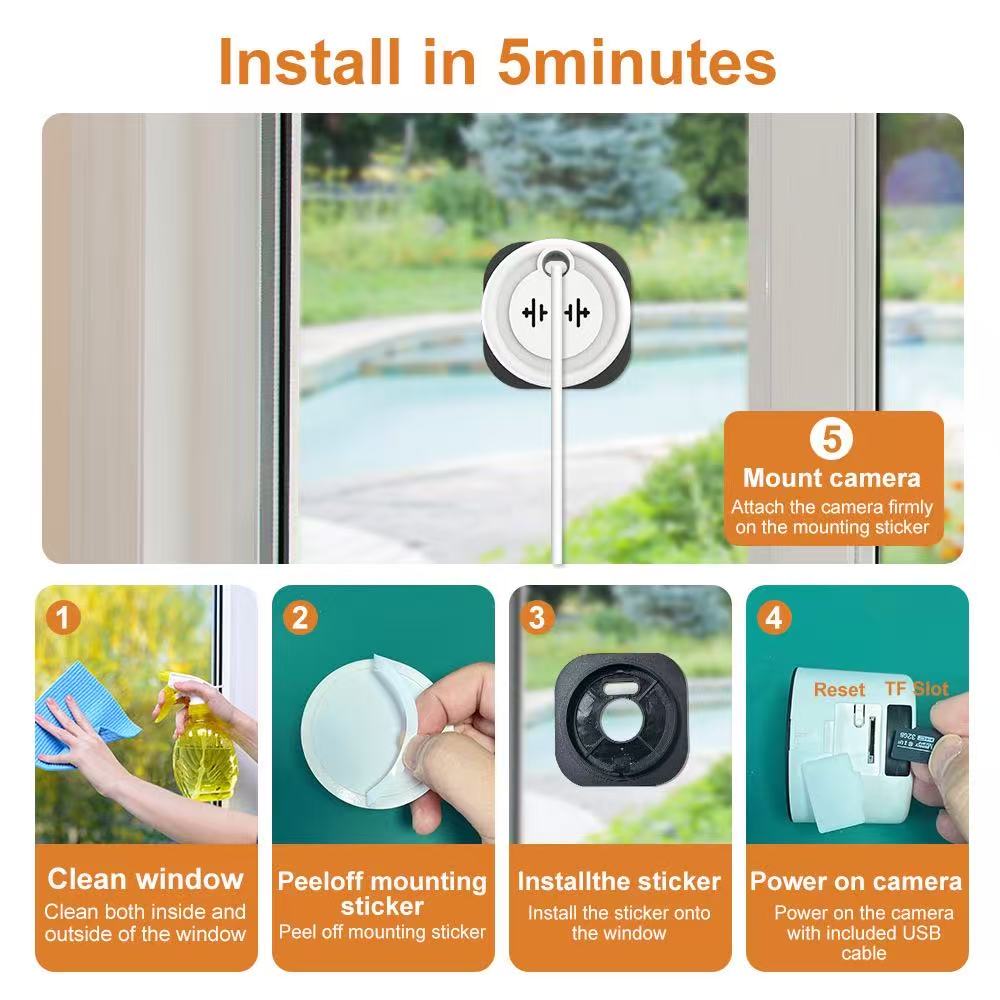
This is the category that solves apartment security. An outdoor camera means a ladder and a masonry drill; a window camera mounts to the inside of the glass with a suction or adhesive bracket and looks straight through at the street or courtyard.

  • Why it suits renting — no exterior fixings, uses the indoor power outlet and gets a far better Wi-Fi signal than anything outside a wall.
  • The one trade-off — reflections from interior lighting can wash out the picture at night. Moreover, Choose a window that faces a dark exterior and close the curtains behind the camera.

We went into the mounting options and night-performance tips in our window camera and rain sensor guide.
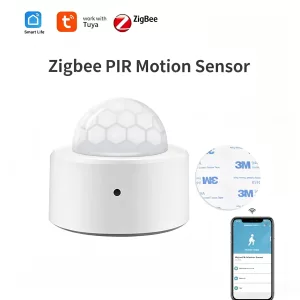
Battery or solar video doorbells

With adhesive mounting, these need nothing more than a clean door frame. If the entrance gets daylight, a solar-assisted unit removes the charging routine entirely. Our walkthrough of installing a video doorbell without existing wiring covers the four mounting approaches and which one suits which entrance.
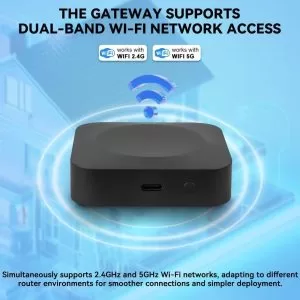
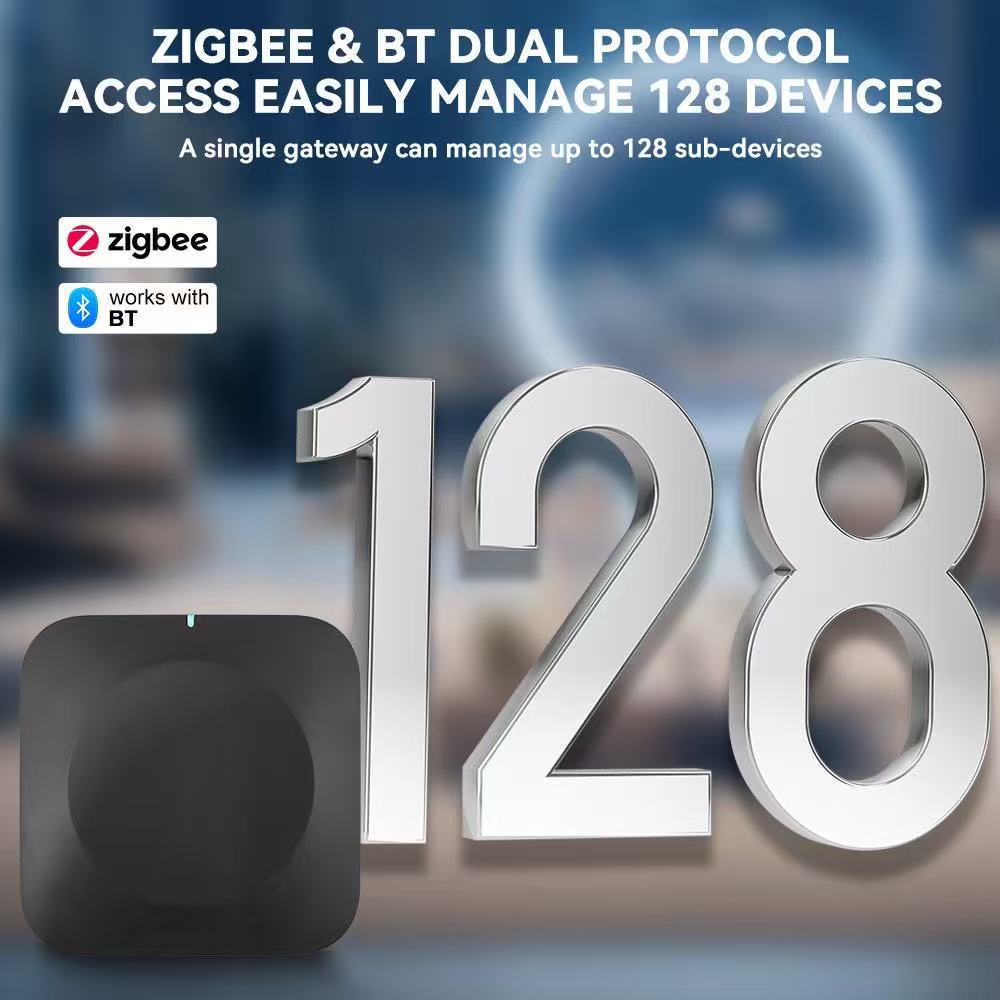
Compact control panels

A 4-inch panel is the right size for a flat — big enough to be useful, small enough to sit on a shelf or mount with a single adhesive bracket. Furthermore, It becomes the one place where lights, plugs, scenes and the door camera all meet, which is what stops a smart home from turning into six apps.

If you are weighing up screen sizes, our Tuya control panel guide explains what a central screen is actually worth in a small property.

Apartment smart home setup with plug-in devices
Plug-in devices plus one small screen covers most of what a flat needs.

Curtain and blind retrofits

Motorised curtain tracks that clamp onto the existing rail, or tube motors that slide inside a roller blind, need no new wiring. They are the most underrated apartment upgrade: waking up to curtains that open themselves changes how a room feels, and the whole thing unclips on moving day.

The Three Things That Will Upset a Landlord

  1. Replacing wired switches or sockets. This alters the fixed electrical installation and, in many jurisdictions, legally requires a qualified electrician. Do not do it in a rental — use smart bulbs and plugs instead.
  2. Drilling into tile, stone or exterior walls. Impossible to repair invisibly. As a result, If you must fix something, use adhesive pads rated for the surface, or a tension-mounted pole.
  3. Changing the door lock. A smart lock on a rental door is usually a deposit dispute waiting to happen. A video doorbell answers the same question — who is at the door — without touching the lock cylinder.
Smart home control screen on a bedside table
A bedside panel makes the “good night” scene the most-used button in the flat.

A Sensible Order to Buy In

Buying everything at once is how people end up with a drawer of unused gadgets. This sequence builds capability with each step:

  1. Two or three smart plugs — learn whether scheduling actually changes your routine.
  2. A door sensor and a leak sensor — the first devices that generate genuinely useful notifications.
  3. A window camera or battery doorbell — covers the entry. This is the point most renters care about.
  4. A compact control panel — once you have six or more devices, one screen beats six apps.
  5. Curtain or blind motor — the upgrade that makes the flat feel finished.

Every item on that list is packable in an afternoon and works in the next property.

Renter friendly smart home devices on a shelf
All of it packs into one box on moving day.

Related guides

Frequently Asked Questions

Will adhesive strips damage paint when I remove them?

Quality removable pads such as command-style strips usually come away cleanly, but on old or flaking paint they can lift a layer. Importantly, Test a small area first, and warm the pad with a hairdryer before peeling slowly.

Can I take smart devices with me when I move?

Everything on this list, yes. The only exception is anything wired into the fixed installation —. This is exactly why this guide excludes it.

Do I need a hub in a small flat?

Not for Wi-Fi devices. A hub becomes worthwhile once you have several Zigbee sensors, or if you want a control panel that talks to all of them locally.

Is a video doorbell allowed in a rented flat?

Usually with adhesive mounting, but check the tenancy agreement regarding the door and communal areas, and angle the camera to cover your own doorway rather than a neighbour’s.

Build a Renter-Friendly Setup

Apartment living rules out drilling, not automation. Browse devices that install without tools, or tell us about the flat and we will suggest a starter kit that fits the space and the landlord’s rules.

Related Articles

You Might Also Like
Posted on — Leave a comment

Why Your Video Doorbell Keeps Going Offline (And How to Fix It for Good)

Video doorbell showing offline status in app

However, Quick answer: A Video Doorbell that drops offline is rarely faulty. In roughly this order of likelihood, the cause is weak Wi-Fi at the door, the Doorbell sitting on a 5 GHz network it cannot hold, insufficient power from the transformer or a low battery, router features such as band steering, AP isolation or MAC filtering, a congested 2.4 GHz channel, firmware that needs updating, or — least often — genuine hardware failure. Work through them in that order and you will find it in under half an hour.

Video doorbell showing offline status in app
“Offline” almost always means the link, not the hardware.

Start Here: The Two-Minute Triage

Therefore, Before opening any settings, run these three checks. Therefore, They identify the majority of cases immediately.

  1. Power-cycle the doorbell. Pull the battery or switch off the breaker for 30 seconds. If it reconnects and stays up for days, you were looking at a transient router issue, not a fault.
  2. Check whether anything else on the network dropped at the same time. If the whole Wi-Fi went down, the doorbell is a symptom.
  3. Note the pattern. Drops at the same time every day point to scheduled router restarts or channel changes. Drops only in cold weather point to the battery. For example, Drops only when someone is at the door point to power delivery.

Cause 1: Weak Wi-Fi at the Door (Most Common)

Moreover, The front door is usually the worst-covered spot in the house. The router is typically at the back of the property, and the signal has to pass through exterior walls, insulation, sometimes a metal door, and foil-backed insulation in the frame.

Therefore, How to test it properly: stand exactly where the doorbell is mounted, phone in hand, and run a speed test. Do not trust the bar icon.

  • Below −70 dBm — the connection will drop. In addition, This is the single most common cause.
  • −60 to −70 dBm — marginal; works until the microwave runs.
  • Above −60 dBm — signal is fine, look elsewhere.

Moreover, Fixes, cheapest first: move the router a metre or two away from thick walls and metal appliances; if the doorbell supports it, add a Wi-Fi extender or mesh node on the inside wall nearest the door; as a last resort, consider a model with a wired Ethernet or PoE option.

Checking Wi-Fi signal strength at the front door
Test from the mounting position, not from the living room.

Cause 2: It Joined the 5 GHz Network

In addition, Nearly all video doorbells only support 2.4 GHz Wi-Fi, but many routers broadcast one network name for both bands. If the doorbell was set up while the phone was on 5 GHz, it can appear to pair and then fail to hold the connection.

Fix: in the router settings, temporarily split the SSIDs into separate names for 2.4 GHz and 5 GHz, then re-run setup and pick the 2.4 GHz network explicitly. Once it is stable you can re-enable a single name if you prefer, though leaving them split is the more reliable arrangement for Smart home devices generally.

Cause 3: Not Enough Power

This is the cause most people miss. This is because the symptom looks like a network problem. Moreover, A doorbell draws a surge when it wakes, streams video and sounds the chime. If the transformer or battery cannot supply that surge, the unit browns out and reboots — which shows up in the app as going offline.

  • Battery units — a pack that reads 40% can still collapse under load in cold weather. Cold reduces usable capacity substantially, which is why drop-offs often appear in winter.
  • Wired units — check the transformer rating against the doorbell’s requirement. Furthermore, An old 8 V transformer fitted for a basic bell is a very common reason a modern video doorbell restarts when someone presses the button.
  • Sign that confirms it — the doorbell goes offline exactly when rung or during a live view, then comes back on its own.
Video doorbell wiring and transformer power supply check
Insufficient transformer output looks exactly like a network fault.

Cause 4: Router Features That Quietly Break IoT Devices

Several default and optional router settings are hostile to Smart home hardware. Check each of these:

  • AP or client isolation — prevents devices from talking to each other. Some doorbells need local discovery to stay registered. As a result, Turn it off.
  • Band steering — pushes devices to 5 GHz. This many doorbells cannot use.
  • MAC address filtering or access control — blocks the doorbell after a router reboot or firmware update if the MAC was never whitelisted.
  • Aggressive DHCP lease times — a very short lease can drop devices that sleep for long periods.
  • Guest network — if the doorbell is on a guest SSID with isolation, local control will fail.

Assigning the doorbell a reserved (static) IP address in the router is a five-minute change that eliminates a surprising number of recurring dropouts.

Cause 5: Congested 2.4 GHz Channel

2.4 GHz has only three non-overlapping channels. In a block of flats, dozens of access points compete for them, and the result is intermittent latency that a doorbell interprets as a lost connection.

Fix: use a Wi-Fi analyser app to find. This of channels 1, 6 and 11 is least used in the installation, and set the router to that channel manually rather than leaving it on “Auto”.

Router settings for 2.4 GHz smart home devices
Channel 1, 6 or 11 — pick the quietest and lock it.

Cause 6: Outdated Firmware

Firmware updates fix connection stability more often than any other single change. Both the doorbell and the router matter here, and router firmware is the one people forget — it is frequently years out of date.

Fix: update the doorbell through its app first, then check the router’s administration page for a firmware update. Importantly, Reboot the router afterwards and observe for 48 hours before concluding anything.

Cause 7: Genuine Hardware Fault

The least likely cause, but it does happen. Suspect the hardware only after the six items above have been ruled out, and look for these signs:

  • The unit drops offline even when placed next to the router.
  • Physical damage, corrosion or water ingress at the connectors.
  • The doorbell gets abnormally hot, or will not complete a full charge.
  • A full factory reset does not change the behaviour.

Preventing It From Coming Back

Once it is stable, these four habits keep it that way:

  1. Reserve a static IP for the doorbell in the router’s DHCP settings.
  2. Keep the 2.4 GHz SSID separate from the 5 GHz one.
  3. Split the smart home devices onto their own SSID if the router supports it, so a guest’s phone cannot congest the doorbell’s network.
  4. Re-check signal strength seasonally — foliage on trees and new furniture both change 2.4 GHz propagation more than expected.
Video doorbell back online with stable connection
A stable connection, confirmed. A few router settings prevent most repeat faults.
Frequently Asked Questions

Why does my video doorbell go offline only at night?

Three likely reasons: scheduled router reboots, temperature-related battery capacity loss, or infrared night mode drawing more current than the power supply can deliver. Notably, Test by triggering a live view at the same time each evening.

Does a Wi-Fi extender actually help a doorbell?

Yes, provided the extender itself gets a good signal and is placed on the inside wall closest to the door rather than next to the router. A mesh node is the better long-term option.

How do I know if my transformer is underpowered?

Check its output rating against the doorbell’s requirement. If the doorbell reboots precisely when the button is pressed or a live view starts, the power supply is the strong suspect.

Is it worth resetting the doorbell to factory settings?

Only after working through signal, power and router settings. However, A reset erases the Wi-Fi credentials and motion zones, so it should be the last step, not the first.

Still Not Resolved?

If you have worked through the list and the unit still drops, send us the model, your router make and the signal reading at the door. We will help you determine whether it is configuration or hardware. Contact our support teamor look at models with stronger wireless performance

Related Articles

You Might Also Like
Posted on — Leave a comment

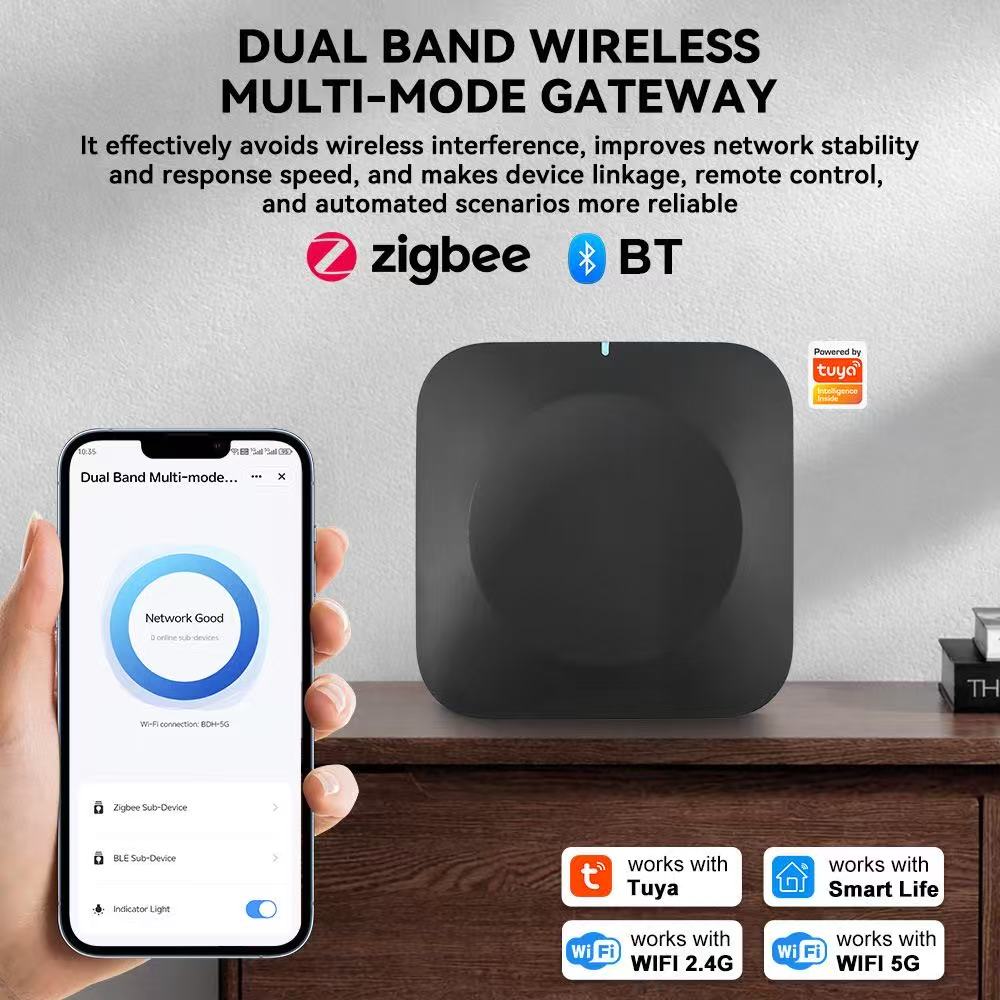
Smart Home Protocols Compared: Wi-Fi vs Zigbee vs Z-Wave vs Matter (2026 Buyer’s Guide)

Zigbee smart home gateway hub with connected devices

However, Quick answer: Wi-Fi is the easiest to set up but the hungriest for power and network bandwidth. Zigbee and Z-Wave are low-power mesh networks designed for sensors and Switches — Zigbee is cheaper and far more widely manufactured. Meanwhile, Z-Wave enforces stricter certification and suffers less interference. Matter is not a radio at all; it is a compatibility layer that lets devices from different brands work together over Wi-Fi, Thread or Ethernet. Therefore, Almost Every real installation ends up using more than one of them at the same time.

Zigbee smart home gateway hub with connected devices
A hub is what lets low-power protocols like Zigbee talk to your router and your phone.

The Four Names You Keep Seeing

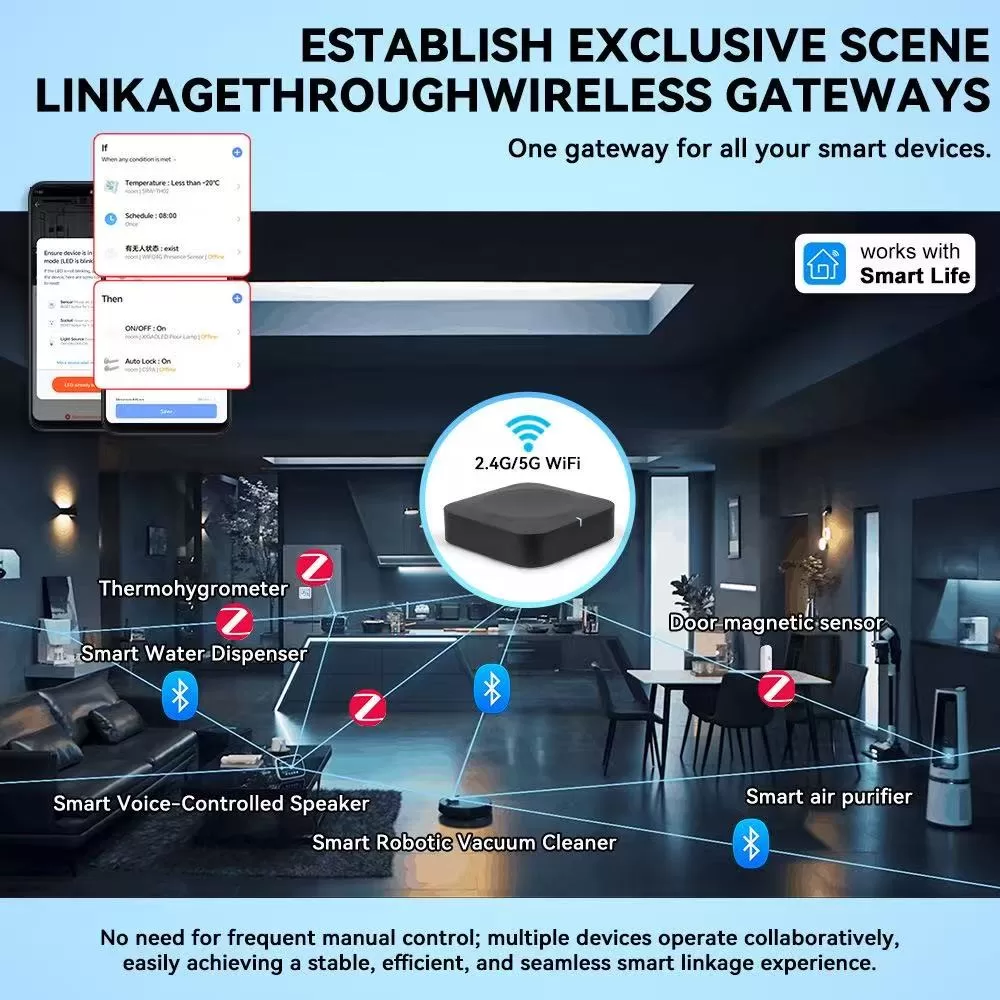
Therefore, One reason protocol comparisons get confusing is that the four terms are not the same kind of thing. Wi-Fi, Zigbee and Z-Wave are wireless radios. Matter is a software standard that sits on top of radios. For example, Once you separate those two categories, the rest of the comparison falls into place. Smart Home Automation Guide 2026: 7 Practical Scenes That Save Time, Money and Energy

Protocol Band Typical indoor range Mesh Power use Best for
Wi-Fi 2.4 / 5 GHz 15–30 m No (star) High Cameras, doorbells, anything streaming video
Zigbee 2.4 GHz (some regions 868/915 MHz) 10–20 m per hop Yes Very low Sensors, switches, locks, bulbs
Z-Wave 868 / 908 MHz (regional) 30 m per hop Yes Very low Security sensors, locks, retrofit installs
Matter Runs over Wi-Fi, Thread or Ethernet Depends on the radio underneath Depends on transport Depends on transport Cross-brand compatibility

Wi-Fi: Simple, Fast and Easily Overloaded

Moreover, Wi-Fi needs no hub. The device joins your existing network and you control it from an app. That simplicity is why almost every video doorbell and camera uses it — nothing else carries a video stream as cheaply.

In addition, The cost shows up later. In addition, Every Wi-Fi device is a client on your router, and consumer routers start struggling somewhere between 20 and 40 simultaneous clients. Battery-powered Wi-Fi devices are worse: maintaining a Wi-Fi association drains a coin cell in weeks. This is why you rarely see a Wi-Fi door sensor that runs on a small battery for years.

  • Strengths — no hub, high bandwidth, universal Smartphone app support, works for video.
  • Weaknesses — high power draw, router congestion, shorter battery life, 2.4 GHz crowding.
  • Use it for — video doorbells, cameras, smart displays, anything mains-powered that moves a lot of data.
Smart home protocol comparison showing Zigbee gateway and sensors
Video devices stay on Wi-Fi; everything small and battery-powered does not.

Zigbee: The Default for Sensors and Switches

For example, Zigbee builds a mesh. Every mains-powered Zigbee device — a smart plug, an in-wall switch, a control panel — acts as a repeater for the others, so adding more devices actually strengthens the network rather than loading it. Moreover, Battery sensors sleep and wake only to report, which is how a door sensor survives two years on a coin cell. Smart Home Market Trends 2026: What Distributors Must Know About Modular Security, Voice Control and Energy-Saving Devices

Therefore, Zigbee’s real advantage is manufacturing scale. Because the specification is open and chip supply is broad, Zigbee hardware is inexpensive and available from a very large number of factories. This keeps both unit cost and lead times attractive for volume buyers.

  • Strengths — very low power, self-healing mesh, low module cost, huge device ecosystem, multi-year battery life.
  • Weaknesses — requires a hub, shares the crowded 2.4 GHz band, needs at least a few mains-powered nodes to form a reliable mesh.
  • Use it for — door/window sensors, motion sensors, smart switches, locks, smart plugs.

Z-Wave: The Quiet, Well-Behaved Alternative

Z-Wave runs on sub-GHz frequencies well below Wi-Fi, so it does not compete with your router or your neighbour’s. It reaches further per hop, and because the standard is tightly controlled by a single certifying body, interoperability between brands is genuinely reliable.

The trade-off is cost and regional fragmentation. Furthermore, Modules cost more than Zigbee, and the frequency differs by region. This means separate SKUs for EU, US and other markets — a real consideration if you are stocking a warehouse.

  • Strengths — excellent range, minimal interference, strict certification, strong security-device support.
  • Weaknesses — higher module cost, regional frequency variants, smaller device selection, licensing.
  • Use it for — security systems, locks, larger homes, retrofit projects where 2.4 GHz is already congested.
Zigbee mesh network hub installed in a smart home
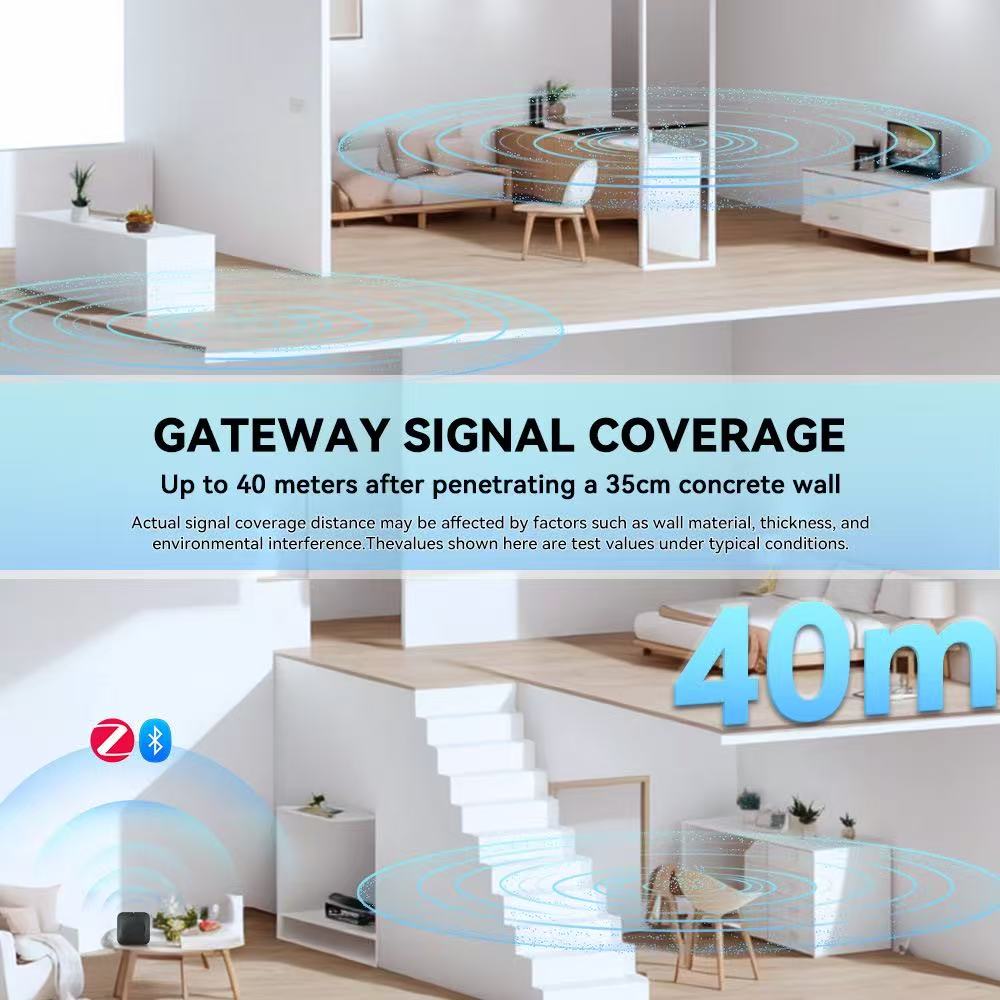
Sub-GHz protocols reach further per hop and stay clear of Wi-Fi congestion.

Matter: The Compatibility Layer, Not a Radio

Matter is the piece most articles get wrong. It does not replace Zigbee or Wi-Fi. Matter is an application standard backed by the major platform owners that defines how devices describe themselves and talk to controllers, regardless of brand. As a result, A Matter device can run over Wi-Fi, over Thread (a low-power mesh similar in spirit to Zigbee) or over Ethernet.

For the end user, the promise is simple: buy a Matter device from any brand and it pairs with any Matter controller without a brand-specific app or cloud. For manufacturers, Matter removes the need to maintain separate firmware builds for each ecosystem.

  • What it changes — cross-brand pairing, local control without cloud dependency, one less app per device.
  • What it does not change — the underlying radio. A Matter-over-Wi-Fi camera still uses as much power as any Wi-Fi camera.
  • Adoption advice — for new product lines, Matter support is increasingly expected; for existing Zigbee ranges, Matter compatibility at the hub level is usually the pragmatic route.

How to Choose: A Practical Decision Path

  1. Does it stream video? Wi-Fi. Importantly, There is no realistic alternative for a doorbell or camera.
  2. Is it battery-powered and reports occasionally? Zigbee or Z-Wave, not Wi-Fi.
  3. Is the home already congested on 2.4 GHz, or is it a large property? Lean Z-Wave.
  4. Is unit cost and breadth of supply the priority? Zigbee.
  5. Does the customer need it to work with everything they already own? Look for Matter certification or a Matter-capable hub.

Most well-designed homes end up with a hybrid: Wi-Fi for video, Zigbee for sensors and switches, and a hub that ties both together and exposes them to the phone app. If you want to see what that looks like in practice, our Tuya smart home control panel guide walks through the screen that ends up controlling all of it.

Smart home hub controlling Zigbee sensors and switches
A hybrid network — Wi-Fi for video, Zigbee for sensors — is what most real homes end up with.

What Buyers and Importers Should Ask a Factory

If you are sourcing rather than installing, the protocol decision is a supply-chain decision, not just a technical one. These are the questions worth putting to any supplier:

  • Which protocol modules are already in production? A factory shipping Zigbee at volume can usually add Matter firmware far faster than one starting from scratch.
  • Is the hub firmware maintained in-house? Protocol support lives or dies on firmware updates.
  • Are regional frequency variants handled? Essential for Z-Wave, and relevant for Zigbee in some markets.
  • What certifications already exist — CE, FCC, UKCA, RoHS and Matter certification where claimed?
  • Can the same hardware carry two protocols? Dual-protocol modules reduce SKU count significantly.

Xingliao Smart Home builds Wi-Fi, Zigbee and Tuya-connected devices on the same production lines, so a product range can mix protocols without changing supplier. See the factory for how these units are assembled and tested.

Zigbee gateway with app control for home automation
One production line, multiple protocol options — fewer suppliers to manage.
Frequently Asked Questions

Do I need a hub for Zigbee devices?

Yes. Notably, Zigbee devices cannot join a Wi-Fi network directly; they need a Zigbee coordinator. This usually ships inside a smart hub, a control panel, or an echo-style speaker. Many modern control panels include one.

Can Zigbee and Z-Wave devices work together?

Not directly — they are different radios. A hub that contains both (or a platform like SmartThings or Home Assistant) can present them together in one app and run automations across both.

Will Matter make my existing Zigbee devices obsolete?

No. However, Matter runs alongside existing protocols. A Matter-capable hub can expose your current Zigbee devices to Matter controllers. This is the usual upgrade path.

Which protocol is best for a whole-house installation?

There is no single winner. Video on Wi-Fi, sensors and switches on Zigbee or Z-Wave, and a Matter-capable hub to unify control is the combination that scales most reliably.

Plan Your Protocol Mix

Choosing the right protocol up front avoids the most expensive problem in smart home projects — a network that works in the demo and struggles in the finished house. Browse the range or talk to our engineers about which protocol fits your market.

Related Articles

You Might Also Like
Posted on — Leave a comment

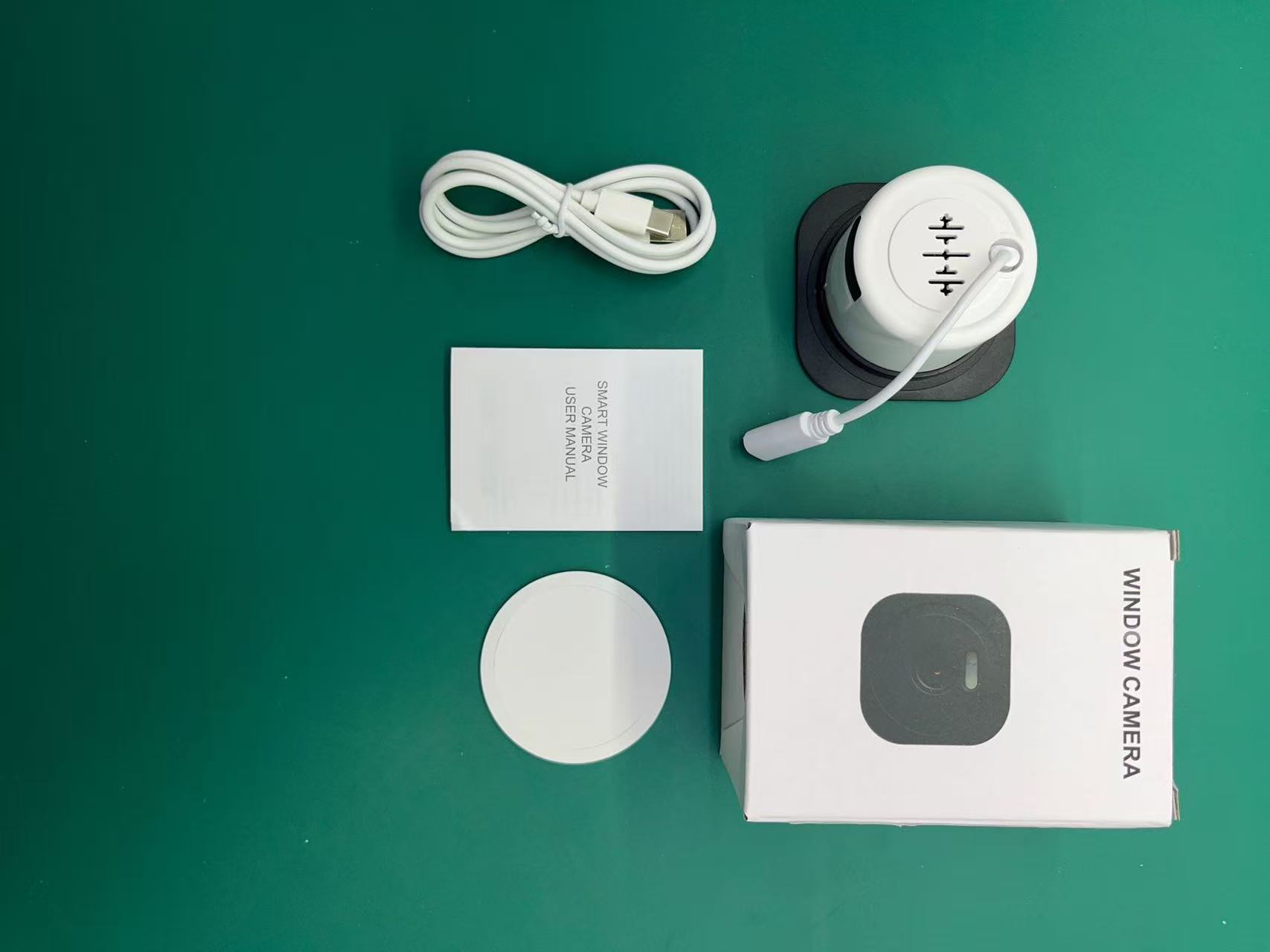
Smart Home Sensors Explained: Window Camera and Rain Sensor for a Home That Reacts

Smart window camera mounted on a glass window facing outside

However, Cameras and Smart plugs get the attention, but the devices that make a house feel genuinely intelligent are usually the quiet ones. Two good examples: a window camera that watches the outside from behind the glass, and a rain Sensor that closes the skylight before anyone notices the weather changed. Neither needs a drill, and together they turn a connected house into one that reacts.

Smart window camera mounted on a glass window facing outside
Mounted behind glass, a window camera keeps a clear view without any exterior wiring.

Window Camera: Eyes Where You Would Not Put a Drill Hole

Therefore, An outdoor camera normally means a ladder, a masonry bit and a weatherproofing job. Therefore, A window camera skips all of it. It mounts to the inside of a window with an adhesive or suction bracket and looks straight through the glass at the street, the driveway or the garden.

  • No exterior installation — renters can install it, and nobody needs scaffolding.
  • Indoor power and Wi-Fi — the outlet is already there, and signal strength is far better than outside a wall.
  • Two-way audio and siren — speak through the unit or trigger an alarm from the app.
  • Night vision tuned for glass — infrared illumination is managed to reduce the reflection that usually ruins through-glass footage.
  • Motion zones — limit alerts to the driveway instead of every car on the street.

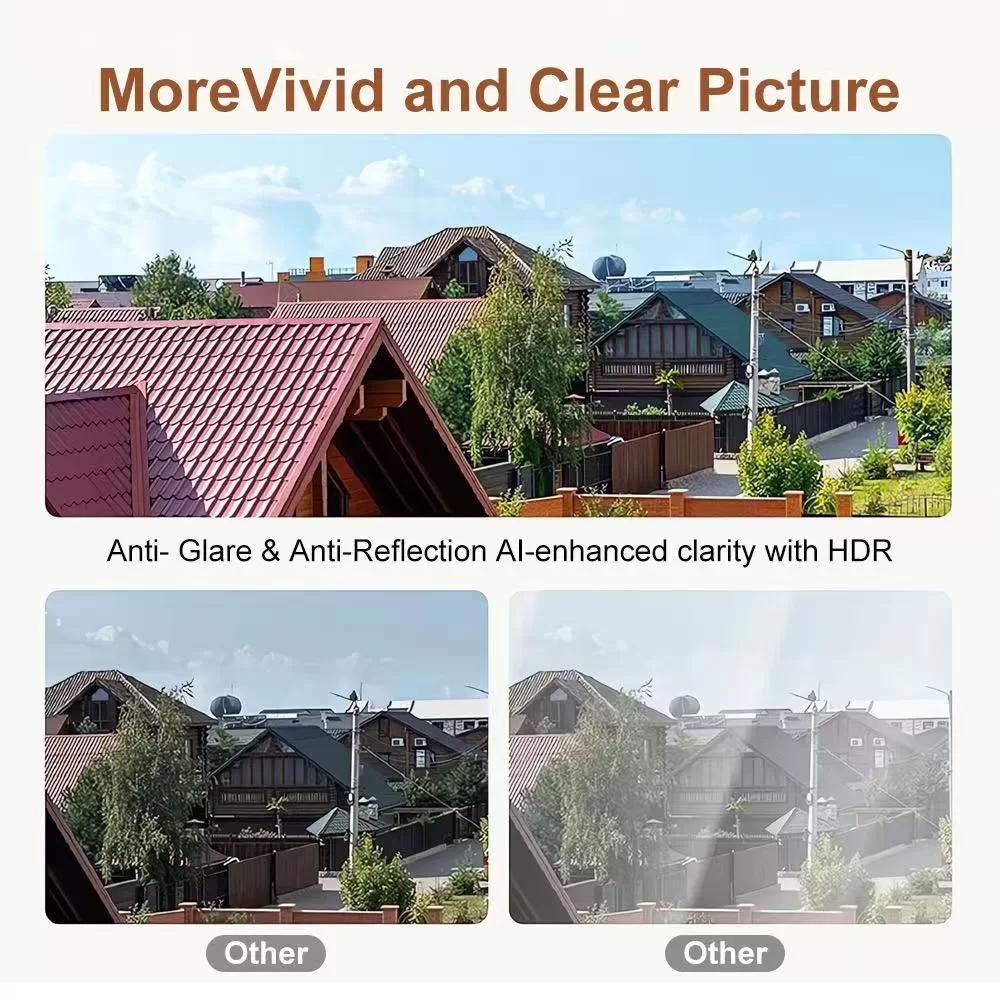
Moreover, The one trade-off is glass: reflections from interior lighting can wash out the image at night, so the best results come from a window that Faces a dark exterior and has a blind or curtain behind the camera.

Window security camera with suction mount and wide view
Suction or adhesive mounting means no holes, no ladder and no landlord conversation.

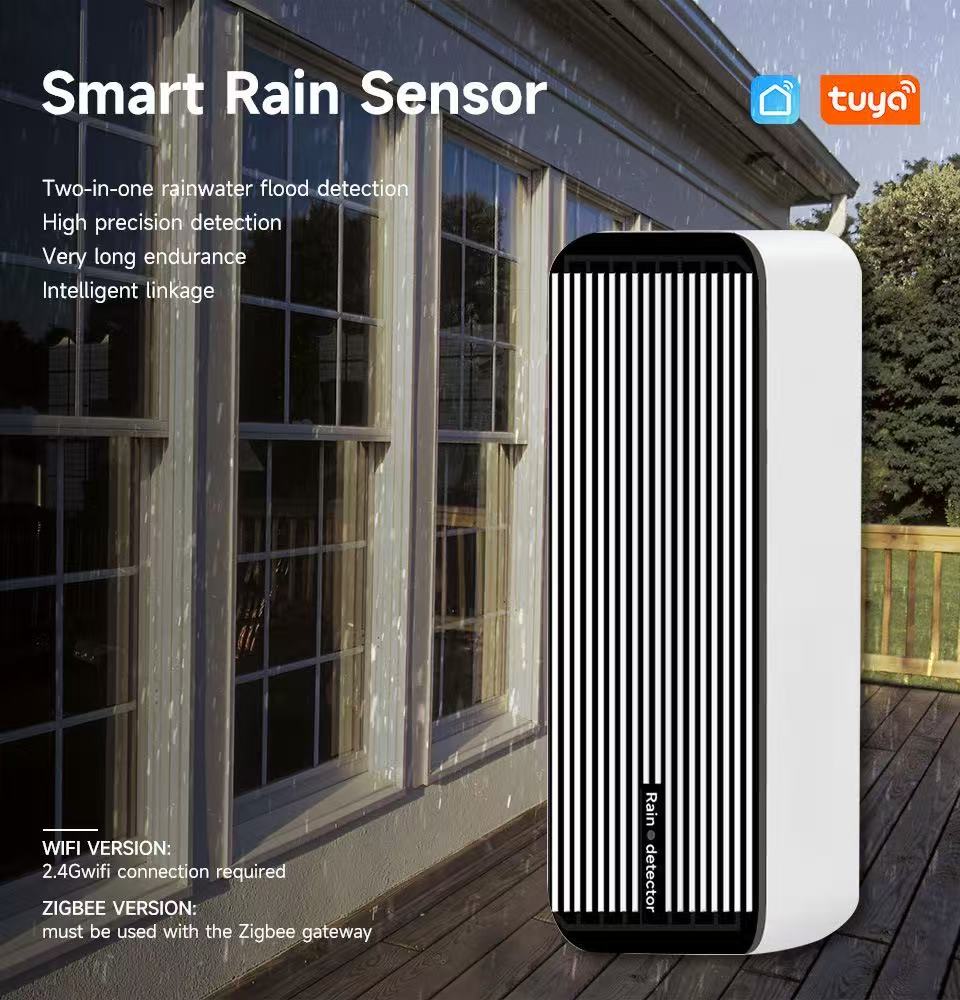
Rain Sensor: The Automation Nobody Thinks About Until It Works

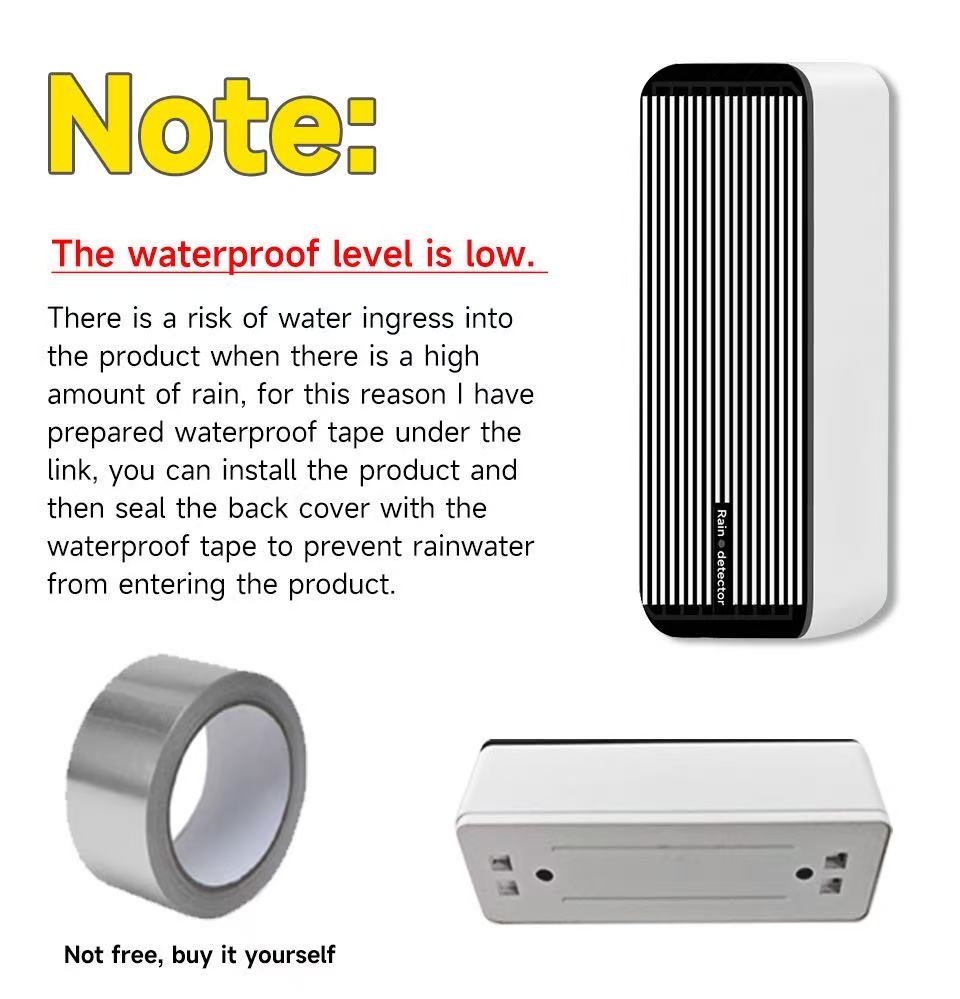
In addition, A rain sensor does one job: it detects water and reports it. That sounds trivial until you wire it into a routine. For example, The moment rain is detected, the house can close skylights and motorised windows, retract an awning, pause irrigation, and send a notification. It is the difference between a house that is merely connected and one that looks after itself while the owner is at work.

  • Window and skylight closing — the single most useful automation, and the reason people buy the sensor.
  • Awning and pergola retraction — protects fabric and motors from storm damage.
  • Irrigation pause — stops the garden system from watering during a downpour.
  • Laundry alerts — a notification to bring in washing before it soaks.
  • Low-power wireless design — battery powered and mounted outdoors on a sill, bracket or gutter edge.
Window camera live view on a smartphone app
App-based live view and alerts make a window camera useful from anywhere.

Combining Sensors Into Automations That People Actually Keep

For example, The value of sensors compounds when they are linked. A few combinations that stay switched on long after the novelty wears off: Tuya WiFi IR Remote Review: Universal Control Meets Climate Intelligence

  1. Rain detected → close all skylights and windows, retract awning. The classic, and the one customers talk about.
  2. Window camera detects motion after 11pm → turn on the porch light and push an alert. Lighting plus camera is far more effective than a camera alone.
  3. Door opened while rain sensor is wet → send an “umbrella” reminder. Cheap to build, genuinely delightful.
  4. Rain stops for 30 minutes → resume irrigation schedule. Saves water without anyone thinking about it.
  5. Vacation scene → camera recording on, rain sensor closing windows, notifications to the owner’s phone. The full picture for a house left empty.
Smart rain sensor installed on an outdoor windowsill
A compact rain sensor sits on the sill and reports the moment water is detected.

Choosing the Right Sensor Mix for a Project

However, For a distributor or installer, sensors are among the highest-margin, lowest-return-rate products in a smart home catalogue — but only if the mix matches the property type. In addition, Apartments and rentals lean heavily on window cameras. This is because nothing can be drilled. Houses with skylights, awnings or motorised windows are the natural home for rain sensors. Hospitality and senior-care projects tend to buy both, plus door and motion sensors, and run them through a single automation layer.

Xingliao Smart Home manufactures and supplies a full sensor family alongside doorbells, control panels and cameras, all from the same production facility, so firmware, packaging and app ecosystem stay consistent across the range.

Wireless rain sensor detecting rainfall for home automation
A consistent ecosystem means sensors, doorbells and panels all work from one app.

Plan Your Sensor Line-Up

Sensors are what turn a one-off device sale into a system the customer keeps expanding. Browse the sensor range or contact our team for wholesale pricing, bundle recommendations and OEM options.

You Might Also Like

Related Articles
Frequently Asked Questions

Is Sensors Explained Window Camera worth buying?

Based on the breakdown in this article, Sensors Explained Window Camera offers a solid mix of features and value. If your main goal matches the key benefits described above, it is a practical choice for everyday use.

How do I choose the right sensors explained window camera for my needs?

Start with your core use case, then compare battery life, compatibility, and build quality as covered above. Choosing the right sensors explained window camera comes down to matching specs with how you actually use it.

Does sensors explained window camera require a companion app?

Most devices of this type pair with a free companion app for setup and firmware updates. A few advanced features may sit behind a paid plan, so check the official specs page before buying.

Posted on — Leave a comment

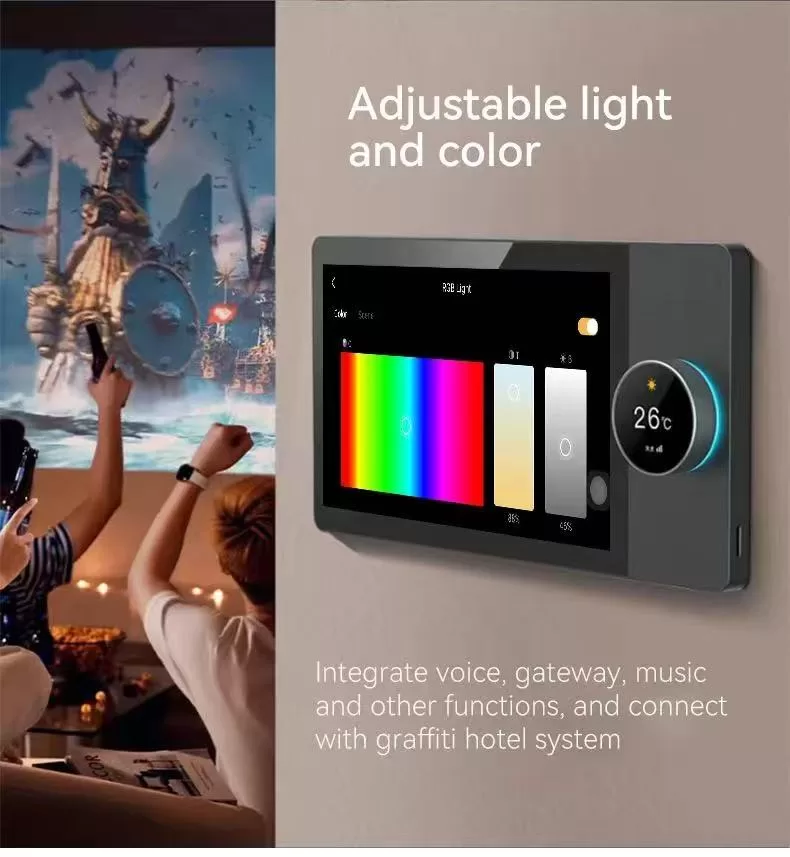
Tuya Smart Home Control Panel: One Screen to Run Lights, Locks, Cameras and Climate

Tuya smart home control panel mounted on a wall

Therefore, Most Smart Homes fail in a boring way. Not with a dramatic crash, but with six APPs, four hubs and a wall of switches that nobody remembers the order of. A Tuya Smart home control panel pulls all of it onto a single screen — lights, locks, cameras, curtains, heating. Therefore, And scenes — so the house can be run from one place on the wall by anyone who walks past it.

Tuya smart home control panel mounted on a wall
One wall-mounted screen replaces a row of switches and a folder of apps.

What the Panel Actually Controls

  • Lighting — individual bulbs, groups, dimming and colour, from a single tile.
  • Door locks and video doorbells — see who is at the door. For example, And release the lock from the same screen.
  • Cameras — pull up a live feed from the entryway, the garage or the nursery without unlocking a phone.
  • Curtains, blinds and garage doors — open and close motors and check their state at a glance.
  • Climate — thermostat setpoints, fan speed and schedules for heating and cooling.
  • Scenes and automations — one tap runs a whole routine, such as “Good night”: lights off, curtains closed, doors locked, Camera armed.
Tuya smart control panel touch screen showing home automation interface
Lighting, climate, cameras. In addition, And scenes sit side by side on one interface.

Why Tuya Compatibility Matters

For example, Tuya is one of the largest connected-device ecosystems in the world. This changes the maths for both installers and end users. A panel built on the Tuya platform talks to thousands of existing devices without a custom integration, so a customer who already owns Tuya-based bulbs or sensors can keep them. Moreover, For a distributor, that means the panel sells into an existing installed base rather than requiring a full rip-and-replace. Smart Home Automation Guide 2026: 7 Practical Scenes That Save Time, Money and Energy

In addition, It also means the app side is settled. End users manage devices through the familiar Tuya or Smart Life app, and the wall panel simply becomes the fastest way to reach the same devices. Video Doorbell Review 2026: What to Look For, Smart Features Compared, and Buyer’s Guide

Smart home control screen controlling lights locks and cameras
Tuya compatibility lets customers keep the devices they already own.

Where to Install It

Beside the main light switch

Moreover, The most common spot. Replacing or sitting alongside the existing switch plate means the panel is exactly where people already reach. Best Smart Home Starter Kit for 2026: Switches, Doorbells, Cameras, Sensors and Pet Feeders Compared

Entryway or hallway

However, Furthermore, Guests and family members pass it several times a day. This makes the scene buttons genuinely useful rather than decorative. Smart Home Market Trends 2026: What Distributors Must Know About Modular Security, Voice Control and Energy-Saving Devices Q81 Wireless Button Microphone – Mini Invisible Lapel Mic for Vlogging, Interview & Live Streaming

Bedroom or bedside

Therefore, As a result, A “Good night” scene within arm’s reach gets used every single evening — the highest-value screen in the house. Smart Home Wholesale FAQ: 15 Questions Every Buyer Asks Before Ordering in Bulk M8 Dopamine Color Wireless Lavalier Microphone: Get Clear Studio Audio For Vlogging & Live Streaming

Reception and office areas

Moreover, In contrast, In small commercial installs the same panel controls lighting zones, air conditioning. Furthermore, And the door Camera from the front desk.

Tuya control panel installed beside a light switch
Beside the main switch is the highest-traffic and most useful position.

For Distributors and Project Buyers

However, Control panels are the anchor product of a smart home range: once a panel is on the wall, every additional switch, sensor and camera sold into that home becomes an easy upsell. As a result, Xingliao Smart Home supplies Tuya-compatible panels in several screen sizes with OEM branding, custom UI elements and packaging for volume buyers. Our factory page shows the assembly and testing process behind each unit.

Smart home central control panel scene and automation screen
Once a panel is on the wall, every additional device becomes an easier sale.

Build Your Smart Home Range

Therefore, If you are assembling a complete smart home catalogue, start with the panel and build outward. Explore the full range or talk to our team about wholesale pricing, screen size options and OEM support.

Related Articles

You Might Also Like
Related guides
Frequently Asked Questions

Is Tuya Control Panel One worth buying?

Based on the breakdown in this article, Tuya Control Panel One offers a solid mix of features and value. If your main goal matches the key benefits described above, it is a practical choice for everyday use.

How do I choose the right tuya control panel one for my needs?

Start with your core use case, then compare Battery life, compatibility, and build quality as covered above. Choosing the right tuya control panel one comes down to matching specs with how you actually use it.

Does tuya control panel one require a companion app?

Most devices of this type pair with a free companion app for setup and firmware updates. A few advanced features may sit behind a paid plan, so check the official specs page before buying.

Posted on — Leave a comment

U9 Solar Video Doorbell: Wire-Free Front Door Security That Charges Itself

U9 solar video doorbell mounted beside a front door

However, Running cable to a front Door is the single biggest reason Video Doorbell projects stall. The U9 solar Video doorbell removes that problem: a rechargeable battery powers the unit, and a compact solar panel keeps it topped up through ordinary daylight. No electrician, no drilling through the door frame, no monthly battery swap. In short, Solar video doorbell

U9 solar video doorbell mounted beside a front door
A wire-free doorbell installs in minutes and stays charged on daylight alone.

How the Solar Charging Works in Practice

Therefore, The panel does not need direct sun all day. Therefore, It converts ambient daylight into a trickle charge that offsets the standby drain of the doorbell. This is what a battery doorbell spends most of its time doing. In a typical suburban doorway with a few hours of indirect light, the unit holds its charge through the week; a short mains charge via USB handles the rare stretch of dark winter weather.

  • Rechargeable battery pack — sized for weeks of normal standby between top-ups.
  • Detachable solar panel — mount it above the door, on a window frame or on any surFace that catches light.
  • Low-power standby — the camera sleeps until the PIR sensor or the doorbell button wakes it, so idle drain stays small.
  • USB charging fallback — bring the unit indoors for a full charge if the site is heavily shaded.
U9 solar video doorbell with solar panel and rechargeable battery
Solar panel, battery pack and low-power standby work together to keep the unit alive.

Features That Matter at the Door

  • HD video with a wide field of view — see the visitor and the parcel on the step in the same frame.
  • Two-way audio — answer the door from anywhere, or leave instructions for a courier.
  • Infrared night vision — automatic switching keeps the image usable after sunset.
  • PIR motion alerts — push notifications with a snapshot whenever someone approaches.
  • Local and cloud storage options — record clips to a memory card or to the cloud, depending on the market you sell into.
  • App control and shared access — several family members can watch the same doorway from their own phones.
Wireless solar doorbell camera with wide-angle lens
Wide-angle optics, night vision and motion alerts cover the door without any cabling.

Where a Wire-Free Doorbell Makes the Most Sense

Rental properties and older buildings

Moreover, Landlords and tenants rarely agree on drilling through a door frame or chasing cable into a wall. A battery doorbell mounted with adhesive or two screws leaves the property untouched and travels with the tenant.

Houses without existing doorbell wiring

In addition, Plenty of homes simply never had a doorbell circuit. For example, Rather than quoting an electrician, a solar unit solves the whole job in one visit.

Holiday homes and remote sites

For example, For a property that sits empty for weeks, seeing who walks up to the door is worth more than any amount of indoor monitoring — and there is no mains supply to worry about at the gate.

Solar video doorbell mounting bracket and installation kit
Adhesive or screw mounting means the door frame stays intact.

Getting the Longest Battery Life

  1. Face the panel toward the brightest available light — a south-facing wall is ideal in the northern hemisphere, but bright reflected light works too.
  2. Trim the motion zone — pointing the PIR away from a busy pavement avoids hundreds of needless wake-ups a day.
  3. Keep clips short — 10 to 15 second recordings capture the event without draining the pack.
  4. Check the panel surface occasionally — dust and bird droppings cut charging output more than people expect.
  5. Verify Wi-Fi strength at the door — a weak signal forces constant reconnection. This is the hidden battery killer.

Wholesale and OEM Supply

Consequently, Xingliao Smart Home supplies the U9 solar doorbell to distributors, online sellers and project contractors, with OEM branding, custom packaging and firmware configuration available on volume orders. See how we build and test each unit before it ships.

U9 solar doorbell retail box and accessories
OEM branding and custom packaging are available on volume orders.

Request Pricing

Whether you need a single pallet for an online storefront or a consistent supply for a housing project, we can quote to your volume. View the smart doorbell range or send us your requirements for pricing, lead time and samples.

Related Articles

You Might Also Like
Frequently Asked Questions

Is Solar Video Doorbell Wire worth buying?

Based on the breakdown in this article, Solar Video Doorbell Wire offers a solid mix of features and value. If your main goal matches the key benefits described above, it is a practical choice for everyday use.

How do I choose the right solar video doorbell wire for my needs?

Start with your core use case, then compare battery life, compatibility, and build quality as covered above. Choosing the right solar video doorbell wire comes down to matching specs with how you actually use it.

Does solar video doorbell wire require a companion app?

Most devices of this type pair with a free companion app for setup and firmware updates. A few advanced features may sit behind a paid plan, so check the official specs page before buying.