Posted on — Leave a comment

Smart Home Gateway Explained: Zigbee, Tuya and Bluetooth Compared

What a Smart Home Gateway Actually Does

A Smart Home gateway (also called a hub or bridge) is the translator between your low-power Smart devices and your home network. Zigbee and Bluetooth devices cannot talk to your router directly — they are designed to sip battery power for a year or more, which means they cannot maintain a WiFi connection. The gateway speaks their language, and speaks WiFi or Ethernet on the other side, so everything lands in one app.

Without a gateway, a Zigbee sensor is little more than a paperweight: you can sometimes pair it to a Phone over Bluetooth, but it cannot be reached from outside the room, cannot trigger other devices, and will not show up in your routines. F6 3-Axis Gimbal Stabilizer, Handheld Smartphone Gimbal for Smooth Video

With one gateway, you get: remote access to every Zigbee or Bluetooth device, local automations that keep running when the internet drops, voice control through Alexa and Google, and a single place to see device state. C08 Gimbal Stabilizer 69cm, Extendable Selfie Stick Tripod for iPhone & Android

Do You Need One? A Fast Test

Look at what you already own, or what you are about to buy: C07 Mini Gimbal Stabilizer 66cm, Foldable Extendable Selfie Stick Tripod for Smartphones

  • All WiFi devices (WiFi switches, WiFi plugs, WiFi cameras) — you do not need a gateway. Each device connects to the router itself.
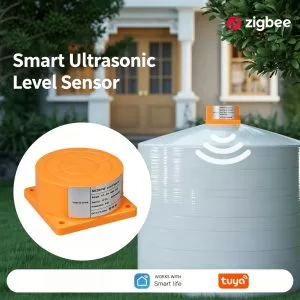
  • Any Zigbee device (door/window sensors, PIR motion sensors, water leak sensors, Zigbee switches, smart knobs) — you need a Zigbee gateway.
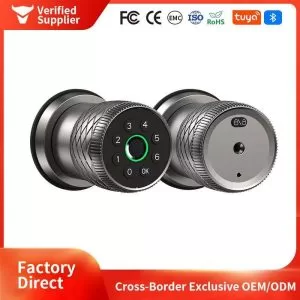
  • Any Bluetooth device (Bluetooth locks, thermometers, some sensors) — you need a Bluetooth gateway if you want to reach them when you are not standing next to them.
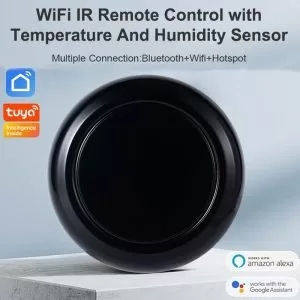
  • Infrared appliances (old air conditioners, TVs, set-top boxes with remotes) — you need a gateway with an IR blaster.

Tuya-based setups often bundle all three: a single Tuya Bluetooth gateway or a combined Zigbee + Bluetooth + IR unit covers a whole apartment. If you are building a larger system, look at a Zigbee 3.0 gateway with a higher device ceiling. C06 Series Selfie Stick with Light & Tripod, Extendable Gimbal Stabilizer for Smartphones F10 3-Axis Gimbal Stabilizer, Handheld Smartphone Stabilizer for Smooth Video Recording

Gateway Types Compared

  • Zigbee 3.0 gateway — the workhorse. Builds a mesh network where mains-powered devices relay for battery ones, so coverage improves as you add more. Typical capacity runs from tens of devices up to 100+ on better units. Best choice for sensors and whole-home builds.
  • Bluetooth gateway — cheap and small, mainly for Bluetooth sensors and locks, and for forwarding their state to the cloud. Shorter range than Zigbee, no mesh.
  • IR + RF gateway — turns legacy remote-controlled appliances into app-controlled ones. Useful for air conditioners in hotels and apartments where replacing the unit is not an option.
  • Control panel / screen hub — a gateway with a touchscreen that also acts as a wall-mounted control surface and scene keypad. Our 4-inch Tuya smart control panel is this category: gateway, scene controller and intercom-style panel in one device.

If you are deciding between WiFi and Zigbee for the devices themselves, read Zigbee vs WiFi smart home devices before you commit — it changes how many gateways you will need. Automatic Pet Feeder Portions: How to Calibrate and Schedule Meals

How Many Gateways and Where to Put Them

One gateway per home is usually enough for an apartment. Zigbee range indoors is roughly 10–20 metres per hop depending on walls, and concrete or brick floors cost more than drywall. Rules of thumb:

  • Put it central and high, not in a metal cabinet or right next to the router.
  • Keep it a metre or two away from WiFi routers and microwave ovens — 2.4GHz is crowded.
  • If you have two or more floors, plan a second gateway, or rely on mains-powered Zigbee devices (switches, sockets) to act as mesh repeaters.
  • Add devices from the gateway outward: pair the nearest ones first, then work further away, so the mesh builds in the right order.

Local Automation: The Feature Worth Paying For

Cloud automations break when your internet breaks, and they add latency — the sensor reports to a server in another country and the command comes back. A gateway with local scene execution stores the logic on the device: water leak detected → shut the valve and sound the alarm, even with the broadband down.

For safety-related scenes (leak, smoke, door forced open), this is not a nice-to-have. It is the difference between an automation you can trust and one you cannot. Our guide to practical automation scenes shows setups that make sense in a real home.

Security and Network Hygiene

A gateway sits on your network with access to every device, so treat it like infrastructure:

  • Keep firmware updated, and check whether your model supports encrypted join (Zigbee 3.0 uses AES-128 by default).
  • Use a separate 2.4GHz SSID for IoT if your router supports it, and leave WPA2/WPA3 on.
  • Do not expose the gateway’s management interface to the internet.
  • For hotels and multi-unit projects, segment by VLAN and keep the gateway count per floor documented — it makes troubleshooting later much faster.

Buying for Projects: MOQ and Customisation

Gateways are the least visible part of a smart home but the one that determines whether the system feels reliable, so project buyers usually standardise on one model per property type. What we support:

  • Stock units, neutral packaging: from 100 pcs, mixed models accepted.
  • OEM branding (housing colour, logo, packaging, manual, pre-loaded firmware config, app name): from 5 pcs per model.
  • Full custom tooling: 2,000–3,000 pcs, tooling 25–40 days, sampling 7–15 days.
  • Certifications: CE, FCC, RoHS, UKCA, CCC, PSE — we support the paperwork for your market.

If you are bundling gateways with sensors and switches, tell us the device mix and the property count on the contact page — we can quote the whole kit rather than line by line.

Related reading: Tuya Zigbee IR remote hub, smart home control panel as the hub, and best smart home starter kit for 2026.

Browse the range

Related guides

Frequently Asked Questions

Is a gateway the same as a hub?

Practically yes — both translate between device protocols and your network. In marketing, “hub” sometimes also implies a screen or keypad. Check whether a product is a pure bridge or a control panel, because only the second one gives you a wall-mounted interface.

Can I use one gateway for devices from different brands?

If they all run on the Tuya/Smart Life platform, generally yes — that is the main advantage of standardising on one ecosystem. Mixing a Tuya gateway with a non-Tuya Zigbee device often fails, or pairs but exposes only basic functions.

How many devices can one gateway handle?

Entry Bluetooth gateways handle dozens; Zigbee 3.0 units commonly list 30–130 devices depending on the model and how many are mains-powered repeaters. Always leave headroom — mesh networks get sluggish when they are full.

Do I still need a gateway if I use Matter?

Matter devices can talk directly over WiFi or Thread. You still need a Thread border router for Thread devices, and many existing Zigbee devices will not become Matter devices. For most homes in 2026 that means: keep the gateway.

What happens to my automations if the gateway loses internet?

Cloud scenes stop. Local scenes stored on the gateway keep running, which is why leak and smoke automations should be configured as local scenes wherever the hardware supports it.

Can you put our brand on the gateway and pre-configure it?

Yes, from 5 pcs per model. We can set the housing colour, print or laser your logo, produce retail packaging and manuals under your brand, and pre-load a device configuration so your installers pair faster on site.

Related Articles

You Might Also Like

Posted on — Leave a comment

Home Security Systems Explained: 5 Essential Devices to Protect Your Family

Why Smart Home Security Matters

However, Home Security has changed dramatically in recent years. You no longer need professional installation, monthly contracts, or expensive monitoring services. Today’s Smart security devices are affordable, easy to install yourself, and often more capable than traditional systems.

Therefore, This guide breaks down the five essential categories of Smart home security devices and explains how each one contributes to protecting your home and family.

1. Video Doorbells ??Your First Line of Defense

Moreover, A Smart video doorbell is the single most impactful security device you can buy. It lets you see, hear, and speak to anyone at your door from anywhere in the world.

Key Features to Look For

  • 1080p or higher resolution ??Clear enough to identify faces
  • Night vision ??Infrared or color night vision for after-dark visibility
  • Two-way audio ??Talk to visitors or delivery drivers
  • Motion detection with person recognition ??Avoid false alerts from cats and cars
  • Cloud or local storage ??Review footage after an incident

Placement Tips

In addition, Install at chest height (about 48 inches / 120cm), angled slightly downward. This captures faces clearly without being blocked by porch overhangs. Smart Lighting Complete Guide: From Color Temperature to Automation Scenes

2. Indoor Security Cameras ??Watch What Matters Most

For example, Indoor cameras serve multiple purposes: monitoring pets, checking on kids, keeping an eye on elderly family members, and deterring intruders who make it past your exterior defenses.

What to Consider

  • Field of view ??130? or wider covers most rooms
  • Two-way audio ??Talk to family members or scare off intruders
  • Pan/tilt capability ??Follow movement across a room
  • Privacy shutter ??Physical cover when you are home
  • Person detection ??Alerts only when a human is detected, not when a dog walks by

Consequently, Place cameras in main living areas, near entry points, and in hallways. Avoid bedrooms and bathrooms for privacy reasons. Tuya 4MP 2K HD Indoor Smart Camera: Color Night Vision for Family and Pet Monitoring

3. Door and Window Sensors ??Silent Guardians

Contact sensors are small, battery-powered devices that detect when a door or window opens. They are inexpensive, easy to install with adhesive backing, and form the backbone of any security system.

How They Work

Each sensor has two parts: a magnet and a sensor. When they separate (the door opens), the sensor triggers an alert. Modern sensors can also detect vibration and tilt, making them versatile.

Where to Install

  • All exterior doors (front, back, side, garage)
  • Ground-floor windows
  • Basement windows and access points
  • Pet doors and mail slots

Set up automation rules: if any sensor triggers after 10 PM, turn on all lights and send a phone notification.

4. Smart Locks ??Keyless, Worry-Free

A smart lock replaces or supplements your traditional deadbolt, giving you keyless entry, remote locking, and access management.

Key Benefits

  • No more spare keys ??Create temporary codes for guests, dog walkers, or service providers
  • Auto-lock ??Door locks automatically after 30 seconds
  • Remote control ??Lock or unlock from your phone
  • Entry logs ??See exactly who entered and when
  • Voice control ??”Lock the front door” as you go to bed

Choose a lock with both keypad and app control, so you have a backup if your phone dies.

5. Motion Sensors ??Detecting Movement Inside and Out

Motion sensors add another layer of detection to your security setup. They monitor large areas and trigger alerts or automations when movement is detected.

Indoor Motion Sensors

Use for security and automation. If armed at night, they detect intruders who bypass door sensors (through a broken window, for example). During the day, they turn lights on when you enter a room and off when you leave.

Outdoor Motion Sensors

Place near driveways, backyards, and side passages. Connect them to outdoor lights for instant illumination when someone approaches ??both for convenience and to deter potential intruders.

Putting It All Together: A Complete Security Setup

A well-rounded smart home security system for a typical house includes:

  • 1x Video doorbell (front door)
  • 1x outdoor camera (backyard or driveway)
  • 1-2x indoor cameras (main living areas)
  • Contact sensors on all exterior doors and ground-floor windows
  • 1x smart lock on the front door
  • 2-3x motion sensors (hallways, living room, exterior)

Connect everything to your smart home hub and create automation rules for “Home,” “Away,” and “Night” modes. The system should alert you instantly when something is wrong and take action automatically.

Conclusion

You do not need to buy everything at once. Start with a video doorbell ??it provides the most value for the money. Then add sensors and cameras over time. Each device you add multiplies the effectiveness of your security system, creating overlapping layers of protection that keep your family and belongings safe.

Related Articles

You Might Also Like
Frequently Asked Questions

Is Home Security Systems worth buying?

Based on the breakdown in this article, Home Security Systems offers a solid mix of features and value. If your main goal matches the key benefits described above, it is a practical choice for everyday use.

How do I choose the right home security systems for my needs?

Start with your core use case, then compare battery life, compatibility, and build quality as covered above. Choosing the right home security systems comes down to matching specs with how you actually use it.

Does home security systems require a companion app?

Most devices of this type pair with a free companion app for setup and firmware updates. A few advanced features may sit behind a paid plan, so check the official specs page before buying.

Posted on — Leave a comment

Smart Home Sensors Explained: Window Camera and Rain Sensor for a Home That Reacts

Smart window camera mounted on a glass window facing outside

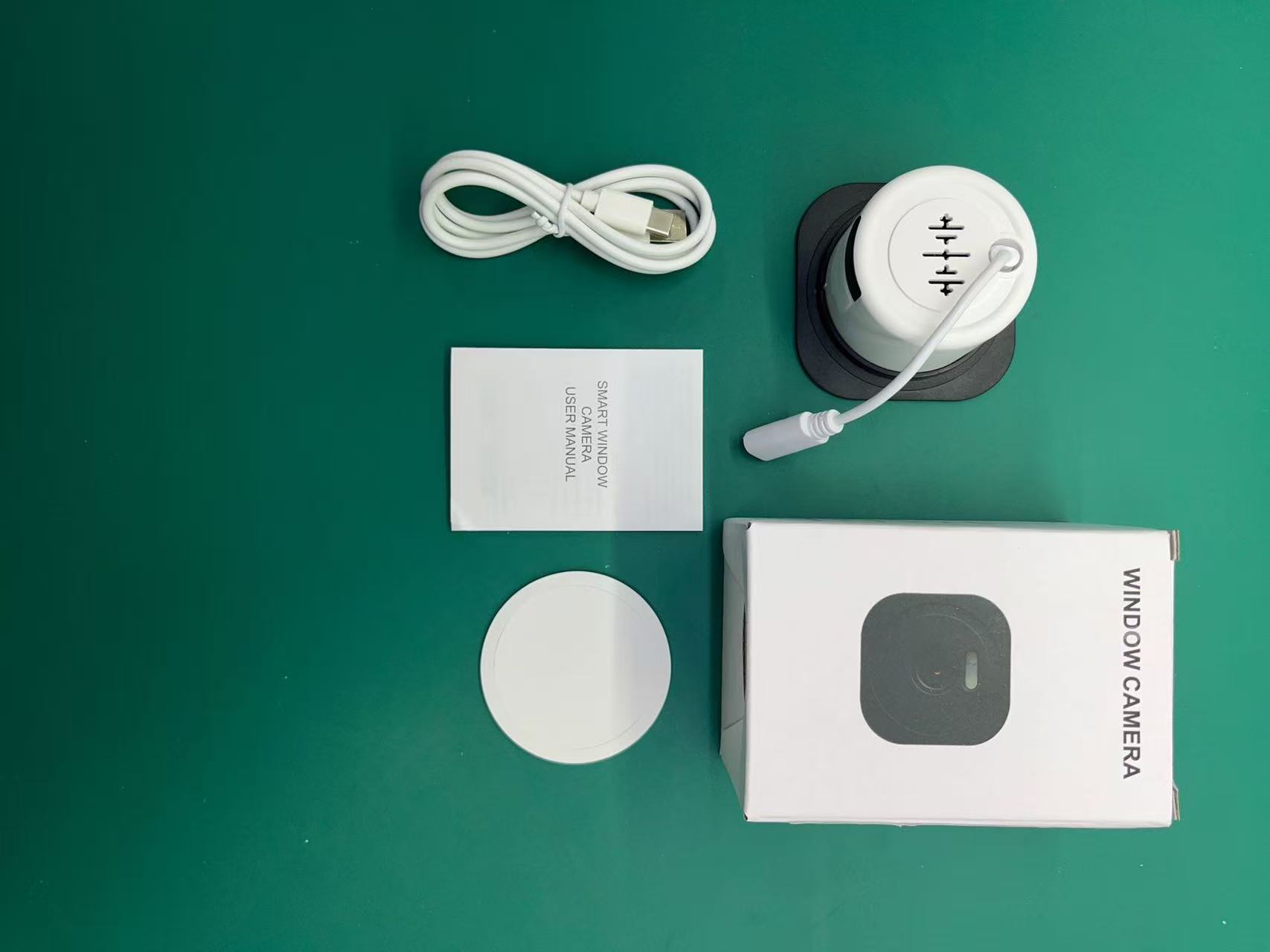
However, Cameras and Smart plugs get the attention, but the devices that make a house feel genuinely intelligent are usually the quiet ones. Two good examples: a window camera that watches the outside from behind the glass, and a rain Sensor that closes the skylight before anyone notices the weather changed. Neither needs a drill, and together they turn a connected house into one that reacts.

Smart window camera mounted on a glass window facing outside
Mounted behind glass, a window camera keeps a clear view without any exterior wiring.

Window Camera: Eyes Where You Would Not Put a Drill Hole

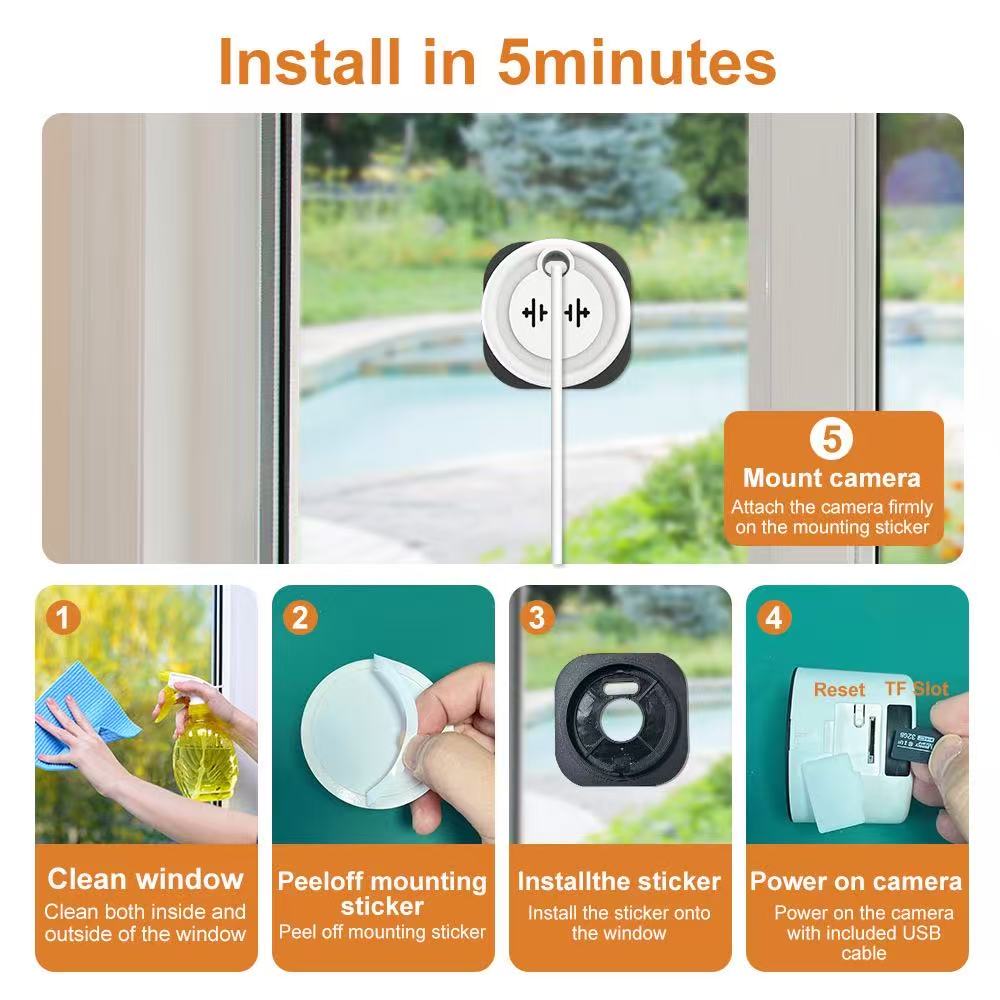
Therefore, An outdoor camera normally means a ladder, a masonry bit and a weatherproofing job. Therefore, A window camera skips all of it. It mounts to the inside of a window with an adhesive or suction bracket and looks straight through the glass at the street, the driveway or the garden.

  • No exterior installation — renters can install it, and nobody needs scaffolding.
  • Indoor power and Wi-Fi — the outlet is already there, and signal strength is far better than outside a wall.
  • Two-way audio and siren — speak through the unit or trigger an alarm from the app.
  • Night vision tuned for glass — infrared illumination is managed to reduce the reflection that usually ruins through-glass footage.
  • Motion zones — limit alerts to the driveway instead of every car on the street.

Moreover, The one trade-off is glass: reflections from interior lighting can wash out the image at night, so the best results come from a window that Faces a dark exterior and has a blind or curtain behind the camera.

Window security camera with suction mount and wide view
Suction or adhesive mounting means no holes, no ladder and no landlord conversation.

Rain Sensor: The Automation Nobody Thinks About Until It Works

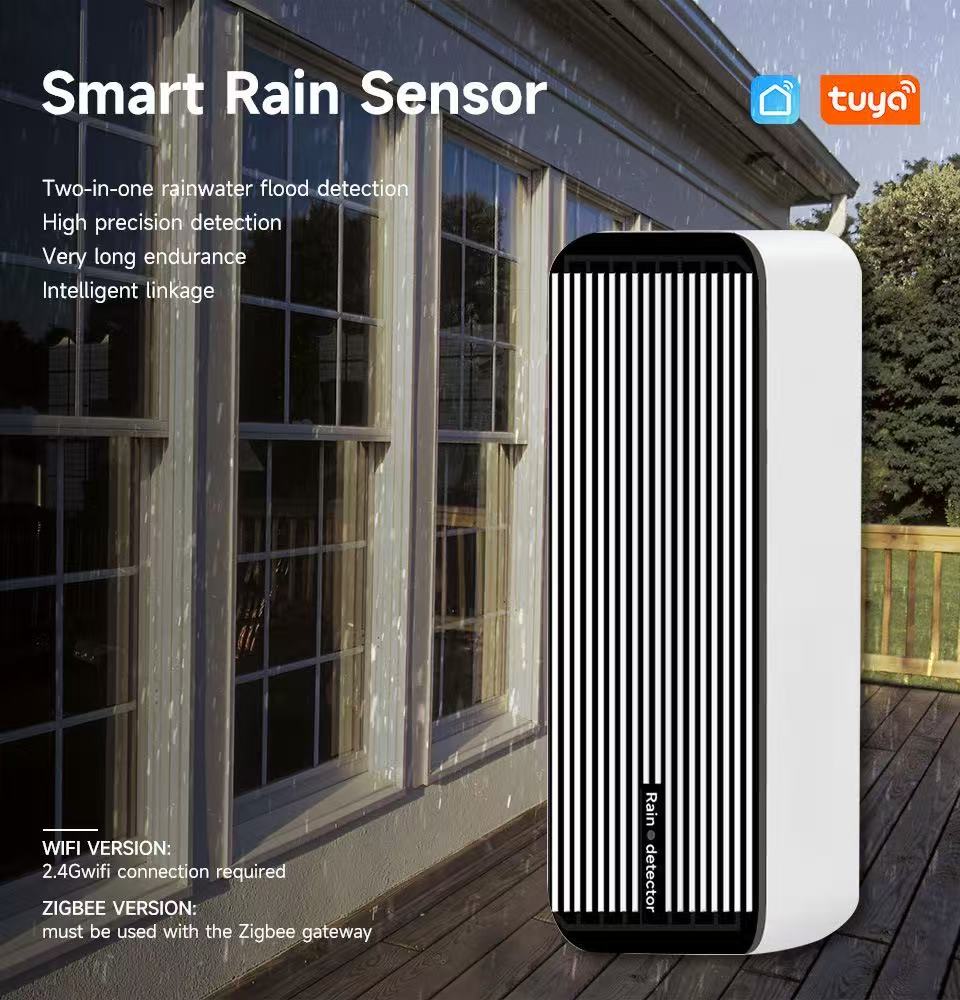
In addition, A rain sensor does one job: it detects water and reports it. That sounds trivial until you wire it into a routine. For example, The moment rain is detected, the house can close skylights and motorised windows, retract an awning, pause irrigation, and send a notification. It is the difference between a house that is merely connected and one that looks after itself while the owner is at work.

  • Window and skylight closing — the single most useful automation, and the reason people buy the sensor.
  • Awning and pergola retraction — protects fabric and motors from storm damage.
  • Irrigation pause — stops the garden system from watering during a downpour.
  • Laundry alerts — a notification to bring in washing before it soaks.
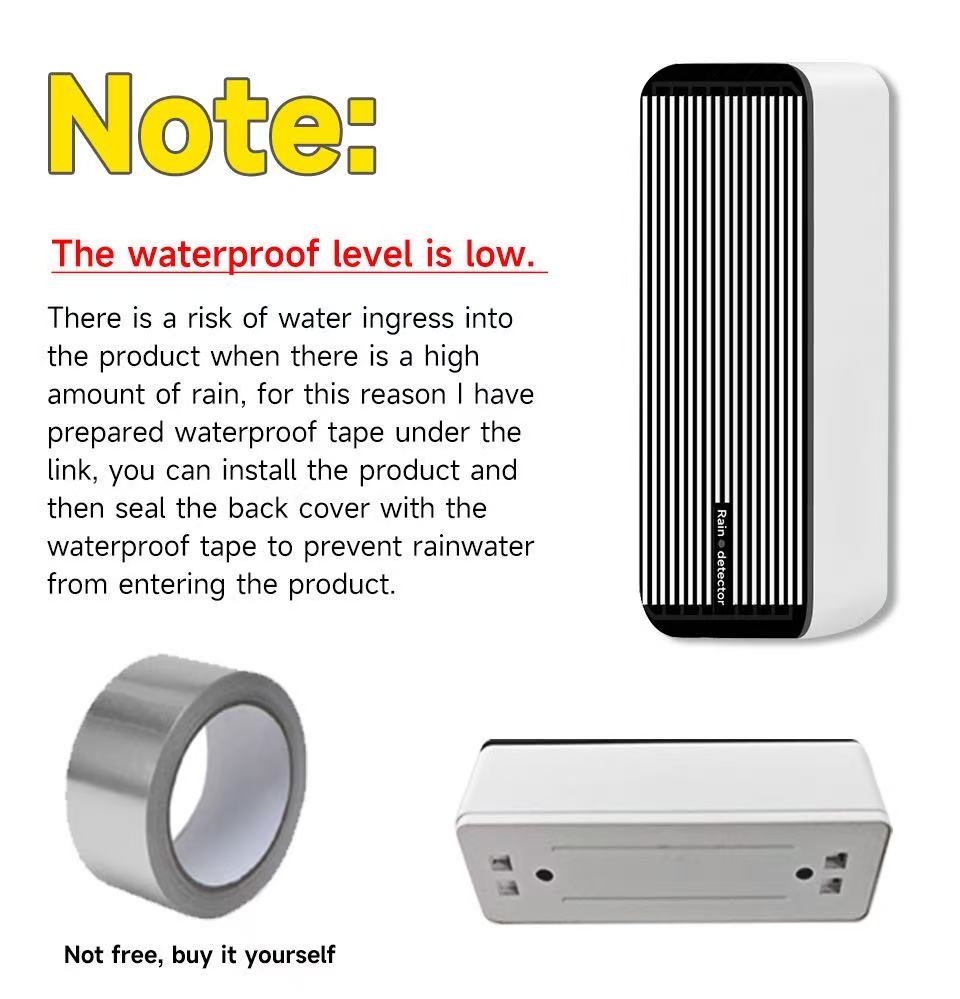
  • Low-power wireless design — battery powered and mounted outdoors on a sill, bracket or gutter edge.
Window camera live view on a smartphone app
App-based live view and alerts make a window camera useful from anywhere.

Combining Sensors Into Automations That People Actually Keep

For example, The value of sensors compounds when they are linked. A few combinations that stay switched on long after the novelty wears off: Tuya WiFi IR Remote Review: Universal Control Meets Climate Intelligence

  1. Rain detected → close all skylights and windows, retract awning. The classic, and the one customers talk about.
  2. Window camera detects motion after 11pm → turn on the porch light and push an alert. Lighting plus camera is far more effective than a camera alone.
  3. Door opened while rain sensor is wet → send an “umbrella” reminder. Cheap to build, genuinely delightful.
  4. Rain stops for 30 minutes → resume irrigation schedule. Saves water without anyone thinking about it.
  5. Vacation scene → camera recording on, rain sensor closing windows, notifications to the owner’s phone. The full picture for a house left empty.
Smart rain sensor installed on an outdoor windowsill
A compact rain sensor sits on the sill and reports the moment water is detected.

Choosing the Right Sensor Mix for a Project

However, For a distributor or installer, sensors are among the highest-margin, lowest-return-rate products in a smart home catalogue — but only if the mix matches the property type. In addition, Apartments and rentals lean heavily on window cameras. This is because nothing can be drilled. Houses with skylights, awnings or motorised windows are the natural home for rain sensors. Hospitality and senior-care projects tend to buy both, plus door and motion sensors, and run them through a single automation layer.

Xingliao Smart Home manufactures and supplies a full sensor family alongside doorbells, control panels and cameras, all from the same production facility, so firmware, packaging and app ecosystem stay consistent across the range.

Wireless rain sensor detecting rainfall for home automation
A consistent ecosystem means sensors, doorbells and panels all work from one app.

Plan Your Sensor Line-Up

Sensors are what turn a one-off device sale into a system the customer keeps expanding. Browse the sensor range or contact our team for wholesale pricing, bundle recommendations and OEM options.

You Might Also Like

Related Articles
Frequently Asked Questions

Is Sensors Explained Window Camera worth buying?

Based on the breakdown in this article, Sensors Explained Window Camera offers a solid mix of features and value. If your main goal matches the key benefits described above, it is a practical choice for everyday use.

How do I choose the right sensors explained window camera for my needs?

Start with your core use case, then compare battery life, compatibility, and build quality as covered above. Choosing the right sensors explained window camera comes down to matching specs with how you actually use it.

Does sensors explained window camera require a companion app?

Most devices of this type pair with a free companion app for setup and firmware updates. A few advanced features may sit behind a paid plan, so check the official specs page before buying.