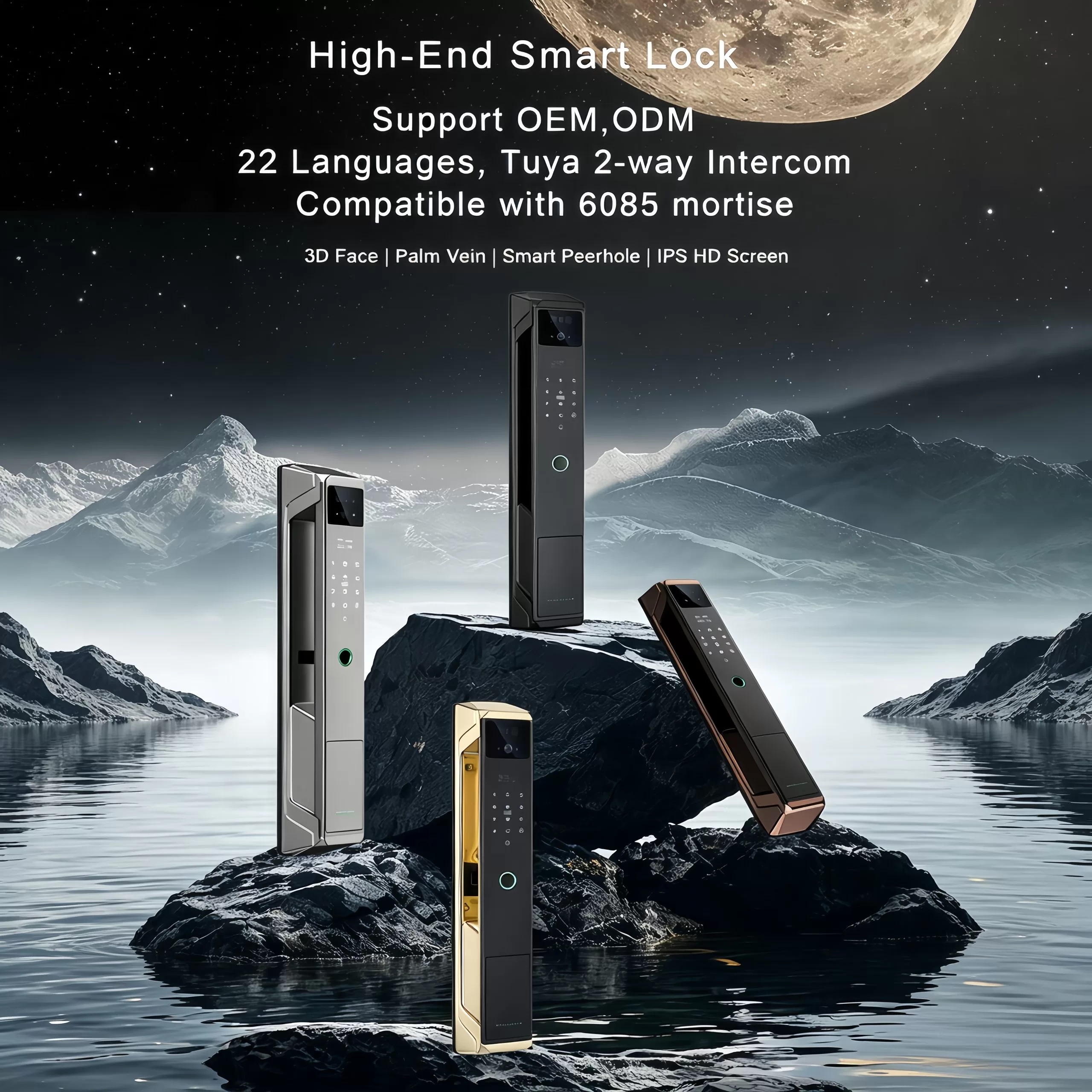
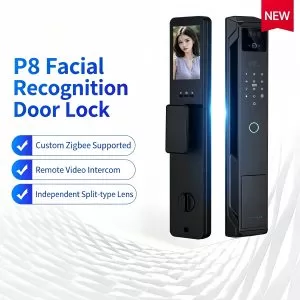
Choosing the right Smart door lock means balancing security, convenience, and durability. Furthermore, the P8 facial recognition door lock stands out by combining two advanced biometric technologies in one weatherproof outdoor unit. Therefore, Additionally, it includes remote Video intercom, nine unlocking methods, and full Tuya Smart app integration. Therefore, Consequently, this guide breaks down every feature so you can decide if this is the smart lock upgrade your home or office needs.
Key Features at a Glance: Video Doorbell Review 2026: What to Look For, Smart Features Compared, and Buyer’s Guide
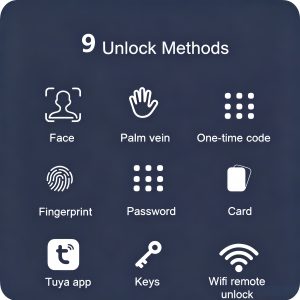
Nine Ways to Unlock: Finding Your Best Method:
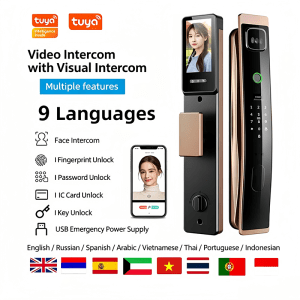
With nine unlocking methods, this lock adapts to every user and every situation. Furthermore, having options means you never get locked out due to wet hands, dirty fingers, or a forgotten phone. In addition, Additionally, different household members naturally prefer different methods.
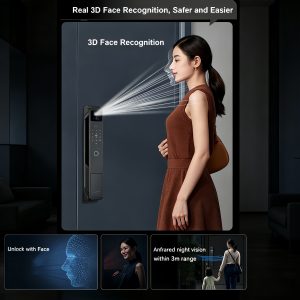
Dual 3D Face Recognition: How It Works:
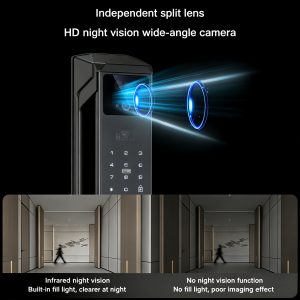
The P8 uses a dual-camera system with 3D structural light technology. For example, Furthermore, the two cameras work together to map thousands of depth points across your face. Moreover, Additionally, infrared night vision ensures accurate recognition even in complete darkness. Consequently, you can unlock your door at 2 AM without turning on any lights.
Moreover, the wide recognition range accommodates users of different heights. In addition, Furthermore, adults and children can both use face unlock without adjusting their stance. Furthermore, Additionally, anti-spoofing liveness detection means photos, videos, and masks cannot fool the system. Therefore, 3D face recognition is both more convenient and more secure than 2D alternatives.
Contact-Free Palm Vein Recognition:
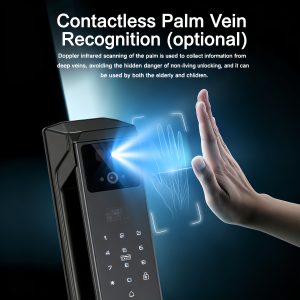
Palm vein recognition is a standout feature that sets this lock apart from standard smart locks. As a result, Moreover, Furthermore, the Doppler infrared palm scanner reads vein patterns beneath the skin. Additionally, because these patterns are internal and unique to each person, they are nearly impossible to replicate. Consequently, palm vein access offers a higher security level than fingerprint recognition.
The contact-free nature of palm scanning is another major benefit. Importantly, Furthermore, Furthermore, it is hygienic for shared office environments with many users. Additionally, it works perfectly for elders and kids whose fingerprints may be faint or difficult to register. Moreover, wet or dirty hands do not affect recognition accuracy. Notably, As a result, Therefore, palm vein scanning works in situations where fingerprint sensors often fail.
Remote Video Intercom: See and Speak Before You Unlock:
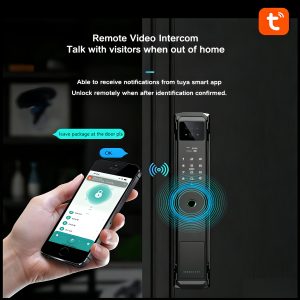
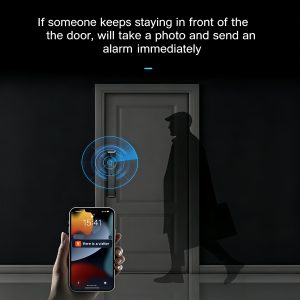
The built-in HD camera and two-way audio turn your door lock into a video intercom system. Furthermore, when a visitor presses the doorbell, your smartphone receives an instant visual call through the Tuya app. However, Additionally, you can see the visitor, talk with them, and decide whether to unlock the door. Importantly, Consequently, you never open the door for strangers or unexpected visitors.
Moreover, the 2.5-inch HD full-color screen on the indoor panel displays a live feed from the front camera. Therefore, even without your phone, you can see who is outside before opening the door. Therefore, Additionally, the lock records snapshots of every visitor and sends motion detection alerts to your phone.
Tuya Smart App: Full Control From Anywhere:
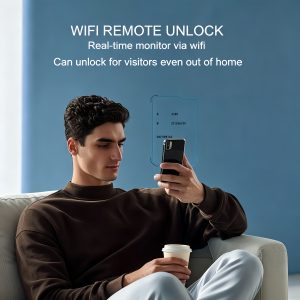
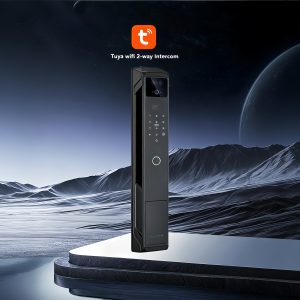
The Tuya Smart app is the central hub for managing your lock. Notably, Furthermore, it works on both iOS and Android devices. Additionally, the app shows real-time door status, complete access history. For example, And battery level. Consequently, you can check if your door is locked from your office, from the grocery store, or from another country.
Moreover, the app lets you manage multiple users and set custom access schedules. In addition, However, Therefore, you can grant a housekeeper access on specific days and times. Furthermore, temporary password generation makes it easy to let in delivery workers without being home. Moreover, Additionally, the 2-year product guarantee backs up the quality and reliability of the entire system.
Built for Outdoor Use:
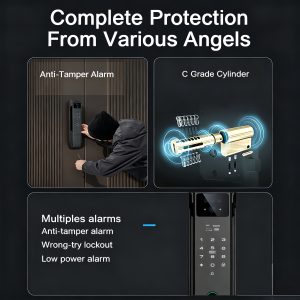
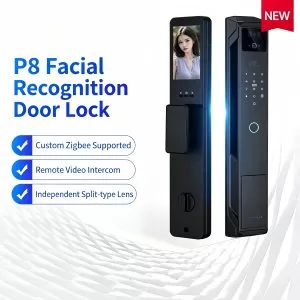
Many smart locks are designed only for indoor entryways and can fail when exposed to weather. Furthermore, Therefore, However, the P8 model specifically supports outdoor installation. Furthermore, the weather-resistant construction handles rain, snow, humidity, and temperature extremes. As a result, Additionally, the independent split-type lens design improves durability and recognition accuracy in outdoor conditions.
The 5A diamond-glass front panel adds another layer of outdoor durability. For example, Furthermore, the tempered glass resists scratches from branches, debris. Importantly, And accidental impacts. Additionally, the fingerprint-free coating keeps the panel clean and readable even with rain and dust. Notably, Therefore, this lock is a true outdoor-rated solution for gates, garages, and exterior doors.
Lock Components Explained:
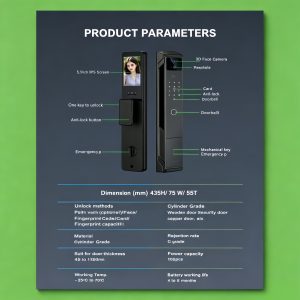
Understanding the different parts of the lock helps you use all features effectively. In addition, The outdoor panel includes the dual camera system at the top for 3D face recognition. However, Below that sits the keypad area with the 5A diamond-glass surface. The fingerprint sensor is positioned at the handle level for natural one-touch access. Moreover, At the bottom, a cover conceals the mechanical keyhole. Therefore, And emergency power port.
The indoor panel features the HD display screen at the top, showing a live camera feed. The face recognition sensor provides secondary biometric verification from inside. The one-touch lock button lets you quickly secure the door. For example, Furthermore, The quick-release handle opens the door with a simple pull. Finally, the mechanical lock knob adds a manual deadbolt for maximum security when you are home.
Comparison: P8 vs. Standard Smart Locks:
How to Install and Set Up:
Start by removing your old lock. In addition, And preparing the door holes. As a result, Furthermore, install the lock body, then mount the outdoor panel and indoor panel. Moreover, Additionally, connect the cables according to the labeled diagram. Once the hardware is in place, download the Tuya Smart app and create an account. Importantly, Then follow the app instructions to connect the lock to your WiFi network. Furthermore, Finally, enroll face recognition, palm veins, and fingerprints for each user. Test each method before daily use.
FAQ:
Q: Can this lock be installed outdoors? A: Yes, the P8 model specifically supports outdoor installation. Notably, Furthermore, the weather-resistant construction and independent split-type lens design handle rain, snow. As a result, And temperature variations. However, it should still be installed under some form of overhang for best long-term durability.
Q: How does palm vein recognition compare to fingerprint? A: Palm vein recognition is more secure. This is because vein patterns are internal. Importantly, And nearly impossible to replicate. Furthermore, it works with wet, dirty, or damaged hands that may cause fingerprint sensors to fail. However, Additionally, it is contact-free and hygienic for shared spaces. Notably, However, fingerprint recognition is slightly faster and more familiar to most users.
Q: What is the 2-year product guarantee? A: The lock comes with a 2-year product guarantee that covers manufacturing defects and hardware failures. Furthermore, customer support assists with troubleshooting, replacement parts. However, And warranty claims. Therefore, Additionally, the guarantee demonstrates the manufacturer’s confidence in product quality and durability.
Q: Does the video intercom work when I am away from home? A: Yes, the remote video intercom works from anywhere with an internet connection. Therefore, Furthermore, when a visitor rings the bell, you receive a call on your smartphone. Additionally, you can see, hear, and speak to the visitor through the Tuya app. For example, Moreover, you can unlock the door remotely if needed.
Q: How long does the battery last? A: Battery life depends on usage frequency, the number of users. For example, And how often the camera activates. Furthermore, typical residential use provides 3 to 6 months of battery life per charge. Additionally, the app sends low battery notifications well in advance. In addition, In addition, The micro-USB emergency power port also allows temporary power from a power bank.
Q: Can multiple users use face and palm recognition? A: Yes, the system supports multiple registered users. Furthermore, each family member or employee can register their face, palm vein, and fingerprint. Moreover, Additionally, the lock identifies which user unlocked the door and records it in the access history. Moreover, Therefore, you always know who came and went.
Related Articles
- Biometric Smart Locks Go Mainstream: The Next Big Home Tech Trend Overseas
- 3D Face Recognition Smart Lock: The Complete Guide to Tuya-Enabled Home Security
- Smart Doorbell Camera: Essential Home Security Guide for 2026
- Why Your Video Doorbell Keeps Going Offline (And How to Fix It for Good)
- U9 Solar Video Doorbell: Wire-Free Front Door Security That Charges Itself
You Might Also Like
 3D Face + Palm Vein Smart Lock: Next-Gen Biometric Security for Home and Office Price range: $112.86 through $133.96
 3D Face Recognition Smart Lock – Tuya App Fingerprint Password Video Intercom Anti-Theft Door Lock for Home Original price was: $165.98.$130.96Current price is: $130.96.
 Tuya Smart 3D Face Recognition Video Intercom Smart Lock WiFi. Original price was: $98.96.$82.96Current price is: $82.96.
Frequently Asked Questions
Is Facial Recognition Door Lock worth buying?
Based on the breakdown in this article, Facial Recognition Door Lock offers a solid mix of features and value. If your main goal matches the key benefits described above, it is a practical choice for everyday use.
How do I choose the right facial recognition door lock for my needs?
Start with your core use case, then compare battery life, compatibility, and build quality as covered above. Choosing the right facial recognition door lock comes down to matching specs with how you actually use it.
Does facial recognition door lock require a companion app?
Most devices of this type pair with a free companion app for setup and firmware updates. A few advanced features may sit behind a paid plan, so check the official specs page before buying.
Does facial recognition door lock work with both iPhone and Android?
Yes, in most cases this type of device ships with iOS and Android apps, and standard Bluetooth protocols keep cross-platform pairing simple.
📌 This article is part of our Complete Wifi Hub — more guides and buying tips inside.
