However, Quick answer: A Video Doorbell that drops offline is rarely faulty. In roughly this order of likelihood, the cause is weak Wi-Fi at the door, the Doorbell sitting on a 5 GHz network it cannot hold, insufficient power from the transformer or a low battery, router features such as band steering, AP isolation or MAC filtering, a congested 2.4 GHz channel, firmware that needs updating, or — least often — genuine hardware failure. Work through them in that order and you will find it in under half an hour.
Start Here: The Two-Minute Triage
Therefore, Before opening any settings, run these three checks. Therefore, They identify the majority of cases immediately.
- Power-cycle the doorbell. Pull the battery or switch off the breaker for 30 seconds. If it reconnects and stays up for days, you were looking at a transient router issue, not a fault.
- Check whether anything else on the network dropped at the same time. If the whole Wi-Fi went down, the doorbell is a symptom.
- Note the pattern. Drops at the same time every day point to scheduled router restarts or channel changes. Drops only in cold weather point to the battery. For example, Drops only when someone is at the door point to power delivery.
Cause 1: Weak Wi-Fi at the Door (Most Common)
Moreover, The front door is usually the worst-covered spot in the house. The router is typically at the back of the property, and the signal has to pass through exterior walls, insulation, sometimes a metal door, and foil-backed insulation in the frame.
Therefore, How to test it properly: stand exactly where the doorbell is mounted, phone in hand, and run a speed test. Do not trust the bar icon.
- Below −70 dBm — the connection will drop. In addition, This is the single most common cause.
- −60 to −70 dBm — marginal; works until the microwave runs.
- Above −60 dBm — signal is fine, look elsewhere.
Moreover, Fixes, cheapest first: move the router a metre or two away from thick walls and metal appliances; if the doorbell supports it, add a Wi-Fi extender or mesh node on the inside wall nearest the door; as a last resort, consider a model with a wired Ethernet or PoE option.
Cause 2: It Joined the 5 GHz Network
In addition, Nearly all video doorbells only support 2.4 GHz Wi-Fi, but many routers broadcast one network name for both bands. If the doorbell was set up while the phone was on 5 GHz, it can appear to pair and then fail to hold the connection.
Fix: in the router settings, temporarily split the SSIDs into separate names for 2.4 GHz and 5 GHz, then re-run setup and pick the 2.4 GHz network explicitly. Once it is stable you can re-enable a single name if you prefer, though leaving them split is the more reliable arrangement for Smart home devices generally.
Cause 3: Not Enough Power
This is the cause most people miss. This is because the symptom looks like a network problem. Moreover, A doorbell draws a surge when it wakes, streams video and sounds the chime. If the transformer or battery cannot supply that surge, the unit browns out and reboots — which shows up in the app as going offline.
- Battery units — a pack that reads 40% can still collapse under load in cold weather. Cold reduces usable capacity substantially, which is why drop-offs often appear in winter.
- Wired units — check the transformer rating against the doorbell’s requirement. Furthermore, An old 8 V transformer fitted for a basic bell is a very common reason a modern video doorbell restarts when someone presses the button.
- Sign that confirms it — the doorbell goes offline exactly when rung or during a live view, then comes back on its own.
Cause 4: Router Features That Quietly Break IoT Devices
Several default and optional router settings are hostile to Smart home hardware. Check each of these:
- AP or client isolation — prevents devices from talking to each other. Some doorbells need local discovery to stay registered. As a result, Turn it off.
- Band steering — pushes devices to 5 GHz. This many doorbells cannot use.
- MAC address filtering or access control — blocks the doorbell after a router reboot or firmware update if the MAC was never whitelisted.
- Aggressive DHCP lease times — a very short lease can drop devices that sleep for long periods.
- Guest network — if the doorbell is on a guest SSID with isolation, local control will fail.
Assigning the doorbell a reserved (static) IP address in the router is a five-minute change that eliminates a surprising number of recurring dropouts.
Cause 5: Congested 2.4 GHz Channel
2.4 GHz has only three non-overlapping channels. In a block of flats, dozens of access points compete for them, and the result is intermittent latency that a doorbell interprets as a lost connection.
Fix: use a Wi-Fi analyser app to find. This of channels 1, 6 and 11 is least used in the installation, and set the router to that channel manually rather than leaving it on “Auto”.
Cause 6: Outdated Firmware
Firmware updates fix connection stability more often than any other single change. Both the doorbell and the router matter here, and router firmware is the one people forget — it is frequently years out of date.
Fix: update the doorbell through its app first, then check the router’s administration page for a firmware update. Importantly, Reboot the router afterwards and observe for 48 hours before concluding anything.
Cause 7: Genuine Hardware Fault
The least likely cause, but it does happen. Suspect the hardware only after the six items above have been ruled out, and look for these signs:
- The unit drops offline even when placed next to the router.
- Physical damage, corrosion or water ingress at the connectors.
- The doorbell gets abnormally hot, or will not complete a full charge.
- A full factory reset does not change the behaviour.
Preventing It From Coming Back
Once it is stable, these four habits keep it that way:
- Reserve a static IP for the doorbell in the router’s DHCP settings.
- Keep the 2.4 GHz SSID separate from the 5 GHz one.
- Split the smart home devices onto their own SSID if the router supports it, so a guest’s phone cannot congest the doorbell’s network.
- Re-check signal strength seasonally — foliage on trees and new furniture both change 2.4 GHz propagation more than expected.

Frequently Asked Questions
Why does my video doorbell go offline only at night?
Three likely reasons: scheduled router reboots, temperature-related battery capacity loss, or infrared night mode drawing more current than the power supply can deliver. Notably, Test by triggering a live view at the same time each evening.
Does a Wi-Fi extender actually help a doorbell?
Yes, provided the extender itself gets a good signal and is placed on the inside wall closest to the door rather than next to the router. A mesh node is the better long-term option.
How do I know if my transformer is underpowered?
Check its output rating against the doorbell’s requirement. If the doorbell reboots precisely when the button is pressed or a live view starts, the power supply is the strong suspect.
Is it worth resetting the doorbell to factory settings?
Only after working through signal, power and router settings. However, A reset erases the Wi-Fi credentials and motion zones, so it should be the last step, not the first.
Still Not Resolved?
If you have worked through the list and the unit still drops, send us the model, your router make and the signal reading at the door. We will help you determine whether it is configuration or hardware. Contact our support teamor look at models with stronger wireless performance
Related Articles
- 7-Inch Smart Video Doorbell with Indoor Monitor: Two-Way Talk, Night Vision & Remote Unlock
- Tuya 3MP WiFi Peephole Doorbell Camera: Buying Guide, Setup Tips, and FAQ
- The Complete Guide to Smart Peephole Doorbell Cameras
- How to Choose a Video Intercom Doorbell in 2026: The Complete Buying Guide
- The 7 Must-Have Features in a Smart Doorbell (And Why the Tuya 4.3-Inch Model Stands Out)
You Might Also Like
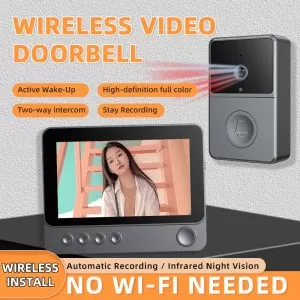 UOBX Video Doorbell System Original price was: $59.99.$44.99Current price is: $44.99.
 Tuya 4MP Indoor WiFi Smart Camera – HD Night Vision Pan-Tilt Remote Home Monitor with Two-Way Audio Original price was: $39.96.$29.98Current price is: $29.98.
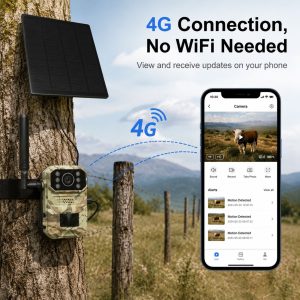 4G LTE Solar Trail & Hunting Camera – Outdoor Infrared Motion. Original price was: $110.96.$82.96Current price is: $82.96.
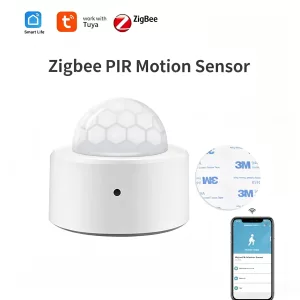 Tuya Zigbee PIR Motion Sensor – Wireless Human Body Infrared D. Original price was: $29.96.$19.96Current price is: $19.96.
📌 This article is part of our Complete Doorbell Hub — more guides and buying tips inside.