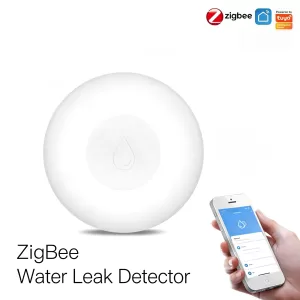
Water damage is expensive out of proportion to its cause. A washing machine hose that fails while nobody is home runs for hours; a slow drip under a sink rots a cabinet for months before anyone notices. A leak sensor costs a fraction of either, and the whole question is where it stands.
A sensor detects water where it sits. Put it in the wrong place and it will sit dry through exactly the flood you were worried about. Choosing a Smart Lock That Fits the Door You Already Have
The six positions worth covering
- Under the kitchen sink. The most common failure point in the house: supply hoses, a trap, a dishwasher connection. One sensor flat on the cabinet floor.
- Behind or beneath the washing machine and dishwasher. Appliance hoses are the classic burst. Put the sensor at the lowest point behind the machine, not beside it.
- Under the water heater or boiler. Slow leaks here run unnoticed for months. Include the pressure relief valve’s discharge area.
- At the toilet base. A failing wax ring or a loose supply line shows up as water on the floor behind the bowl.
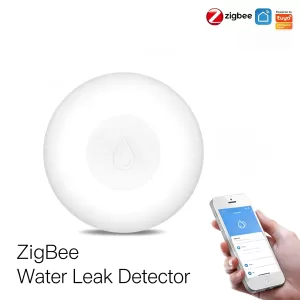
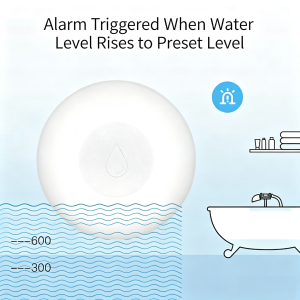
- In the basement, cellar or sump pit. The lowest point in the building is where water arrives first — a Zigbee level sensor in a pit or tank reports rising water before it becomes a flood.
- In the loft or under the roof. Rain ingress and condensate from heating pipework. Also the place nobody checks.
If you only buy two, make it the kitchen sink and the washing machine. Those two cover the majority of real claims. Do Solar Lights Work in Winter? What Changes When the Days Get Short
Which sensor for which job
Probe or contact sensors trigger when water bridges two contacts on the floor — the default choice for sinks, appliances and basements. Level sensors measure depth and suit a tank, a pit or a water butt, where “it is rising” matters more than “it is wet”. Rain sensors are the outdoor equivalent: the WiFi/Zigbee rain sensor and the IPX4 rain detection sensor close a skylight, retract an awning or simply tell you it started raining.
Two further types solve adjacent problems. The vibration and tilt sensor reports movement or a change of angle — a gate, a hatch, a washing machine that has started shaking itself across the floor. And for an outdoor position where a cable is impossible, the solar rainwater and leak sensor runs off its own panel.
Winter: the case for installing before December
Frozen pipes are the seasonal argument. A pipe in an unheated room, a loft, a garage or against an external wall can split, and it does not leak while frozen — it leaks when it thaws, which is often when nobody is there. Two precautions go with the sensors: keep the heating at a low setpoint rather than off when the house is empty, and put a sensor under any pipe run that passes through an unheated space. That combination is also why our guide to thermostat plugs for heaters is relevant here — a cheap scheduled heater in an unheated room is cheaper than the repair.
Making the alert useful
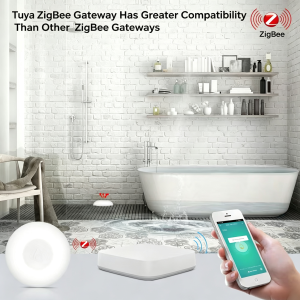
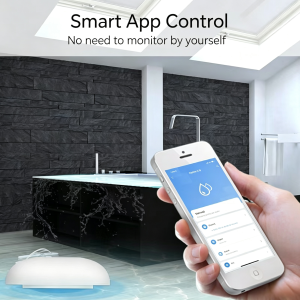
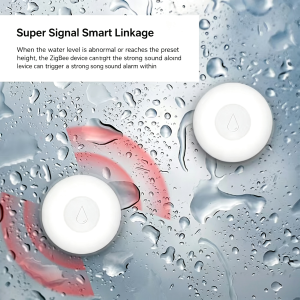
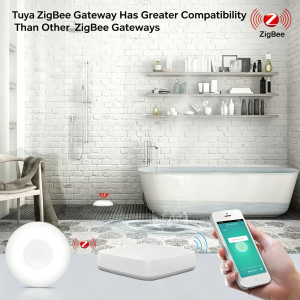
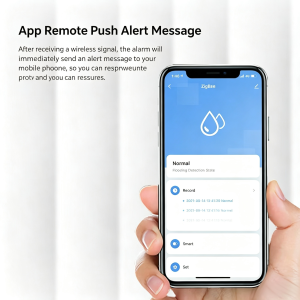
A sensor that beeps in an empty house does nothing. These are Zigbee devices, so they need a gateway to reach you and to run automations locally — see our guide to smart home hubs for why local execution matters when the internet is out. Then set the obvious automation: leak detected, send a push to every adult in the household, not just the one who installed it.
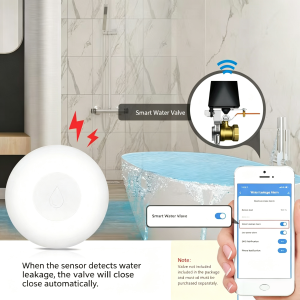
Be realistic about shut-off. A sensor cannot close a valve unless there is a motorised valve on the main; without one, the value of the sensor is speed of notification, which is still most of the value.
Installation details that decide whether it works
- Place it at the lowest point of the area, flat on the floor — water does not travel uphill to meet a sensor.
- Keep contacts off bare metal. A sensor resting on a metal tray or a foil-faced board can false-trigger.
- Do not mount it where it will be soaked by normal use — outside the shower tray, inside the washing machine’s drip line, but not under the sink’s cleaning spray.
- Test it with a wet cloth twice a year, and note that battery-powered sensors should be checked at the same time.
A plan that takes one afternoon
Install the gateway first and pair everything at a table, not in a cupboard — pairing is far quicker with the devices in front of you. Then walk the house once with a list of every place water enters or leaves: sink, appliances, toilet, boiler, tank, and the lowest floor. Place a sensor at each, name it in the app after its location rather than “sensor 3”, and set one automation that notifies everyone. Finish by wetting a cloth and testing each one; a sensor that has never been tested is an assumption, not a precaution.
Frequently Asked Questions
How many do I need?
Two for the essentials, six for full coverage. Start with the kitchen sink and the washing machine, then add the water heater and the lowest floor.
Do they work without WiFi?
The local alarm sounds. Remote notification needs the gateway and your network; automations stored on the gateway keep running without internet.
WiFi or Zigbee?
Zigbee for battery sensors — the battery lasts far longer and the mesh covers a basement better than a single WiFi radio.
Can one detect a leak inside a wall?
Not until it reaches the floor. For concealed pipes, place sensors at the lowest accessible point below the run, and Watch for a boiler losing pressure.
Related Articles
- 5,000 W Metered or 3,500 W Double-Pole? Choosing a Smart Wall Switch for Electric Water Heaters
- CO2 and Air Quality Monitors: Where to Put One and What the Numbers Mean
- Tuya Security Camera Manufacturer Review: What to Look for in 2026When sourcing Tuya-compatible security cameras for your brand or business, choosing the right manufacturer is the most important decision you’ll make. A good OEM partner means reliable products, fast lead times, and smooth custom branding. A bad one means returns, complaints, and a damaged reputation.In this review, we break down everything you need to know when evaluating a Tuya security camera manufacturer in 2026.## Why Tuya Cameras?Tuya-powered cameras work out of the box with the Tuya Smart app, supporting: – Alexa and Google Home voice control – Remote viewing from anywhere – Motion detection alerts – Cloud storage and local SD card options – Custom branding on the app splash screenFor resellers, this means you don’t need to build your own app or cloud infrastructure. Customers already know and trust the Tuya ecosystem.
- Mini Smart Breakers: Putting a Whole Circuit on a Schedule
- Water Heater Switches: Why a 20 A / 40 A Smart Switch Is Not the Same as a Light Switch
You Might Also Like
 eWeLink US WiFi Water Heater Touch Switch 20 A, FCC | XingLiao$12.87
 eWeLink WiFi Water Heater Button Switch 20 A, EU/UK | XingLiao$12.57
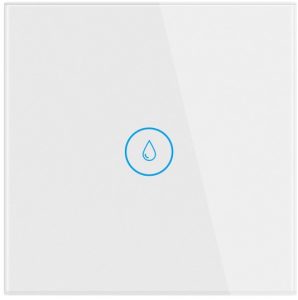 eWeLink WiFi Water Heater Touch Switch 20 A, EU/UK | XingLiao$12.57
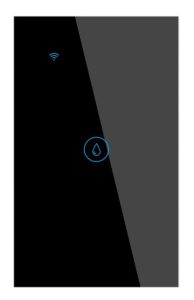 Matter US Water Heater Switch 20 A & 40 A, Tuya + Matter | XingLiao Price range: $8.00 through $8.50