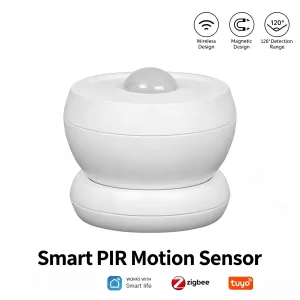
 Zigbee pir motion sensor” width=”300″ height=”300″>
However, From a stranger slipping in through the back door at 2 AM, to fumbling in the dark for a Light switch on the way to the bathroom, to wondering what your cat is up to while you’re at work — a single small Sensor can quietly handle all of these everyday worries. The Tuya Zigbee PIR Motion Sensor is one of the most versatile smart home devices you can add in 2025, and it costs less than a single takeout dinner.
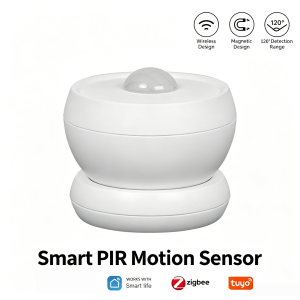
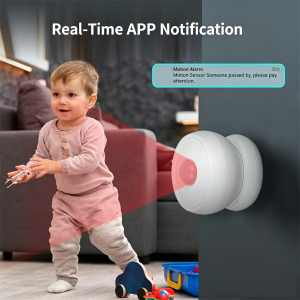
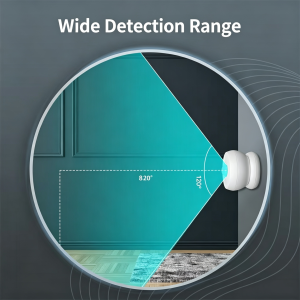
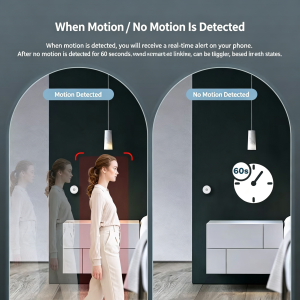
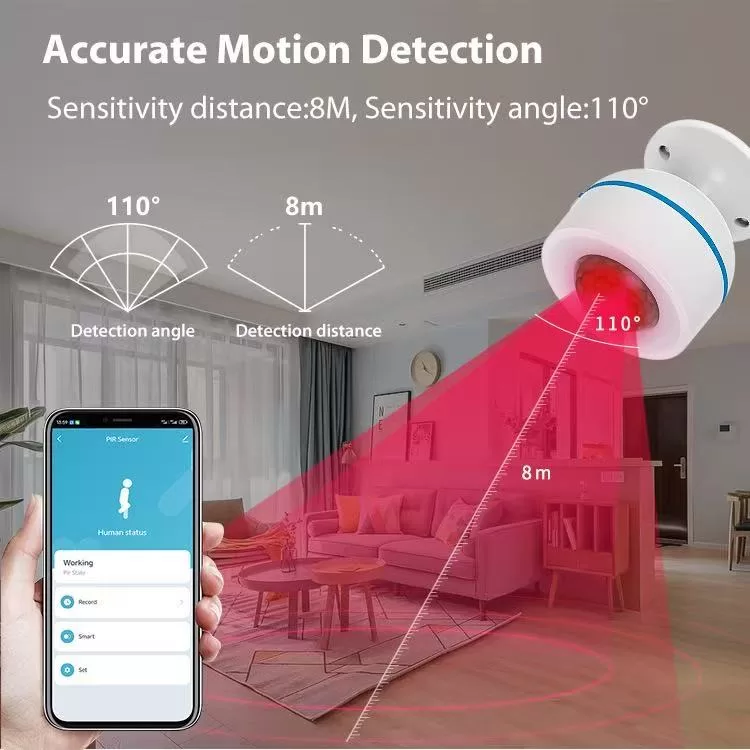
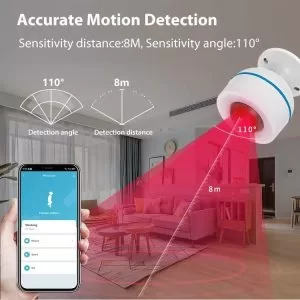
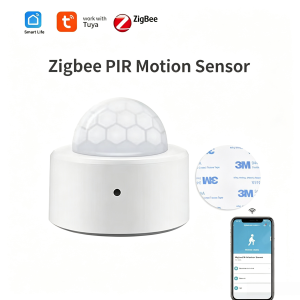
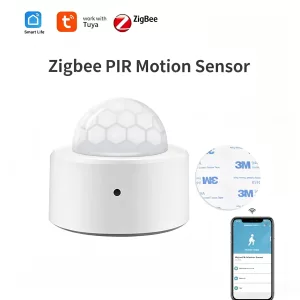
Therefore, Compact, battery-powered, and equipped with a hemispherical Fresnel lens, this tiny white dome detects human (and animal) body heat with 120° wide-angle coverage. The moment motion is detected, it sends an instant push notification to your smartphone via the Smart Life or Tuya Smart app. More importantly, it can automatically trigger lights, sirens, cameras, and any other smart device in your home — turning a passive sensor into the brain of your home’s automation.
Moreover, In this guide, we’ll walk through everything this little device can do, how to set it up in under 2 minutes, and the most popular real-world scenarios where it makes life noticeably better.
Why Every Smart Home Needs a PIR Motion Sensor
In addition, Most “smart” homes only automate the obvious things: lights, plugs, thermostats. But the real magic happens when your home reacts to your presence. A PIR (Passive Infrared) motion sensor is the trigger that makes every other smart device smarter.
Here’s what this sensor catches in real time:
- 🚨 Intruders at night — instant alert + automatic siren when armed
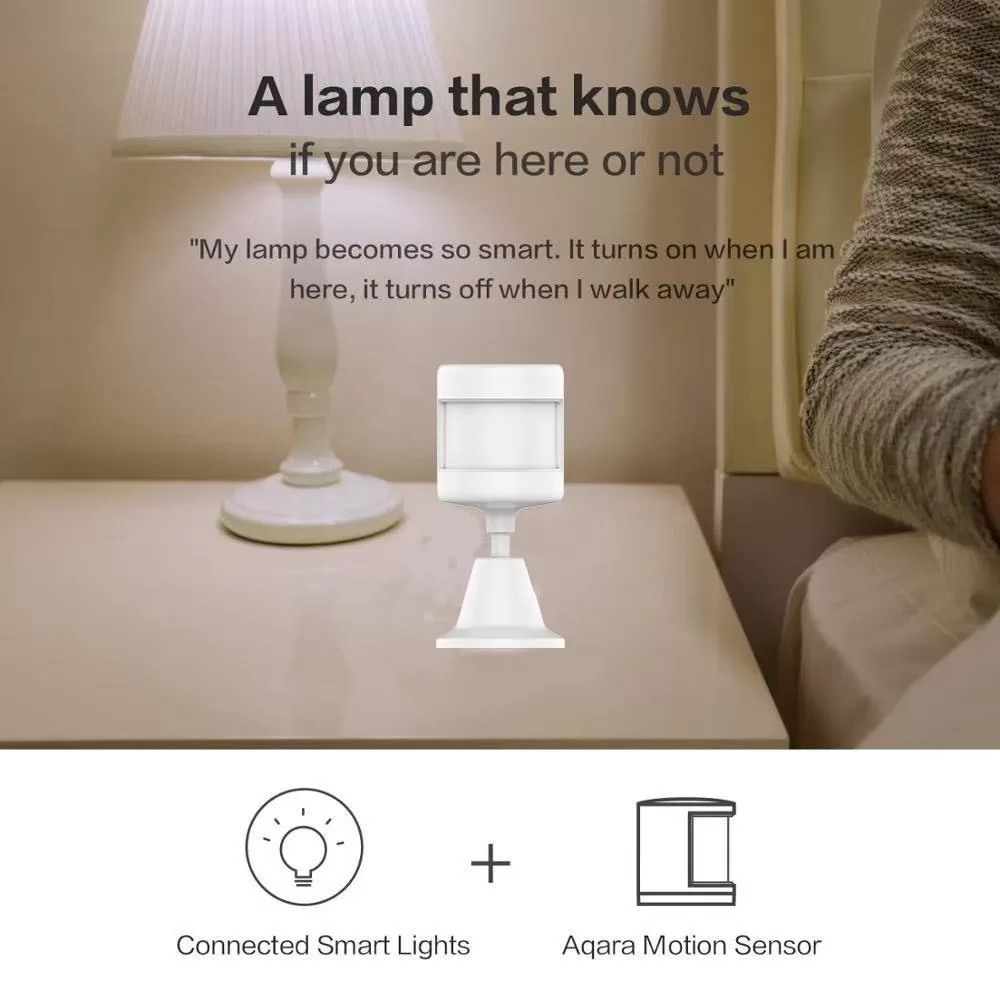
- 🌙 You getting out of bed — bedroom lights or floor light strip turn on softly
- 💄 You sitting at the vanity — makeup mirror lights turn on automatically
- 🐈 Your pet jumping on the sofa — smart camera starts recording
- 📦 Someone walking past your front door — push notification with optional video
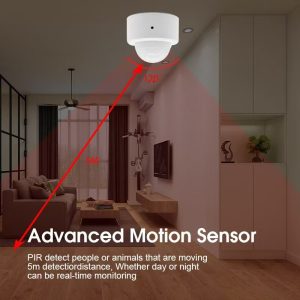
For example, The average cost of a basic smart motion sensor is now under $15, but the value it adds to a home security and automation system is easily ten times that. A single sensor, properly placed, can protect an entire room, automate a hallway, or watch over an elderly relative for years.
The Technology: Passive Infrared (PIR) Explained
Consequently, This sensor uses passive infrared (PIR) technology — the same technology used in commercial security systems for decades. It works by detecting the infrared radiation (body heat) emitted by humans and animals.
- 🔒 Privacy-friendly — no camera, no recording, no video surveillance concerns
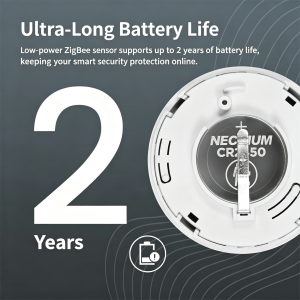
- ⚡ Ultra-low power — battery lasts 2+ years because PIR draws almost no current
- 🎯 Highly accurate — detects body heat specifically, fewer false alarms than radar or ultrasonic
- 📐 Wide coverage — 120° detection angle covers most rooms with a single sensor
- 💡 Works in total darkness — infrared detection works at night, in closets, under beds
Hemispherical Lens — Wider Angle, Larger Coverage
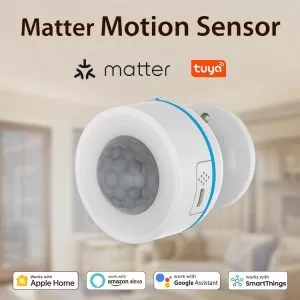
Unlike flat-faced PIR sensors, the hemispherical (half-ball) lens design enables much wider detection coverage. The Fresnel lens divides the detection area into multiple zones, dramatically increasing the field of view while maintaining accurate human detection.
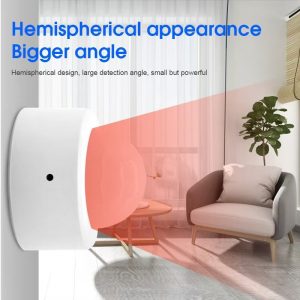
Real-world coverage with a single sensor:
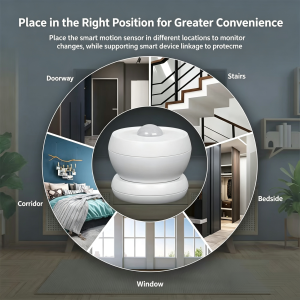
- 🏠 Living rooms — single sensor covers the entire space
- 🚪 Hallways & entryways — detects anyone entering or passing through
- 🛏️ Bedrooms — can trigger gentle night lighting when you get up
- 🛁 Bathrooms — automatic night light when you enter at night
- 🏢 Offices — track occupancy and automate lighting/HVAC
- 🏪 Retail stores — customer counting and after-hours security
For larger rooms, simply add multiple sensors — the Zigbee mesh network handles coordination seamlessly across your home.
Real-World Scenario 1: Bedroom Night Light Automation
You wake up at 2 AM. You’re half asleep. The room is pitch black. Fumbling for the light switch is uncomfortable, and turning on a bright overhead light ruins your sleep rhythm.
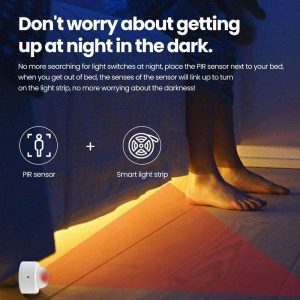
With this PIR sensor, here’s what happens instead:
- 🌙 You put your foot on the floor
- 👀 The PIR sensor (placed under the bed) detects your movement within 1 second
- 💡 The smart LED light strip under the bed automatically turns on at 10% warm brightness
- 🚶 You walk to the bathroom, lit by gentle warm light
- 😴 You get back into bed; after 90 seconds of no motion, the light strip turns off
No more stumbling. No more blinding lights. No more disturbing your partner. The sensor, the strip, and the app handle it all automatically.
Real-World Scenario 2: Vanity Mirror Light Automation
If you’ve ever sat in front of a makeup mirror in a dimly-lit room, you know the frustration of bad lighting. With this PIR sensor, your mirror lights can turn on automatically the moment you sit down.
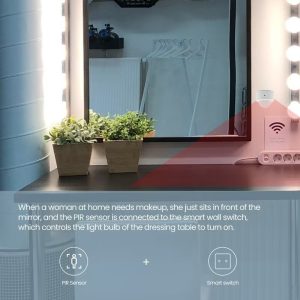
Setup takes 60 seconds:
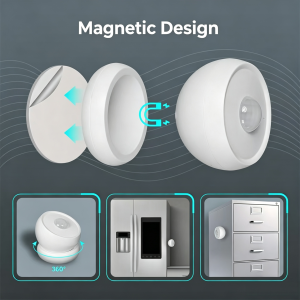
- 📍 Stick the PIR sensor under the dressing table or beside the mirror
- 💡 Pair your smart wall switch with the sensor in the Smart Life app
- ⚙️ Create a one-tap automation: “When motion detected → turn on dressing table light”
- ✅ Done. Every time you sit down, the light turns on. Every time you leave, it turns off after 60 seconds.
It’s like having a personal lighting assistant — and it works for the whole family.
Real-World Scenario 3: Pet Monitoring with Smart Camera
Ever wonder what your cat or dog does while you’re at work? Pair the PIR sensor with a Tuya-compatible smart camera, and you’ll get an instant video clip the moment your pet enters the monitored area.
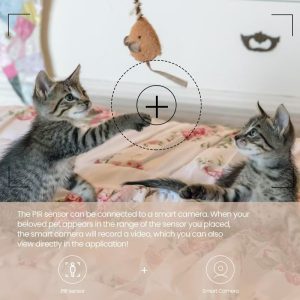
Ever wonder what your cat or dog does while you’re at work? Pair the PIR sensor with a Tuya-compatible smart camera, and you’ll get an instant video clip the moment your pet enters the monitored area.
Here’s how it works:
- 📍 Place the PIR sensor near your pet’s favorite spot (couch, food bowl, litter box)
- 📹 Pair your smart camera with the sensor in the same Smart Life app
- ⚙️ Set automation: “When motion detected → start camera recording + send push notification”
- 📱 You receive a 10-second video clip on your phone every time your pet moves
It’s not just for fun — pet monitoring with motion sensors also helps catch early signs of illness. If your normally active dog stops moving for hours, you’ll know something is wrong. Conversely, if your cat is suddenly bouncing off the walls at 3 AM, you can see exactly what mischief they’re getting into.
Bonus: The same setup works for baby monitoring. Place a PIR sensor in the nursery, pair it with a smart camera, and you’ll know the moment your little one starts moving — without constantly watching a video feed.
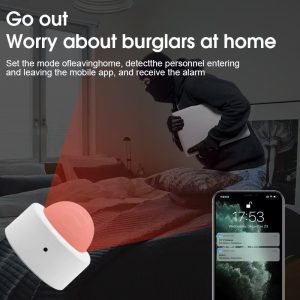
Real-World Scenario 4: Home Security Against Burglars
Worrying about home break-ins is exhausting. With this PIR sensor and a Zigbee siren, you can set up a complete security system in under 10 minutes.
Set up an “Away” mode in the Smart Life app:
- 🏠 Step 1: Place PIR sensors at entry points (front door, back door, windows)
- 📱 Step 2: Enable “Away” mode in the app when you leave home
- 🚨 Step 3: When motion is detected, the Zigbee siren sounds at 100+ dB
- 📞 Step 4: You receive an instant push notification with a map of which sensor triggered
- 📹 Step 5: Optional — start a smart camera recording for visual evidence
Compare this to a traditional PIR alarm that just beeps locally: the burglar smashes it and goes on with the crime. With a smart PIR + siren + camera setup, you and your neighbors know about the intrusion in real time.
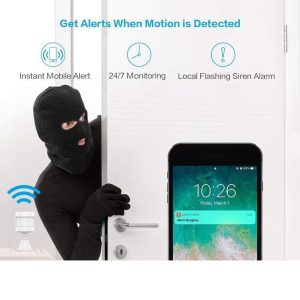
The push notification includes the exact sensor name (e.g., “Living Room PIR Motion Detection”) and the precise timestamp (e.g., “17:31”). If you have multiple sensors around the home, you’ll know exactly which entry point the intruder is using — critical information for both you and the police.
Armed mode flexibility:
- 🏠 Home mode — only perimeter sensors (windows, doors) trigger the alarm; indoor sensors remain inactive so you can move freely
- 🚪 Away mode — all sensors active; the system arms in full
- 🌙 Night mode — only downstairs sensors active while you sleep upstairs
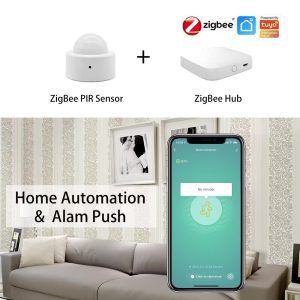
Zigbee 3.0 + Smart Life App — The Complete Ecosystem
This sensor uses the Zigbee 3.0 protocol, which is the most widely adopted smart home standard in the world. Pair it natively with the Tuya Smart and Smart Life apps — two of the largest smart home ecosystems on the planet, supporting over 1 million compatible devices.
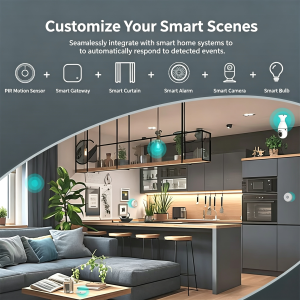
The Zigbee Hub (gateway) shown in the product image is the brain that connects your PIR sensor to your home network and the Smart Life app. It’s a one-time purchase that opens up your entire smart home.
Why Zigbee is the right choice:
- ✅ Low power — battery lasts 2+ years vs. 2-3 months for Wi-Fi sensors
- ✅ Mesh networking — each Zigbee device extends the network range
- ✅ Reliable — doesn’t depend on Wi-Fi bandwidth or router performance
- ✅ Massive ecosystem — works with thousands of Zigbee 3.0 devices from hundreds of brands
- ✅ Local automation — automations run on the gateway, even if internet is down
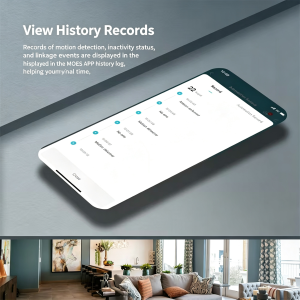
The Smart Life app shows you real-time sensor status at a glance. The home screen displays the current battery level (e.g., 80% as shown in the screenshot), the latest motion event (“No intruder” or “Motion detected”), and a full event history with timestamps. Tap “Click to view more” to see every motion event in chronological order — perfect for reviewing when the kids got home, when the dog walker arrived, or when suspicious activity happened.
Note: A Tuya-compatible Zigbee gateway is required (sold separately). The sensor does not work as a standalone Wi-Fi or Bluetooth device.
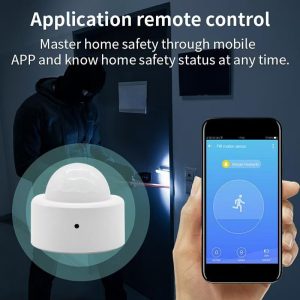
Smart App Control — Know What’s Happening, Anywhere
The single biggest advantage of a smart PIR sensor is remote monitoring. You no longer have to wonder “did I leave the window open?” or “is the dog okay?” — the app tells you in real time.
Through the Smart Life or Tuya Smart app, you can:
- 📊 View real-time status — see if motion was detected in the last 5 minutes
- 📜 Check event history — every motion event logged with a timestamp
- 👨👩👧 Share with family — multiple household members get alerts
- 🤖 Build automations — trigger sirens, lights, cameras, plugs, blinds, etc.
- 🔋 Monitor battery — get low-battery alerts before the sensor dies
- 📱 Receive push notifications — instant alerts the moment motion is detected
The app’s HISTORY tab lets you scroll through every motion event with timestamps. The RECORD tab shows the actual video clip captured by your paired smart camera (if you have one). The BATTERY tab displays the current battery percentage so you know when it’s time to replace the cell — usually every 2+ years.
Real-world example: you’re on a business trip in another country. At 3 AM local time, you receive a push notification: “Stranger Passing By”. You open the app, see the event happened in your living room 2 minutes ago, tap into the RECORD tab to see a video clip, and immediately call your neighbor to check on the house. The entire response — notification, review, action — takes under 60 seconds. Compare that to a traditional alarm system that just beeps into an empty room.
It’s like having a security guard in every room, working 24/7, costing pennies per month.
You Might Also Like
 Tuya Zigbee PIR Motion Sensor – Wireless Human Body Infrared D… Original price was: $29.96.$19.96Current price is: $19.96.
 Zigbee PIR Motion Sensor – Tuya Smart Wireless Human Body Dete… Original price was: $29.96.$25.53Current price is: $25.53.
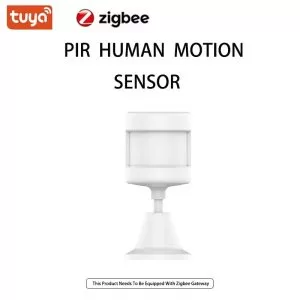 Zigbee PIR Motion Sensor – Smart Home Security | Xingliao Original price was: $29.99.$19.99Current price is: $19.99.
Frequently Asked Questions
Is Zigbee Pir Motion Sensor worth buying?
Based on the breakdown in this article, Zigbee Pir Motion Sensor offers a solid mix of features and value. If your main goal matches the key benefits described above, it is a practical choice for everyday use.
How do I choose the right zigbee pir motion sensor for my needs?
Start with your core use case, then compare battery life, compatibility, and build quality as covered above. Choosing the right zigbee pir motion sensor comes down to matching specs with how you actually use it. Smart Home Sensors Explained: Window Camera and Rain Sensor for a Home That Reacts
Does zigbee pir motion sensor require a companion app?
Most devices of this type pair with a free companion app for setup and firmware updates. A few advanced features may sit behind a paid plan, so check the official specs page before buying. Tuya WiFi IR Remote Review: Universal Control Meets Climate Intelligence
📌 This article is part of our Complete Sensor Hub — more guides and buying tips inside.
Related Articles
- Zigbee PIR Motion Sensor: A Smart Home Upgrade That Actually Works
- Smart Sensors Buying Guide: How to Make Your Home Feel Its Environment
- Home Security Sensors Wholesale: B2B Guide to Sourcing and Selling Security Sensor Systems
- Tuya Sensor Wholesale: Complete B2B Guide to Smart Home and Security Sensors
- Smart Sensors Wholesale Guide: Building a Complete B2B Home Security Product Line