Posted on — Leave a comment

220-240 V Smart Switches and LED Loads: Reading the 5-200 W per Gang Rating (DS-121JL)

Two Smart switches can look identical on a shelf and behave completely differently once a client replaces the lamps. The difference is not the radio or the touch panel — it is how the output stage handles the load, and specifically how it handles LED loads, which draw badly non-sinusoidal current at a fraction of the wattage the switch was designed around.

The DS-121JL publishes its LED limit separately from its incandescent limit, and that is the number a buyer should actually plan against. This article explains the rating, why the two figures differ so much, and how to lay out circuits so a four-gang plate does not end up flickering in a finished building.

The rating, stated plainly

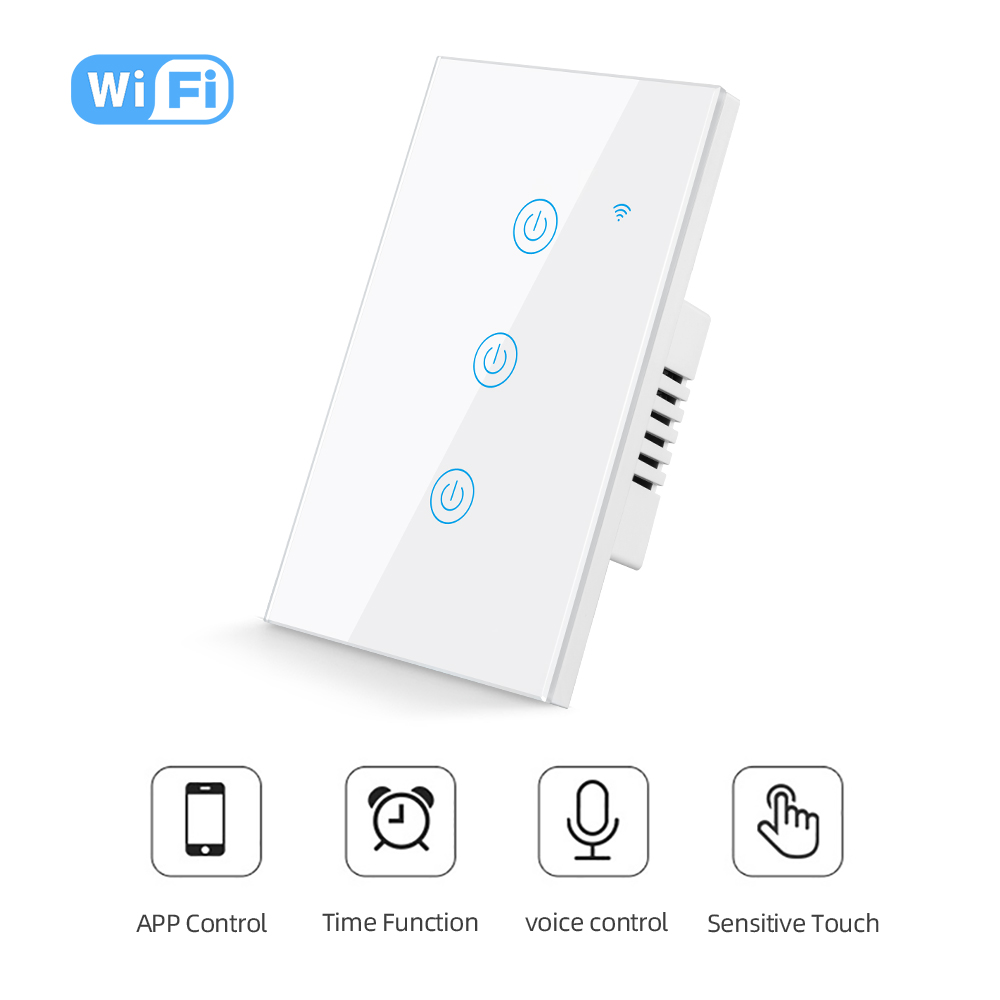
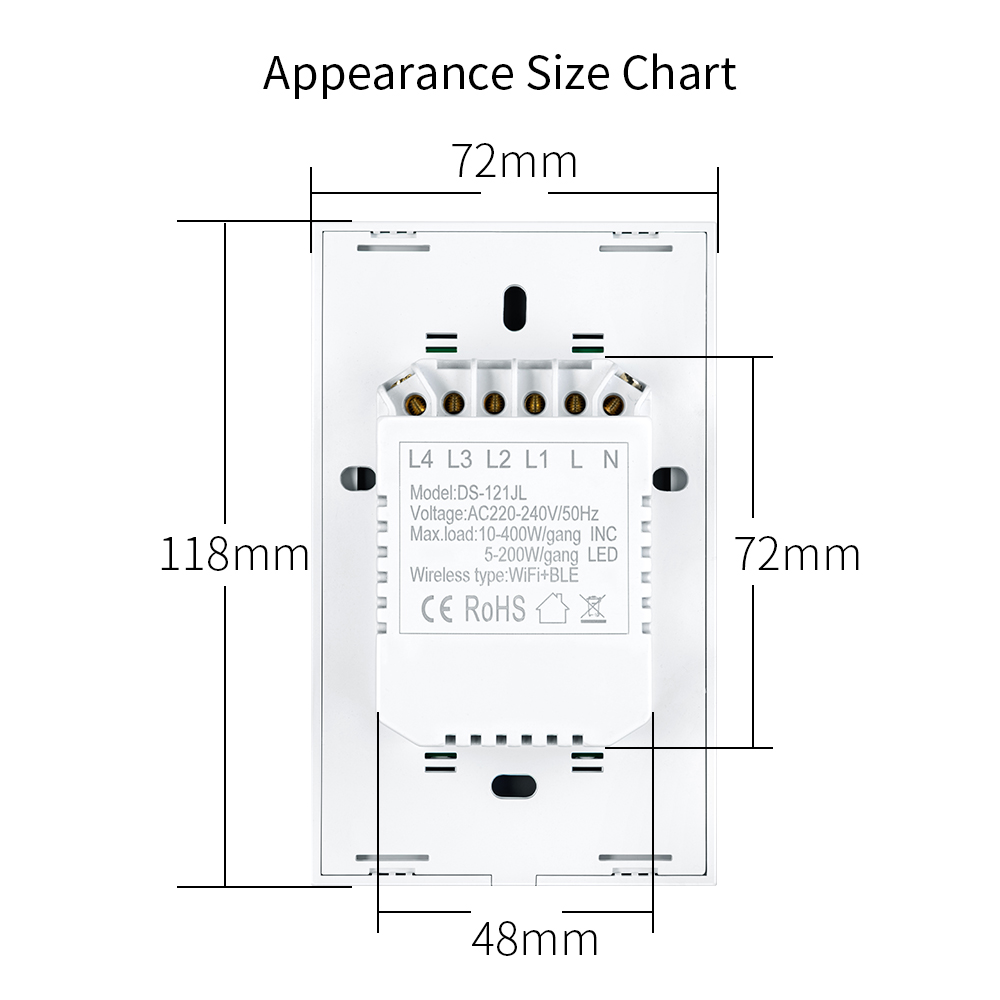
The detail page gives: Voltage AC 220-240 V / 50 Hz, max load 10-400 W per gang INC and 5-200 W per gang LED, with Wi-Fi + BLE wireless and CE / RoHS marking. The 118 × 72 × 39 mm vertical format and 1-4 gang options are shared with the rest of the 118-type platform.
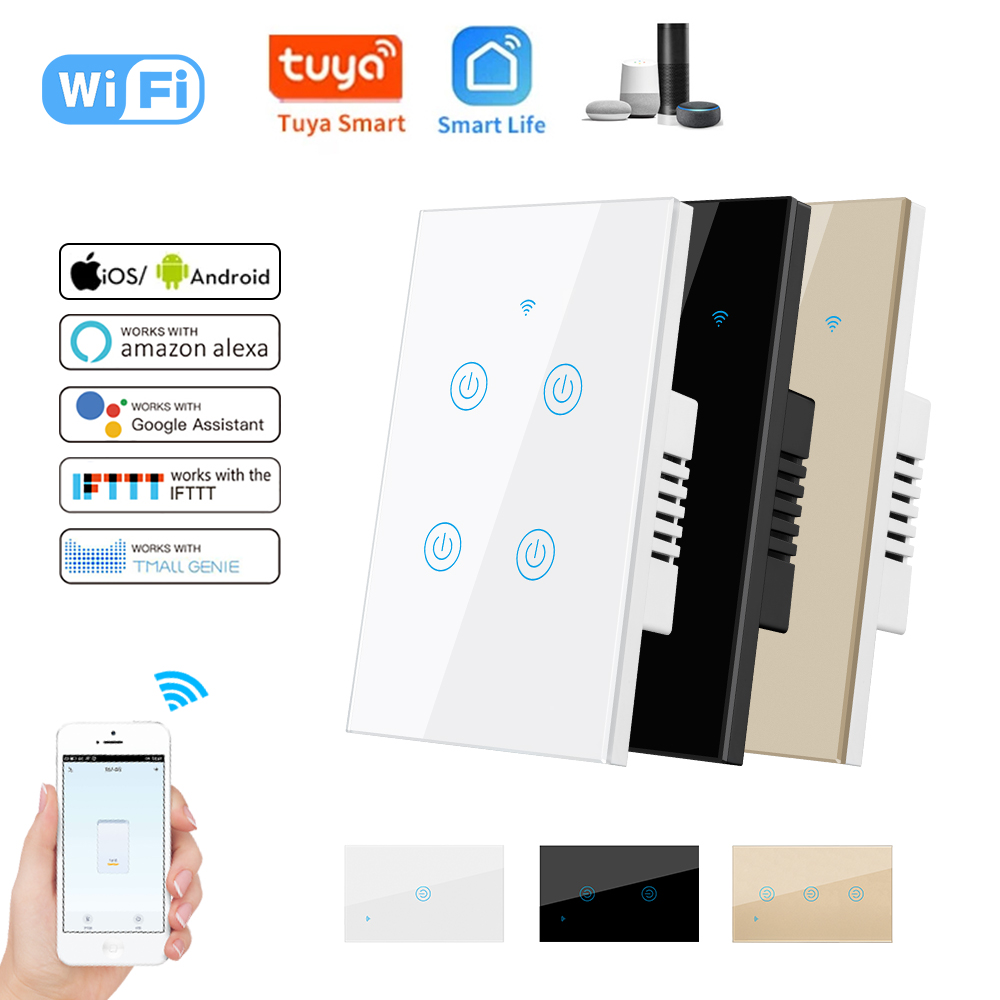
DS-121JL 118 type smart switch with LED load rating specification page
DS-121JL — 220-240 V input with separate INC and LED load ratings per gang.

Specification table

Item Specification
Model DS-121JL (1–4 gang)
Standard / format 118-type vertical wall plate
Panel size 118 × 72 mm, 39 mm body depth
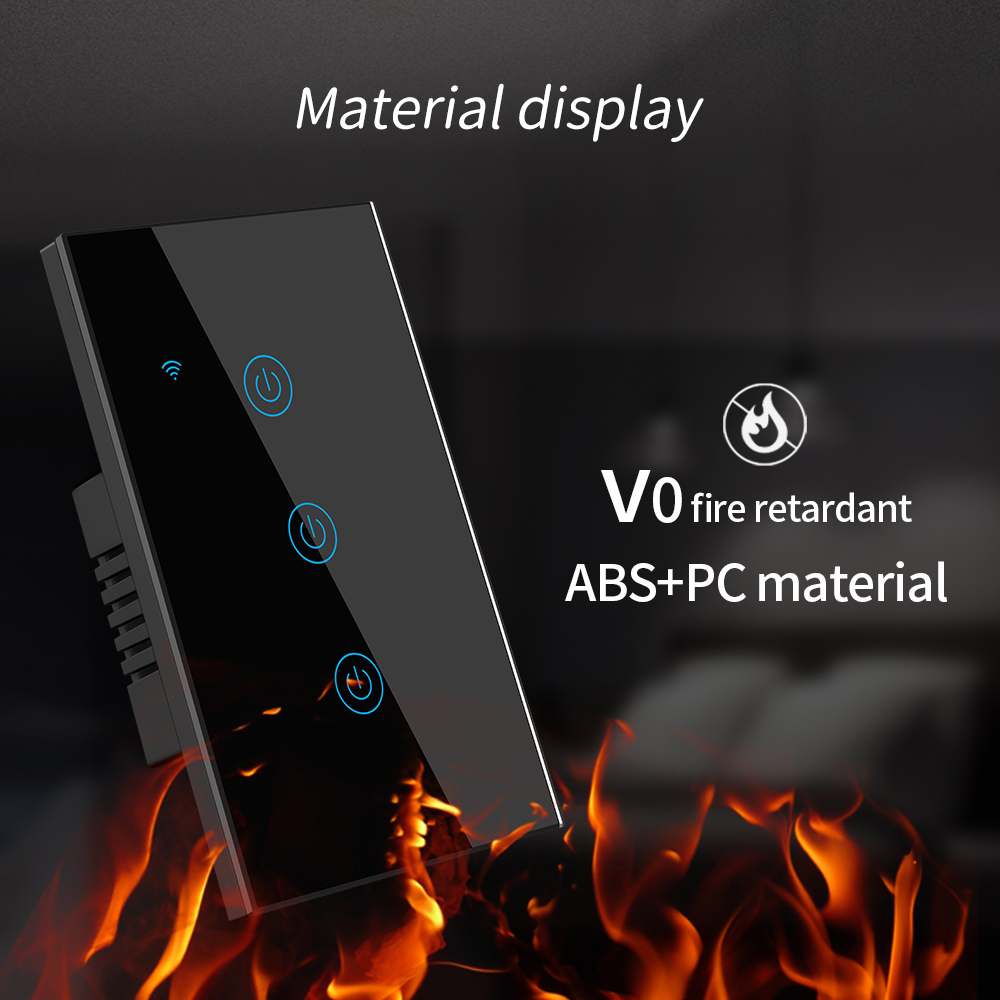
Faceplate Tempered Glass touch panel
Rated voltage AC 220-240 V, 50 Hz
Max load — incandescent 10–400 W per gang
Max load — LED 5–200 W per gang
Wireless Wi-Fi 2.4 GHz + BLE
Wiring modes Neutral required / single live wire with bypass capacitor
Terminals L1, L2, L3, L4, L, N
Colours White / Black / Champagne gold
Certification CE, RoHS

Why the LED figure is roughly half the incandescent figure

Incandescent and halogen lamps are close to resistive: current follows voltage, and a 400 W lamp draws a predictable current at 230 V. LED lamps are not resistive. They rectify the mains, draw current in short pulses near the voltage peaks, and rely on a driver or an integrated capacitor to smooth the result. The consequences for a switching device are:

  • Peak current is much higher than the average suggests. A 100 W LED group can present peak currents a 400 W resistive rating was never sized for.
  • Harmonics and reactive current add heat in the output stage and the neutral, which is why the manufacturer publishes a lower ceiling rather than a conversion factor.
  • Low loads are their own problem. Below the stated 5 W per gang, leakage in a Smart switch standby circuit can be enough to make lamps glow faintly when off.

So the LED number is not a conservative marketing reduction. It is the practical rating for the load type, and it should be used as the design limit whenever LED is involved.
DS-121JL rated voltage AC 220-240V 50Hz and load specification detail
Rating block as printed on the detail page: 220-240 V / 50 Hz, 10-400 W INC, 5-200 W LED.

Circuit planning: five rules that hold up on site

1. Budget LED circuits at 200 W per gang, not 400 W

If a four-gang plate runs 200 W of LED per gang, the plate is at its LED limit. Mixed circuits — some LED, some halogen — must be rated by the LED rule, because the LED part of the load is what drives the peak current.

2. Split large lighting groups across gangs

A 480 W LED bank on one gang exceeds the limit; split across three gangs it does not. Because the four-gang unit has four independent outputs, the fix is usually a wiring decision at design stage rather than a different product.

3. Above 200 W per circuit, switch a contactor

Retail floors, warehouse bays and exterior lighting banks routinely exceed 200 W of LED per circuit. Use the smart switch to drive a contactor coil and let the contactor carry the load. The switch then handles a coil rather than a lamp bank and the rating question disappears.

4. Keep lamp types consistent within a group

Mixing an integrated LED downlight and a driver-based retrofit on the same switched circuit makes flicker diagnosis almost impossible. Standardise lamps per circuit and record the model in the handover file — the single most effective measure for reducing warranty claims.

5. Watch the low end as carefully as the high end

Below 5 W per gang, a lamp may not draw enough to keep the electronics stable, particularly in single-live-wire mode. One 5 W lamp on a gang is a specification to test, not to assume.
DS-121JL four gang LED lighting load distribution across outputs
Distribute LED load across gangs — four independent outputs, each rated 5-200 W LED.

Single live wire or neutral, on a 220-240 V site

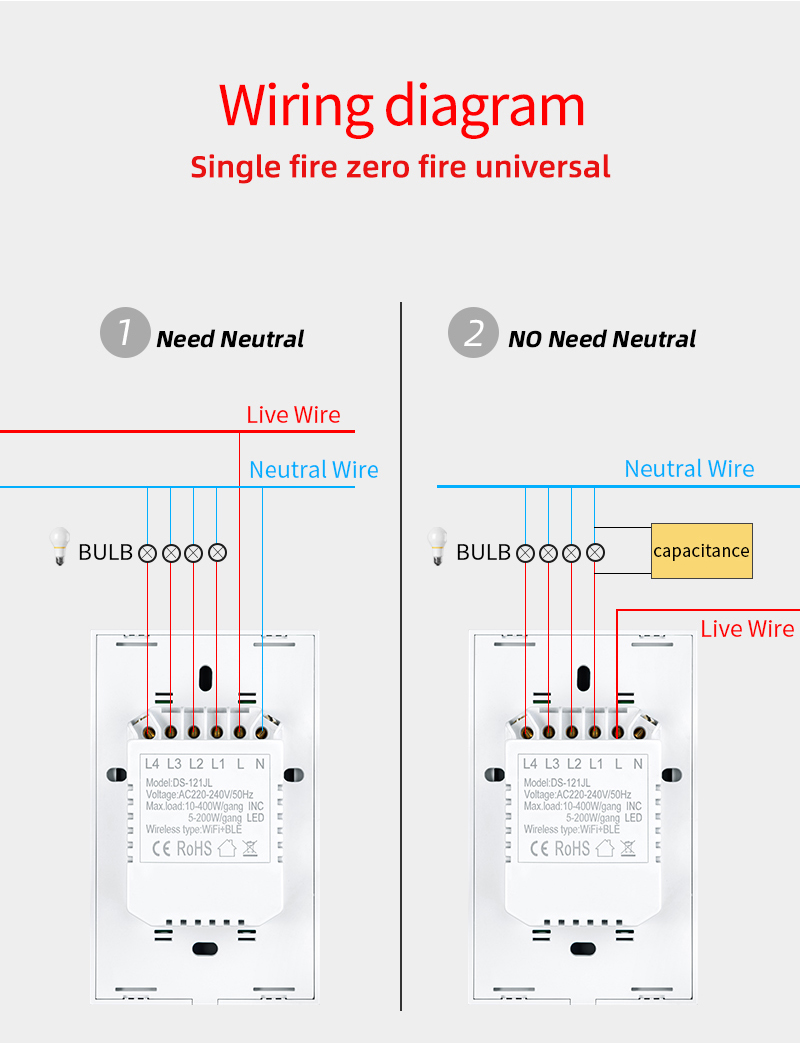
The JL platform is documented as single fire zero fire universal: it can be wired with a neutral, or without one using a bypass capacitor across the load. On 220-240 V markets the single-live-wire route is common in older housing where the neutral is looped at the ceiling.

Where LED lamps are involved, the single-live-wire mode deserves extra care. The standby current needed to keep the switch alive flows through the lamp, and a low-wattage LED driver may interpret that trickle as a signal rather than a nuisance — visible as a faint glow or a slow flash at night. If the site is LED throughout, neutral mode is the safer specification wherever a neutral exists.
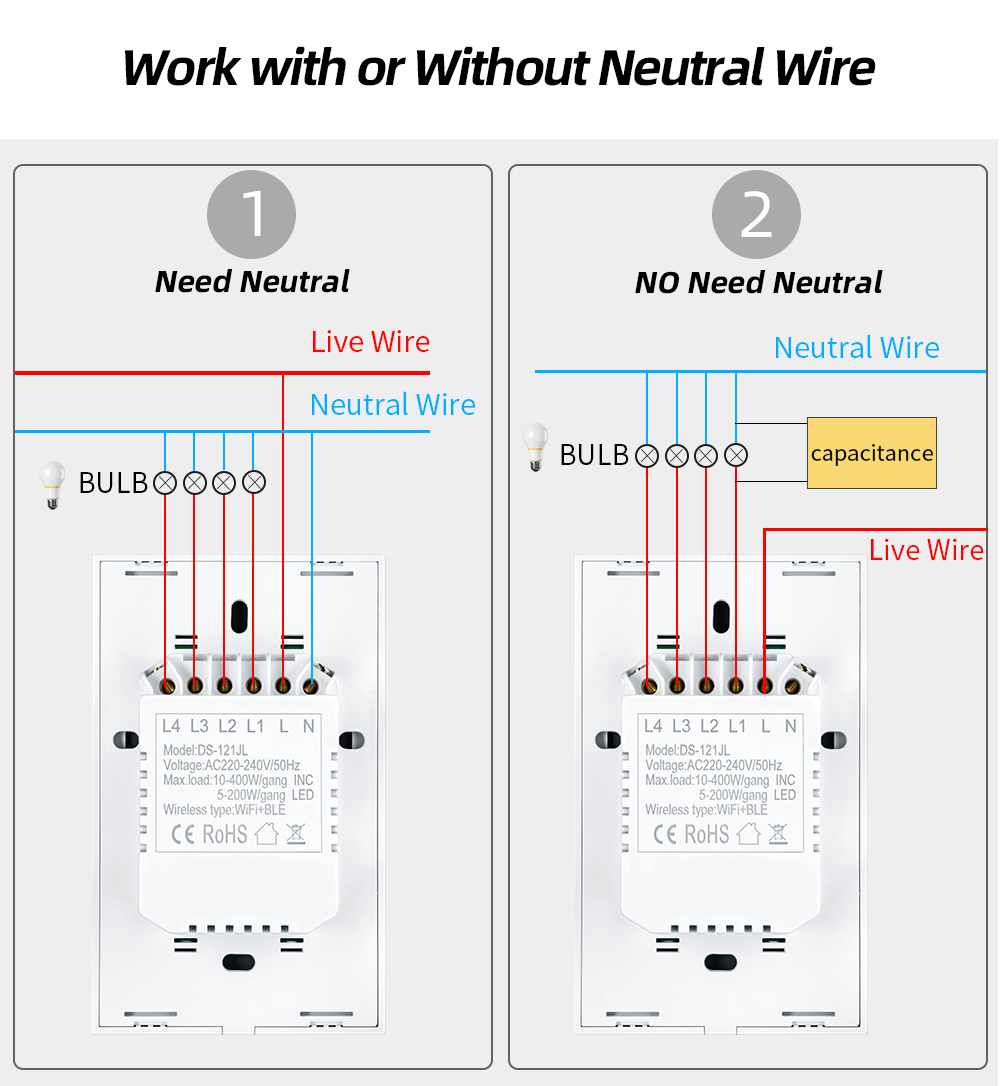
DS-121JL single live wire and neutral wiring diagram for 220V market
Both wiring modes on one SKU — neutral connection, or single live wire with capacitor.

Markets this SKU is built for

The 220-240 V input with a 118-type vertical plate is the combination used across much of the Middle East, South-East Asia, South America and parts of Africa, where the 118 opening is standard but the supply is European-style. Specifying a 120 V-rated product into those projects is a common and expensive mistake; the JL variant is the correct part number there.
DS-121JL 118 type vertical switch dimension drawing 118 by 72 by 39 mm
118 × 72 × 39 mm — the vertical format used across 220-240 V markets with 118 openings.

Applications

Hospitality refurbishment in 220 V markets

Guest rooms typically have four lighting groups — entrance, bedside, desk and bathroom — and almost always on LED. Four gangs at 200 W LED each is comfortably above a typical room load, with margin for future lamp changes.

Residential LED retrofit

Replacing halogen downlights with LED drops the load by a wide margin, which is exactly when users discover that their old switch was fine and their new one flickers. Rating the circuit by the LED figure at design stage avoids that conversation.
DS-121JL scene application with white black champagne gold finishes
Finish options — white, black and champagne gold across the 118-type range.

Restaurants and retail frontage

Track lighting and display lighting are almost entirely LED and often exceed 200 W per circuit. Split the circuits, or drive a contactor from the switch and keep the smart control at the wall.
DS-121JL material and build detail glass touch panel
Glass touch panel and housing — the finish buyers verify at sample approval.

OEM / ODM and documentation

Private label runs on the standard 118-type glass housing: laser-etched logo, custom retail box, multilingual manual and neutral packaging for online sellers. Alongside the goods, ask for these documents — they are what an electrical contractor will want on site:

  • CE and RoHS declarations for the 220-240 V variant
  • The two wiring diagrams (neutral / single live wire) in the destination language
  • Bypass capacitor specification and recommended quantity
  • Lamp compatibility guidance for the LED range
DS-121JL certification and specification page CE RoHS
Certification and rating page supplied with the quotation pack.

Ask us before you commit the circuit

Send us the lamp schedule — wattage per circuit, lamp type, driver or integrated, and whether a neutral is present at each drop. We will tell you whether the DS-121JL stays within rating for each circuit or whether the load should be split or contactor-switched, and we will quote against the gang mix the project actually needs.

Request DS-121JL quotation, LED compatibility sheet and a sample → include your destination market and per-circuit lamp wattage, and we will confirm the suitable part number in the same reply.

Related Articles

You Might Also Like

Frequently Asked Questions

Is Smart Switch Led Load Compatibility worth buying?

Based on the breakdown in this article, Smart Switch Led Load Compatibility offers a solid mix of features and value. If your main goal matches the key benefits described above, it is a practical choice for everyday use.

How do I choose the right smart switch led load compatibility for my needs?

Start with your core use case, then compare battery life, compatibility, and build quality as covered above. Choosing the right smart switch led load compatibility comes down to matching specs with how you actually use it.

Does smart switch led load compatibility require a companion app?

Most devices of this type pair with a free companion app for setup and firmware updates. A few advanced features may sit behind a paid plan, so check the official specs page before buying.

Posted on — Leave a comment

US-Standard Smart Wall Switches: A B2B Selection Guide to the DS-121 / DS-122 / DS-123 Range

Selling Smart switches into North America is not a specification problem, it is a catalogue problem. A US-standard wall box takes a 118 mm plate, the market expects a rocker or a Touch panel depending on the room, and a single-family home may need one-gang, three-gang and a 3-way stairwell circuit in the same order. Distributors who carry one model run out of answers at the second room; distributors who carry a structured range can quote the whole house.

This guide maps the US-standard 118 mm range model by model, explains which control surface belongs in which room, and sets out how to build the range into something a contractor or an Amazon listing can Actually sell.

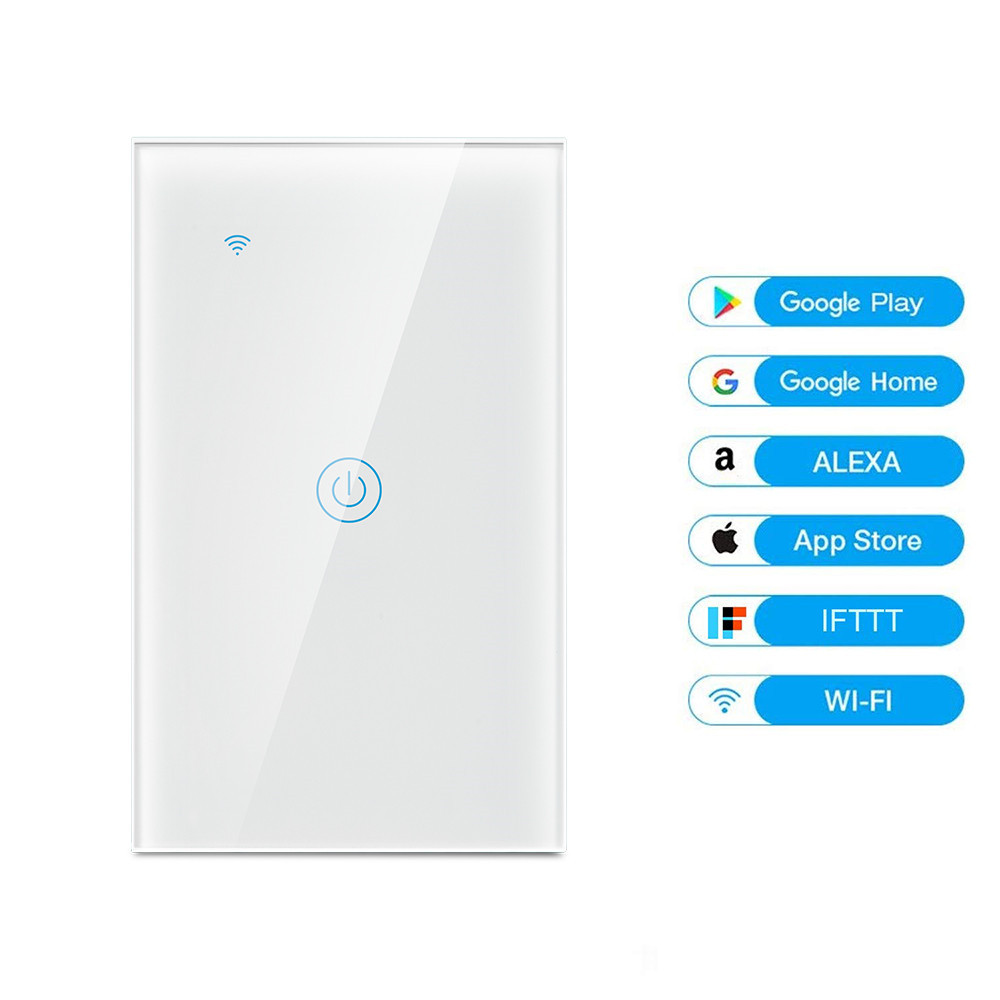
DS-121 US-standard touch wall switch, front view

The range in one table

Family Control surface Configuration Typical placement
DS-121 series Tempered Glass touch panel Single gang, with dedicated 4-gang variant artwork Living rooms, master bedrooms, hotel guest rooms
DS-122 series Mechanical push-button (rocker feel) Single gang Hallways, utility rooms, rental units, retrofit projects
DS-123-1 series Glass touch panel, variant 1 Single gang Bedside, study, bathrooms
DS-123-2 series Glass touch panel, variant 2 Single gang Kitchens, open-plan areas, feature walls
DS-122-S / DS-122-T Push-button, multi-gang 2-gang and 3-gang Wi-Fi panels Whole-house lighting banks, contractor packages
DS-123-1S / 1T, DS-123-2S / 2T Glass touch, multi-gang 2-gang and 3-gang Wi-Fi panels Premium residential, hospitality suites
DS-122-3WAY / DS-123-3WAY Push-button and glass touch 3-way (two-point) switching pairs Stairwells, corridors, rooms with two entrances
DS-128 (LS01) Glass touch panel Single gang, separate artwork set Projects requiring a distinct design line

Electrical ratings, gang counts and certification markings must be taken from the datasheet of the specific model you order. This guide covers the commercial structure of the range; it deliberately does not restate ratings that vary by variant — ask for the specification sheet of the exact SKU before publishing a listing.

DS-121 touch control detail view

First decision: touch or push-button?

The case for glass touch (DS-121, DS-123-1, DS-123-2)

Touch panels win the visual argument. A flush glass front sits level with the wall, cleans with a single wipe, and photographs well — which matters more than most distributors admit, because the hero image is what converts on a marketplace listing. In hospitality and premium residential, the touch panel is also the expected format: it reads as an upgrade in a way that a tactile rocker does not.

The case for push-button (DS-122 series)

Push-button panels win the operational argument. There is tactile feedback, the state is readable in the dark by feel alone, and the mechanism survives being pressed by someone wearing gloves, carrying boxes, or operating a switch for the first time in a rental property. In utility rooms, garages and short-let units, that robustness is worth more than the aesthetics.

For a distributor building a first US-standard range, the honest recommendation is to lead with one touch family and one push-button family rather than stocking four near-identical touch variants. Let the buyer Choose the interface first, then the configuration.

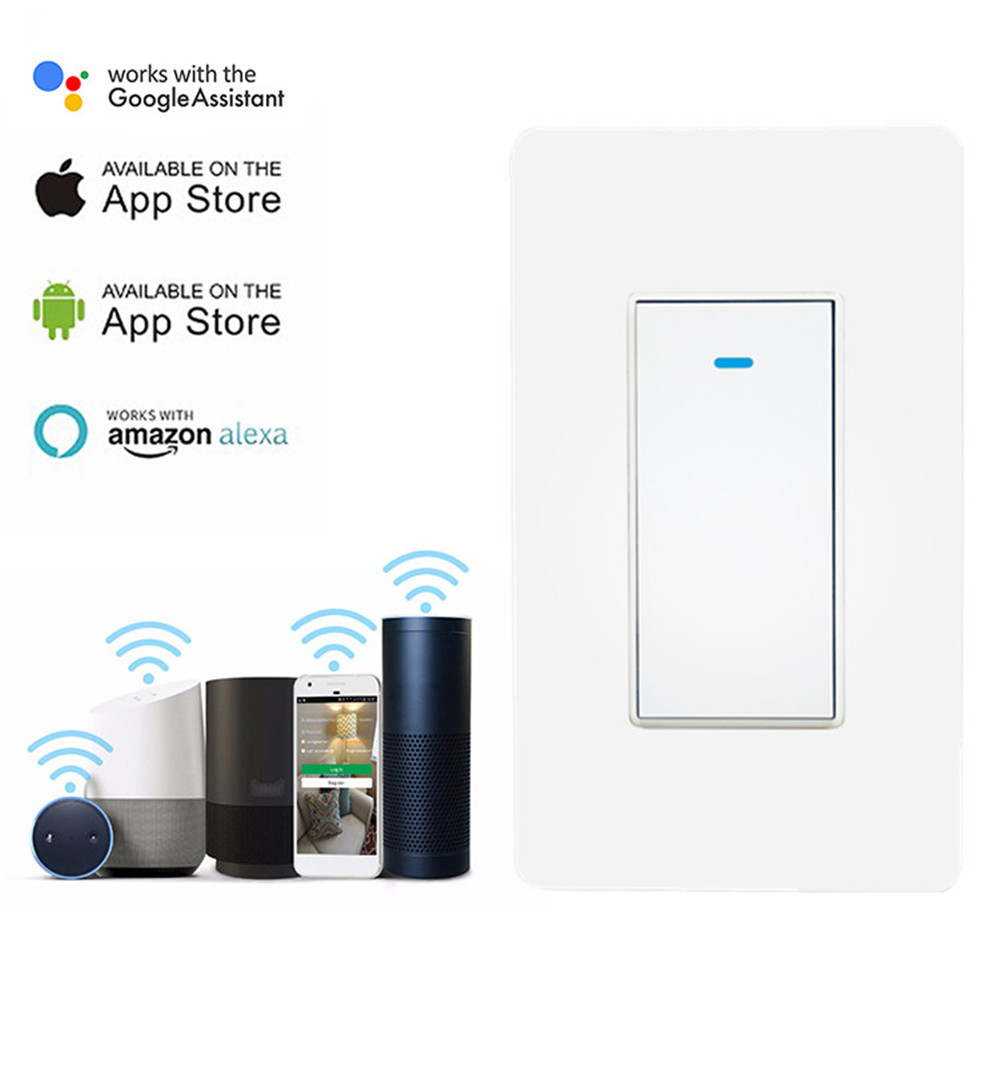
DS-122 US-standard push-button wall switch, front view
DS-122 push-button detail view

Second decision: how many gangs

US residential lighting is gang-heavy. A kitchen may want four circuits on one plate; a hallway wants two. The range covers this with dedicated multi-gang models rather than by asking the customer to buy several single panels:

  • 2-gang (-S) and 3-gang (-T) versions exist in both the push-button family (DS-122-S / DS-122-T) and the glass touch family (DS-123-1S / 1T and DS-123-2S / 2T).
  • Each multi-gang panel is a single Wi-Fi device controlling several circuits, which is what the customer actually wants: one tile in the app per plate, not three.
  • Generic multi-gang main-image artwork is also supplied, so you can build a single listing that covers the 2-gang and 3-gang options with a variant selector instead of maintaining separate listings.

There is a commercial point buried here. Multi-gang panels raise average order value without raising shipping volume per unit, because the carton is one box, not three. If you are optimising a container for value density, that is the lever.

DS-123-1 US-standard touch wall switch
DS-123-2 US-standard touch wall switch

Third decision: 3-way circuits

A 3-way circuit — one light controlled from two positions, such as the bottom and top of a staircase — is where most Smart switch ranges quietly fail. The customer buys a single Smart switch, discovers that the second switch position no longer works, and returns the product.

The range includes dedicated 3-way models in both interfaces: DS-122-3WAY for the push-button line and DS-123-3WAY for the glass touch line. Each is supplied with its own English main-image and detail-image set, which means the pairing configuration can be explained visually in the listing instead of in a support email.

Practical advice for your listing copy: state clearly and early that 3-way installation requires the matching 3-way model and describe how the two units are paired. The returns you avoid are worth more than the words cost.

Ecosystem and app expectations

The English marketing assets for these models document compatibility with the major voice platforms, including Amazon Alexa, Google Assistant and IFTTT, along with app-based remote control. For a US buyer, that combination is table stakes: Alexa and Google for the mass market, IFTTT for the enthusiast segment that reviews products loudly.

Because these panels are Wi-Fi based, they do not need a proprietary hub. That is a genuine selling point in North America, where the buyer has usually already been burned by a hub that was discontinued. Put it in the bullet list.

DS-122-S multi-gang US-standard wall switch

What ships with the product

Every model in the range is supported by a complete English asset set, prepared for marketplace and independent-store upload:

Asset type What it is used for
English main images Marketplace hero and gallery images, several per model
English detail images A+ style long-form description blocks, feature callouts, wiring diagrams
Front-view renders Category thumbnails and comparison charts
Multi-gang generic artwork One listing covering 2-gang and 3-gang variants
3-way dedicated artwork Explaining two-point pairing without support tickets

This matters more than it sounds. A distributor’s real cost is not the unit price, it is the six hours of design work needed to build a listing for each new SKU. Arriving with English copy already laid out on the image compresses that to an afternoon.

3-way pairing push-button wall switch

OEM and ODM options

  • Panel and finish — plate colour and glass finish can be aligned to your own design language across the whole family, so the one-gang, multi-gang and 3-way models look like one product line rather than three.
  • Branding — logo printing on the panel, custom legend text, and retail-ready packaging with your artwork and barcodes.
  • App identity — the Wi-Fi platform can be delivered under your own app with your onboarding screens, so the product is yours rather than a white-label of someone else’s.
  • Range assembly — order a curated mix (for example: touch single-gang, push-button single-gang, 2-gang, 3-gang, 3-way pair) as one container instead of five separate purchases.
  • Documentation pack — English specification sheets and image assets supplied in upload-ready format for Amazon, Alibaba and your own store.

Building the range for your market

Channel Recommended opening mix Why
Amazon US / retail marketplace Touch single-gang + push-button single-gang + 3-way pair Covers the three searches that actually convert: Smart switch, smart light switch 3-way, and the value alternative
Electrical distributors and contractors Push-button single-gang + 2-gang + 3-gang Contractors buy configurations, not hero images
Hospitality and multi-family projects Touch single-gang + touch 2-gang + 3-way touch Consistent visual language across hundreds of rooms
Own-brand independent store Full touch family under your own app identity Positioning and margin control
Frequently asked questions

Do these panels work in a standard US wall box?

The range is built on the 118 mm US plate standard, so the plate matches the box opening. Confirm plate depth against your specific box before ordering, since multi-gang panels sit deeper than a mechanical switch.

Can I mix touch and push-button panels in one installation?

Yes, and this is common: touch in guest-facing rooms, push-button in service areas. Both are managed from the same app, so the user experience stays consistent even though the interfaces differ.

Do multi-gang panels require multiple neutral wires?

Wiring depends on the specific model. Request the wiring diagram for the exact SKU before the electrician begins; do not generalise from a single-gang installation.

Are the image assets in English?

Yes. Each model in this guide is supported by English main images, English detail images and front-view renders, which is why we can describe the range at this level of detail without translating anything for you.

Request the range sheet

Send us the configurations you want to open with — interface, gang count, 3-way requirement, plate colour — and we will return a range quotation with the matching English asset set for each model, plus a sample plan.

Ask for the US-standard smart switch range quotation and the English listing asset pack.

This guide describes the commercial structure of the US-standard range. Ratings, gang configurations and certification details vary by model and must be confirmed on the datasheet of the exact SKU before publication or installation.

Related Articles

You Might Also Like
Posted on — Leave a comment

Push-Button Smart Switches: When a Click Beats a Touch Panel

US Standard WiFi Push Button Switch — Single, Double, Triple & Quadruple Covers
Push-Button Smart Switches: When a Click Beats a Touch Panel

Glass Touch panels look good in a showroom, but a lot of buyers want the Switch to feel like a Switch. On the 118 × 72 mm US Plate, the push-button range covers One to four gangs with a real mechanical travel and the same app behind it.

Why push button

Buttons can be found in the dark, they work with wet or gloved hands, and guests understand them without an explanation. In rentals and Hotels that matters more than the look of the plate. The travel also gives tactile confirmation that the command went through.

One to four gangs

The range runs 1, 2, 3 and 4 gang on one plate size, so a hallway can have two and a bedroom four while every plate on the wall matches. Each gang is an independent channel in the app.

The versions

  • WiFi — 2.4 GHz, Tuya / Smart Life, no hub.
  • HomeKit — pairs directly with Apple Home.
  • Newer variants — updated boards with the same footprint.
  • Korean-standard version — for Korean wall boxes on the same family.

Installation

Standard US box, live to L, neutral Where the model requires it, loads to L1–L4. The mechanical button does not change the wiring — it is the same board with a different front.

FAQ

Is it a drop-in replacement for a standard US switch?
Yes for the box and the wiring; check the neutral requirement for the exact model.
Does the button still work without the network?
Yes — local control always works.
Can I mix 1 and 4 gang plates in one order?
Yes — the finishes match across the range.

Ready to specify it? Full specifications, gang options, colors and quantity pricing are on the US Standard WiFi Push Button Switch — Single, Double, Triple & Quadruple Covers product page — OEM logo, manual and packaging are available from the first order.

Related Articles

You Might Also Like
Frequently Asked Questions

Is Push Button Smart worth buying?

Based on the breakdown in this article, Push Button Smart offers a solid mix of features and value. If your main goal matches the key benefits described above, it is a practical choice for everyday use.

How do I choose the right push button smart for my needs?

Start with your core use case, then compare battery life, compatibility, and build quality as covered above. Choosing the right push button smart comes down to matching specs with how you actually use it.

Does push button smart require a companion app?

Most devices of this type pair with a free companion app for setup and firmware updates. A few advanced features may sit behind a paid plan, so check the official specs page before buying.

Posted on — Leave a comment

Curtain and Dimmer Switches on a US Plate: What 118 × 72 mm Can Do

118 × 72 mm US Standard Function Switches — Curtain / Dimmer / ZigBee Push Button
Curtain and Dimmer Switches on a US Plate: What 118 × 72 mm Can Do

The 118 × 72 mm US plate is not just a different rectangle — it is the format used across US, Australian, Italian, Canadian, Brazilian, Vietnamese and Thai installations. On that plate the interesting part is not the light Switch, it is the function Switches: Curtains, dimming and Zigbee scene buttons.

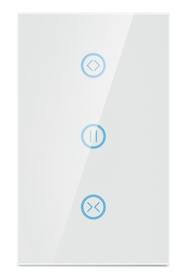
Curtain control

A curtain Switch reverses a motor instead of switching a lamp, so the rating (1800 W here) and the interlock between open and reverse matter more than the app. One plate runs electric curtains and roller shutters, with the usual open / close / stop plus percentage position in the app. Where the DS-129JL Series Fits: Apartments, Hotels and Office Retrofits

Dimming

The dimmer in this group is rated 600 W and expects a thyristor dimmable lamp. That is the one compatibility check that trips people up: a non-dimmable LED on a dimmer either flickers or destroys the driver. Get the lamp right and the rest is simple — level from the plate, from the app, or by voice. How to Choose a Bluetooth Touch Switch for a 86 Wall Box — DS-101BY Series

Zigbee push button

A push-button Zigbee Switch is a scene controller: one Button can trigger a whole set of devices through the gateway rather than switching a load directly. It is the cheapest way to add “goodnight” or “movie” to a room without rewiring. Where the DS-123Y Series Fits: Apartments, Hotels and Office Retrofits

Colours and finishes

The curtain and dimmer plates come in White, Black, Gold and Grey, so a mixed installation keeps one look across the Wall. The ZigBee button is White only.

FAQ
Can the dimmer run any LED lamp?
No — the lamp must be thyristor dimmable, 600 W maximum.
Can the curtain Switch run roller shutters?
Yes — rated 1800 W for electric curtains and roller shutters.
Do the Zigbee models need a gateway?
Yes, the Zigbee models in this group all require a gateway.

Ready to specify it? Full specifications, gang options, colors and quantity pricing are on the 118 × 72 mm US Standard Function Switches — Curtain / Dimmer / ZigBee Push Button product page — OEM logo, manual and packaging are available from the first order.

Related Articles

You Might Also Like
Frequently Asked Questions

Is Curtain Dimmer Switches worth buying?

Based on the breakdown in this article, Curtain Dimmer Switches offers a solid mix of features and value. If your main goal matches the key benefits described above, it is a practical choice for everyday use.

How do I choose the right curtain dimmer switches for my needs?

Start with your core use case, then compare battery life, compatibility, and build quality as covered above. Choosing the right curtain dimmer switches comes down to matching specs with how you actually use it.

Does curtain dimmer switches require a companion app?

Most devices of this type pair with a free companion app for setup and firmware updates. A few advanced features may sit behind a paid plan, so check the official specs page before buying.

Posted on — Leave a comment

147 × 86 mm Touch Switches: Fitting 4, 6 and 8 Gangs on One Plate

147 touch switches - 147 × 86 mm Touch Switches: Fitting 4, 6 and 8 Gangs on One Plate
147 × 86 mm Touch Switches: Fitting 4, 6 and 8 Gangs on One Plate

Standard plates stop at three gangs. When a room needs four, six or eight circuits on one position — a hotel bedside, a conference room, a large living room — the usual answer is a stack of plates and a lot of chasing. The 147 × 86 mm format puts all of them behind one piece of glass.

Why 147 × 86

The wider format gives room for up to 8 gangs at comfortable spacing, at 90–265 VAC, so it suits Pakistan, Middle East and other 220–240 V markets with wide boxes. Every unit in the family reports energy statistics and has a child lock. Where the DS-129JL Series Fits: Apartments, Hotels and Office Retrofits

WiFi or Zigbee

WiFi models (…WN) go straight to the router with no hub. Zigbee models (…ZN) need a gateway but give you mesh coverage and far lower standby consumption — the better choice when a floor has twenty plates. Where the DS-123Y Series Fits: Apartments, Hotels and Office Retrofits

Fan control on the same plate

Two models in the range add a Fan channel beside the Switch keys, so the light keys and the fan speed live on one plate instead of two. The DS-14A… variants use a 2.5D glass face on a plastic frame if you want the softer edge.

What to check before ordering

  • Box size — 147 × 86 mm, not 86 × 86. Measure the opening.
  • Gang count — 4, 6 or 8; more gangs means more load on one board, so check the per-gang rating.
  • Finish — White or Black across the family.
FAQ
Can I mix gang counts in one order?
Yes — 4, 6 and 8 gang plates can be mixed, and they share the same frame style.
Does the fan channel need a special fan?
Standard AC ceiling fans with a speed regulator chain work; check the rating before ordering.
Is a gateway needed?
Only for the Zigbee (…ZN) models.

Ready to specify it? Full specifications, gang options, colors and quantity pricing are on the 147 × 86 mm Touch Switch Series — 4 / 6 / 8 Gang, WiFi & ZigBee product page — OEM logo, manual and packaging are available from the first order.

Related Articles

You Might Also Like
Frequently Asked Questions

Is 147 Touch Switches worth buying?

Based on the breakdown in this article, 147 Touch Switches offers a solid mix of features and value. If your main goal matches the key benefits described above, it is a practical choice for everyday use.

How do I choose the right 147 touch switches for my needs?

Start with your core use case, then compare battery life, compatibility, and build quality as covered above. Choosing the right 147 Touch Switches comes down to matching specs with how you actually use it.

Posted on — Leave a comment

Touchless Wave Switches: When Not Touching the Switch Is the Whole Idea

Wave Gesture Switch — Contactless, WiFi & Standalone, EU & US Plates
Touchless Wave Switches: When Not Touching the Switch Is the Whole Idea

A wave Switch solves a problem that has nothing to do with convenience apps: the plate gets touched by hands that have just handled raw food, cleaning chemicals or a bathroom door. If you have ever wiped a light Switch twice in a row, you already know the use case.

How it works

An infrared field in front of the glass detects a hand passing within a few centimetres and toggles the channel. There is no contact, no mechanical travel and nothing to wear out — the glass stays clean because nobody touches it. Where the DS-129JL Series Fits: Apartments, Hotels and Office Retrofits

Two versions, with and without the network

  • Pure wave (no network) — behaves like a normal Switch that you operate by waving. Nothing to configure, nothing to hack, ideal for kitchens, clinics and food prep areas.
  • Wave + WiFi — adds the Tuya / Smart Life app: schedules, countdown, remote status and voice through Alexa and Google Home.

EU or US plate

The EU version is 86 × 86 mm for European, British and GB boxes; the US version is 118 × 72 mm for US and equivalent boxes. Both are single-fire and zero-fire universal, so they fit older two-wire boxes as well as new ones with a neutral. Where the DS-123Y Series Fits: Apartments, Hotels and Office Retrofits

Where it earns its keep

Kitchens and bathrooms first, then clinics, labs, food factories and anywhere with a hand-washing protocol. In a domestic setting the most common install is One plate by the kitchen door and one in the guest bathroom.

Practical notes

Keep the sensing area clear of tall taps or decorations. The switch responds to a hand pass within a few centimetres — a deliberate wave, not a brush past — so accidental triggering is rare. Where the DS-121JLHK Series Fits: Apartments, Hotels and Office Retrofits

FAQ
Does it work without a neutral?
Yes — both versions accept single-fire and zero-fire Wiring.
Can I still control it from the phone?
On the WiFi version, yes. The pure-wave version is offline by design.
Is the response reliable with wet hands?
Yes — the sensor reads the hand, not the surface, so moisture on the plate is not an issue.

Ready to specify it? Full specifications, gang options, colors and quantity pricing are on the Wave Gesture Switch — Contactless, WiFi & Standalone, EU & US Plates product page — OEM logo, manual and packaging are available from the first order.

Related Articles

You Might Also Like
Frequently Asked Questions

Is Touchless Wave Switches worth buying?

Based on the breakdown in this article, Touchless Wave Switches offers a solid mix of features and value. If your main goal matches the key benefits described above, it is a practical choice for everyday use.

How do I choose the right touchless wave switches for my needs?

Start with your core use case, then compare battery life, compatibility, and build quality as covered above. Choosing the right touchless wave Switches comes down to matching specs with how you actually use it.

Does touchless wave switches require a companion app?

Most devices of this type pair with a free companion app for setup and firmware updates. A few advanced features may sit behind a paid plan, so check the official specs page before buying.

Posted on — Leave a comment

Water Heater Switches: Why a 20 A / 40 A Smart Switch Is Not the Same as a Light Switch

water heater switches - Water Heater Switches: Why a 20 A / 40 A Smart Switch Is Not the Same as a Light Switch
Water Heater Switches: Why a 20 A / 40 A Smart Switch Is Not the Same as a Light Switch

A water heater is the One load in a home that runs at full power for an hour at a time, day after day. That is a different job from switching a 60 W lamp, and it is why “just use a Smart Switch” is bad advice on a heater circuit. Here is what to look for, and how the EU and US plates differ.

The rating is the whole point

Lighting Switches are typically rated 600 W per gang. A storage heater wants 20 A / 4000 W and an instant heater wants 40 A / 8000 W, held continuously, not for a few seconds. A switch that is not built for that will run hot at the relay and eventually weld shut — which is the failure mode you really do not want on a water heater.

EU or US plate

EU models are 86 × 86 mm for European, British and GB boxes and carry CE / ROHS. US models are 118 × 72 mm for US, Australian, Italian, Canadian, Brazilian, Vietnamese and Thai boxes and carry FCC. Match the box; everything else — app, schedules, voice — is identical on both. Wiring the DS-126 Series: Single-Fire, Zero-Fire and the Capacitor Question

Which protocol

  • WiFi — simplest commissioning, straight to the router via Tuya / Smart Life.
  • Zigbee — needs a gateway, but gives mesh coverage and low standby draw; good for whole-building projects.
  • HomeKit — pairs directly with Apple Home, no bridge app.
  • Pure Touch — no network at all, for sites Where the heater must stay off the network.

Touch or push button

Glass touch plates look right in living spaces; push-button plates are better Where hands are wet or Where a physical click is expected. Both are made on the same high-power boards.

What the app adds

The point of putting a heater on a Smart switch is the timer: heat for 30, 60, 90 or 120 minutes instead of leaving the element on all day, plus power statistics so you can see what it actually costs. Most models here also have a child lock.

FAQ
Do I need 20 A or 40 A?
20 A / 4000 W covers a Standard storage heater. Choose 40 A / 8000 W for instant heaters and other heavy resistive loads.
Is a neutral required?
Most heater switches here are zero-fire; check the model line before ordering.
Can it report energy use?
Several models in the range include power statistics in the app.

Ready to specify it? Full specifications, gang options, colors and quantity pricing are on the Smart Water Heater Switch — EU 86 × 86 mm & US 118 × 72 mm, WiFi / ZigBee / HomeKit / Pure Touch product page — OEM logo, manual and packaging are available from the first order.

Related Articles

You Might Also Like
Frequently Asked Questions

Is Water Heater Switches worth buying?

Based on the breakdown in this article, Water Heater Switches offers a solid mix of features and value. If your main goal matches the key benefits described above, it is a practical choice for everyday use.

How do I choose the right water heater switches for my needs?

Start with your core use case, then compare battery life, compatibility, and build quality as covered above. Choosing the right water heater switches comes down to matching specs with how you actually use it.

Does water heater switches require a companion app?

Most devices of this type pair with a free companion app for setup and firmware updates. A few advanced features may sit behind a paid plan, so check the official specs page before buying.

Posted on — Leave a comment

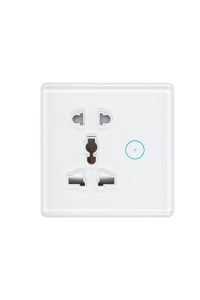
Smart Switches for Home: Choosing Plate, Gang and Protocol

Smart switches for home use replace a standard wall switch with a connected one, so the light, fan or curtain it controls can be turned on by app, voice, schedule or automation — while the physical button still works exactly as before. For most homes this is the cheapest and least disruptive way to automate lighting: you keep your existing bulbs, you do not need a hub for Wi-Fi models, and one switch can automate every bulb on that circuit at once.

The catch is that a Smart switch is not a universal part. It has to match the wiring in your wall (neutral wire or not), the size of your wall box and plate, the number of gangs you need, and the ecosystem your family already uses. This guide walks through those four decisions in the order that actually matters, with the sizes and protocols we ship every day. M1 Foldable 3-Axis Gimbal Stabilizer, Portable Handheld Gimbal for Smartphones

What a smart switch does that a smart bulb does not

A Smart bulb is controlled at the bulb; a smart switch is controlled at the wall. That single difference changes almost everything about how the room behaves. M2 Pro Foldable 3-Axis Gimbal Stabilizer, Advanced Handheld Gimbal for Smartphones

  • The wall button still works. Guests, children and anyone with a phone out of battery can still turn the light on. With smart bulbs, flipping the wall switch off kills the bulb’s connection — the classic “why is my smart bulb offline” problem.
  • One device covers many bulbs. A six-light ceiling track needs one smart switch, not six smart bulbs.
  • It works with the lights you already own. No need to replace every bulb with a Wi-Fi one, and no colour-temperature mismatch between fittings.
  • Automations are physical. Scene buttons, double-press actions and “turn everything off at the front door” work even if the internet is down, because the logic stays local on a Zigbee hub or runs on the switch itself.

Where bulbs win: colour. If you want RGB mood lighting or tuneable white, that has to happen in the bulb. A switch only controls power. M2 Foldable 3-Axis Gimbal Stabilizer, Portable Handheld Gimbal for Smartphones

Decision 1 — Wiring: do you have a neutral wire?

Open a switch plate (turn the breaker off first) and look at the wires behind it. This is the single most common reason a return happens.

What is in the box What you can install Notes
Live + switched live only (2 wires) No-neutral switch, or a capacitor-based model No-neutral switches sip power through the load; very low-wattage LED lamps can flicker. Add the supplied capacitor across the lamp if you see it.
Live + neutral + switched live (3 wires) Any Wi-Fi or Zigbee switch This is the standard in most homes built after 2000 in the EU/UK and in most North American homes.
Live + neutral + 2 travellers (staircase) 2-way / 3-way smart switch pair, or one smart switch + one mechanical Both ends of a staircase circuit must be replaced with a matched pair for full control from both positions.

Rule of thumb: if your home was wired before the 1990s, assume no neutral and either buy a no-neutral model or budget for an electrician to pull one. If you are unsure, a no-neutral switch is the lower-risk purchase — it works in both cases, with the flicker caveat above. F10 3-Axis Gimbal Stabilizer, Handheld Smartphone Stabilizer for Smooth Video Recording

Decision 2 — Plate size and gang count

Plate sizes are regional and they are not interchangeable. Ordering a 86 mm plate for a 118 mm box leaves a gap; ordering the wrong gang count means the plate cannot cover the hole.

Standard Plate size Typical market Gangs available
EU / CN round & square 86 × 86 mm Germany, France, Spain, most of Asia 1 / 2 / 3
UK / British Standard 86 × 86 mm and 147 × 86 mm UK, Ireland, UAE, Malaysia, Singapore 1 / 2 / 3 / 4 / 6 (147 × 86)
US / North America 118 × 72 mm (decorator style) USA, Canada, Mexico 1 / 2 / 3 / 4
Large-format touch panels 120 × 74 mm, 147 × 86 mm Hotels, premium residential 2 / 3 / 4 / 6 / 8

Gang count is the number of independent switches on one plate. Count what is on the wall today and buy the same — a 4-gang plate cannot be cut down to 2, and a 2-gang plate will not cover a 4-gang hole.

Decision 3 — Protocol: Wi-Fi, Zigbee or Matter

Protocol Needs a hub? Works when internet drops Best for
Wi-Fi (Tuya / Smart Life) No Local button only; app control needs cloud Retrofit jobs, 1–5 switches, rentals, DIY
Zigbee 3.0 Yes Yes — automations run on the hub Whole-home, 10+ devices, scenes and sensors
Matter over Wi-Fi / Thread No (needs a Matter controller) Yes Apple Home / Google / Alexa mixed households
RF 433 / 315 MHz No Yes No-Wi-Fi homes, garages, outbuildings

A practical choice: start with Wi-Fi if you are automating fewer than six points. Move to Zigbee once you want door sensors, motion sensors and “if the hallway sensor triggers at night, turn on the hallway light at 20 %” — those automations need a hub to run locally and to keep the mesh responsive.

Decision 4 — Load type and rating

Every switch has a maximum load and a minimum load. Exceeding the maximum burns the relay; going under the minimum causes the flicker already mentioned.

  • Resistive loads (incandescent, most LED drivers, heaters): typically 10 A per gang for lighting.
  • Curtain / motor loads: use a dedicated curtain switch with a reversible relay and a defined run time — a lighting switch will damage a tubular motor.
  • Fan speed control: needs a fan-specific module, not a dimmer.
  • Dimming: only if both the switch and the lamp are dimmable (trailing-edge for LED).

Which rooms get the most benefit

  1. Entry & hallway — “arrive home” scene, and a single off button by the door that kills every light.
  2. Bedroom — bedside scene, and a double-press on the switch that turns the whole flat off Without reaching for a phone.
  3. Living room — 3- or 4-gang plate replaces a bank of switches; scene buttons for film / reading / evening.
  4. Bathroom — combine the switch with a door/window or PIR sensor so the extractor and light run on occupancy, not on memory.
  5. Staircase — 2-way pair so both ends keep working.
  6. Outdoor & garage — schedules for dusk-to-dawn; use an IP-rated enclosure if the plate is exposed.

Installation: what a competent DIY job looks like

  1. Turn off the breaker and verify with a non-contact tester — do not trust the switch position.
  2. Photograph the existing wiring before you disconnect anything.
  3. Identify live (L), neutral (N) and the switched live going to the lamp.
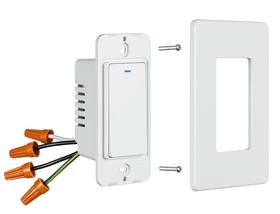
  4. Connect L and N to the smart switch, and the switched live to the output terminal(s).
  5. For multi-gang plates, each gang has its own output but shares L and N.
  6. Mount the plate, restore power, then pair: hold the button until the indicator blinks, and add the device in the app.
  7. Test the physical button before you close the plate. If the button works and the app does not, it is a pairing or Wi-Fi band problem, not a wiring one.

One fault that catches everyone: 2.4 GHz. Wi-Fi smart switches do not join 5 GHz networks. If your router has band steering on, split the SSIDs during setup, or the switch will never appear in the app.

Frequently Asked Questions

Do smart switches work without internet?

The physical button always works. App and voice control need internet for Wi-Fi models. Zigbee models keep local automations running through the hub even when the broadband is down, which is why whole-home installs favour Zigbee.

Can I use a smart switch with Alexa and Google Home at the same time?

Yes. Tuya-based Wi-Fi switches link to both; you enable the skill/action once and the same device appears in both ecosystems. Matter devices can be shared across Apple Home, Google and Alexa simultaneously.

Why does my LED lamp flicker or glow when the switch is off?

With a no-neutral switch, a small current flows through the lamp to power the switch electronics. High-impedance LED drivers turn that into a visible glow. Fitting the supplied anti-flicker capacitor across the lamp, or moving to a neutral-wire model, fixes it.

How many smart switches can one home handle?

On Wi-Fi, the practical limit is your router — most consumer routers start struggling around 30–40 always-connected devices. On Zigbee, a single hub handles 50–100 devices because they mesh with each other instead of with the router.

Do I need an electrician?

If you have a neutral wire and you are replacing a like-for-like plate, it is a 15-minute DIY job in most of the EU and UK. In North America and anywhere without a neutral, and for any work inside a consumer unit, use a licensed electrician — in many jurisdictions DIY work on fixed wiring is not legal.

What should a buyer check before a bulk order?

Plate standard for the destination country, gang count mix, neutral availability in target housing stock, certification (CE / UKCA / FCC / RoHS, plus CCC or PSE where required), app platform (Tuya vs private), and whether the glass panel, frame and button colour can be matched to the local range.

Related products

Related guides

Related Articles

You Might Also Like
Posted on — Leave a comment

Best Smart Home Starter Kit for 2026: Switches, Doorbells, Cameras, Sensors and Pet Feeders Compared

Automatic pet feeder with camera and stainless steel bowl
Best Smart Home Starter Kit for 2026: Switches, Doorbells, Cameras, Sensors and Pet Feeders Compared

However, Getting started with a Smart home is easier when you build it one device at a time. In this guide we compare the five categories that make up a complete starter kit — Smart switches, Video doorbells, Security cameras, Sensors and pet feeders — and show which combination gives the best value in 2026. In short, Smart home starter

Video doorbell with two way audio for smart home kit

1. Smart switches and sockets

Best for: instant convenience and energy savings.

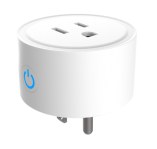
Therefore, A smart switch replaces your wall switch and brings voice and app control to every light. Smart sockets do the same for heaters, fans and coffee makers. Look for energy monitoring, scheduling and easy pairing. A two-pack of smart sockets is the cheapest upgrade you can make and typically pays for itself within a season.

Moreover, What to check: wiring compatibility (neutral wire or no-neutral design), load rating, and app ecosystem.

2. Video doorbells

Best for: front-door security and package awareness. Q81 Wireless Button Microphone – Mini Invisible Lapel Mic for Vlogging, Interview & Live Streaming

In addition, A video doorbell gives a live view of your entrance, two-way talk and motion alerts. Key features to compare: resolution (2K or 4MP), night vision, field of view, two-way audio quality and local storage. Battery versions are simpler to install; wired versions never need recharging. M8 Dopamine Color Wireless Lavalier Microphone: Get Clear Studio Audio For Vlogging & Live Streaming

For example, What to check: storage without subscription, app delay, and motion detection zones.

3. Security cameras

Best for: whole-home monitoring and peace of mind.

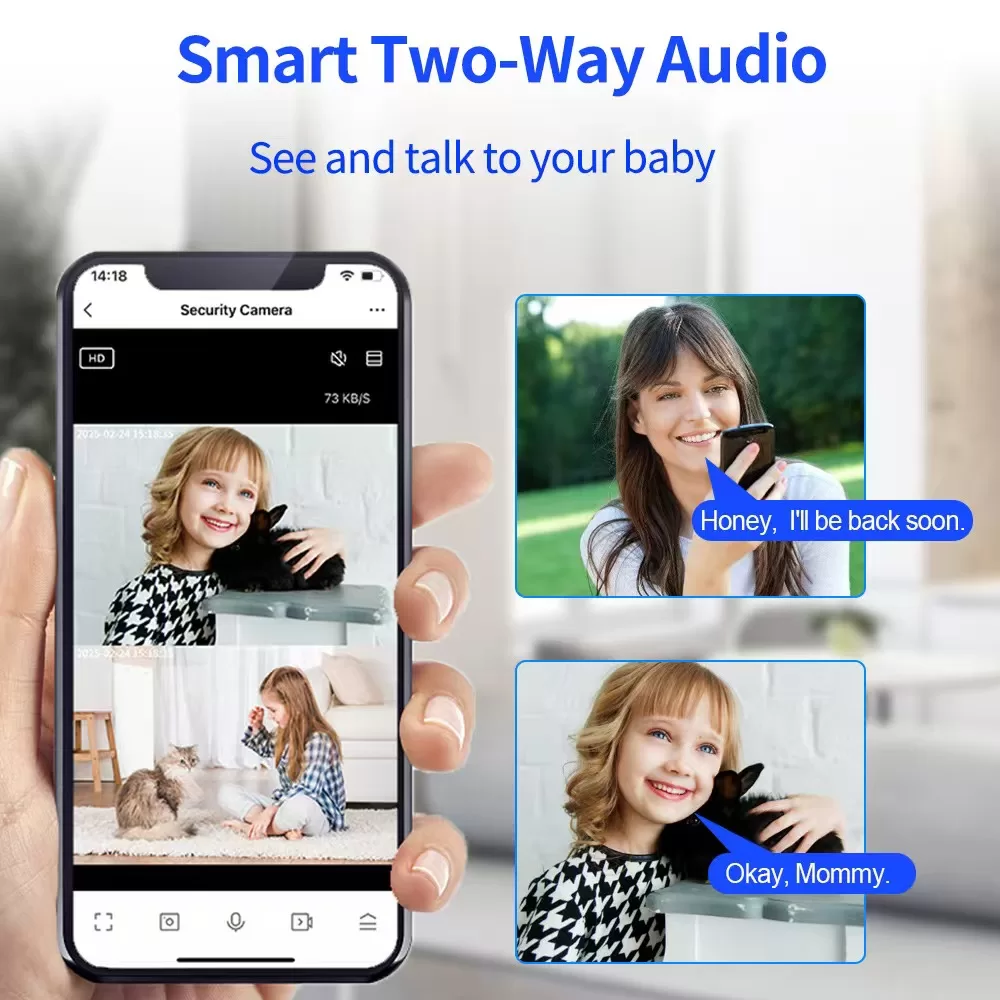
Consequently, Indoor cameras cover living rooms, nurseries and offices; outdoor models guard entrances and driveways. Look for pan-tilt movement, 360-degree coverage, two-way audio, night vision and SD card recording. Pan-tilt indoor models are the most popular first camera because one unit covers an entire room.

What to check: local storage, motion alerts, and whether it works with your existing hub or app.

Automatic pet feeder with camera for smart home

4. Sensors

Best for: automation that runs by itself.

Door/window sensors, motion sensors and temperature sensors trigger other devices automatically: Lights on when you enter, alerts when a door opens, heating adjusted by temperature. They are small, cheap and multiply the value of every other device in your kit.

What to check: battery life, signal range, and scene options in the app.

5. Pet feeders

Best for: pet owners with busy schedules.

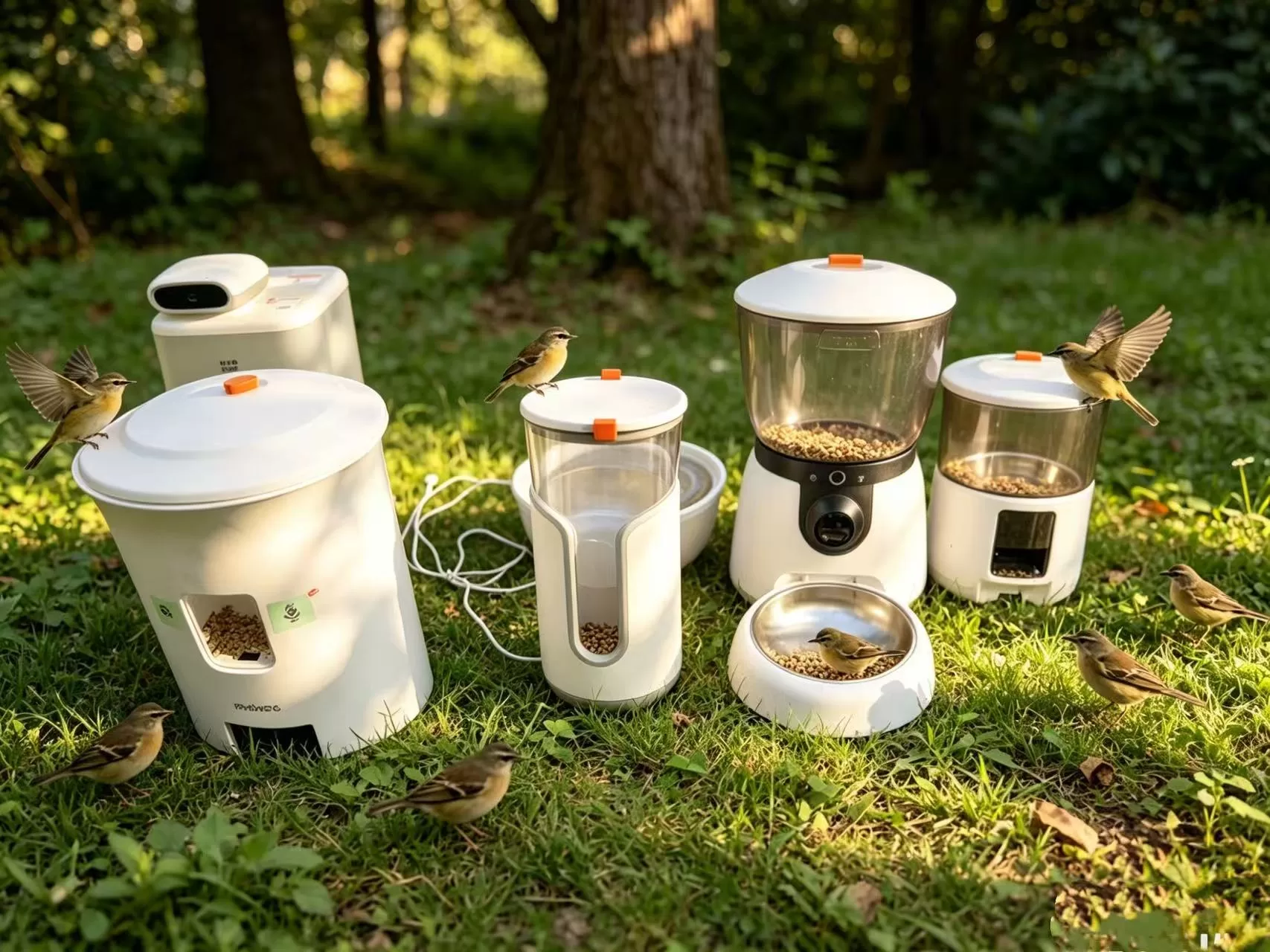
Automatic pet feeders with built-in cameras schedule meals, control portions and let you check on your pet remotely. Look for a stainless steel bowl (easier to clean), app schedule, voice recording to call your pet, and a camera for live checks.

What to check: Power backup, portion accuracy, and food type compatibility (dry kibble usually).

Which starter kit fits you?

Scenario Recommended kit
Budget convenience 2 smart sockets + 1 sensor
Security first Video doorbell + 1 indoor pan-tilt camera
Full automation Switch + sensor + doorbell + camera
Pet-owner household Pet feeder + indoor camera

Installation recap

Sockets, bulbs and sensors install in minutes with no wiring. Doorbells mount on existing wiring or run on battery. Wall switches may need a quick visit from an electrician. All devices pair in a few minutes with a QR scan and the free app.

Building your starter kit or planning to stock smart home bundles for your store? Contact our team for wholesale pricing and ready-to-sell kit configurations.

You Might Also Like
Frequently Asked Questions

Is Smart Home Starter worth buying?

Based on the breakdown in this article, Smart Home Starter offers a solid mix of features and value. If your main goal matches the key benefits described above, it is a practical choice for everyday use.

How do I choose the right smart home starter for my needs?

Start with your core use case, then compare battery life, compatibility, and build quality as covered above. Choosing the right smart home starter comes down to matching specs with how you Actually use it.

Does smart home starter require a companion app?

Most devices of this type pair with a free companion app for setup and firmware updates. A few advanced features may sit behind a paid plan, so check the official specs page before buying.