Posted on — Leave a comment

Smart Home Automation Guide 2026: 7 Practical Scenes That Save Time, Money and Energy

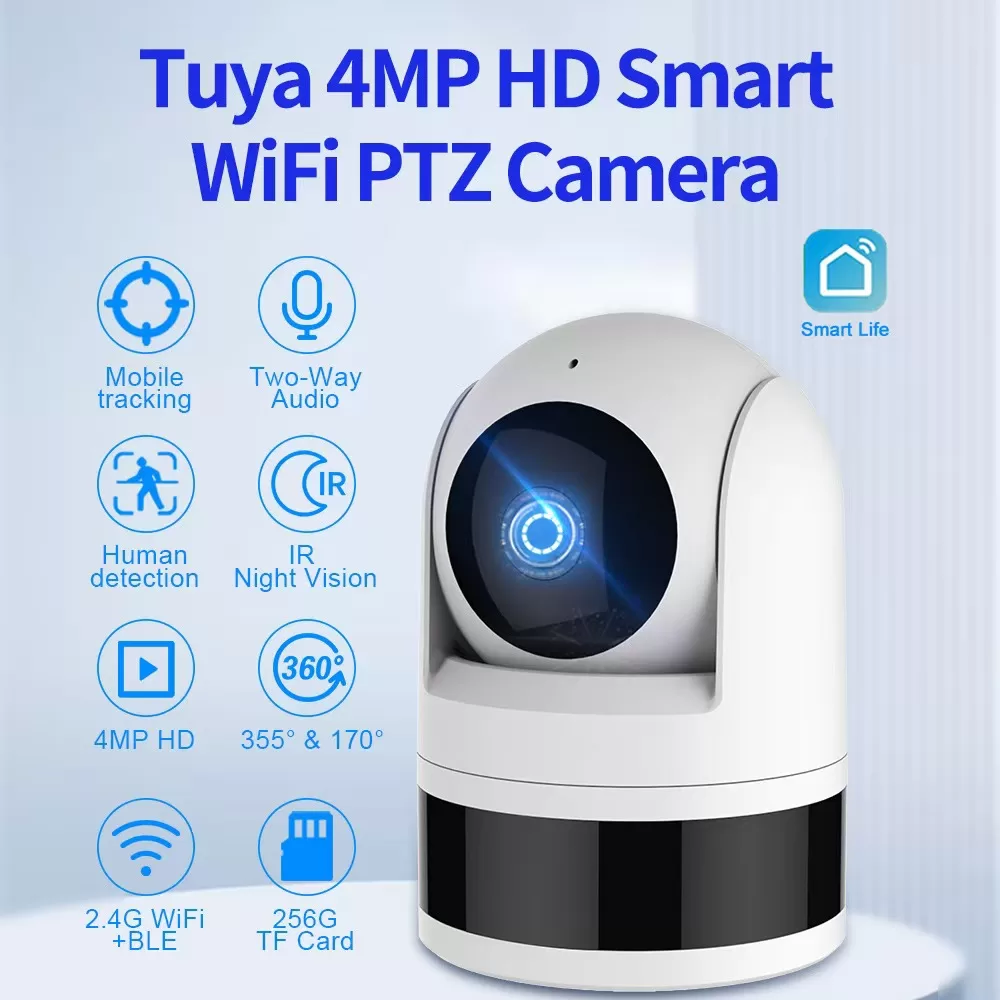
Tuya 4MP Indoor WiFi Smart Camera - HD Night Vision Pan-Tilt Remote Home Monitor with Two-Way Audio
Smart Home Automation Guide 2026: 7 Practical Scenes That Save Time, Money and Energy

However, Smart home automation is no longer a luxury for tech enthusiasts. In 2026 it is the fastest way to make a home safer, more comfortable and noticeably cheaper to run. The best part? You do not need a full renovation or a huge budget. With a few Smart switches, sensors, a doorbell camera and an affordable ecosystem hub, you can build genuinely useful automations in an afternoon.

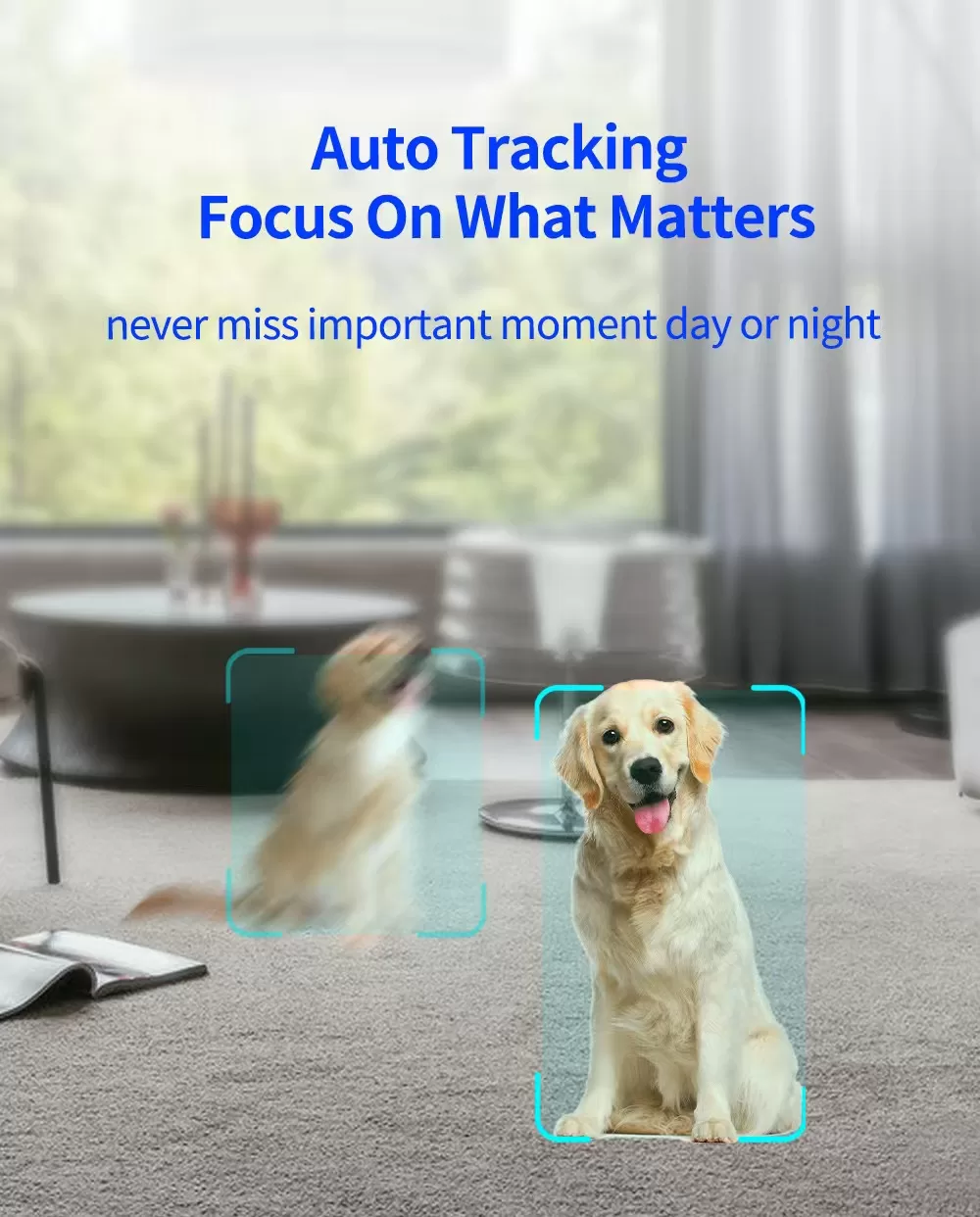
Tuya indoor WiFi smart camera for home security automation

Therefore, This guide explains what smart home automation actually means, the devices that matter, and seven practical scenes you can copy today. It also includes a short buying checklist for distributors who want to stock a complete, compatible automation range.

What smart home automation means

Moreover, Automation is the difference between controlling a device remotely and having it react by itself. When you automate, a rule triggers an action without you touching your phone. For example: motion detected at the front door and after sunset, the porch light turns on automatically. No app, no Button, no thinking required.

In addition, The rules live in the app of your ecosystem, most commonly Tuya-based platforms that unify hundreds of brands. The same app controls switches, cameras, sensors, doorbells and pet feeders — which is exactly why distributors prefer open-protocol products that speak the same language.

The building blocks of a smart home

Smart switches and sockets

For example, A smart wall switch replaces your existing switch and gives every light in the room a Wireless brain: on/off schedules, remote control and voice commands. Smart sockets do the same for appliances such as heaters, fans and coffee makers, with energy monitoring to reveal what is really consuming Power.

Smart sensors

Consequently, Door/window sensors, motion sensors, temperature and humidity sensors turn ordinary rooms into aware rooms. They are the “eyes and ears” that trigger other devices. A motion sensor plus a smart bulb, for instance, creates automatic lighting in hallways and bathrooms. M8 Dopamine Color Wireless Lavalier Microphone: Get Clear Studio Audio For Vlogging & Live Streaming

Video doorbells and security cameras

A video doorbell gives you a live view of your entrance, two-way talk and motion alerts. Indoor and outdoor Security cameras extend that coverage to every room and corner. Combined with local SD card storage, they create a subscription-free security layer that works even when you are away.
Tuya pan-tilt security camera home surveillance

Automatic pet feeders

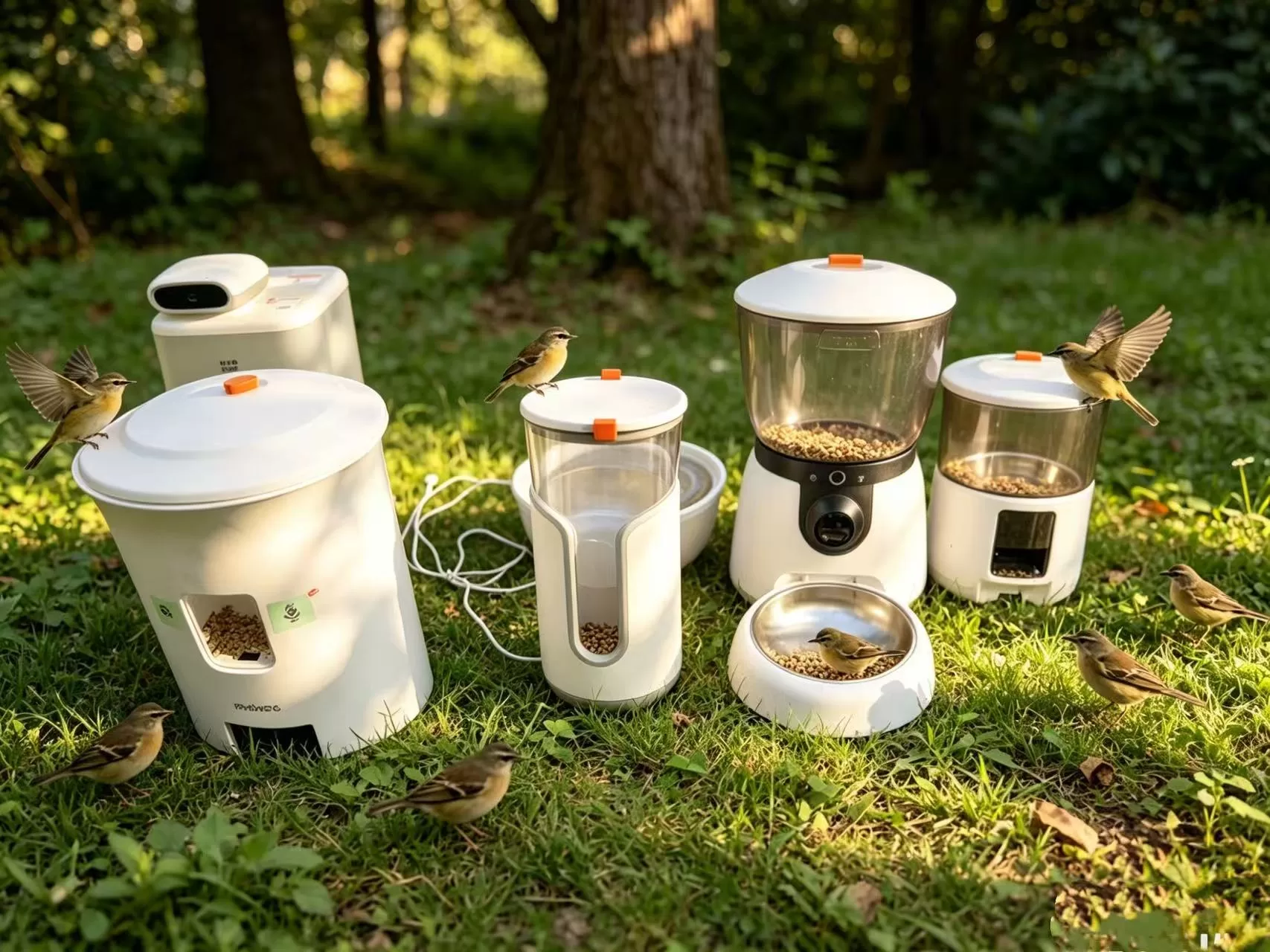
WiFi pet feeders dispense scheduled meals and let you check on your pet with a built-in camera — perfect for long workdays and travel, and a growing category in every pet-owner household.

7 practical automation scenes for 2026

  • Morning wake-up: a bedroom smart switch fades the lights on at 7:00, and a wall socket starts the coffee maker right after.
  • Welcome home: a door/window sensor on the main door triggers the hallway lamp the moment you walk in.
  • Away mode: all lights follow a random schedule while you travel, and the security camera arms itself and records on motion.
  • Energy saving: temperature and power-monitoring sockets switch off standby devices at night, cutting standby power that can reach 10% of your bill.
  • Pet care: the pet feeder dispenses lunch at 12:00, and your indoor camera checks that your pet actually ate.
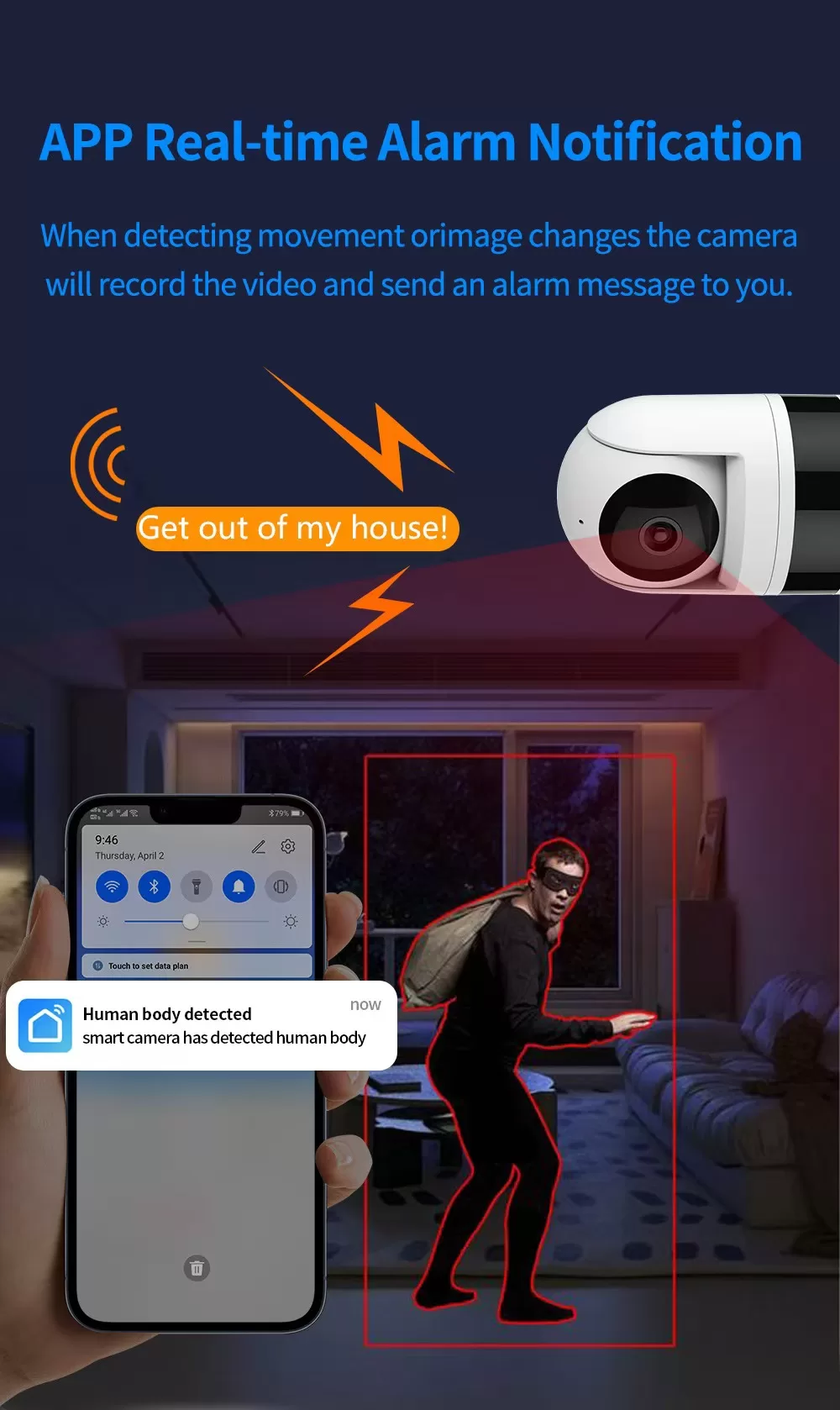
  • Security: motion at the back door after midnight triggers the siren-linked socket and pushes a live view notification to your phone.
  • Elderly care: a motion sensor in a parent room alerts family if no movement is detected for a set number of hours.

Installation: how hard is it really?

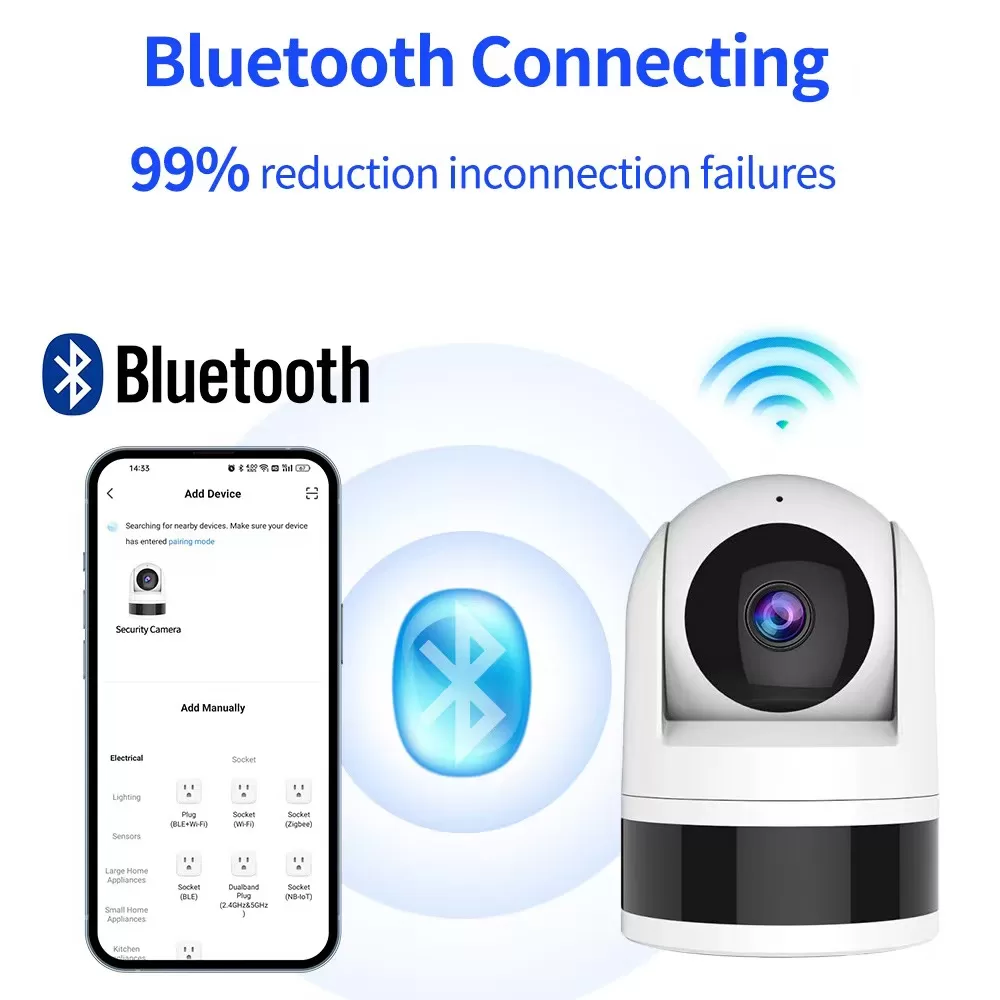
Smart bulbs and sockets install in under five minutes with zero wiring. Smart wall switches need standard wiring but most follow a simple two-wire design that an electrician can retrofit in one visit — or a confident homeowner can handle with the included manual. After hardware is in, pairing takes one QR scan per device and naming the room. Automation rules are drag-and-drop scenes, not programming.

Buying checklist for distributors

  • Choose one open protocol (Tuya is the most universal) so every product works together out of the box.
  • Prefer devices with local storage options — subscription-free features sell better globally.
  • Stock complete kits: switch + sensor + doorbell + camera + feeder — one shipment, one ecosystem.
  • Confirm multi-country power standards and universal voltage for export markets.
  • Request demo units and factory samples so your team can test scenes before you commit.

Building a smart home automation line? Contact our factory for wholesale pricing, OEM/ODM support and sample testing on switches, sensors, doorbells, cameras and pet feeders.

You Might Also Like

Frequently Asked Questions

Is Smart Home Automation worth buying?

Based on the breakdown in this article, Smart Home Automation offers a solid mix of features and value. If your main goal matches the key benefits described above, it is a practical choice for everyday use.

How do I choose the right smart home automation for my needs?

Start with your core use case, then compare battery life, compatibility, and build quality as covered above. Choosing the right smart home automation comes down to matching specs with how you actually use it.

Does smart home automation require a companion app?

Most devices of this type pair with a free companion app for setup and firmware updates. A few advanced features may sit behind a paid plan, so check the official specs page before buying.
Posted on — Leave a comment

Video Doorbell Review 2026: What to Look For, Smart Features Compared, and Buyer’s Guide

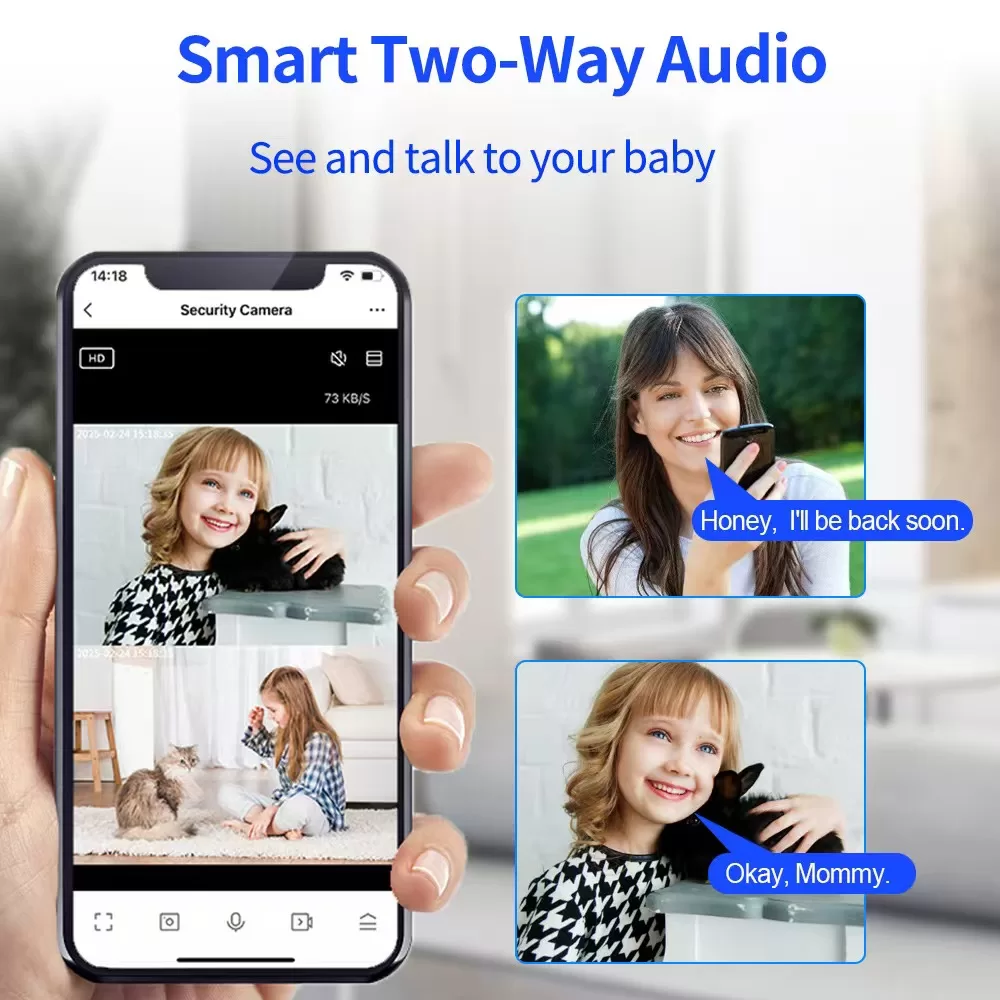
Tuya indoor WiFi smart camera smart two-way audio see and talk to your baby remote voice intercom mobile phone real-time communication baby monitoring
Video Doorbell Review 2026: What to Look For, Smart Features Compared, and Buyer’s Guide

Video doorbell review 2026

However, Video doorbells have become one of the most popular Smart home upgrades for good reason: they let you see who is at your door from anywhere, answer visitors remotely and deter package thieves before they strike. But with dozens of models on the market, how do you choose the right one? This 2026 review breaks down the features that actually matter, compares what to expect at each price tier, and ends with a practical buying checklist for both homeowners and wholesale buyers.

Why a video doorbell is worth it

Therefore, A video doorbell replaces your doorbell button with a WiFi camera. When someone rings or passes by, you get an instant motion alert on your phone with a live view and two-way talk. For families, it adds everyday convenience — answering delivery drivers, talking to a guest while you are upstairs, or checking that your kids arrived home safely.

Key features to compare in 2026

Video resolution and night vision

Moreover, Look for at least 1080p HD resolution. Higher-end models offer 2K clarity that makes it easier to read faces and licence plates. Night vision is non-negotiable: infrared (IR) or full-colour night vision ensures the camera still identifies visitors after dark.

Two-way audio

In addition, Clear two-way audio lets your visitor hear you and you hear them. Check for echo cancellation and a built-in speaker loud enough for porches and corridors.

Motion detection and zones

For example, Smart motion detection filters out moving cars and tree branches, sending alerts only for people. Adjustable detection zones and sensitivity let you tune the field of view so you are not flooded with notifications.

Storage: cloud vs local

Consequently, Some doorbells require a paid cloud subscription; others support local SD card recording or on-demand snapshot. Local storage keeps you subscription-free and puts your footage in your control — a major plus for privacy-conscious buyers. Tuya WiFi Smart Boiler Switch: Energy‑Saving Control for Electric Water Heaters & Home Heating

Smart assistant compatibility

Confirm the doorbell works with AlexaGoogle Assistant or your preferred smart app. Tuya-based models integrate easily into an existing smart home ecosystem and allow you to build automations such as porch lights turning on when motion is detected.

video doorbell two way audio night vision

Choosing the right video doorbell for your situation

  • Renters: choose a battery-powered, wireless model that needs no wiring.
  • Homeowners: wired models provide continuous power and more reliable streaming.
  • Distributors: prioritise models with local storage and universal app protocol (Tuya) that sell across markets, plus units with fast setup for less technical support.

Common mistakes to avoid

  • Buying a doorbell with no local playback option and a forced subscription.
  • Ignoring WiFi coverage at the front door — weak signal causes dropouts.
  • Choosing a camera without weather protection for exposed entrances.

Ready to add video doorbells to your range? Contact us for review units, wholesale pricing and compatibility advice.

Related Articles

You Might Also Like
Related guides
Frequently Asked Questions

Is Video Doorbell 2026 worth buying?

Based on the breakdown in this article, Video Doorbell 2026 offers a solid mix of features and value. If your main goal matches the key benefits described above, it is a practical choice for everyday use.

How do I choose the right video doorbell 2026 for my needs?

Start with your core use case, then compare battery life, compatibility, and build quality as covered above. Choosing the right video doorbell 2026 comes down to matching specs with how you actually use it.

Does video doorbell 2026 require a companion app?

Most devices of this type pair with a free companion app for setup and firmware updates. A few advanced features may sit behind a paid plan, so check the official specs page before buying.

Posted on — Leave a comment

Best Smart Home Starter Kit for 2026: Switches, Doorbells, Cameras, Sensors and Pet Feeders Compared

Automatic pet feeder with camera and stainless steel bowl
Best Smart Home Starter Kit for 2026: Switches, Doorbells, Cameras, Sensors and Pet Feeders Compared

However, Getting started with a Smart home is easier when you build it one device at a time. In this guide we compare the five categories that make up a complete starter kit — Smart switches, Video doorbells, Security cameras, Sensors and pet feeders — and show which combination gives the best value in 2026. In short, Smart home starter

Video doorbell with two way audio for smart home kit

1. Smart switches and sockets

Best for: instant convenience and energy savings.

Therefore, A smart switch replaces your wall switch and brings voice and app control to every light. Smart sockets do the same for heaters, fans and coffee makers. Look for energy monitoring, scheduling and easy pairing. A two-pack of smart sockets is the cheapest upgrade you can make and typically pays for itself within a season.

Moreover, What to check: wiring compatibility (neutral wire or no-neutral design), load rating, and app ecosystem.

2. Video doorbells

Best for: front-door security and package awareness. Q81 Wireless Button Microphone – Mini Invisible Lapel Mic for Vlogging, Interview & Live Streaming

In addition, A video doorbell gives a live view of your entrance, two-way talk and motion alerts. Key features to compare: resolution (2K or 4MP), night vision, field of view, two-way audio quality and local storage. Battery versions are simpler to install; wired versions never need recharging. M8 Dopamine Color Wireless Lavalier Microphone: Get Clear Studio Audio For Vlogging & Live Streaming

For example, What to check: storage without subscription, app delay, and motion detection zones.

3. Security cameras

Best for: whole-home monitoring and peace of mind.

Consequently, Indoor cameras cover living rooms, nurseries and offices; outdoor models guard entrances and driveways. Look for pan-tilt movement, 360-degree coverage, two-way audio, night vision and SD card recording. Pan-tilt indoor models are the most popular first camera because one unit covers an entire room.

What to check: local storage, motion alerts, and whether it works with your existing hub or app.

Automatic pet feeder with camera for smart home

4. Sensors

Best for: automation that runs by itself.

Door/window sensors, motion sensors and temperature sensors trigger other devices automatically: Lights on when you enter, alerts when a door opens, heating adjusted by temperature. They are small, cheap and multiply the value of every other device in your kit.

What to check: battery life, signal range, and scene options in the app.

5. Pet feeders

Best for: pet owners with busy schedules.

Automatic pet feeders with built-in cameras schedule meals, control portions and let you check on your pet remotely. Look for a stainless steel bowl (easier to clean), app schedule, voice recording to call your pet, and a camera for live checks.

What to check: Power backup, portion accuracy, and food type compatibility (dry kibble usually).

Which starter kit fits you?

Scenario Recommended kit
Budget convenience 2 smart sockets + 1 sensor
Security first Video doorbell + 1 indoor pan-tilt camera
Full automation Switch + sensor + doorbell + camera
Pet-owner household Pet feeder + indoor camera

Installation recap

Sockets, bulbs and sensors install in minutes with no wiring. Doorbells mount on existing wiring or run on battery. Wall switches may need a quick visit from an electrician. All devices pair in a few minutes with a QR scan and the free app.

Building your starter kit or planning to stock smart home bundles for your store? Contact our team for wholesale pricing and ready-to-sell kit configurations.

You Might Also Like
Frequently Asked Questions

Is Smart Home Starter worth buying?

Based on the breakdown in this article, Smart Home Starter offers a solid mix of features and value. If your main goal matches the key benefits described above, it is a practical choice for everyday use.

How do I choose the right smart home starter for my needs?

Start with your core use case, then compare battery life, compatibility, and build quality as covered above. Choosing the right smart home starter comes down to matching specs with how you Actually use it.

Does smart home starter require a companion app?

Most devices of this type pair with a free companion app for setup and firmware updates. A few advanced features may sit behind a paid plan, so check the official specs page before buying.

Posted on — Leave a comment

Smart Home Market Trends 2026: What Distributors Must Know About Modular Security, Voice Control and Energy-Saving Devices

Tuya 4MP Indoor WiFi Smart Camera - HD Night Vision Pan-Tilt Remote Home Monitor with Two-Way Audio
Smart Home Market Trends 2026: What Distributors Must Know About Modular Security, Voice Control and Energy-Saving Devices

However, Smart home demand keeps growing, but the way people buy is changing fast. End customers now expect modular systems that start small and scale up, voice control that works out of the box, and products that visibly cut their energy bills. For distributors and wholesalers, stocking the right trends means higher attachment rates, fewer returns and stronger repeat orders. Here is what matters most in 2026. In short, Smart home

Smart Home Market Trends 2026: What Distributors Must Know About Modular Security, Voice Control and Energy-Saving DevicesSmart home security camera market trend 2026″/>

Trend 1: Modularity beats all-in-one luxury

Therefore, Consumers used to buy a single expensive hub. Today they prefer to start with one or two affordable devices and grow the system room by room. A smart switch here, a door sensor there, a camera next month. This behavior favors distributors who stock a complete, interoperable range under one app ecosystem rather than isolated premium gadgets.

Trend 2: Security is the strongest entry point

Moreover, Video doorbells and indoor/outdoor cameras remain the top first purchase in smart home categories. Buyers want to see who is at the door and check their home remotely. Subscription-free local storage (SD card) is now a decisive factor, as consumers are tired of monthly fees. Products that combine camera plus two-way audio and motion alerts sell fastest in bulk orders.

Trend 3: Voice control is table stakes

In addition, Compatibility with Alexa, Google Assistant and Siri shortcuts is no longer a premium feature; it is expected. Bulk buyers check voice compatibility before anything else. A product that fails this test gets returned; one that passes it gets recommended to friends and neighbors, driving organic demand for your retail channel.

Trend 4: Energy monitoring drives upgrades

For example, With energy prices high across Europe and North America, smart plugs and sockets with power monitoring are booming. Consumers can see exactly which appliance eats electricity and cut standby usage. Distributors who market “save on your bill” rather than “fancy gadget” report higher conversion and fewer price objections.

Trend 5: Pet care is a fast-growing niche

Consequently, Automatic pet feeders with built-in cameras are one of the fastest-growing smart home subcategories. Remote feeding, portion control and live pet checks appeal to working owners. It is a small-format product with strong margins and almost no support burden, making it an easy add-on order for any distributor.

Trend 6: Sensors make homes feel intelligent

Motion, door/window and environmental sensors are the quiet workhorses that turn separate gadgets into a real automation system. They are cheap, compact and pair with switchers and lights to trigger automatic scenes. Expect sensor demand to grow alongside every camera and switch order.

What this means for your purchasing plan

  • Prioritize one universal ecosystem (Tuya-based) so all SKUs work together and simplify your training and returns.
  • Bundle starter kits: switch + sensor + doorbell + camera in one box drives higher basket values.
  • Lead your catalog with security products, then cross-sell energy and pet categories.
  • Request universal-voltage 100–240V versions to serve multiple export markets from one warehouse line.

2026 is a modular, security-first, subscription-free market. Our factory range already covers every trend above. Contact our wholesale team for pricing, samples and market-specific bundle recommendations.

Related Articles

You Might Also Like
Frequently Asked Questions

Is Smart Home Market worth buying?

Based on the breakdown in this article, Smart Home Market offers a solid mix of features and value. If your main goal matches the key benefits described above, it is a practical choice for everyday use.

How do I choose the right smart home market for my needs?

Start with your core use case, then compare battery life, compatibility, and build quality as covered above. Choosing the right smart home market comes down to matching specs with how you actually use it.

Does smart home market require a companion app?

Most devices of this type pair with a free companion app for setup and firmware updates. A few advanced features may sit behind a paid plan, so check the official specs page before buying.
Posted on — Leave a comment

Smart Home Starter Guide 2026: How to Build Your First Connected Home

Introduction: Why Smart Home?

However, The concept of a Smart home has evolved from a luxury to an accessible reality for homeowners worldwide. Whether you live in a studio apartment or a multi-story house, building a connected home is easier and more affordable than ever in 2026. Smart home

Therefore, This guide walks you through everything you need to know to start your Smart home journey, from choosing the right ecosystem to selecting your first devices.

Step 1: Choose Your Smart Home Ecosystem

Moreover, Before buying any devices, decide which ecosystem you want to build around. This is the foundation of your smart home. Smart Sensors Buying Guide: How to Make Your Home Feel Its Environment

Major Options

  • Apple HomeKit ??Best for privacy and iOS users. Offers seamless Siri integration and HomeKit Secure Video.
  • Google Home ??Excellent voice control and AI automation. Works great with Nest devices.
  • Amazon Alexa ??The widest device compatibility. Ideal if you want maximum flexibility.
  • Matter/Thread ??The new universal standard that works across all platforms. Future-proof your home by choosing Matter-certified devices.

Tip: If you are just starting, pick the ecosystem that matches your phone. iPhone users tend to prefer HomeKit, while Android users often go with Google Home or Alexa. Smart Lighting Complete Guide: From Color Temperature to Automation Scenes

Step 2: Start With a Smart Speaker or Hub

For example, Every smart home needs a central hub. A smart speaker serves as your voice command center and automation brain. Tuya 4MP 2K HD Indoor Smart Camera: Color Night Vision for Family and Pet Monitoring Home Security Systems Explained: 5 Essential Devices to Protect Your Family

  • Apple HomePod mini ??Compact, powerful, and privacy-focused
  • Google Nest Audio ??Great sound quality with Google Assistant
  • Amazon Echo (4th Gen) ??Zigbee hub built in, widest compatibility

Consequently, Place your hub in a central location for the best voice control coverage and Bluetooth/Wi-Fi range. Tuya 2MP/4MP Indoor PTZ Smart Camera: 360 Panoramic Home Monitoring Made Simple

Step 3: Smart Lighting ??The Easiest Entry Point

Smart lighting is the most popular first purchase for smart home beginners. It is easy to install and delivers immediate, visible results.

What to Buy

  • Smart bulbs (Wi-Fi or Zigbee)
  • Smart light switches (if you want permanent control)
  • LED light strips for accent lighting

Key Features to Use

  • Scheduling ??Lights turn on at sunset, off at bedtime
  • Color temperature ??Warm white in the evening, cool white during the day
  • Scenes ??Create “Movie Night,” “Reading,” or “Party” modes
  • Voice control ??”Turn off all lights” when going to bed

Step 4: Smart Security ??Peace of Mind

Home security is one of the most valuable investments in a smart home. Start with these essentials:

  • Smart doorbell camera ??See who is at the door from your phone
  • Indoor security camera ??Monitor pets, kids, or entry points
  • Door/window sensors ??Get alerts when something opens unexpectedly
  • Smart lock ??Keyless entry and remote locking

For apartments, a video doorbell and a couple of indoor cameras are sufficient. For houses, consider adding outdoor cameras and motion sensors.

Step 5: Smart Sensors ??Make Your Home Aware

Sensors are the nervous system of a smart home. They detect conditions and trigger automations automatically.

Essential Sensors

  • Motion sensors ??Trigger lights when someone enters a room
  • Temperature/humidity sensors ??Monitor comfort levels and control climate
  • Door/window contact sensors ??Security and automation triggers
  • Water leak sensors ??Prevent costly flooding damage

For example, a motion sensor in the hallway can turn on lights at 30% brightness at 2 AM, so you never stub your toe in the dark.

Step 6: Home Automation ??Where It All Comes Together

The true power of a smart home is automation. Instead of controlling each device manually, you create rules that let your home operate itself.

Practical Automation Ideas

  • Morning routine: Lights gradually brighten, thermostat adjusts, news plays on speaker
  • Away mode: All lights off, cameras armed, doors locked
  • Sunset routine: Outdoor lights on, curtains close, ambient music starts
  • Bedtime: All lights off except nightlight, doors locked, thermostat to sleeping temperature

Step 7: Expand Gradually

Do not try to build everything at once. Start with a hub, a few smart bulbs, and one security device. Once you are comfortable with the basics, expand to sensors, smart plugs, and automation scenes.

The beauty of a smart home is that it grows with you. Each new device adds a new capability, and each automation you create saves you a few seconds every day ??which adds up to hours saved over a year.

Conclusion

Building a smart home in 2026 is about starting small and expanding thoughtfully. Choose your ecosystem, get a hub, add smart lighting, secure your home, and gradually add sensors and automations. Before you know it, your home will be working for you ??not the other way around. That is why Smart home starter

Related Articles

You Might Also Like
Frequently Asked Questions

Is Smart Home Starter worth buying?

Based on the breakdown in this article, Smart Home Starter offers a solid mix of features and value. If your main goal matches the key benefits described above, it is a practical choice for everyday use.

How do I choose the right smart home starter for my needs?

Start with your core use case, then compare battery life, compatibility, and build quality as covered above. Choosing the right smart home starter comes down to matching specs with how you actually use it.

Does smart home starter require a companion app?

Most devices of this type pair with a free companion app for setup and firmware updates. A few advanced features may sit behind a paid plan, so check the official specs page before buying.
Does smart home starter work with both iPhone and Android?

Yes, in most cases this type of device ships with iOS and Android apps, and standard Bluetooth protocols keep cross-platform pairing simple.