Most smartwatches are accessories to a phone: they mirror notifications over Bluetooth and their GPS is the phone’s GPS. That is fine for an adult carrying a phone, and useless for a seven-year-old walking Home from school or an eighty-year-old who does not carry one. A 4G watch has its own SIM, its own data connection and its own positioning, which means it Works as a locating device whether or not a phone is anywhere near it.
That independence is the entire product. It is also what you pay for, in money and in battery.
What you are choosing between
| Bluetooth watch | 4G standalone watch | |
|---|---|---|
| Needs a phone nearby | Yes | No |
| Positioning | Uses the phone’s GPS | GPS plus WiFi and cell-tower positioning |
| Calls | Through the phone | Independent number |
| SIM and plan | None | Required |
| Battery | Several days typical | Often one to two days |
| Best for | Fitness and notifications | Children, elderly relatives, lone workers |
A model like the 4G LTE watch with a rotating camera sits in the second column: it places itself, makes and receives calls on its own number, and adds a camera for a quick look around — useful when the person wearing it is not going to describe where they are.
Who actually needs one
- School-age children. A fixed number they can call, a location you can check, and no smartphone. This is the most common reason families buy one.
- Elderly relatives living alone. Falls and confusion are the scenarios; the value is that the watch is on the wrist rather than on a table across the room.
- People working alone outdoors — delivery, site visits, farming — where carrying a phone is impractical but being reachable is not optional.
If none of those describe the situation, a Bluetooth watch is the better buy. For health tracking rather than locating, a model such as the Tuya smart watch with heart-rate and blood-oxygen monitoring does that job without a data plan.
The ongoing cost, stated plainly
A 4G watch needs a SIM and a small data plan — usually a low-cost monthly tariff rather than anything expensive, since a watch moves very little data. Budget for it as a subscription, not a one-off. Check which LTE bands the watch supports against the carrier you intend to use before ordering; a watch that supports the wrong bands for your country is the single most common disappointment with these devices, and it is not fixable in software. Tuya vs Sonoff Smart Switch: Which Ecosystem Should You Build On?
Battery: the compromise you are accepting
A watch maintaining a cell connection, running GPS and staying reachable uses far more power than one that just mirrors a phone. Realistic expectation: charging daily or every other day. That is fine for a child who takes it off at home and bad for someone who forgets. Two practical mitigations: charge it as part of a fixed routine rather than a decision, and lower the location-reporting interval in the app — reporting every few minutes instead of continuously makes a visible difference to how long it lasts.
Accuracy, and what the map does not tell you
Positioning on these devices combines satellite, WiFi and cell-tower data, which is why accuracy varies: metres outdoors in the open, tens of metres indoors or between tall buildings. A dot that drifts by a street is normal, not a defect. Read location as “they are in this area”, and use the call function rather than the map when it Actually matters.
Privacy worth thinking about
Anyone buying a locating device for another person should say so plainly. For children that means explaining what the watch does and agreeing when it is on; many schools require watches to be in a silent mode during class, so check the rule before the first day. For elderly relatives, the conversation is about consent and dignity — the watch is worn voluntarily, and the person should know who can see the location. Store the account credentials properly and review who has access to the app periodically.
What to confirm before ordering
Four things, in this order. Bands — the watch’s LTE bands against your carrier, which decides whether it works at all. Size and strap — a watch that is uncomfortable does not get worn, and this is the most common reason these end up in a drawer; check the wrist size rather than the age on the box. Water resistance — children’s watches need to survive handwashing and rain, not swimming. Whether the app works in your language and region, since the location service is only as usable as the app that shows it.
Frequently Asked Questions
Does it work without a phone at all?
Yes. That is the point. Setup is usually done once from a parent’s phone, after which the watch works on its own.
Can I use my existing carrier’s SIM?
Often yes, if the watch supports the carrier’s LTE bands and the plan allows it. Confirm the bands first.
How accurate is the location?
Best outdoors with a clear sky; less so indoors, where it falls back on WiFi and cell towers. Expect an area rather than a pinpoint.
Is the camera necessary?
No, and it is the feature most likely to cause trouble at school. If locating and calling are the goals, a simpler watch is easier to Live with.
Related Articles
- All-in-One 4G Android Smartwatch | Rotatable Camera, Health Monitoring, NFC Access Control
- Smart Pet Feeder Bulk Sourcing: Building a Profitable Smart Pet Care Business
- Automatic Pet Feeder Wholesale: Complete B2B Sourcing Guide for Smart Pet Care
- Tuya Pet Feeder Wholesale Guide: Smart Pet Care Solutions for B2B Buyers
- Essential Smart Home Devices What You Actually Need
You Might Also Like
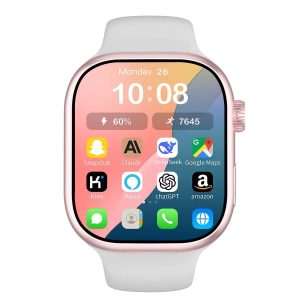 4G LTE Android Smart Watch, Slide Spin Rotating Camera, NFC GPS Smart Wearable Device Original price was: $40.00.$38.80Current price is: $38.80.
 X6A Visual Intelligent Doorbell Wireless Video Doorbell with Indoor Chime Remote Video Intercom & Cloud Snapshot Storage Original price was: $39.96.$29.99Current price is: $29.99.
 X18 Kids Video Walkie Talkie with Camera – Two-Way Video Talk, No Network Required, Long Range Outdoor Toy for Kids, Birthday Gift (2 Pack, Blue & Pink) Original price was: $55.96.$42.96Current price is: $42.96.
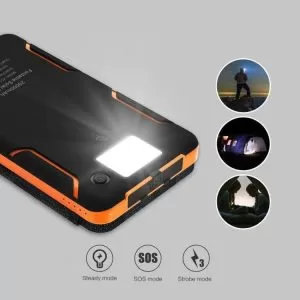 Foldable Solar Power Bank 20000mAh Waterproof LED Outdoor Charger Price range: $29.56 through $35.96
📌 This article is part of our Complete Smart Hub — more guides and buying tips inside.